


 Скачать презентацию Chapter 8 Digital Media Computer Concepts 2013
b46658695750362e075321212a65e131.ppt
- Количество слайдов: 44
 Chapter 8 Digital Media Computer Concepts 2013
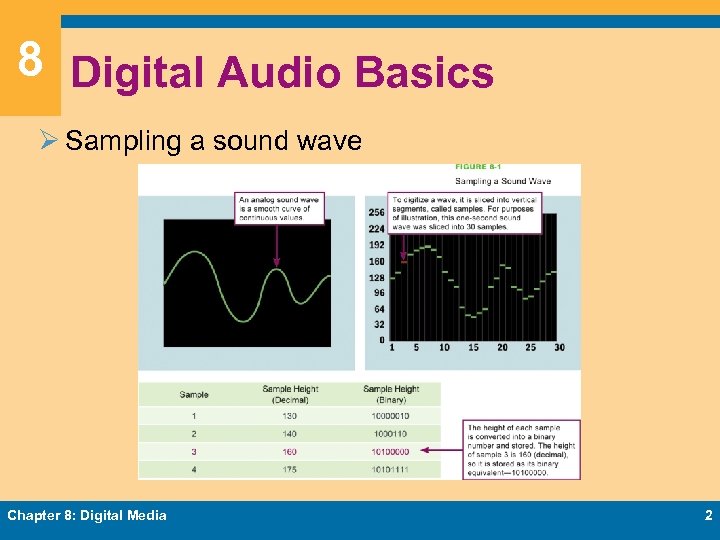 8 Digital Audio Basics Ø Sampling a sound wave Chapter 8: Digital Media 2
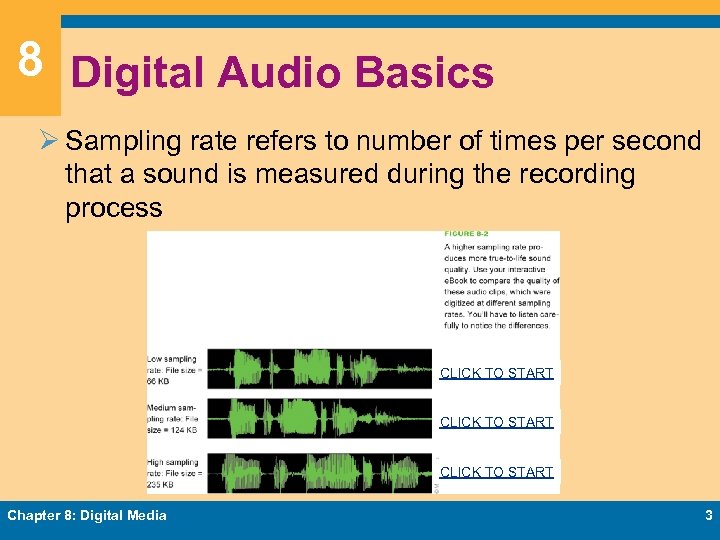 8 Digital Audio Basics Ø Sampling rate refers to number of times per second that a sound is measured during the recording process CLICK TO START Chapter 8: Digital Media 3
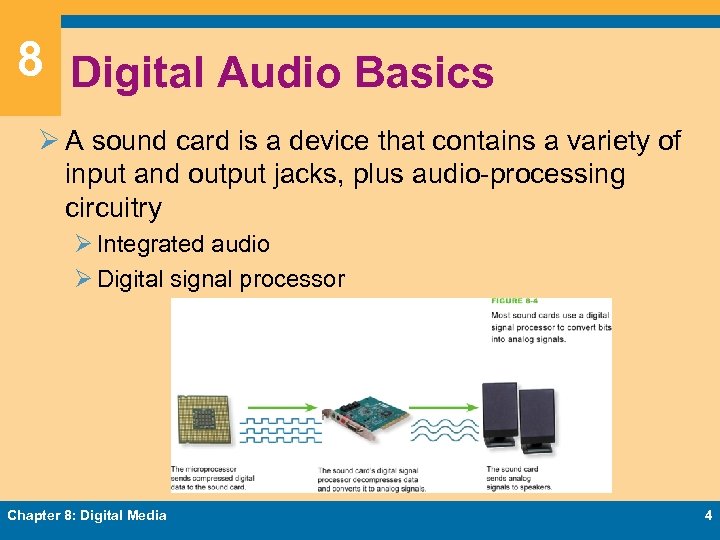 8 Digital Audio Basics Ø A sound card is a device that contains a variety of input and output jacks, plus audio-processing circuitry Ø Integrated audio Ø Digital signal processor Chapter 8: Digital Media 4
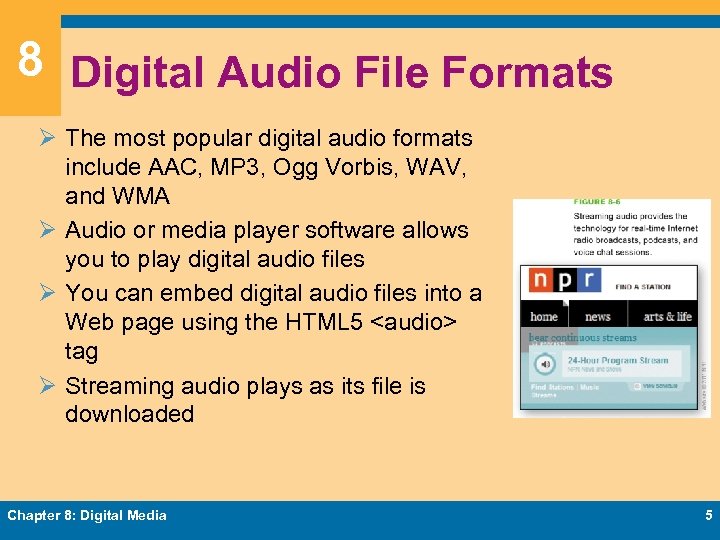 8 Digital Audio File Formats Ø The most popular digital audio formats include AAC, MP 3, Ogg Vorbis, WAV, and WMA Ø Audio or media player software allows you to play digital audio files Ø You can embed digital audio files into a Web page using the HTML 5
 8 Digital Audio File Formats Ø You can use audio converter software to change audio files from one format to another Ø Ripping is a slang term that refers to the process of importing tracks from a CD or DVD to your computer’s hard disk Ø The technical term is digital audio extraction Ø Music is stored on CDs in a digital format, CDDA Ø During the ripping process, music in CDDA format is typically converted into a compressed format such as MP 3, AAC, or WMA to reduce file size Chapter 8: Digital Media 6
 8 MIDI Music Ø MIDI (Musical Instrument Digital Interface) specifies a standard way to store music data for synthesizers, electronic MIDI instruments, and computers Ø MIDI music is encoded as a MIDI sequence Ø MIDI-capable sound cards contain a wavetable Ø Set of prerecorded musical instrument sounds Ø Does not produce high-quality vocals Ø Does not have full resonance of “real” sound Chapter 8: Digital Media 7
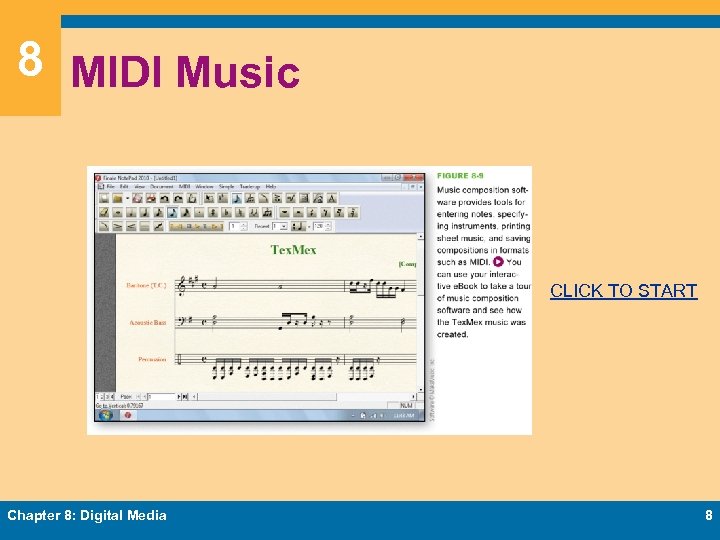 8 MIDI Music CLICK TO START Chapter 8: Digital Media 8
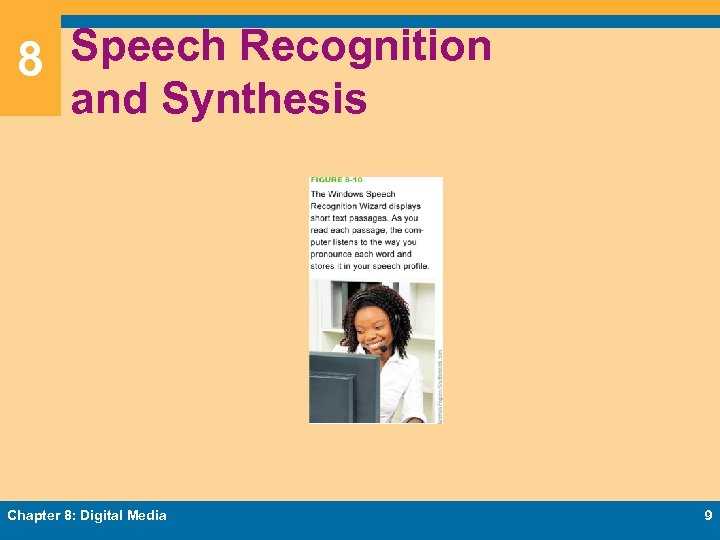 8 Speech Recognition and Synthesis Chapter 8: Digital Media 9
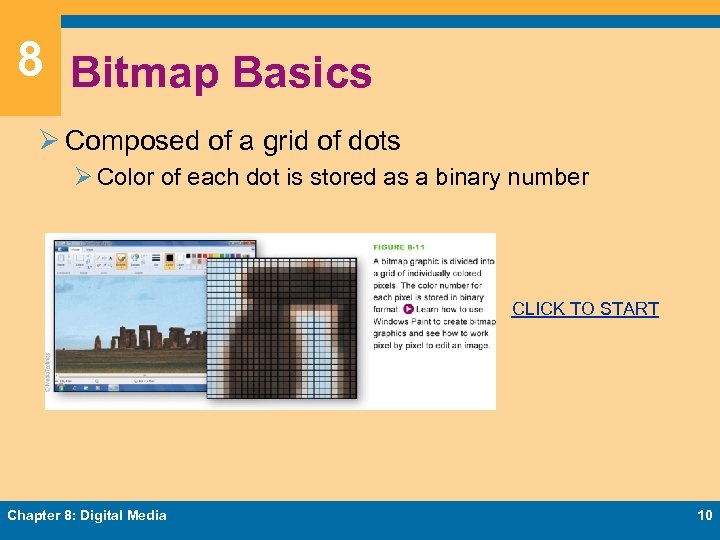 8 Bitmap Basics Ø Composed of a grid of dots Ø Color of each dot is stored as a binary number CLICK TO START Chapter 8: Digital Media 10
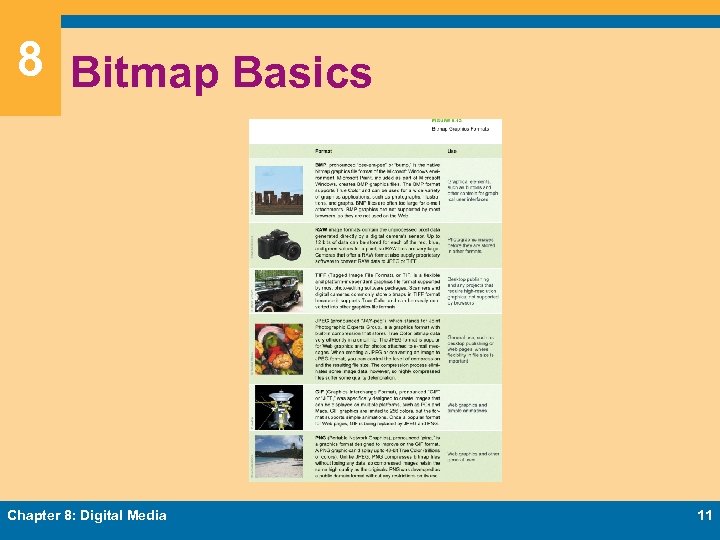 8 Bitmap Basics Chapter 8: Digital Media 11
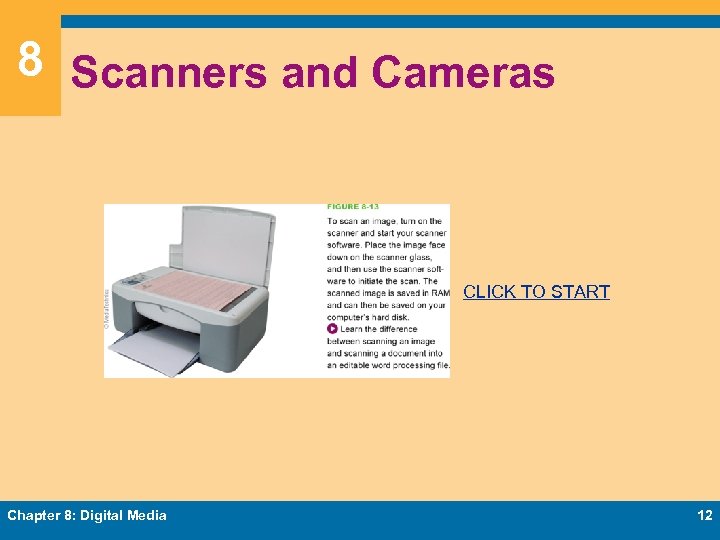 8 Scanners and Cameras CLICK TO START Chapter 8: Digital Media 12
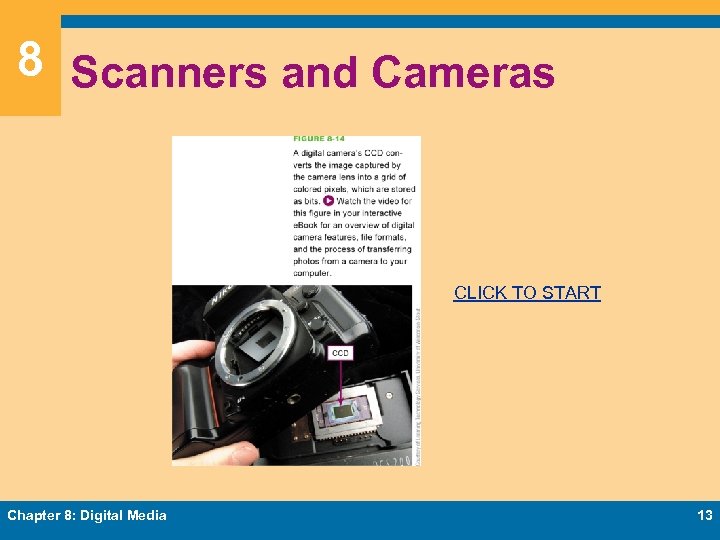 8 Scanners and Cameras CLICK TO START Chapter 8: Digital Media 13
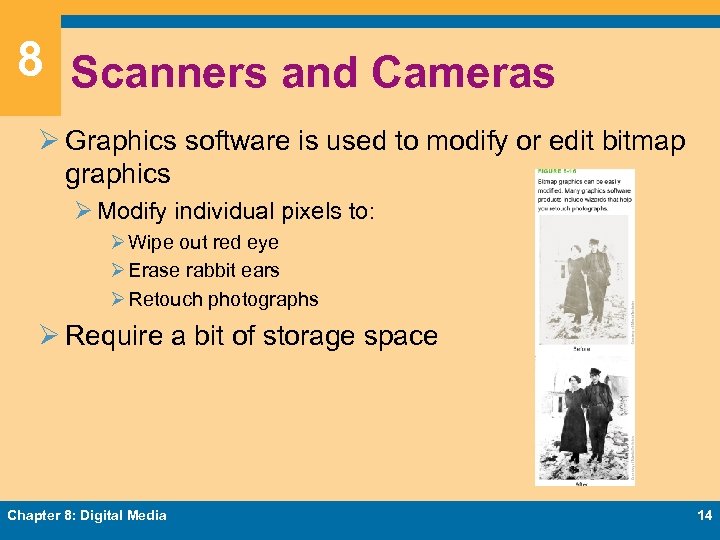 8 Scanners and Cameras Ø Graphics software is used to modify or edit bitmap graphics Ø Modify individual pixels to: Ø Wipe out red eye Ø Erase rabbit ears Ø Retouch photographs Ø Require a bit of storage space Chapter 8: Digital Media 14
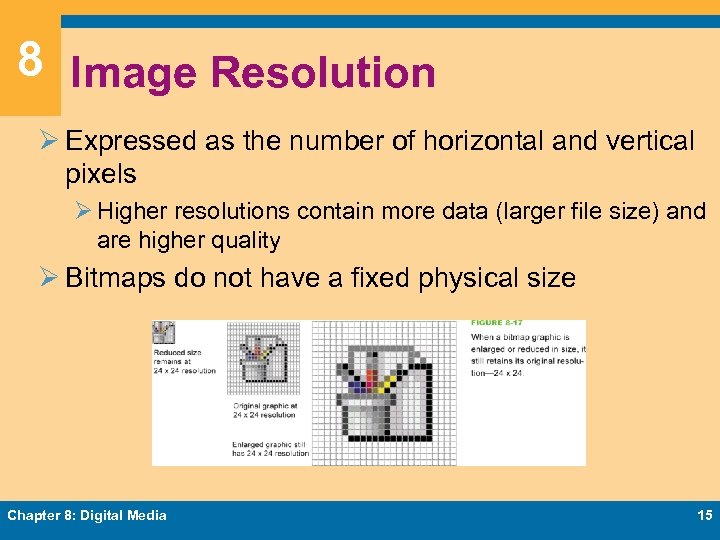 8 Image Resolution Ø Expressed as the number of horizontal and vertical pixels Ø Higher resolutions contain more data (larger file size) and are higher quality Ø Bitmaps do not have a fixed physical size Chapter 8: Digital Media 15
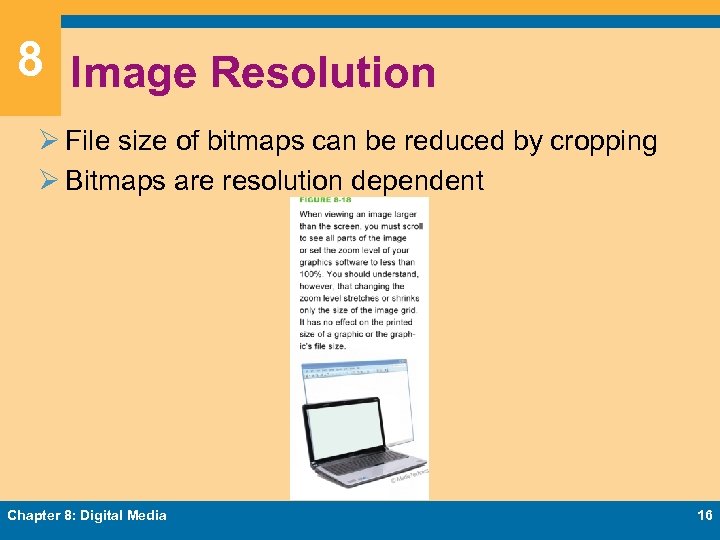 8 Image Resolution Ø File size of bitmaps can be reduced by cropping Ø Bitmaps are resolution dependent Chapter 8: Digital Media 16
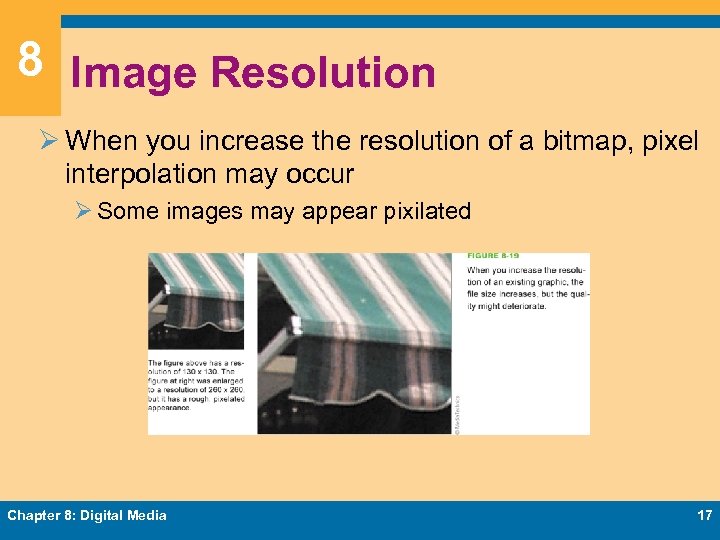 8 Image Resolution Ø When you increase the resolution of a bitmap, pixel interpolation may occur Ø Some images may appear pixilated Chapter 8: Digital Media 17
 8 Color Depth and Palettes Ø Color depth is the number of colors available for use in an image Ø Monochrome bitmap Ø Increasing color depth increases file size Ø True Color bitmap (24 -bit bitmap) Ø 32 -bit bitmap Ø Color palettes are used to control color depth Ø Grayscale palette Ø System palette Ø Web palette Chapter 8: Digital Media 18
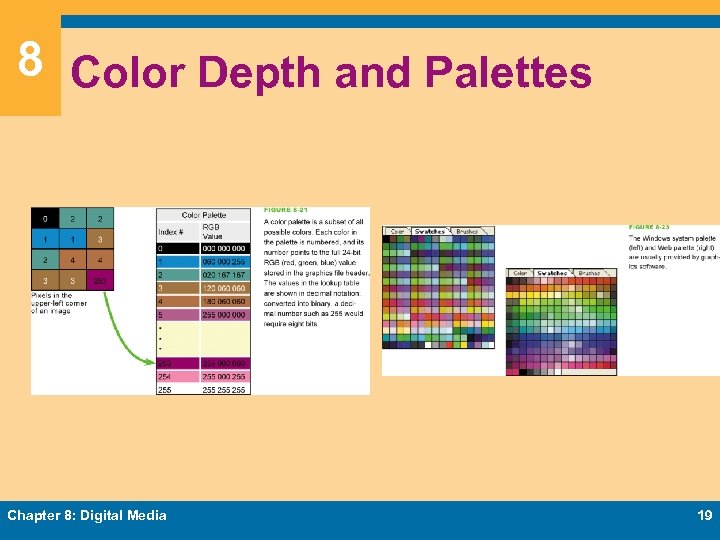 8 Color Depth and Palettes Chapter 8: Digital Media 19
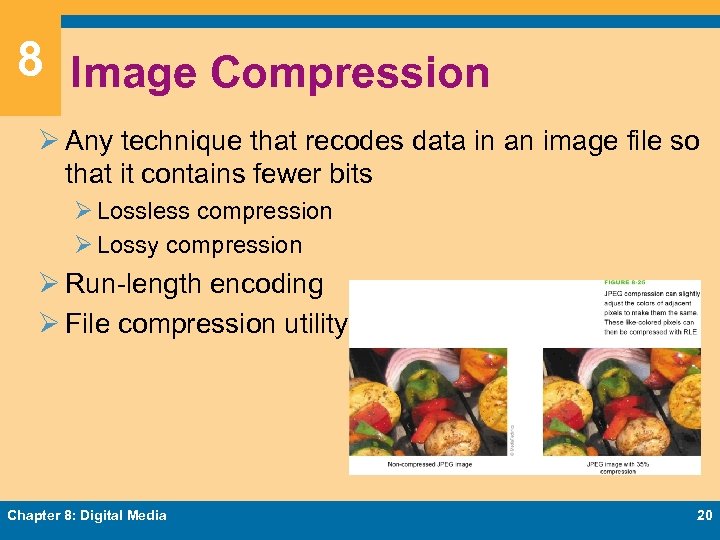 8 Image Compression Ø Any technique that recodes data in an image file so that it contains fewer bits Ø Lossless compression Ø Lossy compression Ø Run-length encoding Ø File compression utility Chapter 8: Digital Media 20
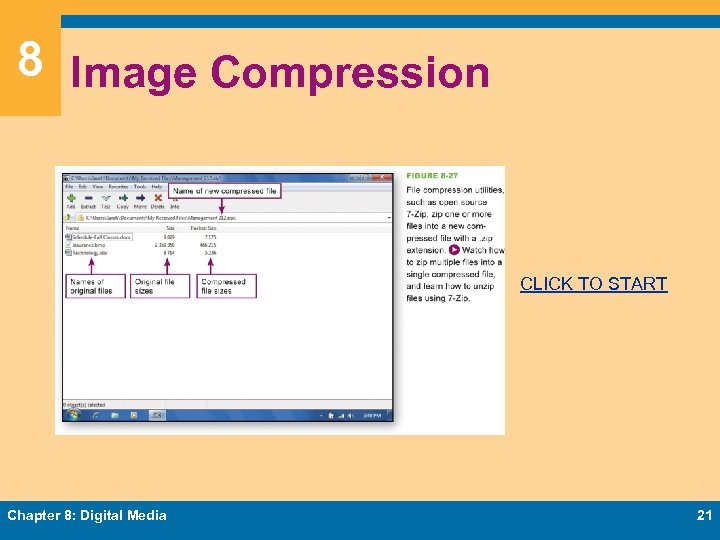 8 Image Compression CLICK TO START Chapter 8: Digital Media 21
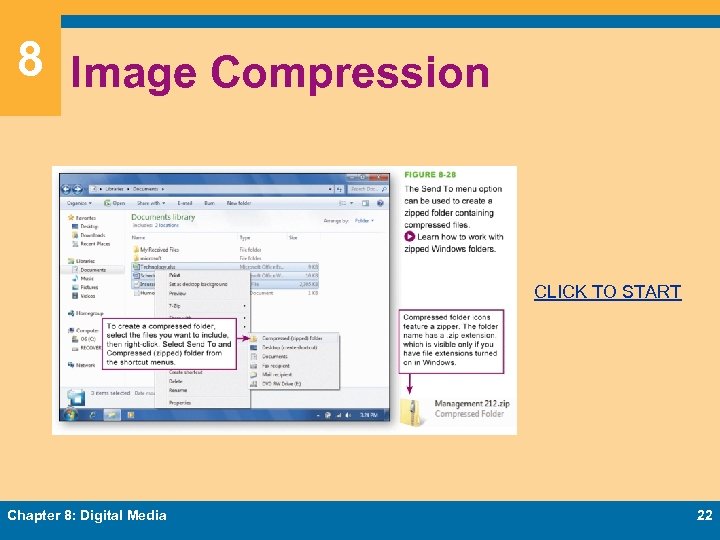 8 Image Compression CLICK TO START Chapter 8: Digital Media 22
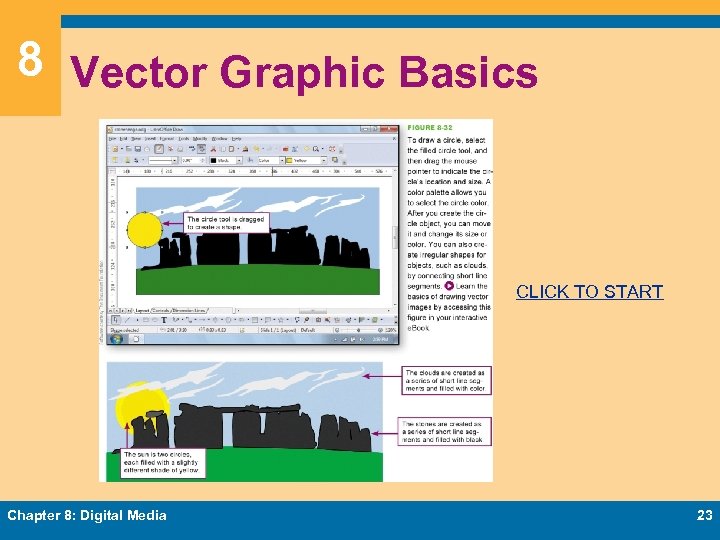 8 Vector Graphic Basics CLICK TO START Chapter 8: Digital Media 23
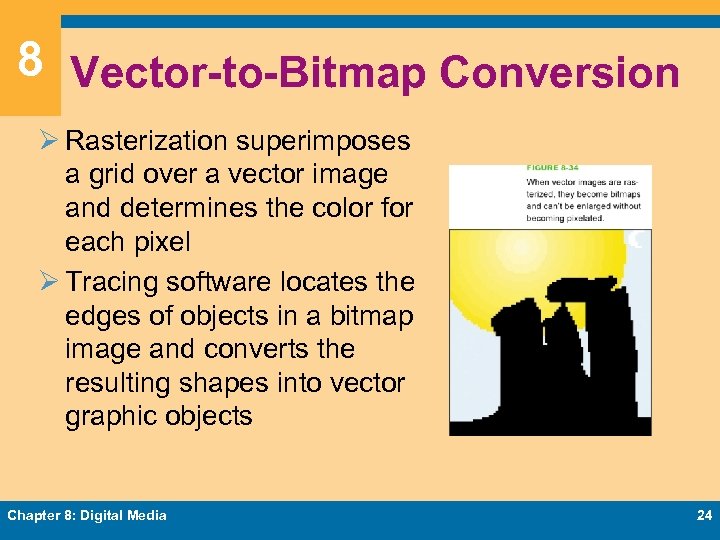 8 Vector-to-Bitmap Conversion Ø Rasterization superimposes a grid over a vector image and determines the color for each pixel Ø Tracing software locates the edges of objects in a bitmap image and converts the resulting shapes into vector graphic objects Chapter 8: Digital Media 24
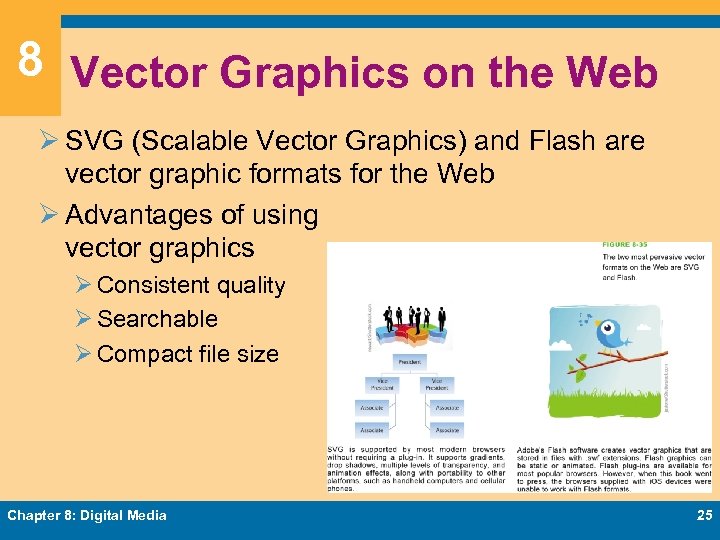 8 Vector Graphics on the Web Ø SVG (Scalable Vector Graphics) and Flash are vector graphic formats for the Web Ø Advantages of using vector graphics Ø Consistent quality Ø Searchable Ø Compact file size Chapter 8: Digital Media 25
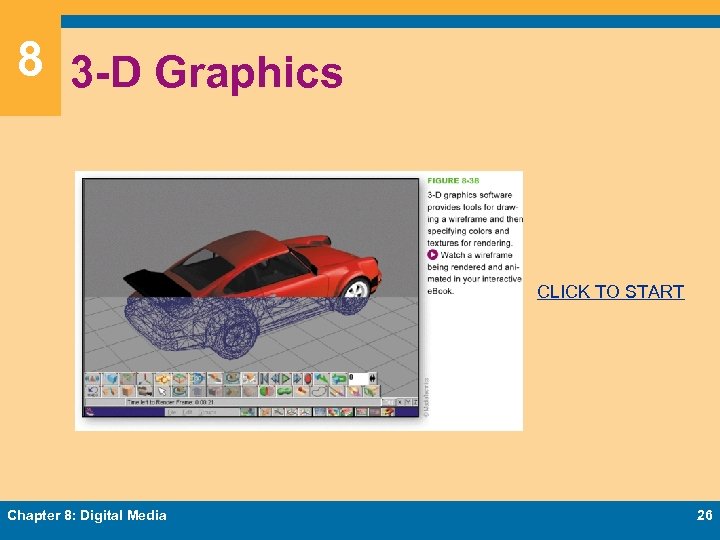 8 3 -D Graphics CLICK TO START Chapter 8: Digital Media 26
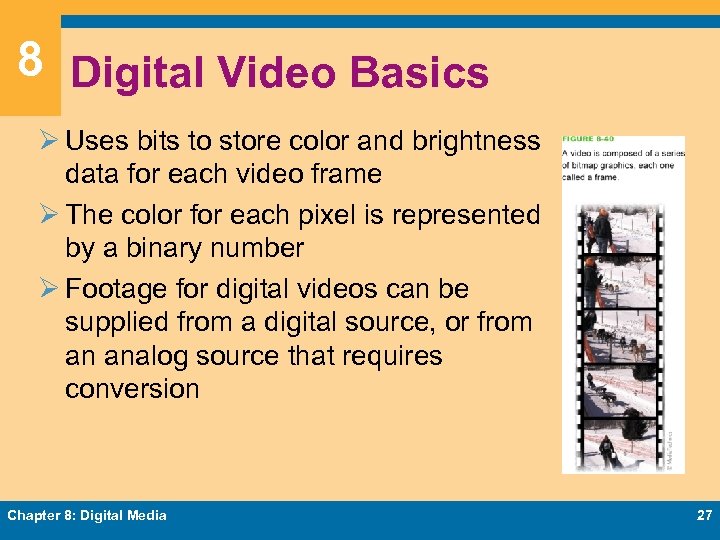 8 Digital Video Basics Ø Uses bits to store color and brightness data for each video frame Ø The color for each pixel is represented by a binary number Ø Footage for digital videos can be supplied from a digital source, or from an analog source that requires conversion Chapter 8: Digital Media 27
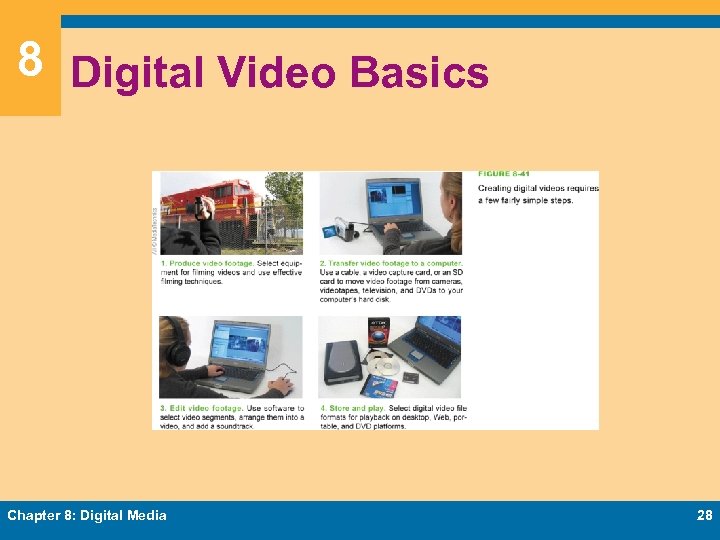 8 Digital Video Basics Chapter 8: Digital Media 28
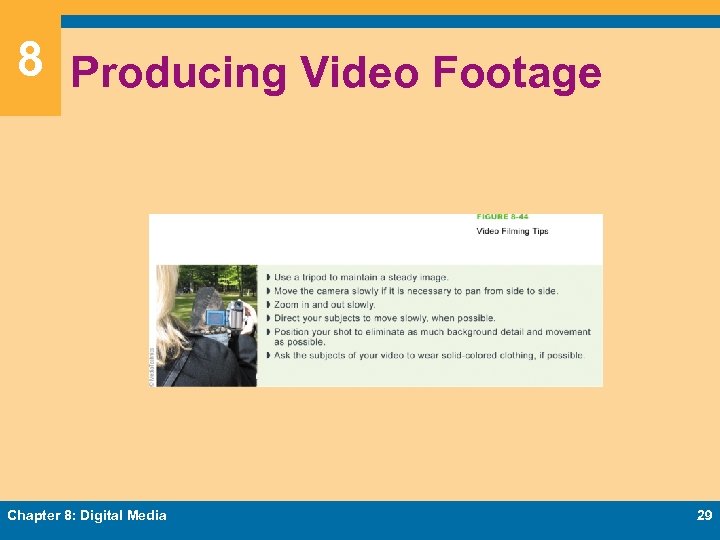 8 Producing Video Footage Chapter 8: Digital Media 29
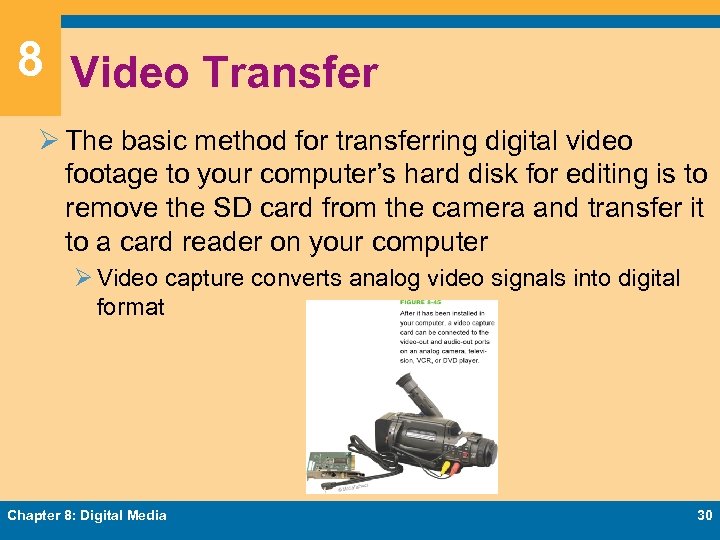 8 Video Transfer Ø The basic method for transferring digital video footage to your computer’s hard disk for editing is to remove the SD card from the camera and transfer it to a card reader on your computer Ø Video capture converts analog video signals into digital format Chapter 8: Digital Media 30
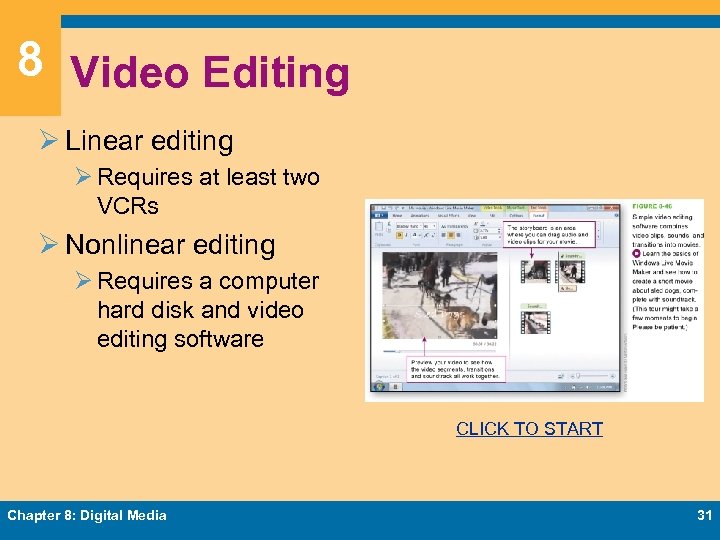 8 Video Editing Ø Linear editing Ø Requires at least two VCRs Ø Nonlinear editing Ø Requires a computer hard disk and video editing software CLICK TO START Chapter 8: Digital Media 31
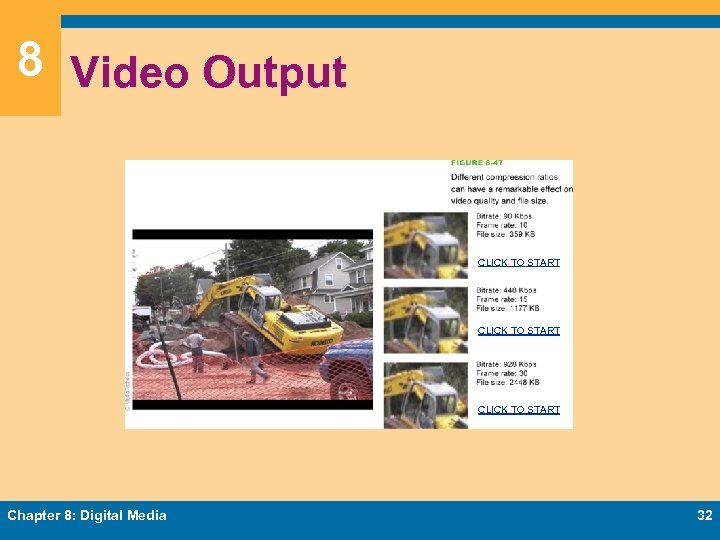 8 Video Output CLICK TO START Chapter 8: Digital Media 32
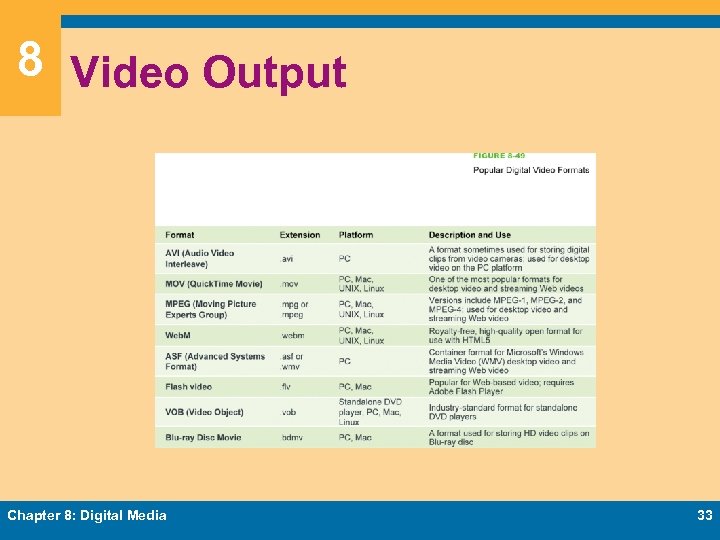 8 Video Output Chapter 8: Digital Media 33
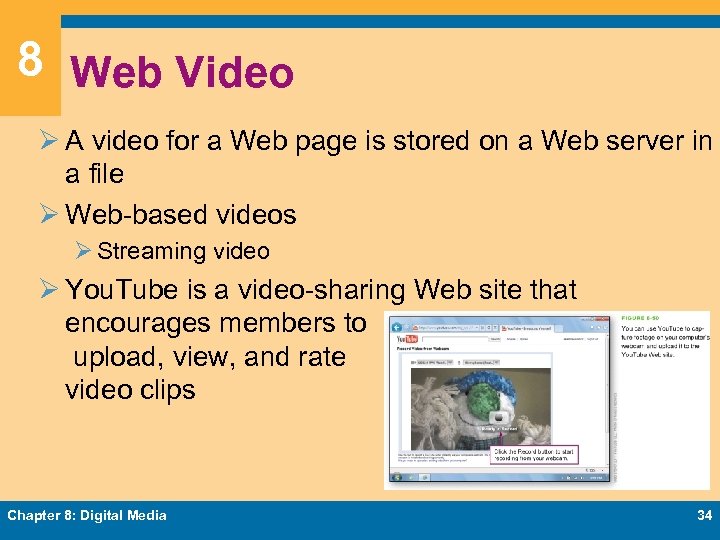 8 Web Video Ø A video for a Web page is stored on a Web server in a file Ø Web-based videos Ø Streaming video Ø You. Tube is a video-sharing Web site that encourages members to upload, view, and rate video clips Chapter 8: Digital Media 34
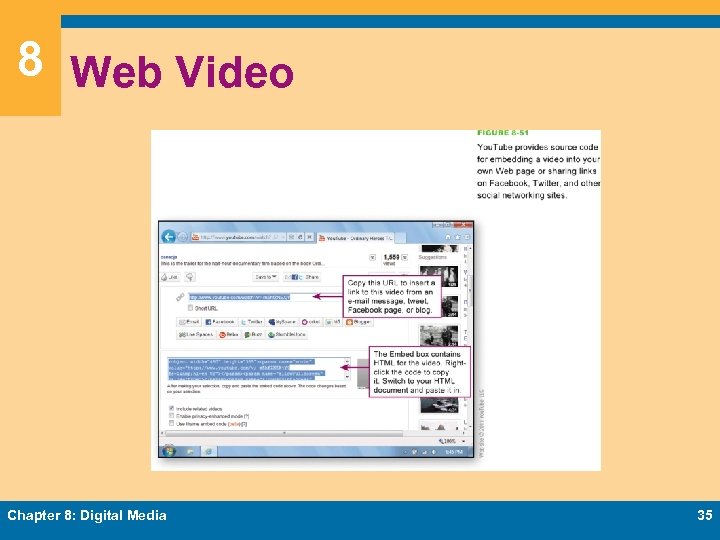 8 Web Video Chapter 8: Digital Media 35
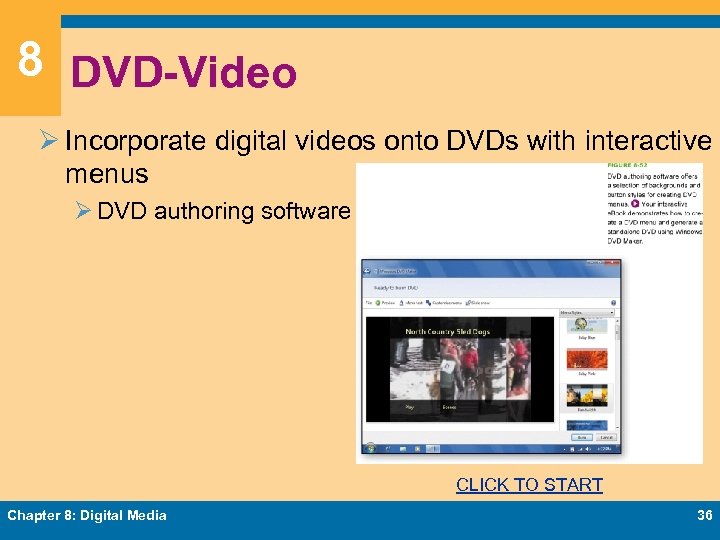 8 DVD-Video Ø Incorporate digital videos onto DVDs with interactive menus Ø DVD authoring software CLICK TO START Chapter 8: Digital Media 36
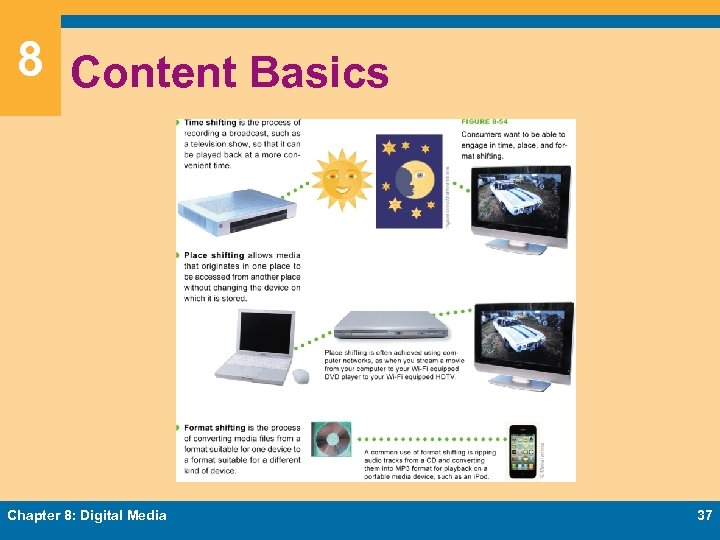 8 Content Basics Chapter 8: Digital Media 37
 8 DRM Technologies Ø Digital rights management (DRM) is a collection of techniques used by copyright holders to limit access to and use of digital content Ø Apple’s Fair. Play Ø Microsoft’s Windows Media DRM Ø Authentication is a very simple form of digital rights management that allows content to be accessed only by authorized individuals Ø A digital watermark is a pattern of bits, inserted at various places in an image or a content stream, that can be used to track, identify, verify, and control content use Chapter 8: Digital Media 38
 8 Music DRM Ø Between 2000 and 2005, the recording industry produced copy protected CDs that did not play correctly on computers or when copied Ø Ripping tracks from these CDs is difficult, but not impossible Ø It is easier to protect streamed content than downloaded content Chapter 8: Digital Media 39
 8 Movie DRM Ø CSS (Content Scramble System) is a digital rights management technology designed to encrypt and control the use of content stored on DVDs Ø The primary DRM technology for Blu-ray discs is AACS (Advanced Access Content System) Chapter 8: Digital Media 40
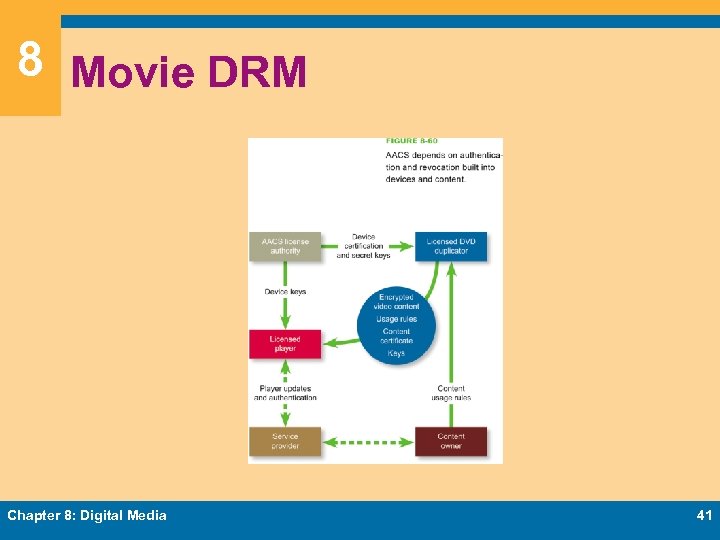 8 Movie DRM Chapter 8: Digital Media 41
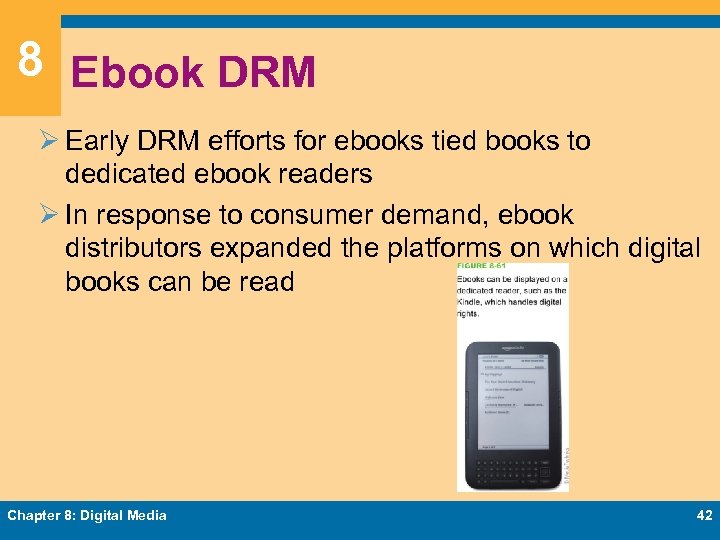 8 Ebook DRM Ø Early DRM efforts for ebooks tied books to dedicated ebook readers Ø In response to consumer demand, ebook distributors expanded the platforms on which digital books can be read Chapter 8: Digital Media 42
 8 Enforcement Ø When using digital content, make sure you know the rules Ø The copyright owner is entitled to recover monetary damages resulting from infringement, and any profits made from illegal sales of the work Ø holders periodically crack down on infringers Chapter 8: Digital Media 43
 Chapter 8 Complete Computer Concepts 2013