


 Скачать презентацию Chapter 7 User Interface and Decision Visualization Applications
295983fbc7b0346f57e69575a8d64d11.ppt
- Количество слайдов: 62
 Chapter 7 User Interface and Decision Visualization Applications n n n Key to successful use of MSS is the user interface The simpler the better Many MSS applications have hard to user interfaces Decision Support Systems and Intelligent Systems, Efraim Turban and Jay E. Aronson Copyright 1998, Prentice Hall, Upper Saddle River, NJ
 7. 1 Opening Vignette: Geographic Information System at the Dallas Area Rapid Transit (DART) n n n Buses Vans Light Rail System Decision Support Systems and Intelligent Systems, Efraim Turban and Jay E. Aronson Copyright 1998, Prentice Hall, Upper Saddle River, NJ
 By the Mid-1980 s Could Not – – n Respond to customer requests Make changes rapidly Plan properly Manage security DART had – 5, 000 daily customer inquiries – Over 200 bus routes – Over 13, 500 bus stops Decision Support Systems and Intelligent Systems, Efraim Turban and Jay E. Aronson Copyright 1998, Prentice Hall, Upper Saddle River, NJ
 Geographic Information System (GIS) Solution n n View and analyze data on digitized maps Now, DART Employees can – Rapidly respond to customer inquiries (response time cut by 1/3) – Provide more accurate information – Plan services – Perform environmental impact studies – Cut bus schedule production costs – Track bus locations via GPS – Improve bus security – Monitor subcontractors – Analyze productivity and utilization Decision Support Systems and Intelligent Systems, Efraim Turban and Jay E. Aronson Copyright 1998, Prentice Hall, Upper Saddle River, NJ
 n n Analysis time cut from days to less than an hour Preparation of special maps: time cut from up to a week to five minutes (cost cut from $15, 000 to pennies) Decision Support Systems and Intelligent Systems, Efraim Turban and Jay E. Aronson Copyright 1998, Prentice Hall, Upper Saddle River, NJ
 7. 2 User Interfaces: An Overview n n n Most computer users have limited computer experience Inexperienced users do not want to learn the computer-oriented details Most systems were developed for experienced users Need better user interfaces The design of an appropriate MSS user interface could be the most important determinant of success of the MSS implementation Systems, Efraim Turban and Jay E. Aronson Decision Support Systems and Intelligent Copyright 1998, Prentice Hall, Upper Saddle River, NJ
 User Interface Design is Influenced by User Characteristics n n n MSS execution time Learning time of the MSS Ease of recall System's versatility Errors made by end users Quality of help Adaptability to changes in the users' computer competency Concentration level required by end users Fatigue from using the system Command uniformity Fun the user derives Decision Support Systems and Intelligent Systems, Efraim Turban and Jay E. Aronson Copyright 1998, Prentice Hall, Upper Saddle River, NJ
 User Interface n n n Human-computer interaction Surface Physical aspects (see Figure 7. 1) – Input Devices – Display (Output) Devices Decision Support Systems and Intelligent Systems, Efraim Turban and Jay E. Aronson Copyright 1998, Prentice Hall, Upper Saddle River, NJ
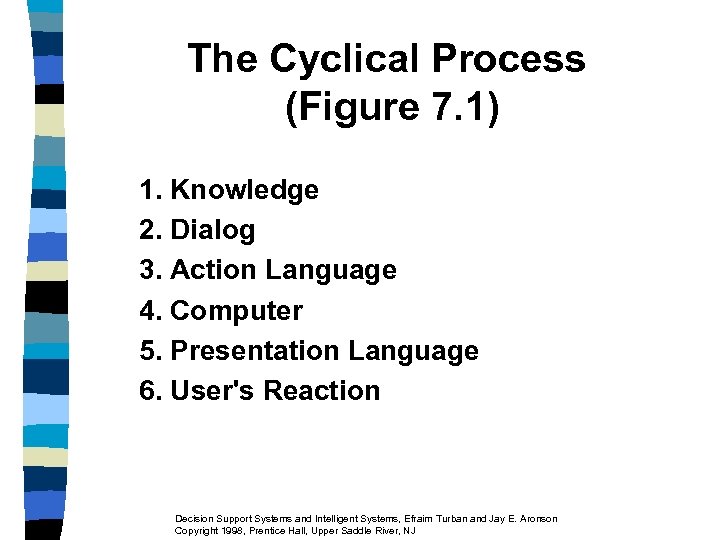 The Cyclical Process (Figure 7. 1) 1. Knowledge 2. Dialog 3. Action Language 4. Computer 5. Presentation Language 6. User's Reaction Decision Support Systems and Intelligent Systems, Efraim Turban and Jay E. Aronson Copyright 1998, Prentice Hall, Upper Saddle River, NJ
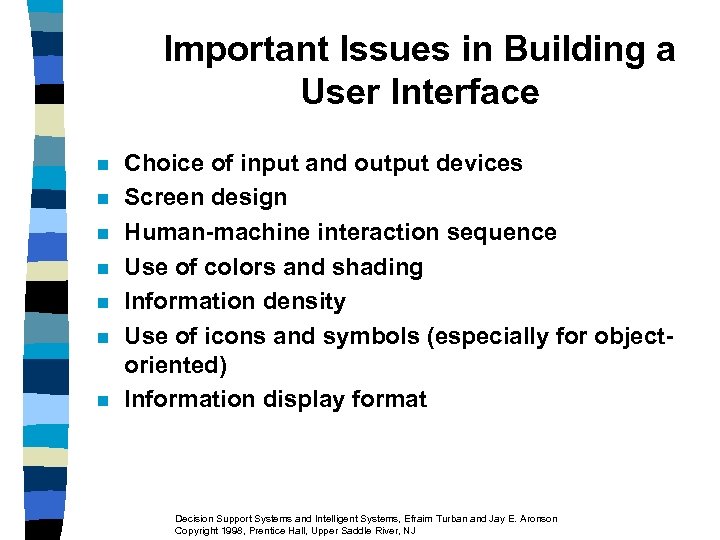 Important Issues in Building a User Interface n n n n Choice of input and output devices Screen design Human-machine interaction sequence Use of colors and shading Information density Use of icons and symbols (especially for objectoriented) Information display format Decision Support Systems and Intelligent Systems, Efraim Turban and Jay E. Aronson Copyright 1998, Prentice Hall, Upper Saddle River, NJ
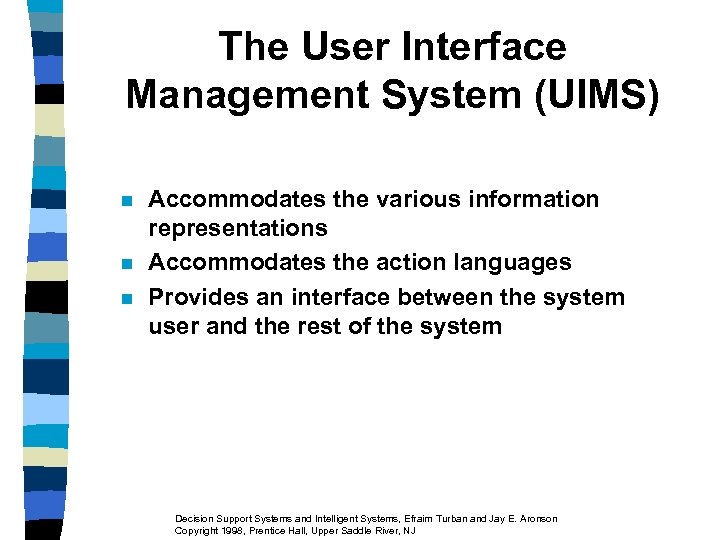 The User Interface Management System (UIMS) n n n Accommodates the various information representations Accommodates the action languages Provides an interface between the system user and the rest of the system Decision Support Systems and Intelligent Systems, Efraim Turban and Jay E. Aronson Copyright 1998, Prentice Hall, Upper Saddle River, NJ
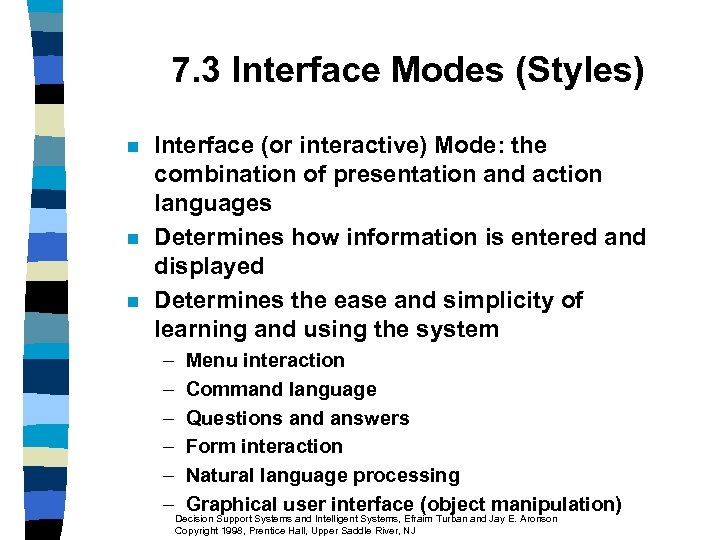 7. 3 Interface Modes (Styles) n n n Interface (or interactive) Mode: the combination of presentation and action languages Determines how information is entered and displayed Determines the ease and simplicity of learning and using the system – – – Menu interaction Command language Questions and answers Form interaction Natural language processing Graphical user interface (object manipulation) Decision Support Systems and Intelligent Systems, Efraim Turban and Jay E. Aronson Copyright 1998, Prentice Hall, Upper Saddle River, NJ
 Menu Interaction n n Includes Pull-down Menus (in GUI) Command Language Questions and Answers Computer asks, user answers Form Interaction Decision Support Systems and Intelligent Systems, Efraim Turban and Jay E. Aronson Copyright 1998, Prentice Hall, Upper Saddle River, NJ
 Natural Language n n n Mainly with keyboard Some with voice input and output Major limitation Inability of the computer to understand natural language AI advances are improving it Decision Support Systems and Intelligent Systems, Efraim Turban and Jay E. Aronson Copyright 1998, Prentice Hall, Upper Saddle River, NJ
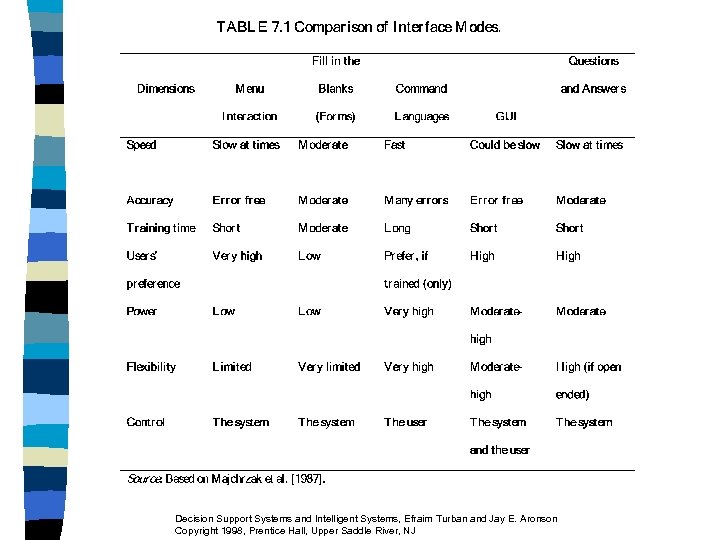
 Graphical User Interface (GUI) n n Icons (or symbols) are directly manipulated by the user Most common PC GUI OS: Windows 95 Usability of four styles along four dimensions (Table 7. 1) Hybrid Modes – NLP + Hypermedia – Command + Menu – GUI + Menu Decision Support Systems and Intelligent Systems, Efraim Turban and Jay E. Aronson Copyright 1998, Prentice Hall, Upper Saddle River, NJ
 Decision Support Systems and Intelligent Systems, Efraim Turban and Jay E. Aronson Copyright 1998, Prentice Hall, Upper Saddle River, NJ
 User Interface Importance n n Interface cost can be 60 to 70 % of the total DSS cost Ideally, interface adaptable to different users’ needs and communicate consistent commands internally Decision Support Systems and Intelligent Systems, Efraim Turban and Jay E. Aronson Copyright 1998, Prentice Hall, Upper Saddle River, NJ
 7. 4 Graphics n n n Graphics Software Purpose: to present visual images of information Integrated software packages: create graphic output directly from databases or spreadsheets – Stand-alone graphics packages – Integrated packages - often include – 3 -D graphic presentations and virtual reality Decision Support Systems and Intelligent Systems, Efraim Turban and Jay E. Aronson Copyright 1998, Prentice Hall, Upper Saddle River, NJ
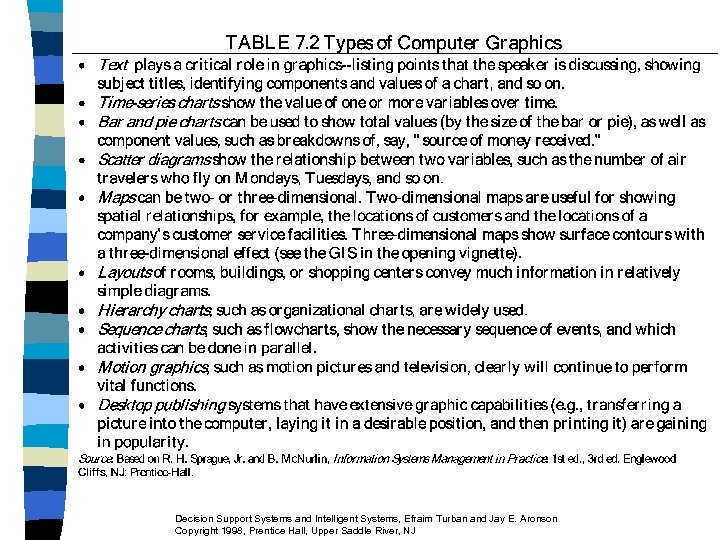
 The Role of Computer Graphics n n Help managers "visualize" data, relationships, and summaries (Figure 7. 2) Graphics forms (Table 7. 2) Decision Support Systems and Intelligent Systems, Efraim Turban and Jay E. Aronson Copyright 1998, Prentice Hall, Upper Saddle River, NJ
 Decision Support Systems and Intelligent Systems, Efraim Turban and Jay E. Aronson Copyright 1998, Prentice Hall, Upper Saddle River, NJ
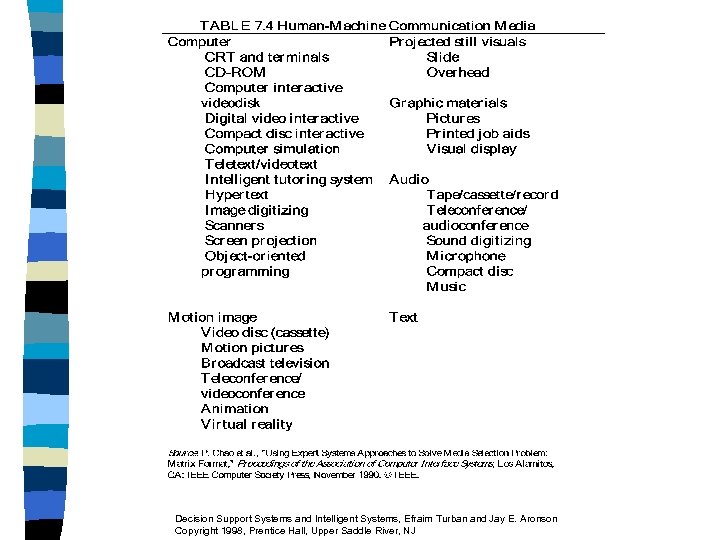
 7. 5 Multimedia and Hypermedia n n Multimedia Pool of human-machine communication media (Table 7. 4) – – – Sound Text Graphics Animation Video Voice Decision Support Systems and Intelligent Systems, Efraim Turban and Jay E. Aronson Copyright 1998, Prentice Hall, Upper Saddle River, NJ
 Decision Support Systems and Intelligent Systems, Efraim Turban and Jay E. Aronson Copyright 1998, Prentice Hall, Upper Saddle River, NJ
 Hypermedia n n Virtual reality via Virtual Reality Modeling Language (VRML) for Web delivery Hypermedia: multimedia documents linked by association Decision Support Systems and Intelligent Systems, Efraim Turban and Jay E. Aronson Copyright 1998, Prentice Hall, Upper Saddle River, NJ
 Multiple Layers of Information n Menu-based natural language interface Object-oriented database A relational query interface A hypermedia abstract machine Media editors Change management virtual memory n Especially effective in searching n n n Decision Support Systems and Intelligent Systems, Efraim Turban and Jay E. Aronson Copyright 1998, Prentice Hall, Upper Saddle River, NJ
 Hypermedia Characterizations n n n Explicitly linked different information structures Multimedia Linking information by association Decision Support Systems and Intelligent Systems, Efraim Turban and Jay E. Aronson Copyright 1998, Prentice Hall, Upper Saddle River, NJ
 Classes of Hypermedia n n n Presentation for knowledge and data navigation (Figure 7. 3) Active participation in research to help record, organize, and integrate information and processes (Figure 7. 4) Hypertext – Nonlinear information access – Follow a thread (drill) – Internet browsing Decision Support Systems and Intelligent Systems, Efraim Turban and Jay E. Aronson Copyright 1998, Prentice Hall, Upper Saddle River, NJ
 Multimedia, Hypermedia, the Internet/Web and the Objectoriented Approach n n GUI Icons Visual Programming Web Hooks Electronic Document Management (EDM) – Problems with paper documents – EDM systems – Multimedia and Web access Decision Support Systems and Intelligent Systems, Efraim Turban and Jay E. Aronson Copyright 1998, Prentice Hall, Upper Saddle River, NJ
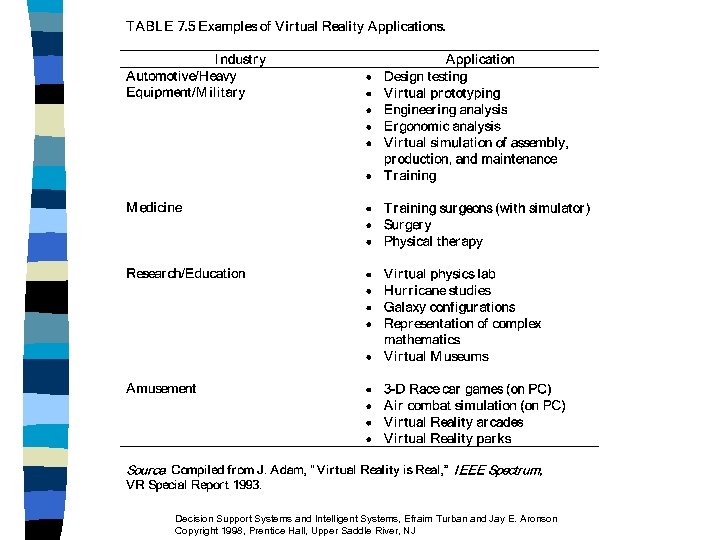
 7. 6 Virtual Reality n n 3 -D Presentations 3 -D user interfaces – Manufacturing – Marketing n Virtual reality (VR) – – n Decision making Advertising Data visualization Visual, spatial, and aural immersion VRML: Virtual Reality Markup Language for the Web Decision Support Systems and Intelligent Systems, Efraim Turban and Jay E. Aronson Copyright 1998, Prentice Hall, Upper Saddle River, NJ
 Decision Support Systems and Intelligent Systems, Efraim Turban and Jay E. Aronson Copyright 1998, Prentice Hall, Upper Saddle River, NJ
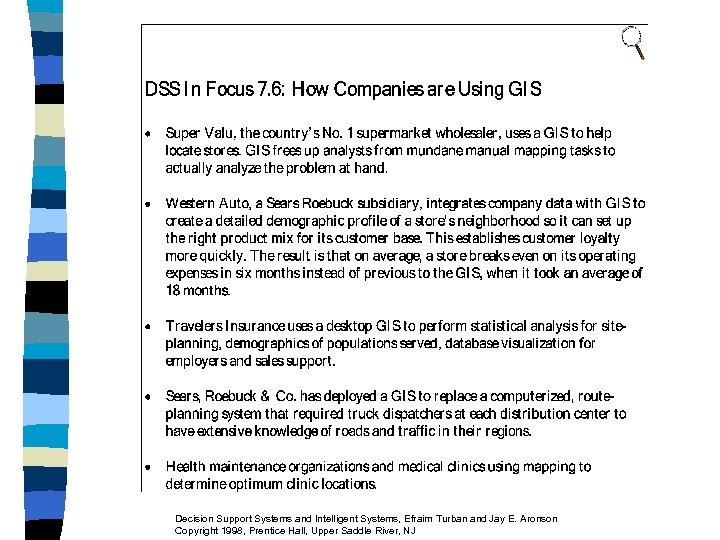
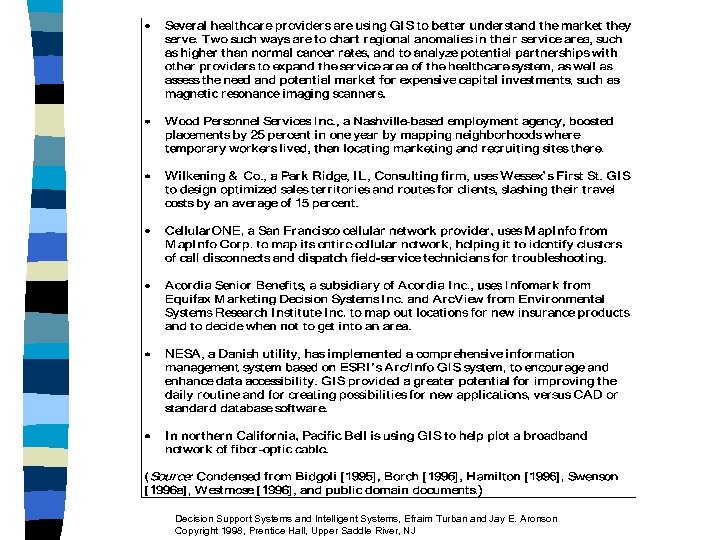
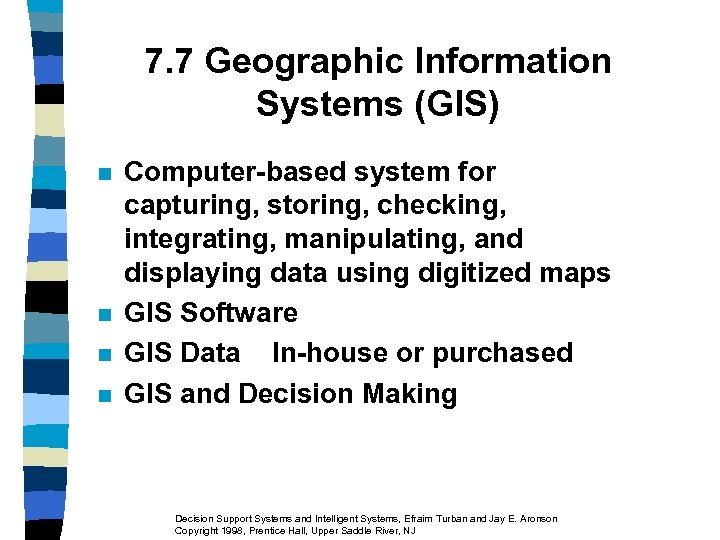 7. 7 Geographic Information Systems (GIS) n n Computer-based system for capturing, storing, checking, integrating, manipulating, and displaying data using digitized maps GIS Software GIS Data In-house or purchased GIS and Decision Making Decision Support Systems and Intelligent Systems, Efraim Turban and Jay E. Aronson Copyright 1998, Prentice Hall, Upper Saddle River, NJ
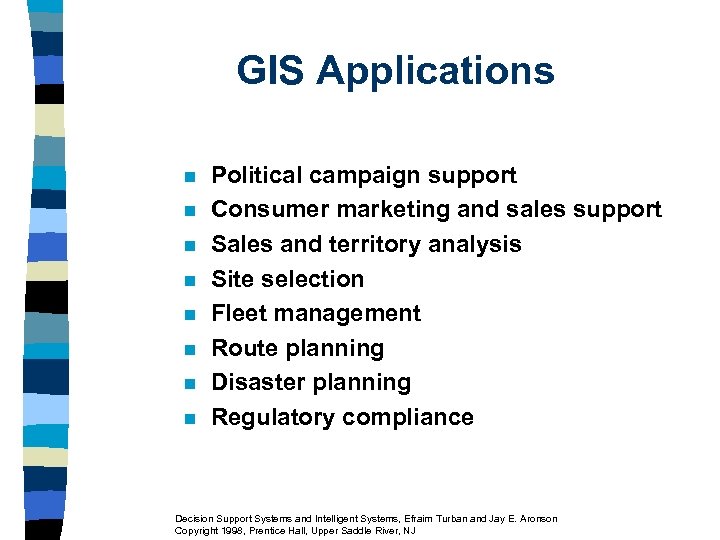 GIS Applications n n n n Political campaign support Consumer marketing and sales support Sales and territory analysis Site selection Fleet management Route planning Disaster planning Regulatory compliance Decision Support Systems and Intelligent Systems, Efraim Turban and Jay E. Aronson Copyright 1998, Prentice Hall, Upper Saddle River, NJ
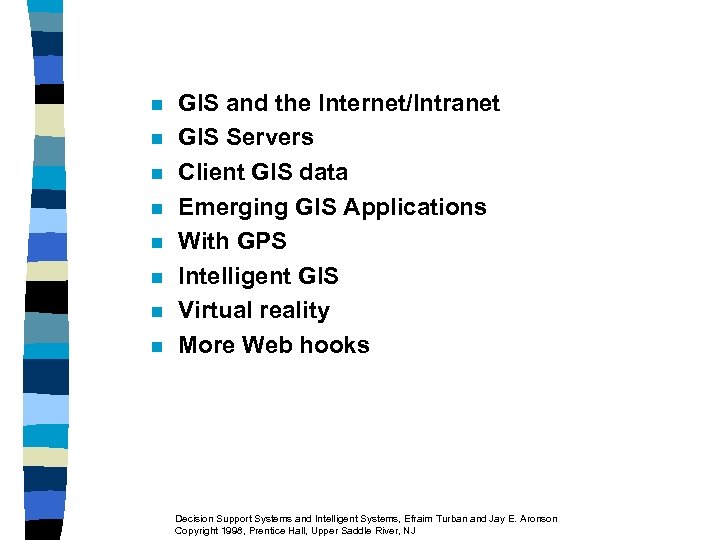 n n n n GIS and the Internet/Intranet GIS Servers Client GIS data Emerging GIS Applications With GPS Intelligent GIS Virtual reality More Web hooks Decision Support Systems and Intelligent Systems, Efraim Turban and Jay E. Aronson Copyright 1998, Prentice Hall, Upper Saddle River, NJ
 Decision Support Systems and Intelligent Systems, Efraim Turban and Jay E. Aronson Copyright 1998, Prentice Hall, Upper Saddle River, NJ
 Decision Support Systems and Intelligent Systems, Efraim Turban and Jay E. Aronson Copyright 1998, Prentice Hall, Upper Saddle River, NJ
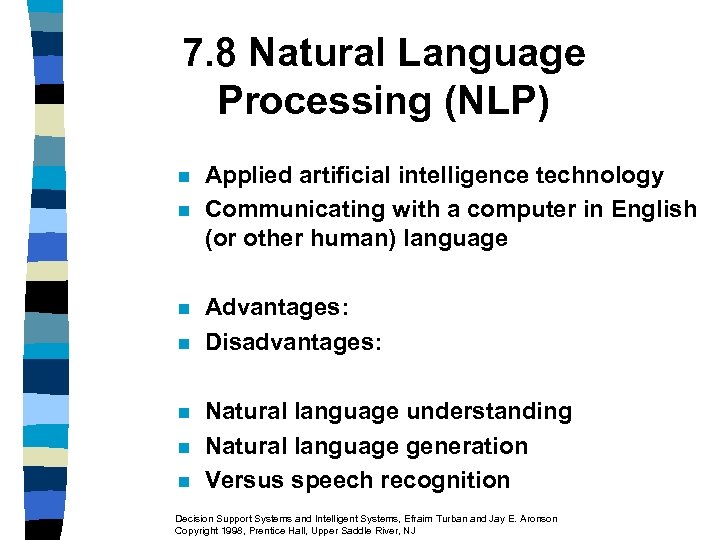 7. 8 Natural Language Processing (NLP) n n n n Applied artificial intelligence technology Communicating with a computer in English (or other human) language Advantages: Disadvantages: Natural language understanding Natural language generation Versus speech recognition Decision Support Systems and Intelligent Systems, Efraim Turban and Jay E. Aronson Copyright 1998, Prentice Hall, Upper Saddle River, NJ
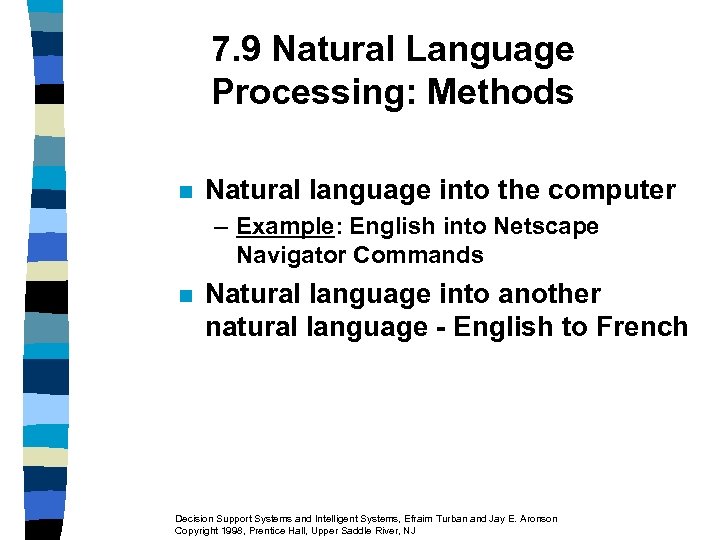 7. 9 Natural Language Processing: Methods n Natural language into the computer – Example: English into Netscape Navigator Commands n Natural language into another natural language - English to French Decision Support Systems and Intelligent Systems, Efraim Turban and Jay E. Aronson Copyright 1998, Prentice Hall, Upper Saddle River, NJ
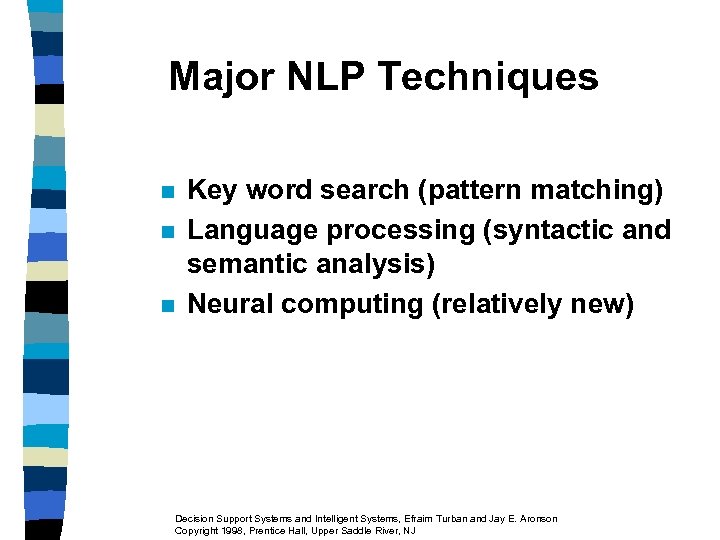 Major NLP Techniques n n n Key word search (pattern matching) Language processing (syntactic and semantic analysis) Neural computing (relatively new) Decision Support Systems and Intelligent Systems, Efraim Turban and Jay E. Aronson Copyright 1998, Prentice Hall, Upper Saddle River, NJ
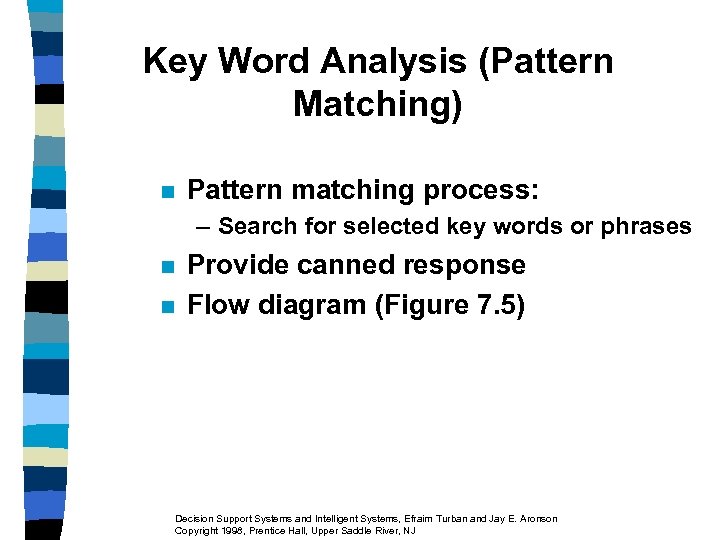 Key Word Analysis (Pattern Matching) n Pattern matching process: – Search for selected key words or phrases n n Provide canned response Flow diagram (Figure 7. 5) Decision Support Systems and Intelligent Systems, Efraim Turban and Jay E. Aronson Copyright 1998, Prentice Hall, Upper Saddle River, NJ
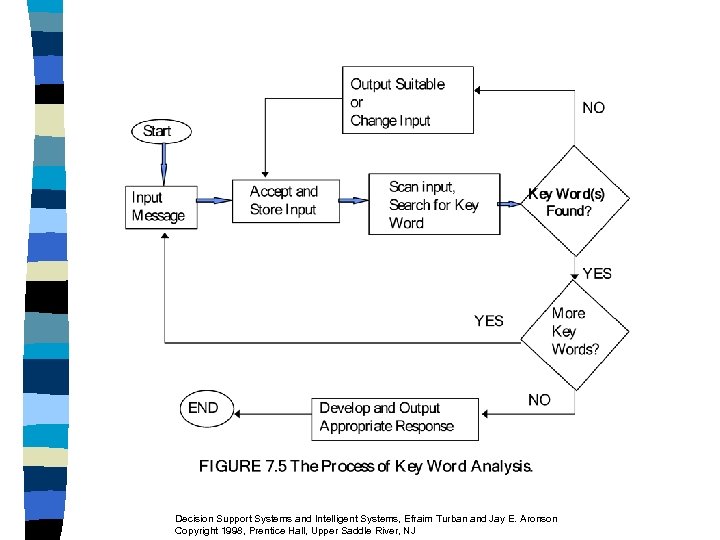 Decision Support Systems and Intelligent Systems, Efraim Turban and Jay E. Aronson Copyright 1998, Prentice Hall, Upper Saddle River, NJ
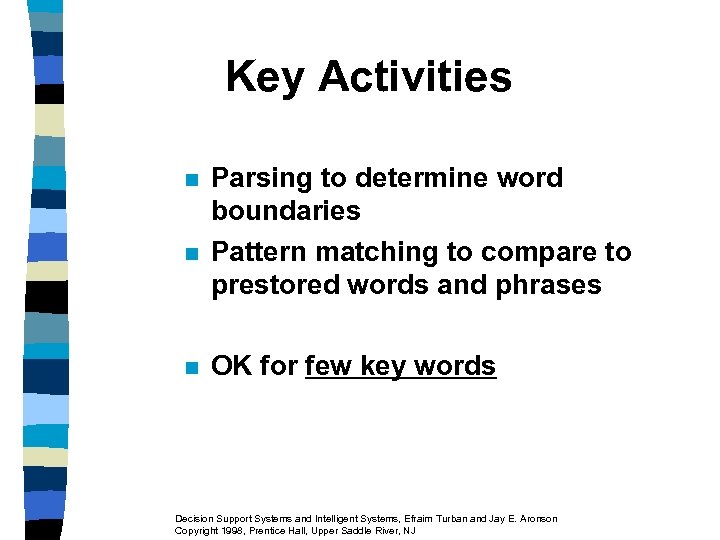 Key Activities n n n Parsing to determine word boundaries Pattern matching to compare to prestored words and phrases OK for few key words Decision Support Systems and Intelligent Systems, Efraim Turban and Jay E. Aronson Copyright 1998, Prentice Hall, Upper Saddle River, NJ
 Language Processing (Syntactic, Semantic, and Pragmatic Analysis) n Problems – Many words with multiple meanings – Many structures including those words in sentences Decision Support Systems and Intelligent Systems, Efraim Turban and Jay E. Aronson Copyright 1998, Prentice Hall, Upper Saddle River, NJ
 Definitions n n Syntax analysis looks at the way a sentence is constructed; the arrangement of its components and their relationships Syntactic processes analyze and designate sentences to clarify the grammatical relationships between words in sentences Semantics assigns meaning to the syntactic constituents Pragmatic analysis relates individual sentences to each another and to the surrounding context Decision Support Systems and Intelligent Systems, Efraim Turban and Jay E. Aronson Copyright 1998, Prentice Hall, Upper Saddle River, NJ
 The Procedures n n How Language Processing Works Simplified block diagram (Figure 7. 6) – Parser Lexicon – Understander – Knowledge base – Generator Decision Support Systems and Intelligent Systems, Efraim Turban and Jay E. Aronson Copyright 1998, Prentice Hall, Upper Saddle River, NJ
 Parser Syntactically Analyzes the Input Sentence n n n n Each word is identified and its part of speech clarified The Parser maps the words into a structure called a parse tree The Parse tree shows the meanings of all of the words and how they are assembled The Lexicon is a dictionary The Parser is a pattern matcher and builds the parse tree The Understander works with the knowledge base to determine sentence meaning The Knowledge base. Systems, Efraim Turban and Jay E. Aronson knowledge is a repository of Decision Support Systems and Intelligent Copyright 1998, Prentice Hall, Upper Saddle River, NJ
 n n n The understander uses the parse tree to reference the knowledge base The understander can draw inferences from the input statement The generator can initiate additional action Decision Support Systems and Intelligent Systems, Efraim Turban and Jay E. Aronson Copyright 1998, Prentice Hall, Upper Saddle River, NJ
 7. 10 Applications of Natural Language Processing and Software n n n n Database interfaces Abstracting and summarizing text Grammar analysis Natural language translation Computer language to computer language translation Letter composition Speech understanding Decision Support Systems and Intelligent Systems, Efraim Turban and Jay E. Aronson Copyright 1998, Prentice Hall, Upper Saddle River, NJ
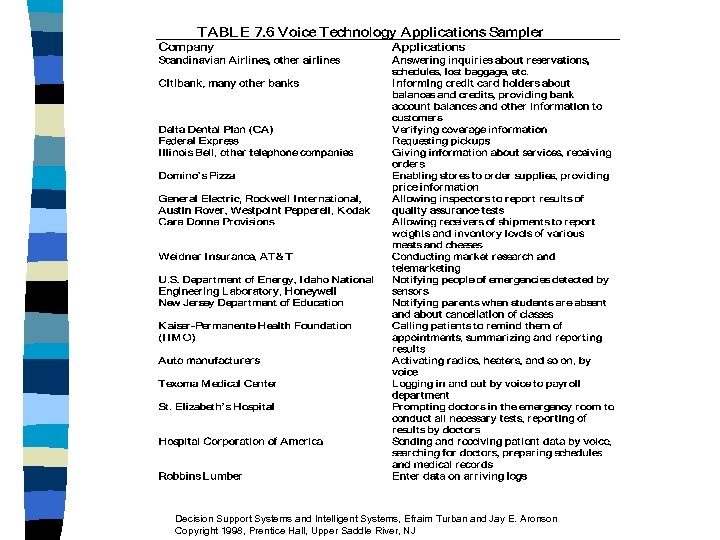
 7. 11 Speech (Voice) Recognition and Understanding n n The computer recognizes the normal human voice Advantages of Speech Recognition – – – n Ease of Access Speed Manual Freedom Remote Access Accuracy Good Morning Dave (2001) Decision Support Systems and Intelligent Systems, Efraim Turban and Jay E. Aronson Copyright 1998, Prentice Hall, Upper Saddle River, NJ
 Classifying Speech Recognizers n n n Word Recognizers Continuous Speech Recognizers Speaker Dependent Speaker Independent Voice Synthesis Computers speak Decision Support Systems and Intelligent Systems, Efraim Turban and Jay E. Aronson Copyright 1998, Prentice Hall, Upper Saddle River, NJ
 Decision Support Systems and Intelligent Systems, Efraim Turban and Jay E. Aronson Copyright 1998, Prentice Hall, Upper Saddle River, NJ
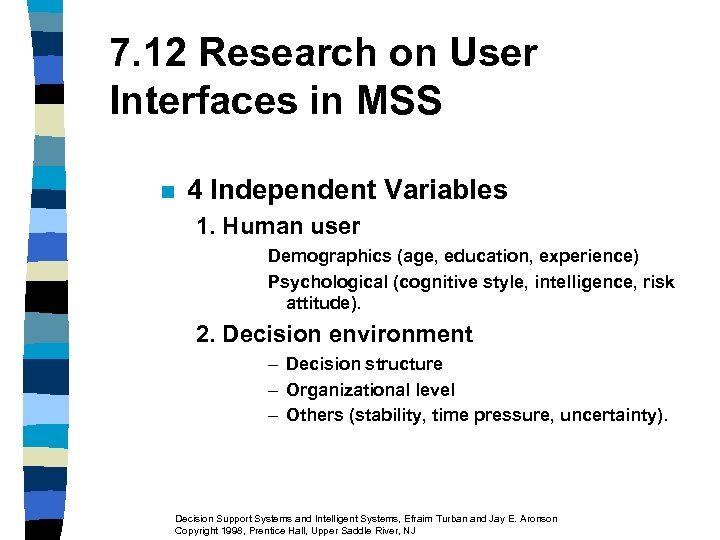 7. 12 Research on User Interfaces in MSS n 4 Independent Variables 1. Human user Demographics (age, education, experience) Psychological (cognitive style, intelligence, risk attitude). 2. Decision environment – Decision structure – Organizational level – Others (stability, time pressure, uncertainty). Decision Support Systems and Intelligent Systems, Efraim Turban and Jay E. Aronson Copyright 1998, Prentice Hall, Upper Saddle River, NJ
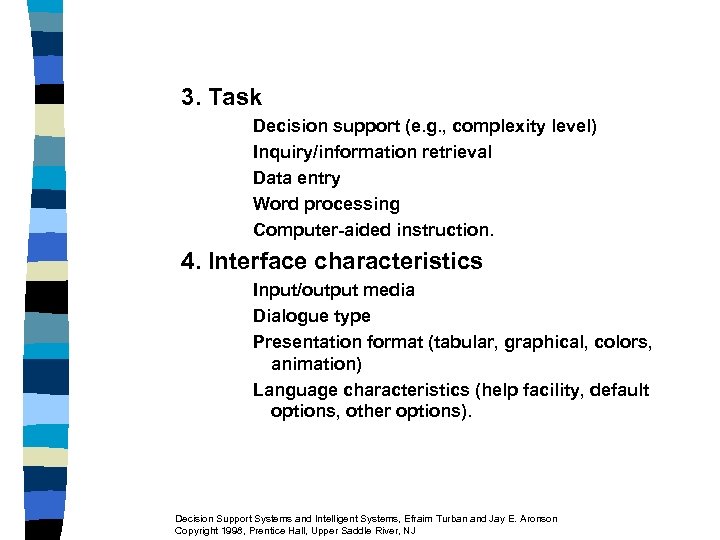 3. Task Decision support (e. g. , complexity level) Inquiry/information retrieval Data entry Word processing Computer-aided instruction. 4. Interface characteristics Input/output media Dialogue type Presentation format (tabular, graphical, colors, animation) Language characteristics (help facility, default options, other options). Decision Support Systems and Intelligent Systems, Efraim Turban and Jay E. Aronson Copyright 1998, Prentice Hall, Upper Saddle River, NJ
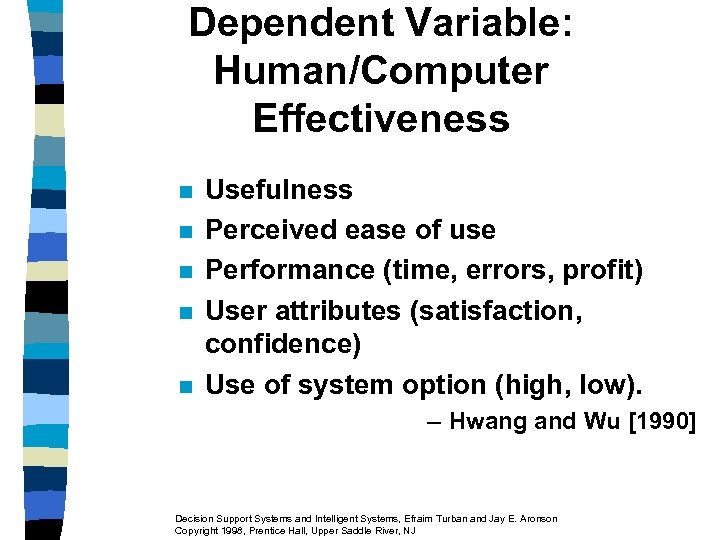 Dependent Variable: Human/Computer Effectiveness n n n Usefulness Perceived ease of use Performance (time, errors, profit) User attributes (satisfaction, confidence) Use of system option (high, low). – Hwang and Wu [1990] Decision Support Systems and Intelligent Systems, Efraim Turban and Jay E. Aronson Copyright 1998, Prentice Hall, Upper Saddle River, NJ
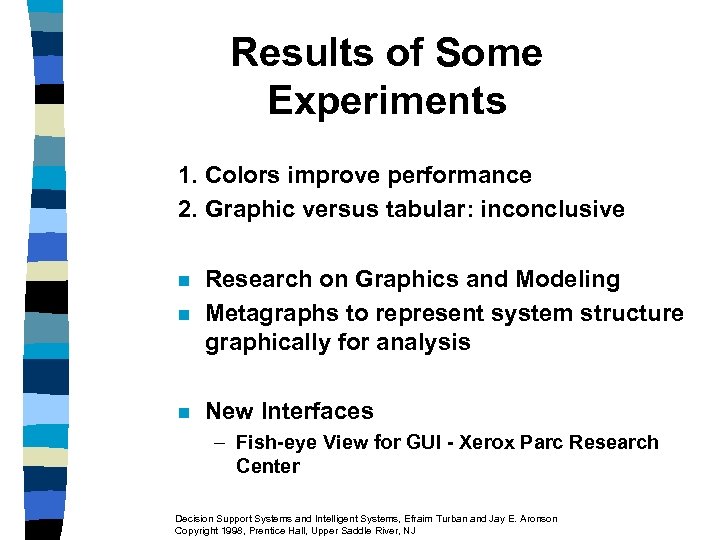 Results of Some Experiments 1. Colors improve performance 2. Graphic versus tabular: inconclusive n Research on Graphics and Modeling Metagraphs to represent system structure graphically for analysis n New Interfaces n – Fish-eye View for GUI - Xerox Parc Research Center Decision Support Systems and Intelligent Systems, Efraim Turban and Jay E. Aronson Copyright 1998, Prentice Hall, Upper Saddle River, NJ
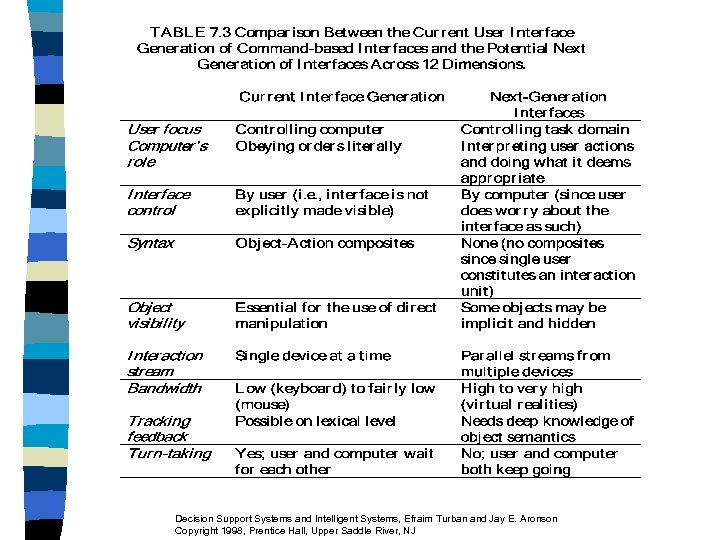 Decision Support Systems and Intelligent Systems, Efraim Turban and Jay E. Aronson Copyright 1998, Prentice Hall, Upper Saddle River, NJ
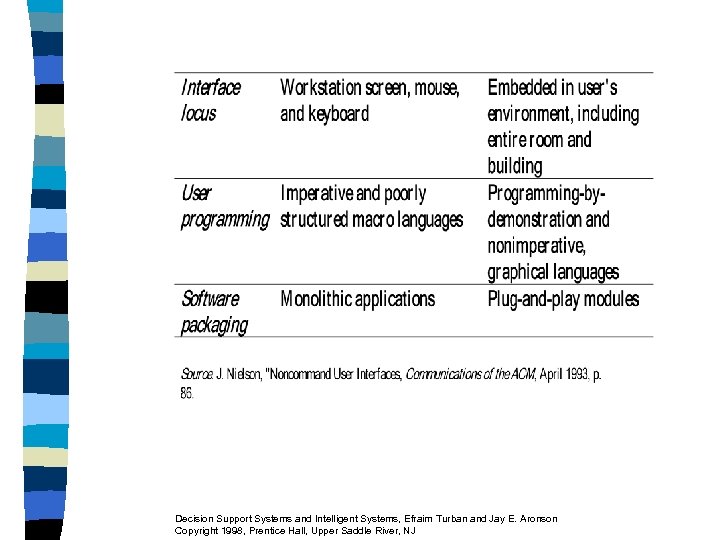 Decision Support Systems and Intelligent Systems, Efraim Turban and Jay E. Aronson Copyright 1998, Prentice Hall, Upper Saddle River, NJ
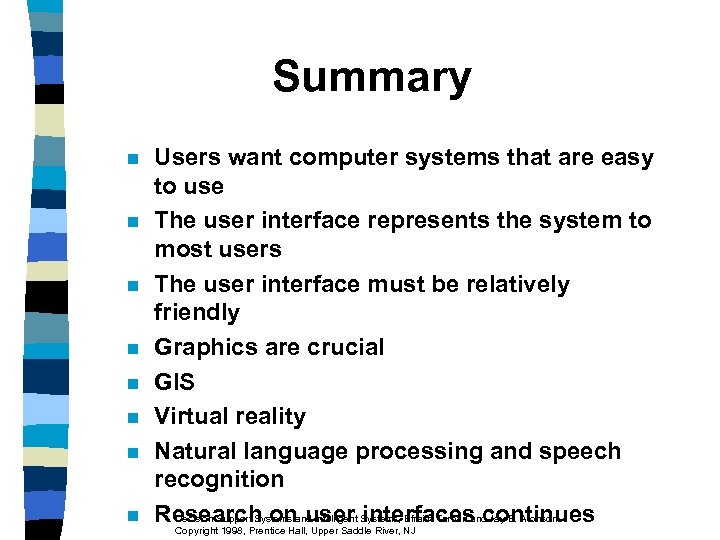 Summary n n n n Users want computer systems that are easy to use The user interface represents the system to most users The user interface must be relatively friendly Graphics are crucial GIS Virtual reality Natural language processing and speech recognition Decision Support Systems user Systems, Efraim Intelligent interfaces Jay E. Aronson Research onand. Upper Saddle River, NJ Turban andcontinues Copyright 1998, Prentice Hall,
 Internet Exercise 10. Contact IBM (http: //www. ibm. com) to find information about their Voice Type Dictation, Merlin and other voice technology products. Decision Support Systems and Intelligent Systems, Efraim Turban and Jay E. Aronson Copyright 1998, Prentice Hall, Upper Saddle River, NJ
 Group Exercise Each group member will interview five computer users at school, work or home. For each user, identify the three interface modes preferred by the user, ranked in descending order. Also, the interviewer should discern the reasons why people prefer a particular interface mode. Then, the group will consolidate their findings and prepare a report to guide a novice computer user to the interface(s) with which he should become familiar. Decision Support Systems and Intelligent Systems, Efraim Turban and Jay E. Aronson Copyright 1998, Prentice Hall, Upper Saddle River, NJ
 Questions for the Opening Vignette 1. Why is a GIS considered a graphical user interface? 2. What are the advantages of GIS from a user interface point of view? 3. Which of the capabilities listed in the vignette support actual decision making? Decision Support Systems and Intelligent Systems, Efraim Turban and Jay E. Aronson Copyright 1998, Prentice Hall, Upper Saddle River, NJ
 Exercises 1. What is a natural language? Name two. What distinguishes a natural language from a computer language? Is Esperanto a natural language? Why or why not? 2. Obtain an NLP/DBMS software (e. g. , Q&A). Try to use it on the database of Chapter 4, Exercise 5. Compare the use of a regular DBMS to the one supported by NLP. 3. Explain why icons in the Windows environment might be easier to use than typed commands. Demonstrate the two to verify your opinion. Decision Support Systems and Intelligent Systems, Efraim Turban and Jay E. Aronson Copyright 1998, Prentice Hall, Upper Saddle River, NJ
 4. Why is it “easier” for a natural language to be translated into another by a human versus by a computer? 5. In the early days of language translation, the expression “The spirit is willing, but the flesh is weak” was translated to Russian and then back to English. The new English rendering was “The vodka is good, but the meat is rotten. ” What happened? Why? Decision Support Systems and Intelligent Systems, Efraim Turban and Jay E. Aronson Copyright 1998, Prentice Hall, Upper Saddle River, NJ
 Questions for Case Application 7. 1 1. Identify the voice recognition and voice synthesis portions of the system. 2. Identify all the tasks, which do not involve voice, carried out by a computer. 3. What paperwork can be eliminated by such a system? 4. What are the benefits to Nabisco? 5. What are the benefits to the employees? 6. What alternative communication technologies described in this chapter can be used instead of the system described here? Would you recommend any of these; why or why not? 7. Are there any disadvantages to the use of the technology? Explain. Decision Support Systems and Intelligent Systems, Efraim Turban and Jay E. Aronson Copyright 1998, Prentice Hall, Upper Saddle River, NJ