


 Скачать презентацию Chapter 7 Storage Devices 1 Storage Introduction
354b4fbd73feaa90cc61e37868d19116.ppt
- Количество слайдов: 37
 Chapter 7 Storage Devices 1
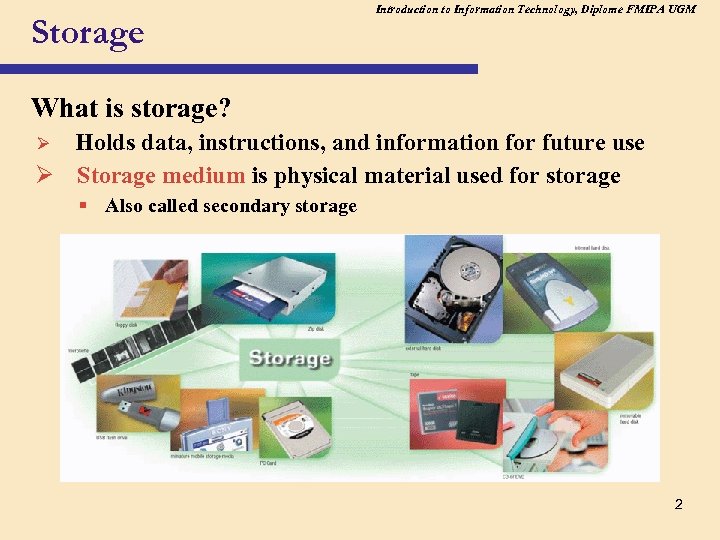 Storage Introduction to Information Technology, Diplome FMIPA UGM What is storage? Holds data, instructions, and information for future use Ø Storage medium is physical material used for storage Ø § Also called secondary storage 2
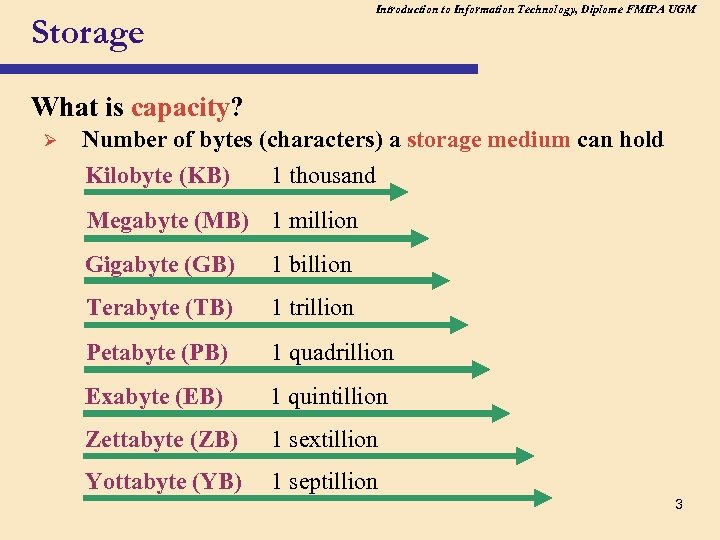 Introduction to Information Technology, Diplome FMIPA UGM Storage What is capacity? Ø Number of bytes (characters) a storage medium can hold Kilobyte (KB) 1 thousand Megabyte (MB) 1 million Gigabyte (GB) 1 billion Terabyte (TB) 1 trillion Petabyte (PB) 1 quadrillion Exabyte (EB) 1 quintillion Zettabyte (ZB) 1 sextillion Yottabyte (YB) 1 septillion 3
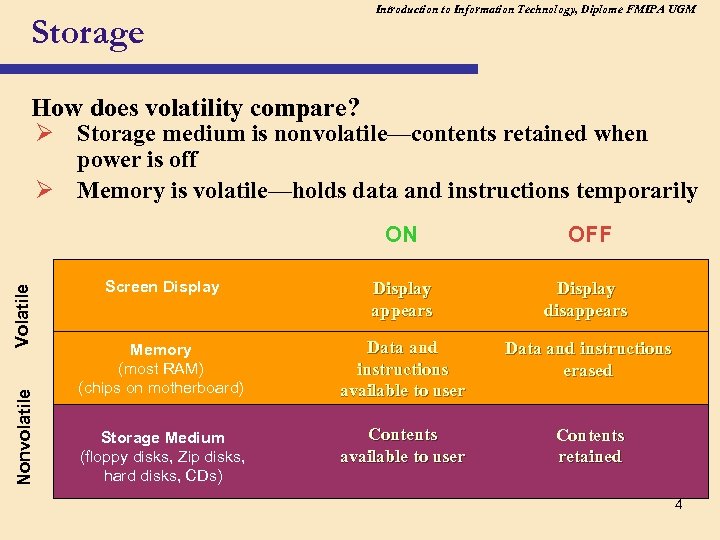 Introduction to Information Technology, Diplome FMIPA UGM Storage How does volatility compare? Ø Storage medium is nonvolatile—contents retained when power is off Ø Memory is volatile—holds data and instructions temporarily Nonvolatile Volatile ON OFF Screen Display appears Display disappears Memory (most RAM) (chips on motherboard) Data and instructions available to user Data and instructions erased Storage Medium (floppy disks, Zip disks, hard disks, CDs) Contents available to user Contents retained 4
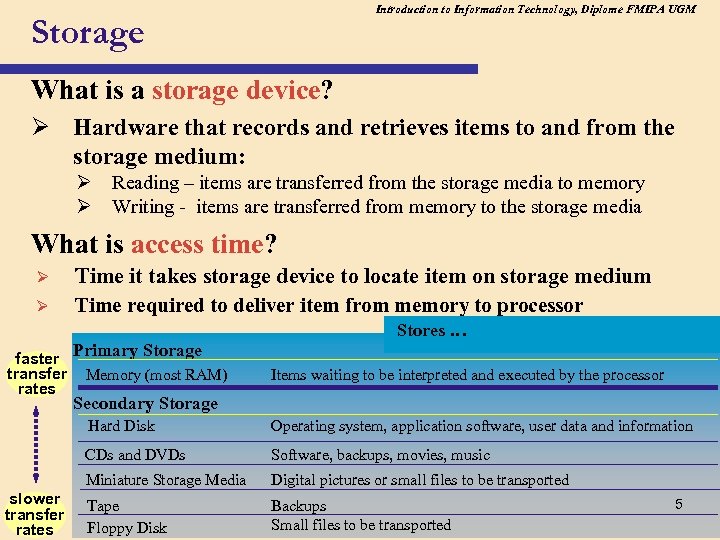 Introduction to Information Technology, Diplome FMIPA UGM Storage What is a storage device? Ø Hardware that records and retrieves items to and from the storage medium: Ø Reading – items are transferred from the storage media to memory Ø Writing - items are transferred from memory to the storage media What is access time? Ø Ø Time it takes storage device to locate item on storage medium Time required to deliver item from memory to processor Stores … faster Primary Storage transfer Memory (most RAM) rates Items waiting to be interpreted and executed by the processor Secondary Storage Hard Disk CDs and DVDs Software, backups, movies, music Miniature Storage Media slower transfer rates Operating system, application software, user data and information Digital pictures or small files to be transported Tape Floppy Disk Backups Small files to be transported 5
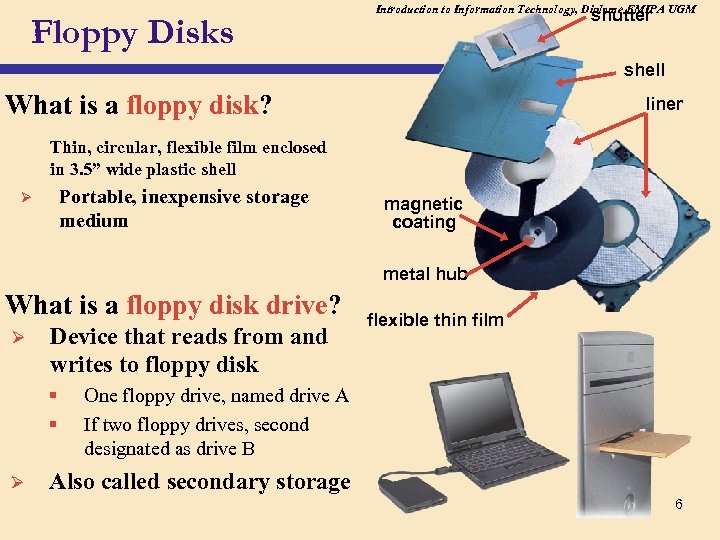 Floppy Disks Introduction to Information Technology, Diplome FMIPA UGM shutter shell What is a floppy disk? liner Thin, circular, flexible film enclosed in 3. 5” wide plastic shell Portable, inexpensive storage medium Ø magnetic coating metal hub What is a floppy disk drive? Ø Device that reads from and writes to floppy disk § § Ø flexible thin film One floppy drive, named drive A If two floppy drives, second designated as drive B Also called secondary storage 6
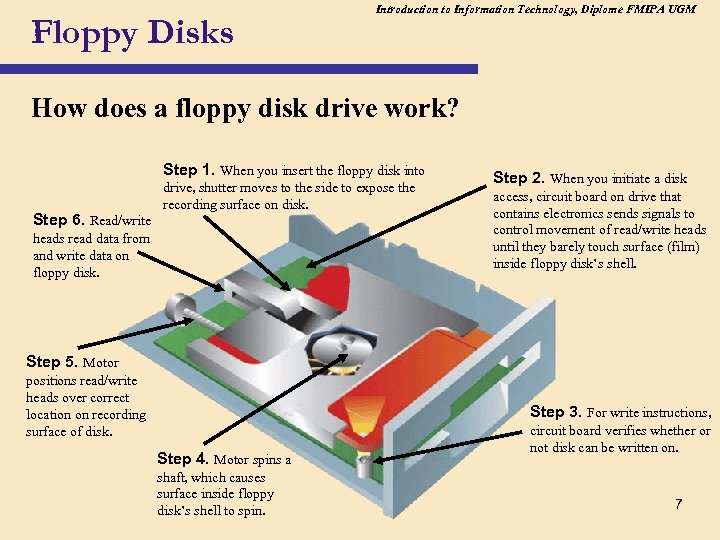 Floppy Disks Introduction to Information Technology, Diplome FMIPA UGM How does a floppy disk drive work? Step 1. When you insert the floppy disk into Step 6. Read/write drive, shutter moves to the side to expose the recording surface on disk. heads read data from and write data on floppy disk. Step 2. When you initiate a disk access, circuit board on drive that contains electronics sends signals to control movement of read/write heads until they barely touch surface (film) inside floppy disk’s shell. Step 5. Motor positions read/write heads over correct location on recording surface of disk. Step 3. For write instructions, Step 4. Motor spins a shaft, which causes surface inside floppy disk’s shell to spin. circuit board verifies whether or not disk can be written on. 7
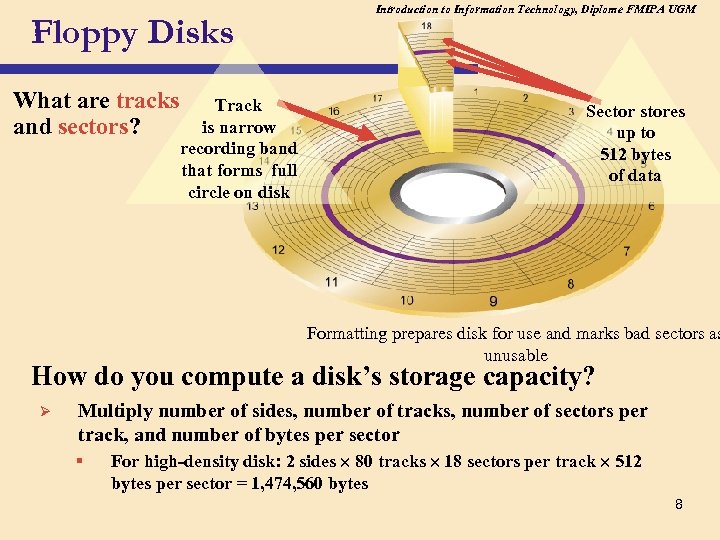 Floppy Disks What are tracks and sectors? Track is narrow recording band that forms full circle on disk Introduction to Information Technology, Diplome FMIPA UGM Sector stores up to 512 bytes of data Formatting prepares disk for use and marks bad sectors as unusable How do you compute a disk’s storage capacity? Ø Multiply number of sides, number of tracks, number of sectors per track, and number of bytes per sector § For high-density disk: 2 sides 80 tracks 18 sectors per track 512 bytes per sector = 1, 474, 560 bytes 8
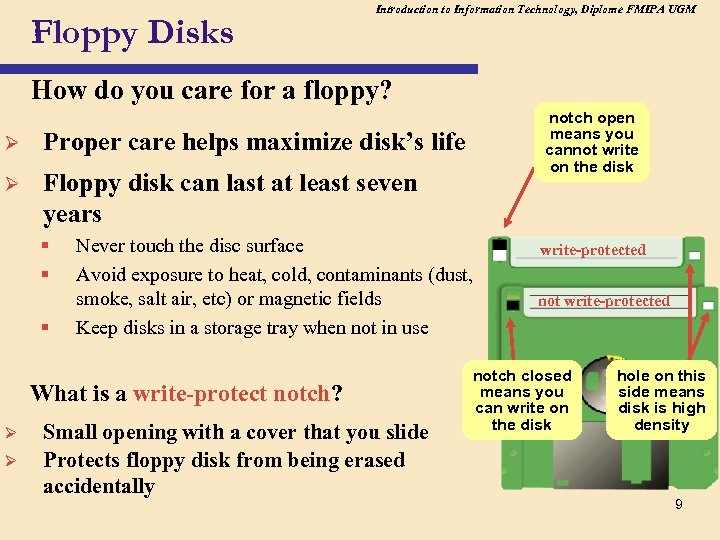 Floppy Disks Introduction to Information Technology, Diplome FMIPA UGM How do you care for a floppy? Ø Proper care helps maximize disk’s life Ø notch open means you cannot write on the disk Floppy disk can last at least seven years § § § Never touch the disc surface Avoid exposure to heat, cold, contaminants (dust, smoke, salt air, etc) or magnetic fields Keep disks in a storage tray when not in use What is a write-protect notch? Ø Ø Small opening with a cover that you slide Protects floppy disk from being erased accidentally write-protected notch closed means you can write on the disk hole on this side means disk is high density 9
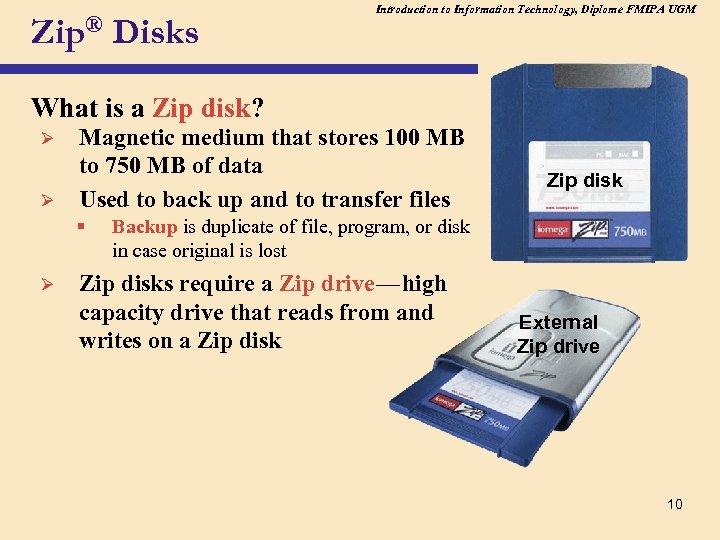 Introduction to Information Technology, Diplome FMIPA UGM Zip® Disks What is a Zip disk? Ø Ø Magnetic medium that stores 100 MB to 750 MB of data Used to back up and to transfer files § Zip disk Backup is duplicate of file, program, or disk in case original is lost c Ø Zip disks require a Zip drive — high capacity drive that reads from and writes on a Zip disk c c External Zip drive 10
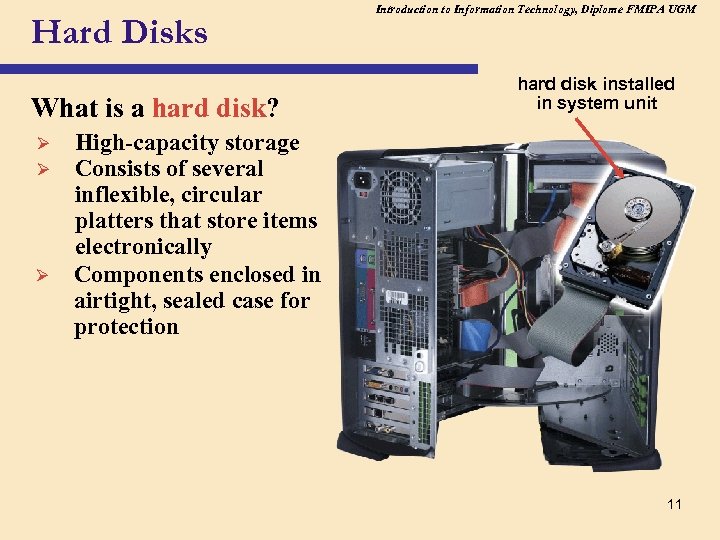 Hard Disks What is a hard disk? Ø Ø Ø Introduction to Information Technology, Diplome FMIPA UGM hard disk installed in system unit High-capacity storage Consists of several inflexible, circular platters that store items electronically Components enclosed in airtight, sealed case for protection 11
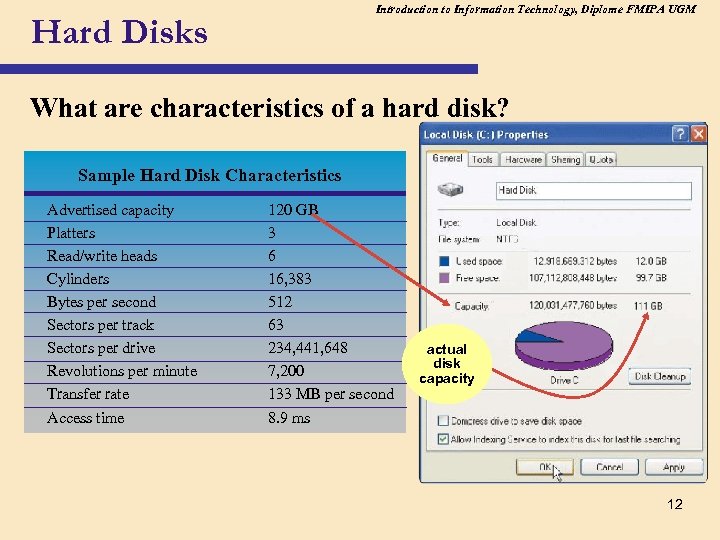 Introduction to Information Technology, Diplome FMIPA UGM Hard Disks What are characteristics of a hard disk? Sample Hard Disk Characteristics Advertised capacity Platters Read/write heads Cylinders Bytes per second Sectors per track Sectors per drive Revolutions per minute Transfer rate Access time 120 GB 3 6 16, 383 512 63 234, 441, 648 7, 200 133 MB per second 8. 9 ms actual disk capacity 12
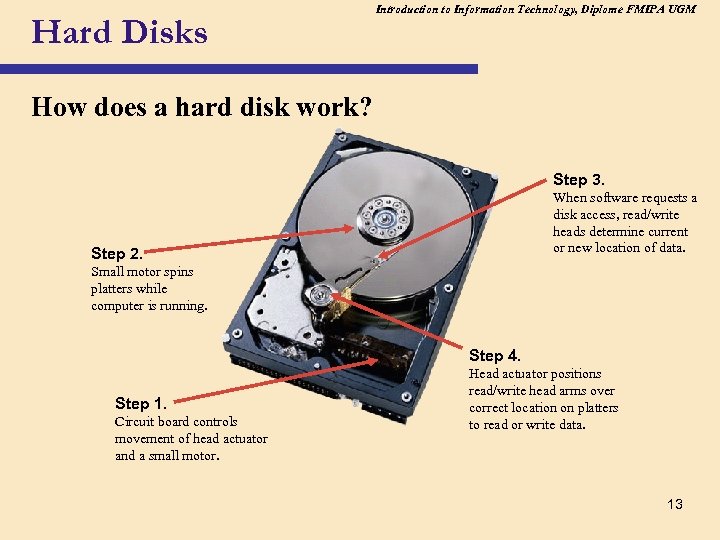 Hard Disks Introduction to Information Technology, Diplome FMIPA UGM How does a hard disk work? Step 3. When software requests a disk access, read/write heads determine current or new location of data. Step 2. Small motor spins platters while computer is running. Step 4. Step 1. Circuit board controls movement of head actuator and a small motor. Head actuator positions read/write head arms over correct location on platters to read or write data. 13
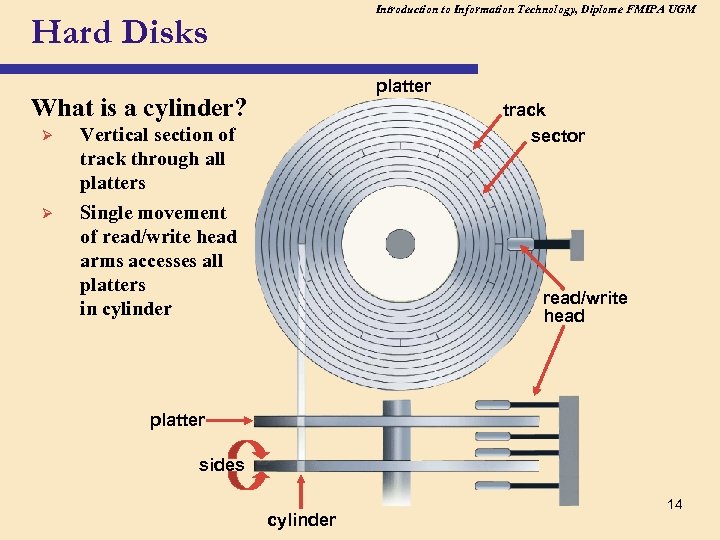 Introduction to Information Technology, Diplome FMIPA UGM Hard Disks platter What is a cylinder? Ø Vertical section of track through all platters Ø track sector Single movement of read/write head arms accesses all platters in cylinder read/write head platter sides cylinder 14
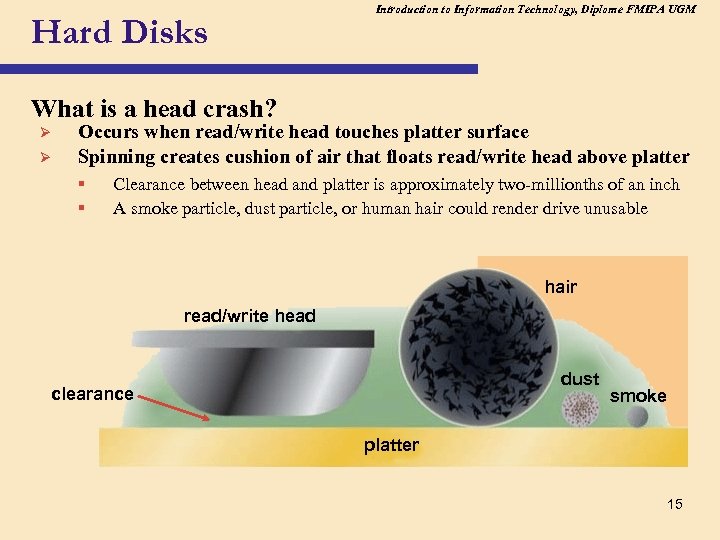 Hard Disks Introduction to Information Technology, Diplome FMIPA UGM What is a head crash? Ø Ø Occurs when read/write head touches platter surface Spinning creates cushion of air that floats read/write head above platter § § Clearance between head and platter is approximately two-millionths of an inch A smoke particle, dust particle, or human hair could render drive unusable hair read/write head dust clearance smoke platter 15
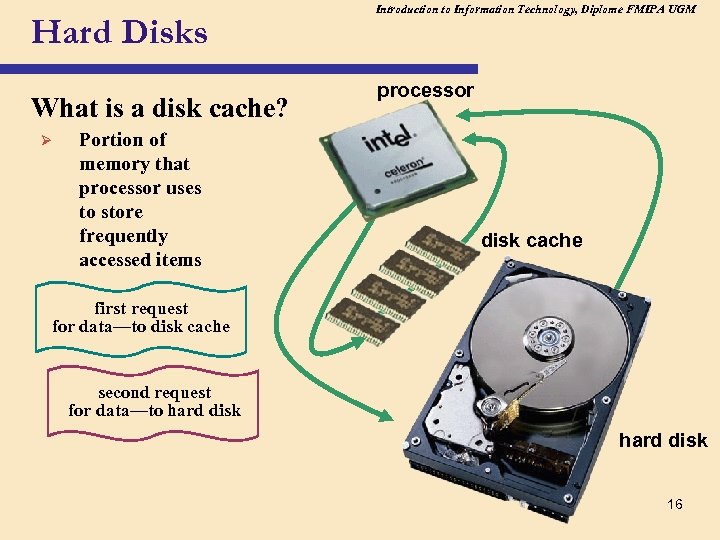 Hard Disks What is a disk cache? Ø Portion of memory that processor uses to store frequently accessed items Introduction to Information Technology, Diplome FMIPA UGM processor disk cache first request for data—to disk cache second request for data—to hard disk 16
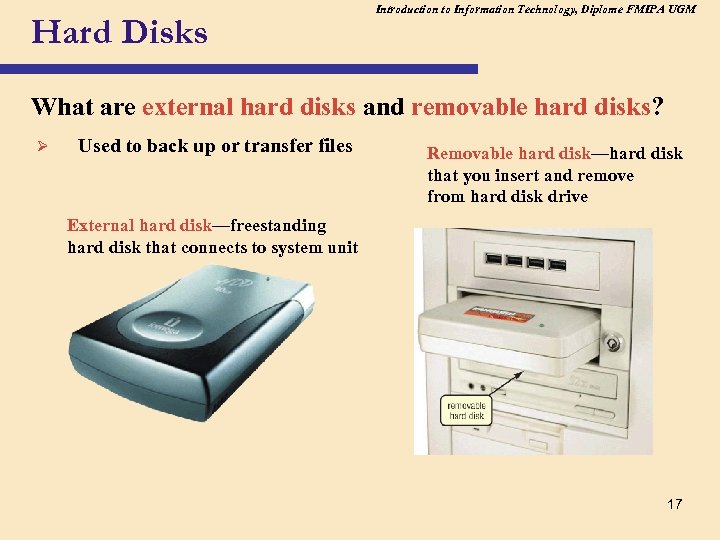 Hard Disks Introduction to Information Technology, Diplome FMIPA UGM What are external hard disks and removable hard disks? Ø Used to back up or transfer files Removable hard disk—hard disk that you insert and remove from hard disk drive External hard disk—freestanding hard disk that connects to system unit 17
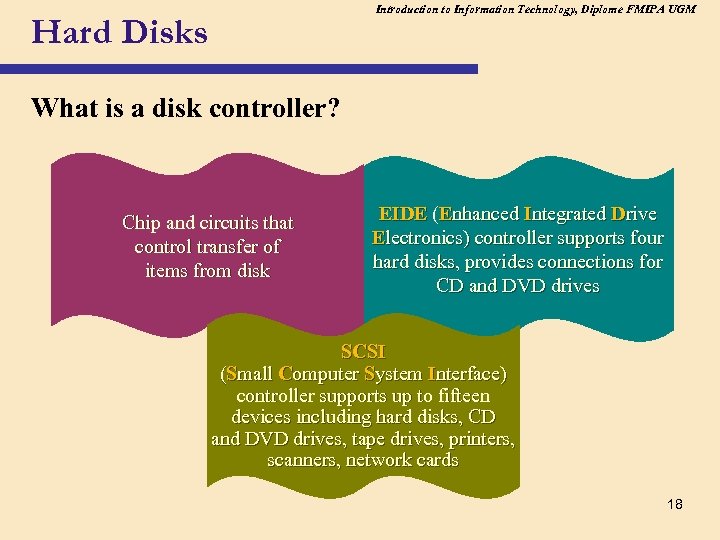 Introduction to Information Technology, Diplome FMIPA UGM Hard Disks What is a disk controller? Chip and circuits that control transfer of items from disk EIDE (Enhanced Integrated Drive Electronics) controller supports four hard disks, provides connections for CD and DVD drives SCSI (Small Computer System Interface) controller supports up to fifteen devices including hard disks, CD and DVD drives, tape drives, printers, scanners, network cards 18
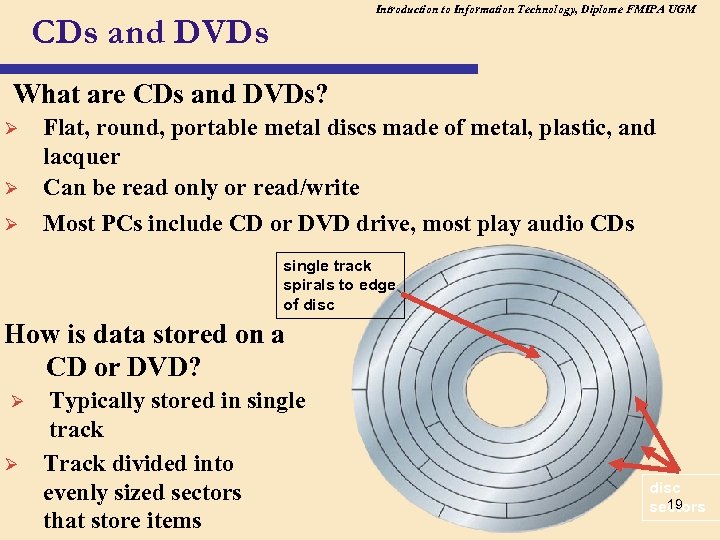 Introduction to Information Technology, Diplome FMIPA UGM CDs and DVDs What are CDs and DVDs? Ø Ø Ø Flat, round, portable metal discs made of metal, plastic, and lacquer Can be read only or read/write Most PCs include CD or DVD drive, most play audio CDs single track spirals to edge of disc How is data stored on a CD or DVD? Ø Ø Typically stored in single track Track divided into evenly sized sectors that store items disc 19 sectors
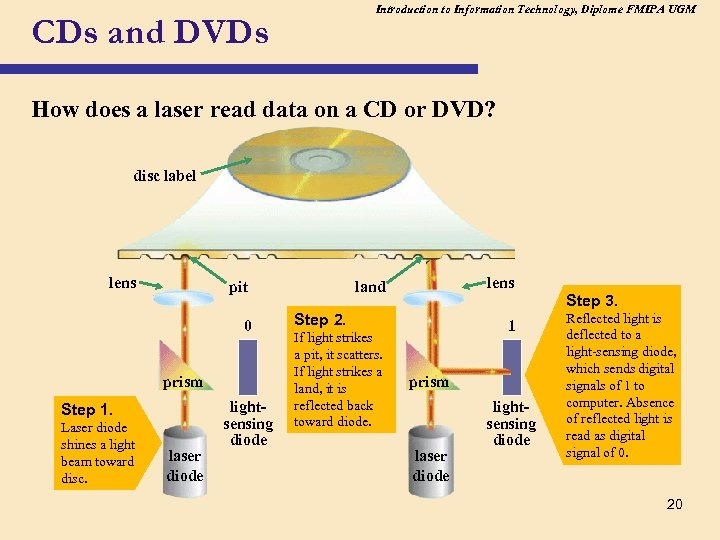 Introduction to Information Technology, Diplome FMIPA UGM CDs and DVDs How does a laser read data on a CD or DVD? disc label lens pit 0 prism Step 1. Laser diode shines a light beam toward disc. laser diode lightsensing diode lens land Step 2. If light strikes a pit, it scatters. If light strikes a land, it is reflected back toward diode. 1 prism laser diode lightsensing diode Step 3. Reflected light is deflected to a light-sensing diode, which sends digital signals of 1 to computer. Absence of reflected light is read as digital signal of 0. 20
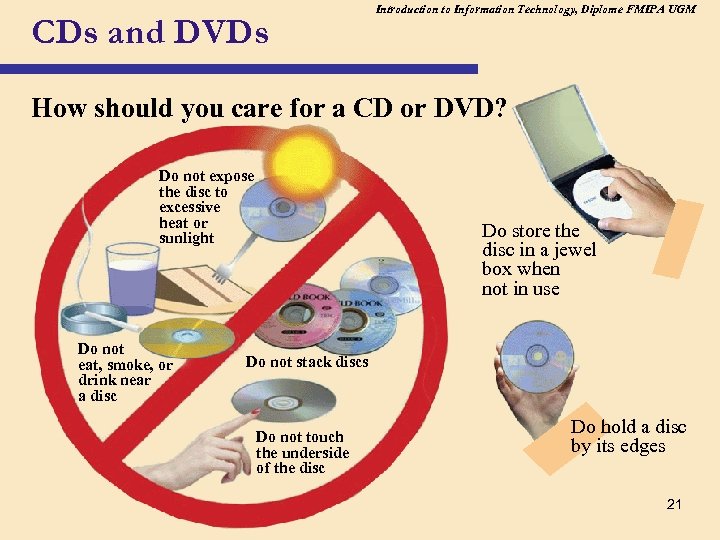 CDs and DVDs Introduction to Information Technology, Diplome FMIPA UGM How should you care for a CD or DVD? Do not expose the disc to excessive heat or sunlight Do not eat, smoke, or drink near a disc Do store the disc in a jewel box when not in use Do not stack discs Do not touch the underside of the disc Do hold a disc by its edges 21
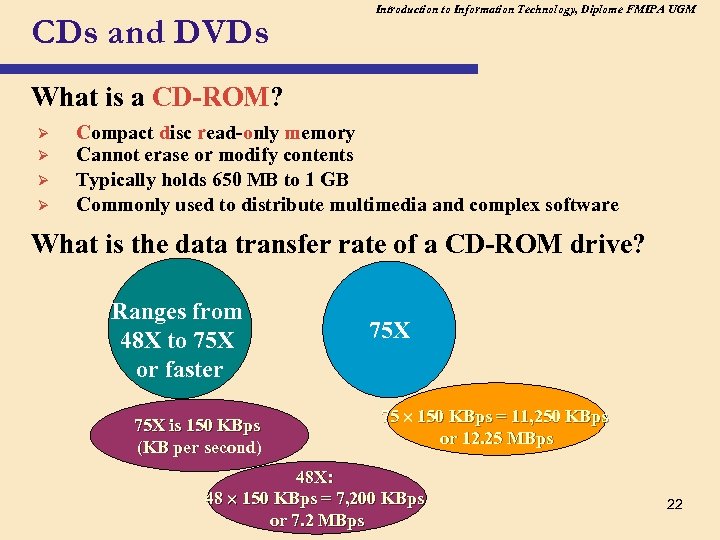 CDs and DVDs Introduction to Information Technology, Diplome FMIPA UGM What is a CD-ROM? Ø Ø Compact disc read-only memory Cannot erase or modify contents Typically holds 650 MB to 1 GB Commonly used to distribute multimedia and complex software What is the data transfer rate of a CD-ROM drive? Ranges from 48 X to 75 X or faster 75 X is 150 KBps (KB per second) 75 X 75 150 KBps = 11, 250 KBps or 12. 25 MBps 48 X: 48 150 KBps = 7, 200 KBps or 7. 2 MBps 22
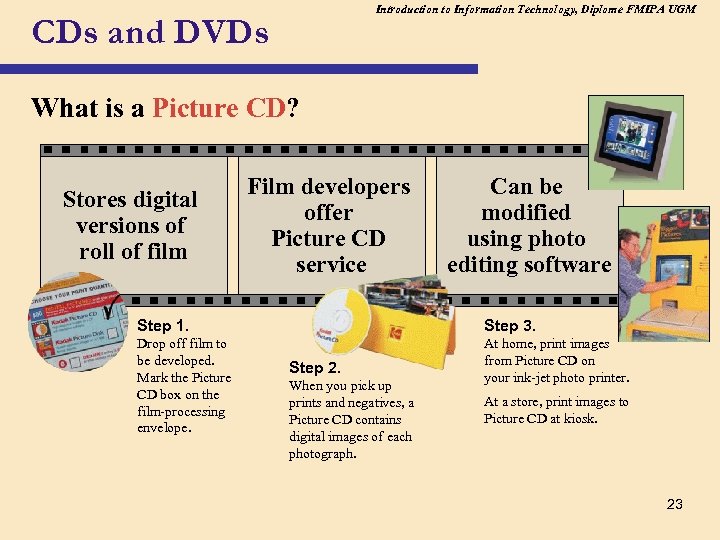 Introduction to Information Technology, Diplome FMIPA UGM CDs and DVDs What is a Picture CD? Stores digital versions of roll of film Film developers offer Picture CD service Can be modified using photo editing software Step 1. Step 3. Drop off film to be developed. Mark the Picture CD box on the film-processing envelope. At home, print images from Picture CD on your ink-jet photo printer. Step 2. When you pick up prints and negatives, a Picture CD contains digital images of each photograph. At a store, print images to Picture CD at kiosk. 23
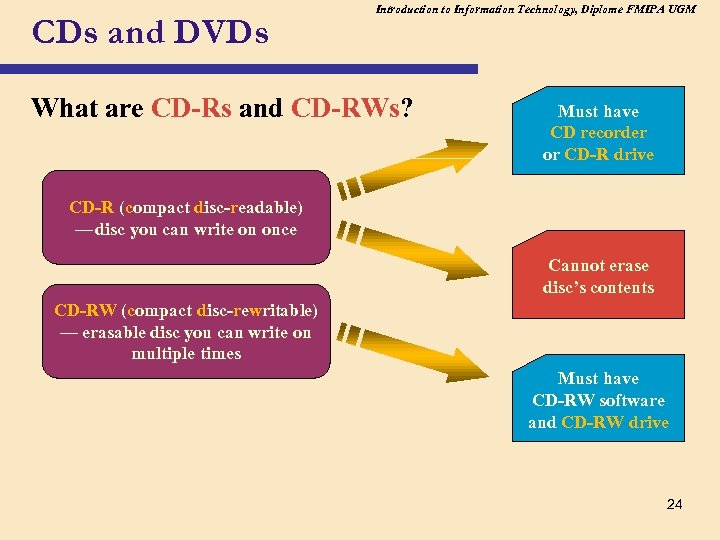 CDs and DVDs Introduction to Information Technology, Diplome FMIPA UGM What are CD-Rs and CD-RWs? Must have CD recorder or CD-R drive CD-R (compact disc-readable) — disc you can write on once c Cannot erase disc’s contents CD-RW (compact disc-rewritable) — erasable disc you can write on multiple times ce Must have CD-RW software and CD-RW drive 24
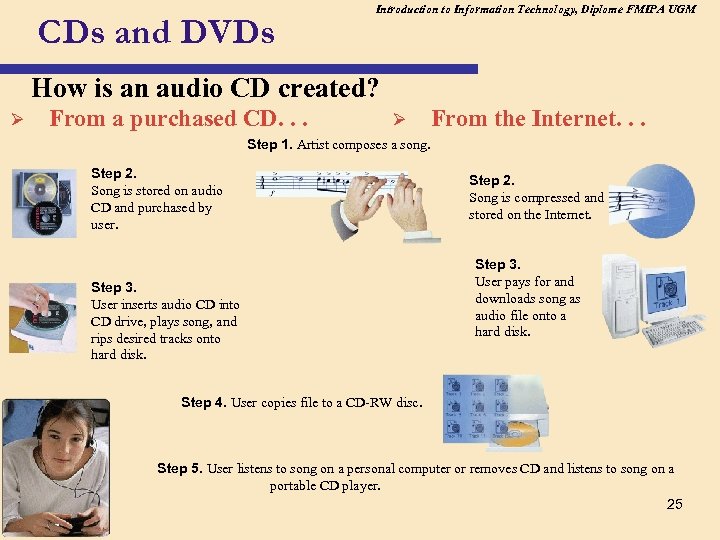 CDs and DVDs Introduction to Information Technology, Diplome FMIPA UGM How is an audio CD created? Ø From a purchased CD. . . Ø From the Internet. . . Step 1. Artist composes a song. Step 2. Song is stored on audio CD and purchased by user. Step 3. User inserts audio CD into CD drive, plays song, and rips desired tracks onto hard disk. Step 2. Song is compressed and stored on the Internet. Step 3. User pays for and downloads song as audio file onto a hard disk. Step 4. User copies file to a CD-RW disc. Step 5. User listens to song on a personal computer or removes CD and listens to song on a portable CD player. 25
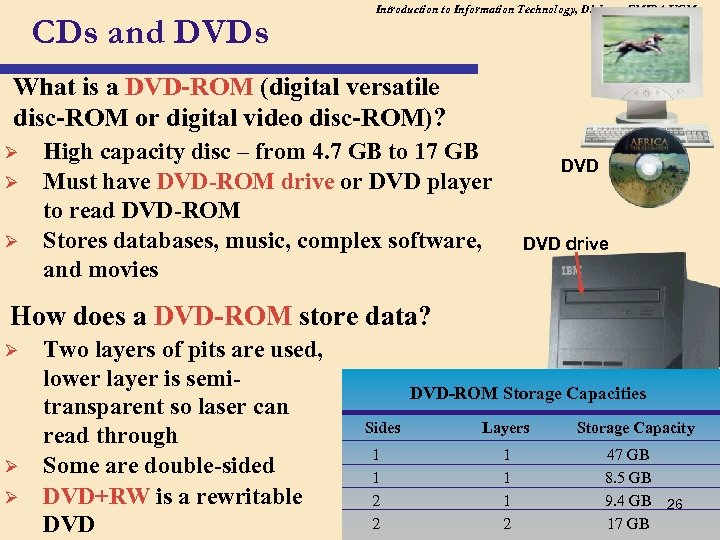 CDs and DVDs Introduction to Information Technology, Diplome FMIPA UGM What is a DVD-ROM (digital versatile disc-ROM or digital video disc-ROM)? Ø Ø Ø High capacity disc – from 4. 7 GB to 17 GB Must have DVD-ROM drive or DVD player to read DVD-ROM Stores databases, music, complex software, and movies DVD drive How does a DVD-ROM store data? Ø Ø Ø Two layers of pits are used, lower layer is semitransparent so laser can read through Some are double-sided DVD+RW is a rewritable DVD-ROM Storage Capacities Sides 1 1 2 2 Layers 1 1 1 2 Storage Capacity 47 GB 8. 5 GB 9. 4 GB 26 17 GB
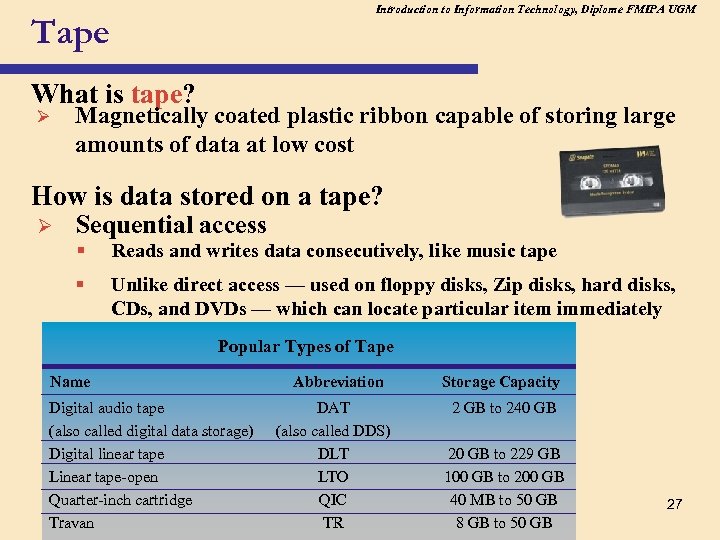 Introduction to Information Technology, Diplome FMIPA UGM Tape What is tape? Ø Magnetically coated plastic ribbon capable of storing large amounts of data at low cost How is data stored on a tape? Ø Sequential access § Reads and writes data consecutively, like music tape § Unlike direct access — used on floppy disks, Zip disks, hard disks, CDs, and DVDs — which can locate particular item immediately Popular Types of Tape Name Digital audio tape (also called digital data storage) Digital linear tape Linear tape-open Quarter-inch cartridge Travan Abbreviation DAT (also called DDS) DLT LTO QIC TR Storage Capacity 2 GB to 240 GB 20 GB to 229 GB 100 GB to 200 GB 40 MB to 50 GB 8 GB to 50 GB 27
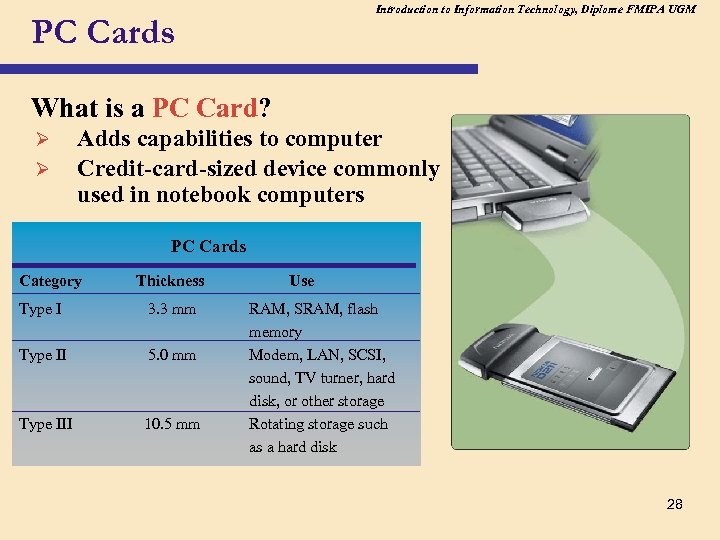 Introduction to Information Technology, Diplome FMIPA UGM PC Cards What is a PC Card? Ø Ø Adds capabilities to computer Credit-card-sized device commonly used in notebook computers PC Cards Category Thickness Type I 3. 3 mm Type II 5. 0 mm Type III 10. 5 mm Use RAM, SRAM, flash memory Modem, LAN, SCSI, sound, TV turner, hard disk, or other storage Rotating storage such as a hard disk 28
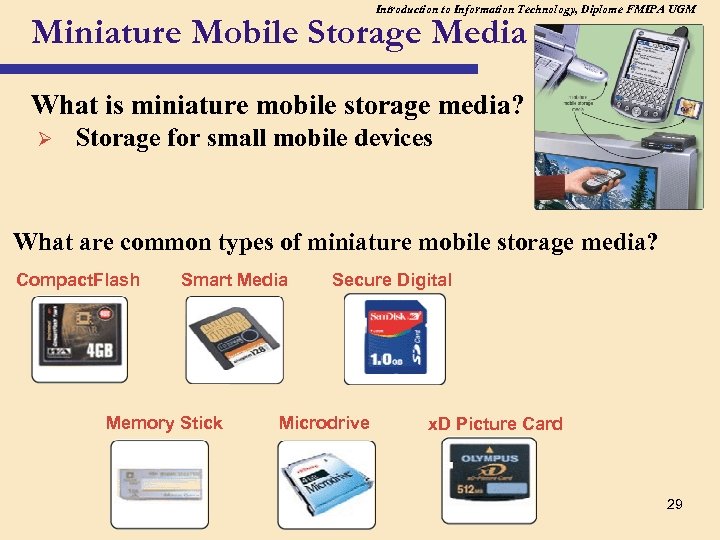 Introduction to Information Technology, Diplome FMIPA UGM Miniature Mobile Storage Media What is miniature mobile storage media? Ø Storage for small mobile devices What are common types of miniature mobile storage media? Compact. Flash Smart Media Memory Stick Secure Digital Microdrive x. D Picture Card 29
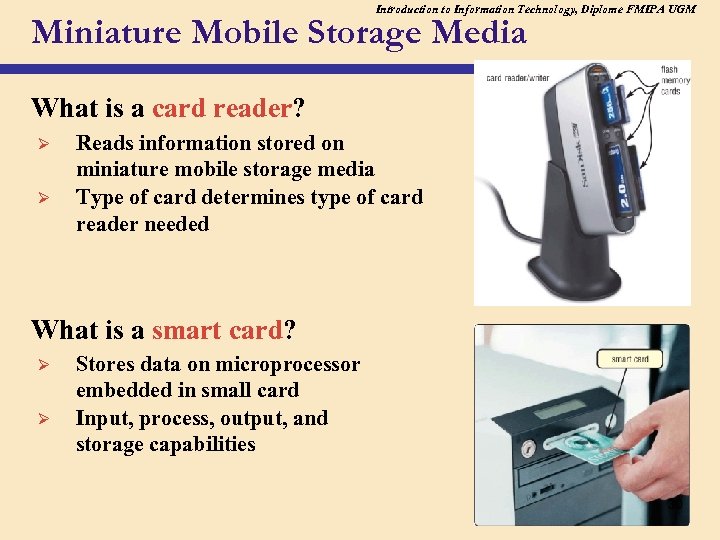 Introduction to Information Technology, Diplome FMIPA UGM Miniature Mobile Storage Media What is a card reader? Ø Ø Reads information stored on miniature mobile storage media Type of card determines type of card reader needed What is a smart card? Ø Ø Stores data on microprocessor embedded in small card Input, process, output, and storage capabilities 30
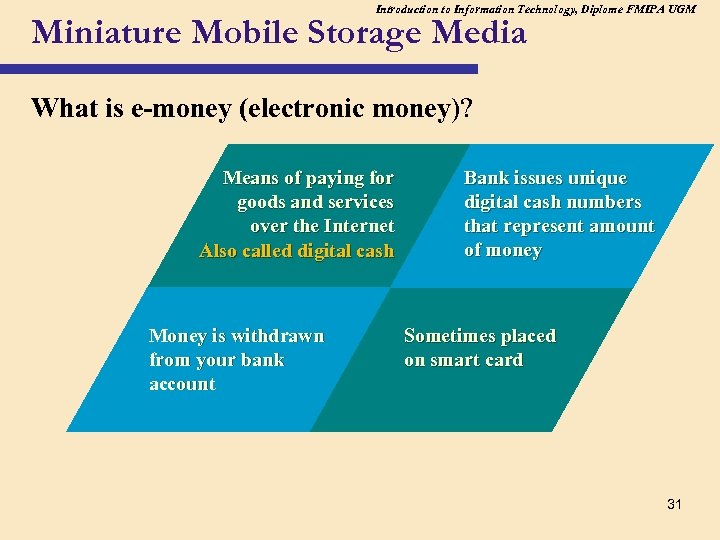 Introduction to Information Technology, Diplome FMIPA UGM Miniature Mobile Storage Media What is e-money (electronic money)? Means of paying for goods and services over the Internet Also called digital cash Money is withdrawn from your bank account Bank issues unique digital cash numbers that represent amount of money Sometimes placed on smart card 31
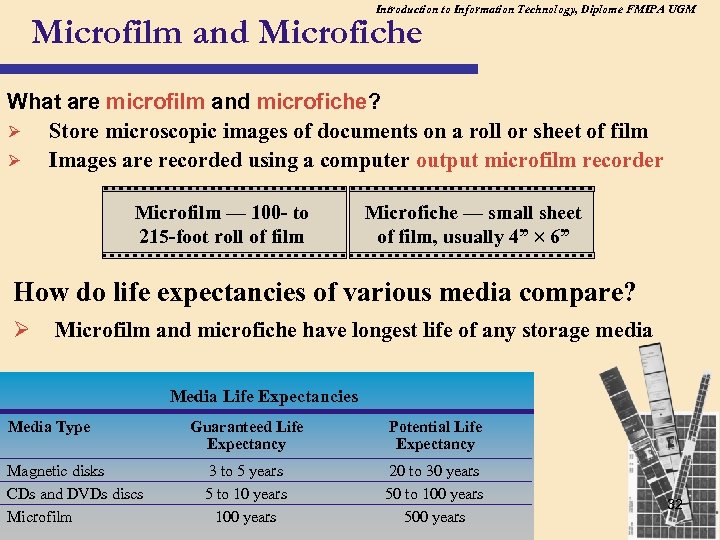 Introduction to Information Technology, Diplome FMIPA UGM Microfilm and Microfiche What are microfilm and microfiche? Ø Store microscopic images of documents on a roll or sheet of film Ø Images are recorded using a computer output microfilm recorder Microfilm — 100 - to 215 -foot roll of film Microfiche — small sheet of film, usually 4” 6” How do life expectancies of various media compare? Ø Microfilm and microfiche have longest life of any storage media Media Life Expectancies Media Type Magnetic disks CDs and DVDs discs Microfilm Guaranteed Life Expectancy Potential Life Expectancy 3 to 5 years 5 to 10 years 100 years 20 to 30 years 50 to 100 years 500 years 32
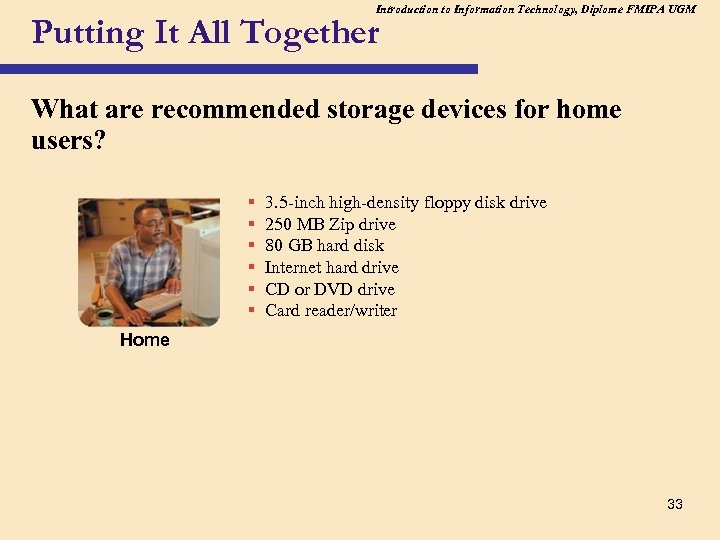 Introduction to Information Technology, Diplome FMIPA UGM Putting It All Together What are recommended storage devices for home users? § § § 3. 5 -inch high-density floppy disk drive 250 MB Zip drive 80 GB hard disk Internet hard drive CD or DVD drive Card reader/writer Home 33
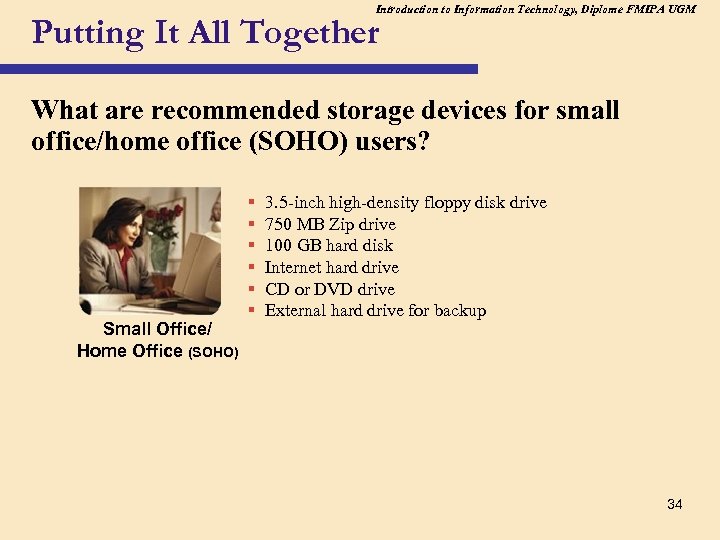 Introduction to Information Technology, Diplome FMIPA UGM Putting It All Together What are recommended storage devices for small office/home office (SOHO) users? Small Office/ Home Office (SOHO) § § § 3. 5 -inch high-density floppy disk drive 750 MB Zip drive 100 GB hard disk Internet hard drive CD or DVD drive External hard drive for backup 34
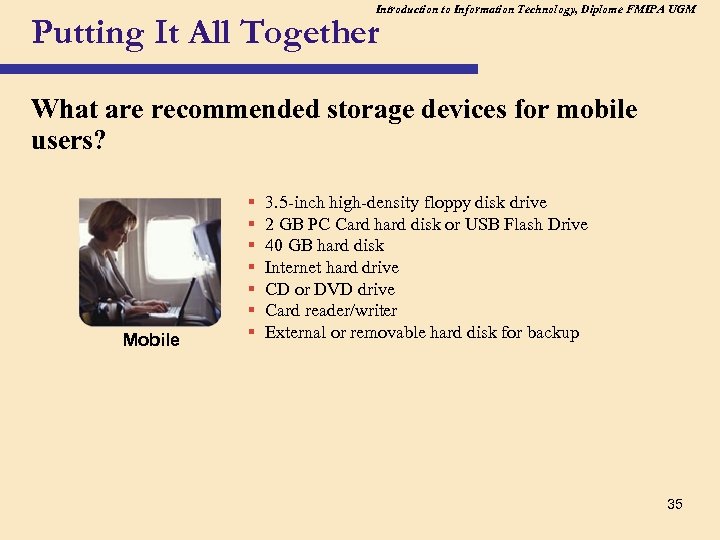 Introduction to Information Technology, Diplome FMIPA UGM Putting It All Together What are recommended storage devices for mobile users? Mobile § § § § 3. 5 -inch high-density floppy disk drive 2 GB PC Card hard disk or USB Flash Drive 40 GB hard disk Internet hard drive CD or DVD drive Card reader/writer External or removable hard disk for backup 35
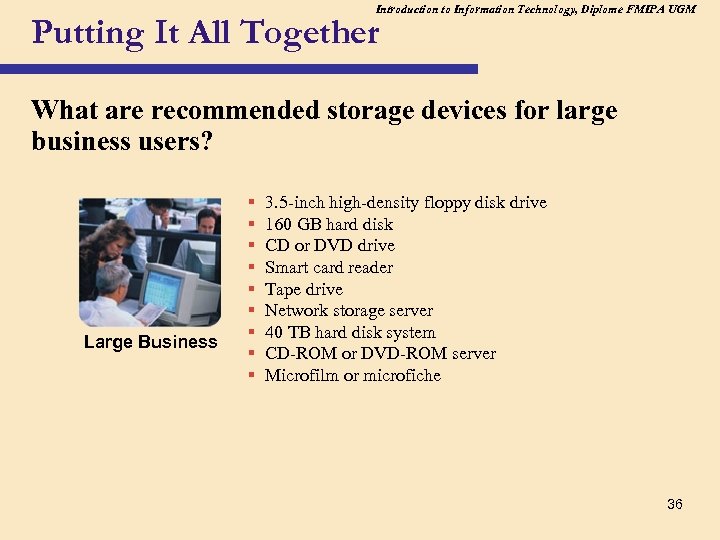 Introduction to Information Technology, Diplome FMIPA UGM Putting It All Together What are recommended storage devices for large business users? Large Business § § § § § 3. 5 -inch high-density floppy disk drive 160 GB hard disk CD or DVD drive Smart card reader Tape drive Network storage server 40 TB hard disk system CD-ROM or DVD-ROM server Microfilm or microfiche 36
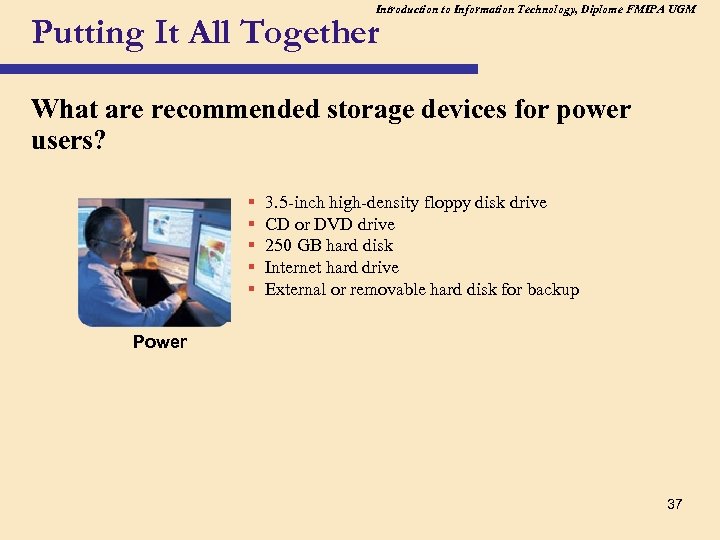 Introduction to Information Technology, Diplome FMIPA UGM Putting It All Together What are recommended storage devices for power users? § § § 3. 5 -inch high-density floppy disk drive CD or DVD drive 250 GB hard disk Internet hard drive External or removable hard disk for backup Power 37