 Скачать презентацию CHAPTER 6 Web Pages Web Sites and Ecommerce
e09e5fd81f53f11b1d4c7647323170e8.ppt
- Количество слайдов: 46



CHAPTER 6 Web Pages, Web Sites, and Ecommerce
6 Chapter Contents ïSection A: Web Technology ïSection B: Basic Web Page Authoring ïSection C: Web Page Extensions, Scripts, and Programs ïSection D: E-commerce Chapter 6: Web Pages, Web Sites, and E-commerce 2

6 SECTION A Section A: Web Technology ïThe Web, the Net, and Hypertext ïHTML and XHTML ïWeb Browsers ïHelper Applications, Plug-ins, and Players ïHTTP ïWeb Servers ïCookies Chapter 6: Web Pages, Web Sites, and E-commerce 3
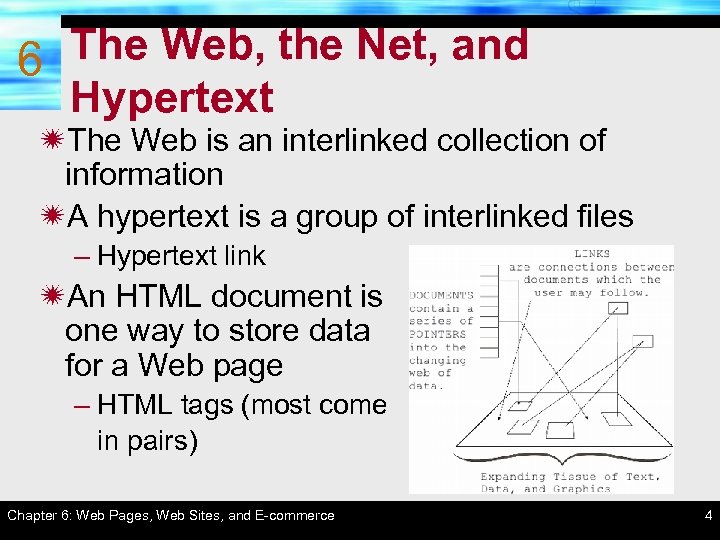
The Web, the Net, and 6 Hypertext ïThe Web is an interlinked collection of information ïA hypertext is a group of interlinked files – Hypertext link ïAn HTML document is one way to store data for a Web page – HTML tags (most come in pairs) Chapter 6: Web Pages, Web Sites, and E-commerce 4
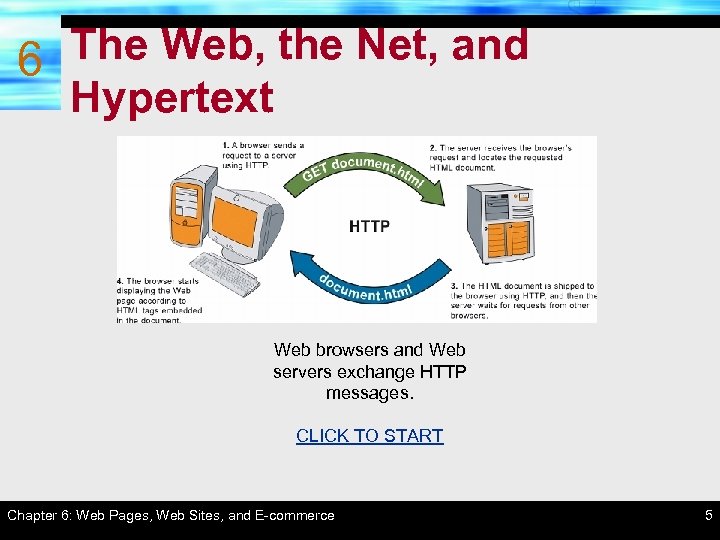
The Web, the Net, and 6 Hypertext Web browsers and Web servers exchange HTTP messages. CLICK TO START Chapter 6: Web Pages, Web Sites, and E-commerce 5
6 HTML and XHTML ïHTML is a markup language containing special instructions – HTML is not a case sensitive language – World Wide Web Consortium (W 3 C) developed and revises HTML specifications – XHTML is the follow-up version to HTML 4 – HTML tags are enclosed in angle brackets • Self-closing tags • Formatting tags, link tags, media tags, and operational tags Chapter 6: Web Pages, Web Sites, and E-commerce 6
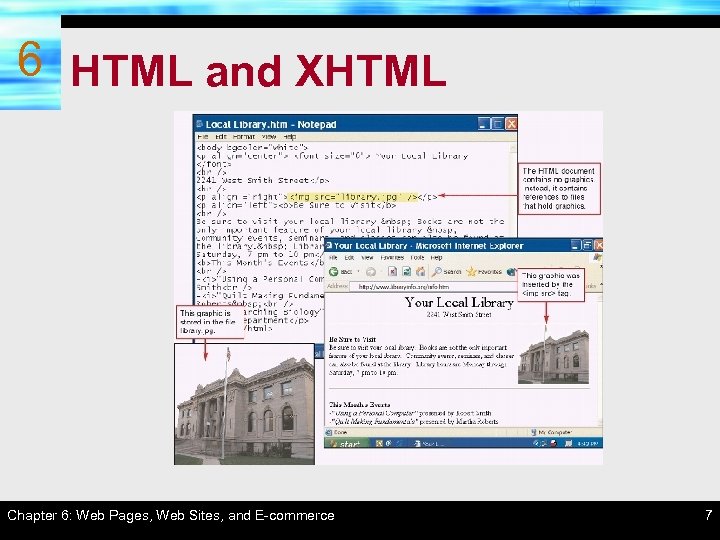
6 HTML and XHTML Chapter 6: Web Pages, Web Sites, and E-commerce 7
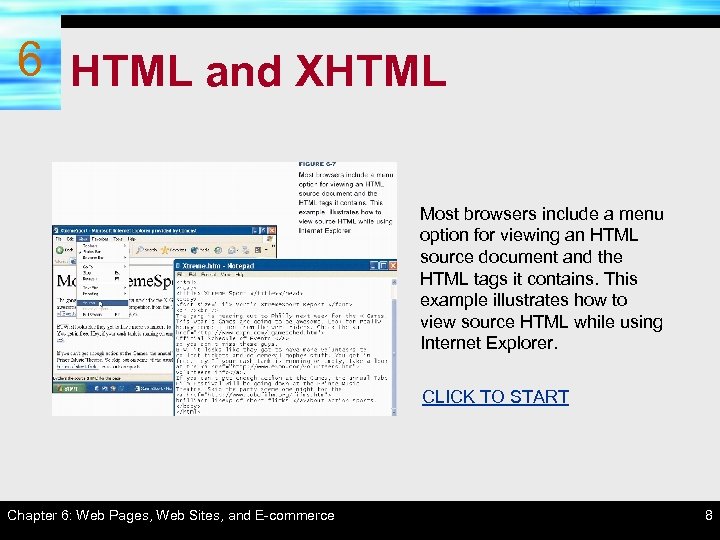
6 HTML and XHTML Most browsers include a menu option for viewing an HTML source document and the HTML tags it contains. This example illustrates how to view source HTML while using Internet Explorer. CLICK TO START Chapter 6: Web Pages, Web Sites, and E-commerce 8
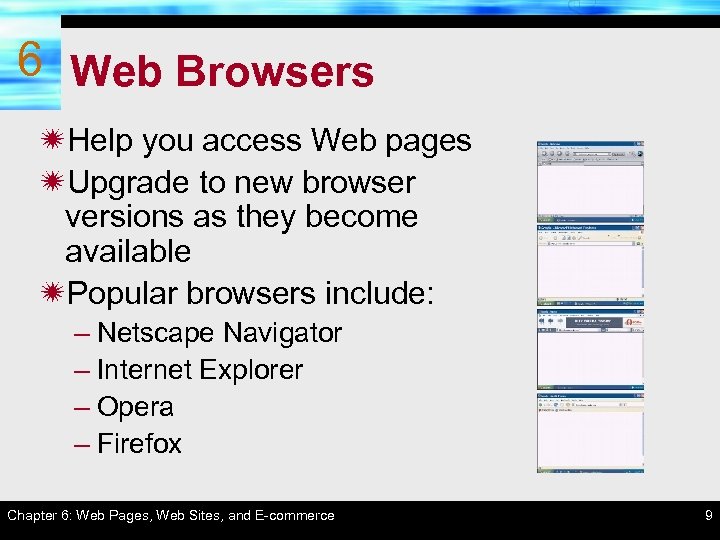
6 Web Browsers ïHelp you access Web pages ïUpgrade to new browser versions as they become available ïPopular browsers include: – Netscape Navigator – Internet Explorer – Opera – Firefox Chapter 6: Web Pages, Web Sites, and E-commerce 9
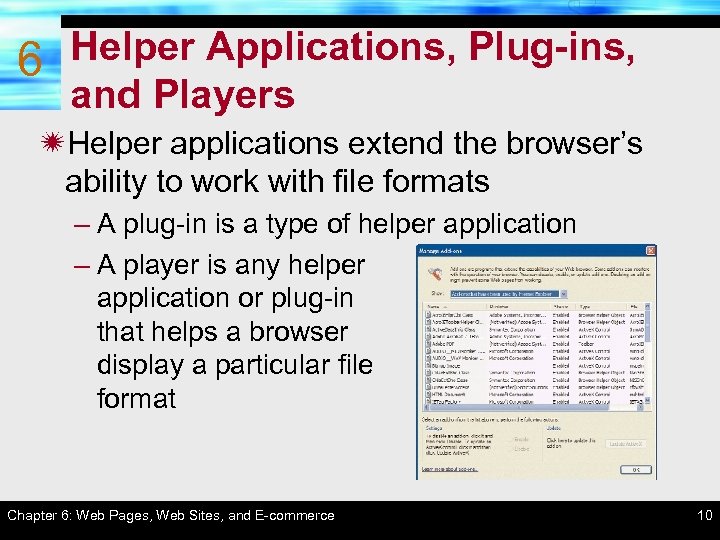
6 Helper Applications, Plug-ins, and Players ïHelper applications extend the browser’s ability to work with file formats – A plug-in is a type of helper application – A player is any helper application or plug-in that helps a browser display a particular file format Chapter 6: Web Pages, Web Sites, and E-commerce 10
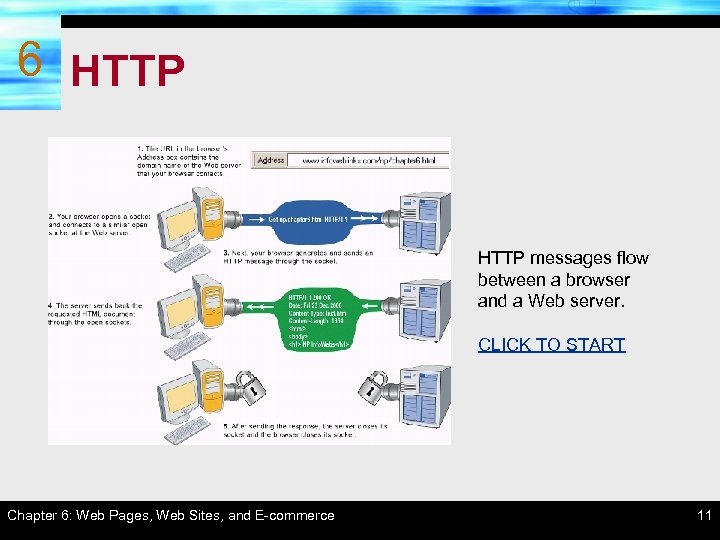
6 HTTP messages flow between a browser and a Web server. CLICK TO START Chapter 6: Web Pages, Web Sites, and E-commerce 11
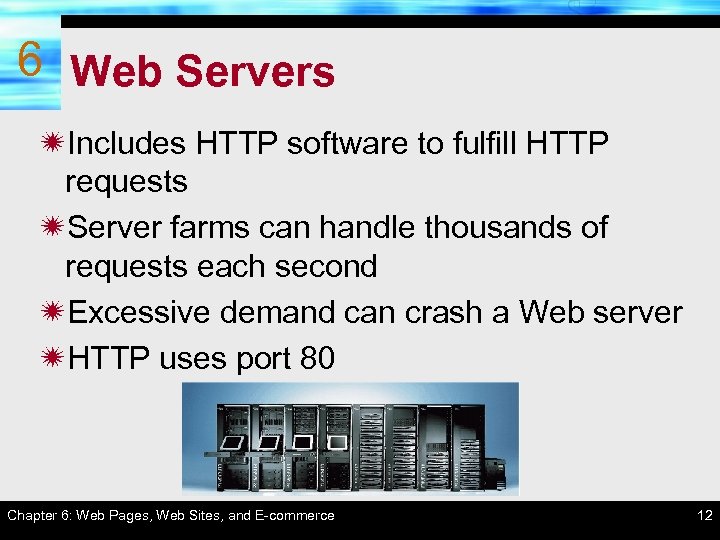
6 Web Servers ïIncludes HTTP software to fulfill HTTP requests ïServer farms can handle thousands of requests each second ïExcessive demand can crash a Web server ïHTTP uses port 80 Chapter 6: Web Pages, Web Sites, and E-commerce 12
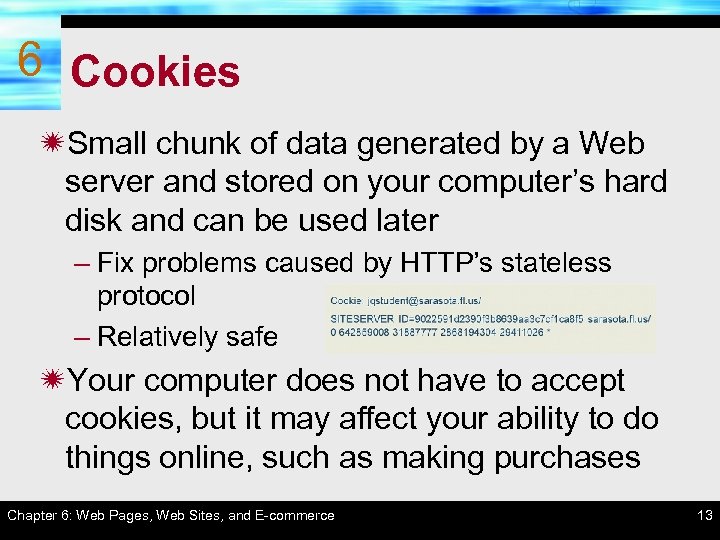
6 Cookies ïSmall chunk of data generated by a Web server and stored on your computer’s hard disk and can be used later – Fix problems caused by HTTP’s stateless protocol – Relatively safe ïYour computer does not have to accept cookies, but it may affect your ability to do things online, such as making purchases Chapter 6: Web Pages, Web Sites, and E-commerce 13
6 Section B: Basic Web Page SECTION B Authoring ï Web Page Authoring Tools ï Basic Web Page Components ï Formats, Styles, and Style Sheets ï Web Page Graphics, Sound, and Animation ï Links, Buttons, and Hot Spots ï HTML Forms ï Tables and Frames ï Testing and Posting Web Pages Chapter 6: Web Pages, Web Sites, and E-commerce 14
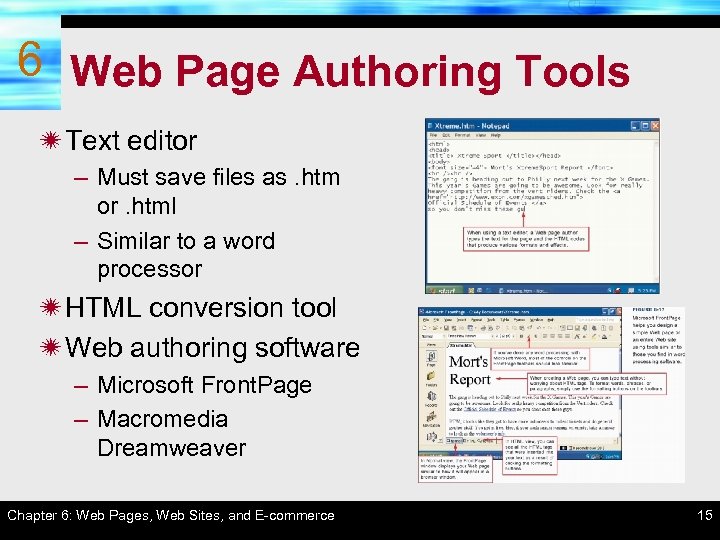
6 Web Page Authoring Tools ï Text editor – Must save files as. htm or. html – Similar to a word processor ï HTML conversion tool ï Web authoring software – Microsoft Front. Page – Macromedia Dreamweaver Chapter 6: Web Pages, Web Sites, and E-commerce 15
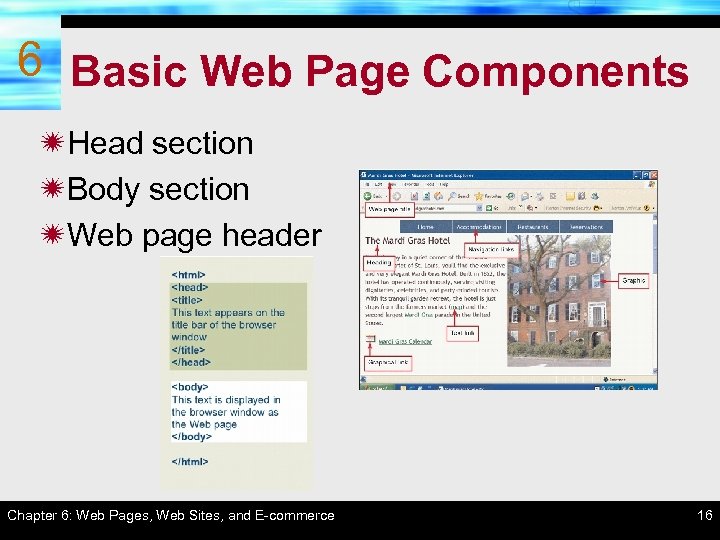
6 Basic Web Page Components ïHead section ïBody section ïWeb page header Chapter 6: Web Pages, Web Sites, and E-commerce 16
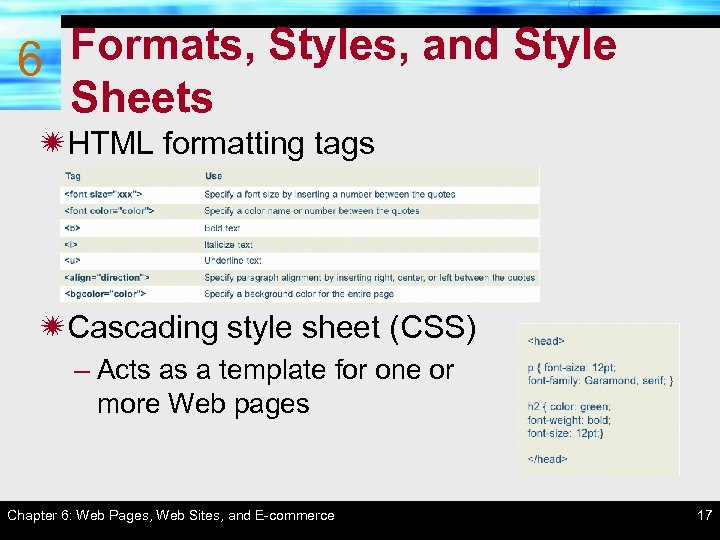
Formats, Styles, and Style 6 Sheets ïHTML formatting tags ïCascading style sheet (CSS) – Acts as a template for one or more Web pages Chapter 6: Web Pages, Web Sites, and E-commerce 17
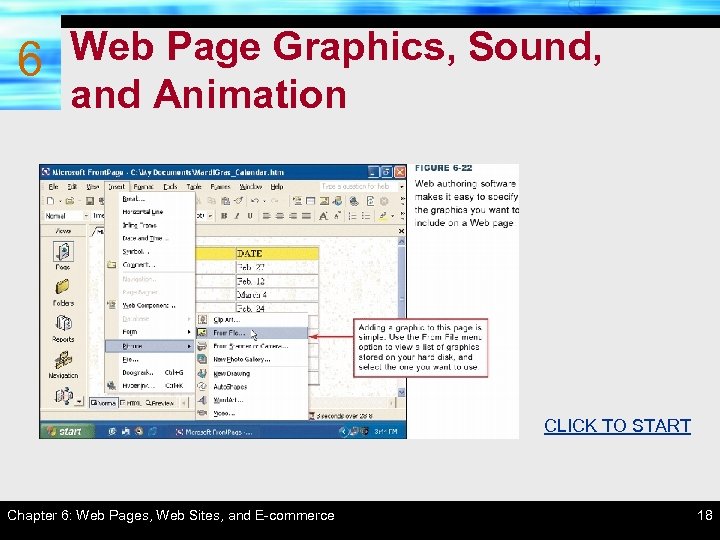
6 Web Page Graphics, Sound, and Animation CLICK TO START Chapter 6: Web Pages, Web Sites, and E-commerce 18
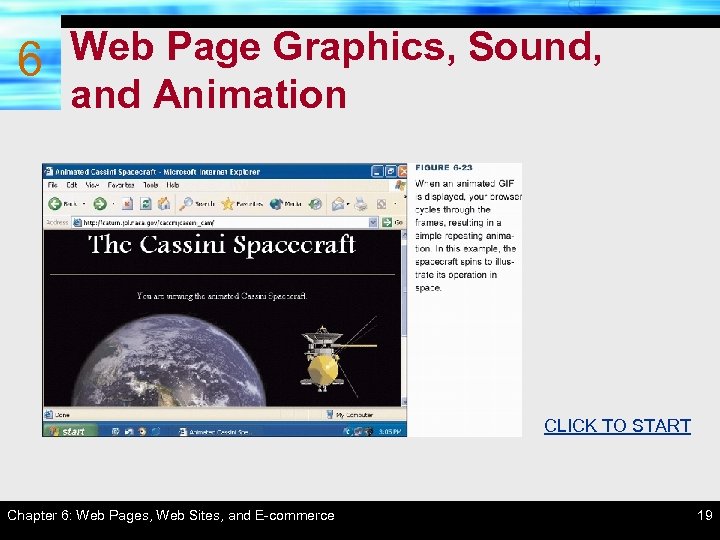
6 Web Page Graphics, Sound, and Animation CLICK TO START Chapter 6: Web Pages, Web Sites, and E-commerce 19
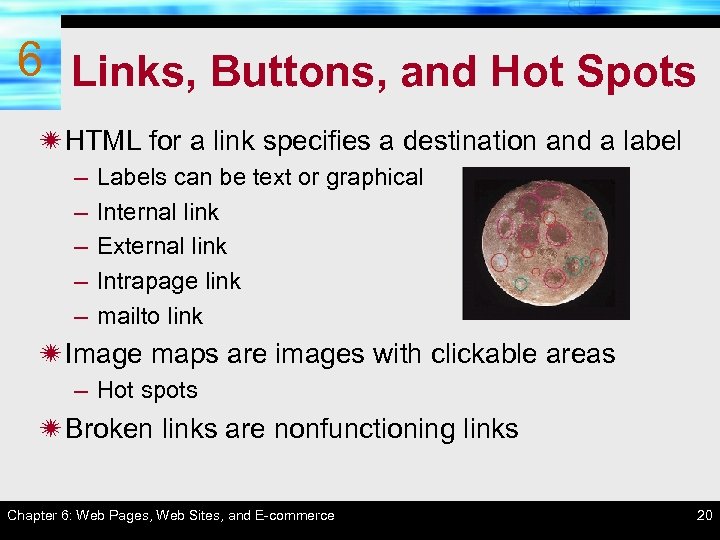
6 Links, Buttons, and Hot Spots ï HTML for a link specifies a destination and a label – – – Labels can be text or graphical Internal link External link Intrapage link mailto link ï Image maps are images with clickable areas – Hot spots ï Broken links are nonfunctioning links Chapter 6: Web Pages, Web Sites, and E-commerce 20
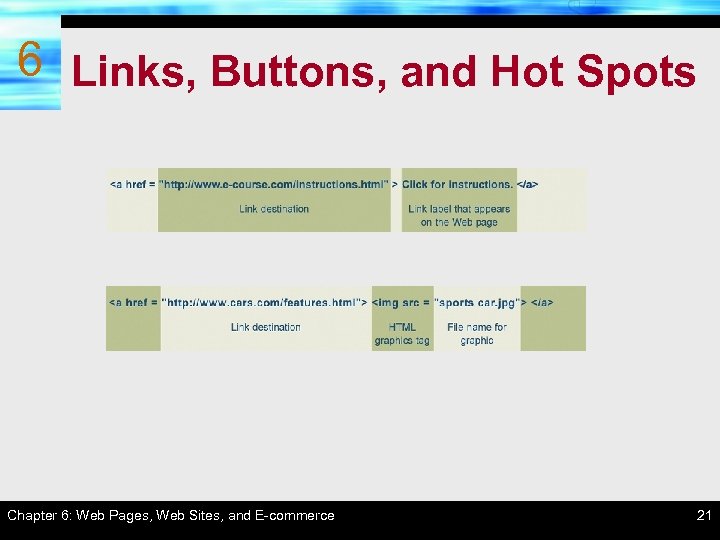
6 Links, Buttons, and Hot Spots Chapter 6: Web Pages, Web Sites, and E-commerce 21
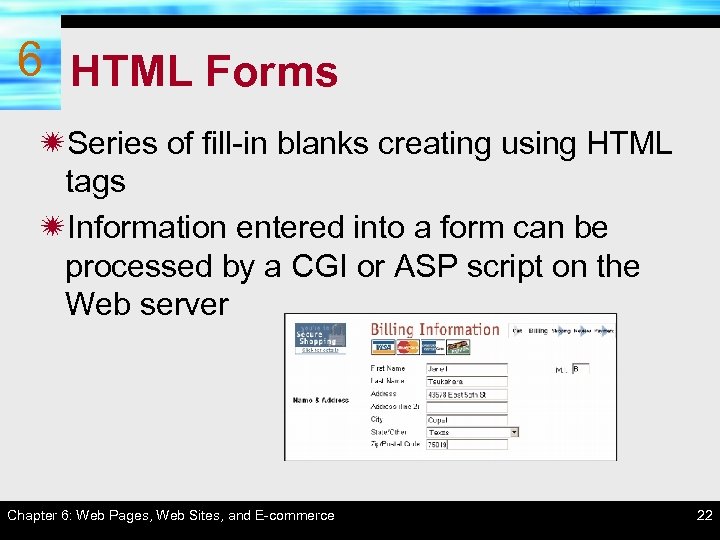
6 HTML Forms ïSeries of fill-in blanks creating using HTML tags ïInformation entered into a form can be processed by a CGI or ASP script on the Web server Chapter 6: Web Pages, Web Sites, and E-commerce 22
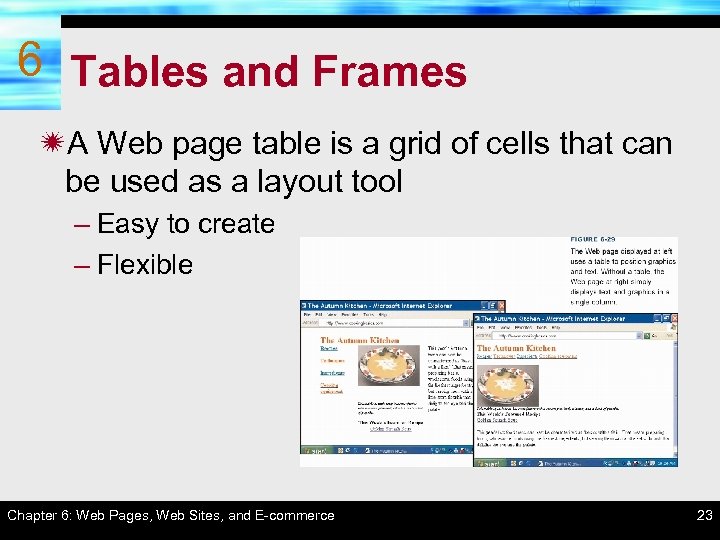
6 Tables and Frames ïA Web page table is a grid of cells that can be used as a layout tool – Easy to create – Flexible Chapter 6: Web Pages, Web Sites, and E-commerce 23
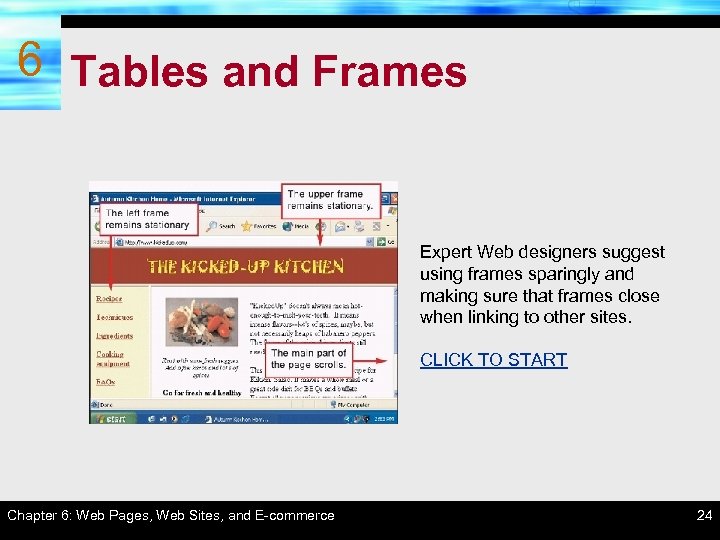
6 Tables and Frames Expert Web designers suggest using frames sparingly and making sure that frames close when linking to other sites. CLICK TO START Chapter 6: Web Pages, Web Sites, and E-commerce 24
Testing and Posting Web 6 Pages ïTest each page locally ïTransfer pages to a Web server ïTest all pages and links ïUpdate your site to keep it current Chapter 6: Web Pages, Web Sites, and E-commerce 25
6 SECTION Section C: Web Page Extensions / Scripts / Programs C ïDHTML ïXML and XSL ïJava. Script and VBScript ïJava Applets ïActive. X Controls Chapter 6: Web Pages, Web Sites, and E-commerce 26
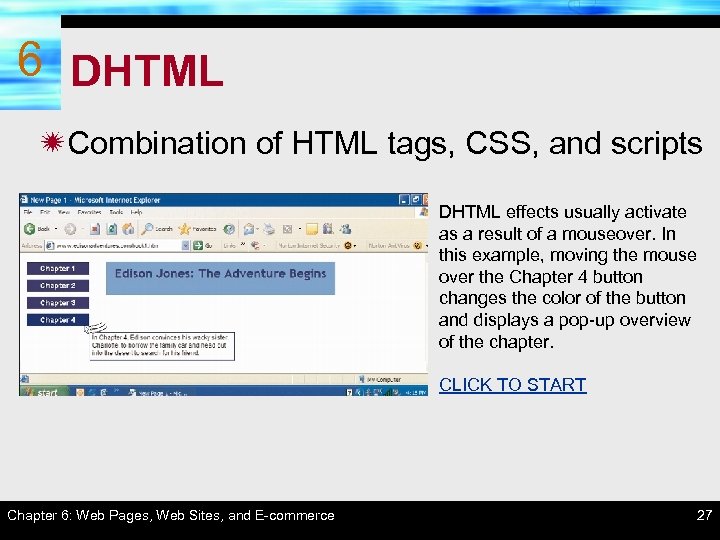
6 DHTML ïCombination of HTML tags, CSS, and scripts DHTML effects usually activate as a result of a mouseover. In this example, moving the mouse over the Chapter 4 button changes the color of the button and displays a pop-up overview of the chapter. CLICK TO START Chapter 6: Web Pages, Web Sites, and E-commerce 27
6 XML and XSL ïXML (e. Xtensible Markup Language) is a method for putting structured data into a text file using tags and attributes – DTD (Document Type Definition) files contain the tags used in XML file ïXSL (e. Xtensible Stylesheet Language) is used to control the display of data in an XML document Chapter 6: Web Pages, Web Sites, and E-commerce 28
6 Java. Script and VBScript ïScripts instruct the browser to perform specific actions or respond to specific user actions ïJava. Script and VBScript are the most popular scripting languages ïScripts can either run on the client (client-side script) or the server (server-side script) Chapter 6: Web Pages, Web Sites, and E-commerce 29
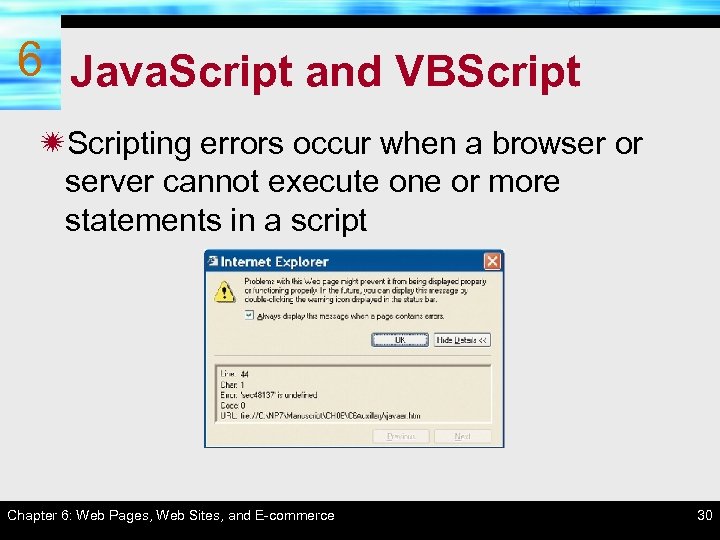
6 Java. Script and VBScript ïScripting errors occur when a browser or server cannot execute one or more statements in a script Chapter 6: Web Pages, Web Sites, and E-commerce 30
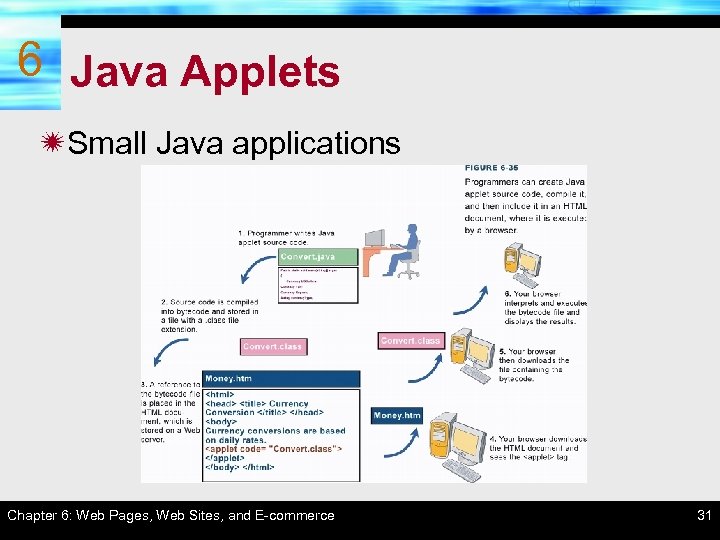
6 Java Applets ïSmall Java applications Chapter 6: Web Pages, Web Sites, and E-commerce 31
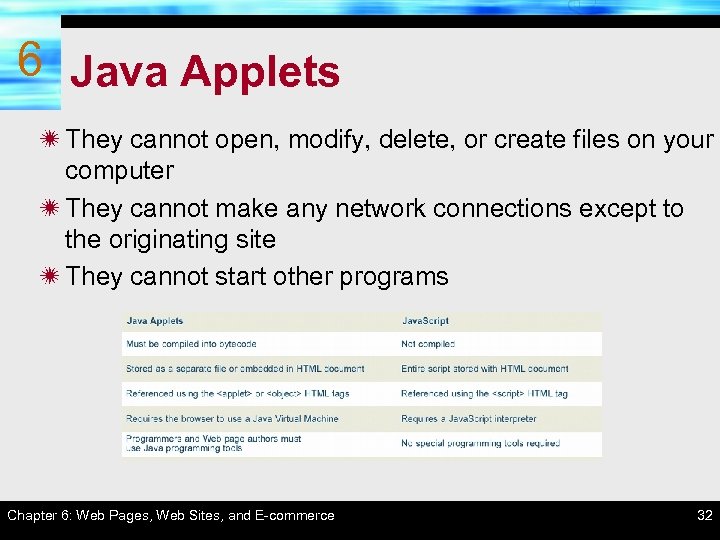
6 Java Applets ï They cannot open, modify, delete, or create files on your computer ï They cannot make any network connections except to the originating site ï They cannot start other programs Chapter 6: Web Pages, Web Sites, and E-commerce 32
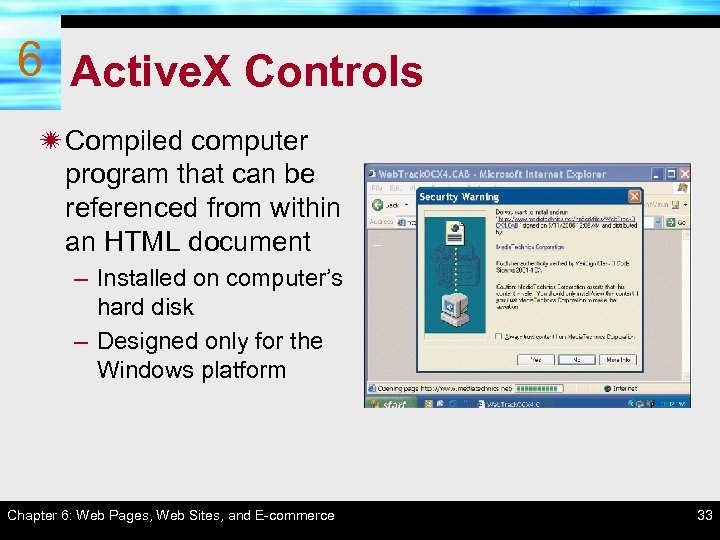
6 Active. X Controls ï Compiled computer program that can be referenced from within an HTML document – Installed on computer’s hard disk – Designed only for the Windows platform Chapter 6: Web Pages, Web Sites, and E-commerce 33
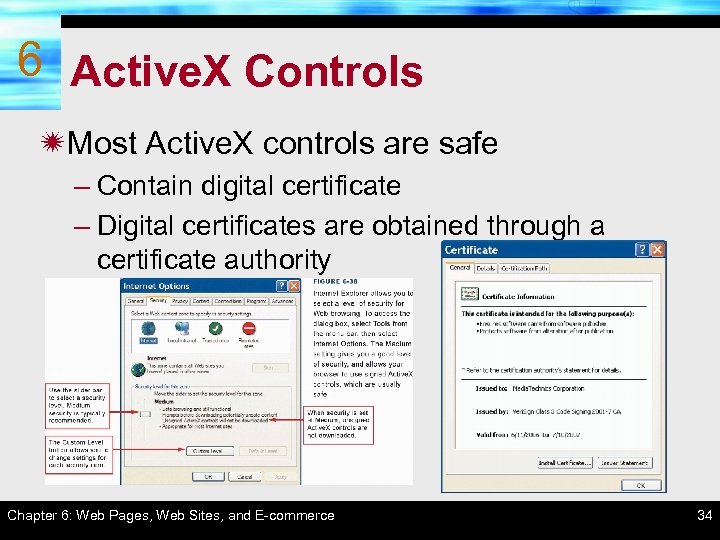
6 Active. X Controls ïMost Active. X controls are safe – Contain digital certificate – Digital certificates are obtained through a certificate authority Chapter 6: Web Pages, Web Sites, and E-commerce 34
6 SECTION D Section D: E-commerce ïE-commerce Basics ïOnline Shopping ïShopping Carts ïTransaction Privacy and Security Chapter 6: Web Pages, Web Sites, and E-commerce 35
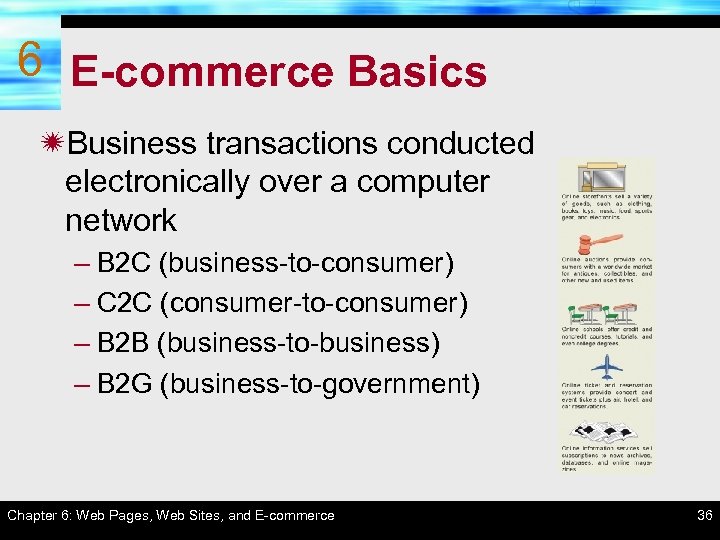
6 E-commerce Basics ïBusiness transactions conducted electronically over a computer network – B 2 C (business-to-consumer) – C 2 C (consumer-to-consumer) – B 2 B (business-to-business) – B 2 G (business-to-government) Chapter 6: Web Pages, Web Sites, and E-commerce 36
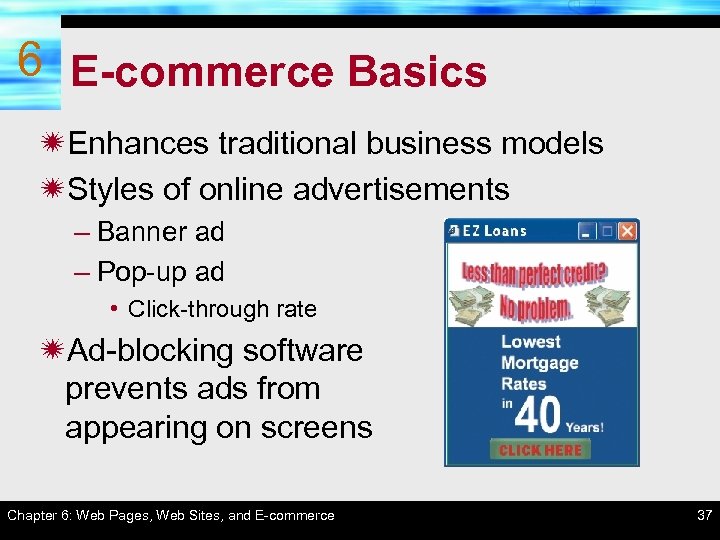
6 E-commerce Basics ïEnhances traditional business models ïStyles of online advertisements – Banner ad – Pop-up ad • Click-through rate ïAd-blocking software prevents ads from appearing on screens Chapter 6: Web Pages, Web Sites, and E-commerce 37
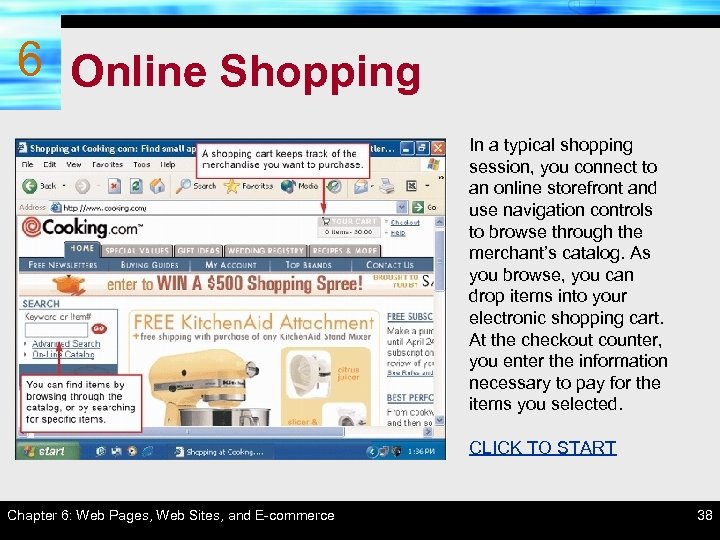
6 Online Shopping In a typical shopping session, you connect to an online storefront and use navigation controls to browse through the merchant’s catalog. As you browse, you can drop items into your electronic shopping cart. At the checkout counter, you enter the information necessary to pay for the items you selected. CLICK TO START Chapter 6: Web Pages, Web Sites, and E-commerce 38
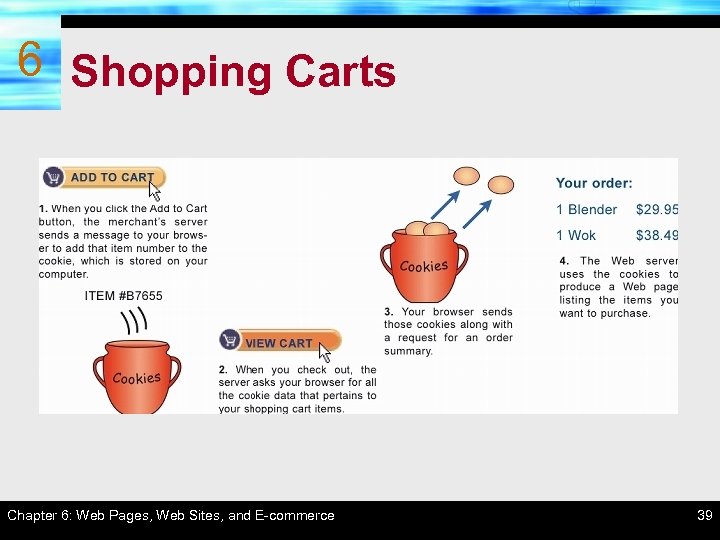
6 Shopping Carts Chapter 6: Web Pages, Web Sites, and E-commerce 39
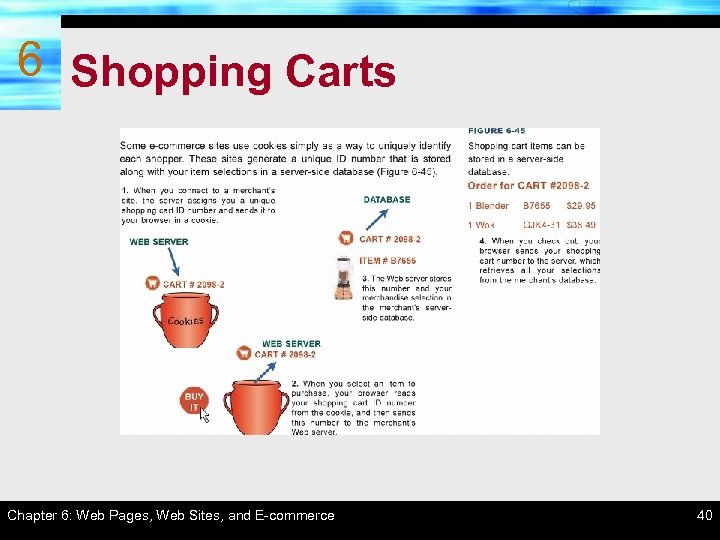
6 Shopping Carts Chapter 6: Web Pages, Web Sites, and E-commerce 40
Transaction Privacy and 6 Security ïWeb sites can surreptitiously collect data about your browsing and purchasing habits ïSpyware surreptitiously gathers information ïAd-serving cookies track your activities at any site containing banner ads from a third party ïClear GIFs can set cookies to third party sites Chapter 6: Web Pages, Web Sites, and E-commerce 41
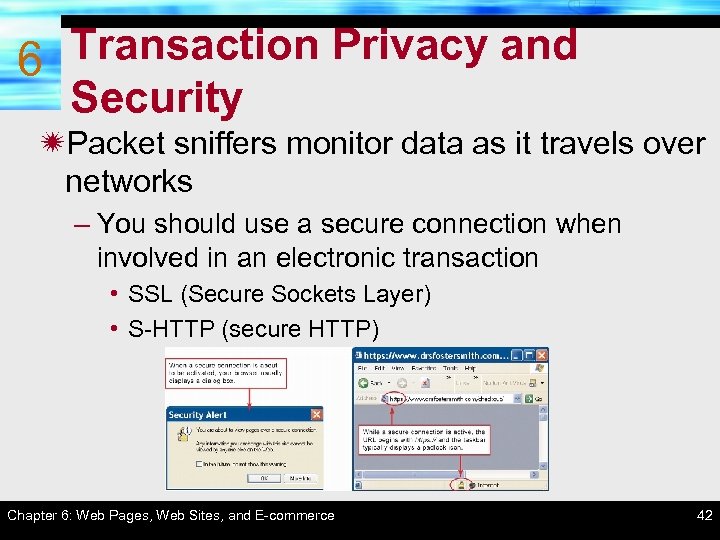
Transaction Privacy and 6 Security ïPacket sniffers monitor data as it travels over networks – You should use a secure connection when involved in an electronic transaction • SSL (Secure Sockets Layer) • S-HTTP (secure HTTP) Chapter 6: Web Pages, Web Sites, and E-commerce 42
Transaction Privacy and 6 Security ïMerchant databases may be accessed without authorization – Dishonest employees ïFake storefronts may be used to collecting data – Enter URLs correctly ïHackers may be able to steal credit card numbers from your hard disk Chapter 6: Web Pages, Web Sites, and E-commerce 43
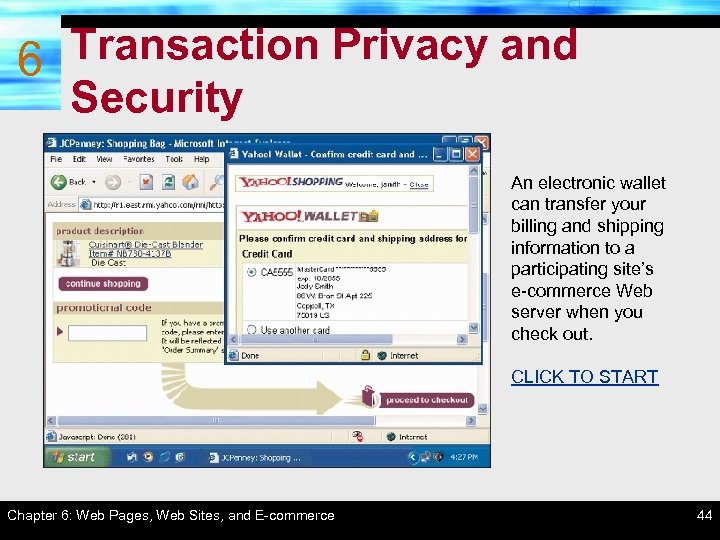
Transaction Privacy and 6 Security An electronic wallet can transfer your billing and shipping information to a participating site’s e-commerce Web server when you check out. CLICK TO START Chapter 6: Web Pages, Web Sites, and E-commerce 44
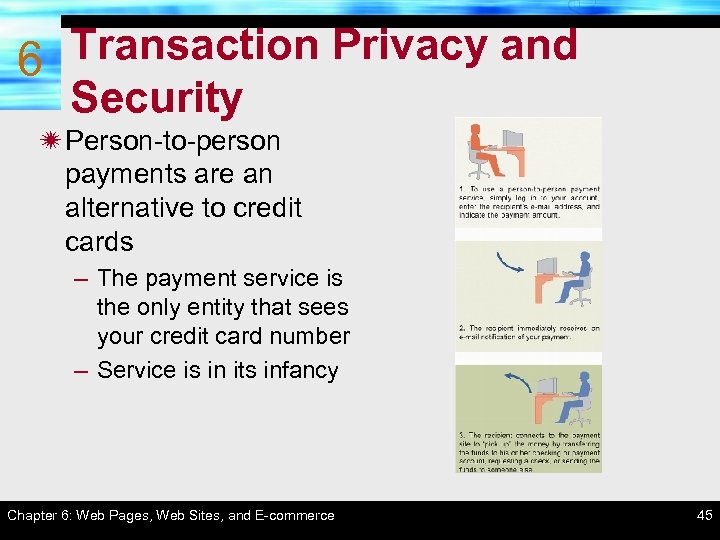
Transaction Privacy and 6 Security ï Person-to-person payments are an alternative to credit cards – The payment service is the only entity that sees your credit card number – Service is in its infancy Chapter 6: Web Pages, Web Sites, and E-commerce 45
CHAPTER 6 COMPLETE Web Pages, Web Sites, and Ecommerce
Скачать презентацию CHAPTER 6 Web Pages Web Sites and Ecommerce
e09e5fd81f53f11b1d4c7647323170e8.ppt