 Скачать презентацию Chapter 5 Analysis Object Modeling A Projector
1191c6699d024c4548e765647654a847.ppt
- Количество слайдов: 46



Chapter 5: Analysis Object Modeling
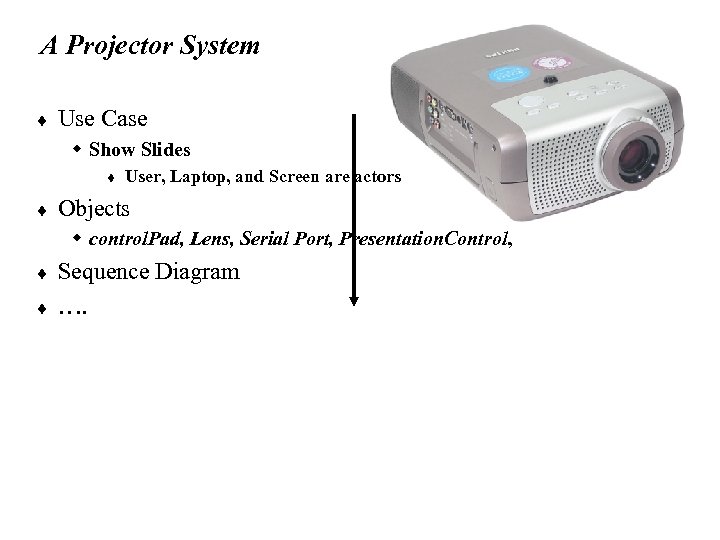
A Projector System ¨ Use Case w Show Slides t ¨ User, Laptop, and Screen are actors Objects w control. Pad, Lens, Serial Port, Presentation. Control, ¨ ¨ Sequence Diagram ….
Identifying Initial Analysis Objects ¨ ¨ ¨ To establish a clear terminology, developers identify the participating objects for each use case into a glossary. The glossary is included in the requirements specification and, later, in the user manuals. The identification of participating objects results in the initial analysis object model. – constitutes a first step toward the complete analysis object model.
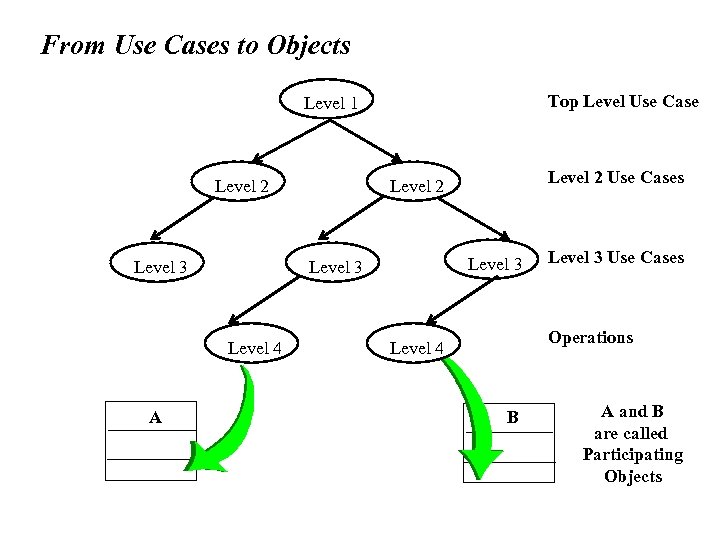
From Use Cases to Objects Top Level Use Case Level 1 Level 2 Level 3 A Level 3 Level 4 Level 2 Use Cases Level 2 Level 3 Use Cases Operations Level 4 B A and B are called Participating Objects
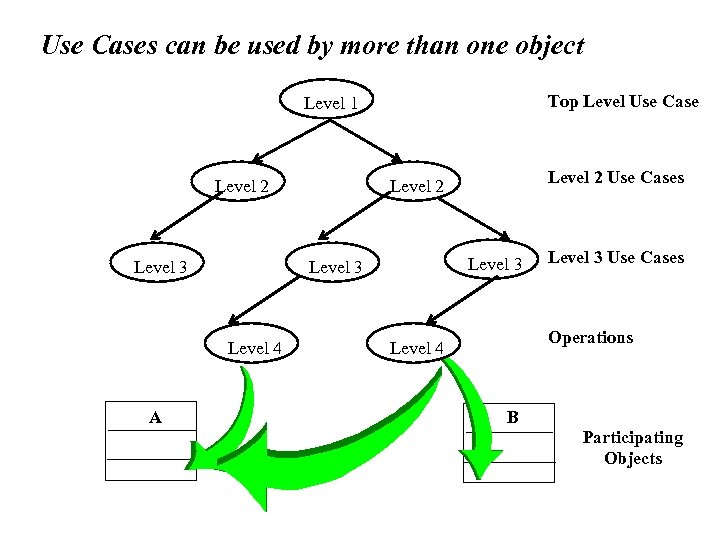
Use Cases can be used by more than one object Top Level Use Case Level 1 Level 2 Level 3 A Level 3 Level 4 Level 2 Use Cases Level 2 Level 3 Use Cases Operations Level 4 B Participating Objects
Use Case – A Different Perspective ¨ ¨ Does a use case have to be associated with a Actor? A use case describe a functionality of the system w A function may or may not be associated with an external entity in a obvious way. w Autonomous systems, such as a robot – move, turn, sing? ¨ ¨ Use case for interactive systems Use case for automatic or autonomous systems
Outline ¨ ¨ Analysis model overview Activities during object modeling Object identification Object types w entity, boundary and control objects ¨ ¨ ¨ Object naming Abbott’s technique helps in object identification Users of class diagrams
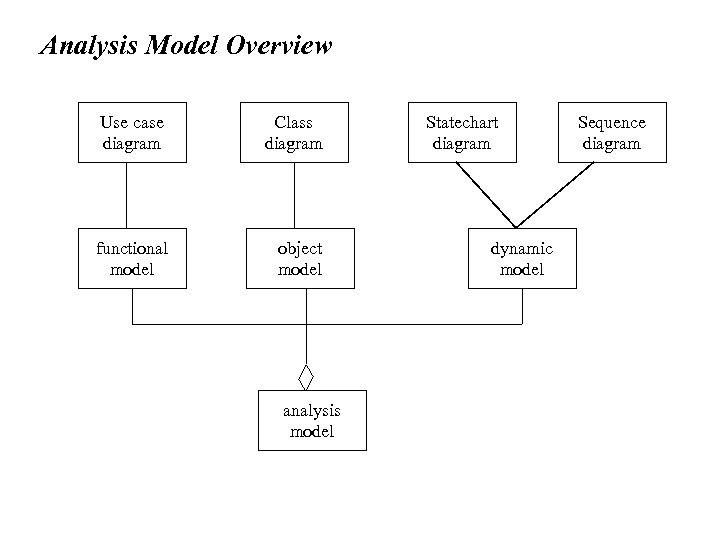
Analysis Model Overview Use case diagram Class diagram functional model object model analysis model Statechart diagram dynamic model Sequence diagram
Analysis Model vs. Design Model ¨ ¨ ¨ Analysis model: Application domain model System Design and Object design models: Solution domain model They all use class diagram, sequence diagram, and state chart diagram, but focus on different aspects
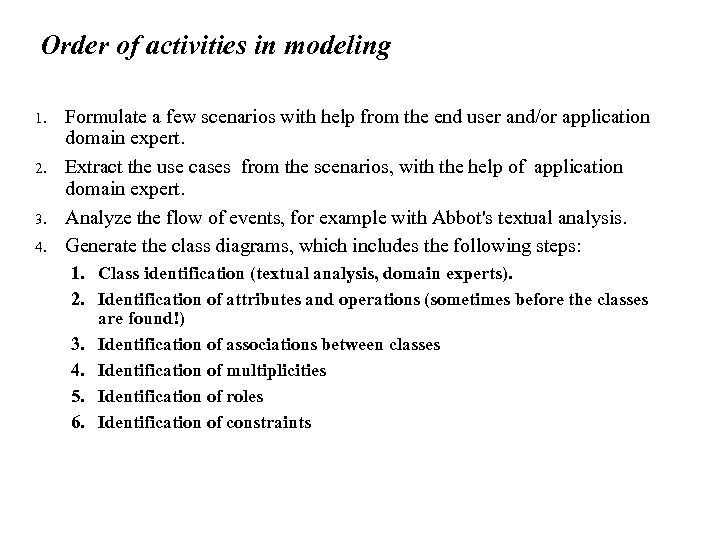
Activities during Object Modeling ¨ ¨ Main goal: Find the important abstractions (classes) Steps during object modeling w w ¨ 1. Class identification 2. Find the attributes 3. Find the methods 4. Find the associations between classes Order of steps w Goal: get the desired abstractions w Order of steps secondary, only a heuristic w Iteration is important
Class identification ¨ ¨ The application domain has to be analyzed. Depending on the purpose of the system different objects might be found w How can we identify the purpose of a system? w Scenarios and use cases ¨ Another important problem: Define system boundary. w What object is inside, what object is outside?
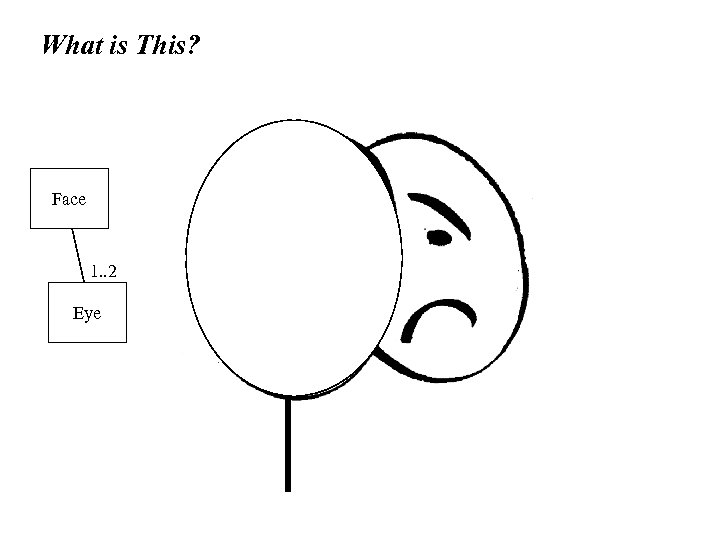
What is This? Face 1. . 2 Eye
Modeling in Action ¨ ¨ ¨ ¨ Face Mask Sad Happy Mood Is it one Face or two? Who is using it? w Person at Carnival? w Bankrobber? w Painting collector ¨ How is it used? w Wear on? w Clean?
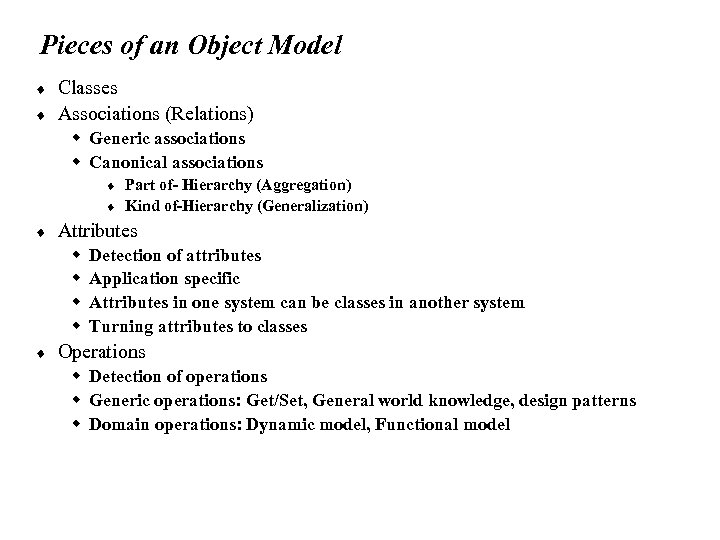
Pieces of an Object Model ¨ ¨ Classes Associations (Relations) w Generic associations w Canonical associations t t ¨ Attributes w w ¨ Part of- Hierarchy (Aggregation) Kind of-Hierarchy (Generalization) Detection of attributes Application specific Attributes in one system can be classes in another system Turning attributes to classes Operations w Detection of operations w Generic operations: Get/Set, General world knowledge, design patterns w Domain operations: Dynamic model, Functional model
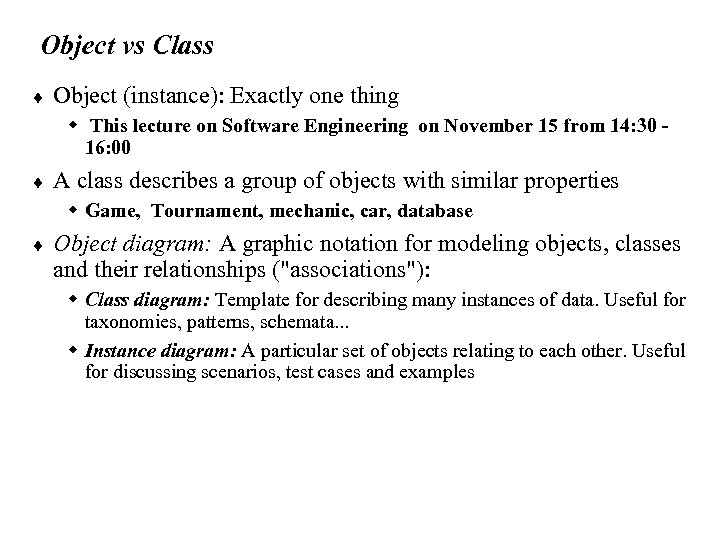
Object vs Class ¨ Object (instance): Exactly one thing w This lecture on Software Engineering on November 15 from 14: 30 16: 00 ¨ A class describes a group of objects with similar properties w Game, Tournament, mechanic, car, database ¨ Object diagram: A graphic notation for modeling objects, classes and their relationships ("associations"): w Class diagram: Template for describing many instances of data. Useful for taxonomies, patterns, schemata. . . w Instance diagram: A particular set of objects relating to each other. Useful for discussing scenarios, test cases and examples
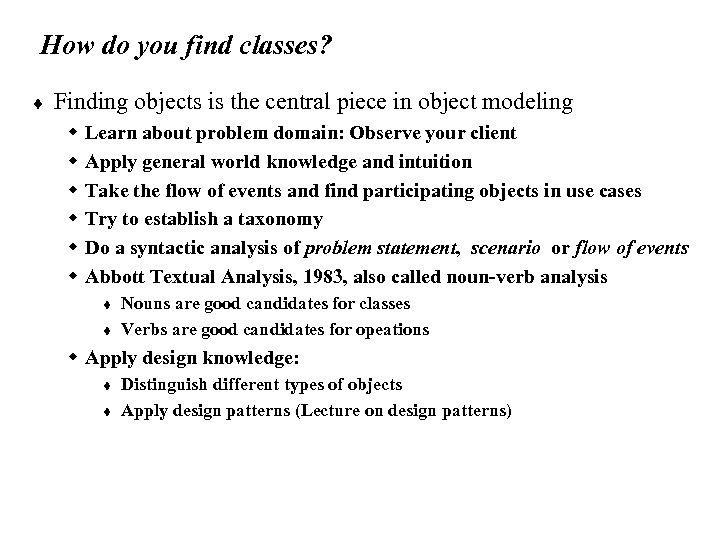
How do you find classes? ¨ Finding objects is the central piece in object modeling w w w Learn about problem domain: Observe your client Apply general world knowledge and intuition Take the flow of events and find participating objects in use cases Try to establish a taxonomy Do a syntactic analysis of problem statement, scenario or flow of events Abbott Textual Analysis, 1983, also called noun-verb analysis t t Nouns are good candidates for classes Verbs are good candidates for opeations w Apply design knowledge: t t Distinguish different types of objects Apply design patterns (Lecture on design patterns)
Object Types ¨ Entity Objects w Represent the persistent information tracked by the system (Application domain objects, “Business objects”) ¨ Boundary Objects w Represent the interaction between the user and the system ¨ Control Objects: w Represent the control tasks performed by the system ¨ Having three types of objects leads to models that are more resilient to change. w The interface of a system changes more likely than the control w The control of the system change more likely than the application domain ¨ Object types originated in Smalltalk: w Model, View, Controller (MVC)
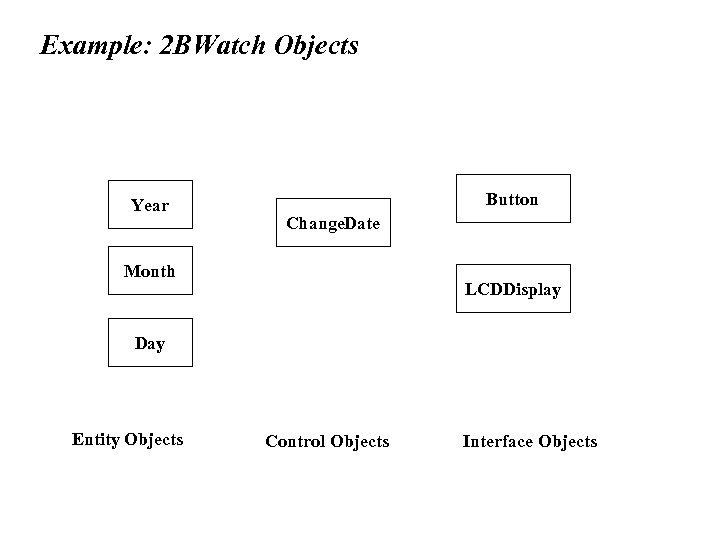
Example: 2 BWatch Objects Year Button Change. Date Month LCDDisplay Day Entity Objects Control Objects Interface Objects
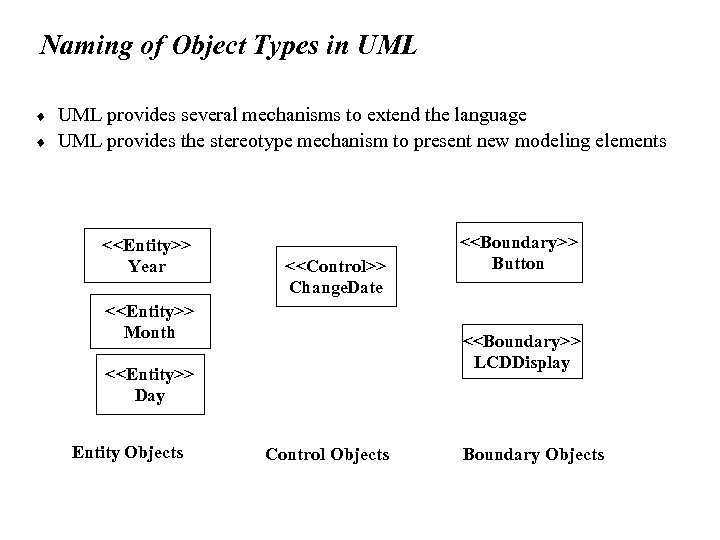
Naming of Object Types in UML ¨ ¨ UML provides several mechanisms to extend the language UML provides the stereotype mechanism to present new modeling elements <<Entity>> Year <<Control>> Change. Date <<Entity>> Month <<Boundary>> LCDDisplay <<Entity>> Day Entity Objects <<Boundary>> Button Control Objects Boundary Objects
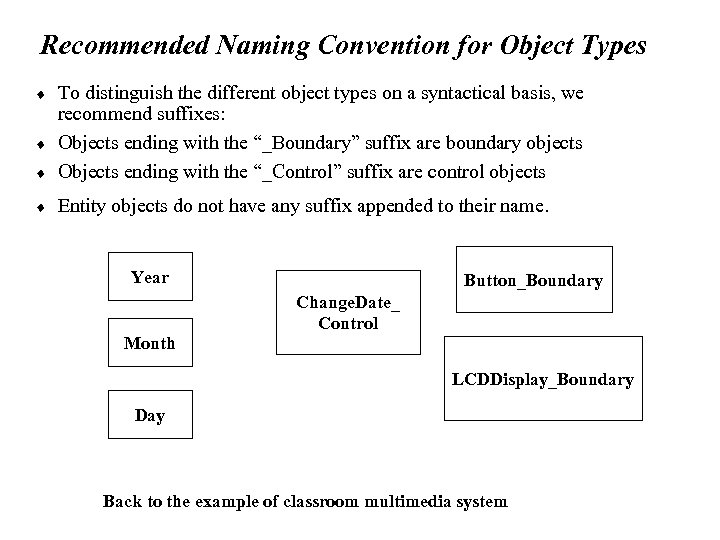
Recommended Naming Convention for Object Types ¨ To distinguish the different object types on a syntactical basis, we recommend suffixes: Objects ending with the “_Boundary” suffix are boundary objects Objects ending with the “_Control” suffix are control objects ¨ Entity objects do not have any suffix appended to their name. ¨ ¨ Year Month Button_Boundary Change. Date_ Control LCDDisplay_Boundary Day Back to the example of classroom multimedia system
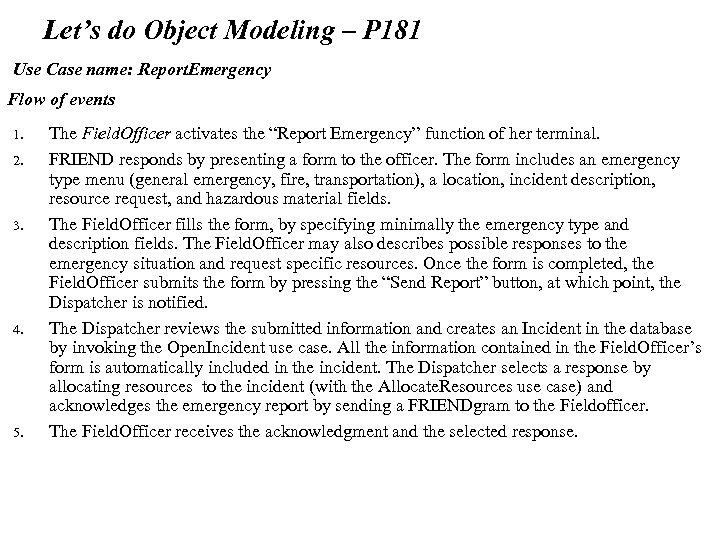
Let’s do Object Modeling – P 181 Use Case name: Report. Emergency Flow of events 1. 2. 3. 4. 5. The Field. Officer activates the “Report Emergency” function of her terminal. FRIEND responds by presenting a form to the officer. The form includes an emergency type menu (general emergency, fire, transportation), a location, incident description, resource request, and hazardous material fields. The Field. Officer fills the form, by specifying minimally the emergency type and description fields. The Field. Officer may also describes possible responses to the emergency situation and request specific resources. Once the form is completed, the Field. Officer submits the form by pressing the “Send Report” button, at which point, the Dispatcher is notified. The Dispatcher reviews the submitted information and creates an Incident in the database by invoking the Open. Incident use case. All the information contained in the Field. Officer’s form is automatically included in the incident. The Dispatcher selects a response by allocating resources to the incident (with the Allocate. Resources use case) and acknowledges the emergency report by sending a FRIENDgram to the Fieldofficer. The Field. Officer receives the acknowledgment and the selected response.
Exercise Define at least 3 entity objects, 4 boundary objects, and 2 control objects
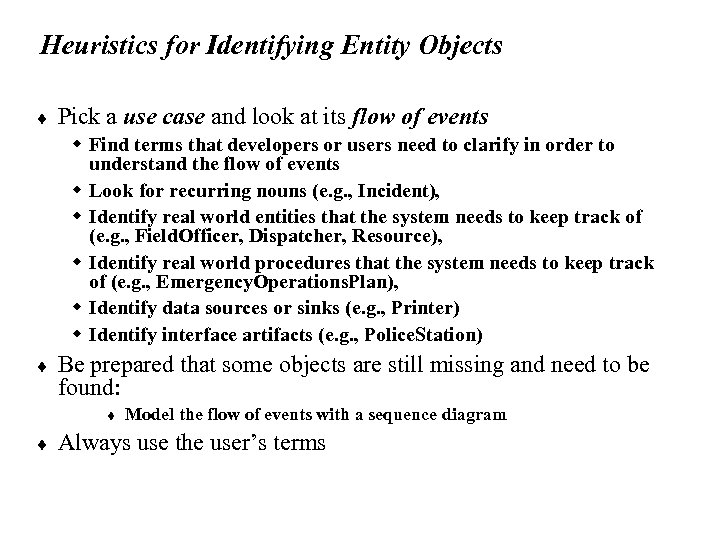
Heuristics for Identifying Entity Objects ¨ Pick a use case and look at its flow of events w Find terms that developers or users need to clarify in order to understand the flow of events w Look for recurring nouns (e. g. , Incident), w Identify real world entities that the system needs to keep track of (e. g. , Field. Officer, Dispatcher, Resource), w Identify real world procedures that the system needs to keep track of (e. g. , Emergency. Operations. Plan), w Identify data sources or sinks (e. g. , Printer) w Identify interface artifacts (e. g. , Police. Station) ¨ Be prepared that some objects are still missing and need to be found: t ¨ Model the flow of events with a sequence diagram Always use the user’s terms
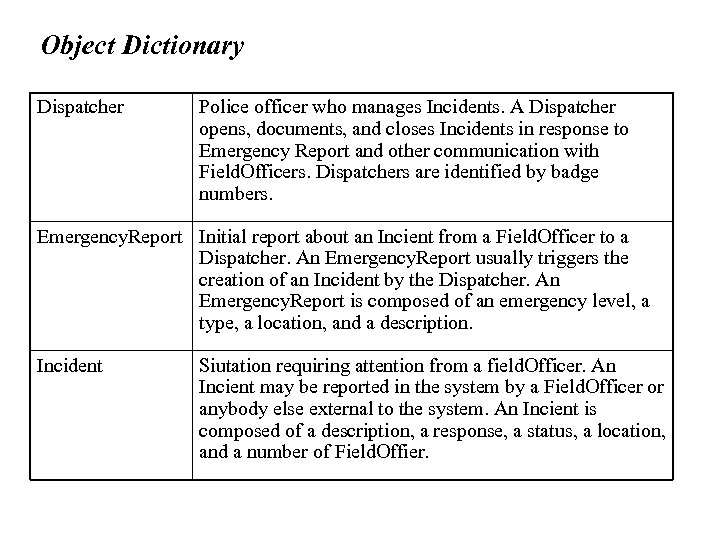
Object Dictionary Dispatcher Police officer who manages Incidents. A Dispatcher opens, documents, and closes Incidents in response to Emergency Report and other communication with Field. Officers. Dispatchers are identified by badge numbers. Emergency. Report Initial report about an Incient from a Field. Officer to a Dispatcher. An Emergency. Report usually triggers the creation of an Incident by the Dispatcher. An Emergency. Report is composed of an emergency level, a type, a location, and a description. Incident Siutation requiring attention from a field. Officer. An Incient may be reported in the system by a Field. Officer or anybody else external to the system. An Incient is composed of a description, a response, a status, a location, and a number of Field. Offier.
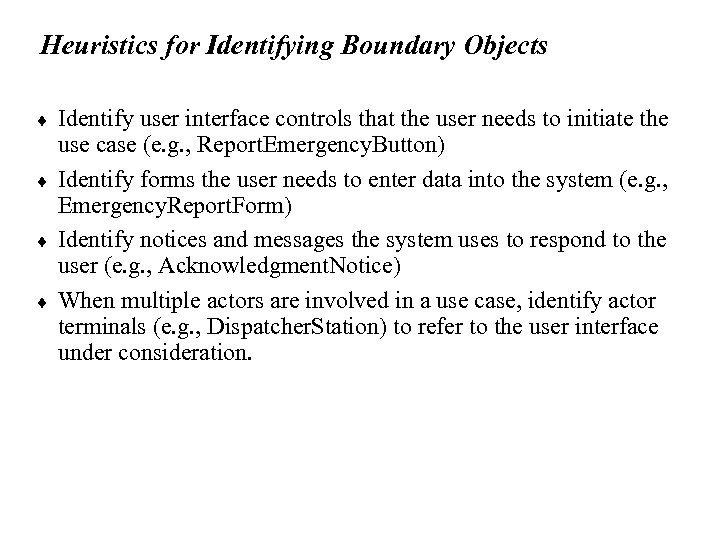
Heuristics for Identifying Boundary Objects ¨ ¨ Identify user interface controls that the user needs to initiate the use case (e. g. , Report. Emergency. Button) Identify forms the user needs to enter data into the system (e. g. , Emergency. Report. Form) Identify notices and messages the system uses to respond to the user (e. g. , Acknowledgment. Notice) When multiple actors are involved in a use case, identify actor terminals (e. g. , Dispatcher. Station) to refer to the user interface under consideration.
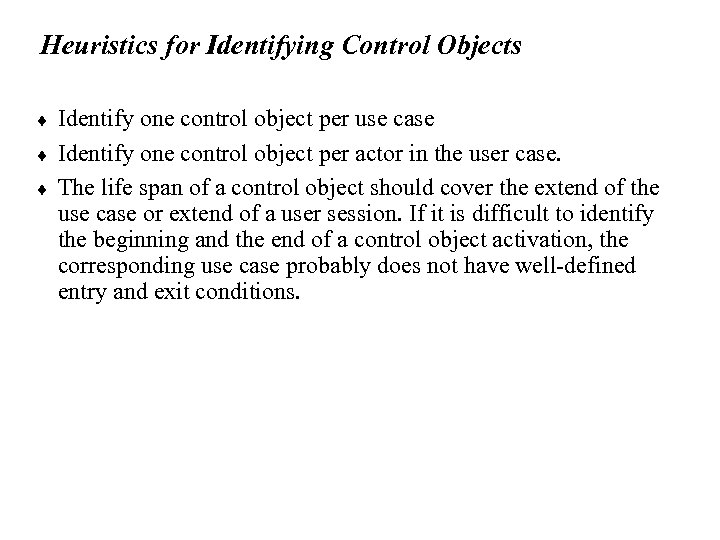
Heuristics for Identifying Control Objects ¨ ¨ ¨ Identify one control object per use case Identify one control object per actor in the user case. The life span of a control object should cover the extend of the use case or extend of a user session. If it is difficult to identify the beginning and the end of a control object activation, the corresponding use case probably does not have well-defined entry and exit conditions.
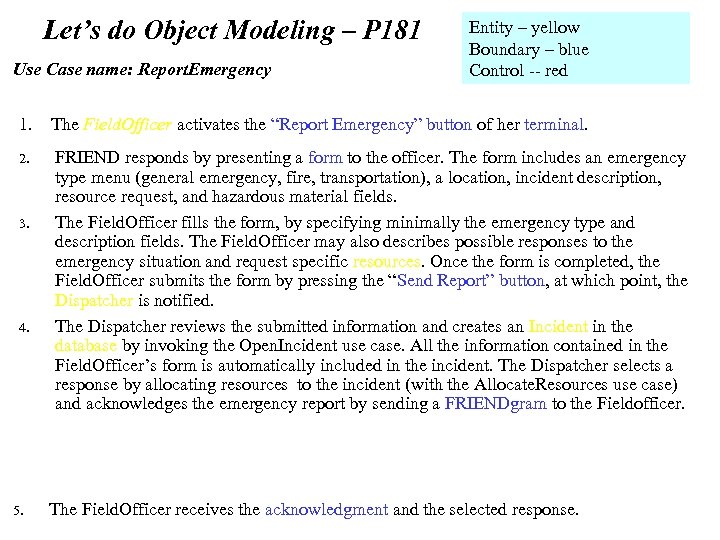
Let’s do Object Modeling – P 181 Use Case name: Report. Emergency 1. 2. 3. 4. 5. Entity – yellow Boundary – blue Control -- red The Field. Officer activates the “Report Emergency” button of her terminal. FRIEND responds by presenting a form to the officer. The form includes an emergency type menu (general emergency, fire, transportation), a location, incident description, resource request, and hazardous material fields. The Field. Officer fills the form, by specifying minimally the emergency type and description fields. The Field. Officer may also describes possible responses to the emergency situation and request specific resources. Once the form is completed, the Field. Officer submits the form by pressing the “Send Report” button, at which point, the Dispatcher is notified. The Dispatcher reviews the submitted information and creates an Incident in the database by invoking the Open. Incident use case. All the information contained in the Field. Officer’s form is automatically included in the incident. The Dispatcher selects a response by allocating resources to the incident (with the Allocate. Resources use case) and acknowledges the emergency report by sending a FRIENDgram to the Fieldofficer. The Field. Officer receives the acknowledgment and the selected response.
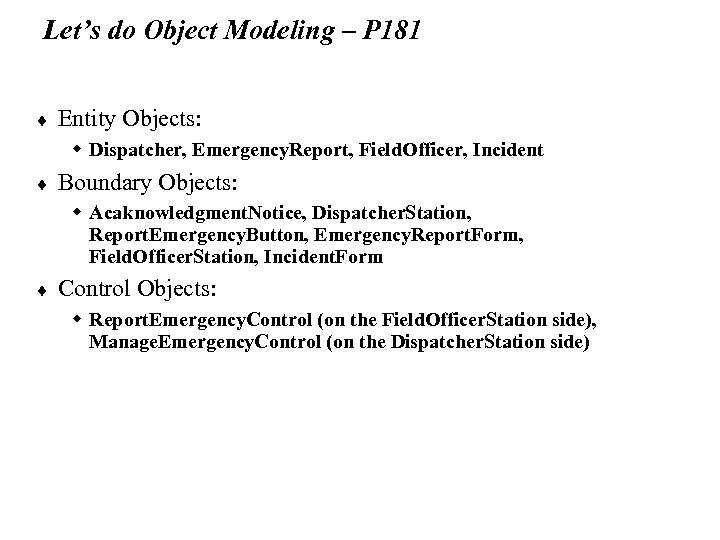
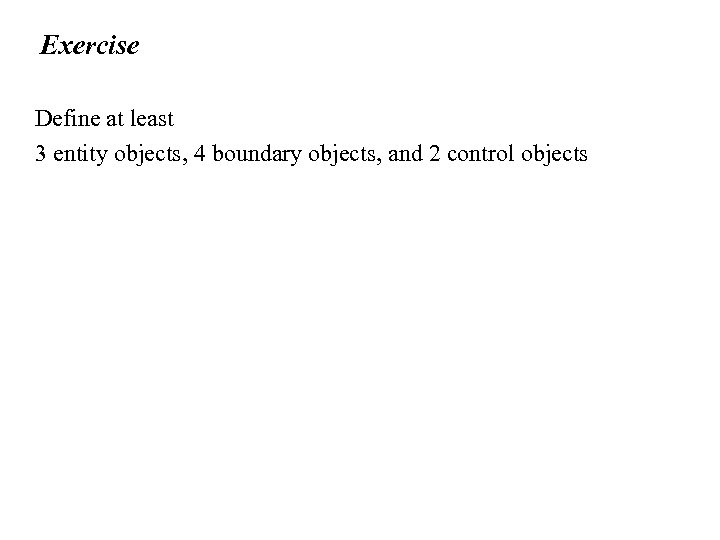
Let’s do Object Modeling – P 181 ¨ Entity Objects: w Dispatcher, Emergency. Report, Field. Officer, Incident ¨ Boundary Objects: w Acaknowledgment. Notice, Dispatcher. Station, Report. Emergency. Button, Emergency. Report. Form, Field. Officer. Station, Incident. Form ¨ Control Objects: w Report. Emergency. Control (on the Field. Officer. Station side), Manage. Emergency. Control (on the Dispatcher. Station side)
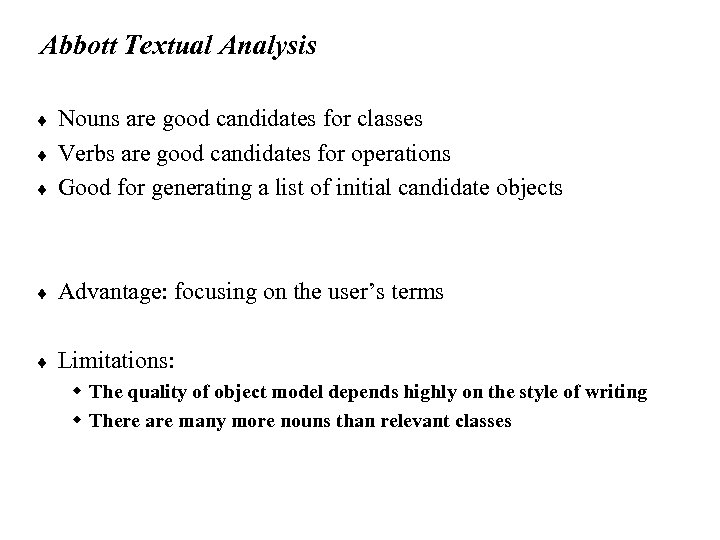
Abbott Textual Analysis ¨ Nouns are good candidates for classes Verbs are good candidates for operations Good for generating a list of initial candidate objects ¨ Advantage: focusing on the user’s terms ¨ Limitations: ¨ ¨ w The quality of object model depends highly on the style of writing w There are many more nouns than relevant classes
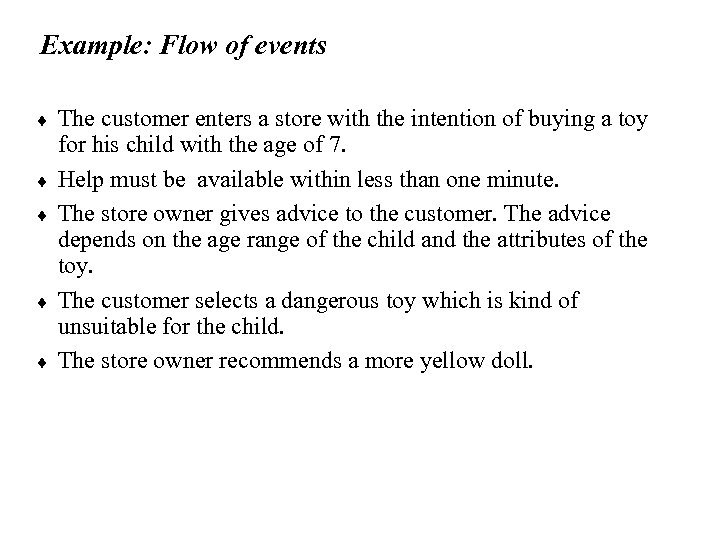
Example: Flow of events ¨ ¨ ¨ The customer enters a store with the intention of buying a toy for his child with the age of 7. Help must be available within less than one minute. The store owner gives advice to the customer. The advice depends on the age range of the child and the attributes of the toy. The customer selects a dangerous toy which is kind of unsuitable for the child. The store owner recommends a more yellow doll.
![Mapping parts of speech to object model components [Abbott, 1983] Part of speech Model](https://present5.com/presentation/1191c6699d024c4548e765647654a847/image-31.jpg "Mapping parts of speech to object model components [Abbott, 1983] Part of speech Model")
Mapping parts of speech to object model components [Abbott, 1983] Part of speech Model component Example Proper noun object Jim Smith Improper noun class Toy, doll Doing verb method Buy, recommend being verb inheritance is-a (kind-of) having verb aggregation has an modal verb constraint must be adjective attribute 3 years old transitive verb method enter intransitive verb method (event) depends on
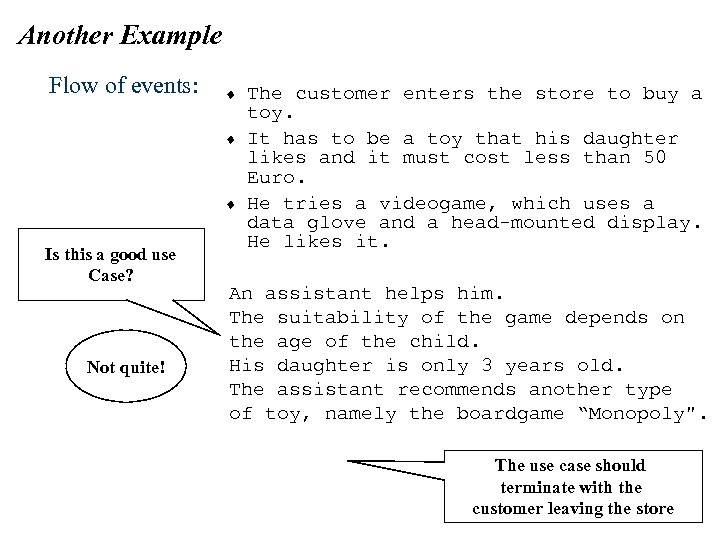
Another Example Flow of events: ¨ ¨ ¨ Is this a good use Case? Not quite! The customer enters the store to buy a toy. It has to be a toy that his daughter likes and it must cost less than 50 Euro. He tries a videogame, which uses a data glove and a head-mounted display. He likes it. An assistant helps him. The suitability of the game depends on the age of the child. His daughter is only 3 years old. The assistant recommends another type of toy, namely the boardgame “Monopoly". The use case should terminate with the customer leaving the store
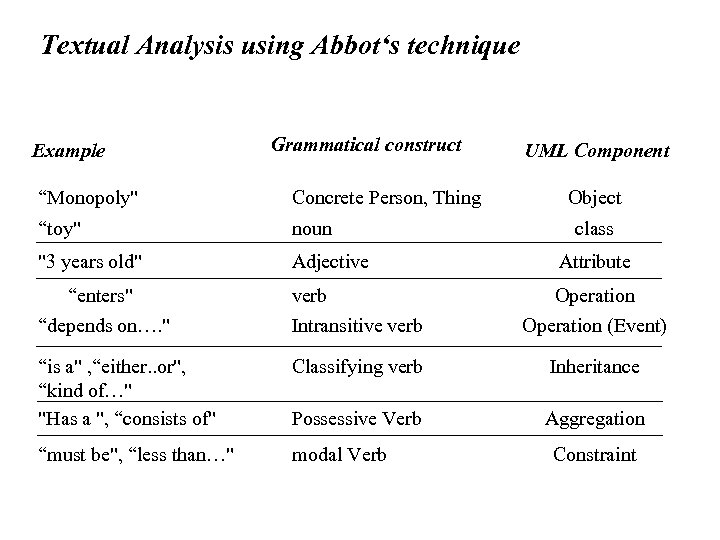
Textual Analysis using Abbot‘s technique Example Grammatical construct UML Component “Monopoly" Concrete Person, Thing Object “toy" noun "3 years old" Adjective “enters" “depends on…. " verb Intransitive verb Operation (Event) “is a" , “either. . or", “kind of…" "Has a ", “consists of" Classifying verb Inheritance Possessive Verb Aggregation “must be", “less than…" modal Verb class Attribute Constraint
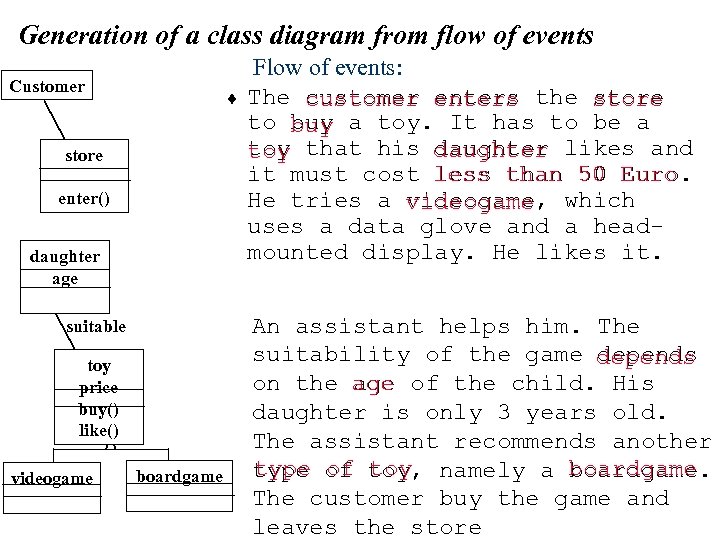
Generation of a class diagram from flow of events Customer ¨ store ? enter() daughter age suitable * toy price buy() like() videogame boardgame Flow of events: The customer enters the store to buy a toy. It has to be a toy that his daughter likes and it must cost less than 50 Euro. He tries a videogame which videogame, uses a data glove and a headmounted display. He likes it. An assistant helps him. The suitability of the game depends on the age of the child. His daughter is only 3 years old. The assistant recommends another type of toy, namely a boardgame toy boardgame. The customer buy the game and leaves the store
Order of activities in modeling 1. 2. 3. 4. Formulate a few scenarios with help from the end user and/or application domain expert. Extract the use cases from the scenarios, with the help of application domain expert. Analyze the flow of events, for example with Abbot's textual analysis. Generate the class diagrams, which includes the following steps: 1. Class identification (textual analysis, domain experts). 2. Identification of attributes and operations (sometimes before the classes are found!) 3. Identification of associations between classes 4. Identification of multiplicities 5. Identification of roles 6. Identification of constraints
Some issues in object modeling ¨ ¨ ¨ Improving the readability of class diagrams Managing object modeling Different users of class diagrams
Avoid Mixing All Models Together Account Bank * Name Amount Account. Id Customer. Id Account. Id * Customer Has Deposit() Withdraw() Get. Balance() Savings Account Name Customer. Id Checking Account Mortgage Account Withdraw() Don’t put too many classes into the same package: 7+-2 (or even 5+-2) Withdraw()
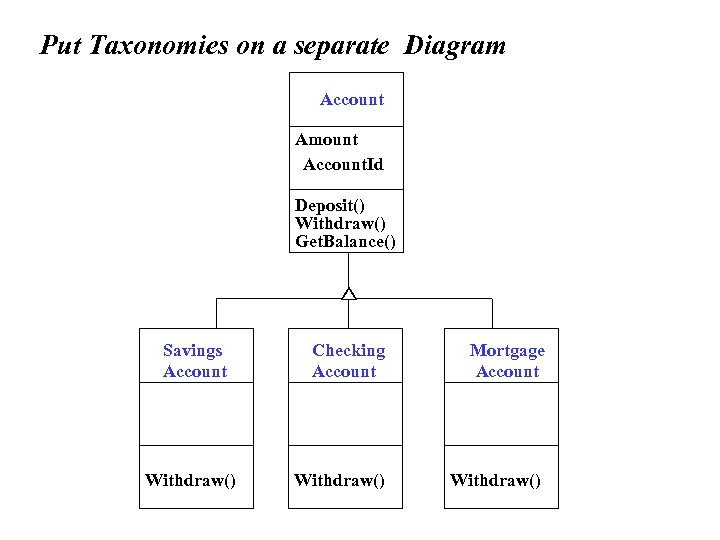
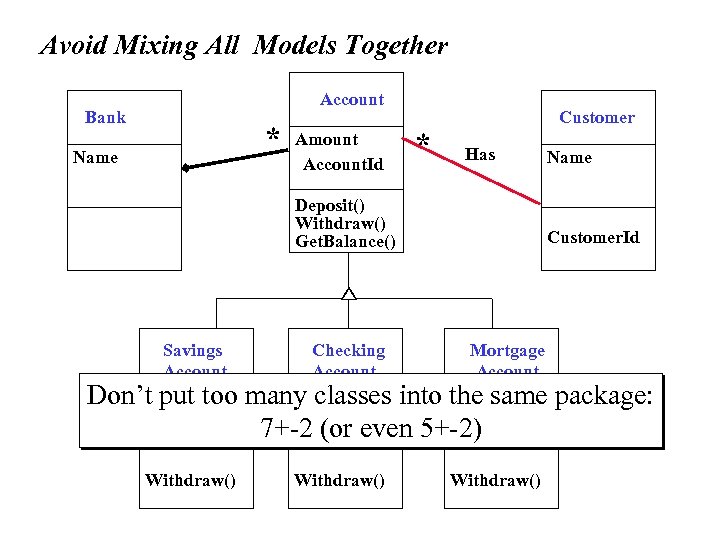
Put Taxonomies on a separate Diagram Account Amount Account. Id Customer. Id Account. Id Deposit() Withdraw() Get. Balance() Savings Account Withdraw() Checking Account Mortgage Account Withdraw()
Project Management Heuristics ¨ ¨ Explicitly schedule meetings for object identification First just find objects Then try to differentiate them between entity, interface and control objects Find associations and their multiplicity w Unusual multiplicities usually lead to new objects or categories ¨ Identify Inheritance: Look for a Taxonomy, Categorize Identify Aggregation ¨ Allow time for brainstorming , Iterate, iterate ¨
Who uses class diagrams? ¨ Purpose of Class diagrams : w The description of the static properties of a system (main purpose) ¨ ¨ Who uses class diagrams? The customer and the end user are often not interested in class diagrams. They usually focus more on the functionality of the system. The application domain expert uses class diagrams to model the application domain The developer uses class diagrams during the development of a system, that is, during analysis, system design, object design and implementation.
Class-diagrams have different types of „users“ ¨ According to the development activity, the developer plays different roles. w w ¨ ¨ ¨ Analyst System-Designer, Detailed. Designer Implementor. In small systems some of the roles do not exist or are played by the same person. Each of these roles has a different view about the models. Distinguish the types of classes that appear in class diagrams. w Application domain classes w Solution domain classes
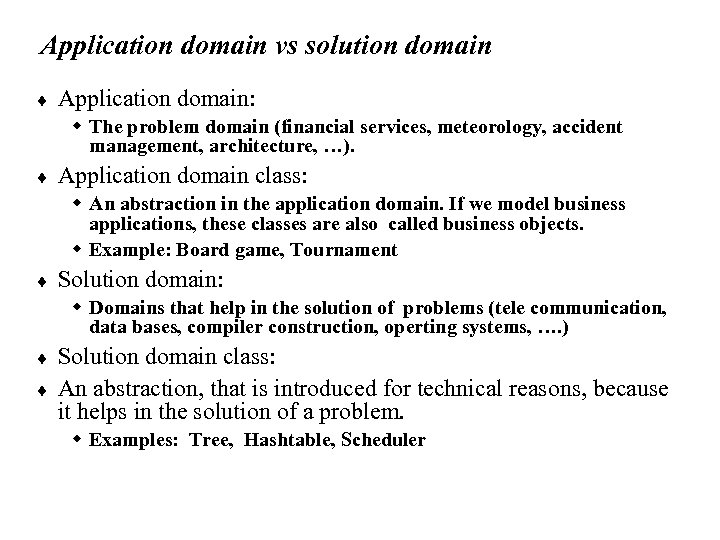
Application domain vs solution domain ¨ Application domain: w The problem domain (financial services, meteorology, accident management, architecture, …). ¨ Application domain class: w An abstraction in the application domain. If we model business applications, these classes are also called business objects. w Example: Board game, Tournament ¨ Solution domain: w Domains that help in the solution of problems (tele communication, data bases, compiler construction, operting systems, …. ) ¨ ¨ Solution domain class: An abstraction, that is introduced for technical reasons, because it helps in the solution of a problem. w Examples: Tree, Hashtable, Scheduler
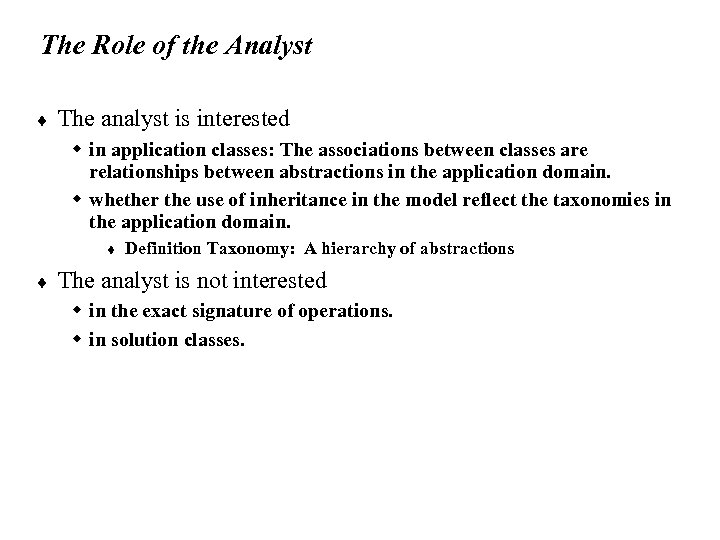
The Role of the Analyst ¨ The analyst is interested w in application classes: The associations between classes are relationships between abstractions in the application domain. w whether the use of inheritance in the model reflect the taxonomies in the application domain. t ¨ Definition Taxonomy: A hierarchy of abstractions The analyst is not interested w in the exact signature of operations. w in solution classes.
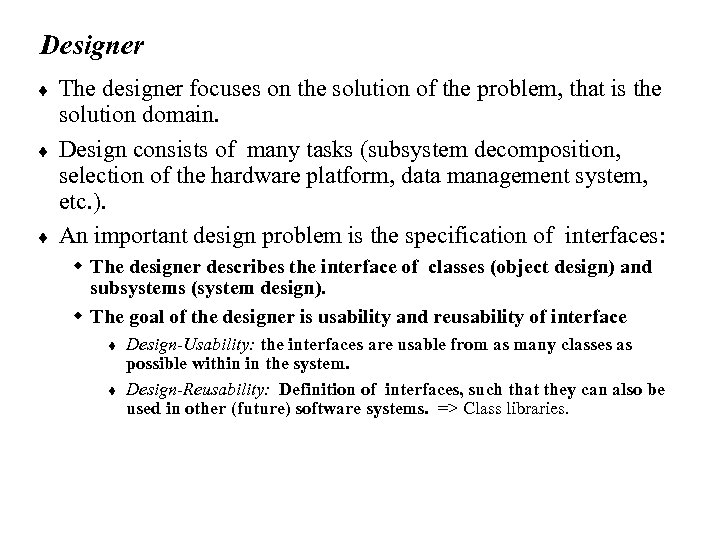
Designer ¨ ¨ ¨ The designer focuses on the solution of the problem, that is the solution domain. Design consists of many tasks (subsystem decomposition, selection of the hardware platform, data management system, etc. ). An important design problem is the specification of interfaces: w The designer describes the interface of classes (object design) and subsystems (system design). w The goal of the designer is usability and reusability of interface t t Design-Usability: the interfaces are usable from as many classes as possible within in the system. Design-Reusability: Definition of interfaces, such that they can also be used in other (future) software systems. => Class libraries.
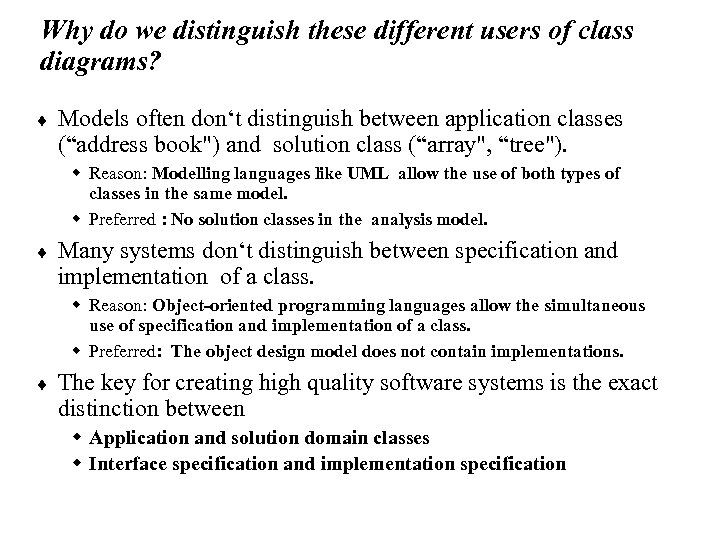
Why do we distinguish these different users of class diagrams? ¨ Models often don‘t distinguish between application classes (“address book") and solution class (“array", “tree"). w Reason: Modelling languages like UML allow the use of both types of classes in the same model. w Preferred : No solution classes in the analysis model. ¨ Many systems don‘t distinguish between specification and implementation of a class. w Reason: Object-oriented programming languages allow the simultaneous use of specification and implementation of a class. w Preferred: The object design model does not contain implementations. ¨ The key for creating high quality software systems is the exact distinction between w Application and solution domain classes w Interface specification and implementation specification
Summary ¨ System modeling w Object model w Dynamic model w Functional model ¨ Object modeling is the central activity w Class identification is a major activity of object modeling w There are some easy syntactic rules to find classes/objects ¨ ¨ Different roles during software development Requirements Analysis Document Structure
Скачать презентацию Chapter 5 Analysis Object Modeling A Projector
1191c6699d024c4548e765647654a847.ppt