


 Скачать презентацию Chapter 4 Planning the Active Directory and Security
1700cf228f50fe1f87de09b144d278db.ppt
- Количество слайдов: 77
 Chapter 4: Planning the Active Directory and Security
 Learning Objectives Chapter 4 n n n Explain the contents of the Active Directory Plan how to set up Active Directory elements such as organizational units, domains, trees, forests, and sites Plan which Windows 2000 security features to use in an organization, including interactive logon, object security, and services security
 Learning Objectives (continued) Chapter 4 n n Plan how to use groups, group policies, and security templates Plan IP security measures
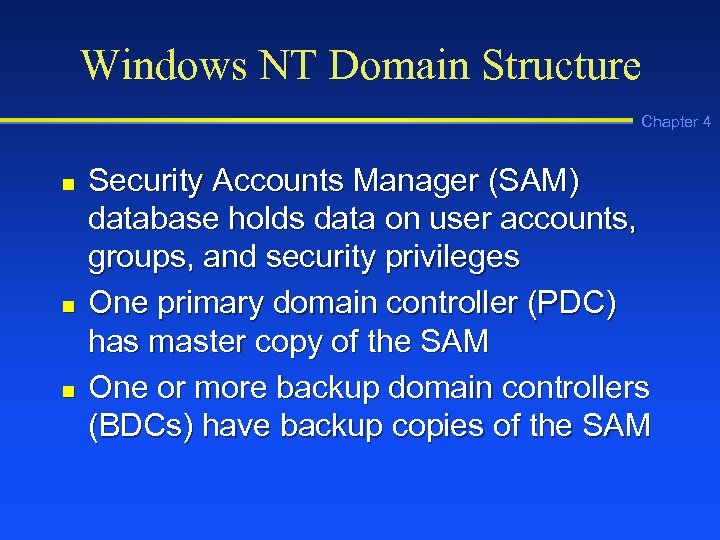 Windows NT Domain Structure Chapter 4 n n n Security Accounts Manager (SAM) database holds data on user accounts, groups, and security privileges One primary domain controller (PDC) has master copy of the SAM One or more backup domain controllers (BDCs) have backup copies of the SAM
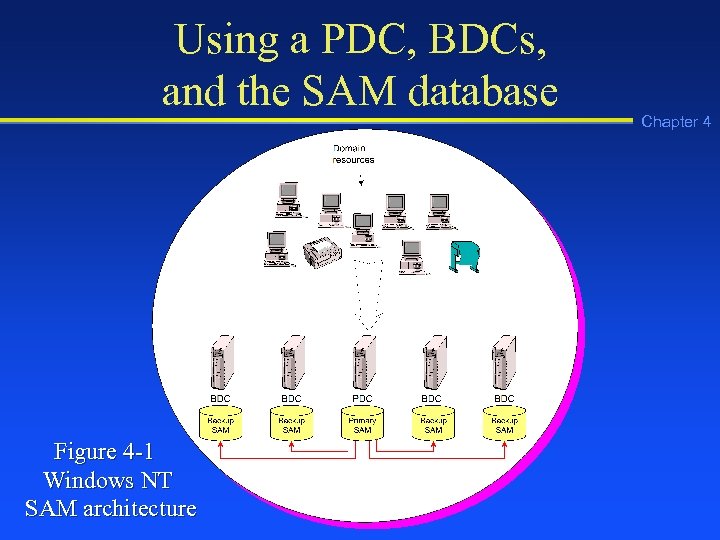 Using a PDC, BDCs, and the SAM database Figure 4 -1 Windows NT SAM architecture Chapter 4
 Windows 2000 Active Directory Chapter 4 n Domain objects including user accounts, computers, servers, printers, groups, security policies, domains, and other objects compose the Active Directory
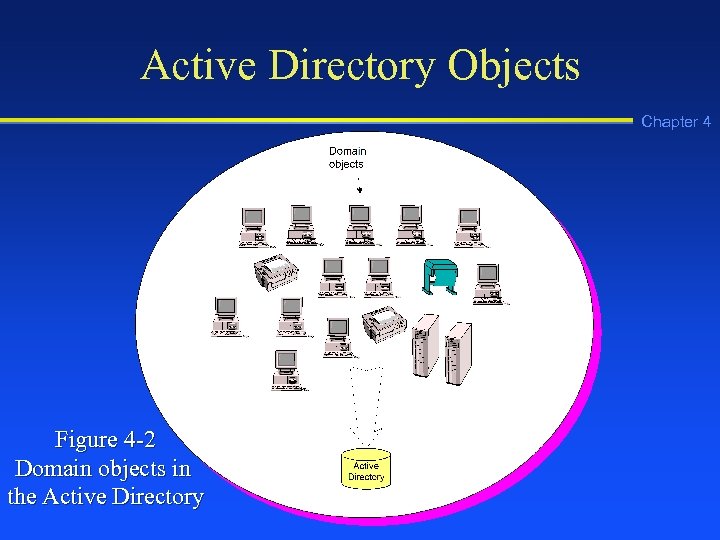 Active Directory Objects Chapter 4 Figure 4 -2 Domain objects in the Active Directory
 Multimaster Replication Chapter 4 n Multimaster replication: In Windows 2000 there can be multiple servers, called domain controllers (DCs), that store the Active Directory and replicate it to each other. Because each DC acts as a master, replication does not stop when one is down. Each DC is a master in its own right.
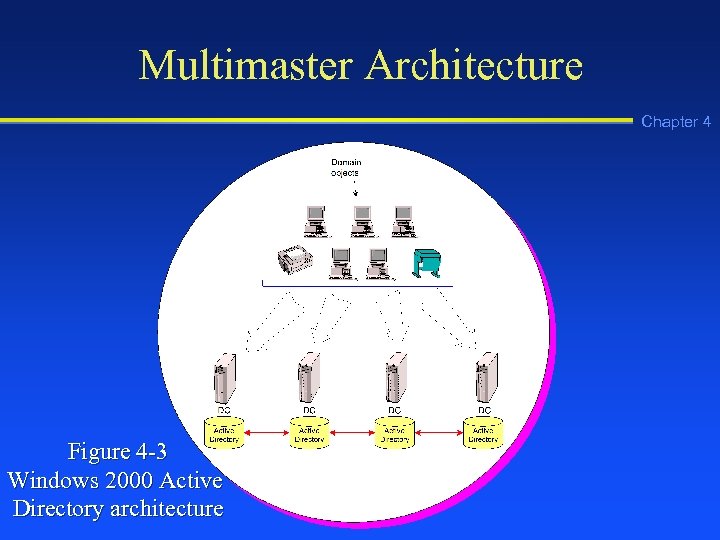 Multimaster Architecture Chapter 4 Figure 4 -3 Windows 2000 Active Directory architecture
 Schema Chapter 4 n Schema: Elements used in the definition of each object contained in the Active Directory, including the object class and its attributes
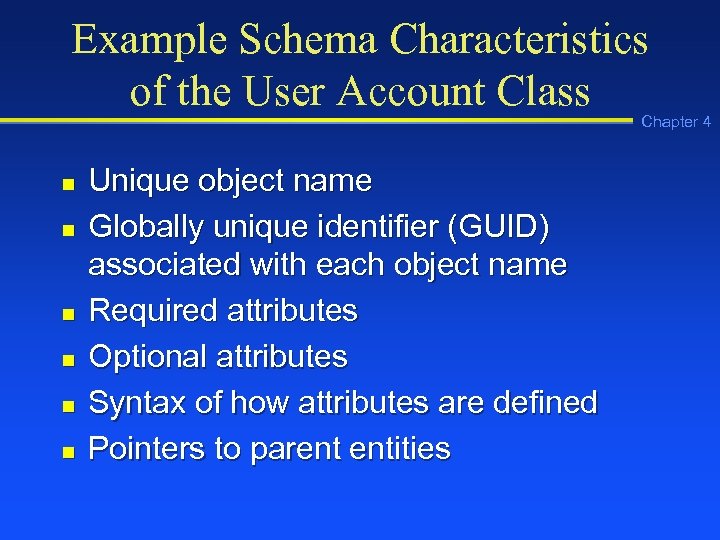 Example Schema Characteristics of the User Account Class Chapter 4 n n n Unique object name Globally unique identifier (GUID) associated with each object name Required attributes Optional attributes Syntax of how attributes are defined Pointers to parent entities
 Example User Account Attributes Chapter 4 n n n Username User’s full name Password
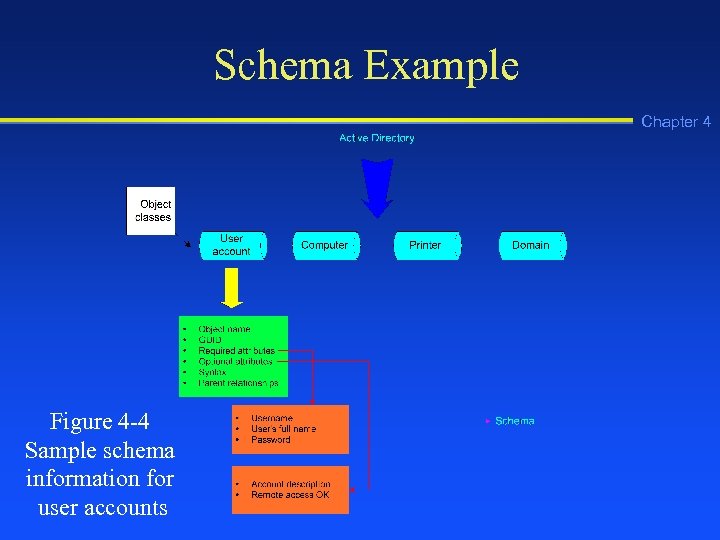 Schema Example Chapter 4 Figure 4 -4 Sample schema information for user accounts
 Default Object Classes Chapter 4 n n n n Domain User account Group Shared drive Shared folder Computer Printer
 Object Naming Chapter 4 n n Common name (CN): The most basic name of an object in the Active Directory, such as the name of a printer Distinguished name (DN): A name in the Active Directory that contains all hierarchical components of an object, such as that object’s organizational unit and domain, in addition to the object’s common name
 Object Naming (continued) Chapter 4 n Relative distinguished name (RDN): An object name in the Active Directory that has two or more related components, such as the RDN of a user account name that consists of User (a container for accounts) and the first and last name of the actual user
 Namespace Chapter 4 n Namespace: A logical area on a network that contains directory services and named objects, and that has the ability to perform name resolution
 Types of Namespaces Chapter 4 n n Contiguous namespace: A namespace in which every child object contains the name of its parent object Disjointed namespace: A namespace in which the child object name does not resemble the name of its parent object
 Active Directory Elements Chapter 4 n n n Domains Organizational units (OUs) Trees Forests Sites
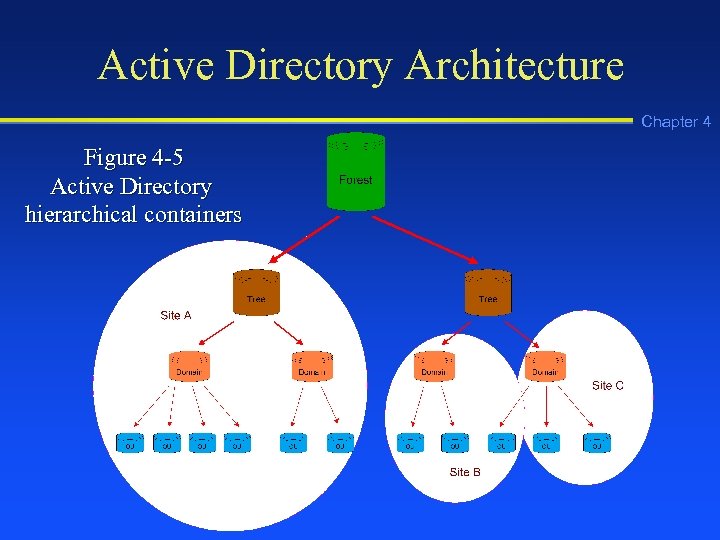 Active Directory Architecture Chapter 4 Figure 4 -5 Active Directory hierarchical containers
 Functions of a Domain Chapter 4 n n n Provide a security boundary for objects in a common relationship Establish a set of data to be replicated among DCs Expedite management of a set of objects
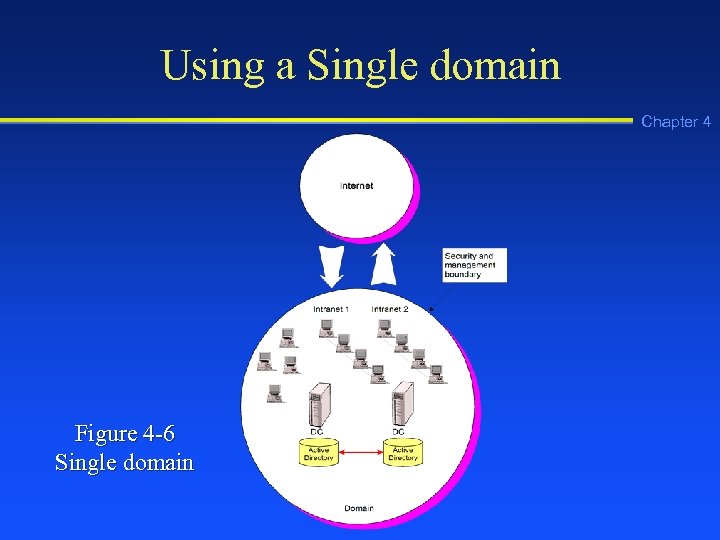 Using a Single domain Chapter 4 Figure 4 -6 Single domain
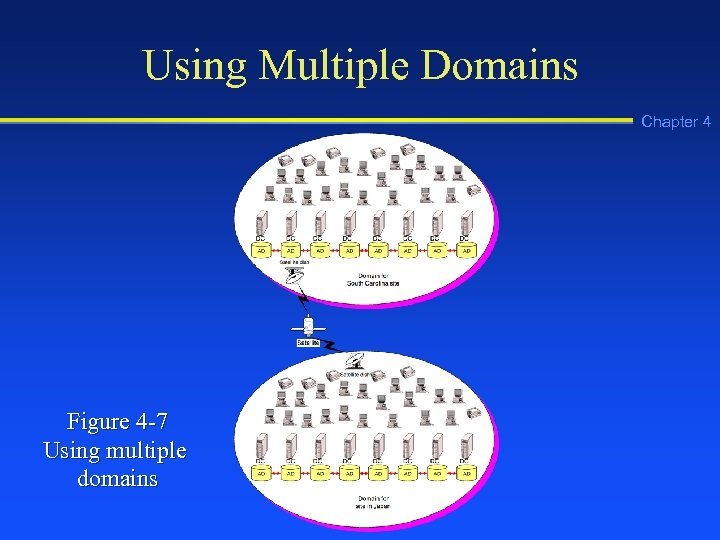 Using Multiple Domains Chapter 4 Figure 4 -7 Using multiple domains
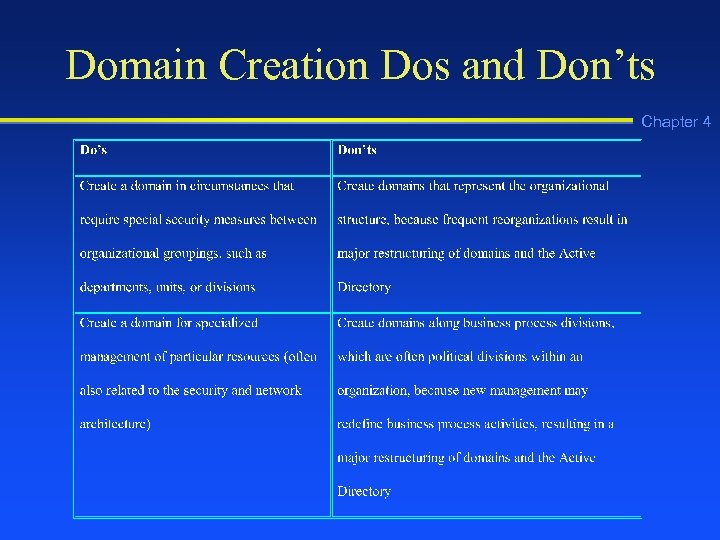 Domain Creation Dos and Don’ts Chapter 4
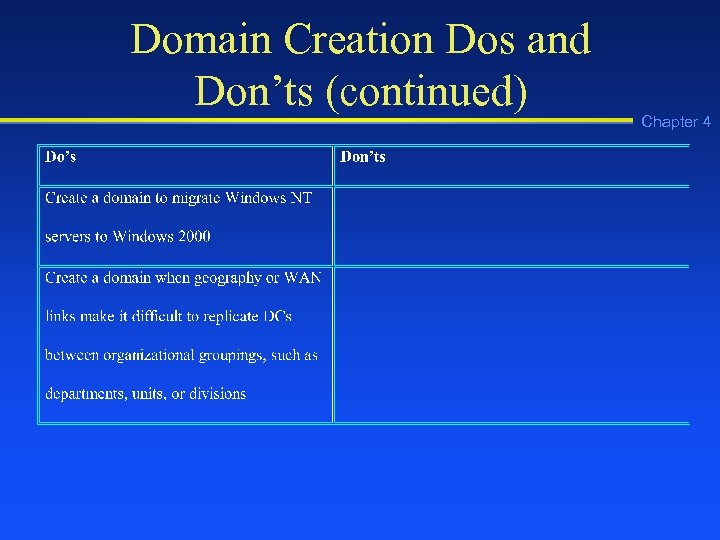 Domain Creation Dos and Don’ts (continued) Chapter 4
 Functions of an OU Chapter 4 n n n Group related objects, such as user accounts and printers, for easier management Reflect the structure of an organization Group objects to be administered using the same group policies
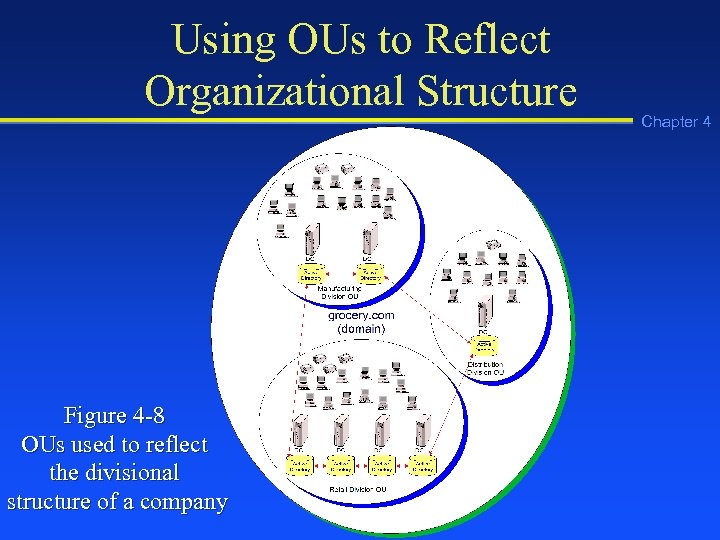 Using OUs to Reflect Organizational Structure Figure 4 -8 OUs used to reflect the divisional structure of a company Chapter 4
 Design Tips for Using OUs Chapter 4 n n n Limit OUs to 10 levels or fewer OUs use less CPU resources when they are set up horizontally instead of vertically Each request through an OU level requires CPU time in a search
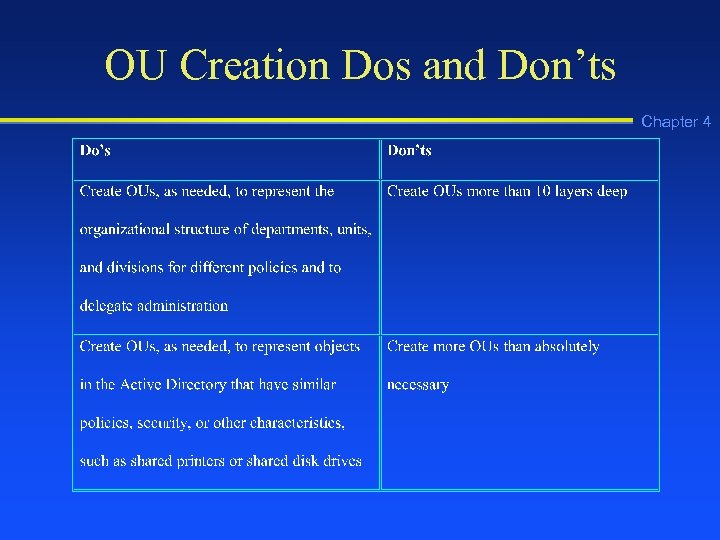 OU Creation Dos and Don’ts Chapter 4
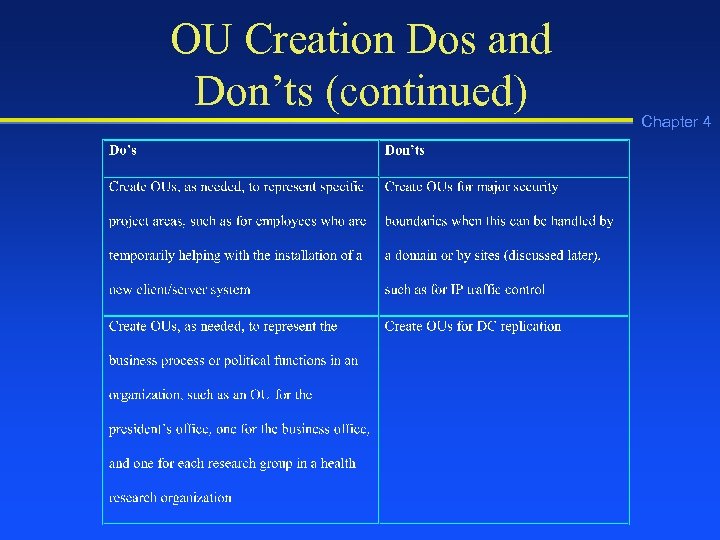 OU Creation Dos and Don’ts (continued) Chapter 4
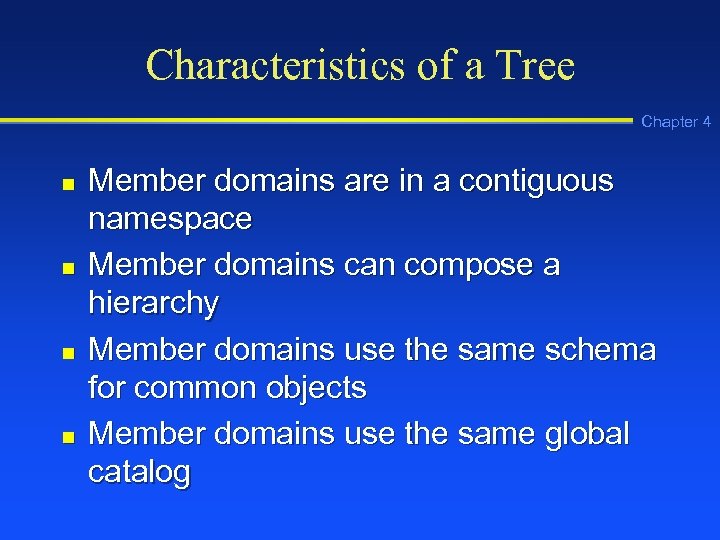 Characteristics of a Tree Chapter 4 n n Member domains are in a contiguous namespace Member domains can compose a hierarchy Member domains use the same schema for common objects Member domains use the same global catalog
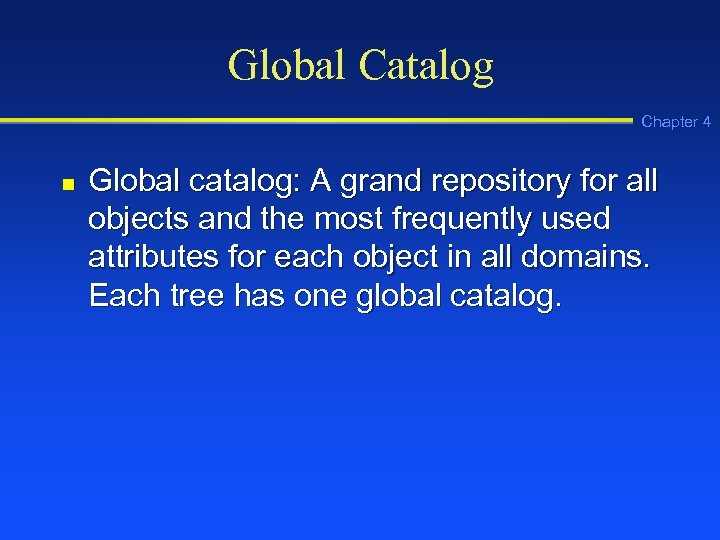 Global Catalog Chapter 4 n Global catalog: A grand repository for all objects and the most frequently used attributes for each object in all domains. Each tree has one global catalog.
 Global Catalog Functions Chapter 4 n n Authenticating users Providing lookup and access to resources in all domains Providing replication of key Active Directory elements Keeping a copy of the most attributes for all objects
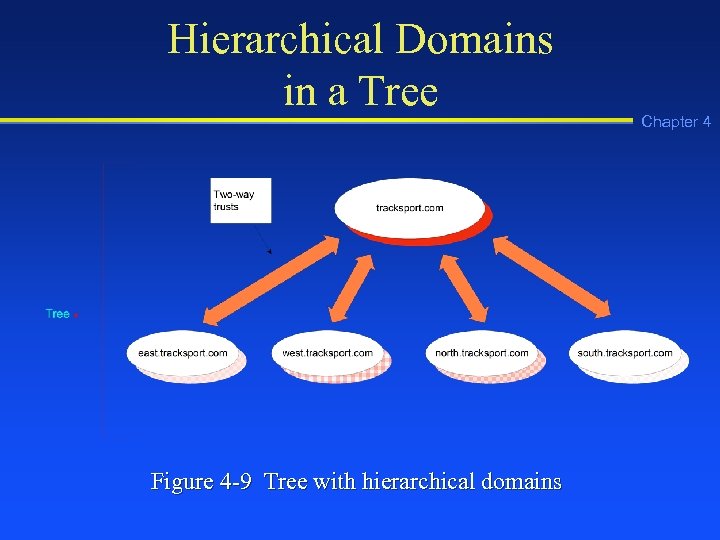 Hierarchical Domains in a Tree Figure 4 -9 Tree with hierarchical domains Chapter 4
 Kerberos Transitive Trust Chapter 4 n Kerberos Transitive Trust Relationship: A set of two-way trusts between two or more domains in which Kerberos security is used.
 Trusted and Trusting Domains Chapter 4 n n Trusted domain: A domain that has been granted security access to resources in another domain Trusting domain: A domain that allows another domain security access to its resources and objects, such as servers
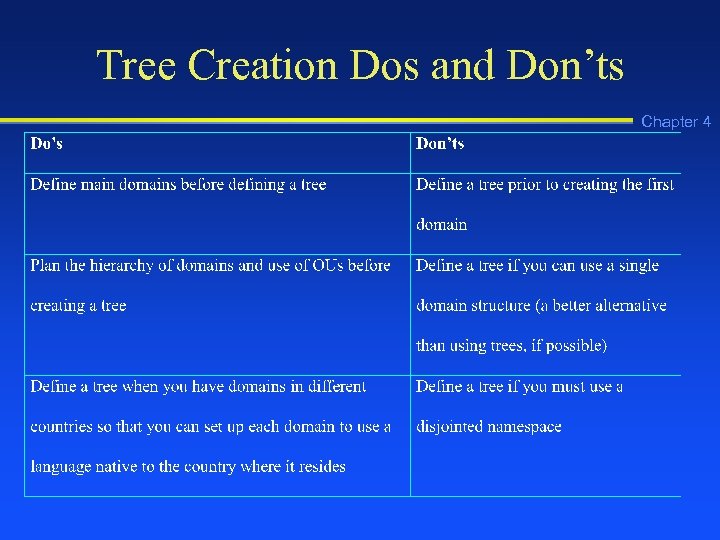 Tree Creation Dos and Don’ts Chapter 4
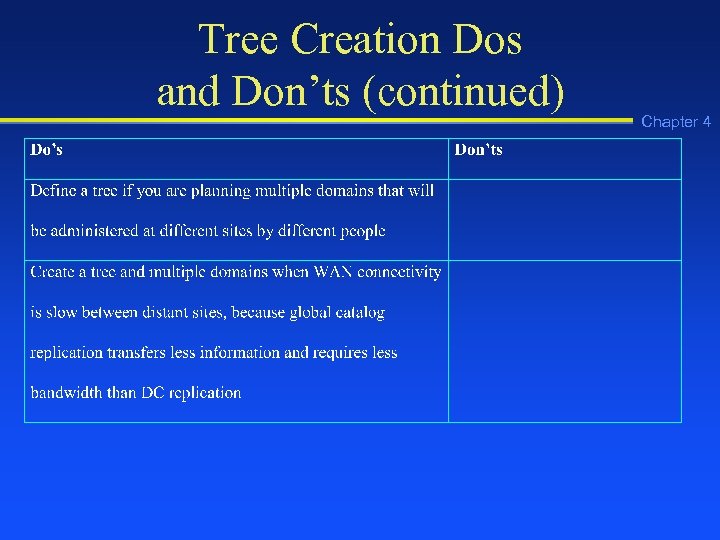 Tree Creation Dos and Don’ts (continued) Chapter 4
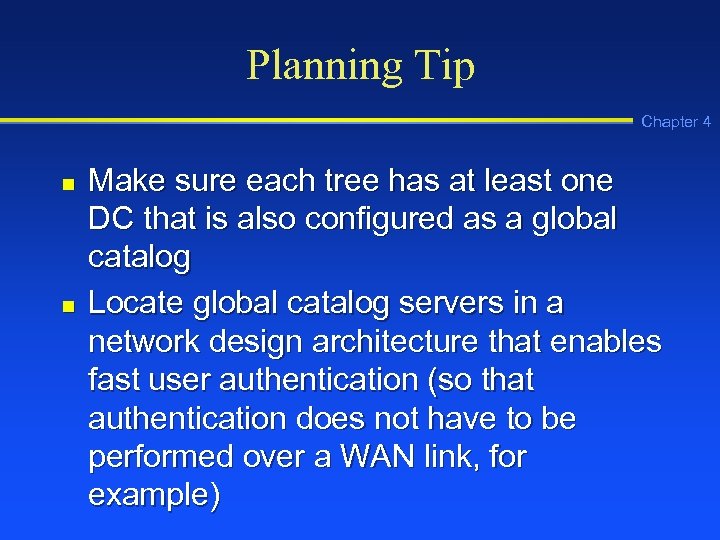 Planning Tip Chapter 4 n n Make sure each tree has at least one DC that is also configured as a global catalog Locate global catalog servers in a network design architecture that enables fast user authentication (so that authentication does not have to be performed over a WAN link, for example)
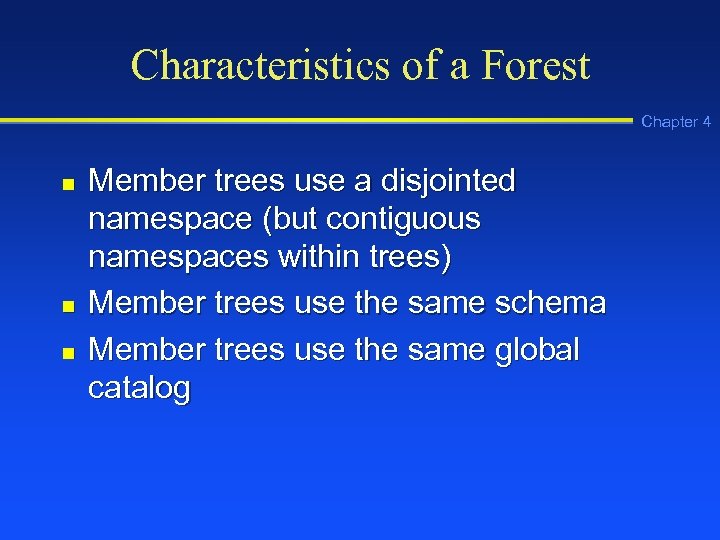 Characteristics of a Forest Chapter 4 n n n Member trees use a disjointed namespace (but contiguous namespaces within trees) Member trees use the same schema Member trees use the same global catalog
 Single Forest Chapter 4 n Single forest: An Active Directory model in which there is only one forest with interconnected trees and domains that use the same schema and global catalog
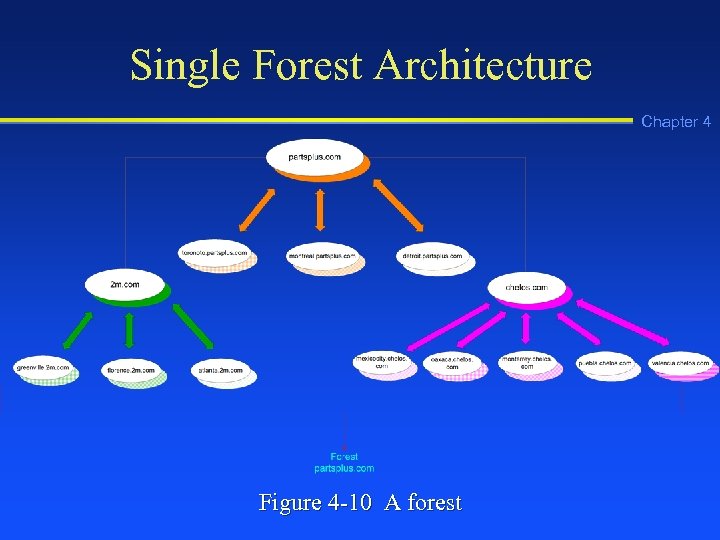 Single Forest Architecture Chapter 4 Figure 4 -10 A forest
 Separate Forest Chapter 4 n Separate forest: An Active Directory model that links two or more forests in a partnership, but the forests cannot have Kerberos transitive trusts or use the same schema
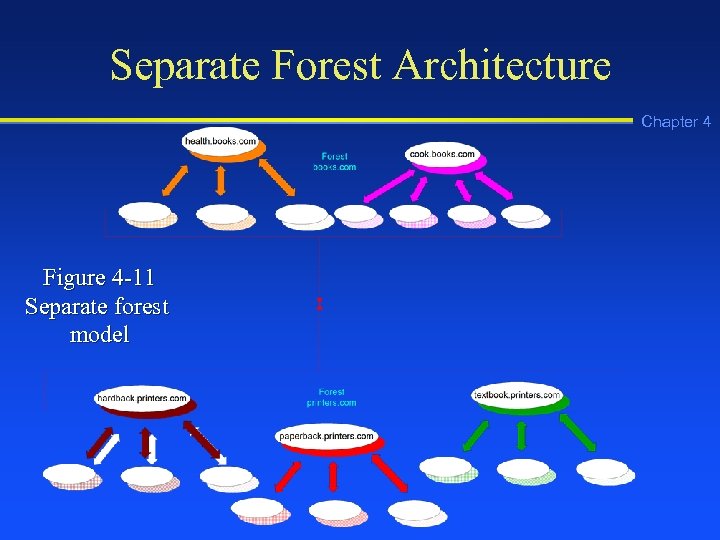 Separate Forest Architecture Chapter 4 Figure 4 -11 Separate forest model
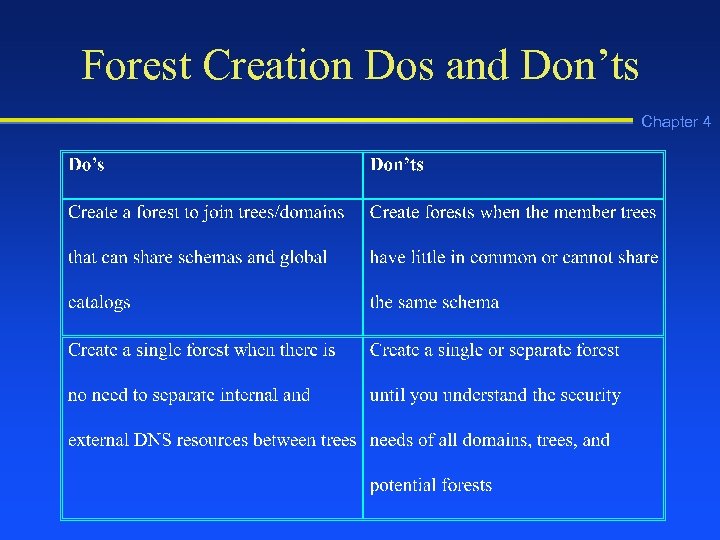 Forest Creation Dos and Don’ts Chapter 4
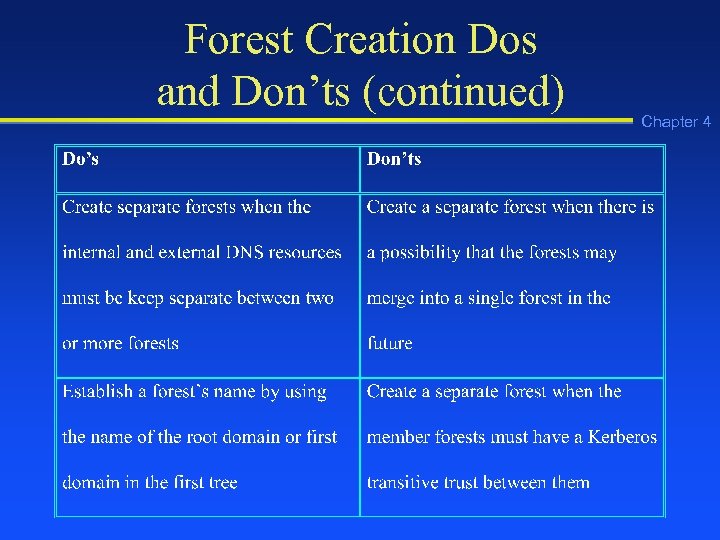 Forest Creation Dos and Don’ts (continued) Chapter 4
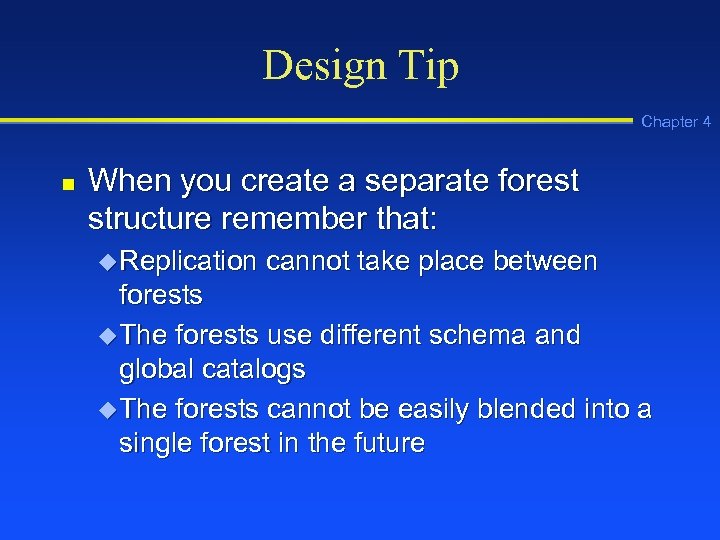 Design Tip Chapter 4 n When you create a separate forest structure remember that: u Replication cannot take place between forests u The forests use different schema and global catalogs u The forests cannot be easily blended into a single forest in the future
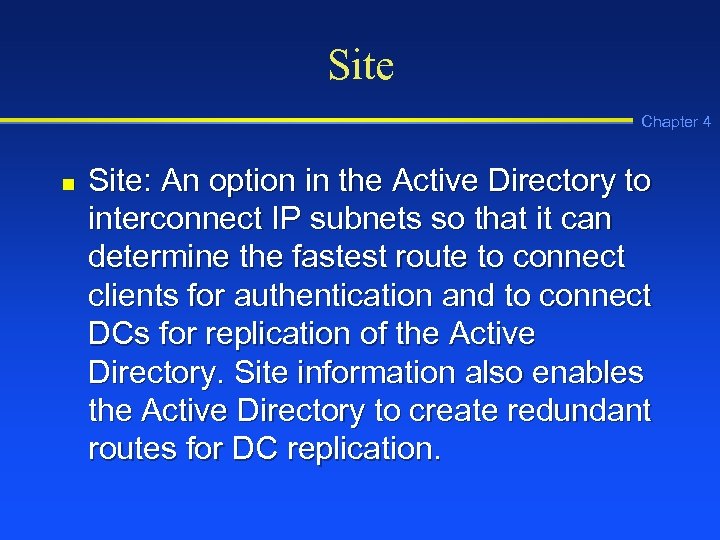 Site Chapter 4 n Site: An option in the Active Directory to interconnect IP subnets so that it can determine the fastest route to connect clients for authentication and to connect DCs for replication of the Active Directory. Site information also enables the Active Directory to create redundant routes for DC replication.
 Characteristics of a Site Chapter 4 n n n Reflects one or more interconnected subnets (512 Kbps or faster) Reflects the same boundaries as the LAN Used for DC replication Enables clients to access the closest DC Composed of servers and configuration objects
 Site Links Chapter 4 n n Site link object: An object created in the Active Directory to indicate one or more physical links between two different sites Site link bridge: An Active Directory object (usually a router) that combines individual site link objects to create faster routes when there are three or more site links
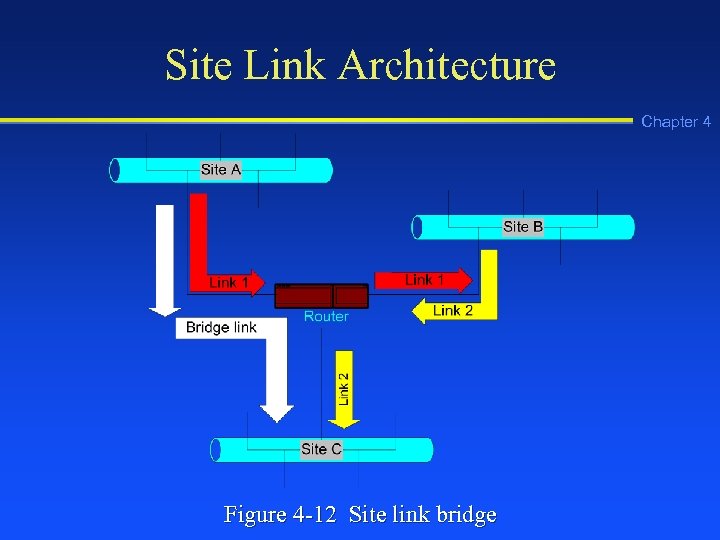 Site Link Architecture Chapter 4 Figure 4 -12 Site link bridge
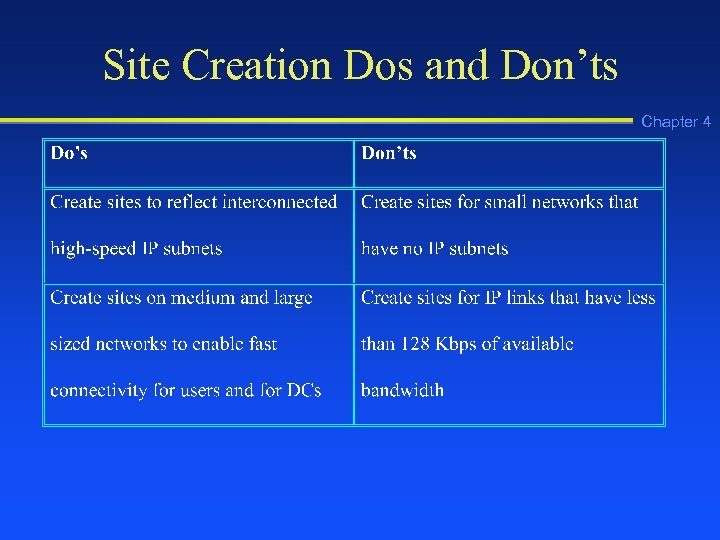 Site Creation Dos and Don’ts Chapter 4
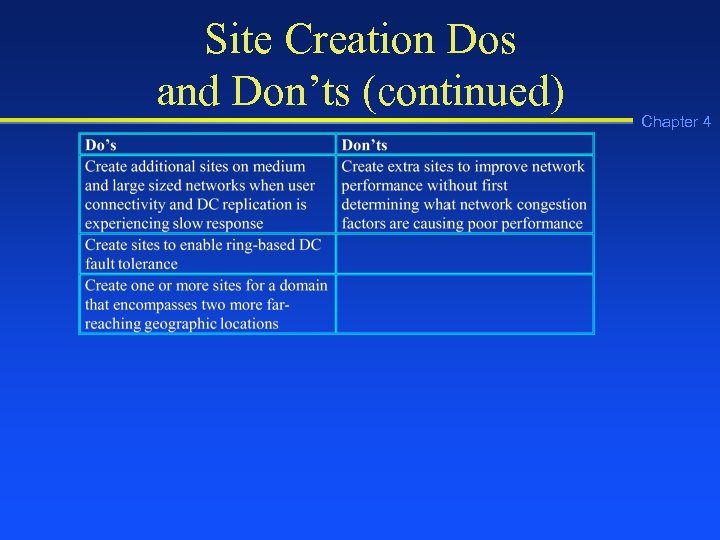 Site Creation Dos and Don’ts (continued) Chapter 4
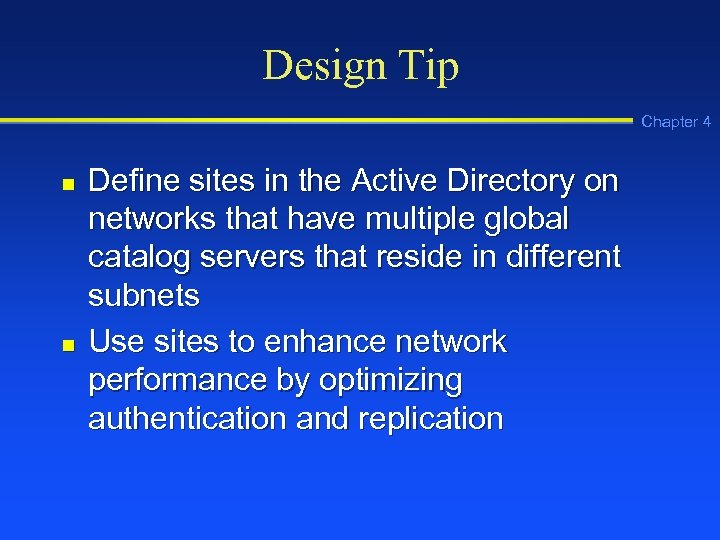 Design Tip Chapter 4 n n Define sites in the Active Directory on networks that have multiple global catalog servers that reside in different subnets Use sites to enhance network performance by optimizing authentication and replication
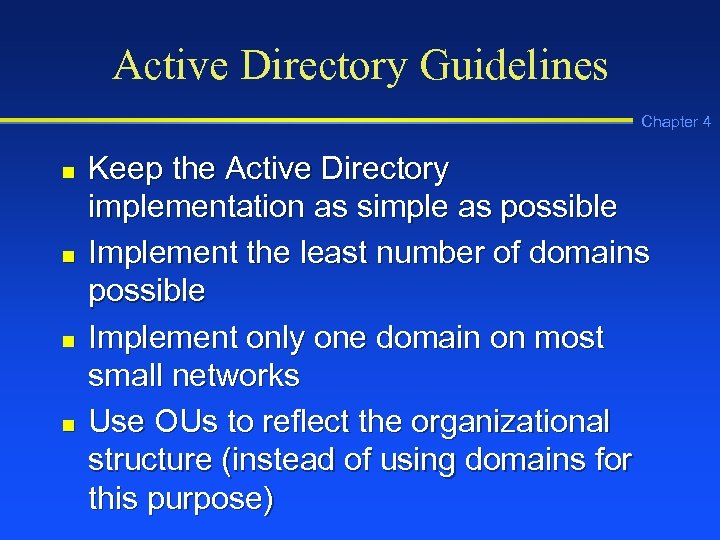 Active Directory Guidelines Chapter 4 n n Keep the Active Directory implementation as simple as possible Implement the least number of domains possible Implement only one domain on most small networks Use OUs to reflect the organizational structure (instead of using domains for this purpose)
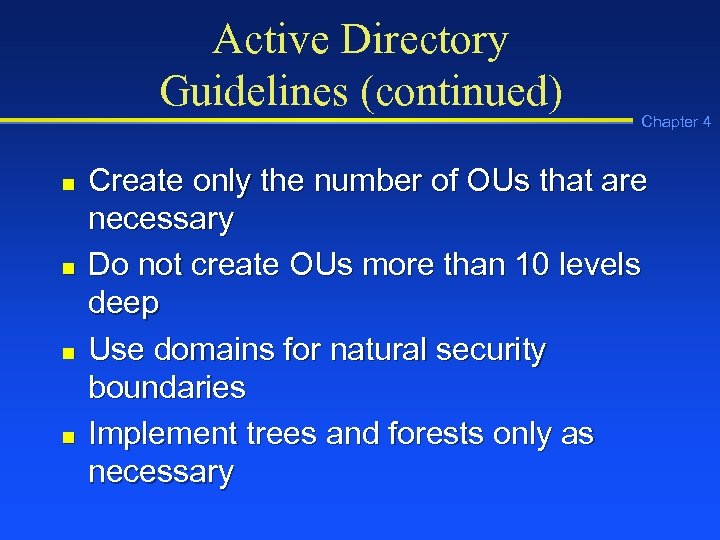 Active Directory Guidelines (continued) n n Chapter 4 Create only the number of OUs that are necessary Do not create OUs more than 10 levels deep Use domains for natural security boundaries Implement trees and forests only as necessary
 Active Directory Guidelines (continued) n n n Use trees for domains that have a contiguous namespace Use forests for multiple trees that have disjointed namespaces between them Use sites in situations where there are multiple IP subnets and geographic locations to improve performance Chapter 4
 Basic Types of Active Directory Security n n n Account or interactive logon security Object security Services security Chapter 4
 Interactive Logon Security Chapter 4 n n DC checks that the user account is in the Active Directory DC verifies the exact user account name and password
 Object Security Chapter 4 n n Security descriptor: An individual security property associated with a Windows 2000 Server object, such as enabling the account MGardner (the security descriptor) to access the folder, Databases Access control list (ACL): A list of all security descriptors that have been set up for a particular object, such as for a shared folder or a shared printer
 Typical ACL Types of Information n User account(s) that can access an object Permissions that determine the type of access Ownership of the object Chapter 4
 Typical Object Permissions Chapter 4 n n n Deny: No access to the object Read: Access to view or read the object’s contents Write: Permission to change the object’s contents or properties Delete: Permission to remove an object Create: Permission to add an object Full Control: Permission for nearly any activity
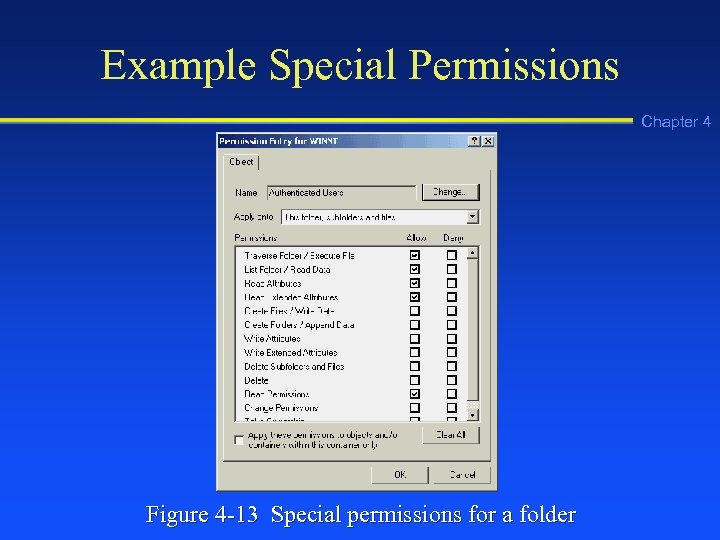 Example Special Permissions Chapter 4 Figure 4 -13 Special permissions for a folder
 Troubleshooting Tip Chapter 4 n Deny permission supercedes other permissions, thus if there is a permissions conflict for one of your users, check the deny permissions associated with that user’s account
 Services Security Chapter 4 n Windows 2000 enables you to set up security on individual services, such as DHCP
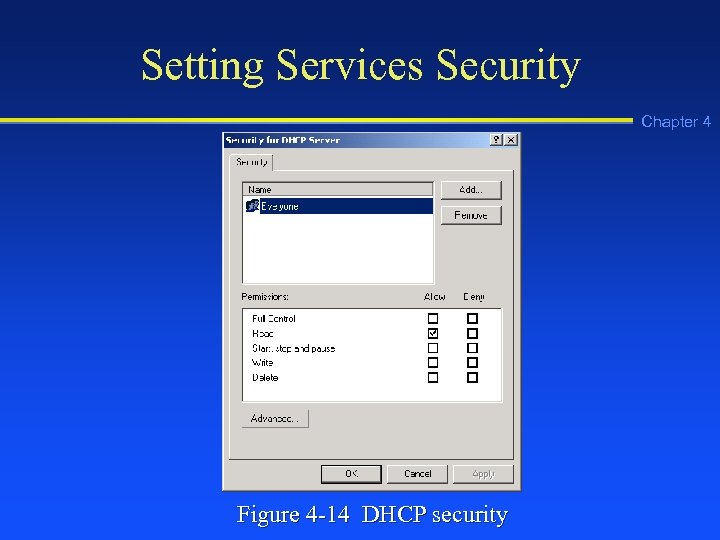 Setting Services Security Chapter 4 Figure 4 -14 DHCP security
 Using Groups Chapter 4 n Set up security groups of user accounts as a way to more easily manage security
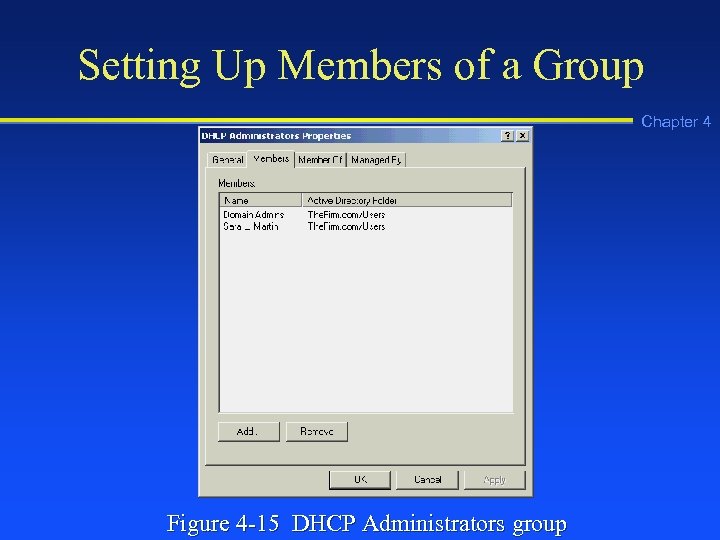 Setting Up Members of a Group Chapter 4 Figure 4 -15 DHCP Administrators group
 Group Policies Chapter 4 n n Use group policies to manage security for local servers, OUs, and domains Employ security templates when you need to manage several different group policies
 Example Areas Covered by Group Policies n n n n Account polices Local server and domain policies Event log tracking policies Group restrictions Service access security Registry security File system security Chapter 4
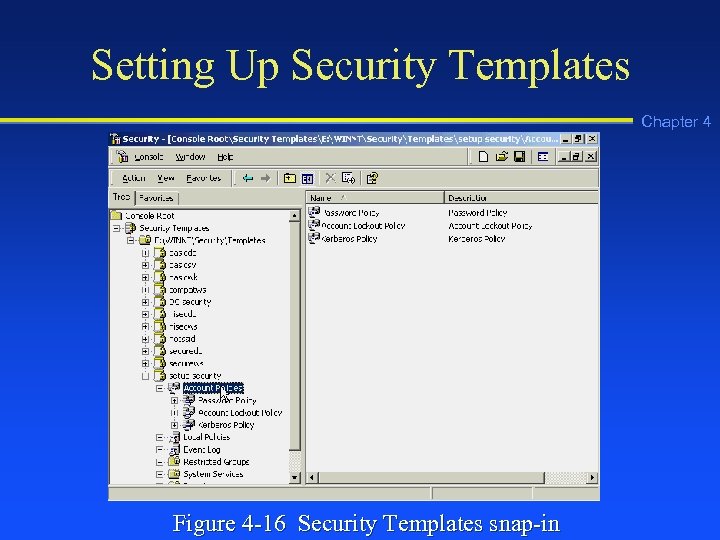 Setting Up Security Templates Chapter 4 Figure 4 -16 Security Templates snap-in
 IP Security Chapter 4 n IP security (IPSec): A set of IP-based secure communications and encryption standards created through the Internet Engineering Task Force (IETF)
 IP Security Policies Chapter 4 n IP security (IPSec) can function in three roles relative to a client: u Client (Respond Only) in which the server uses IPSec, if the client is using it first u Server (Request Security) in which the server uses IPSec by default, but will discontinue using IPSec if it is not supported by the client u Secure Server (Require Security) in which the server only communicates via IPSec
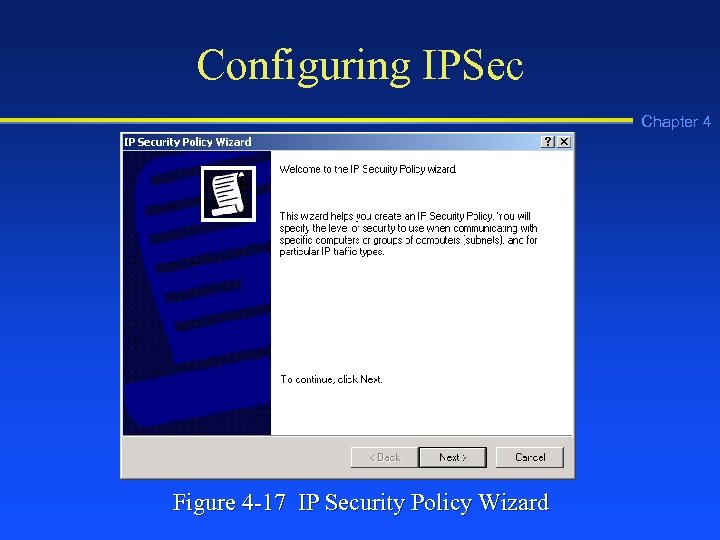 Configuring IPSec Chapter 4 Figure 4 -17 IP Security Policy Wizard
 Troubleshooting Tip Chapter 4 n On a network that uses IPSec, if you are having trouble gathering network performance information from some older devices that do not support IPSec, omit the SNMP communications protocol from IPSec
 Chapter Summary Chapter 4 n n n Active Directory and security implementation are interrelated The Active Directory is a set of services for managing Windows 2000 servers Use Active Directory elements such as OUs, domains, trees, and forests to help manage server objects and resources
 Chapter Summary Chapter 4 n n Use sites to configure network communications for better performance through taking advantage of existing subnets Groups and group policies enable you to manage security