


 Скачать презентацию Chapter 4 Managing Novell IPX SPX Traffic Synergon
b41d1487647f483313040c18bdebab8b.ppt
- Количество слайдов: 31
 Chapter 4 Managing Novell IPX/SPX Traffic © Synergon Informatika Rt. , 1999
 Objectives Upon completion of this chapter, you will be able to perform the following tasks: Describe IPX/SPX traffic management issues Filter IPX traffic Manage IPX/SPX traffic over WAN connections Verify IPX/SPX traffic operation 2
 Novell IPX/SPX Overview 3
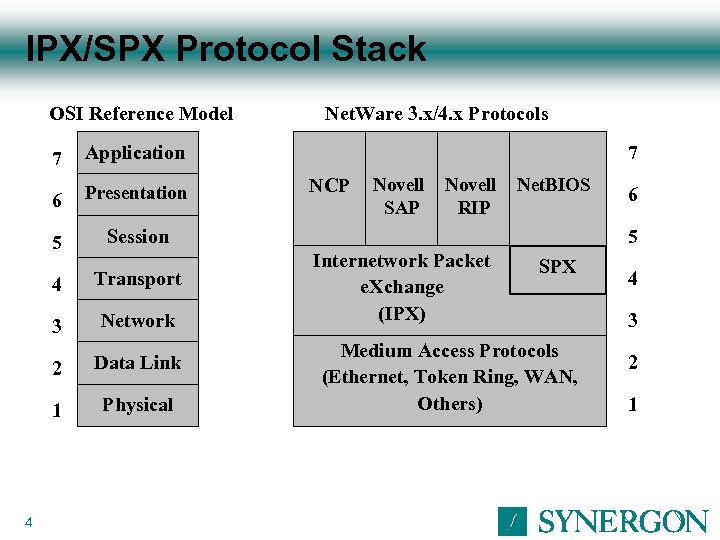 IPX/SPX Protocol Stack OSI Reference Model 7 6 5 Session 4 Transport 3 Network 2 Data Link 1 4 Application Presentation Physical Net. Ware 3. x/4. x Protocols 7 NCP Novell SAP Novell RIP Net. BIOS 6 5 Internetwork Packet e. Xchange (IPX) SPX Medium Access Protocols (Ethernet, Token Ring, WAN, Others) 4 3 2 1
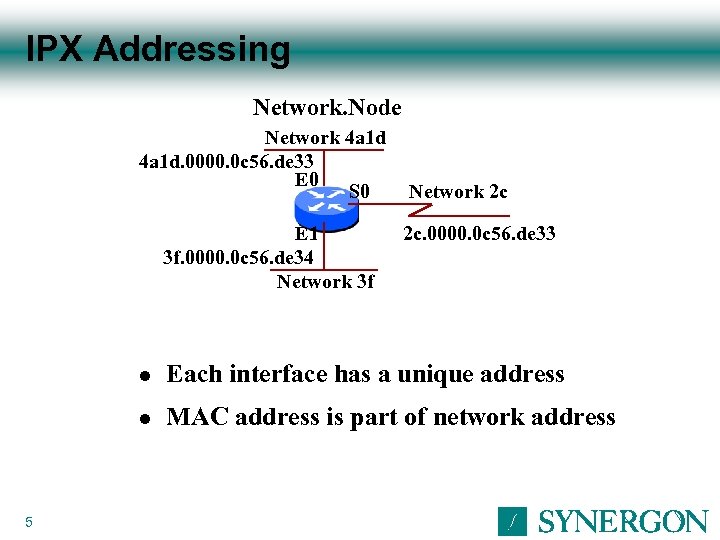 IPX Addressing Network. Node Network 4 a 1 d. 0000. 0 c 56. de 33 E 0 S 0 E 1 3 f. 0000. 0 c 56. de 34 Network 3 f Network 2 c 2 c. 0000. 0 c 56. de 33 l l 5 Each interface has a unique address MAC address is part of network address
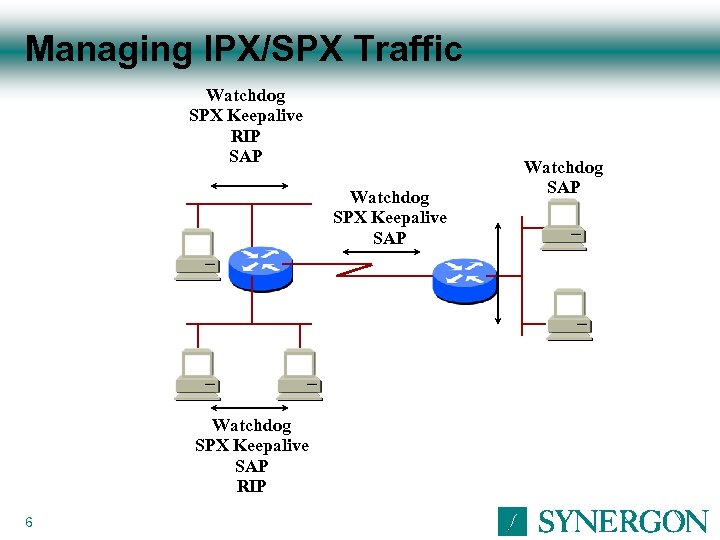 Managing IPX/SPX Traffic Watchdog SPX Keepalive RIP SAP Watchdog SPX Keepalive SAP RIP 6 Watchdog SAP
 IPX Traffic Filtering 7
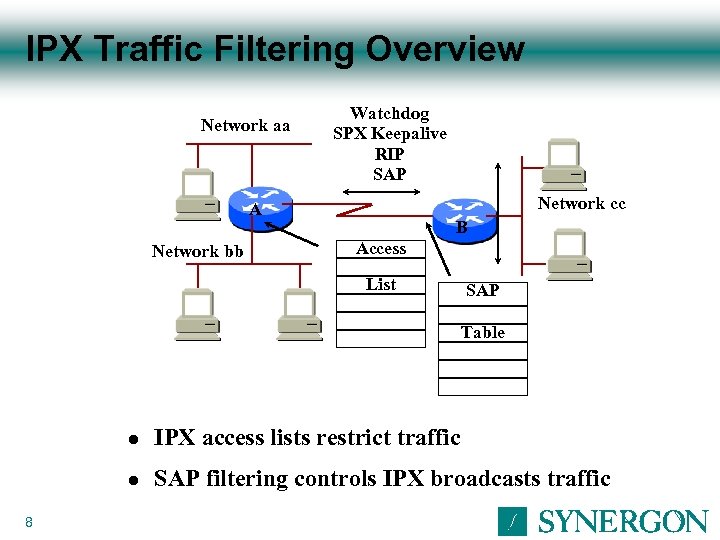 IPX Traffic Filtering Overview Network aa Watchdog SPX Keepalive RIP SAP Network cc A Network bb B Access List SAP Table l l 8 IPX access lists restrict traffic SAP filtering controls IPX broadcasts traffic
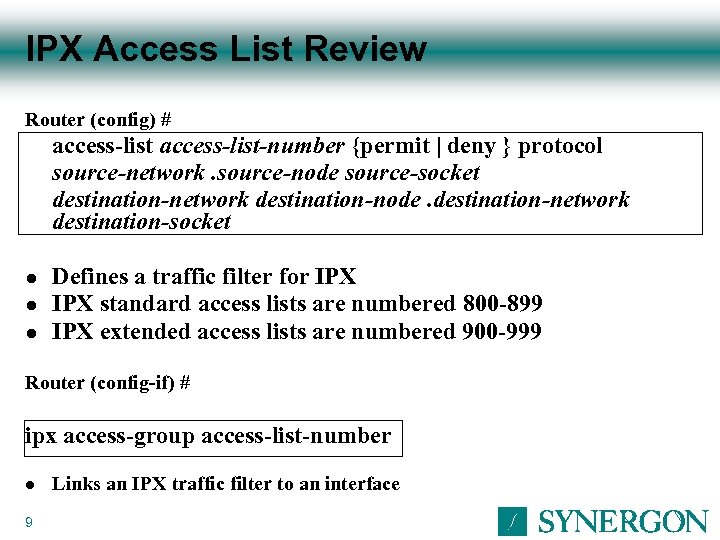 IPX Access List Review Router (config) # access-list-number {permit | deny } protocol source-network. source-node source-socket destination-network destination-node. destination-network destination-socket l l l Defines a traffic filter for IPX standard access lists are numbered 800 -899 IPX extended access lists are numbered 900 -999 Router (config-if) # ipx access-group access-list-number l 9 Links an IPX traffic filter to an interface
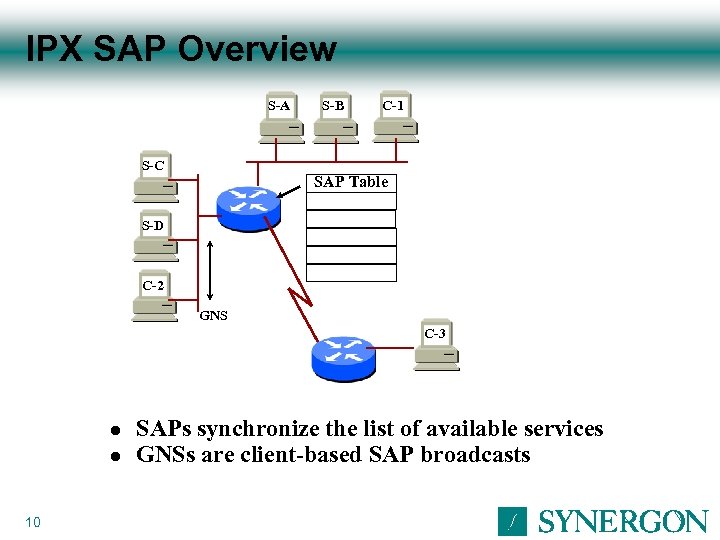 IPX SAP Overview S-A S-B C-1 S-C SAP Table S-D C-2 GNS C-3 l l 10 SAPs synchronize the list of available services GNSs are client-based SAP broadcasts
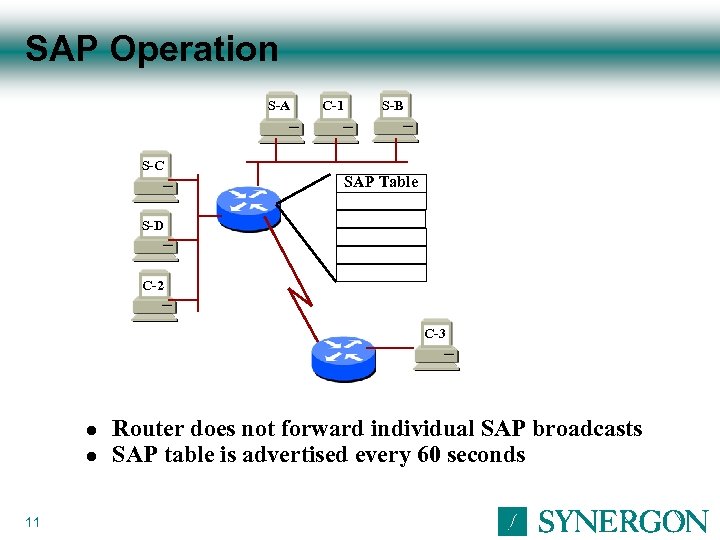 SAP Operation S-A C-1 S-B S-C SAP Table S-D C-2 C-3 l l 11 Router does not forward individual SAP broadcasts SAP table is advertised every 60 seconds
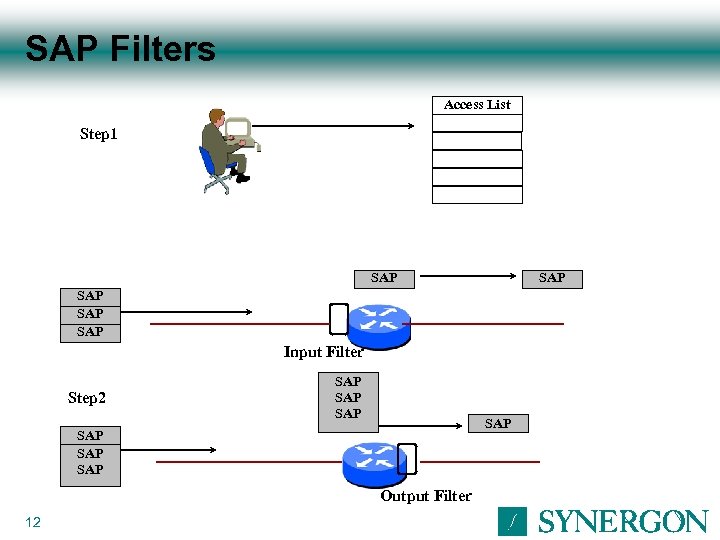 SAP Filters Access List Step 1 SAP SAP SAP Input Filter Step 2 SAP SAP Output Filter 12
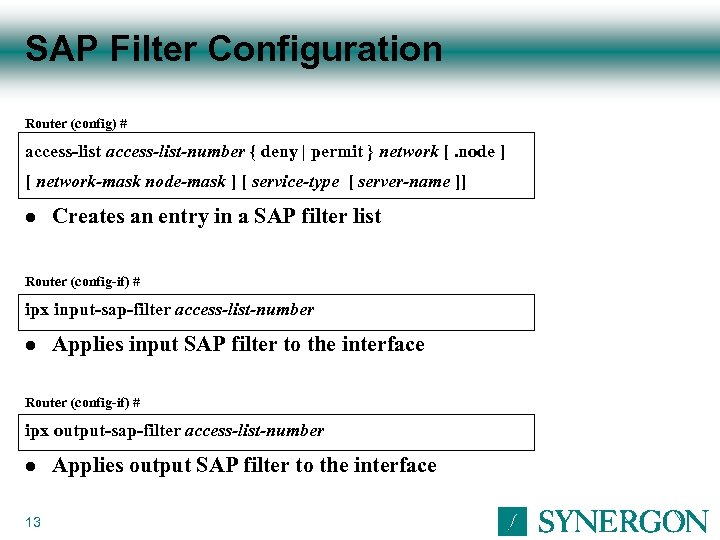 SAP Filter Configuration Router (config) # access-list-number { deny | permit } network [. node ] [ network-mask node-mask ] [ service-type [ server-name ]] l Creates an entry in a SAP filter list Router (config-if) # ipx input-sap-filter access-list-number l Applies input SAP filter to the interface Router (config-if) # ipx output-sap-filter access-list-number l 13 Applies output SAP filter to the interface
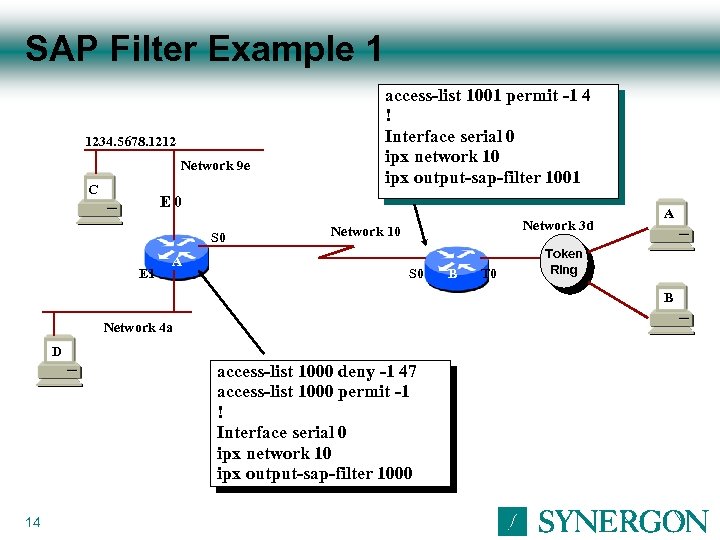 SAP Filter Example 1 1234. 5678. 1212 Network 9 e C access-list 1001 permit -1 4 ! Interface serial 0 ipx network 10 ipx output-sap-filter 1001 E 0 S 0 E 1 A Network 3 d Network 10 S 0 B T 0 A Token B Ring B Network 4 a D access-list 1000 deny -1 47 access-list 1000 permit -1 ! Interface serial 0 ipx network 10 ipx output-sap-filter 1000 14
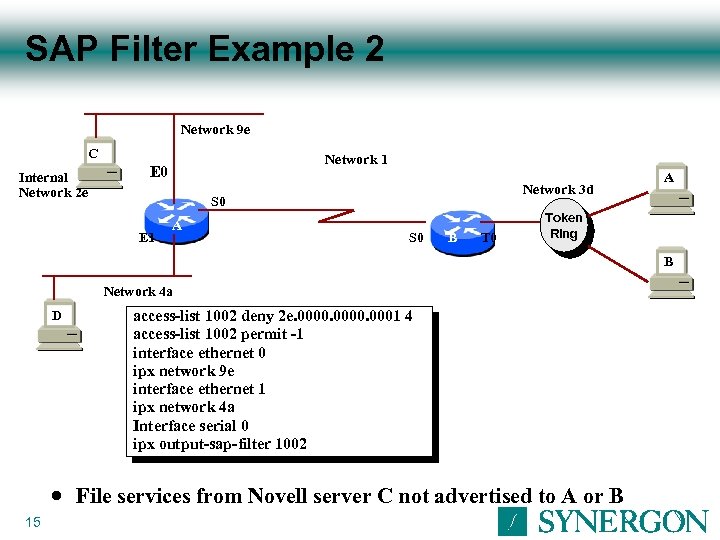 SAP Filter Example 2 Network 9 e C Internal Network 2 e Network 1 E 0 Network 3 d S 0 E 1 A S 0 B T 0 A Token B Ring B Network 4 a D n 15 access-list 1002 deny 2 e. 0000. 0001 4 access-list 1002 permit -1 interface ethernet 0 ipx network 9 e interface ethernet 1 ipx network 4 a Interface serial 0 ipx output-sap-filter 1002 File services from Novell server C not advertised to A or B
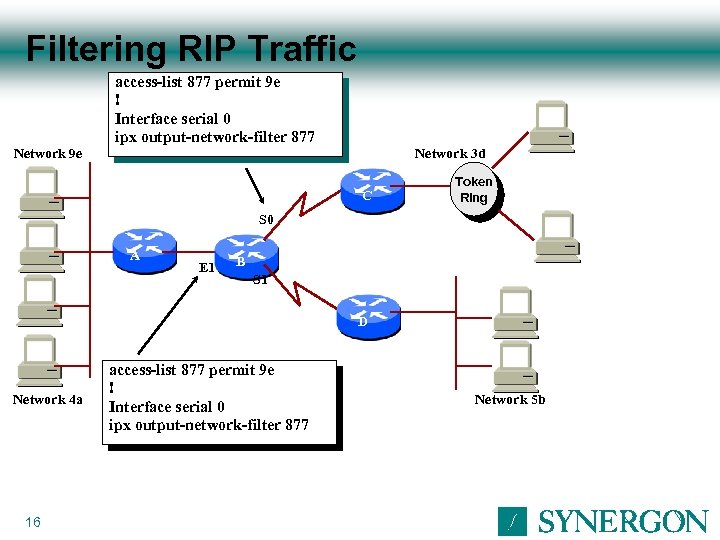 Filtering RIP Traffic Network 9 e access-list 877 permit 9 e ! Interface serial 0 ipx output-network-filter 877 Network 3 d C Token Ring S 0 A E 1 B S 1 D Network 4 a 16 access-list 877 permit 9 e ! Interface serial 0 ipx output-network-filter 877 Network 5 b
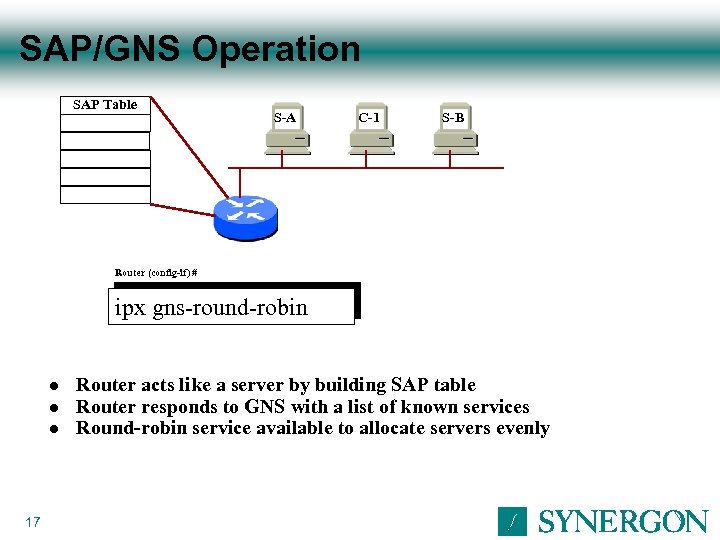 SAP/GNS Operation SAP Table S-A C-1 S-B Router (config-if) # ipx gns-round-robin l l l 17 Router acts like a server by building SAP table Router responds to GNS with a list of known services Round-robin service available to allocate servers evenly
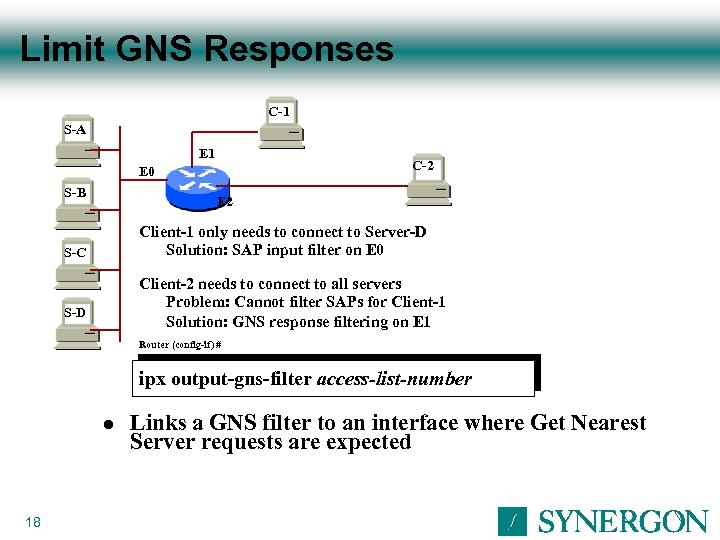 Limit GNS Responses C-1 S-A E 1 C-2 E 0 S-B E 2 Client-1 only needs to connect to Server-D Solution: SAP input filter on E 0 S-C Client-2 needs to connect to all servers Problem: Cannot filter SAPs for Client-1 Solution: GNS response filtering on E 1 S-D Router (config-if) # ipx output-gns-filter access-list-number l 18 Links a GNS filter to an interface where Get Nearest Server requests are expected
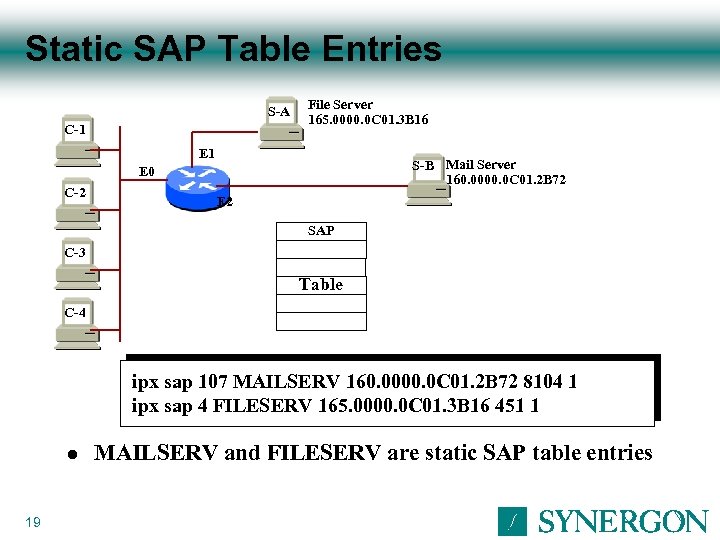 Static SAP Table Entries S-A C-1 File Server 165. 0000. 0 C 01. 3 B 16 E 1 S-B Mail Server 160. 0000. 0 C 01. 2 B 72 E 0 C-2 E 2 SAP C-3 Table C-4 ipx sap 107 MAILSERV 160. 0000. 0 C 01. 2 B 72 8104 1 ipx sap 4 FILESERV 165. 0000. 0 C 01. 3 B 16 451 1 l 19 MAILSERV and FILESERV are static SAP table entries
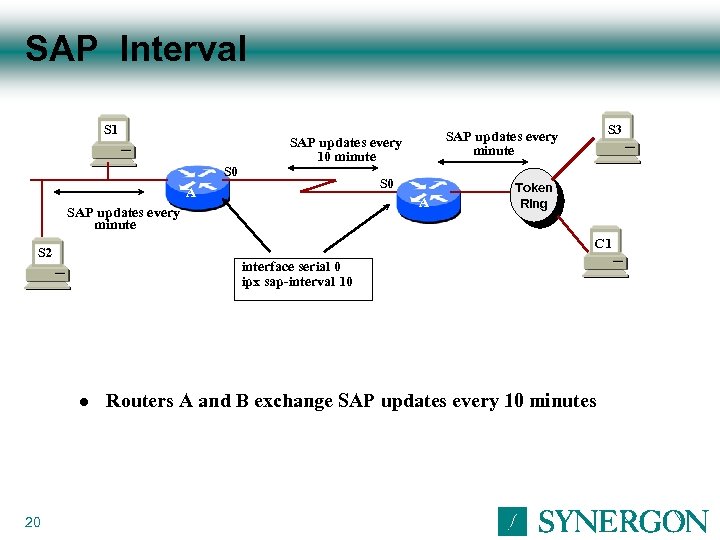 SAP Interval S 1 S 0 A A SAP updates every minute Token Ring C 1 S 2 interface serial 0 ipx sap-interval 10 l 20 S 3 SAP updates every minute SAP updates every 10 minute Routers A and B exchange SAP updates every 10 minutes
 Managing IPX Traffic over WAN Links 21
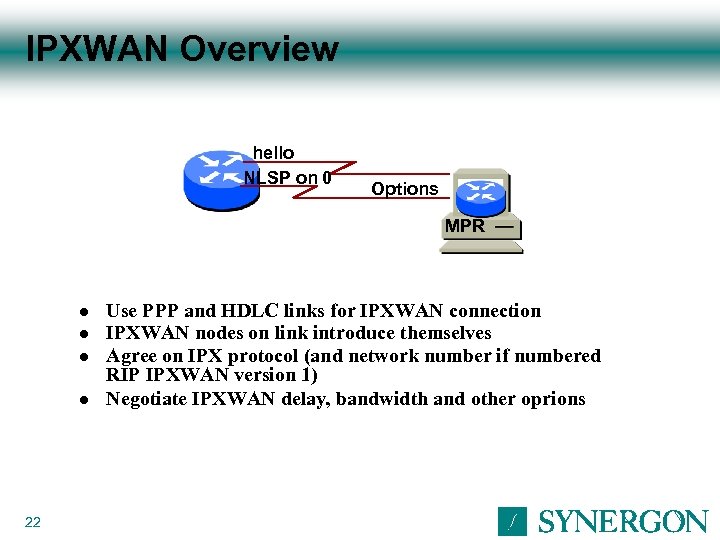 IPXWAN Overview hello NLSP on 0 Options MPR l l 22 Use PPP and HDLC links for IPXWAN connection IPXWAN nodes on link introduce themselves Agree on IPX protocol (and network number if numbered RIP IPXWAN version 1) Negotiate IPXWAN delay, bandwidth and other oprions
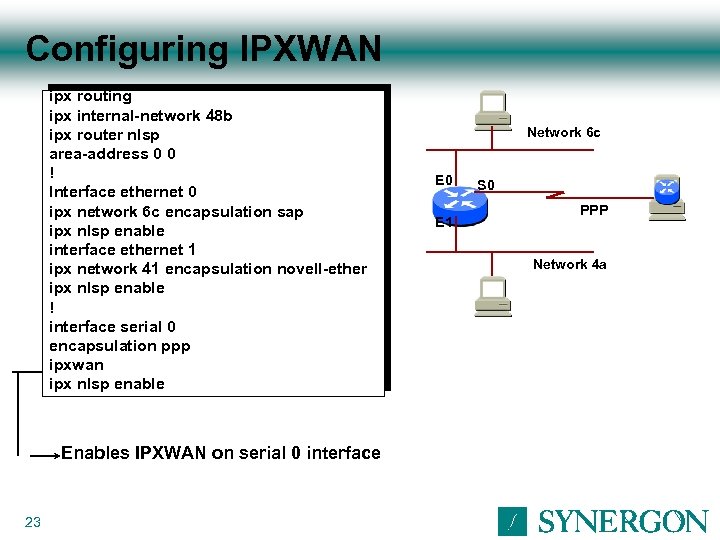 Configuring IPXWAN ipx routing ipx internal-network 48 b ipx router nlsp area-address 0 0 ! Interface ethernet 0 ipx network 6 c encapsulation sap ipx nlsp enable interface ethernet 1 ipx network 41 encapsulation novell-ether ipx nlsp enable ! interface serial 0 encapsulation ppp ipxwan ipx nlsp enable Enables IPXWAN on serial 0 interface 23 Network 6 c E 0 E 1 S 0 PPP Network 4 a
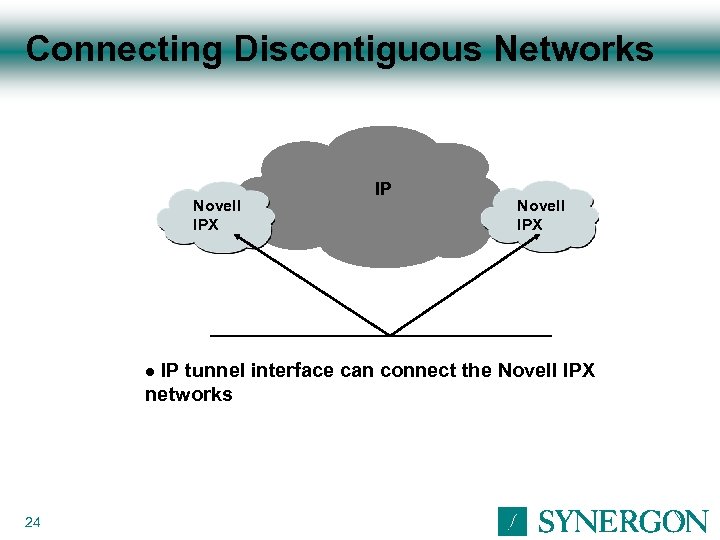 Connecting Discontiguous Networks Novell IPX IP tunnel interface can connect the Novell IPX networks l 24
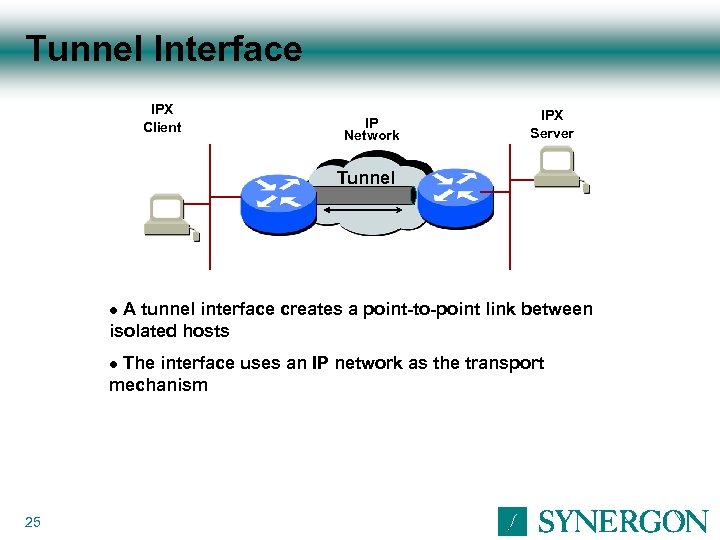 Tunnel Interface IPX Client IP Network IPX Server Tunnel A tunnel interface creates a point-to-point link between isolated hosts l The interface uses an IP network as the transport mechanism l 25
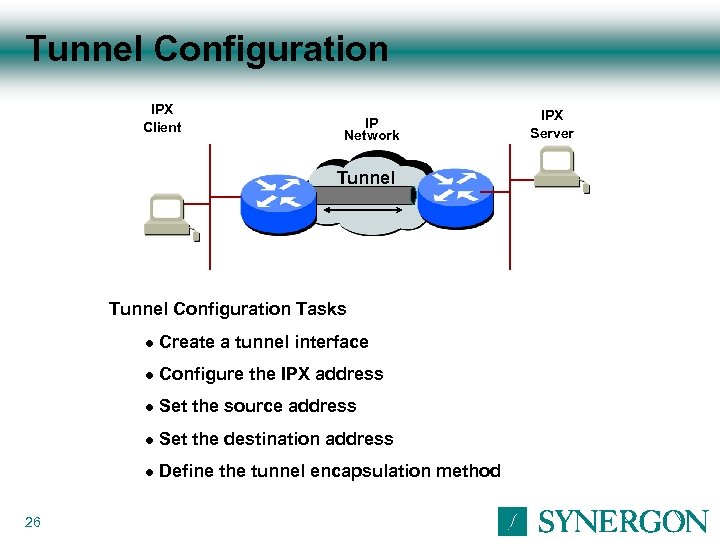 Tunnel Configuration IPX Client IP Network Tunnel Configuration Tasks l l Configure the IPX address l Set the source address l Set the destination address l 26 Create a tunnel interface Define the tunnel encapsulation method IPX Server
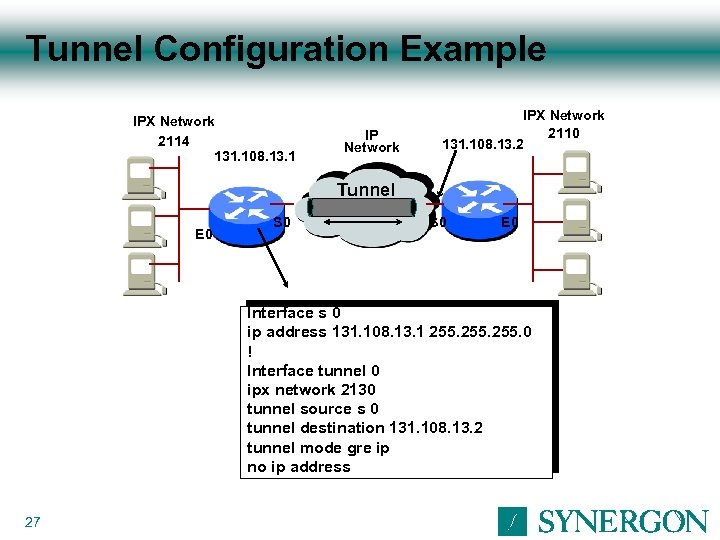 Tunnel Configuration Example IPX Network 2114 131. 108. 13. 1 IP Network IPX Network 2110 131. 108. 13. 2 Tunnel E 0 S 0 E 0 Interface s 0 ip address 131. 108. 13. 1 255. 0 ! Interface tunnel 0 ipx network 2130 tunnel source s 0 tunnel destination 131. 108. 13. 2 tunnel mode gre ip no ip address 27
 Verifying IPX Traffic Operation 28
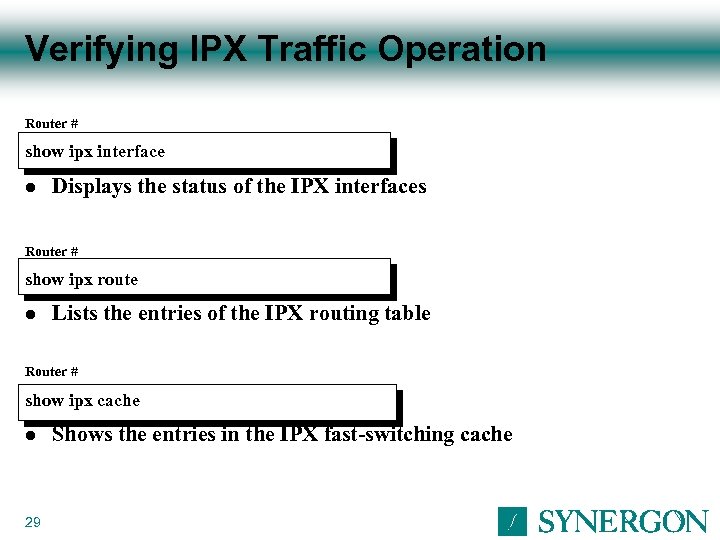 Verifying IPX Traffic Operation Router # show ipx interface l Displays the status of the IPX interfaces Router # show ipx route l Lists the entries of the IPX routing table Router # show ipx cache l 29 Shows the entries in the IPX fast-switching cache
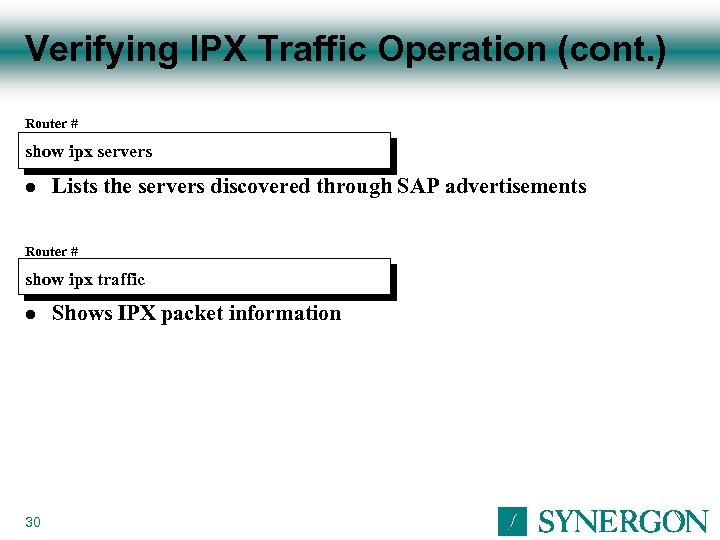 Verifying IPX Traffic Operation (cont. ) Router # show ipx servers l Lists the servers discovered through SAP advertisements Router # show ipx traffic l 30 Shows IPX packet information
 Summary Traffic congestion exists in all large networks Congestion in IPX networks is handled by: Traffic filters SAP filters GNS filters You can use IPXWAN and tunnel interfaces for IPX-based WAN links 31