


 Скачать презентацию CHAPTER 4 Evaluating interface Designs Designing the User
e4980aca6106a9c3221630410eae5abf.ppt
- Количество слайдов: 57
 CHAPTER 4: Evaluating interface Designs Designing the User Interface: Strategies for Effective Human-Computer Interaction Fifth Edition Ben Shneiderman & Catherine Plaisant in collaboration with Addison Wesley is an imprint of Maxine S. Cohen and Steven M. Jacobs © 2010 Pearson Addison-Wesley. All rights reserved.
 Introduction • Designers can become so entranced with their creations that they may fail to evaluate them adequately. • Experienced designers have attained the wisdom and humility to know that extensive testing is a necessity. • The determinants of the evaluation plan include: – stage of design (early, middle, late) – novelty of project (well defined vs. exploratory) – number of expected users – criticality of the interface (life-critical medical system vs. museum exhibit support) – costs of product and finances allocated for testing – time available – experience of the design and evaluation team Usability Evaluation © 2010 Pearson Addison-Wesley. All rights reserved. 1 -2 4 -2
 Introduction (cont. ) • Usability evaluators must broaden their methods and be open to nonempirical methods, such as user sketches, consideration of design alternatives, and ethnographic studies. • Recommendations needs to be based on observational findings • The design team needs to be involved with research on the current system design drawbacks • Tools and techniques are evolving • The range of evaluation plans might be anywhere from an ambitious two-year test with multiple phases for a new national air-traffic– control system to a three-day test with six users for a small internal web site • The range of costs might be from 20% of a project down to 5%. • Usability testing has become an established and accepted part of the design process 1 -3 © 2010 Pearson Addison-Wesley. All rights reserved. 4 -3
 Expert Reviews • While informal demos to colleagues or customers can provide some useful feedback, more formal expert reviews have proven to be effective • Expert reviews entail one-half day to one week effort, although a lengthy training period may sometimes be required to explain the task domain or operational procedures • There a variety of expert review methods to chose from: – Heuristic evaluation – Guidelines review – Consistency inspection – Cognitive walkthrough – Metaphors of human thinking – Formal usability inspection © 2010 Pearson Addison-Wesley. All rights reserved. 1 -4 4 -4
 Expert Reviews (cont. ) • Expert reviews can be scheduled at several points in the development process when experts are available and when the design team is ready for feedback. • Different experts tend to find different problems in an interface, so 3 -5 expert reviewers can be highly productive, as can complementary usability testing. • The dangers with expert reviews are that the experts may not have an adequate understanding of the task domain or user communities. • Even experienced expert reviewers have great difficulty knowing how typical users, especially first-time users will really behave. 1 -5 © 2010 Pearson Addison-Wesley. All rights reserved. 4 -5
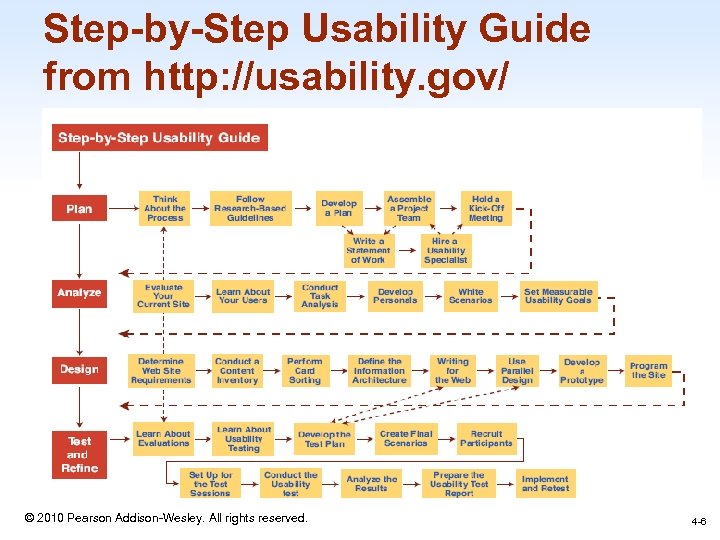 Step-by-Step Usability Guide from http: //usability. gov/ 1 -6 © 2010 Pearson Addison-Wesley. All rights reserved. 4 -6
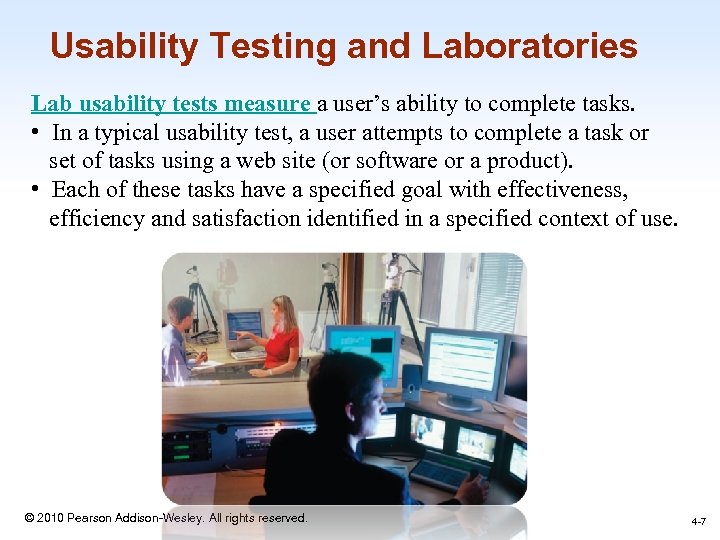 Usability Testing and Laboratories Lab usability tests measure a user’s ability to complete tasks. • In a typical usability test, a user attempts to complete a task or set of tasks using a web site (or software or a product). • Each of these tasks have a specified goal with effectiveness, efficiency and satisfaction identified in a specified context of use. 1 -7 © 2010 Pearson Addison-Wesley. All rights reserved. 4 -7
 Usability Testing and Laboratories (cont. ) • The emergence of usability testing and laboratories since the early 1980 s • Usability testing not only sped up many projects but that it produced dramatic cost savings. • The movement towards usability testing stimulated the construction of usability laboratories. • A typical modest usability lab would have two 10 by 10 foot areas, one for the participants to do their work and another, separated by a half-silvered mirror, for the testers and observers • Participants should be chosen to represent the intended user communities, with attention to – background in computing, experience with the task, motivation, education, and ability with the natural language used in the interface. © 2010 Pearson Addison-Wesley. All rights reserved. 1 -8 4 -8
 Usability Testing and Laboratories (cont. ) • Participation should always be voluntary, and informed consent should be obtained. • Professional practice is to ask all subjects to read and sign a statement like this one: – I have freely volunteered to participate in this experiment. – I have been informed in advance what my task(s) will be and what procedures will be followed. – I have been given the opportunity to ask questions, and have had my questions answered to my satisfaction. – I am aware that I have the right to withdraw consent and to discontinue participation at any time, without prejudice to my future treatment. – My signature below may be taken as affirmation of all the above statements; it was given prior to my participation in this study. • Institutional Review Boards (IRB) often governs human subject test 1 -9 process © 2010 Pearson Addison-Wesley. All rights reserved. 4 -9
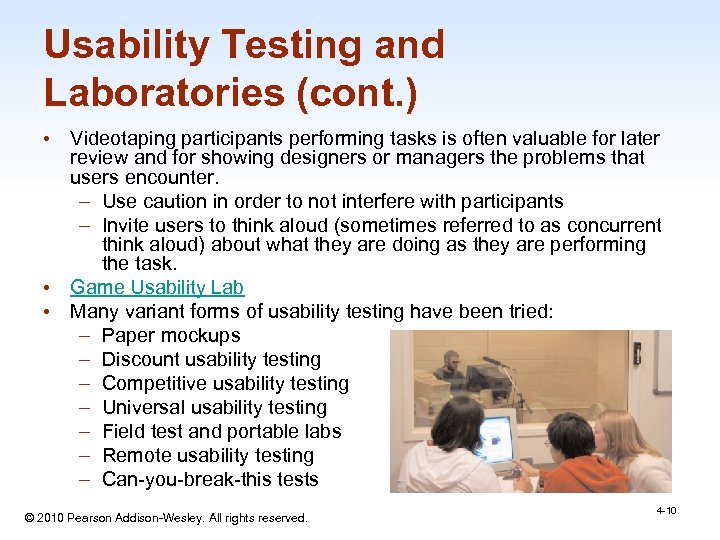 Usability Testing and Laboratories (cont. ) • Videotaping participants performing tasks is often valuable for later review and for showing designers or managers the problems that users encounter. – Use caution in order to not interfere with participants – Invite users to think aloud (sometimes referred to as concurrent think aloud) about what they are doing as they are performing the task. • Game Usability Lab • Many variant forms of usability testing have been tried: – Paper mockups – Discount usability testing – Competitive usability testing – Universal usability testing – Field test and portable labs – Remote usability testing – Can-you-break-this tests © 2010 Pearson Addison-Wesley. All rights reserved. 4 -10 1 -10
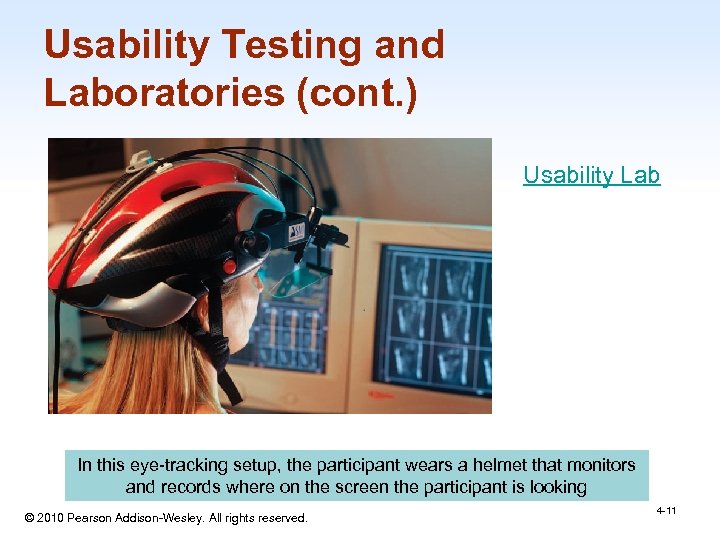 Usability Testing and Laboratories (cont. ) Usability Lab In this eye-tracking setup, the participant wears a helmet that monitors and records where on the screen the participant is looking © 2010 Pearson Addison-Wesley. All rights reserved. 1 -11 4 -11
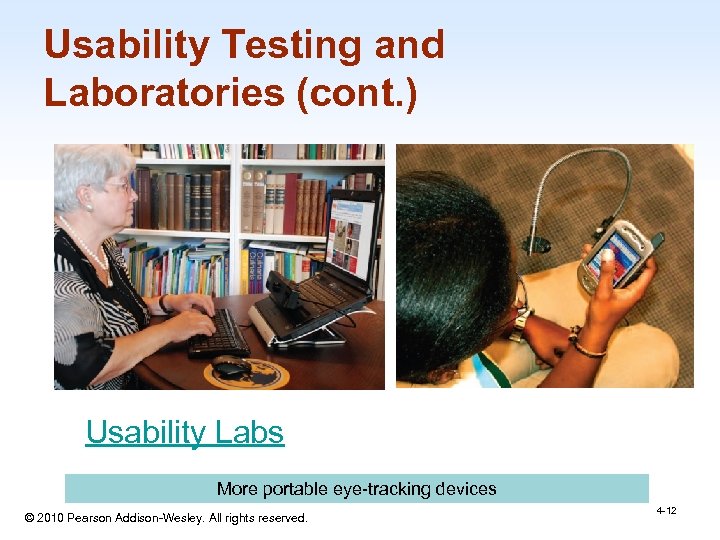 Usability Testing and Laboratories (cont. ) Usability Labs More portable eye-tracking devices © 2010 Pearson Addison-Wesley. All rights reserved. 1 -12 4 -12
 Survey Instruments • • Written user surveys are a familiar, inexpensive and generally acceptable companion for usability tests and expert reviews. Keys to successful surveys – Clear goals in advance – Development of focused items that help attain the goals. Survey goals can be tied to the components of the Objects and Action Interface model of interface design. Users could be asked for their subjective impressions about specific aspects of the interface such as the representation of: – task domain objects and actions – syntax of inputs and design of displays. 1 -13 © 2010 Pearson Addison-Wesley. All rights reserved. 4 -13
 Developing a Survey Instrument A survey instrument is a tool for consistently implementing a scientific protocol for obtaining data from respondents. For most social and behavioral surveys, the instrument involves a questionnaire that provides a script for presenting a standard set of questions and response options. The survey instrument includes questions that address specific study objectives and collection of demographic information for calculating survey weights. 1 -14 © 2010 Pearson Addison-Wesley. All rights reserved. 2 -14
 Survey Instruments (cont. ) • Other goals would be to determine by – – – – users background (age, gender, origins, education, income) experience with computers (specific applications or software packages, length of time, depth of knowledge) job responsibilities (decision-making influence, managerial roles, motivation) personality style (introvert vs. extrovert, risk taking vs. risk aversive, early vs. late adopter, systematic vs. opportunistic) reasons for not using an interface (inadequate services, too complex, too slow) familiarity with features (printing, macros, shortcuts, tutorials) their feeling state after using an interface (confused vs. clear, frustrated vs. in-control, bored vs. excited). © 2010 Pearson Addison-Wesley. All rights reserved. 4 -15 1 -15
 Surveys (cont. ) • Online surveys avoid the cost of printing and the extra effort needed for distribution and collection of paper forms. • Many people prefer to answer a brief survey displayed on a screen, instead of filling in and returning a printed form, – although there is a potential bias in the sample. • A survey example is the Questionnaire for User Interaction Satisfaction (QUIS). – http: //lap. umd. edu/quis/ 1 -16 © 2010 Pearson Addison-Wesley. All rights reserved. 4 -16
 Requirement Determination and User-Acceptance Test • User acceptance test: a test during the analysis stage using simple mockups to test the likelihood of the system’s functionalities being accepted by its potential users. Copyright 2006 John Wiley & Sons, Inc 1 -17 © 2010 Pearson Addison-Wesley. All rights reserved.
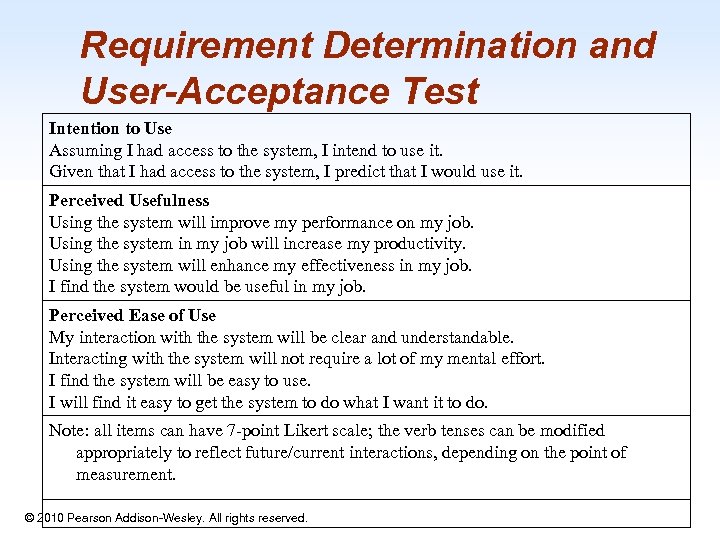 Requirement Determination and User-Acceptance Test Intention to Use Assuming I had access to the system, I intend to use it. Given that I had access to the system, I predict that I would use it. Perceived Usefulness Using the system will improve my performance on my job. Using the system in my job will increase my productivity. Using the system will enhance my effectiveness in my job. I find the system would be useful in my job. Perceived Ease of Use My interaction with the system will be clear and understandable. Interacting with the system will not require a lot of my mental effort. I find the system will be easy to use. I will find it easy to get the system to do what I want it to do. Note: all items can have 7 -point Likert scale; the verb tenses can be modified appropriately to reflect future/current interactions, depending on the point of measurement. © 2010 Pearson Addison-Wesley. All rights reserved. 1 -18
 Acceptance Test • For large implementation projects, the customer or manager usually sets objective and measurable goals for hardware and software performance. • If the completed product fails to meet these acceptance criteria, the system must be reworked until success is demonstrated. • Rather than the vague and misleading criterion of "user friendly, " measurable criteria for the user interface can be established for the following: – Time to learn specific functions – Speed of task performance – Rate of errors by users – Human retention of commands over time – Subjective user satisfaction 1 -19 © 2010 Pearson Addison-Wesley. All rights reserved. 4 -19
 Evaluation During Active Use • Successful active use requires constant attention from dedicated managers, user-services personnel, and maintenance staff. • Perfection is not attainable, but percentage improvements are possible. • Interviews and focus group discussions – Interviews with individual users can be productive because the interviewer can pursue specific issues of concern. – Group discussions are valuable to ascertain the universality of comments. 1 -20 © 2010 Pearson Addison-Wesley. All rights reserved. 4 -20
 Evaluation During Active Use (cont. ) • Continuous user-performance data logging – The software architecture should make it easy for system managers to collect data about – The patterns of system usage – Speed of user performance – Rate of errors – Frequency of request for online assistance – A major benefit is guidance to system maintainers in optimizing performance and reducing costs for all participants. • Online or telephone consultants, e-mail, and online suggestion boxes – Many users feel reassured if they know there is a human assistance available – On some network systems, the consultants can monitor the user's computer and see the same displays that the user sees 1 -21 © 2010 Pearson Addison-Wesley. All rights reserved. 4 -21
 Evaluation During Active Use (cont. ) • Online suggestion box or e-mail trouble reporting – Electronic mail to the maintainers or designers. – For some users, writing a letter may be seen as requiring too much effort. • Discussion groups, wiki’s and newsgroups – Permit postings of open messages and questions – Some are independent, e. g. America Online and Yahoo! – Topic list – Sometimes moderators – Social systems – Comments and suggestions should be encouraged. 1 -22 © 2010 Pearson Addison-Wesley. All rights reserved. 4 -22
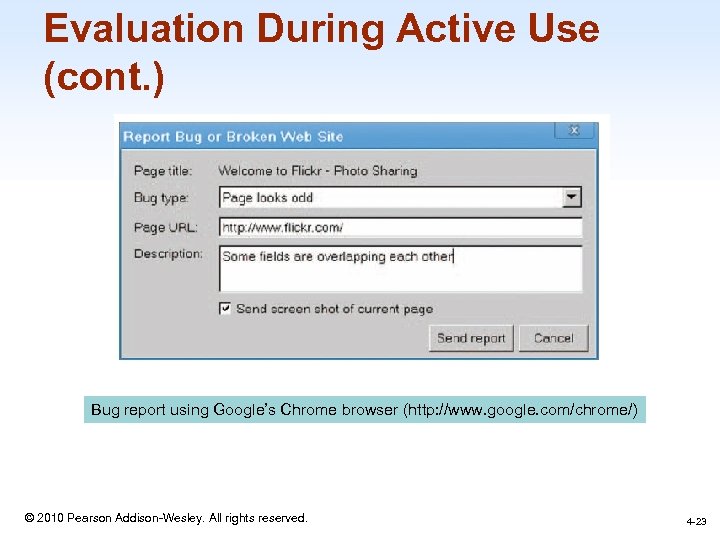 Evaluation During Active Use (cont. ) Bug report using Google’s Chrome browser (http: //www. google. com/chrome/) 1 -23 © 2010 Pearson Addison-Wesley. All rights reserved. 4 -23
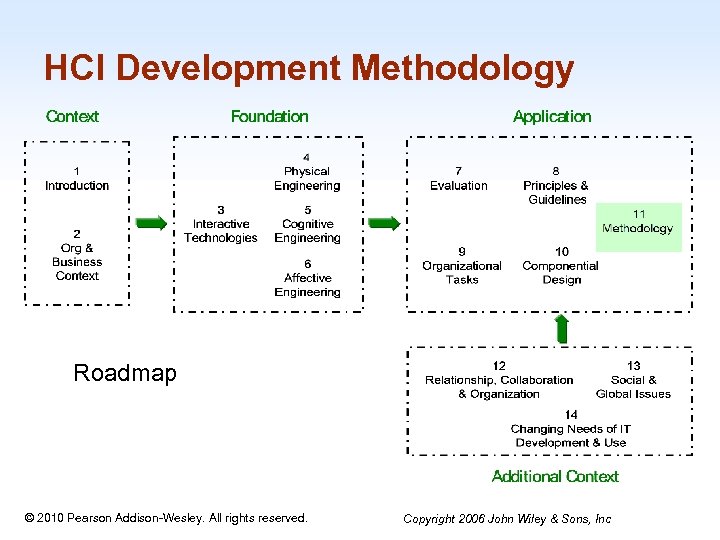 HCI Development Methodology Roadmap 1 -24 © 2010 Pearson Addison-Wesley. All rights reserved. Copyright 2006 John Wiley & Sons, Inc
 Learning Objectives • Understand the role of HCI development in the system development life cycle, (or SDLC). • Understand the relationship and differences between modern systems analysis and design (SA&D) and HCI development activities. • List and discuss the activities and deliverables in different stages in the HCI development methodology. • Connect important concepts, theories, principles, and guidelines to the methodology • Apply the entire methodology to an HCI development project. Copyright 2006 John Wiley & Sons, Inc © 2010 Pearson Addison-Wesley. All rights reserved. 1 -25
 HCI Methodology • System Development Methodology: a standardized development process that defines a set of activities, methods and techniques, best practices, deliverables, and automated tools that systems developers and project managers are to use to develop and continuously improve information systems. Copyright 2006 John Wiley © 2010 Pearson Addison-Wesley. All rights reserved. & Sons, Inc 1 -26
 The Role of HCI Development in SDLC (Systems Development Life Cycle) • System Development Philosophy: follow formal scientific and engineering practice, yet make room for a strong creative element. • The general principles of user-centered systems development include – (1) involving users as much as possible – (2) integrating knowledge and expertise from different disciplines – (3) encouraging high interactivity © 2010 Pearson Addison-Wesley. All rights reserved. Copyright 2006 John Wiley & Sons, Inc 1 -27
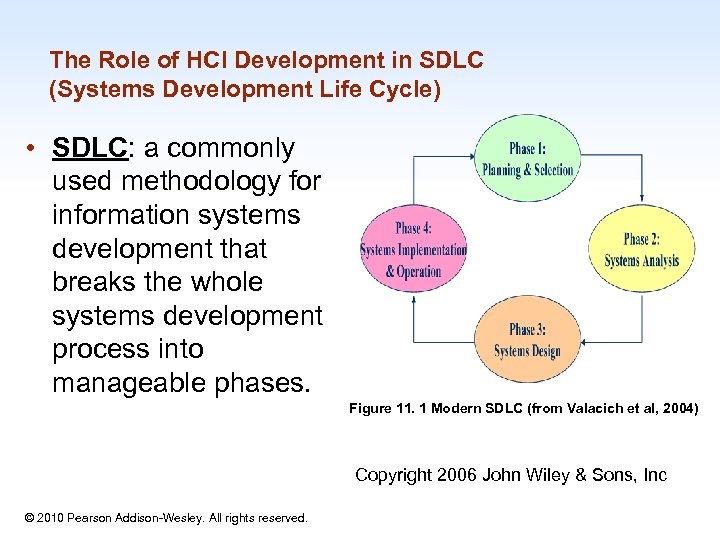 The Role of HCI Development in SDLC (Systems Development Life Cycle) • SDLC: a commonly used methodology for information systems development that breaks the whole systems development process into manageable phases. Figure 11. 1 Modern SDLC (from Valacich et al, 2004) Copyright 2006 John Wiley & Sons, Inc © 2010 Pearson Addison-Wesley. All rights reserved. 1 -28
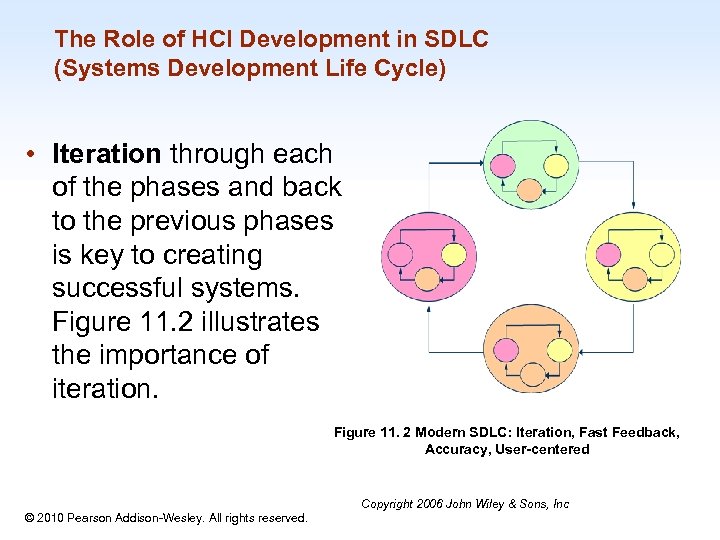 The Role of HCI Development in SDLC (Systems Development Life Cycle) • Iteration through each of the phases and back to the previous phases is key to creating successful systems. Figure 11. 2 illustrates the importance of iteration. Figure 11. 2 Modern SDLC: Iteration, Fast Feedback, Accuracy, User-centered 1 -29 © 2010 Pearson Addison-Wesley. All rights reserved. Copyright 2006 John Wiley & Sons, Inc
 The Human-Centred SDLC Model: HCSDLC • HCSDLC: a human centered systems development methodology where organizational needs and human needs are considered together throughout the systems development life cycle. • The next slide depicts the HCSDLC. The left side (a) is a typical SDLC model while the right side (b) is the HCSDLC model that covers both SA&D and HCI concerns and activities Copyright 2006 John Wiley & Sons, Inc © 2010 Pearson Addison-Wesley. All rights reserved. 1 -30
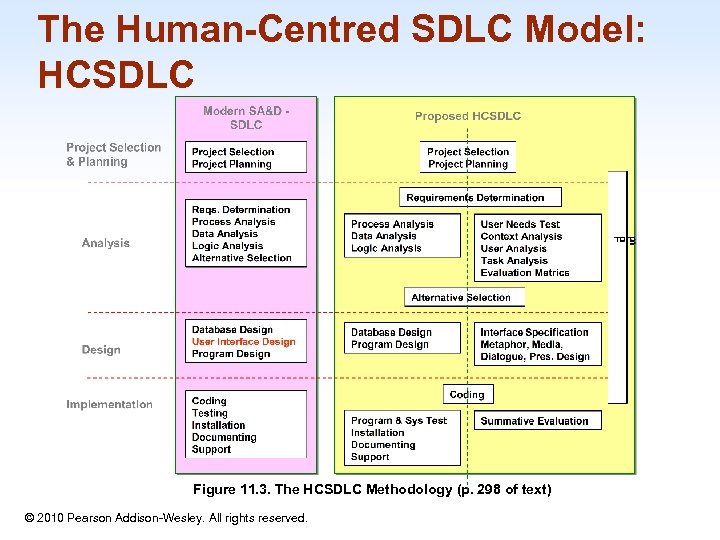 The Human-Centred SDLC Model: HCSDLC Figure 11. 3. The HCSDLC Methodology (p. 298 of text) © 2010 Pearson Addison-Wesley. All rights reserved. 1 -31
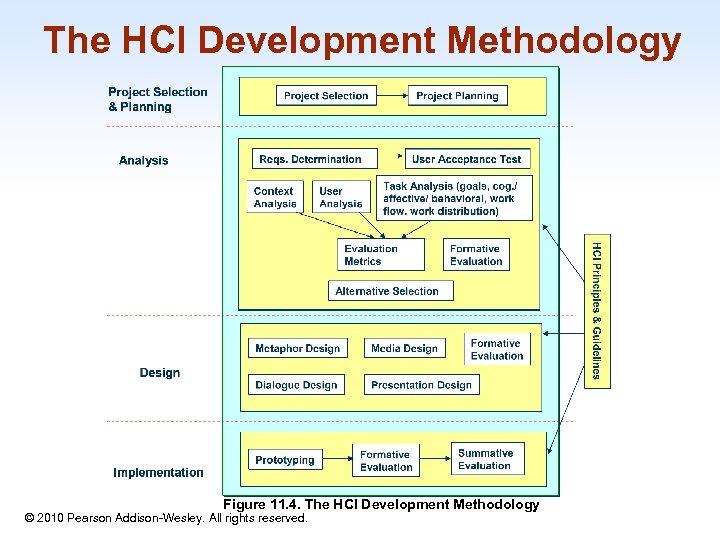 The HCI Development Methodology 1 -32 Figure 11. 4. The HCI Development Methodology © 2010 Pearson Addison-Wesley. All rights reserved.
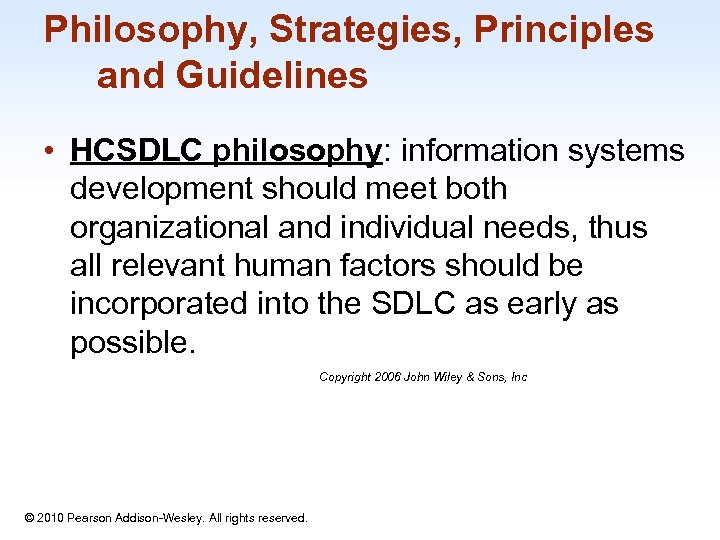 Philosophy, Strategies, Principles and Guidelines • HCSDLC philosophy: information systems development should meet both organizational and individual needs, thus all relevant human factors should be incorporated into the SDLC as early as possible. Copyright 2006 John Wiley & Sons, Inc 1 -33 © 2010 Pearson Addison-Wesley. All rights reserved.
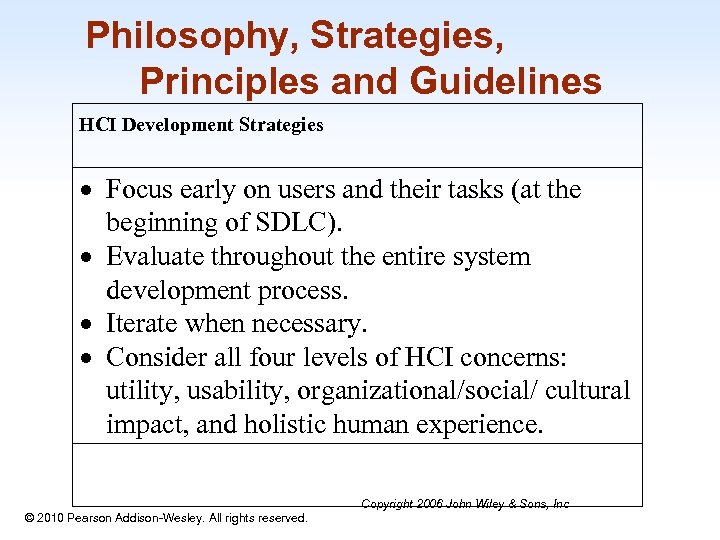 Philosophy, Strategies, Principles and Guidelines HCI Development Strategies Focus early on users and their tasks (at the beginning of SDLC). Evaluate throughout the entire system development process. Iterate when necessary. Consider all four levels of HCI concerns: utility, usability, organizational/social/ cultural impact, and holistic human experience. 1 -34 © 2010 Pearson Addison-Wesley. All rights reserved. Copyright 2006 John Wiley & Sons, Inc
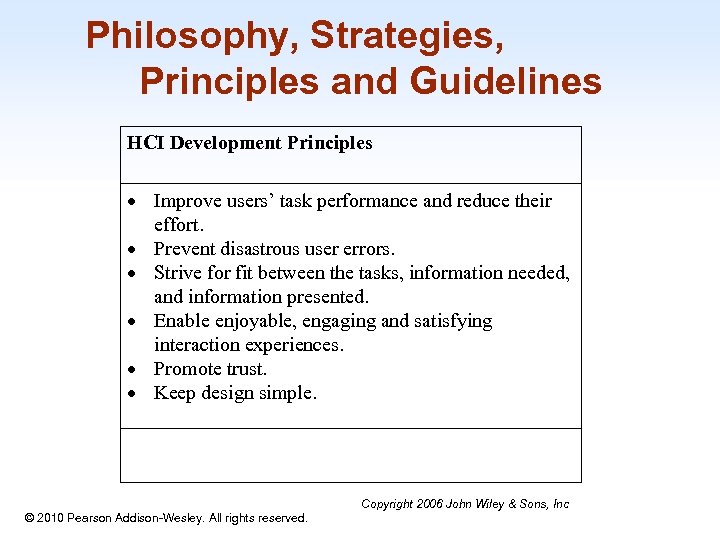 Philosophy, Strategies, Principles and Guidelines HCI Development Principles Improve users’ task performance and reduce their effort. Prevent disastrous user errors. Strive for fit between the tasks, information needed, and information presented. Enable enjoyable, engaging and satisfying interaction experiences. Promote trust. Keep design simple. 1 -35 © 2010 Pearson Addison-Wesley. All rights reserved. Copyright 2006 John Wiley & Sons, Inc
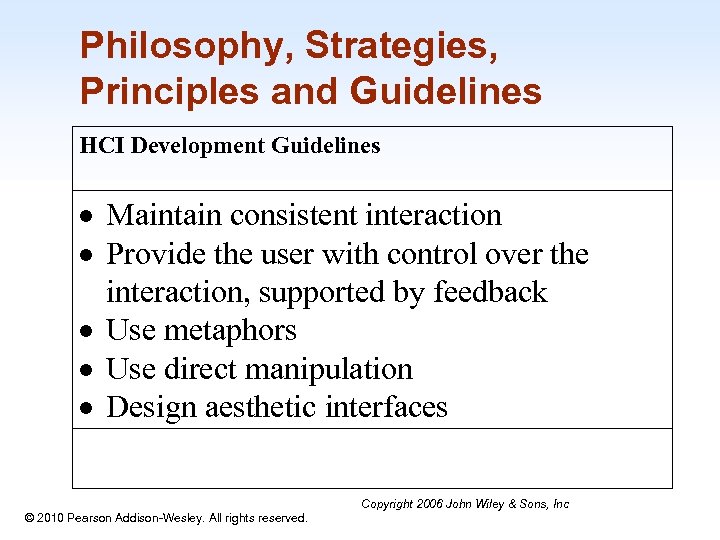 Philosophy, Strategies, Principles and Guidelines HCI Development Guidelines Maintain consistent interaction Provide the user with control over the interaction, supported by feedback Use metaphors Use direct manipulation Design aesthetic interfaces 1 -36 © 2010 Pearson Addison-Wesley. All rights reserved. Copyright 2006 John Wiley & Sons, Inc
 The Project Selection and Planning Phase • Project selection and planning: the first phase in SDLC where – an organization’s total information systems needs are analyzed and arranged, – a potential information systems project is identified, and – an argument for continuing or not continuing with the project is presented. Copyright 2006 John Wiley © 2010 Pearson Addison-Wesley. All rights reserved. & Sons, Inc 1 -37
 The Project Selection and Planning Phase • One important activity during project planning is to assess project feasibility. This is also called a feasibility study. Most feasibility factors fall into the following six categories: – – – Economic or cost-benefit analysis Operational Technical Schedule Legal and contractual Political Copyright 2006 John Wiley & Sons, Inc 1 -38 © 2010 Pearson Addison-Wesley. All rights reserved.
 Context Analysis • Context analysis is a method of looking at the internal and external business environment as it relates to a specific company or department. • Context analysis includes understanding the technical, environmental and social settings where the information systems will be used. • There are four aspects in Context Analysis: • physical context, • technical context, • organizational context, and • social and cultural context. Copyright 2006 John Wiley & Sons, Inc © 2010 Pearson Addison-Wesley. All rights reserved. 1 -39
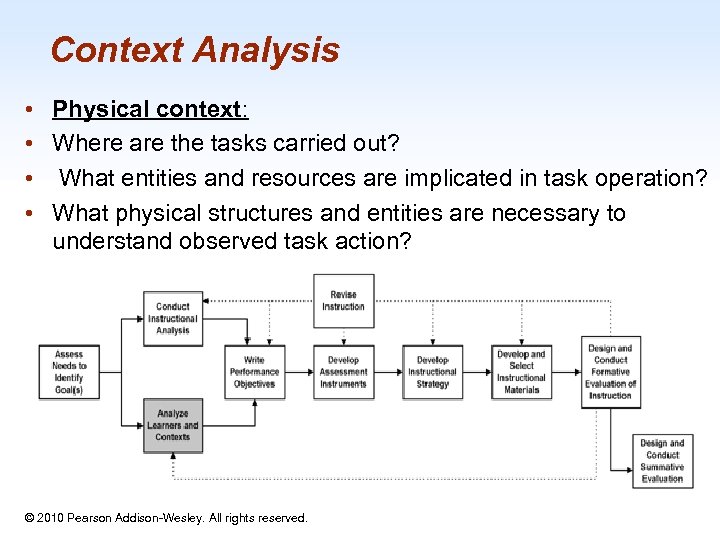 Context Analysis • • Physical context: Where are the tasks carried out? What entities and resources are implicated in task operation? What physical structures and entities are necessary to understand observed task action? 1 -40 © 2010 Pearson Addison-Wesley. All rights reserved.
 Context Analysis • Technical context: • What are the technology infrastructure, platforms, hardware and system software, network/wireless connections? • For example, an E-commerce website may be designed to only allow people with certain browser versions to access. The website may also be designed to allow small screen devices such as PDAs or mobile phones access. Copyright 2006 John Wiley © 2010 Pearson Addison-Wesley. All rights reserved. & Sons, Inc 1 -41
 Context Analysis • Social and cultural context: • What are the social or cultural factors that may affect user attitudes and eventual use of the information system? • Any information system is always part of a larger social system. 1 -42 © 2010 Pearson Addison-Wesley. All rights reserved.
 User Analysis • User Analysis: identifies the target users of the system and their characteristics. • Demographic data • Traits and intelligence • Job or task related factors Copyright 2006 John Wiley © 2010 Pearson Addison-Wesley. All rights reserved. & Sons, Inc 1 -43
 Task analysis • Task Analysis: studies what and how users think and feel when they do things to achieve their goals. • Possible points of analysis in task analysis • User goals and use cases • Cognitive, affective, and behavioral analysis of user tasks • Workflow analysis • General work distribution between users and the website/machine Copyright 2006 John Wiley & Sons, Inc © 2010 Pearson Addison-Wesley. All rights reserved. 1 -44
 Evaluation Metrics • Evaluation Metrics: specifies the expected human-computer interaction goals of the system being designed. There are four types of HCI goals. Copyright 2006 John Wiley © 2010 Pearson Addison-Wesley. All rights reserved. & Sons, Inc 1 -45
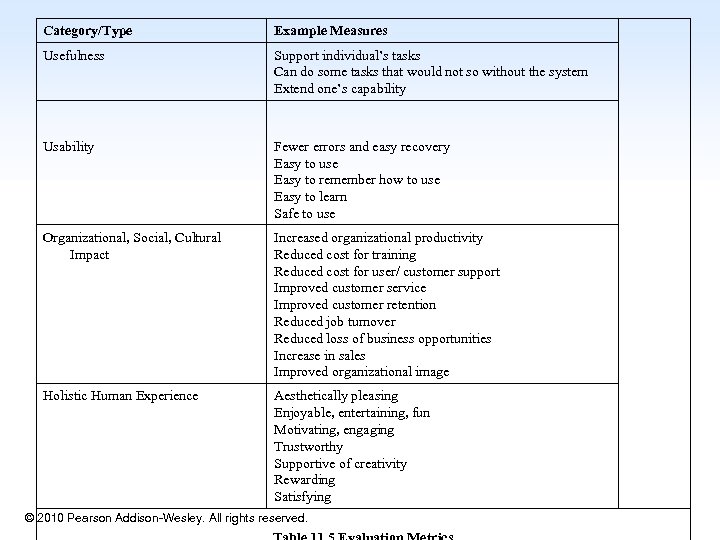 Category/Type Example Measures Usefulness Support individual’s tasks Can do some tasks that would not so without the system Extend one’s capability Usability Fewer errors and easy recovery Easy to use Easy to remember how to use Easy to learn Safe to use Organizational, Social, Cultural Impact Increased organizational productivity Reduced cost for training Reduced cost for user/ customer support Improved customer service Improved customer retention Reduced job turnover Reduced loss of business opportunities Increase in sales Improved organizational image Holistic Human Experience Aesthetically pleasing Enjoyable, entertaining, fun Motivating, engaging Trustworthy Supportive of creativity Rewarding Satisfying © 2010 Pearson Addison-Wesley. All rights reserved. 1 -46
 The Interaction Design Phase • Design: to create or construct the system according to the analysis results. • Interface specification includes semantic understanding of the information needs to support HCI analysis results, and syntactical and lexical decisions including metaphor, media, dialogue, and presentation designs. Copyright 2006 John Wiley & Sons, Inc © 2010 Pearson Addison-Wesley. All rights reserved. 1 -47
 The Interaction Design Phase • Metaphor and visualization design helps the user develop a mental model of the system. • It is concerned with finding or inventing metaphors or analogies that are appropriate for users to understand the entire system or part of it. • There are well accepted metaphors for certain tasks, such as a shopping cart for holding items before checking out in the E-Commerce context, and light bulbs for online help or daily tips in productivity software packages. Sons, Inc Copyright 2006 John Wiley & © 2010 Pearson Addison-Wesley. All rights reserved. 1 -48
 The Interaction Design Phase • Media design is concerned with selecting appropriate media types for meeting the specific information presentation needs and human experience needs. • Popular media types include text, static images (e. g. , painting, drawing or photos), dynamic images (e. g. , video clips and animations), and sound. Copyright 2006 John Wiley & Sons, Inc 1 -49 © 2010 Pearson Addison-Wesley. All rights reserved.
 The Interaction Design Phase • Dialogue design focuses on how information is provided to and captured from users during a specific task. • Dialogues are analogous to a conversation between two people. • Many existing interaction styles, such as menus, form-fill-ins, natural languages, dialog boxes, and direct manipulation, can be used. Copyright 2006 John Wiley © 2010 Pearson Addison-Wesley. All rights reserved. & Sons, Inc 1 -50
 The Interaction Design Phase • Presentation design – maximize visibility; – minimize search time; – provide structure and sequence of display; – focus user attention on key data – comprehended; – provide only relevant information; and – don’t overload user’s working memory. Copyright 2006 John Wiley & Sons, Inc © 2010 Pearson Addison-Wesley. All rights reserved. 1 -51
 Formative Evaluations • Formative evaluations identify defects in designs, thus informing design iterations and refinements. – A number of different formative evaluations can occur several times during the design stage to form final decisions. – In fact, it is strongly recommended that formative evaluations occur during the entire HCI development life cycle Copyright 2006 John Wiley & Sons, Inc © 2010 Pearson Addison-Wesley. All rights reserved. 1 -52
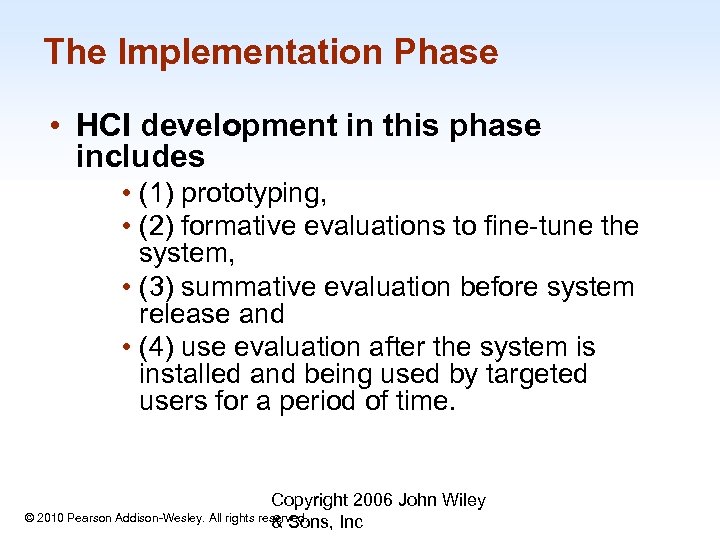 The Implementation Phase • HCI development in this phase includes • (1) prototyping, • (2) formative evaluations to fine-tune the system, • (3) summative evaluation before system release and • (4) use evaluation after the system is installed and being used by targeted users for a period of time. Copyright 2006 John Wiley © 2010 Pearson Addison-Wesley. All rights reserved. & Sons, Inc 1 -53
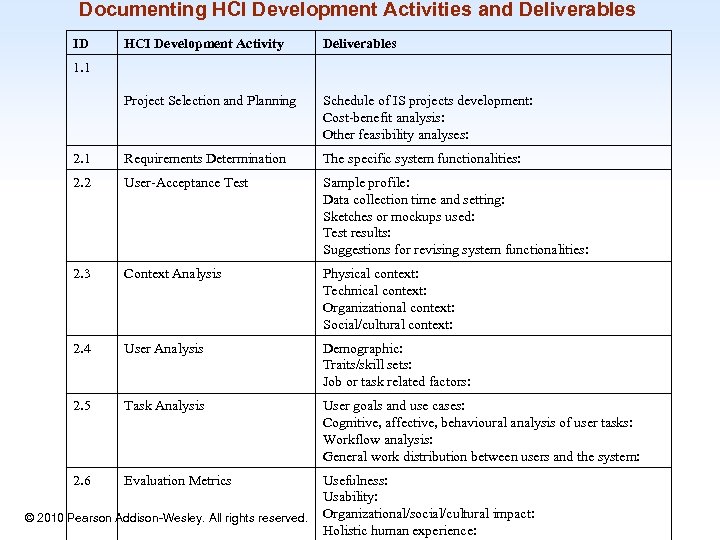 Documenting HCI Development Activities and Deliverables ID HCI Development Activity Deliverables Project Selection and Planning Schedule of IS projects development: Cost-benefit analysis: Other feasibility analyses: 2. 1 Requirements Determination The specific system functionalities: 2. 2 User-Acceptance Test Sample profile: Data collection time and setting: Sketches or mockups used: Test results: Suggestions for revising system functionalities: 2. 3 Context Analysis Physical context: Technical context: Organizational context: Social/cultural context: 2. 4 User Analysis Demographic: Traits/skill sets: Job or task related factors: 2. 5 Task Analysis User goals and use cases: Cognitive, affective, behavioural analysis of user tasks: Workflow analysis: General work distribution between users and the system: 2. 6 Evaluation Metrics 1. 1 Usefulness: Usability: © 2010 Pearson Addison-Wesley. All rights reserved. Organizational/social/cultural impact: Holistic human experience: 1 -54
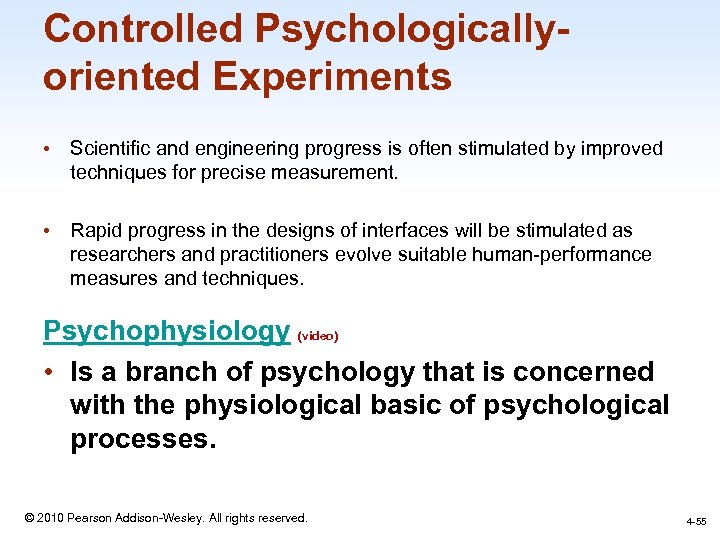 Controlled Psychologicallyoriented Experiments • Scientific and engineering progress is often stimulated by improved techniques for precise measurement. • Rapid progress in the designs of interfaces will be stimulated as researchers and practitioners evolve suitable human-performance measures and techniques. Psychophysiology (video) • Is a branch of psychology that is concerned with the physiological basic of psychological processes. 1 -55 © 2010 Pearson Addison-Wesley. All rights reserved. 4 -55
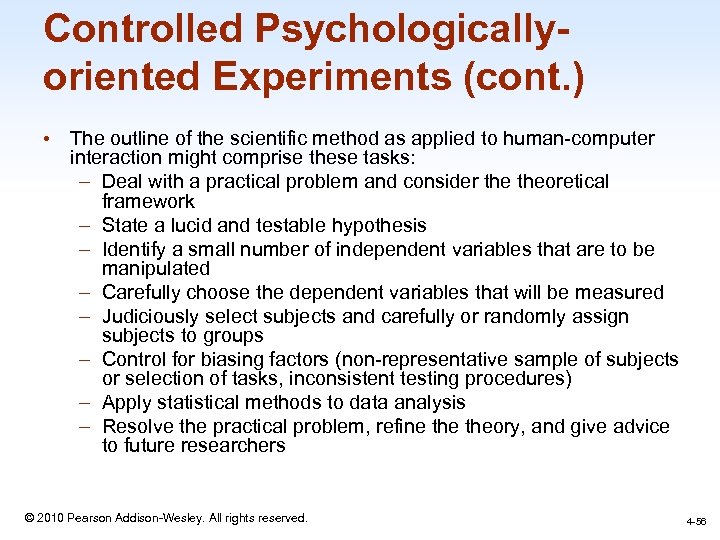 Controlled Psychologicallyoriented Experiments (cont. ) • The outline of the scientific method as applied to human-computer interaction might comprise these tasks: – Deal with a practical problem and consider theoretical framework – State a lucid and testable hypothesis – Identify a small number of independent variables that are to be manipulated – Carefully choose the dependent variables that will be measured – Judiciously select subjects and carefully or randomly assign subjects to groups – Control for biasing factors (non-representative sample of subjects or selection of tasks, inconsistent testing procedures) – Apply statistical methods to data analysis – Resolve the practical problem, refine theory, and give advice to future researchers 1 -56 © 2010 Pearson Addison-Wesley. All rights reserved. 4 -56
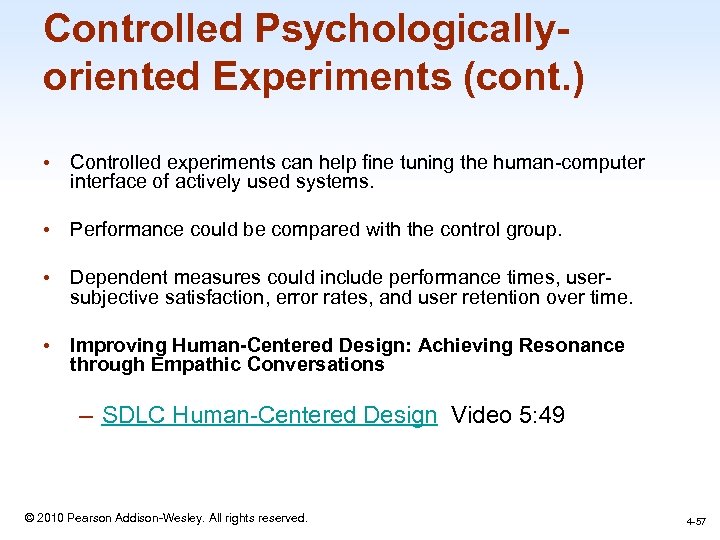 Controlled Psychologicallyoriented Experiments (cont. ) • Controlled experiments can help fine tuning the human-computer interface of actively used systems. • Performance could be compared with the control group. • Dependent measures could include performance times, usersubjective satisfaction, error rates, and user retention over time. • Improving Human-Centered Design: Achieving Resonance through Empathic Conversations – SDLC Human-Centered Design Video 5: 49 1 -57 © 2010 Pearson Addison-Wesley. All rights reserved. 4 -57