


 Скачать презентацию Chapter 2 Instruction Addressing and Execution Lesson
6bb01aee433d25870fbfb27f1001c60b.ppt
- Количество слайдов: 36
 Chapter 2 Instruction Addressing and Execution
 Lesson plan • Review some concepts in the first week • First assembly program with EMU 8086 • Related concepts with the first program: – Loading program – Boot process – Handling the stack
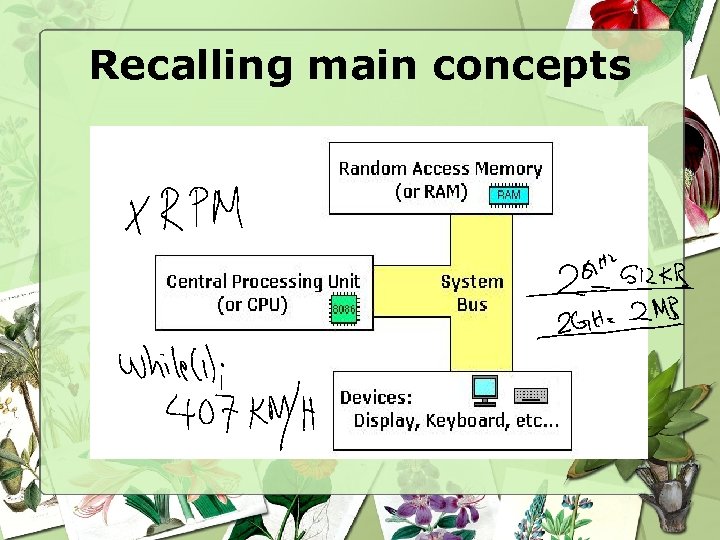 Recalling main concepts
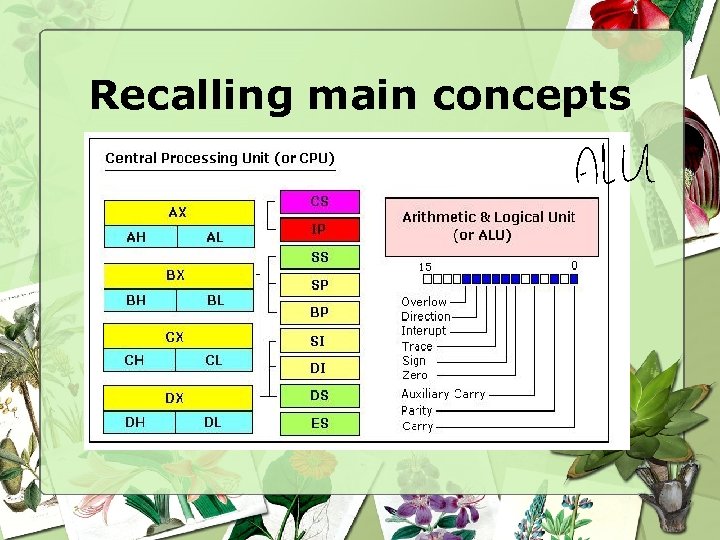 Recalling main concepts
 Recalling main concepts • Segment: special areas defined to contain CODE, DATA and STACK • Paragraph boundary: location evenly divisible by 16 or 10 H
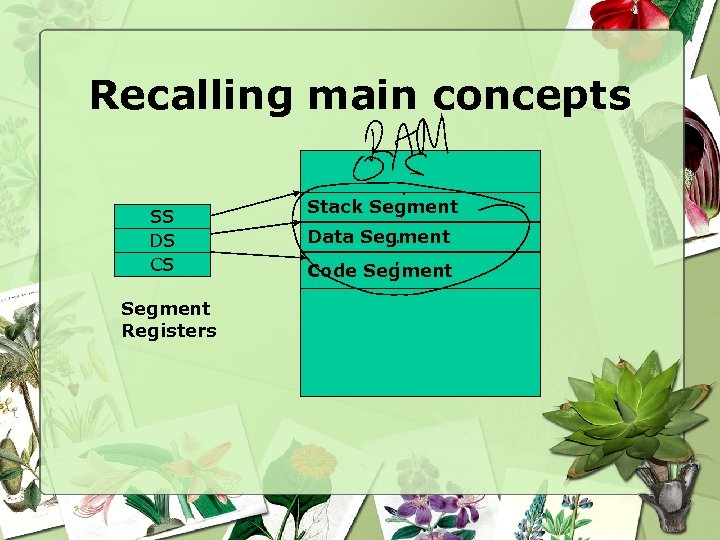 Recalling main concepts SS DS CS Segment Registers Stack Segment Data Segment Code Segment
 Practice • Start EMU 8086 • Type the first assembly language given • Compile: Compile icon • Run: Run icon
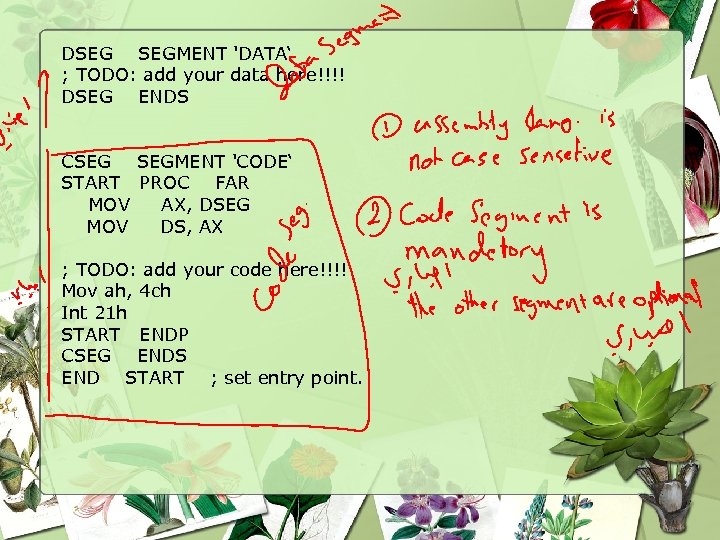 DSEG SEGMENT 'DATA‘ ; TODO: add your data here!!!! DSEG ENDS CSEG SEGMENT 'CODE‘ START PROC FAR MOV AX, DSEG MOV DS, AX ; TODO: add your code here!!!! Mov ah, 4 ch Int 21 h START ENDP CSEG ENDS END START ; set entry point.
 Types of programs • *. COM and *. EXE files – *. COM: consists of one segment containing code, data and stack – *. exe: separate code, data and stack segments
 Loading *. exe program • Access *. exe from disk • 256 -byte Program Segment Prefix (PSP) on a paragraph boundary • Store the program immediately following the PSP • Load address of PSP in the DS & ES • Load code segment in CS, set IP • Load address of the stack to SS, set SP • Transfer control to the program for execution
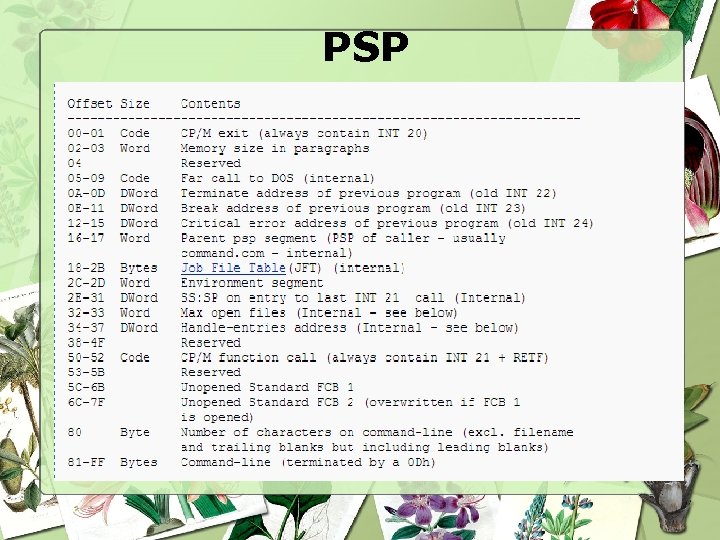 PSP
PSP
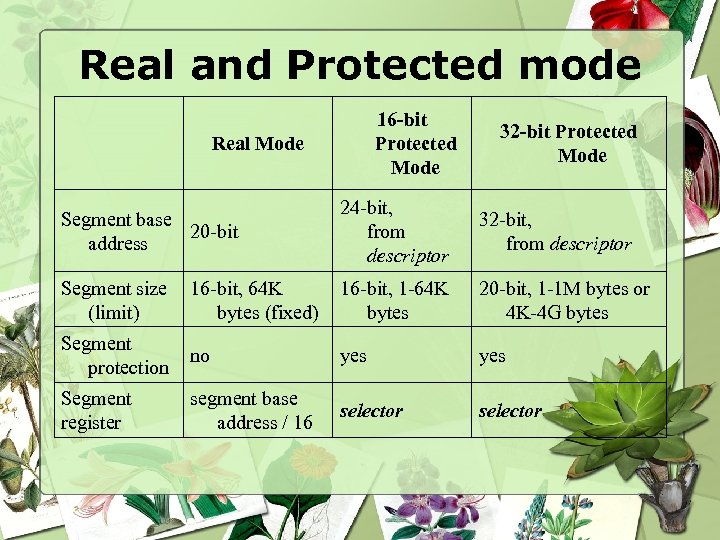 Real and Protected mode 16 -bit Protected Mode Real Mode 32 -bit Protected Mode Segment base 20 -bit address 24 -bit, from descriptor 32 -bit, from descriptor Segment size (limit) 16 -bit, 64 K bytes (fixed) 16 -bit, 1 -64 K bytes 20 -bit, 1 -1 M bytes or 4 K-4 G bytes Segment protection no yes Segment register segment base address / 16 selector
 Protected mode -Is a type of memory utilization, available on Intel 80286 and later -Support: protection: each program is protected from interference from other programs. extended memory : Enables a single program to access more than 640 K of memory. virtual memory : Expands the address space to over 1 GB. Multitasking:
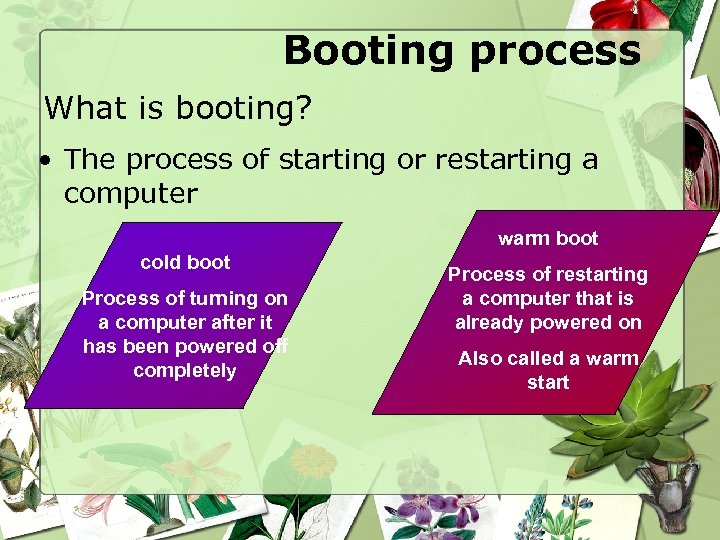 Booting process What is booting? • The process of starting or restarting a computer warm boot cold boot Process of turning on a computer after it has been powered off completely Process of restarting a computer that is already powered on Also called a warm start
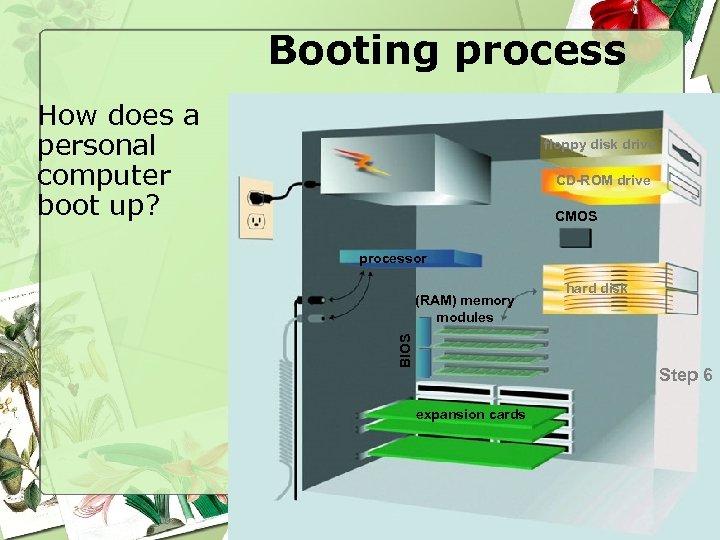 Booting process How does a personal computer boot up? floppy disk drive CD-ROM drive CMOS processor BIOS (RAM) memory modules hard disk Step 6 expansion cards
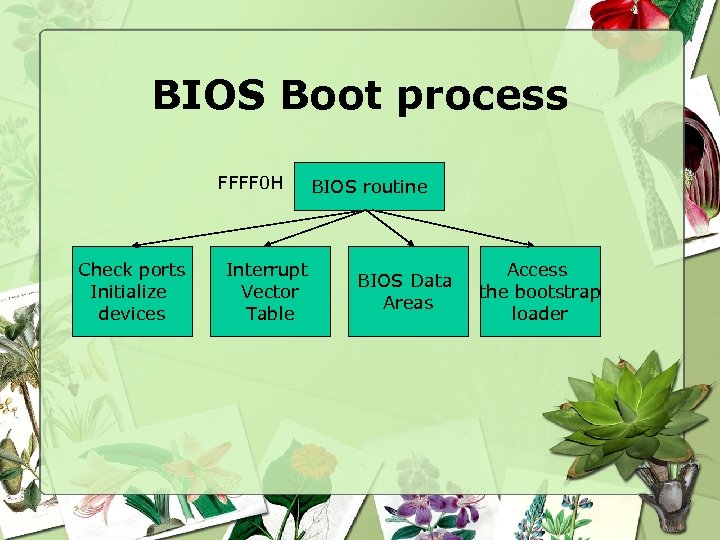 BIOS Boot process FFFF 0 H Check ports Initialize devices Interrupt Vector Table BIOS routine BIOS Data Areas Access the bootstrap loader
 STACK • The word is from data structure • Last In, First Out (LIFO) mechanism • STACK in OS has three main functions: – Contains return address – Data – Content of present registers
 STACK • PUSH – Decrease SP by 2 and store a value there • POP – Return a value from stack and increase SP by 2
 Lesson plan • Review loading an *. exe file • Concept of execution of instructions • Practice: • Execution of instructions
 Loading *. exe file Access *. exe from disk 256 -byte Program Segment Prefix (PSP) on a paragraph boundary Store the program immediately following the PSP Load address of PSP in the DS & ES Load code segment in CS, set IP Load address of the stack to SS, set SP Transfer control to the program for execution
 Loading *. exe file • The sequence of segments (code, data, and stack) is given • SS: contains the address of the beginning of the stack • CS: contains the address of the beginning of the code segment • DS: contains the address of the beginning of the data segment • SP: contains the size of stack
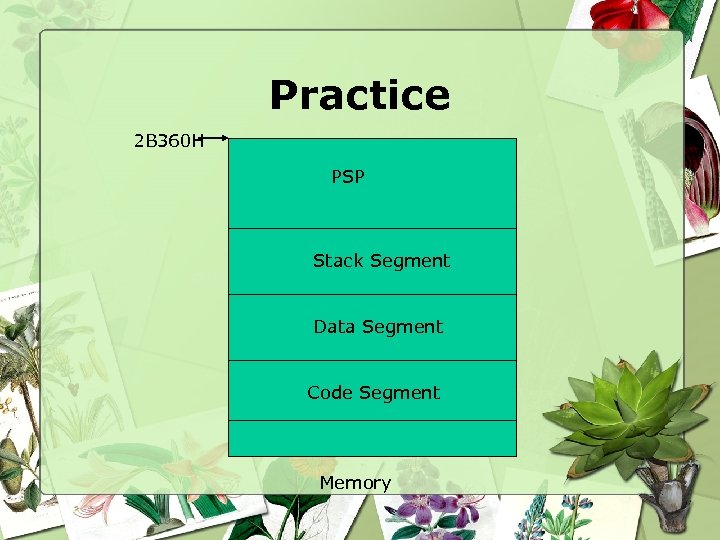 Practice 2 B 360 H PSP Stack Segment Data Segment Code Segment Memory
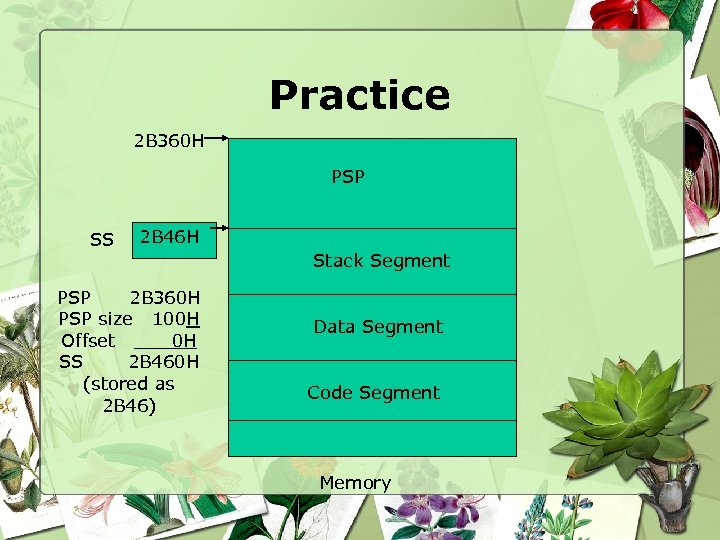 Practice 2 B 360 H PSP SS 2 B 46 H PSP 2 B 360 H PSP size 100 H Offset 0 H SS 2 B 460 H (stored as 2 B 46) Stack Segment Data Segment Code Segment Memory
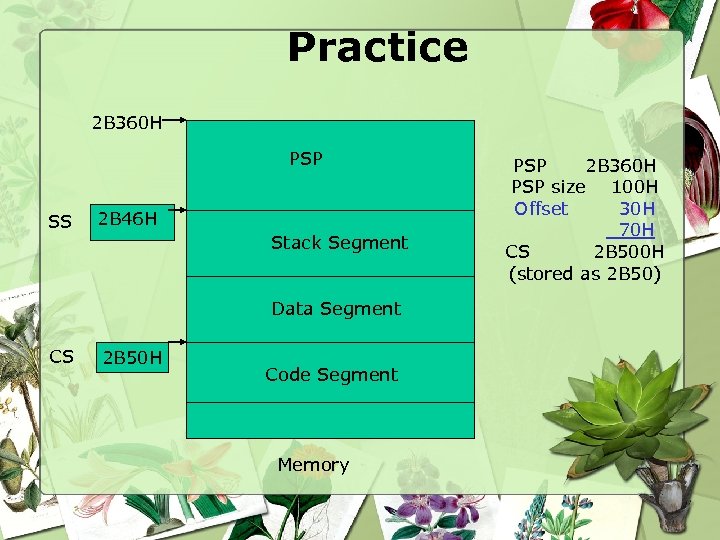 Practice 2 B 360 H PSP SS 2 B 46 H Stack Segment Data Segment CS 2 B 50 H Code Segment Memory PSP 2 B 360 H PSP size 100 H Offset 30 H 70 H CS 2 B 500 H (stored as 2 B 50)
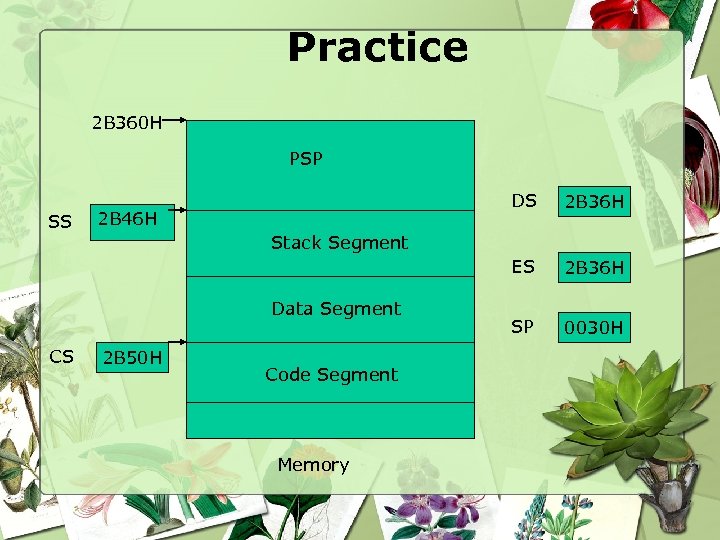 Practice 2 B 360 H PSP 2 B 46 H 2 B 36 H SP 0030 H Stack Segment Data Segment CS 2 B 36 H ES SS DS 2 B 50 H Code Segment Memory
 Instruction Execution and Addressing • Executing an instruction include – Fetch the next instruction, put to a queue (QUEUE: FIFO vs. STACK LIFO) – Decode the instruction – Execute the instruction
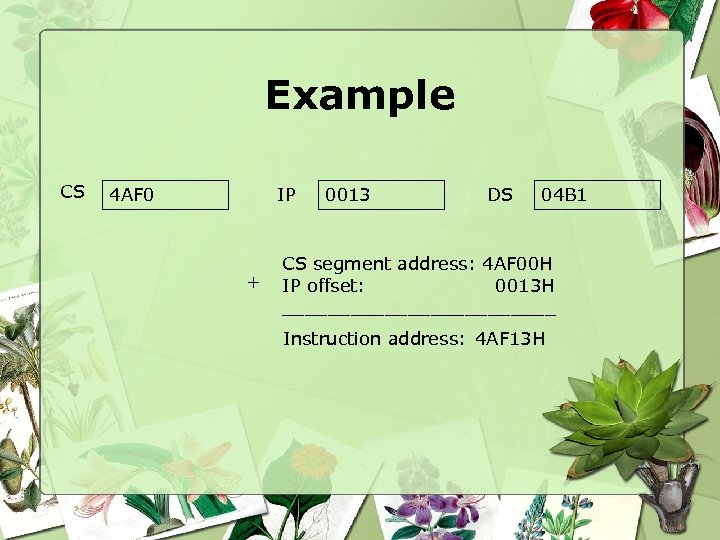 Example CS 4 AF 0 IP + 0013 DS 04 B 1 CS segment address: 4 AF 00 H IP offset: 0013 H ____________ Instruction address: 4 AF 13 H
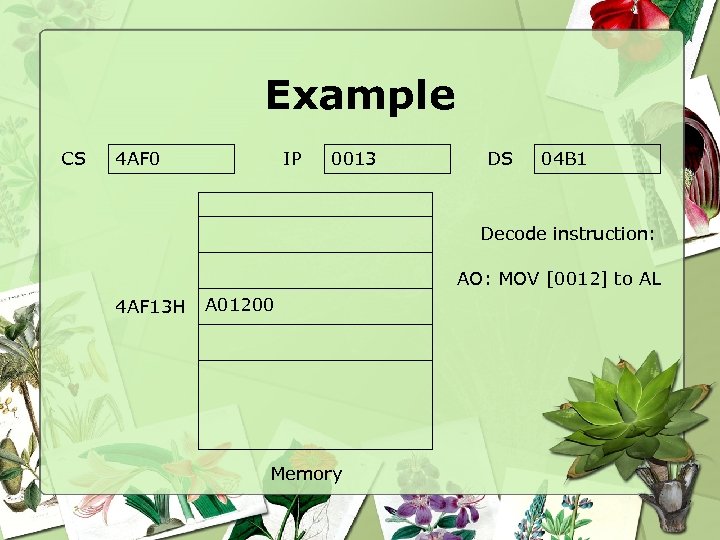 Example CS 4 AF 0 IP 0013 DS 04 B 1 Decode instruction: AO: MOV [0012] to AL 4 AF 13 H A 01200 Memory
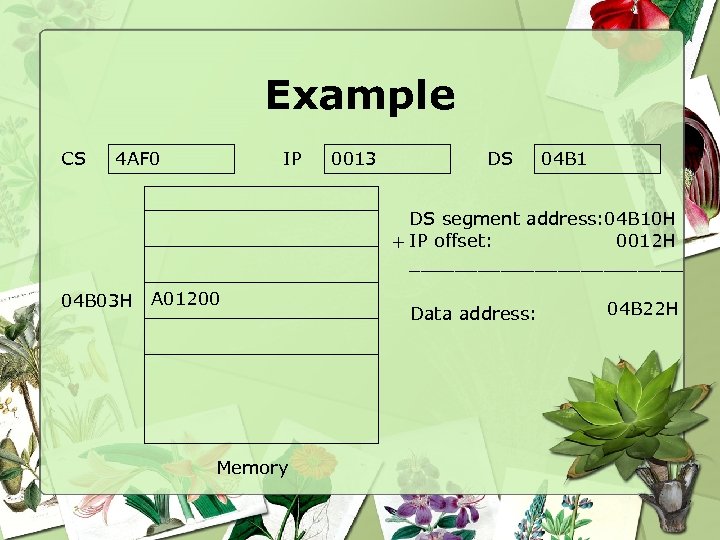 Example CS 4 AF 0 IP 0013 DS 04 B 1 DS segment address: 04 B 10 H 0012 H + IP offset: ____________ 04 B 03 H A 01200 Memory Data address: 04 B 22 H
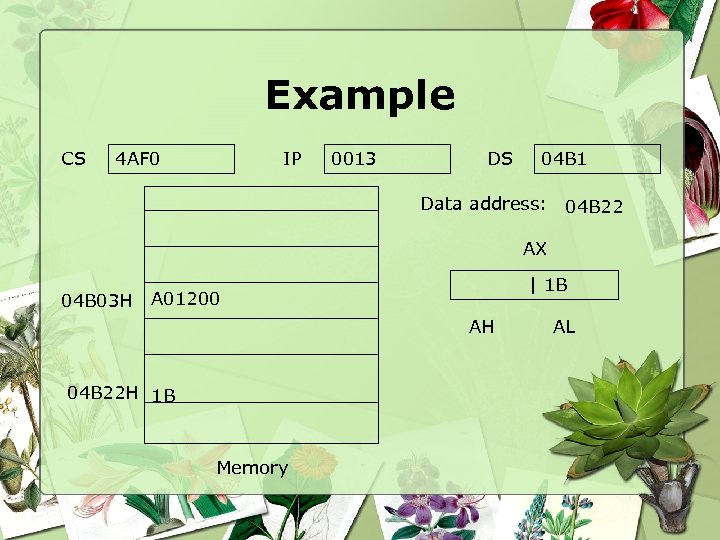 Example CS 4 AF 0 IP 0013 DS 04 B 1 Data address: 04 B 22 AX 04 B 03 H | 1 B A 01200 AH 04 B 22 H 1 B Memory AL
 Practice • Viewing memory location using DEBUG At DOS prompt, type: DEBUG • Checking Serial and parallel port: D 40: 00 • Checking system equipment D 40: 10
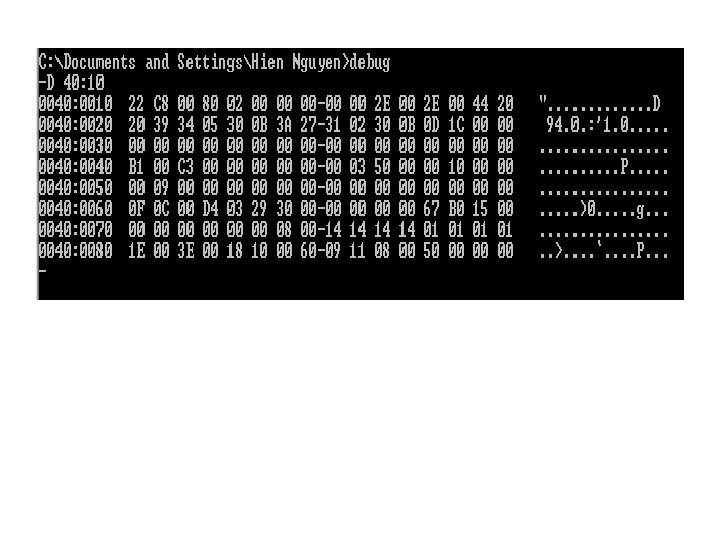 Practice • Viewing memory location using DEBUG At DOS prompt, type: DEBUG • Checking Serial and parallel port: D 40: 00 • Checking system equipment D 40: 10
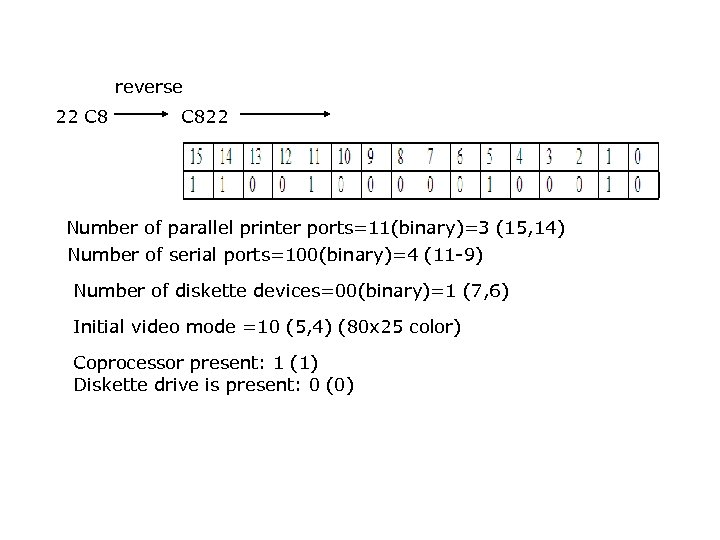 reverse 22 C 822 Practice • Viewing memory location using DEBUG At DOS prompt, type: DEBUG Number of parallel printer ports=11(binary)=3 (15, 14) Number of serial Serial and parallel • Checking ports=100(binary)=4 (11 -9) port: Number of diskette devices=00(binary)=1 (7, 6) D 40: 00 Initial video mode =10 (5, 4) (80 x 25 color) • Checking system equipment Coprocessor present: 1 (1) D 40: 10 Diskette drive is present: 0 (0)
 Practice (cont. ) • Checking the keyboard status – D 40: 17 (With Numlock and Caplock) • Checking video status – D 40: 49 – D 40: 84
 Practice (cont. ) • Checking copyright notice & serial number – D FE 00: 0 • Checking ROM BIOS date D FFFF: 5
 Practice (cont. ) Running the first assembly program step by step using EMU 8086