 Скачать презентацию Chapter 2 An Introduction to Objects and
f8b2ba001dc6f90c9fd2a25afe783c14.ppt
- Количество слайдов: 199



Chapter 2 – An Introduction to Objects and Classes Big Java by Cay Horstmann Copyright © 2009 by John Wiley & Sons. All rights reserved.
Chapter Goals • To learn about variables • To understand the concepts of classes and objects • To be able to call methods • To learn about parameters and return values • To be able to browse the API documentation T To implement test programs • To understand the difference between objects and object references G To write programs that display simple shapes Big Java by Cay Horstmann Copyright © 2009 by John Wiley & Sons. All rights reserved.
• • ศพทเทคนคทตองเขาใจ Uninitialized Variables Overloaded Method Accessor and Mutator Methods String Methods • Parameter: an input to a method – Implicit parameter: – Explicit parameters: • Constructing Objects • Object References • Copying Object References • ตวอยางคลาส – Drawing Cars – Alien Face – Bank. Account Big Java by Cay Horstmann Copyright © 2009 by John Wiley & Sons. All rights reserved.
Types • A type defines a set of values and the operations that can be carried out on the values • Examples: • 13 has type int • "Hello, World" has type String • System. out has type Print. Stream • Java has separate types for integers and floating-point numbers • The double type denotes floating-point numbers • A value such as 13 or 1. 3 that occurs in a Java program is called a number literal Big Java by Cay Horstmann Copyright © 2009 by John Wiley & Sons. All rights reserved.
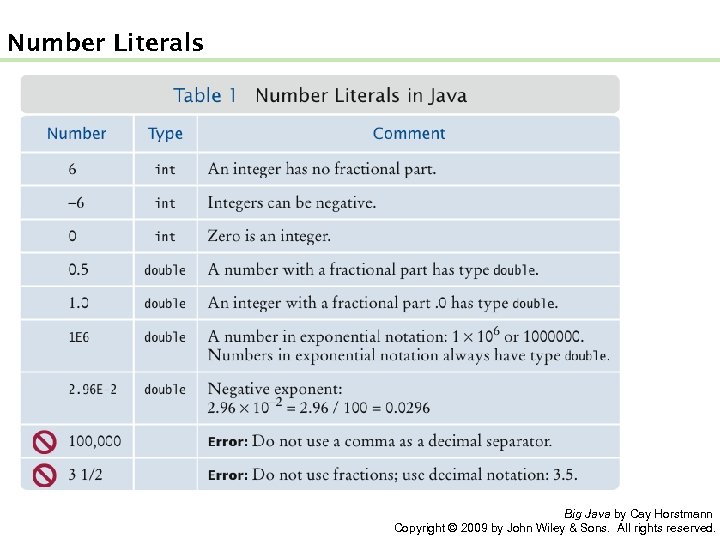
Number Literals Big Java by Cay Horstmann Copyright © 2009 by John Wiley & Sons. All rights reserved.
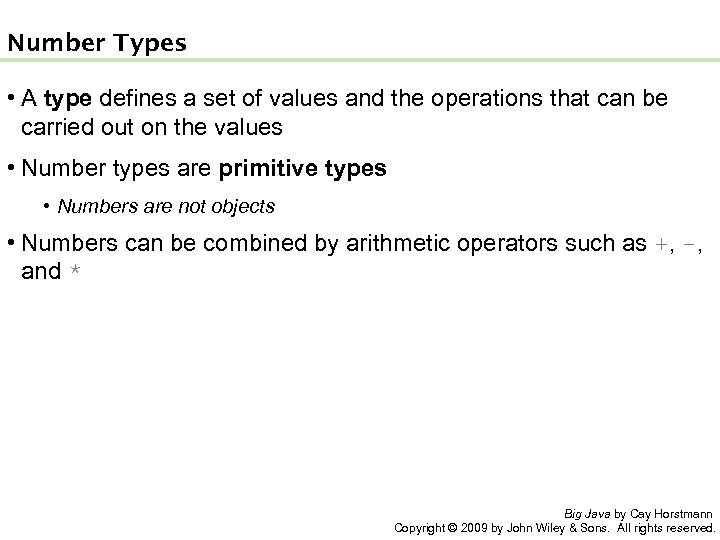
Number Types • A type defines a set of values and the operations that can be carried out on the values • Number types are primitive types • Numbers are not objects • Numbers can be combined by arithmetic operators such as +, -, and * Big Java by Cay Horstmann Copyright © 2009 by John Wiley & Sons. All rights reserved.
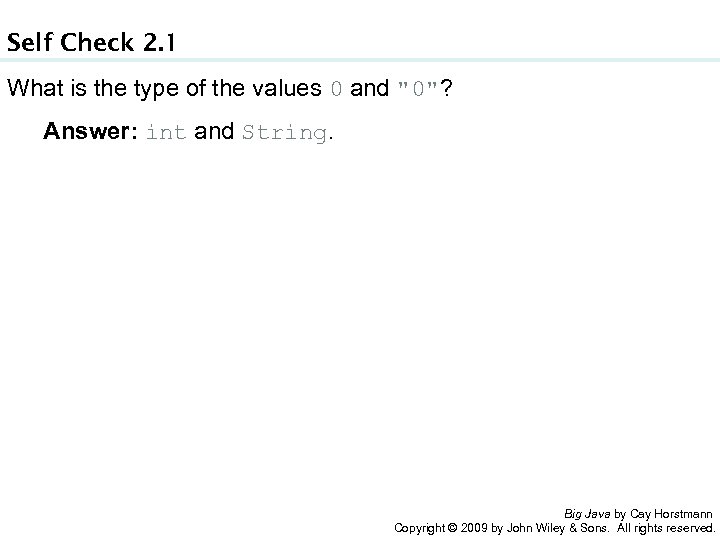
Self Check 2. 1 What is the type of the values 0 and "0"? Answer: int and String. Big Java by Cay Horstmann Copyright © 2009 by John Wiley & Sons. All rights reserved.
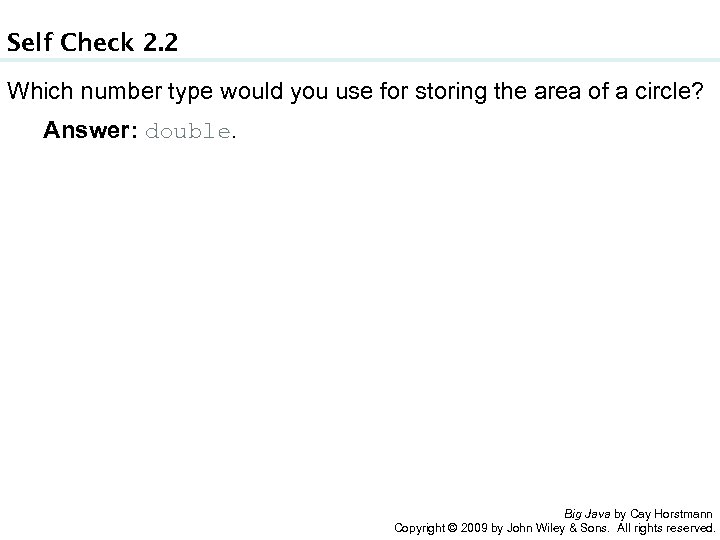
Self Check 2. 2 Which number type would you use for storing the area of a circle? Answer: double. Big Java by Cay Horstmann Copyright © 2009 by John Wiley & Sons. All rights reserved.
Self Check 2. 3 Why is the expression 13. println() an error? Answer: An int is not an object, and you cannot call a method on it. Big Java by Cay Horstmann Copyright © 2009 by John Wiley & Sons. All rights reserved.
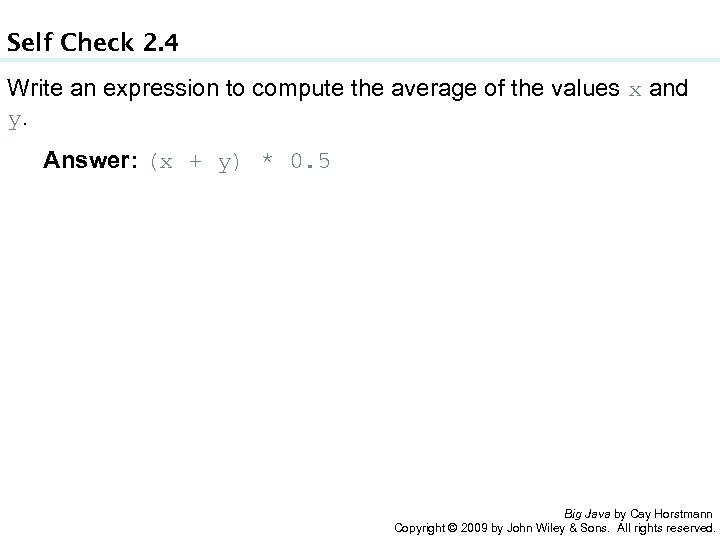
Self Check 2. 4 Write an expression to compute the average of the values x and y. Answer: (x + y) * 0. 5 Big Java by Cay Horstmann Copyright © 2009 by John Wiley & Sons. All rights reserved.
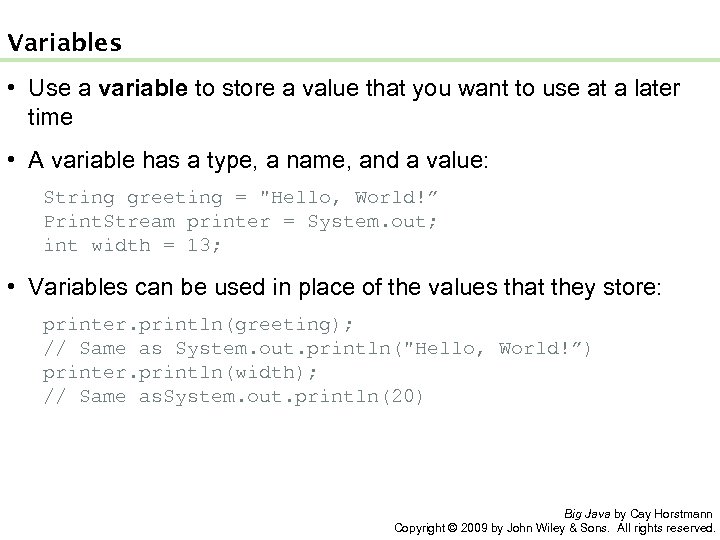
Variables • Use a variable to store a value that you want to use at a later time • A variable has a type, a name, and a value: String greeting = "Hello, World!” Print. Stream printer = System. out; int width = 13; • Variables can be used in place of the values that they store: printer. println(greeting); // Same as System. out. println("Hello, World!”) printer. println(width); // Same as. System. out. println(20) Big Java by Cay Horstmann Copyright © 2009 by John Wiley & Sons. All rights reserved.
Variables • It is an error to store a value whose type does not match the type of the variable: String greeting = 20; // ERROR: Types don’t match Big Java by Cay Horstmann Copyright © 2009 by John Wiley & Sons. All rights reserved.
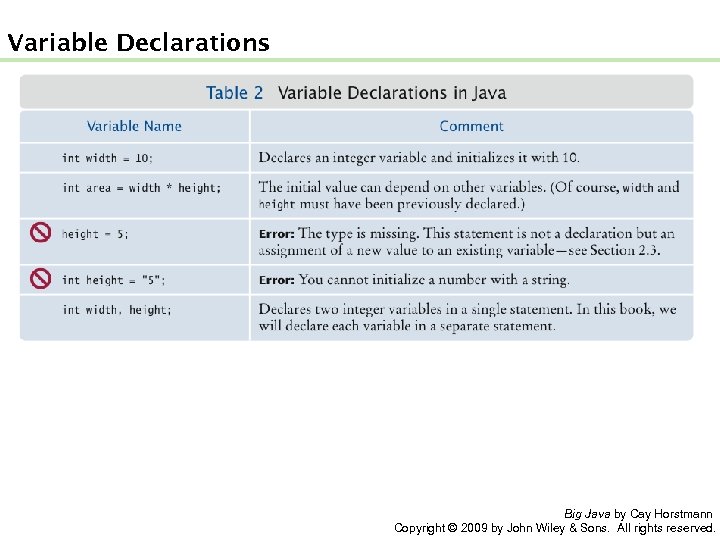
Variable Declarations Big Java by Cay Horstmann Copyright © 2009 by John Wiley & Sons. All rights reserved.
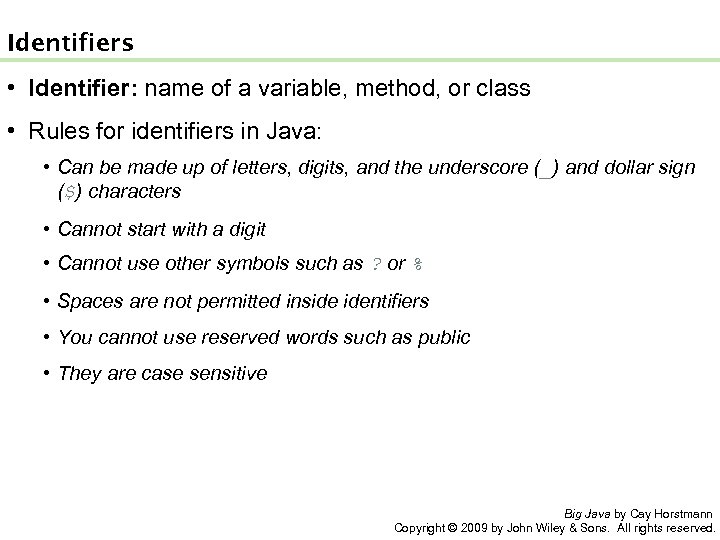
Identifiers • Identifier: name of a variable, method, or class • Rules for identifiers in Java: • Can be made up of letters, digits, and the underscore (_) and dollar sign ($) characters • Cannot start with a digit • Cannot use other symbols such as ? or % • Spaces are not permitted inside identifiers • You cannot use reserved words such as public • They are case sensitive Big Java by Cay Horstmann Copyright © 2009 by John Wiley & Sons. All rights reserved.
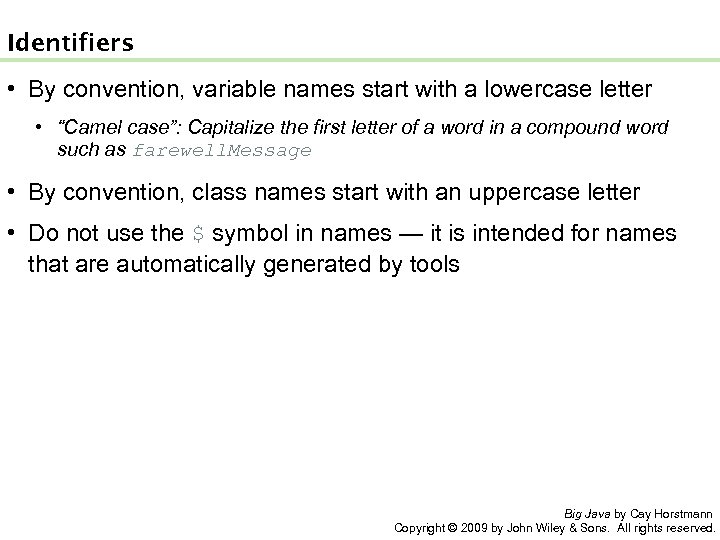
Identifiers • By convention, variable names start with a lowercase letter • “Camel case”: Capitalize the first letter of a word in a compound word such as farewell. Message • By convention, class names start with an uppercase letter • Do not use the $ symbol in names — it is intended for names that are automatically generated by tools Big Java by Cay Horstmann Copyright © 2009 by John Wiley & Sons. All rights reserved.
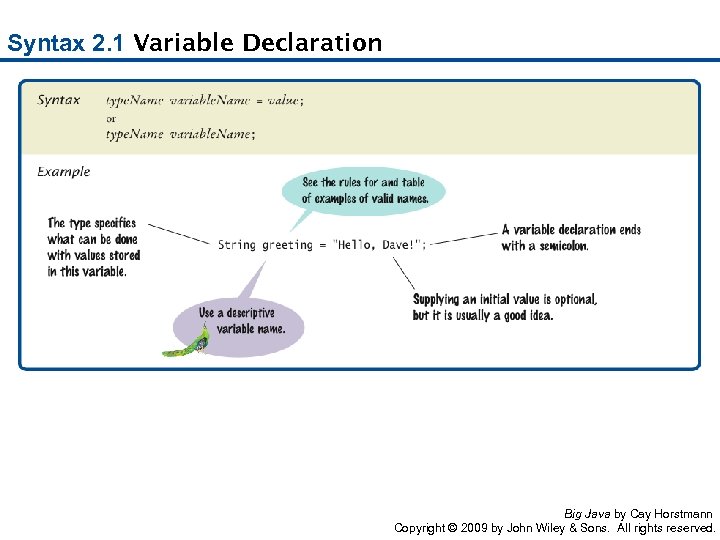
Syntax 2. 1 Variable Declaration Big Java by Cay Horstmann Copyright © 2009 by John Wiley & Sons. All rights reserved.
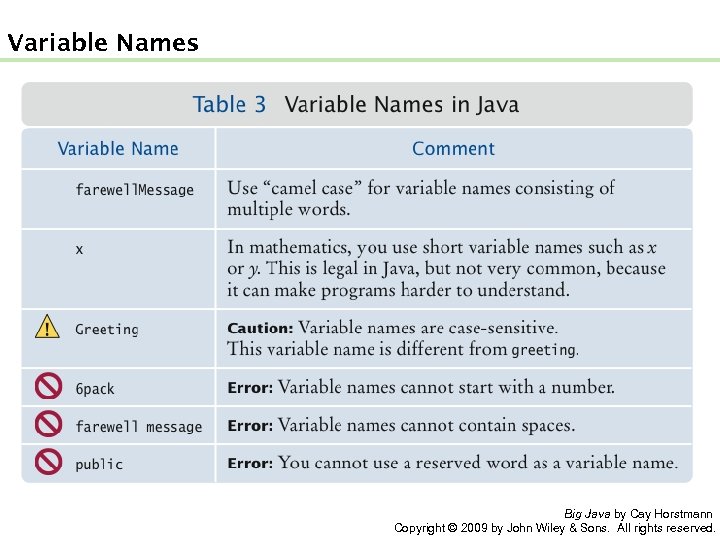
Variable Names Big Java by Cay Horstmann Copyright © 2009 by John Wiley & Sons. All rights reserved.
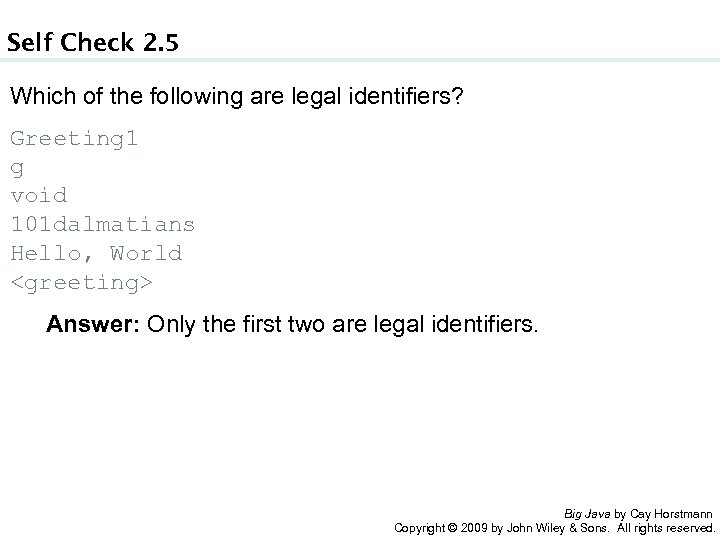
Self Check 2. 5 Which of the following are legal identifiers? Greeting 1 g void 101 dalmatians Hello, World <greeting> Answer: Only the first two are legal identifiers. Big Java by Cay Horstmann Copyright © 2009 by John Wiley & Sons. All rights reserved.
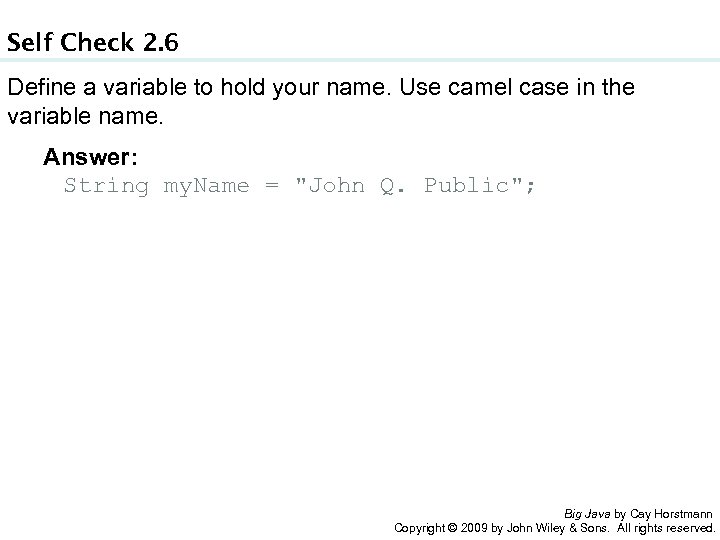
Self Check 2. 6 Define a variable to hold your name. Use camel case in the variable name. Answer: String my. Name = "John Q. Public"; Big Java by Cay Horstmann Copyright © 2009 by John Wiley & Sons. All rights reserved.
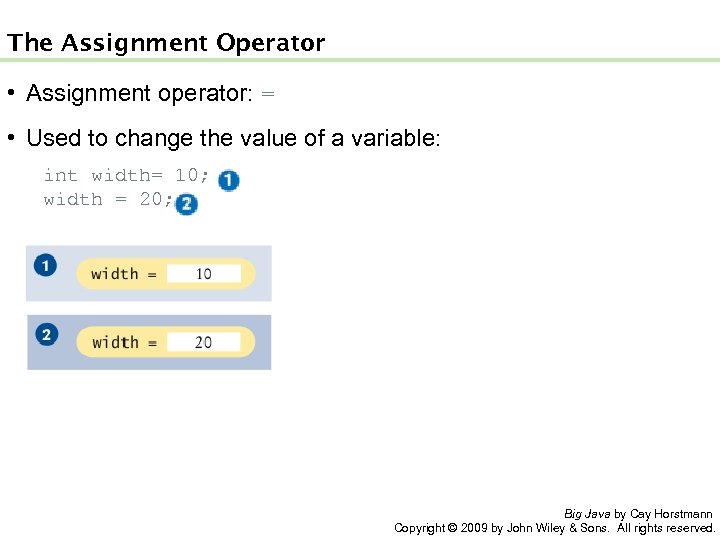
The Assignment Operator • Assignment operator: = • Used to change the value of a variable: int width= 10; width = 20; Big Java by Cay Horstmann Copyright © 2009 by John Wiley & Sons. All rights reserved.
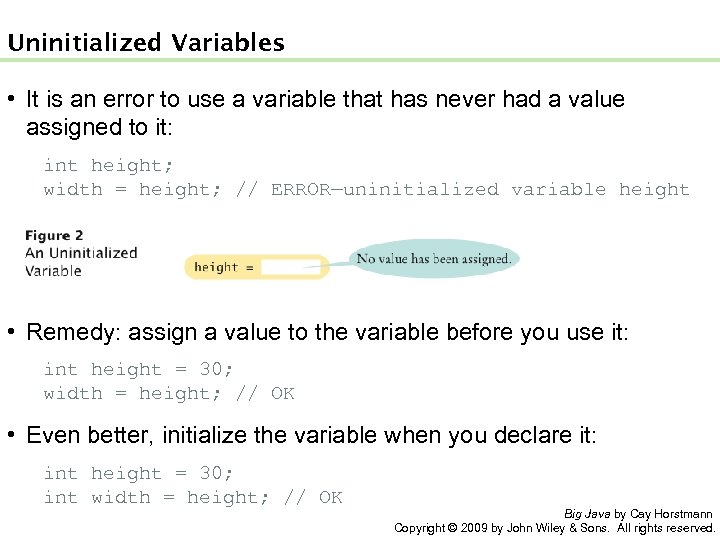
Uninitialized Variables • It is an error to use a variable that has never had a value assigned to it: int height; width = height; // ERROR—uninitialized variable height • Remedy: assign a value to the variable before you use it: int height = 30; width = height; // OK • Even better, initialize the variable when you declare it: int height = 30; int width = height; // OK Big Java by Cay Horstmann Copyright © 2009 by John Wiley & Sons. All rights reserved.
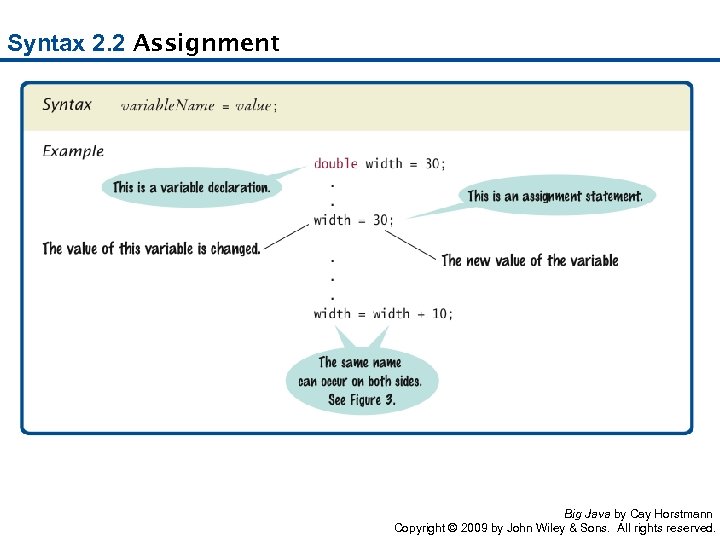
Syntax 2. 2 Assignment Big Java by Cay Horstmann Copyright © 2009 by John Wiley & Sons. All rights reserved.
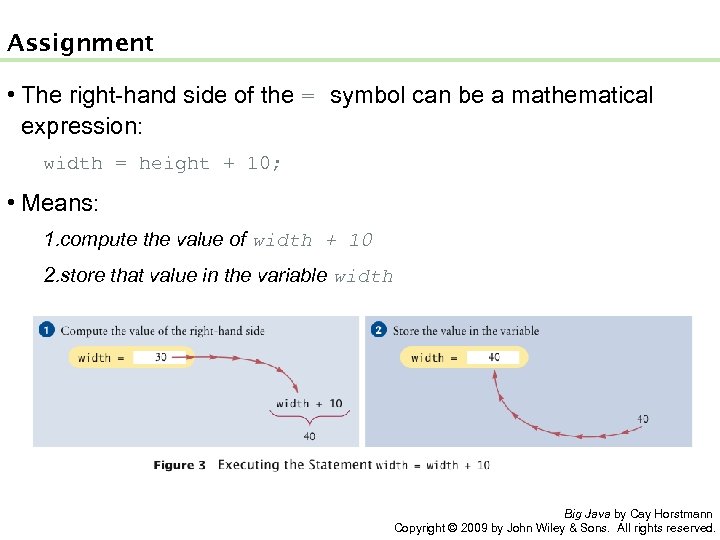
Assignment • The right-hand side of the = symbol can be a mathematical expression: width = height + 10; • Means: 1. compute the value of width + 10 2. store that value in the variable width Big Java by Cay Horstmann Copyright © 2009 by John Wiley & Sons. All rights reserved.
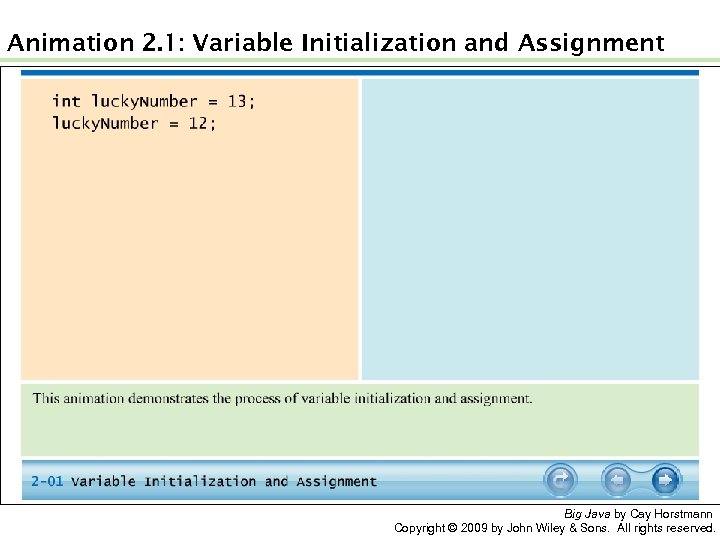
Animation 2. 1: Variable Initialization and Assignment Big Java by Cay Horstmann Copyright © 2009 by John Wiley & Sons. All rights reserved.
Self Check 2. 7 Is 12 = 12 a valid expression in the Java language? Answer: No, the left-hand side of the = operator must be a variable. Big Java by Cay Horstmann Copyright © 2009 by John Wiley & Sons. All rights reserved.
Self Check 2. 8 How do you change the value of the greeting variable to "Hello, Nina!"? Answer: greeting = "Hello, Nina!"; Note that String greeting = "Hello, Nina!"; is not the right answer – that statement defines a new variable. Big Java by Cay Horstmann Copyright © 2009 by John Wiley & Sons. All rights reserved.
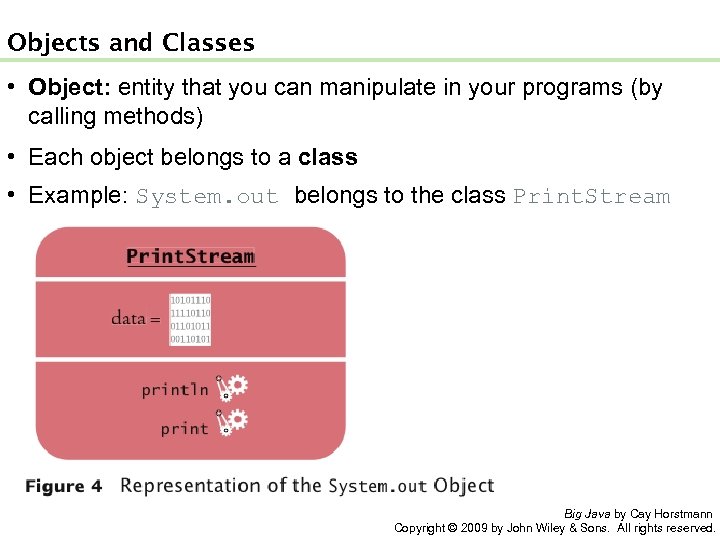
Objects and Classes • Object: entity that you can manipulate in your programs (by calling methods) • Each object belongs to a class • Example: System. out belongs to the class Print. Stream Big Java by Cay Horstmann Copyright © 2009 by John Wiley & Sons. All rights reserved.
Methods • Method: sequence of instructions that accesses the data of an object • You manipulate objects by calling its methods • Class: declares the methods that you can apply to its objects • Class determines legal methods: String greeting = "Hello"; greeting. println() // Error greeting. length() // OK • Public Interface: specifies what you can do with the objects of a class Big Java by Cay Horstmann Copyright © 2009 by John Wiley & Sons. All rights reserved.
Overloaded Method • Overloaded method: when a class declares two methods with the same name, but different parameters • Example: the Print. Stream class declares a second method, also called println, as public void println(int output) Big Java by Cay Horstmann Copyright © 2009 by John Wiley & Sons. All rights reserved.
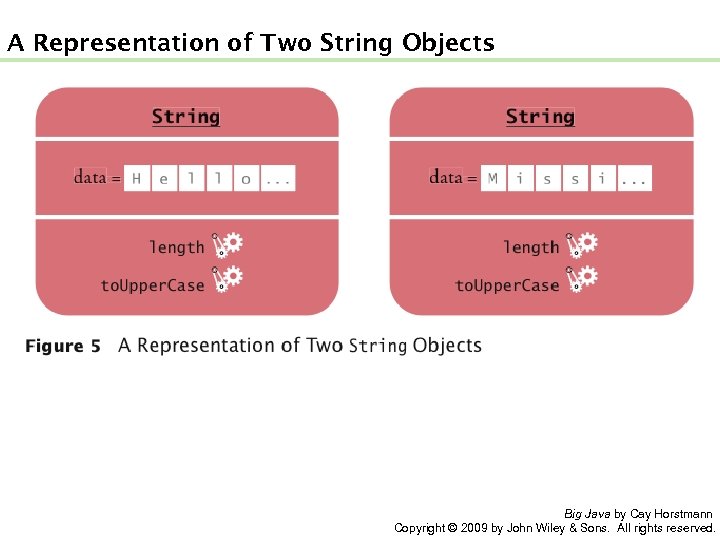
A Representation of Two String Objects Big Java by Cay Horstmann Copyright © 2009 by John Wiley & Sons. All rights reserved.
String Methods • length: counts the number of characters in a string: String greeting = "Hello, World!"; int n = greeting. length(); // sets n to 13 • to. Upper. Case: creates another String object that contains the characters of the original string, with lowercase letters converted to uppercase: String river = "Mississippi"; String big. River = river. to. Upper. Case(); // sets big. River to "MISSISSIPPI" • When applying a method to an object, make sure method is defined in the appropriate class: System. out. length(); // This method call is an error Big Java by Cay Horstmann Copyright © 2009 by John Wiley & Sons. All rights reserved.
Self Check 2. 9 How can you compute the length of the string "Mississippi"? Answer: river. length() or "Mississippi". length() Big Java by Cay Horstmann Copyright © 2009 by John Wiley & Sons. All rights reserved.
Self Check 2. 10 How can you print out the uppercase version of "Hello, World!"? Answer: System. out. println(greeting. to. Upper. Case()); Big Java by Cay Horstmann Copyright © 2009 by John Wiley & Sons. All rights reserved.
Self Check 2. 11 Is it legal to call river. println()? Why or why not? Answer: It is not legal. The variable river has type String. The println method is not a method of the String class. Big Java by Cay Horstmann Copyright © 2009 by John Wiley & Sons. All rights reserved.
Parameters • Parameter: an input to a method • Implicit parameter: the object on which a method is invoked: System. out. println(greeting) • Explicit parameters: all parameters except the implicit parameter: System. out. println(greeting) • Not all methods have explicit parameters: greeting. length() // has no explicit parameter Big Java by Cay Horstmann Copyright © 2009 by John Wiley & Sons. All rights reserved.
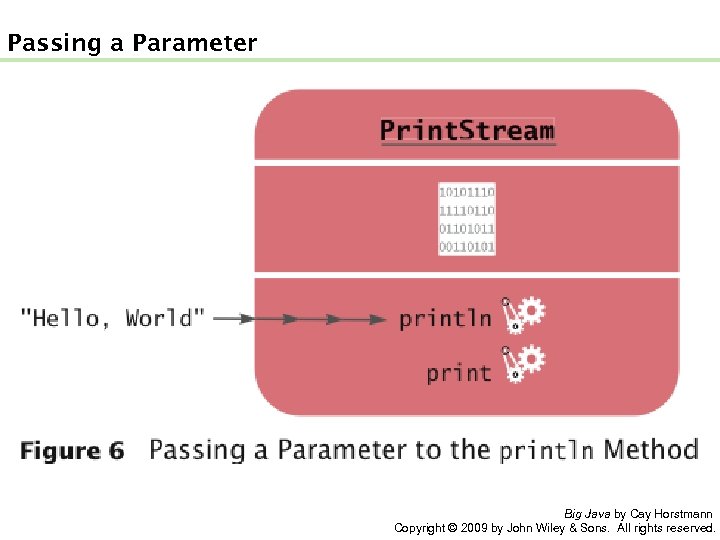
Passing a Parameter Big Java by Cay Horstmann Copyright © 2009 by John Wiley & Sons. All rights reserved.
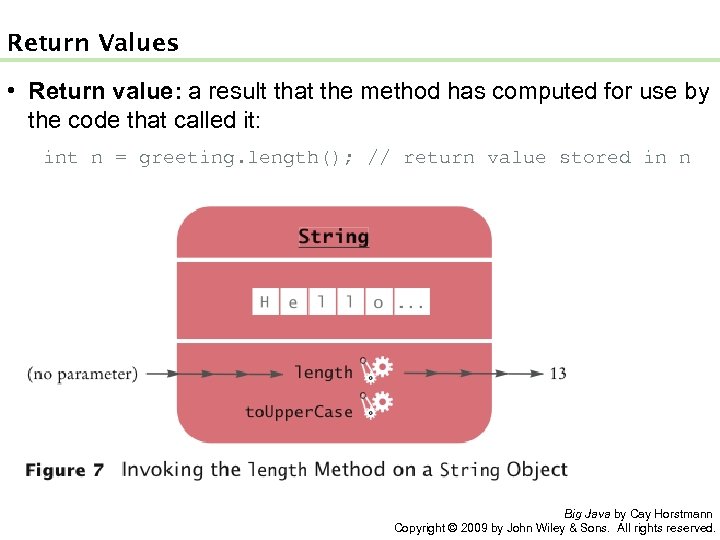
Return Values • Return value: a result that the method has computed for use by the code that called it: int n = greeting. length(); // return value stored in n Big Java by Cay Horstmann Copyright © 2009 by John Wiley & Sons. All rights reserved.
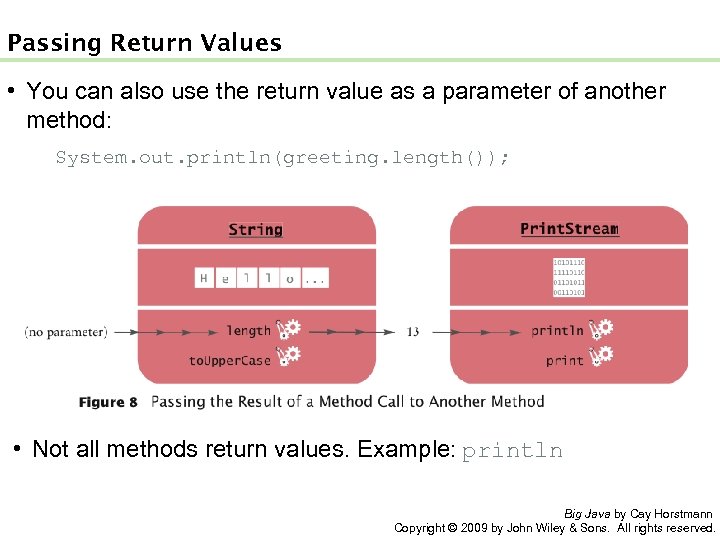
Passing Return Values • You can also use the return value as a parameter of another method: System. out. println(greeting. length()); • Not all methods return values. Example: println Big Java by Cay Horstmann Copyright © 2009 by John Wiley & Sons. All rights reserved.
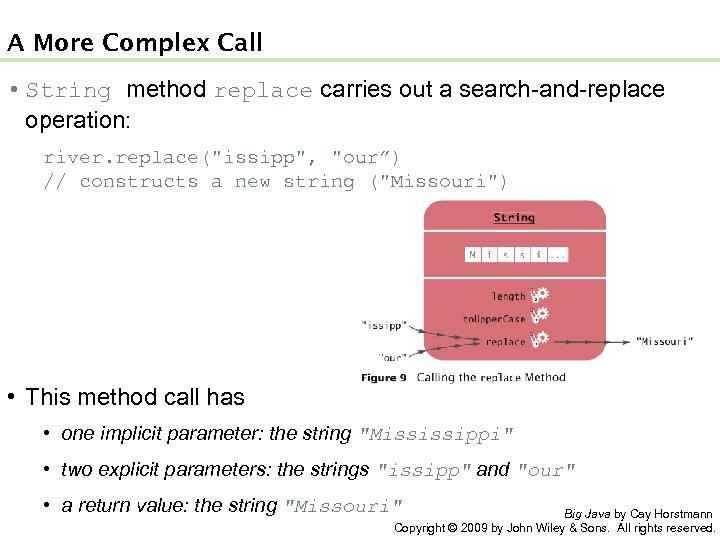
A More Complex Call • String method replace carries out a search-and-replace operation: river. replace("issipp", "our”) // constructs a new string ("Missouri") • This method call has • one implicit parameter: the string "Mississippi" • two explicit parameters: the strings "issipp" and "our" • a return value: the string "Missouri" Big Java by Cay Horstmann Copyright © 2009 by John Wiley & Sons. All rights reserved.
Animation 2. 2: Parameter Passing Big Java by Cay Horstmann Copyright © 2009 by John Wiley & Sons. All rights reserved.
Self Check 2. 12 What are the implicit parameters, explicit parameters, and return values in the method call river. length()? Answer: The implicit parameter is river. There is no explicit parameter. The return value is 11. Big Java by Cay Horstmann Copyright © 2009 by John Wiley & Sons. All rights reserved.
Self Check 2. 13 What is the result of the call river. replace("p", "s")? Answer: "Missississi". Big Java by Cay Horstmann Copyright © 2009 by John Wiley & Sons. All rights reserved.
Self Check 2. 14 What is the result of the call greeting. replace("World", "Dave"). length()? Answer: 12. Big Java by Cay Horstmann Copyright © 2009 by John Wiley & Sons. All rights reserved.
Self Check 2. 15 How is the to. Upper. Case method defined in the String class? Answer: As public String to. Upper. Case(), with no explicit parameter and return type String. Big Java by Cay Horstmann Copyright © 2009 by John Wiley & Sons. All rights reserved.
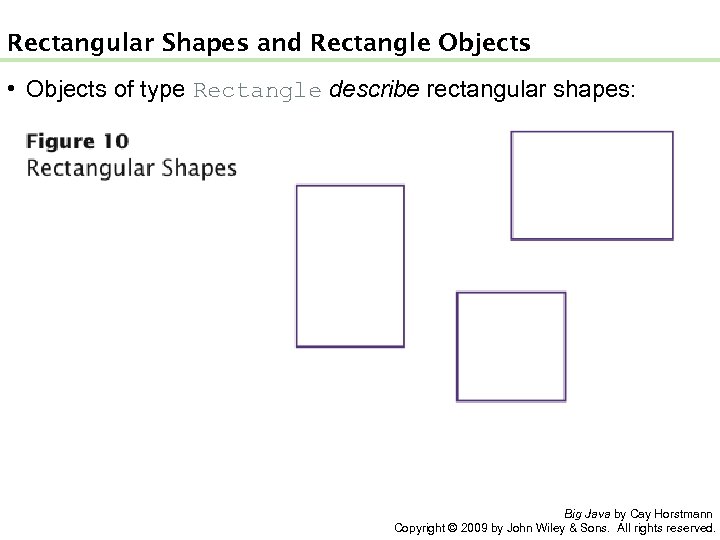
Rectangular Shapes and Rectangle Objects • Objects of type Rectangle describe rectangular shapes: Big Java by Cay Horstmann Copyright © 2009 by John Wiley & Sons. All rights reserved.
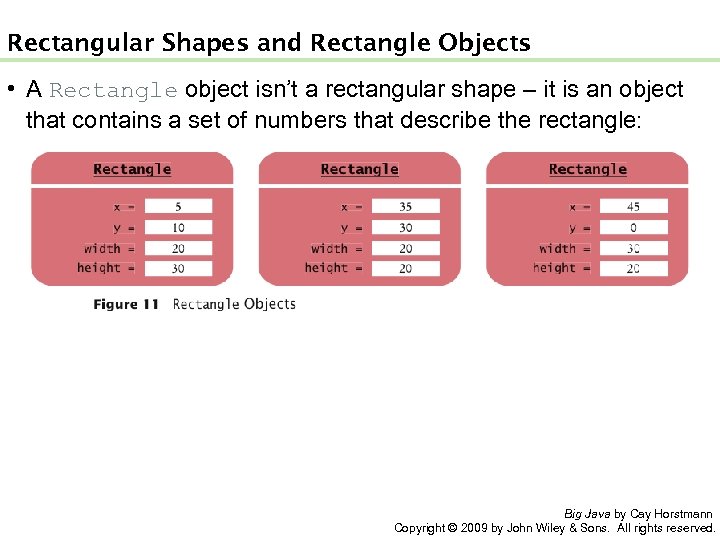
Rectangular Shapes and Rectangle Objects • A Rectangle object isn’t a rectangular shape – it is an object that contains a set of numbers that describe the rectangle: Big Java by Cay Horstmann Copyright © 2009 by John Wiley & Sons. All rights reserved.
Constructing Objects new Rectangle(5, 10, 20, 30) • Detail: 1. The new operator makes a Rectangle object 2. It uses the parameters (in this case, 5, 10, 20, and 30) to initialize the data of the object 3. It returns the object • Usually the output of the new operator is stored in a variable: Rectangle box = new Rectangle(5, 10, 20, 30); Big Java by Cay Horstmann Copyright © 2009 by John Wiley & Sons. All rights reserved.
Constructing Objects • Construction: the process of creating a new object • The four values 5, 10, 20, and 30 are called the construction parameters • Some classes let you construct objects in multiple ways: new Rectangle() // constructs a rectangle with its top-left corner // at the origin (0, 0), width 0, and height 0 Big Java by Cay Horstmann Copyright © 2009 by John Wiley & Sons. All rights reserved.
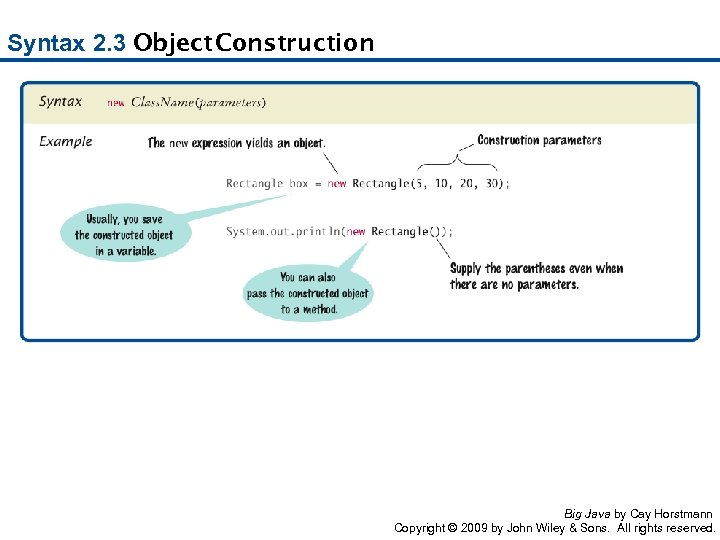
Syntax 2. 3 Object Construction Big Java by Cay Horstmann Copyright © 2009 by John Wiley & Sons. All rights reserved.
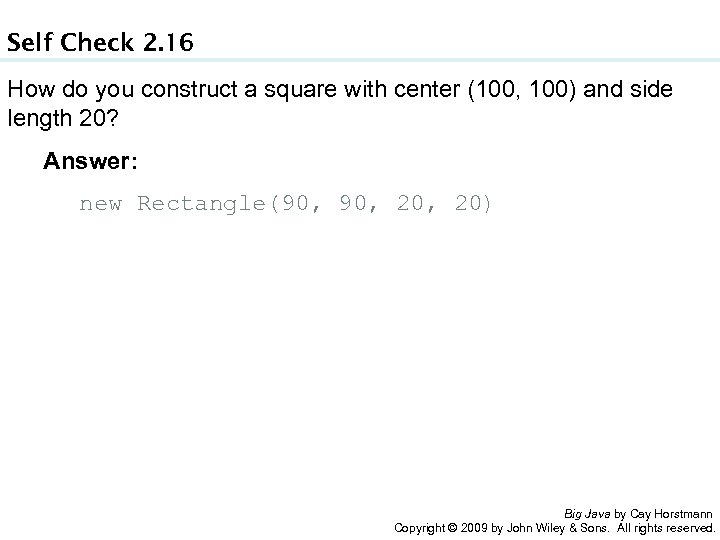
Self Check 2. 16 How do you construct a square with center (100, 100) and side length 20? Answer: new Rectangle(90, 20, 20) Big Java by Cay Horstmann Copyright © 2009 by John Wiley & Sons. All rights reserved.
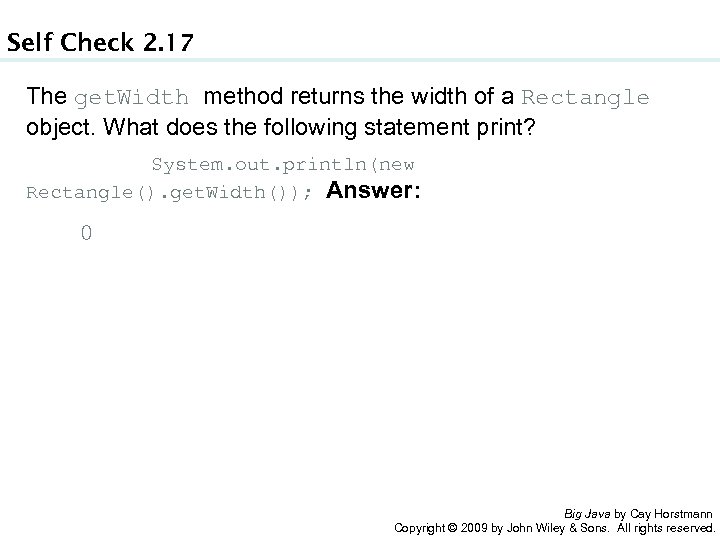
Self Check 2. 17 The get. Width method returns the width of a Rectangle object. What does the following statement print? System. out. println(new Rectangle(). get. Width()); Answer: 0 Big Java by Cay Horstmann Copyright © 2009 by John Wiley & Sons. All rights reserved.
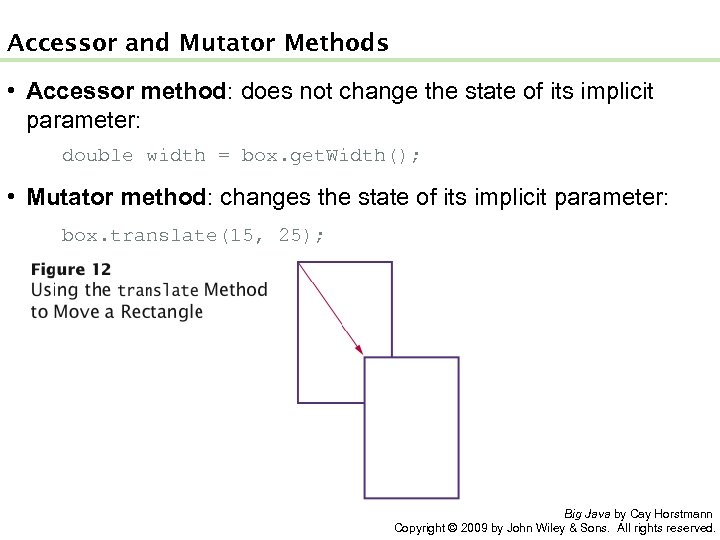
Accessor and Mutator Methods • Accessor method: does not change the state of its implicit parameter: double width = box. get. Width(); • Mutator method: changes the state of its implicit parameter: box. translate(15, 25); Big Java by Cay Horstmann Copyright © 2009 by John Wiley & Sons. All rights reserved.
Self Check 2. 18 Is the to. Upper. Case method of the String class an accessor or a mutator? Answer: An accessor – it doesn’t modify the original string but returns a new string with uppercase letters. Big Java by Cay Horstmann Copyright © 2009 by John Wiley & Sons. All rights reserved.
Self Check 2. 19 Which call to translate is needed to move the box rectangle so that its top-left corner is the origin (0, 0)? Answer: box. translate(-5, -10), provided the method is called immediately after storing the new rectangle into box. Big Java by Cay Horstmann Copyright © 2009 by John Wiley & Sons. All rights reserved.
The API Documentation • API: Application Programming Interface • API documentation: lists classes and methods in the Java library • http: //java. sun. com/javase/7/docs/api/index. html Big Java by Cay Horstmann Copyright © 2009 by John Wiley & Sons. All rights reserved.
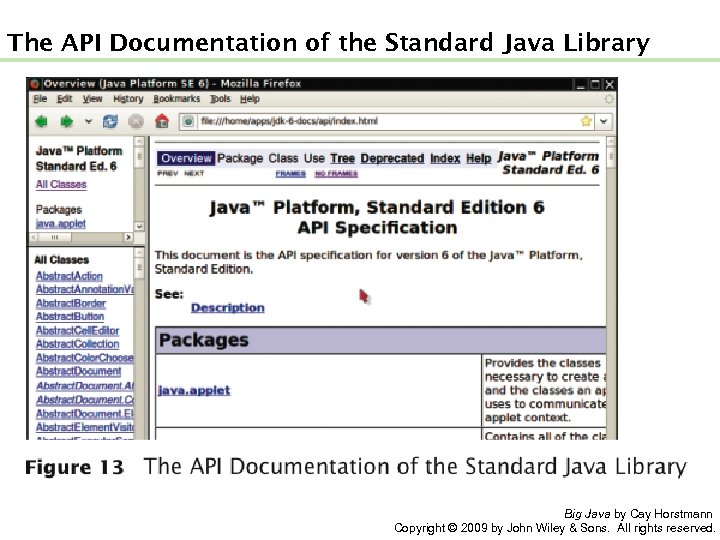
The API Documentation of the Standard Java Library Big Java by Cay Horstmann Copyright © 2009 by John Wiley & Sons. All rights reserved.
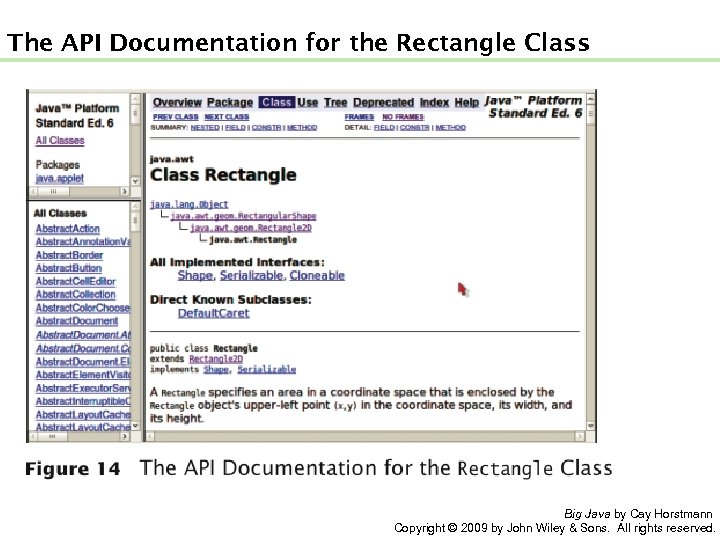
The API Documentation for the Rectangle Class Big Java by Cay Horstmann Copyright © 2009 by John Wiley & Sons. All rights reserved.
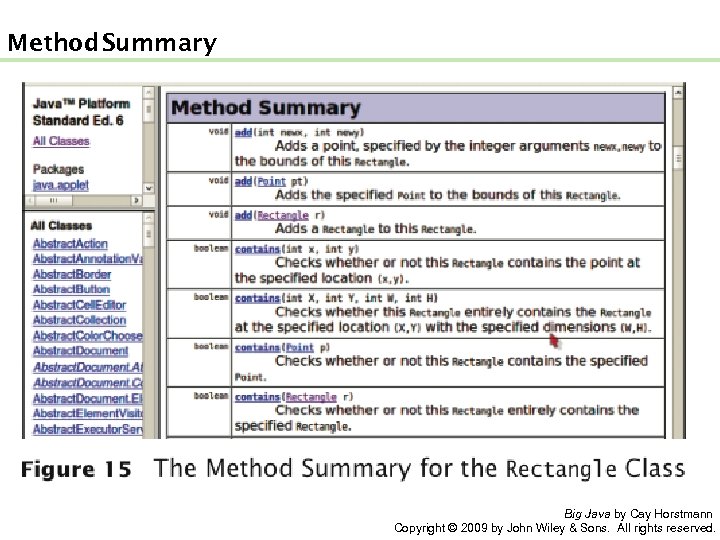
Method Summary Big Java by Cay Horstmann Copyright © 2009 by John Wiley & Sons. All rights reserved.
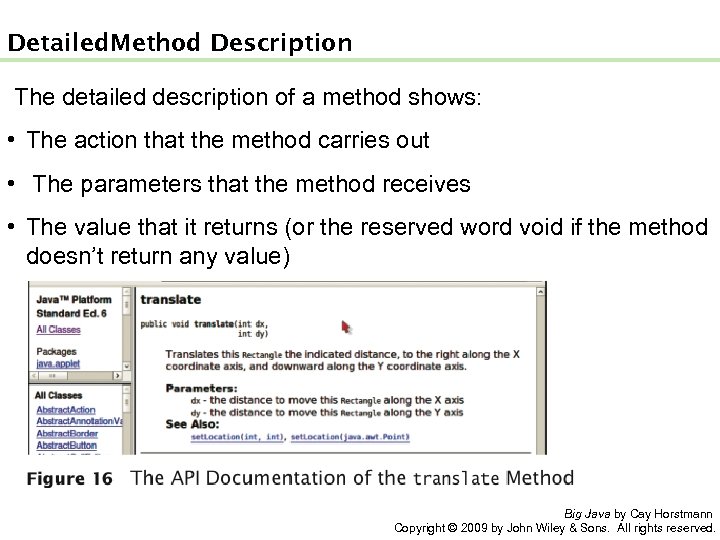
Detailed Method Description The detailed description of a method shows: • The action that the method carries out • The parameters that the method receives • The value that it returns (or the reserved word void if the method doesn’t return any value) Big Java by Cay Horstmann Copyright © 2009 by John Wiley & Sons. All rights reserved.
Packages • Package: a collection of classes with a related purpose • Import library classes by specifying the package and class name: import java. awt. Rectangle; • You don’t need to import classes in the java. lang package such as String and System Big Java by Cay Horstmann Copyright © 2009 by John Wiley & Sons. All rights reserved.
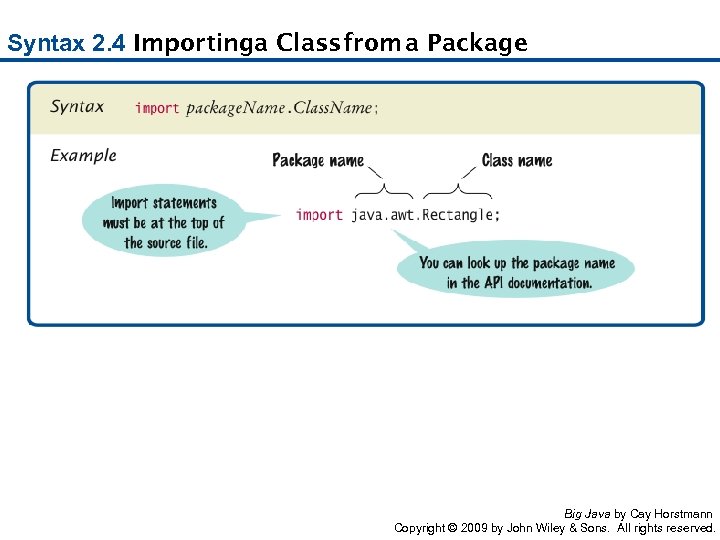
Syntax 2. 4 Importing Class a from a Package Big Java by Cay Horstmann Copyright © 2009 by John Wiley & Sons. All rights reserved.
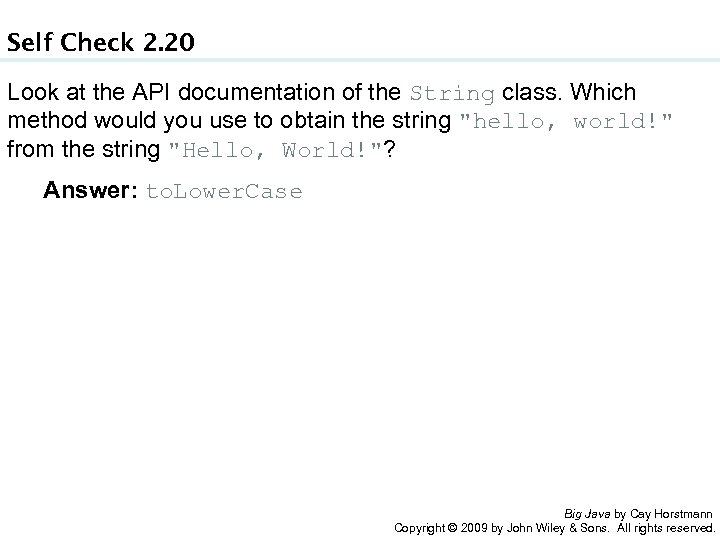
Self Check 2. 20 Look at the API documentation of the String class. Which method would you use to obtain the string "hello, world!" from the string "Hello, World!"? Answer: to. Lower. Case Big Java by Cay Horstmann Copyright © 2009 by John Wiley & Sons. All rights reserved.
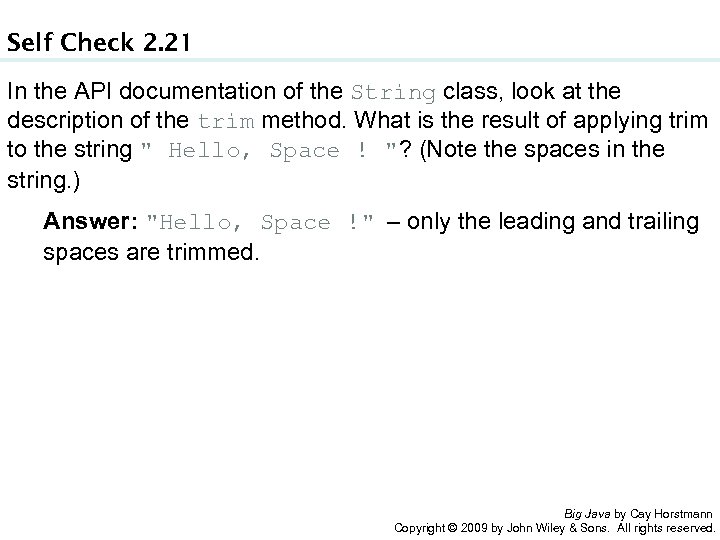
Self Check 2. 21 In the API documentation of the String class, look at the description of the trim method. What is the result of applying trim to the string " Hello, Space ! "? (Note the spaces in the string. ) Answer: "Hello, Space !" – only the leading and trailing spaces are trimmed. Big Java by Cay Horstmann Copyright © 2009 by John Wiley & Sons. All rights reserved.
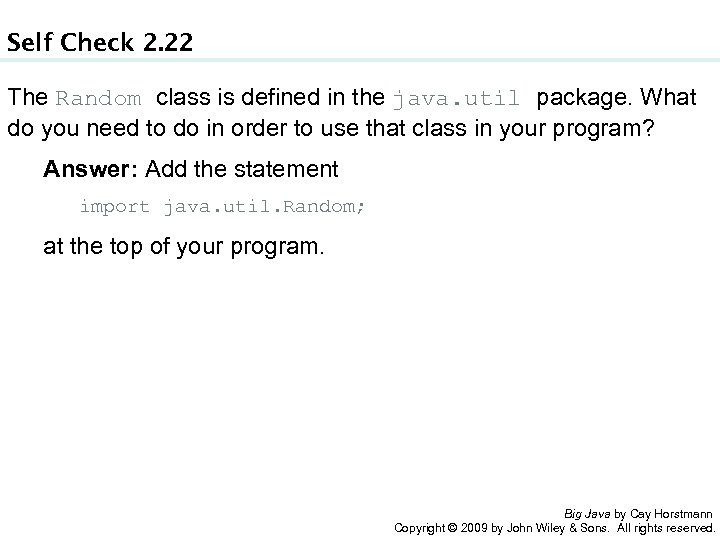
Self Check 2. 22 The Random class is defined in the java. util package. What do you need to do in order to use that class in your program? Answer: Add the statement import java. util. Random; at the top of your program. Big Java by Cay Horstmann Copyright © 2009 by John Wiley & Sons. All rights reserved.
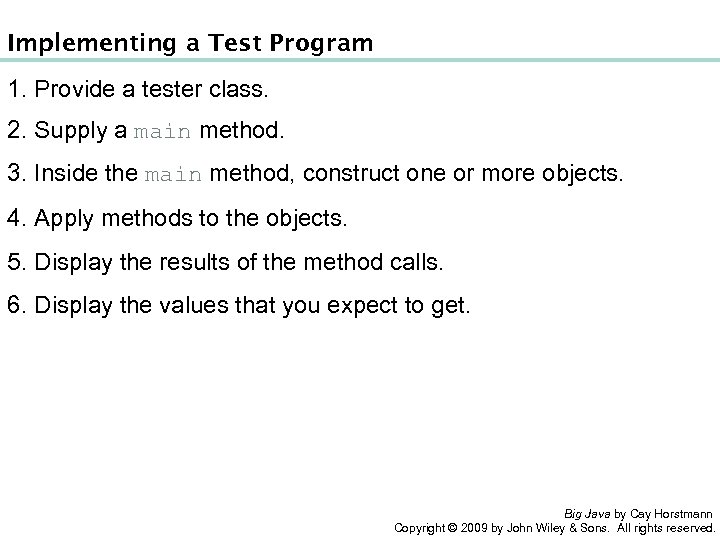
Implementing a Test Program 1. Provide a tester class. 2. Supply a main method. 3. Inside the main method, construct one or more objects. 4. Apply methods to the objects. 5. Display the results of the method calls. 6. Display the values that you expect to get. Big Java by Cay Horstmann Copyright © 2009 by John Wiley & Sons. All rights reserved.
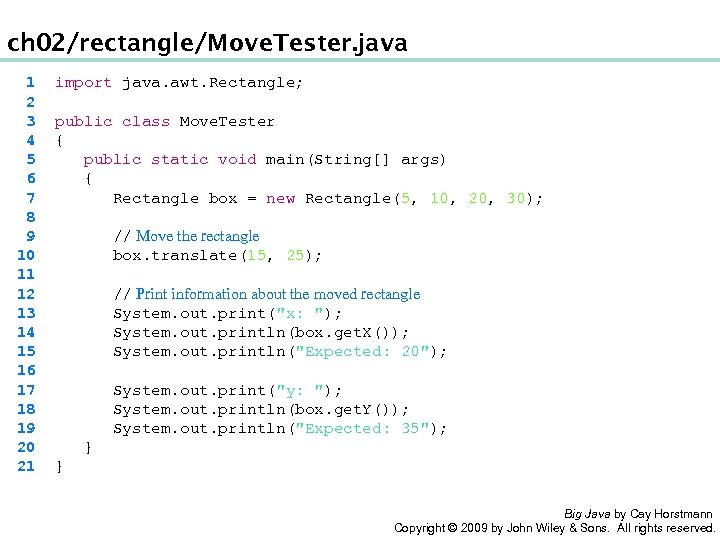
ch 02/rectangle/Move. Tester. java 1 2 3 4 5 6 7 8 9 10 11 12 13 14 15 16 17 18 19 20 21 import java. awt. Rectangle; public class Move. Tester { public static void main(String[] args) { Rectangle box = new Rectangle(5, 10, 20, 30); // Move the rectangle box. translate(15, 25); // Print information about the moved rectangle System. out. print("x: "); System. out. println(box. get. X()); System. out. println("Expected: 20"); System. out. print("y: "); System. out. println(box. get. Y()); System. out. println("Expected: 35"); } } Big Java by Cay Horstmann Copyright © 2009 by John Wiley & Sons. All rights reserved.
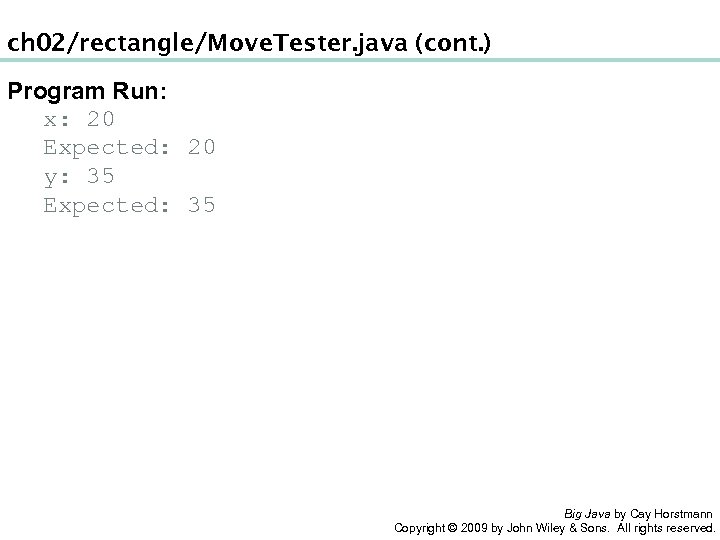
ch 02/rectangle/Move. Tester. java (cont. ) Program Run: x: 20 Expected: 20 y: 35 Expected: 35 Big Java by Cay Horstmann Copyright © 2009 by John Wiley & Sons. All rights reserved.
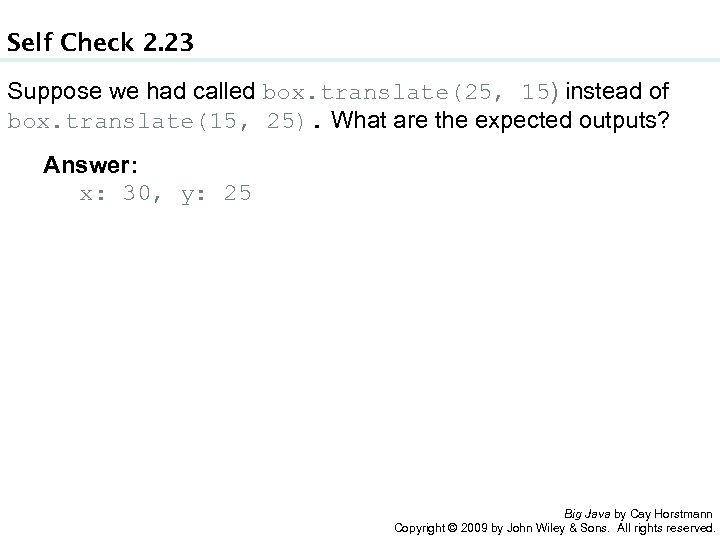
Self Check 2. 23 Suppose we had called box. translate(25, 15) instead of box. translate(15, 25). What are the expected outputs? Answer: x: 30, y: 25 Big Java by Cay Horstmann Copyright © 2009 by John Wiley & Sons. All rights reserved.
Self Check 2. 24 Why doesn’t the Move. Tester program print the width and height of the rectangle? Answer: Because the translate method doesn’t modify the shape of the rectangle. Big Java by Cay Horstmann Copyright © 2009 by John Wiley & Sons. All rights reserved.
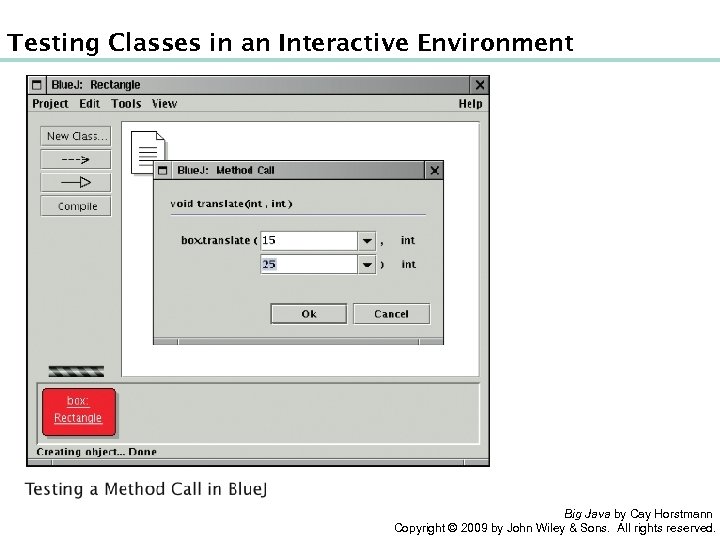
Testing Classes in an Interactive Environment Big Java by Cay Horstmann Copyright © 2009 by John Wiley & Sons. All rights reserved.
Object References • Object reference: describes the location of an object • The new operator returns a reference to a new object: Rectangle box = new Rectangle(); • Multiple object variables can refer to the same object: Rectangle box = new Rectangle(5, 10, 20, 30); Rectangle box 2 = box; box 2. translate(15, 25); • Primitive type variables ≠ object variables Big Java by Cay Horstmann Copyright © 2009 by John Wiley & Sons. All rights reserved.
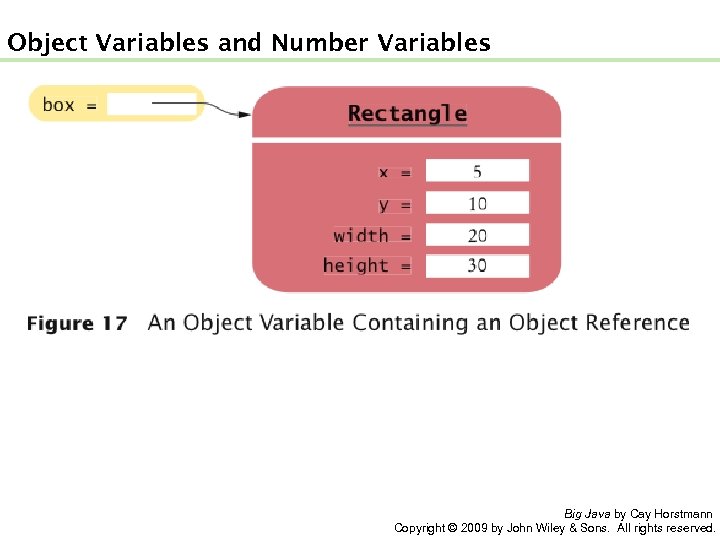
Object Variables and Number Variables Big Java by Cay Horstmann Copyright © 2009 by John Wiley & Sons. All rights reserved.
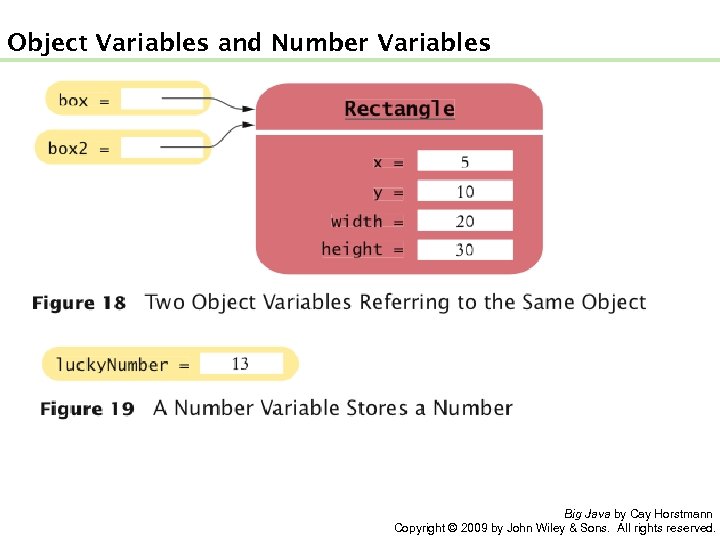
Object Variables and Number Variables Big Java by Cay Horstmann Copyright © 2009 by John Wiley & Sons. All rights reserved.
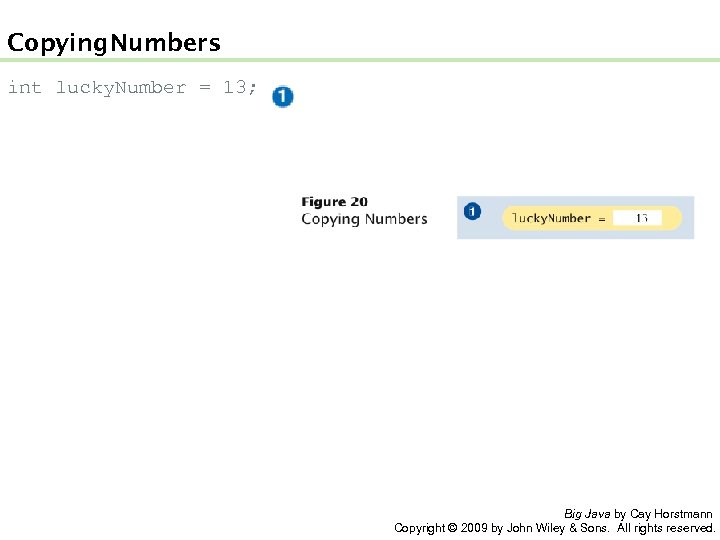
Copying Numbers int lucky. Number = 13; Big Java by Cay Horstmann Copyright © 2009 by John Wiley & Sons. All rights reserved.
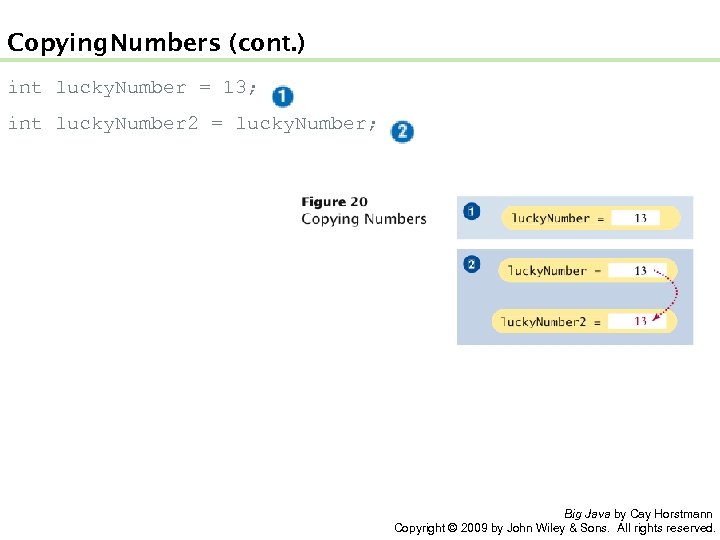
Copying Numbers (cont. ) int lucky. Number = 13; int lucky. Number 2 = lucky. Number; Big Java by Cay Horstmann Copyright © 2009 by John Wiley & Sons. All rights reserved.
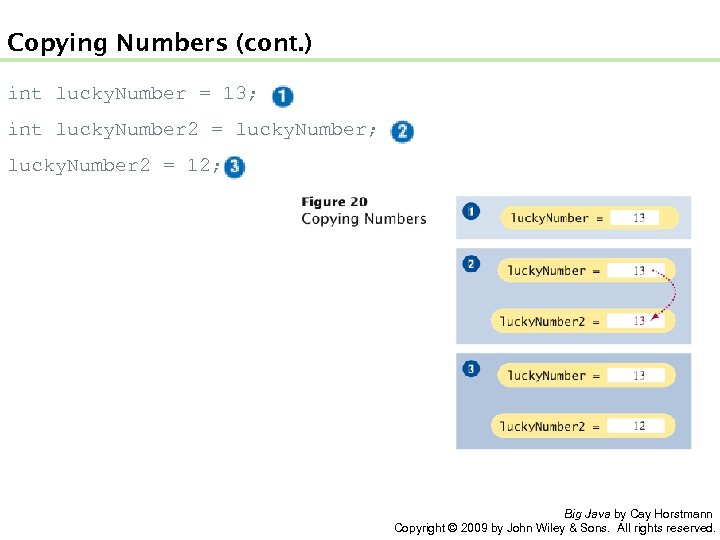
Copying Numbers (cont. ) int lucky. Number = 13; int lucky. Number 2 = lucky. Number; lucky. Number 2 = 12; Big Java by Cay Horstmann Copyright © 2009 by John Wiley & Sons. All rights reserved.
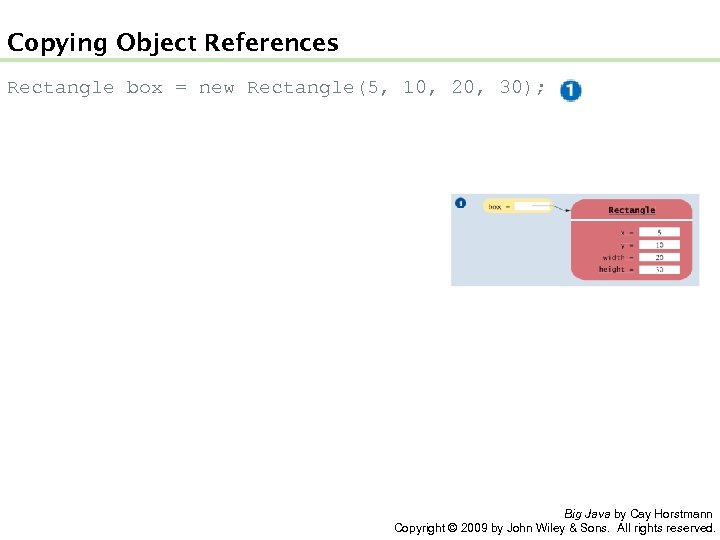
Copying Object References Rectangle box = new Rectangle(5, 10, 20, 30); Big Java by Cay Horstmann Copyright © 2009 by John Wiley & Sons. All rights reserved.
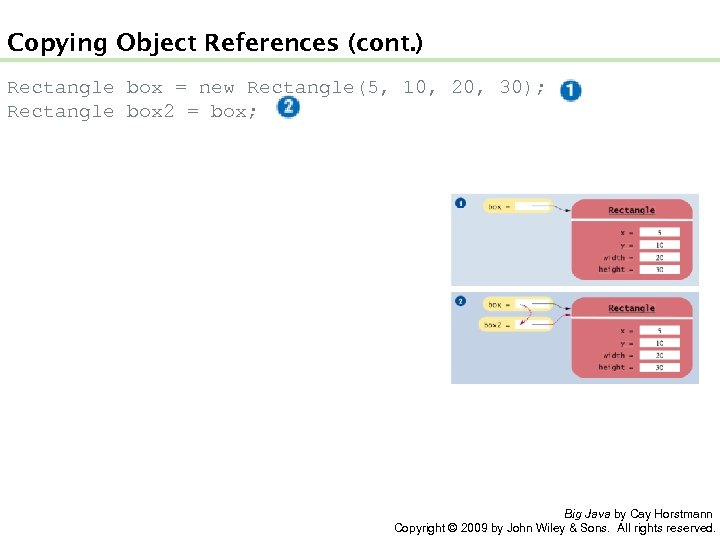
Copying Object References (cont. ) Rectangle box = new Rectangle(5, 10, 20, 30); Rectangle box 2 = box; Big Java by Cay Horstmann Copyright © 2009 by John Wiley & Sons. All rights reserved.
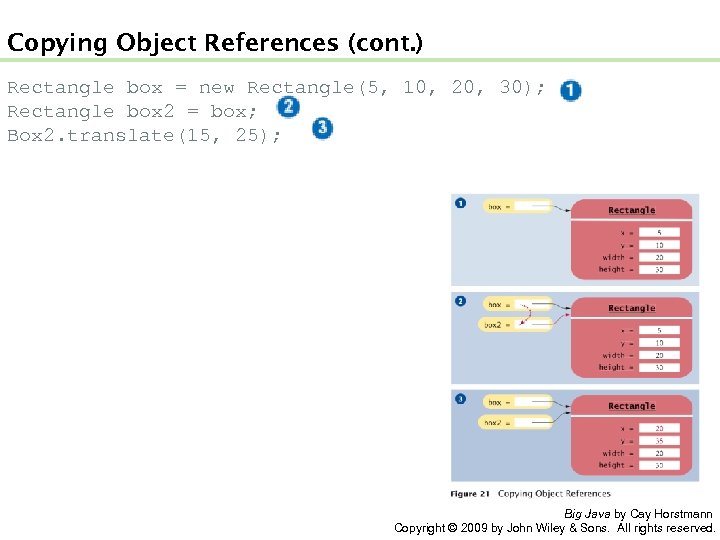
Copying Object References (cont. ) Rectangle box = new Rectangle(5, 10, 20, 30); Rectangle box 2 = box; Box 2. translate(15, 25); Big Java by Cay Horstmann Copyright © 2009 by John Wiley & Sons. All rights reserved.
Self Check 2. 25 What is the effect of the assignment greeting 2 = greeting? Answer: Now greeting and greeting 2 both refer to the same String object. Big Java by Cay Horstmann Copyright © 2009 by John Wiley & Sons. All rights reserved.
Self Check 2. 26 After calling greeting 2. to. Upper. Case(), what are the contents of greeting and greeting 2? Answer: Both variables still refer to the same string, and the string has not been modified. Recall that the to. Upper. Case method constructs a new string that contains uppercase characters, leaving the original string unchanged. Big Java by Cay Horstmann Copyright © 2009 by John Wiley & Sons. All rights reserved.
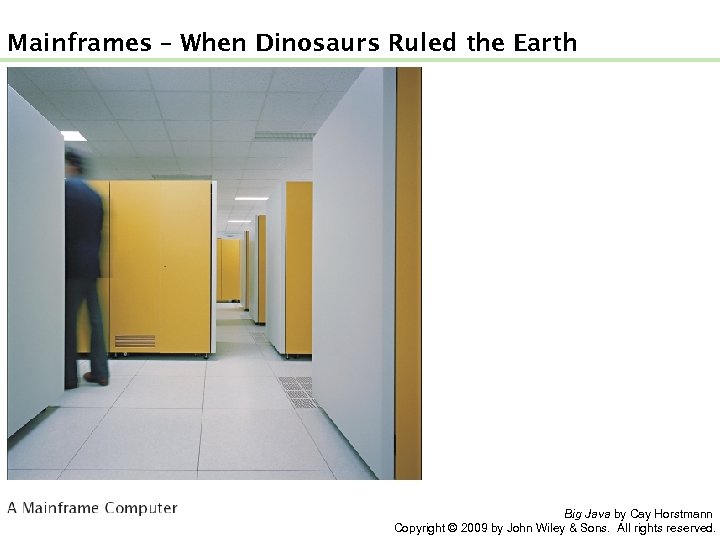
Mainframes – When Dinosaurs Ruled the Earth Big Java by Cay Horstmann Copyright © 2009 by John Wiley & Sons. All rights reserved.
Graphical Applications and Frame Windows To show a frame: 1. Construct an object of the JFrame class: JFrame frame = new JFrame(); 2. Set the size of the frame: frame. set. Size(300, 400); 3. If you’d like, set the title of the frame: frame. set. Title("An Empty Frame"); 4. Set the “default close operation”: frame. set. Default. Close. Operation(JFrame. EXIT_ON_CLOSE); 5. Make the frame visible: frame. set. Visible(true); Big Java by Cay Horstmann Copyright © 2009 by John Wiley & Sons. All rights reserved.
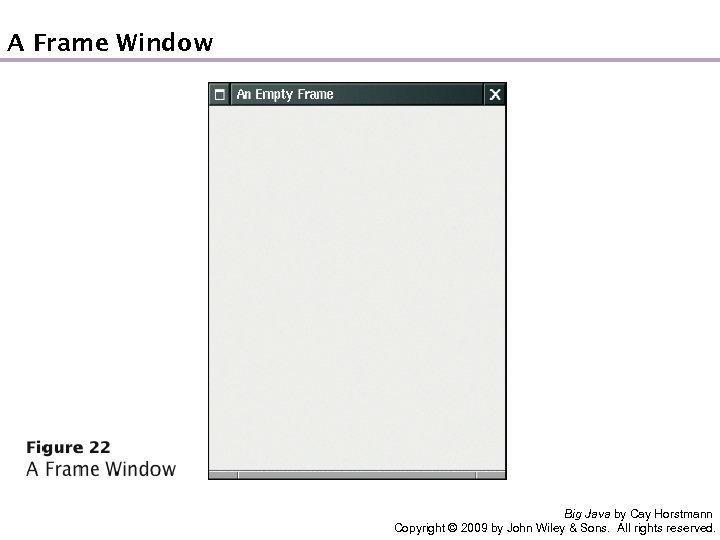
A Frame Window Big Java by Cay Horstmann Copyright © 2009 by John Wiley & Sons. All rights reserved.
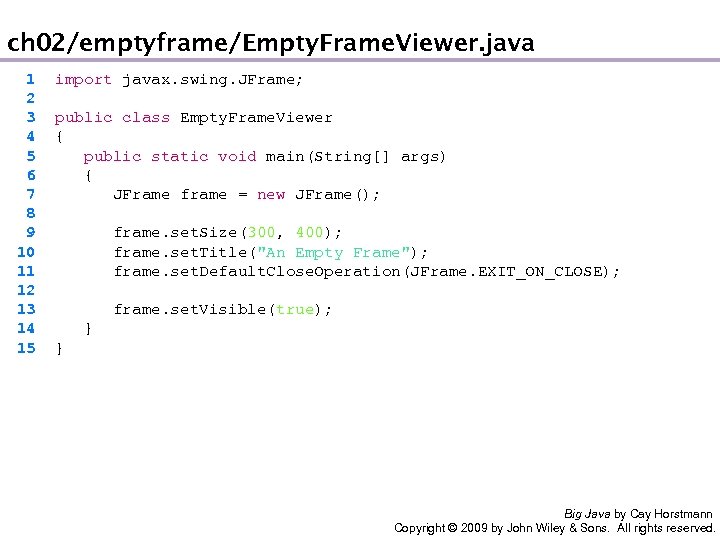
ch 02/emptyframe/Empty. Frame. Viewer. java 1 2 3 4 5 6 7 8 9 10 11 12 13 14 15 import javax. swing. JFrame; public class Empty. Frame. Viewer { public static void main(String[] args) { JFrame frame = new JFrame(); frame. set. Size(300, 400); frame. set. Title("An Empty Frame"); frame. set. Default. Close. Operation(JFrame. EXIT_ON_CLOSE); frame. set. Visible(true); } } Big Java by Cay Horstmann Copyright © 2009 by John Wiley & Sons. All rights reserved.
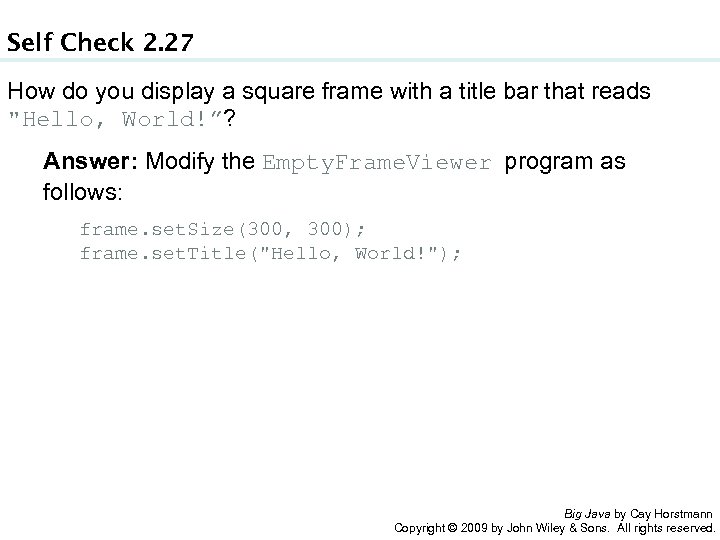
Self Check 2. 27 How do you display a square frame with a title bar that reads "Hello, World!”? Answer: Modify the Empty. Frame. Viewer program as follows: frame. set. Size(300, 300); frame. set. Title("Hello, World!"); Big Java by Cay Horstmann Copyright © 2009 by John Wiley & Sons. All rights reserved.
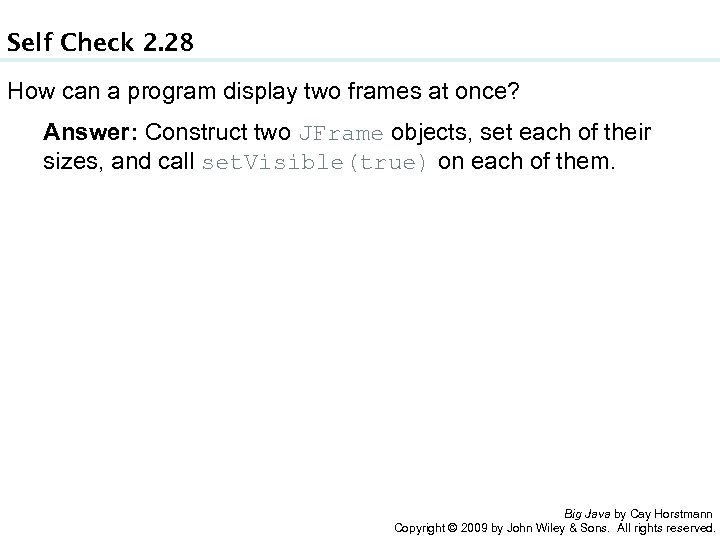
Self Check 2. 28 How can a program display two frames at once? Answer: Construct two JFrame objects, set each of their sizes, and call set. Visible(true) on each of them. Big Java by Cay Horstmann Copyright © 2009 by John Wiley & Sons. All rights reserved.
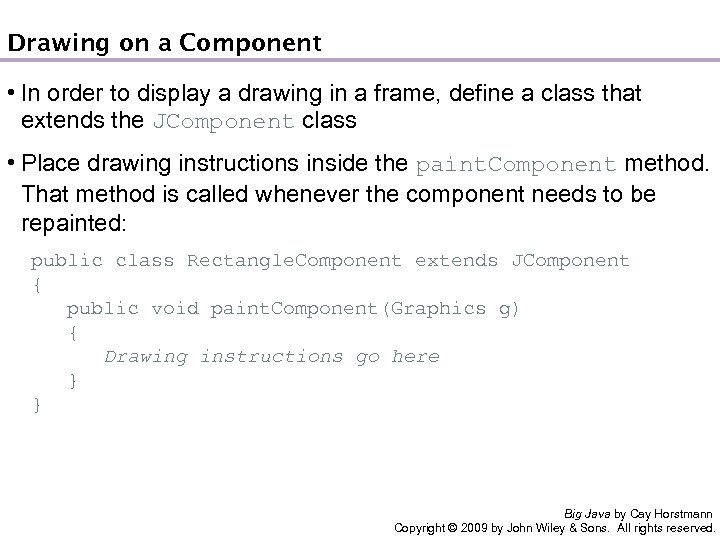
Drawing on a Component • In order to display a drawing in a frame, define a class that extends the JComponent class • Place drawing instructions inside the paint. Component method. That method is called whenever the component needs to be repainted: public class Rectangle. Component extends JComponent { public void paint. Component(Graphics g) { Drawing instructions go here } } Big Java by Cay Horstmann Copyright © 2009 by John Wiley & Sons. All rights reserved.
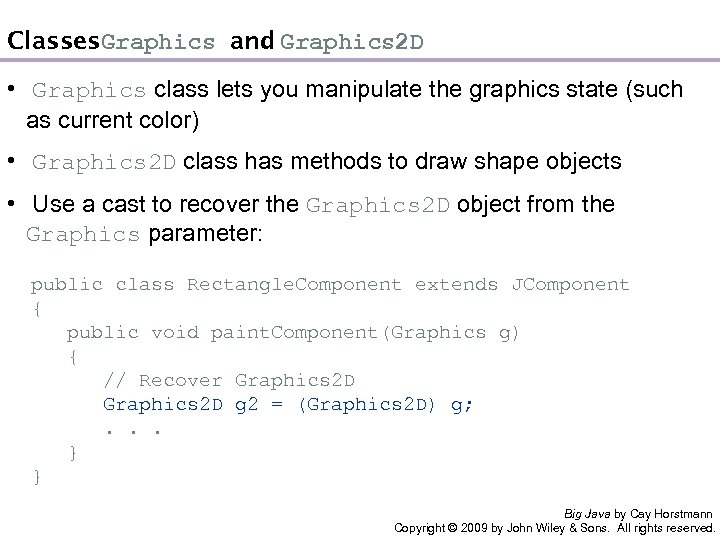
Classes Graphics and Graphics 2 D • Graphics class lets you manipulate the graphics state (such as current color) • Graphics 2 D class has methods to draw shape objects • Use a cast to recover the Graphics 2 D object from the Graphics parameter: public class Rectangle. Component extends JComponent { public void paint. Component(Graphics g) { // Recover Graphics 2 D g 2 = (Graphics 2 D) g; . . . } } Big Java by Cay Horstmann Copyright © 2009 by John Wiley & Sons. All rights reserved.
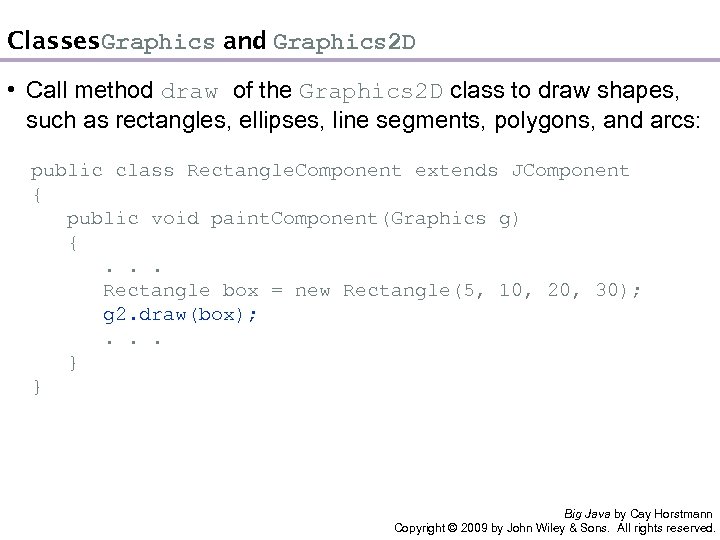
Classes Graphics and Graphics 2 D • Call method draw of the Graphics 2 D class to draw shapes, such as rectangles, ellipses, line segments, polygons, and arcs: public class Rectangle. Component extends JComponent { public void paint. Component(Graphics g) { . . . Rectangle box = new Rectangle(5, 10, 20, 30); g 2. draw(box); . . . } } Big Java by Cay Horstmann Copyright © 2009 by John Wiley & Sons. All rights reserved.
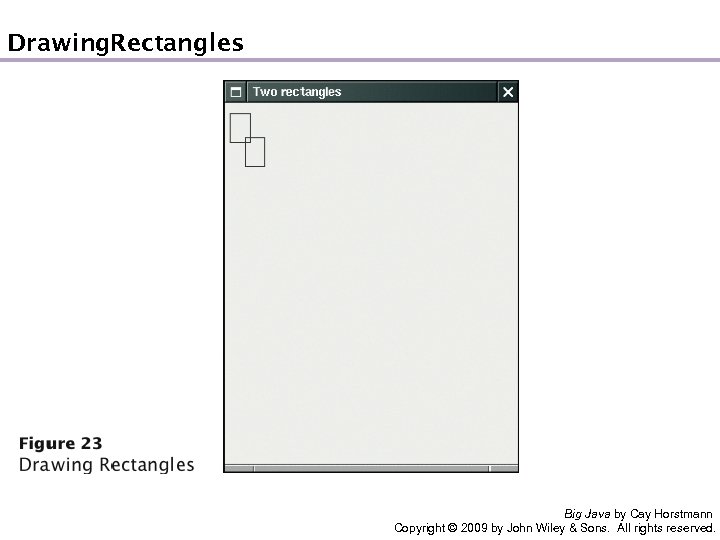
Drawing Rectangles Big Java by Cay Horstmann Copyright © 2009 by John Wiley & Sons. All rights reserved.
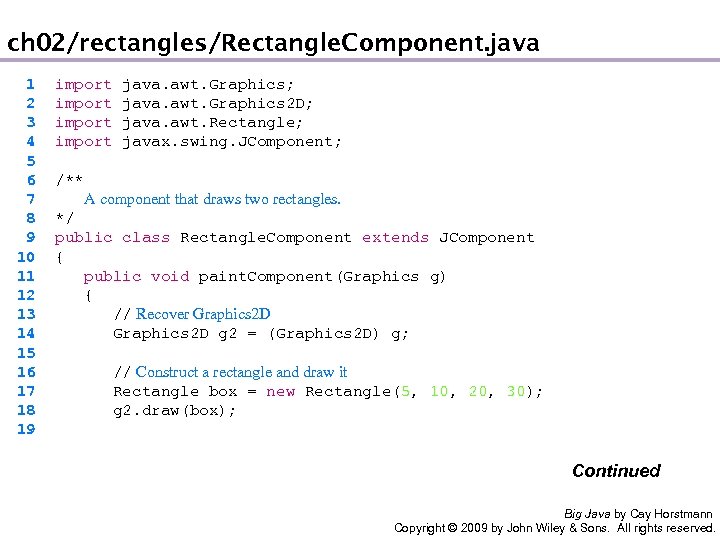
ch 02/rectangles/Rectangle. Component. java 1 2 3 4 5 6 7 8 9 10 11 12 13 14 15 16 17 18 19 import java. awt. Graphics; import java. awt. Graphics 2 D; import java. awt. Rectangle; import javax. swing. JComponent; /** A component that draws two rectangles. */ public class Rectangle. Component extends JComponent { public void paint. Component(Graphics g) { // Recover Graphics 2 D g 2 = (Graphics 2 D) g; // Construct a rectangle and draw it Rectangle box = new Rectangle(5, 10, 20, 30); g 2. draw(box); Continued Big Java by Cay Horstmann Copyright © 2009 by John Wiley & Sons. All rights reserved.
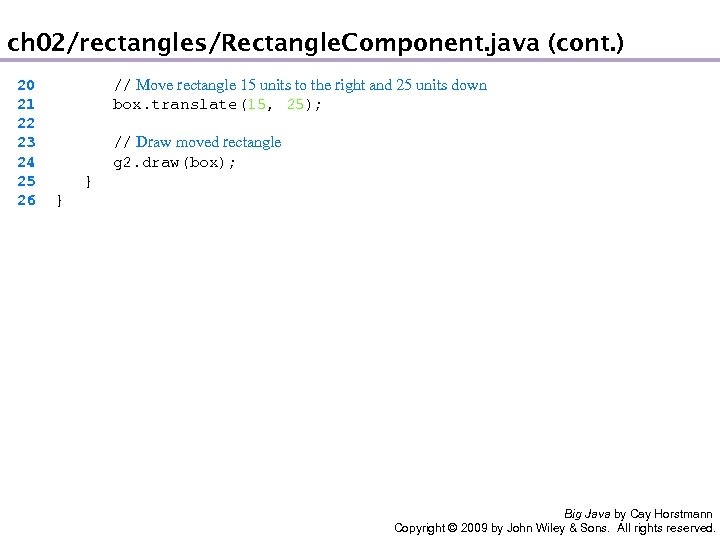
ch 02/rectangles/Rectangle. Component. java (cont. ) 20 21 22 23 24 25 26 // Move rectangle 15 units to the right and 25 units down box. translate(15, 25); // Draw moved rectangle g 2. draw(box); } } Big Java by Cay Horstmann Copyright © 2009 by John Wiley & Sons. All rights reserved.
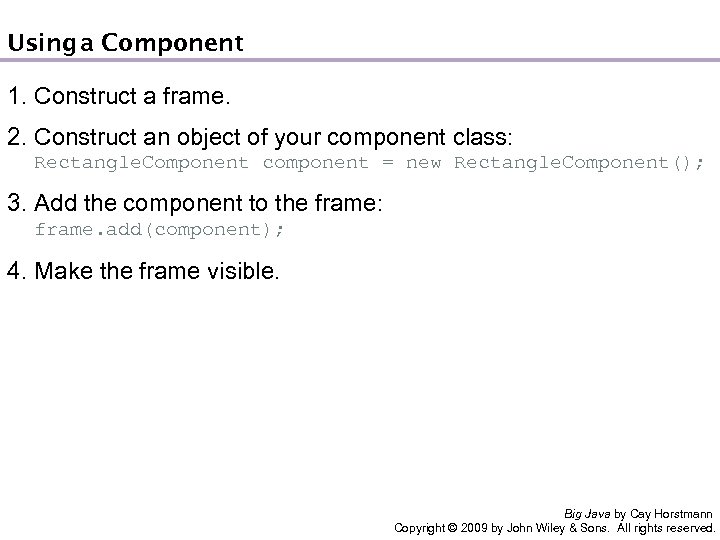
Using Component a 1. Construct a frame. 2. Construct an object of your component class: Rectangle. Component component = new Rectangle. Component(); 3. Add the component to the frame: frame. add(component); 4. Make the frame visible. Big Java by Cay Horstmann Copyright © 2009 by John Wiley & Sons. All rights reserved.
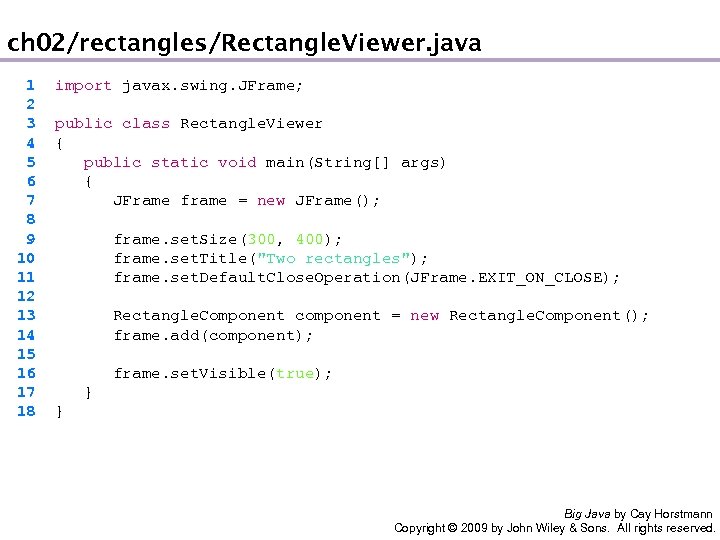
ch 02/rectangles/Rectangle. Viewer. java 1 2 3 4 5 6 7 8 9 10 11 12 13 14 15 16 17 18 import javax. swing. JFrame; public class Rectangle. Viewer { public static void main(String[] args) { JFrame frame = new JFrame(); frame. set. Size(300, 400); frame. set. Title("Two rectangles"); frame. set. Default. Close. Operation(JFrame. EXIT_ON_CLOSE); Rectangle. Component component = new Rectangle. Component(); frame. add(component); frame. set. Visible(true); } } Big Java by Cay Horstmann Copyright © 2009 by John Wiley & Sons. All rights reserved.
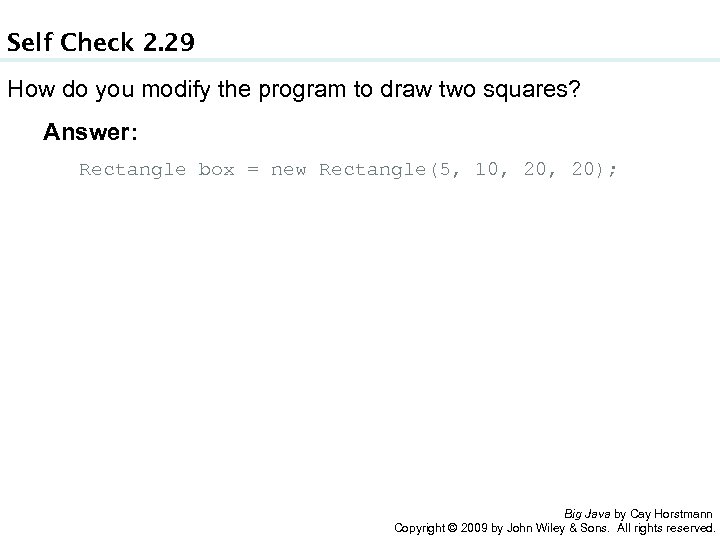
Self Check 2. 29 How do you modify the program to draw two squares? Answer: Rectangle box = new Rectangle(5, 10, 20); Big Java by Cay Horstmann Copyright © 2009 by John Wiley & Sons. All rights reserved.
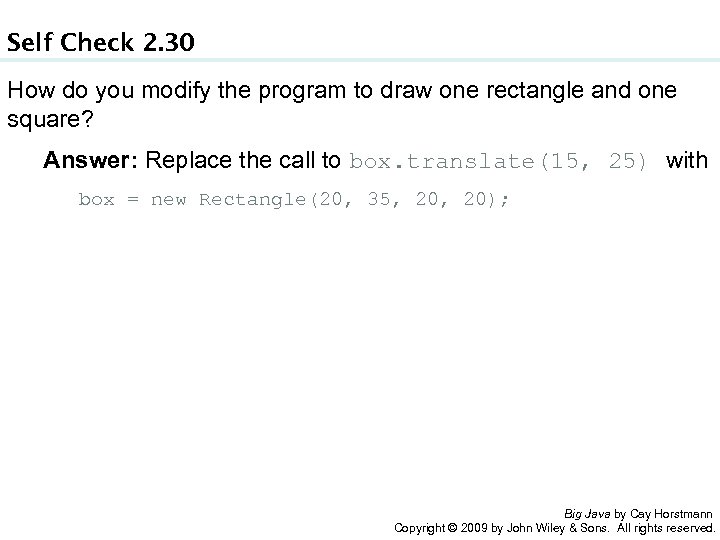
Self Check 2. 30 How do you modify the program to draw one rectangle and one square? Answer: Replace the call to box. translate(15, 25) with box = new Rectangle(20, 35, 20); Big Java by Cay Horstmann Copyright © 2009 by John Wiley & Sons. All rights reserved.
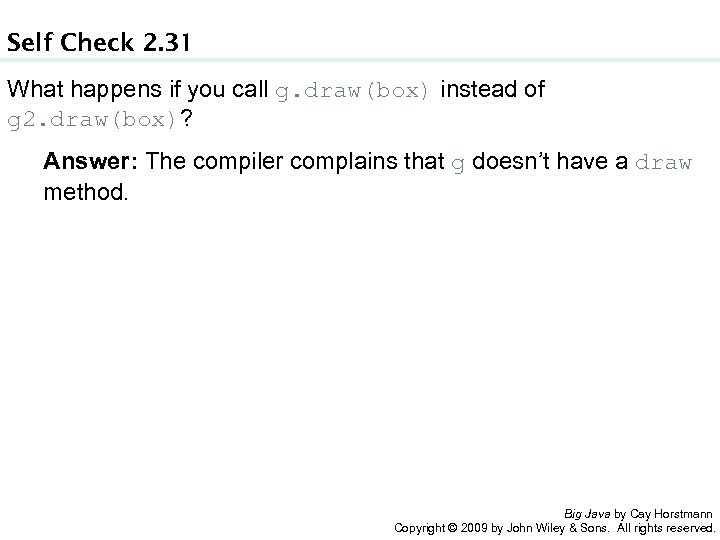
Self Check 2. 31 What happens if you call g. draw(box) instead of g 2. draw(box)? Answer: The compiler complains that g doesn’t have a draw method. Big Java by Cay Horstmann Copyright © 2009 by John Wiley & Sons. All rights reserved.
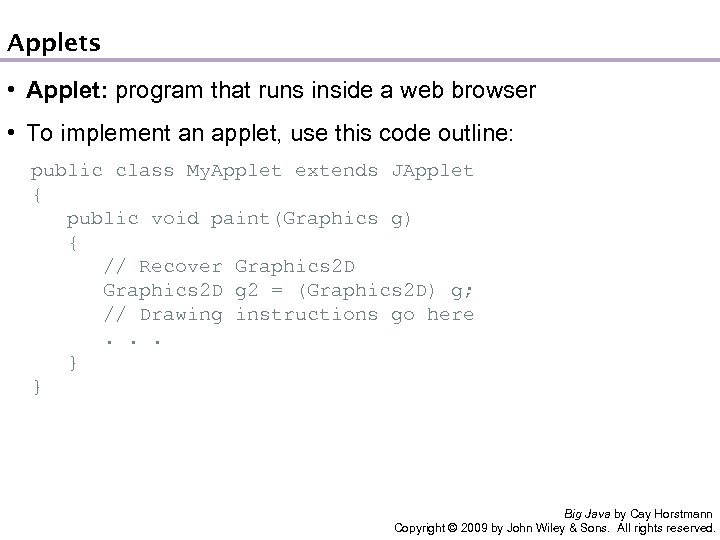
Applets • Applet: program that runs inside a web browser • To implement an applet, use this code outline: public class My. Applet extends JApplet { public void paint(Graphics g) { // Recover Graphics 2 D g 2 = (Graphics 2 D) g; // Drawing instructions go here . . . } } Big Java by Cay Horstmann Copyright © 2009 by John Wiley & Sons. All rights reserved.
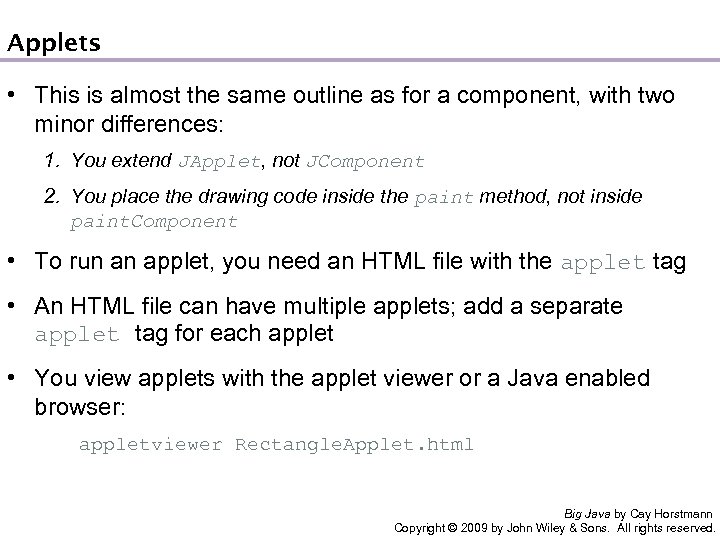
Applets • This is almost the same outline as for a component, with two minor differences: 1. You extend JApplet, not JComponent 2. You place the drawing code inside the paint method, not inside paint. Component • To run an applet, you need an HTML file with the applet tag • An HTML file can have multiple applets; add a separate applet tag for each applet • You view applets with the applet viewer or a Java enabled browser: appletviewer Rectangle. Applet. html Big Java by Cay Horstmann Copyright © 2009 by John Wiley & Sons. All rights reserved.
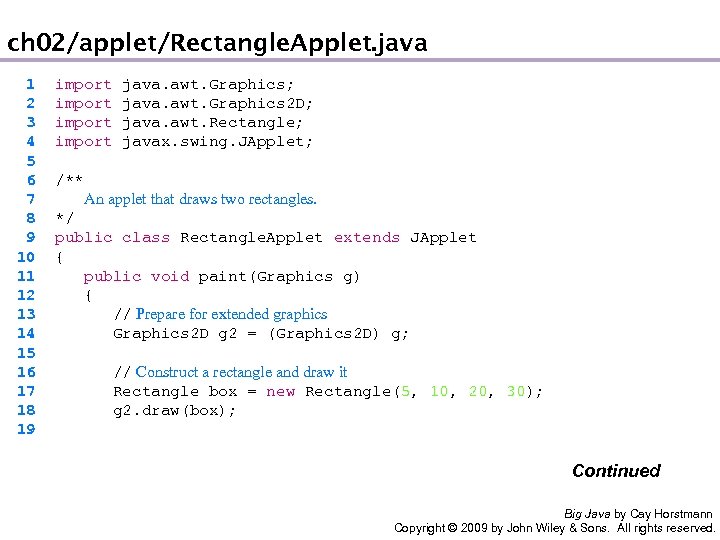
ch 02/applet/Rectangle. Applet. java 1 2 3 4 5 6 7 8 9 10 11 12 13 14 15 16 17 18 19 import java. awt. Graphics; import java. awt. Graphics 2 D; import java. awt. Rectangle; import javax. swing. JApplet; /** An applet that draws two rectangles. */ public class Rectangle. Applet extends JApplet { public void paint(Graphics g) { // Prepare for extended graphics Graphics 2 D g 2 = (Graphics 2 D) g; // Construct a rectangle and draw it Rectangle box = new Rectangle(5, 10, 20, 30); g 2. draw(box); Continued Big Java by Cay Horstmann Copyright © 2009 by John Wiley & Sons. All rights reserved.
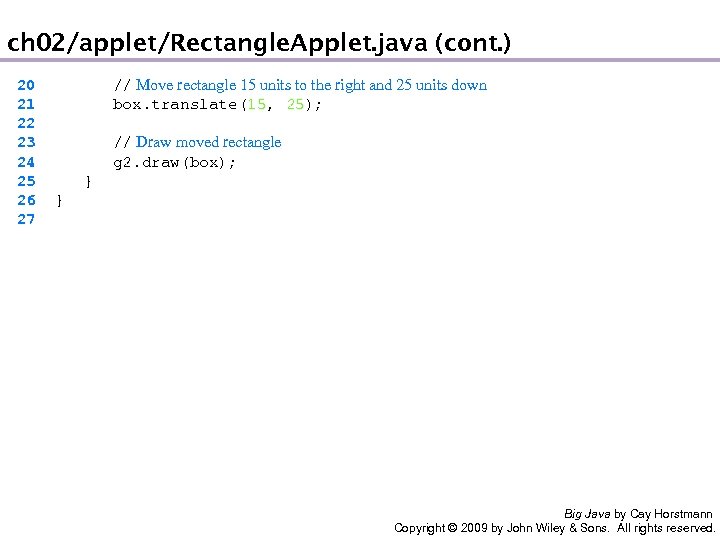
ch 02/applet/Rectangle. Applet. java (cont. ) 20 21 22 23 24 25 26 27 // Move rectangle 15 units to the right and 25 units down box. translate(15, 25); // Draw moved rectangle g 2. draw(box); } } Big Java by Cay Horstmann Copyright © 2009 by John Wiley & Sons. All rights reserved.
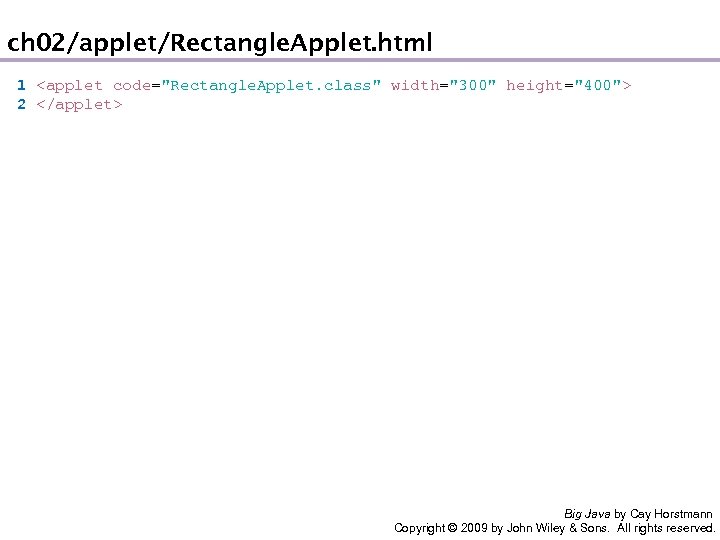
ch 02/applet/Rectangle. Applet. html 1 <applet code="Rectangle. Applet. class" width="300" height="400"> 2 </applet> Big Java by Cay Horstmann Copyright © 2009 by John Wiley & Sons. All rights reserved.
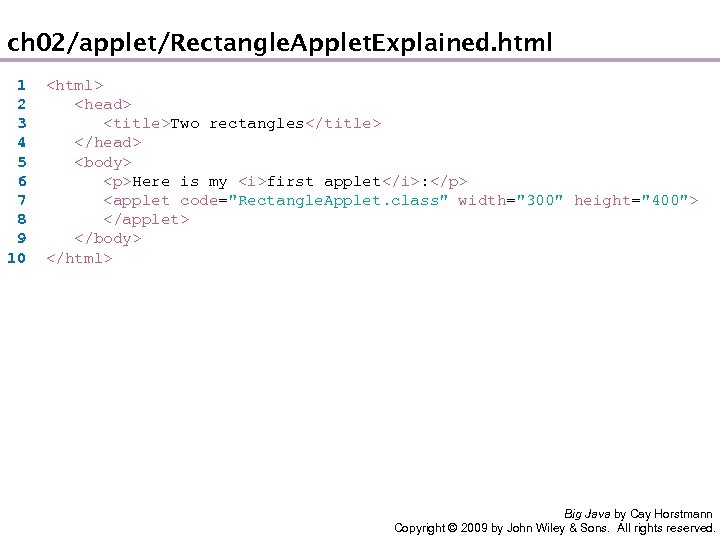
ch 02/applet/Rectangle. Applet. Explained. html 1 2 3 4 5 6 7 8 9 10 <html> <head> <title>Two rectangles</title> </head> <body> <p>Here is my <i>first applet</i>: </p> <applet code="Rectangle. Applet. class" width="300" height="400"> </applet> </body> </html> Big Java by Cay Horstmann Copyright © 2009 by John Wiley & Sons. All rights reserved.
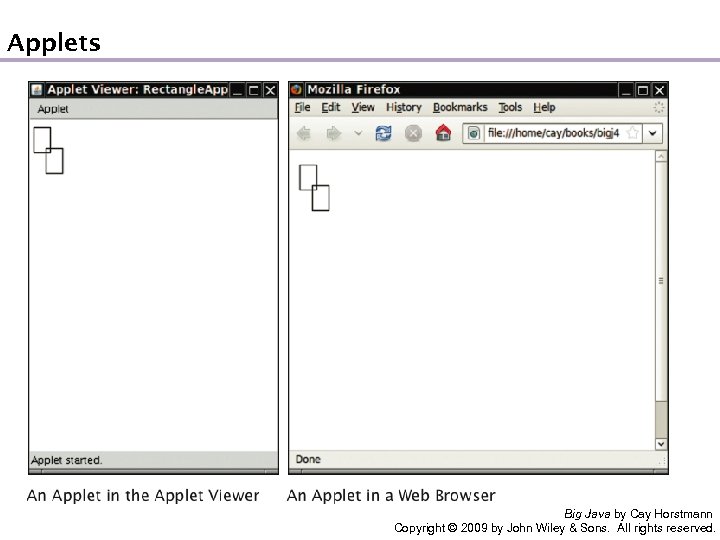
Applets Big Java by Cay Horstmann Copyright © 2009 by John Wiley & Sons. All rights reserved.
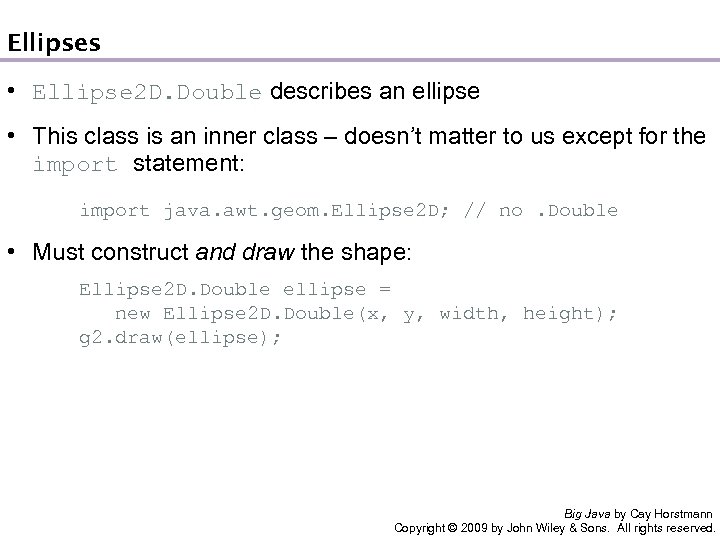
Ellipses • Ellipse 2 D. Double describes an ellipse • This class is an inner class – doesn’t matter to us except for the import statement: import java. awt. geom. Ellipse 2 D; // no. Double • Must construct and draw the shape: Ellipse 2 D. Double ellipse = new Ellipse 2 D. Double(x, y, width, height); g 2. draw(ellipse); Big Java by Cay Horstmann Copyright © 2009 by John Wiley & Sons. All rights reserved.
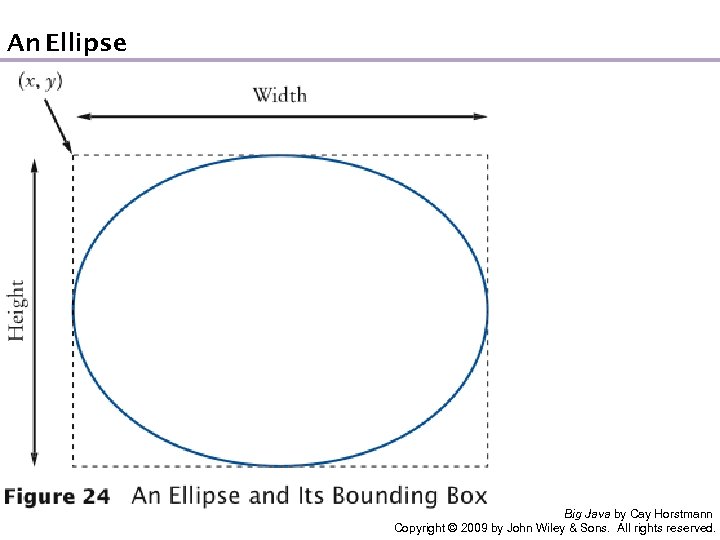
An Ellipse Big Java by Cay Horstmann Copyright © 2009 by John Wiley & Sons. All rights reserved.
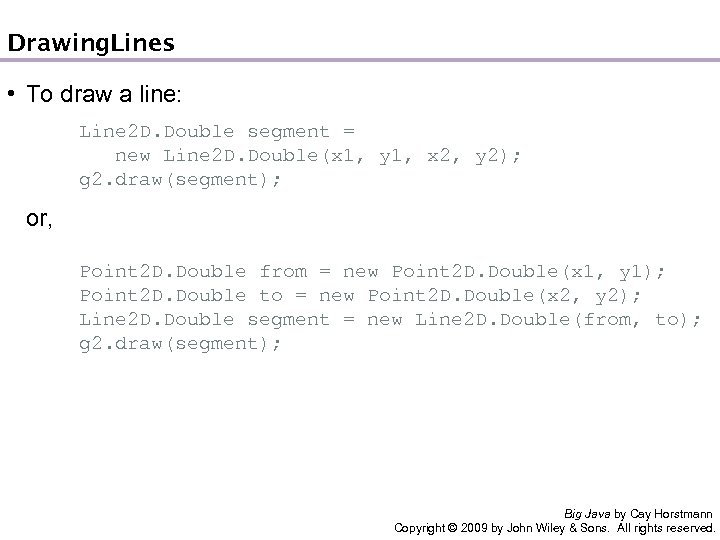
Drawing Lines • To draw a line: Line 2 D. Double segment = new Line 2 D. Double(x 1, y 1, x 2, y 2); g 2. draw(segment); or, Point 2 D. Double from = new Point 2 D. Double(x 1, y 1); Point 2 D. Double to = new Point 2 D. Double(x 2, y 2); Line 2 D. Double segment = new Line 2 D. Double(from, to); g 2. draw(segment); Big Java by Cay Horstmann Copyright © 2009 by John Wiley & Sons. All rights reserved.
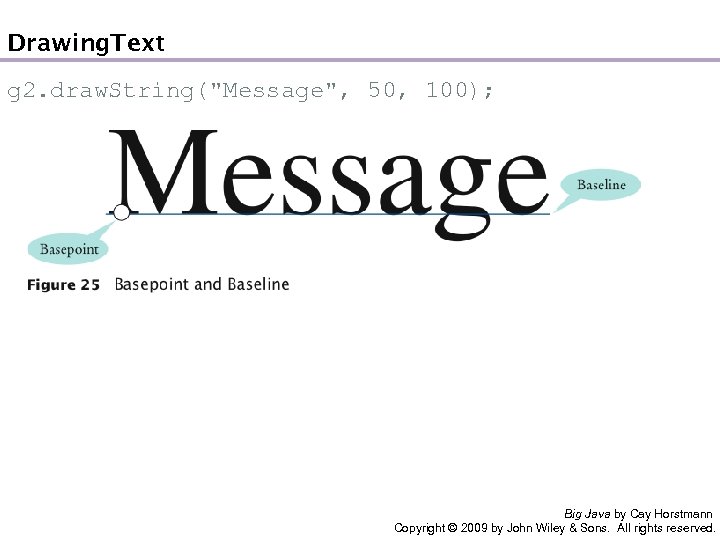
Drawing Text g 2. draw. String("Message", 50, 100); Big Java by Cay Horstmann Copyright © 2009 by John Wiley & Sons. All rights reserved.
Colors • Standard colors Color. BLUE, Color. RED, Color. PINK, etc. • Specify red, green, blue between 0 and 255: Color magenta = new Color(255, 0, 255); • Set color in graphics context: g 2. set. Color(magenta); • Color is used when drawing and filling shapes: g 2. fill(rectangle); // filled with current color Big Java by Cay Horstmann Copyright © 2009 by John Wiley & Sons. All rights reserved.
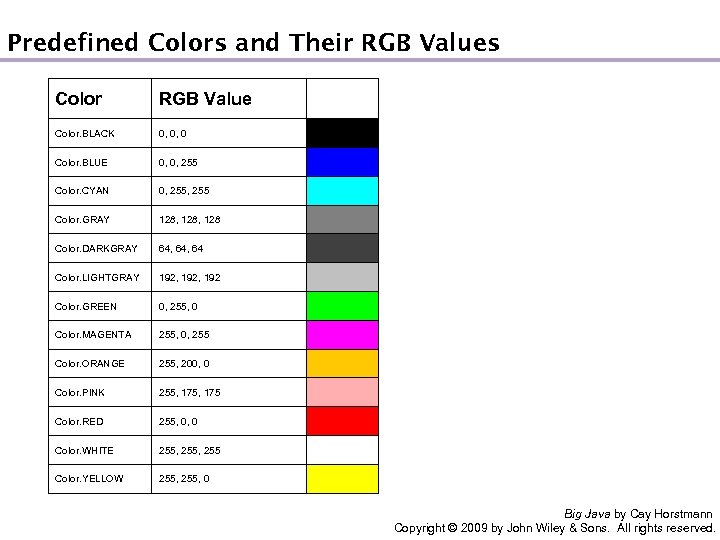
Predefined Colors and Their RGB Values Color RGB Value Color. BLACK 0, 0, 0 Color. BLUE 0, 0, 255 Color. CYAN 0, 255 Color. GRAY 128, 128 Color. DARKGRAY 64, 64 Color. LIGHTGRAY 192, 192 Color. GREEN 0, 255, 0 Color. MAGENTA 255, 0, 255 Color. ORANGE 255, 200, 0 Color. PINK 255, 175 Color. RED 255, 0, 0 Color. WHITE 255, 255 Color. YELLOW 255, 0 Big Java by Cay Horstmann Copyright © 2009 by John Wiley & Sons. All rights reserved.
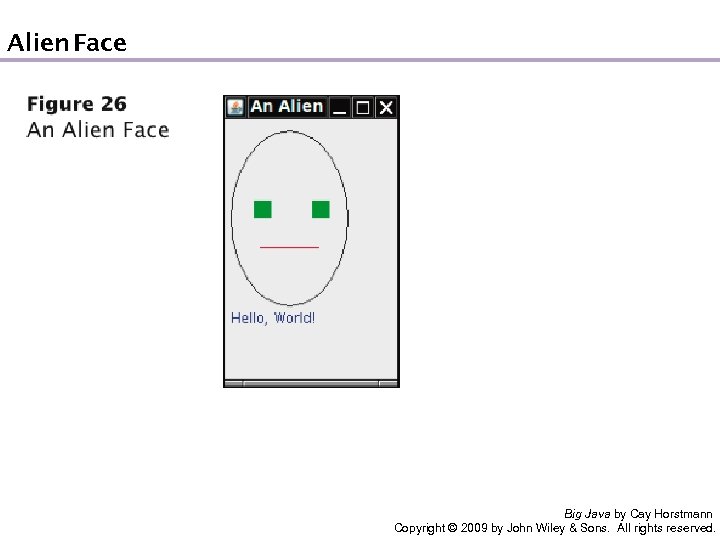
Alien Face Big Java by Cay Horstmann Copyright © 2009 by John Wiley & Sons. All rights reserved.
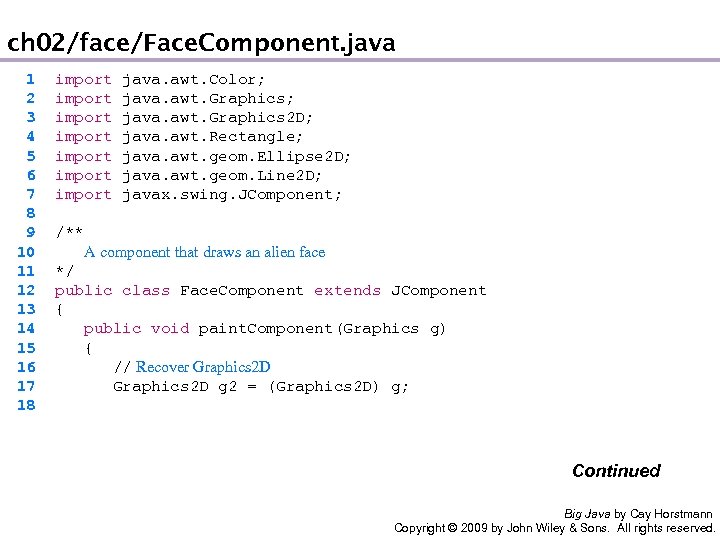
ch 02/face/Face. Component. java 1 2 3 4 5 6 7 8 9 10 11 12 13 14 15 16 17 18 import java. awt. Color; import java. awt. Graphics 2 D; import java. awt. Rectangle; import java. awt. geom. Ellipse 2 D; import java. awt. geom. Line 2 D; import javax. swing. JComponent; /** A component that draws an alien face */ public class Face. Component extends JComponent { public void paint. Component(Graphics g) { // Recover Graphics 2 D g 2 = (Graphics 2 D) g; Continued Big Java by Cay Horstmann Copyright © 2009 by John Wiley & Sons. All rights reserved.
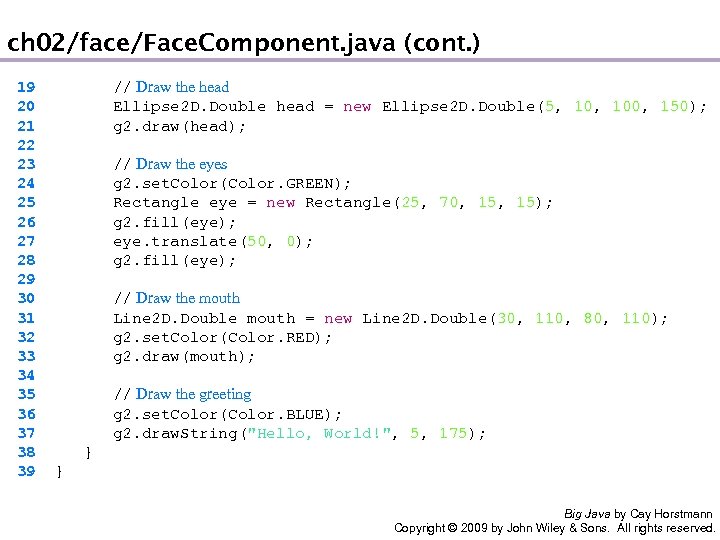
ch 02/face/Face. Component. java (cont. ) 19 20 21 22 23 24 25 26 27 28 29 30 31 32 33 34 35 36 37 38 39 // Draw the head Ellipse 2 D. Double head = new Ellipse 2 D. Double(5, 100, 150); g 2. draw(head); // Draw the eyes g 2. set. Color(Color. GREEN); Rectangle eye = new Rectangle(25, 70, 15); g 2. fill(eye); eye. translate(50, 0); g 2. fill(eye); // Draw the mouth Line 2 D. Double mouth = new Line 2 D. Double(30, 110, 80, 110); g 2. set. Color(Color. RED); g 2. draw(mouth); // Draw the greeting g 2. set. Color(Color. BLUE); g 2. draw. String("Hello, World!", 5, 175); } } Big Java by Cay Horstmann Copyright © 2009 by John Wiley & Sons. All rights reserved.
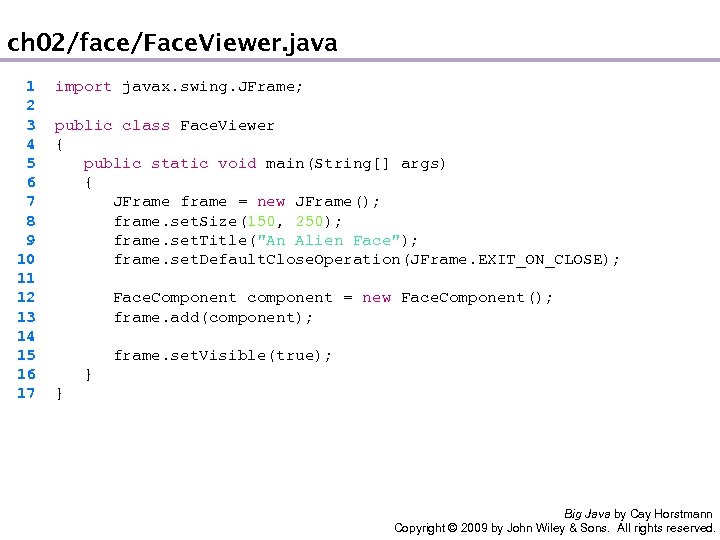
ch 02/face/Face. Viewer. java 1 2 3 4 5 6 7 8 9 10 11 12 13 14 15 16 17 import javax. swing. JFrame; public class Face. Viewer { public static void main(String[] args) { JFrame frame = new JFrame(); frame. set. Size(150, 250); frame. set. Title("An Alien Face"); frame. set. Default. Close. Operation(JFrame. EXIT_ON_CLOSE); Face. Component component = new Face. Component(); frame. add(component); frame. set. Visible(true); } } Big Java by Cay Horstmann Copyright © 2009 by John Wiley & Sons. All rights reserved.
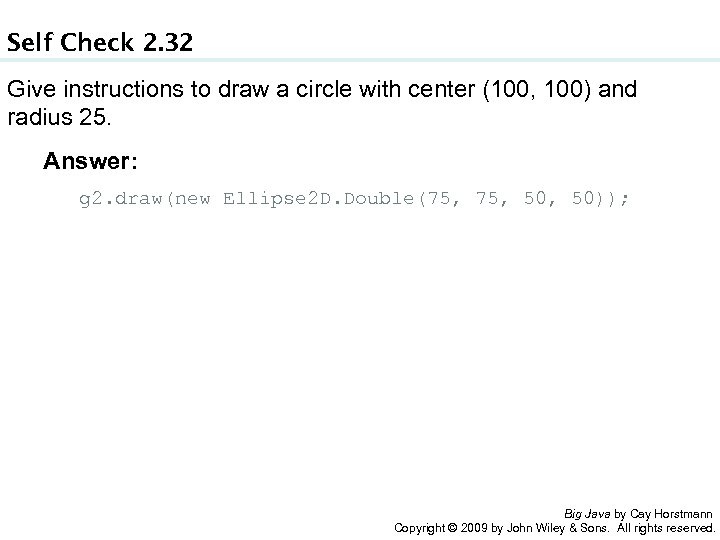
Self Check 2. 32 Give instructions to draw a circle with center (100, 100) and radius 25. Answer: g 2. draw(new Ellipse 2 D. Double(75, 50, 50)); Big Java by Cay Horstmann Copyright © 2009 by John Wiley & Sons. All rights reserved.
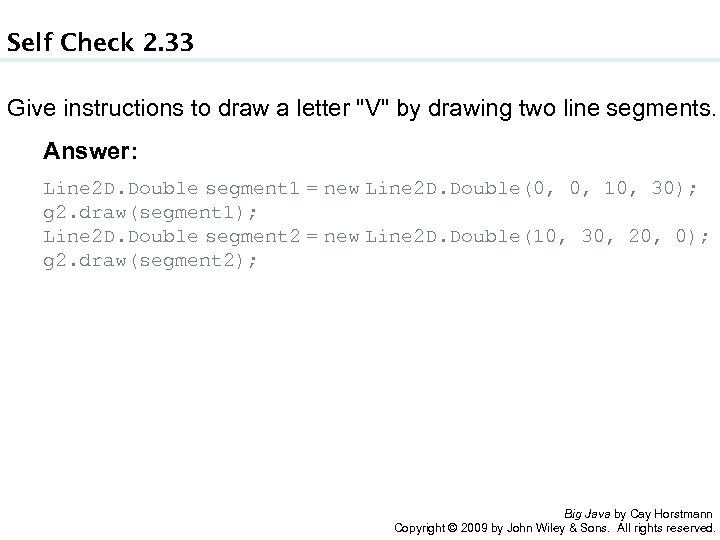
Self Check 2. 33 Give instructions to draw a letter "V" by drawing two line segments. Answer: Line 2 D. Double segment 1 = new Line 2 D. Double(0, 10, 30); g 2. draw(segment 1); Line 2 D. Double segment 2 = new Line 2 D. Double(10, 30, 20, 0); g 2. draw(segment 2); Big Java by Cay Horstmann Copyright © 2009 by John Wiley & Sons. All rights reserved.
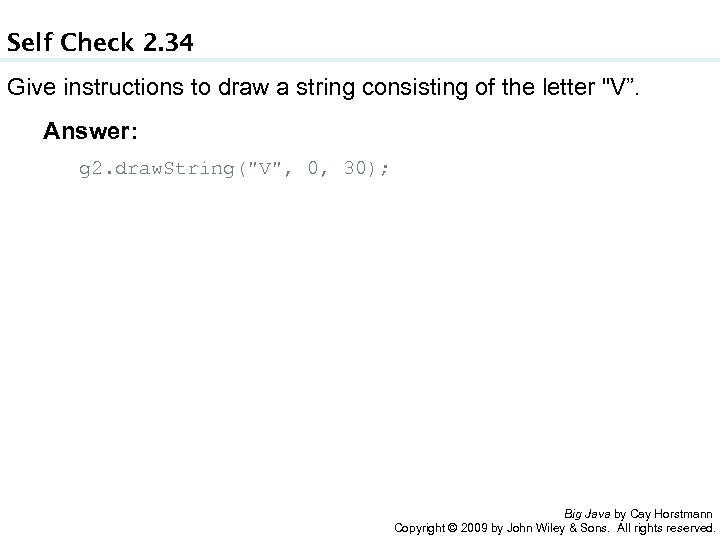
Self Check 2. 34 Give instructions to draw a string consisting of the letter "V”. Answer: g 2. draw. String("V", 0, 30); Big Java by Cay Horstmann Copyright © 2009 by John Wiley & Sons. All rights reserved.
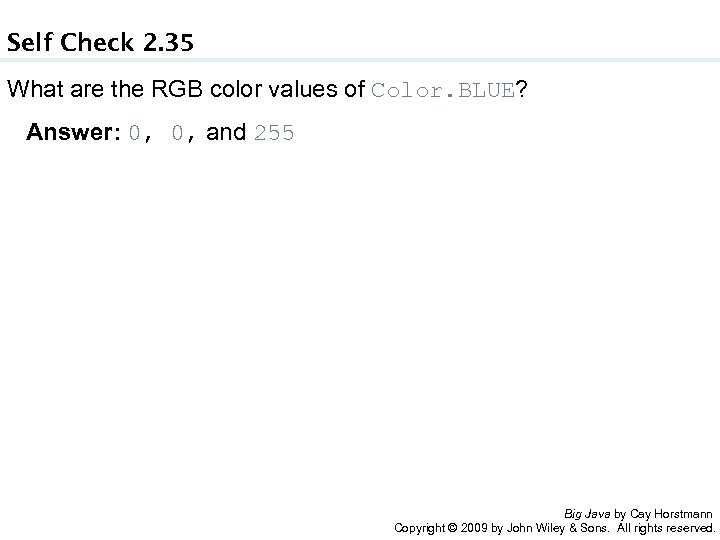
Self Check 2. 35 What are the RGB color values of Color. BLUE? Answer: 0, 0, and 255 Big Java by Cay Horstmann Copyright © 2009 by John Wiley & Sons. All rights reserved.
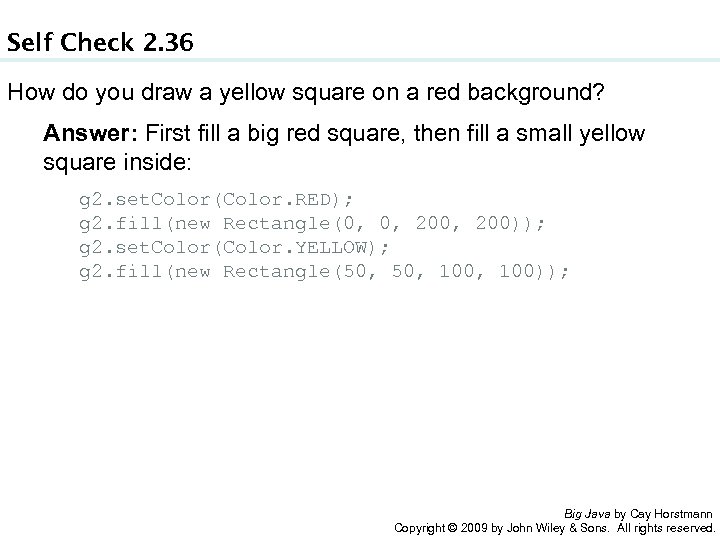
Self Check 2. 36 How do you draw a yellow square on a red background? Answer: First fill a big red square, then fill a small yellow square inside: g 2. set. Color(Color. RED); g 2. fill(new Rectangle(0, 0, 200)); g 2. set. Color(Color. YELLOW); g 2. fill(new Rectangle(50, 100, 100)); Big Java by Cay Horstmann Copyright © 2009 by John Wiley & Sons. All rights reserved.
Chapter Goals • To become familiar with the process of implementing classes • To be able to implement simple methods • To understand the purpose and use of constructors • To understand how to access instance variables and local variables • To be able to write javadoc comments G To implement classes for drawing graphical shapes Big Java by Cay Horstmann Copyright © 2009 by John Wiley & Sons. All rights reserved.
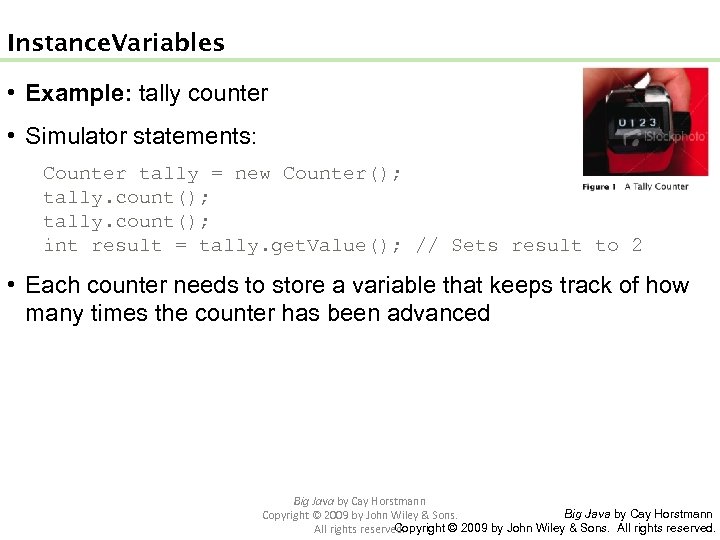
Instance Variables • Example: tally counter • Simulator statements: Counter tally = new Counter(); tally. count(); int result = tally. get. Value(); // Sets result to 2 • Each counter needs to store a variable that keeps track of how many times the counter has been advanced Big Java by Cay Horstmann Copyright © 2009 by John Wiley & Sons. All rights reserved.
Instance Variables • Instance variables store the data of an object • Instance of a class: an object of the class • The class declaration specifies the instance variables: public class Counter { private int value; … } Big Java by Cay Horstmann Copyright © 2009 by John Wiley & Sons. All rights reserved.
Instance Variables • An instance variable declaration consists of the following parts: • access specifier (private) • type of variable (such as int) • name of variable (such as value) • Each object of a class has its own set of instance variables • You should declare all instance variables as private Big Java by Cay Horstmann Copyright © 2009 by John Wiley & Sons. All rights reserved.
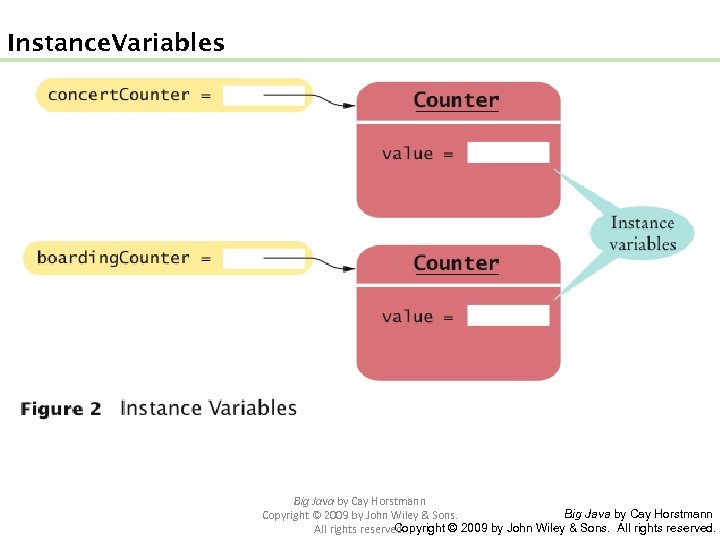
Instance Variables Big Java by Cay Horstmann Copyright © 2009 by John Wiley & Sons. All rights reserved.
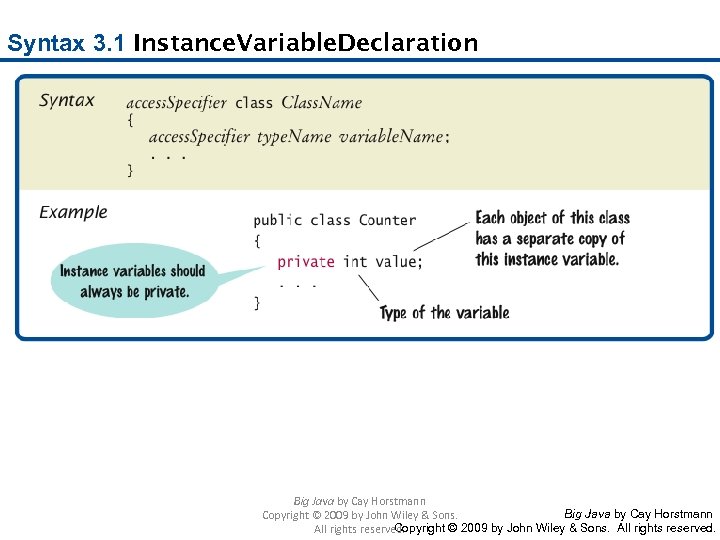
Syntax 3. 1 Instance Variable Declaration Big Java by Cay Horstmann Copyright © 2009 by John Wiley & Sons. All rights reserved.
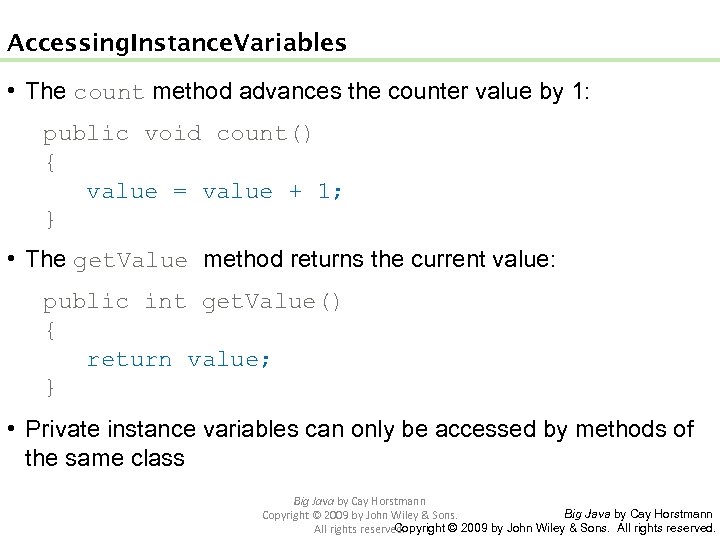
Accessing Instance Variables • The count method advances the counter value by 1: public void count() { value = value + 1; } • The get. Value method returns the current value: public int get. Value() { return value; } • Private instance variables can only be accessed by methods of the same class Big Java by Cay Horstmann Copyright © 2009 by John Wiley & Sons. All rights reserved.
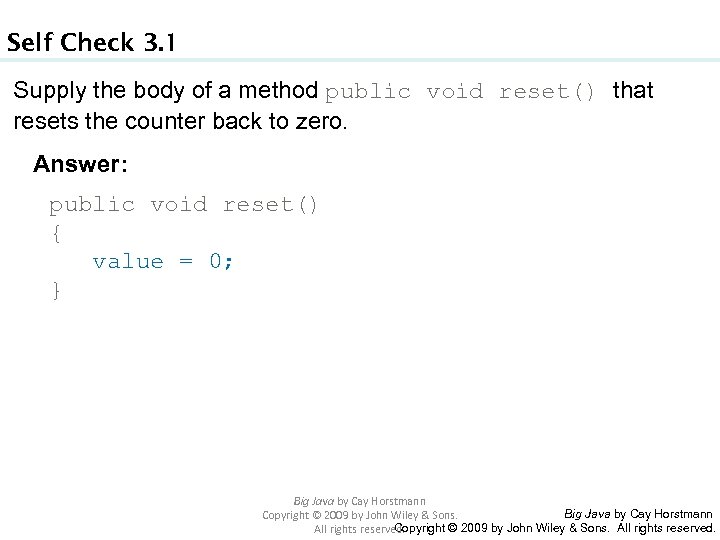
Self Check 3. 1 Supply the body of a method public void reset() that resets the counter back to zero. Answer: public void reset() { value = 0; } Big Java by Cay Horstmann Copyright © 2009 by John Wiley & Sons. All rights reserved.
Self Check 3. 2 Suppose you use a class Clock with private instance variables hours and minutes. How can you access these variables in your program? Answer: You can only access them by invoking the methods of the Clock class. Big Java by Cay Horstmann Copyright © 2009 by John Wiley & Sons. All rights reserved.
Instance Variables • Encapsulation is the process of hiding object data and providing methods for data access • To encapsulate data, declare instance variables as private and declare public methods that access the variables • Encapsulation allows a programmer to use a class without having to know its implementation • Information hiding makes it simpler for the implementor of a class to locate errors and change implementations Big Java by Cay Horstmann Copyright © 2009 by John Wiley & Sons. All rights reserved.
Self Check 3. 3 Consider the Counter class. A counter’s value starts at 0 and is advanced by the count method, so it should never be negative. Suppose you found a negative value variable during testing. Where would you look for the error? Answer: In one of the methods of the Counter class. Big Java by Cay Horstmann Copyright © 2009 by John Wiley & Sons. All rights reserved.
Self Check 3. 4 In Chapters 1 and 2, you used System. out as a black box to cause output to appear on the screen. Who designed and implemented System. out? Answer: The programmers who designed and implemented the Java library. Big Java by Cay Horstmann Copyright © 2009 by John Wiley & Sons. All rights reserved.
Self Check 3. 5 Suppose you are working in a company that produces personal finance software. You are asked to design and implement a class for representing bank accounts. Who will be the users of your class? Answer: Other programmers who work on the personal finance application. Big Java by Cay Horstmann Copyright © 2009 by John Wiley & Sons. All rights reserved.
Specifying the Public Interface of a Class Behavior of bank account (abstraction): • deposit money • withdraw money • get balance Big Java by Cay Horstmann Copyright © 2009 by John Wiley & Sons. All rights reserved.
Specifying the Public Interface of a Class: Methods • Methods of Bank. Account class: • deposit • withdraw • get. Balance • We want to support method calls such as the following: harrys. Checking. deposit(2000); harrys. Checking. withdraw(500); System. out. println(harrys. Checking. get. Balance()); Big Java by Cay Horstmann Copyright © 2009 by John Wiley & Sons. All rights reserved.
Specifying the Public Interface of a Class: Method Declaration access specifier (such as public) • return type (such as String or void) • method name (such as deposit) • list of parameters (double amount for deposit) • method body in { } Examples: • public void deposit(double amount) {. . . } • public void withdraw(double amount) {. . . } • public double get. Balance() {. . . } Big Java by Cay Horstmann Copyright © 2009 by John Wiley & Sons. All rights reserved.
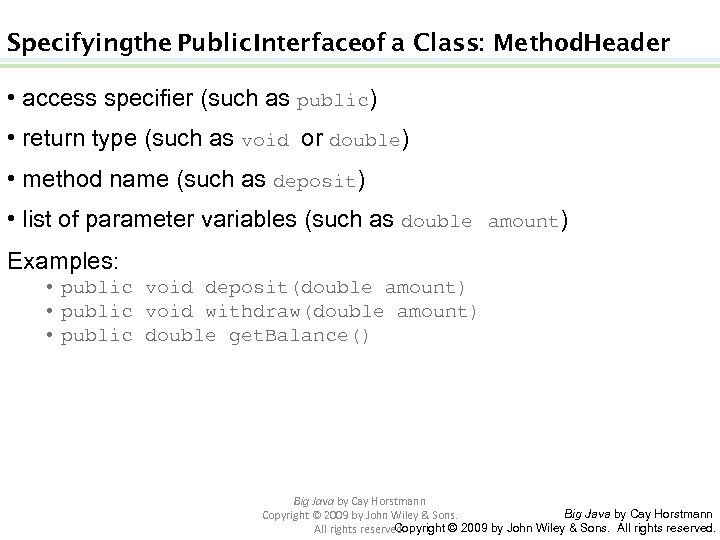
Specifying the Public Interface of a Class: Method Header • access specifier (such as public) • return type (such as void or double) • method name (such as deposit) • list of parameter variables (such as double amount) Examples: • public void deposit(double amount) • public void withdraw(double amount) • public double get. Balance() Big Java by Cay Horstmann Copyright © 2009 by John Wiley & Sons. All rights reserved.
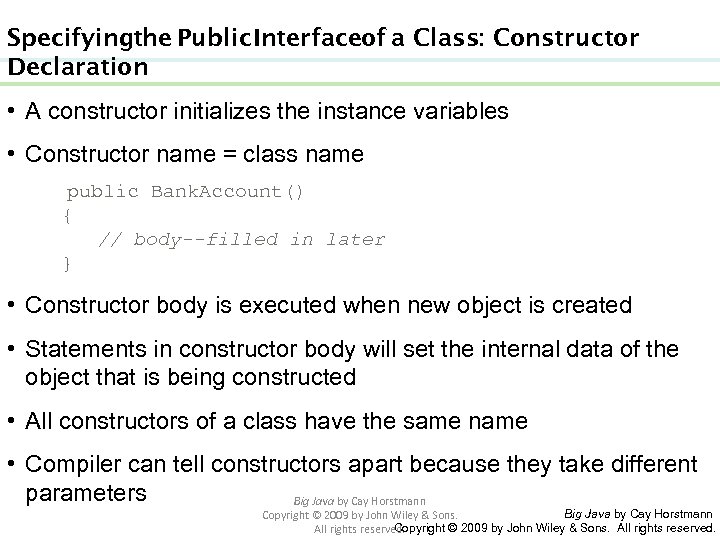
Specifying the Public Interface of a Class: Constructor Declaration • A constructor initializes the instance variables • Constructor name = class name public Bank. Account() { // body--filled in later } • Constructor body is executed when new object is created • Statements in constructor body will set the internal data of the object that is being constructed • All constructors of a class have the same name • Compiler can tell constructors apart because they take different parameters Big Java by Cay Horstmann Copyright © 2009 by John Wiley & Sons. All rights reserved.
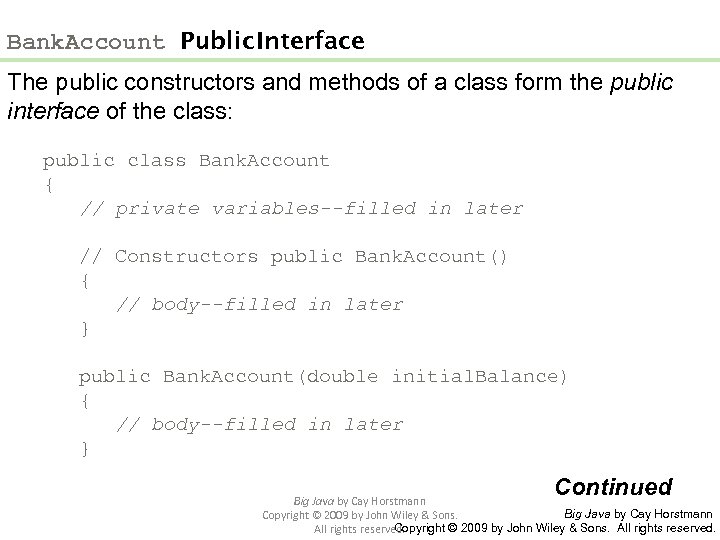
Bank. Account Public Interface The public constructors and methods of a class form the public interface of the class: public class Bank. Account { // private variables--filled in later // Constructors public Bank. Account() { // body--filled in later } public Bank. Account(double initial. Balance) { // body--filled in later } Continued Big Java by Cay Horstmann Copyright © 2009 by John Wiley & Sons. All rights reserved.
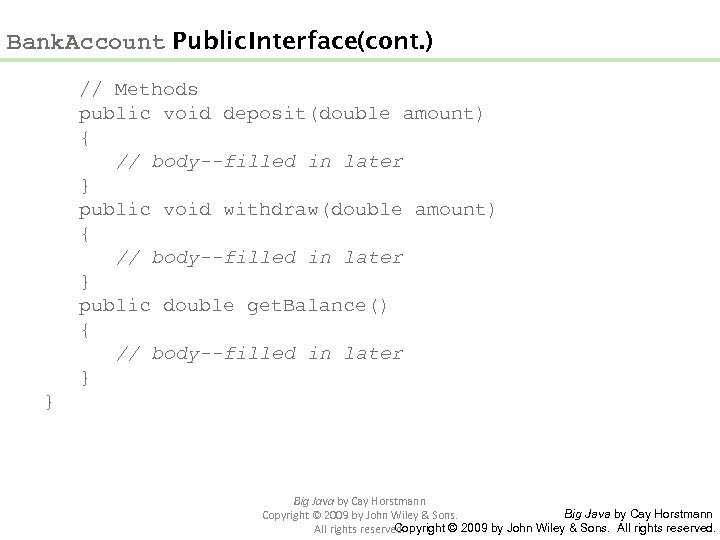
Bank. Account Public Interface (cont. ) // Methods public void deposit(double amount) { // body--filled in later } public void withdraw(double amount) { // body--filled in later } public double get. Balance() { // body--filled in later } } Big Java by Cay Horstmann Copyright © 2009 by John Wiley & Sons. All rights reserved.
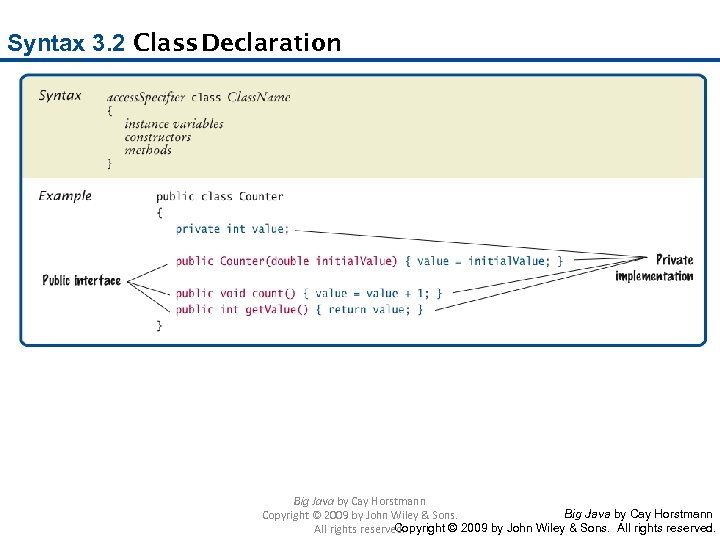
Syntax 3. 2 Class Declaration Big Java by Cay Horstmann Copyright © 2009 by John Wiley & Sons. All rights reserved.
Self Check 3. 6 How can you use the methods of the public interface to empty the harrys. Checking bank account? Answer: harrys. Checking. withdraw(harrys. Checking. get. Balance()) Big Java by Cay Horstmann Copyright © 2009 by John Wiley & Sons. All rights reserved.
Self Check 3. 7 What is wrong with this sequence of statements? Bank. Account harrys. Checking = new Bank. Account(10000); System. out. println(harrys. Checking. withdraw(500)); Answer: The withdraw method has return type void. It doesn’t return a value. Use the get. Balance method to obtain the balance after the withdrawal. Big Java by Cay Horstmann Copyright © 2009 by John Wiley & Sons. All rights reserved.
Self Check 3. 8 Suppose you want a more powerful bank account abstraction that keeps track of an account number in addition to the balance. How would you change the public interface to accommodate this enhancement? Answer: Add an account. Number parameter to the constructors, and add a get. Account. Number method. There is no need for a set. Account. Number method – the account number never changes after construction. Big Java by Cay Horstmann Copyright © 2009 by John Wiley & Sons. All rights reserved.
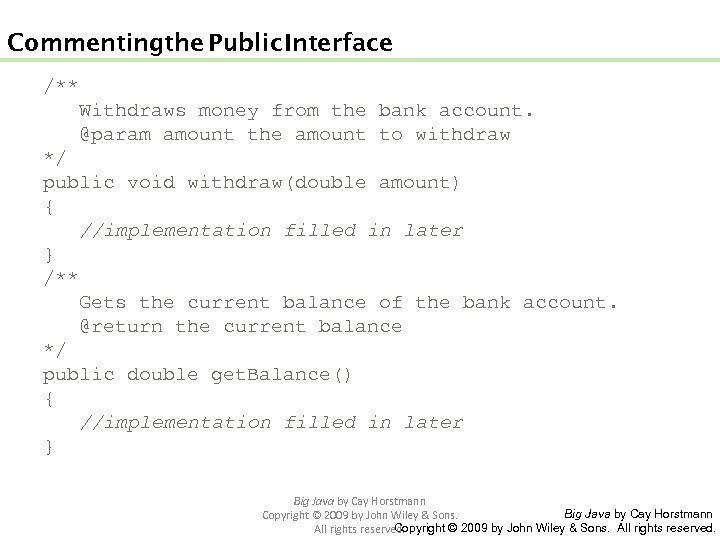
Commenting the Public Interface /** Withdraws money from the bank account. @param amount the amount to withdraw */ public void withdraw(double amount) { //implementation filled in later } /** Gets the current balance of the bank account. @return the current balance */ public double get. Balance() { //implementation filled in later } Big Java by Cay Horstmann Copyright © 2009 by John Wiley & Sons. All rights reserved.
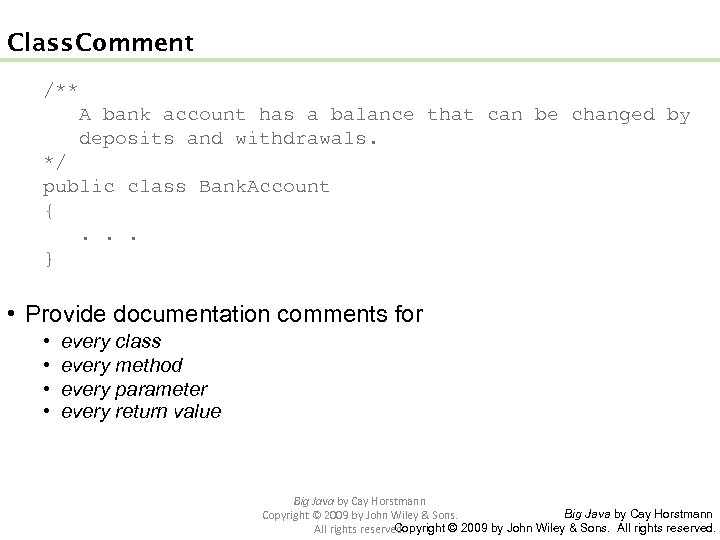
Class Comment /** A bank account has a balance that can be changed by deposits and withdrawals. */ public class Bank. Account { . . . } • Provide documentation comments for • • every class every method every parameter every return value Big Java by Cay Horstmann Copyright © 2009 by John Wiley & Sons. All rights reserved.
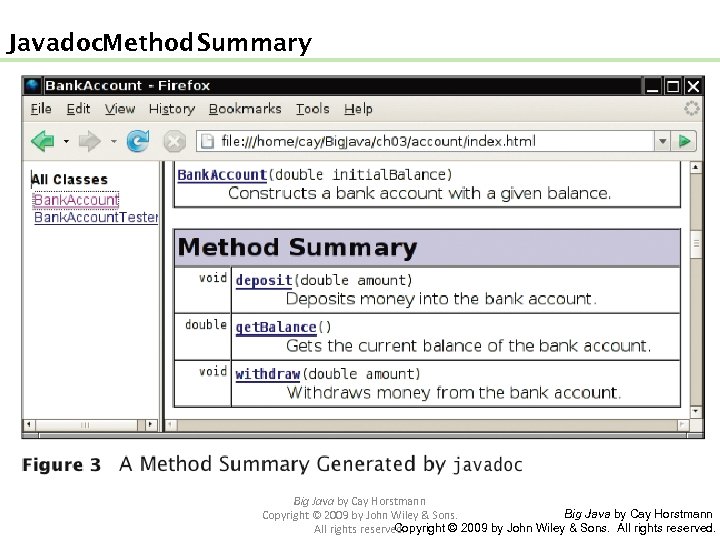
Javadoc Method Summary Big Java by Cay Horstmann Copyright © 2009 by John Wiley & Sons. All rights reserved.
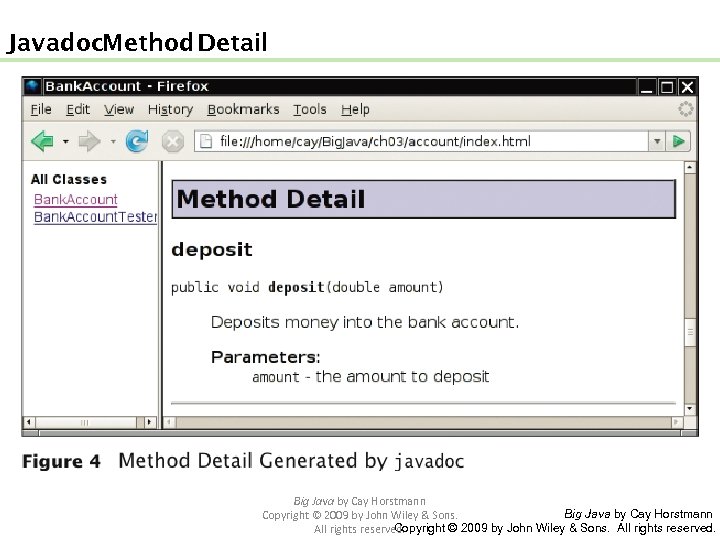
Javadoc Method Detail Big Java by Cay Horstmann Copyright © 2009 by John Wiley & Sons. All rights reserved.
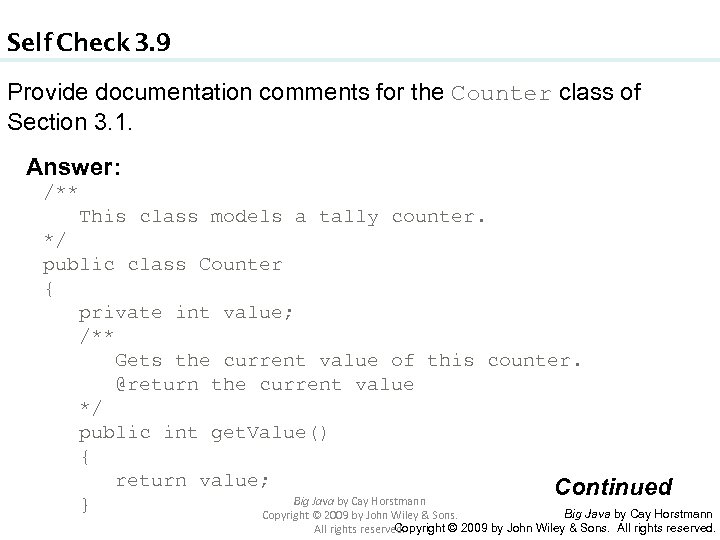
Self Check 3. 9 Provide documentation comments for the Counter class of Section 3. 1. Answer: /** This class models a tally counter. */ public class Counter { private int value; /** Gets the current value of this counter. @return the current value */ public int get. Value() { return value; Continued Big Java by Cay Horstmann } Big Java by Cay Horstmann Copyright © 2009 by John Wiley & Sons. All rights reserved.
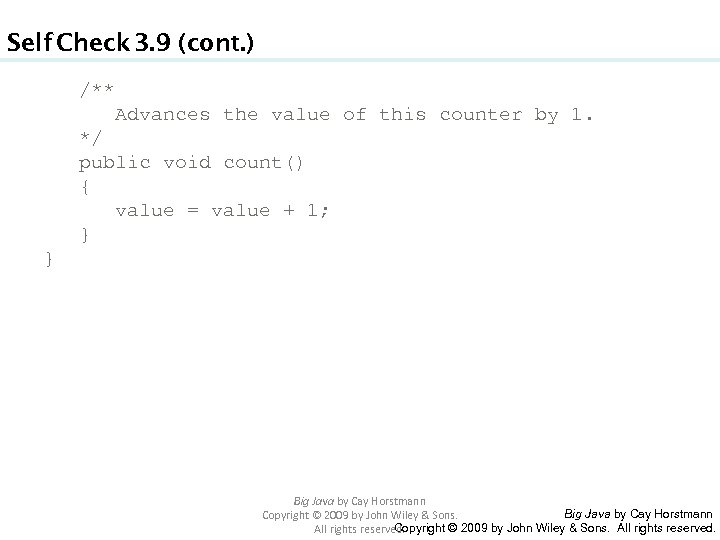
Self Check 3. 9 (cont. ) /** Advances the value of this counter by 1. */ public void count() { value = value + 1; } } Big Java by Cay Horstmann Copyright © 2009 by John Wiley & Sons. All rights reserved.
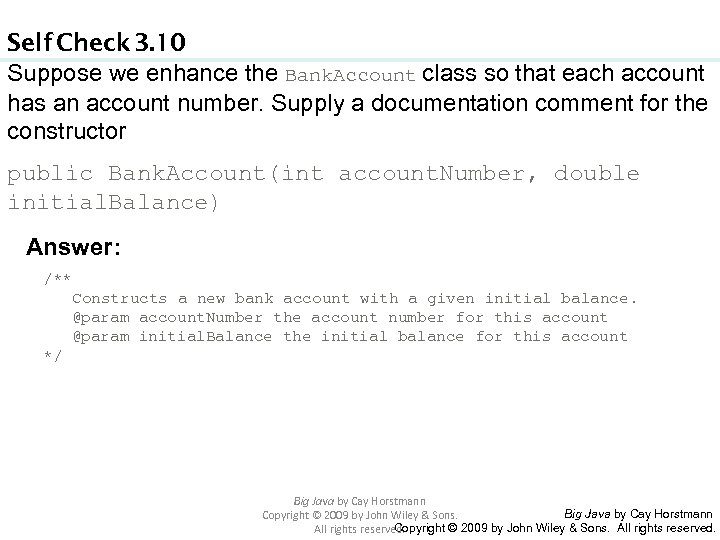
Self Check 3. 10 Suppose we enhance the Bank. Account class so that each account has an account number. Supply a documentation comment for the constructor public Bank. Account(int account. Number, double initial. Balance) Answer: /** Constructs a new bank account with a given initial balance. @param account. Number the account number for this account @param initial. Balance the initial balance for this account */ Big Java by Cay Horstmann Copyright © 2009 by John Wiley & Sons. All rights reserved.
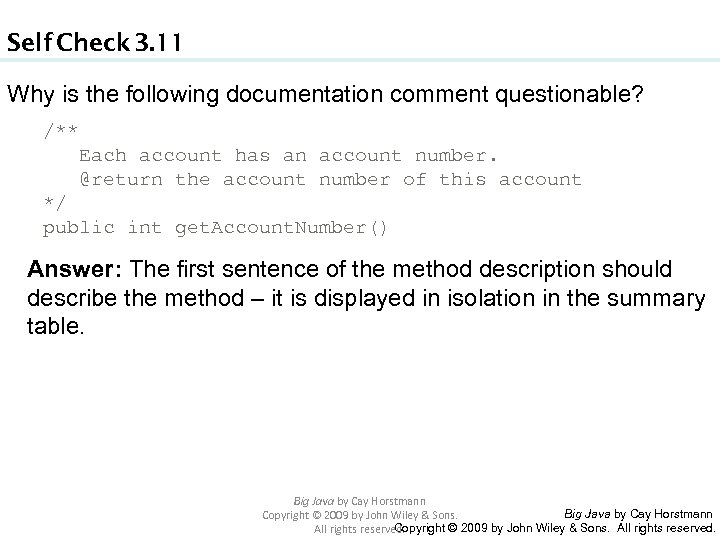
Self Check 3. 11 Why is the following documentation comment questionable? /** Each account has an account number. @return the account number of this account */ public int get. Account. Number() Answer: The first sentence of the method description should describe the method – it is displayed in isolation in the summary table. Big Java by Cay Horstmann Copyright © 2009 by John Wiley & Sons. All rights reserved.
Implementing Constructors • Constructors contain instructions to initialize the instance variables of an object: public Bank. Account() { balance = 0; } public Bank. Account(double initial. Balance) { balance = initial. Balance; } Big Java by Cay Horstmann Copyright © 2009 by John Wiley & Sons. All rights reserved.
Constructor. Call Example • Statement: Bank. Account harrys. Checking = new Bank. Account(1000); • Create a new object of type Bank. Account • Call the second constructor (because a construction parameter is supplied in the constructor call) • Set the parameter variable initial. Balance to 1000 • Set the balance instance variable of the newly created object to initial. Balance • Return an object reference, that is, the memory location of the object, as the value of the new expression • Store that object reference in the harrys. Checking variable Big Java by Cay Horstmann Copyright © 2009 by John Wiley & Sons. All rights reserved.
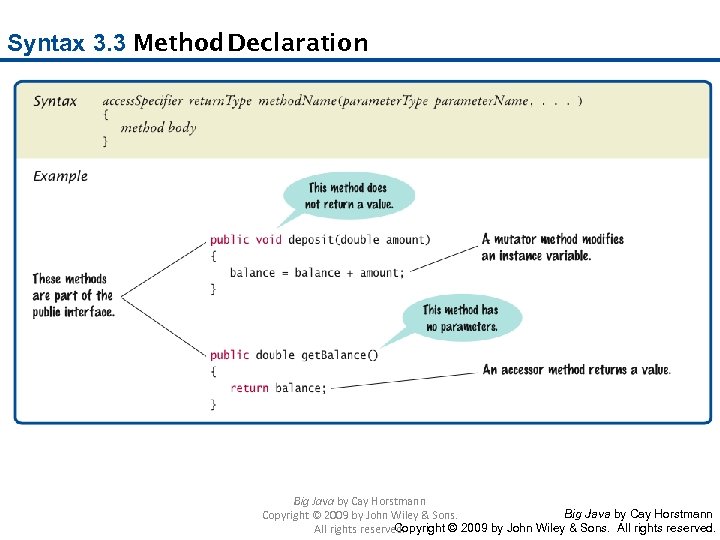
Syntax 3. 3 Method Declaration Big Java by Cay Horstmann Copyright © 2009 by John Wiley & Sons. All rights reserved.
Implementing Methods • deposit method: public void deposit(double amount) { balance = balance + amount; } Big Java by Cay Horstmann Copyright © 2009 by John Wiley & Sons. All rights reserved.
Method Call Example • Statement: harrys. Checking. deposit(500); • Set the parameter variable amount to 500 • Fetch the balance variable of the object whose location is stored in harrys. Checking • Add the value of amount to balance • Store the sum in the balance instance variable, overwriting the old value Big Java by Cay Horstmann Copyright © 2009 by John Wiley & Sons. All rights reserved.
Implementing Methods • public void withdraw(double amount) { balance = balance - amount; } • public double get. Balance() { return balance; } Big Java by Cay Horstmann Copyright © 2009 by John Wiley & Sons. All rights reserved.
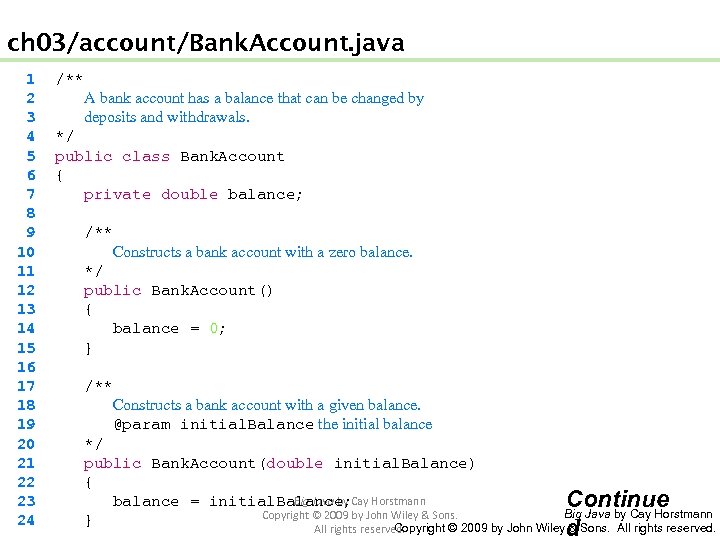
ch 03/account/Bank. Account. java 1 2 3 4 5 6 7 8 9 10 11 12 13 14 15 16 17 18 19 20 21 22 23 24 /** A bank account has a balance that can be changed by deposits and withdrawals. */ public class Bank. Account { private double balance; /** Constructs a bank account with a zero balance. */ public Bank. Account() { balance = 0; } /** Constructs a bank account with a given balance. @param initial. Balance the initial balance */ public Bank. Account(double initial. Balance) { Big Java by balance = initial. Balance; Cay Horstmann Continue Big Java by Cay Horstmann Copyright © 2009 by John Wiley & Sons. } Copyright © 2009 by John Wiley & Sons. All rights reserved. d
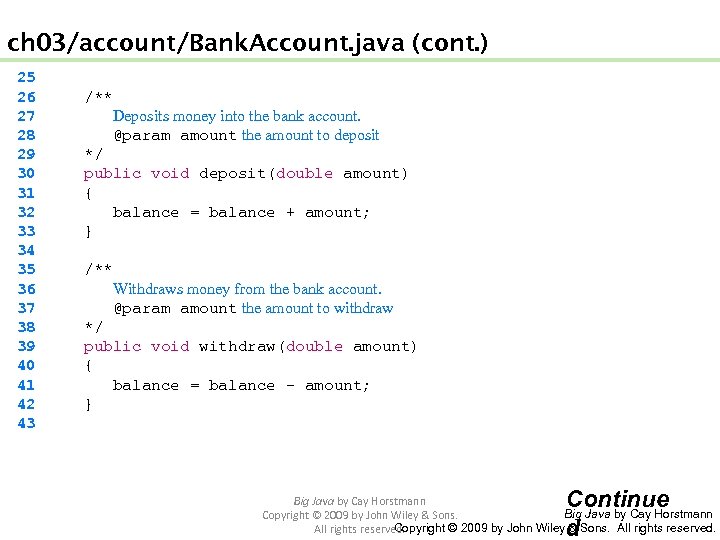
ch 03/account/Bank. Account. java (cont. ) 25 26 27 28 29 30 31 32 33 34 35 36 37 38 39 40 41 42 43 /** Deposits money into the bank account. @param amount the amount to deposit */ public void deposit(double amount) { balance = balance + amount; } /** Withdraws money from the bank account. @param amount the amount to withdraw */ public void withdraw(double amount) { balance = balance - amount; } Continue d Big Java by Cay Horstmann Copyright © 2009 by John Wiley & Sons. All rights reserved.
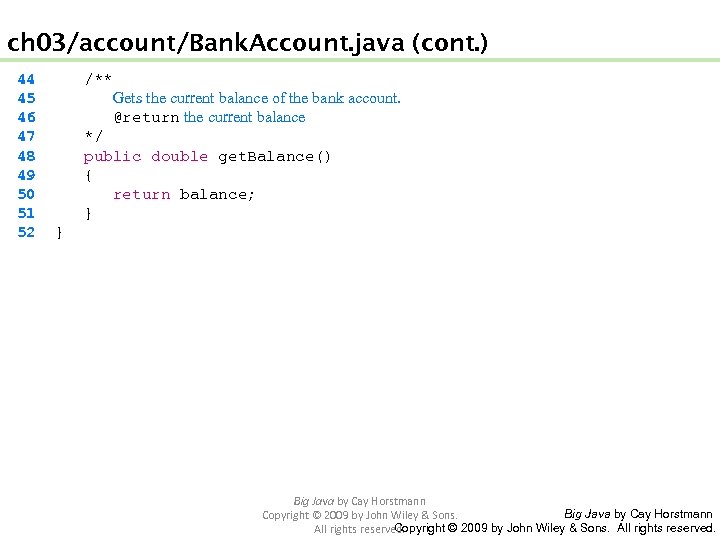
ch 03/account/Bank. Account. java (cont. ) 44 45 46 47 48 49 50 51 52 /** Gets the current balance of the bank account. @return the current balance */ public double get. Balance() { return balance; } } Big Java by Cay Horstmann Copyright © 2009 by John Wiley & Sons. All rights reserved.
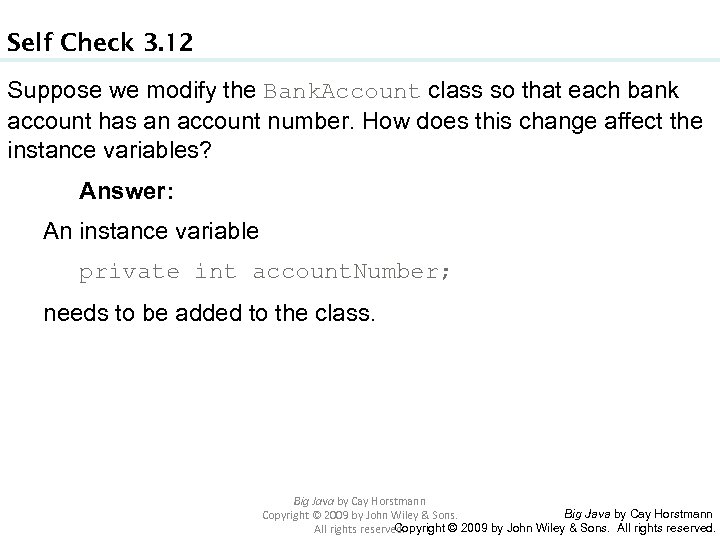
Self Check 3. 12 Suppose we modify the Bank. Account class so that each bank account has an account number. How does this change affect the instance variables? Answer: An instance variable private int account. Number; needs to be added to the class. Big Java by Cay Horstmann Copyright © 2009 by John Wiley & Sons. All rights reserved.
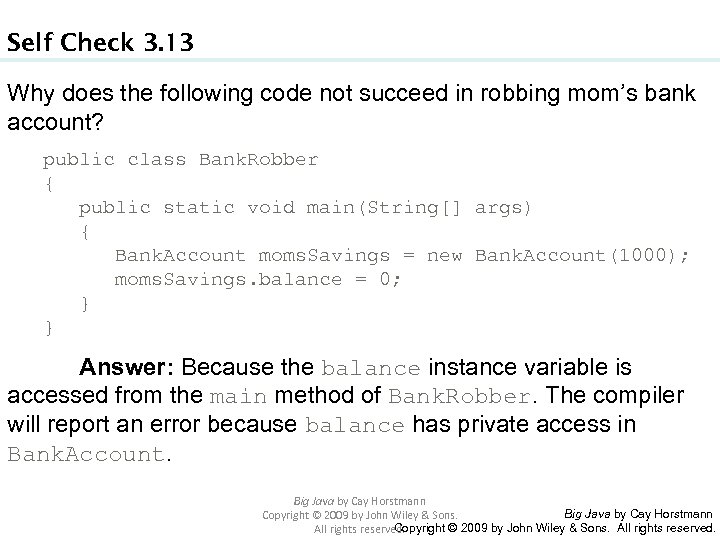
Self Check 3. 13 Why does the following code not succeed in robbing mom’s bank account? public class Bank. Robber { public static void main(String[] args) { Bank. Account moms. Savings = new Bank. Account(1000); moms. Savings. balance = 0; } } Answer: Because the balance instance variable is accessed from the main method of Bank. Robber. The compiler will report an error because balance has private access in Bank. Account. Big Java by Cay Horstmann Copyright © 2009 by John Wiley & Sons. All rights reserved.
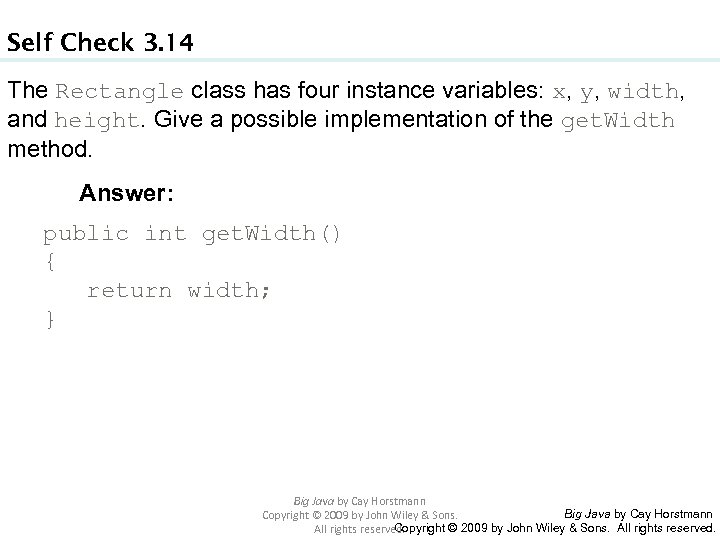
Self Check 3. 14 The Rectangle class has four instance variables: x, y, width, and height. Give a possible implementation of the get. Width method. Answer: public int get. Width() { return width; } Big Java by Cay Horstmann Copyright © 2009 by John Wiley & Sons. All rights reserved.
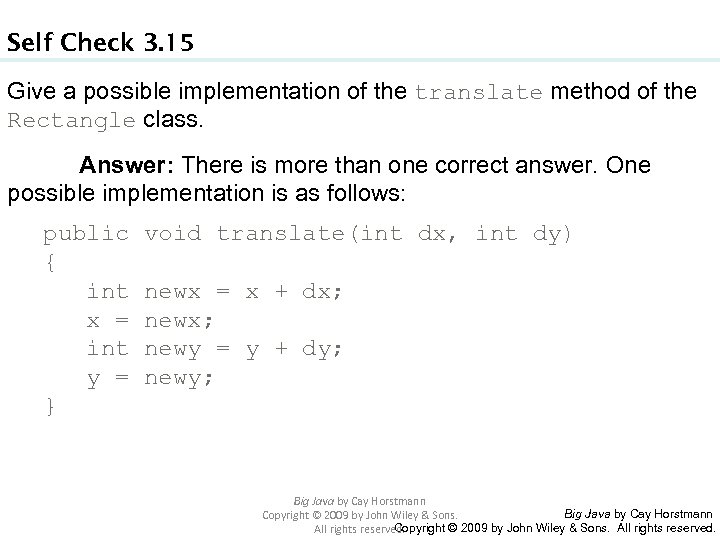
Self Check 3. 15 Give a possible implementation of the translate method of the Rectangle class. Answer: There is more than one correct answer. One possible implementation is as follows: public void translate(int dx, int dy) { int newx = x + dx; x = newx; int newy = y + dy; y = newy; } Big Java by Cay Horstmann Copyright © 2009 by John Wiley & Sons. All rights reserved.
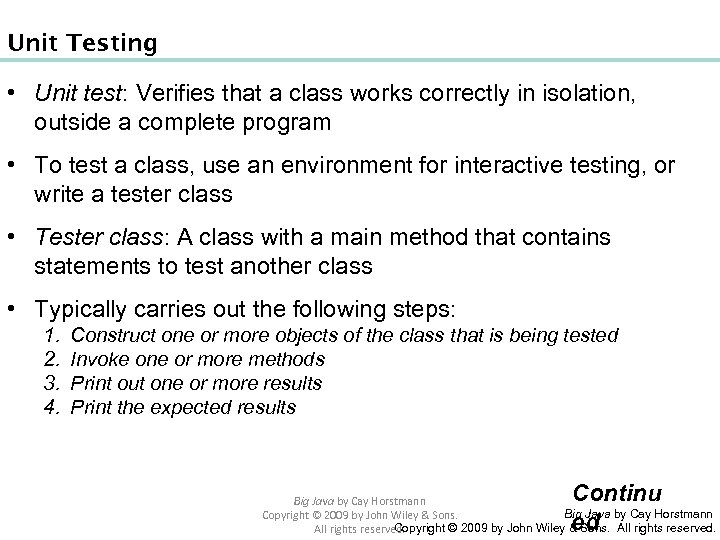
Unit Testing • Unit test: Verifies that a class works correctly in isolation, outside a complete program • To test a class, use an environment for interactive testing, or write a tester class • Tester class: A class with a main method that contains statements to test another class • Typically carries out the following steps: 1. 2. 3. 4. Construct one or more objects of the class that is being tested Invoke one or more methods Print out one or more results Print the expected results Continu ed Big Java by Cay Horstmann Copyright © 2009 by John Wiley & Sons. All rights reserved.
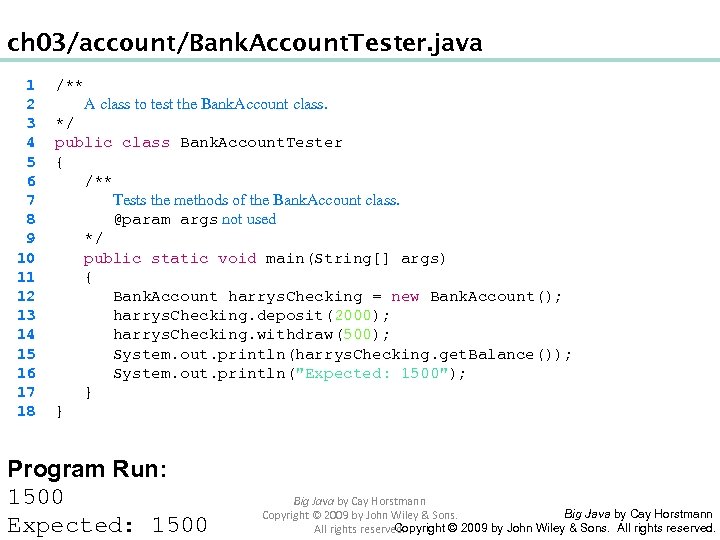
ch 03/account/Bank. Account. Tester. java 1 2 3 4 5 6 7 8 9 10 11 12 13 14 15 16 17 18 /** A class to test the Bank. Account class. */ public class Bank. Account. Tester { /** Tests the methods of the Bank. Account class. @param args not used */ public static void main(String[] args) { Bank. Account harrys. Checking = new Bank. Account(); harrys. Checking. deposit(2000); harrys. Checking. withdraw(500); System. out. println(harrys. Checking. get. Balance()); System. out. println("Expected: 1500"); } } Program Run: 1500 Expected: 1500 Big Java by Cay Horstmann Copyright © 2009 by John Wiley & Sons. All rights reserved.
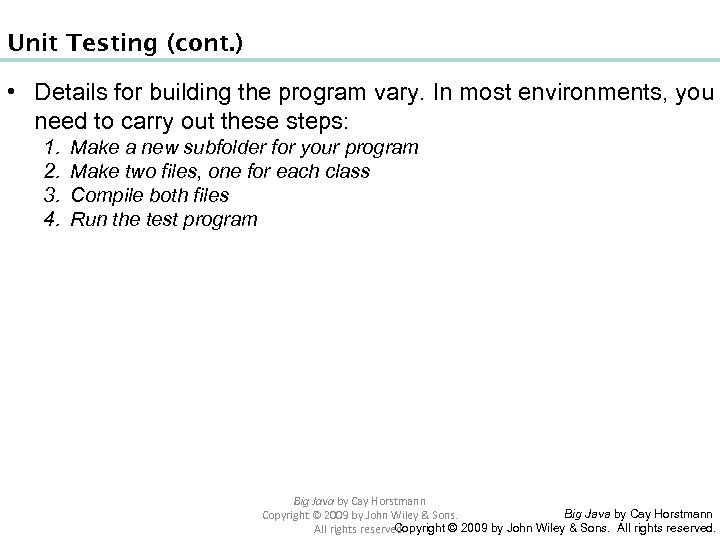
Unit Testing (cont. ) • Details for building the program vary. In most environments, you need to carry out these steps: 1. 2. 3. 4. Make a new subfolder for your program Make two files, one for each class Compile both files Run the test program Big Java by Cay Horstmann Copyright © 2009 by John Wiley & Sons. All rights reserved.
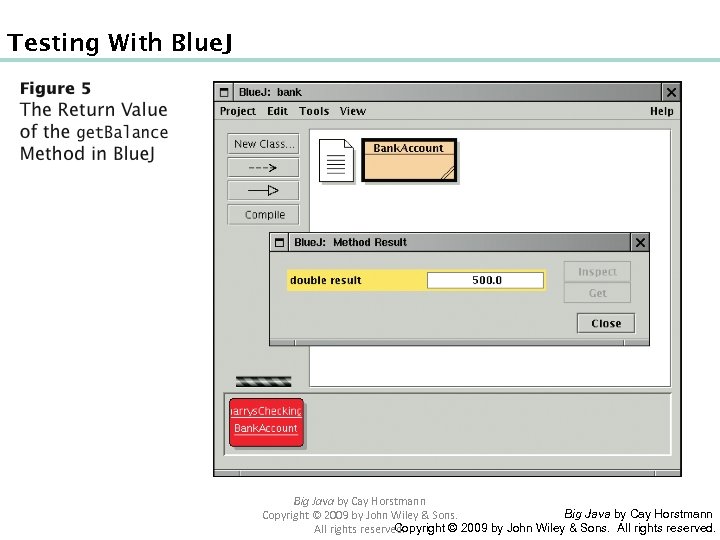
Testing With Blue. J Big Java by Cay Horstmann Copyright © 2009 by John Wiley & Sons. All rights reserved.
Self Check 3. 16 When you run the Bank. Account. Tester program, how many objects of class Bank. Account are constructed? How many objects of type Bank. Account. Tester? Answer: One Bank. Account object, no Bank. Account. Tester object. The purpose of the Bank. Account. Tester class is merely to hold the main method. Big Java by Cay Horstmann Copyright © 2009 by John Wiley & Sons. All rights reserved.
Self Check 3. 17 Why is the Bank. Account. Tester class unnecessary in development environments that allow interactive testing, such as Blue. J? Answer: In those environments, you can issue interactive commands to construct Bank. Account objects, invoke methods, and display their return values. Big Java by Cay Horstmann Copyright © 2009 by John Wiley & Sons. All rights reserved.
Local Variables • Local and parameter variables belong to a method • When a method or constructor runs, its local and parameter variables come to life • When the method or constructor exits, they are removed immediately • Instance variables belongs to an objects, not methods • When an object is constructed, its instance variables are created • The instance variables stay alive until no method uses the object any longer Big Java by Cay Horstmann Copyright © 2009 by John Wiley & Sons. All rights reserved.
Local Variables • In Java, the garbage collector periodically reclaims objects when they are no longer used • Instance variables are initialized to a default value, but you must initialize local variables Big Java by Cay Horstmann Copyright © 2009 by John Wiley & Sons. All rights reserved.
Animation 3. 1: Lifetime of Variables Big Java by Cay Horstmann Copyright © 2009 by John Wiley & Sons. All rights reserved.
Self Check 3. 18 What do local variables and parameter variables have in common? In which essential aspect do they differ? Answer: Variables of both categories belong to methods – they come alive when the method is called, and they die when the method exits. They differ in their initialization. Parameter variables are initialized with the call values; local variables must be explicitly initialized. Big Java by Cay Horstmann Copyright © 2009 by John Wiley & Sons. All rights reserved.
Self Check 3. 19 Why was it necessary to introduce the local variable change in the give. Change method? That is, why didn’t the method simply end with the statement return payment - purchase; Answer: After computing the change due, payment and purchase were set to zero. If the method returned payment - purchase, it would always return zero. Big Java by Cay Horstmann Copyright © 2009 by John Wiley & Sons. All rights reserved.
Implicit Parameter • The implicit parameter of a method is the object on which the method is invoked • public void deposit(double amount) { balance = balance + amount; } • In the call moms. Savings. deposit(500) The implicit parameter is moms. Savings and the explicit parameter is 500 • When you refer to an instance variable inside a method, it means the instance variable of the implicit parameter Big Java by Cay Horstmann Copyright © 2009 by John Wiley & Sons. All rights reserved.
Implicit Parameters and this • The this reference denotes the implicit parameter • balance = balance + amount; actually means this. balance = this. balance + amount; • When you refer to an instance variable in a method, the compiler automatically applies it to the this reference Big Java by Cay Horstmann Copyright © 2009 by John Wiley & Sons. All rights reserved.
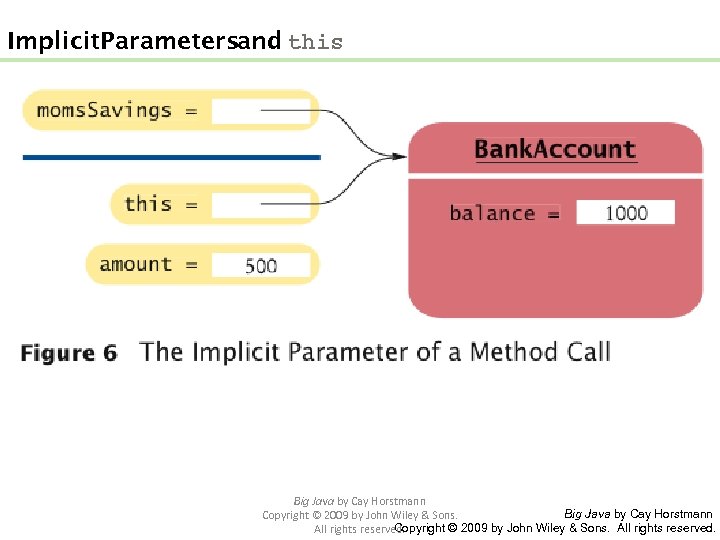
Implicit Parameters and this Big Java by Cay Horstmann Copyright © 2009 by John Wiley & Sons. All rights reserved.
Implicit Parameters and this • Some programmers feel that manually inserting the this reference before every instance variable reference makes the code clearer: public Bank. Account(double initial. Balance) { this. balance = initial. Balance; } Big Java by Cay Horstmann Copyright © 2009 by John Wiley & Sons. All rights reserved.
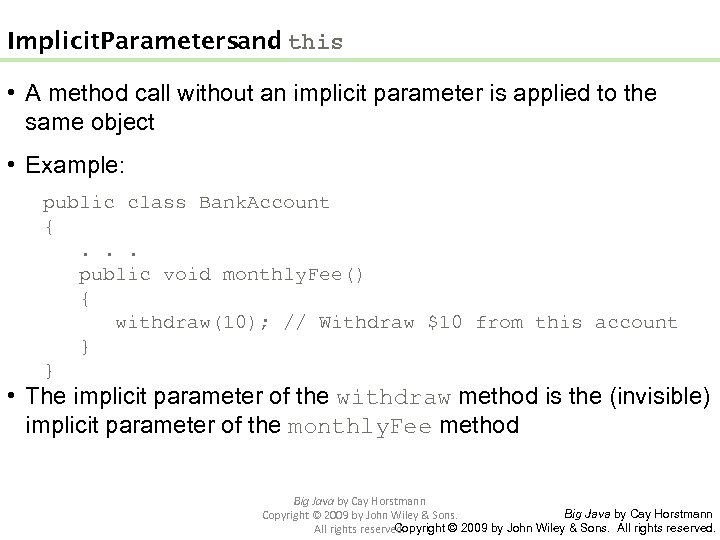
Implicit Parameters and this • A method call without an implicit parameter is applied to the same object • Example: public class Bank. Account { . . . public void monthly. Fee() { withdraw(10); // Withdraw $10 from this account } } • The implicit parameter of the withdraw method is the (invisible) implicit parameter of the monthly. Fee method Big Java by Cay Horstmann Copyright © 2009 by John Wiley & Sons. All rights reserved.
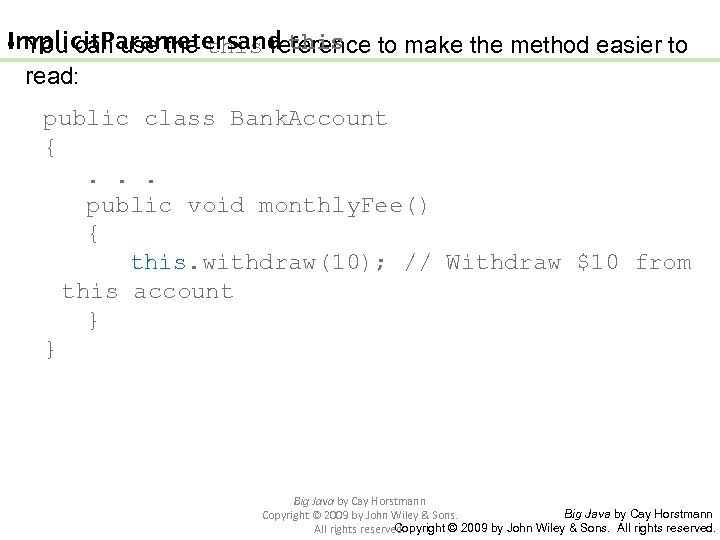
Implicit Parameters and this • You can use this reference to make the method easier to read: public class Bank. Account { . . . public void monthly. Fee() { this. withdraw(10); // Withdraw $10 from this account } } Big Java by Cay Horstmann Copyright © 2009 by John Wiley & Sons. All rights reserved.
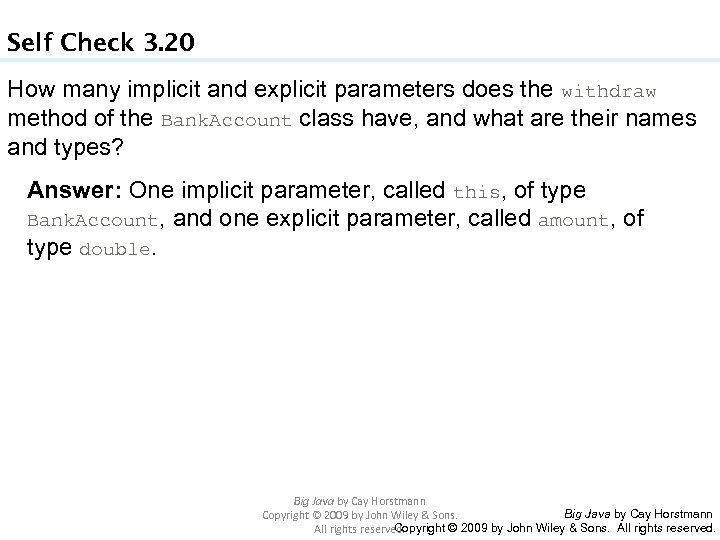
Self Check 3. 20 How many implicit and explicit parameters does the withdraw method of the Bank. Account class have, and what are their names and types? Answer: One implicit parameter, called this, of type Bank. Account, and one explicit parameter, called amount, of type double. Big Java by Cay Horstmann Copyright © 2009 by John Wiley & Sons. All rights reserved.
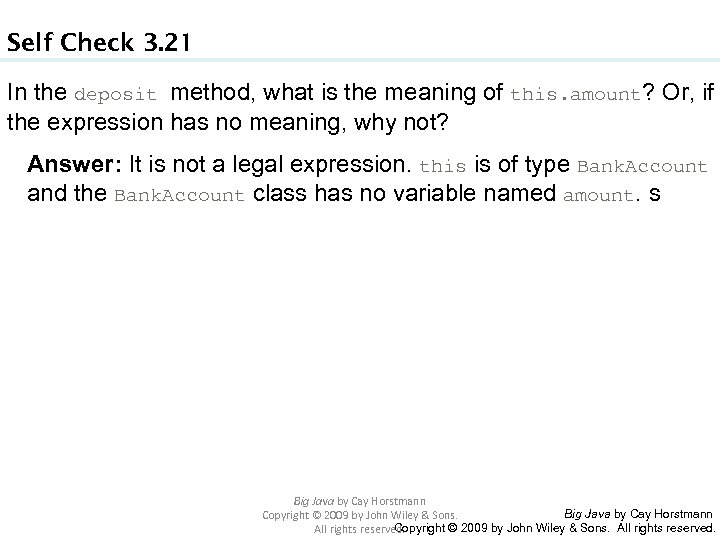
Self Check 3. 21 In the deposit method, what is the meaning of this. amount? Or, if the expression has no meaning, why not? Answer: It is not a legal expression. this is of type Bank. Account and the Bank. Account class has no variable named amount. s Big Java by Cay Horstmann Copyright © 2009 by John Wiley & Sons. All rights reserved.
Self Check 3. 22 How many implicit and explicit parameters does the main method of the Bank. Account. Tester class have, and what are they called? Answer: No implicit parameter – the main method is not ivoked on any object – and one explicit parameter, called args. Big Java by Cay Horstmann Copyright © 2009 by John Wiley & Sons. All rights reserved.
Shape Classes • Good practice: Make a class for each graphical shape public class Car { public Car(int x, int y) { // Remember position . . . } public void draw(Graphics 2 D g 2) { // Drawing instructions . . . } } Big Java by Cay Horstmann Copyright © 2009 by John Wiley & Sons. All rights reserved.
Drawing Cars • Draw two cars: one in top-left corner of window, and another in the bottom right • Compute bottom right position, inside paint. Component method: int x = get. Width() - 60; int y = get. Height() - 30; Car car 2 = new Car(x, y); • get. Width and get. Height are applied to object that executes paint. Component • If window is resized paint. Component is called and car position recomputed Continue d Big Java by Cay Horstmann Copyright © 2009 by John Wiley & Sons. All rights reserved.
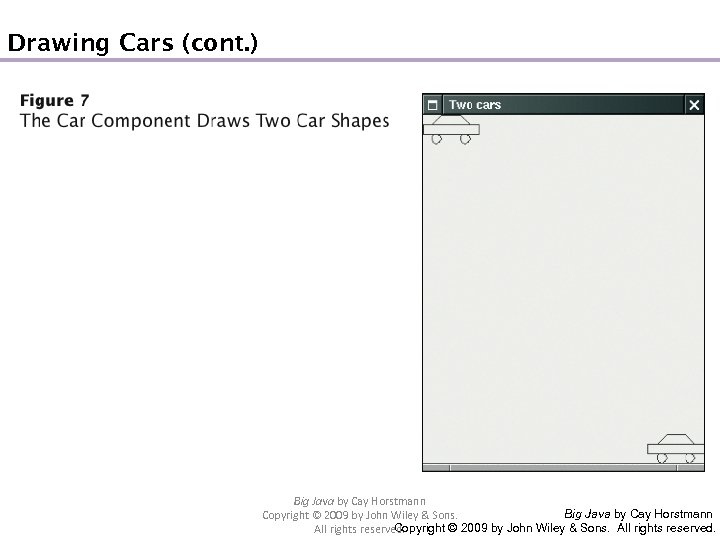
Drawing Cars (cont. ) Big Java by Cay Horstmann Copyright © 2009 by John Wiley & Sons. All rights reserved.
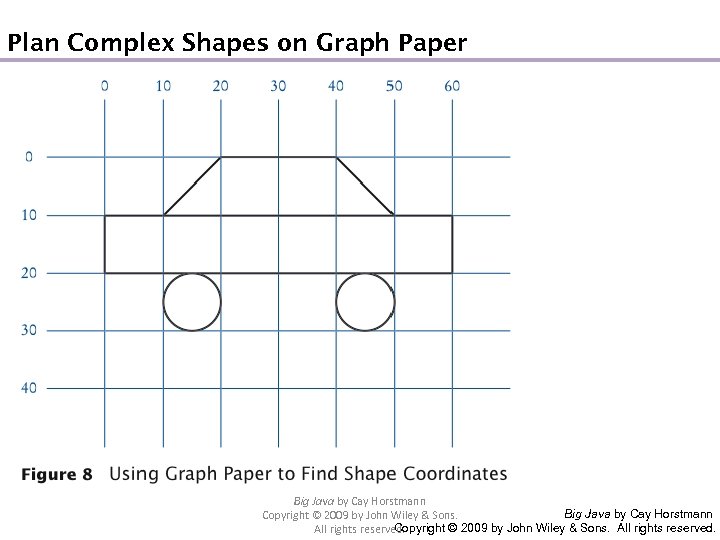
Plan Complex Shapes on Graph Paper Big Java by Cay Horstmann Copyright © 2009 by John Wiley & Sons. All rights reserved.
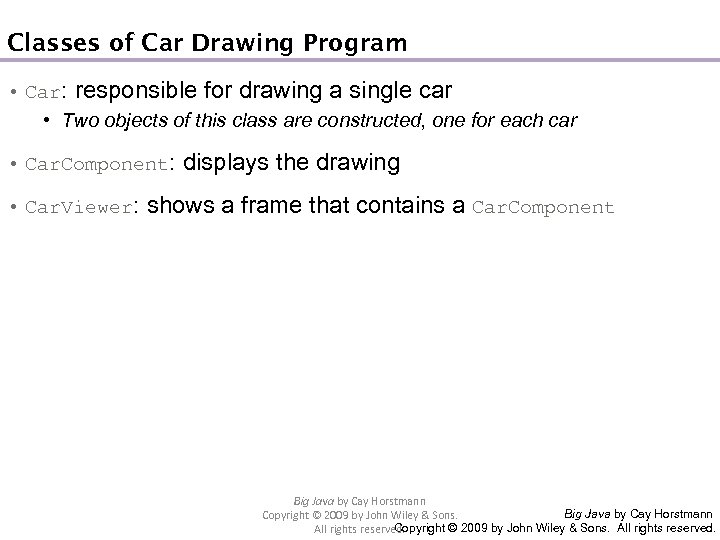
Classes of Car Drawing Program • Car: responsible for drawing a single car • Two objects of this class are constructed, one for each car • Car. Component: displays the drawing • Car. Viewer: shows a frame that contains a Car. Component Big Java by Cay Horstmann Copyright © 2009 by John Wiley & Sons. All rights reserved.
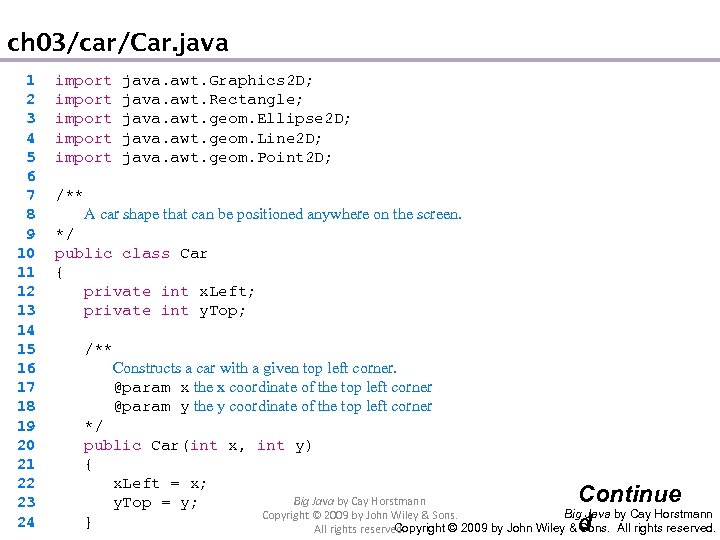
ch 03/car/Car. java 1 2 3 4 5 6 7 8 9 10 11 12 13 14 15 16 17 18 19 20 21 22 23 24 import java. awt. Graphics 2 D; import java. awt. Rectangle; import java. awt. geom. Ellipse 2 D; import java. awt. geom. Line 2 D; import java. awt. geom. Point 2 D; /** A car shape that can be positioned anywhere on the screen. */ public class Car { private int x. Left; private int y. Top; /** Constructs a car with a given top left corner. @param x the x coordinate of the top left corner @param y the y coordinate of the top left corner */ public Car(int x, int y) { x. Left = x; Continue Big Java by Cay Horstmann y. Top = y; Big Java by Cay Horstmann Copyright © 2009 by John Wiley & Sons. } d Copyright © 2009 by John Wiley & Sons. All rights reserved.
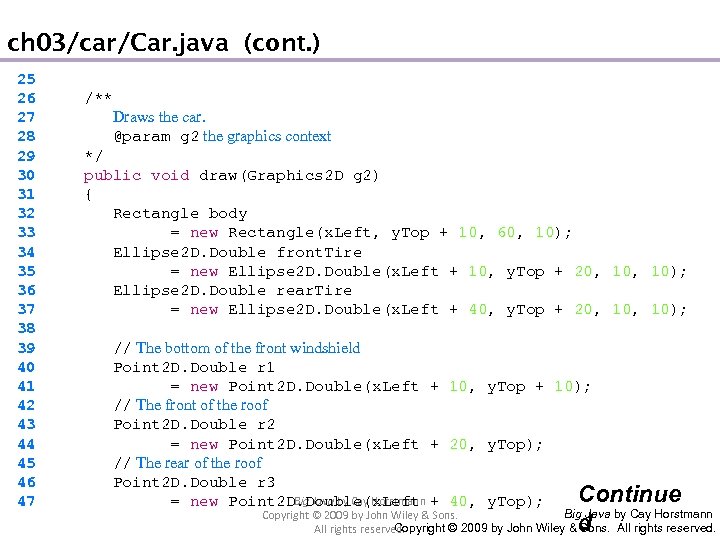
ch 03/car/Car. java (cont. ) 25 26 27 28 29 30 31 32 33 34 35 36 37 38 39 40 41 42 43 44 45 46 47 /** Draws the car. @param g 2 the graphics context */ public void draw(Graphics 2 D g 2) { Rectangle body = new Rectangle(x. Left, y. Top + 10, 60, 10); Ellipse 2 D. Double front. Tire = new Ellipse 2 D. Double(x. Left + 10, y. Top + 20, 10); Ellipse 2 D. Double rear. Tire = new Ellipse 2 D. Double(x. Left + 40, y. Top + 20, 10); // The bottom of the front windshield Point 2 D. Double r 1 = new Point 2 D. Double(x. Left + 10, y. Top + 10); // The front of the roof Point 2 D. Double r 2 = new Point 2 D. Double(x. Left + 20, y. Top); // The rear of the roof Point 2 D. Double r 3 Continue Big Java by Cay Horstmann = new Point 2 D. Double(x. Left + 40, y. Top); Big Java by Cay Horstmann Copyright © 2009 by John Wiley & Sons. All rights reserved. d
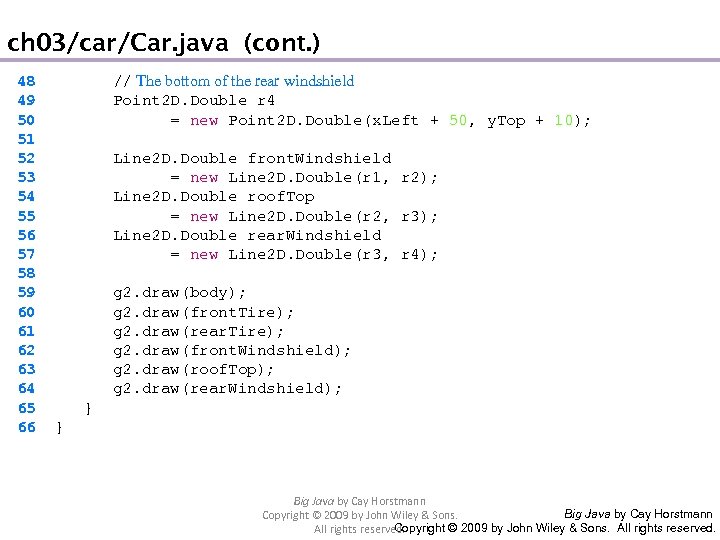
ch 03/car/Car. java (cont. ) 48 49 50 51 52 53 54 55 56 57 58 59 60 61 62 63 64 65 66 // The bottom of the rear windshield Point 2 D. Double r 4 = new Point 2 D. Double(x. Left + 50, y. Top + 10); Line 2 D. Double front. Windshield = new Line 2 D. Double(r 1, r 2); Line 2 D. Double roof. Top = new Line 2 D. Double(r 2, r 3); Line 2 D. Double rear. Windshield = new Line 2 D. Double(r 3, r 4); g 2. draw(body); g 2. draw(front. Tire); g 2. draw(rear. Tire); g 2. draw(front. Windshield); g 2. draw(roof. Top); g 2. draw(rear. Windshield); } } Big Java by Cay Horstmann Copyright © 2009 by John Wiley & Sons. All rights reserved.
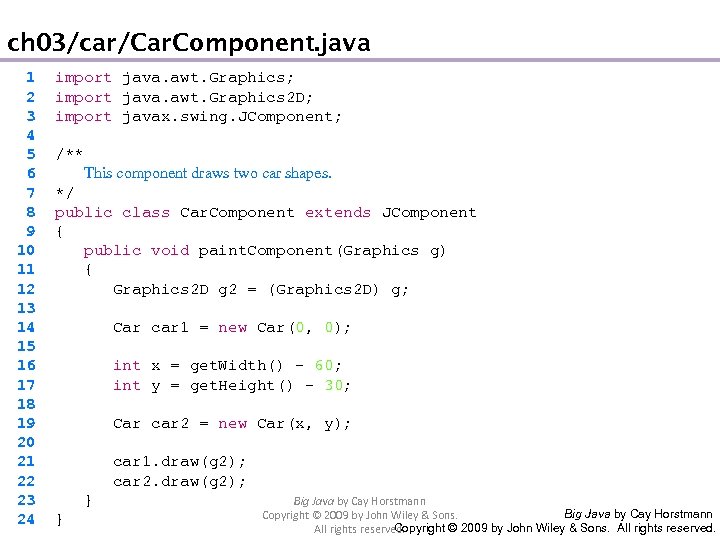
ch 03/car/Car. Component. java 1 2 3 4 5 6 7 8 9 10 11 12 13 14 15 16 17 18 19 20 21 22 23 24 import java. awt. Graphics; import java. awt. Graphics 2 D; import javax. swing. JComponent; /** This component draws two car shapes. */ public class Car. Component extends JComponent { public void paint. Component(Graphics g) { Graphics 2 D g 2 = (Graphics 2 D) g; Car car 1 = new Car(0, 0); int x = get. Width() - 60; int y = get. Height() - 30; Car car 2 = new Car(x, y); car 1. draw(g 2); car 2. draw(g 2); Big Java by Cay Horstmann } Copyright © 2009 by John Wiley & Sons. } Big Java by Cay Horstmann Copyright © 2009 by John Wiley & Sons. All rights reserved.
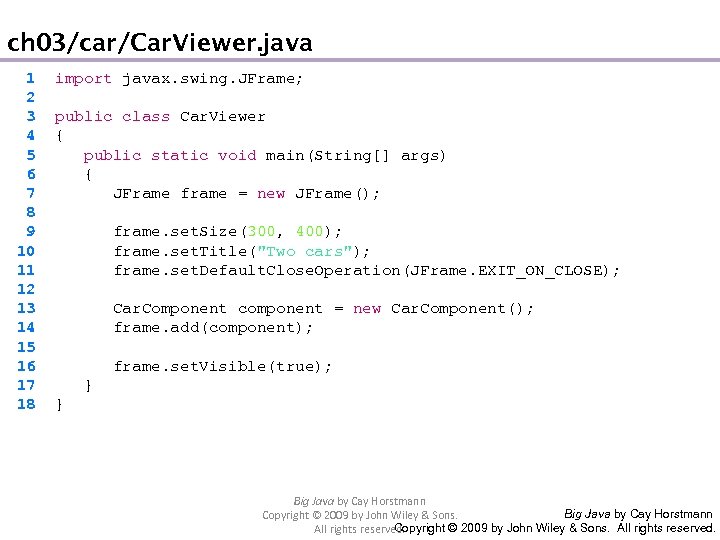
ch 03/car/Car. Viewer. java 1 2 3 4 5 6 7 8 9 10 11 12 13 14 15 16 17 18 import javax. swing. JFrame; public class Car. Viewer { public static void main(String[] args) { JFrame frame = new JFrame(); frame. set. Size(300, 400); frame. set. Title("Two cars"); frame. set. Default. Close. Operation(JFrame. EXIT_ON_CLOSE); Car. Component component = new Car. Component(); frame. add(component); frame. set. Visible(true); } } Big Java by Cay Horstmann Copyright © 2009 by John Wiley & Sons. All rights reserved.
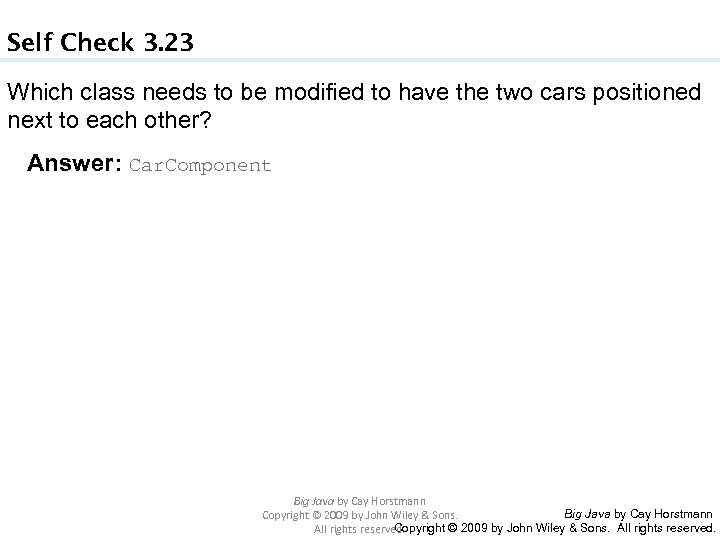
Self Check 3. 23 Which class needs to be modified to have the two cars positioned next to each other? Answer: Car. Component Big Java by Cay Horstmann Copyright © 2009 by John Wiley & Sons. All rights reserved.
Self Check 3. 24 Which class needs to be modified to have the car tires painted in black, and what modification do you need to make? Answer: In the draw method of the Car class, call g 2. fill(front. Tire); g 2. fill(rear. Tire); Big Java by Cay Horstmann Copyright © 2009 by John Wiley & Sons. All rights reserved.
Self Check 3. 25 How do you make the cars twice as big? Answer: Double all measurements in the draw method of the Car class. Big Java by Cay Horstmann Copyright © 2009 by John Wiley & Sons. All rights reserved.
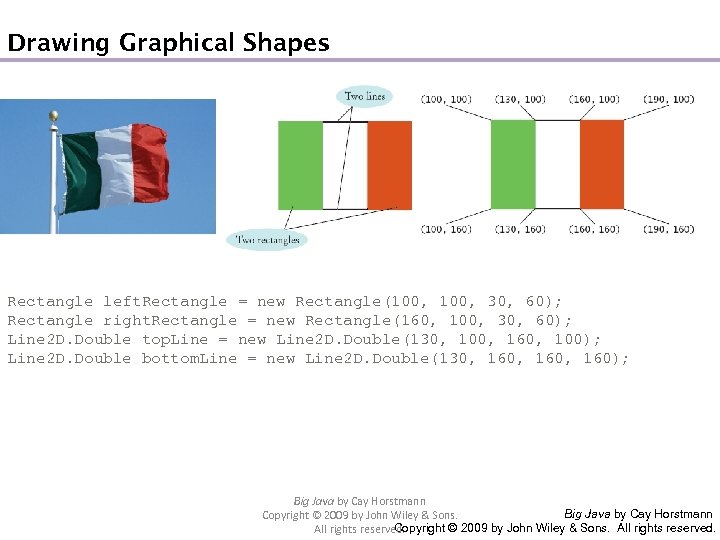
Drawing Graphical Shapes Rectangle left. Rectangle = new Rectangle(100, 30, 60); Rectangle right. Rectangle = new Rectangle(160, 100, 30, 60); Line 2 D. Double top. Line = new Line 2 D. Double(130, 100, 160, 100); Line 2 D. Double bottom. Line = new Line 2 D. Double(130, 160, 160); Big Java by Cay Horstmann Copyright © 2009 by John Wiley & Sons. All rights reserved.
Скачать презентацию Chapter 2 An Introduction to Objects and
f8b2ba001dc6f90c9fd2a25afe783c14.ppt