 Скачать презентацию Chapter 17 — Web Automation and Networking Outline
0cf0c9b05edb7830a49220babc695ba2.ppt
- Количество слайдов: 47



Chapter 17 - Web Automation and Networking Outline 17. 1 17. 2 17. 3 17. 4 17. 5 17. 6 17. 7 17. 8 17. 9 17. 10 17. 11 Introduction to LPW Commands The LPW: : Simple Module HTML Parsing Introduction to Advanced Networking Protocols Transport Control Protocol (TCP) Simple Mail Transfer Protocol (SMTP) Post Office Protocol (POP) Searching the World Wide Web 2001 Prentice Hall, Inc. All rights reserved.
17. 1 Introduction • Perl – – Internet-based language Used to create CGI scripts Web-related modules Automated tasks 2001 Prentice Hall, Inc. All rights reserved.
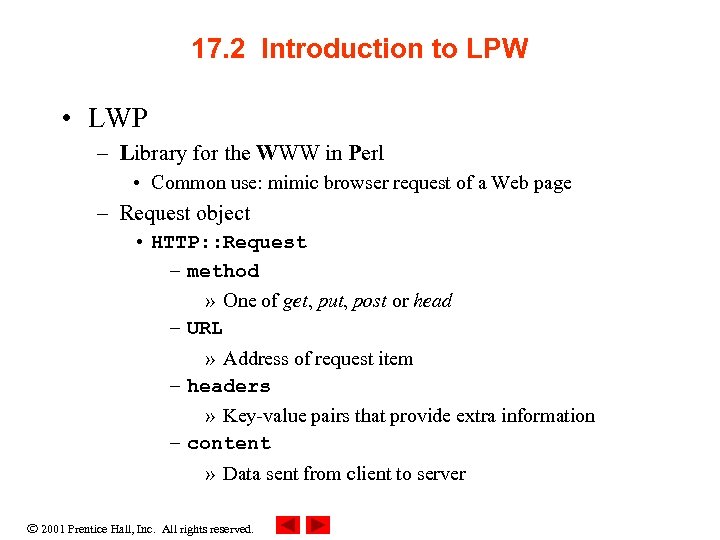
17. 2 Introduction to LPW • LWP – Library for the WWW in Perl • Common use: mimic browser request of a Web page – Request object • HTTP: : Request – method » One of get, put, post or head – URL » Address of request item – headers » Key-value pairs that provide extra information – content » Data sent from client to server 2001 Prentice Hall, Inc. All rights reserved.
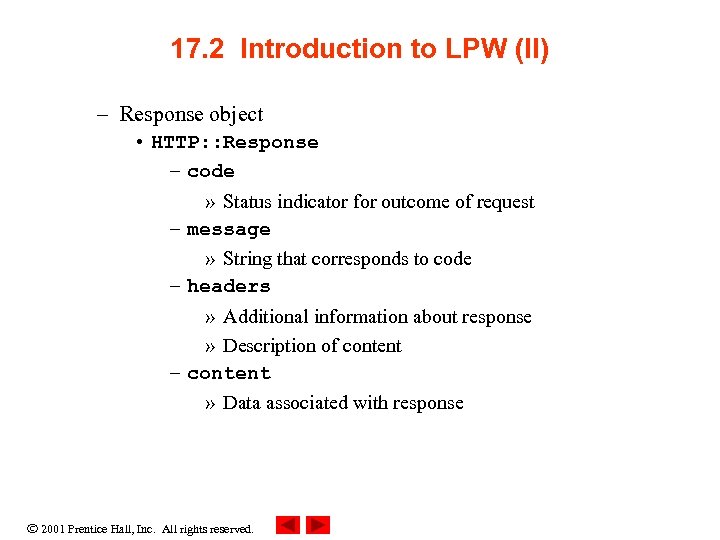
17. 2 Introduction to LPW (II) – Response object • HTTP: : Response – code » Status indicator for outcome of request – message » String that corresponds to code – headers » Additional information about response » Description of content – content » Data associated with response 2001 Prentice Hall, Inc. All rights reserved.
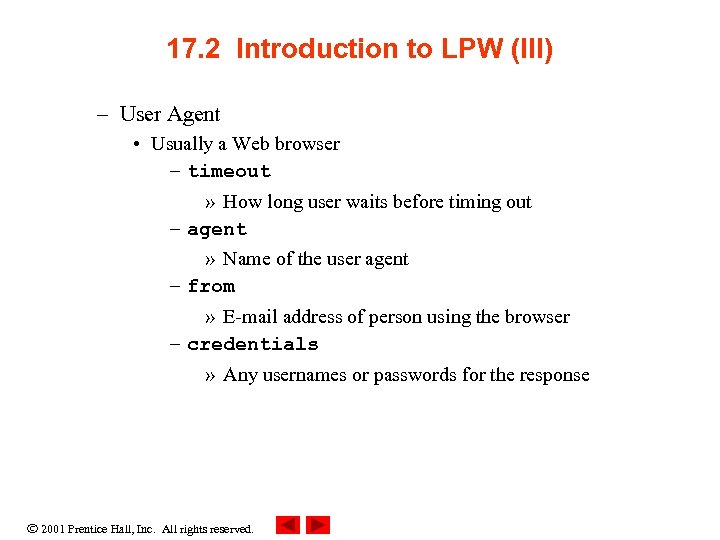
17. 2 Introduction to LPW (III) – User Agent • Usually a Web browser – timeout » How long user waits before timing out – agent » Name of the user agent – from » E-mail address of person using the browser – credentials » Any usernames or passwords for the response 2001 Prentice Hall, Inc. All rights reserved.
17. 3 LPW Commands • LWP – Is used to interact programmatically between a Perl program and a Web server. 2001 Prentice Hall, Inc. All rights reserved.
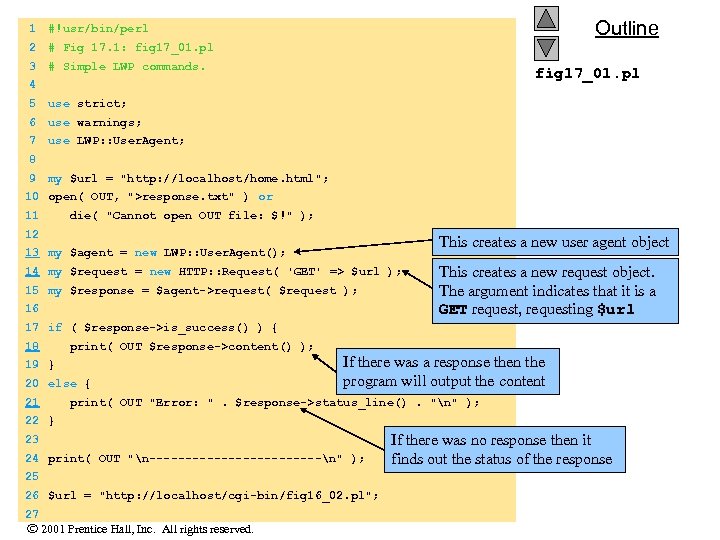
1 2 # Fig 17. 1: fig 17_01. pl 3 Outline #!usr/bin/perl # Simple LWP commands. fig 17_01. pl 4 5 use strict; 6 use warnings; 7 use LWP: : User. Agent; 8 9 my $url = "http: //localhost/home. html"; 10 open( OUT, ">response. txt" ) or 11 die( "Cannot open OUT file: $!" ); 12 This creates a new user agent object 13 my $agent = new LWP: : User. Agent(); 14 my $request = new HTTP: : Request( 'GET' => $url ); 15 my $response = $agent->request( $request ); 16 This creates a new request object. The argument indicates that it is a GET request, requesting $url 17 if ( $response->is_success() ) { 18 print( OUT $response->content() ); 19 } 20 else { If there was a response then the program will output the content 21 print( OUT "Error: ". $response->status_line(). "n" ); 22 } 23 24 print( OUT "n------------n" ); 25 26 $url = "http: //localhost/cgi-bin/fig 16_02. pl"; 27 2001 Prentice Hall, Inc. All rights reserved. If there was no response then it finds out the status of the response
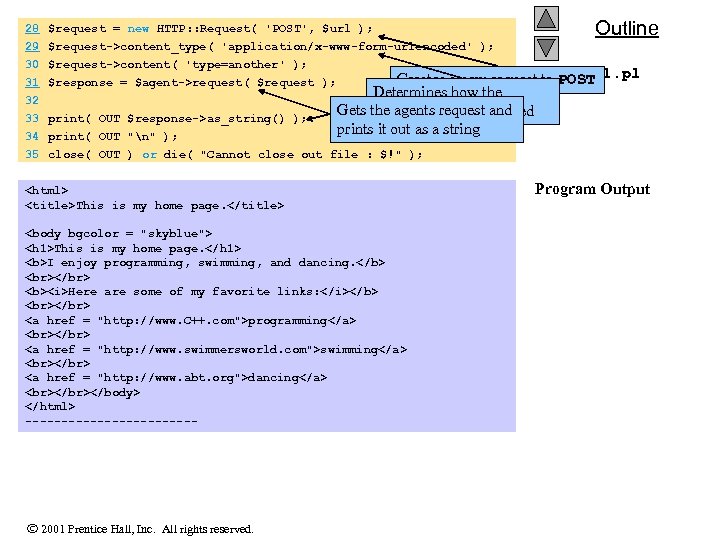
28 29 30 31 32 Outline $request = new HTTP: : Request( 'POST', $url ); $request->content_type( 'application/x-www-form-urlencoded' ); $request->content( 'type=another' ); fig 17_01. pl Creates a new request to POST $response = $agent->request( $request ); 33 print( OUT $response->as_string() ); Determines how the Gets the agents request and response will be encoded prints it out as a string 34 print( OUT "n" ); 35 close( OUT ) or die( "Cannot close out file : $!" ); <html> <title>This is my home page. </title> <body bgcolor = "skyblue"> <h 1>This is my home page. </h 1> <b>I enjoy programming, swimming, and dancing. </b> </br> <b><i>Here are some of my favorite links: </i></b> </br> <a href = "http: //www. C++. com">programming</a> </br> <a href = "http: //www. swimmersworld. com">swimming</a> </br> <a href = "http: //www. abt. org">dancing</a> </br></body> </html> ------------ 2001 Prentice Hall, Inc. All rights reserved. Program Output
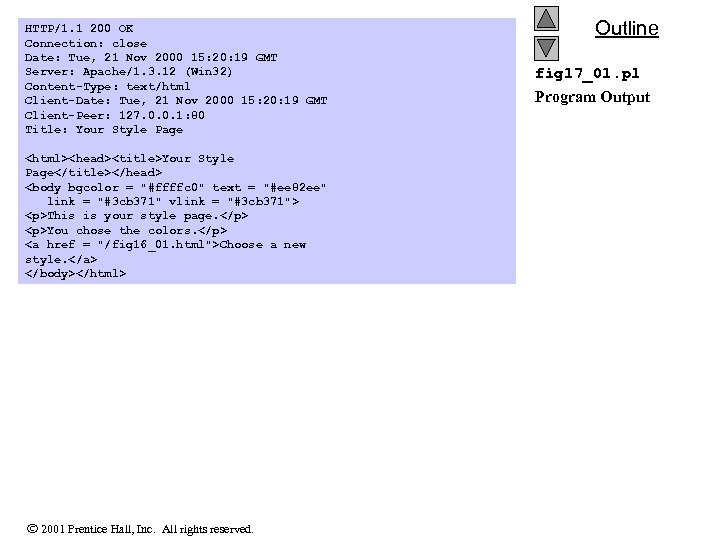
HTTP/1. 1 200 OK Connection: close Date: Tue, 21 Nov 2000 15: 20: 19 GMT Server: Apache/1. 3. 12 (Win 32) Content-Type: text/html Client-Date: Tue, 21 Nov 2000 15: 20: 19 GMT Client-Peer: 127. 0. 0. 1: 80 Title: Your Style Page <html><head><title>Your Style Page</title></head> <body bgcolor = "#ffffc 0" text = "#ee 82 ee" link = "#3 cb 371" vlink = "#3 cb 371"> <p>This is your style page. </p> <p>You chose the colors. </p> <a href = "/fig 16_01. html">Choose a new style. </a> </body></html> 2001 Prentice Hall, Inc. All rights reserved. Outline fig 17_01. pl Program Output
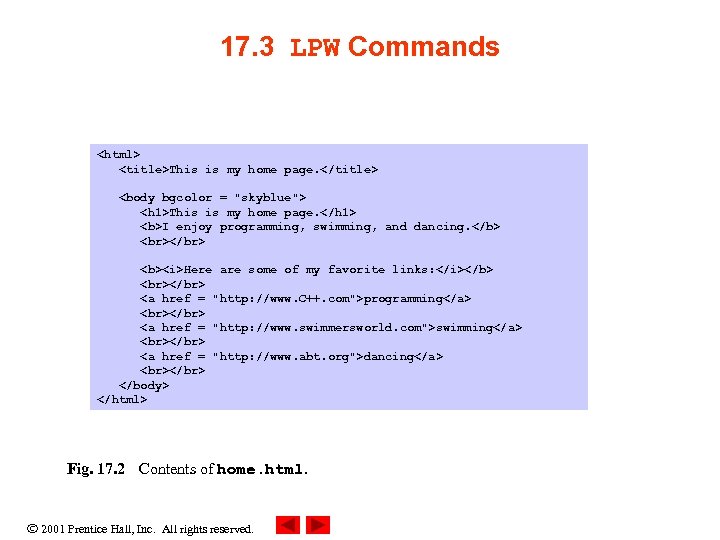
17. 3 LPW Commands <html> <title>This is my home page. </title> <body bgcolor = "skyblue"> <h 1>This is my home page. </h 1> <b>I enjoy programming, swimming, and dancing. </b> </br> <b><i>Here are some of my favorite links: </i></b> </br> <a href = "http: //www. C++. com">programming</a> </br> <a href = "http: //www. swimmersworld. com">swimming</a> </br> <a href = "http: //www. abt. org">dancing</a> </br> </body> </html> Fig. 17. 2 Contents of home. html. 2001 Prentice Hall, Inc. All rights reserved.
17. 4 The LPW: : Simple Module • LPW: : Simple module – Provides procedural interface to LPW 2001 Prentice Hall, Inc. All rights reserved.
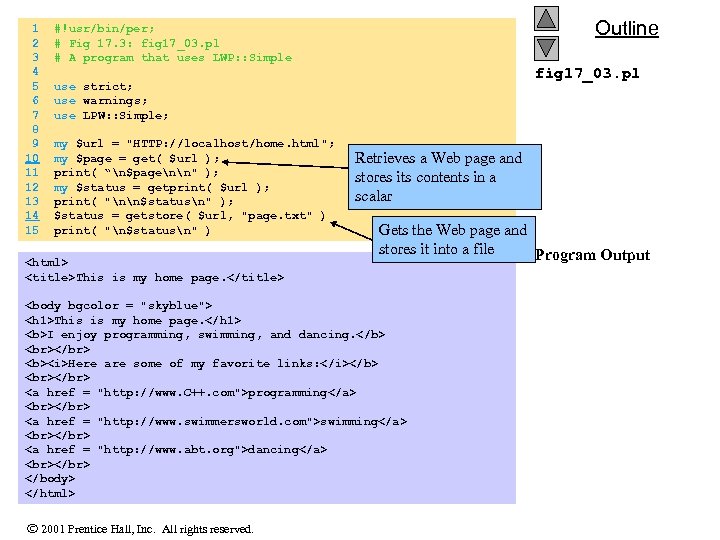
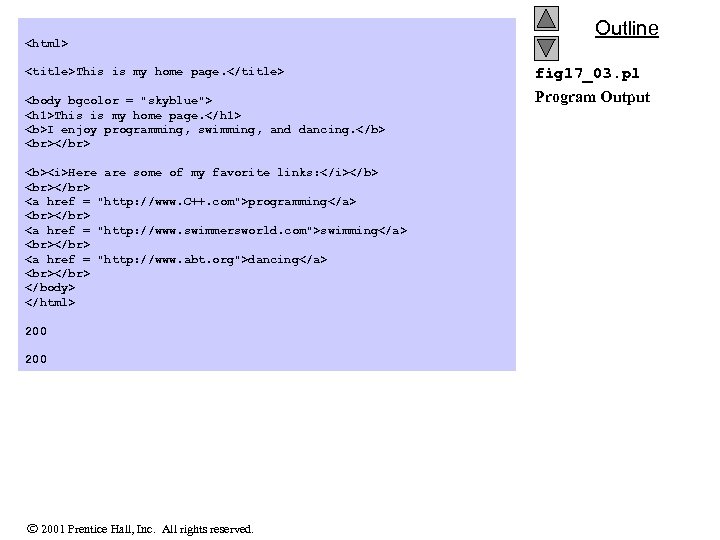
1 #!usr/bin/per; 2 # Fig 17. 3: fig 17_03. pl 3 # A program that uses LWP: : Simple 4 5 use strict; 6 use warnings; 7 use LPW: : Simple; 8 9 my $url = "HTTP: //localhost/home. html"; 10 my $page = get( $url ); 11 print( “n$pagenn" ); 12 my $status = getprint( $url ); 13 print( "nn$statusn" ); 14 $status = getstore( $url, "page. txt" ) 15 print( "n$statusn" ) Outline fig 17_03. pl Retrieves a Web page and stores its contents in a scalar Gets the Web page and stores it into a file Program Output <html> <title>This is my home page. </title> <body bgcolor = "skyblue"> <h 1>This is my home page. </h 1> <b>I enjoy programming, swimming, and dancing. </b> </br> <b><i>Here are some of my favorite links: </i></b> </br> <a href = "http: //www. C++. com">programming</a> </br> <a href = "http: //www. swimmersworld. com">swimming</a> </br> <a href = "http: //www. abt. org">dancing</a> </br> </body> </html> 2001 Prentice Hall, Inc. All rights reserved.
<html> <title>This is my home page. </title> <body bgcolor = "skyblue"> <h 1>This is my home page. </h 1> <b>I enjoy programming, swimming, and dancing. </b> </br> <b><i>Here are some of my favorite links: </i></b> </br> <a href = "http: //www. C++. com">programming</a> </br> <a href = "http: //www. swimmersworld. com">swimming</a> </br> <a href = "http: //www. abt. org">dancing</a> </br> </body> </html> 200 2001 Prentice Hall, Inc. All rights reserved. Outline fig 17_03. pl Program Output
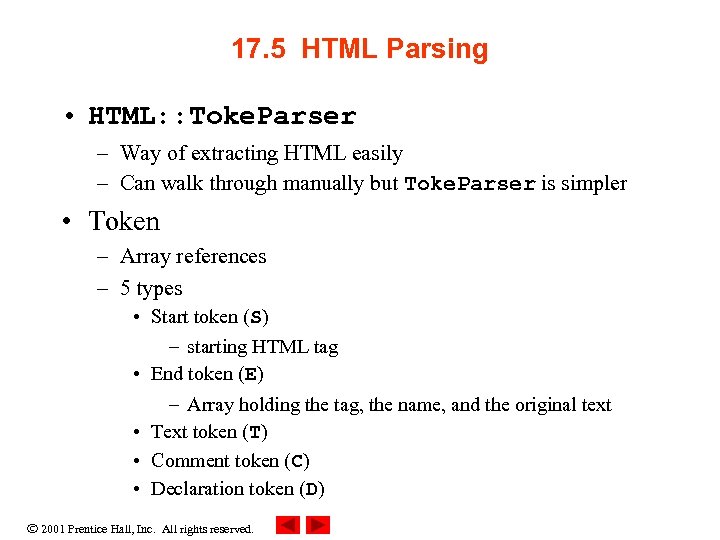
17. 5 HTML Parsing • HTML: : Toke. Parser – Way of extracting HTML easily – Can walk through manually but Toke. Parser is simpler • Token – Array references – 5 types • Start token (S) – starting HTML tag • End token (E) – Array holding the tag, the name, and the original text • Text token (T) • Comment token (C) • Declaration token (D) 2001 Prentice Hall, Inc. All rights reserved.
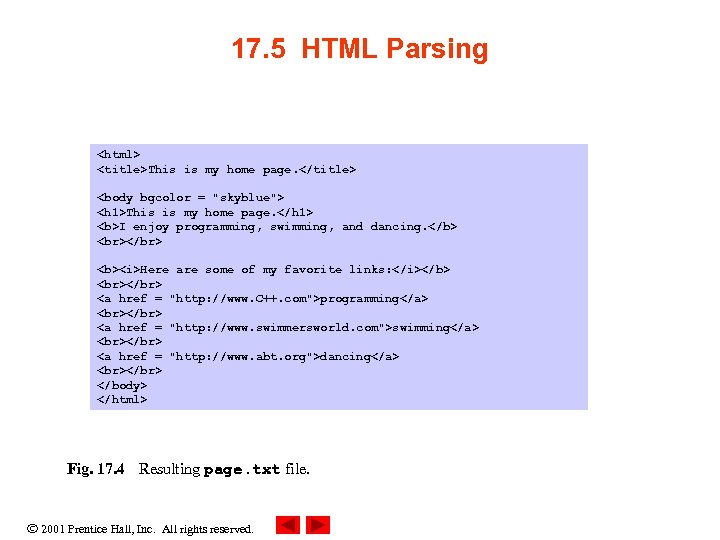
17. 5 HTML Parsing <html> <title>This is my home page. </title> <body bgcolor = "skyblue"> <h 1>This is my home page. </h 1> <b>I enjoy programming, swimming, and dancing. </b> </br> <b><i>Here are some of my favorite links: </i></b> </br> <a href = "http: //www. C++. com">programming</a> </br> <a href = "http: //www. swimmersworld. com">swimming</a> </br> <a href = "http: //www. abt. org">dancing</a> </br> </body> </html> Fig. 17. 4 Resulting page. txt file. 2001 Prentice Hall, Inc. All rights reserved.
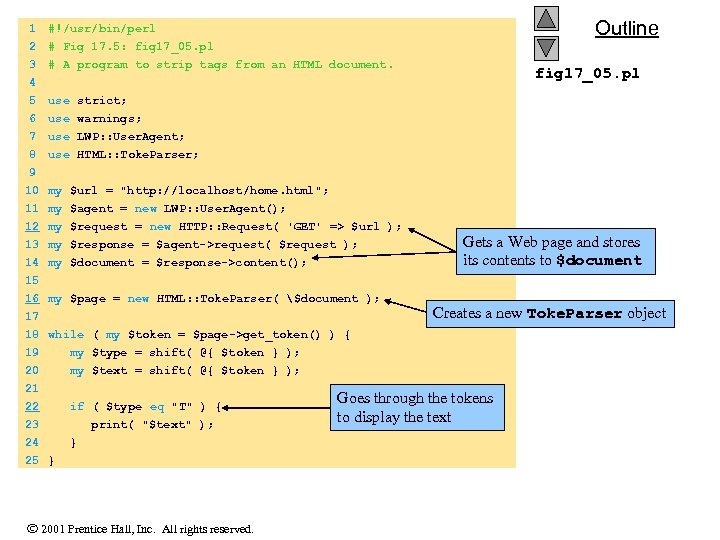
1 2 3 4 5 6 use warnings; 7 8 Outline #!/usr/bin/perl # Fig 17. 5: fig 17_05. pl # A program to strip tags from an HTML document. use LWP: : User. Agent; use HTML: : Toke. Parser; fig 17_05. pl use strict; 9 10 my $url = "http: //localhost/home. html"; 11 my $agent = new LWP: : User. Agent(); 12 my $request = new HTTP: : Request( 'GET' => $url ); 13 14 15 16 17 18 my $response = $agent->request( $request ); my $document = $response->content(); 19 20 21 22 23 24 Gets a Web page and stores its contents to $document my $type = shift( @{ $token } ); my $text = shift( @{ $token } ); my $page = new HTML: : Toke. Parser( $document ); Creates a new Toke. Parser object while ( my $token = $page->get_token() ) { if ( $type eq "T" ) { print( "$text" ); } 25 } 2001 Prentice Hall, Inc. All rights reserved. Goes through the tokens to display the text
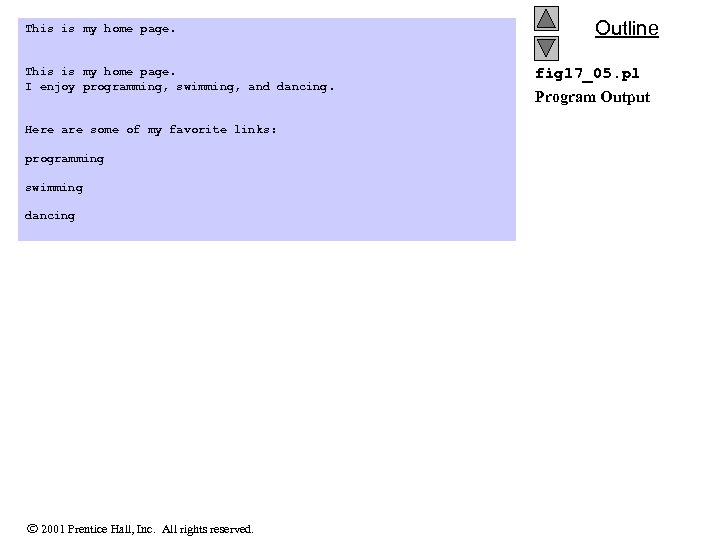
This is my home page. I enjoy programming, swimming, and dancing. Here are some of my favorite links: programming swimming dancing 2001 Prentice Hall, Inc. All rights reserved. Outline fig 17_05. pl Program Output
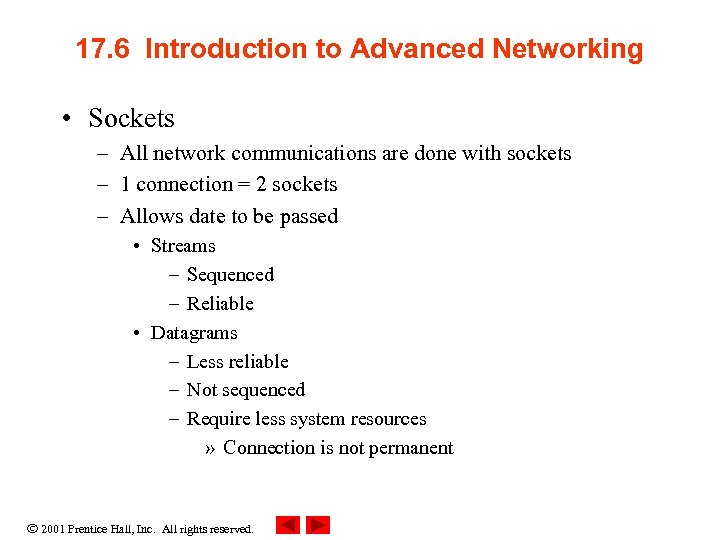
17. 6 Introduction to Advanced Networking • Sockets – All network communications are done with sockets – 1 connection = 2 sockets – Allows date to be passed • Streams – Sequenced – Reliable • Datagrams – Less reliable – Not sequenced – Require less system resources » Connection is not permanent 2001 Prentice Hall, Inc. All rights reserved.
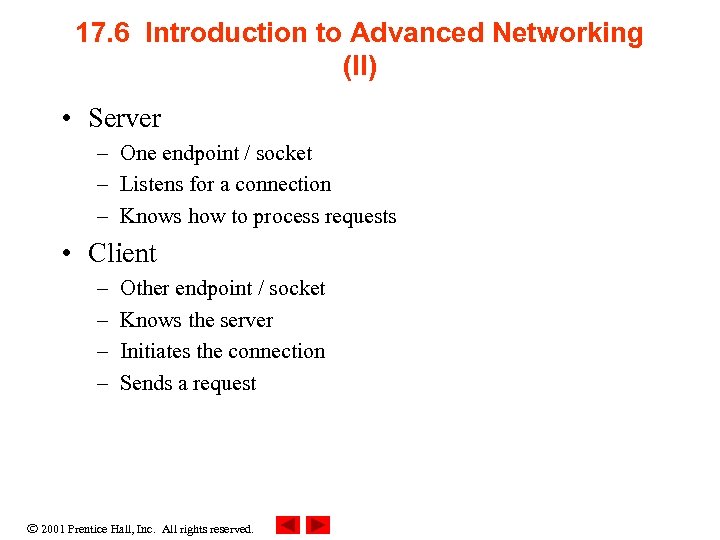
17. 6 Introduction to Advanced Networking (II) • Server – One endpoint / socket – Listens for a connection – Knows how to process requests • Client – – Other endpoint / socket Knows the server Initiates the connection Sends a request 2001 Prentice Hall, Inc. All rights reserved.
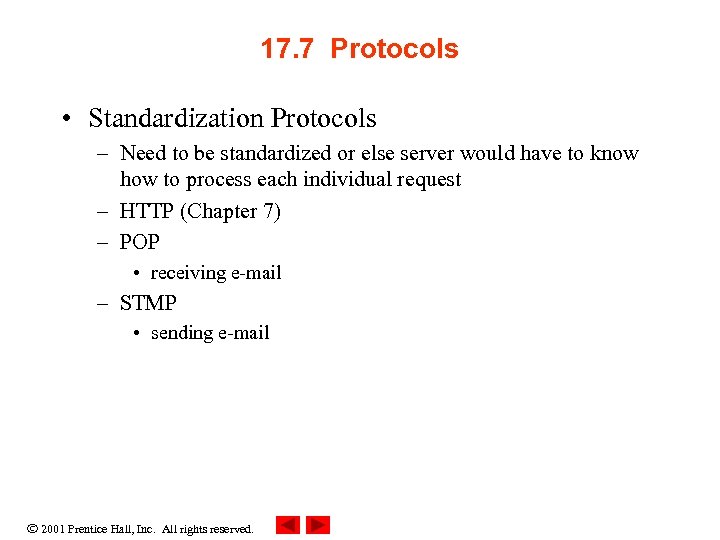
17. 7 Protocols • Standardization Protocols – Need to be standardized or else server would have to know how to process each individual request – HTTP (Chapter 7) – POP • receiving e-mail – STMP • sending e-mail 2001 Prentice Hall, Inc. All rights reserved.
17. 8 Transport Control Protocol (TCP) • Internet connections – TCP • Most general way for computers to talk • Connection-oriented 2001 Prentice Hall, Inc. All rights reserved.
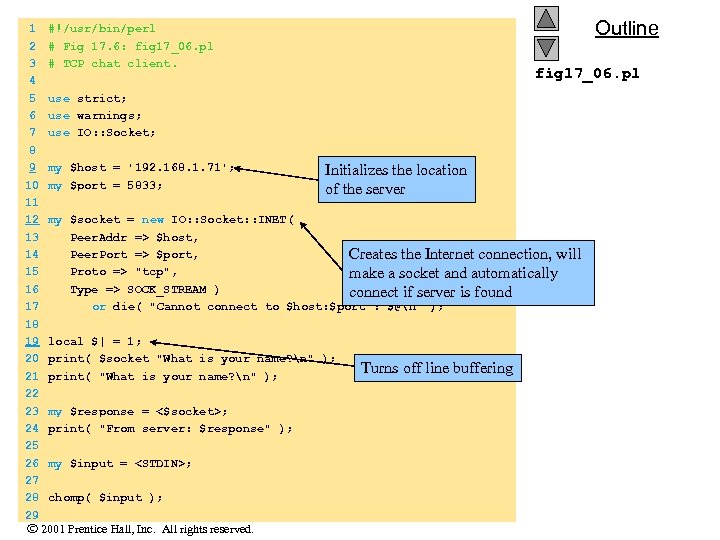
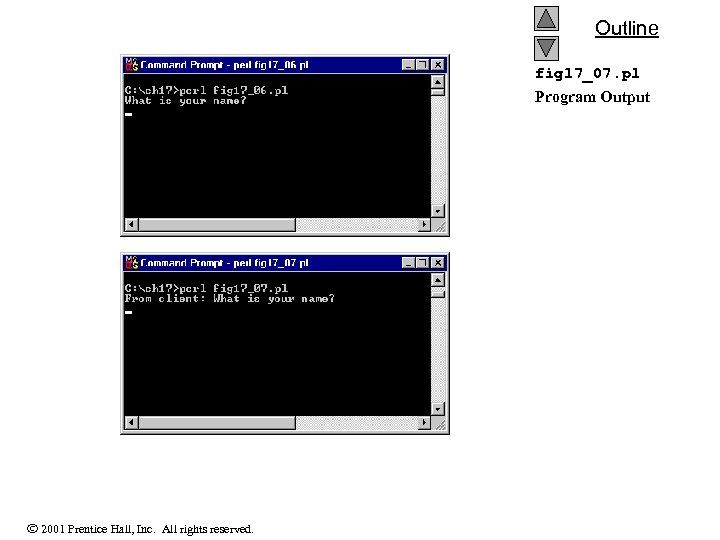
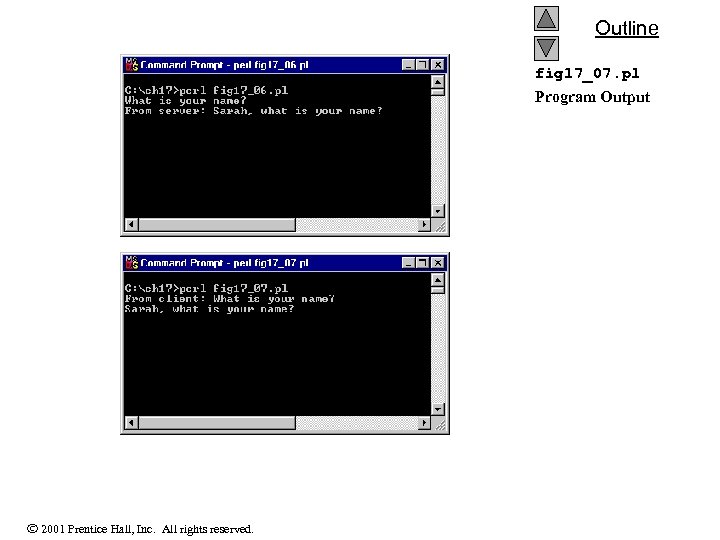
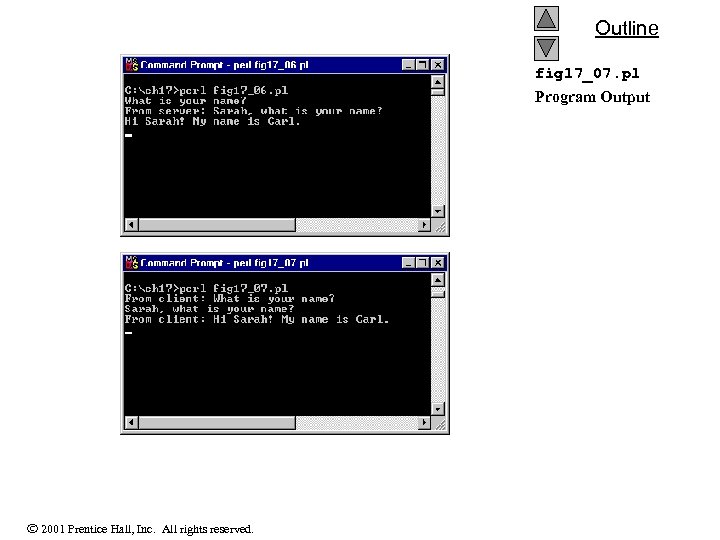
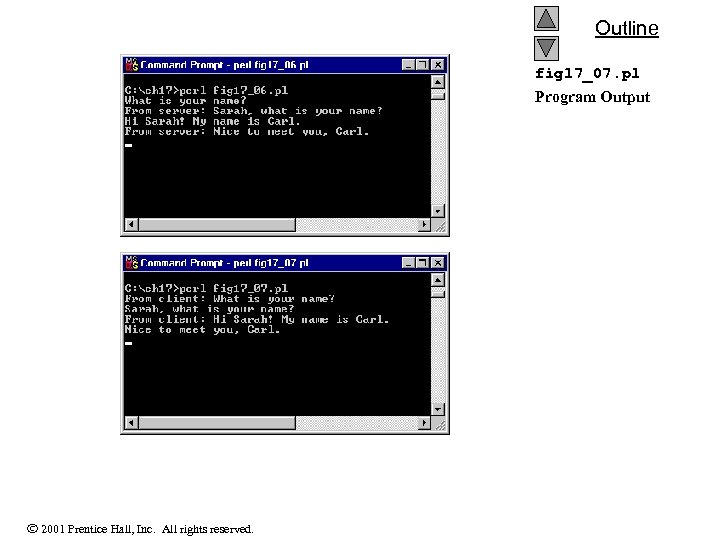
Outline 1 #!/usr/bin/perl 2 # Fig 17. 6: fig 17_06. pl 3 # TCP chat client. fig 17_06. pl 4 5 use strict; 6 use warnings; 7 use IO: : Socket; 8 9 my $host = '192. 168. 1. 71'; Initializes the location 10 my $port = 5833; of the server 11 12 my $socket = new IO: : Socket: : INET( 13 Peer. Addr => $host, 14 Peer. Port => $port, Creates the Internet connection, will 15 Proto => "tcp", make a socket and automatically 16 Type => SOCK_STREAM ) connect if server is found 17 or die( "Cannot connect to $host: $port : $@n" ); 18 19 local $| = 1; 20 print( $socket "What is your name? n" ); Turns off line buffering 21 print( "What is your name? n" ); 22 23 my $response = <$socket>; 24 print( "From server: $response" ); 25 26 my $input = <STDIN>; 27 28 chomp( $input ); 29 2001 Prentice Hall, Inc. All rights reserved.
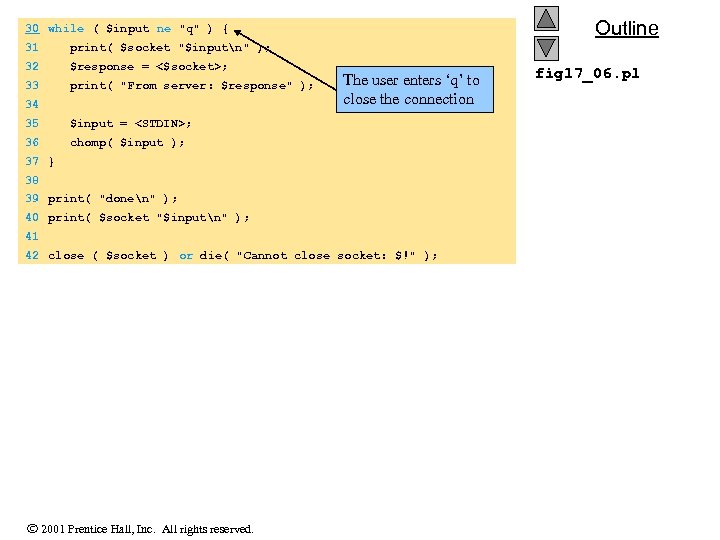
Outline 30 while ( $input ne "q" ) { 31 print( $socket "$inputn" ); 32 $response = <$socket>; 33 print( "From server: $response" ); 34 The user enters ‘q’ to close the connection 35 $input = <STDIN>; 36 chomp( $input ); 37 } 38 39 print( "donen" ); 40 print( $socket "$inputn" ); 41 42 close ( $socket ) or die( "Cannot close socket: $!" ); 2001 Prentice Hall, Inc. All rights reserved. fig 17_06. pl
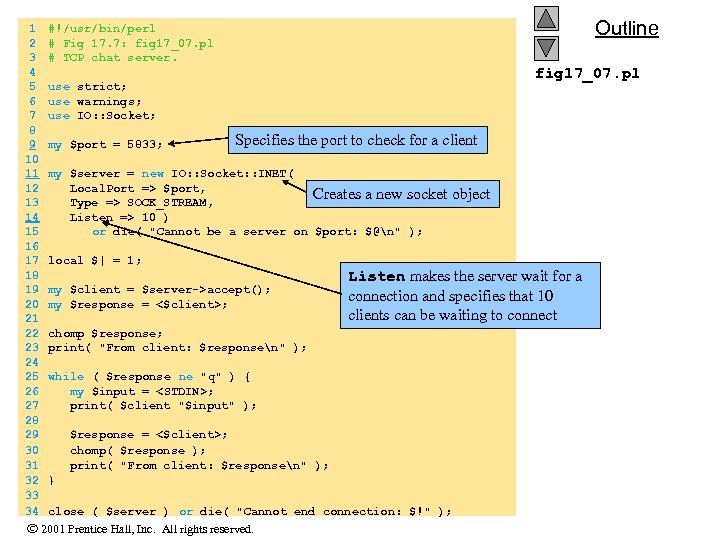
1 2 3 4 5 6 7 8 9 10 11 12 13 14 15 16 17 18 19 20 21 22 23 24 25 26 27 28 29 30 31 32 33 34 Outline #!/usr/bin/perl # Fig 17. 7: fig 17_07. pl # TCP chat server. fig 17_07. pl use strict; use warnings; use IO: : Socket; my $port = 5833; Specifies the port to check for a client my $server = new IO: : Socket: : INET( Local. Port => $port, Creates a new socket object Type => SOCK_STREAM, Listen => 10 ) or die( "Cannot be a server on $port: $@n" ); local $| = 1; my $client = $server->accept(); my $response = <$client>; Listen makes the server wait for a connection and specifies that 10 clients can be waiting to connect chomp $response; print( "From client: $responsen" ); while ( $response ne "q" ) { my $input = <STDIN>; print( $client "$input" ); $response = <$client>; chomp( $response ); print( "From client: $responsen" ); } close ( $server ) or die( "Cannot end connection: $!" ); 2001 Prentice Hall, Inc. All rights reserved.
Outline fig 17_07. pl Program Output 2001 Prentice Hall, Inc. All rights reserved.
Outline fig 17_07. pl Program Output 2001 Prentice Hall, Inc. All rights reserved.
Outline fig 17_07. pl Program Output 2001 Prentice Hall, Inc. All rights reserved.
Outline fig 17_07. pl Program Output 2001 Prentice Hall, Inc. All rights reserved.
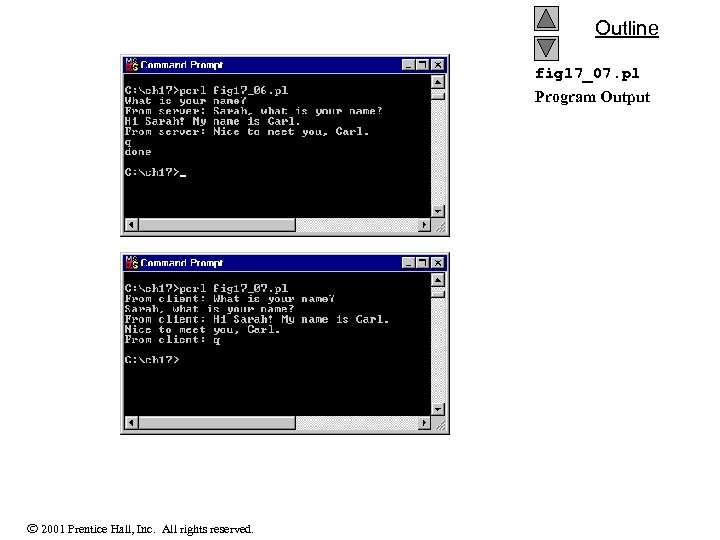
Outline fig 17_07. pl Program Output 2001 Prentice Hall, Inc. All rights reserved.
17. 9 Simple Mail Transfer Protocol (SMTP) • Net: : SMTP module 2001 Prentice Hall, Inc. All rights reserved.
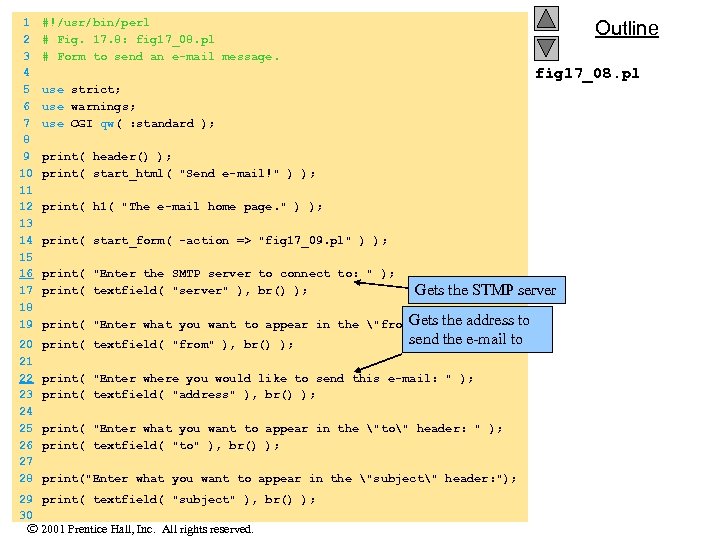
1 2 3 4 5 6 7 8 9 10 11 12 13 14 15 16 17 18 19 #!/usr/bin/perl # Fig. 17. 8: fig 17_08. pl # Form to send an e-mail message. 20 21 22 23 24 25 26 27 28 print( textfield( "from" ), br() ); Outline fig 17_08. pl use strict; use warnings; use CGI qw( : standard ); print( header() ); print( start_html( "Send e-mail!" ) ); print( h 1( "The e-mail home page. " ) ); print( start_form( -action => "fig 17_09. pl" ) ); print( "Enter the SMTP server to connect to: " ); print( textfield( "server" ), br() ); Gets the STMP server Gets the address to print( "Enter what you want to appear in the "from" header: " ); send the e-mail to print( "Enter where you would like to send this e-mail: " ); print( textfield( "address" ), br() ); print( "Enter what you want to appear in the "to" header: " ); print( textfield( "to" ), br() ); print("Enter what you want to appear in the "subject" header: "); 29 print( textfield( "subject" ), br() ); 30 2001 Prentice Hall, Inc. All rights reserved.
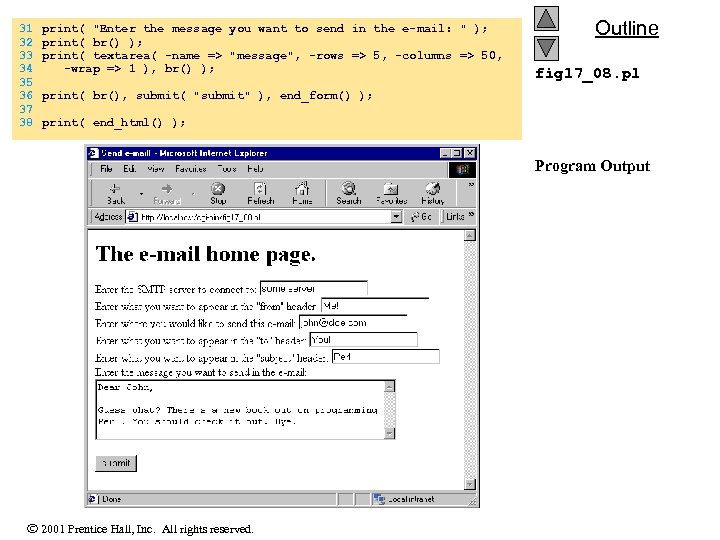
31 32 33 34 35 36 37 38 print( "Enter the message you want to send in the e-mail: " ); print( br() ); print( textarea( -name => "message", -rows => 5, -columns => 50, -wrap => 1 ), br() ); Outline fig 17_08. pl print( br(), submit( "submit" ), end_form() ); print( end_html() ); Program Output 2001 Prentice Hall, Inc. All rights reserved.
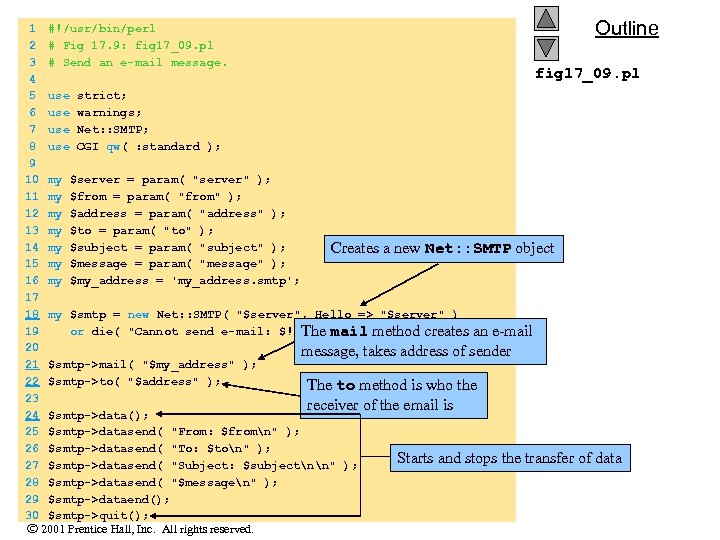
Outline 1 #!/usr/bin/perl 2 # Fig 17. 9: fig 17_09. pl 3 # Send an e-mail message. fig 17_09. pl 4 5 use strict; 6 use warnings; 7 use Net: : SMTP; 8 use CGI qw( : standard ); 9 10 my $server = param( "server" ); 11 my $from = param( "from" ); 12 my $address = param( "address" ); 13 my $to = param( "to" ); 14 my $subject = param( "subject" ); Creates a new Net: : SMTP object 15 my $message = param( "message" ); 16 my $my_address = 'my_address. smtp'; 17 18 my $smtp = new Net: : SMTP( "$server", Hello => "$server" ) 19 or die( "Cannot send e-mail: $!" ); The mail method creates an e-mail 20 message, takes address of sender 21 $smtp->mail( "$my_address" ); 22 $smtp->to( "$address" ); The to method is who the 23 receiver of the email is 24 $smtp->data(); 25 $smtp->datasend( "From: $fromn" ); 26 $smtp->datasend( "To: $ton" ); Starts and stops the transfer of data 27 $smtp->datasend( "Subject: $subjectnn" ); 28 $smtp->datasend( "$messagen" ); 29 $smtp->dataend(); 30 $smtp->quit(); 2001 Prentice Hall, Inc. All rights reserved.
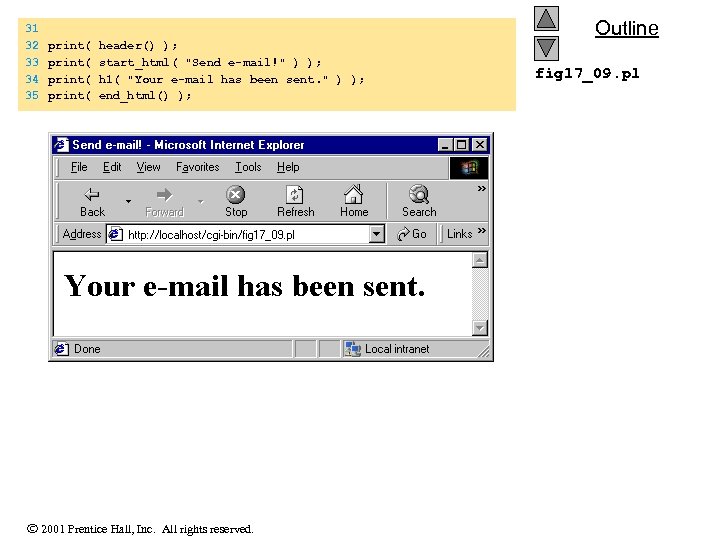
31 32 33 34 35 print( header() ); print( start_html( "Send e-mail!" ) ); print( h 1( "Your e-mail has been sent. " ) ); print( end_html() ); 2001 Prentice Hall, Inc. All rights reserved. Outline fig 17_09. pl
17. 10 Post Office Protocol (POP) • POP – Created to make the storage and retrieval of e-mail easier – Allow checking, reading, storing and deleting of mail 2001 Prentice Hall, Inc. All rights reserved.
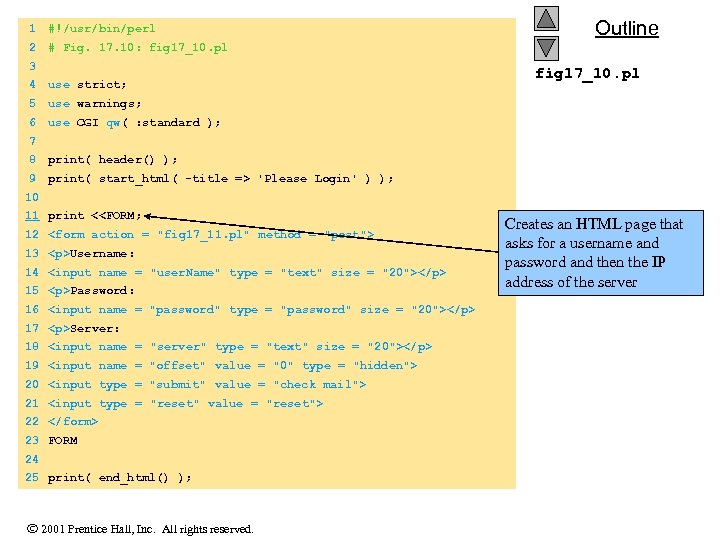
1 #!/usr/bin/perl 2 Outline # Fig. 17. 10: fig 17_10. pl 3 4 use strict; 5 use warnings; 6 fig 17_10. pl use CGI qw( : standard ); 7 8 print( header() ); 9 print( start_html( -title => 'Please Login' ) ); 10 11 print <<FORM; 12 <form action = "fig 17_11. pl" method = "post"> 13 <p>Username: 14 <input name = "user. Name" type = "text" size = "20"></p> 15 <p>Password: 16 <input name = "password" type = "password" size = "20"></p> 17 <p>Server: 18 <input name = "server" type = "text" size = "20"></p> 19 <input name = "offset" value = "0" type = "hidden"> 20 <input type = "submit" value = "check mail"> 21 <input type = "reset" value = "reset"> 22 </form> 23 FORM 24 25 print( end_html() ); 2001 Prentice Hall, Inc. All rights reserved. Creates an HTML page that asks for a username and password and then the IP address of the server
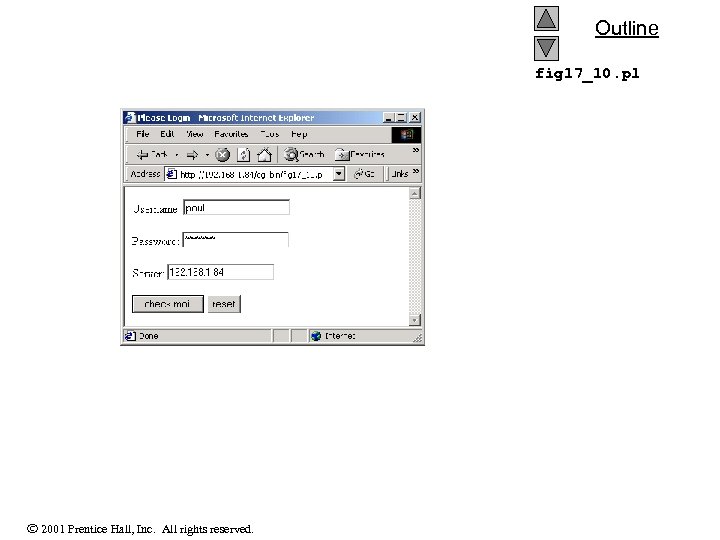
Outline fig 17_10. pl 2001 Prentice Hall, Inc. All rights reserved.
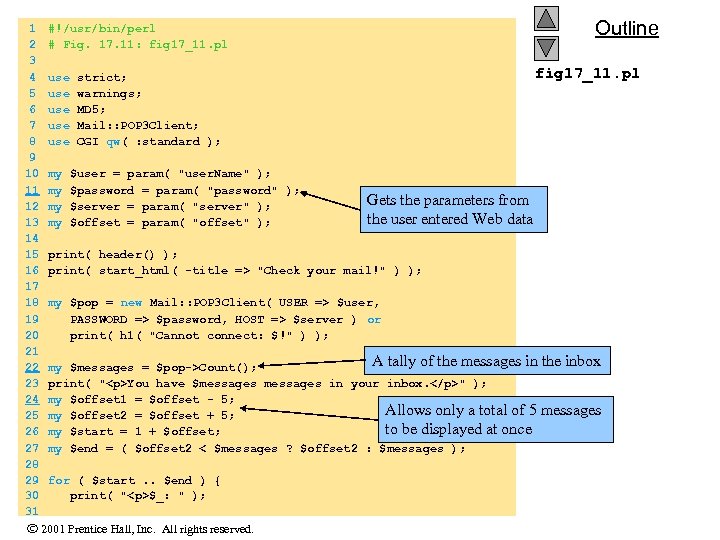
1 2 3 4 5 6 7 8 9 10 11 12 13 14 15 16 17 18 19 20 21 22 23 24 25 26 27 28 29 30 31 Outline #!/usr/bin/perl # Fig. 17. 11: fig 17_11. pl use strict; use warnings; use MD 5; use Mail: : POP 3 Client; use CGI qw( : standard ); my $user = param( "user. Name" ); my $password = param( "password" ); my $server = param( "server" ); my $offset = param( "offset" ); Gets the parameters from the user entered Web data print( header() ); print( start_html( -title => "Check your mail!" ) ); my $pop = new Mail: : POP 3 Client( USER => $user, PASSWORD => $password, HOST => $server ) or print( h 1( "Cannot connect: $!" ) ); A tally of the messages in the inbox my $messages = $pop->Count(); print( "<p>You have $messages in your inbox. </p>" ); my $offset 1 = $offset - 5; Allows only a total of 5 messages my $offset 2 = $offset + 5; to be displayed at once my $start = 1 + $offset; my $end = ( $offset 2 < $messages ? $offset 2 : $messages ); for ( $start. . $end ) { print( "<p>$_: " ); 2001 Prentice Hall, Inc. All rights reserved.
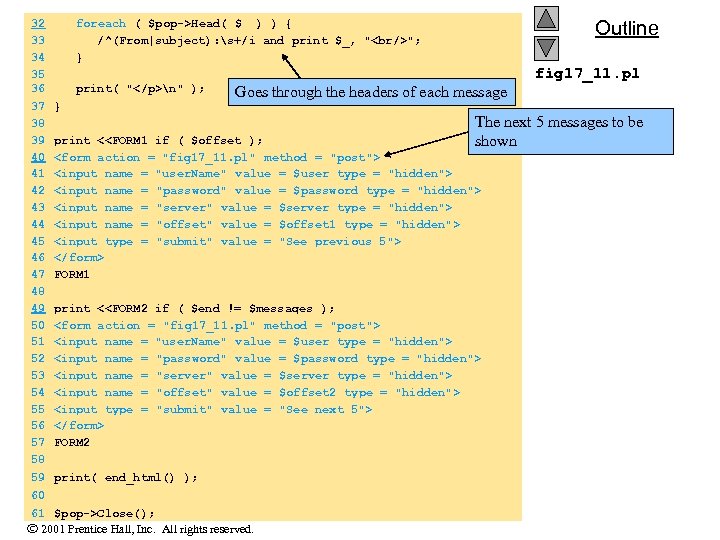
Outline 32 foreach ( $pop->Head( $_ ) ) { 33 /^(From|subject): s+/i and print $_, "<br/>"; 34 } 35 fig 17_11. pl 36 print( "</p>n" ); Goes through the headers of each message 37 } The next 5 messages to be 38 39 print <<FORM 1 if ( $offset ); shown 40 <form action = "fig 17_11. pl" method = "post"> 41 <input name = "user. Name" value = $user type = "hidden"> 42 <input name = "password" value = $password type = "hidden"> 43 <input name = "server" value = $server type = "hidden"> 44 <input name = "offset" value = $offset 1 type = "hidden"> 45 <input type = "submit" value = "See previous 5"> 46 </form> 47 FORM 1 48 49 print <<FORM 2 if ( $end != $messages ); 50 <form action = "fig 17_11. pl" method = "post"> 51 <input name = "user. Name" value = $user type = "hidden"> 52 <input name = "password" value = $password type = "hidden"> 53 <input name = "server" value = $server type = "hidden"> 54 <input name = "offset" value = $offset 2 type = "hidden"> 55 <input type = "submit" value = "See next 5"> 56 </form> 57 FORM 2 58 59 print( end_html() ); 60 61 $pop->Close(); 2001 Prentice Hall, Inc. All rights reserved.
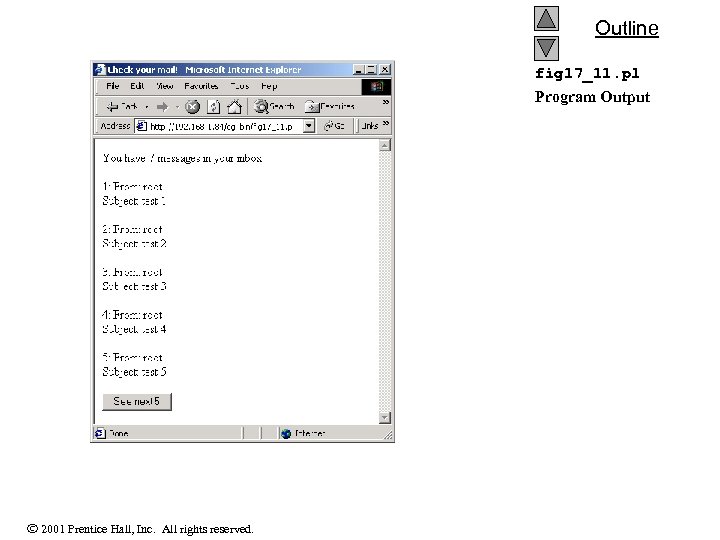
Outline fig 17_11. pl Program Output 2001 Prentice Hall, Inc. All rights reserved.
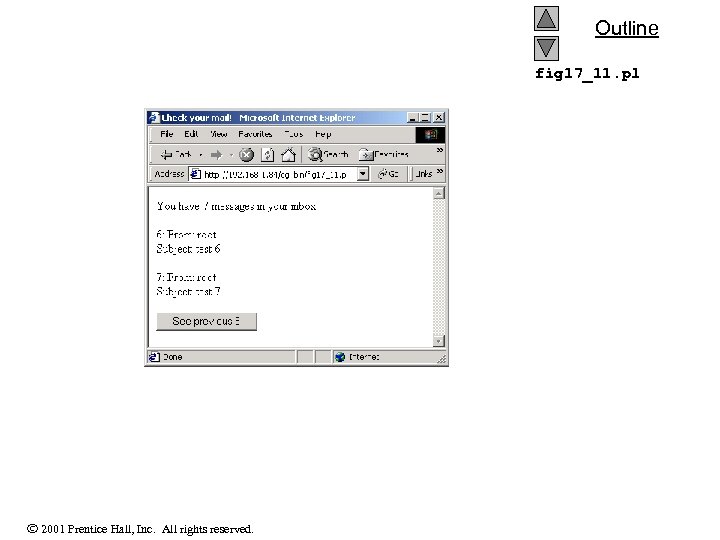
Outline fig 17_11. pl 2001 Prentice Hall, Inc. All rights reserved.
17. 11 Searching the World Wide Web • Searching – A major application of the Web – Perl has several modules for searching 2001 Prentice Hall, Inc. All rights reserved.
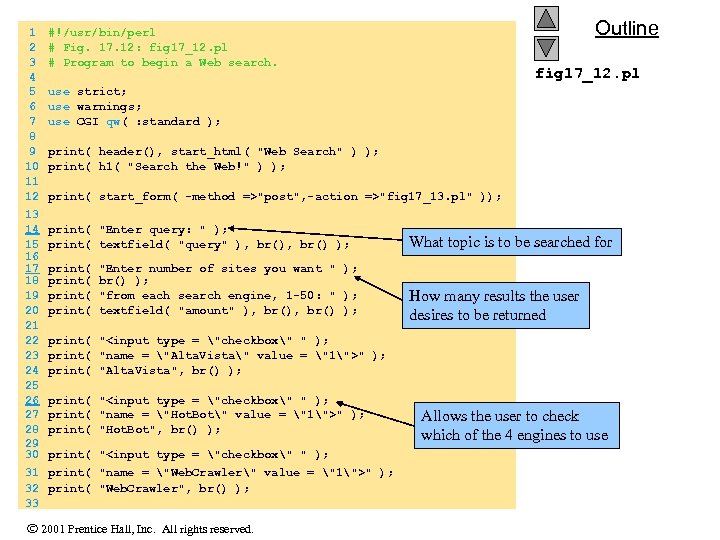
1 2 3 4 5 6 7 8 9 10 11 12 13 14 15 16 17 18 19 20 21 22 23 24 25 26 27 28 29 30 31 32 33 Outline #!/usr/bin/perl # Fig. 17. 12: fig 17_12. pl # Program to begin a Web search. fig 17_12. pl use strict; use warnings; use CGI qw( : standard ); print( header(), start_html( "Web Search" ) ); print( h 1( "Search the Web!" ) ); print( start_form( -method =>"post", -action =>"fig 17_13. pl" )); print( "Enter query: " ); print( textfield( "query" ), br() ); What topic is to be searched for print( "Enter number of sites you want " ); print( br() ); print( "from each search engine, 1 -50: " ); print( textfield( "amount" ), br() ); How many results the user desires to be returned print( "<input type = "checkbox" " ); print( "name = "Alta. Vista" value = "1">" ); print( "Alta. Vista", br() ); print( "<input type = "checkbox" " ); print( "name = "Hot. Bot" value = "1">" ); print( "Hot. Bot", br() ); print( "<input type = "checkbox" " ); print( "name = "Web. Crawler" value = "1">" ); print( "Web. Crawler", br() ); 2001 Prentice Hall, Inc. All rights reserved. Allows the user to check which of the 4 engines to use
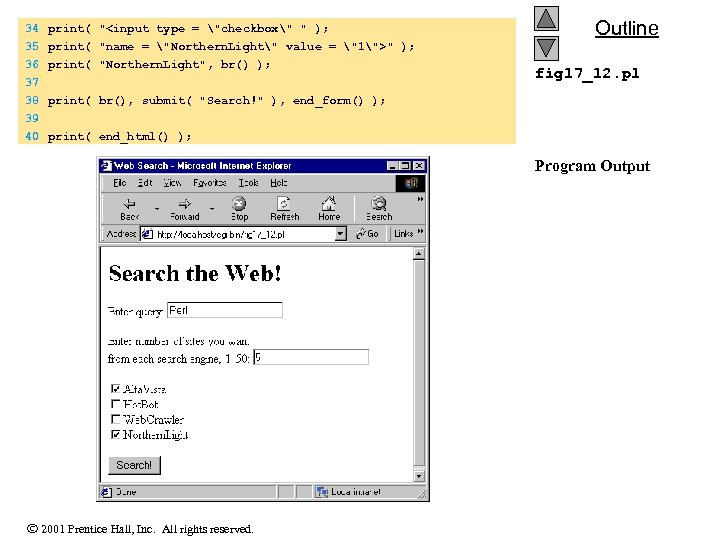
34 print( "<input type = "checkbox" " ); 35 print( "name = "Northern. Light" value = "1">" ); 36 print( "Northern. Light", br() ); 37 38 print( br(), submit( "Search!" ), end_form() ); 39 Outline fig 17_12. pl 40 print( end_html() ); Program Output 2001 Prentice Hall, Inc. All rights reserved.
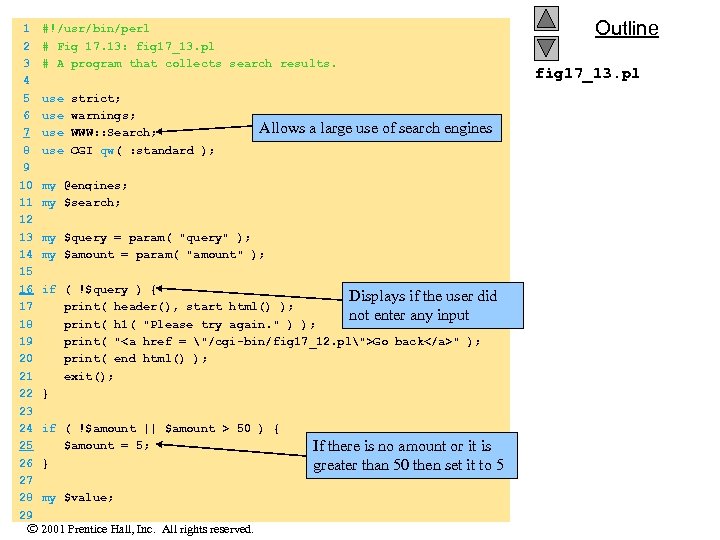
1 2 3 4 5 6 7 8 9 10 11 12 13 14 15 16 17 18 19 20 21 22 23 24 25 26 27 28 29 #!/usr/bin/perl # Fig 17. 13: fig 17_13. pl # A program that collects search results. use strict; use warnings; use WWW: : Search; use CGI qw( : standard ); Allows a large use of search engines my @engines; my $search; my $query = param( "query" ); my $amount = param( "amount" ); if ( !$query ) { Displays if the user did print( header(), start_html() ); not enter any input print( h 1( "Please try again. " ) ); print( "<a href = "/cgi-bin/fig 17_12. pl">Go back</a>" ); print( end_html() ); exit(); } if ( !$amount || $amount > 50 ) { $amount = 5; } my $value; 2001 Prentice Hall, Inc. All rights reserved. If there is no amount or it is greater than 50 then set it to 5 Outline fig 17_13. pl
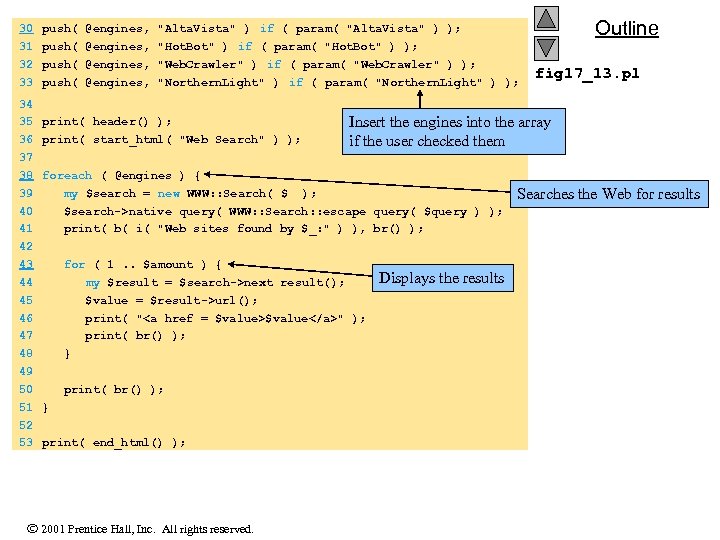
30 31 32 33 34 35 36 37 38 39 40 41 42 43 44 45 46 47 48 49 50 51 52 53 push( @engines, "Alta. Vista" ) if ( param( "Alta. Vista" ) ); push( @engines, "Hot. Bot" ) if ( param( "Hot. Bot" ) ); push( @engines, "Web. Crawler" ) if ( param( "Web. Crawler" ) ); push( @engines, "Northern. Light" ) if ( param( "Northern. Light" ) ); print( header() ); print( start_html( "Web Search" ) ); for ( 1. . $amount ) { my $result = $search->next_result(); $value = $result->url(); print( "<a href = $value>$value</a>" ); print( br() ); } print( end_html() ); 2001 Prentice Hall, Inc. All rights reserved. fig 17_13. pl Insert the engines into the array if the user checked them foreach ( @engines ) { my $search = new WWW: : Search( $_ ); $search->native_query( WWW: : Search: : escape_query( $query ) ); print( b( i( "Web sites found by $_: " ) ), br() ); print( br() ); } Outline Displays the results Searches the Web for results
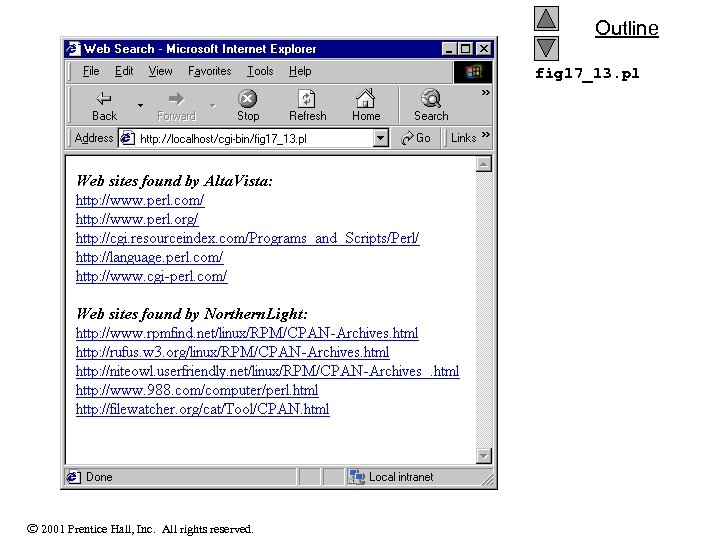
Outline fig 17_13. pl 2001 Prentice Hall, Inc. All rights reserved.
Скачать презентацию Chapter 17 — Web Automation and Networking Outline
0cf0c9b05edb7830a49220babc695ba2.ppt