


 Скачать презентацию chapter 17 models of the system Models
876ca1ed263eb43f9edf99d7ace63799.ppt
- Количество слайдов: 54
 chapter 17 models of the system
 Models of the System Standard Formalisms software engineering notations used to specify the required behaviour of specific interactive systems Interaction Models special purpose mathematical models of interactive systems used to describe usability properties at a generic level Continuous Behaviour activity between the events, objects with continuous motion, models of time
 types of system model • dialogue – main modes • full state definition • abstract interaction model specific system generic issues
 Relationship with dialogue • Dialogue modelling is linked to semantics • System semantics affects the dialogue structure • But the bias is different • Rather than dictate what actions are legal, these formalisms tell what each action does to the system.
 Irony • Computers are inherently mathematical machines • Humans are not • Formal techniques are well accepted for cognitive models of the user and the dialogue (what the user should do) • Formal techniques are not yet well accepted for dictating what the system should do for the user!
 standard formalisms general computing notations to specify a particular system
 standard formalisms Standard software engineering formalisms can be used to specify an interactive system. Referred to as formal methods • Model based – describe system states and operations – Z, VDM • Algebraic – describe effects of sequences of actions – OBJ, Larch, ACT-ONE • Extended logics – describe when things happen and who is responsible – temporal and deontic logics
 Uses of SE formal notations • For communication – common language – remove ambiguity (possibly) – succinct and precise • For analysis – internal consistency – external consistency • with eventual program • with respect to requirements (safety, security, HCI) – specific versus generic
 model-based methods • use general mathematics: – numbers, sets, functions • use them to define – state – operations on state
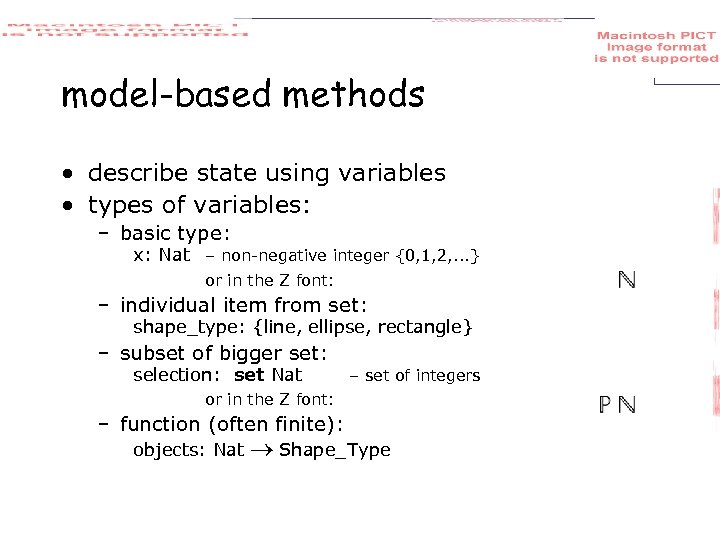 model-based methods • describe state using variables • types of variables: – basic type: x: Nat – non-negative integer {0, 1, 2, . . . } or in the Z font: – individual item from set: shape_type: {line, ellipse, rectangle} – subset of bigger set: selection: set Nat – set of integers or in the Z font: – function (often finite): objects: Nat Shape_Type
 Mathematics and programs Mathematical counterparts to common programming constructs Programming Mathematics types sets basic types basic sets constructed types constructed sets records unordered tuples lists sequences functions procedures relations
 running example … a simple graphics drawing package supports several types of shape
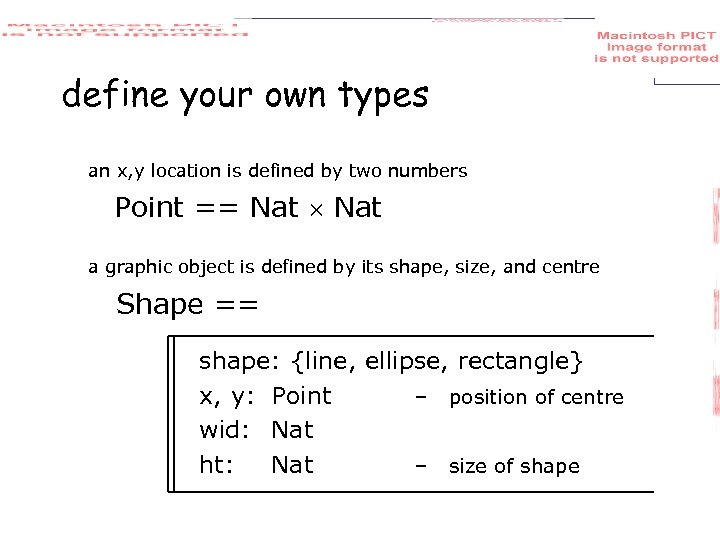 define your own types an x, y location is defined by two numbers Point == Nat a graphic object is defined by its shape, size, and centre Shape == shape: {line, ellipse, rectangle} x, y: Point – position of centre wid: Nat ht: Nat – size of shape
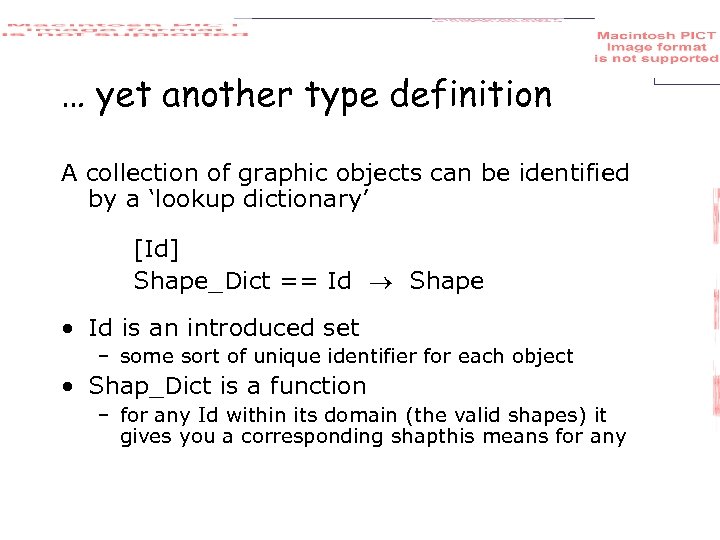 … yet another type definition A collection of graphic objects can be identified by a ‘lookup dictionary’ [Id] Shape_Dict == Id Shape • Id is an introduced set – some sort of unique identifier for each object • Shap_Dict is a function – for any Id within its domain (the valid shapes) it gives you a corresponding shapthis means for any
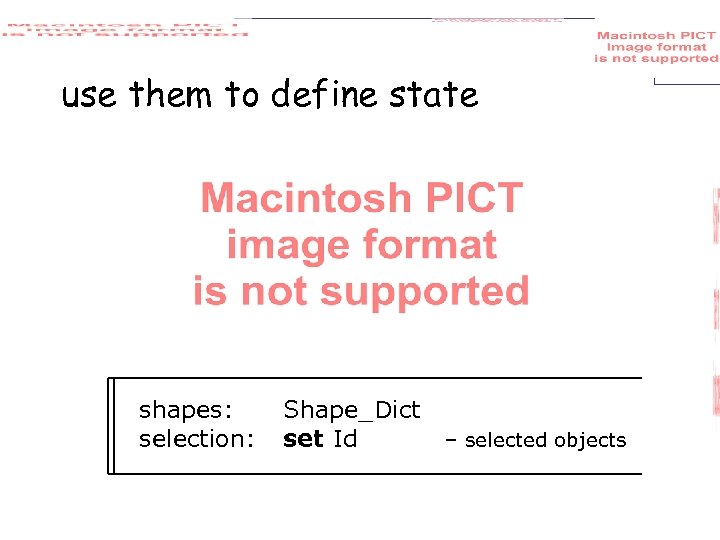 use them to define state shapes: selection: Shape_Dict set Id – selected objects
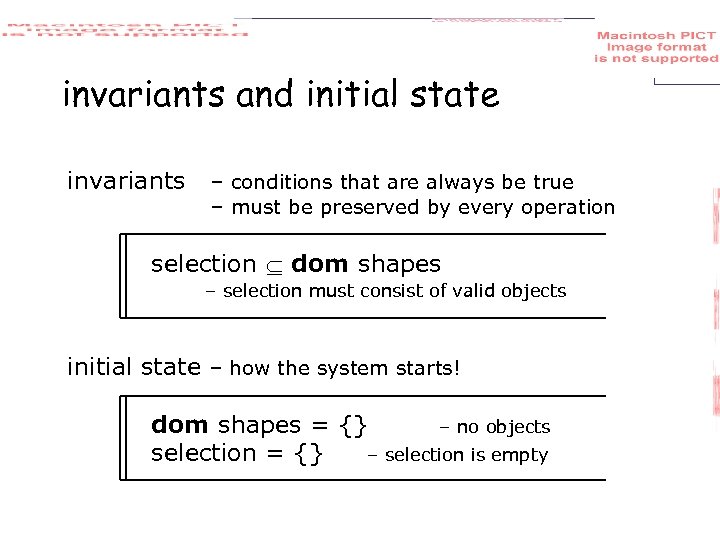 invariants and initial state invariants – conditions that are always be true – must be preserved by every operation selection dom shapes – selection must consist of valid objects initial state – how the system starts! dom shapes = {} – no objects selection = {} – selection is empty
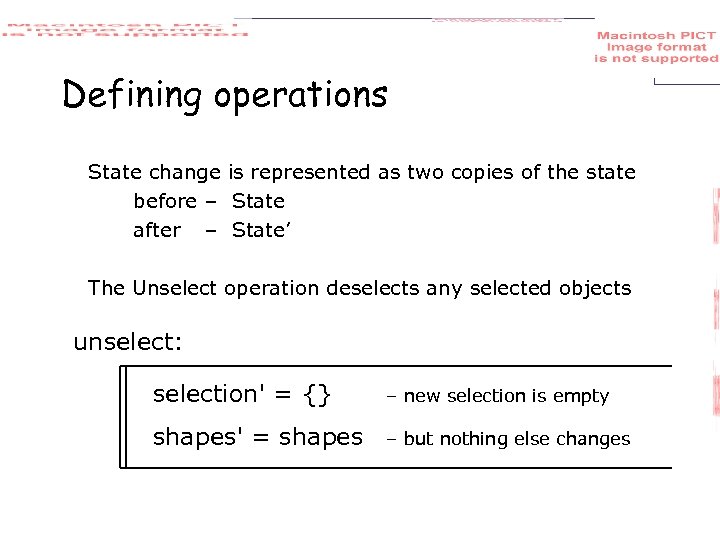 Defining operations State change is represented as two copies of the state before – State after – State’ The Unselect operation deselects any selected objects unselect: selection' = {} – new selection is empty shapes' = shapes – but nothing else changes
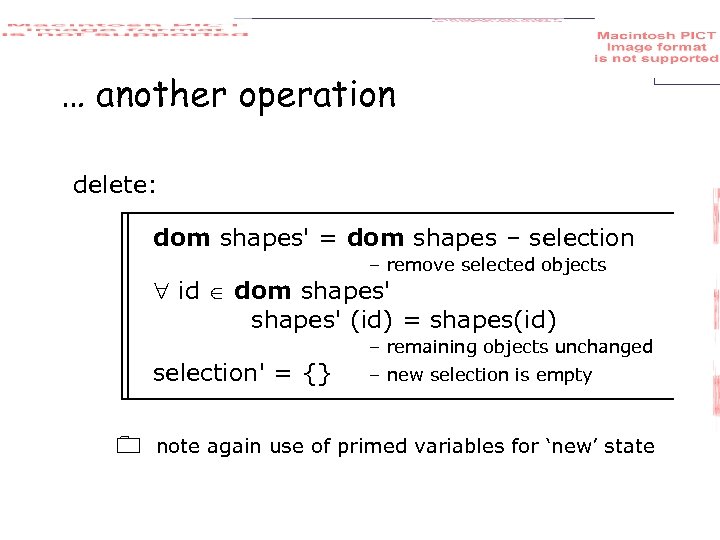 … another operation delete: dom shapes' = dom shapes – selection – remove selected objects id dom shapes' (id) = shapes(id) – remaining objects unchanged selection' = {} – new selection is empty note again use of primed variables for ‘new’ state
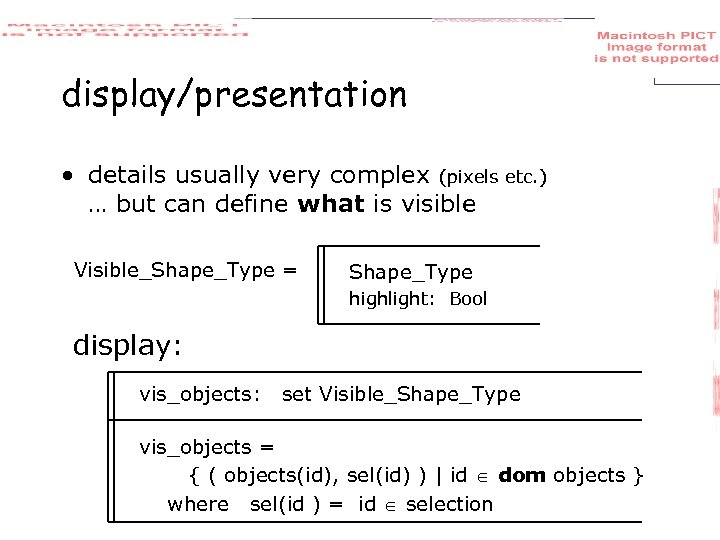 display/presentation • details usually very complex (pixels etc. ) … but can define what is visible Visible_Shape_Type = Shape_Type highlight: Bool display: vis_objects: set Visible_Shape_Type vis_objects = { ( objects(id), sel(id) ) | id dom objects } where sel(id ) = id selection
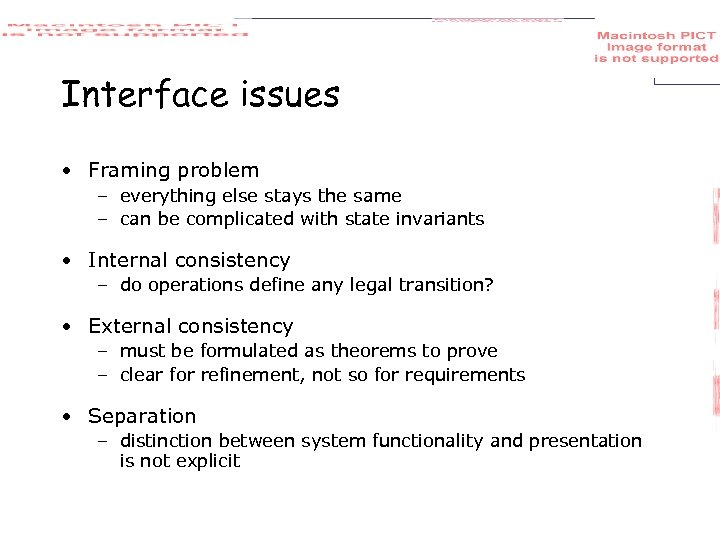 Interface issues • Framing problem – everything else stays the same – can be complicated with state invariants • Internal consistency – do operations define any legal transition? • External consistency – must be formulated as theorems to prove – clear for refinement, not so for requirements • Separation – distinction between system functionality and presentation is not explicit
 Algebraic notations • Model based notations – emphasise constructing an explicit representations of the system state. • Algebraic notations – provide only implicit information about the system state. • Model based operations – defined in terms of their effect on system components. • Algebraic operations – defined in terms of their relationship with the other operations.
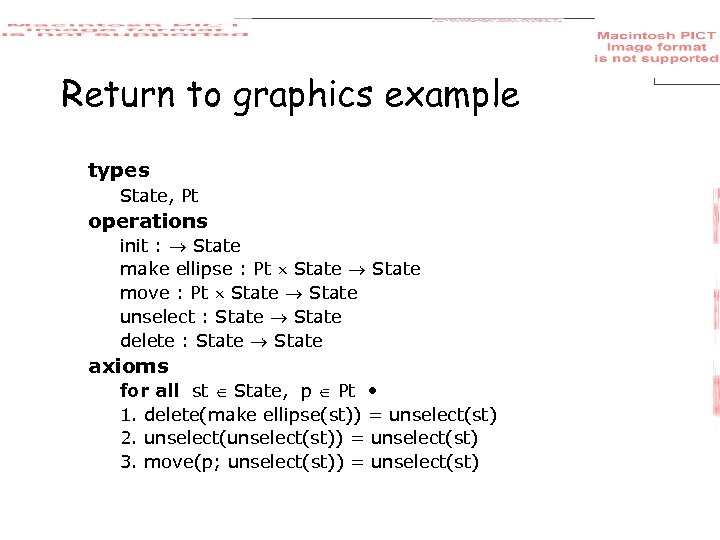 Return to graphics example types State, Pt operations init : State make ellipse : Pt State move : Pt State unselect : State delete : State axioms for all st State, p Pt • 1. delete(make ellipse(st)) = unselect(st) 2. unselect(st)) = unselect(st) 3. move(p; unselect(st)) = unselect(st)
 Issues for algebraic notations • Ease of use – a different way of thinking than traditional programming • Internal consistency – are there any axioms which contradict others? • External consistency – with respect to executable system less clear • External consistency – with respect to requirements is made explicit and automation possible • Completeness – is every operation completely defined?
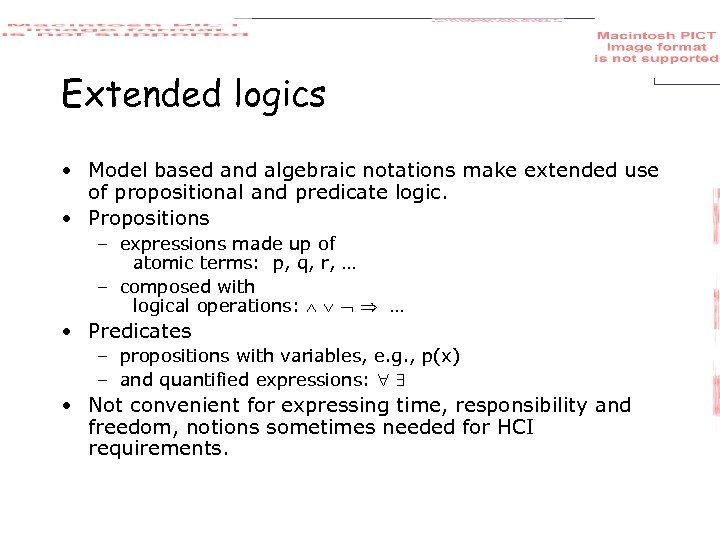 Extended logics • Model based and algebraic notations make extended use of propositional and predicate logic. • Propositions – expressions made up of atomic terms: p, q, r, … – composed with logical operations: … • Predicates – propositions with variables, e. g. , p(x) – and quantified expressions: • Not convenient for expressing time, responsibility and freedom, notions sometimes needed for HCI requirements.
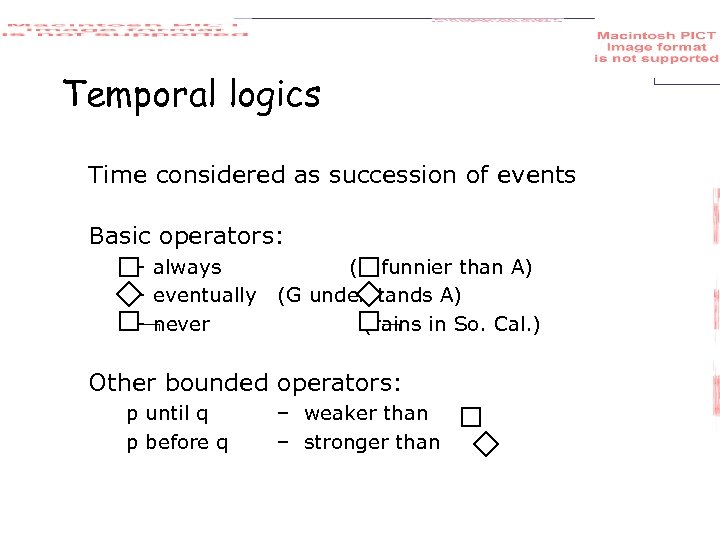 Temporal logics Time considered as succession of events Basic operators: – always – eventually – never (G funnier than A) (G understands A) (rains in So. Cal. ) Other bounded operators: p until q p before q – weaker than – stronger than
 Explicit time • These temporal logics do not explicitly mention time, so some requirements cannot be expressed • Active research area, but not so much with HCI • Gradual degradation more important than time -criticality • Myth of the infinitely fast machine …
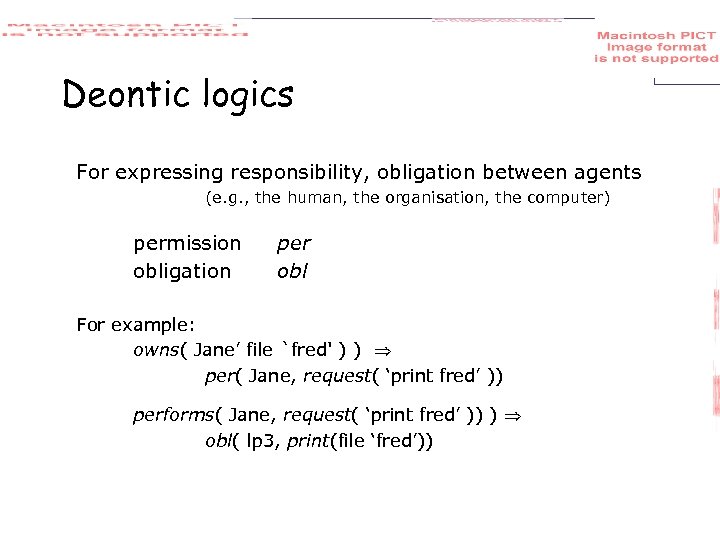 Deontic logics For expressing responsibility, obligation between agents (e. g. , the human, the organisation, the computer) permission obligation per obl For example: owns( Jane’ file `fred' ) ) per( Jane, request( ‘print fred’ )) performs( Jane, request( ‘print fred’ )) ) obl( lp 3, print(file ‘fred’))
 Issues for extended logics • Safety properties – stipulating that bad things do not happen • Liveness properties – stipulating that good things do happen • Executability versus expressiveness – easy to specify impossible situations – difficult to express executable requirements – settle for eventual executable • Group issues and deontics – obligations for single-user systems have personal impact – for groupware … consider implications for other users.
 interaction models PIE model defining properties undo
 Interaction models General computational models were not designed with the user in mind We need models that sit between the software engineering formalism and our understanding of HCI • formal – the PIE model for expressing general interactive properties to support usability • informal – interactive architectures (MVC, PAC, ALV) to motivate separation and modularisation of functionality and presentation (chap 8) • semi-formal – status-event analysis for viewing a slice of an interactive system that spans several layers (chap 18)
 the PIE model ‘minimal’ black-box model of interactive system focused on external observable aspects of interaction
 PIE model – user input • sequence of commands • commands include: – keyboard, mouse movement, mouse click • call the set of commands C • call the sequence P P = seq C
 PIE model – system response • the ‘effect’ • effect composed of: ephemeral display the final result • (e. . g printout, changed file) • call the set of effects E
 PIE model – the connection • given any history of commands (P) • there is some current effect • call the mapping the interpretation (I) I: P E
![More formally [C; E; D; R] P == seq C I: P E display](https://present5.com/presentation/876ca1ed263eb43f9edf99d7ace63799/image-35.jpg "More formally [C; E; D; R] P == seq C I: P E display") More formally [C; E; D; R] P == seq C I: P E display : E D result : E R Alternatively, we can derive a state transition function from the PIE. doit : E P E doit( I(p), q) = I(p q) doit(e, p). q) = doit(e, p q)
More formally [C; E; D; R] P == seq C I: P E display : E D result : E R Alternatively, we can derive a state transition function from the PIE. doit : E P E doit( I(p), q) = I(p q) doit(e, p). q) = doit(e, p q)
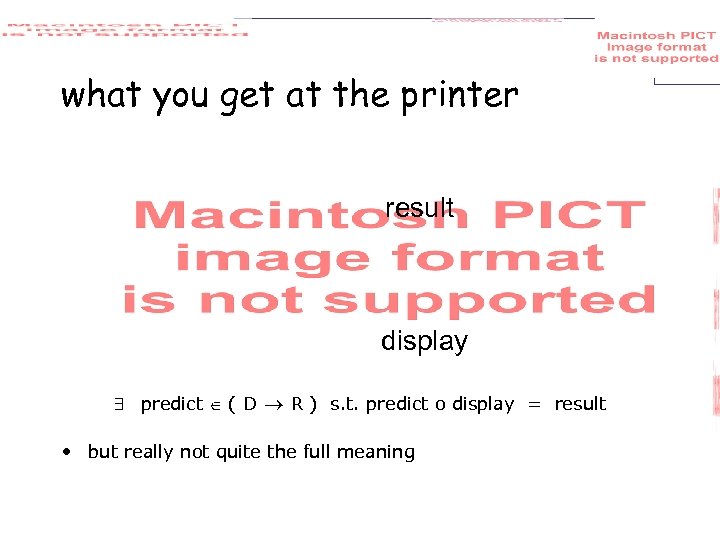
 Expressing properties WYSIWYG (what you see is what you get) – What does this really mean, and how can we test product X to see if it satisfies a claim that it is WYSIWYG? Limited scope general properties which support WYSIWYG • Observability – what you can tell about the current state of the system from the display • Predictability – what you can tell about the future behaviour
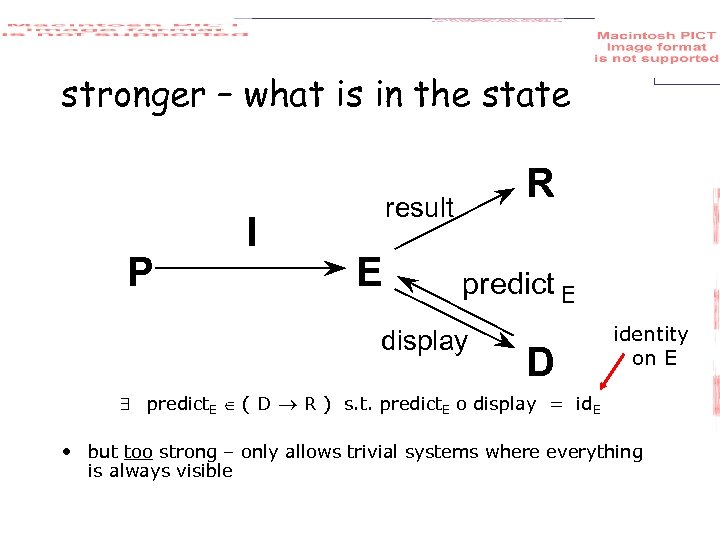
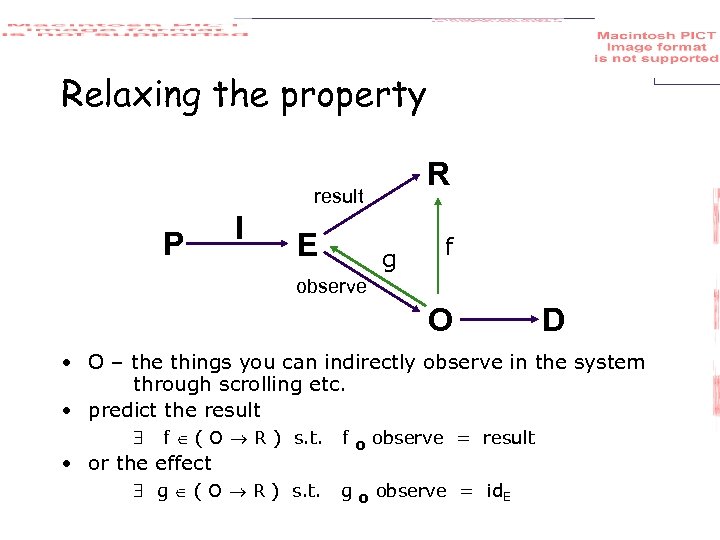
 Observability & predictability Two possible interpretations of WYSIWYG: What you see is what you: will get at the printer have got in the system Predictability is a special case of observability
 what you get at the printer result display predict ( D R ) s. t. predict o display = result • but really not quite the full meaning
 stronger – what is in the state P I R result E predict E display D identity on E predict. E ( D R ) s. t. predict. E o display = id. E • but too strong – only allows trivial systems where everything is always visible
 Relaxing the property R result P I E g f observe O D • O – the things you can indirectly observe in the system through scrolling etc. • predict the result f ( O R ) s. t. f o observe = result • or the effect g ( O R ) s. t. g o observe = id. E
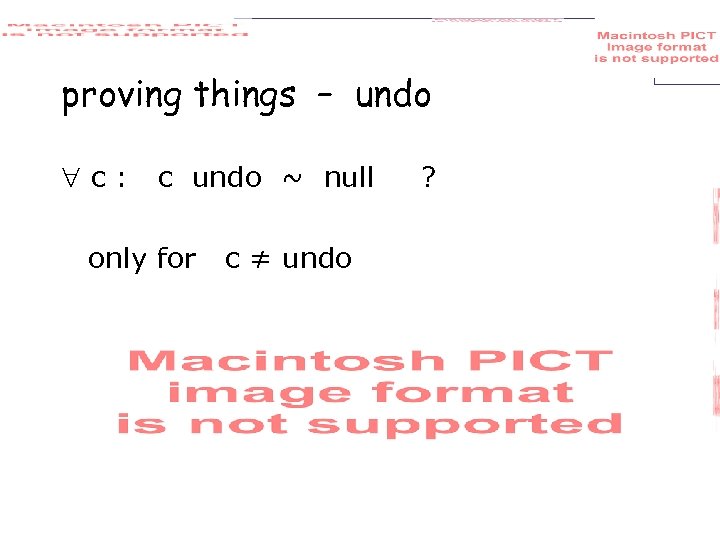
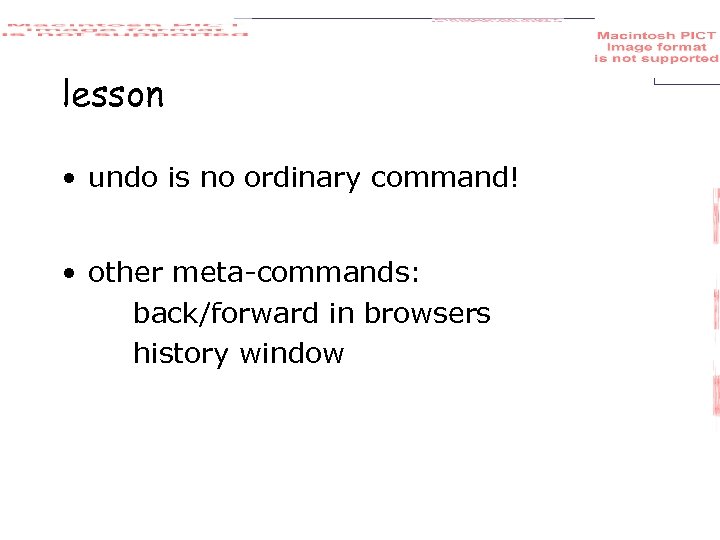
 Reachability and undo • Reachability – getting from one state to another. e, e’ E p P doit(e, p) = e’ • Too weak • Undo – reachability applied between current state and last state. c C doit(e, c undo) = e • Impossible except for very simple system with at most two states! • Better models of undo treat it as a special command to avoid this problem
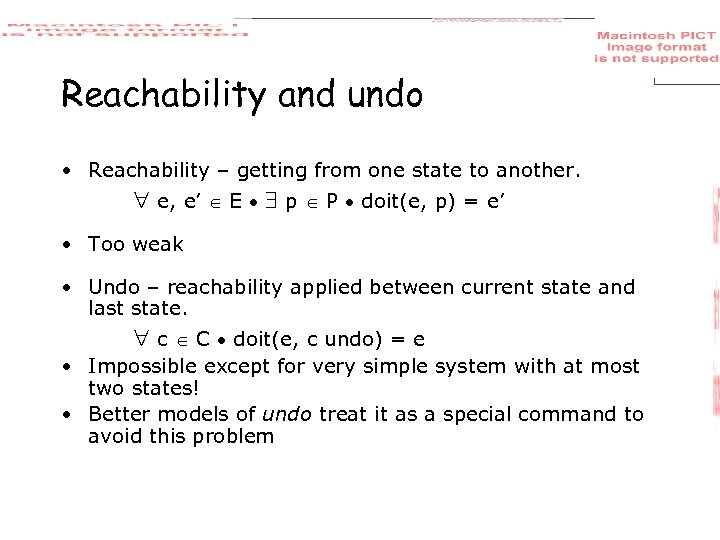
 proving things – undo c: c undo ~ null only for c ≠ undo ?
 lesson • undo is no ordinary command! • other meta-commands: back/forward in browsers history window
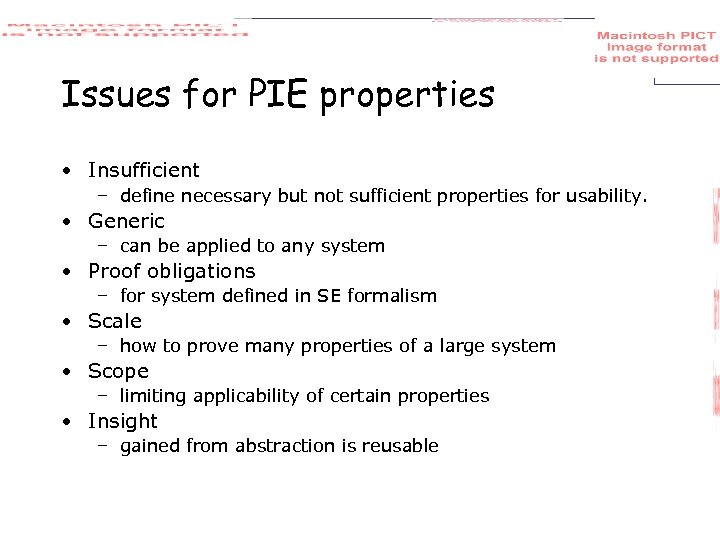 Issues for PIE properties • Insufficient – define necessary but not sufficient properties for usability. • Generic – can be applied to any system • Proof obligations – for system defined in SE formalism • Scale – how to prove many properties of a large system • Scope – limiting applicability of certain properties • Insight – gained from abstraction is reusable
 continuous behaviour mouse movement status–event & hybrid models granularity and gestalt
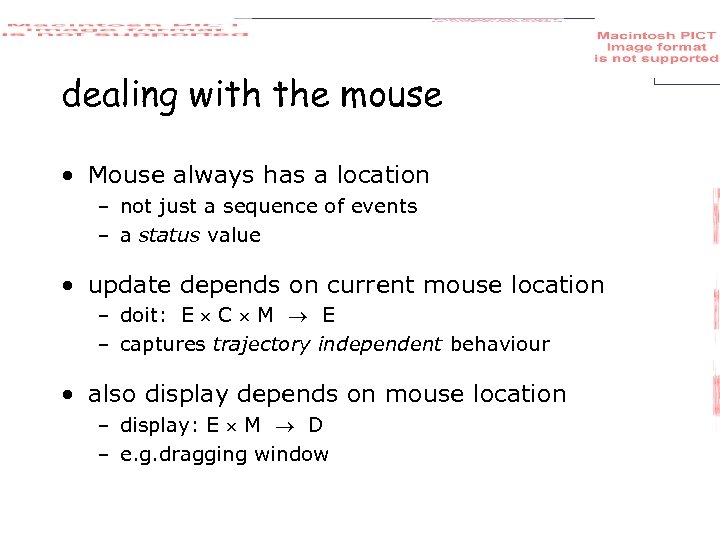 dealing with the mouse • Mouse always has a location – not just a sequence of events – a status value • update depends on current mouse location – doit: E C M E – captures trajectory independent behaviour • also display depends on mouse location – display: E M D – e. g. dragging window
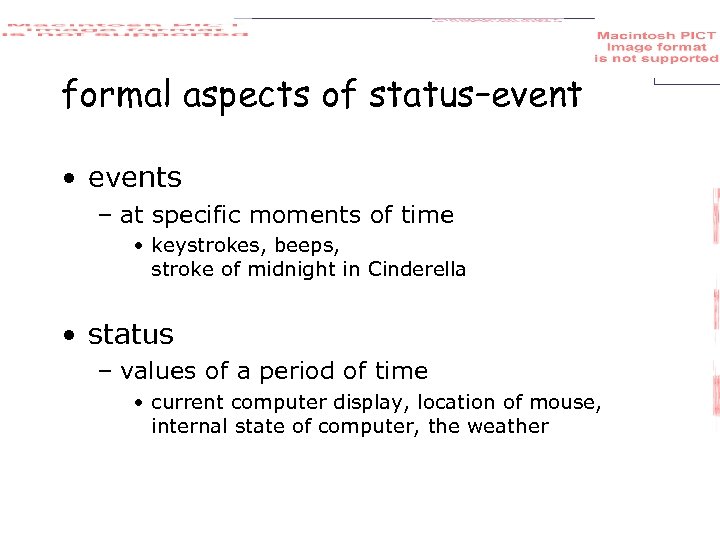 formal aspects of status–event • events – at specific moments of time • keystrokes, beeps, stroke of midnight in Cinderella • status – values of a period of time • current computer display, location of mouse, internal state of computer, the weather
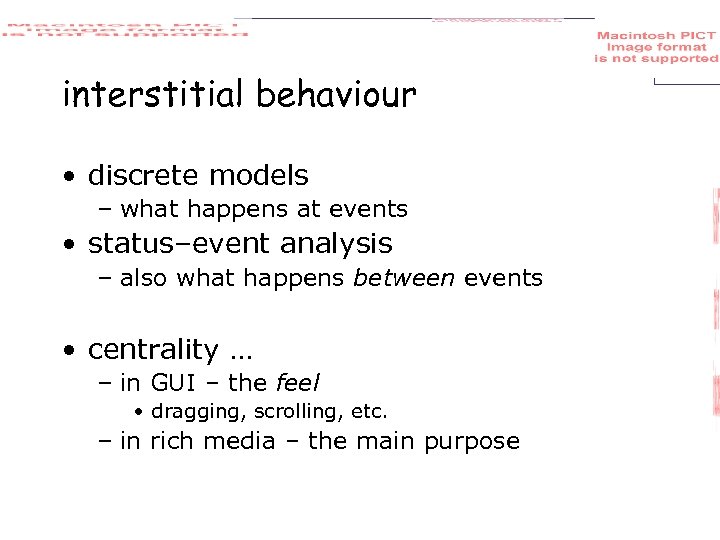 interstitial behaviour • discrete models – what happens at events • status–event analysis – also what happens between events • centrality … – in GUI – the feel • dragging, scrolling, etc. – in rich media – the main purpose
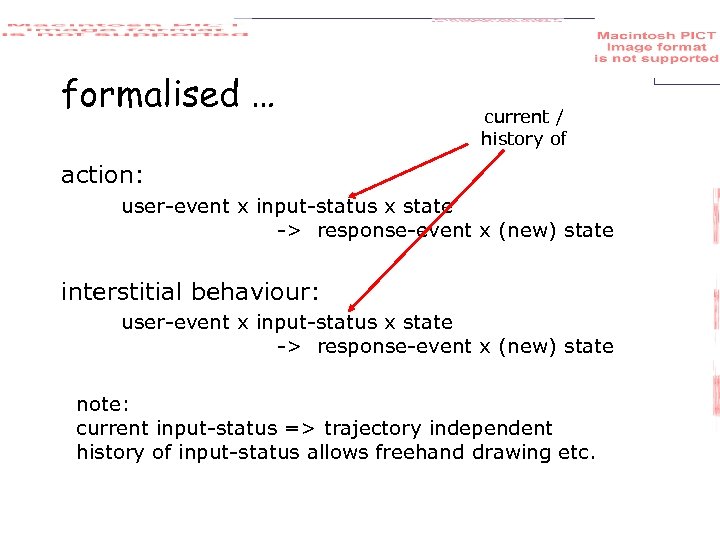 formalised … current / history of action: user-event x input-status x state -> response-event x (new) state interstitial behaviour: user-event x input-status x state -> response-event x (new) state note: current input-status => trajectory independent history of input-status allows freehand drawing etc.
 status–change events • events can change status • some changes of status are events meaningful events when bank balance < $100 need to do more work! • not all changes! – every second is a change in time – but only some times critical when time = 12: 30 – eat lunch • implementation issues – system design – sensors, polling behaviour more on status-event analysis in chapter 18
 making everything continuous • physics & engineering – everything is continuous • time, location, velocity, acceleration, force, mass dx dv =v = –g x = vt – 1/2 gt 2 dt dt • can model everything as pure continuous ( t, t 0, statet 0, inputs during [t 0, t) ) outputt = ( statet) – like interstitial behaviour statet = • but clumsy for events – in practice need both
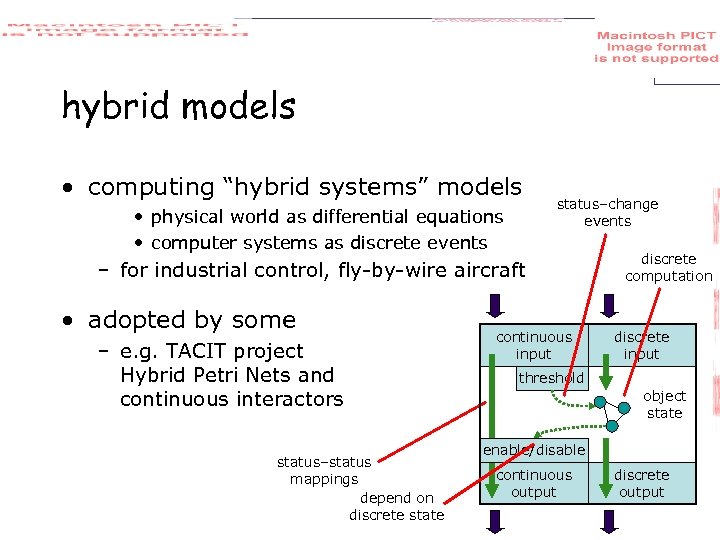 hybrid models • computing “hybrid systems” models • physical world as differential equations • computer systems as discrete events status–change events – for industrial control, fly-by-wire aircraft • adopted by some – e. g. TACIT project Hybrid Petri Nets and continuous interactors status–status mappings depend on discrete state continuous input discrete computation discrete input threshold object state enable/disable continuous output discrete output
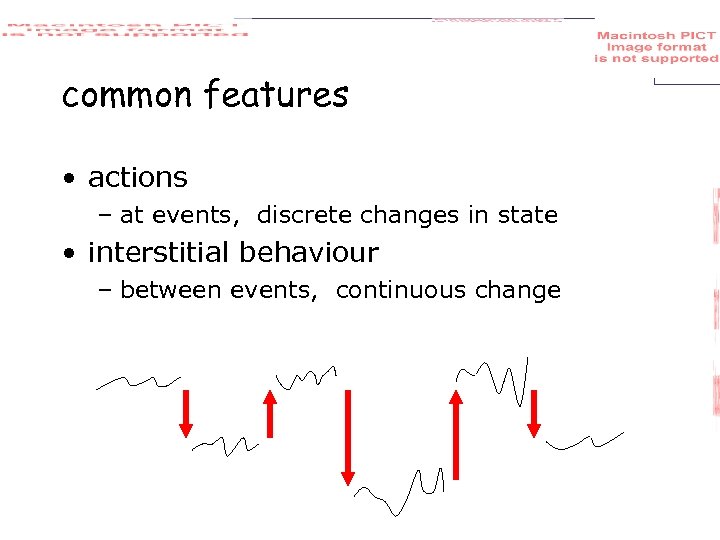 common features • actions – at events, discrete changes in state • interstitial behaviour – between events, continuous change
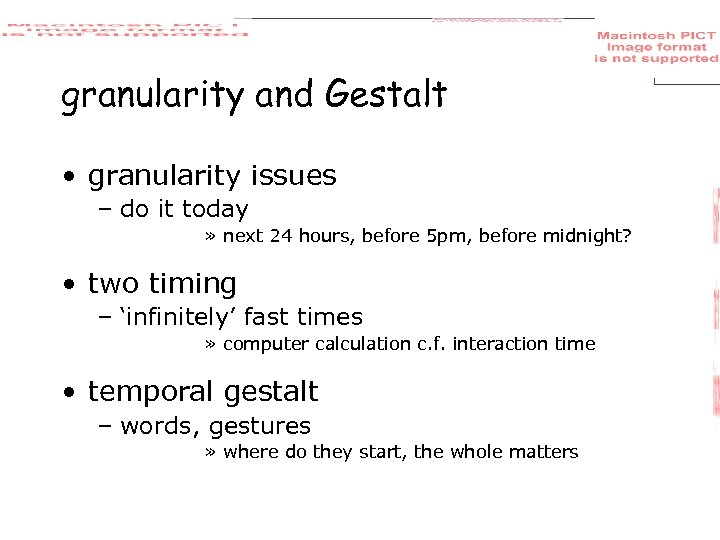 granularity and Gestalt • granularity issues – do it today » next 24 hours, before 5 pm, before midnight? • two timing – ‘infinitely’ fast times » computer calculation c. f. interaction time • temporal gestalt – words, gestures » where do they start, the whole matters