


 Скачать презентацию Chapter 17 16 4 Rapid Software Development Prototyping
5dff3c0ac756ee11e305f3bd783adf9d.ppt
- Количество слайдов: 77
 Chapter 17/16. 4 Rapid Software Development / Prototyping ©Ian Sommerville 2000 Software Engineering. Chapter 17/16. 4 Slide 1
 Objectives l l l To explain how an iterative, incremental development process can lead to faster delivery of more useful software To discuss the essence of agile development methods To explain the principles and practices of extreme programming ©Ian Sommerville 2000 Software Engineering. Chapter 17/16. 4 Slide 2
 Objectives (cont'd) l l To explain the roles of prototyping in the software process To explain the need for user interface prototyping. (16. 4) ©Ian Sommerville 2000 Software Engineering. Chapter 17/16. 4 Slide 3
 Topics covered l Rapid Software Development l Agile methods l Extreme programming l l Other rapid development approaches: RAD, visual programming, software reuse Software prototyping ©Ian Sommerville 2000 Software Engineering. Chapter 17/16. 4 Slide 4
 Rationale for rapid software development l l l Quickly changing global markets mean businesses must be responsive to new opportunities and competition. Thus, rapid development and delivery is often the most critical requirement. Businesses may even be willing to accept lower quality if rapid delivery of essential functionality is possible. ©Ian Sommerville 2000 Software Engineering. Chapter 17/16. 4 Slide 5
 Requirements instability l l Being responsive to changing environments = coping with unstable requirements. In many such cases: § a waterfall model of development is impractical § evolutionary development based on iterative specification and delivery is the only way to deliver software quickly. ©Ian Sommerville 2000 Software Engineering. Chapter 17/16. 4 Slide 6
 Characteristics of rapid development processes l l l Processes of specification, design and implementation are concurrent. No detailed specification and design documentation is minimal. System may be developed as a series of increments. (Users evaluate increments and make proposals for later increments. ) ©Ian Sommerville 2000 Software Engineering. Chapter 17/16. 4 Slide 7
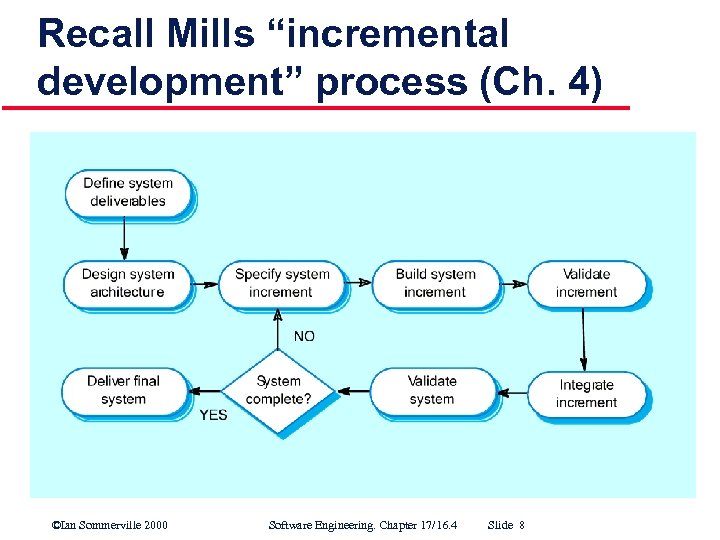 Recall Mills “incremental development” process (Ch. 4) ©Ian Sommerville 2000 Software Engineering. Chapter 17/16. 4 Slide 8
 Advantages of incremental development l Accelerated delivery of high-priority customer services. § Each increment incorporates the (next) highest priority functionality. l More user involvement in development. § System is more likely to meet requirements and users are more committed to system success. ©Ian Sommerville 2000 Software Engineering. Chapter 17/16. 4 Slide 9
 Problems with iterative development / incremental delivery l Management problems § Progress can be hard to assess (lack of regular deliverables). poor process visibility § May require unfamiliar technologies or special skills. l Contractual problems § Normal contractual model requires a requirements specification. (Cont’d) ©Ian Sommerville 2000 Software Engineering. Chapter 17/16. 4 Slide 10
 Problems with iterative development / incremental delivery (cont'd) l V&V problems § Without a specification, what is the system being tested against? l Maintenance problems § Continual change tends to corrupt software structure. § Documentation is lacking. l And recall: it may be difficult to partition requirements into stand alone increments. (Cont’d) ©Ian Sommerville 2000 Software Engineering. Chapter 17/16. 4 Slide 11
 Problems with iterative development / incremental delivery (cont'd) l For some large systems, evolutionary / incremental development may be impractical… § when multiple teams are working at different sites § when high reliability or safety is required § when maintainability is paramount (Cont’d) ©Ian Sommerville 2000 Software Engineering. Chapter 17/16. 4 Slide 12
 Problems with iterative development / incremental delivery (cont'd) l l l In such cases, throw away prototyping, where an experimental system is developed as a basis formulating the requirements may be used. This system is “thrown away” when the requirements have been validated. We consider throw away and other types of prototyping in detail later… ©Ian Sommerville 2000 Software Engineering. Chapter 17/16. 4 Slide 13
 Agile methods for evolutionary / incremental development l Dissatisfaction with overhead of waterfall method led to creation of agile methods. They: § Focus on code rather than the design; § Are based on an iterative development; § Are intended to deliver working software quickly which can evolve quickly to meet changing requirements. See: www. agilealliance. org ©Ian Sommerville 2000 Software Engineering. Chapter 17/16. 4 Slide 14
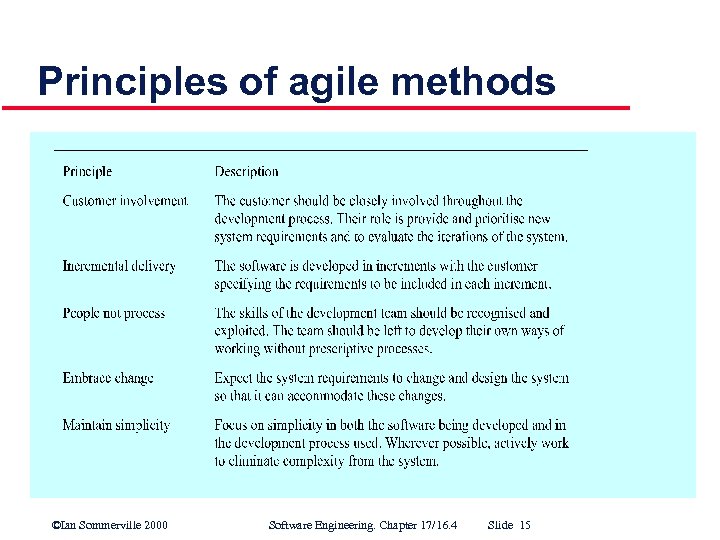 Principles of agile methods ©Ian Sommerville 2000 Software Engineering. Chapter 17/16. 4 Slide 15
 Problems with agile methods l l l Can be difficult to keep the interest of customers who are involved in the process. Team members may be unsuited to the intense involvement that characterizes agile methods. Prioritizing changes can be difficult where there are multiple stakeholders. (Cont’d) ©Ian Sommerville 2000 Software Engineering. Chapter 17/16. 4 Slide 16
 Problems with agile methods (cont'd) l l Maintaining simplicity requires extra work. Contracts may be a problem as with other iterative development approaches. ©Ian Sommerville 2000 Software Engineering. Chapter 17/16. 4 Slide 17
 Sommerville’s position l l Agile methods are probably best suited to small/medium sized business systems or PC products. In particular, they are not well suited for dealing with: (compare to slide #12) § large scale development with multiple teams working at different sites § complex interactions with other systems § high security or safety applications ©Ian Sommerville 2000 Software Engineering. Chapter 17/16. 4 Slide 18
 Extreme programming (XP) l l Perhaps the best-known and most widely used agile method. Takes an “extreme” approach to iterative development: § § § New versions may be built several times per day Increments are delivered to customers every 2 weeks All tests must run successfully for every build “iterative development on steroids” ©Ian Sommerville 2000 Software Engineering. Chapter 17/16. 4 Slide 19
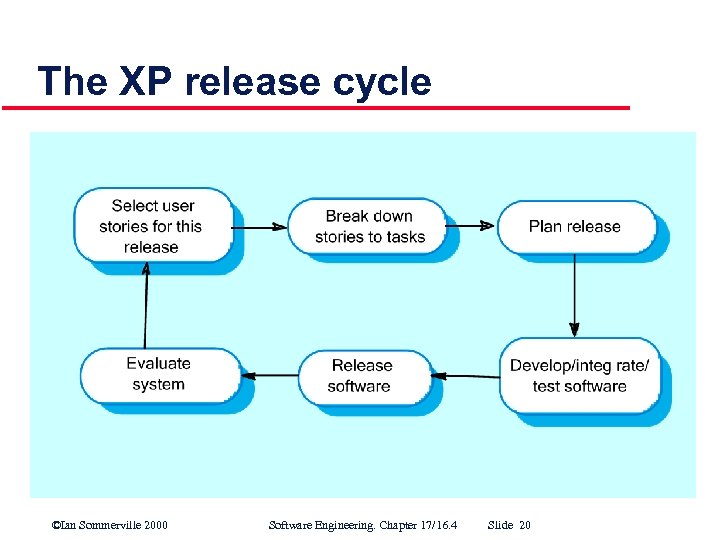 The XP release cycle ©Ian Sommerville 2000 Software Engineering. Chapter 17/16. 4 Slide 20
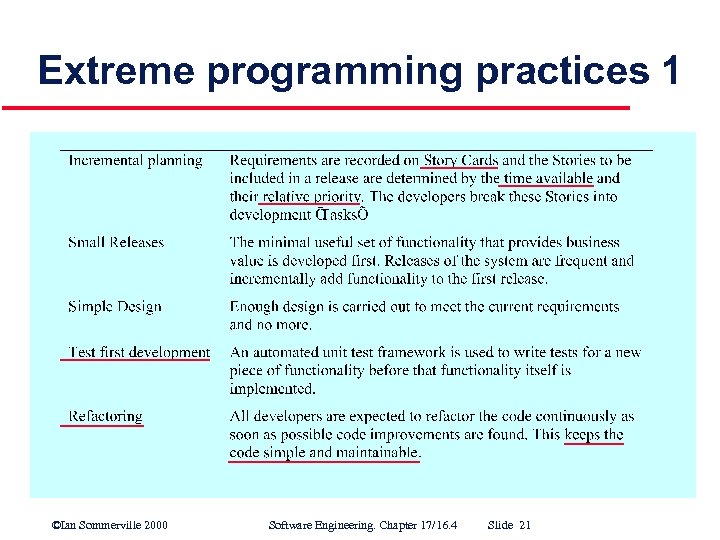 Extreme programming practices 1 ©Ian Sommerville 2000 Software Engineering. Chapter 17/16. 4 Slide 21
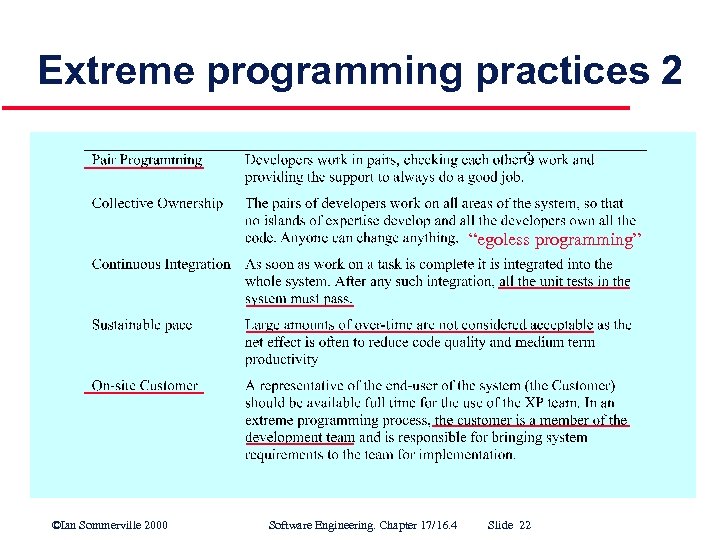 Extreme programming practices 2 “egoless programming” ©Ian Sommerville 2000 Software Engineering. Chapter 17/16. 4 Slide 22
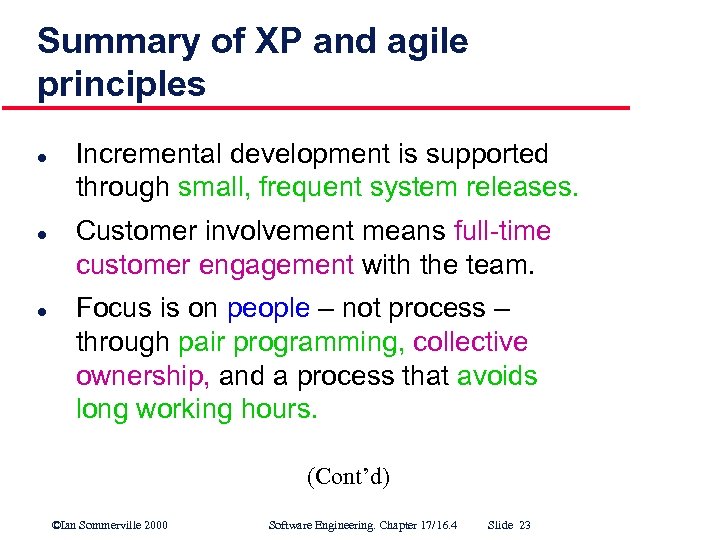 Summary of XP and agile principles l l l Incremental development is supported through small, frequent system releases. Customer involvement means full time customer engagement with the team. Focus is on people – not process – through pair programming, collective ownership, and a process that avoids long working hours. (Cont’d) ©Ian Sommerville 2000 Software Engineering. Chapter 17/16. 4 Slide 23
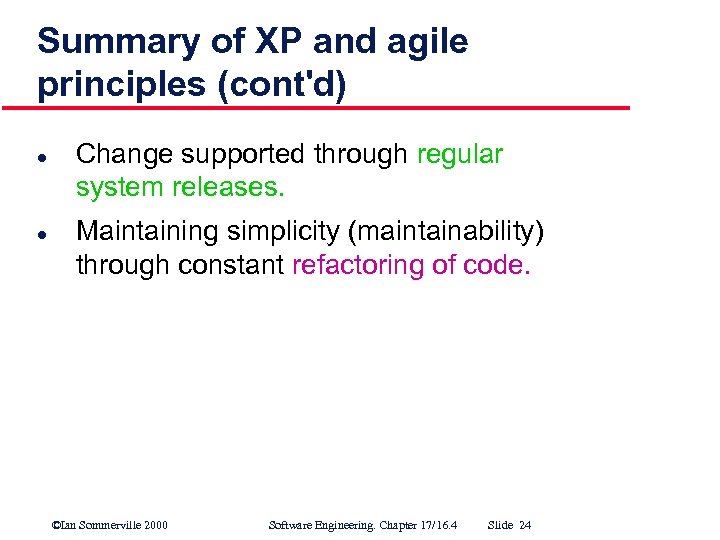 Summary of XP and agile principles (cont'd) l l Change supported through regular system releases. Maintaining simplicity (maintainability) through constant refactoring of code. ©Ian Sommerville 2000 Software Engineering. Chapter 17/16. 4 Slide 24
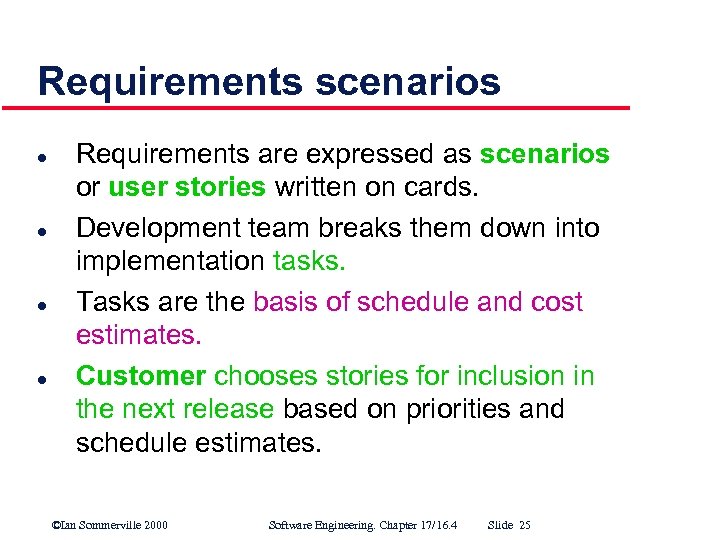 Requirements scenarios l l Requirements are expressed as scenarios or user stories written on cards. Development team breaks them down into implementation tasks. Tasks are the basis of schedule and cost estimates. Customer chooses stories for inclusion in the next release based on priorities and schedule estimates. ©Ian Sommerville 2000 Software Engineering. Chapter 17/16. 4 Slide 25
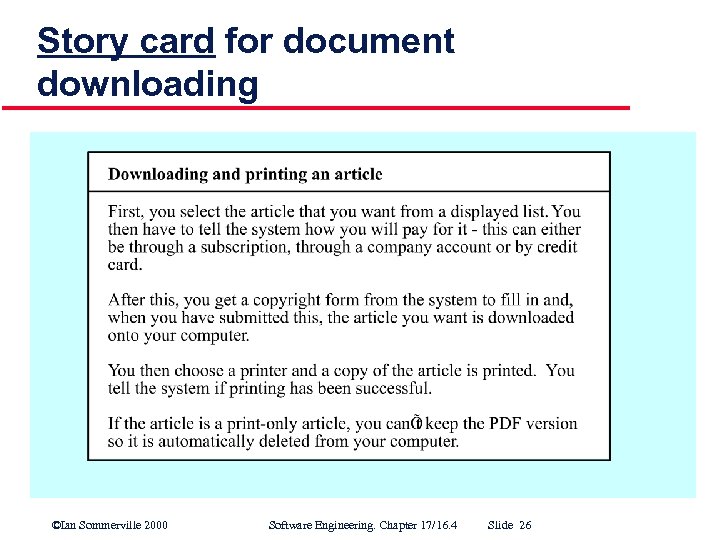 Story card for document downloading ©Ian Sommerville 2000 Software Engineering. Chapter 17/16. 4 Slide 26
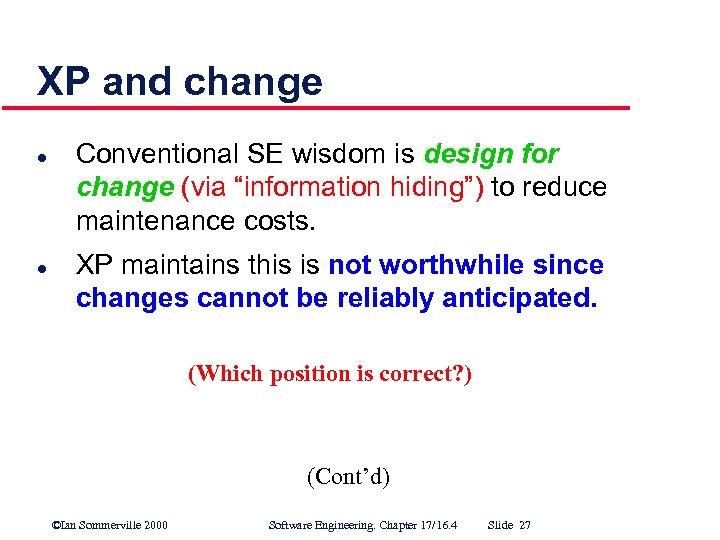 XP and change l l Conventional SE wisdom is design for change (via “information hiding”) to reduce maintenance costs. XP maintains this is not worthwhile since changes cannot be reliably anticipated. (Which position is correct? ) (Cont’d) ©Ian Sommerville 2000 Software Engineering. Chapter 17/16. 4 Slide 27
 XP and change (cont'd) l (Instead, ) XP proposes constant code improvement (“refactoring”) to make changes easier when they have to be implemented. ©Ian Sommerville 2000 Software Engineering. Chapter 17/16. 4 Slide 28
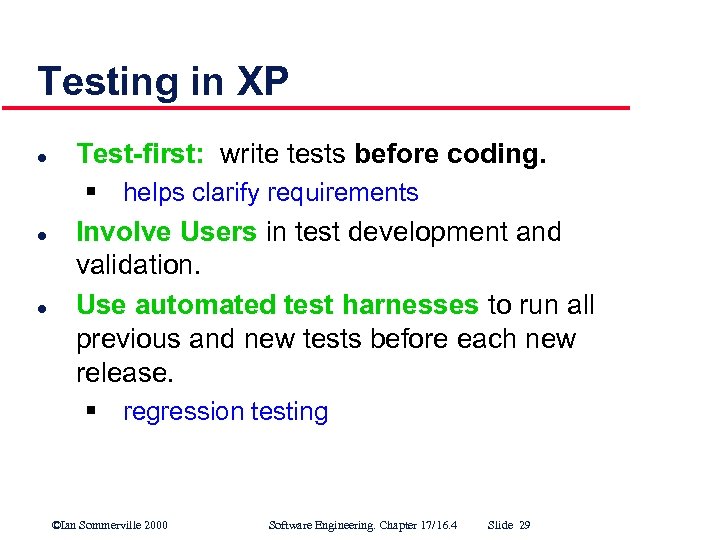 Testing in XP l Test-first: write tests before coding. § helps clarify requirements l l Involve Users in test development and validation. Use automated test harnesses to run all previous and new tests before each new release. § regression testing ©Ian Sommerville 2000 Software Engineering. Chapter 17/16. 4 Slide 29
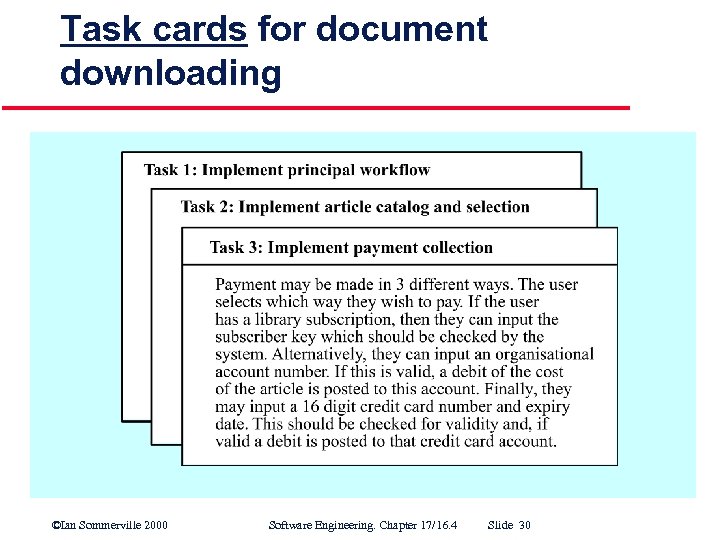 Task cards for document downloading ©Ian Sommerville 2000 Software Engineering. Chapter 17/16. 4 Slide 30
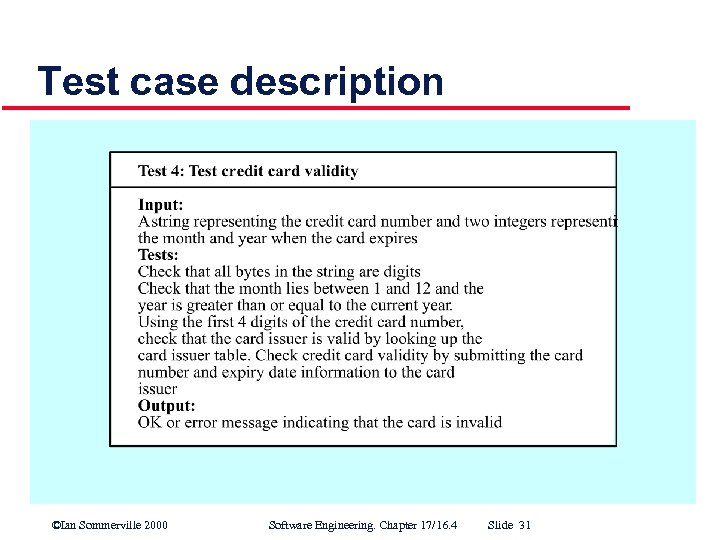 Test case description ©Ian Sommerville 2000 Software Engineering. Chapter 17/16. 4 Slide 31
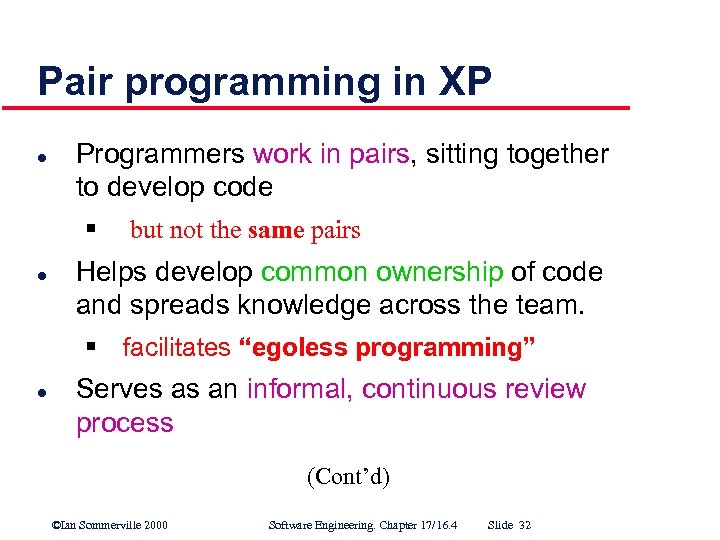 Pair programming in XP l Programmers work in pairs, sitting together to develop code § l but not the same pairs Helps develop common ownership of code and spreads knowledge across the team. § facilitates “egoless programming” l Serves as an informal, continuous review process (Cont’d) ©Ian Sommerville 2000 Software Engineering. Chapter 17/16. 4 Slide 32
 Pair programming in XP (cont'd) l l Encourages refactoring since the whole team benefits Measurements suggest development productivity is comparable to two people working independently (but with all the benefits of pair programming). ©Ian Sommerville 2000 Software Engineering. Chapter 17/16. 4 Slide 33
 “Rapid Application Development” (RAD) environments l l l Other rapid development approaches have been around for years. RAD environments evolved from “fourth generation languages” (4 GL’s) and are designed to develop data intensive business applications They rely on a high level programming language integrated with a database. ©Ian Sommerville 2000 Software Engineering. Chapter 17/16. 4 Slide 34
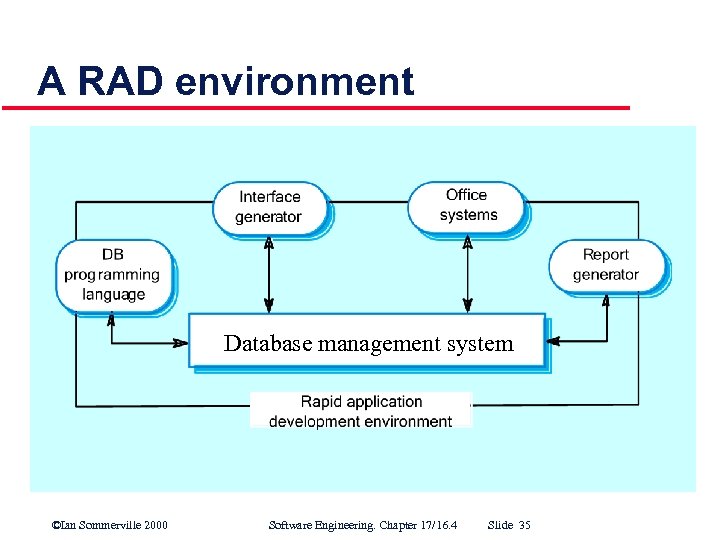 A RAD environment Database management system ©Ian Sommerville 2000 Software Engineering. Chapter 17/16. 4 Slide 35
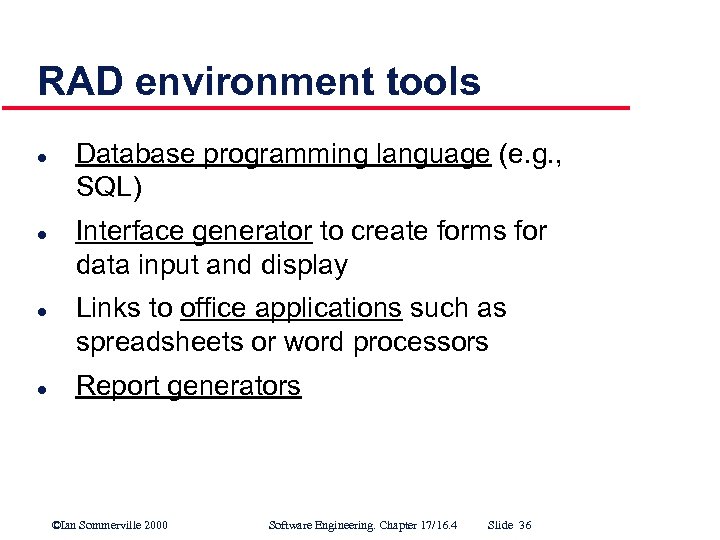 RAD environment tools l l Database programming language (e. g. , SQL) Interface generator to create forms for data input and display Links to office applications such as spreadsheets or word processors Report generators ©Ian Sommerville 2000 Software Engineering. Chapter 17/16. 4 Slide 36
 Visual programming with reuse l l Scripting languages such as Visual Basic support visual programming Applications are developed by creating an iconic user interface and associating components with the graphical icons. Large libraries of reusable components exist to support this. Components may be tailored to suit the specific application requirements. ©Ian Sommerville 2000 Software Engineering. Chapter 17/16. 4 Slide 37
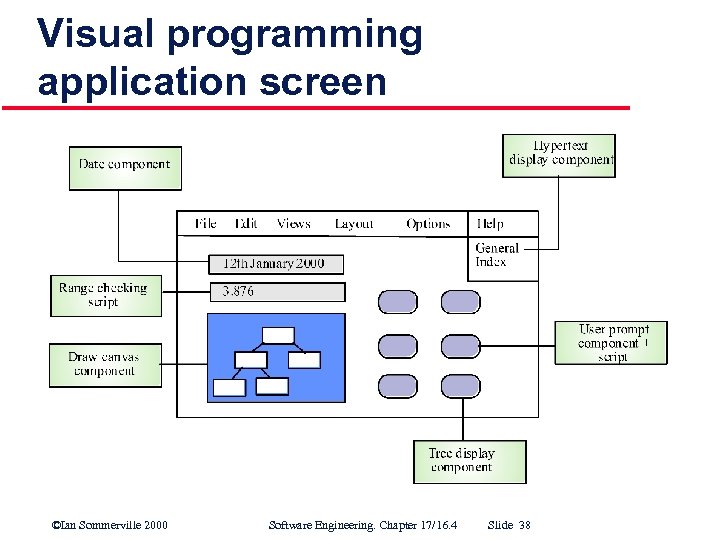 Visual programming application screen ©Ian Sommerville 2000 Software Engineering. Chapter 17/16. 4 Slide 38
 Problems with visual programming l l l Difficult to coordinate team based develop ment No explicit system architecture (hidden) Complex dependencies between parts of the program can cause maintainability problems. ©Ian Sommerville 2000 Software Engineering. Chapter 17/16. 4 Slide 39
 Component assembly l l l Systems are created quickly from a set of reusable components plus a mechanism to “glue” components together. Composition mechanism must include control facilities and a mechanism for component communication. Must take into account availability and functionality of existing components ©Ian Sommerville 2000 Software Engineering. Chapter 17/16. 4 Slide 40
 Reuse based Application-level rapid development: COTS l l Existing “off the shelf” applications can be configured and linked together. For example, a requirements management system could be built by using: § § § A database to store requirements; A word processor to capture requirements and format reports; and A spreadsheet for traceability management. ©Ian Sommerville 2000 Software Engineering. Chapter 17/16. 4 Slide 41
 Compound documents l l Some applications/prototypes can be created by developing a compound document. This is a document with active elements (such as a spreadsheet) that allows user computations. Each active element has an associated application which is invoked when that element is selected. The document itself is the integrator for the different applications. ©Ian Sommerville 2000 Software Engineering. Chapter 17/16. 4 Slide 42
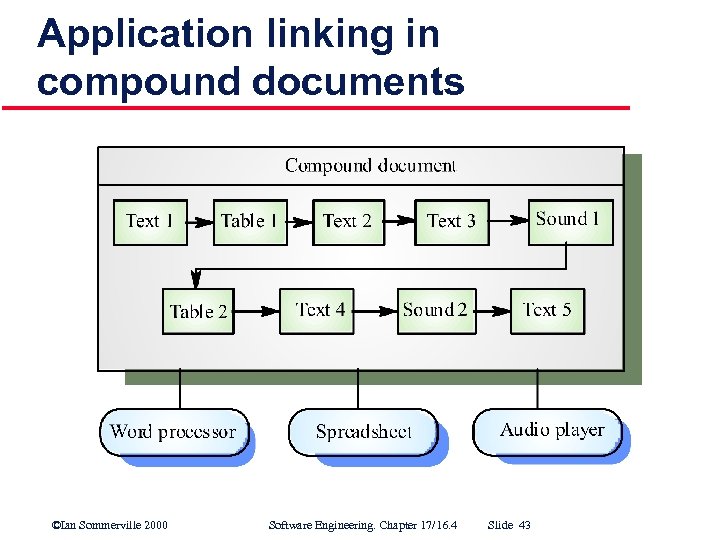 Application linking in compound documents ©Ian Sommerville 2000 Software Engineering. Chapter 17/16. 4 Slide 43
 What is prototyping? l Some traditional features: § An iterative process emphasizing ØRapid development ØEvaluative use ØFeedback ØModification § Learning (based on feedback) § Consideration of alternatives § Concreteness (a “real system” is developed and presented to real users) (Cont’d) ©Ian Sommerville 2000 Software Engineering. Chapter 17/16. 4 Slide 44
 What is prototyping? (cont’d) l l Boundary between prototyping and normal system development blurs when an evolutionary (e. g. , Extreme Programming) development approach is used. Thus, our primary focus is throw-away prototyping. ©Ian Sommerville 2000 Software Engineering. Chapter 17/16. 4 Slide 45
 Uses of prototypes l Principal use is to help customers and developers better understand system requirements. § Experimentation stimulates anticipation of how a system could be used. § Attempting to use functions together to accomplish some task can easily reveal requirements problems. (Cont’d) ©Ian Sommerville 2000 Software Engineering. Chapter 17/16. 4 Slide 46
 Uses of prototypes (cont’d) l Other potential uses: 1. Evaluating proposed solutions for feasibility (Experimental Prototyping) 2. “Back to back” system testing 3. Training users before system delivery l Prototyping is most often undertaken as a risk reduction activity. ©Ian Sommerville 2000 Software Engineering. Chapter 17/16. 4 Slide 47
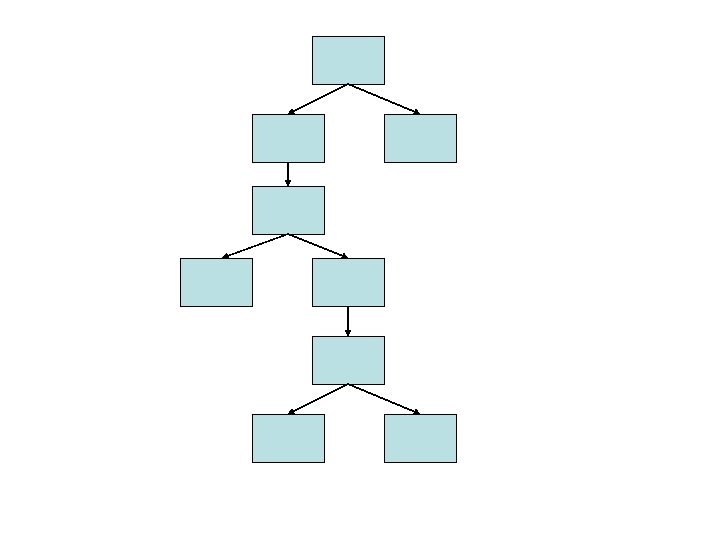
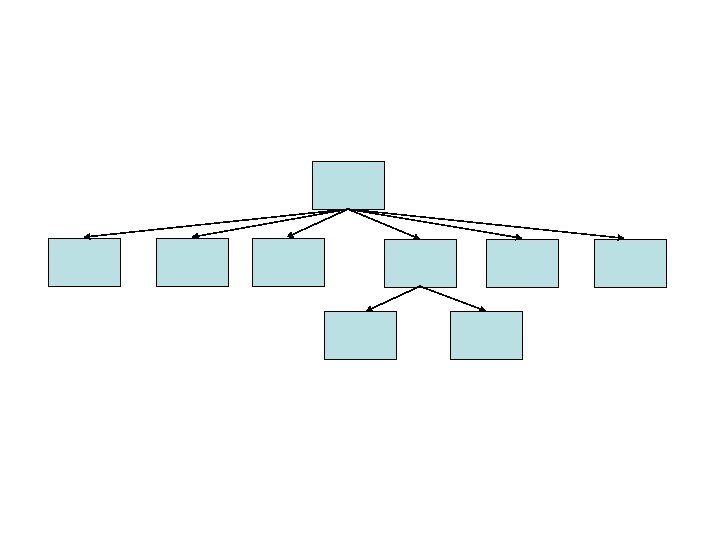
 Classifying prototypes l By purpose: § § l l l Throw away prototyping – to elicit and validate requirements Experimental prototyping – to evaluate proposed solutions for feasibility, performance, etc. horizontal vs. vertical (breadth vs. depth) mockups vs. breadboards (form vs. function) “Wizard of Oz” prototyping (Turing test reversed) ©Ian Sommerville 2000 Software Engineering. Chapter 17/16. 4 Slide 48
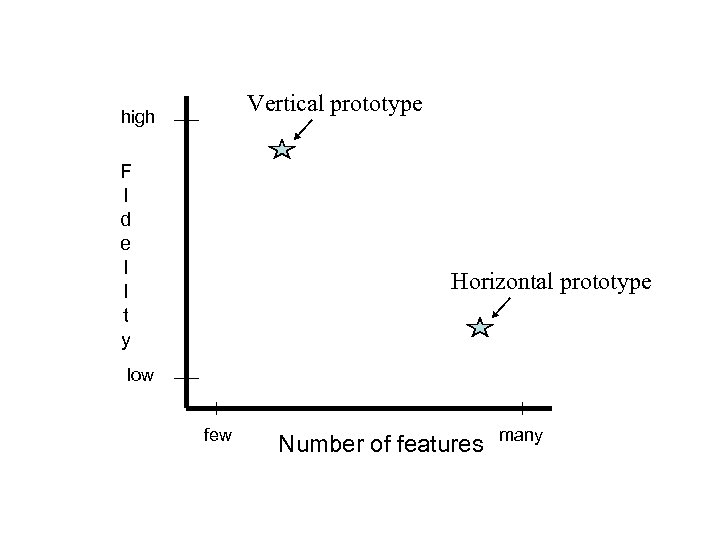 Vertical prototype high F I d e l I t y Horizontal prototype low few Number of features many
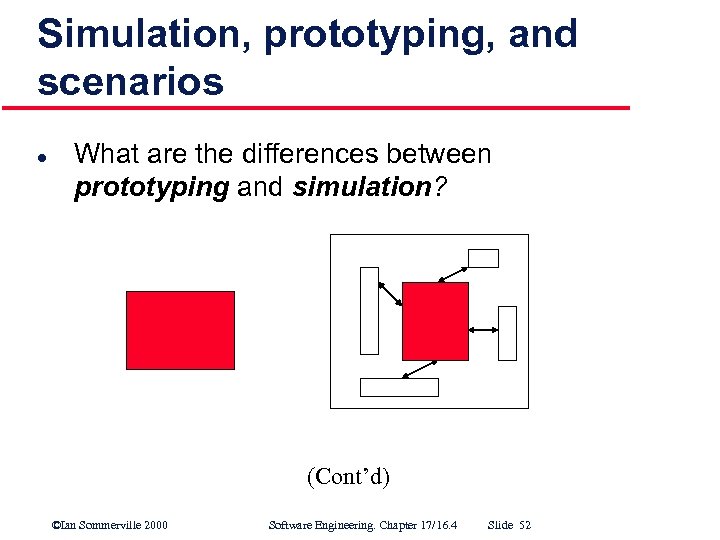 Simulation, prototyping, and scenarios l What are the differences between prototyping and simulation? (Cont’d) ©Ian Sommerville 2000 Software Engineering. Chapter 17/16. 4 Slide 52
 Simulation, prototyping, and scenarios (cont’d) l What is the connection between simulation models / prototypes, and scenarios? § § Simulation models are automatic scenario generators. Prototypes facilitate manual scenario generation. ©Ian Sommerville 2000 Software Engineering. Chapter 17/16. 4 Slide 53
 Simulation, prototyping, and scenarios (cont’d) l What is the connection between simulation models / prototypes, and scenarios? § § Simulation models are automatic scenario generators. Prototypes facilitate manual scenario generation. ©Ian Sommerville 2000 Software Engineering. Chapter 17/16. 4 Slide 54
 Simulation, prototyping, and scenarios (cont’d) l What is the connection between simulation models / prototypes, and scenarios? § § Simulation models are automatic scenario generators. Prototypes facilitate manual scenario generation. ©Ian Sommerville 2000 Software Engineering. Chapter 17/16. 4 Slide 55
 Prototyping benefits l l l Misunderstandings are exposed. Difficult to use or confusing services are identified. Missing services are detected. Incomplete and/or inconsistent requirements are found by analysts as prototype is being developed. Can demo feasibility and usefulness. Basis for writing a system specification. ©Ian Sommerville 2000 Software Engineering. Chapter 17/16. 4 Slide 56
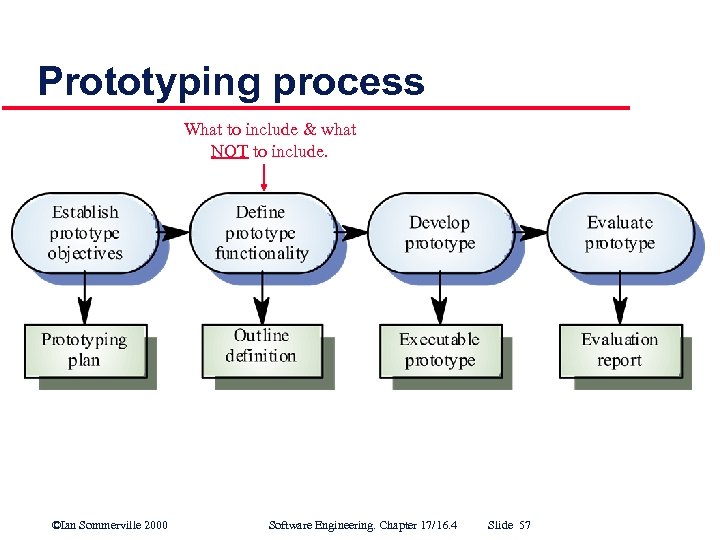 Prototyping process What to include & what NOT to include. ©Ian Sommerville 2000 Software Engineering. Chapter 17/16. 4 Slide 57
 Throw-away prototyping l l Used to reduce requirements risk. Initial prototype is developed from outline requirements, delivered for experiment, and modified until risk is acceptably low. ©Ian Sommerville 2000 Software Engineering. Chapter 17/16. 4 Slide 58
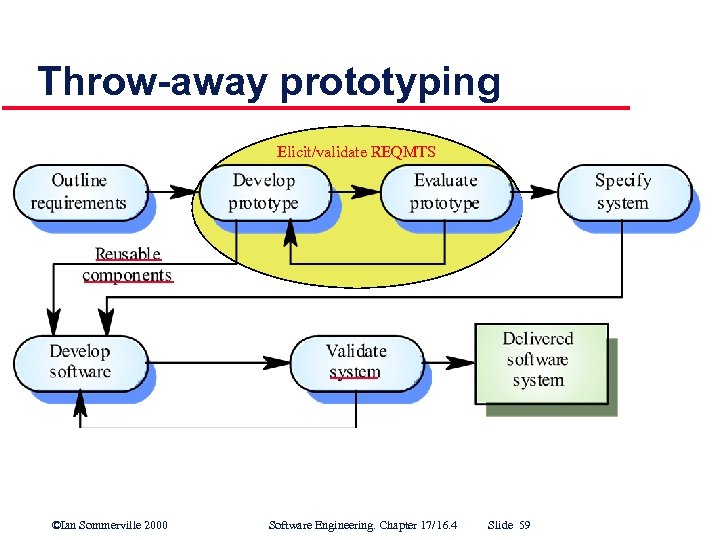 Throw-away prototyping Elicit/validate REQMTS ©Ian Sommerville 2000 Software Engineering. Chapter 17/16. 4 Slide 59
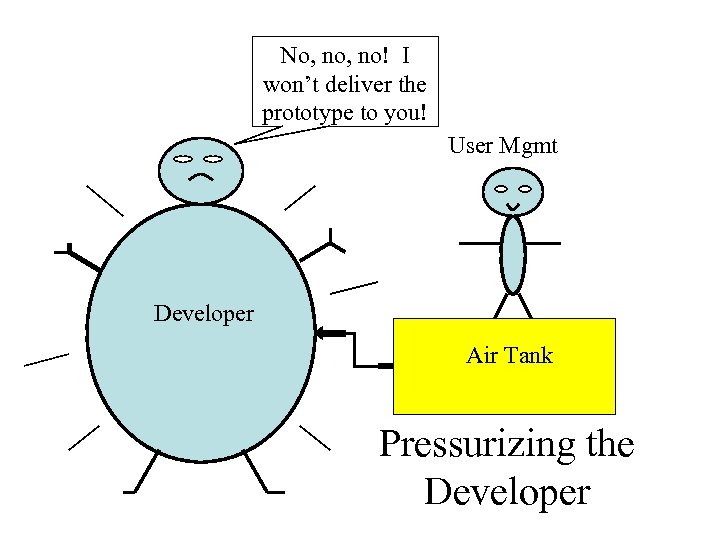
 Throw-away prototype delivery ? l l Developers may be pressurized to deliver a throw away prototype as the final system. This is problematic. . . § § It may be impossible to meet non functional requirements. The prototype is almost certainly undocumented. The system may be poorly structured and therefore difficult to maintain. Normal quality standards may not have been applied. ©Ian Sommerville 2000 Software Engineering. Chapter 17/16. 4 Slide 60
 No, no! I won’t deliver the prototype to you! User Mgmt Developer Air Tank Pressurizing the Developer
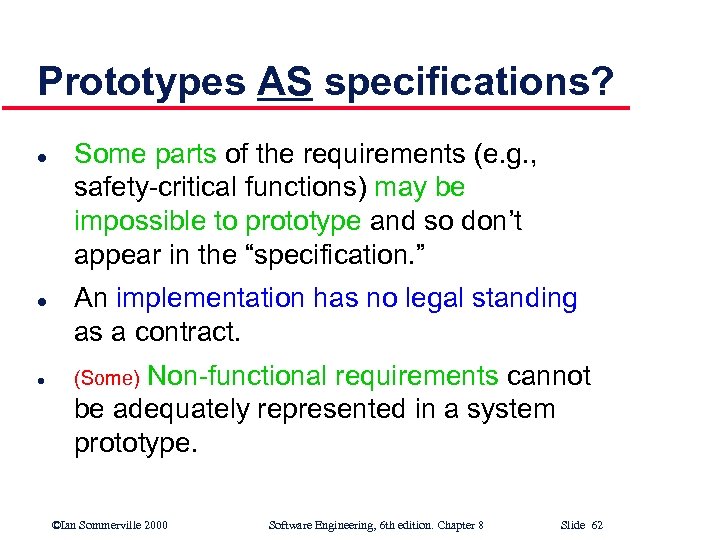 Prototypes AS specifications? l l l Some parts of the requirements (e. g. , safety critical functions) may be impossible to prototype and so don’t appear in the “specification. ” An implementation has no legal standing as a contract. Non functional requirements cannot be adequately represented in a system prototype. (Some) ©Ian Sommerville 2000 Software Engineering, 6 th edition. Chapter 8 Slide 62
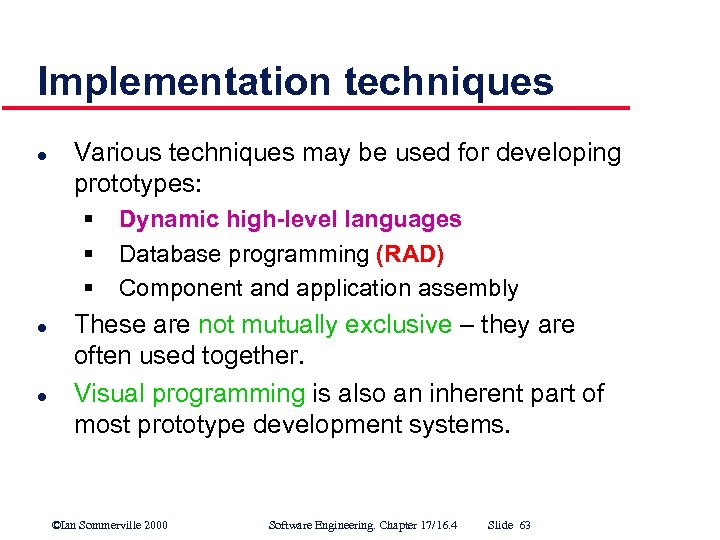 Implementation techniques l Various techniques may be used for developing prototypes: § § § l l Dynamic high-level languages Database programming (RAD) Component and application assembly These are not mutually exclusive – they are often used together. Visual programming is also an inherent part of most prototype development systems. ©Ian Sommerville 2000 Software Engineering. Chapter 17/16. 4 Slide 63
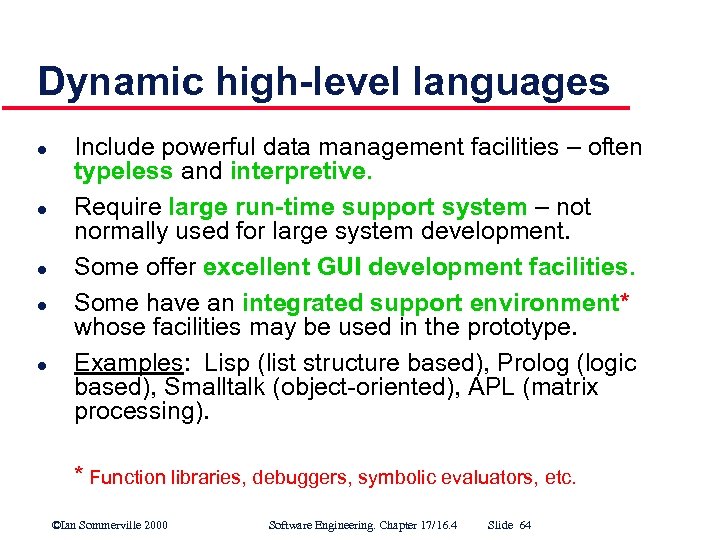 Dynamic high-level languages l l l Include powerful data management facilities – often typeless and interpretive. Require large run-time support system – not normally used for large system development. Some offer excellent GUI development facilities. Some have an integrated support environment* whose facilities may be used in the prototype. Examples: Lisp (list structure based), Prolog (logic based), Smalltalk (object oriented), APL (matrix processing). * Function libraries, debuggers, symbolic evaluators, etc. ©Ian Sommerville 2000 Software Engineering. Chapter 17/16. 4 Slide 64
 Choice of prototyping language l l l What is the application domain? (e. g. , NLP? , matrix manipulation? ) What user interaction is required? (text based? Web based? ) What support environment comes with the language? (e. g. , tools, components) (Cont’d) ©Ian Sommerville 2000 Software Engineering. Chapter 17/16. 4 Slide 65
 Choice of prototyping language (cont’d) l l Different parts of the system may be programmed in different languages. (However, there may be problems with language communications. ) A multi paradigm language (e. g. , LOOPS) can reduce this problem. ©Ian Sommerville 2000 Software Engineering. Chapter 17/16. 4 Slide 66
 User interface prototyping l l It is impossible to pre specify the look and feel of a user interface in an effective way. Prototyping is essential. UI development consumes an increasing part of overall system development costs. ©Ian Sommerville 2000 Software Engineering. Chapter 17/16. 4 Slide 67
 User interface prototyping l l l Aim is to allow users to gain direct experience with the interface. Without this, it is impossible to judge usability. May employ a two stage process: § paper prototypes are developed initially, § followed by a series of increasingly sophisticated automated prototypes. ©Ian Sommerville 2000 Software Engineering. Chapter 17/16. 4 Slide 68
 Paper prototyping l l l Work through scenarios using sketches of the interface. Use storyboards/scenarios to present a series of interactions with the system. Paper prototyping is a cost effective way of getting user reactions to an interface design proposal. ©Ian Sommerville 2000 Software Engineering. Chapter 17/16. 4 Slide 69
 User interface evaluation l l l Some evaluation of a user interface design should be carried out to assess its suitability. Thorough evaluation is very expensive and impractical for most systems. Ideally, an interface should be evaluated against a usability specification. However, it is rare for such specifications to be produced. ©Ian Sommerville 2000 Software Engineering. Chapter 17/16. 4 Slide 70
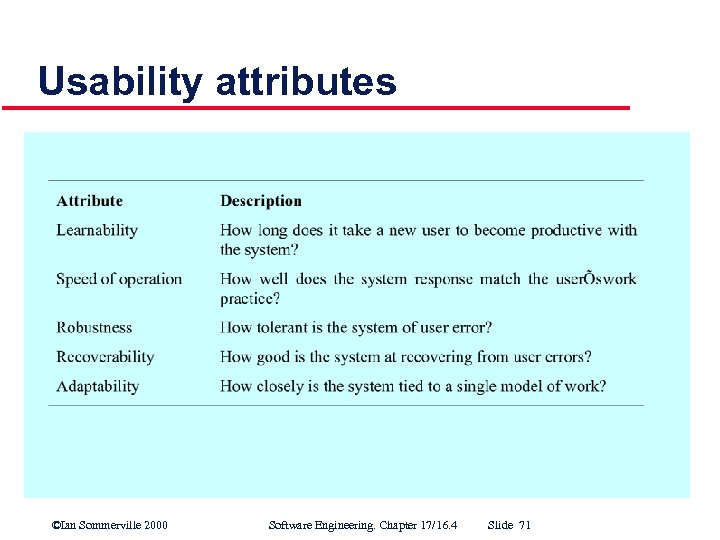 Usability attributes ©Ian Sommerville 2000 Software Engineering. Chapter 17/16. 4 Slide 71
 Simple evaluation techniques l l Questionnaires for user feedback. Video recording of system use and subsequent tape evaluation. (“protocol analysis”) l l Instrumentation of code to collect information about patterns of use and user errors. Including code in system to collect on line user feedback. ©Ian Sommerville 2000 Software Engineering. Chapter 17/16. 4 Slide 72
 Key points l l l An iterative approach to software development leads to faster delivery of software. Agile methods are iterative development methods that aim to reduce development overhead and so produce software faster. Extreme programming includes practices such as systematic testing, continuous improvement, and customer involvement. (Cont’d) ©Ian Sommerville 2000 Software Engineering. Chapter 17/16. 4 Slide 73
 Key points (cont’d) l l l Testing in XP is a particular strength since tests are developed before code is written. Rapid Application Development (RAD) environments include database programming languages, form generation tools, and links to office applications. Throw away prototyping is used to explore requirements and design options. (Cont’d) ©Ian Sommerville 2000 Software Engineering. Chapter 17/16. 4 Slide 74
 Key points (cont’d) l l Prototypes give end users a concrete impression of a system’s capabilities. Rapid development of prototypes is essential. This usually requires leaving out functionality or relaxing non functional constraints. (Cont’d) ©Ian Sommerville 2000 Software Engineering. Chapter 17/16. 4 Slide 75
 Key points (cont’d) l l l Prototyping techniques include the use of very high level languages, database programming and prototype construction from reusable components. Prototyping is essential for parts of the system such as the user interface which cannot be effectively pre specified. Users must be involved in prototype evaluation. ©Ian Sommerville 2000 Software Engineering. Chapter 17/16. 4 Slide 76
 Chapter 17/16. 4 Rapid Software Development / Prototyping ©Ian Sommerville 2000 Software Engineering. Chapter 17/16. 4 Slide 77