 Скачать презентацию Chapter 15 — C As A Better C
4069e7b2c3ee27befeb08a470c055ad9.ppt
- Количество слайдов: 27



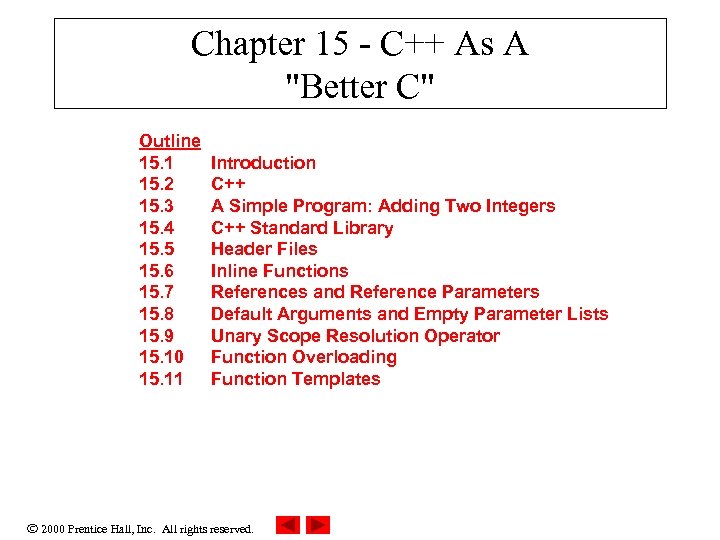
Chapter 15 - C++ As A "Better C" Outline 15. 1 15. 2 15. 3 15. 4 15. 5 15. 6 15. 7 15. 8 15. 9 15. 10 15. 11 Introduction C++ A Simple Program: Adding Two Integers C++ Standard Library Header Files Inline Functions References and Reference Parameters Default Arguments and Empty Parameter Lists Unary Scope Resolution Operator Function Overloading Function Templates 2000 Prentice Hall, Inc. All rights reserved.
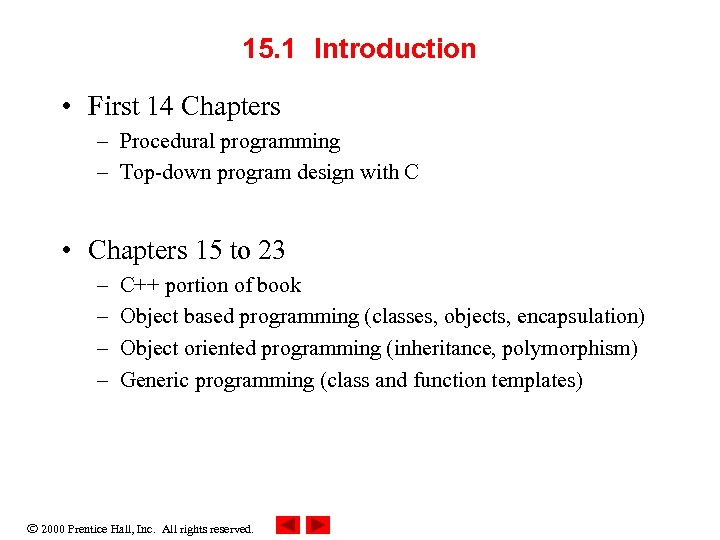
15. 1 Introduction • First 14 Chapters – Procedural programming – Top-down program design with C • Chapters 15 to 23 – – C++ portion of book Object based programming (classes, objects, encapsulation) Object oriented programming (inheritance, polymorphism) Generic programming (class and function templates) 2000 Prentice Hall, Inc. All rights reserved.
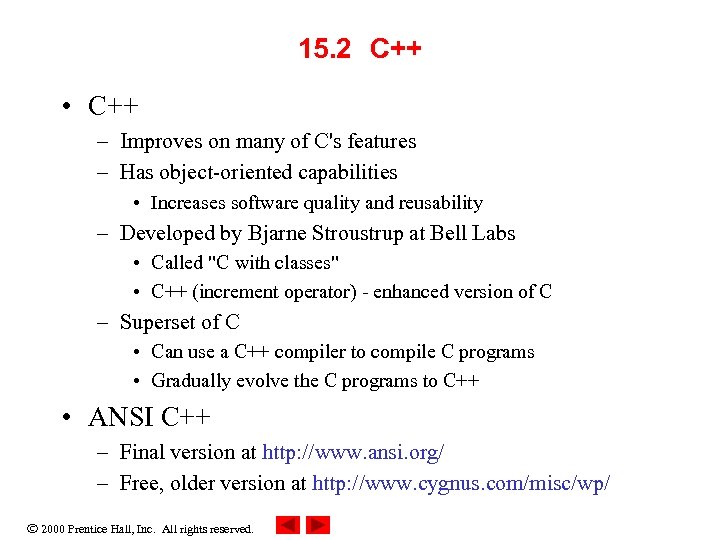
15. 2 C++ • C++ – Improves on many of C's features – Has object-oriented capabilities • Increases software quality and reusability – Developed by Bjarne Stroustrup at Bell Labs • Called "C with classes" • C++ (increment operator) - enhanced version of C – Superset of C • Can use a C++ compiler to compile C programs • Gradually evolve the C programs to C++ • ANSI C++ – Final version at http: //www. ansi. org/ – Free, older version at http: //www. cygnus. com/misc/wp/ 2000 Prentice Hall, Inc. All rights reserved.
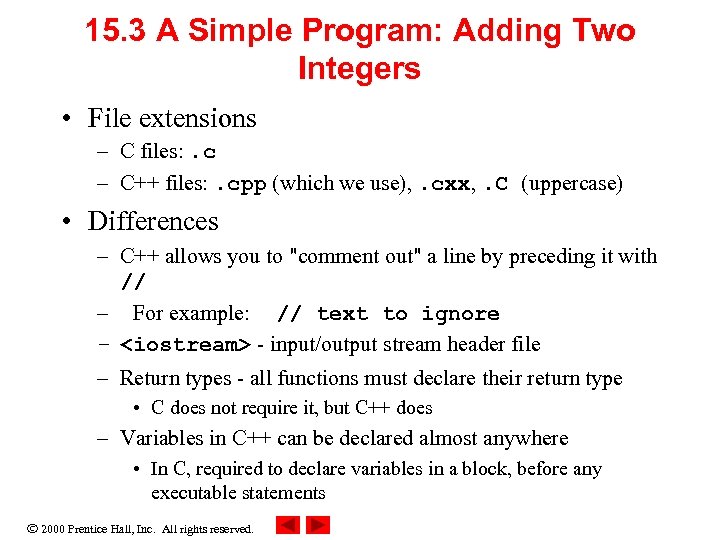
15. 3 A Simple Program: Adding Two Integers • File extensions – C files: . c – C++ files: . cpp (which we use), . cxx, . C (uppercase) • Differences – C++ allows you to "comment out" a line by preceding it with // – For example: // text to ignore – <iostream> - input/output stream header file – Return types - all functions must declare their return type • C does not require it, but C++ does – Variables in C++ can be declared almost anywhere • In C, required to declare variables in a block, before any executable statements 2000 Prentice Hall, Inc. All rights reserved.
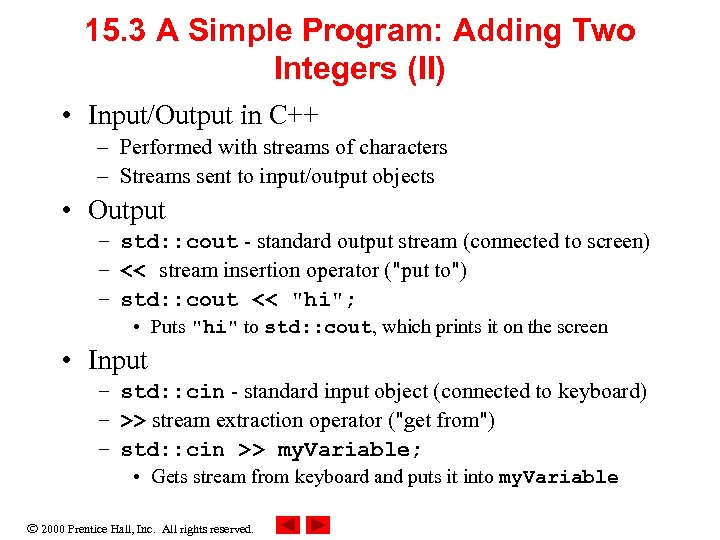
15. 3 A Simple Program: Adding Two Integers (II) • Input/Output in C++ – Performed with streams of characters – Streams sent to input/output objects • Output – std: : cout - standard output stream (connected to screen) – << stream insertion operator ("put to") – std: : cout << "hi"; • Puts "hi" to std: : cout, which prints it on the screen • Input – std: : cin - standard input object (connected to keyboard) – >> stream extraction operator ("get from") – std: : cin >> my. Variable; • Gets stream from keyboard and puts it into my. Variable 2000 Prentice Hall, Inc. All rights reserved.
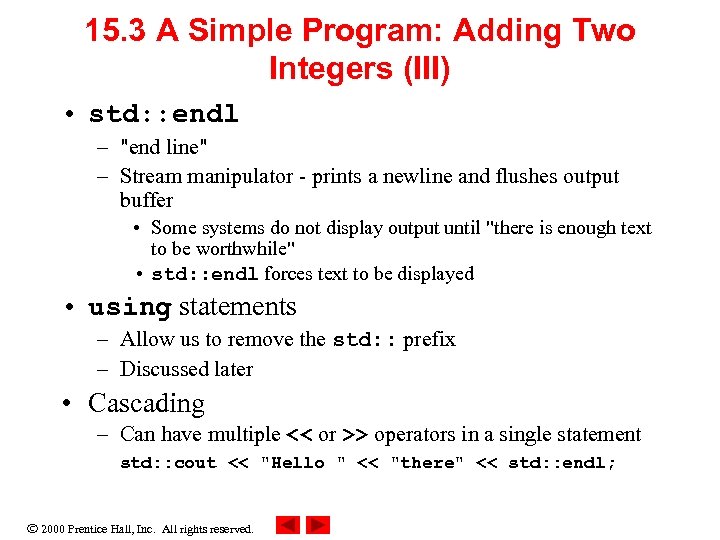
15. 3 A Simple Program: Adding Two Integers (III) • std: : endl – "end line" – Stream manipulator - prints a newline and flushes output buffer • Some systems do not display output until "there is enough text to be worthwhile" • std: : endl forces text to be displayed • using statements – Allow us to remove the std: : prefix – Discussed later • Cascading – Can have multiple << or >> operators in a single statement std: : cout << "Hello " << "there" << std: : endl; 2000 Prentice Hall, Inc. All rights reserved.
15. 4 C++ Standard Library • C++ programs built from – Functions – Classes • Most programmers use library functions • Two parts to learning C++ – Learn the language itself – Learn the library functions • Making your own functions – Advantage: you know exactly how they work – Disadvantage: time consuming, difficult to maintain efficiency and design well 2000 Prentice Hall, Inc. All rights reserved.
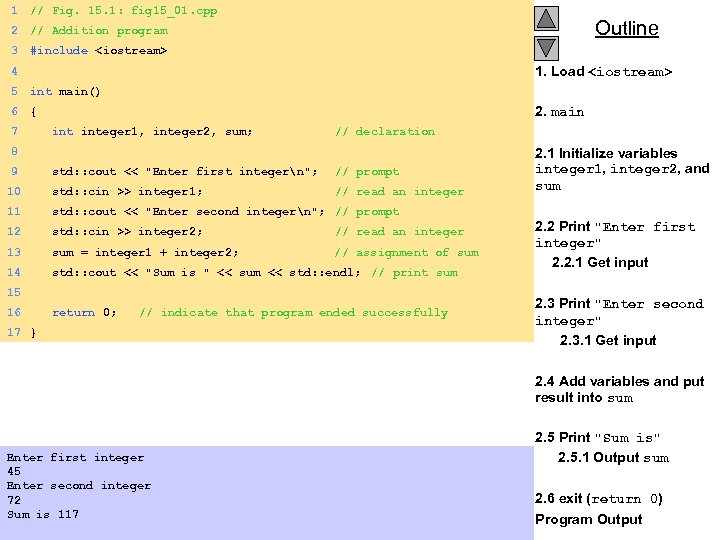
1 // Fig. 15. 1: fig 15_01. cpp 2 // Addition program 3 #include <iostream> Outline 1. Load <iostream> 4 5 int main() 6 { 7 integer 1, integer 2, sum; // declaration 8 9 std: : cout << "Enter first integern"; // prompt 10 std: : cin >> integer 1; // read an integer 11 std: : cout << "Enter second integern"; // prompt 12 std: : cin >> integer 2; // read an integer 13 sum = integer 1 + integer 2; // assignment of sum 14 std: : cout << "Sum is " << sum << std: : endl; // print sum 15 16 return 0; // indicate that program ended successfully 17 } 2. main 2. 1 Initialize variables integer 1, integer 2, and sum 2. 2 Print "Enter first integer" 2. 2. 1 Get input 2. 3 Print "Enter second integer" 2. 3. 1 Get input 2. 4 Add variables and put result into sum Enter first integer 45 Enter second integer 72 Sum is 117 2000 Prentice Hall, Inc. All rights reserved. 2. 5 Print "Sum is" 2. 5. 1 Output sum 2. 6 exit (return 0) Program Output
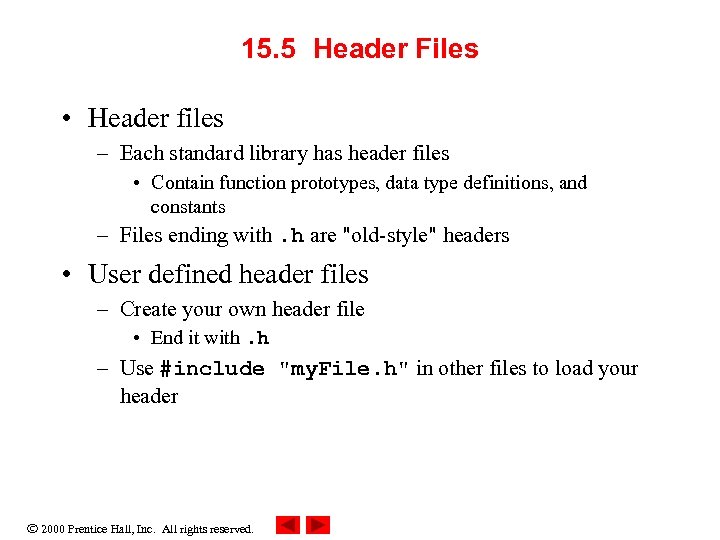
15. 5 Header Files • Header files – Each standard library has header files • Contain function prototypes, data type definitions, and constants – Files ending with. h are "old-style" headers • User defined header files – Create your own header file • End it with. h – Use #include "my. File. h" in other files to load your header 2000 Prentice Hall, Inc. All rights reserved.
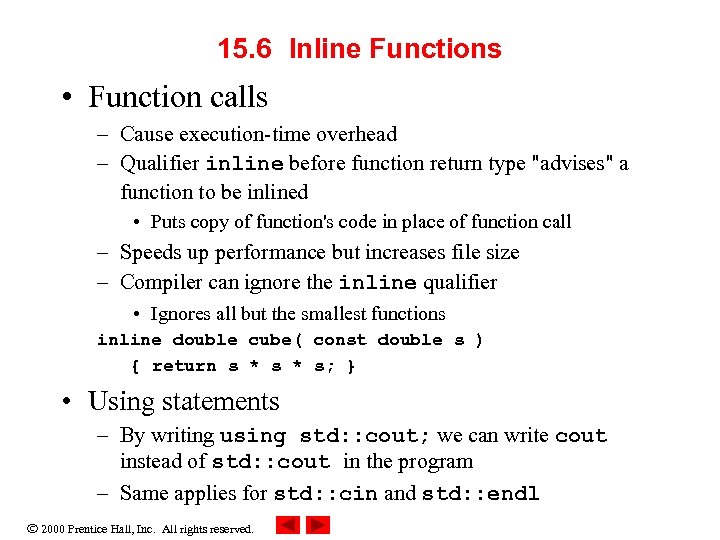
15. 6 Inline Functions • Function calls – Cause execution-time overhead – Qualifier inline before function return type "advises" a function to be inlined • Puts copy of function's code in place of function call – Speeds up performance but increases file size – Compiler can ignore the inline qualifier • Ignores all but the smallest functions inline double cube( const double s ) { return s * s; } • Using statements – By writing using std: : cout; we can write cout instead of std: : cout in the program – Same applies for std: : cin and std: : endl 2000 Prentice Hall, Inc. All rights reserved.
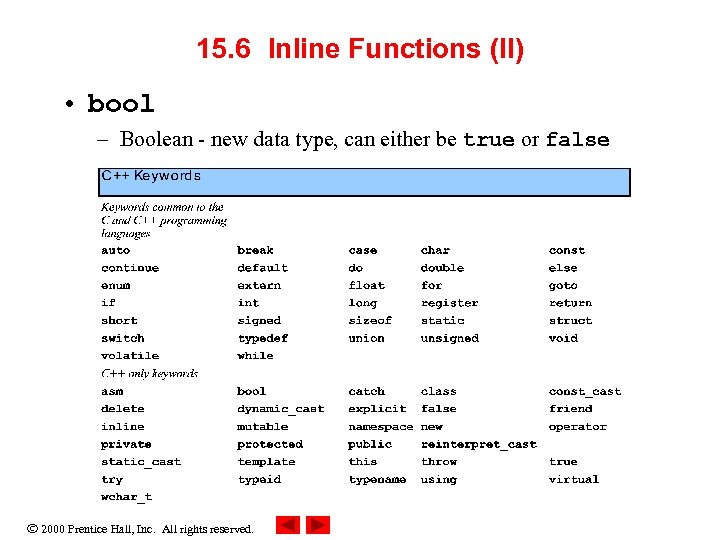
15. 6 Inline Functions (II) • bool – Boolean - new data type, can either be true or false 2000 Prentice Hall, Inc. All rights reserved.
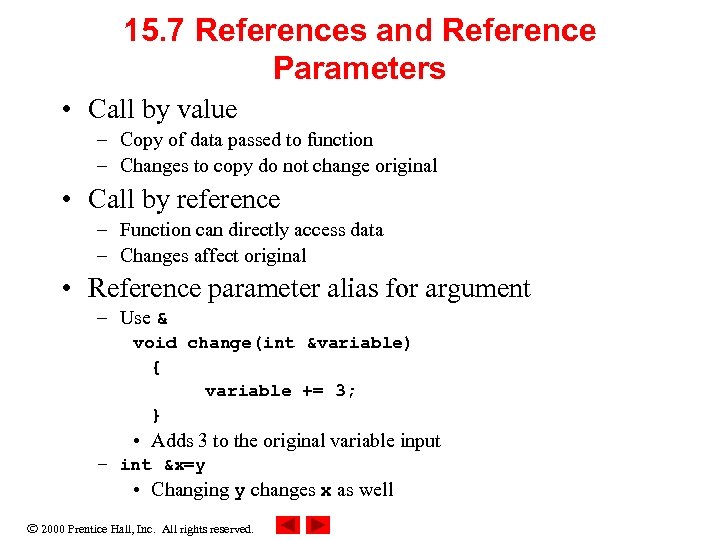
15. 7 References and Reference Parameters • Call by value – Copy of data passed to function – Changes to copy do not change original • Call by reference – Function can directly access data – Changes affect original • Reference parameter alias for argument – Use & void change(int &variable) { variable += 3; } • Adds 3 to the original variable input – int &x=y • Changing y changes x as well 2000 Prentice Hall, Inc. All rights reserved.
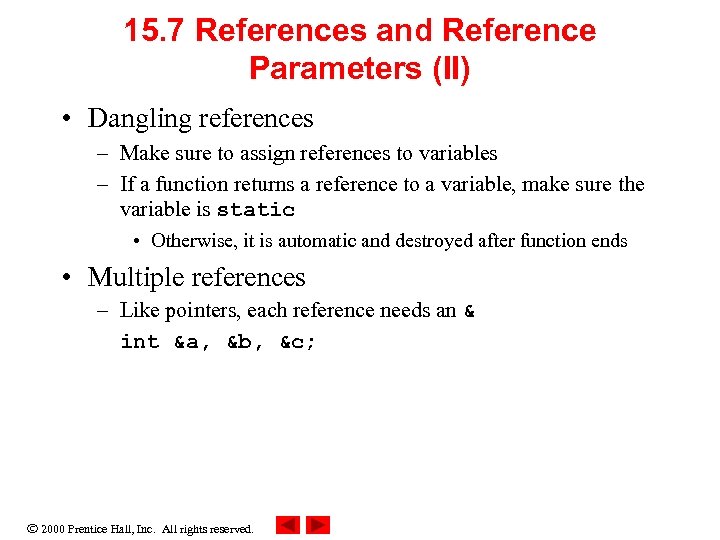
15. 7 References and Reference Parameters (II) • Dangling references – Make sure to assign references to variables – If a function returns a reference to a variable, make sure the variable is static • Otherwise, it is automatic and destroyed after function ends • Multiple references – Like pointers, each reference needs an & int &a, &b, &c; 2000 Prentice Hall, Inc. All rights reserved.
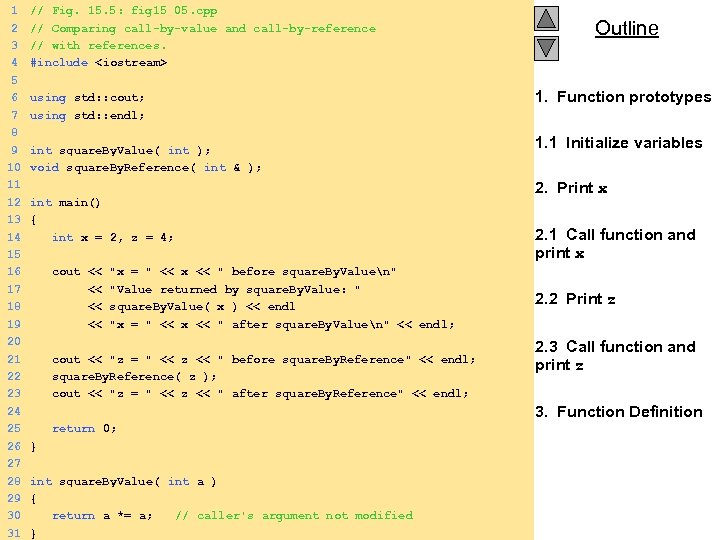
1 2 3 4 5 6 7 8 9 10 11 12 13 14 15 16 17 18 19 20 21 22 23 24 25 26 27 28 29 30 31 // Fig. 15. 5: fig 15_05. cpp // Comparing call-by-value and call-by-reference // with references. #include <iostream> using std: : cout; using std: : endl; int square. By. Value( int ); void square. By. Reference( int & ); int main() { int x = 2, z = 4; cout << "x = " << x << " before square. By. Valuen" << "Value returned by square. By. Value: " << square. By. Value( x ) << endl << "x = " << x << " after square. By. Valuen" << endl; cout << "z = " << z << " before square. By. Reference" << endl; square. By. Reference( z ); cout << "z = " << z << " after square. By. Reference" << endl; Outline 1. Function prototypes 1. 1 Initialize variables 2. Print x 2. 1 Call function and print x 2. 2 Print z 2. 3 Call function and print z 3. Function Definition return 0; } int square. By. Value( int a ) { return a *= a; // caller's argument not modified 2000 Prentice Hall, Inc. All rights reserved. }
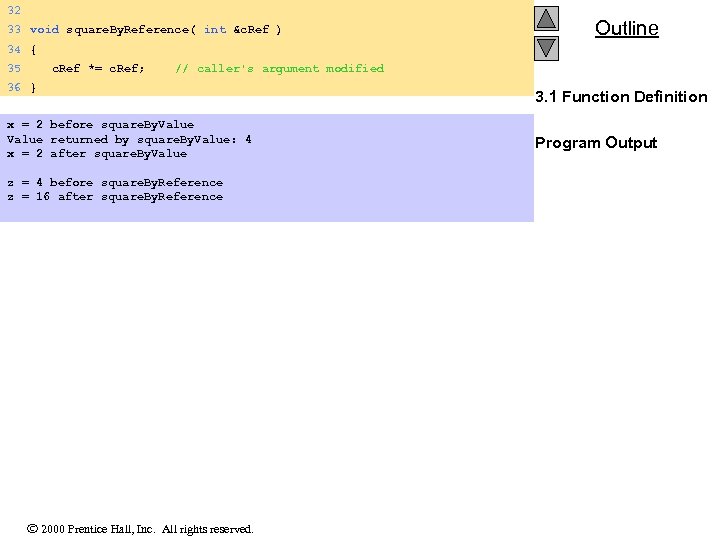
32 33 void square. By. Reference( int &c. Ref ) Outline 34 { 35 c. Ref *= c. Ref; // caller's argument modified 36 } x = 2 before square. By. Value returned by square. By. Value: 4 x = 2 after square. By. Value z = 4 before square. By. Reference z = 16 after square. By. Reference 2000 Prentice Hall, Inc. All rights reserved. 3. 1 Function Definition Program Output
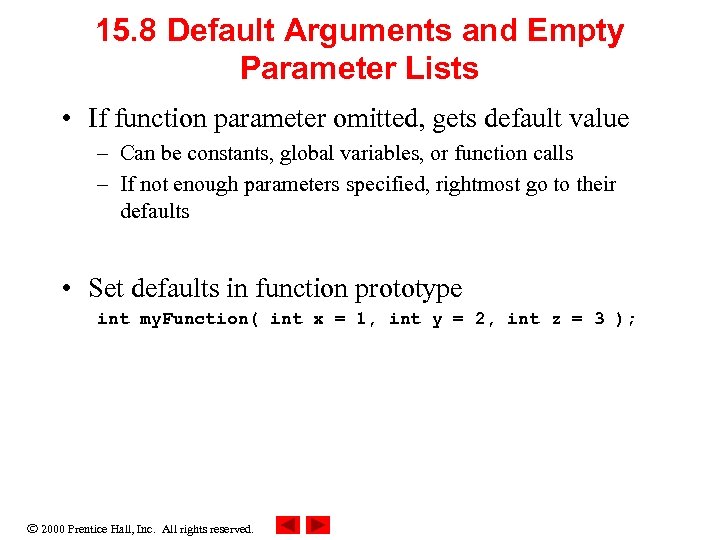
15. 8 Default Arguments and Empty Parameter Lists • If function parameter omitted, gets default value – Can be constants, global variables, or function calls – If not enough parameters specified, rightmost go to their defaults • Set defaults in function prototype int my. Function( int x = 1, int y = 2, int z = 3 ); 2000 Prentice Hall, Inc. All rights reserved.
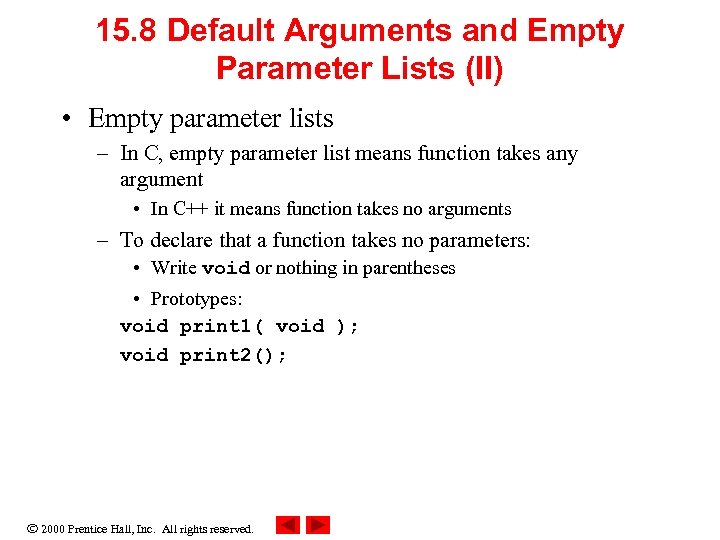
15. 8 Default Arguments and Empty Parameter Lists (II) • Empty parameter lists – In C, empty parameter list means function takes any argument • In C++ it means function takes no arguments – To declare that a function takes no parameters: • Write void or nothing in parentheses • Prototypes: void print 1( void ); void print 2(); 2000 Prentice Hall, Inc. All rights reserved.
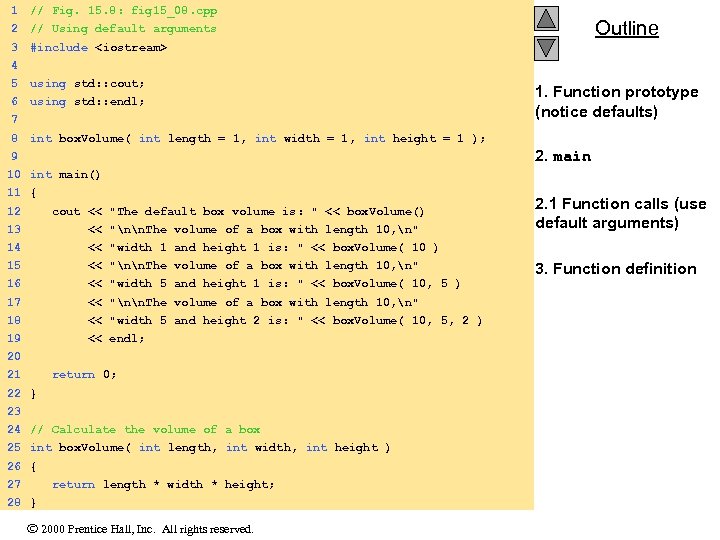
1 // Fig. 15. 8: fig 15_08. cpp 2 // Using default arguments 3 #include <iostream> Outline 4 5 using std: : cout; 6 using std: : endl; 7 8 1. Function prototype (notice defaults) int box. Volume( int length = 1, int width = 1, int height = 1 ); 2. main 9 10 int main() 11 { 12 cout << "The default box volume is: " << box. Volume() 13 << "nn. The volume of a box with length 10, n" 2. 1 Function calls (use default arguments) 14 << "width 1 and height 1 is: " << box. Volume( 10 ) 15 << "nn. The volume of a box with length 10, n" 16 << "width 5 and height 1 is: " << box. Volume( 10, 5 ) 17 << "nn. The volume of a box with length 10, n" 18 << "width 5 and height 2 is: " << box. Volume( 10, 5, 2 ) 19 << endl; 20 21 return 0; 22 } 23 24 // Calculate the volume of a box 25 int box. Volume( int length, int width, int height ) 26 { 27 return length * width * height; 28 } 2000 Prentice Hall, Inc. All rights reserved. 3. Function definition
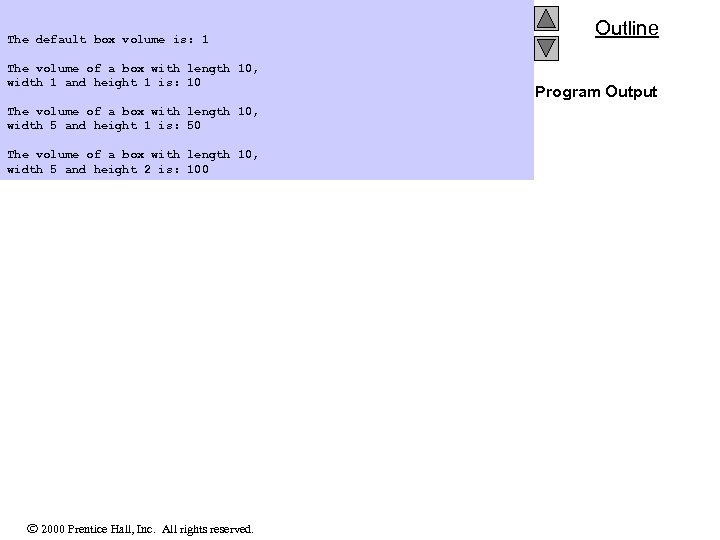
The default box volume is: 1 The volume of a box with length 10, width 1 and height 1 is: 10 The volume of a box with length 10, width 5 and height 1 is: 50 The volume of a box with length 10, width 5 and height 2 is: 100 2000 Prentice Hall, Inc. All rights reserved. Outline Program Output
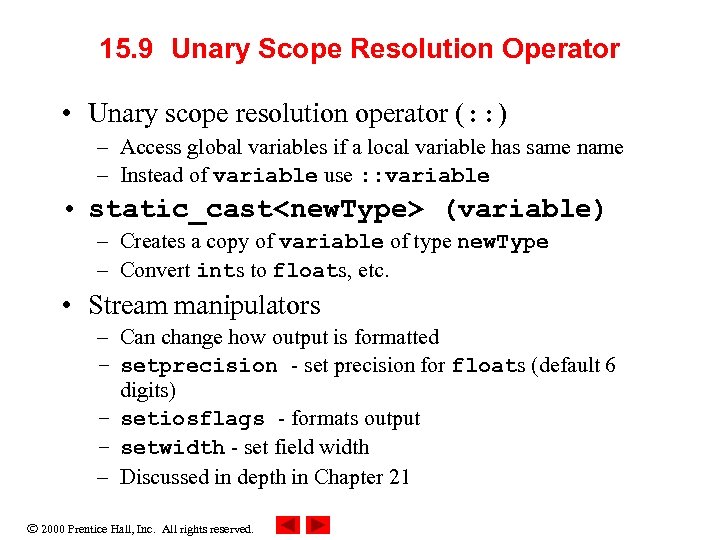
15. 9 Unary Scope Resolution Operator • Unary scope resolution operator (: : ) – Access global variables if a local variable has same name – Instead of variable use : : variable • static_cast<new. Type> (variable) – Creates a copy of variable of type new. Type – Convert ints to floats, etc. • Stream manipulators – Can change how output is formatted – setprecision - set precision for floats (default 6 digits) – setiosflags - formats output – setwidth - set field width – Discussed in depth in Chapter 21 2000 Prentice Hall, Inc. All rights reserved.
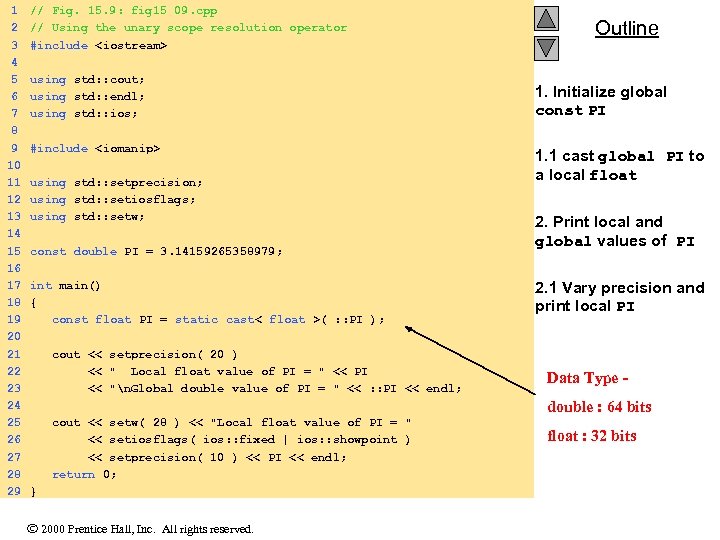
1 2 3 4 5 6 7 8 9 10 11 12 13 14 15 16 17 18 19 20 21 22 23 24 25 26 27 28 29 // Fig. 15. 9: fig 15_09. cpp // Using the unary scope resolution operator #include <iostream> using std: : cout; using std: : endl; using std: : ios; #include <iomanip> using std: : setprecision; using std: : setiosflags; using std: : setw; const double PI = 3. 14159265358979; int main() { const float PI = static_cast< float >( : : PI ); cout << setprecision( 20 ) << " Local float value of PI = " << PI << "n. Global double value of PI = " << : : PI << endl; Outline 1. Initialize global const PI 1. 1 cast global PI to a local float 2. Print local and global values of PI 2. 1 Vary precision and print local PI Data Type double : 64 bits cout << setw( 28 ) << "Local float value of PI = " << setiosflags( ios: : fixed | ios: : showpoint ) << setprecision( 10 ) << PI << endl; return 0; } 2000 Prentice Hall, Inc. All rights reserved. float : 32 bits
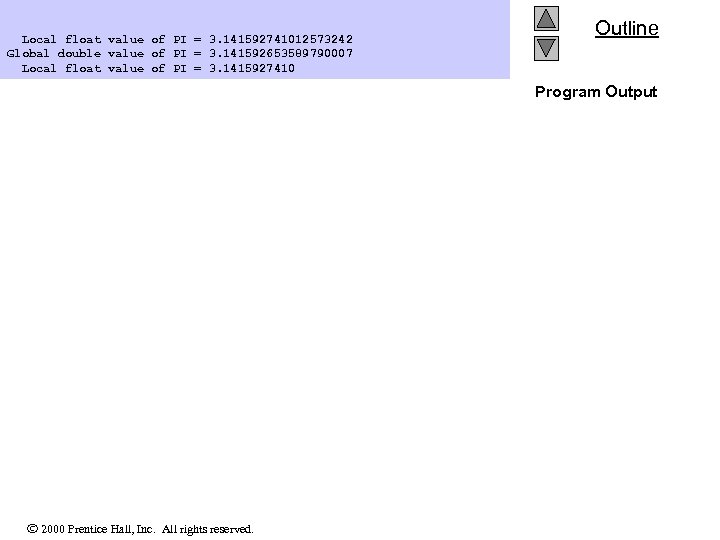
Local float value of PI = 3. 141592741012573242 Global double value of PI = 3. 141592653589790007 Local float value of PI = 3. 1415927410 Outline Program Output 2000 Prentice Hall, Inc. All rights reserved.
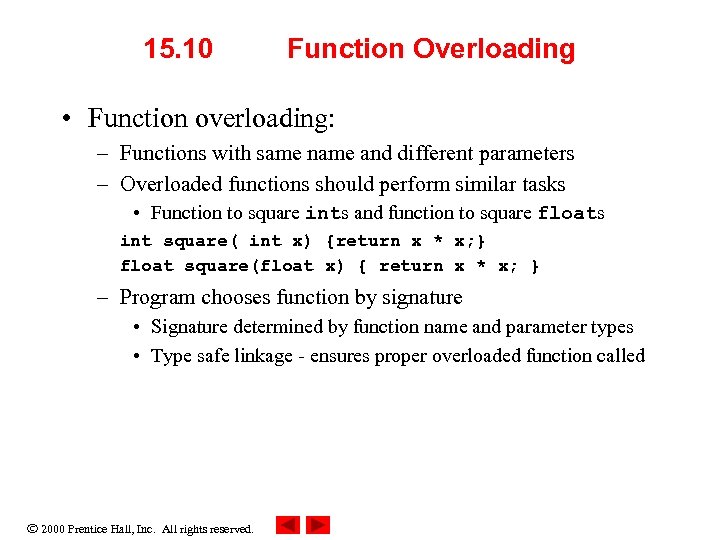
15. 10 Function Overloading • Function overloading: – Functions with same name and different parameters – Overloaded functions should perform similar tasks • Function to square ints and function to square floats int square( int x) {return x * x; } float square(float x) { return x * x; } – Program chooses function by signature • Signature determined by function name and parameter types • Type safe linkage - ensures proper overloaded function called 2000 Prentice Hall, Inc. All rights reserved.
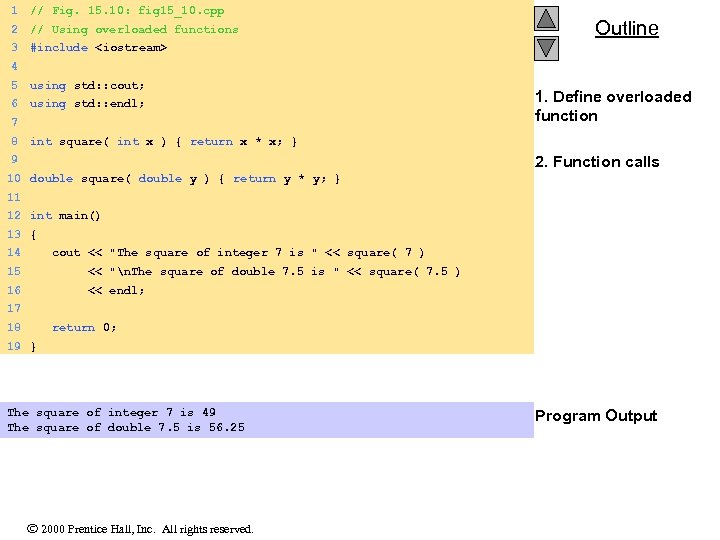
1 // Fig. 15. 10: fig 15_10. cpp 2 // Using overloaded functions 3 #include <iostream> Outline 4 5 using std: : cout; 6 using std: : endl; 7 8 1. Define overloaded function int square( int x ) { return x * x; } 2. Function calls 9 10 double square( double y ) { return y * y; } 11 12 int main() 13 { 14 cout << "The square of integer 7 is " << square( 7 ) 15 << "n. The square of double 7. 5 is " << square( 7. 5 ) 16 << endl; 17 18 return 0; 19 } The square of integer 7 is 49 The square of double 7. 5 is 56. 25 2000 Prentice Hall, Inc. All rights reserved. Program Output
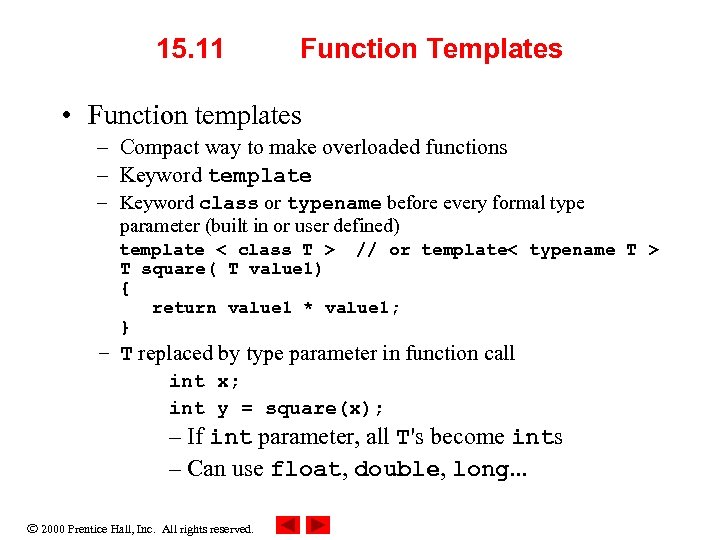
15. 11 Function Templates • Function templates – Compact way to make overloaded functions – Keyword template – Keyword class or typename before every formal type parameter (built in or user defined) template < class T > // or template< typename T > T square( T value 1) { return value 1 * value 1; } – T replaced by type parameter in function call int x; int y = square(x); – If int parameter, all T's become ints – Can use float, double, long. . . 2000 Prentice Hall, Inc. All rights reserved.
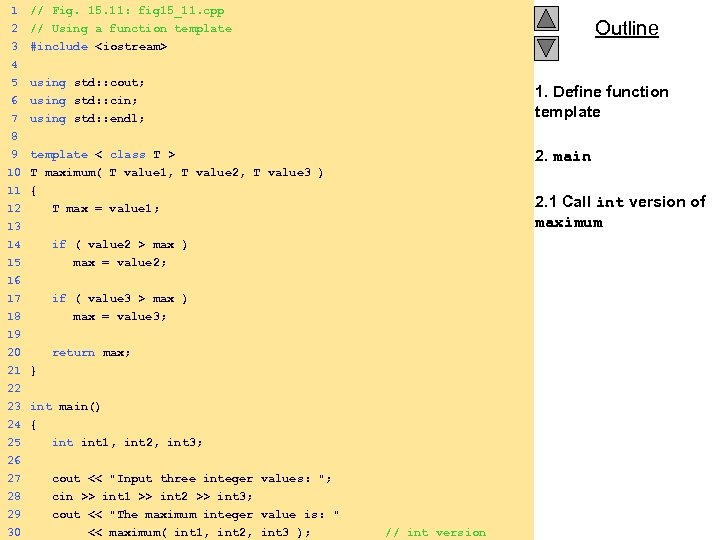
1 // Fig. 15. 11: fig 15_11. cpp 2 3 4 5 6 // Using a function template #include <iostream> 7 using std: : endl; 1. Define function template 8 9 template < class T > 2. main using std: : cout; using std: : cin; 10 T maximum( T value 1, T value 2, T value 3 ) 11 { 12 T max = value 1; 13 14 if ( value 2 > max ) 15 max = value 2; 16 17 if ( value 3 > max ) 18 max = value 3; 19 20 return max; 21 22 23 24 25 26 } 27 28 29 30 cout << "Input three integer values: "; cin >> int 1 >> int 2 >> int 3; cout << "The maximum integer value is: " 2000 Prentice Hall, Inc. All rights reserved. << maximum( int 1, int 2, int 3 ); // int version int main() { int 1, int 2, int 3; Outline 2. 1 Call int version of maximum
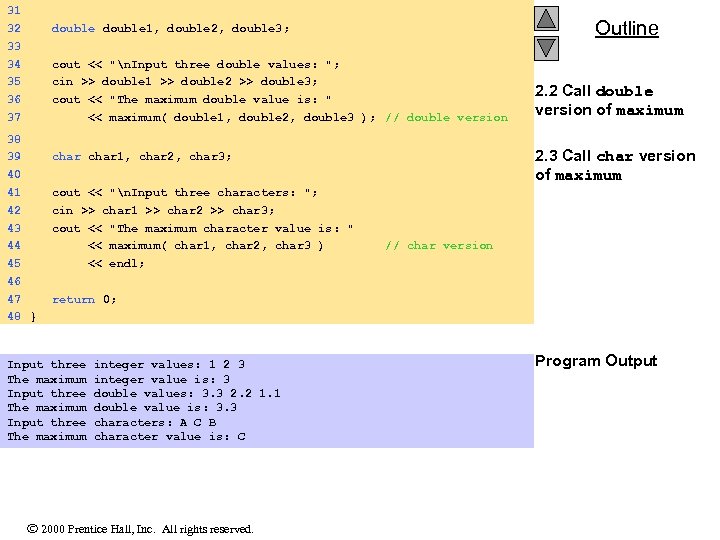
31 32 33 34 35 36 37 38 39 40 41 42 43 44 45 46 47 48 double 1, double 2, double 3; cout << "n. Input three double values: "; cin >> double 1 >> double 2 >> double 3; cout << "The maximum double value is: " << maximum( double 1, double 2, double 3 ); // double version char 1, char 2, char 3; Outline 2. 2 Call double version of maximum 2. 3 Call char version of maximum cout << "n. Input three characters: "; cin >> char 1 >> char 2 >> char 3; cout << "The maximum character value is: " << maximum( char 1, char 2, char 3 ) // char version << endl; return 0; } Input three integer values: 1 2 3 The maximum integer value is: 3 Input three double values: 3. 3 2. 2 1. 1 The maximum double value is: 3. 3 Input three characters: A C B The maximum character value is: C 2000 Prentice Hall, Inc. All rights reserved. Program Output
Скачать презентацию Chapter 15 — C As A Better C
4069e7b2c3ee27befeb08a470c055ad9.ppt