 Скачать презентацию Chapter 14 OOSAD Implementation and Operation Adapted Object-Oriented
a79d3c1b9a2b3d9cfb4316ac8bea7079.ppt
- Количество слайдов: 23



Chapter 14: OOSAD Implementation and Operation (Adapted) Object-Oriented Systems Analysis and Design Joey F. George, Dinesh Batra, Joseph S. Valacich, Jeffrey A. Hoffer © Prentice Hall, 2004 14 -1
Outline l System Implementation Concept l Coding, Testing, Converting, Training Steps Installation strategies Chapter 14 © Prentice Hall, 2004 2
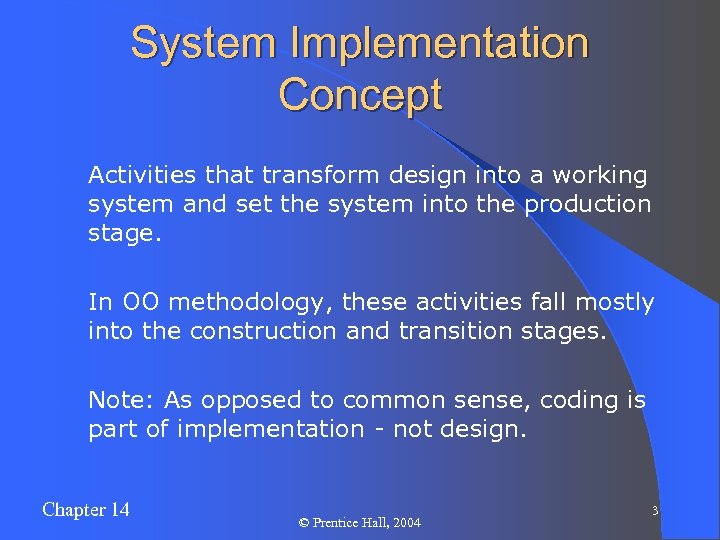
System Implementation Concept l Activities that transform design into a working system and set the system into the production stage. l In OO methodology, these activities fall mostly into the construction and transition stages. l Note: As opposed to common sense, coding is part of implementation - not design. Chapter 14 © Prentice Hall, 2004 3
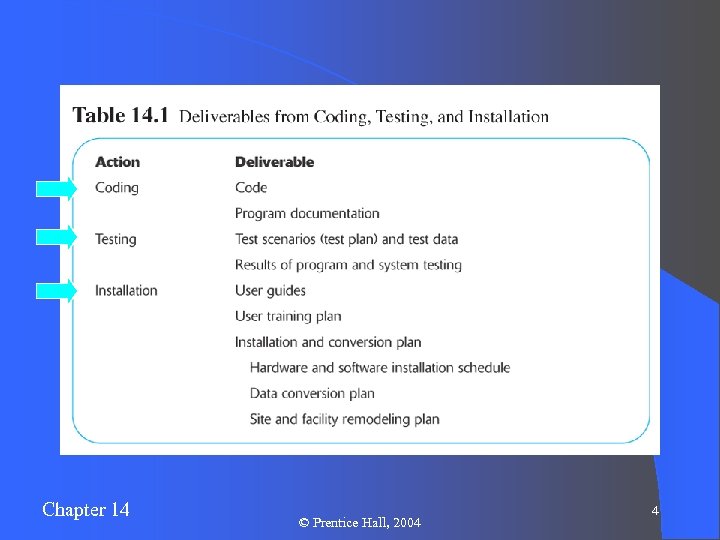
Chapter 14 © Prentice Hall, 2004 4
Coding l Translation of physical design specifications into working computer code l Coding involves use of programming languages such as Java or Visual Basic l e. Xtreme programming – an intensive coding and testing approach involving two-person teams and customer involvement Chapter 14 © Prentice Hall, 2004 5
Reuse l The use of previously written software resources, especially objects and components, in new applications l Results in great savings of system development time l Object-oriented systems are very conducive to reuse. Chapter 14 © Prentice Hall, 2004 6
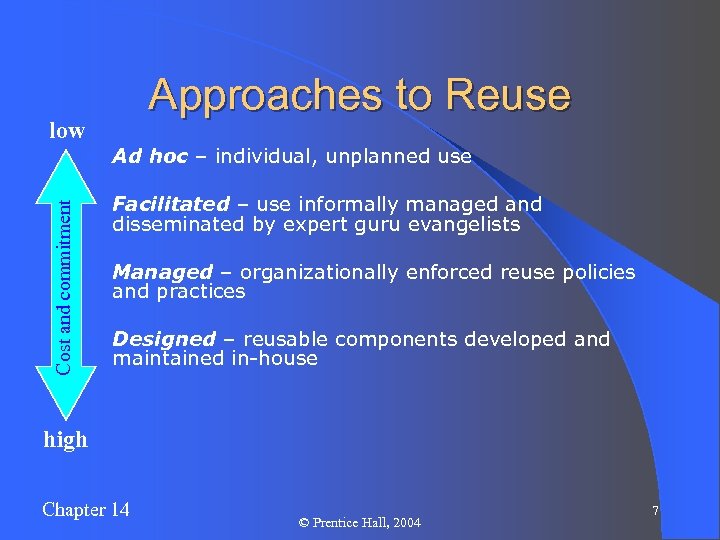
Approaches to Reuse low Cost and commitment l Ad hoc – individual, unplanned use l Facilitated – use informally managed and disseminated by expert guru evangelists l Managed – organizationally enforced reuse policies and practices l Designed – reusable components developed and maintained in-house high Chapter 14 © Prentice Hall, 2004 7
Software Testing l Manual and automated procedures for validating correctness of program code, including syntactical and execution issues l Testing Syntax – grammatical rules applied to programming languages l Testing Execution – logic and performance of the software during operation l Note: Bug-free software remains a dream! Chapter 14 © Prentice Hall, 2004 8
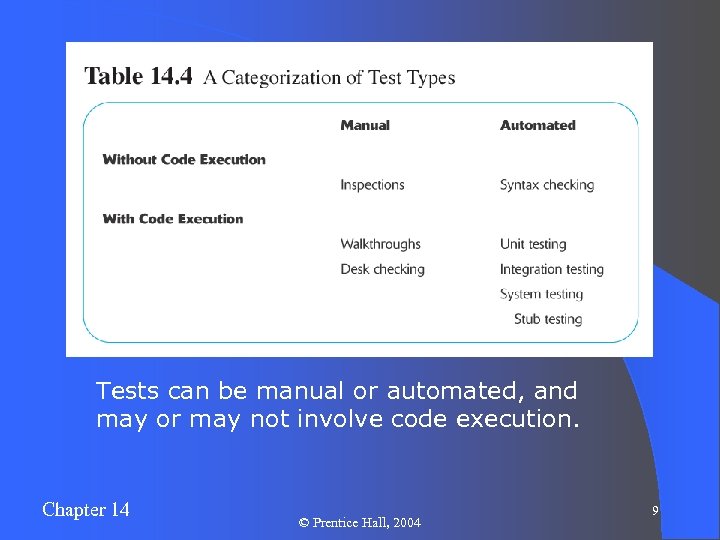
Tests can be manual or automated, and may or may not involve code execution. Chapter 14 © Prentice Hall, 2004 9
Tests Without Program Execution l Inspections (manual) – Participants examine program code for predictable, language-specific errors l Syntax checking (automated) – Compiler or interpreter tests source code for grammatical errors while translating to executable format Chapter 14 © Prentice Hall, 2004 10
Manual Tests With Program Execution l Desk checking – trace through the logic of the code, identifying possible logical errors l Walkthroughs – Like desk-checking, but in a group-oriented, more structured process Chapter 14 © Prentice Hall, 2004 11
Automated Tests With Program Execution l Unit tests – a module tested in isolation for internal consistency l Integration tests – testing all modules and components of the application together for interaction compatibilities l System tests – testing all programs and applications together to ensure performance and reliability l Acceptance tests – user-satisfaction tests Chapter 14 © Prentice Hall, 2004 12
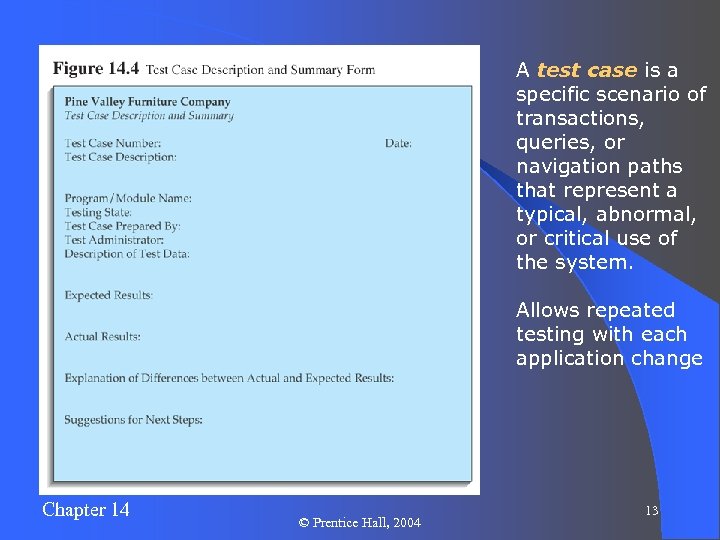
A test case is a specific scenario of transactions, queries, or navigation paths that represent a typical, abnormal, or critical use of the system. Allows repeated testing with each application change Chapter 14 © Prentice Hall, 2004 13
Installation l The process of turning over from the old information system to the new one. l Types: – Direct – Parallel – Single location – Phased Chapter 14 © Prentice Hall, 2004 14
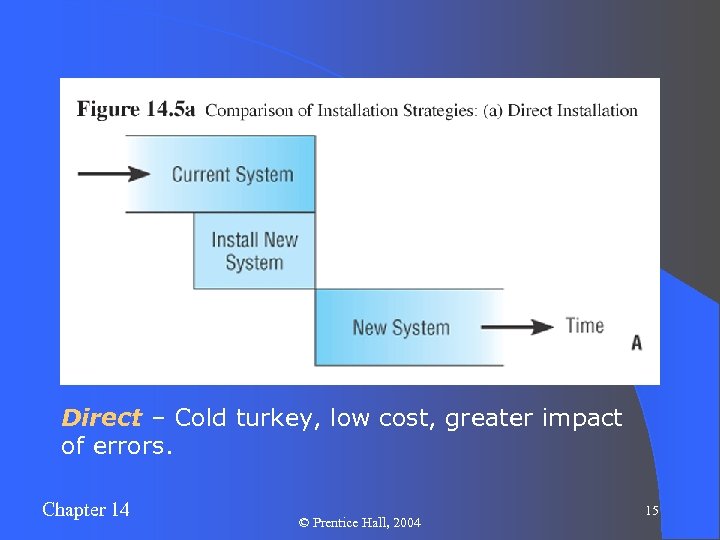
Direct – Cold turkey, low cost, greater impact of errors. Chapter 14 © Prentice Hall, 2004 15
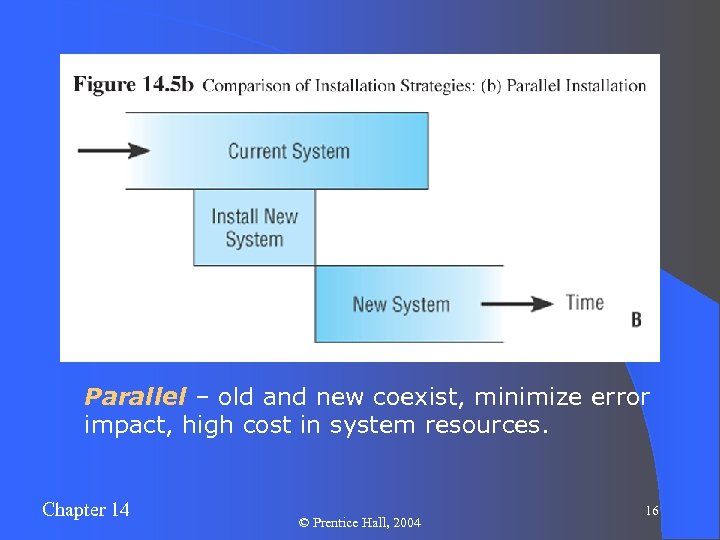
Parallel – old and new coexist, minimize error impact, high cost in system resources. Chapter 14 © Prentice Hall, 2004 16
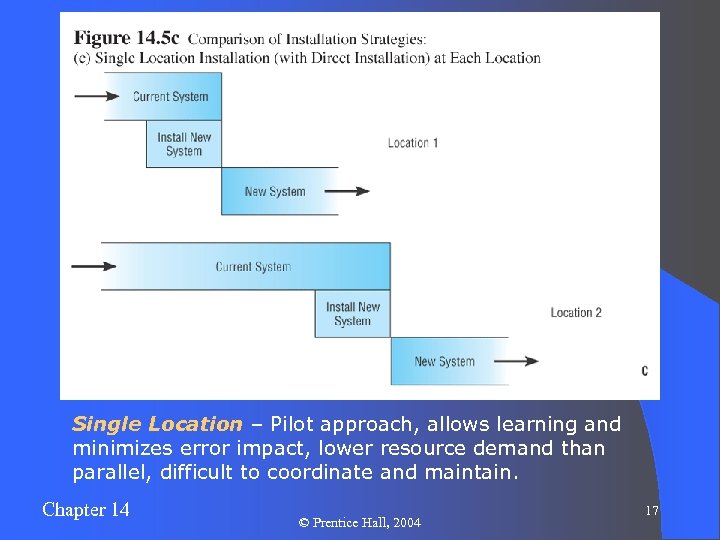
Single Location – Pilot approach, allows learning and minimizes error impact, lower resource demand than parallel, difficult to coordinate and maintain. Chapter 14 © Prentice Hall, 2004 17
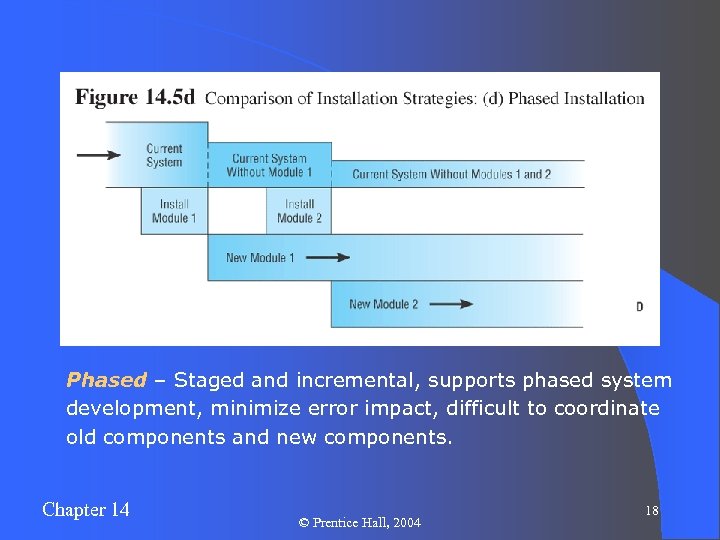
Phased – Staged and incremental, supports phased system development, minimize error impact, difficult to coordinate old components and new components. Chapter 14 © Prentice Hall, 2004 18
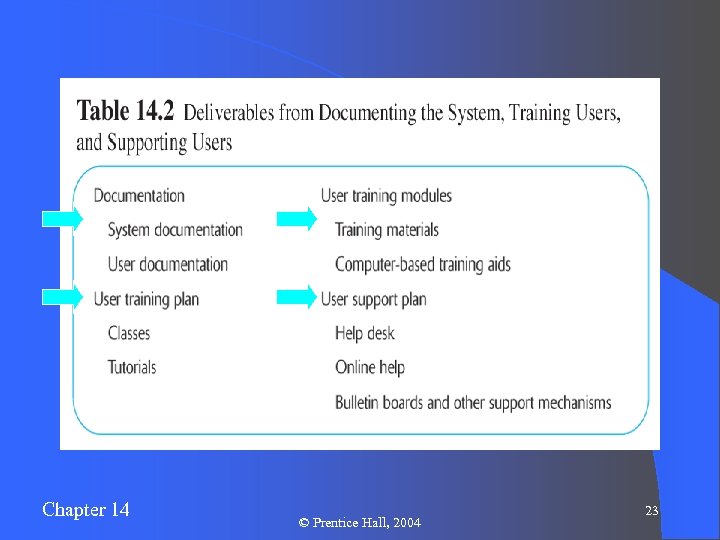
Types of Documentation l l System – detailed information about a system’s design specifications, its inner workings, and its functionality. User – written or other visual information about an application system, how it works, and how to use it. Chapter 14 l Internal – comments in source code, generated during the coding process or automatically. l External – outcomes of all structured diagrams, including use cases, design classes, activity and sequence diagrams, etc. © Prentice Hall, 2004 19
User Training l Providing on-going educational and problemsolving assistance to information systems users. l Training and support material and jobs must be designed along with the associated information systems. User documentation is often in the form of online help, sometimes with Web connections for further information. Chapter 14 © Prentice Hall, 2004 20
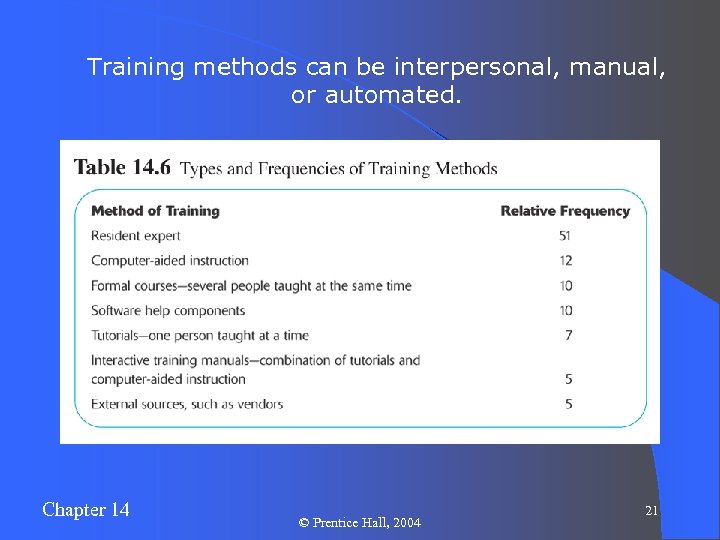
Training methods can be interpersonal, manual, or automated. Chapter 14 © Prentice Hall, 2004 21
Help Desks and Information Centers l Help desk – a single point of contact for all user inquiries and problems about a particular information system or for all users in a particular department l Information center – an organizational unit whose mission is to support users in exploiting information technology Chapter 14 © Prentice Hall, 2004 22
Chapter 14 © Prentice Hall, 2004 23
Скачать презентацию Chapter 14 OOSAD Implementation and Operation Adapted Object-Oriented
a79d3c1b9a2b3d9cfb4316ac8bea7079.ppt