 Скачать презентацию Chapter 12 Text and Binary File Processing Dr
22fe12365b876203bd8d3eea1bbec1c3.ppt
- Количество слайдов: 35



Chapter 12 Text and Binary File Processing Dr. Jiung-yao Huang Dept. Comm. Eng. Nat. Chung Cheng Univ. E-mail : comjyh@ccu. edu. tw TA: 鄭筱親 陳昱豪 Copyright © 2004 Pearson Addison-Wesley. All rights reserved. 1 -
Outline 12. 1 INPUT/OUTPUT FILES: REVIEW AND FURTHER STUDY 12. 2 BINARY FILES 12. 3 SEARCHING A DATABASE CASE STUDY DATABASE INQUIRY 12. 4 COMMON PROGRAMMING ERRORS Copyright © 2004 Pearson Addison-Wesley. All rights reserved. 2
12. 1 INPUT/OUTPUT FILES: REVIEW AND FURTHER STUDY • text file – a named collection of characters saved in secondary storage • input (output) stream – continuous stream of character codes representing textual input (or output) data • stdin – system file pointer for keyboard’s input stream • stdout, stderr – system file pointers for screen’s output stream Copyright © 2004 Pearson Addison-Wesley. All rights reserved. 3
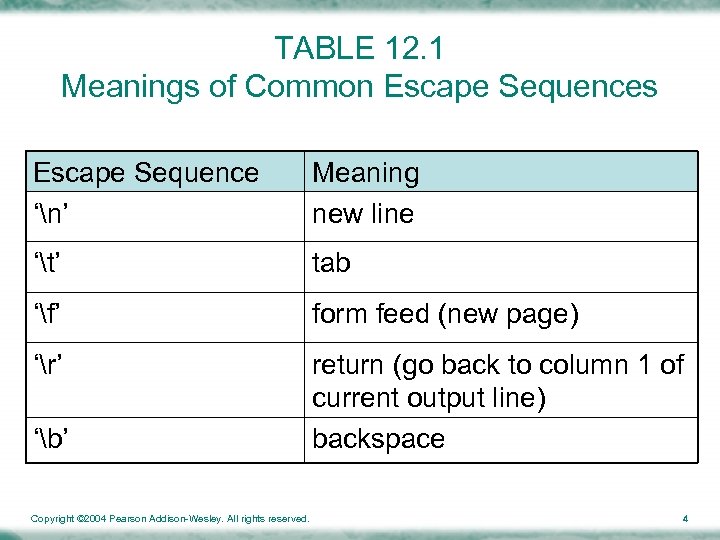
TABLE 12. 1 Meanings of Common Escape Sequences Escape Sequence ‘n’ Meaning new line ‘t’ tab ‘f’ form feed (new page) ‘r’ return (go back to column 1 of current output line) backspace ‘b’ Copyright © 2004 Pearson Addison-Wesley. All rights reserved. 4
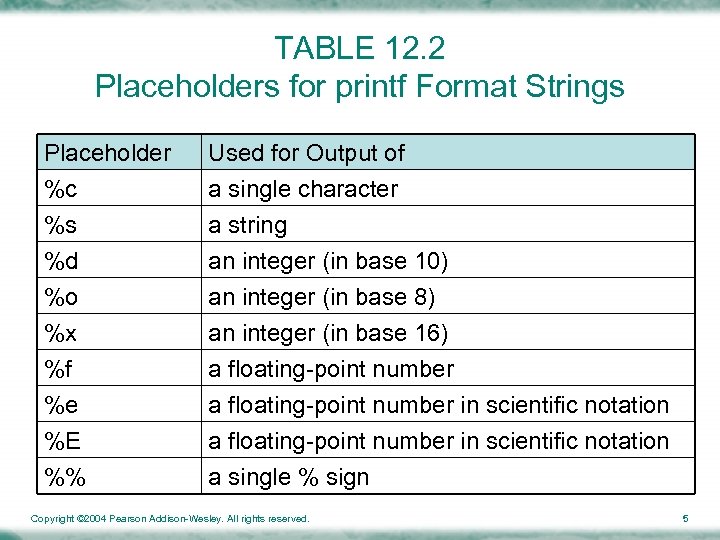
TABLE 12. 2 Placeholders for printf Format Strings Placeholder %c %s %d Used for Output of a single character a string an integer (in base 10) %o %x %f %e %E %% an integer (in base 8) an integer (in base 16) a floating-point number in scientific notation a single % sign Copyright © 2004 Pearson Addison-Wesley. All rights reserved. 5
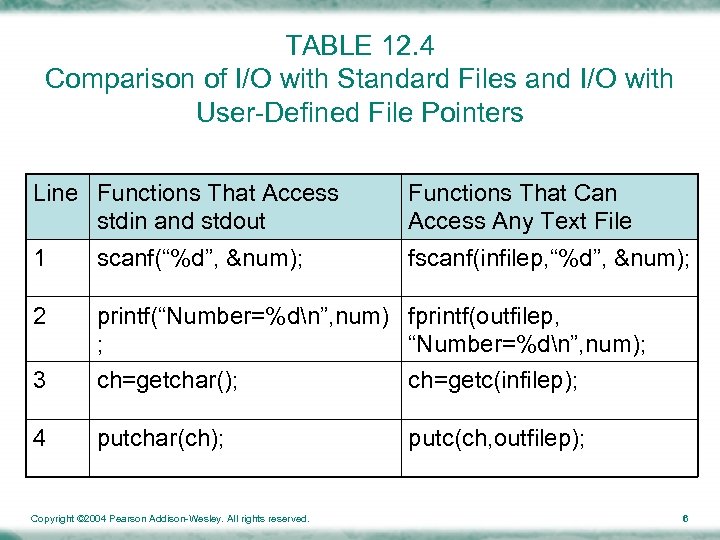
TABLE 12. 4 Comparison of I/O with Standard Files and I/O with User-Defined File Pointers Line Functions That Access stdin and stdout Functions That Can Access Any Text File 1 scanf(“%d”, &num); fscanf(infilep, “%d”, &num); 2 printf(“Number=%dn”, num) fprintf(outfilep, ; “Number=%dn”, num); 3 ch=getchar(); ch=getc(infilep); 4 putchar(ch); putc(ch, outfilep); Copyright © 2004 Pearson Addison-Wesley. All rights reserved. 6
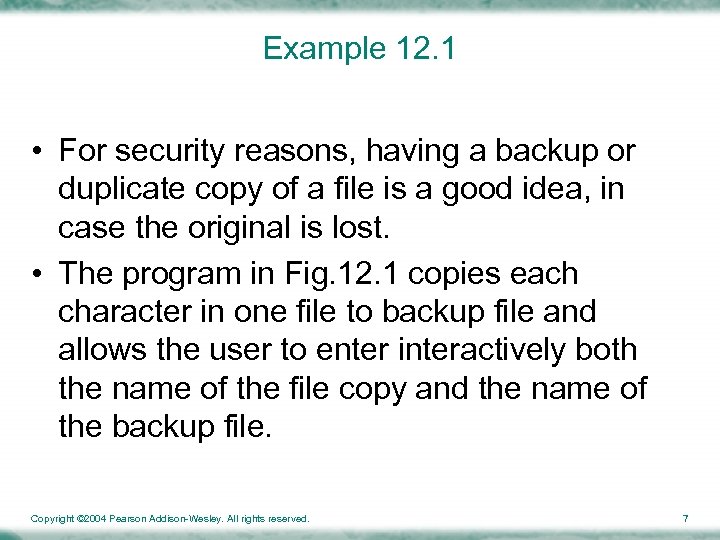
Example 12. 1 • For security reasons, having a backup or duplicate copy of a file is a good idea, in case the original is lost. • The program in Fig. 12. 1 copies each character in one file to backup file and allows the user to enter interactively both the name of the file copy and the name of the backup file. Copyright © 2004 Pearson Addison-Wesley. All rights reserved. 7
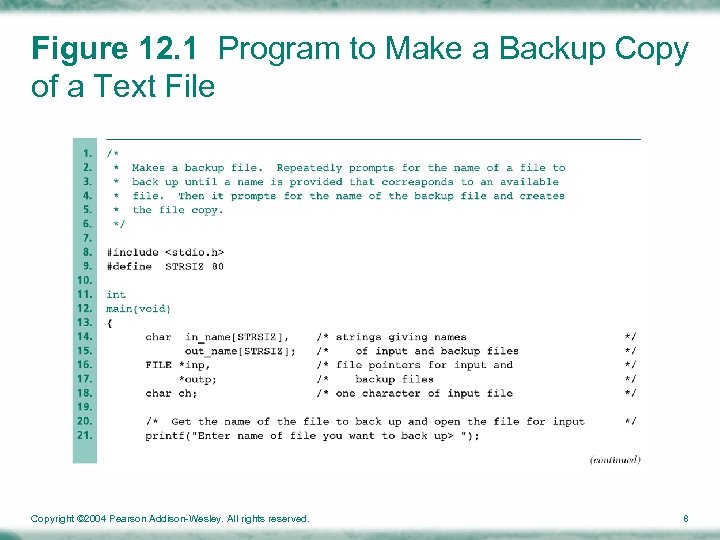
Figure 12. 1 Program to Make a Backup Copy of a Text File Copyright © 2004 Pearson Addison-Wesley. All rights reserved. 8
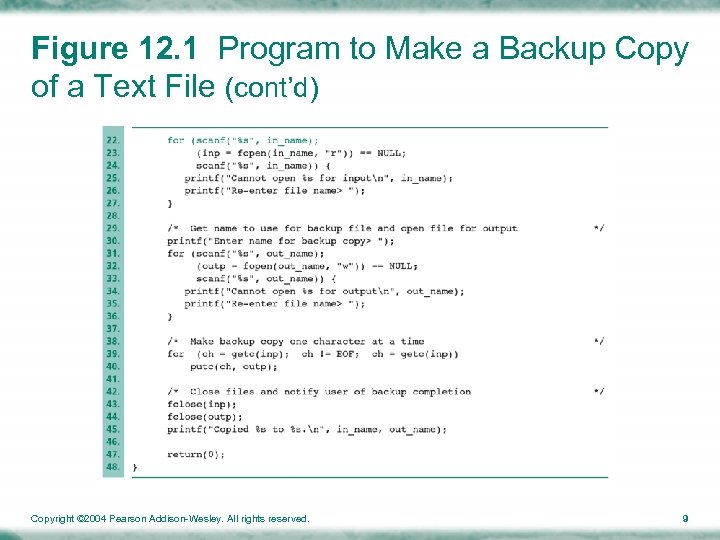
Figure 12. 1 Program to Make a Backup Copy of a Text File (cont’d) Copyright © 2004 Pearson Addison-Wesley. All rights reserved. 9
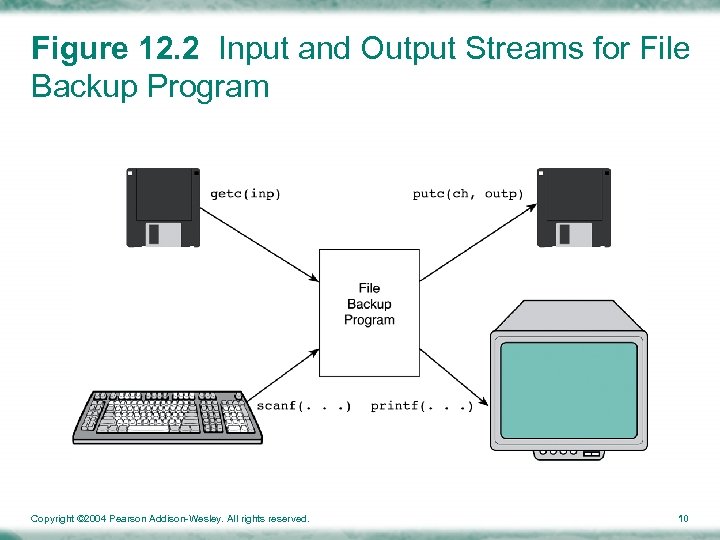
Figure 12. 2 Input and Output Streams for File Backup Program Copyright © 2004 Pearson Addison-Wesley. All rights reserved. 10
12. 2 BINARY FILES • binary file – a file containing binary numbers that are the computer’s internal representation of each file component • sizeof – operator that finds the number of bytes used for storage of a data type Copyright © 2004 Pearson Addison-Wesley. All rights reserved. 11
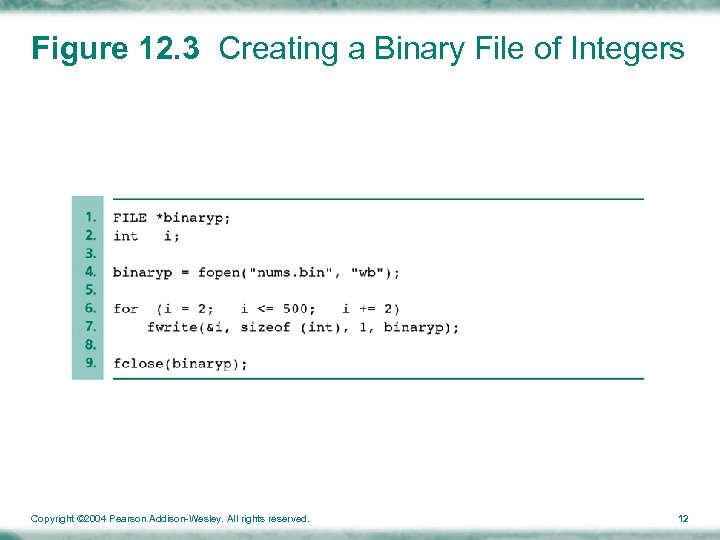
Figure 12. 3 Creating a Binary File of Integers Copyright © 2004 Pearson Addison-Wesley. All rights reserved. 12
Function fread • The stdio library includes an input function fread that is comparable to fwrite • Function fread requires four arguments – Address of first memory cell to fill – Size of one value – Maximum number of elements to copy from the file into memory – File pointer to a binary file opened in mode “rb” using function fopen Copyright © 2004 Pearson Addison-Wesley. All rights reserved. 13
12. 3 SEARCHING A DATABASE • database – a vast electronic file of information that can be quickly searched using subject headings or keywords Copyright © 2004 Pearson Addison-Wesley. All rights reserved. 14
CASE STUDY: DATABASE INQUIRY(1/4) Step 1: Problem – Periphs Plus is a mail-order computer supply company that maintains its inventory as a computer file in order to facilitate answering questions regarding that database – Some questions of interest might be: • What printer stands that cost less than $100 are available? • What product has the code 5241? • What types of data cartridges are available? Copyright © 2004 Pearson Addison-Wesley. All rights reserved. 15
CASE STUDY: DATABASE INQUIRY(2/4) Step 2: Analysis – Problem Inputs • search_params_t params; • char inv_filename[STR_SIZ] – Problem Output • All products that satisfy the search Copyright © 2004 Pearson Addison-Wesley. All rights reserved. 16
CASE STUDY: DATABASE INQUIRY(3/4) Step 3: Design (Figure 12. 4) – Algorithm 1. Open inventory file 2. Get search parameters 3. Display all products that satisfy the search parameters Copyright © 2004 Pearson Addison-Wesley. All rights reserved. 17
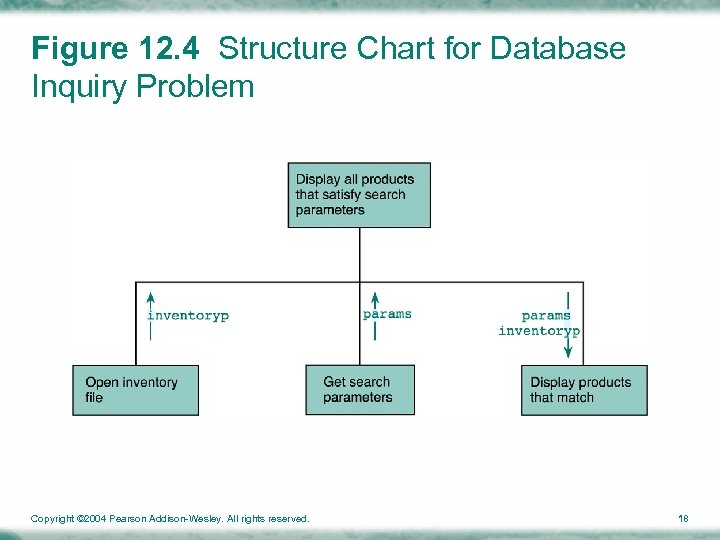
Figure 12. 4 Structure Chart for Database Inquiry Problem Copyright © 2004 Pearson Addison-Wesley. All rights reserved. 18
CASE STUDY: DATABASE INQUIRY(4/4) Step 4: Implementation (Figure 12. 5) Step 5: Testing Copyright © 2004 Pearson Addison-Wesley. All rights reserved. 19
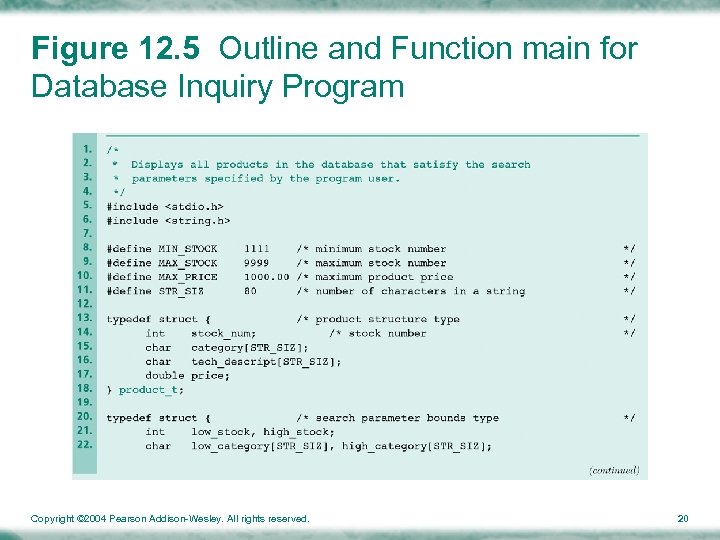
Figure 12. 5 Outline and Function main for Database Inquiry Program Copyright © 2004 Pearson Addison-Wesley. All rights reserved. 20
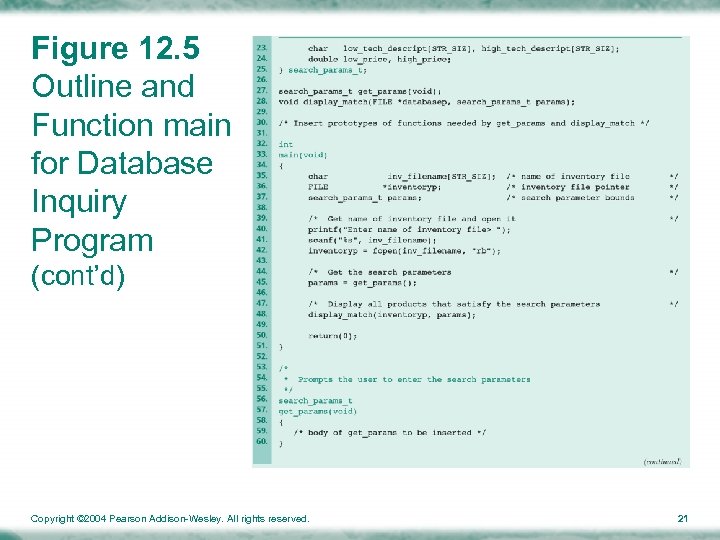
Figure 12. 5 Outline and Function main for Database Inquiry Program (cont’d) Copyright © 2004 Pearson Addison-Wesley. All rights reserved. 21
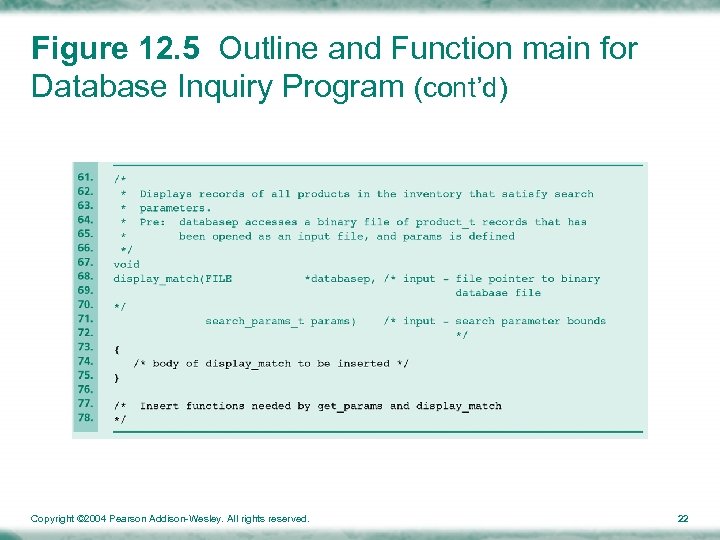
Figure 12. 5 Outline and Function main for Database Inquiry Program (cont’d) Copyright © 2004 Pearson Addison-Wesley. All rights reserved. 22
Design of The Function Subprograms (1/3) • Function get_params must first initialize the search parameters to allow the widest search possible and then let the user change some parameters to narrow the search Copyright © 2004 Pearson Addison-Wesley. All rights reserved. 23
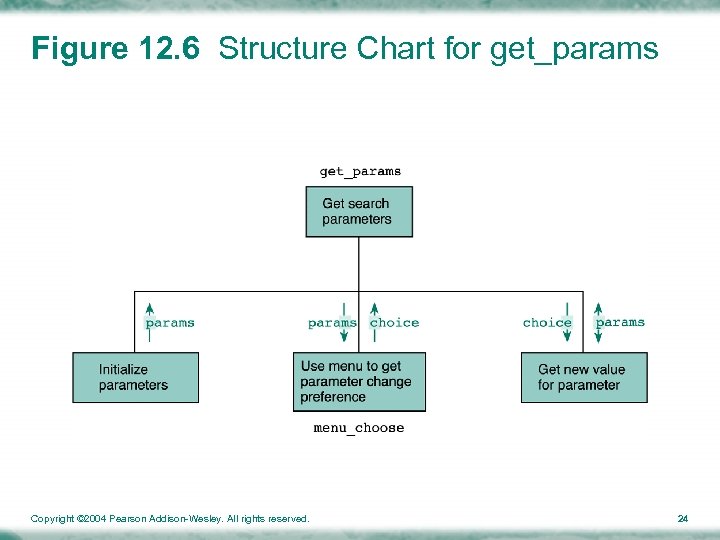
Figure 12. 6 Structure Chart for get_params Copyright © 2004 Pearson Addison-Wesley. All rights reserved. 24
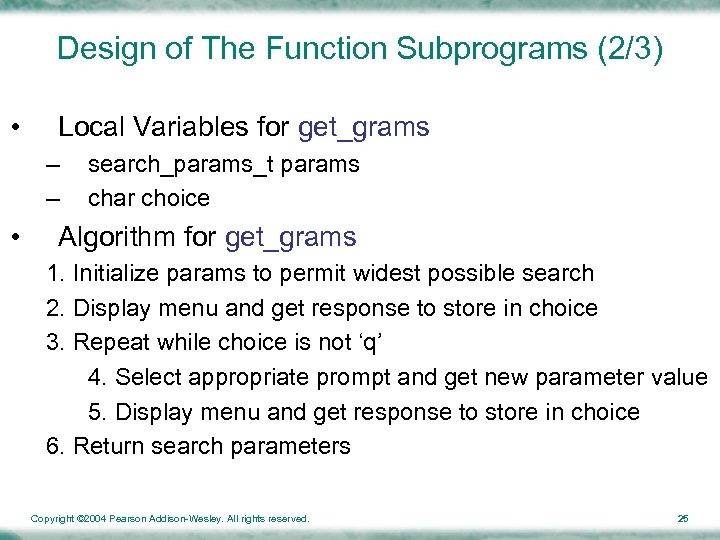
Design of The Function Subprograms (2/3) • Local Variables for get_grams – – • search_params_t params char choice Algorithm for get_grams 1. Initialize params to permit widest possible search 2. Display menu and get response to store in choice 3. Repeat while choice is not ‘q’ 4. Select appropriate prompt and get new parameter value 5. Display menu and get response to store in choice 6. Return search parameters Copyright © 2004 Pearson Addison-Wesley. All rights reserved. 25
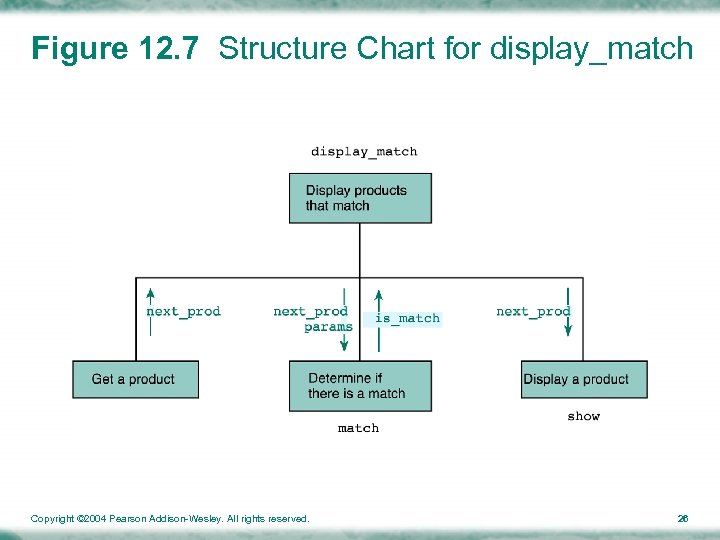
Figure 12. 7 Structure Chart for display_match Copyright © 2004 Pearson Addison-Wesley. All rights reserved. 26
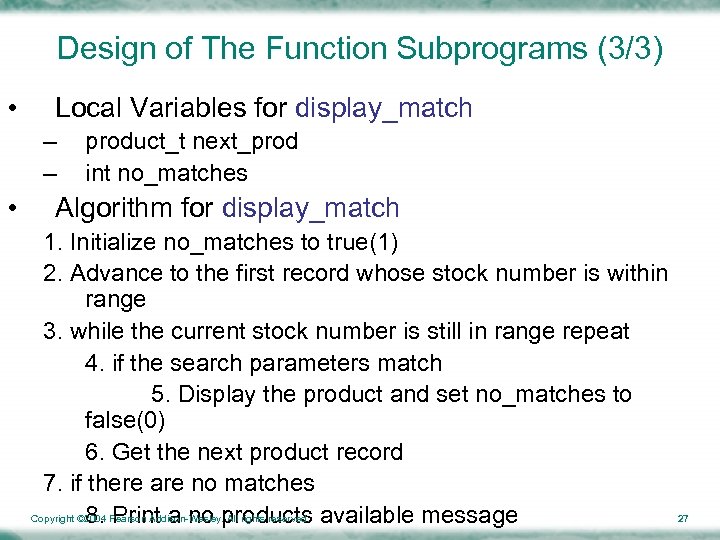
Design of The Function Subprograms (3/3) • Local Variables for display_match – – • product_t next_prod int no_matches Algorithm for display_match 1. Initialize no_matches to true(1) 2. Advance to the first record whose stock number is within range 3. while the current stock number is still in range repeat 4. if the search parameters match 5. Display the product and set no_matches to false(0) 6. Get the next product record 7. if there are no matches Copyright © 2004 Pearson Addison-Wesley. All rights reserved. available message 8. Print a no products 27
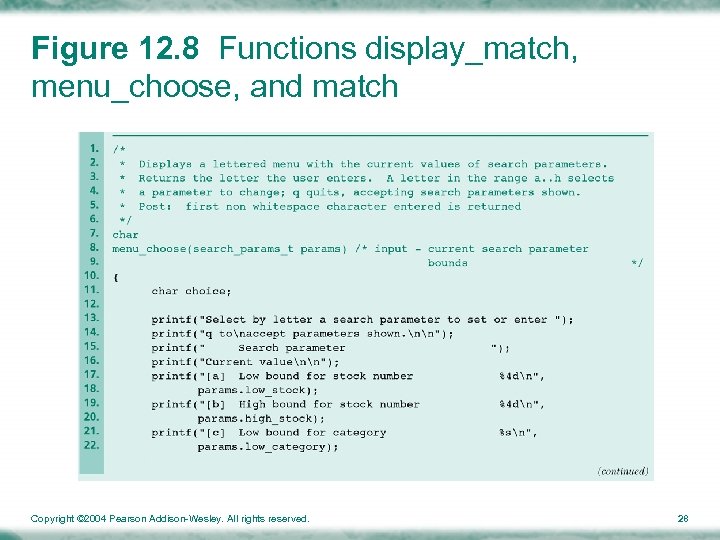
Figure 12. 8 Functions display_match, menu_choose, and match Copyright © 2004 Pearson Addison-Wesley. All rights reserved. 28
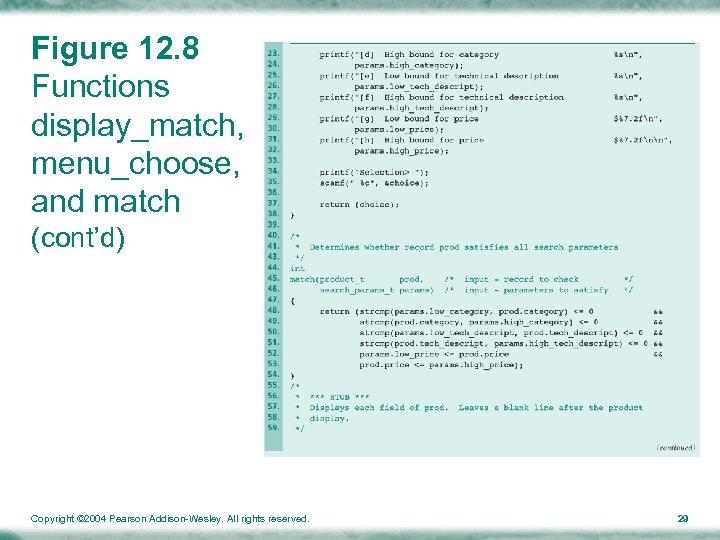
Figure 12. 8 Functions display_match, menu_choose, and match (cont’d) Copyright © 2004 Pearson Addison-Wesley. All rights reserved. 29
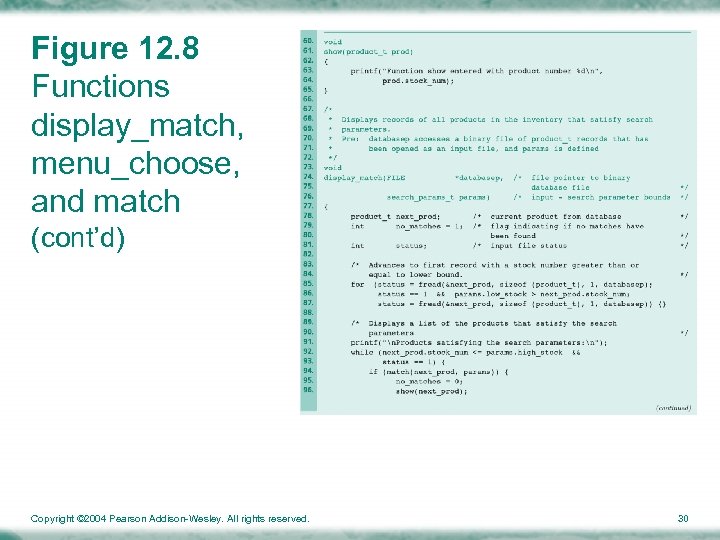
Figure 12. 8 Functions display_match, menu_choose, and match (cont’d) Copyright © 2004 Pearson Addison-Wesley. All rights reserved. 30
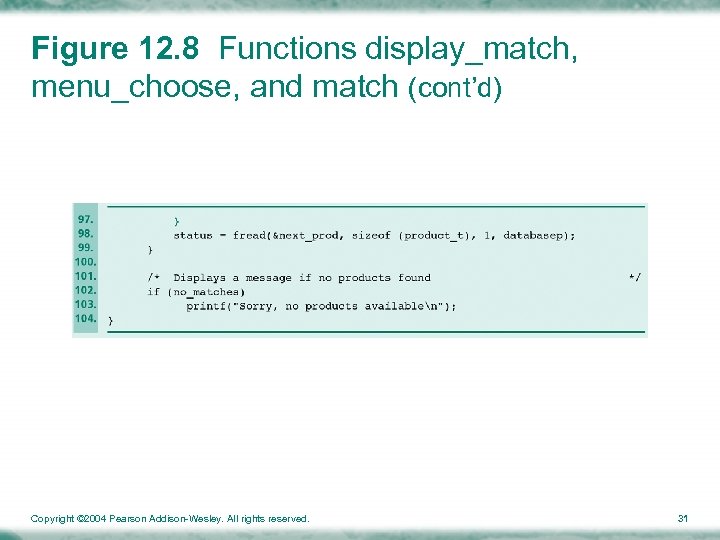
Figure 12. 8 Functions display_match, menu_choose, and match (cont’d) Copyright © 2004 Pearson Addison-Wesley. All rights reserved. 31
12. 4 COMMON PROGRAMMING ERRORS (1/2) • Remember to declare a file pointer variable (type FILE *) for each file you want to process • fscanf, fprintf, getc and putc must be used for text I/O only • fread and fwrite are applied exclusively to binary files • fscanf, fprintf and getc take the file pointer as their first argument • putc, fread and fwrite take the file pointer as their last argument Copyright © 2004 Pearson Addison-Wesley. All rights reserved. 32
12. 4 COMMON PROGRAMMING ERRORS (2/2) • Opening a file for output by calling fopen with a second argument of “w” or “wb” typically results in a loss of any existing file whose name matches the first argument • Binary files cannot be created, viewed, or modified using an editor or word processor program Copyright © 2004 Pearson Addison-Wesley. All rights reserved. 33
Chapter Review • Text files are continuous streams of characters codes that can be viewed as broken into lines by the newline character • Binary files permit storage of information using a computer’s internal data format – Neither time nor accuracy is lost through conversion of values transferred between main and secondary storage Copyright © 2004 Pearson Addison-Wesley. All rights reserved. 34
Question? Copyright © 2004 Pearson Addison-Wesley. All rights reserved. 35
Скачать презентацию Chapter 12 Text and Binary File Processing Dr
22fe12365b876203bd8d3eea1bbec1c3.ppt