 Скачать презентацию Chapter 11 Cipher Techniques Some Problems
ab60429ac37b5cec9799b31d70bda543.ppt
- Количество слайдов: 101



Chapter 11: Cipher Techniques • • Some Problems Types of Ciphers Networks Examples June 1, 2004 Computer Security: Art and Science © 2002 -2004 Matt Bishop Slide #11 -1
Overview • Problems – What can go wrong if you naively use ciphers • Cipher types – Stream or block ciphers? • Networks – Link vs end-to-end use – Traffic Analysis • Examples – Privacy-Enhanced Electronic Mail (PEM) – Secure Socket Layer (SSL) – Security at the Network Layer (IPsec) June 1, 2004 Computer Security: Art and Science © 2002 -2004 Matt Bishop Slide #11 -2
Overview • Problems – What can go wrong if you naively use ciphers • Cipher types – Stream or block ciphers? • Networks – Link vs end-to-end use – Traffic Analysis • Examples – Privacy-Enhanced Electronic Mail (PEM) – Secure Socket Layer (SSL) – Security at the Network Layer (IPsec) June 1, 2004 Computer Security: Art and Science © 2002 -2004 Matt Bishop Slide #11 -3
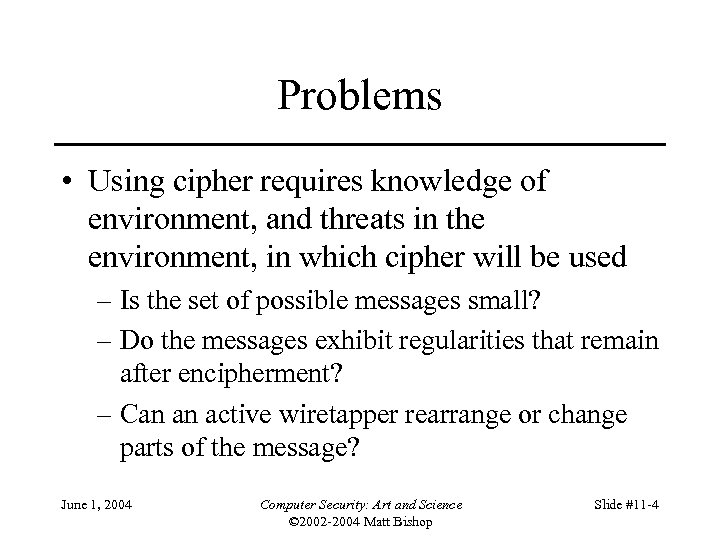
Problems • Using cipher requires knowledge of environment, and threats in the environment, in which cipher will be used – Is the set of possible messages small? – Do the messages exhibit regularities that remain after encipherment? – Can an active wiretapper rearrange or change parts of the message? June 1, 2004 Computer Security: Art and Science © 2002 -2004 Matt Bishop Slide #11 -4
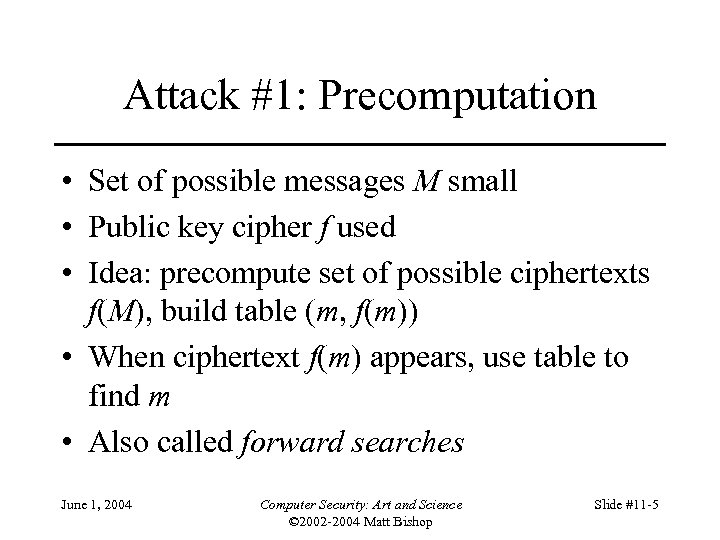
Attack #1: Precomputation • Set of possible messages M small • Public key cipher f used • Idea: precompute set of possible ciphertexts f(M), build table (m, f(m)) • When ciphertext f(m) appears, use table to find m • Also called forward searches June 1, 2004 Computer Security: Art and Science © 2002 -2004 Matt Bishop Slide #11 -5
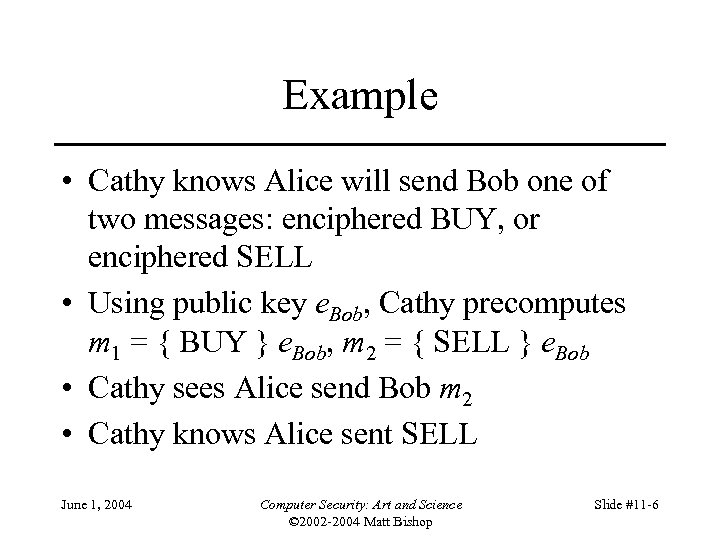
Example • Cathy knows Alice will send Bob one of two messages: enciphered BUY, or enciphered SELL • Using public key e. Bob, Cathy precomputes m 1 = { BUY } e. Bob, m 2 = { SELL } e. Bob • Cathy sees Alice send Bob m 2 • Cathy knows Alice sent SELL June 1, 2004 Computer Security: Art and Science © 2002 -2004 Matt Bishop Slide #11 -6
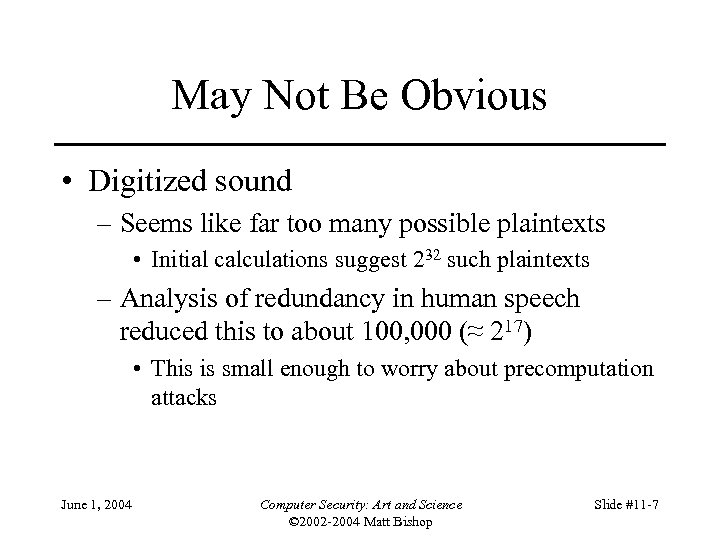
May Not Be Obvious • Digitized sound – Seems like far too many possible plaintexts • Initial calculations suggest 232 such plaintexts – Analysis of redundancy in human speech reduced this to about 100, 000 (≈ 217) • This is small enough to worry about precomputation attacks June 1, 2004 Computer Security: Art and Science © 2002 -2004 Matt Bishop Slide #11 -7
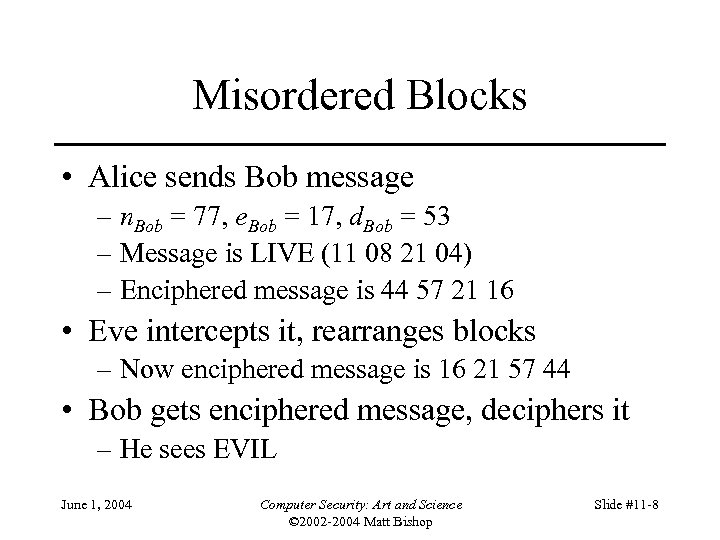
Misordered Blocks • Alice sends Bob message – n. Bob = 77, e. Bob = 17, d. Bob = 53 – Message is LIVE (11 08 21 04) – Enciphered message is 44 57 21 16 • Eve intercepts it, rearranges blocks – Now enciphered message is 16 21 57 44 • Bob gets enciphered message, deciphers it – He sees EVIL June 1, 2004 Computer Security: Art and Science © 2002 -2004 Matt Bishop Slide #11 -8
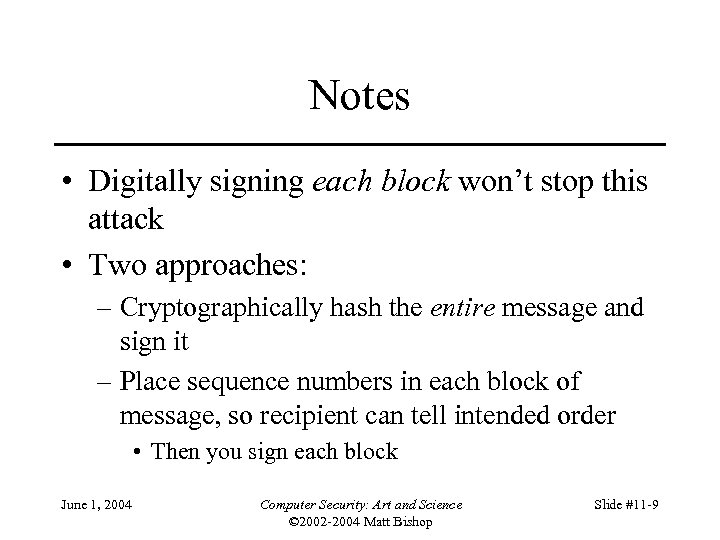
Notes • Digitally signing each block won’t stop this attack • Two approaches: – Cryptographically hash the entire message and sign it – Place sequence numbers in each block of message, so recipient can tell intended order • Then you sign each block June 1, 2004 Computer Security: Art and Science © 2002 -2004 Matt Bishop Slide #11 -9
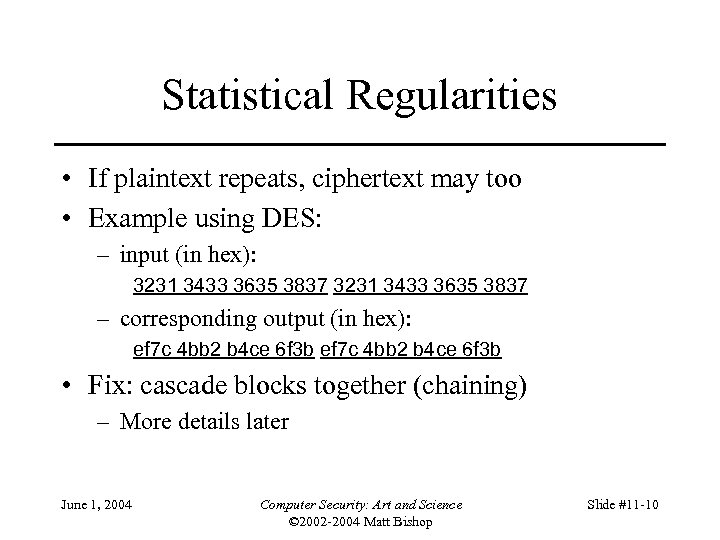
Statistical Regularities • If plaintext repeats, ciphertext may too • Example using DES: – input (in hex): 3231 3433 3635 3837 – corresponding output (in hex): ef 7 c 4 bb 2 b 4 ce 6 f 3 b • Fix: cascade blocks together (chaining) – More details later June 1, 2004 Computer Security: Art and Science © 2002 -2004 Matt Bishop Slide #11 -10
What These Mean • Use of strong cryptosystems, well-chosen (or random) keys not enough to be secure • Other factors: – Protocols directing use of cryptosystems – Ancillary information added by protocols – Implementation (not discussed here) – Maintenance and operation (not discussed here) June 1, 2004 Computer Security: Art and Science © 2002 -2004 Matt Bishop Slide #11 -11
Overview • Problems – What can go wrong if you naively use ciphers • Cipher types – Stream or block ciphers? • Networks – Link vs end-to-end use – Traffic Analysis • Examples – Privacy-Enhanced Electronic Mail (PEM) – Secure Socket Layer (SSL) – Security at the Network Layer (IPsec) June 1, 2004 Computer Security: Art and Science © 2002 -2004 Matt Bishop Slide #11 -12
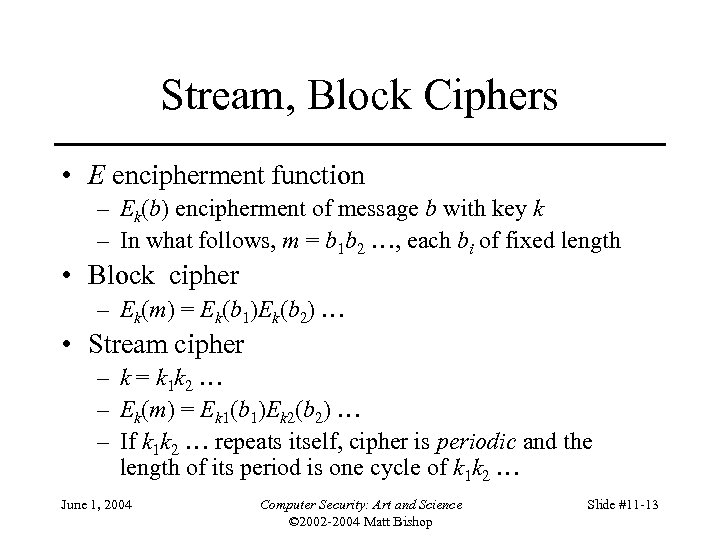
Stream, Block Ciphers • E encipherment function – Ek(b) encipherment of message b with key k – In what follows, m = b 1 b 2 …, each bi of fixed length • Block cipher – Ek(m) = Ek(b 1)Ek(b 2) … • Stream cipher – k = k 1 k 2 … – Ek(m) = Ek 1(b 1)Ek 2(b 2) … – If k 1 k 2 … repeats itself, cipher is periodic and the length of its period is one cycle of k 1 k 2 … June 1, 2004 Computer Security: Art and Science © 2002 -2004 Matt Bishop Slide #11 -13
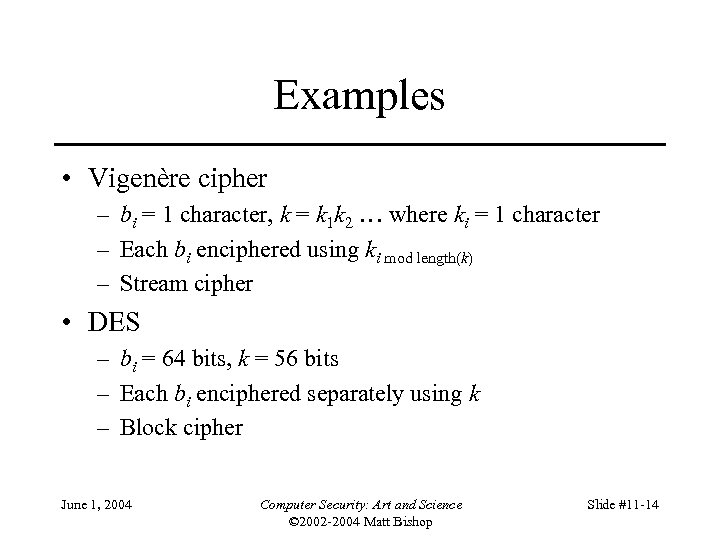
Examples • Vigenère cipher – bi = 1 character, k = k 1 k 2 … where ki = 1 character – Each bi enciphered using ki mod length(k) – Stream cipher • DES – bi = 64 bits, k = 56 bits – Each bi enciphered separately using k – Block cipher June 1, 2004 Computer Security: Art and Science © 2002 -2004 Matt Bishop Slide #11 -14
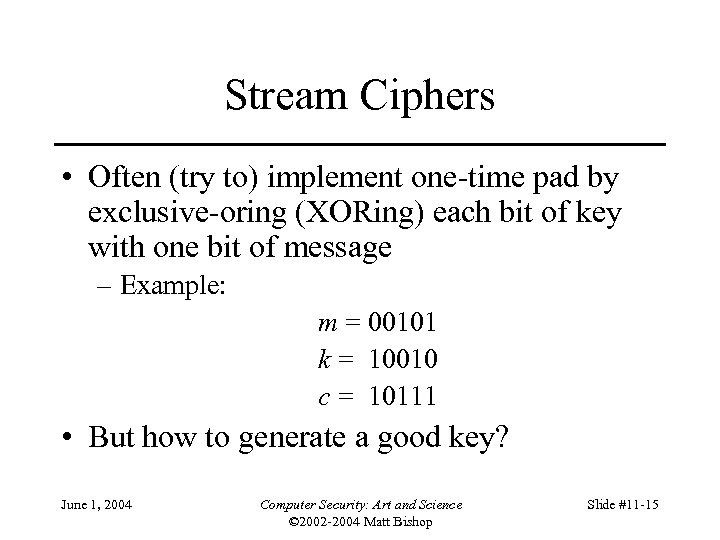
Stream Ciphers • Often (try to) implement one-time pad by exclusive-oring (XORing) each bit of key with one bit of message – Example: m = 00101 k = 10010 c = 10111 • But how to generate a good key? June 1, 2004 Computer Security: Art and Science © 2002 -2004 Matt Bishop Slide #11 -15
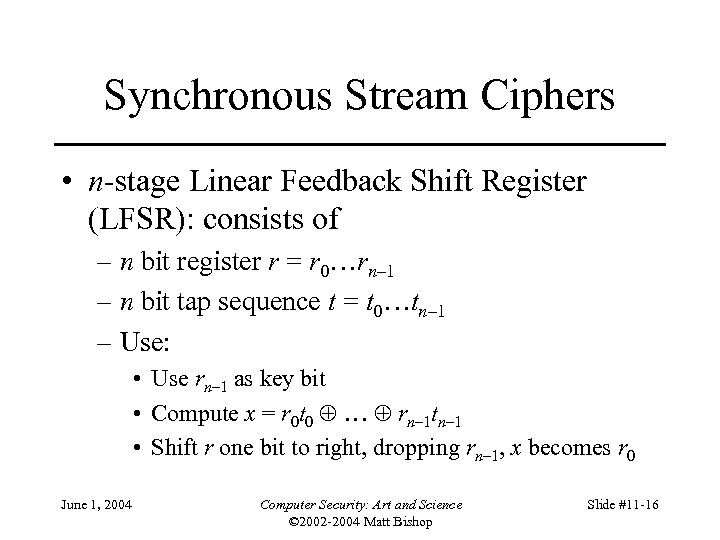
Synchronous Stream Ciphers • n-stage Linear Feedback Shift Register (LFSR): consists of – n bit register r = r 0…rn– 1 – n bit tap sequence t = t 0…tn– 1 – Use: • Use rn– 1 as key bit • Compute x = r 0 t 0 … rn– 1 tn– 1 • Shift r one bit to right, dropping rn– 1, x becomes r 0 June 1, 2004 Computer Security: Art and Science © 2002 -2004 Matt Bishop Slide #11 -16
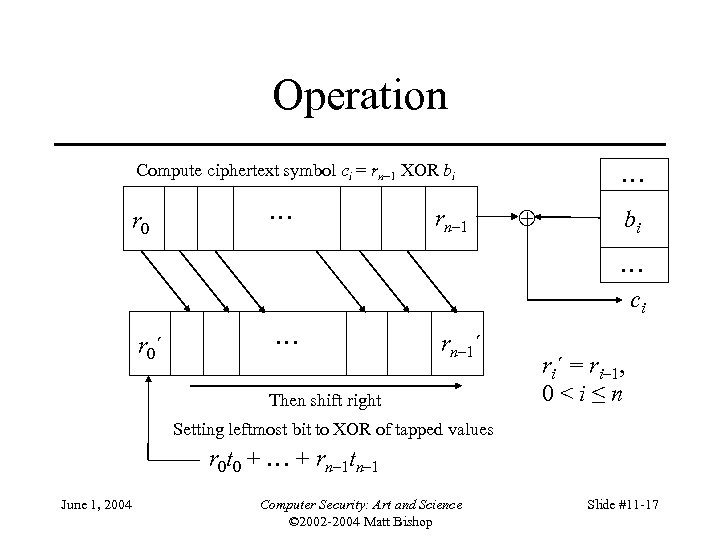
Operation Compute ciphertext symbol ci = rn– 1 XOR bi r 0 … rn– 1 … bi … ci r 0´ … rn– 1´ Then shift right ri´ = ri– 1, 0<i≤n Setting leftmost bit to XOR of tapped values r 0 t 0 + … + rn– 1 tn– 1 June 1, 2004 Computer Security: Art and Science © 2002 -2004 Matt Bishop Slide #11 -17
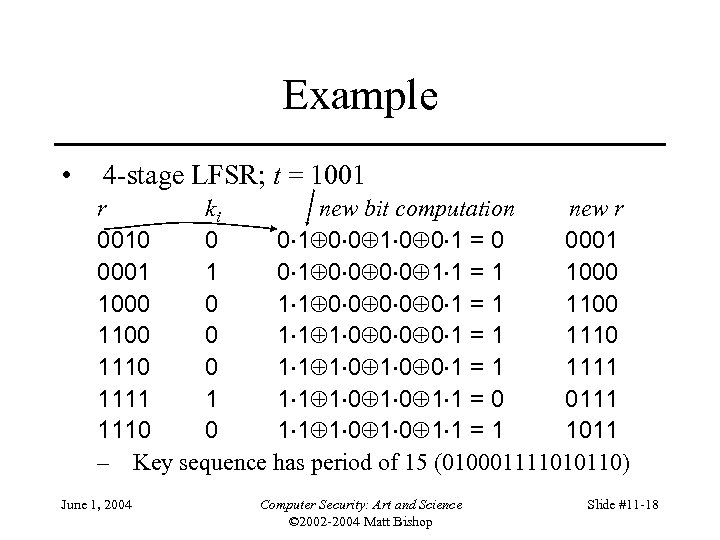
Example • 4 -stage LFSR; t = 1001 r ki new bit computation new r 0010 0 0 1 = 0 0001 1 0 0 0 0 1 1 = 1 1000 0 1 1 0 0 0 1 = 1 1100 0 1 1 1 0 0 1 = 1 1110 0 1 1 1 0 0 1 = 1 1111 1 1 0 1 1 = 0 0111 1110 0 1 1 1 0 1 1 = 1 1011 – Key sequence has period of 15 (010001111010110) June 1, 2004 Computer Security: Art and Science © 2002 -2004 Matt Bishop Slide #11 -18
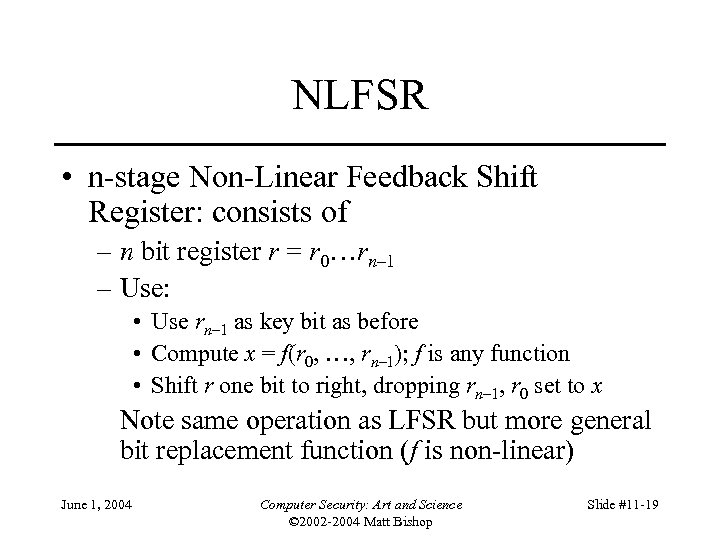
NLFSR • n-stage Non-Linear Feedback Shift Register: consists of – n bit register r = r 0…rn– 1 – Use: • Use rn– 1 as key bit as before • Compute x = f(r 0, …, rn– 1); f is any function • Shift r one bit to right, dropping rn– 1, r 0 set to x Note same operation as LFSR but more general bit replacement function (f is non-linear) June 1, 2004 Computer Security: Art and Science © 2002 -2004 Matt Bishop Slide #11 -19
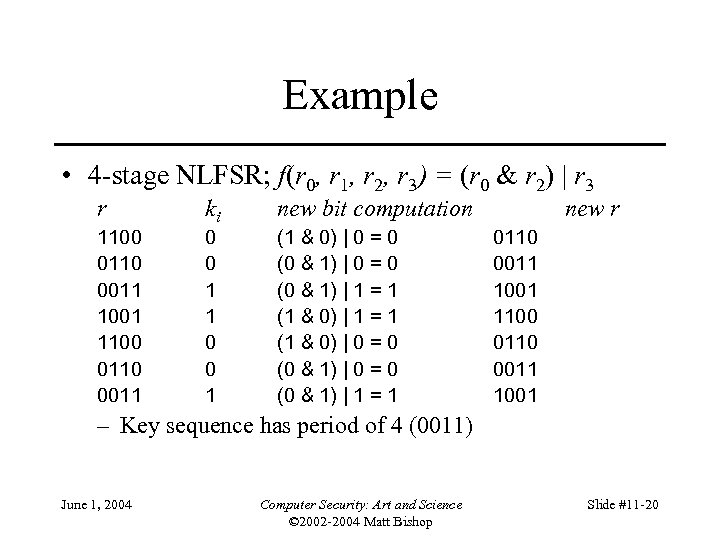
Example • 4 -stage NLFSR; f(r 0, r 1, r 2, r 3) = (r 0 & r 2) | r 3 r 1100 0110 0011 1001 1100 0110 0011 ki 0 0 1 1 0 0 1 new bit computation (1 & 0) | 0 = 0 (0 & 1) | 1 = 1 new r 0110 0011 1001 1100 0110 0011 1001 – Key sequence has period of 4 (0011) June 1, 2004 Computer Security: Art and Science © 2002 -2004 Matt Bishop Slide #11 -20
Eliminating Linearity • NLFSRs not common – No body of theory about how to design them to have long period • Alternate approach: output feedback mode (OFB) – For E encipherment function, k key, r register: • Compute r = Ek(r); key bit is rightmost bit of r • Set r to r and iterate, repeatedly enciphering register and extracting key bits, until message enciphered – Variant: use a counter that is incremented for each encipherment rather than a register (Counter Mode) • Take rightmost bit of Ek(i), where i is number of encipherment June 1, 2004 Computer Security: Art and Science © 2002 -2004 Matt Bishop Slide #11 -21
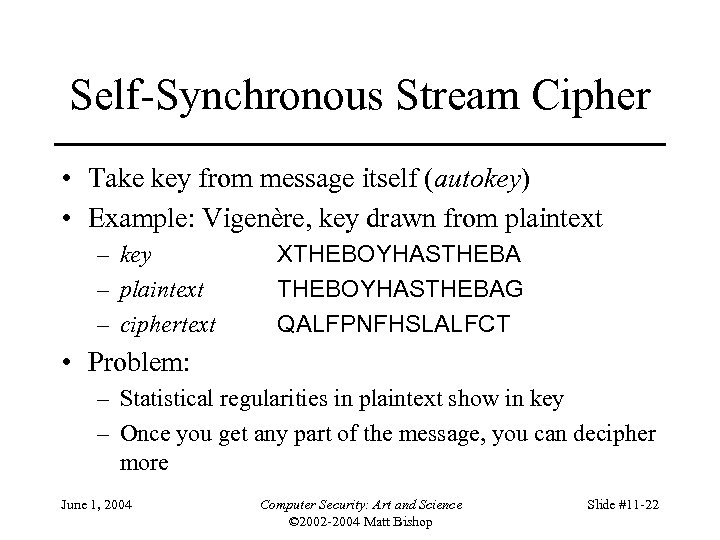
Self-Synchronous Stream Cipher • Take key from message itself (autokey) • Example: Vigenère, key drawn from plaintext – key – plaintext – ciphertext XTHEBOYHASTHEBAG QALFPNFHSLALFCT • Problem: – Statistical regularities in plaintext show in key – Once you get any part of the message, you can decipher more June 1, 2004 Computer Security: Art and Science © 2002 -2004 Matt Bishop Slide #11 -22
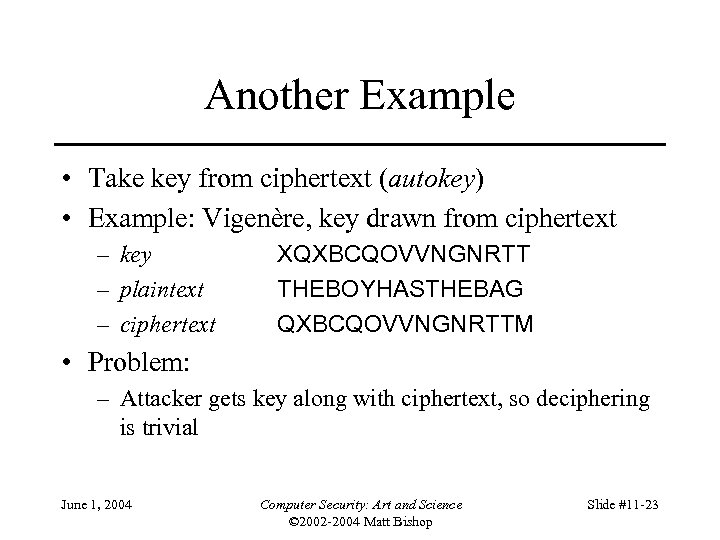
Another Example • Take key from ciphertext (autokey) • Example: Vigenère, key drawn from ciphertext – key – plaintext – ciphertext XQXBCQOVVNGNRTT THEBOYHASTHEBAG QXBCQOVVNGNRTTM • Problem: – Attacker gets key along with ciphertext, so deciphering is trivial June 1, 2004 Computer Security: Art and Science © 2002 -2004 Matt Bishop Slide #11 -23
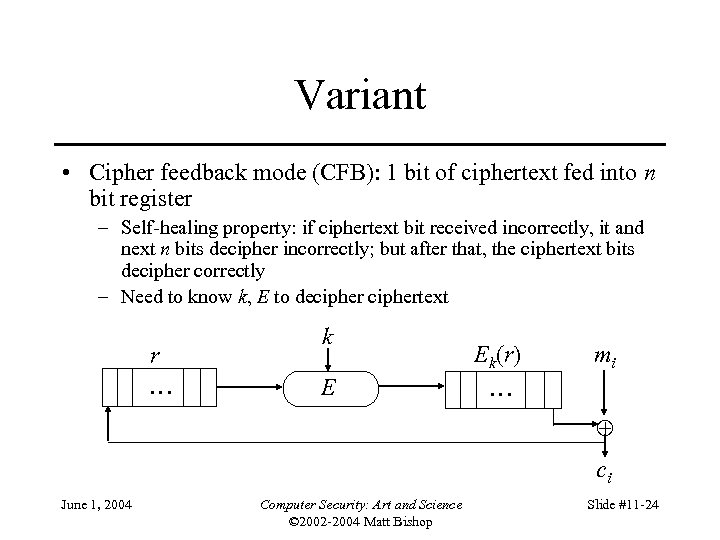
Variant • Cipher feedback mode (CFB): 1 bit of ciphertext fed into n bit register – Self-healing property: if ciphertext bit received incorrectly, it and next n bits decipher incorrectly; but after that, the ciphertext bits decipher correctly – Need to know k, E to deciphertext r … k E Ek(r) … mi ci June 1, 2004 Computer Security: Art and Science © 2002 -2004 Matt Bishop Slide #11 -24
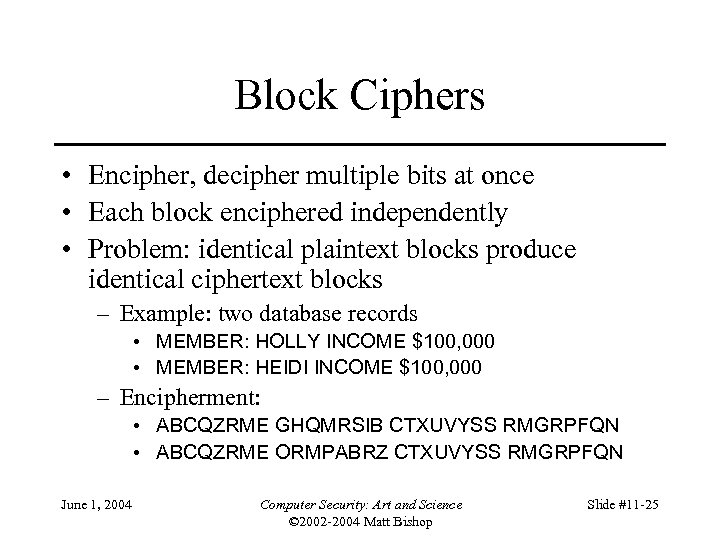
Block Ciphers • Encipher, decipher multiple bits at once • Each block enciphered independently • Problem: identical plaintext blocks produce identical ciphertext blocks – Example: two database records • MEMBER: HOLLY INCOME $100, 000 • MEMBER: HEIDI INCOME $100, 000 – Encipherment: • ABCQZRME GHQMRSIB CTXUVYSS RMGRPFQN • ABCQZRME ORMPABRZ CTXUVYSS RMGRPFQN June 1, 2004 Computer Security: Art and Science © 2002 -2004 Matt Bishop Slide #11 -25
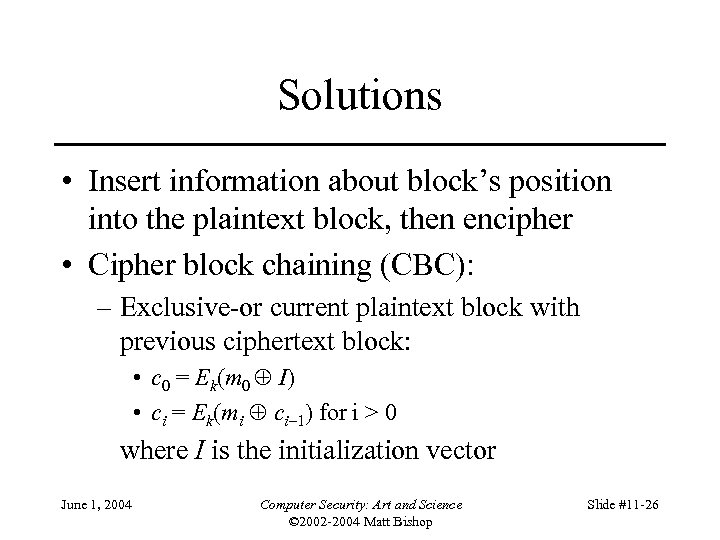
Solutions • Insert information about block’s position into the plaintext block, then encipher • Cipher block chaining (CBC): – Exclusive-or current plaintext block with previous ciphertext block: • c 0 = Ek(m 0 I) • ci = Ek(mi ci– 1) for i > 0 where I is the initialization vector June 1, 2004 Computer Security: Art and Science © 2002 -2004 Matt Bishop Slide #11 -26
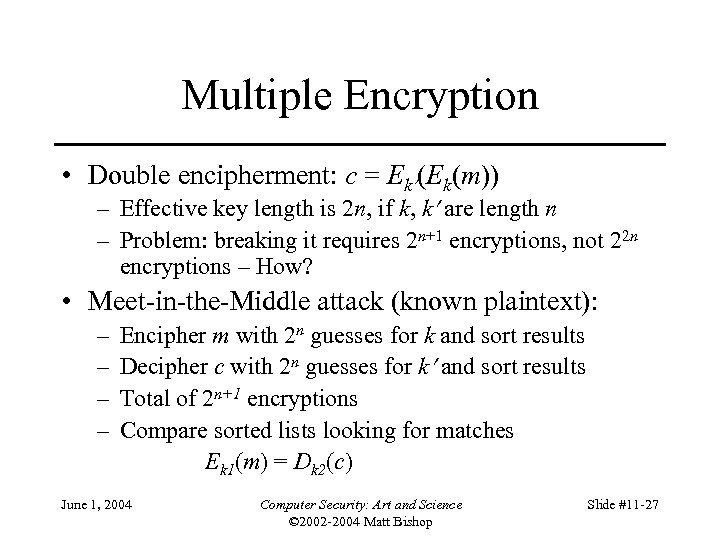
Multiple Encryption • Double encipherment: c = Ek (Ek(m)) – Effective key length is 2 n, if k, k are length n – Problem: breaking it requires 2 n+1 encryptions, not 22 n encryptions – How? • Meet-in-the-Middle attack (known plaintext): – – Encipher m with 2 n guesses for k and sort results Decipher c with 2 n guesses for k and sort results Total of 2 n+1 encryptions Compare sorted lists looking for matches Ek 1(m) = Dk 2(c) June 1, 2004 Computer Security: Art and Science © 2002 -2004 Matt Bishop Slide #11 -27
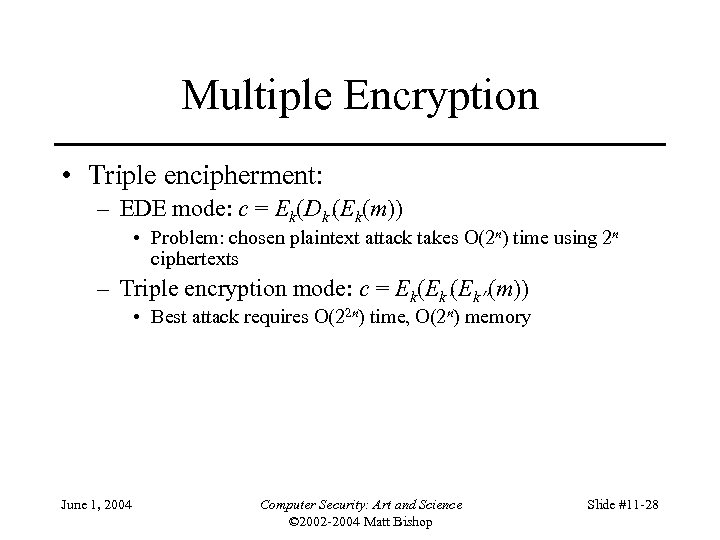
Multiple Encryption • Triple encipherment: – EDE mode: c = Ek(Dk (Ek(m)) • Problem: chosen plaintext attack takes O(2 n) time using 2 n ciphertexts – Triple encryption mode: c = Ek(Ek (m)) • Best attack requires O(22 n) time, O(2 n) memory June 1, 2004 Computer Security: Art and Science © 2002 -2004 Matt Bishop Slide #11 -28
Overview • Problems – What can go wrong if you naively use ciphers • Cipher types – Stream or block ciphers? • Networks – Link vs end-to-end use – Traffic Analysis • Examples – Privacy-Enhanced Electronic Mail (PEM) – Secure Socket Layer (SSL) – Security at the Network Layer (IPsec) June 1, 2004 Computer Security: Art and Science © 2002 -2004 Matt Bishop Slide #11 -29
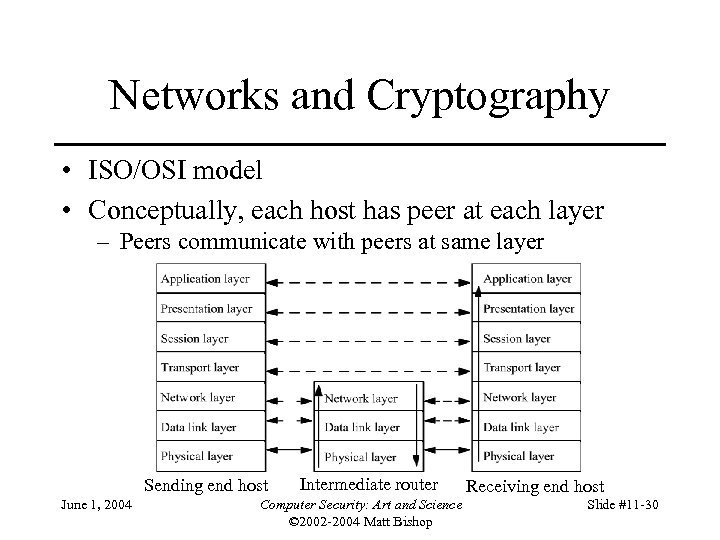
Networks and Cryptography • ISO/OSI model • Conceptually, each host has peer at each layer – Peers communicate with peers at same layer Sending end host June 1, 2004 Intermediate router Computer Security: Art and Science © 2002 -2004 Matt Bishop Receiving end host Slide #11 -30
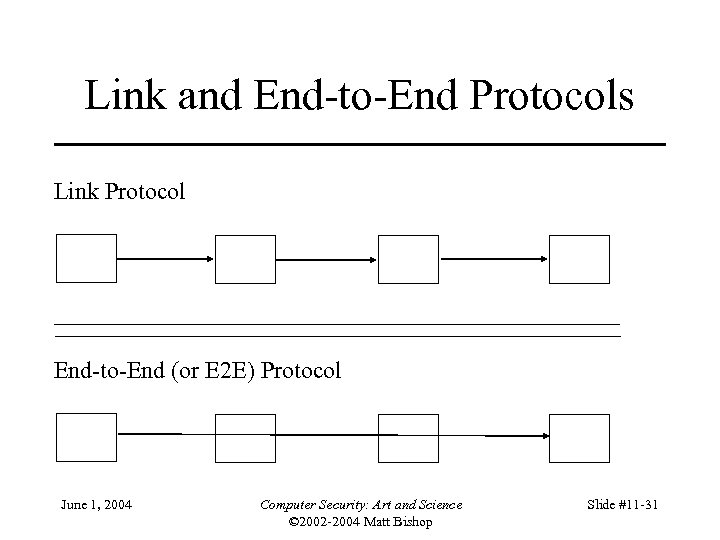
Link and End-to-End Protocols Link Protocol End-to-End (or E 2 E) Protocol June 1, 2004 Computer Security: Art and Science © 2002 -2004 Matt Bishop Slide #11 -31
Encryption • Link encryption – Each node enciphers message so node at “next hop” can read it – Message can be read at intermediate nodes • End-to-end encryption – Host enciphers message so host at other end of communication can read it – Message cannot be read at intermediate nodes June 1, 2004 Computer Security: Art and Science © 2002 -2004 Matt Bishop Slide #11 -32
Examples • TELNET protocol – Messages between client, server enciphered, and encipherment, decipherment occur only at these hosts – End-to-end protocol • PPP Encryption Control Protocol – Node gets message, deciphers it • Figures out where to forward it • Enciphers it in appropriate key and forwards it – Link protocol June 1, 2004 Computer Security: Art and Science © 2002 -2004 Matt Bishop Slide #11 -33
Cryptographic Considerations • Link encryption – Each node shares key with neighbor – Can be set on per-node or per-node-pair basis • Windsor, stripe, seaview each have own keys • One key for (windsor, stripe); one for (stripe, seaview); one for (windsor, seaview) • End-to-end – Each host shares key with destination – Can be set on per-host or per-host-pair basis – Message cannot be read at intermediate nodes June 1, 2004 Computer Security: Art and Science © 2002 -2004 Matt Bishop Slide #11 -34
Traffic Analysis • Link encryption – Can protect headers of packets – Possible to hide source and destination • Note: may be able to deduce this from traffic flows • End-to-end encryption – Cannot hide packet headers • Intermediate nodes need to route packet – Attacker can read source, destination June 1, 2004 Computer Security: Art and Science © 2002 -2004 Matt Bishop Slide #11 -35
Overview • Problems – What can go wrong if you naively use ciphers • Cipher types – Stream or block ciphers? • Networks – Link vs end-to-end use – Traffic Analysis • Examples – Privacy-Enhanced Electronic Mail (PEM) – Secure Socket Layer (SSL) – Security at the Network Layer (IPsec) June 1, 2004 Computer Security: Art and Science © 2002 -2004 Matt Bishop Slide #11 -36
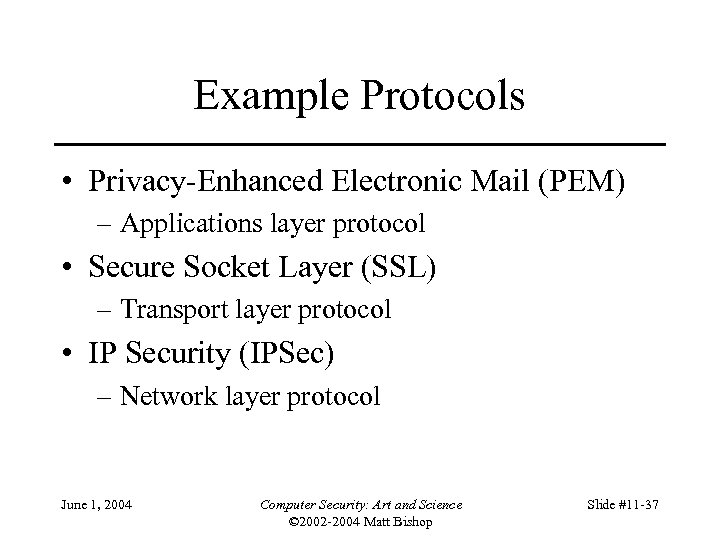
Example Protocols • Privacy-Enhanced Electronic Mail (PEM) – Applications layer protocol • Secure Socket Layer (SSL) – Transport layer protocol • IP Security (IPSec) – Network layer protocol June 1, 2004 Computer Security: Art and Science © 2002 -2004 Matt Bishop Slide #11 -37
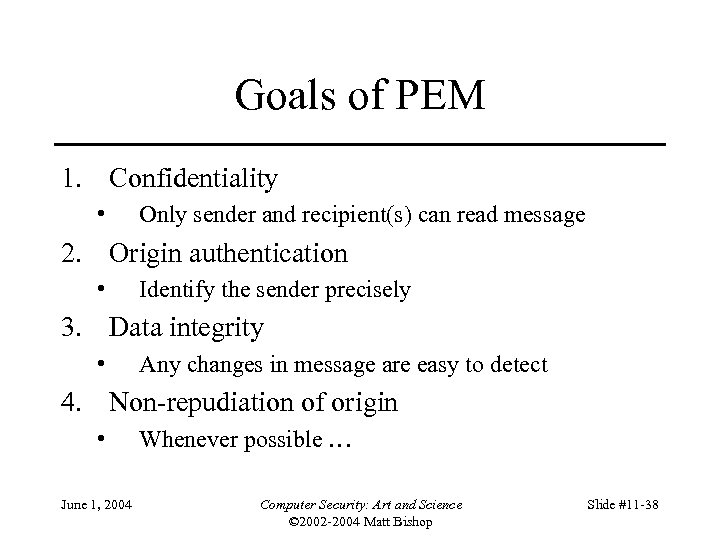
Goals of PEM 1. Confidentiality • Only sender and recipient(s) can read message 2. Origin authentication • Identify the sender precisely 3. Data integrity • Any changes in message are easy to detect 4. Non-repudiation of origin • June 1, 2004 Whenever possible … Computer Security: Art and Science © 2002 -2004 Matt Bishop Slide #11 -38
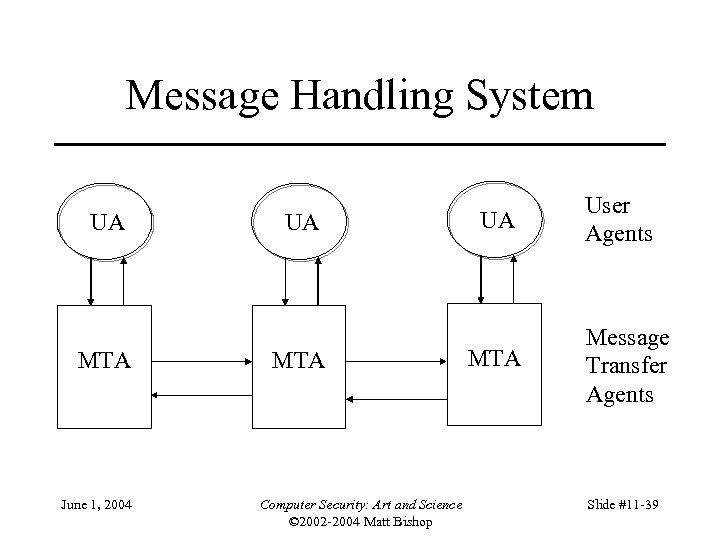
Message Handling System UA MTA June 1, 2004 UA MTA Computer Security: Art and Science © 2002 -2004 Matt Bishop UA MTA User Agents Message Transfer Agents Slide #11 -39
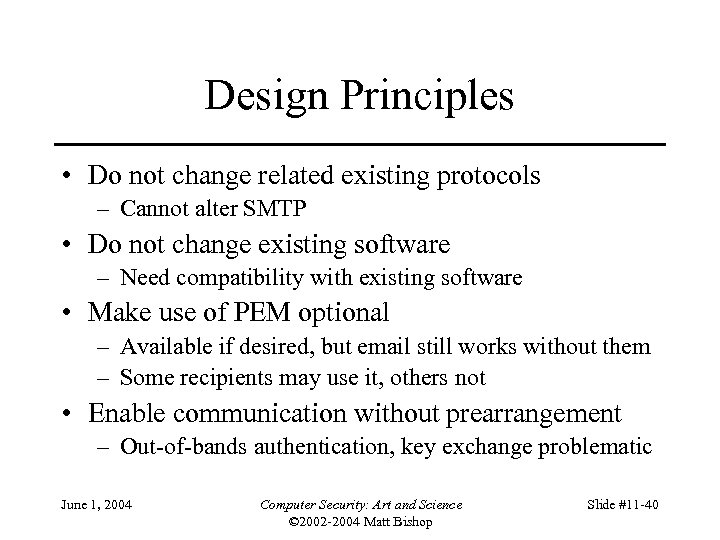
Design Principles • Do not change related existing protocols – Cannot alter SMTP • Do not change existing software – Need compatibility with existing software • Make use of PEM optional – Available if desired, but email still works without them – Some recipients may use it, others not • Enable communication without prearrangement – Out-of-bands authentication, key exchange problematic June 1, 2004 Computer Security: Art and Science © 2002 -2004 Matt Bishop Slide #11 -40
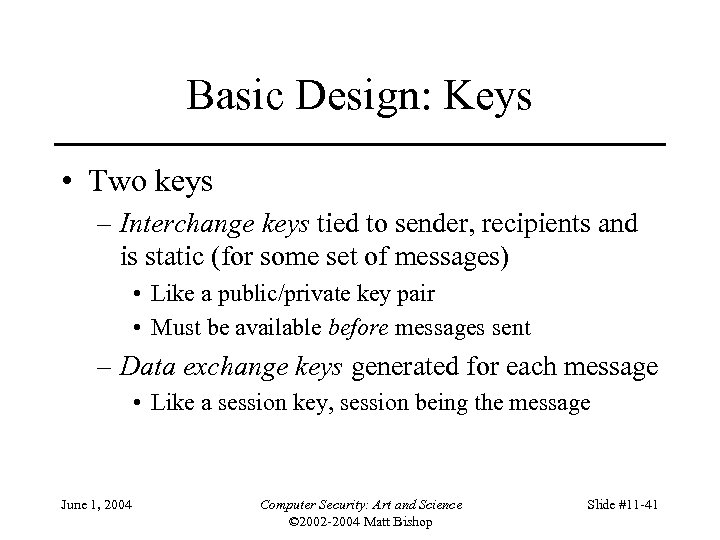
Basic Design: Keys • Two keys – Interchange keys tied to sender, recipients and is static (for some set of messages) • Like a public/private key pair • Must be available before messages sent – Data exchange keys generated for each message • Like a session key, session being the message June 1, 2004 Computer Security: Art and Science © 2002 -2004 Matt Bishop Slide #11 -41
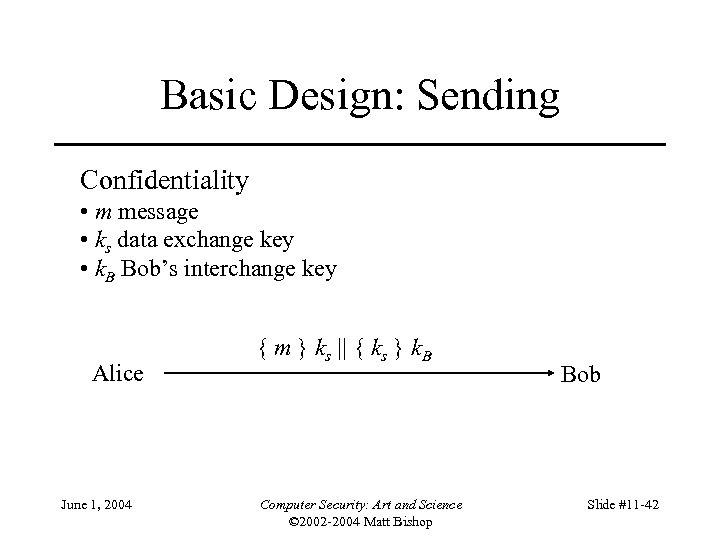
Basic Design: Sending Confidentiality • m message • ks data exchange key • k. B Bob’s interchange key Alice June 1, 2004 { m } ks || { ks } k. B Computer Security: Art and Science © 2002 -2004 Matt Bishop Bob Slide #11 -42
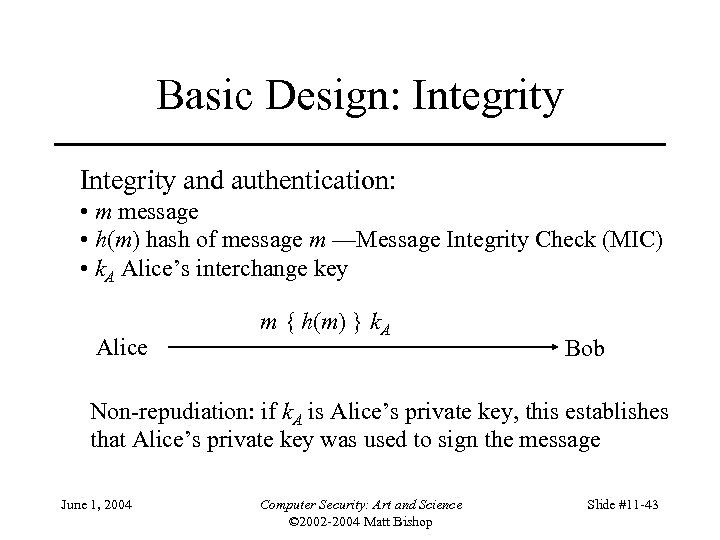
Basic Design: Integrity and authentication: • m message • h(m) hash of message m —Message Integrity Check (MIC) • k. A Alice’s interchange key Alice m { h(m) } k. A Bob Non-repudiation: if k. A is Alice’s private key, this establishes that Alice’s private key was used to sign the message June 1, 2004 Computer Security: Art and Science © 2002 -2004 Matt Bishop Slide #11 -43
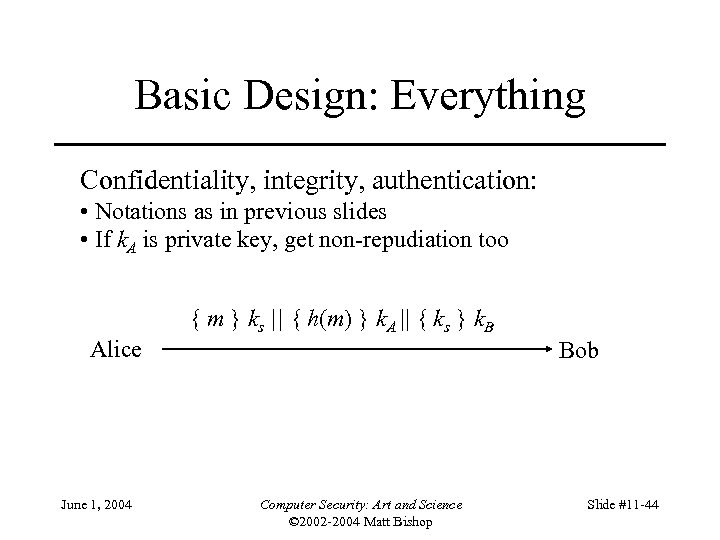
Basic Design: Everything Confidentiality, integrity, authentication: • Notations as in previous slides • If k. A is private key, get non-repudiation too Alice June 1, 2004 { m } ks || { h(m) } k. A || { ks } k. B Bob Computer Security: Art and Science © 2002 -2004 Matt Bishop Slide #11 -44
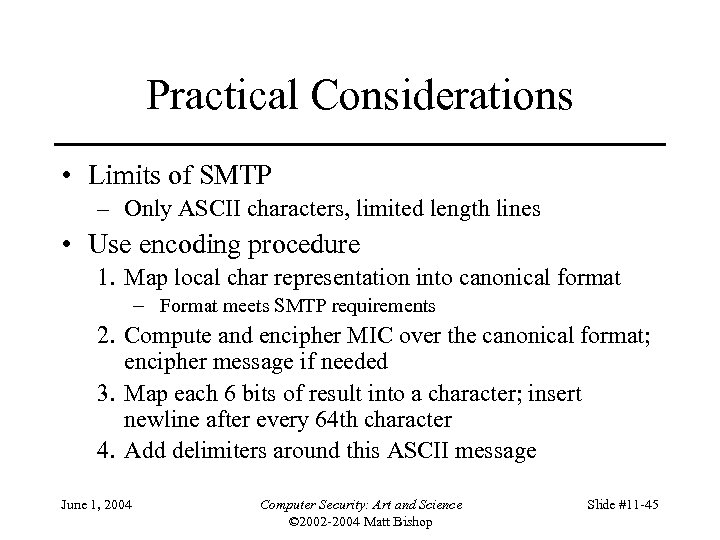
Practical Considerations • Limits of SMTP – Only ASCII characters, limited length lines • Use encoding procedure 1. Map local char representation into canonical format – Format meets SMTP requirements 2. Compute and encipher MIC over the canonical format; encipher message if needed 3. Map each 6 bits of result into a character; insert newline after every 64 th character 4. Add delimiters around this ASCII message June 1, 2004 Computer Security: Art and Science © 2002 -2004 Matt Bishop Slide #11 -45
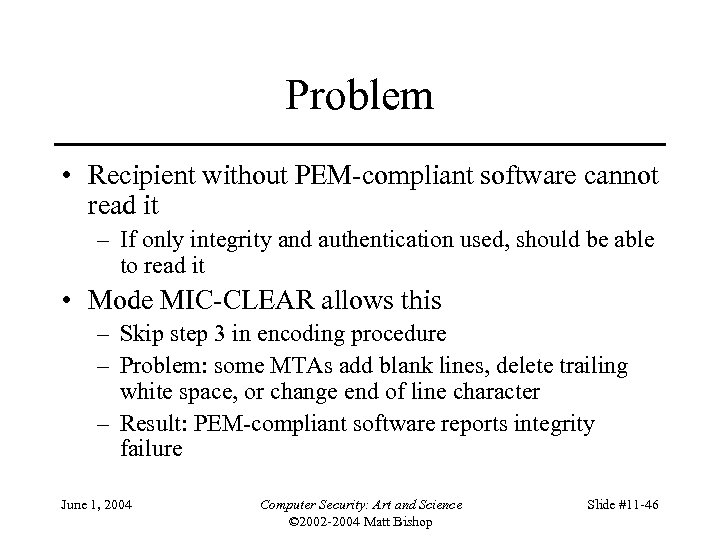
Problem • Recipient without PEM-compliant software cannot read it – If only integrity and authentication used, should be able to read it • Mode MIC-CLEAR allows this – Skip step 3 in encoding procedure – Problem: some MTAs add blank lines, delete trailing white space, or change end of line character – Result: PEM-compliant software reports integrity failure June 1, 2004 Computer Security: Art and Science © 2002 -2004 Matt Bishop Slide #11 -46
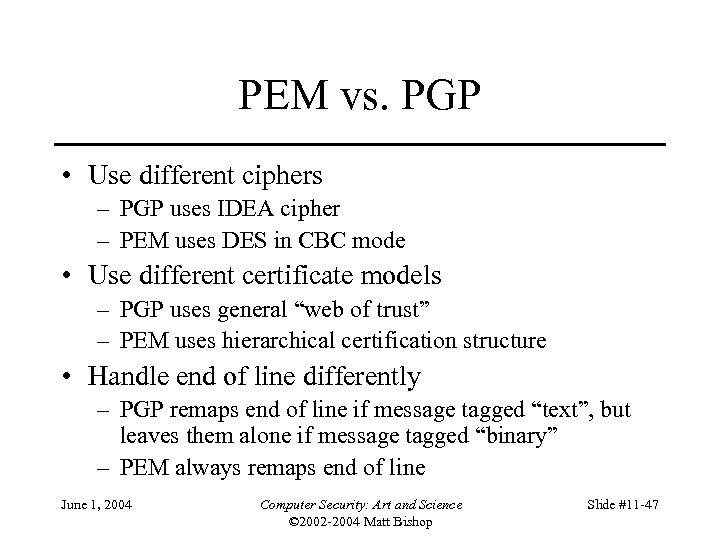
PEM vs. PGP • Use different ciphers – PGP uses IDEA cipher – PEM uses DES in CBC mode • Use different certificate models – PGP uses general “web of trust” – PEM uses hierarchical certification structure • Handle end of line differently – PGP remaps end of line if message tagged “text”, but leaves them alone if message tagged “binary” – PEM always remaps end of line June 1, 2004 Computer Security: Art and Science © 2002 -2004 Matt Bishop Slide #11 -47
Overview • Problems – What can go wrong if you naively use ciphers • Cipher types – Stream or block ciphers? • Networks – Link vs end-to-end use – Traffic Analysis • Examples – Privacy-Enhanced Electronic Mail (PEM) – Secure Socket Layer (SSL) – Security at the Network Layer (IPsec) June 1, 2004 Computer Security: Art and Science © 2002 -2004 Matt Bishop Slide #11 -48
SSL • Transport layer security – Provides confidentiality, integrity, authentication of endpoints – Developed by Netscape for WWW browsers and servers • Internet protocol version: TLS – Compatible with SSL – Not yet formally adopted June 1, 2004 Computer Security: Art and Science © 2002 -2004 Matt Bishop Slide #11 -49
SSL Session • Association between two peers – May have many associated connections – Information for each association: • • • Unique session identifier Peer’s X. 509 v 3 certificate, if needed Compression method Cipher spec for cipher and MAC “Master secret” shared with peer – 48 bits June 1, 2004 Computer Security: Art and Science © 2002 -2004 Matt Bishop Slide #11 -50
SSL Connection • Describes how data exchanged with peer • Information for each connection – Random data – Write keys (used to encipher data) – Write MAC key (used to compute MAC) – Initialization vectors for ciphers, if needed – Sequence numbers June 1, 2004 Computer Security: Art and Science © 2002 -2004 Matt Bishop Slide #11 -51
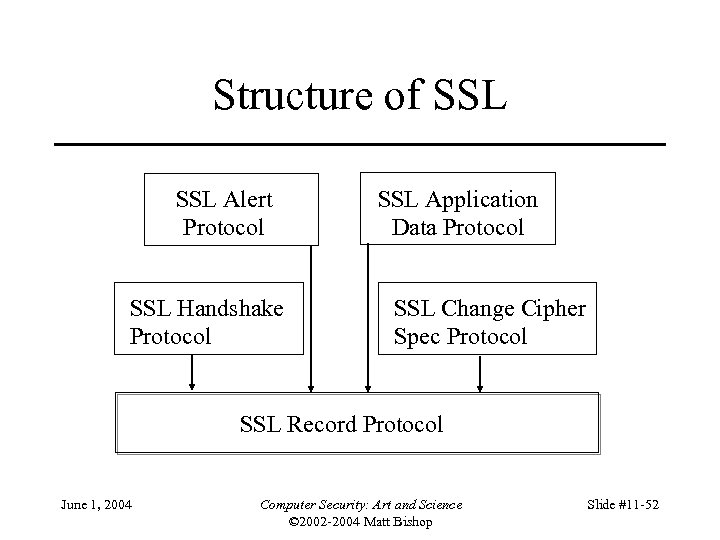
Structure of SSL Alert Protocol SSL Handshake Protocol SSL Application Data Protocol SSL Change Cipher Spec Protocol SSL Record Protocol June 1, 2004 Computer Security: Art and Science © 2002 -2004 Matt Bishop Slide #11 -52
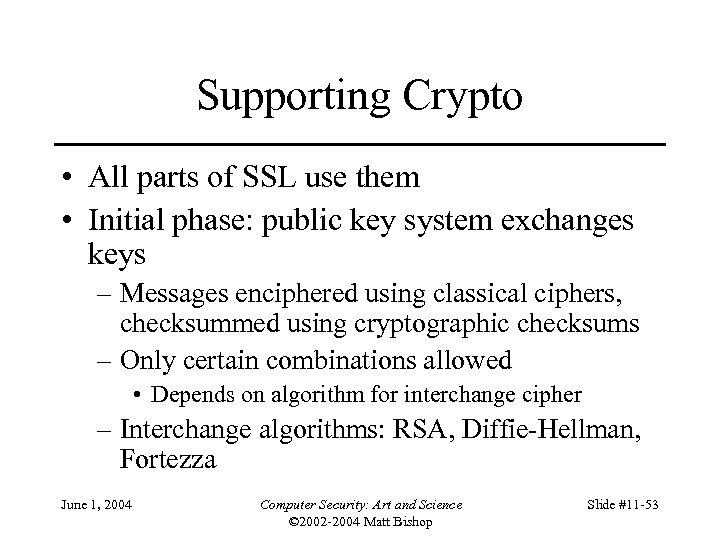
Supporting Crypto • All parts of SSL use them • Initial phase: public key system exchanges keys – Messages enciphered using classical ciphers, checksummed using cryptographic checksums – Only certain combinations allowed • Depends on algorithm for interchange cipher – Interchange algorithms: RSA, Diffie-Hellman, Fortezza June 1, 2004 Computer Security: Art and Science © 2002 -2004 Matt Bishop Slide #11 -53
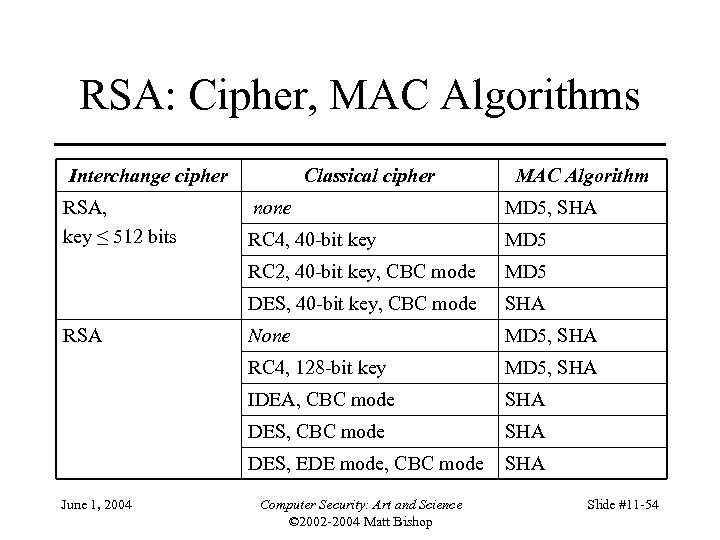
RSA: Cipher, MAC Algorithms Interchange cipher RSA, key ≤ 512 bits Classical cipher MAC Algorithm RC 4, 40 -bit key MD 5 DES, 40 -bit key, CBC mode SHA None MD 5, SHA RC 4, 128 -bit key MD 5, SHA IDEA, CBC mode SHA DES, EDE mode, CBC mode June 1, 2004 MD 5, SHA RC 2, 40 -bit key, CBC mode RSA none SHA Computer Security: Art and Science © 2002 -2004 Matt Bishop Slide #11 -54
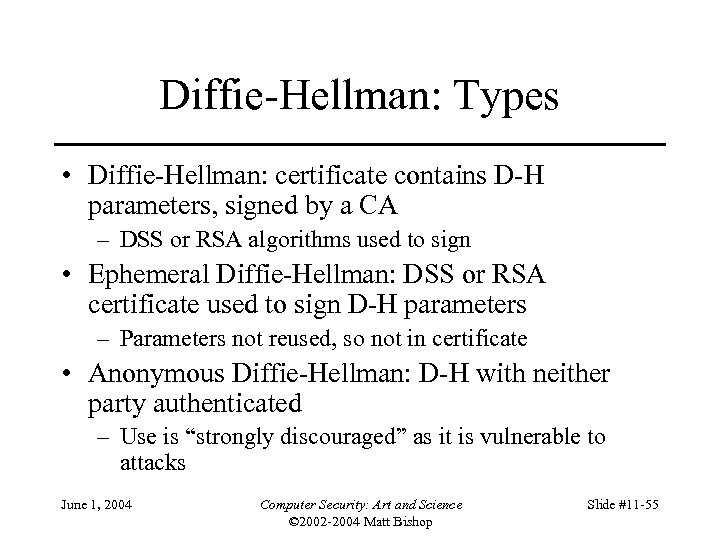
Diffie-Hellman: Types • Diffie-Hellman: certificate contains D-H parameters, signed by a CA – DSS or RSA algorithms used to sign • Ephemeral Diffie-Hellman: DSS or RSA certificate used to sign D-H parameters – Parameters not reused, so not in certificate • Anonymous Diffie-Hellman: D-H with neither party authenticated – Use is “strongly discouraged” as it is vulnerable to attacks June 1, 2004 Computer Security: Art and Science © 2002 -2004 Matt Bishop Slide #11 -55
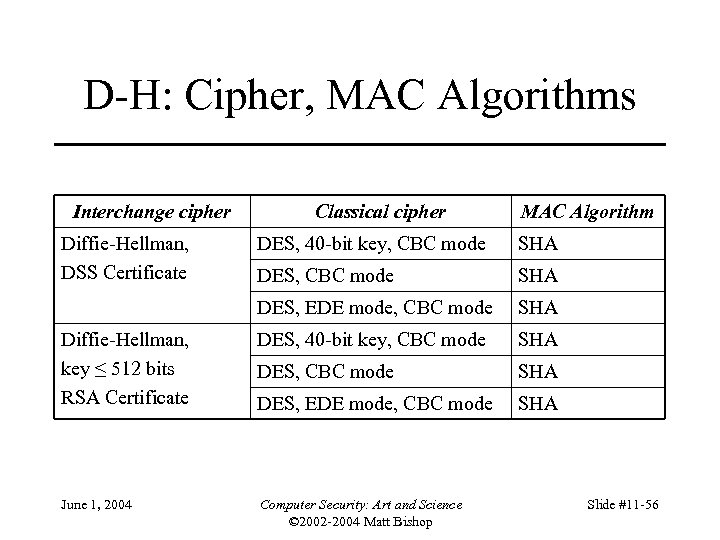
D-H: Cipher, MAC Algorithms Interchange cipher Diffie-Hellman, DSS Certificate Classical cipher MAC Algorithm DES, 40 -bit key, CBC mode SHA DES, EDE mode, CBC mode SHA Diffie-Hellman, key ≤ 512 bits RSA Certificate DES, 40 -bit key, CBC mode SHA DES, EDE mode, CBC mode SHA June 1, 2004 Computer Security: Art and Science © 2002 -2004 Matt Bishop Slide #11 -56
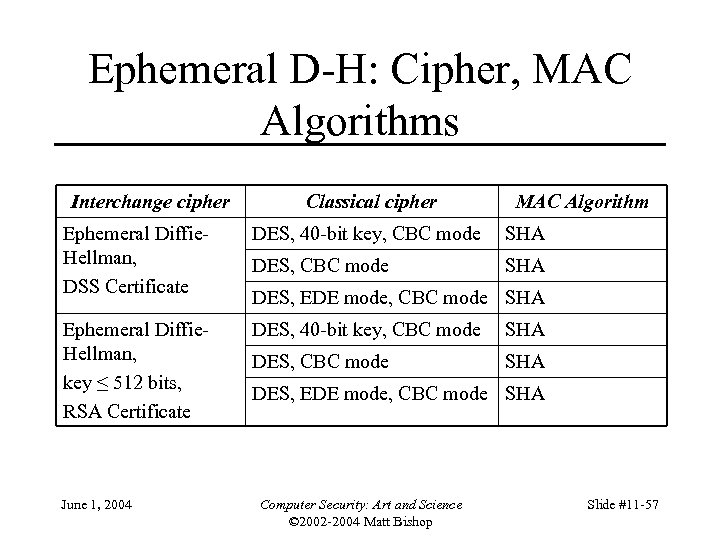
Ephemeral D-H: Cipher, MAC Algorithms Interchange cipher Classical cipher MAC Algorithm Ephemeral Diffie. Hellman, DSS Certificate DES, 40 -bit key, CBC mode SHA DES, CBC mode SHA Ephemeral Diffie. Hellman, key ≤ 512 bits, RSA Certificate DES, 40 -bit key, CBC mode SHA DES, CBC mode SHA June 1, 2004 DES, EDE mode, CBC mode SHA Computer Security: Art and Science © 2002 -2004 Matt Bishop Slide #11 -57
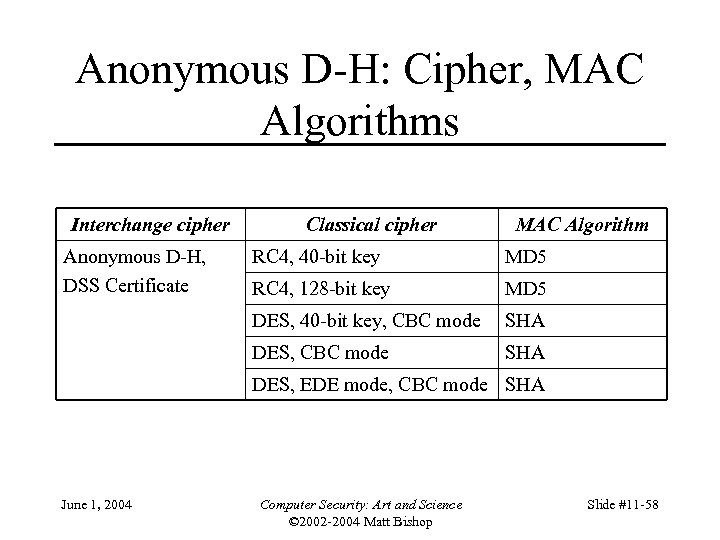
Anonymous D-H: Cipher, MAC Algorithms Interchange cipher Anonymous D-H, DSS Certificate Classical cipher MAC Algorithm RC 4, 40 -bit key MD 5 RC 4, 128 -bit key MD 5 DES, 40 -bit key, CBC mode SHA DES, EDE mode, CBC mode SHA June 1, 2004 Computer Security: Art and Science © 2002 -2004 Matt Bishop Slide #11 -58
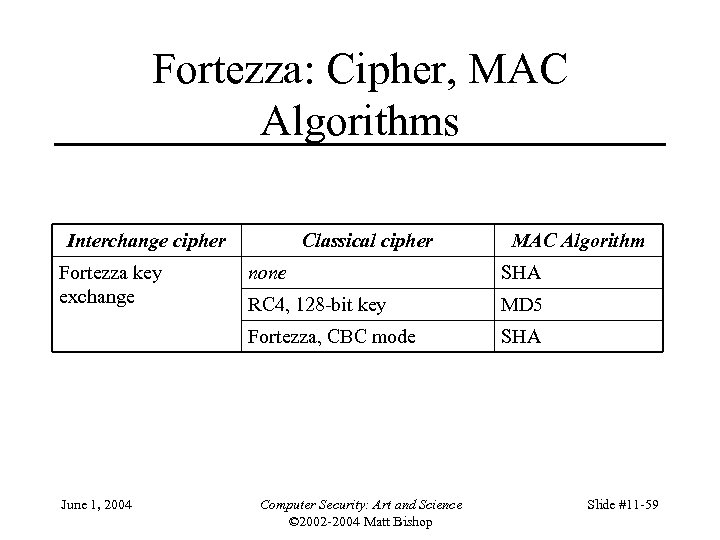
Fortezza: Cipher, MAC Algorithms Interchange cipher Fortezza key exchange Classical cipher MAC Algorithm SHA RC 4, 128 -bit key MD 5 Fortezza, CBC mode June 1, 2004 none SHA Computer Security: Art and Science © 2002 -2004 Matt Bishop Slide #11 -59
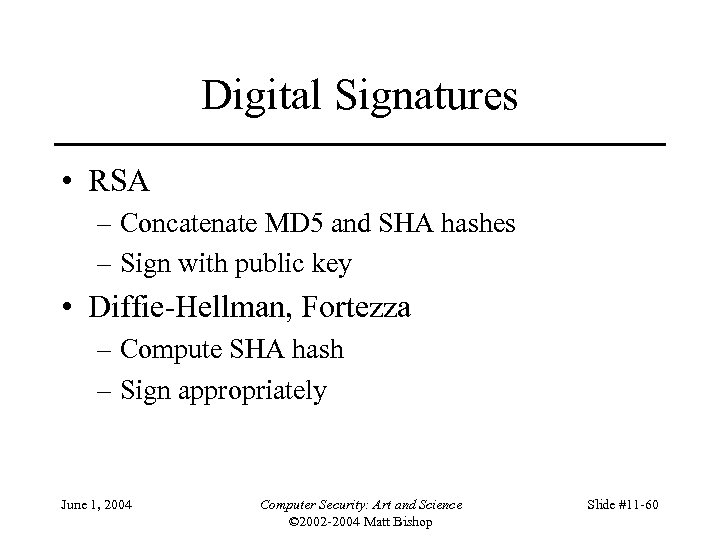
Digital Signatures • RSA – Concatenate MD 5 and SHA hashes – Sign with public key • Diffie-Hellman, Fortezza – Compute SHA hash – Sign appropriately June 1, 2004 Computer Security: Art and Science © 2002 -2004 Matt Bishop Slide #11 -60
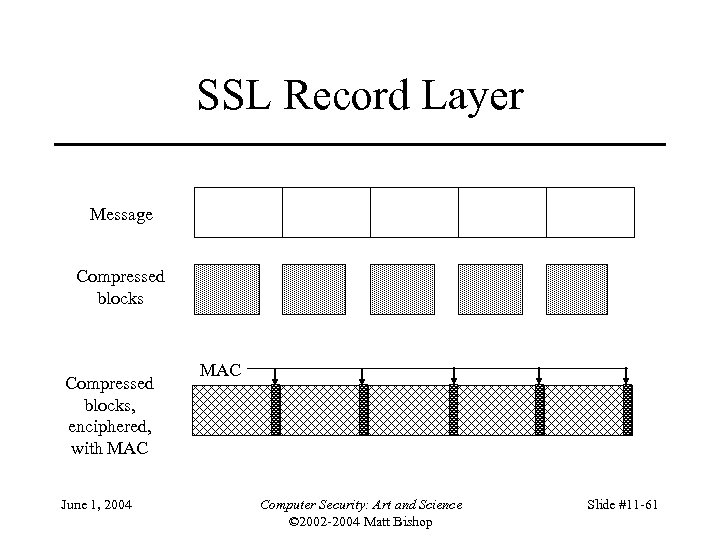
SSL Record Layer Message Compressed blocks, enciphered, with MAC June 1, 2004 MAC Computer Security: Art and Science © 2002 -2004 Matt Bishop Slide #11 -61
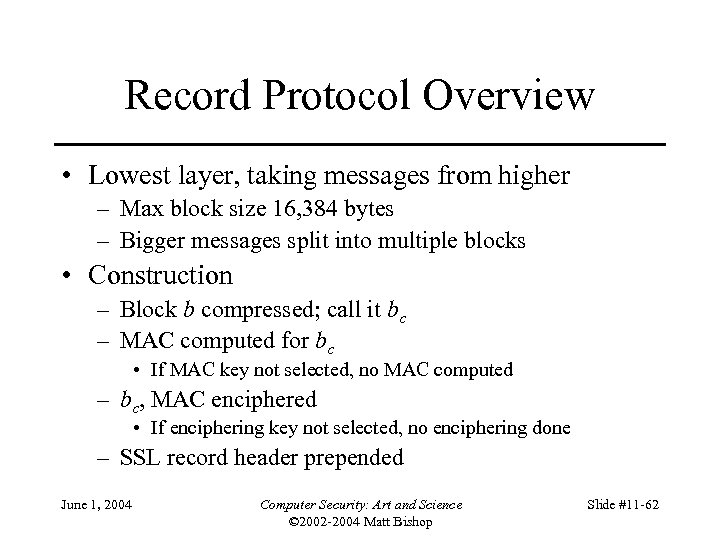
Record Protocol Overview • Lowest layer, taking messages from higher – Max block size 16, 384 bytes – Bigger messages split into multiple blocks • Construction – Block b compressed; call it bc – MAC computed for bc • If MAC key not selected, no MAC computed – bc, MAC enciphered • If enciphering key not selected, no enciphering done – SSL record header prepended June 1, 2004 Computer Security: Art and Science © 2002 -2004 Matt Bishop Slide #11 -62
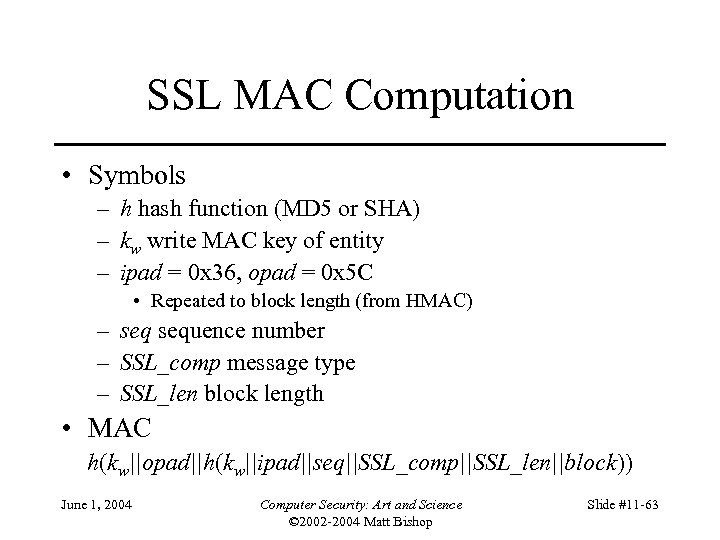
SSL MAC Computation • Symbols – h hash function (MD 5 or SHA) – kw write MAC key of entity – ipad = 0 x 36, opad = 0 x 5 C • Repeated to block length (from HMAC) – sequence number – SSL_comp message type – SSL_len block length • MAC h(kw||opad||h(kw||ipad||seq||SSL_comp||SSL_len||block)) June 1, 2004 Computer Security: Art and Science © 2002 -2004 Matt Bishop Slide #11 -63
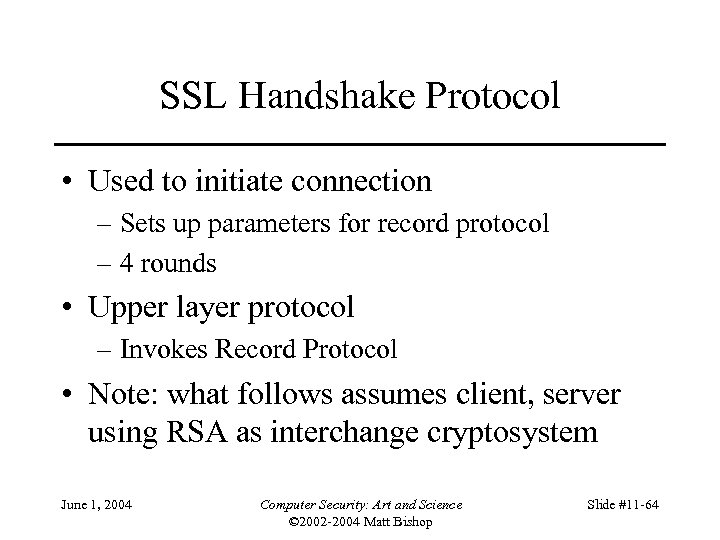
SSL Handshake Protocol • Used to initiate connection – Sets up parameters for record protocol – 4 rounds • Upper layer protocol – Invokes Record Protocol • Note: what follows assumes client, server using RSA as interchange cryptosystem June 1, 2004 Computer Security: Art and Science © 2002 -2004 Matt Bishop Slide #11 -64
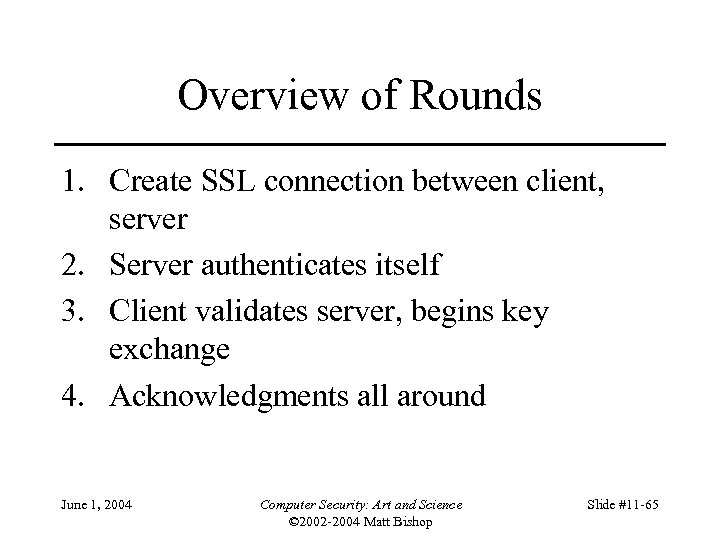
Overview of Rounds 1. Create SSL connection between client, server 2. Server authenticates itself 3. Client validates server, begins key exchange 4. Acknowledgments all around June 1, 2004 Computer Security: Art and Science © 2002 -2004 Matt Bishop Slide #11 -65
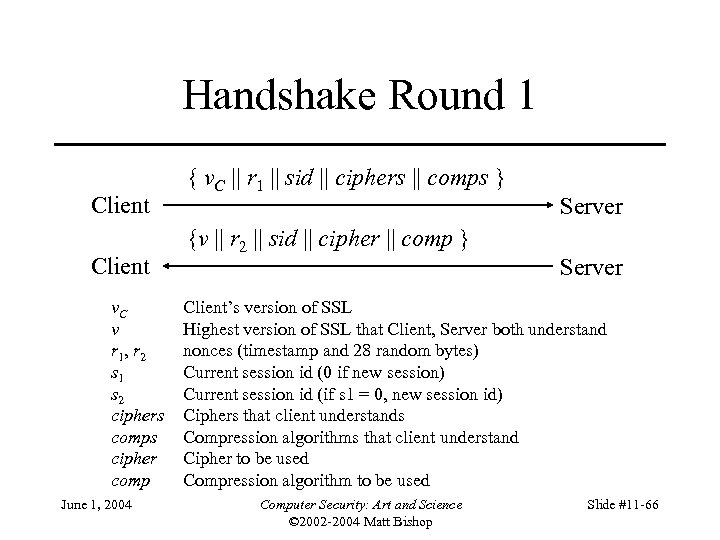
Handshake Round 1 Client v. C v r 1 , r 2 s 1 s 2 ciphers comps cipher comp June 1, 2004 { v. C || r 1 || sid || ciphers || comps } {v || r 2 || sid || cipher || comp } Server Client’s version of SSL Highest version of SSL that Client, Server both understand nonces (timestamp and 28 random bytes) Current session id (0 if new session) Current session id (if s 1 = 0, new session id) Ciphers that client understands Compression algorithms that client understand Cipher to be used Compression algorithm to be used Computer Security: Art and Science © 2002 -2004 Matt Bishop Slide #11 -66
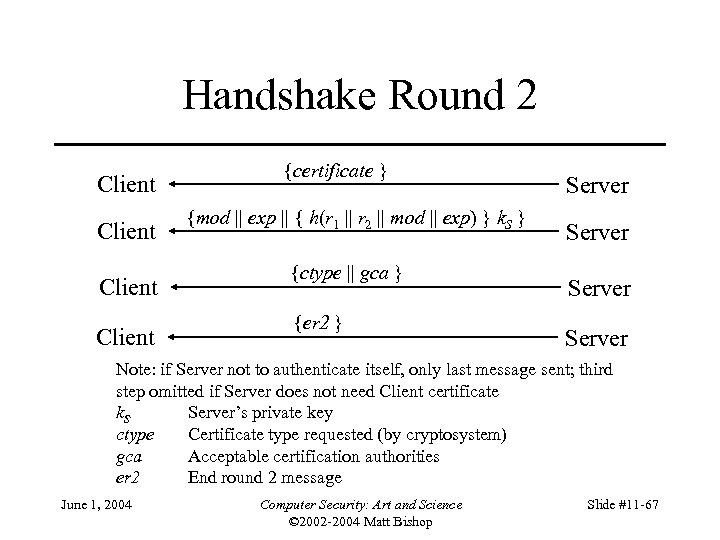
Handshake Round 2 Client {certificate } {mod || exp || { h(r 1 || r 2 || mod || exp) } k. S } {ctype || gca } {er 2 } Server Note: if Server not to authenticate itself, only last message sent; third step omitted if Server does not need Client certificate k. S Server’s private key ctype Certificate type requested (by cryptosystem) gca Acceptable certification authorities er 2 End round 2 message June 1, 2004 Computer Security: Art and Science © 2002 -2004 Matt Bishop Slide #11 -67
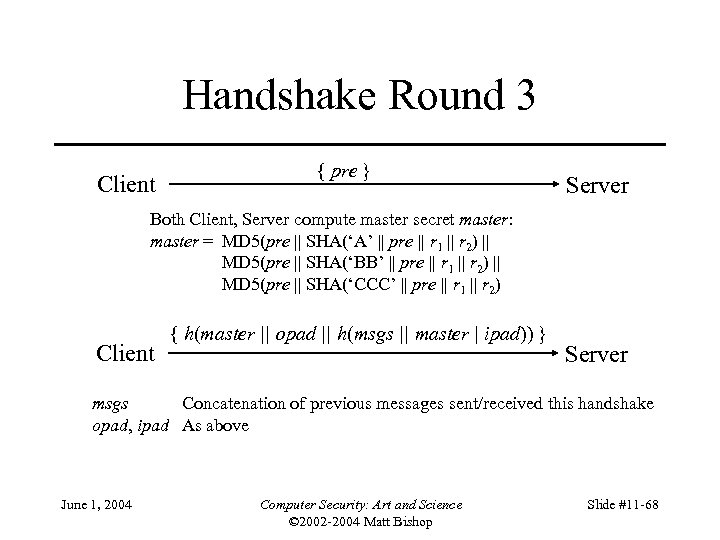
Handshake Round 3 Client { pre } Server Both Client, Server compute master secret master: master = MD 5(pre || SHA(‘A’ || pre || r 1 || r 2) || MD 5(pre || SHA(‘BB’ || pre || r 1 || r 2) || MD 5(pre || SHA(‘CCC’ || pre || r 1 || r 2) Client { h(master || opad || h(msgs || master | ipad)) } Server msgs Concatenation of previous messages sent/received this handshake opad, ipad As above June 1, 2004 Computer Security: Art and Science © 2002 -2004 Matt Bishop Slide #11 -68
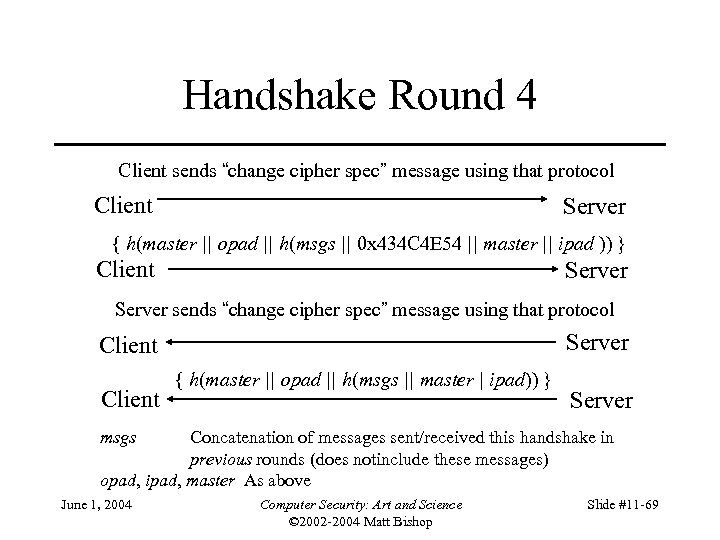
Handshake Round 4 Client sends “change cipher spec” message using that protocol Client Server { h(master || opad || h(msgs || 0 x 434 C 4 E 54 || master || ipad )) } Client Server sends “change cipher spec” message using that protocol Server Client { h(master || opad || h(msgs || master | ipad)) } Server msgs Concatenation of messages sent/received this handshake in previous rounds (does notinclude these messages) opad, ipad, master As above June 1, 2004 Computer Security: Art and Science © 2002 -2004 Matt Bishop Slide #11 -69
SSL Change Cipher Spec Protocol • Send single byte • In handshake, new parameters considered “pending” until this byte received – Old parameters in use, so cannot just switch to new ones June 1, 2004 Computer Security: Art and Science © 2002 -2004 Matt Bishop Slide #11 -70
SSL Alert Protocol • Closure alert – Sender will send no more messages – Pending data delivered; new messages ignored • Error alerts – Warning: connection remains open – Fatal error: connection torn down as soon as sent or received June 1, 2004 Computer Security: Art and Science © 2002 -2004 Matt Bishop Slide #11 -71
SSL Alert Protocol Errors • Always fatal errors: – unexpected_message, bad_record_mac, decompression_failure, handshake_failure, illegal_parameter • May be warnings or fatal errors: – no_certificate, bad_certificate, unsupported_certificate, certificate_revoked, certificate_expired, certificate_unknown June 1, 2004 Computer Security: Art and Science © 2002 -2004 Matt Bishop Slide #11 -72
SSL Application Data Protocol • Passes data from application to SSL Record Protocol layer June 1, 2004 Computer Security: Art and Science © 2002 -2004 Matt Bishop Slide #11 -73
Overview • Problems – What can go wrong if you naively use ciphers • Cipher types – Stream or block ciphers? • Networks – Link vs end-to-end use – Traffic Analysis • Examples – Privacy-Enhanced Electronic Mail (PEM) – Secure Socket Layer (SSL) – Security at the Network Layer (IPsec) June 1, 2004 Computer Security: Art and Science © 2002 -2004 Matt Bishop Slide #11 -74
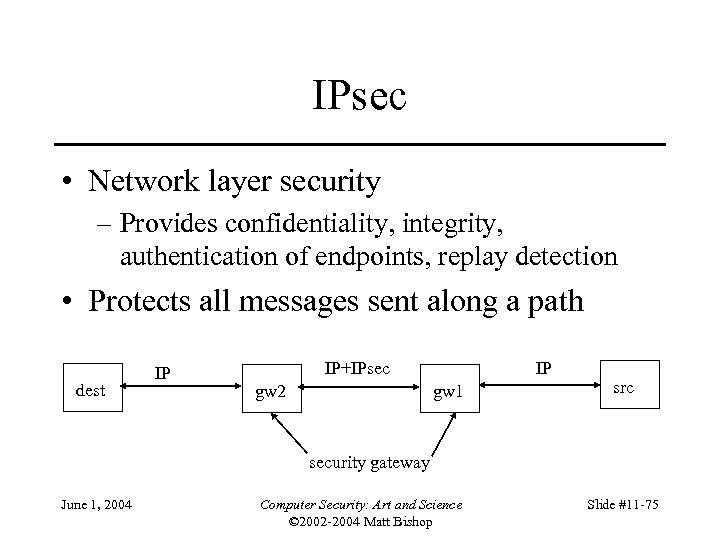
IPsec • Network layer security – Provides confidentiality, integrity, authentication of endpoints, replay detection • Protects all messages sent along a path dest IP IP+IPsec gw 2 IP gw 1 src security gateway June 1, 2004 Computer Security: Art and Science © 2002 -2004 Matt Bishop Slide #11 -75
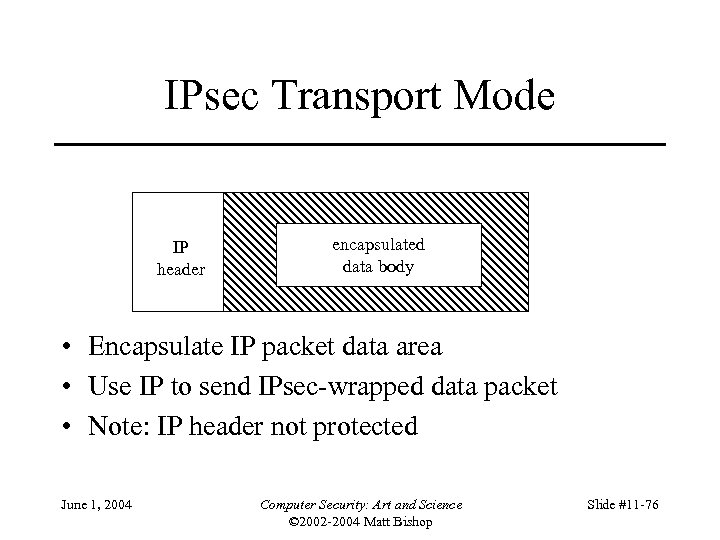
IPsec Transport Mode IP header encapsulated data body • Encapsulate IP packet data area • Use IP to send IPsec-wrapped data packet • Note: IP header not protected June 1, 2004 Computer Security: Art and Science © 2002 -2004 Matt Bishop Slide #11 -76
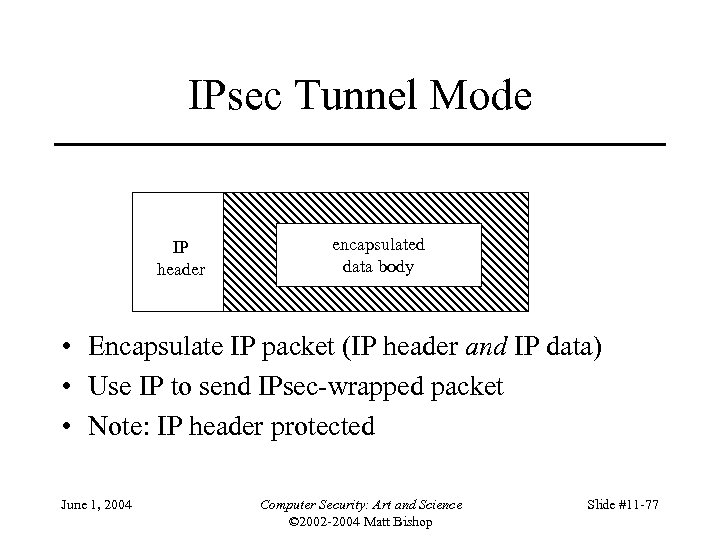
IPsec Tunnel Mode IP header encapsulated data body • Encapsulate IP packet (IP header and IP data) • Use IP to send IPsec-wrapped packet • Note: IP header protected June 1, 2004 Computer Security: Art and Science © 2002 -2004 Matt Bishop Slide #11 -77
IPsec Protocols • Authentication Header (AH) – Message integrity – Origin authentication – Anti-replay • Encapsulating Security Payload (ESP) – Confidentiality – Others provided by AH June 1, 2004 Computer Security: Art and Science © 2002 -2004 Matt Bishop Slide #11 -78
IPsec Architecture • Security Policy Database (SPD) – Says how to handle messages (discard them, add security services, forward message unchanged) – SPD associated with network interface – SPD determines appropriate entry from packet attributes • Including source, destination, transport protocol June 1, 2004 Computer Security: Art and Science © 2002 -2004 Matt Bishop Slide #11 -79
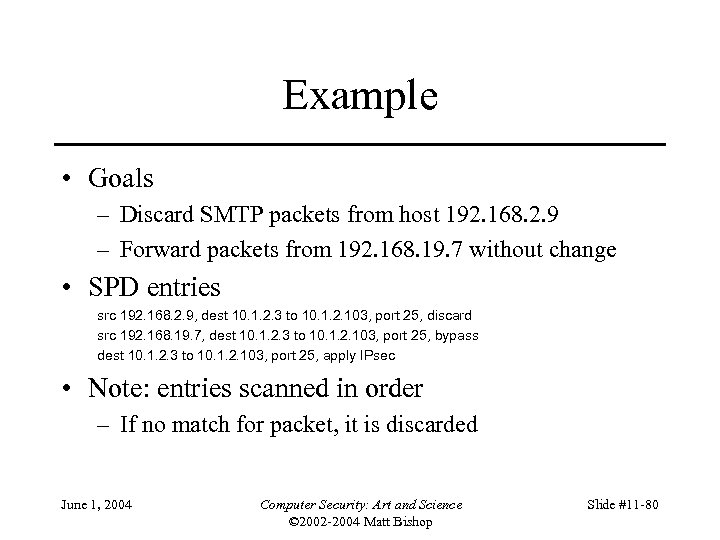
Example • Goals – Discard SMTP packets from host 192. 168. 2. 9 – Forward packets from 192. 168. 19. 7 without change • SPD entries src 192. 168. 2. 9, dest 10. 1. 2. 3 to 10. 1. 2. 103, port 25, discard src 192. 168. 19. 7, dest 10. 1. 2. 3 to 10. 1. 2. 103, port 25, bypass dest 10. 1. 2. 3 to 10. 1. 2. 103, port 25, apply IPsec • Note: entries scanned in order – If no match for packet, it is discarded June 1, 2004 Computer Security: Art and Science © 2002 -2004 Matt Bishop Slide #11 -80
IPsec Architecture • Security Association (SA) – Association between peers for security services • Identified uniquely by dest address, security protocol (AH or ESP), unique 32 -bit number (security parameter index, or SPI) – Unidirectional • Can apply different services in either direction – SA uses either ESP or AH; if both required, 2 SAs needed June 1, 2004 Computer Security: Art and Science © 2002 -2004 Matt Bishop Slide #11 -81
SA Database (SAD) • Entry describes SA; some fields for all packets: – AH algorithm identifier, keys • When SA uses AH – ESP encipherment algorithm identifier, keys • When SA uses confidentiality from ESP – ESP authentication algorithm identifier, keys • When SA uses authentication, integrity from ESP – SA lifetime (time for deletion or max byte count) – IPsec mode (tunnel, transport, either) June 1, 2004 Computer Security: Art and Science © 2002 -2004 Matt Bishop Slide #11 -82
SAD Fields • Antireplay (inbound only) – When SA uses antireplay feature • Sequence number counter (outbound only) – Generates AH or ESP sequence number • Sequence counter overflow field – Stops traffic over this SA if sequence counter overflows • Aging variables – Used to detect time-outs June 1, 2004 Computer Security: Art and Science © 2002 -2004 Matt Bishop Slide #11 -83
IPsec Architecture • Packet arrives • Look in SPD – Find appropriate entry – Get dest address, security protocol, SPI • Find associated SA in SAD – Use dest address, security protocol, SPI – Apply security services in SA (if any) June 1, 2004 Computer Security: Art and Science © 2002 -2004 Matt Bishop Slide #11 -84
SA Bundles and Nesting • Sequence of SAs that IPsec applies to packets – This is a SA bundle • Nest tunnel mode SAs – This is iterated tunneling June 1, 2004 Computer Security: Art and Science © 2002 -2004 Matt Bishop Slide #11 -85
Example: Nested Tunnels • Group in A. org needs to communicate with group in B. org • Gateways of A, B use IPsec mechanisms – But the information must be secret to everyone except the two groups, even secret from other people in A. org and B. org • Inner tunnel: a SA between the hosts of the two groups • Outer tunnel: the SA between the two gateways June 1, 2004 Computer Security: Art and Science © 2002 -2004 Matt Bishop Slide #11 -86
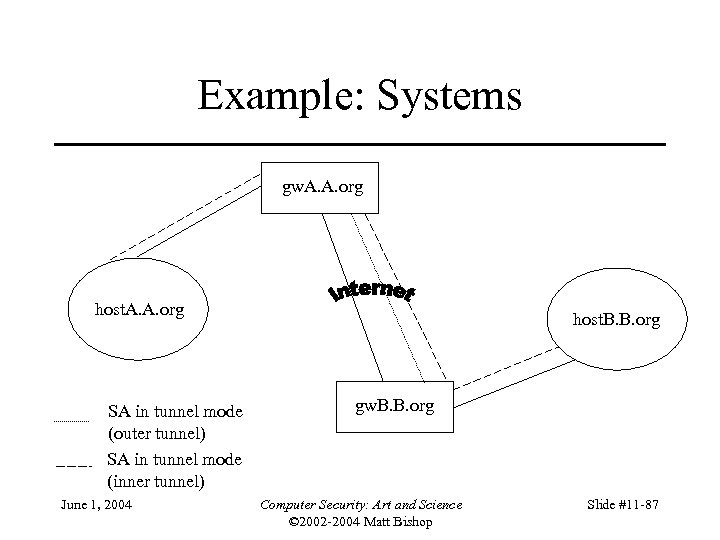
Example: Systems gw. A. A. org host. A. A. org SA in tunnel mode (outer tunnel) SA in tunnel mode (inner tunnel) June 1, 2004 host. B. B. org gw. B. B. org Computer Security: Art and Science © 2002 -2004 Matt Bishop Slide #11 -87
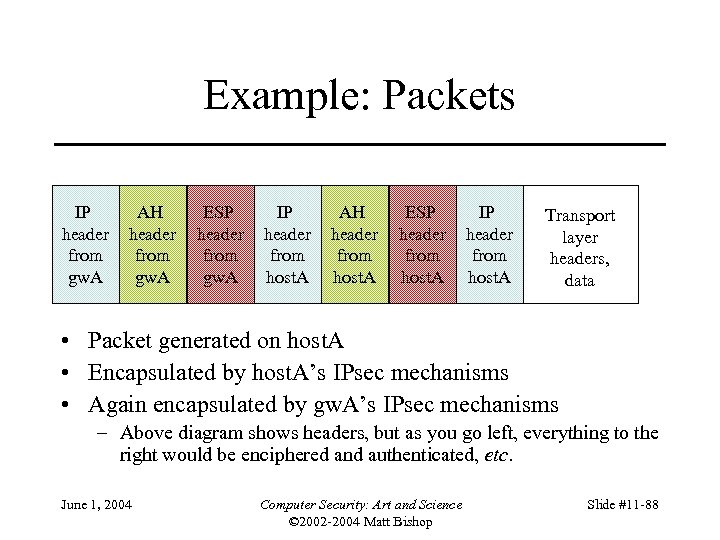
Example: Packets IP header from gw. A AH header from gw. A ESP header from gw. A IP header from host. A AH header from host. A ESP header from host. A IP header from host. A Transport layer headers, data • Packet generated on host. A • Encapsulated by host. A’s IPsec mechanisms • Again encapsulated by gw. A’s IPsec mechanisms – Above diagram shows headers, but as you go left, everything to the right would be enciphered and authenticated, etc. June 1, 2004 Computer Security: Art and Science © 2002 -2004 Matt Bishop Slide #11 -88
AH Protocol • Parameters in AH header – Length of header – SPI of SA applying protocol – Sequence number (anti-replay) – Integrity value check • Two steps – Check that replay is not occurring – Check authentication data June 1, 2004 Computer Security: Art and Science © 2002 -2004 Matt Bishop Slide #11 -89
Sender • Check sequence number will not cycle • Increment sequence number • Compute IVC of packet – Includes IP header, AH header, packet data • IP header: include all fields that will not change in transit; assume all others are 0 • AH header: authentication data field set to 0 for this • Packet data includes encapsulated data, higher level protocol data June 1, 2004 Computer Security: Art and Science © 2002 -2004 Matt Bishop Slide #11 -90
Recipient • Assume AH header found • Get SPI, destination address • Find associated SA in SAD – If no associated SA, discard packet • If antireplay not used – Verify IVC is correct • If not, discard June 1, 2004 Computer Security: Art and Science © 2002 -2004 Matt Bishop Slide #11 -91
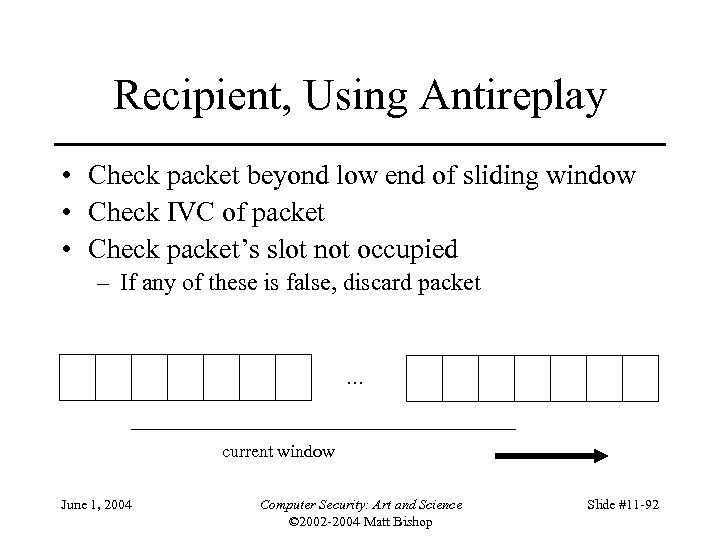
Recipient, Using Antireplay • Check packet beyond low end of sliding window • Check IVC of packet • Check packet’s slot not occupied – If any of these is false, discard packet … current window June 1, 2004 Computer Security: Art and Science © 2002 -2004 Matt Bishop Slide #11 -92
AH Miscellany • All implementations must support: HMAC_MD 5 HMAC_SHA-1 • May support other algorithms June 1, 2004 Computer Security: Art and Science © 2002 -2004 Matt Bishop Slide #11 -93
ESP Protocol • Parameters in ESP header – – SPI of SA applying protocol Sequence number (anti-replay) Generic “payload data” field Padding and length of padding • Contents depends on ESP services enabled; may be an initialization vector for a chaining cipher, for example • Used also to pad packet to length required by cipher – Optional authentication data field June 1, 2004 Computer Security: Art and Science © 2002 -2004 Matt Bishop Slide #11 -94
Sender • Add ESP header – Includes whatever padding needed • Encipher result – Do not encipher SPI, sequence numbers • If authentication desired, compute as for AH protocol except over ESP header, payload and not encapsulating IP header June 1, 2004 Computer Security: Art and Science © 2002 -2004 Matt Bishop Slide #11 -95
Recipient • Assume ESP header found • Get SPI, destination address • Find associated SA in SAD – If no associated SA, discard packet • If authentication used – Do IVC, antireplay verification as for AH • Only ESP, payload are considered; not IP header • Note authentication data inserted after encipherment, so no deciphering need be done June 1, 2004 Computer Security: Art and Science © 2002 -2004 Matt Bishop Slide #11 -96
Recipient • If confidentiality used – Decipher enciphered portion of ESP heaser – Process padding – Decipher payload – If SA is transport mode, IP header and payload treated as original IP packet – If SA is tunnel mode, payload is an encapsulated IP packet and so is treated as original IP packet June 1, 2004 Computer Security: Art and Science © 2002 -2004 Matt Bishop Slide #11 -97
ESP Miscellany • Must use at least one of confidentiality, authentication services • Synchronization material must be in payload – Packets may not arrive in order, so if not, packets following a missing packet may not be decipherable • Implementations of ESP assume classical cryptosystem – Implementations of public key systems usually far slower than implementations of classical systems – Not required June 1, 2004 Computer Security: Art and Science © 2002 -2004 Matt Bishop Slide #11 -98
More ESP Miscellany • All implementations must support (encipherment algorithms): DES in CBC mode NULL algorithm (identity; no encipherment) • All implementations must support (integrity algorithms): HMAC_MD 5 HMAC_SHA-1 NULL algorithm (no MAC computed) • Both cannot be NULL at the same time June 1, 2004 Computer Security: Art and Science © 2002 -2004 Matt Bishop Slide #11 -99
Which to Use: PEM, SSL, IPsec • What do the security services apply to? – If applicable to one application and application layer mechanisms available, use that • PEM for electronic mail – If more generic services needed, look to lower layers • SSL for transport layer, end-to-end mechanism • IPsec for network layer, either end-to-end or link mechanisms, for connectionless channels as well as connections – If endpoint is host, SSL and IPsec sufficient; if endpoint is user, application layer mechanism such as PEM needed June 1, 2004 Computer Security: Art and Science © 2002 -2004 Matt Bishop Slide #11 -100
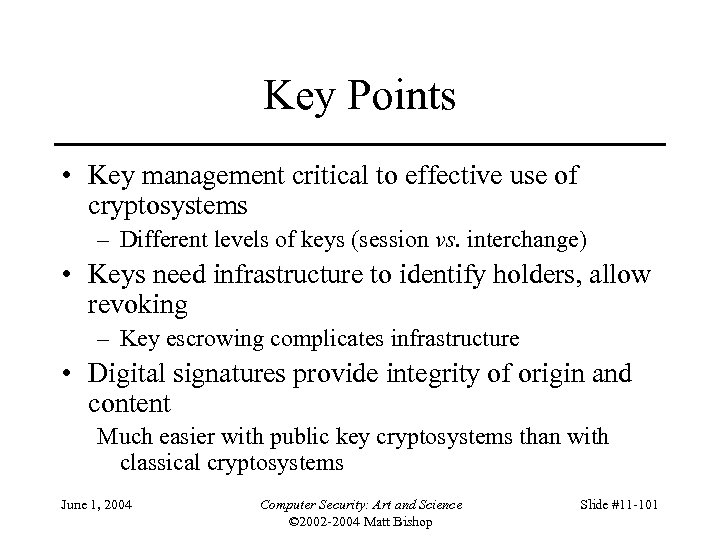
Key Points • Key management critical to effective use of cryptosystems – Different levels of keys (session vs. interchange) • Keys need infrastructure to identify holders, allow revoking – Key escrowing complicates infrastructure • Digital signatures provide integrity of origin and content Much easier with public key cryptosystems than with classical cryptosystems June 1, 2004 Computer Security: Art and Science © 2002 -2004 Matt Bishop Slide #11 -101
Скачать презентацию Chapter 11 Cipher Techniques Some Problems
ab60429ac37b5cec9799b31d70bda543.ppt