


 Скачать презентацию Chapter 10 Connecting Computers FIGURE 10 0
bd6369642162ba673cd5eca9c4420122.ppt
- Количество слайдов: 28
 Chapter 10 Connecting Computers
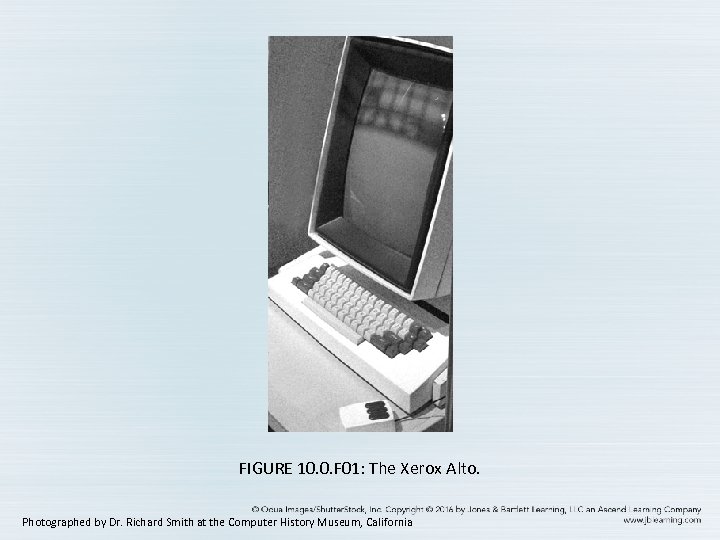 FIGURE 10. 0. F 01: The Xerox Alto. Photographed by Dr. Richard Smith at the Computer History Museum, California
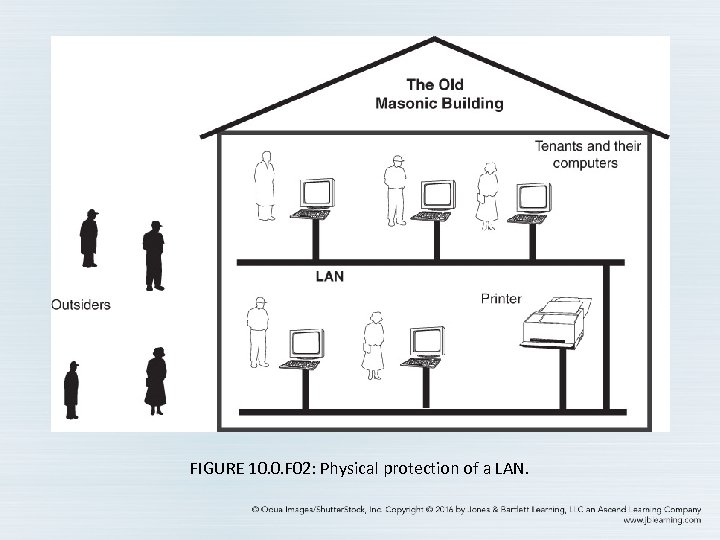 FIGURE 10. 0. F 02: Physical protection of a LAN.
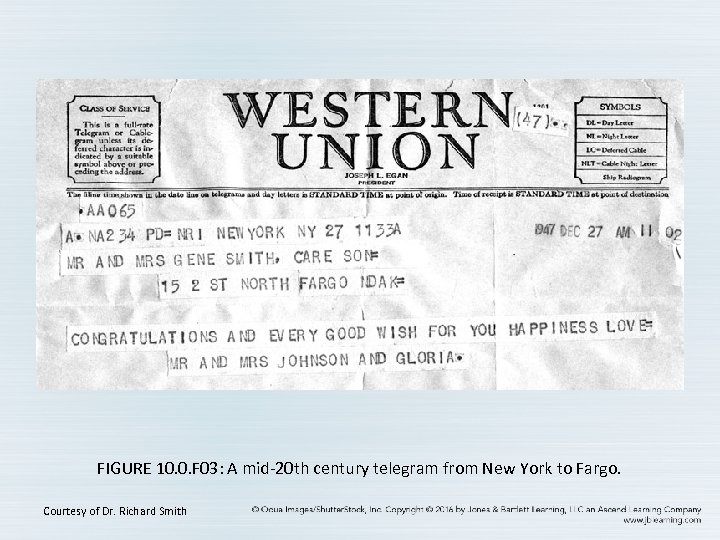 FIGURE 10. 0. F 03: A mid-20 th century telegram from New York to Fargo. Courtesy of Dr. Richard Smith
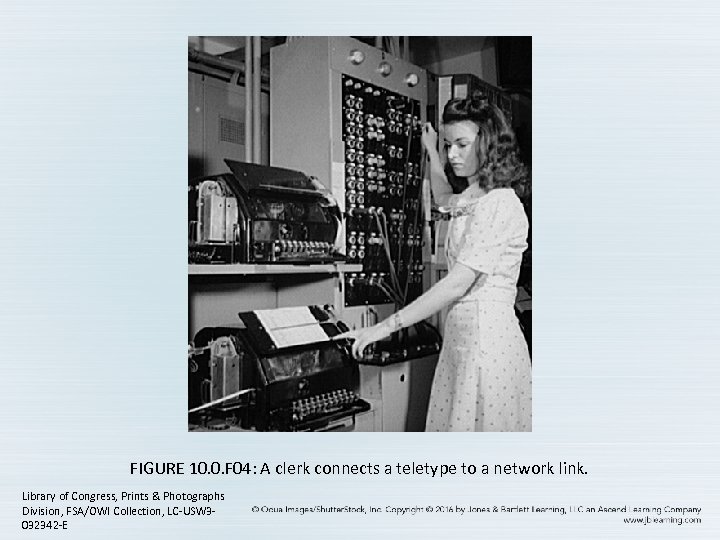 FIGURE 10. 0. F 04: A clerk connects a teletype to a network link. Library of Congress, Prints & Photographs Division, FSA/OWI Collection, LC-USW 3032342 -E
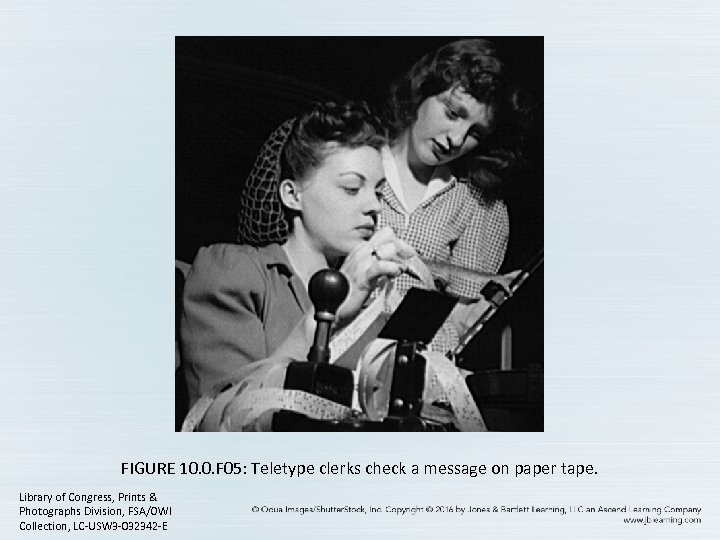 FIGURE 10. 0. F 05: Teletype clerks check a message on paper tape. Library of Congress, Prints & Photographs Division, FSA/OWI Collection, LC-USW 3 -032342 -E
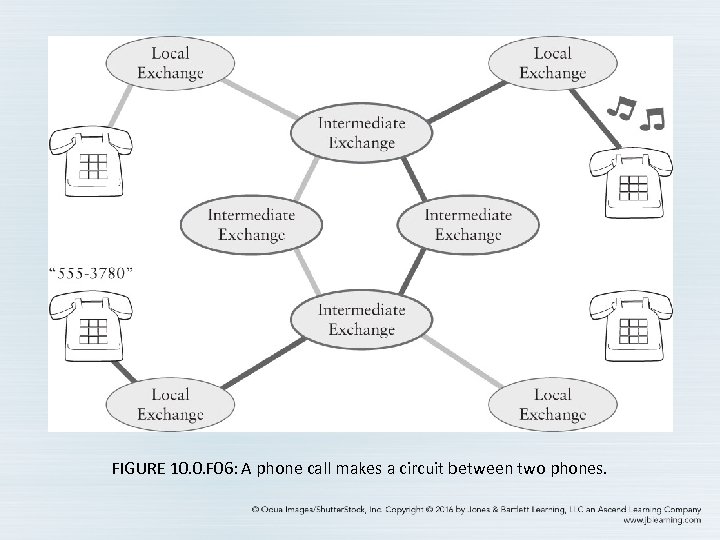 FIGURE 10. 0. F 06: A phone call makes a circuit between two phones.
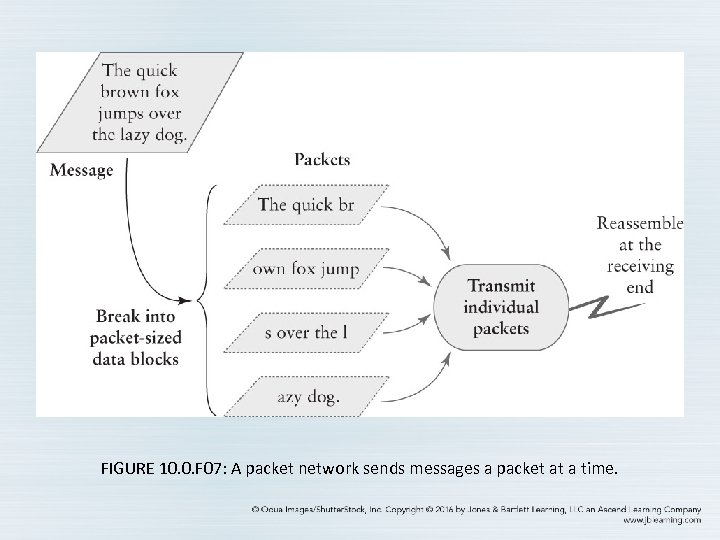 FIGURE 10. 0. F 07: A packet network sends messages a packet at a time.
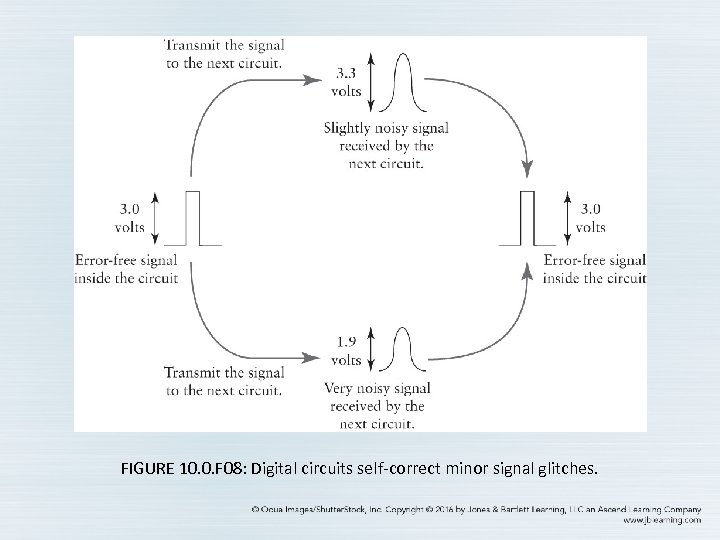 FIGURE 10. 0. F 08: Digital circuits self-correct minor signal glitches.
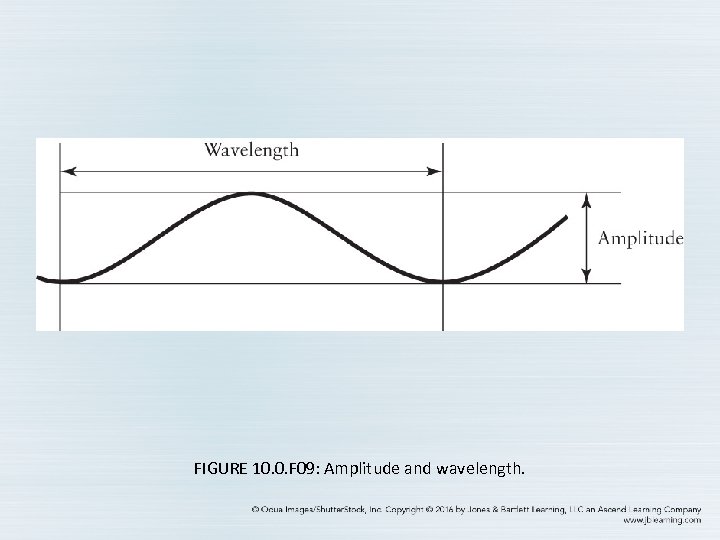 FIGURE 10. 0. F 09: Amplitude and wavelength.
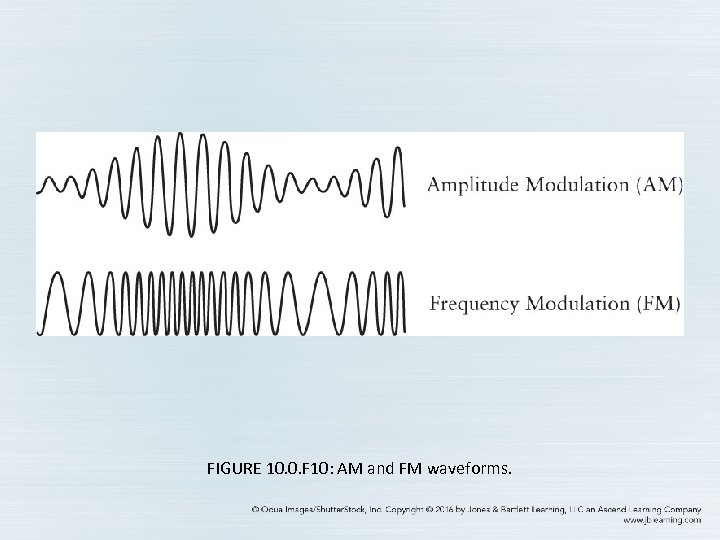 FIGURE 10. 0. F 10: AM and FM waveforms.
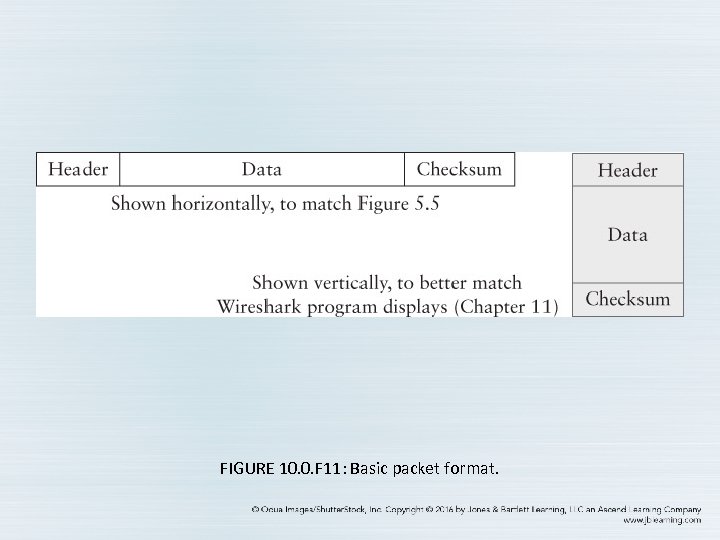 FIGURE 10. 0. F 11: Basic packet format.
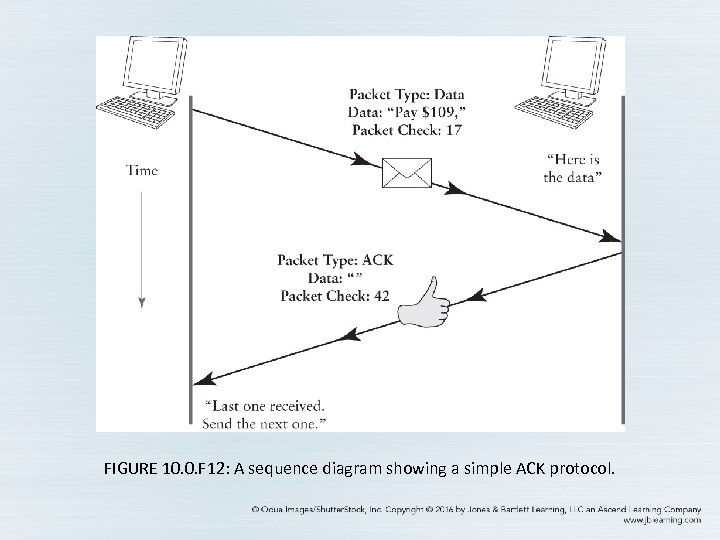 FIGURE 10. 0. F 12: A sequence diagram showing a simple ACK protocol.
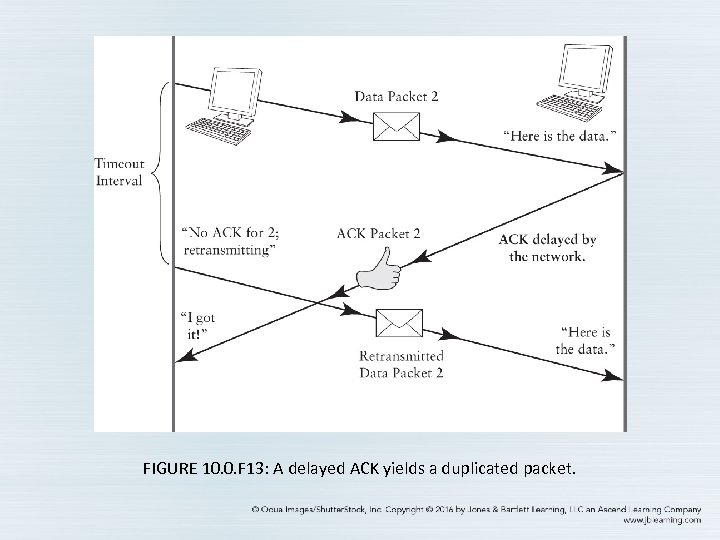 FIGURE 10. 0. F 13: A delayed ACK yields a duplicated packet.
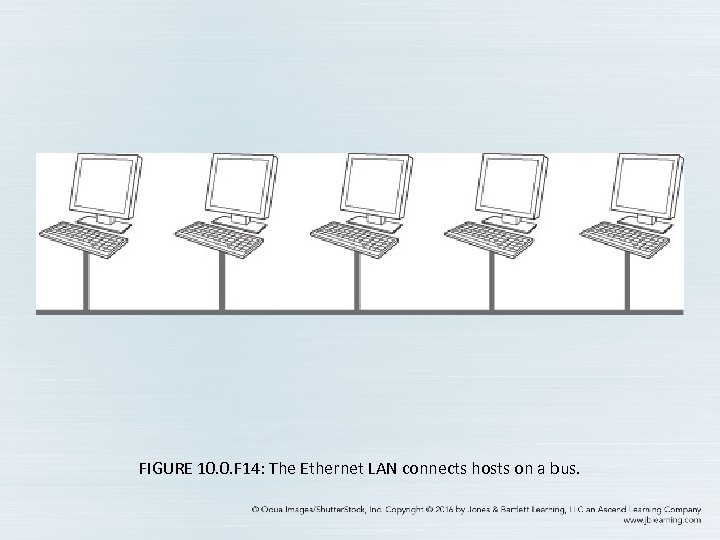 FIGURE 10. 0. F 14: The Ethernet LAN connects hosts on a bus.
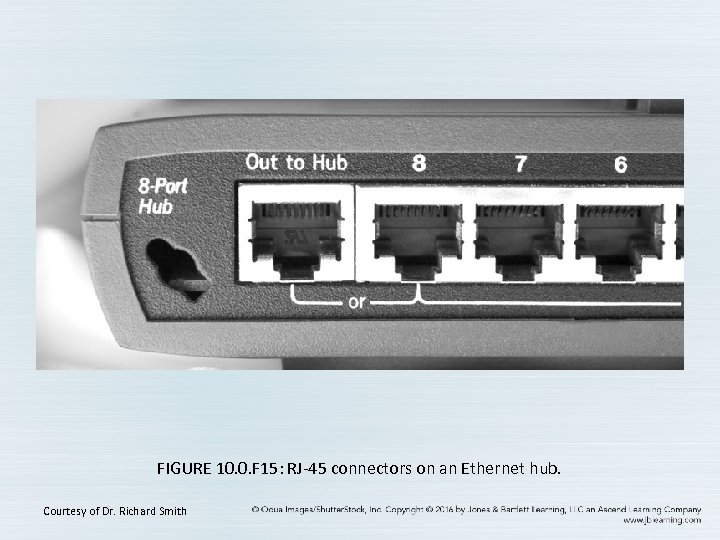 FIGURE 10. 0. F 15: RJ-45 connectors on an Ethernet hub. Courtesy of Dr. Richard Smith
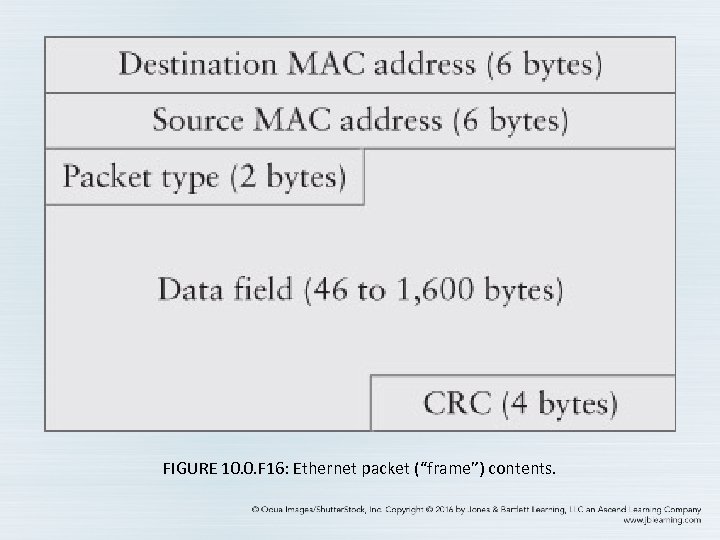 FIGURE 10. 0. F 16: Ethernet packet (“frame”) contents.
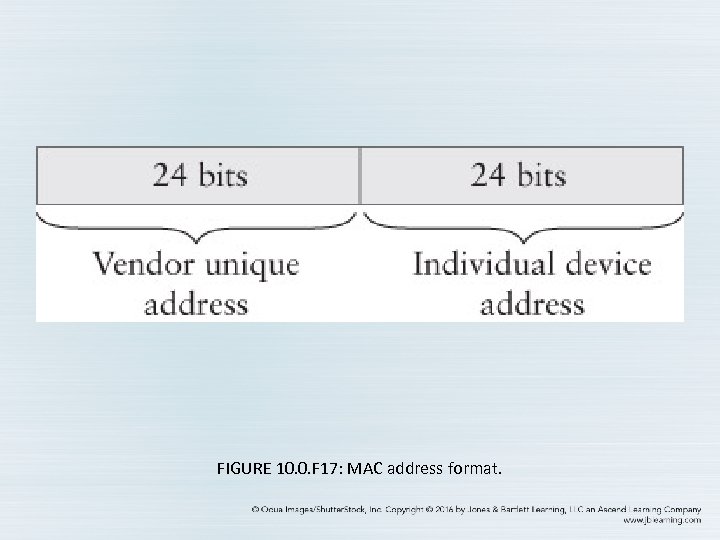 FIGURE 10. 0. F 17: MAC address format.
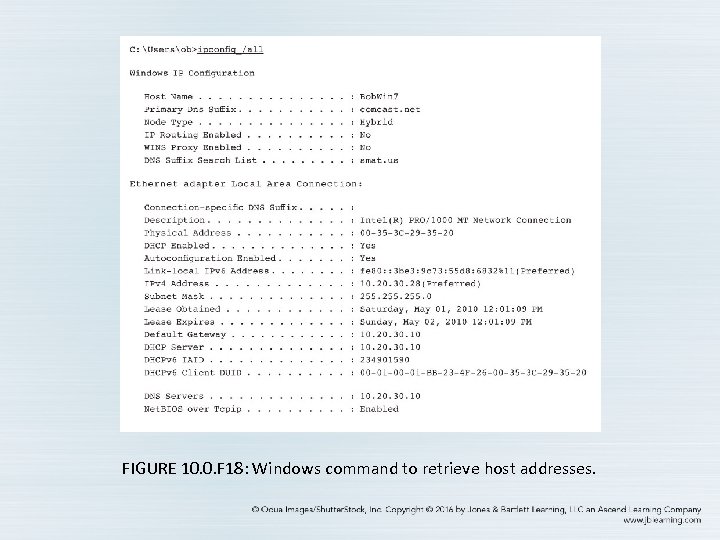 FIGURE 10. 0. F 18: Windows command to retrieve host addresses.
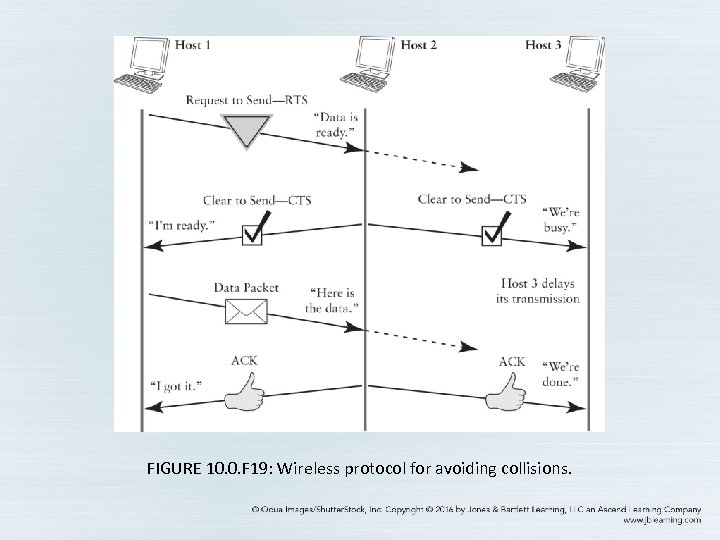 FIGURE 10. 0. F 19: Wireless protocol for avoiding collisions.
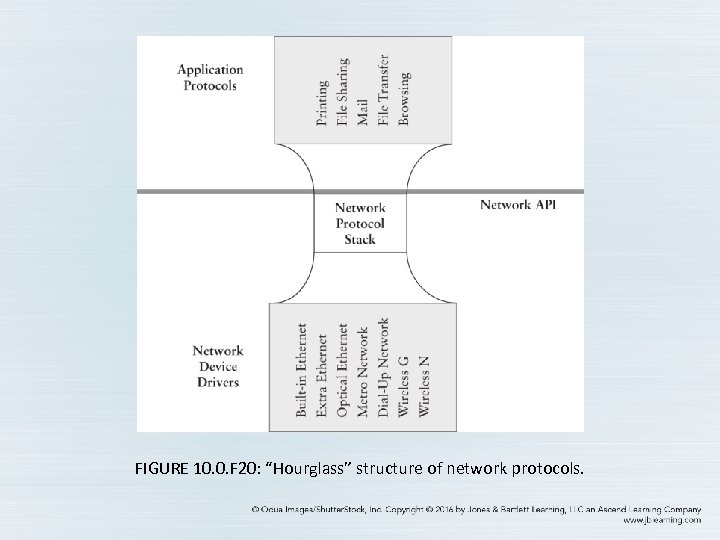 FIGURE 10. 0. F 20: “Hourglass” structure of network protocols.
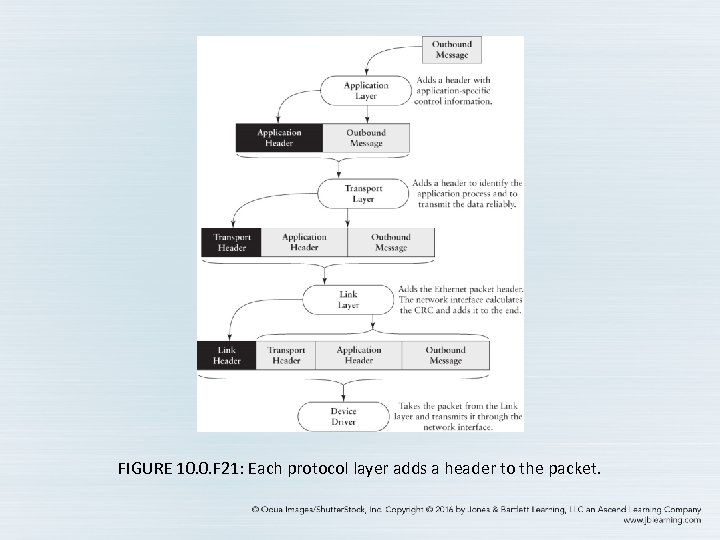 FIGURE 10. 0. F 21: Each protocol layer adds a header to the packet.
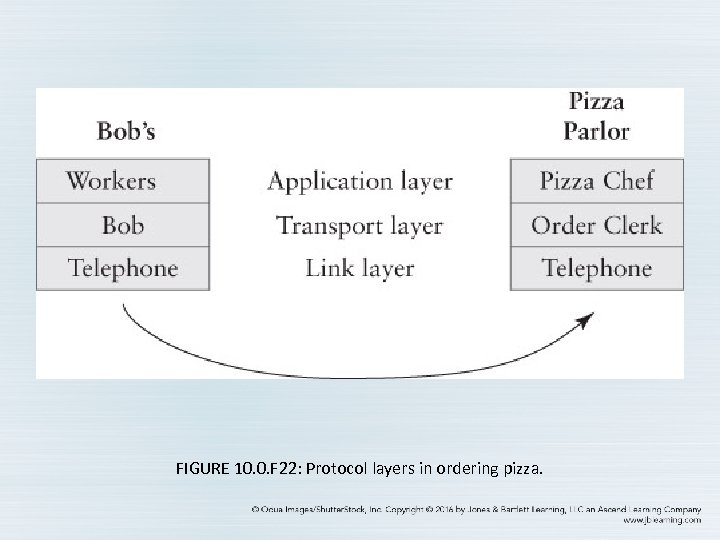 FIGURE 10. 0. F 22: Protocol layers in ordering pizza.
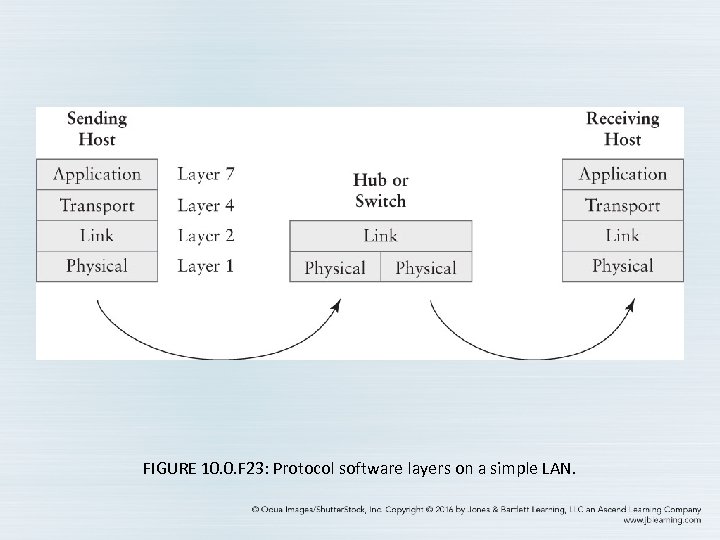 FIGURE 10. 0. F 23: Protocol software layers on a simple LAN.
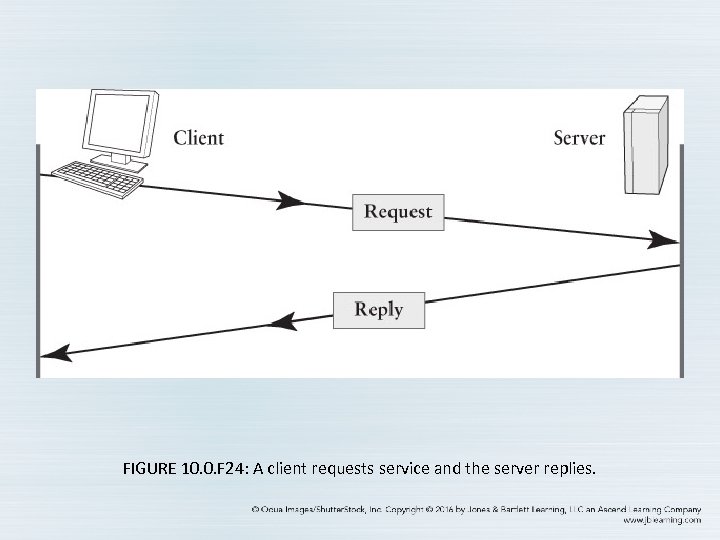 FIGURE 10. 0. F 24: A client requests service and the server replies.
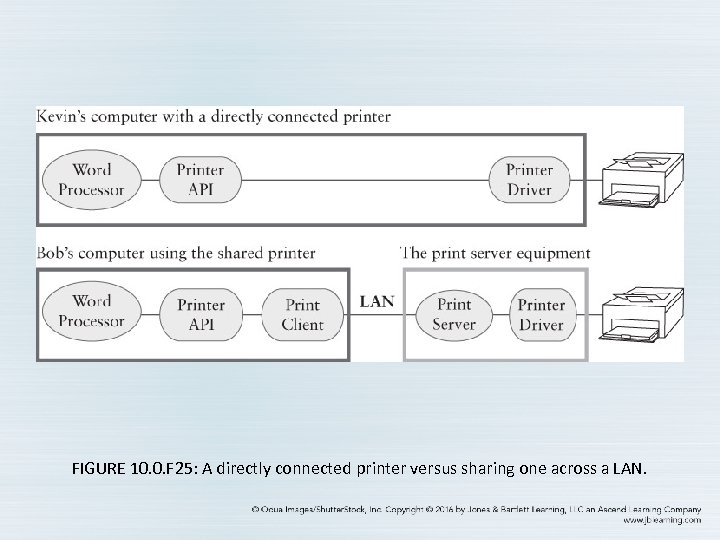 FIGURE 10. 0. F 25: A directly connected printer versus sharing one across a LAN.
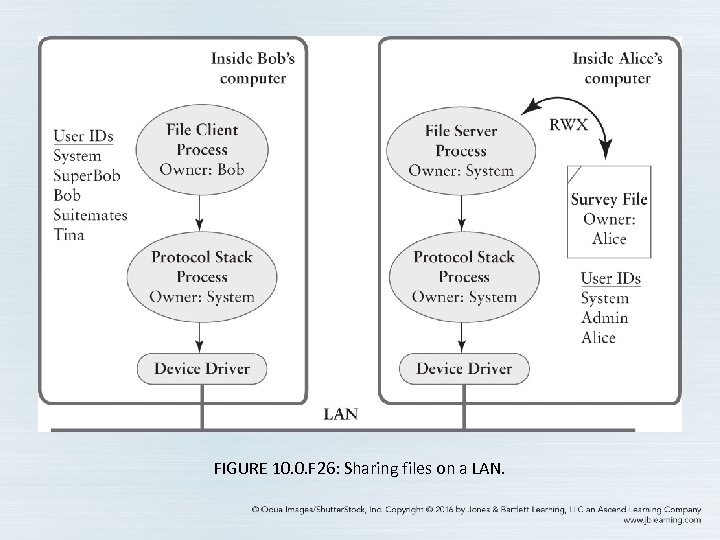 FIGURE 10. 0. F 26: Sharing files on a LAN.
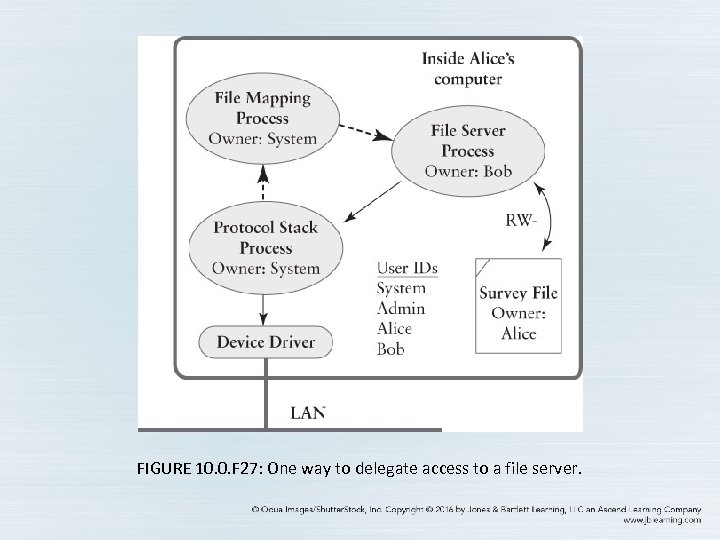 FIGURE 10. 0. F 27: One way to delegate access to a file server.