


 Скачать презентацию Chapter 1 Introduction Reading assignment Chapter 1 of
242221978de7b2acff95f781cabefc26.ppt
- Количество слайдов: 54
 Chapter 1 Introduction Reading assignment: Chapter 1 of Kurose & Ross May skip 1. 6, 1. 7 Computer Networking: A Top Down Approach , 5 th edition. Jim Kurose, Keith Ross Addison-Wesley, April 2009. Introduction 1 -1
 Chapter 1: Introduction Our goal: q get “feel” and terminology q more depth, detail later in course q approach: v use Internet as example Overview: q what’s the Internet? q what’s a protocol? q network edge; hosts, access net, physical media q network core: packet/circuit switching, Internet structure q performance: loss, delay, throughput q protocol layers, service models Introduction 1 -2
 Chapter 1: roadmap 1. 1 What is the Internet? 1. 2 Network edge q end systems, access networks, links 1. 3 Network core q circuit switching, packet switching, network structure 1. 4 Delay, loss and throughput in packet-switched networks 1. 5 Protocol layers, service models Introduction 1 -3
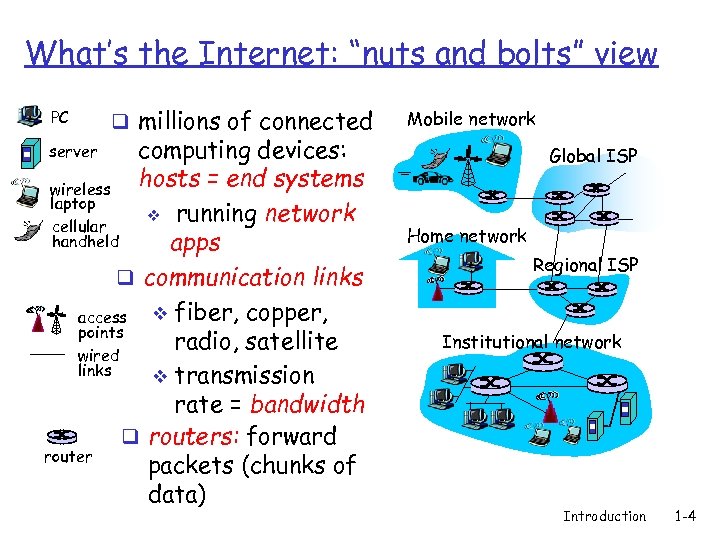 What’s the Internet: “nuts and bolts” view PC q millions of connected computing devices: hosts = end systems wireless laptop v running network cellular handheld apps q communication links v fiber, copper, access points radio, satellite wired links v transmission rate = bandwidth q routers: forward router packets (chunks of data) Mobile network server Global ISP Home network Regional ISP Institutional network Introduction 1 -4
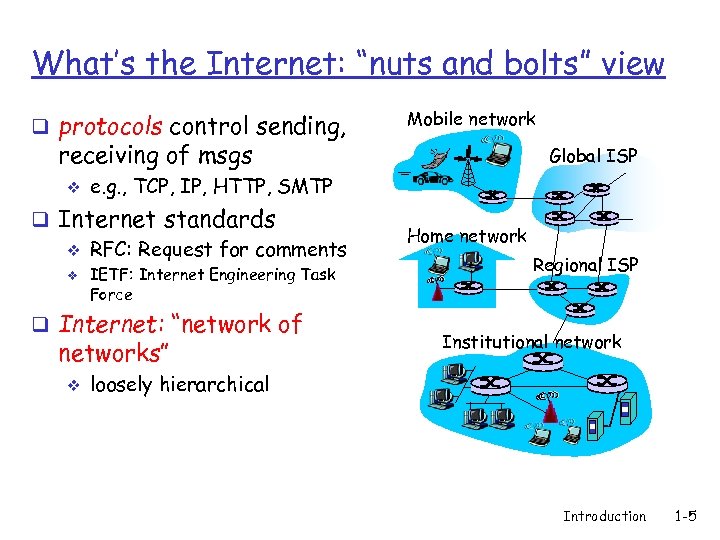 What’s the Internet: “nuts and bolts” view q protocols control sending, Mobile network receiving of msgs v e. g. , TCP, IP, HTTP, SMTP q Internet standards v RFC: Request for comments v IETF: Internet Engineering Task Force q Internet: “network of networks” v Global ISP Home network Regional ISP Institutional network loosely hierarchical Introduction 1 -5
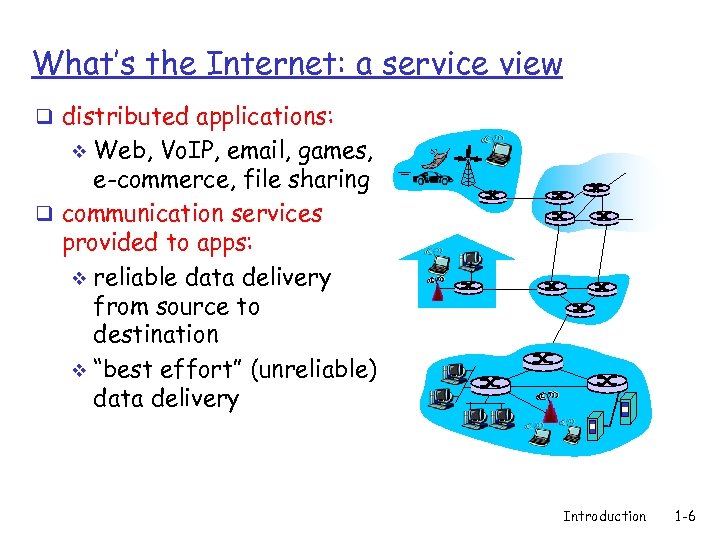 What’s the Internet: a service view q distributed applications: Web, Vo. IP, email, games, e-commerce, file sharing q communication services provided to apps: v reliable data delivery from source to destination v “best effort” (unreliable) data delivery v Introduction 1 -6
 What’s a protocol? q All communication activities in the Internet are governed by protocols q A protocol defines v format of msgs v order of msgs sent and received among communicating parties v actions taken on msg transmission & receipt Introduction 1 -7
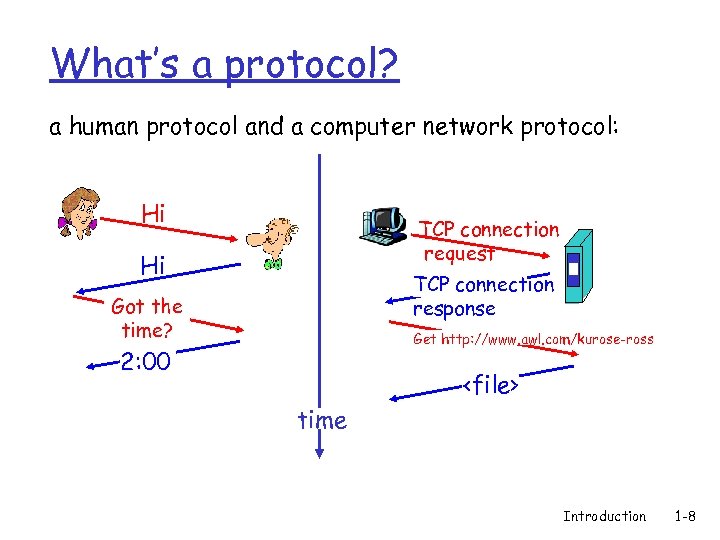 What’s a protocol? a human protocol and a computer network protocol: Hi TCP connection request Hi TCP connection response Got the time? Get http: //www. awl. com/kurose-ross 2: 00
 Chapter 1: roadmap 1. 1 What is the Internet? 1. 2 Network edge q end systems, access networks, links 1. 3 Network core q circuit switching, packet switching, network structure 1. 4 Delay, loss and throughput in packet-switched networks 1. 5 Protocol layers, service models 1. 6 Networks under attack: security 1. 7 History Introduction 1 -9
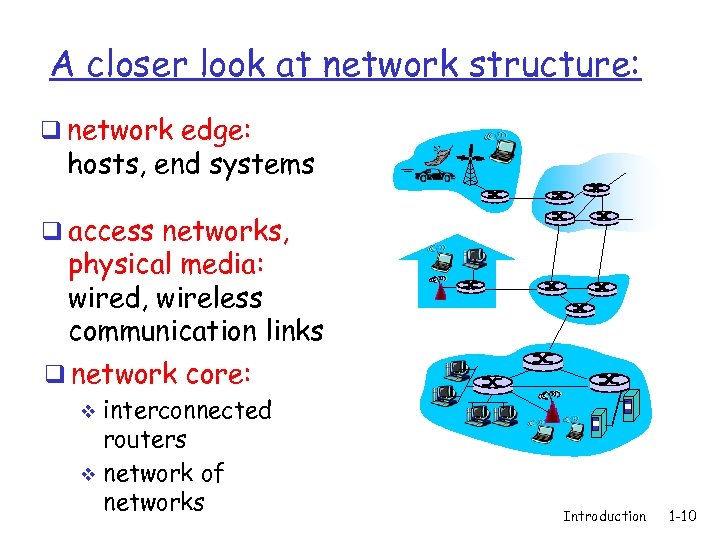 A closer look at network structure: q network edge: hosts, end systems q access networks, physical media: wired, wireless communication links q network core: v interconnected routers v network of networks Introduction 1 -10
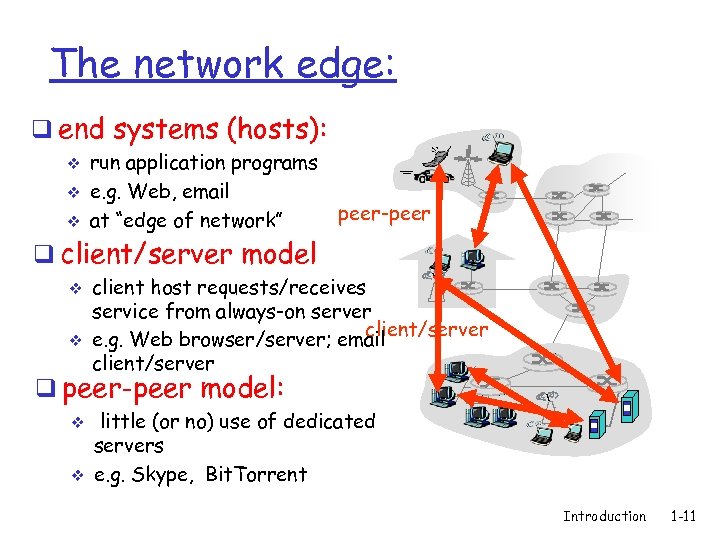 The network edge: q end systems (hosts): v v v run application programs e. g. Web, email at “edge of network” peer-peer q client/server model v v client host requests/receives service from always-on server client/server e. g. Web browser/server; email client/server q peer-peer model: v v little (or no) use of dedicated servers e. g. Skype, Bit. Torrent Introduction 1 -11
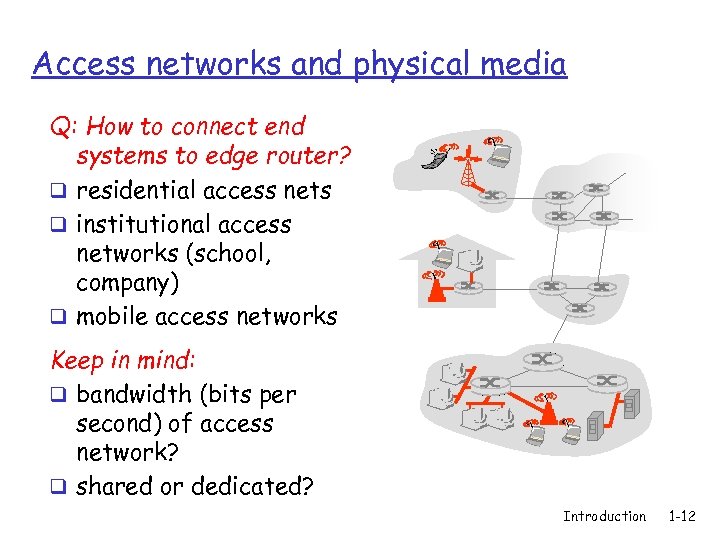 Access networks and physical media Q: How to connect end systems to edge router? q residential access nets q institutional access networks (school, company) q mobile access networks Keep in mind: q bandwidth (bits per second) of access network? q shared or dedicated? Introduction 1 -12
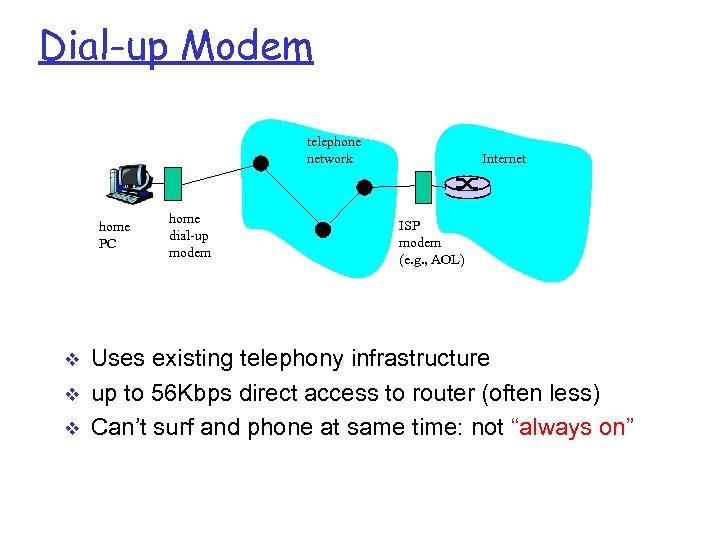 Dial-up Modem telephone network home PC v v v home dial-up modem Internet ISP modem (e. g. , AOL) Uses existing telephony infrastructure up to 56 Kbps direct access to router (often less) Can’t surf and phone at same time: not “always on”
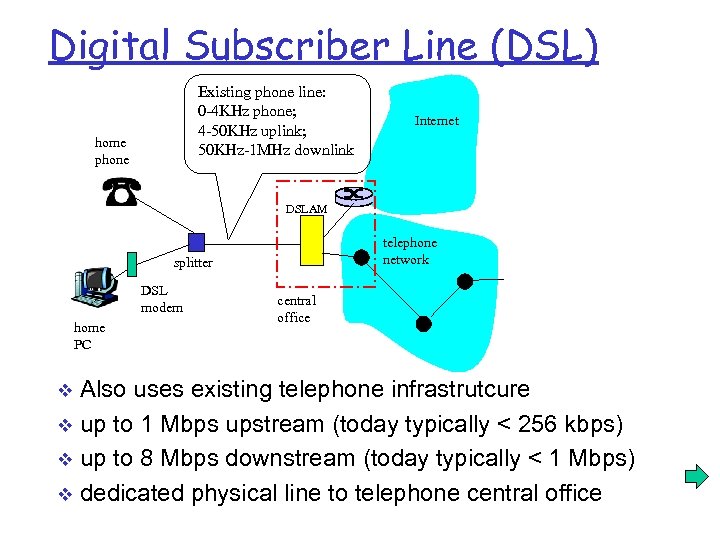 Digital Subscriber Line (DSL) Existing phone line: 0 -4 KHz phone; 4 -50 KHz uplink; 50 KHz-1 MHz downlink home phone Internet DSLAM telephone network splitter DSL modem home PC central office Also uses existing telephone infrastrutcure v up to 1 Mbps upstream (today typically < 256 kbps) v up to 8 Mbps downstream (today typically < 1 Mbps) v dedicated physical line to telephone central office v
 Cable network q Uses cable TV infrastructure v E. g. : Time Warnner’s Road Runner q Asymmetric: up to 30 Mbps downstream v 2 Mbps upstream q Hosts are attached to ISP router via a network of cable and fiber v hosts share access to router v unlike DSL, which has dedicated access v Introduction 1 -15
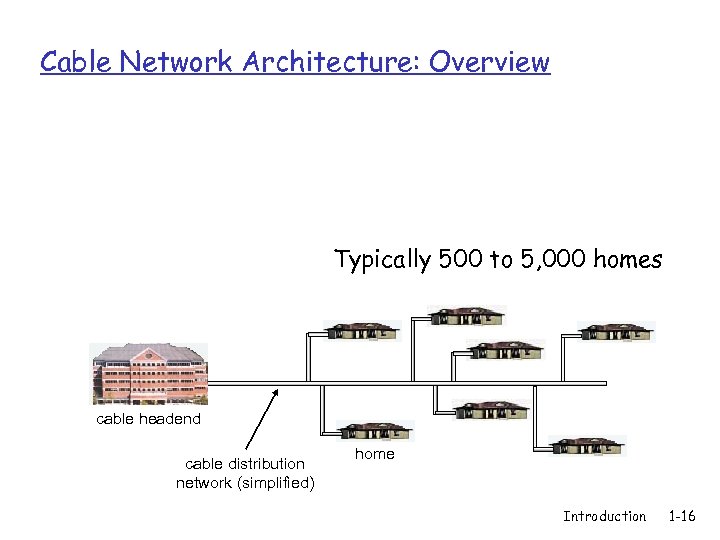 Cable Network Architecture: Overview Typically 500 to 5, 000 homes cable headend cable distribution network (simplified) home Introduction 1 -16
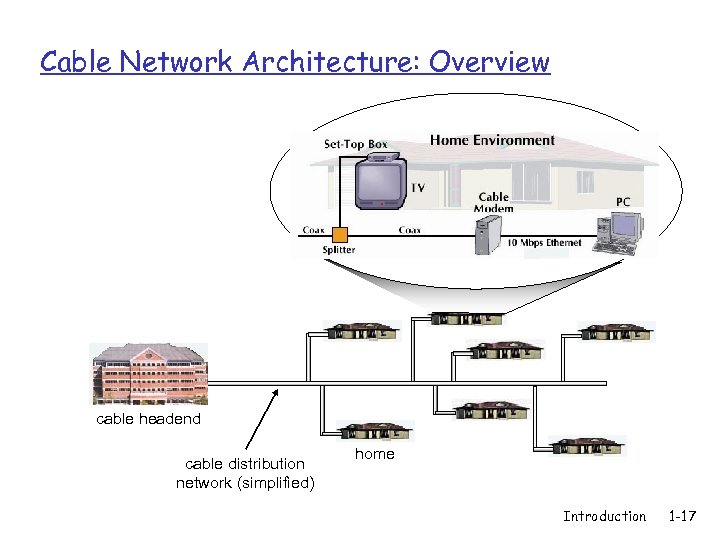 Cable Network Architecture: Overview cable headend cable distribution network (simplified) home Introduction 1 -17
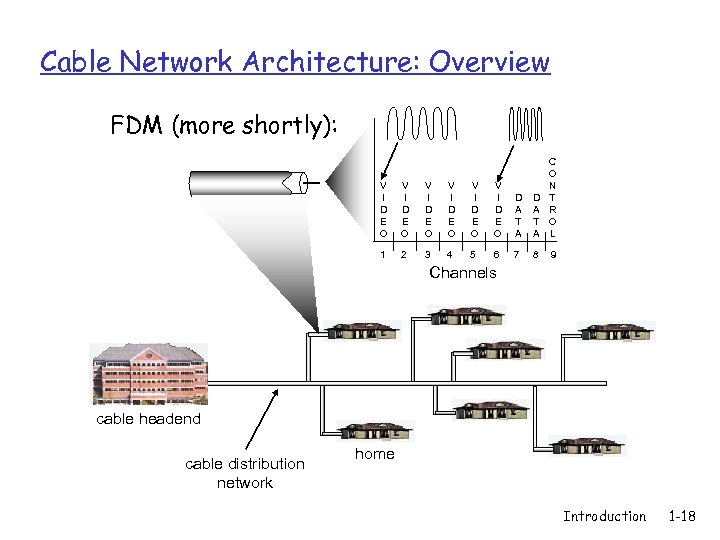 Cable Network Architecture: Overview FDM (more shortly): V I D E O V I D E O D A T A C O N T R O L 1 2 3 4 5 6 7 8 9 Channels cable headend cable distribution network home Introduction 1 -18
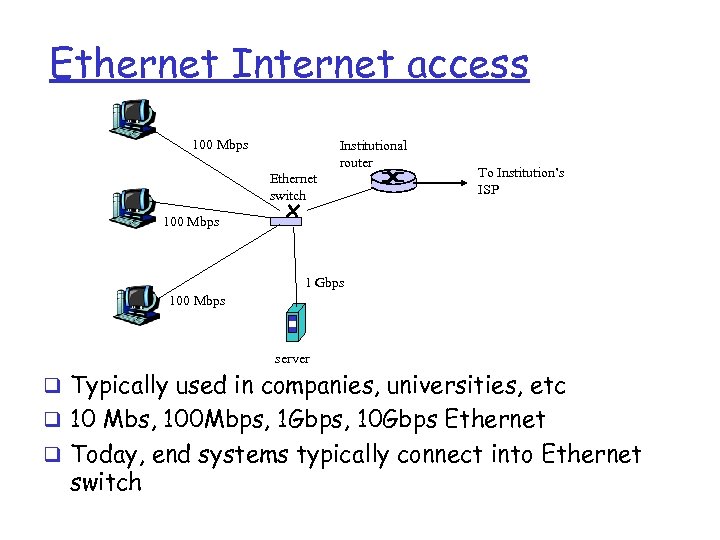 Ethernet Internet access 100 Mbps Institutional router Ethernet switch To Institution’s ISP 100 Mbps 1 Gbps 100 Mbps server q Typically used in companies, universities, etc q 10 Mbs, 100 Mbps, 1 Gbps, 10 Gbps Ethernet q Today, end systems typically connect into Ethernet switch
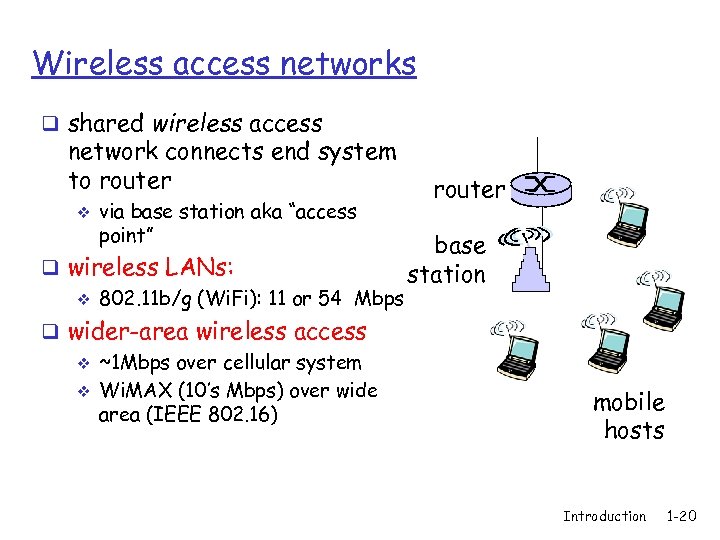 Wireless access networks q shared wireless access network connects end system to router v via base station aka “access point” q wireless LANs: v 802. 11 b/g (Wi. Fi): 11 or 54 Mbps q wider-area wireless access v ~1 Mbps over cellular system v Wi. MAX (10’s Mbps) over wide area (IEEE 802. 16) router base station mobile hosts Introduction 1 -20
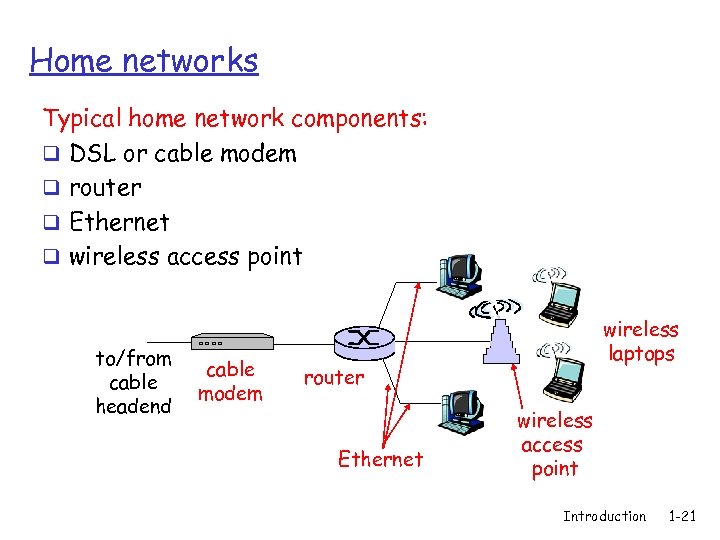 Home networks Typical home network components: q DSL or cable modem q router q Ethernet q wireless access point to/from cable headend cable modem wireless laptops router Ethernet wireless access point Introduction 1 -21
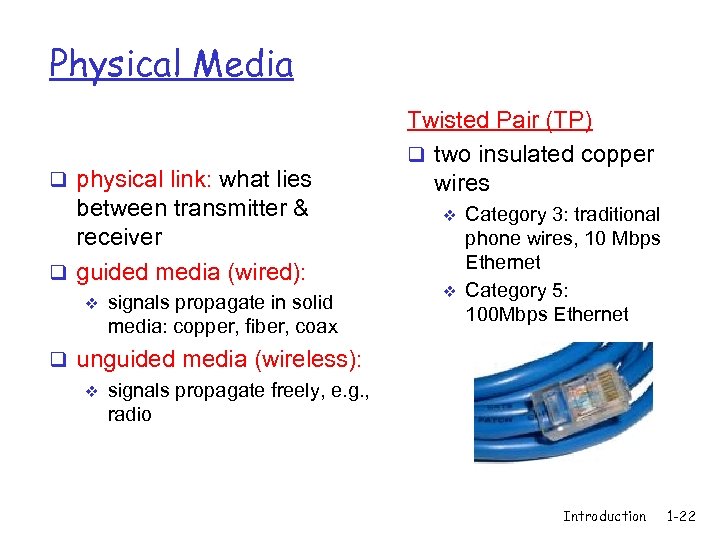 Physical Media q physical link: what lies between transmitter & receiver q guided media (wired): v signals propagate in solid media: copper, fiber, coax Twisted Pair (TP) q two insulated copper wires v v Category 3: traditional phone wires, 10 Mbps Ethernet Category 5: 100 Mbps Ethernet q unguided media (wireless): v signals propagate freely, e. g. , radio Introduction 1 -22
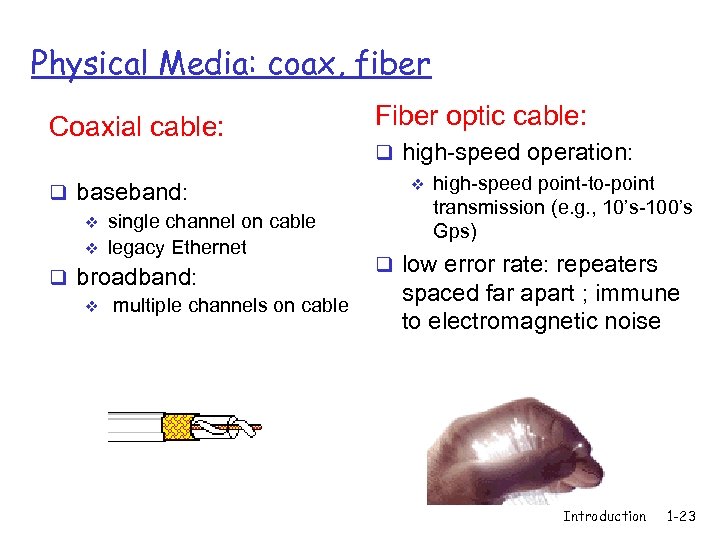 Physical Media: coax, fiber Coaxial cable: q baseband: v single channel on cable v legacy Ethernet q broadband: v multiple channels on cable Fiber optic cable: q high-speed operation: v high-speed point-to-point transmission (e. g. , 10’s-100’s Gps) q low error rate: repeaters spaced far apart ; immune to electromagnetic noise Introduction 1 -23
 Physical media: radio Radio link types: q LAN (e. g. , Wifi) v 11 Mbps, 54 Mbps q wide-area (e. g. , cellular) v 3 G cellular: ~ 1 Mbps q satellite v Kbps to 45 Mbps channel (or multiple smaller channels) v 270 msec end-end delay Introduction 1 -24
 Chapter 1: roadmap 1. 1 What is the Internet? 1. 2 Network edge q end systems, access networks, links 1. 3 Network core q circuit switching, packet switching, network structure 1. 4 Delay, loss and throughput in packet-switched networks 1. 5 Protocol layers, service models Introduction 1 -25
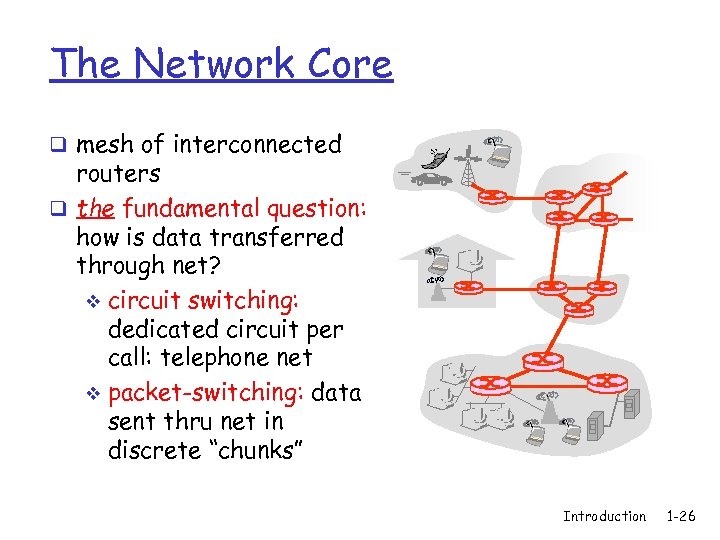 The Network Core q mesh of interconnected routers q the fundamental question: how is data transferred through net? v circuit switching: dedicated circuit per call: telephone net v packet-switching: data sent thru net in discrete “chunks” Introduction 1 -26
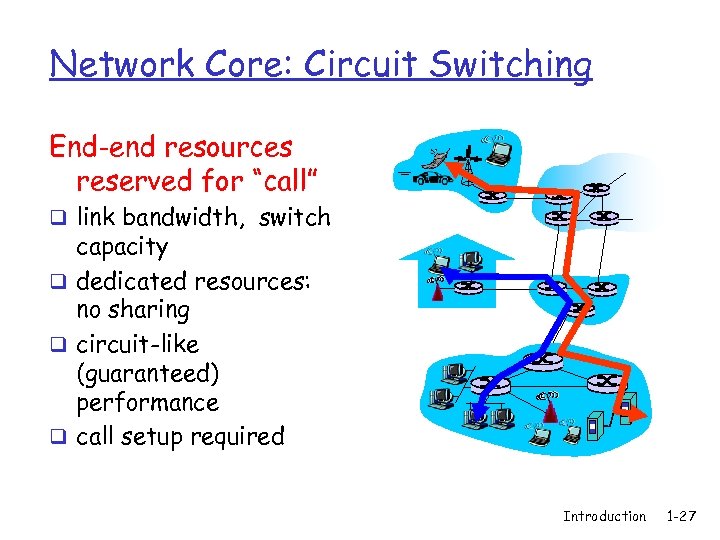 Network Core: Circuit Switching End-end resources reserved for “call” q link bandwidth, switch capacity q dedicated resources: no sharing q circuit-like (guaranteed) performance q call setup required Introduction 1 -27
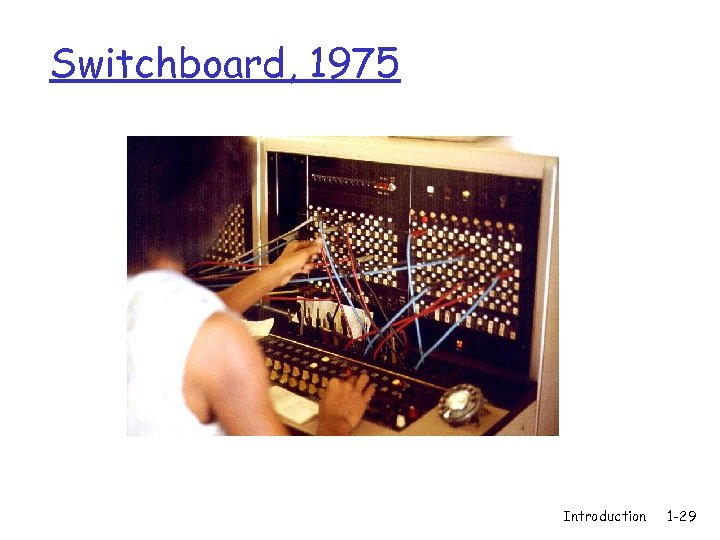
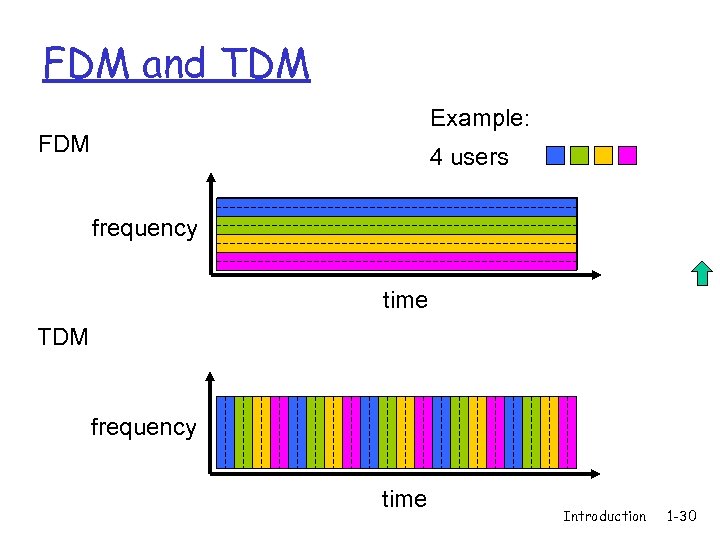
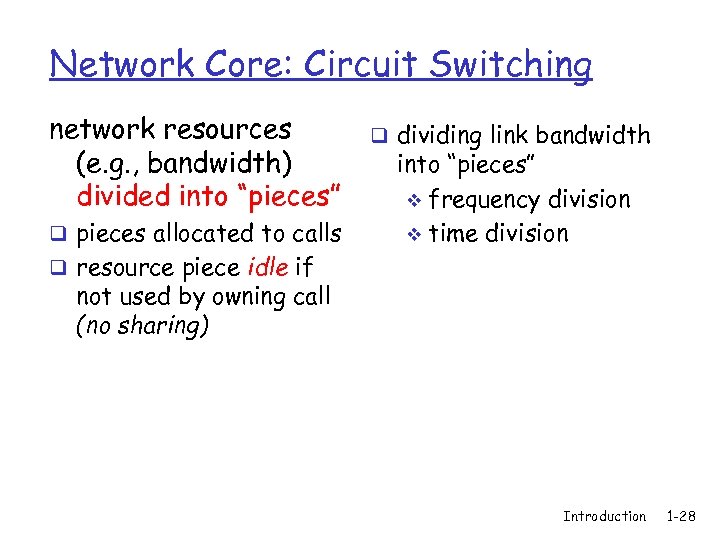 Network Core: Circuit Switching network resources (e. g. , bandwidth) divided into “pieces” q pieces allocated to calls q dividing link bandwidth into “pieces” v frequency division v time division q resource piece idle if not used by owning call (no sharing) Introduction 1 -28
 Switchboard, 1975 Introduction 1 -29
 FDM and TDM Example: FDM 4 users frequency time TDM frequency time Introduction 1 -30
 Numerical example q How long does it take to send a file of 640, 000 bits from host A to host B over a circuit-switched network? All links are 1. 536 Mbps v Each link is divided into 24 sub-links by TDM v 500 msec to establish end-to-end circuit v Let’s work it out! Introduction 1 -31
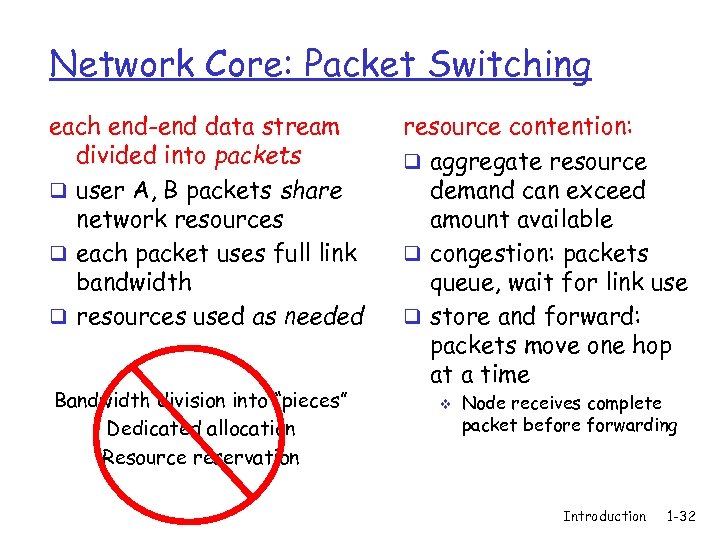 Network Core: Packet Switching each end-end data stream divided into packets q user A, B packets share network resources q each packet uses full link bandwidth q resources used as needed Bandwidth division into “pieces” Dedicated allocation Resource reservation resource contention: q aggregate resource demand can exceed amount available q congestion: packets queue, wait for link use q store and forward: packets move one hop at a time v Node receives complete packet before forwarding Introduction 1 -32
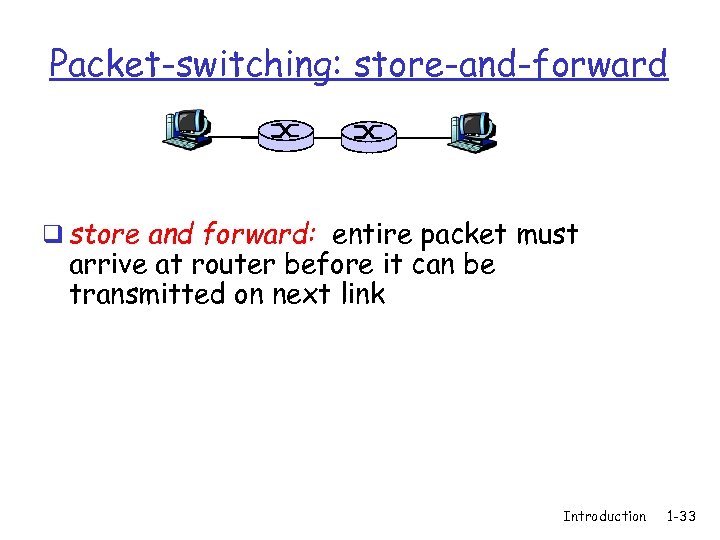 Packet-switching: store-and-forward q store and forward: entire packet must arrive at router before it can be transmitted on next link Introduction 1 -33
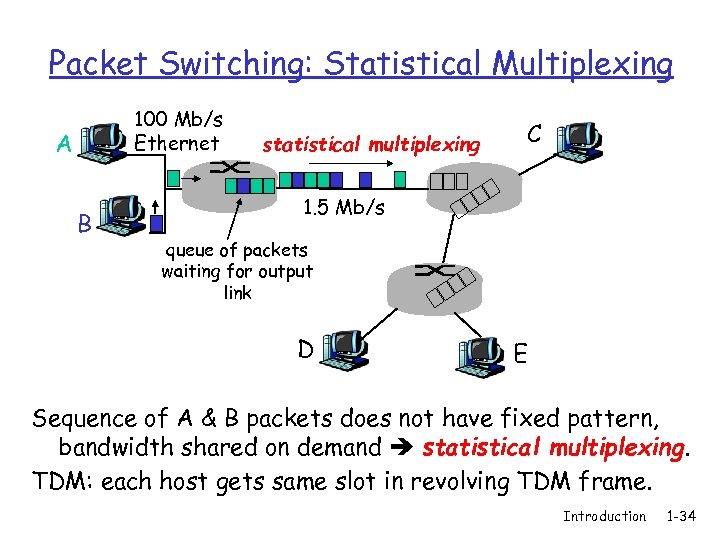 Packet Switching: Statistical Multiplexing 100 Mb/s Ethernet A B statistical multiplexing C 1. 5 Mb/s queue of packets waiting for output link D E Sequence of A & B packets does not have fixed pattern, bandwidth shared on demand statistical multiplexing. TDM: each host gets same slot in revolving TDM frame. Introduction 1 -34
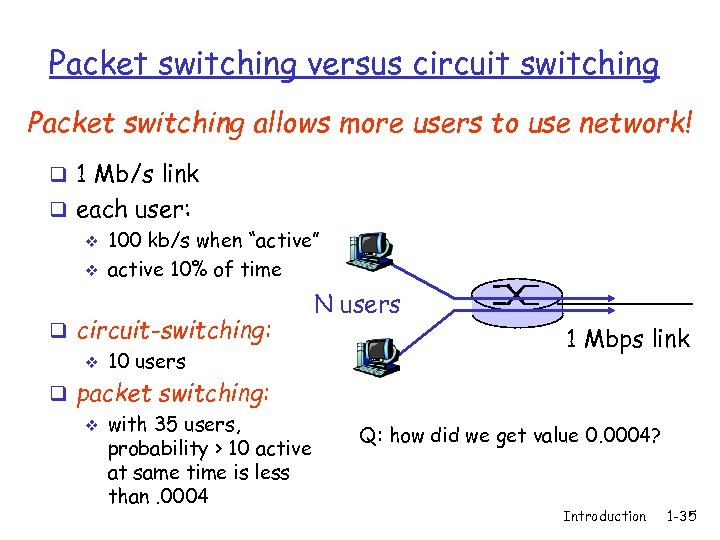 Packet switching versus circuit switching Packet switching allows more users to use network! q 1 Mb/s link q each user: v 100 kb/s when “active” v active 10% of time q circuit-switching: v 10 users q packet switching: v with 35 users, probability > 10 active at same time is less than. 0004 N users 1 Mbps link Q: how did we get value 0. 0004? Introduction 1 -35
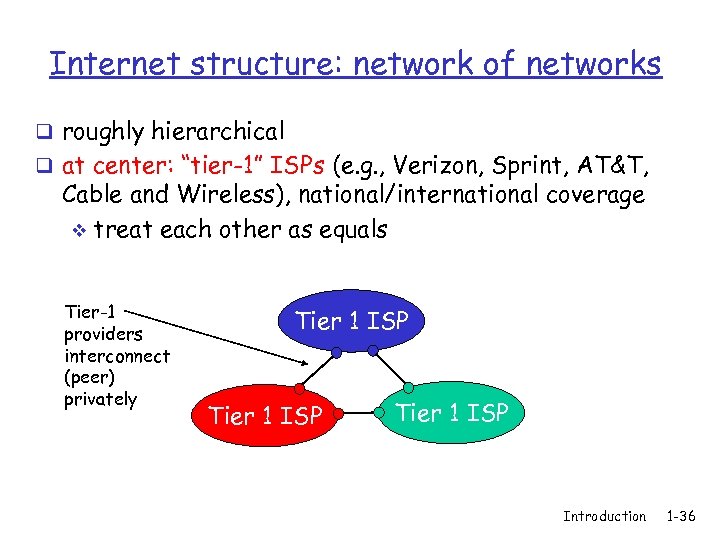 Internet structure: network of networks q roughly hierarchical q at center: “tier-1” ISPs (e. g. , Verizon, Sprint, AT&T, Cable and Wireless), national/international coverage v treat each other as equals Tier-1 providers interconnect (peer) privately Tier 1 ISP Introduction 1 -36
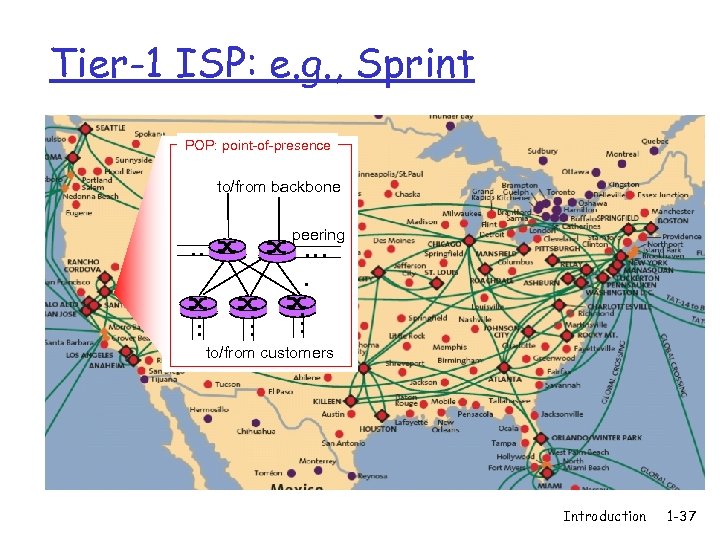 Tier-1 ISP: e. g. , Sprint POP: point-of-presence to/from backbone peering … … … to/from customers Introduction 1 -37
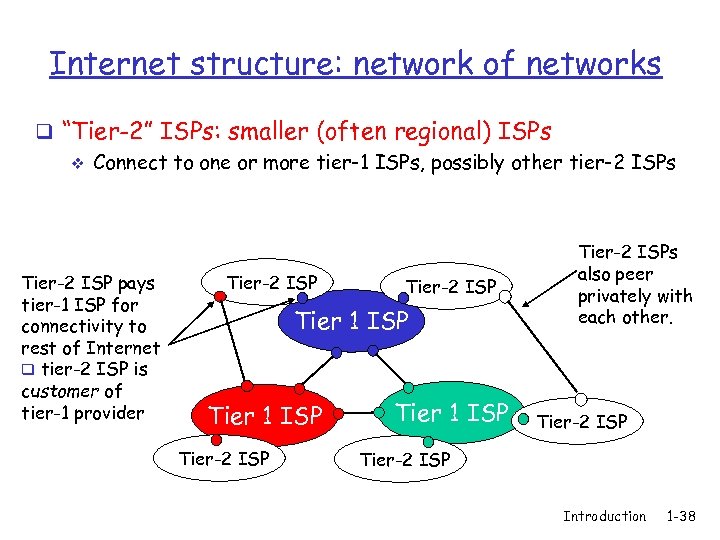 Internet structure: network of networks q “Tier-2” ISPs: smaller (often regional) ISPs v Connect to one or more tier-1 ISPs, possibly other tier-2 ISPs Tier-2 ISP pays tier-1 ISP for connectivity to rest of Internet q tier-2 ISP is customer of tier-1 provider Tier-2 ISP Tier 1 ISP Tier-2 ISPs also peer privately with each other. Tier-2 ISP Introduction 1 -38
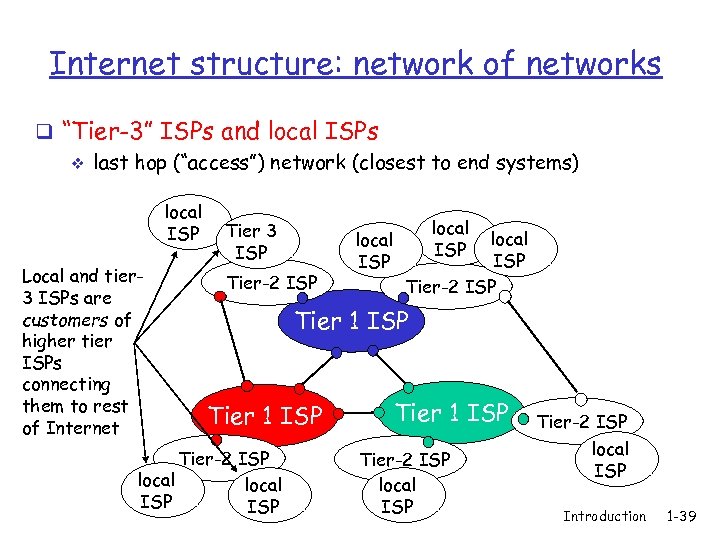 Internet structure: network of networks q “Tier-3” ISPs and local ISPs v last hop (“access”) network (closest to end systems) local ISP Local and tier 3 ISPs are customers of higher tier ISPs connecting them to rest of Internet Tier 3 ISP Tier-2 ISP local ISP Tier-2 ISP Tier 1 ISP Tier-2 ISP local ISP Introduction 1 -39
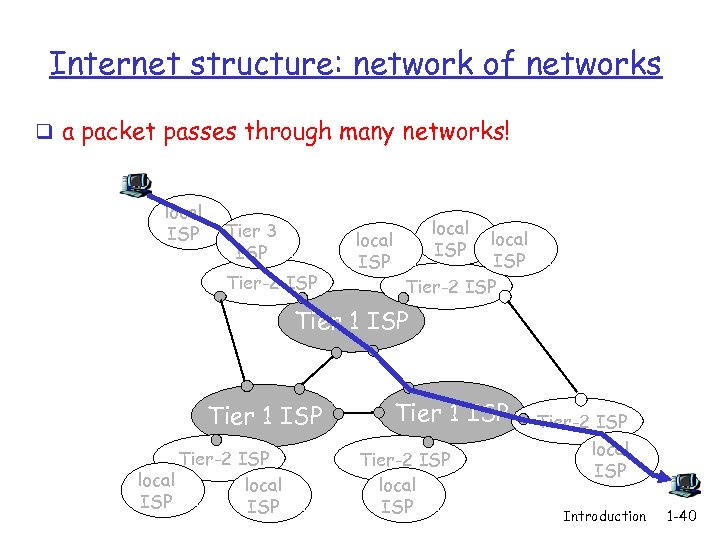 Internet structure: network of networks q a packet passes through many networks! local ISP Tier 3 ISP Tier-2 ISP local ISP Tier-2 ISP Tier 1 ISP Tier-2 ISP local ISP Introduction 1 -40
 Chapter 1: roadmap 1. 1 What is the Internet? 1. 2 Network edge q end systems, access networks, links 1. 3 Network core q circuit switching, packet switching, network structure 1. 4 Delay, loss and throughput in packet-switched networks 1. 5 Protocol layers, service models 1. 6 Networks under attack: security 1. 7 History Introduction 1 -41
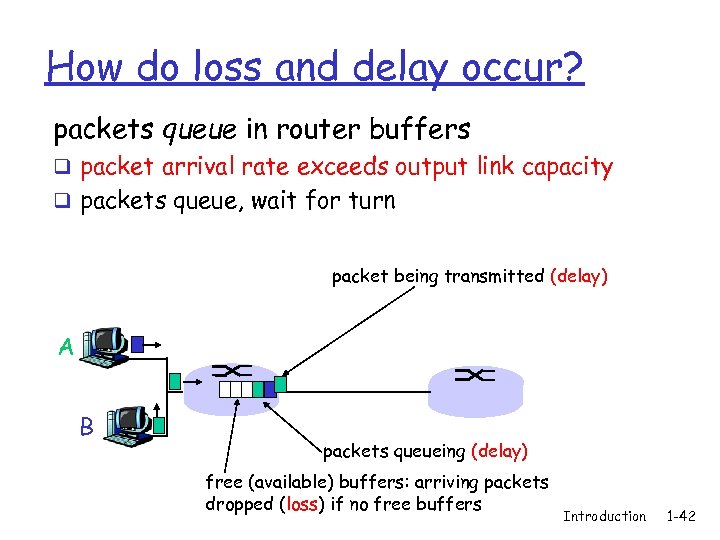 How do loss and delay occur? packets queue in router buffers q packet arrival rate exceeds output link capacity q packets queue, wait for turn packet being transmitted (delay) A B packets queueing (delay) free (available) buffers: arriving packets dropped (loss) if no free buffers Introduction 1 -42
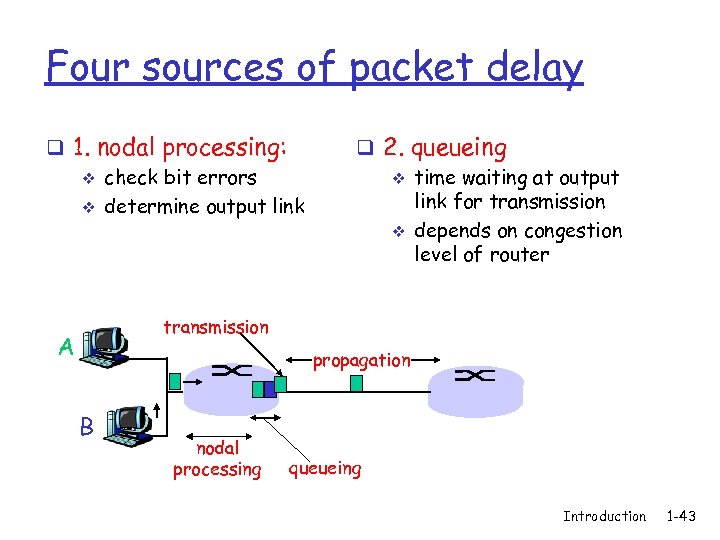 Four sources of packet delay q 1. nodal processing: v check bit errors v determine output link q 2. queueing v time waiting at output link for transmission v depends on congestion level of router transmission A propagation B nodal processing queueing Introduction 1 -43
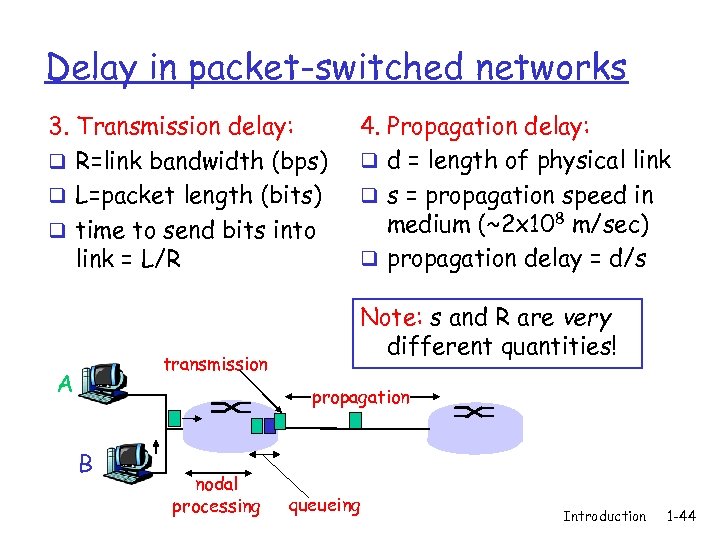 Delay in packet-switched networks 3. Transmission delay: q R=link bandwidth (bps) q L=packet length (bits) q time to send bits into link = L/R transmission A 4. Propagation delay: q d = length of physical link q s = propagation speed in medium (~2 x 10⁸ m/sec) q propagation delay = d/s Note: s and R are very different quantities! propagation B nodal processing queueing Introduction 1 -44
 “Real” Internet delays and routes q What do “real” Internet delay & loss look like? q Traceroute program: provides delay measurement from source to router along end-end Internet path towards destination. Introduction 1 -45
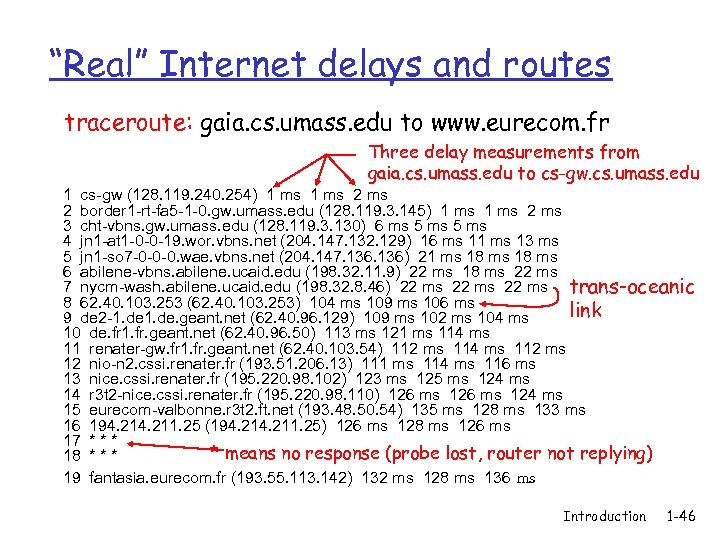 “Real” Internet delays and routes traceroute: gaia. cs. umass. edu to www. eurecom. fr Three delay measurements from gaia. cs. umass. edu to cs-gw. cs. umass. edu 1 cs-gw (128. 119. 240. 254) 1 ms 2 border 1 -rt-fa 5 -1 -0. gw. umass. edu (128. 119. 3. 145) 1 ms 2 ms 3 cht-vbns. gw. umass. edu (128. 119. 3. 130) 6 ms 5 ms 4 jn 1 -at 1 -0 -0 -19. wor. vbns. net (204. 147. 132. 129) 16 ms 11 ms 13 ms 5 jn 1 -so 7 -0 -0 -0. wae. vbns. net (204. 147. 136) 21 ms 18 ms 6 abilene-vbns. abilene. ucaid. edu (198. 32. 11. 9) 22 ms 18 ms 22 ms 7 nycm-wash. abilene. ucaid. edu (198. 32. 8. 46) 22 ms trans-oceanic 8 62. 40. 103. 253 (62. 40. 103. 253) 104 ms 109 ms 106 ms link 9 de 2 -1. de. geant. net (62. 40. 96. 129) 109 ms 102 ms 104 ms 10 de. fr 1. fr. geant. net (62. 40. 96. 50) 113 ms 121 ms 114 ms 11 renater-gw. fr 1. fr. geant. net (62. 40. 103. 54) 112 ms 114 ms 112 ms 12 nio-n 2. cssi. renater. fr (193. 51. 206. 13) 111 ms 114 ms 116 ms 13 nice. cssi. renater. fr (195. 220. 98. 102) 123 ms 125 ms 124 ms 14 r 3 t 2 -nice. cssi. renater. fr (195. 220. 98. 110) 126 ms 124 ms 15 eurecom-valbonne. r 3 t 2. ft. net (193. 48. 50. 54) 135 ms 128 ms 133 ms 16 194. 211. 25 (194. 211. 25) 126 ms 128 ms 126 ms 17 * * means no response (probe lost, router not replying) 18 * * * 19 fantasia. eurecom. fr (193. 55. 113. 142) 132 ms 128 ms 136 ms Introduction 1 -46
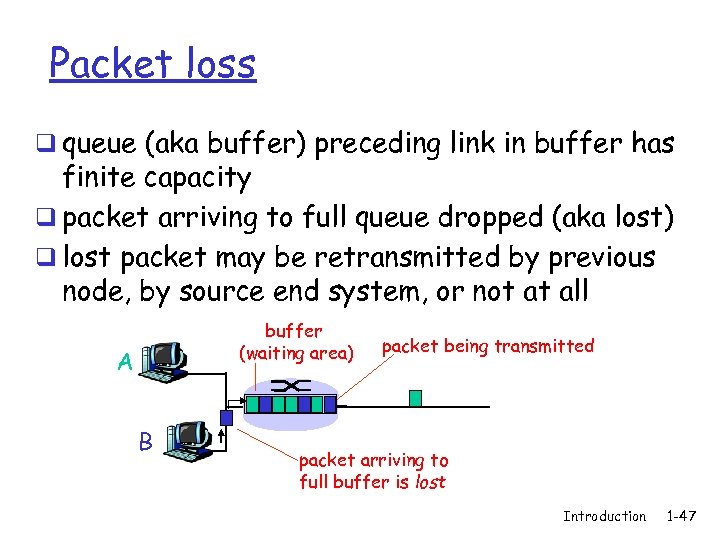 Packet loss q queue (aka buffer) preceding link in buffer has finite capacity q packet arriving to full queue dropped (aka lost) q lost packet may be retransmitted by previous node, by source end system, or not at all buffer (waiting area) A B packet being transmitted packet arriving to full buffer is lost Introduction 1 -47
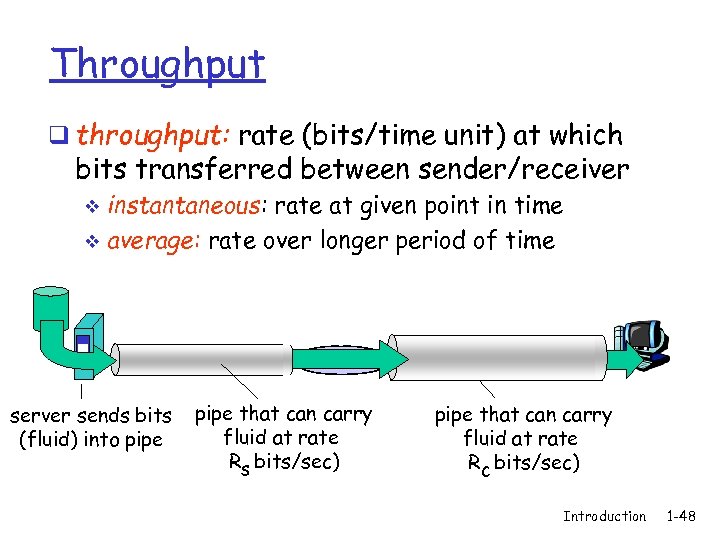 Throughput q throughput: rate (bits/time unit) at which bits transferred between sender/receiver instantaneous: rate at given point in time v average: rate over longer period of time v link capacity server, with server sends bits pipe that can carry Rs bits/sec fluid at rate file into pipe (fluid) of F bits Rs bits/sec) to send to client link capacity pipe that can carry Rfluid at rate c bits/sec Rc bits/sec) Introduction 1 -48
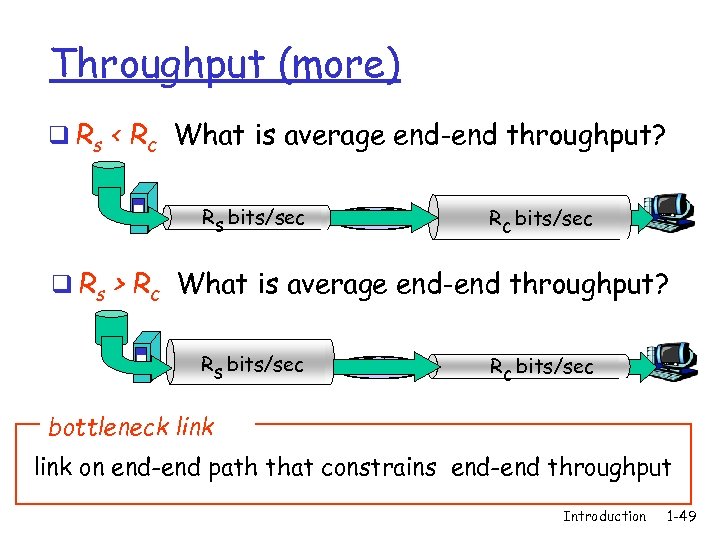 Throughput (more) q Rs < Rc What is average end-end throughput? Rs bits/sec Rc bits/sec q Rs > Rc What is average end-end throughput? Rs bits/sec Rc bits/sec bottleneck link on end-end path that constrains end-end throughput Introduction 1 -49
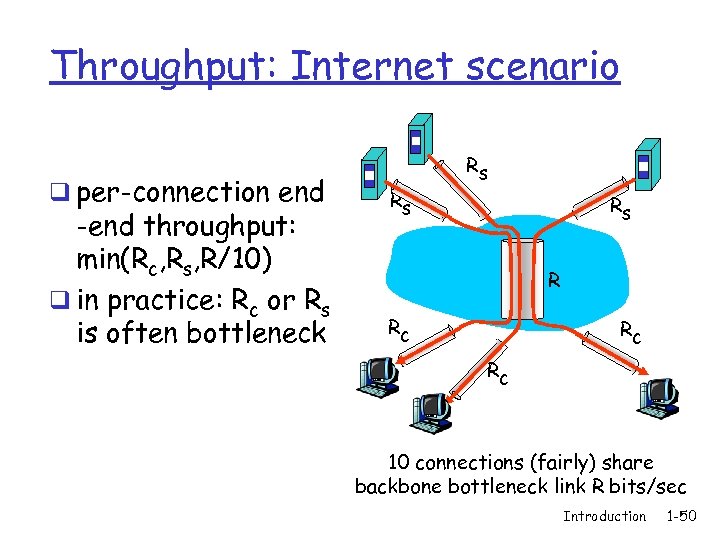 Throughput: Internet scenario q per-connection end -end throughput: min(Rc, Rs, R/10) q in practice: Rc or Rs is often bottleneck Rs Rs Rs R Rc Rc Rc 10 connections (fairly) share backbone bottleneck link R bits/sec Introduction 1 -50
 Chapter 1: roadmap 1. 1 What is the Internet? 1. 2 Network edge q end systems, access networks, links 1. 3 Network core q circuit switching, packet switching, network structure 1. 4 Delay, loss and throughput in packet-switched networks 1. 5 Protocol layers, service models Introduction 1 -51
 Protocol “Layers” Networks are complex! q many “pieces”: v hosts v routers v links of various media v applications v protocols v hardware, software Question: Is there any hope of organizing structure of network? Or at least our discussion of networks? Introduction 1 -52
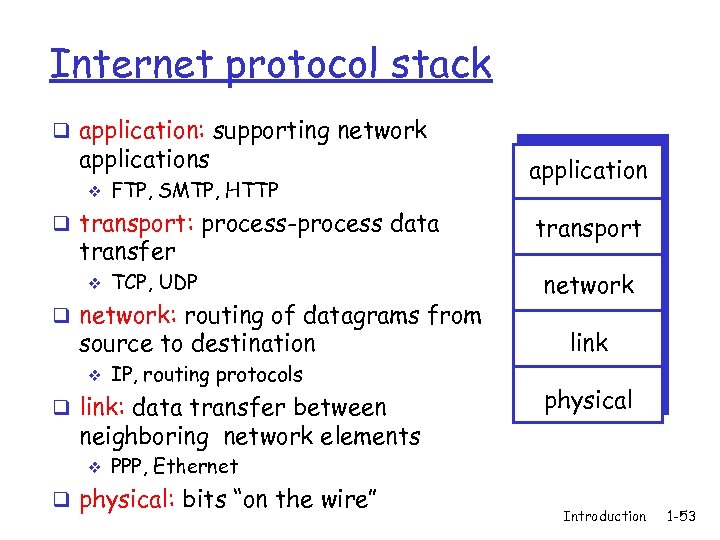 Internet protocol stack q application: supporting network applications v FTP, SMTP, HTTP q transport: process-process data transfer v TCP, UDP q network: routing of datagrams from source to destination v IP, routing protocols q link: data transfer between application transport network link physical neighboring network elements v PPP, Ethernet q physical: bits “on the wire” Introduction 1 -53
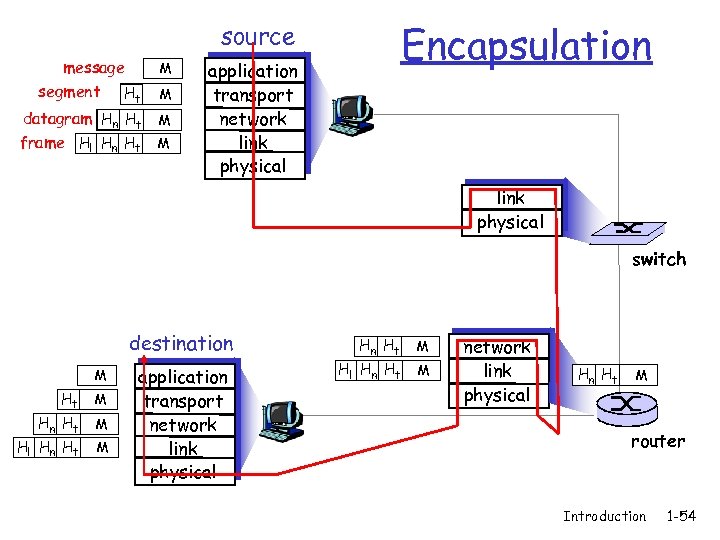 Encapsulation source message segment Ht M datagram Hn Ht M frame Hl Hn Ht M M application transport network link physical switch destination M Ht M Hn Ht Hl Hn Ht M M application transport network link physical Hn Ht Hl Hn Ht M M network link physical Hn Ht M router Introduction 1 -54