


 Скачать презентацию Chapter 1 Introduction A note on the use
b75a2a2a753f6edc7bd960890d9b1517.ppt
- Количество слайдов: 120
 Chapter 1 Introduction A note on the use of these ppt slides: We’re making these slides freely available to all (faculty, students, readers). They’re in Power. Point form so you can add, modify, and delete slides (including this one) and slide content to suit your needs. They obviously represent a lot of work on our part. In return for use, we only ask the following: q If you use these slides (e. g. , in a class) in substantially unaltered form, that you mention their source (after all, we’d like people to use our book!) q If you post any slides in substantially unaltered form on a www site, that you note that they are adapted from (or perhaps identical to) our slides, and note our copyright of this material. Computer Networking: A Top Down Approach , 4 th edition. Jim Kurose, Keith Ross Addison-Wesley, July 2007. Thanks and enjoy! JFK/KWR All material copyright 1996 -2007 J. F Kurose and K. W. Ross, All Rights Reserved Introduction 1
 Outline Internet architecture v Internet history v Today’s Internet v Internet in a nutshell (protocols in practice) v Introduction 2
 Internet Architecture q http: //www. nap. edu/html/coming_of_age/ q http: //www. ietf. org/rfc 1958. txt Introduction 3
 Why did the Internet win? q Packet switching over circuit switching q End-to-end principle and “Hourglass” design q Layering of functionality q Distributed design, decentralized control q Superior organizational process Introduction 4
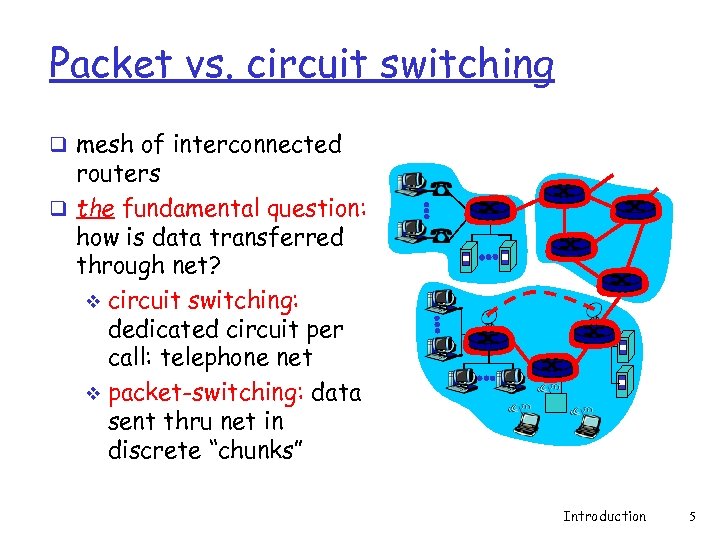 Packet vs. circuit switching q mesh of interconnected routers q the fundamental question: how is data transferred through net? v circuit switching: dedicated circuit per call: telephone net v packet-switching: data sent thru net in discrete “chunks” Introduction 5
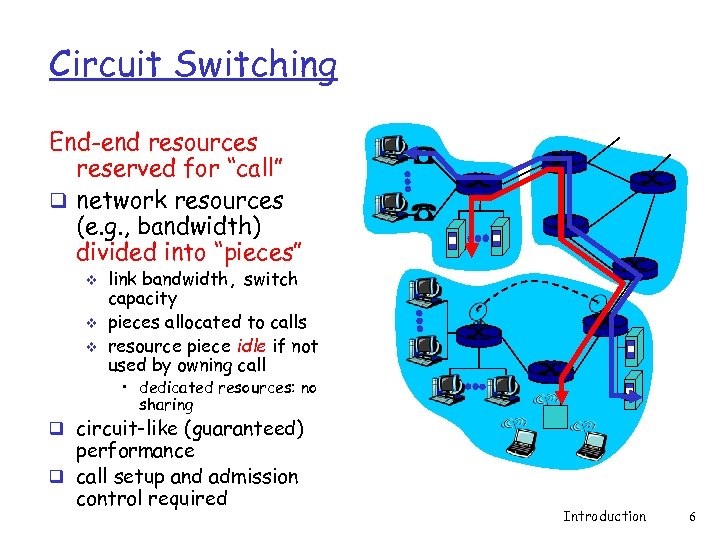 Circuit Switching End-end resources reserved for “call” q network resources (e. g. , bandwidth) divided into “pieces” v v v link bandwidth, switch capacity pieces allocated to calls resource piece idle if not used by owning call • dedicated resources: no sharing q circuit-like (guaranteed) performance q call setup and admission control required Introduction 6
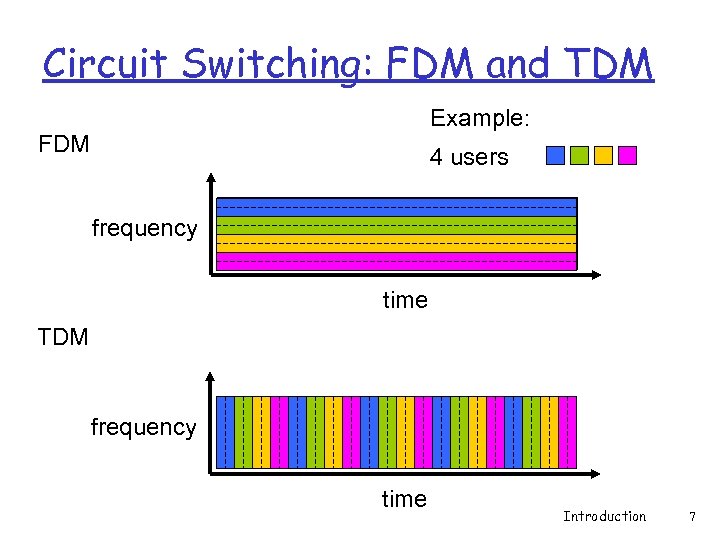 Circuit Switching: FDM and TDM Example: FDM 4 users frequency time TDM frequency time Introduction 7
 Numerical example q How long does it take to send a file of 640, 000 bits from host A to host B over a circuit-switched network? All links are 1. 536 Mbps v Each link uses TDM with 24 slots/sec v 500 msec to establish end-to-end circuit v Let’s work it out! Introduction 8
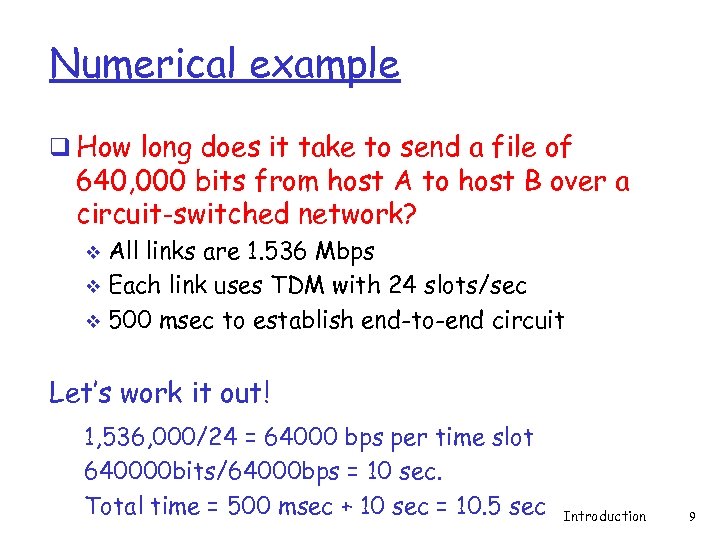 Numerical example q How long does it take to send a file of 640, 000 bits from host A to host B over a circuit-switched network? All links are 1. 536 Mbps v Each link uses TDM with 24 slots/sec v 500 msec to establish end-to-end circuit v Let’s work it out! 1, 536, 000/24 = 64000 bps per time slot 640000 bits/64000 bps = 10 sec. Total time = 500 msec + 10 sec = 10. 5 sec Introduction 9
 Case study: Circuit Switching q 1890 -current: Phone network v Fixed bit rate v Mostly voice v Not fault-tolerant v Components extremely reliable v Global application-level knowledge throughout network v Admission control at local switching station (dial -tone) Introduction 10
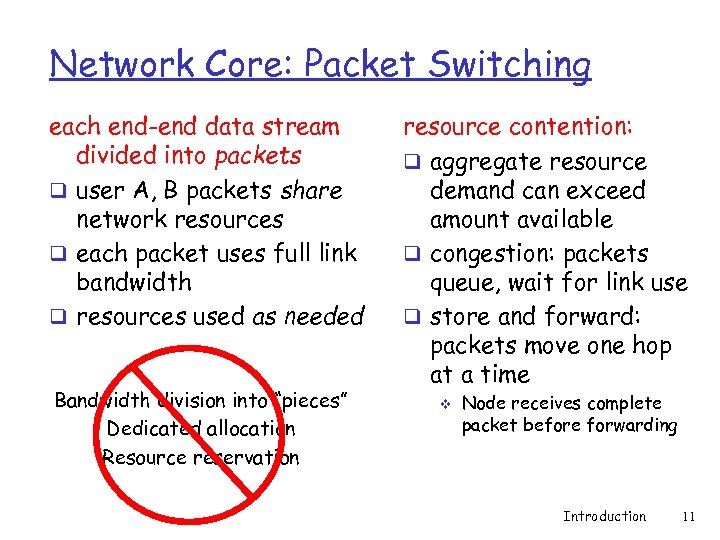 Network Core: Packet Switching each end-end data stream divided into packets q user A, B packets share network resources q each packet uses full link bandwidth q resources used as needed Bandwidth division into “pieces” Dedicated allocation Resource reservation resource contention: q aggregate resource demand can exceed amount available q congestion: packets queue, wait for link use q store and forward: packets move one hop at a time v Node receives complete packet before forwarding Introduction 11
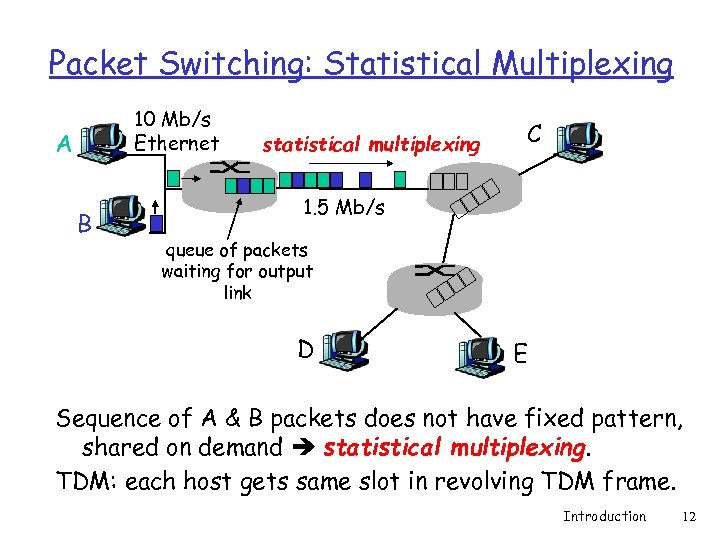 Packet Switching: Statistical Multiplexing 10 Mb/s Ethernet A B statistical multiplexing C 1. 5 Mb/s queue of packets waiting for output link D E Sequence of A & B packets does not have fixed pattern, shared on demand statistical multiplexing. TDM: each host gets same slot in revolving TDM frame. Introduction 12
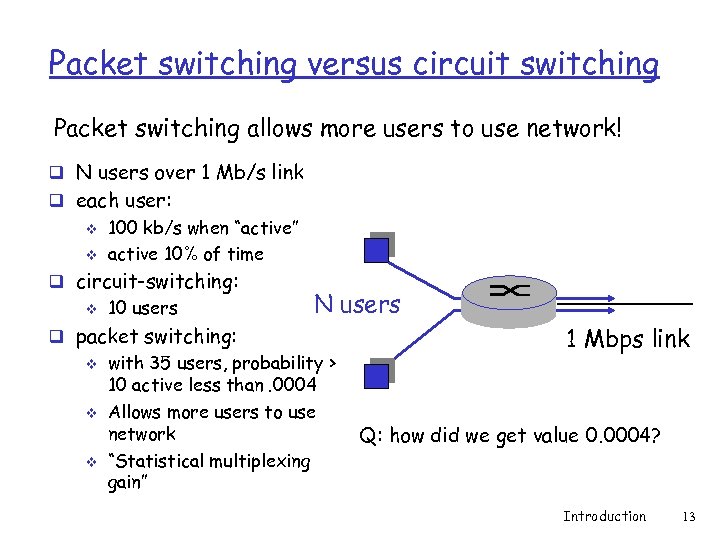 Packet switching versus circuit switching Packet switching allows more users to use network! q N users over 1 Mb/s link q each user: v v 100 kb/s when “active” active 10% of time q circuit-switching: v 10 users N users q packet switching: v v v with 35 users, probability > 10 active less than. 0004 Allows more users to use network “Statistical multiplexing gain” 1 Mbps link Q: how did we get value 0. 0004? Introduction 13
 Packet switching versus circuit switching Is packet switching a “slam dunk winner? ” q Great for bursty data resource sharing v simpler, no call setup q Bad for applications with hard resource requirements v v Excessive congestion: packet delay and loss Need protocols for reliable data transfer, congestion control v Applications must be written to handle congestion Q: How to provide circuit-like behavior? v bandwidth guarantees needed for audio/video apps v still an unsolved problem (chapter 7) v Common practice: over-provision v Introduction 14
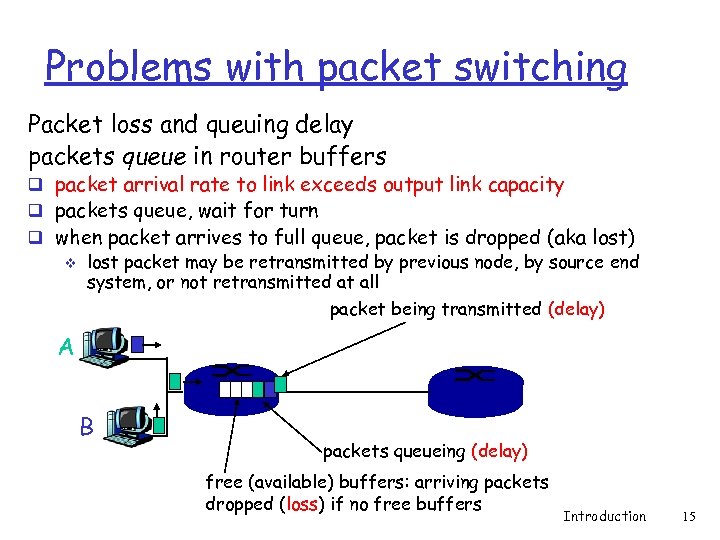 Problems with packet switching Packet loss and queuing delay packets queue in router buffers q packet arrival rate to link exceeds output link capacity q packets queue, wait for turn q when packet arrives to full queue, packet is dropped (aka lost) v lost packet may be retransmitted by previous node, by source end system, or not retransmitted at all packet being transmitted (delay) A B packets queueing (delay) free (available) buffers: arriving packets dropped (loss) if no free buffers Introduction 15
 Case study: Packet Switching q 1970/80 s-current: Internet network v Variable bit rate v Mostly data v Fault-tolerant v Components not extremely reliable (versus phone components) v Distributed control and management Introduction 16
 Why did the Internet win? q Packet switching over circuit switching q End-to-end principle and “Hourglass” design q Layering of functionality q Distributed design, decentralized control q Superior organizational process Introduction 17
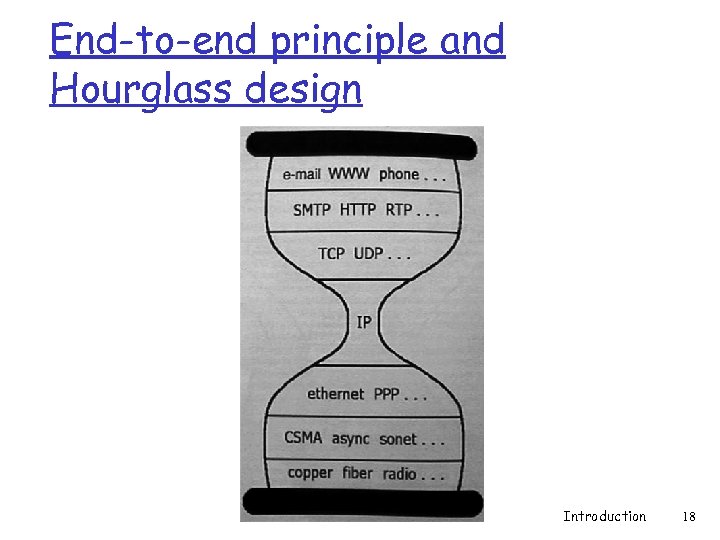 End-to-end principle and Hourglass design Introduction 18
 End-to-end principle q J. H. Saltzer, D. P. Reed and D. D. Clark “End-to-end arguments in system design”, Transactions on Computer Systems, Vol. 2, No. 4, 1984 q http: //www. acm. org/pubs/citations/journal s/tocs/1984 -2 -4/p 277 -saltzer/ Introduction 19
 Hourglass design q D. Clark, “The design philosophy of the DARPA Internet”, SIGCOMM 1988, August 16 - 18, 1988. http: //www. acm. org/pubs/citations/proceedings/comm/52324/ p 106 -clark/ Introduction 20
 End-to-end principle q Where to put the functionality? v In the network? At the edges? q End-to-end functions best handled by end-to-end protocols v v v Network provides basic service: data transport Intelligence and applications located in or close to devices at the edge Violate principle as a performance enhancement q Leads to innovation at the edges v Phone network: dumb edge devices, intelligent network v Internet: dumb network, intelligent edge devices Introduction 21
 Hourglass design q End-to-end principle leads to “Hourglass” design of protocols q Only one protocol at the Internet level v Minimal required elements at narrowest point q IP – Internet Protocol v http: //www. rfc-editor. org/rfc 791. txt v http: //www. rfc-editor. org/rfc 1812. txt v Unreliable datagram service v Addressing and connectionless connectivity v Fragmentation and assembly Introduction 22
 Hourglass design q Simplicity allowed fast deployment of multi- vendor, multi-provider public network v v Ease of implementation Limited hardware requirements (important in 1970 s) • Is it relevant now with today’s semiconductor speeds? v Eventual economies of scale q Designed independently of hardware v v No link-layer specific functions Hardware addresses decoupled from IP addresses IP header contains no data/physical link specific information Allows IP to run over any fabric Introduction 23
 Hourglass design q Waist expands at transport layer q Two dominant services layered above IP q TCP – Transmission Control Protocol v Connection-oriented service v http: //www. rfc-editor. org/rfc 793. txt q UDP – User Datagram Protocol v Connectionless service v http: //www. rfc-editor. org/rfc 768. txt Introduction 24
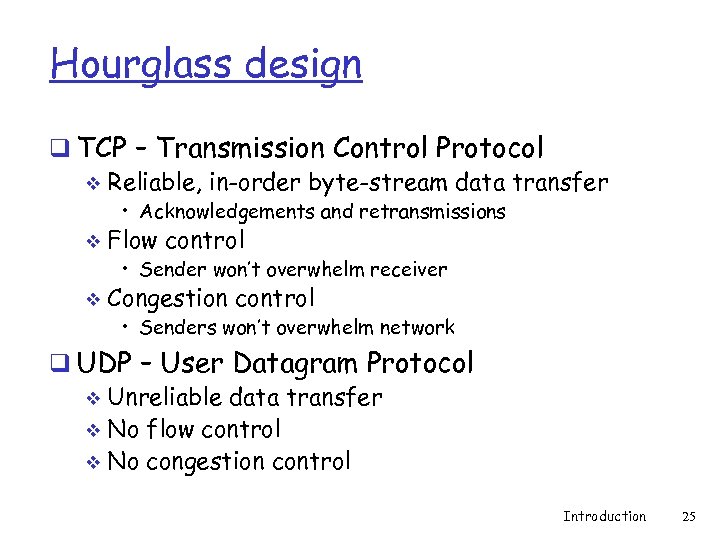 Hourglass design q TCP – Transmission Control Protocol v Reliable, in-order byte-stream data transfer • Acknowledgements and retransmissions v Flow control • Sender won’t overwhelm receiver v Congestion control • Senders won’t overwhelm network q UDP – User Datagram Protocol v Unreliable data transfer v No flow control v No congestion control Introduction 25
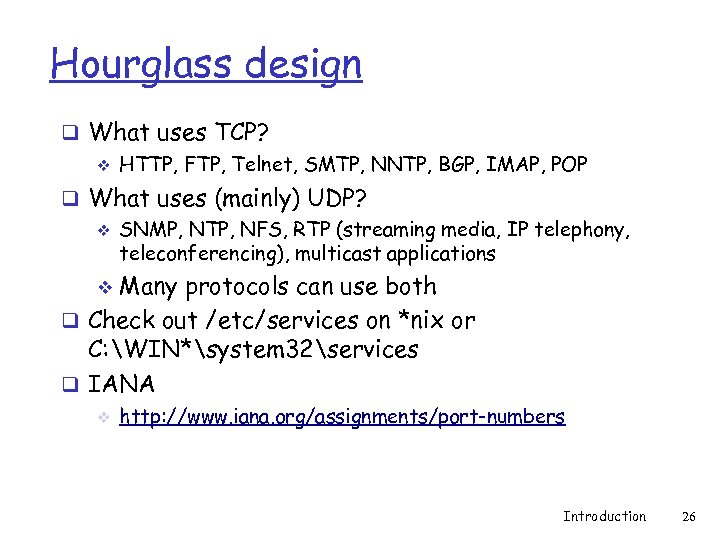 Hourglass design q What uses TCP? v HTTP, FTP, Telnet, SMTP, NNTP, BGP, IMAP, POP q What uses (mainly) UDP? v SNMP, NTP, NFS, RTP (streaming media, IP telephony, teleconferencing), multicast applications Many protocols can use both q Check out /etc/services on *nix or C: WIN*system 32services q IANA v v http: //www. iana. org/assignments/port-numbers Introduction 26
 Hourglass design q Question? v Are TCP, UDP, and IP enough? v What other functionality would applications need? Introduction 27
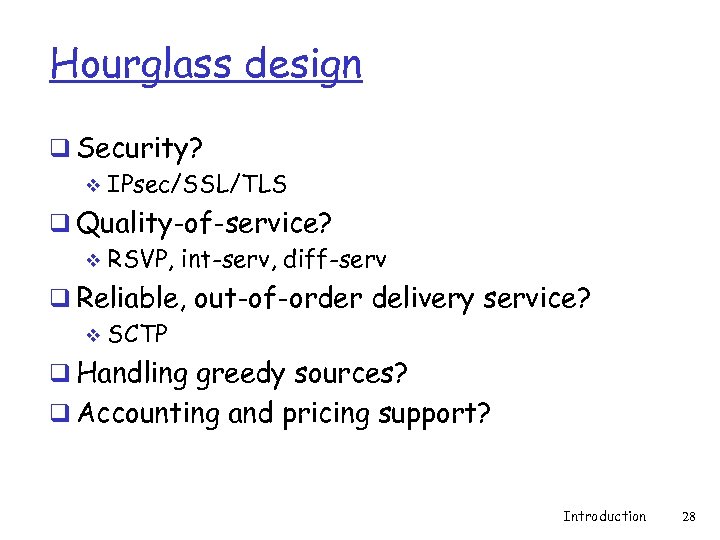 Hourglass design q Security? v IPsec/SSL/TLS q Quality-of-service? v RSVP, int-serv, diff-serv q Reliable, out-of-order delivery service? v SCTP q Handling greedy sources? q Accounting and pricing support? Introduction 28
 End-to-end principle and the Hourglass design q The good v Basic network functionality allowed for extremely quick adoption and deployment using simple devices q The bad v New network features and functionality are impossible to deploy, requiring widespread adoption within the network v IP Multicast, Qo. S Introduction 29
 Why did the Internet win? q Packet switching over circuit switching q End-to-end principle and “Hourglass” design q Layering of functionality q Distributed design, decentralized control q Superior organizational process Introduction 30
 Layering q Modular approach to network functionality v Simplifies complex systems • Each layer relies on services from layer below and exports services to layer above Hides implementation v Eases maintenance and updating of system v • Layer implementations can change without disturbing other layers (black box) Introduction 31
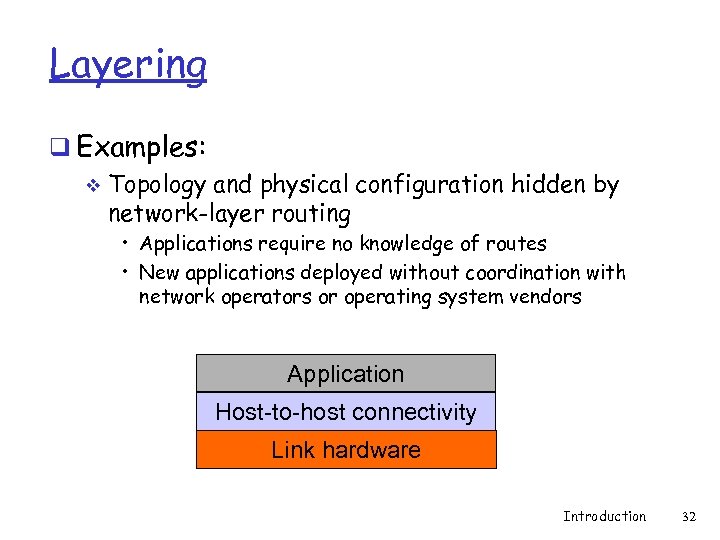 Layering q Examples: v Topology and physical configuration hidden by network-layer routing • Applications require no knowledge of routes • New applications deployed without coordination with network operators or operating system vendors Application Host-to-host connectivity Link hardware Introduction 32
 Layering essential in Protocols q Set of rules governing communication between network elements (applications, hosts, routers) q Protocols specify: Interface to higher layers (API) v Interface to peer v • Format and order of messages • Actions taken on receipt of a message v Interface defines interaction Introduction 33
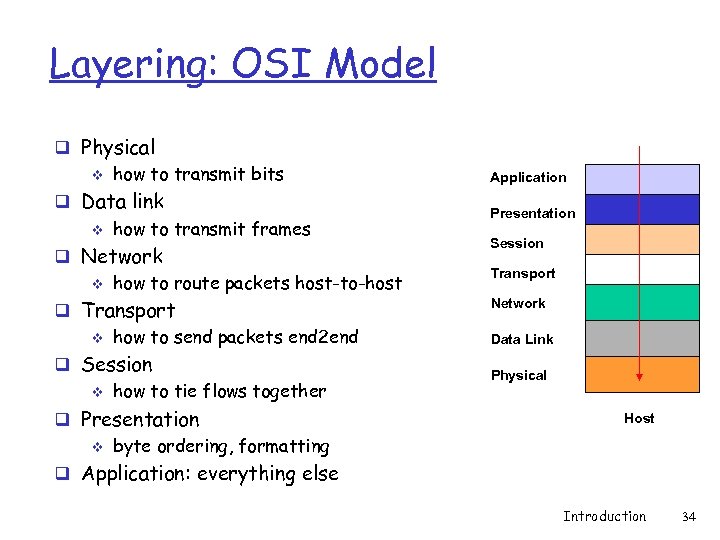 Layering: OSI Model q Physical v how to transmit bits Application q Data link v how to transmit frames Presentation q Network v how to route packets host-to-host Session Transport q Transport v how to send packets end 2 end Network q Session v how to tie flows together q Presentation v byte ordering, formatting Data Link Physical Host q Application: everything else Introduction 34
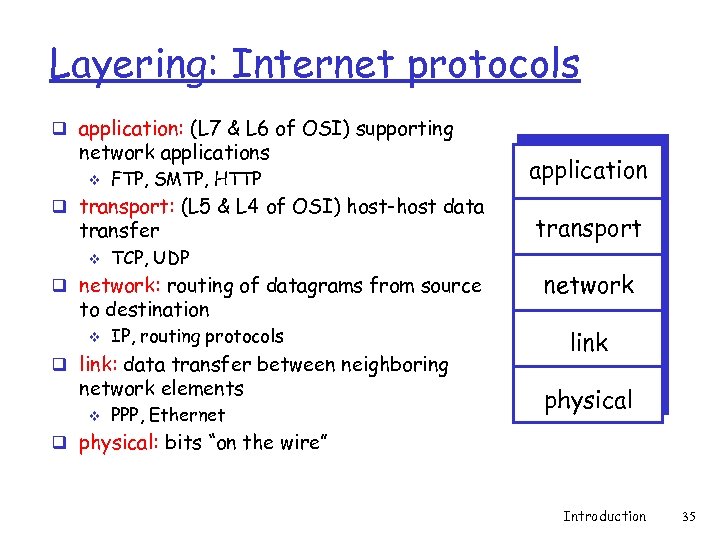 Layering: Internet protocols q application: (L 7 & L 6 of OSI) supporting network applications v FTP, SMTP, HTTP q transport: (L 5 & L 4 of OSI) host-host data transfer v TCP, UDP q network: routing of datagrams from source to destination v IP, routing protocols q link: data transfer between neighboring network elements v PPP, Ethernet application transport network link physical q physical: bits “on the wire” Introduction 35
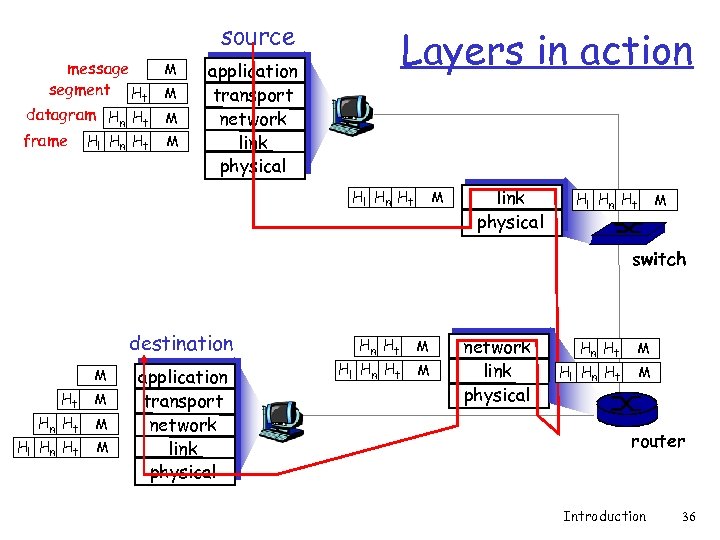 source message segment Ht datagram Hn Ht frame Hl Hn Ht M M Layers in action application transport network link physical Hl Hn Ht M switch destination M Ht M Hn Ht Hl Hn Ht M M application transport network link physical Hn Ht Hl Hn Ht M M router Introduction 36
 Layering q Is Layering always good? v Sometimes not. . • Layer N may duplicate lower level functionality (e. g. , error recovery) • Layers may need same info (timestamp, MTU) • Strict adherence to layering may hurt performance Introduction 37
 Why did the Internet win? q Packet switching over circuit switching q End-to-end principle and “Hourglass” design q Layering of functionality q Distributed design, decentralized control q Superior organizational process Introduction 38
 Distributed design and control q Requirements from DARPA v Must survive a nuclear attack q Reliability v Intelligent aggregation of unreliable components v Alternate paths, adaptivity q Distributed management & control of networks Allows individual networks to independently develop without large amounts of coordination v Exceptions: TLDs and TLD servers, IP address allocation (ICANN) v Introduction 39
 Superior organizational process q IAB/IETF process allowed for quick specification, implementation, and deployment of new standards Free and easy download of standards v Rough consensus and running code v 2 interoperable implementations v Bake-offs v http: //www. ietf. org/ v q ISO/OSI v Comparison to IETF left as an exercise Introduction 40
 Internet history Introduction 41
 How old is the Internet? q Guesses? q Hint v It used to be the case that everyone in this class remembered the “pre-Internet” days Introduction 42
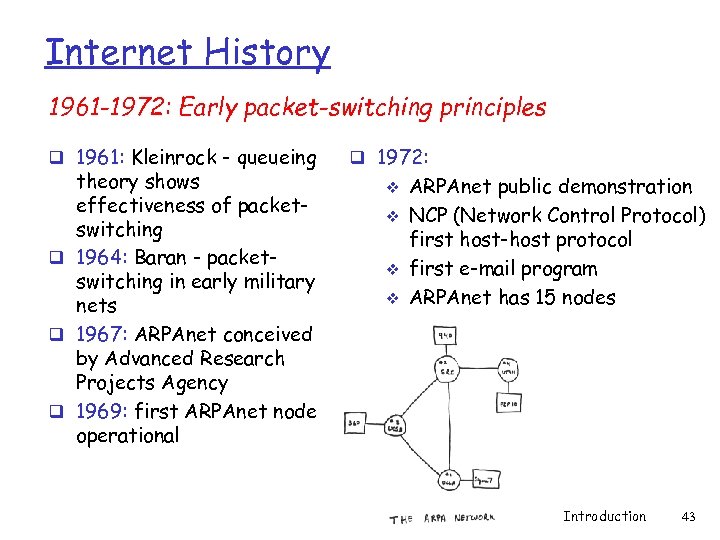 Internet History 1961 -1972: Early packet-switching principles q 1961: Kleinrock - queueing theory shows effectiveness of packetswitching q 1964: Baran - packetswitching in early military nets q 1967: ARPAnet conceived by Advanced Research Projects Agency q 1969: first ARPAnet node operational q 1972: v v ARPAnet public demonstration NCP (Network Control Protocol) first host-host protocol first e-mail program ARPAnet has 15 nodes Introduction 43
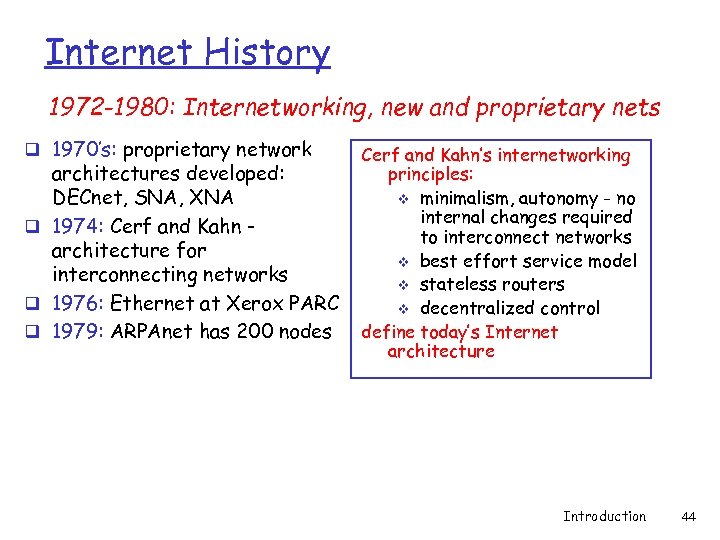 Internet History 1972 -1980: Internetworking, new and proprietary nets q 1970’s: proprietary network architectures developed: DECnet, SNA, XNA q 1974: Cerf and Kahn architecture for interconnecting networks q 1976: Ethernet at Xerox PARC q 1979: ARPAnet has 200 nodes Cerf and Kahn’s internetworking principles: v minimalism, autonomy - no internal changes required to interconnect networks v best effort service model v stateless routers v decentralized control define today’s Internet architecture Introduction 44
 Internet History 1980 -1990: new protocols, a proliferation of networks q 1983: deployment of q q TCP/IP 1983: smtp e-mail protocol defined 1983: DNS defined for name-to-IP-address translation 1985: ftp protocol defined 1988: TCP congestion control q Late 1980 s, Early 1990 s: new national networks: Csnet, BITnet, NSFnet, Minitel v 100, 000 hosts connected to confederation of networks Introduction 45
 Internet History 1990, 2000’s: commercialization, the Web, new apps q Early 1990’s: ARPAnet decommissioned q 1991: NSF lifts restrictions on commercial use of NSFnet (decommissioned, 1995) q early 1990 s: Web v hypertext [Bush 1945, Nelson 1960’s] v HTML, HTTP: Berners-Lee v 1994: Mosaic, later Netscape q late 1990’s: commercialization of Late 1990’s – 2000’s: q more killer apps: instant messaging, P 2 P file sharing q network security to forefront q est. 50 million host, 100 million+ users q backbone links running at Gbps the Web Introduction 46
 Internet History 2007: q ~500 million hosts q Voice, Video over IP q P 2 P applications: Bit. Torrent (file sharing) Skype (Vo. IP), PPLive (video) q more applications: You. Tube, gaming q wireless, mobility Introduction 47
 Internet in a nutshell (protocols in practice) Introduction 48
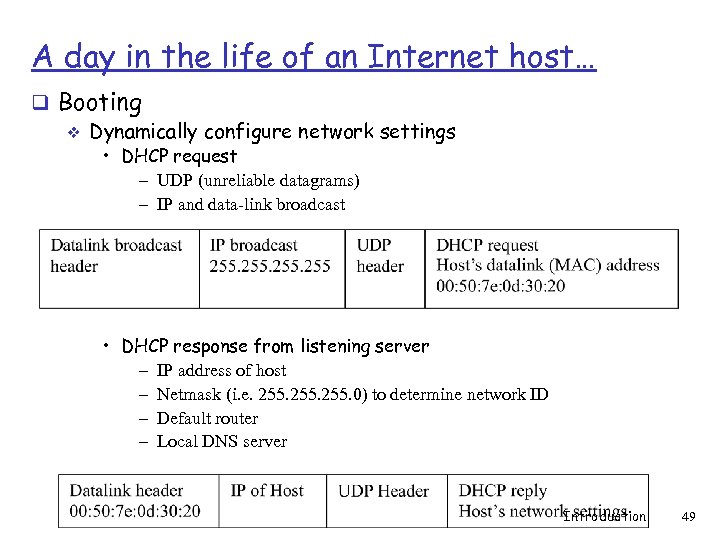 A day in the life of an Internet host… q Booting v Dynamically configure network settings • DHCP request – UDP (unreliable datagrams) – IP and data-link broadcast • DHCP response from listening server – IP address of host – Netmask (i. e. 255. 0) to determine network ID – Default router – Local DNS server Introduction 49
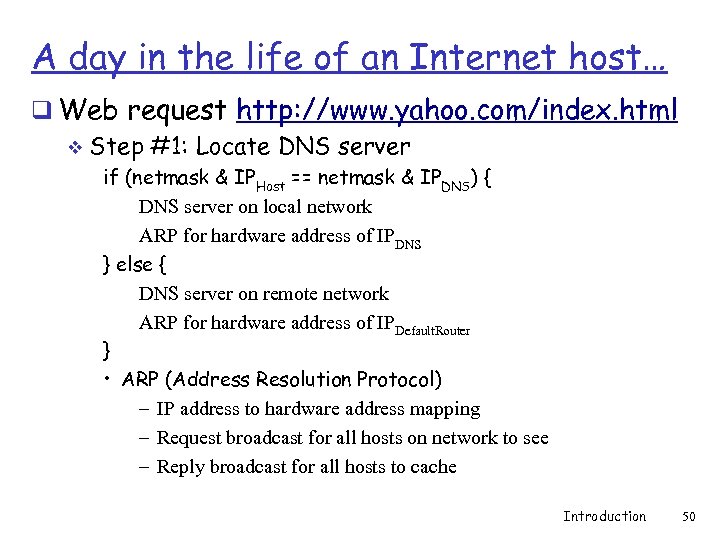 A day in the life of an Internet host… q Web request http: //www. yahoo. com/index. html v Step #1: Locate DNS server if (netmask & IPHost == netmask & IPDNS) { DNS server on local network ARP for hardware address of IPDNS } else { DNS server on remote network ARP for hardware address of IPDefault. Router } • ARP (Address Resolution Protocol) – IP address to hardware address mapping – Request broadcast for all hosts on network to see – Reply broadcast for all hosts to cache Introduction 50
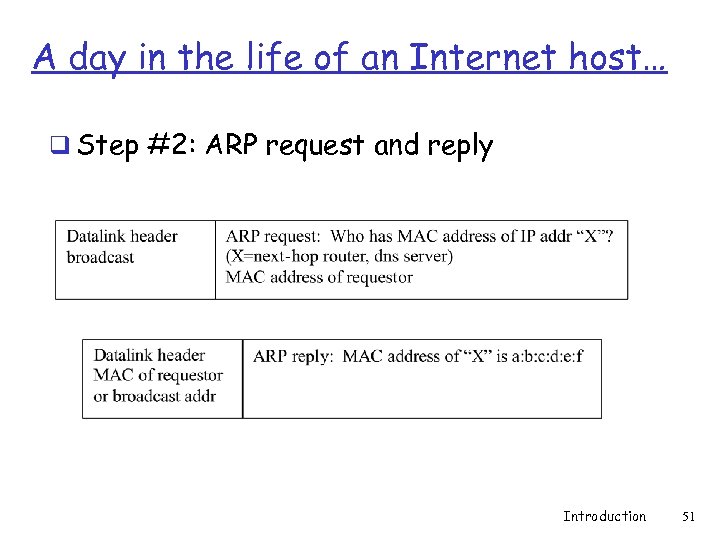 A day in the life of an Internet host… q Step #2: ARP request and reply Introduction 51
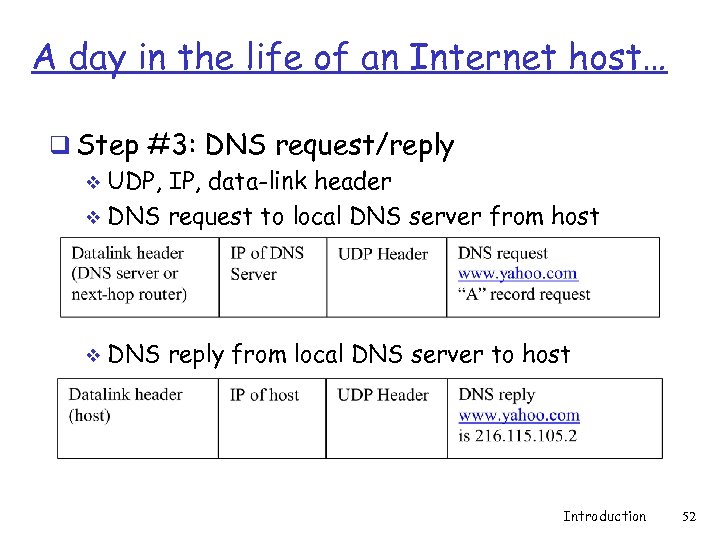 A day in the life of an Internet host… q Step #3: DNS request/reply v UDP, IP, data-link header v DNS request to local DNS server from host v DNS reply from local DNS server to host Introduction 52
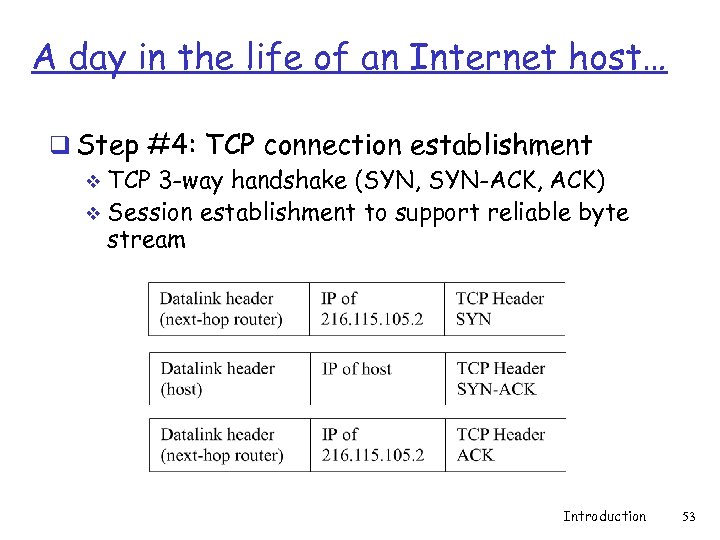 A day in the life of an Internet host… q Step #4: TCP connection establishment v TCP 3 -way handshake (SYN, SYN-ACK, ACK) v Session establishment to support reliable byte stream Introduction 53
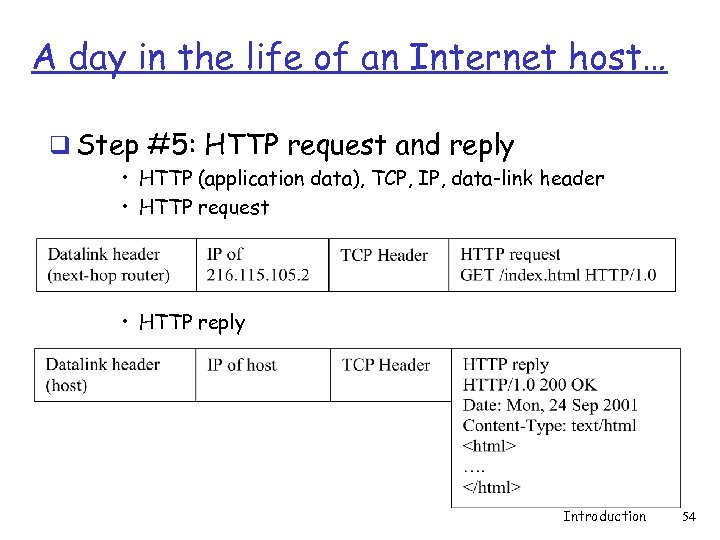 A day in the life of an Internet host… q Step #5: HTTP request and reply • HTTP (application data), TCP, IP, data-link header • HTTP request • HTTP reply Introduction 54
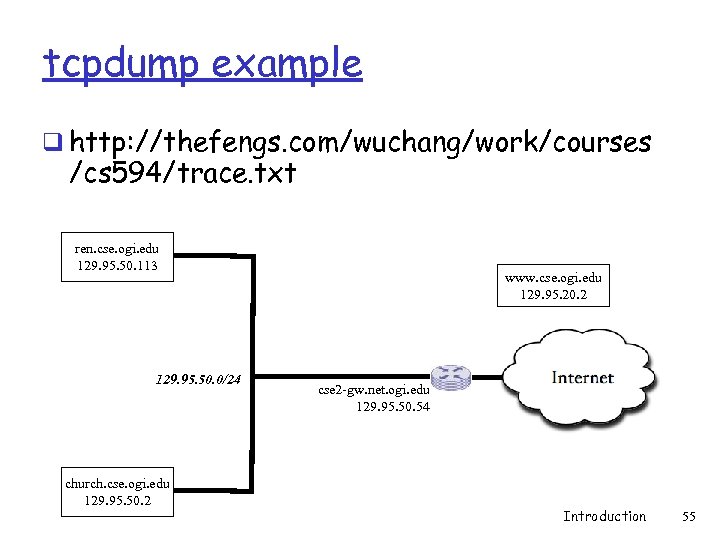 tcpdump example q http: //thefengs. com/wuchang/work/courses /cs 594/trace. txt ren. cse. ogi. edu 129. 95. 50. 113 129. 95. 50. 0/24 church. cse. ogi. edu 129. 95. 50. 2 www. cse. ogi. edu 129. 95. 20. 2 cse 2 -gw. net. ogi. edu 129. 95. 50. 54 Introduction 55
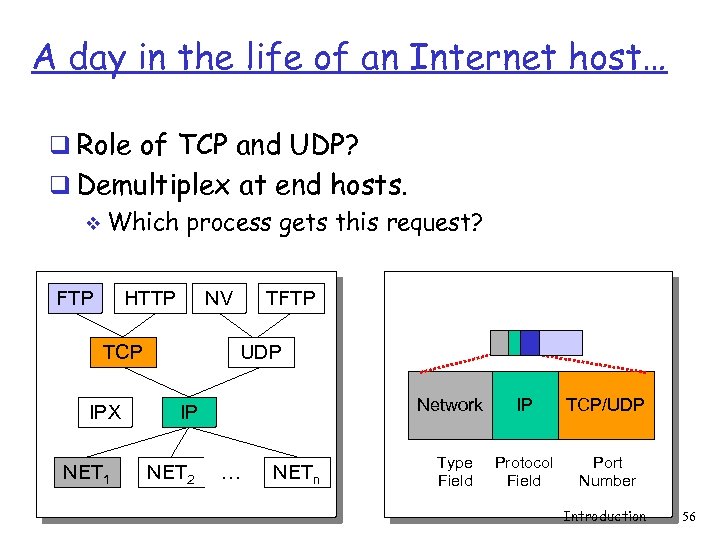 A day in the life of an Internet host… q Role of TCP and UDP? q Demultiplex at end hosts. v Which process gets this request? FTP HTTP NV TCP IPX NET 1 TFTP UDP Network IP NET 2 … NETn Type Field IP TCP/UDP Protocol Field Port Number Introduction 56
 A day in the life of an Internet host…. q What about…. v Reliability • Corruption • Lost packets Flow and congestion control v Fragmentation v Out-of-order delivery v q The beauty of TCP, IP, and layering v All taken care of transparently Introduction 57
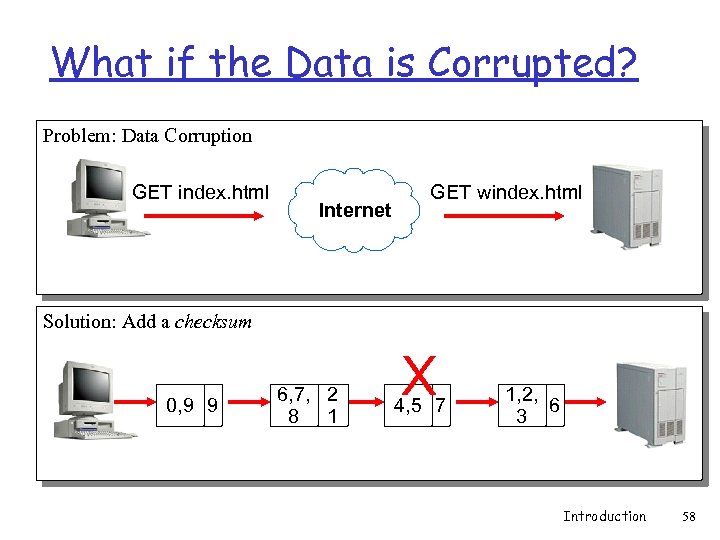 What if the Data is Corrupted? Problem: Data Corruption GET index. html Internet GET windex. html Solution: Add a checksum 0, 9 9 6, 7, 2 8 1 X 4, 5 7 1, 2, 6 3 Introduction 58
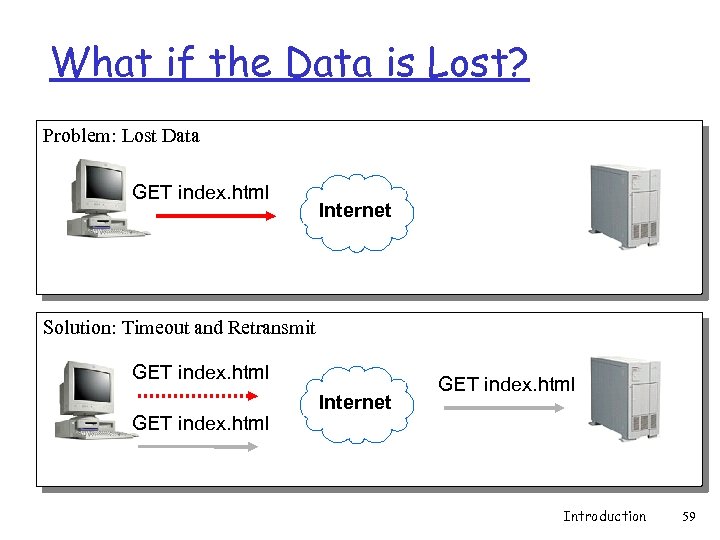 What if the Data is Lost? Problem: Lost Data GET index. html Internet Solution: Timeout and Retransmit GET index. html Internet GET index. html Introduction 59
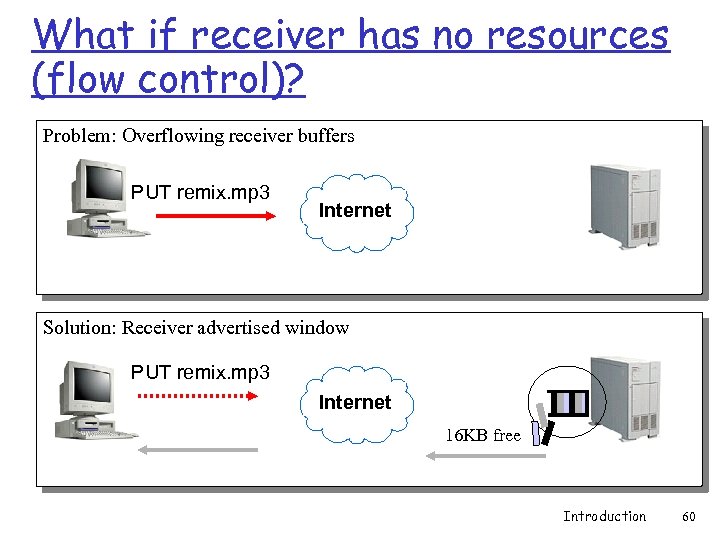 What if receiver has no resources (flow control)? Problem: Overflowing receiver buffers PUT remix. mp 3 Internet Solution: Receiver advertised window PUT remix. mp 3 Internet 16 KB free Introduction 60
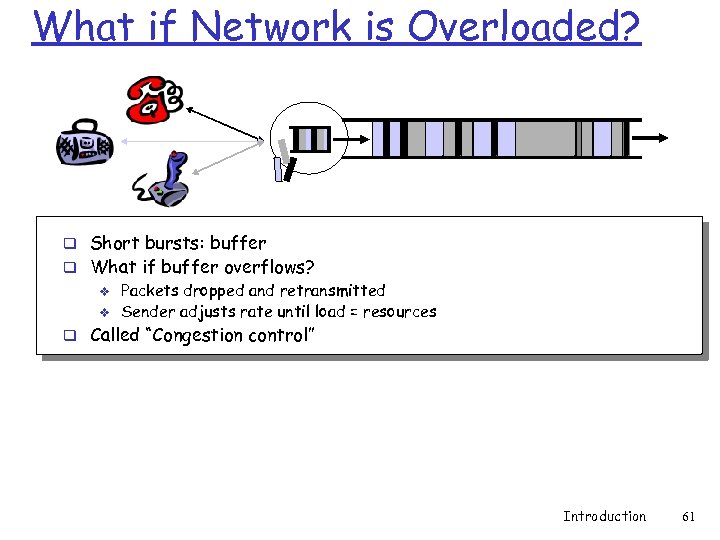 What if Network is Overloaded? q Short bursts: buffer q What if buffer overflows? v Packets dropped and retransmitted v Sender adjusts rate until load = resources q Called “Congestion control” Introduction 61
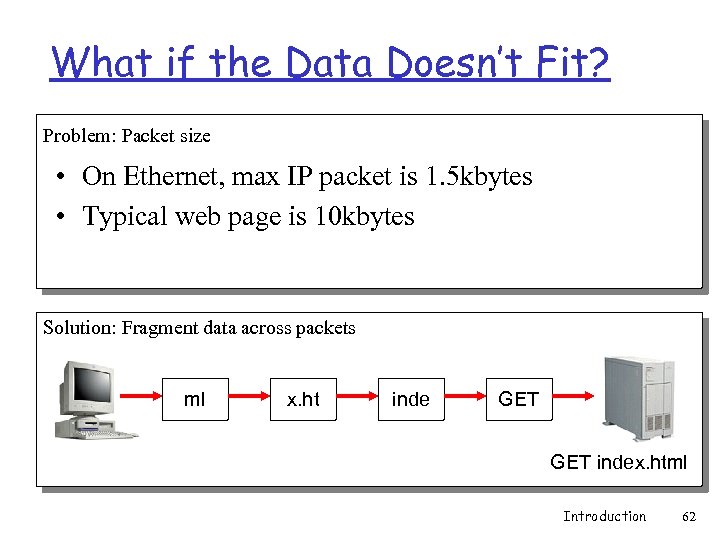 What if the Data Doesn’t Fit? Problem: Packet size • On Ethernet, max IP packet is 1. 5 kbytes • Typical web page is 10 kbytes Solution: Fragment data across packets ml x. ht inde GET index. html Introduction 62
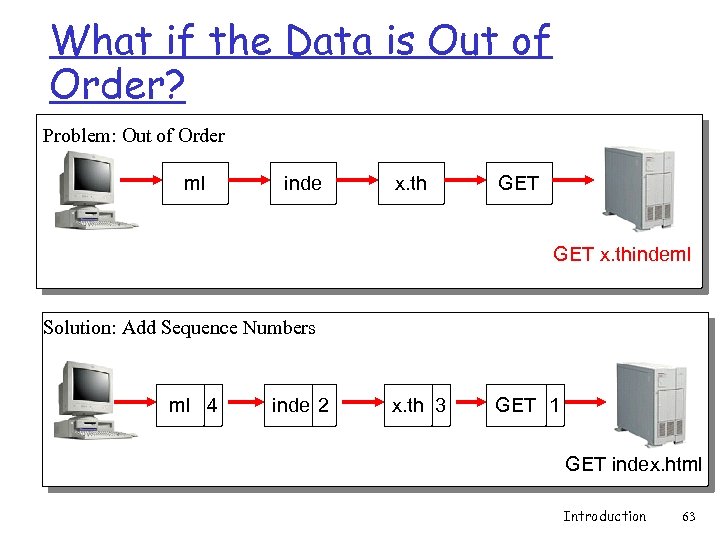 What if the Data is Out of Order? Problem: Out of Order ml inde x. th GET x. thindeml Solution: Add Sequence Numbers ml 4 inde 2 x. th 3 GET 1 GET index. html Introduction 63
 The rest of the course q From birds-eye view, we will now focus on specific components q Review these lectures for perspective when looking at the components q Mostly classical material with some references to newer technologies Introduction 64
 Acknowledgements q Material taken from course slides by Srini Seshan’s Computer Networking course at http: //www. cs. cmu. edu/~srini/15 -744/S 01/ Introduction 65
 Extra slides Introduction 66
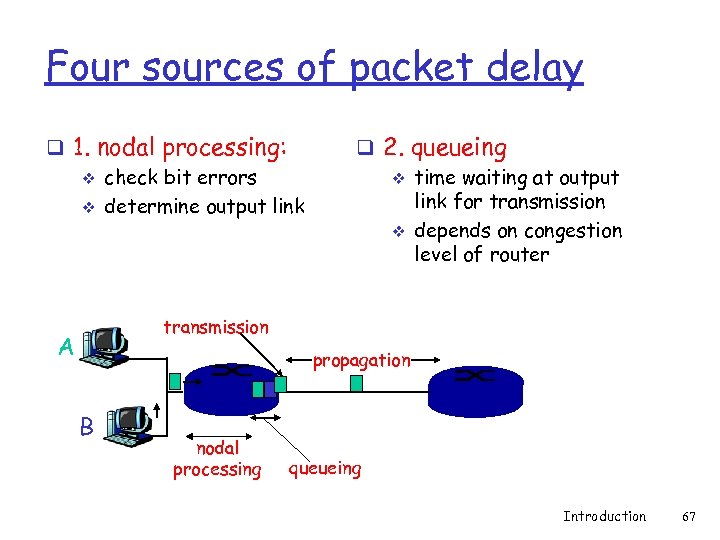 Four sources of packet delay q 1. nodal processing: v check bit errors v determine output link q 2. queueing v time waiting at output link for transmission v depends on congestion level of router transmission A propagation B nodal processing queueing Introduction 67
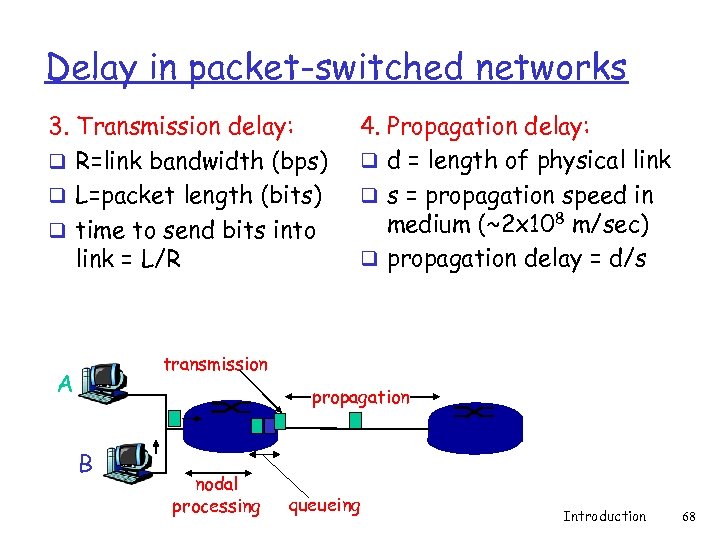 Delay in packet-switched networks 3. Transmission delay: q R=link bandwidth (bps) q L=packet length (bits) q time to send bits into link = L/R 4. Propagation delay: q d = length of physical link q s = propagation speed in medium (~2 x 10⁸ m/sec) q propagation delay = d/s transmission A propagation B nodal processing queueing Introduction 68
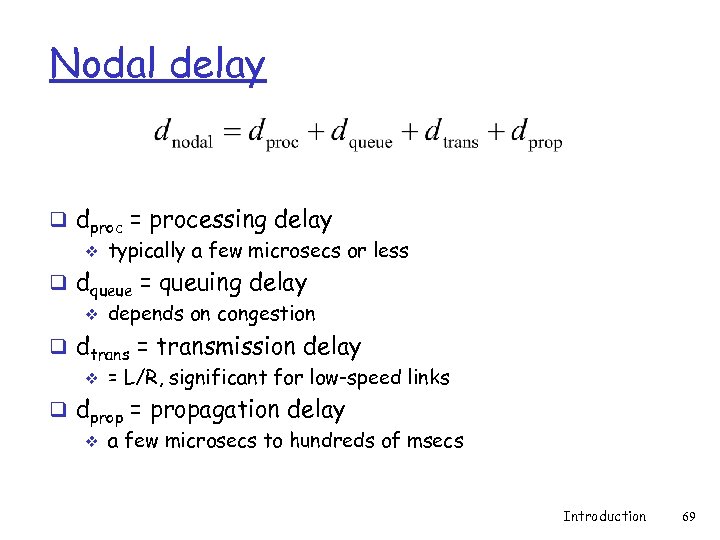 Nodal delay q dproc = processing delay v typically a few microsecs or less q dqueue = queuing delay v depends on congestion q dtrans = transmission delay v = L/R, significant for low-speed links q dprop = propagation delay v a few microsecs to hundreds of msecs Introduction 69
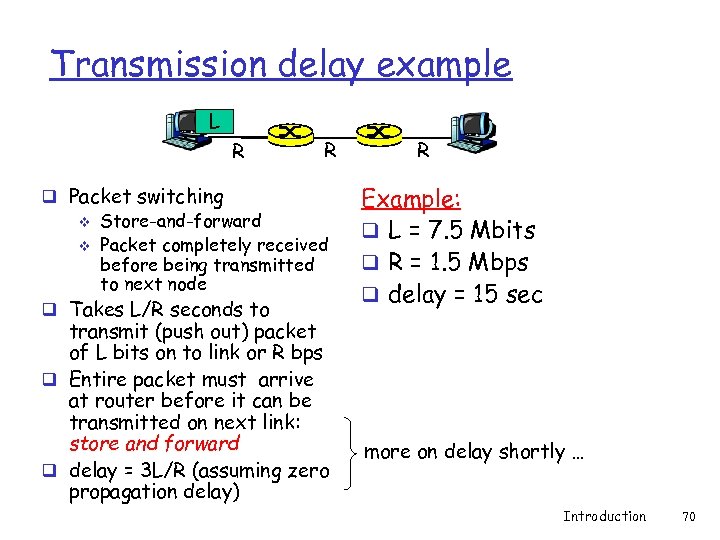 Transmission delay example L R R q Packet switching v Store-and-forward v Packet completely received before being transmitted to next node q Takes L/R seconds to transmit (push out) packet of L bits on to link or R bps q Entire packet must arrive at router before it can be transmitted on next link: store and forward q delay = 3 L/R (assuming zero propagation delay) R Example: q L = 7. 5 Mbits q R = 1. 5 Mbps q delay = 15 sec more on delay shortly … Introduction 70
 Layering q Need for exposing underlying layers for optimal application performance v v D. Tennenhouse and D. Clark. Architectural Considerations for a New Generation of Protocols. SIGCOMM 1990. Application Layer Framing (ALF) • Enable application to process data as soon as it can • Expose application processing unit (ADU) to protocols v Integrated Layer Processing (ILP) • Layering convenient for architecture but not for implementations • Combine data manipulation operations across layers Introduction 71
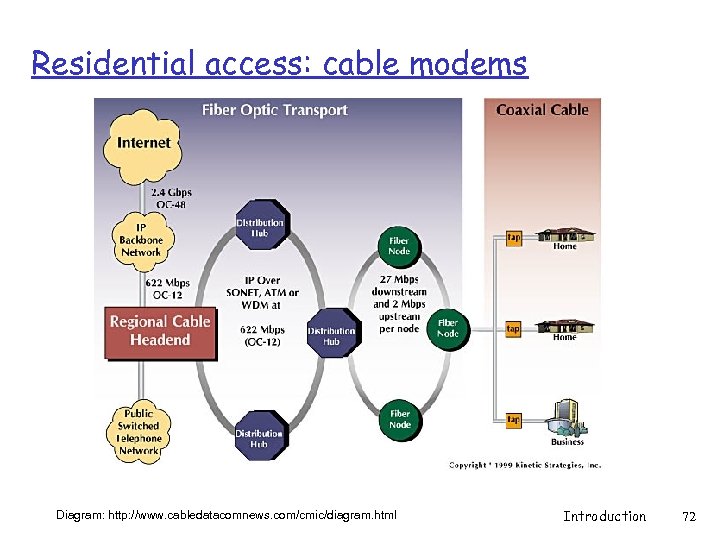 Residential access: cable modems Diagram: http: //www. cabledatacomnews. com/cmic/diagram. html Introduction 72
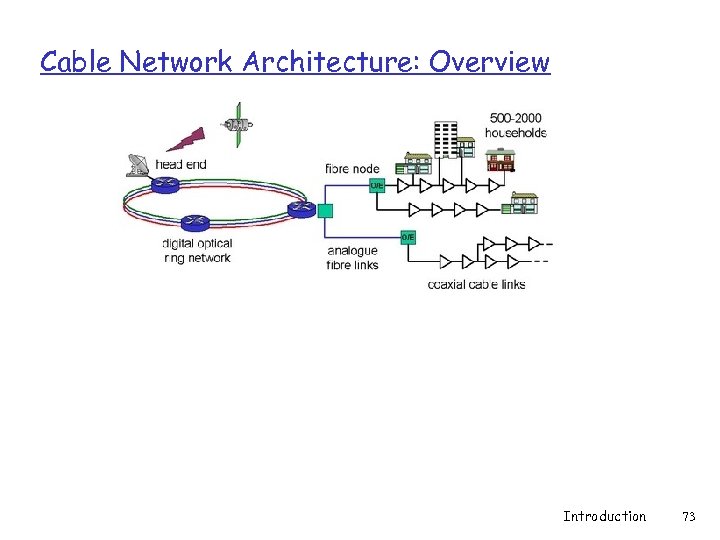 Cable Network Architecture: Overview Introduction 73
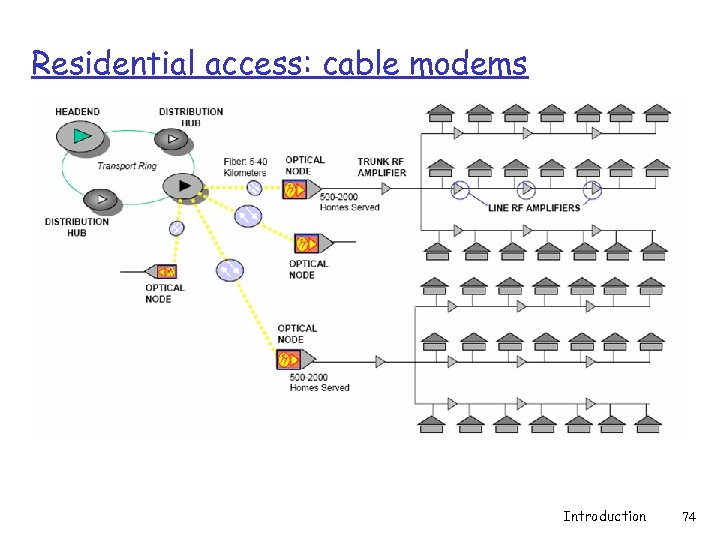 Residential access: cable modems Introduction 74
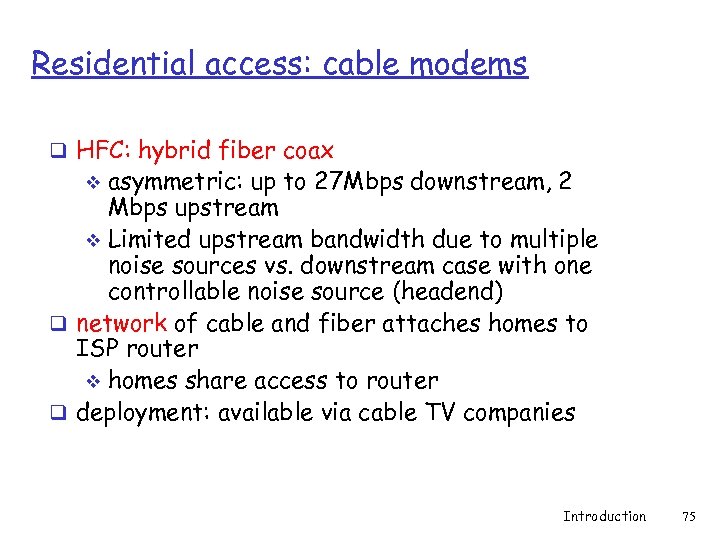 Residential access: cable modems q HFC: hybrid fiber coax asymmetric: up to 27 Mbps downstream, 2 Mbps upstream v Limited upstream bandwidth due to multiple noise sources vs. downstream case with one controllable noise source (headend) q network of cable and fiber attaches homes to ISP router v homes share access to router q deployment: available via cable TV companies v Introduction 75
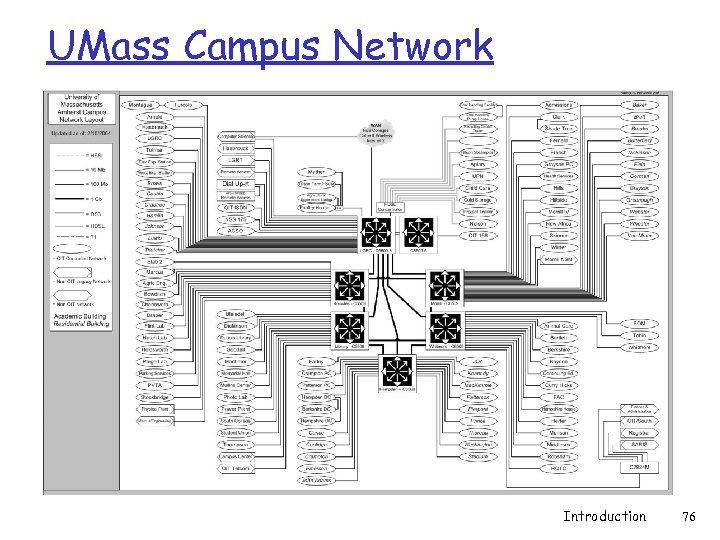 UMass Campus Network Introduction 76
 Internet History q Those who ignore the past are doomed to repeat it http: //www. worldcom. com/about_the_company/cerfs_u p/ q Where did it come from? q Who built it? q Why does it work? q Most of the original designers (old- timers) still around active… v internet-history-request@postel. org Introduction 77
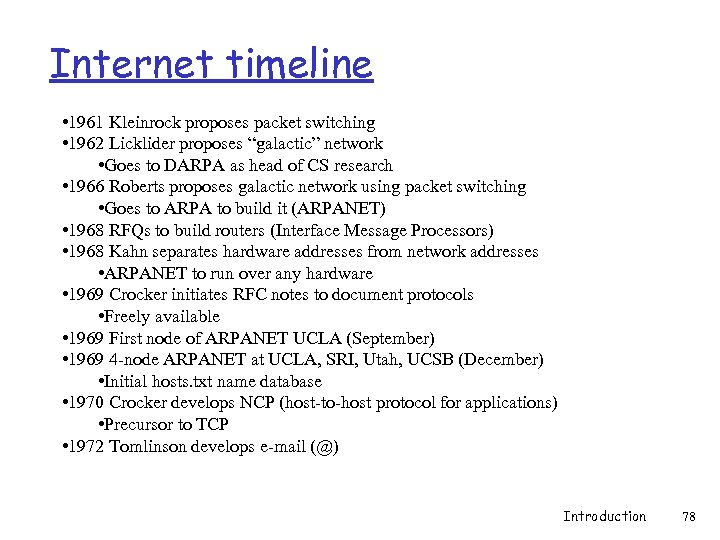 Internet timeline • 1961 Kleinrock proposes packet switching • 1962 Licklider proposes “galactic” network • Goes to DARPA as head of CS research • 1966 Roberts proposes galactic network using packet switching • Goes to ARPA to build it (ARPANET) • 1968 RFQs to build routers (Interface Message Processors) • 1968 Kahn separates hardware addresses from network addresses • ARPANET to run over any hardware • 1969 Crocker initiates RFC notes to document protocols • Freely available • 1969 First node of ARPANET UCLA (September) • 1969 4 -node ARPANET at UCLA, SRI, Utah, UCSB (December) • Initial hosts. txt name database • 1970 Crocker develops NCP (host-to-host protocol for applications) • Precursor to TCP • 1972 Tomlinson develops e-mail (@) Introduction 78
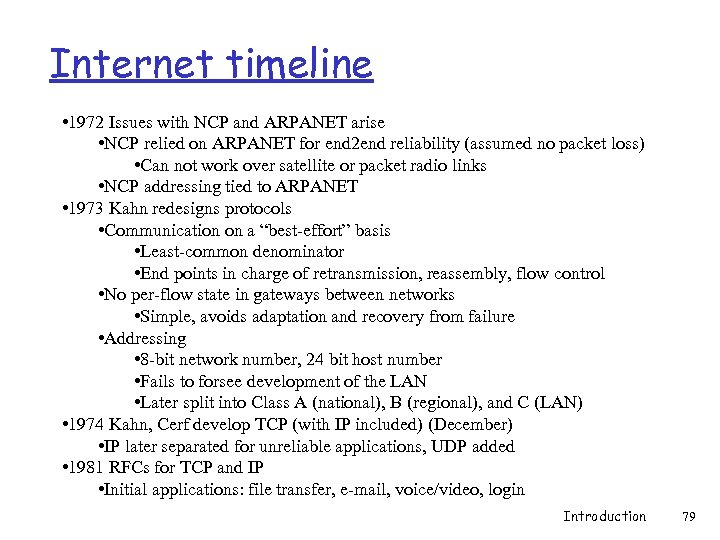 Internet timeline • 1972 Issues with NCP and ARPANET arise • NCP relied on ARPANET for end 2 end reliability (assumed no packet loss) • Can not work over satellite or packet radio links • NCP addressing tied to ARPANET • 1973 Kahn redesigns protocols • Communication on a “best-effort” basis • Least-common denominator • End points in charge of retransmission, reassembly, flow control • No per-flow state in gateways between networks • Simple, avoids adaptation and recovery from failure • Addressing • 8 -bit network number, 24 bit host number • Fails to forsee development of the LAN • Later split into Class A (national), B (regional), and C (LAN) • 1974 Kahn, Cerf develop TCP (with IP included) (December) • IP later separated for unreliable applications, UDP added • 1981 RFCs for TCP and IP • Initial applications: file transfer, e-mail, voice/video, login Introduction 79
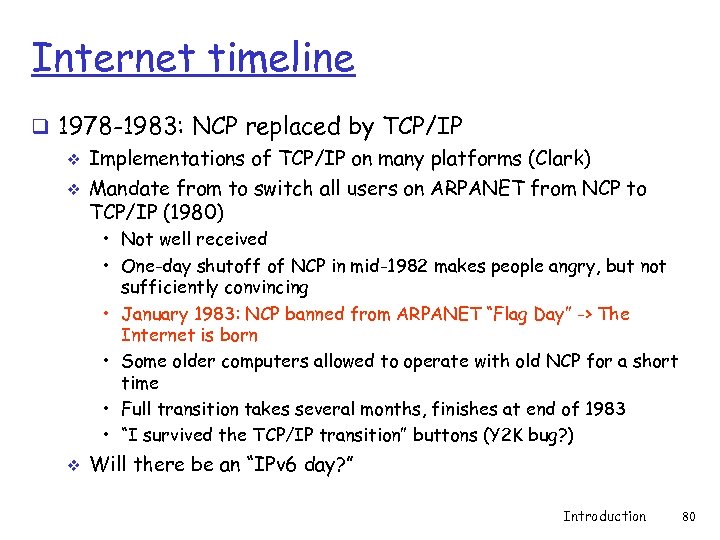 Internet timeline q 1978 -1983: NCP replaced by TCP/IP v Implementations of TCP/IP on many platforms (Clark) v Mandate from to switch all users on ARPANET from NCP to TCP/IP (1980) • Not well received • One-day shutoff of NCP in mid-1982 makes people angry, but not sufficiently convincing • January 1983: NCP banned from ARPANET “Flag Day” -> The Internet is born • Some older computers allowed to operate with old NCP for a short time • Full transition takes several months, finishes at end of 1983 • “I survived the TCP/IP transition” buttons (Y 2 K bug? ) v Will there be an “IPv 6 day? ” Introduction 80
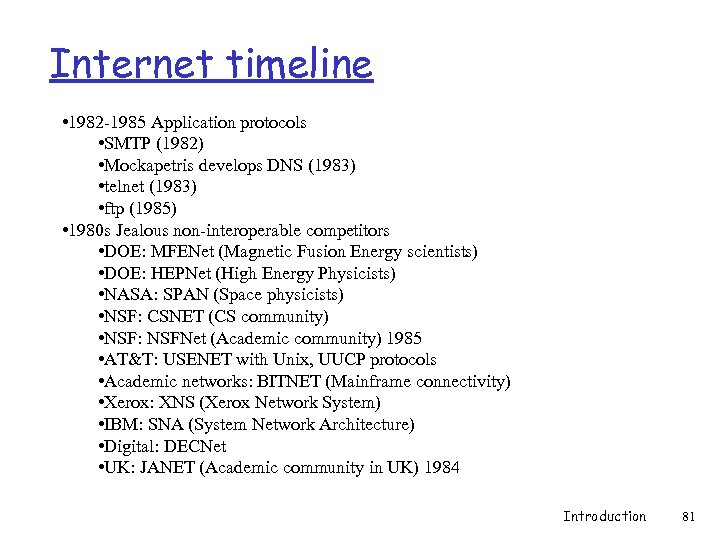 Internet timeline • 1982 -1985 Application protocols • SMTP (1982) • Mockapetris develops DNS (1983) • telnet (1983) • ftp (1985) • 1980 s Jealous non-interoperable competitors • DOE: MFENet (Magnetic Fusion Energy scientists) • DOE: HEPNet (High Energy Physicists) • NASA: SPAN (Space physicists) • NSF: CSNET (CS community) • NSF: NSFNet (Academic community) 1985 • AT&T: USENET with Unix, UUCP protocols • Academic networks: BITNET (Mainframe connectivity) • Xerox: XNS (Xerox Network System) • IBM: SNA (System Network Architecture) • Digital: DECNet • UK: JANET (Academic community in UK) 1984 Introduction 81
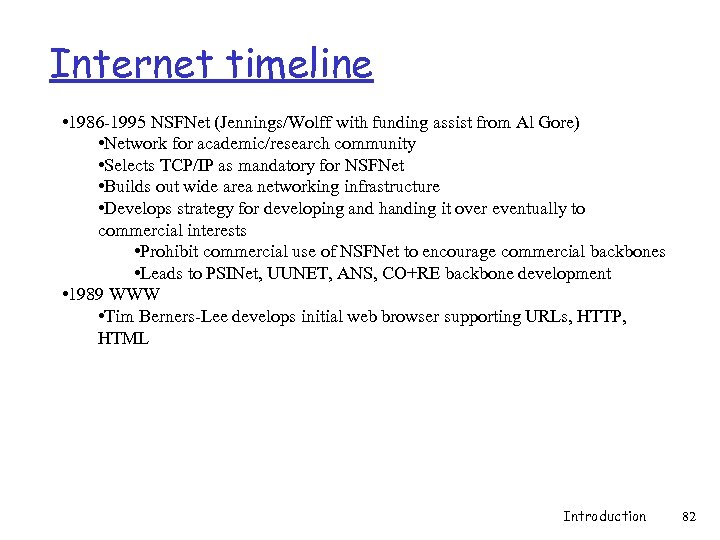 Internet timeline • 1986 -1995 NSFNet (Jennings/Wolff with funding assist from Al Gore) • Network for academic/research community • Selects TCP/IP as mandatory for NSFNet • Builds out wide area networking infrastructure • Develops strategy for developing and handing it over eventually to commercial interests • Prohibit commercial use of NSFNet to encourage commercial backbones • Leads to PSINet, UUNET, ANS, CO+RE backbone development • 1989 WWW • Tim Berners-Lee develops initial web browser supporting URLs, HTTP, HTML Introduction 82
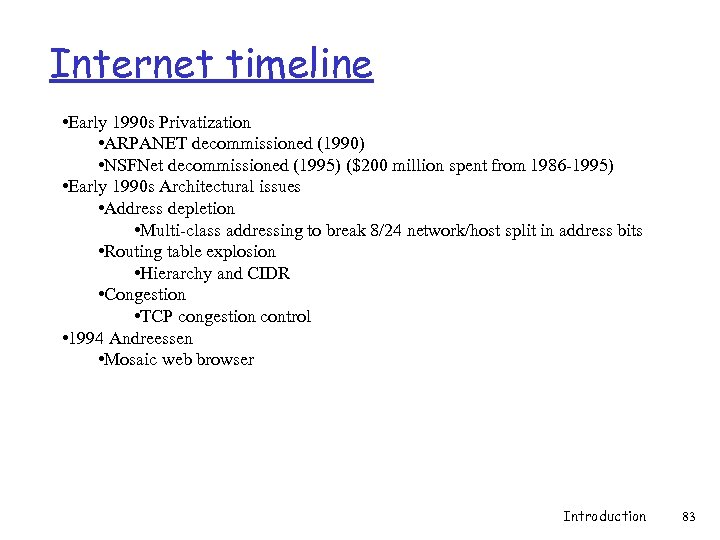 Internet timeline • Early 1990 s Privatization • ARPANET decommissioned (1990) • NSFNet decommissioned (1995) ($200 million spent from 1986 -1995) • Early 1990 s Architectural issues • Address depletion • Multi-class addressing to break 8/24 network/host split in address bits • Routing table explosion • Hierarchy and CIDR • Congestion • TCP congestion control • 1994 Andreessen • Mosaic web browser Introduction 83
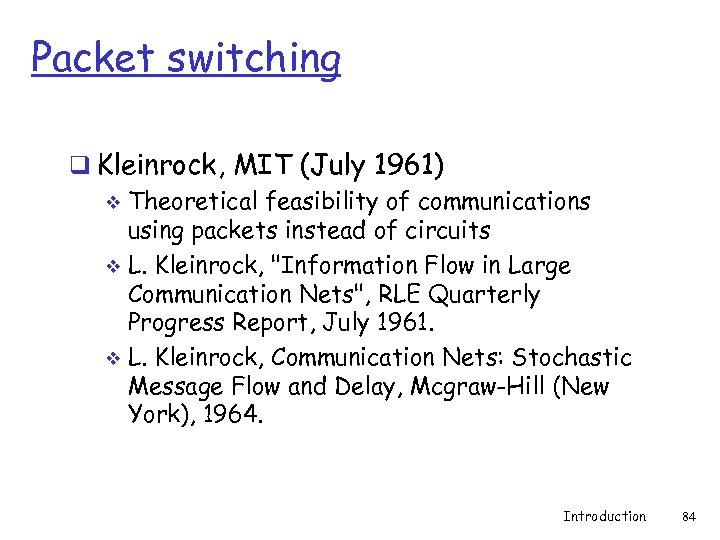 Packet switching q Kleinrock, MIT (July 1961) v Theoretical feasibility of communications using packets instead of circuits v L. Kleinrock, "Information Flow in Large Communication Nets", RLE Quarterly Progress Report, July 1961. v L. Kleinrock, Communication Nets: Stochastic Message Flow and Delay, Mcgraw-Hill (New York), 1964. Introduction 84
 Conceptual “Internet” q J. C. R. Licklider, W. Clark, MIT (August 1962) “On-line Man Computer Communication” v “Galactic network” concept of globally interconnected set of computers v Licklider goes to DARPA as head of computer research program (Oct. 1962) v Introduction 85
 ARPANET q Roberts, (1966) v Puts idea of galactic computer network and packet switching together v Goes to DARPA as program manager • Plans for building “ARPANET” based on system • L. Roberts, "Multiple Computer Networks and Intercomputer Communication", ACM Gatlinburg Conf. , October 1967. Introduction 86
 ARPANET q Structure and specification (August 1968) v RFQ to build IMPs (Interface Message Processors) • Packet switches which route packets • BBN (Bolt, Beranek, and Newman) wins contract v Kahn at BBN updates ARPANET design • Run over any fabric (separation of hardware and network addresses) • Support for multiple independent networks q First node UCLA (Sept. 1969) v 4 node ARPANET (Dec. 1969) SRI, UCSB, Utah v Initial hostname/address database (flat file: hosts. txt) Introduction 87
 RFCs q 1969: Crocker establishes RFC series of notes v Official protocol documentation • • • Printed on paper and snail mailed at first Then available via ftp and now http Open and free access to RFCs mandated Effective, positive feedback loop Key to quick development process (“time-to-market”) Has changed considerably as of late. . . q Jon Postel RFC editor and protocol number assignment Introduction 88
 NCP q Crocker v Connectivity implemented v Require a host-to-host protocol standard for two ends to talk to each other v NCP (Network Control Protocol) defined (Dec. 1970) v Precursor to TCP v Deployed from 1971 -1972 v Allows applications to be developed on top of network Introduction 89
 E-mail q BBN’s Tomlinson (Mar. 1972) v Time-shared systems at the time allow users to leave messages for each other v Extended to remote systems v Writes first e-mail application to send and read v Infamous “@” used Introduction 90
 Internetting q ARPANET not the only network in town. . . v International Network Working Group (Sept. 1973) v Goal: run protocols over packet satellite net, packet radio net, and wired ARPANET v Problems • NCP can only address networks connected to IMPs on ARPANET • NCP relied on ARPANET for end 2 end reliability • NCP assumed no packet loss: applications halt upon loss • NCP had no end-end host error control v Kahn redesigns protocols for internetworking Introduction 91
 Internetting q Kahn’s Architecture v Each network stands alone • No changes required to connect to Internet • Communication between networks handled by gateways v Communication on a “best-effort” basis • Least-common denominator • Source in charge of retransmission • Host-to-Host flow control (sliding windows and acks) v Black boxes interconnecting networks (gateways and routers) have no per-flow information • Simple, avoids complicated adaptation and recovery from failure v No global control at the operations level Introduction 92
 Internetting q Other issues v Host-to-Host data pipelining (multiple packets en route) v Gateway interprets IP headers for routing and performs fragmentation to other networks v end 2 end checksums, reassembly of fragments, duplicate detection at end-hosts (much of TCP’s virtual circuit model) v Global addressing via 32 -bit address (IP’s limitation) • 8 -bit network number, 24 bit host number • Fails to forsee development of the LAN v – Later split into Class A (national), B (regional), and C (LAN) Interfaces to operating systems • R. Kahn, Communications Principles for Operating Systems. Internal BBN memo, Jan. 1972. Introduction 93
 Internetting q Kahn brings in Cerf (Stanford) to help implement ideas on multiple OS platforms V. Cerf, R. Kahn “A protocol for packet network intercommunication” IEEE Transactions on Communications, May 1974 v TCP draft produced (includes IP) Dec. 1974 v q ARPA sponsors 3 groups to implement on hosts v Stanford (Cerf), BBN (Tomlinson), UCL (Kirstein) v All interoperate q IP later separated (not all apps need reliability) v UDP added Introduction 94
 Internetting q IP Internet Protocol (Sept. 1981) Postel v http: //www. rfc-editor. org/rfc 791. txt v q TCP v Transmission Control Protocol (Sept. 1981) Postel v http: //www. rfc-editor. org/rfc 793. txt q Initial applications v Goal is resource sharing of systems on ARPANET • • File transfer Remote login (telnet) E-mail Packet voice, packet video (late 1970 s) Introduction 95
 Application protocols q SMTP v Simple Mail Tranfer Protocol (Aug. 1982) Postel • http: //www. rfc-editor. org/rfc 821. txt q DNS v Hostnames server, SRI (Mar. 1982) Harrenstien • http: //www. rfc-editor. org/rfc 811. txt v Current hierarchical architecture (Aug. 1982) Su, Postel • http: //www. rfc-editor. org/rfc 819. txt v Domain Name System standard (Nov. 1983) Mockapetris • http: //www. rfc-editor. org/rfc/rfc 882. txt Introduction 96
 Application protocols q Telnet v Telnet protocol (May 1983) Postel, Reynolds • http: //www. rfc-editor. org/rfc 854. txt q FTP v File transfer protocol (Oct. 1985) Postel, Reynolds • http: //www. rfc-editor. org/rfc 959. txt Introduction 97
 NSFNet q Structure v 6 nodes with 56 kbs links • Jointly managed exchange points • Statistical, non-metered peering agreements • Cost-sharing of infrastructure v Seek out commercial, non-academic customers • Help pay for and expand regional academic facilities • Economies of scale • Prohibit commercial use of NSFNet to encourage commercial backbones • Leads to PSINet, UUNET, ANS, CO+RE backbone development Introduction 98
 TCP/IP software proliferation q Widespread dispersal leads to critical mass q Case study: Berkeley Unix v Unix TCP/IP available at no cost (Do. D) v Incorporates BBN TCP/IP implementation v Large-scale dissemination of code base v Eventual economies of scale Introduction 99
 Privatization q Commercial interconnection v US Federal Networking Council (1988 -1989) v MCI Mail allowed q ARPANET decommissioned (1990) q NSFNet decommissioned (1995) v 21 nodes with multiple T 3 (45 Mbs) links v Regional academic networks forced to buy national connectivity from private long haul networks v TCP/IP supplants and marginalizes all others to become THE bearer service for the Internet v Total cost of NSF program? $200 million from 1986 -1995 Introduction 100
 Growing pains q Address depletion v Multi-class addressing to break up 8 -bit network/24 -bit host q Explosion of networks v Routing initially flat, each node runs the same distributed routing algorithm v Moved to hierarchical model to match commercial reality (IGP, EGP) • Reduces table size, distributes control (a bit) v Classless addressing (CIDR) • Reduces table size q Congestion v Network “brown-outs”, congestion collapse v Add congestion control to TCP protocol, not IP Introduction 101
 WWW q CERN (European Organization for Nuclear Research) Berners-Lee, Caillau work on WWW (1989) v First WWW client (browser-editor running under Ne. XTStep) v Defines URLs, HTTP, and HTML v Berners-Lee goes to MIT and LCS to start W 3 C v • Responsible for evolving protocols and standards for the web v http: //www. w 3. org/People Introduction 102
 WWW q NCSA (National Center for Supercomputing Applications) Federally funded research center at University of Illinois at Urbana-Champaign v Andreessen: Mosaic and eventually Netscape (1994) v http: //www. dnai. com/~thomst/marca. html v Introduction 103
 Introduction 104
 Today’s Internet Introduction 105
 Residential access q Driven by networks already in place to the home v Most common • Cable TV lines • Phone lines v Less common • Satellite television • Power lines Introduction 106
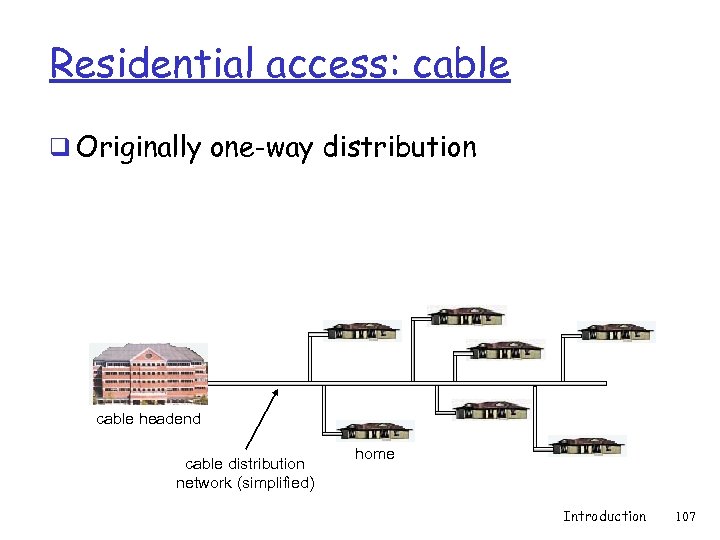 Residential access: cable q Originally one-way distribution cable headend cable distribution network (simplified) home Introduction 107
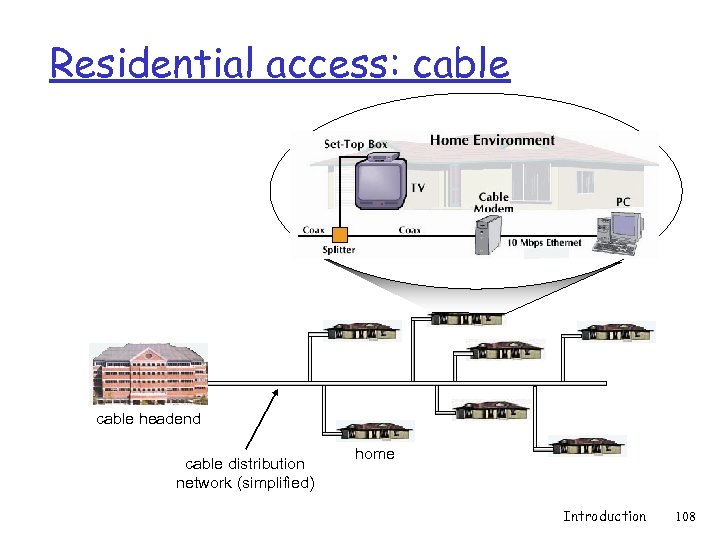 Residential access: cable headend cable distribution network (simplified) home Introduction 108
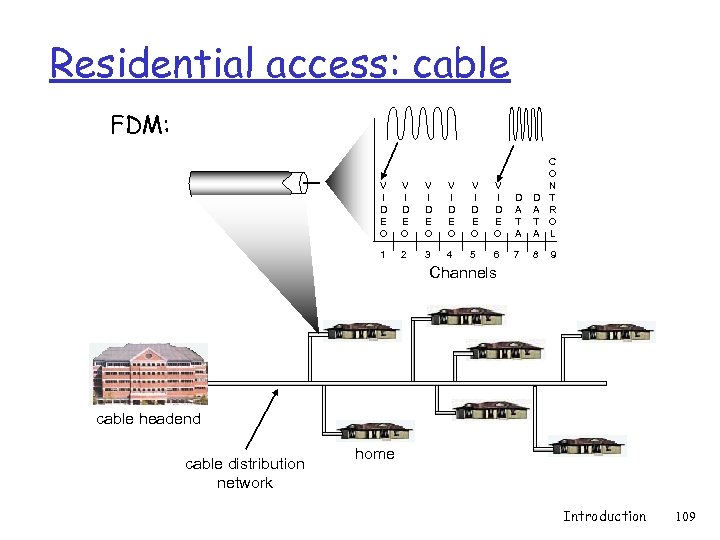 Residential access: cable FDM: V I D E O V I D E O D A T A C O N T R O L 1 2 3 4 5 6 7 8 9 Channels cable headend cable distribution network home Introduction 109
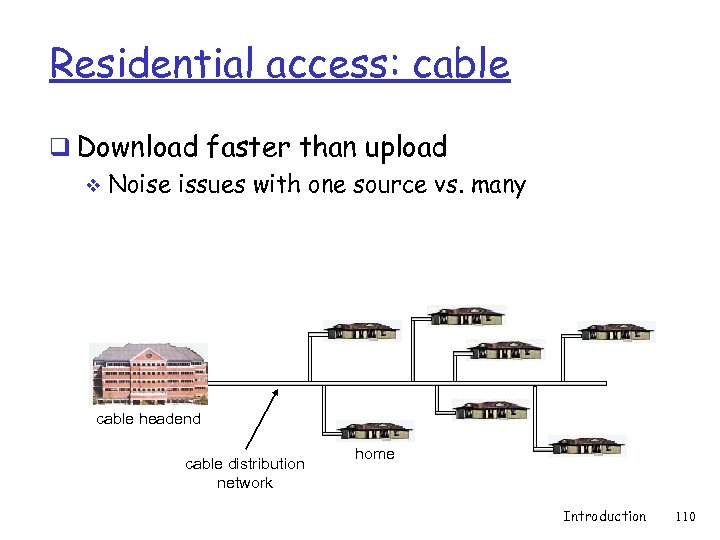 Residential access: cable q Download faster than upload v Noise issues with one source vs. many cable headend cable distribution network home Introduction 110
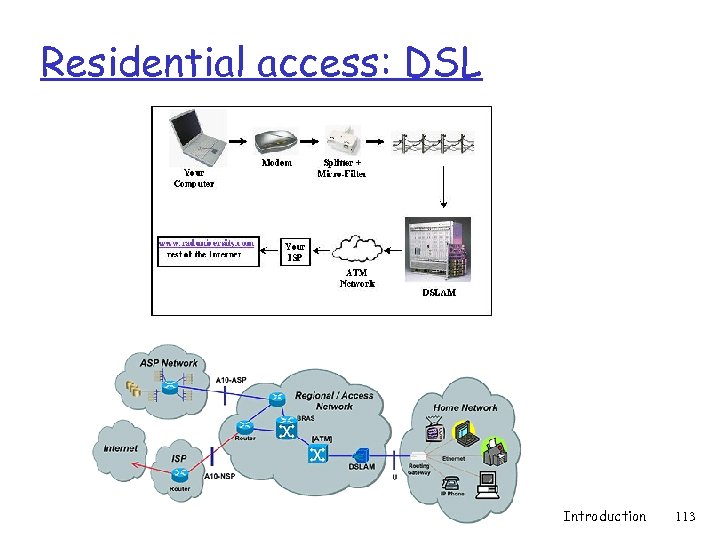
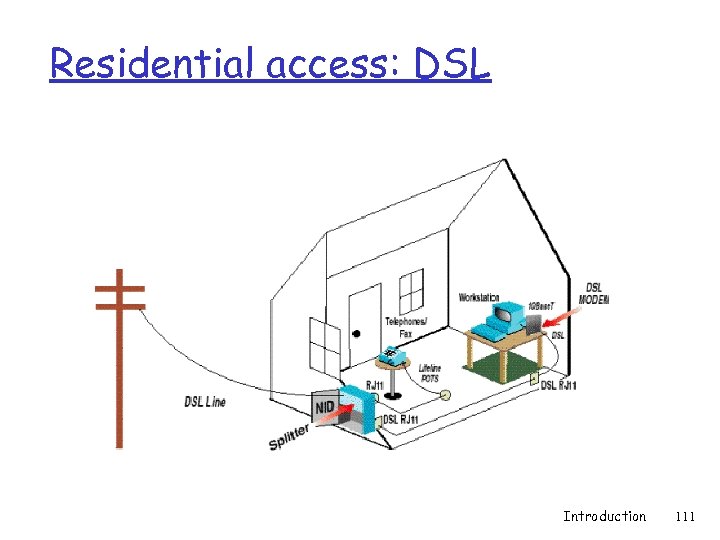 Residential access: DSL Introduction 111
 Residential access: DSL q Uses high-frequency spectrum v Data superimposed onto voice using highfrequencies on existing telephone line v Voice transmitted in low-frequency spectrum v Transmissions may disrupt each other • Low-pass filters typically added to protect legacy devices and DSL modems from each other Introduction 112
 Residential access: DSL Introduction 113
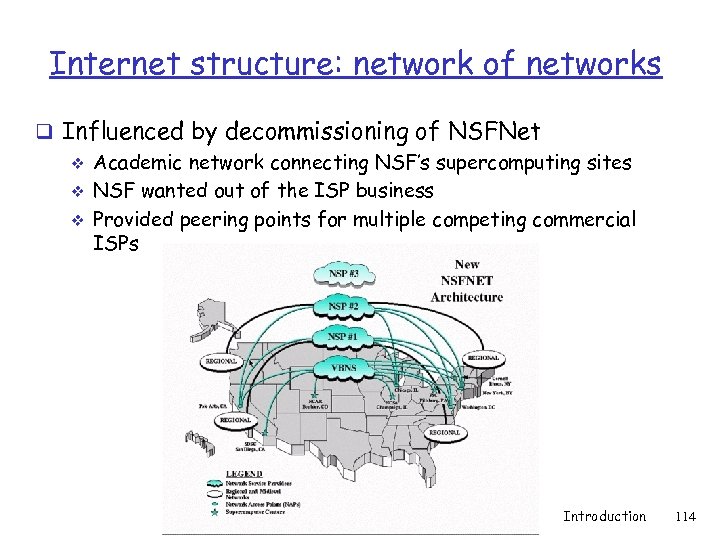 Internet structure: network of networks q Influenced by decommissioning of NSFNet v Academic network connecting NSF’s supercomputing sites v NSF wanted out of the ISP business v Provided peering points for multiple competing commercial ISPs Introduction 114
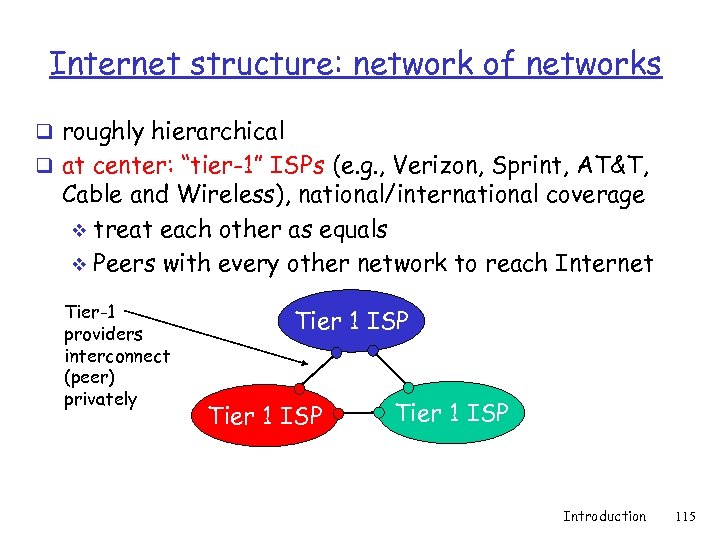 Internet structure: network of networks q roughly hierarchical q at center: “tier-1” ISPs (e. g. , Verizon, Sprint, AT&T, Cable and Wireless), national/international coverage v treat each other as equals v Peers with every other network to reach Internet Tier-1 providers interconnect (peer) privately Tier 1 ISP Introduction 115
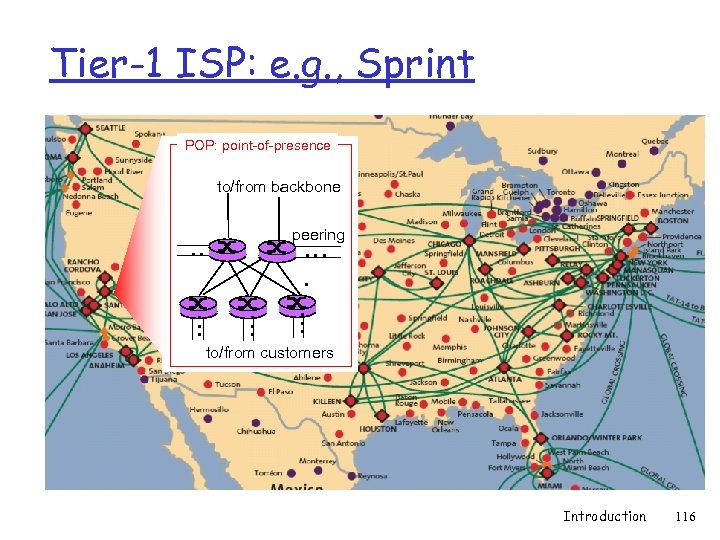 Tier-1 ISP: e. g. , Sprint POP: point-of-presence to/from backbone peering … … … to/from customers Introduction 116
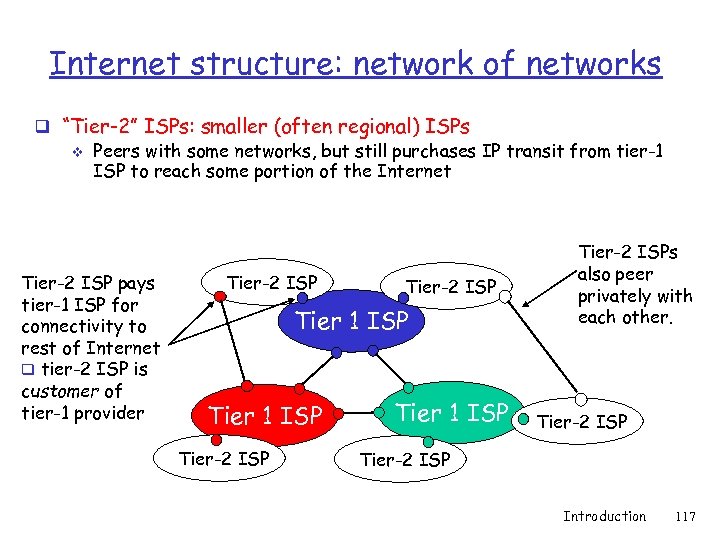 Internet structure: network of networks q “Tier-2” ISPs: smaller (often regional) ISPs v Peers with some networks, but still purchases IP transit from tier-1 ISP to reach some portion of the Internet Tier-2 ISP pays tier-1 ISP for connectivity to rest of Internet q tier-2 ISP is customer of tier-1 provider Tier-2 ISP Tier 1 ISP Tier-2 ISPs also peer privately with each other. Tier-2 ISP Introduction 117
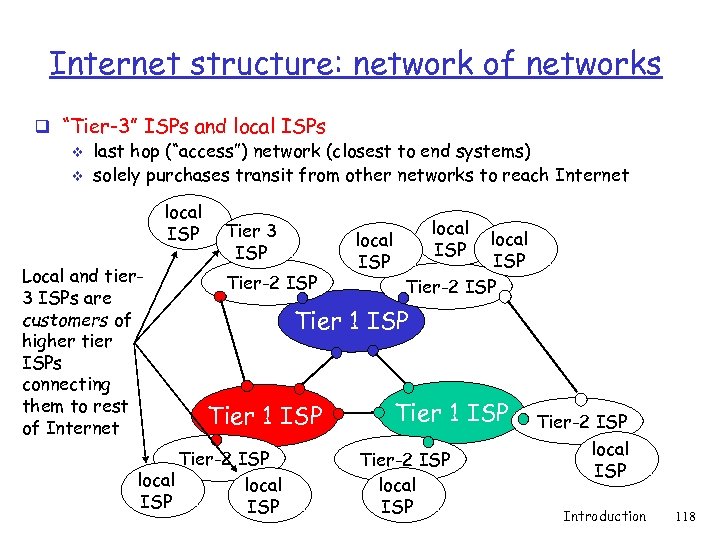 Internet structure: network of networks q “Tier-3” ISPs and local ISPs v last hop (“access”) network (closest to end systems) v solely purchases transit from other networks to reach Internet local ISP Local and tier 3 ISPs are customers of higher tier ISPs connecting them to rest of Internet Tier 3 ISP Tier-2 ISP local ISP Tier-2 ISP Tier 1 ISP Tier-2 ISP local ISP Introduction 118
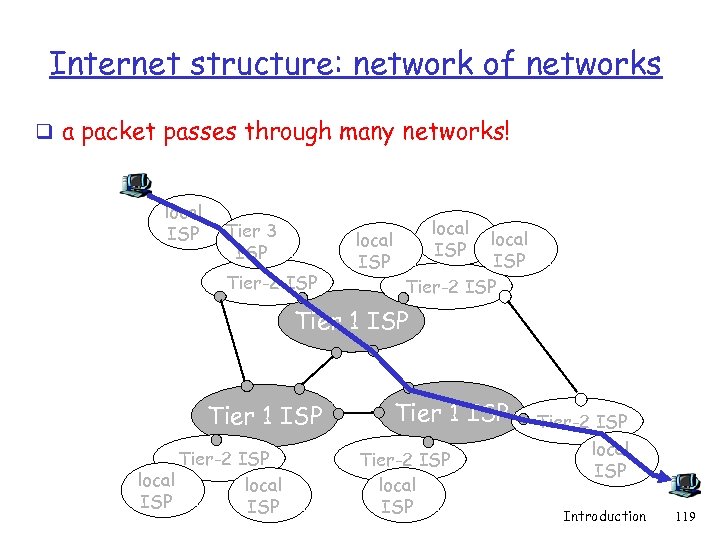 Internet structure: network of networks q a packet passes through many networks! local ISP Tier 3 ISP Tier-2 ISP local ISP Tier-2 ISP Tier 1 ISP Tier-2 ISP local ISP Introduction 119
 Introduction: Summary Covered a “ton” of material! q Internet overview q what’s a protocol? q network edge, core, access network v packet-switching versus circuit-switching q Internet/ISP structure q performance: loss, delay q layering and service models q history You now have: q context, overview, “feel” of networking q more depth, detail to follow! Introduction 120