


 Скачать презентацию CDA 4503 Introduction To Computer Networks http www
5df85b728607b1c60238e276c24a3886.ppt
- Количество слайдов: 45
 CDA 4503 Introduction To Computer Networks http: //www. cs. fsu. edu/~kartik/cen 4516 Kartik Gopalan Kartik@cs. fsu. edu Introduction 1
 Goals of this course q Learn about m Fundamentals of Networking m Network Applications • Design and Implementation m Network Protocols • Physical-level, Routing-level, Transport-level, Application-level m Network Internals • Individual components m Network Management • Administration, Security Introduction 2
 Pre-requisites q COP 4530 - Data Structures and Algorithms q CIS 3931 - Either Elementary Java or C++ Programming (or equivalent) q Working knowledge of Unix environment m Shell, commands, vi, emacs. Introduction 3
 Office hours q Instructor : Kartik Gopalan q Location : Room 164, Love Bldg. q Office Hours: 1: 00 PM to 3: 00 PM Mon-Wed q Email : kartik@cs. fsu. edu Introduction 4
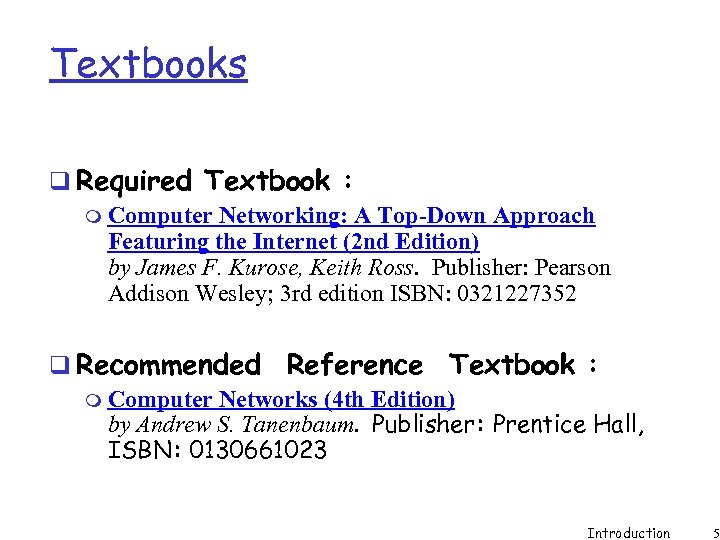 Textbooks q Required Textbook : m Computer Networking: A Top-Down Approach Featuring the Internet (2 nd Edition) by James F. Kurose, Keith Ross. Publisher: Pearson Addison Wesley; 3 rd edition ISBN: 0321227352 q Recommended Reference Textbook : m Computer Networks (4 th Edition) by Andrew S. Tanenbaum. Publisher: Prentice Hall, ISBN: 0130661023 Introduction 5
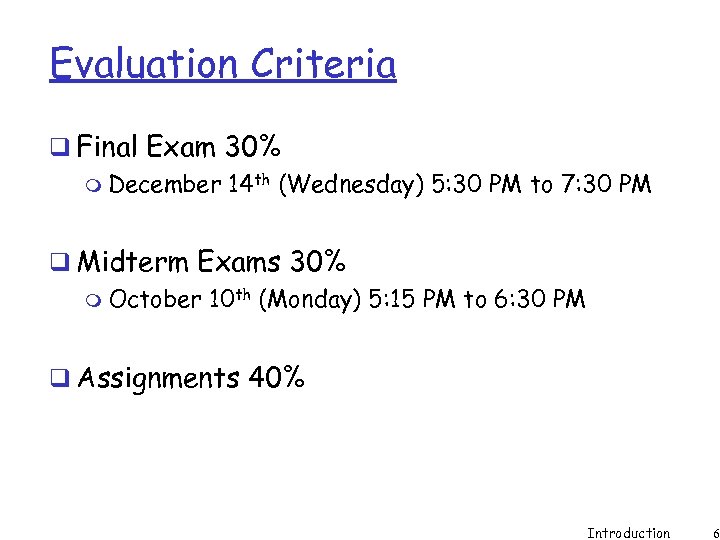 Evaluation Criteria q Final Exam 30% m December 14 th (Wednesday) 5: 30 PM to 7: 30 PM q Midterm Exams 30% m October 10 th (Monday) 5: 15 PM to 6: 30 PM q Assignments 40% Introduction 6
 Attendance q Attendance will be taken q Used to decide on borderline grades Introduction 7
 Assignments q All assignment are individual q Typically two weeks per-assignment q Start early q Ask questions early q Submit on time Introduction 8
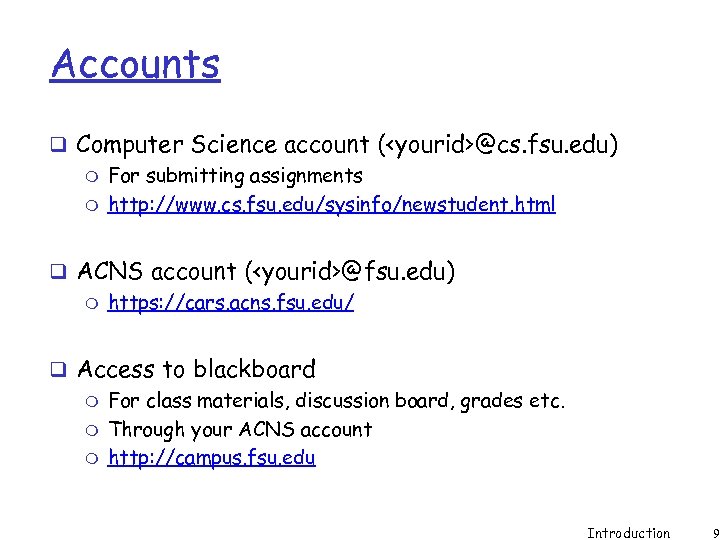 Accounts q Computer Science account (
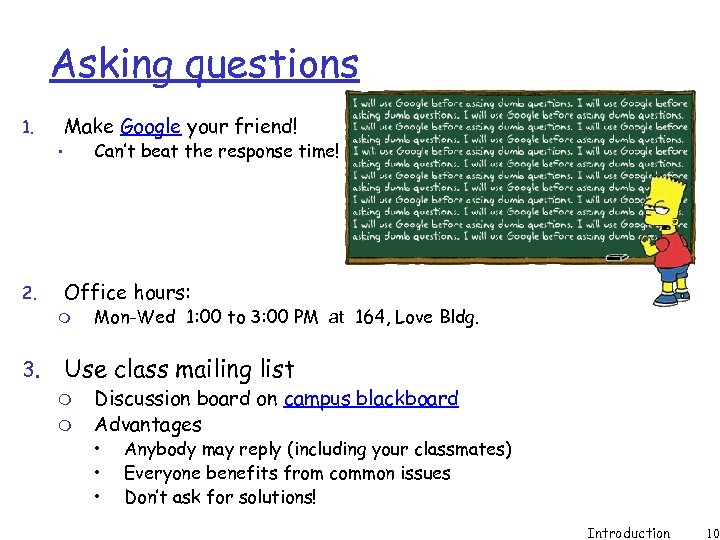 Asking questions Make Google your friend! 1. Can’t beat the response time! • 2. Office hours: m 3. Mon-Wed 1: 00 to 3: 00 PM at 164, Love Bldg. Use class mailing list m m Discussion board on campus blackboard Advantages • • • Anybody may reply (including your classmates) Everyone benefits from common issues Don’t ask for solutions! Introduction 10
 Academic Integrity q Means m No copying from anywhere m Don’t solve assignments for others m Don’t ask/give solutions. m Protect your code q Moss: An automated tool for comparing code will be used. q Please read the guidelines on course web page q Dishonesty Not fair to others. m You may get a grade of F. Introduction 11
 Chapter 1 Introduction Computer Networking: A Top Down Approach Featuring the Internet, 3 rd edition. Jim Kurose, Keith Ross Addison-Wesley, July 2004. All material copyright 1996 -2004 J. F Kurose and K. W. Ross, All Rights Reserved Introduction 12
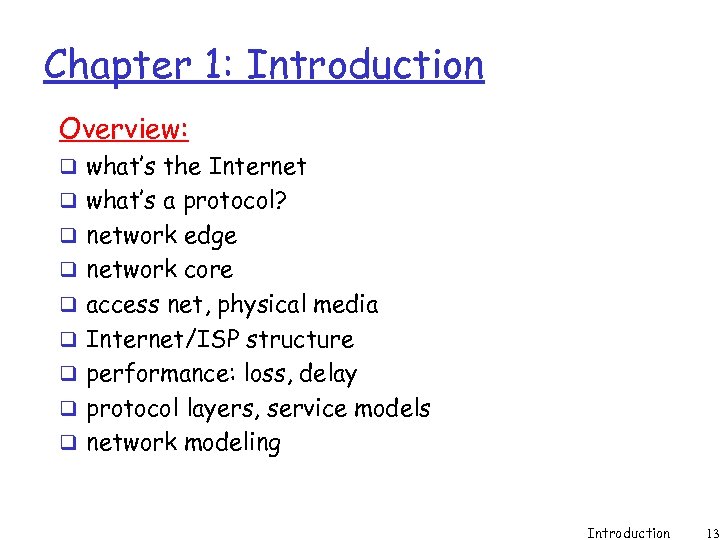 Chapter 1: Introduction Overview: q what’s the Internet q what’s a protocol? q network edge q network core q access net, physical media q Internet/ISP structure q performance: loss, delay q protocol layers, service models q network modeling Introduction 13
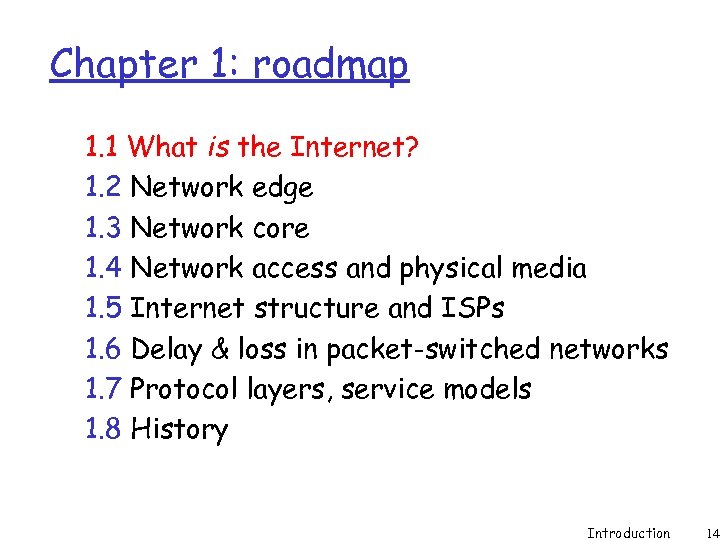 Chapter 1: roadmap 1. 1 What is the Internet? 1. 2 Network edge 1. 3 Network core 1. 4 Network access and physical media 1. 5 Internet structure and ISPs 1. 6 Delay & loss in packet-switched networks 1. 7 Protocol layers, service models 1. 8 History Introduction 14
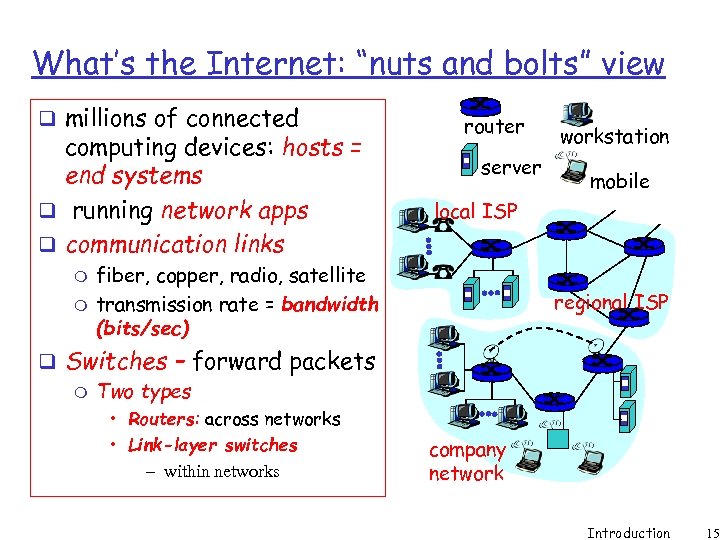 What’s the Internet: “nuts and bolts” view q millions of connected computing devices: hosts = end systems q running network apps q communication links m m router server workstation mobile local ISP fiber, copper, radio, satellite transmission rate = bandwidth (bits/sec) regional ISP q Switches – forward packets m Two types • Routers: across networks • Link-layer switches – within networks company network Introduction 15
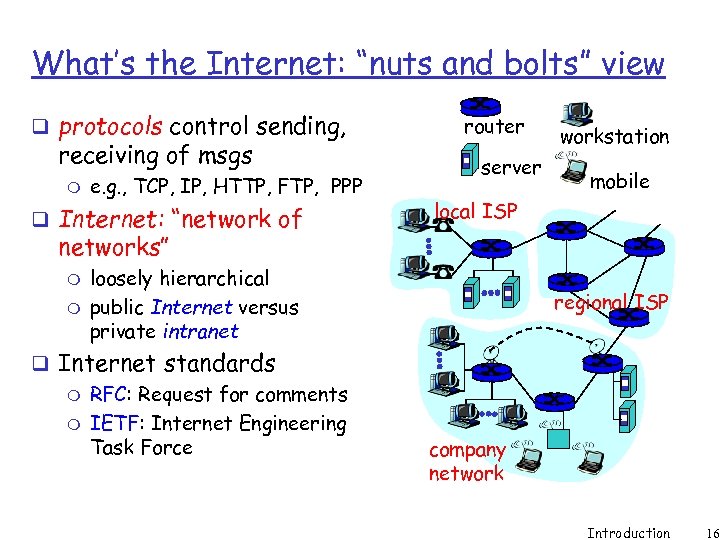 What’s the Internet: “nuts and bolts” view q protocols control sending, receiving of msgs m e. g. , TCP, IP, HTTP, FTP, PPP q Internet: “network of router server workstation mobile local ISP networks” m m loosely hierarchical public Internet versus private intranet q Internet standards m RFC: Request for comments m IETF: Internet Engineering Task Force regional ISP company network Introduction 16
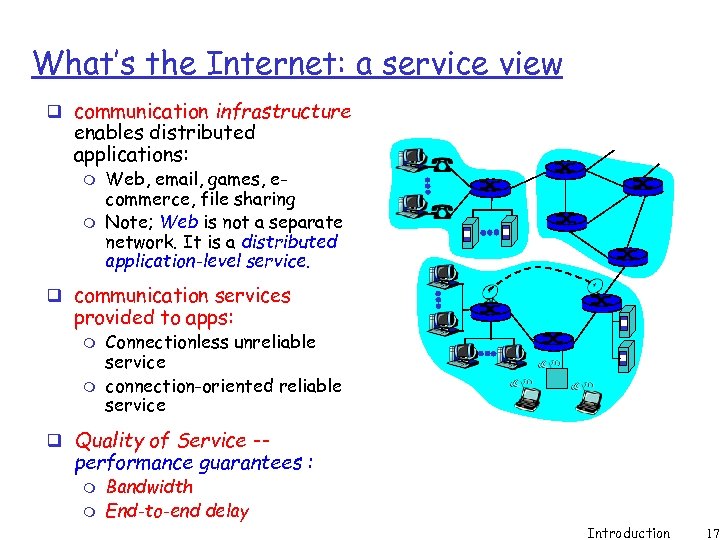 What’s the Internet: a service view q communication infrastructure enables distributed applications: m m Web, email, games, ecommerce, file sharing Note; Web is not a separate network. It is a distributed application-level service. q communication services provided to apps: m m Connectionless unreliable service connection-oriented reliable service q Quality of Service -- performance guarantees : m m Bandwidth End-to-end delay Introduction 17
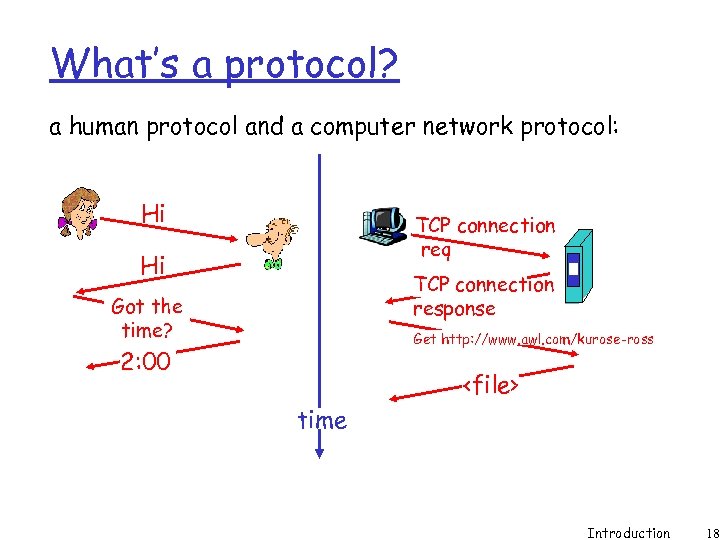 What’s a protocol? a human protocol and a computer network protocol: Hi TCP connection req Hi TCP connection response Got the time? Get http: //www. awl. com/kurose-ross 2: 00
 What’s a protocol? … q all communication activity in Internet governed by protocols q specific msgs sent q specific actions taken when msgs received, or other events protocols define format, order of msgs sent and received among network entities, and actions taken on msg transmission, receipt Introduction 19
 Chapter 1: roadmap 1. 1 What is the Internet? 1. 2 Network edge 1. 3 Network core 1. 4 Network access and physical media 1. 5 Internet structure and ISPs 1. 6 Delay & loss in packet-switched networks 1. 7 Protocol layers, service models 1. 8 History Introduction 20
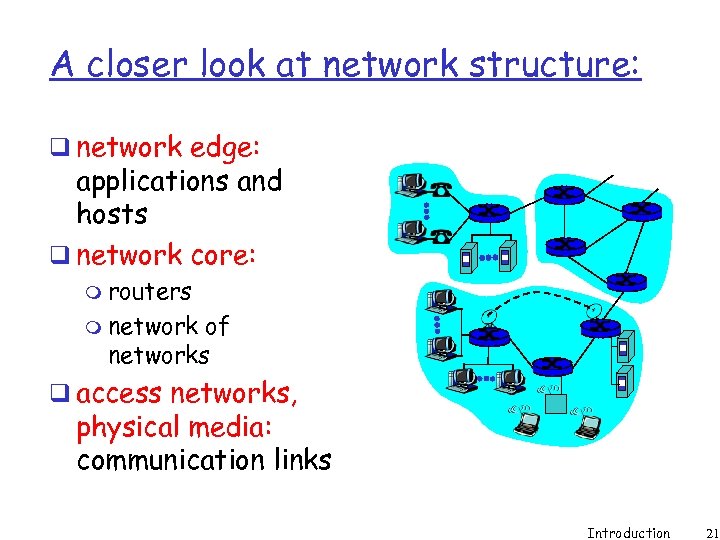 A closer look at network structure: q network edge: applications and hosts q network core: m routers m network of networks q access networks, physical media: communication links Introduction 21
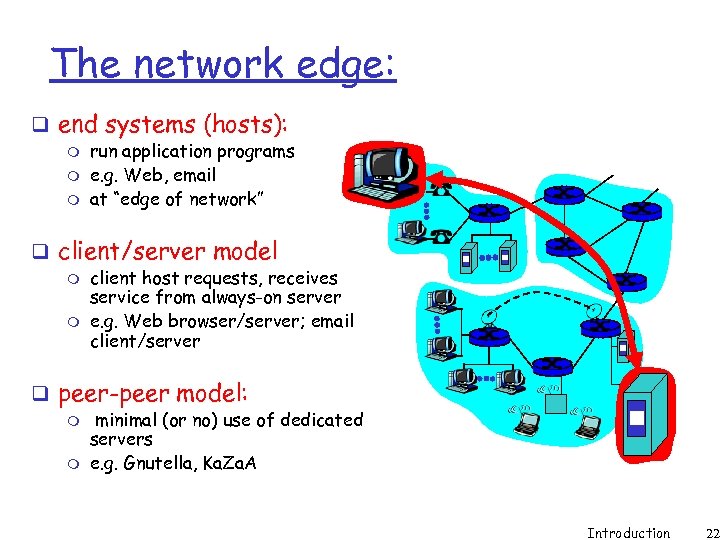 The network edge: q end systems (hosts): m m m run application programs e. g. Web, email at “edge of network” q client/server model m m client host requests, receives service from always-on server e. g. Web browser/server; email client/server q peer-peer model: m m minimal (or no) use of dedicated servers e. g. Gnutella, Ka. Za. A Introduction 22
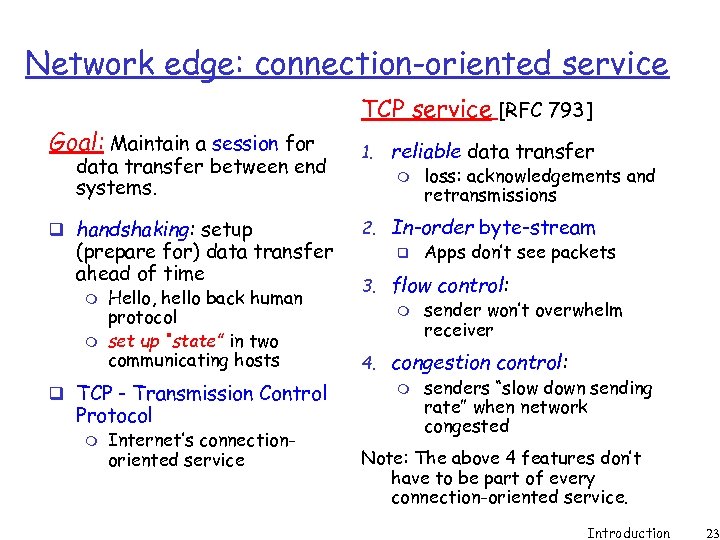 Network edge: connection-oriented service Goal: Maintain a session for data transfer between end systems. q handshaking: setup (prepare for) data transfer ahead of time m m Hello, hello back human protocol set up “state” in two communicating hosts q TCP - Transmission Control Protocol m Internet’s connectionoriented service TCP service [RFC 793] 1. reliable data transfer m loss: acknowledgements and retransmissions 2. In-order byte-stream q Apps don’t see packets 3. flow control: m sender won’t overwhelm receiver 4. congestion control: m senders “slow down sending rate” when network congested Note: The above 4 features don’t have to be part of every connection-oriented service. Introduction 23
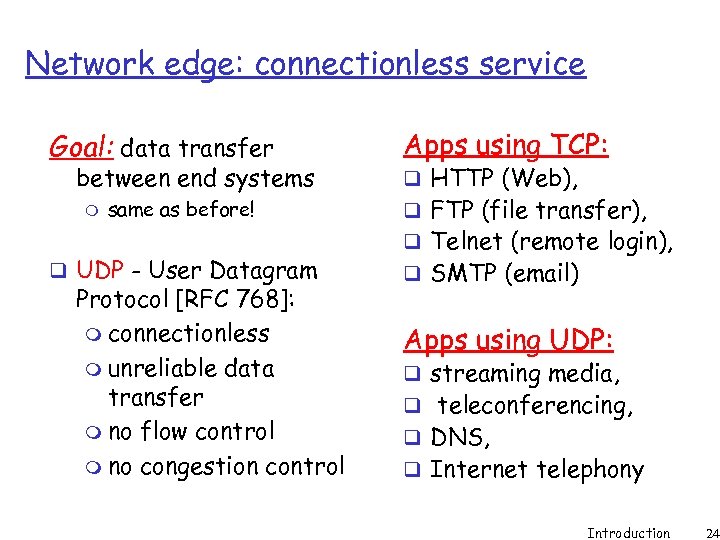 Network edge: connectionless service Goal: data transfer between end systems m same as before! q UDP - User Datagram Protocol [RFC 768]: m connectionless m unreliable data transfer m no flow control m no congestion control Apps using TCP: q HTTP (Web), q FTP (file transfer), q Telnet (remote login), q SMTP (email) Apps using UDP: q streaming media, q teleconferencing, q DNS, q Internet telephony Introduction 24
 Chapter 1: roadmap 1. 1 What is the Internet? 1. 2 Network edge 1. 3 Network core 1. 4 Network access and physical media 1. 5 Internet structure and ISPs 1. 6 Delay & loss in packet-switched networks 1. 7 Protocol layers, service models 1. 8 History Introduction 25
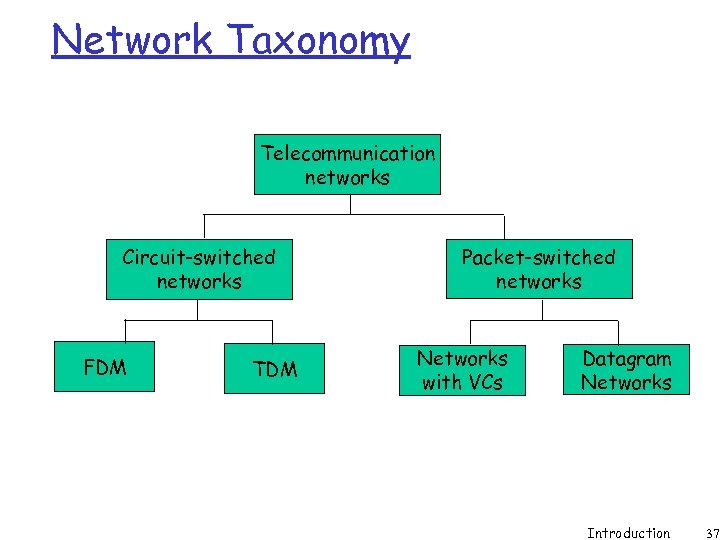
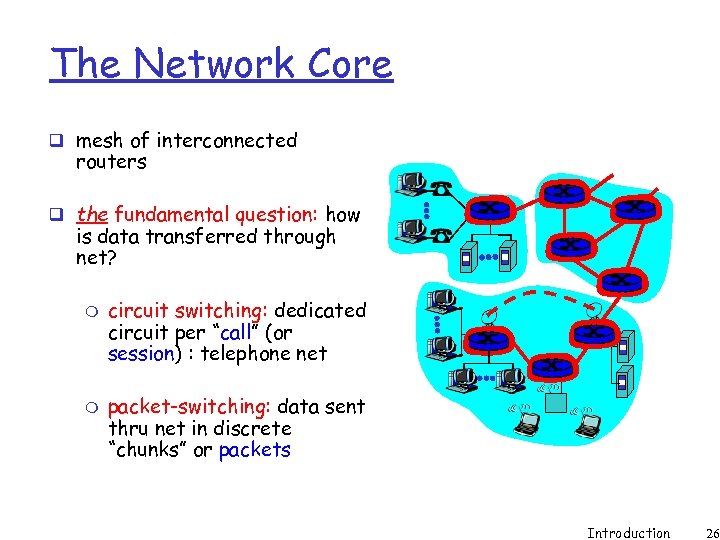 The Network Core q mesh of interconnected routers q the fundamental question: how is data transferred through net? m m circuit switching: dedicated circuit per “call” (or session) : telephone net packet-switching: data sent thru net in discrete “chunks” or packets Introduction 26
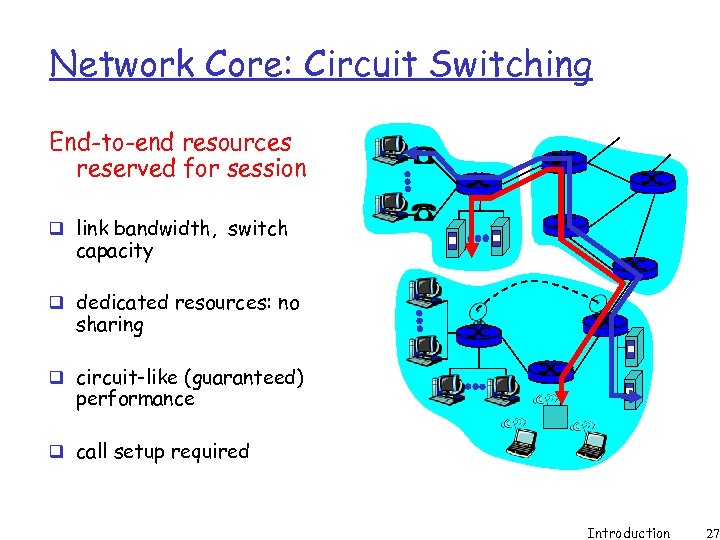 Network Core: Circuit Switching End-to-end resources reserved for session q link bandwidth, switch capacity q dedicated resources: no sharing q circuit-like (guaranteed) performance q call setup required Introduction 27
 Network Core: Circuit Switching network resources (e. g. , bandwidth) divided into “shares” q shares allocated to calls q Multiplexing : dividing link bandwidth into “shares” m frequency division m time division q resource share idle if not used by owning call (no sharing) Introduction 28
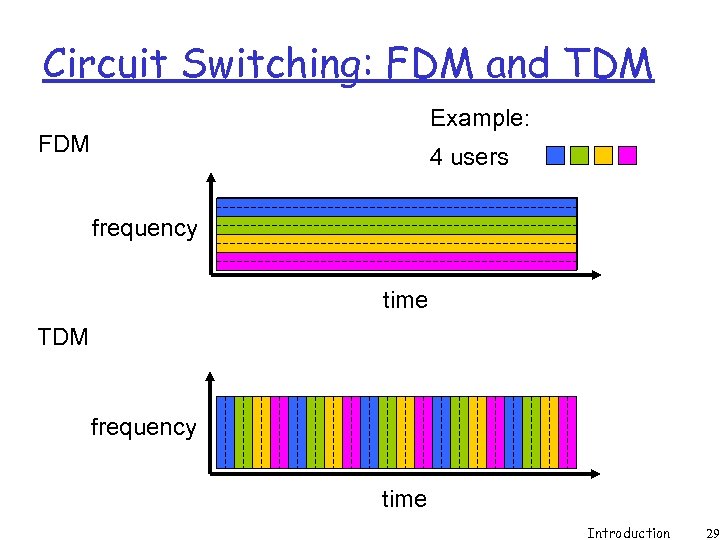 Circuit Switching: FDM and TDM Example: FDM 4 users frequency time TDM frequency time Introduction 29
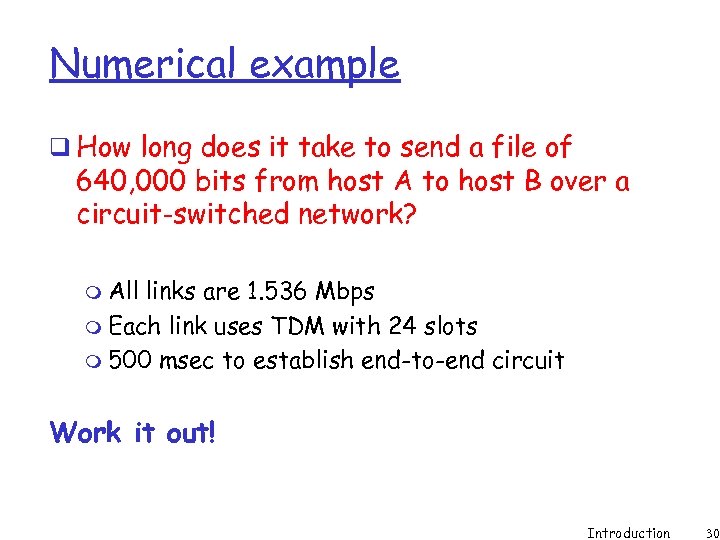 Numerical example q How long does it take to send a file of 640, 000 bits from host A to host B over a circuit-switched network? m All links are 1. 536 Mbps m Each link uses TDM with 24 slots m 500 msec to establish end-to-end circuit Work it out! Introduction 30
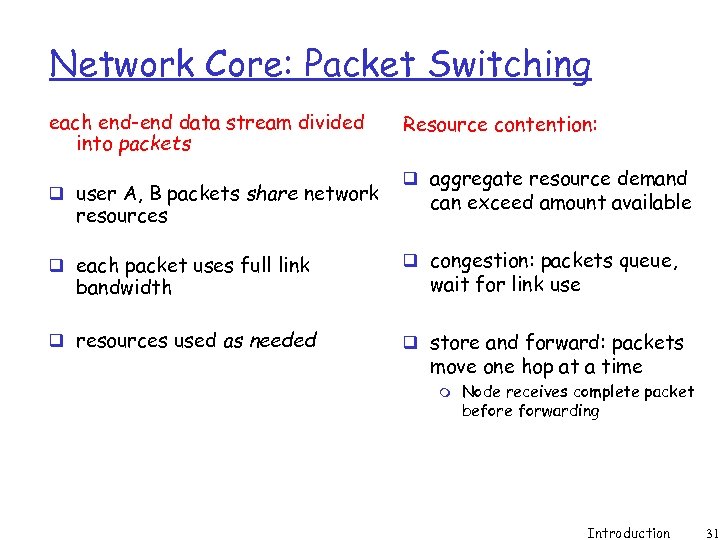 Network Core: Packet Switching each end-end data stream divided into packets q user A, B packets share network resources Resource contention: q aggregate resource demand can exceed amount available q each packet uses full link q congestion: packets queue, q resources used as needed q store and forward: packets bandwidth wait for link use move one hop at a time m Node receives complete packet before forwarding Introduction 31
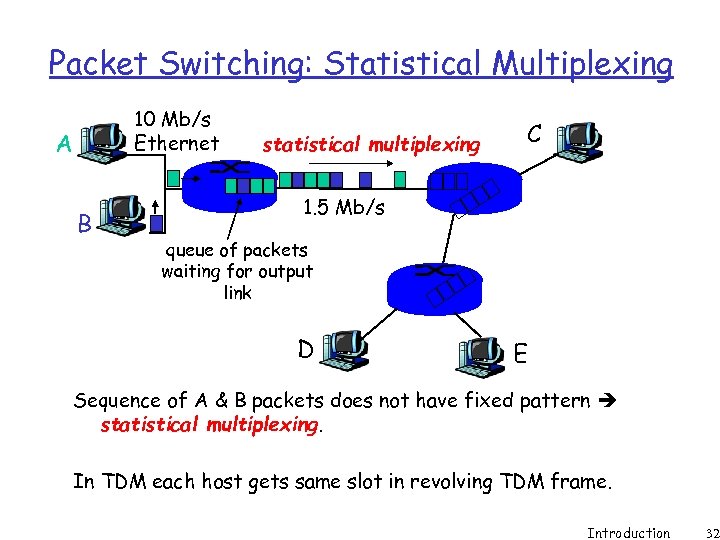 Packet Switching: Statistical Multiplexing 10 Mb/s Ethernet A B statistical multiplexing C 1. 5 Mb/s queue of packets waiting for output link D E Sequence of A & B packets does not have fixed pattern statistical multiplexing. In TDM each host gets same slot in revolving TDM frame. Introduction 32
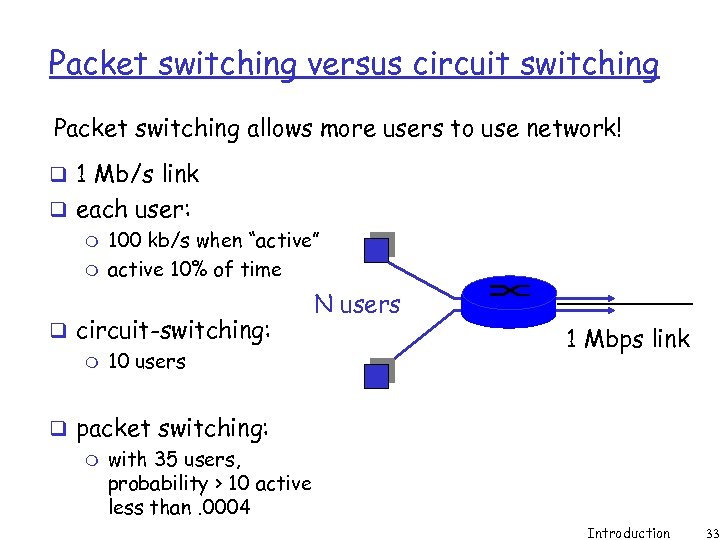 Packet switching versus circuit switching Packet switching allows more users to use network! q 1 Mb/s link q each user: m 100 kb/s when “active” m active 10% of time q circuit-switching: m 10 users N users 1 Mbps link q packet switching: m with 35 users, probability > 10 active less than. 0004 Introduction 33
 Packet switching versus circuit switching Is packet switching a “slam dunk winner? ” q Great for bursty data m resource sharing m simpler, no call setup q Excessive congestion: packet delay and loss m protocols needed for reliable data transfer, congestion control q Q: How to provide circuit-like behavior? m bandwidth guarantees needed for audio/video apps m still an unsolved problem (chapter 6) Introduction 34
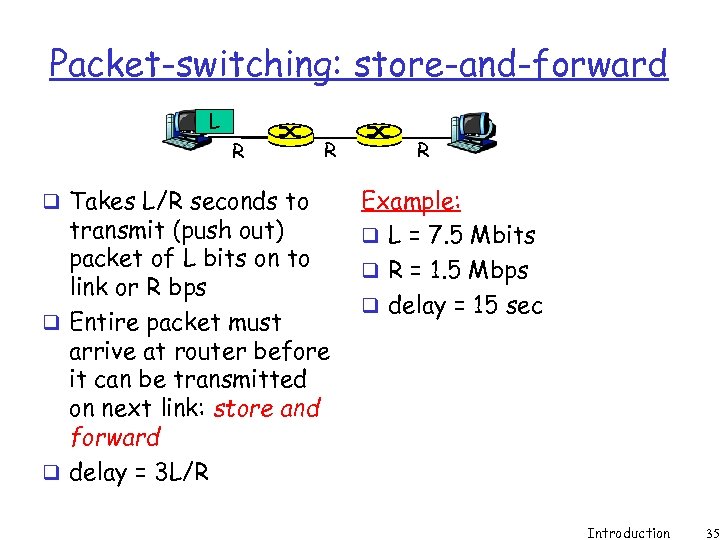 Packet-switching: store-and-forward L R q Takes L/R seconds to R transmit (push out) packet of L bits on to link or R bps q Entire packet must arrive at router before it can be transmitted on next link: store and forward q delay = 3 L/R R Example: q L = 7. 5 Mbits q R = 1. 5 Mbps q delay = 15 sec Introduction 35
 Packet-switched networks: forwarding q Goal: move packets through routers from source to destination m we’ll study several path selection (i. e. routing) algorithms (chapter 4) q datagram network: m destination address in packet determines next hop m routes may change during session m analogy: driving, asking directions q virtual circuit network: m each packet carries tag (virtual circuit ID), tag determines next hop m fixed path determined at call setup time, remains fixed thru call m routers maintain per-call state Introduction 36
 Network Taxonomy Telecommunication networks Circuit-switched networks FDM TDM Packet-switched networks Networks with VCs Datagram Networks Introduction 37
 Chapter 1: roadmap 1. 1 What is the Internet? 1. 2 Network edge 1. 3 Network core 1. 4 Network access and physical media 1. 5 Internet structure and ISPs 1. 6 Delay & loss in packet-switched networks 1. 7 Protocol layers, service models 1. 8 History Introduction 70
 Protocol “Layers” Networks are complex! q many “pieces”: m hosts m routers m links of various media m applications m protocols m hardware, software Question: Is there any hope of organizing structure of network? Or at least our discussion of networks? Introduction 71
 Organization of air travel ticket (purchase) ticket (complain) baggage (check) baggage (claim) gates (load) gates (unload) runway takeoff runway landing airplane routing q a series of steps Introduction 72
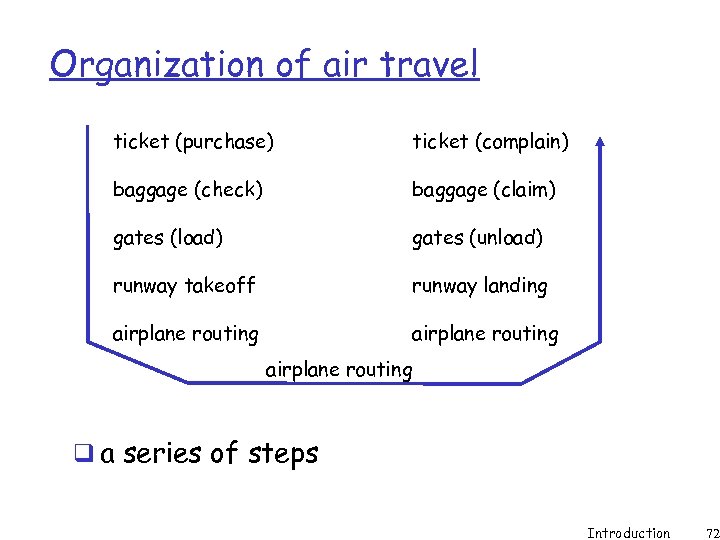
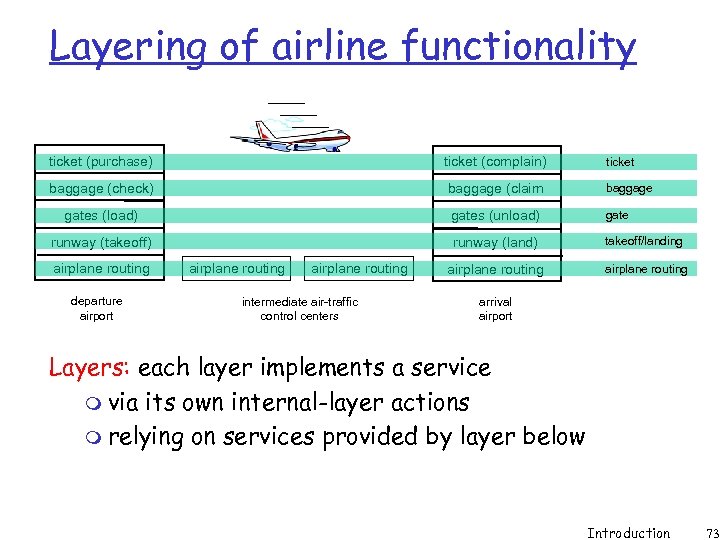 Layering of airline functionality ticket (purchase) ticket (complain) ticket baggage (check) baggage (claim baggage gates (load) gates (unload) gate runway (takeoff) runway (land) takeoff/landing airplane routing departure airport airplane routing intermediate air-traffic control centers arrival airport Layers: each layer implements a service m via its own internal-layer actions m relying on services provided by layer below Introduction 73
 Why layering? Dealing with complex systems: q explicit structure allows identification, relationship of complex system’s pieces m layered reference model for discussion q modularization eases maintenance, updating of system m change of implementation of layer’s service transparent to rest of system m e. g. , change in gate procedure doesn’t affect rest of system Introduction 74
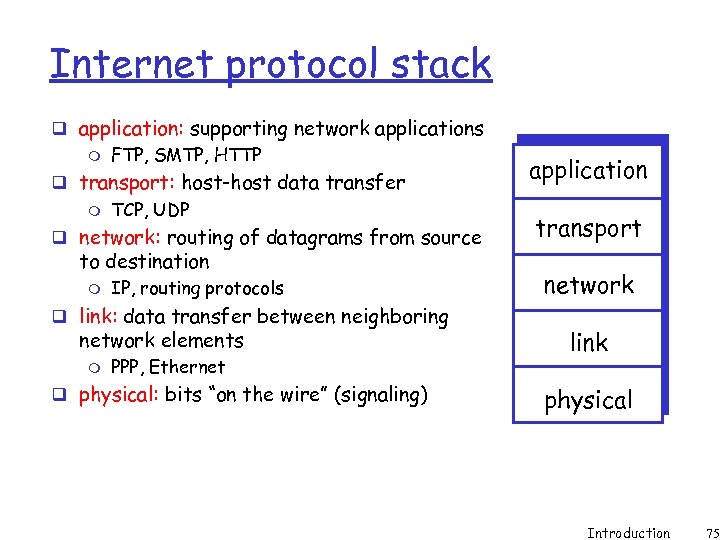 Internet protocol stack q application: supporting network applications m FTP, SMTP, HTTP q transport: host-host data transfer m TCP, UDP q network: routing of datagrams from source to destination m IP, routing protocols q link: data transfer between neighboring network elements m PPP, Ethernet q physical: bits “on the wire” (signaling) application transport network link physical Introduction 75
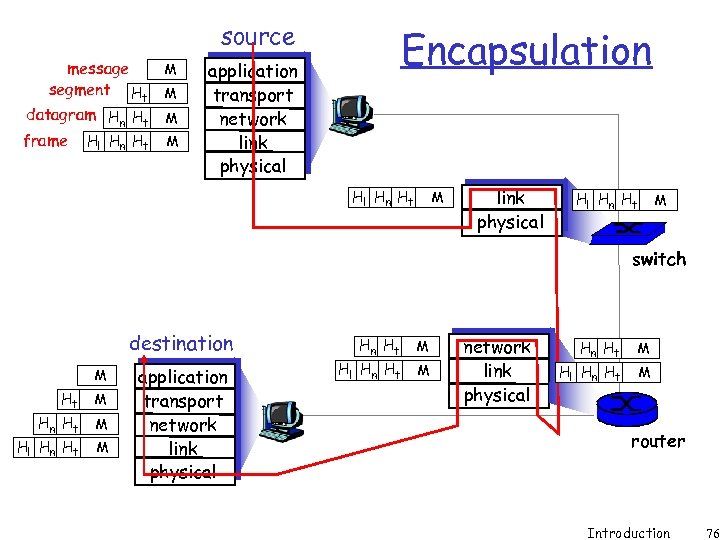 source message segment Ht datagram Hn Ht frame Hl Hn Ht M M Encapsulation application transport network link physical Hl Hn Ht M switch destination M Ht M Hn Ht Hl Hn Ht M M application transport network link physical Hn Ht Hl Hn Ht M M router Introduction 76
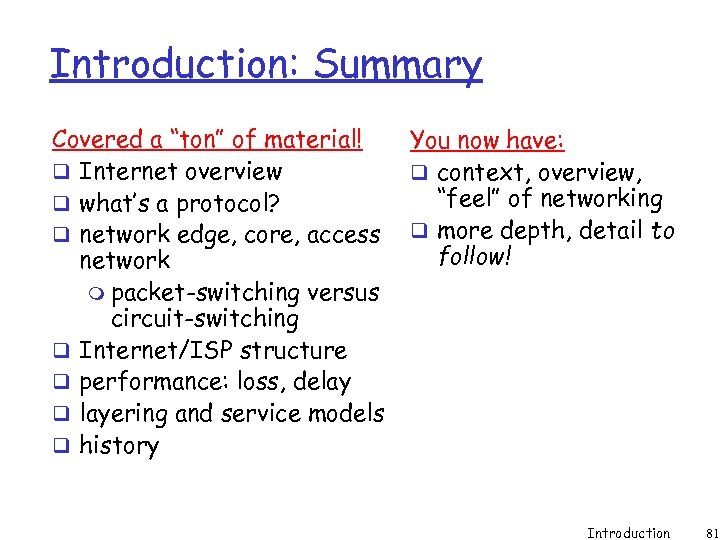 Introduction: Summary Covered a “ton” of material! q Internet overview q what’s a protocol? q network edge, core, access network m packet-switching versus circuit-switching q Internet/ISP structure q performance: loss, delay q layering and service models q history You now have: q context, overview, “feel” of networking q more depth, detail to follow! Introduction 81