 Скачать презентацию CD DVD BD Duplicators Printers Label Printers Product
e2a27381be7e5c1843ac3696c6f2357e.ppt
- Количество слайдов: 58



CD/DVD/BD Duplicators & Printers | Label Printers Product Training Spring/Summer 2007 PTDev. Suite by HANTZ + PARTNER www. cdrobots. de | www. hantz. com
CD/DVD/BD Duplicators & Printers | Label Printers Product Training Spring/Summer 2007 PTDev. Suite Uses > PTDev. Suite components are used in numerous photo, medical, and kiosk applications – Primera uses PTRobot in the Optivault Archival Appliance. – Primera uses PTBurn SDK as a part of our PTBurn network software. www. cdrobots. de | www. hantz. com
CD/DVD/BD Duplicators & Printers | Label Printers Product Training Spring/Summer 2007 PTDev. Suite Components > PTBurn – – Text File Interface Burn Engine Included Implemented via a shared “hot” folder For use in applications where you want to quickly integrate automated burning/printing via an external application. > PTRobot – – C Based DLL Interface No Burn Engine (Robotics Only) Implemented via calls to an API For use in applications where you have a burning engine and want full control of the robotics without an running a separate application. www. cdrobots. de | www. hantz. com
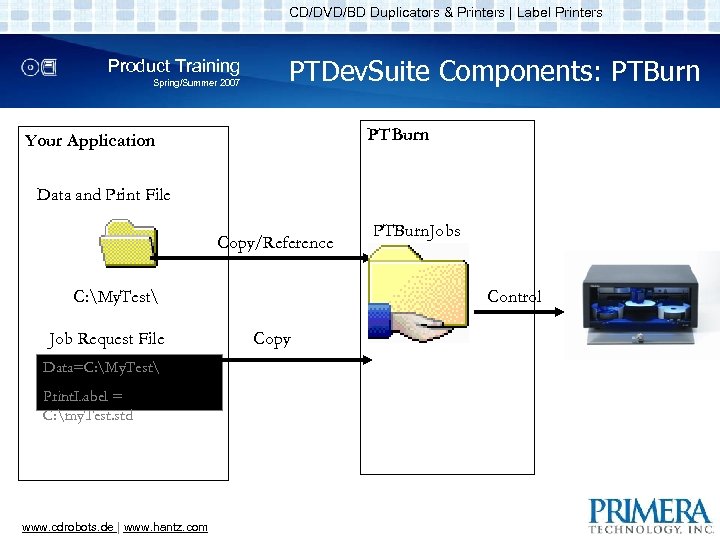
CD/DVD/BD Duplicators & Printers | Label Printers Product Training Spring/Summer 2007 PTDev. Suite Components: PTBurn Your Application Data and Print File Copy/Reference C: My. Test Job Request File Data=C: My. Test Print. Label = C: my. Test. std www. cdrobots. de | www. hantz. com PTBurn. Jobs Control Copy
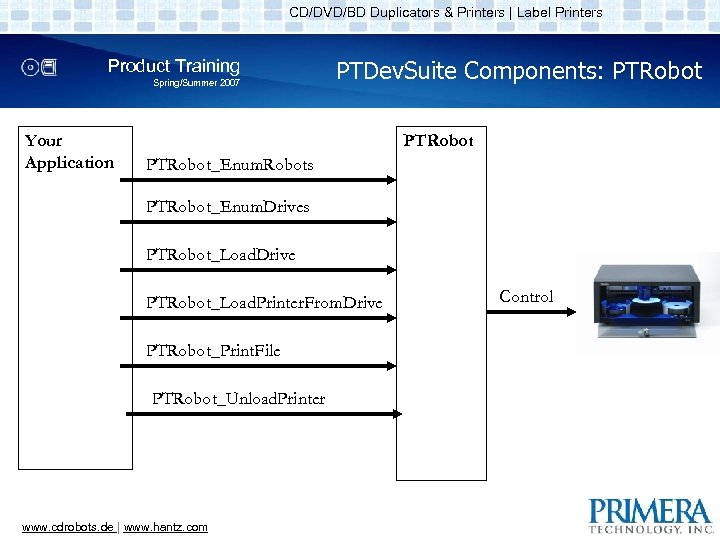
CD/DVD/BD Duplicators & Printers | Label Printers Product Training Spring/Summer 2007 Your Application PTDev. Suite Components: PTRobot_Enum. Robots PTRobot_Enum. Drives PTRobot_Load. Drive PTRobot_Load. Printer. From. Drive PTRobot_Print. File PTRobot_Unload. Printer www. cdrobots. de | www. hantz. com Control
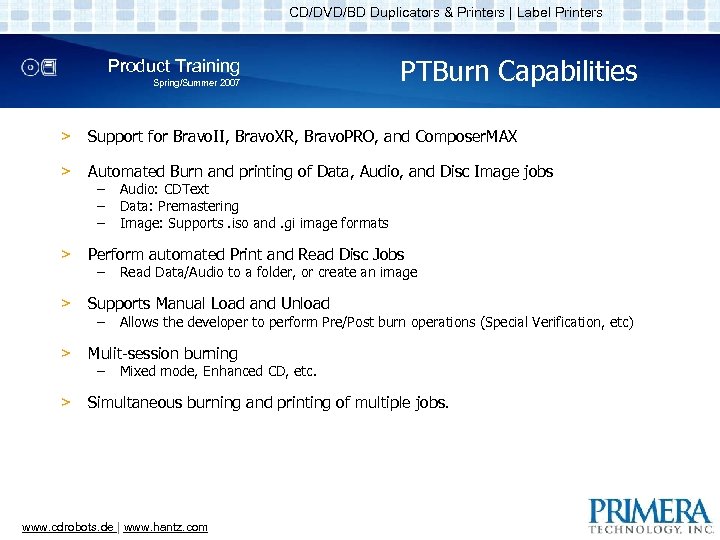
CD/DVD/BD Duplicators & Printers | Label Printers Product Training Spring/Summer 2007 PTBurn Capabilities > Support for Bravo. II, Bravo. XR, Bravo. PRO, and Composer. MAX > Automated Burn and printing of Data, Audio, and Disc Image jobs > Perform automated Print and Read Disc Jobs > Supports Manual Load and Unload > Mulit-session burning > Simultaneous burning and printing of multiple jobs. – – – Audio: CDText Data: Premastering Image: Supports. iso and. gi image formats Read Data/Audio to a folder, or create an image Allows the developer to perform Pre/Post burn operations (Special Verification, etc) Mixed mode, Enhanced CD, etc. www. cdrobots. de | www. hantz. com
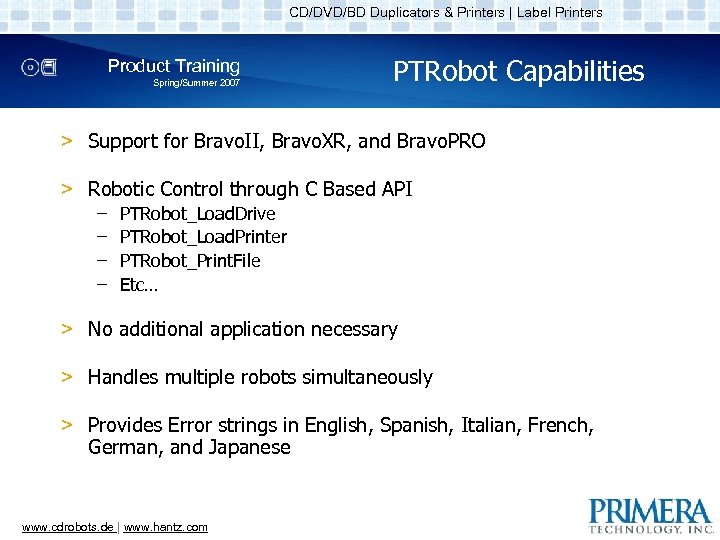
CD/DVD/BD Duplicators & Printers | Label Printers Product Training Spring/Summer 2007 PTRobot Capabilities > Support for Bravo. II, Bravo. XR, and Bravo. PRO > Robotic Control through C Based API – – PTRobot_Load. Drive PTRobot_Load. Printer PTRobot_Print. File Etc… > No additional application necessary > Handles multiple robots simultaneously > Provides Error strings in English, Spanish, Italian, French, German, and Japanese www. cdrobots. de | www. hantz. com
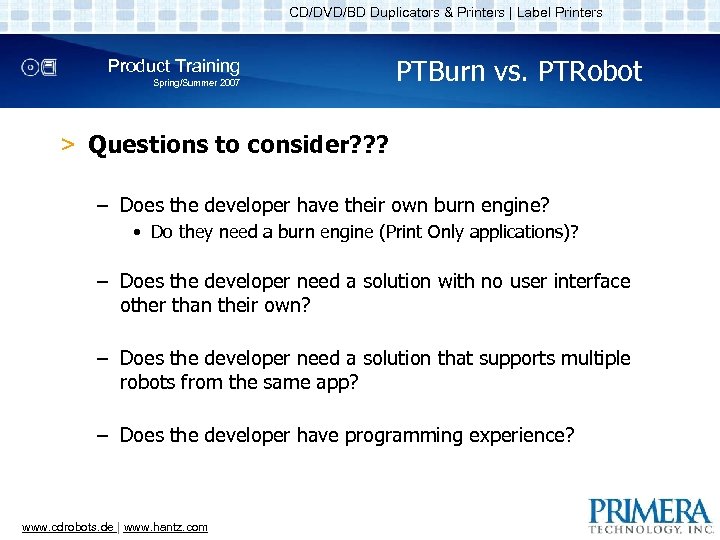
CD/DVD/BD Duplicators & Printers | Label Printers Product Training Spring/Summer 2007 PTBurn vs. PTRobot > Questions to consider? ? ? – Does the developer have their own burn engine? • Do they need a burn engine (Print Only applications)? – Does the developer need a solution with no user interface other than their own? – Does the developer need a solution that supports multiple robots from the same app? – Does the developer have programming experience? www. cdrobots. de | www. hantz. com
CD/DVD/BD Duplicators & Printers | Label Printers Product Training Spring/Summer 2007 PTBurn vs. PTRobot (Continued) > PTBurn provides less control over the operations but is much easier to implement – Days of programming effort > PTRobot provides complete control over operations but is harder to implement – Weeks of programming effort www. cdrobots. de | www. hantz. com
CD/DVD/BD Duplicators & Printers | Label Printers Product Training Spring/Summer 2007 How to Get PTDev. Suite > http: //www. primera. com/software_upgrade. html – Username: supportsdk – Password: sdk 191 > SDK Includes – PTBurn • Full application and installer • Documentation • Full Source Code for a sample client application – PTRobot • DLLs • Documentation • Full Source Code for a sample application www. cdrobots. de | www. hantz. com
CD/DVD/BD Duplicators & Printers | Label Printers Product Training Spring/Summer 2007 Support for PTDev. Suite > PTDev. Suite is supported by Primera’s technical support group > To assist the support group ensure logging is on at a high level when the issue occurs > Run a technical support report on the machine where the issue occurs – http: //www. primera. com/software_upgrade. html • “Tech Support Report Utility” > For PTBurn, provide the jrq file that causes the issue > Search Primera’s knowledgebase prior to calling/emailing tech support – http: //www. primera. com/knowledgebase. html www. cdrobots. de | www. hantz. com
CD/DVD/BD Duplicators & Printers | Label Printers Product Training Spring/Summer 2007 PTBurn in Detail by HANTZ + PARTNER www. cdrobots. de | www. hantz. com
CD/DVD/BD Duplicators & Printers | Label Printers Product Training Spring/Summer 2007 PTBurn: Components > PTBurn is made up of the following components – Sample Client App – PTBurn Application • This is the server APPLICATION. It must be running on computer connected to the robot for the SDK to function. – Shared Folder • Located at \Computer. NamePTBurn. Jobs – – Status File Log File Ini Files Job Request Files (JRQ Files) • Contain the job description www. cdrobots. de | www. hantz. com
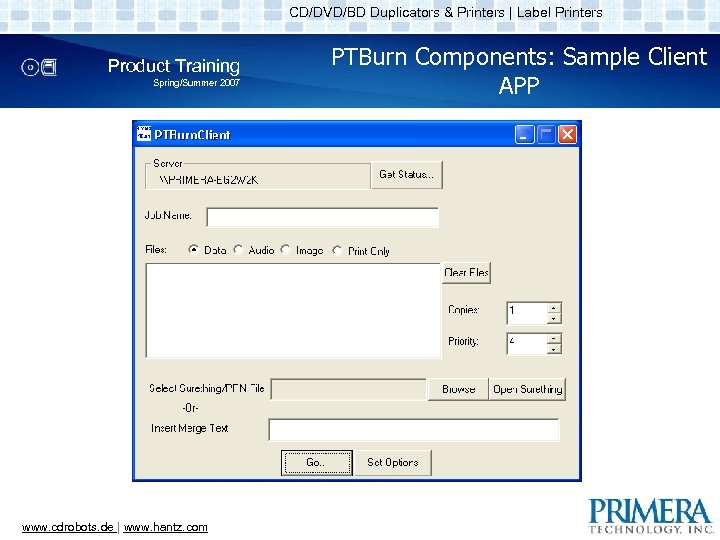
CD/DVD/BD Duplicators & Printers | Label Printers Product Training Spring/Summer 2007 www. cdrobots. de | www. hantz. com PTBurn Components: Sample Client APP
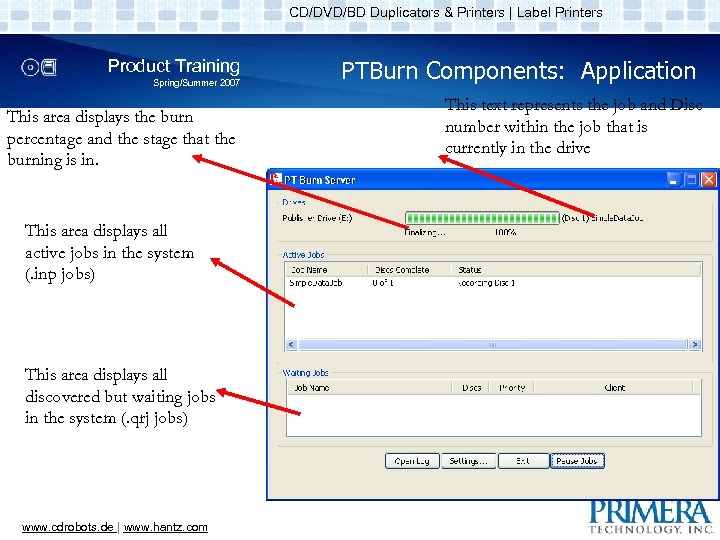
CD/DVD/BD Duplicators & Printers | Label Printers Product Training Spring/Summer 2007 This area displays the burn percentage and the stage that the burning is in. This area displays all active jobs in the system (. inp jobs) This area displays all discovered but waiting jobs in the system (. qrj jobs) www. cdrobots. de | www. hantz. com PTBurn Components: Application This text represents the job and Disc number within the job that is currently in the drive
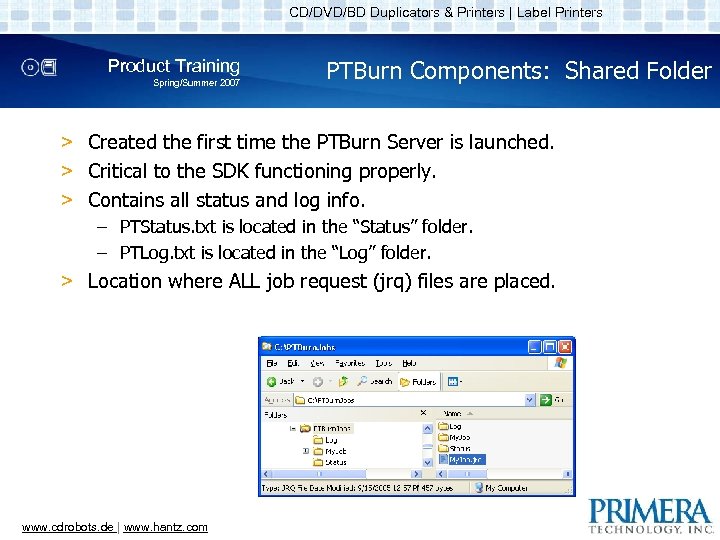
CD/DVD/BD Duplicators & Printers | Label Printers Product Training Spring/Summer 2007 PTBurn Components: Shared Folder > Created the first time the PTBurn Server is launched. > Critical to the SDK functioning properly. > Contains all status and log info. – PTStatus. txt is located in the “Status” folder. – PTLog. txt is located in the “Log” folder. > Location where ALL job request (jrq) files are placed. www. cdrobots. de | www. hantz. com
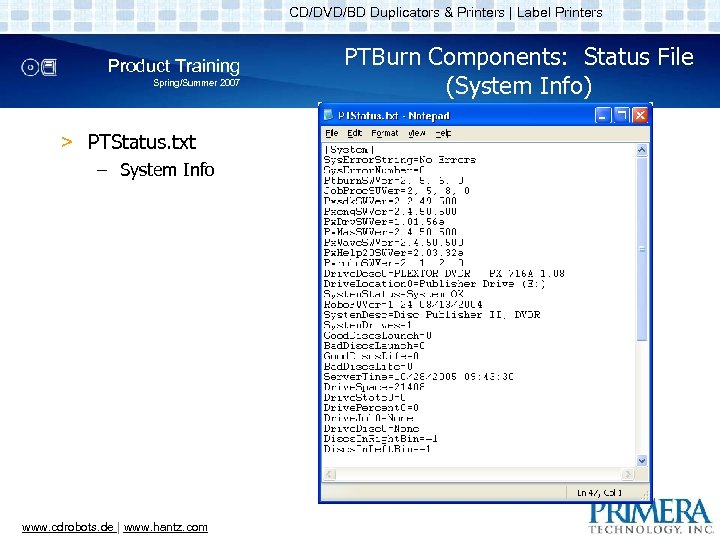
CD/DVD/BD Duplicators & Printers | Label Printers Product Training Spring/Summer 2007 > PTStatus. txt – System Info www. cdrobots. de | www. hantz. com PTBurn Components: Status File (System Info)
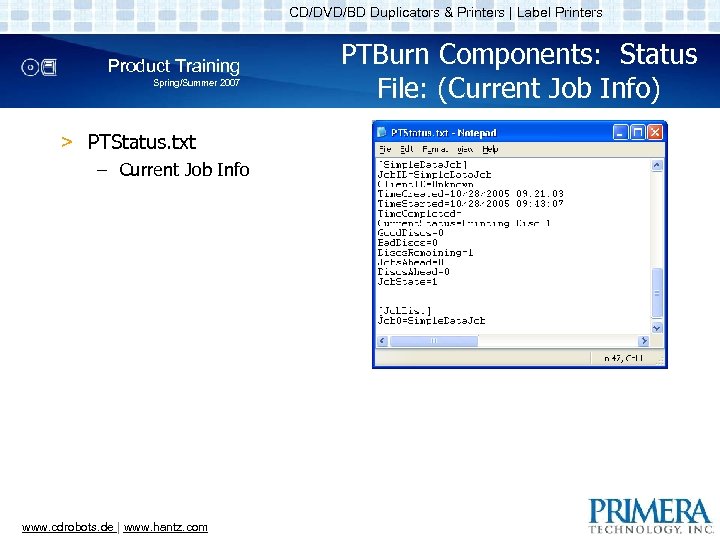
CD/DVD/BD Duplicators & Printers | Label Printers Product Training Spring/Summer 2007 > PTStatus. txt – Current Job Info www. cdrobots. de | www. hantz. com PTBurn Components: Status File: (Current Job Info)
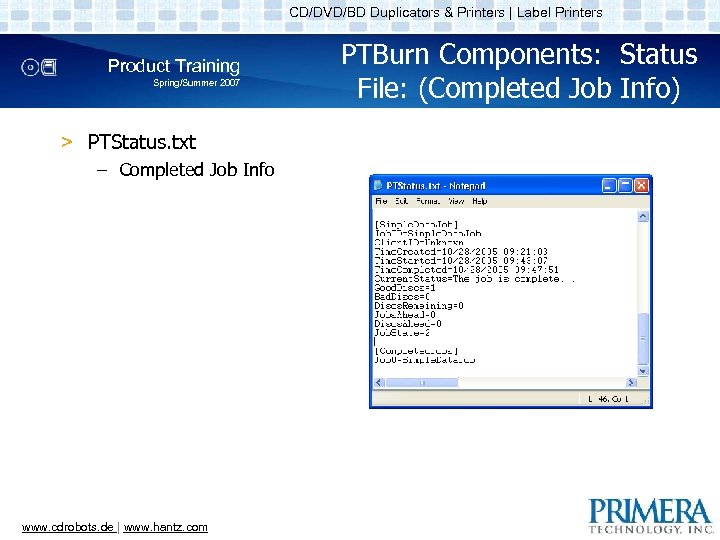
CD/DVD/BD Duplicators & Printers | Label Printers Product Training Spring/Summer 2007 > PTStatus. txt – Completed Job Info www. cdrobots. de | www. hantz. com PTBurn Components: Status File: (Completed Job Info)
CD/DVD/BD Duplicators & Printers | Label Printers Product Training Spring/Summer 2007 PTBurn Components: Log File (PTLog. txt) > The log file contains important info for debugging issues. – You can control the amount of log info via the Log. Level key in the PTSetup. ini file. – When submitting log files to Primera’s Technical Support we require that the log level be set to 5. > Sample PTLog. txt logging at Level 1 > Sample PTLob. txt logging at Level 5 www. cdrobots. de | www. hantz. com
CD/DVD/BD Duplicators & Printers | Label Printers Product Training Spring/Summer 2007 PTBurn Components: Ini Files > PTBurn settings are controlled by two main INI files – PTSetup. ini • Contains application settings • Example of PTSetup. ini – Disc Publisher XR_CFG. ini • Contains robotic settings • This file is named based on the printer name. • Example of Disc Publisher XR_CFG. ini www. cdrobots. de | www. hantz. com
CD/DVD/BD Duplicators & Printers | Label Printers Product Training Spring/Summer 2007 PTBurn Components: JRQ Files > JRQ Files are used to specify the job to the server (my. Job. jrq) > When the job is found by the server the extension is changed to. qrj (my. Job. qrj) > When the Job is “in process” the extension is changed to. inp (my. Job. inp) > When the job is complete the extension is changed to. don, . err, or. abt. www. cdrobots. de | www. hantz. com
CD/DVD/BD Duplicators & Printers | Label Printers Product Training Spring/Summer 2007 PTBurn Components: JRQ File Contents > Contains Keys to define the job to the server. – General Job Keys • Job. ID, Client. ID, Importance, Disc. Type, Delete. Files, Close. Disc, Print. Label, Copies, Verify. Disc… – Data Job Keys • Data, Volume. Name, Data. Image. Type, Close Disc, Pre. Master. Data… – Audio Job Keys • Audio. File, CDText. Disc. Title… – Image Job Keys • Image. File, Image. Type… – And Many More (See Section 2. 1 of the SDK documentation for all the available keys)… www. cdrobots. de | www. hantz. com
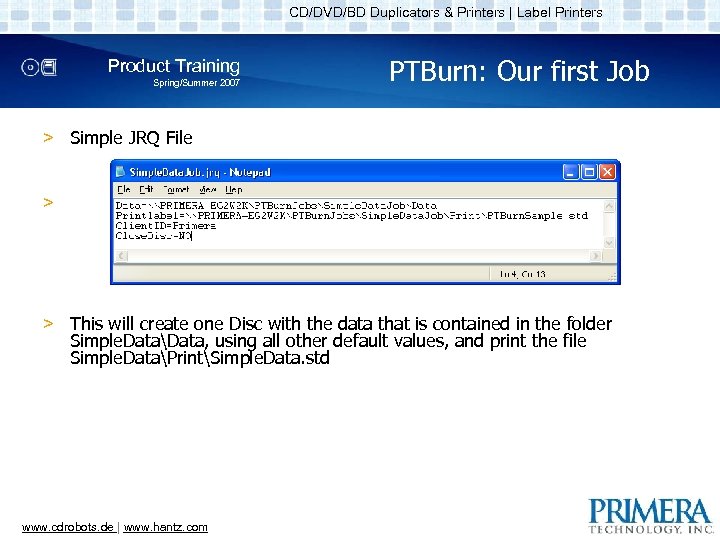
CD/DVD/BD Duplicators & Printers | Label Printers Product Training Spring/Summer 2007 PTBurn: Our first Job > Simple JRQ File > > This will create one Disc with the data that is contained in the folder Simple. DataData, using all other default values, and print the file Simple. DataPrintSimple. Data. std www. cdrobots. de | www. hantz. com
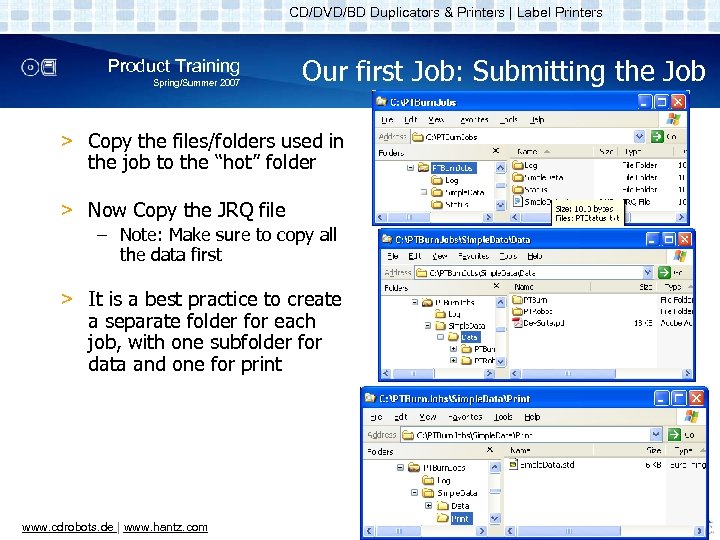
CD/DVD/BD Duplicators & Printers | Label Printers Product Training Spring/Summer 2007 Our first Job: Submitting the Job > Copy the files/folders used in the job to the “hot” folder > Now Copy the JRQ file – Note: Make sure to copy all the data first > It is a best practice to create a separate folder for each job, with one subfolder for data and one for print www. cdrobots. de | www. hantz. com
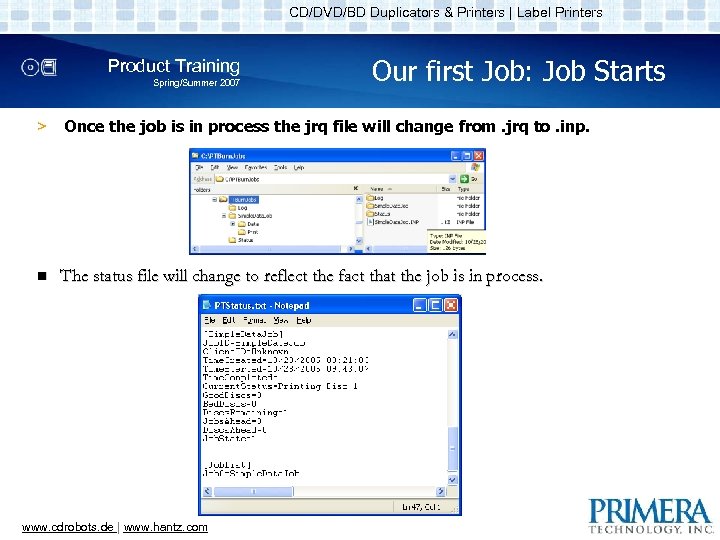
CD/DVD/BD Duplicators & Printers | Label Printers Product Training Spring/Summer 2007 Our first Job: Job Starts > Once the job is in process the jrq file will change from. jrq to. inp. n The status file will change to reflect the fact that the job is in process. www. cdrobots. de | www. hantz. com
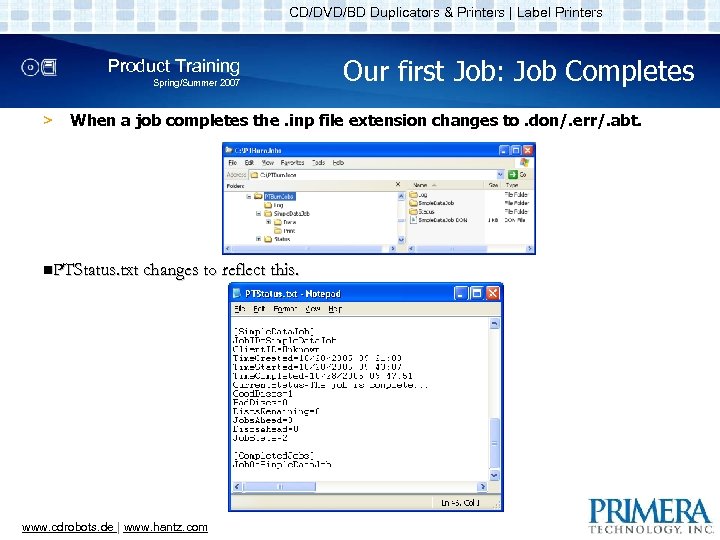
CD/DVD/BD Duplicators & Printers | Label Printers Product Training Spring/Summer 2007 > Our first Job: Job Completes When a job completes the. inp file extension changes to. don/. err/. abt. n. PTStatus. txt changes to reflect this. www. cdrobots. de | www. hantz. com
CD/DVD/BD Duplicators & Printers | Label Printers Product Training Spring/Summer 2007 PTBurn: Multi. Session Data Job (Many Options) > This job will display some of the many options that are supported for a data job including… – Job. ID, Client. ID, Delete. Files, Data. Image. Type, Close. Disc, Copies, Volume. Name, Verify. Disc, Notify. Client > This job will also display the Multisession capabilities of PTBurn > JRQ File… www. cdrobots. de | www. hantz. com
CD/DVD/BD Duplicators & Printers | Label Printers Product Training Spring/Summer 2007 PTBurn: Audio Job CDText > This job will display the Audio capabilities of PTBurn including… – Audio file formats supported – Pre-gap specification – CD Text Support > JRQ File… www. cdrobots. de | www. hantz. com
CD/DVD/BD Duplicators & Printers | Label Printers Product Training Spring/Summer 2007 PTBurn: Print Only Job > This example will show to perform a print only job > JRQ File… www. cdrobots. de | www. hantz. com
CD/DVD/BD Duplicators & Printers | Label Printers Product Training Spring/Summer 2007 PTBurn: Read Disc Job > This example will show to read data from a disc into a location on the network – Discs can be read as Data, into a global image format, or as audio tracks > JRQ File… www. cdrobots. de | www. hantz. com
CD/DVD/BD Duplicators & Printers | Label Printers Product Training Spring/Summer 2007 PTBurn: Check File on Disc Job > This example will show you how to check if a file is on the disc prior to starting the burn/read > JRQ File… www. cdrobots. de | www. hantz. com
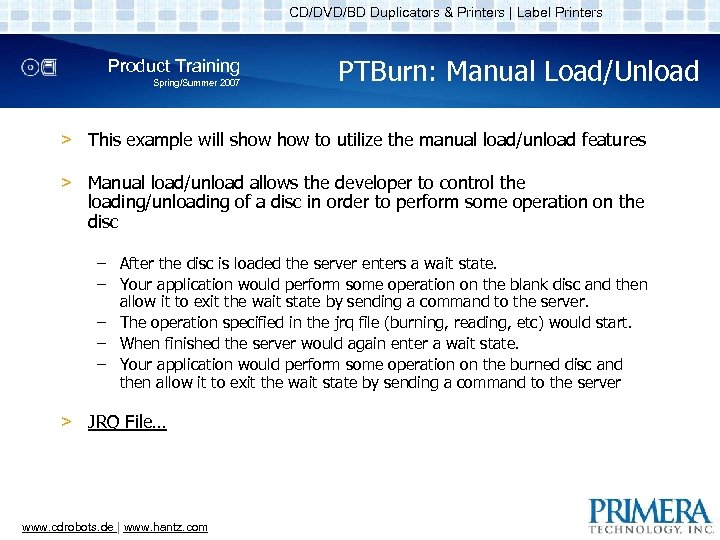
CD/DVD/BD Duplicators & Printers | Label Printers Product Training Spring/Summer 2007 PTBurn: Manual Load/Unload > This example will show to utilize the manual load/unload features > Manual load/unload allows the developer to control the loading/unloading of a disc in order to perform some operation on the disc – After the disc is loaded the server enters a wait state. – Your application would perform some operation on the blank disc and then allow it to exit the wait state by sending a command to the server. – The operation specified in the jrq file (burning, reading, etc) would start. – When finished the server would again enter a wait state. – Your application would perform some operation on the burned disc and then allow it to exit the wait state by sending a command to the server > JRQ File… www. cdrobots. de | www. hantz. com
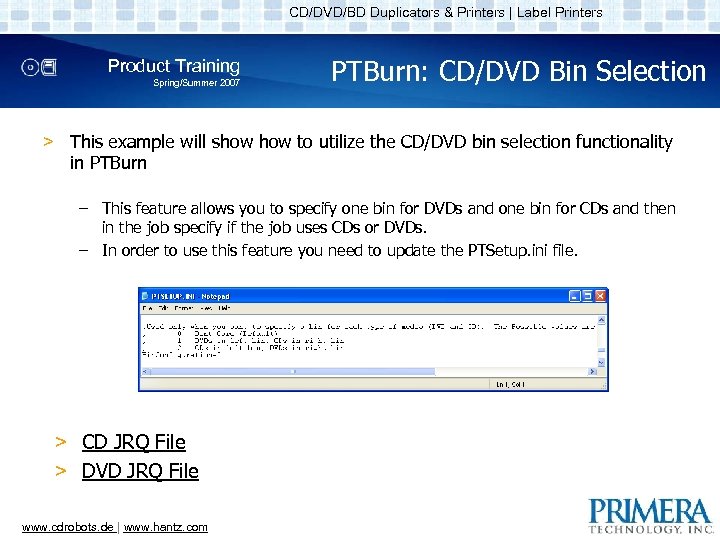
CD/DVD/BD Duplicators & Printers | Label Printers Product Training Spring/Summer 2007 PTBurn: CD/DVD Bin Selection > This example will show to utilize the CD/DVD bin selection functionality in PTBurn – This feature allows you to specify one bin for DVDs and one bin for CDs and then in the job specify if the job uses CDs or DVDs. – In order to use this feature you need to update the PTSetup. ini file. > CD JRQ File > DVD JRQ File www. cdrobots. de | www. hantz. com
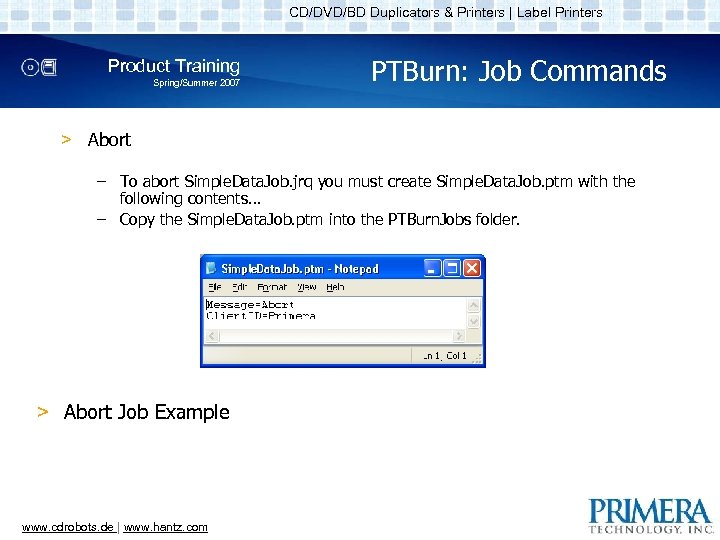
CD/DVD/BD Duplicators & Printers | Label Printers Product Training Spring/Summer 2007 PTBurn: Job Commands > Abort – To abort Simple. Data. Job. jrq you must create Simple. Data. Job. ptm with the following contents… – Copy the Simple. Data. Job. ptm into the PTBurn. Jobs folder. > Abort Job Example www. cdrobots. de | www. hantz. com
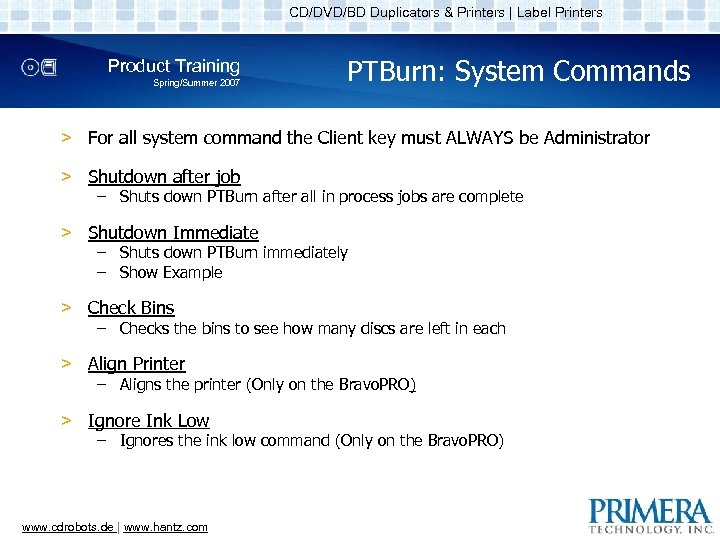
CD/DVD/BD Duplicators & Printers | Label Printers Product Training Spring/Summer 2007 PTBurn: System Commands > For all system command the Client key must ALWAYS be Administrator > Shutdown after job – Shuts down PTBurn after all in process jobs are complete > Shutdown Immediate – Shuts down PTBurn immediately – Show Example > Check Bins – Checks the bins to see how many discs are left in each > Align Printer – Aligns the printer (Only on the Bravo. PRO) > Ignore Ink Low – Ignores the ink low command (Only on the Bravo. PRO) www. cdrobots. de | www. hantz. com
CD/DVD/BD Duplicators & Printers | Label Printers Product Training Spring/Summer 2007 PTBurn Common Debugging Steps > Make sure Shared folder is visible from the computer that is submitting the job > Check formatting of JRQ File – Check the log file for any errors > Check for proper robotic function by using Primo. DVD www. cdrobots. de | www. hantz. com
CD/DVD/BD Duplicators & Printers | Label Printers Product Training Spring/Summer 2007 PTBurn: Deployment > Easy Way – The simplest way to deploy PTBurn is to call our installer to install the server software > Harder Way – If you want to integrate the installation of PTBurn into your installer you must install the PTBurn files and registry keys in specific locations – Details about these locations can be found in Appendix B of the “PTBurn SDK” documentation www. cdrobots. de | www. hantz. com
CD/DVD/BD Duplicators & Printers | Label Printers Product Training Spring/Summer 2007 Questions? ? Send your request to: info@hantz. com www. cdrobots. de | www. hantz. com
CD/DVD/BD Duplicators & Printers | Label Printers Product Training Spring/Summer 2007 PTRobot in Detail by HANTZ + PARTNER www. cdrobots. de | www. hantz. com
CD/DVD/BD Duplicators & Printers | Label Printers Product Training Spring/Summer 2007 PTRobot Components > PTRobot is made up of the following components – Sample Application – DLLs • PTRobot. dll – Main API DLL • PTRobot. DP. dll – Disc Publisher XR / II module • PTRobot. DPPRO. dll – Disc Publisher PRO module • PTRobot. Str. dll – String module containing strings localized in English, German, French, Spanish, Italian, and Japanese – Header/Library Files – Sure. Thing • Requires Surething to be installed to support printing. www. cdrobots. de | www. hantz. com
CD/DVD/BD Duplicators & Printers | Label Printers Product Training Spring/Summer 2007 PTRobot: Sample Application > PTRobot comes with complete source code for a sample application that will move and print discs – C++ Visual Studio 2003 application. – Shows ALL the functionality of PTRobot. – Supports simultaneous operations on multiple robots. www. cdrobots. de | www. hantz. com
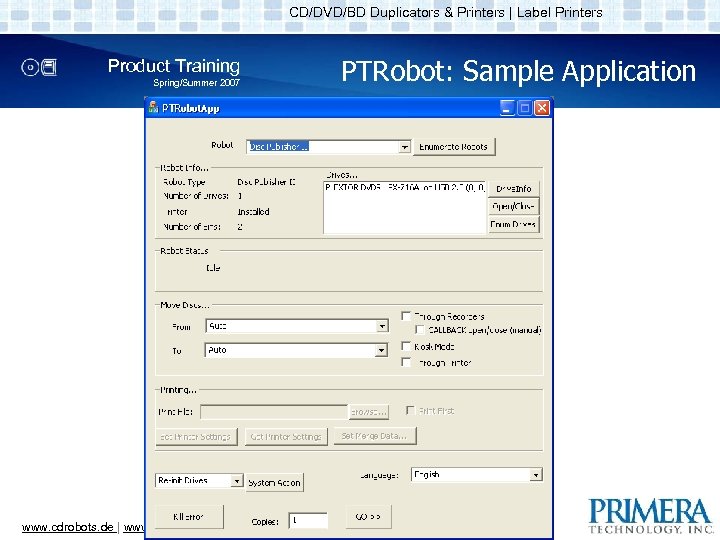
CD/DVD/BD Duplicators & Printers | Label Printers Product Training Spring/Summer 2007 www. cdrobots. de | www. hantz. com PTRobot: Sample Application
CD/DVD/BD Duplicators & Printers | Label Printers Product Training Spring/Summer 2007 PTRobot: Sample Application > The sample application should be your first resource when debugging an issue with PTRobot – If you find that the issue exists in the sample application then it should be brought up with Primera’s technical support group > Almost all functionality is demonstrated. www. cdrobots. de | www. hantz. com
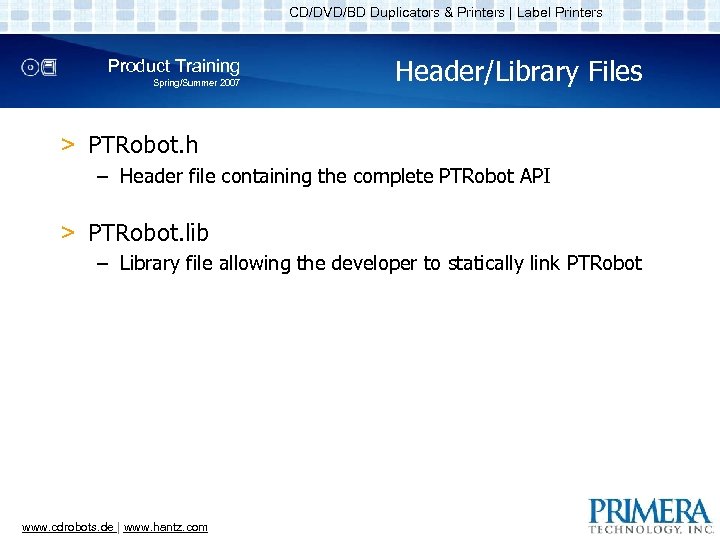
CD/DVD/BD Duplicators & Printers | Label Printers Product Training Spring/Summer 2007 Header/Library Files > PTRobot. h – Header file containing the complete PTRobot API > PTRobot. lib – Library file allowing the developer to statically link PTRobot www. cdrobots. de | www. hantz. com
CD/DVD/BD Duplicators & Printers | Label Printers Product Training Spring/Summer 2007 PTRobot Coding Examples by HANTZ + PARTNER www. cdrobots. de | www. hantz. com
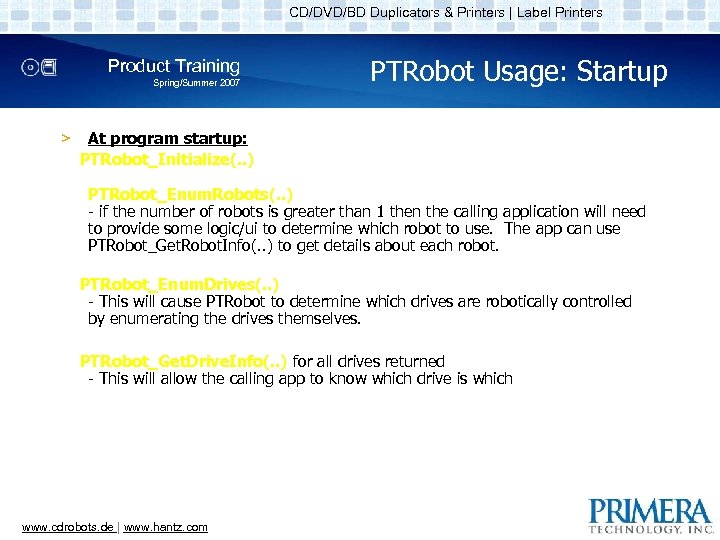
CD/DVD/BD Duplicators & Printers | Label Printers Product Training Spring/Summer 2007 > PTRobot Usage: Startup At program startup: PTRobot_Initialize(. . ) PTRobot_Enum. Robots(. . ) - if the number of robots is greater than 1 then the calling application will need to provide some logic/ui to determine which robot to use. The app can use PTRobot_Get. Robot. Info(. . ) to get details about each robot. PTRobot_Enum. Drives(. . ) - This will cause PTRobot to determine which drives are robotically controlled by enumerating the drives themselves. PTRobot_Get. Drive. Info(. . ) for all drives returned - This will allow the calling app to know which drive is which www. cdrobots. de | www. hantz. com
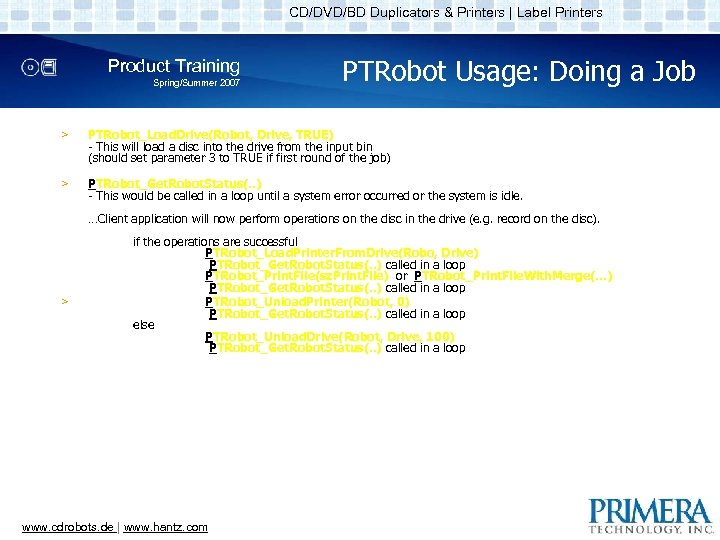
CD/DVD/BD Duplicators & Printers | Label Printers Product Training Spring/Summer 2007 PTRobot Usage: Doing a Job > PTRobot_Load. Drive(Robot, Drive, TRUE) - This will load a disc into the drive from the input bin (should set parameter 3 to TRUE if first round of the job) > PTRobot_Get. Robot. Status(. . ) - This would be called in a loop until a system error occurred or the system is idle. …Client application will now perform operations on the disc in the drive (e. g. record on the disc). > if the operations are successful PTRobot_Load. Printer. From. Drive(Robo, Drive) PTRobot_Get. Robot. Status(. . ) called in a loop PTRobot_Print. File(sz. Print. File) or PTRobot_Print. File. With. Merge(…) PTRobot_Get. Robot. Status(. . ) called in a loop PTRobot_Unload. Printer(Robot, 0) PTRobot_Get. Robot. Status(. . ) called in a loop else PTRobot_Unload. Drive(Robot, Drive, 100) PTRobot_Get. Robot. Status(. . ) called in a loop www. cdrobots. de | www. hantz. com
CD/DVD/BD Duplicators & Printers | Label Printers Product Training Spring/Summer 2007 Before program exit: > PTRobot_Destroy() www. cdrobots. de | www. hantz. com PTRobot Usage: Exit
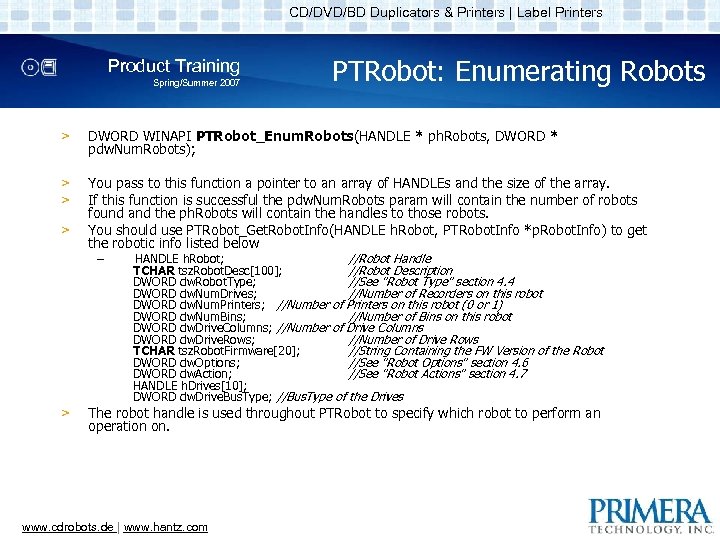
CD/DVD/BD Duplicators & Printers | Label Printers Product Training Spring/Summer 2007 PTRobot: Enumerating Robots > DWORD WINAPI PTRobot_Enum. Robots(HANDLE * ph. Robots, DWORD * pdw. Num. Robots); > > You pass to this function a pointer to an array of HANDLEs and the size of the array. If this function is successful the pdw. Num. Robots param will contain the number of robots found and the ph. Robots will contain the handles to those robots. You should use PTRobot_Get. Robot. Info(HANDLE h. Robot, PTRobot. Info *p. Robot. Info) to get the robotic info listed below > – > HANDLE h. Robot; //Robot Handle TCHAR tsz. Robot. Desc[100]; //Robot Description DWORD dw. Robot. Type; //See "Robot Type" section 4. 4 DWORD dw. Num. Drives; //Number of Recorders on this robot DWORD dw. Num. Printers; //Number of Printers on this robot (0 or 1) DWORD dw. Num. Bins; //Number of Bins on this robot DWORD dw. Drive. Columns; //Number of Drive Columns DWORD dw. Drive. Rows; //Number of Drive Rows TCHAR tsz. Robot. Firmware[20]; //String Containing the FW Version of the Robot DWORD dw. Options; //See "Robot Options" section 4. 6 DWORD dw. Action; //See "Robot Actions" section 4. 7 HANDLE h. Drives[10]; DWORD dw. Drive. Bus. Type; //Bus. Type of the Drives The robot handle is used throughout PTRobot to specify which robot to perform an operation on. www. cdrobots. de | www. hantz. com
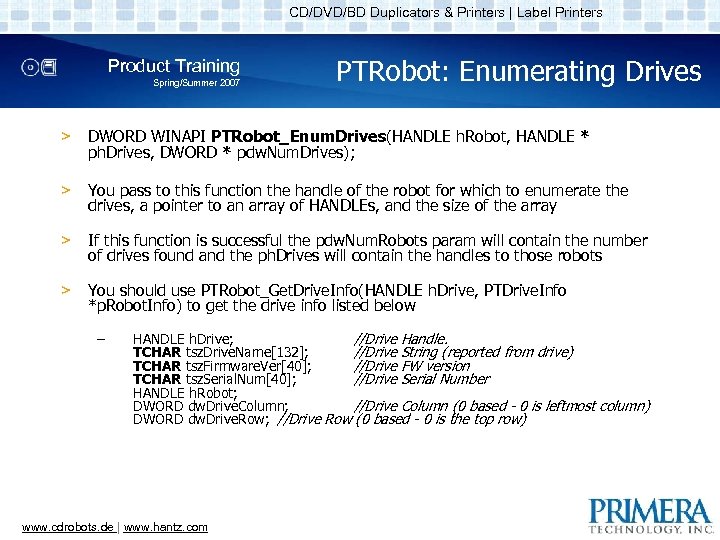
CD/DVD/BD Duplicators & Printers | Label Printers Product Training Spring/Summer 2007 PTRobot: Enumerating Drives > DWORD WINAPI PTRobot_Enum. Drives(HANDLE h. Robot, HANDLE * ph. Drives, DWORD * pdw. Num. Drives); > You pass to this function the handle of the robot for which to enumerate the drives, a pointer to an array of HANDLEs, and the size of the array > If this function is successful the pdw. Num. Robots param will contain the number of drives found and the ph. Drives will contain the handles to those robots > You should use PTRobot_Get. Drive. Info(HANDLE h. Drive, PTDrive. Info *p. Robot. Info) to get the drive info listed below – HANDLE h. Drive; //Drive Handle. TCHAR tsz. Drive. Name[132]; //Drive String (reported from drive) TCHAR tsz. Firmware. Ver[40]; //Drive FW version TCHAR tsz. Serial. Num[40]; //Drive Serial Number HANDLE h. Robot; DWORD dw. Drive. Column; //Drive Column (0 based - 0 is leftmost column) DWORD dw. Drive. Row; //Drive Row (0 based - 0 is the top row) www. cdrobots. de | www. hantz. com
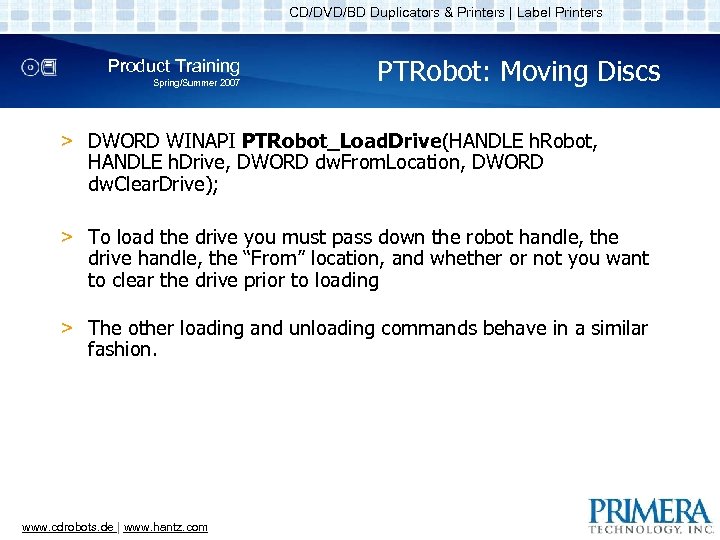
CD/DVD/BD Duplicators & Printers | Label Printers Product Training Spring/Summer 2007 PTRobot: Moving Discs > DWORD WINAPI PTRobot_Load. Drive(HANDLE h. Robot, HANDLE h. Drive, DWORD dw. From. Location, DWORD dw. Clear. Drive); > To load the drive you must pass down the robot handle, the drive handle, the “From” location, and whether or not you want to clear the drive prior to loading > The other loading and unloading commands behave in a similar fashion. www. cdrobots. de | www. hantz. com
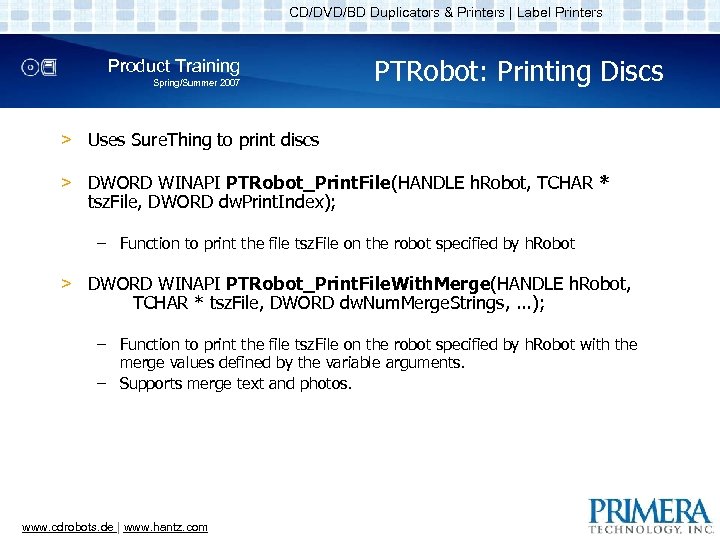
CD/DVD/BD Duplicators & Printers | Label Printers Product Training Spring/Summer 2007 PTRobot: Printing Discs > Uses Sure. Thing to print discs > DWORD WINAPI PTRobot_Print. File(HANDLE h. Robot, TCHAR * tsz. File, DWORD dw. Print. Index); – Function to print the file tsz. File on the robot specified by h. Robot > DWORD WINAPI PTRobot_Print. File. With. Merge(HANDLE h. Robot, TCHAR * tsz. File, DWORD dw. Num. Merge. Strings, . . . ); – Function to print the file tsz. File on the robot specified by h. Robot with the merge values defined by the variable arguments. – Supports merge text and photos. www. cdrobots. de | www. hantz. com
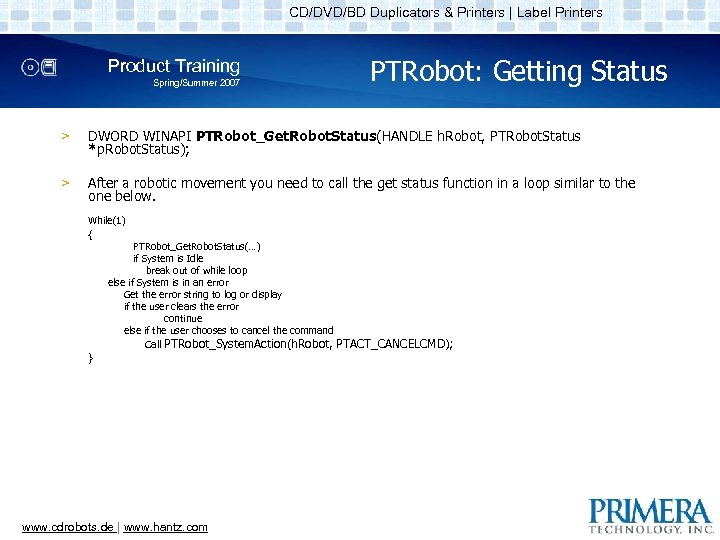
CD/DVD/BD Duplicators & Printers | Label Printers Product Training Spring/Summer 2007 PTRobot: Getting Status > DWORD WINAPI PTRobot_Get. Robot. Status(HANDLE h. Robot, PTRobot. Status *p. Robot. Status); > After a robotic movement you need to call the get status function in a loop similar to the one below. While(1) { } PTRobot_Get. Robot. Status(…) if System is Idle break out of while loop else if System is in an error Get the error string to log or display if the user clears the error continue else if the user chooses to cancel the command Call PTRobot_System. Action(h. Robot, www. cdrobots. de | www. hantz. com PTACT_CANCELCMD);
CD/DVD/BD Duplicators & Printers | Label Printers Product Training Spring/Summer 2007 PTRobot: Handling Errors > When getting status, if you determine that the system is in an error condition, you should get the error string and display it to the user > The user should be given the choice to correct the error or cancel the command > If the user chooses to correct the error, the status should be continually checked to make sure the user corrected the error > If the system is in an error condition further movements may not be performed until that error is cleared. www. cdrobots. de | www. hantz. com
CD/DVD/BD Duplicators & Printers | Label Printers Product Training Spring/Summer 2007 PTRobot Debugging Common Issues > The log file should be the main debugging tool. – The log file is specified by the PTRobot_Setup. Debugging function > If you find an issue check to see how the Sample app handles that same issue www. cdrobots. de | www. hantz. com
CD/DVD/BD Duplicators & Printers | Label Printers Product Training Spring/Summer 2007 PTRobot: Deployment > In order to deploy PTRobot with your solution you need to install the 4 PTRobot dll files – A best practice would be to install them into the same directory as your executable – You can either link the dll dynamically or you can link statically using the provided. lib file > Sure. Thing must also be installed www. cdrobots. de | www. hantz. com
CD/DVD/BD Duplicators & Printers | Label Printers Product Training Spring/Summer 2007 Questions? ? Send a mail to: info@hantz. com www. cdrobots. de | www. hantz. com
Скачать презентацию CD DVD BD Duplicators Printers Label Printers Product
e2a27381be7e5c1843ac3696c6f2357e.ppt