 Скачать презентацию CCMS e-Trainer Providers December 2015 Welcome to
a30263d6ce54558f5f2e9e2ff394124a.ppt
- Количество слайдов: 7




CCMS e-Trainer Providers December 2015
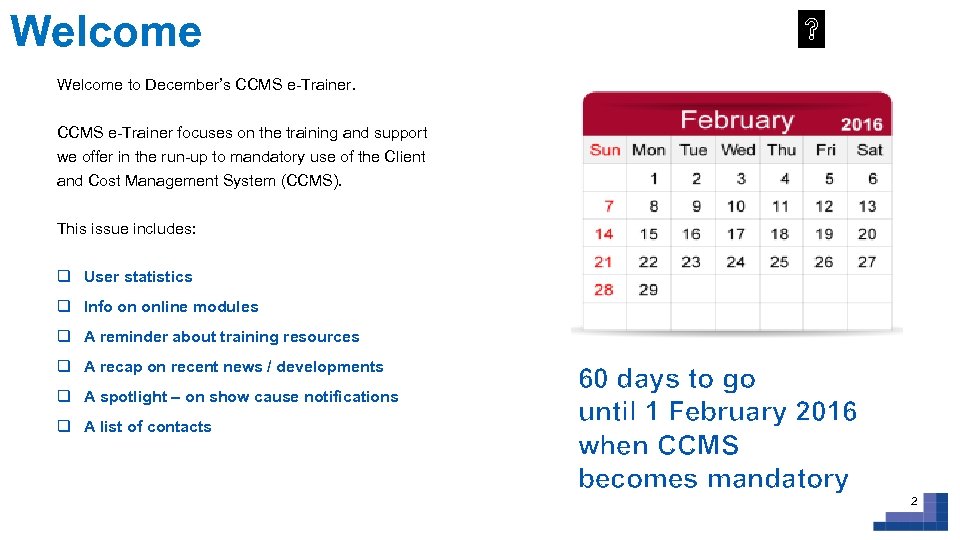
Welcome to December’s CCMS e-Trainer focuses on the training and support we offer in the run-up to mandatory use of the Client and Cost Management System (CCMS). This issue includes: q User statistics q Info on online modules q A reminder about training resources q A recap on recent news / developments q A spotlight – on show cause notifications q A list of contacts 60 days to go until 1 February 2016 when CCMS becomes mandatory 2
CCMS user statistics • Just under 1, 200 providers have used the system • You’ve submitted around 67, 000 cases • Around 60% of applications now come via CCMS Last week alone, we received around: • 1, 200 applications • 4, 000 bills
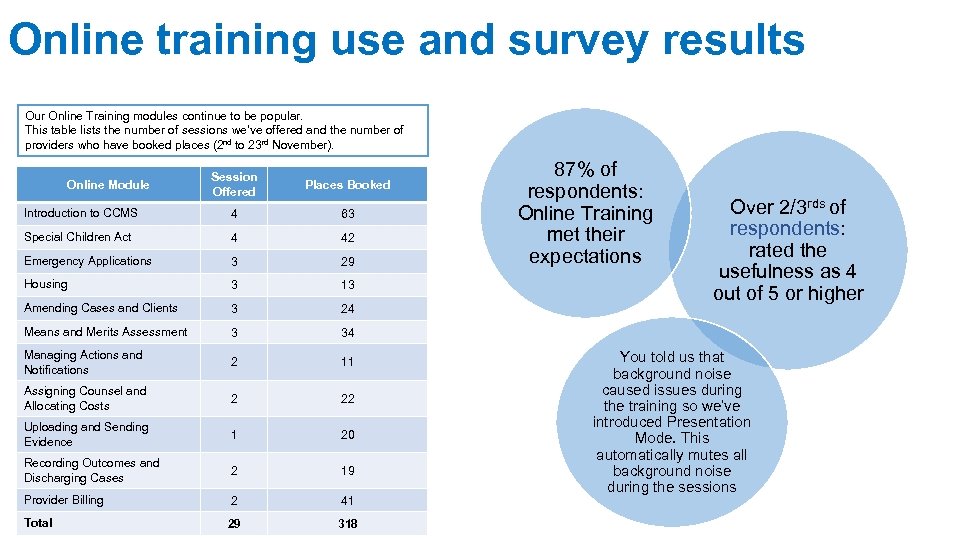
Online training use and survey results Our Online Training modules continue to be popular. This table lists the number of sessions we’ve offered and the number of providers who have booked places (2 nd to 23 rd November). Session Offered Places Booked Introduction to CCMS 4 63 Special Children Act 4 42 Emergency Applications 3 29 Housing 3 13 Amending Cases and Clients 3 24 Means and Merits Assessment 3 Managing Actions and Notifications 2 11 Assigning Counsel and Allocating Costs 2 22 Uploading and Sending Evidence 1 20 Recording Outcomes and Discharging Cases 2 19 Provider Billing 2 41 Total 29 318 87% of respondents: Online Training met their expectations 34 Online Module Over 2/3 rds of respondents: rated the usefulness as 4 out of 5 or higher You told us that background noise caused issues during the training so we’ve introduced Presentation Mode. This automatically mutes all background noise during the sessions
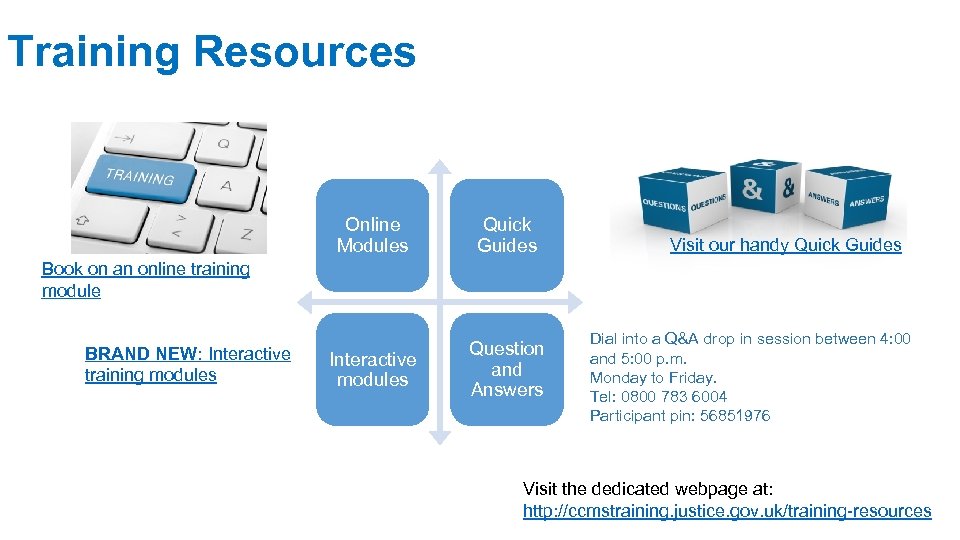
Training Resources Online Modules Quick Guides Interactive modules Question and Answers Visit our handy Quick Guides Book on an online training module BRAND NEW: Interactive training modules Dial into a Q&A drop in session between 4: 00 and 5: 00 p. m. Monday to Friday. Tel: 0800 783 6004 Participant pin: 56851976 Visit the dedicated webpage at: http: //ccmstraining. justice. gov. uk/training-resources
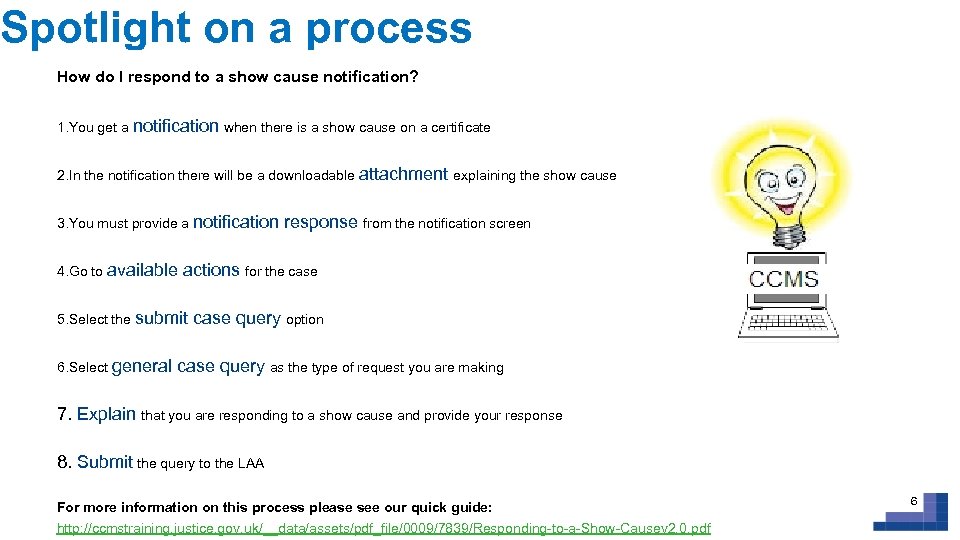
Spotlight on a process How do I respond to a show cause notification? 1. You get a notification when there is a show cause on a certificate 2. In the notification there will be a downloadable attachment explaining the show cause 3. You must provide a notification 4. Go to available actions for the case 5. Select the submit 6. Select general response from the notification screen case query option case query as the type of request you are making 7. Explain that you are responding to a show cause and provide your response 8. Submit the query to the LAA For more information on this process please see our quick guide: http: //ccmstraining. justice. gov. uk/__data/assets/pdf_file/0009/7839/Responding-to-a-Show-Causev 2. 0. pdf 6
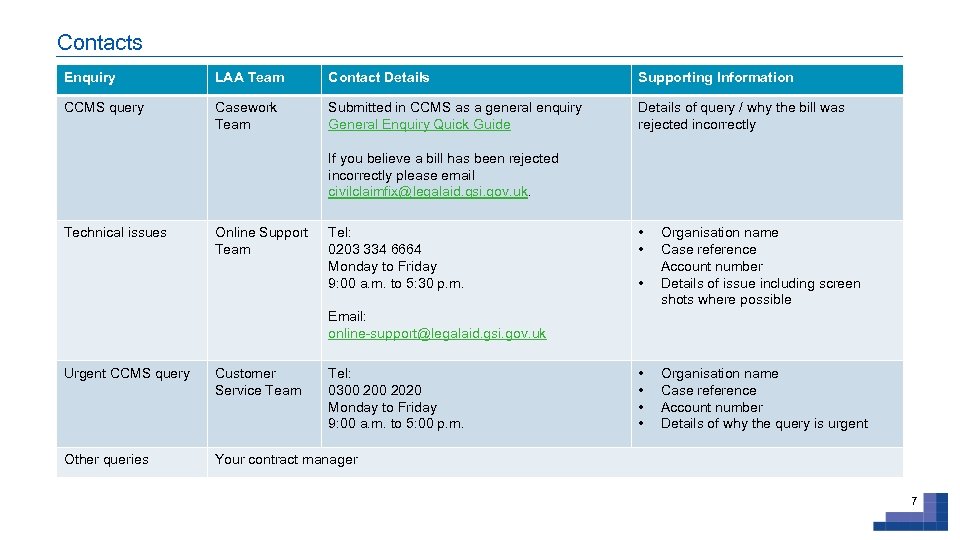
Contacts Enquiry LAA Team Contact Details Supporting Information CCMS query Casework Team Submitted in CCMS as a general enquiry General Enquiry Quick Guide Details of query / why the bill was rejected incorrectly If you believe a bill has been rejected incorrectly please email civilclaimfix@legalaid. gsi. gov. uk. Technical issues Online Support Team Tel: 0203 334 6664 Monday to Friday 9: 00 a. m. to 5: 30 p. m. • • • Organisation name Case reference Account number Details of issue including screen shots where possible Email: online-support@legalaid. gsi. gov. uk Urgent CCMS query Customer Service Team Tel: 0300 2020 Monday to Friday 9: 00 a. m. to 5: 00 p. m. Other queries • • Organisation name Case reference Account number Details of why the query is urgent Your contract manager 7
Скачать презентацию CCMS e-Trainer Providers December 2015 Welcome to
a30263d6ce54558f5f2e9e2ff394124a.ppt