


 Скачать презентацию CCM 4300 Lecture 5 Computer Networks Wireless and
6074b5c649b8e74c10c22a0ce47a47c0.ppt
- Количество слайдов: 67
 CCM 4300 Lecture 5 Computer Networks: Wireless and Mobile Communication Systems Dr E. Ever School of Computing Science 1
 Lesson objectives § To acquire a basic understanding of GSM, GPRS, EDGE, Satellite systems, UMTS and Bluetooth and you will be able: - to make informative decision regarding which technology to use and why - explore the history and architecture of such technologies - identify some of the advantages and disadvantages of using these technologies. 2
 Session Content § Introduction – what is GSM? § GSM and GPRS Components § Why the interest in 2 G, 3 G and 4 G technologies? § UMTS § Bluetooth § Satellites: HEO, MEO, LEO 3
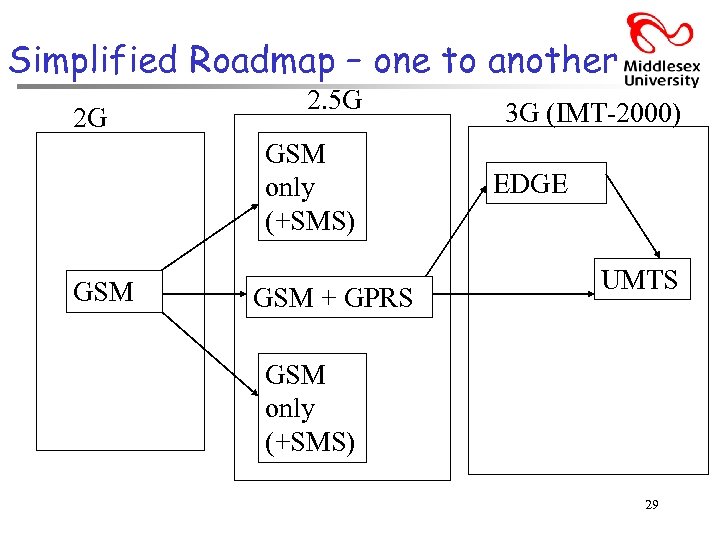
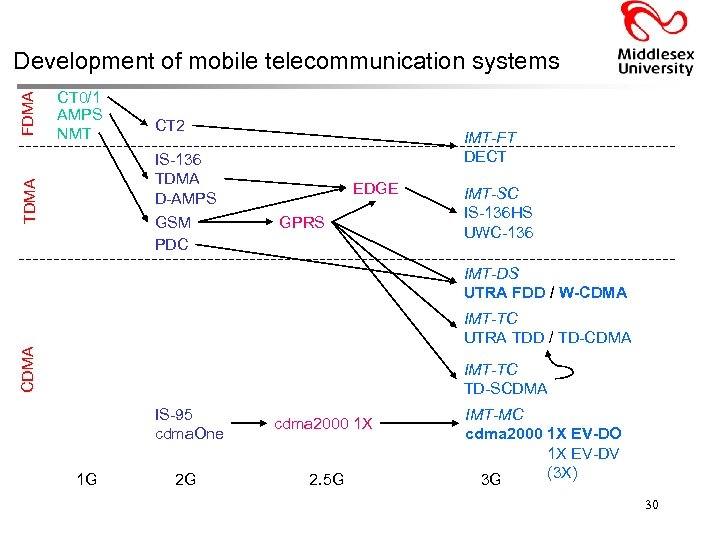
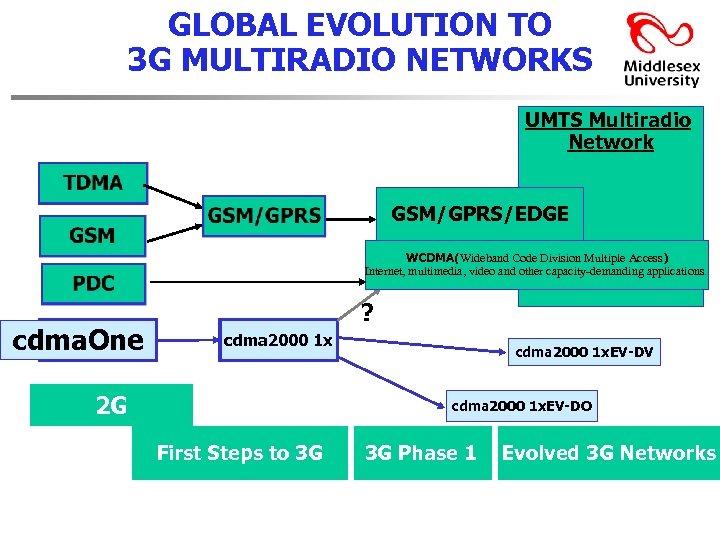
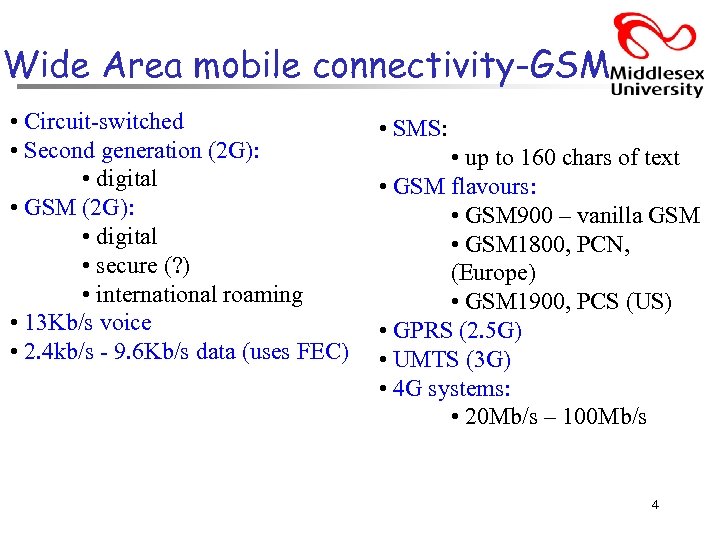 Wide Area mobile connectivity-GSM • Circuit-switched • Second generation (2 G): • digital • GSM (2 G): • digital • secure (? ) • international roaming • 13 Kb/s voice • 2. 4 kb/s - 9. 6 Kb/s data (uses FEC) • SMS: • up to 160 chars of text • GSM flavours: • GSM 900 – vanilla GSM • GSM 1800, PCN, (Europe) • GSM 1900, PCS (US) • GPRS (2. 5 G) • UMTS (3 G) • 4 G systems: • 20 Mb/s – 100 Mb/s 4
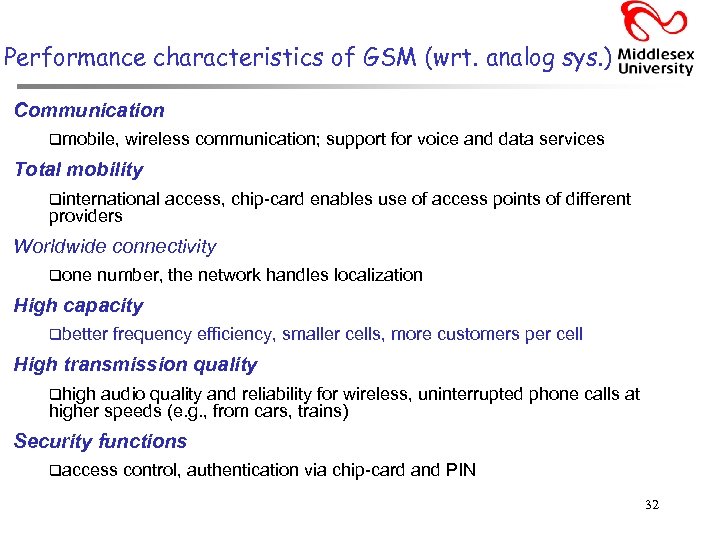
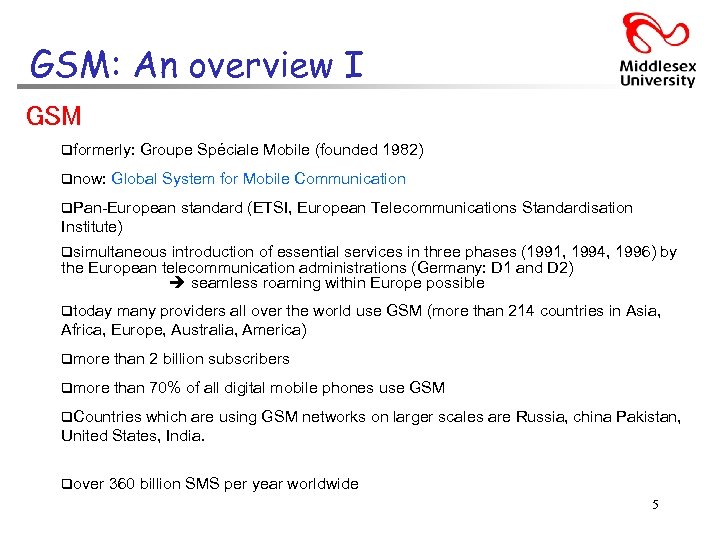 GSM: An overview I GSM qformerly: qnow: Groupe Spéciale Mobile (founded 1982) Global System for Mobile Communication q. Pan-European standard (ETSI, European Telecommunications Standardisation Institute) qsimultaneous introduction of essential services in three phases (1991, 1994, 1996) by the European telecommunication administrations (Germany: D 1 and D 2) seamless roaming within Europe possible qtoday many providers all over the world use GSM (more than 214 countries in Asia, Africa, Europe, Australia, America) qmore than 2 billion subscribers qmore than 70% of all digital mobile phones use GSM q. Countries which are using GSM networks on larger scales are Russia, china Pakistan, United States, India. qover 360 billion SMS per year worldwide 5
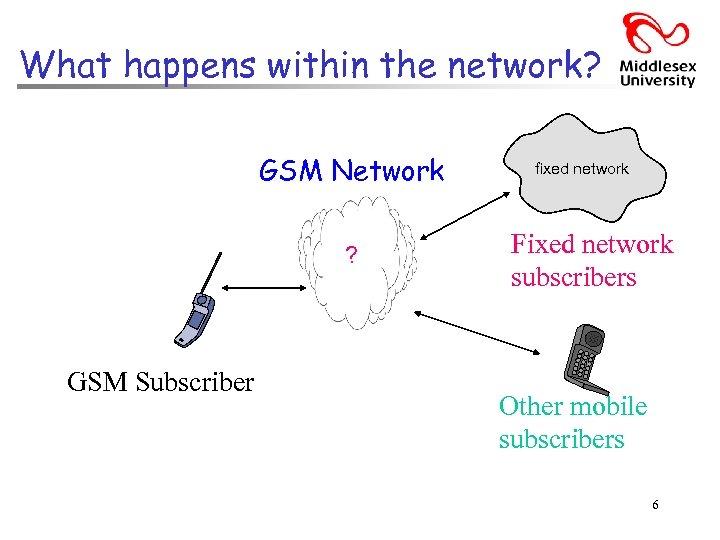 What happens within the network? GSM Network ? GSM Subscriber fixed network Fixed network subscribers Other mobile subscribers 6
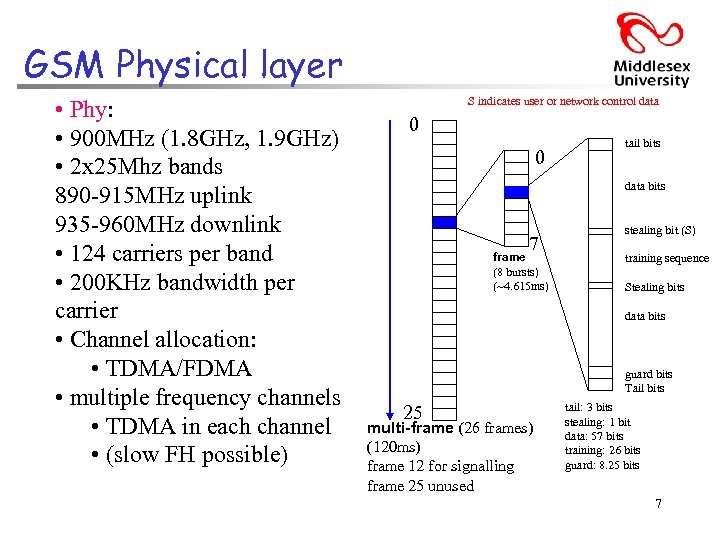 GSM Physical layer • Phy: • 900 MHz (1. 8 GHz, 1. 9 GHz) • 2 x 25 Mhz bands 890 -915 MHz uplink 935 -960 MHz downlink • 124 carriers per band • 200 KHz bandwidth per carrier • Channel allocation: • TDMA/FDMA • multiple frequency channels • TDMA in each channel • (slow FH possible) S indicates user or network control data 0 0 tail bits data bits 7 frame (8 bursts) (~4. 615 ms) stealing bit (S) training sequence Stealing bits data bits guard bits Tail bits 25 multi-frame (26 frames) (120 ms) frame 12 for signalling frame 25 unused tail: 3 bits stealing: 1 bit data: 57 bits training: 26 bits guard: 8. 25 bits 7
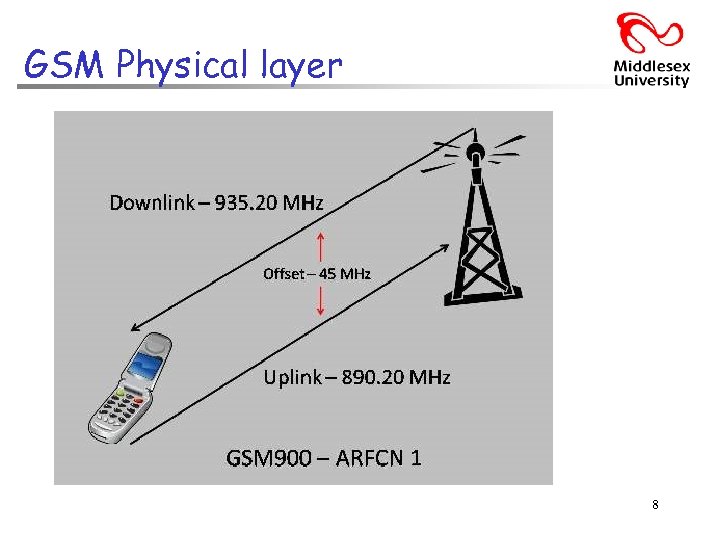 GSM Physical layer 8
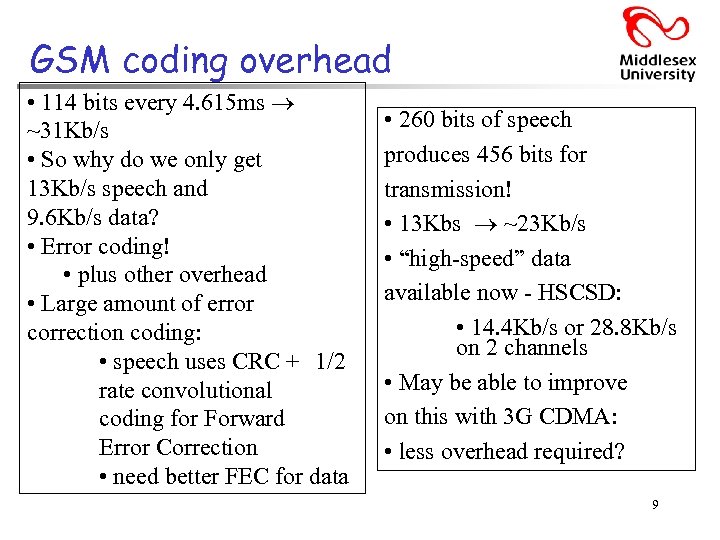 GSM coding overhead • 114 bits every 4. 615 ms ~31 Kb/s • So why do we only get 13 Kb/s speech and 9. 6 Kb/s data? • Error coding! • plus other overhead • Large amount of error correction coding: • speech uses CRC + 1/2 rate convolutional coding for Forward Error Correction • need better FEC for data • 260 bits of speech produces 456 bits for transmission! • 13 Kbs ~23 Kb/s • “high-speed” data available now - HSCSD: • 14. 4 Kb/s or 28. 8 Kb/s on 2 channels • May be able to improve on this with 3 G CDMA: • less overhead required? 9
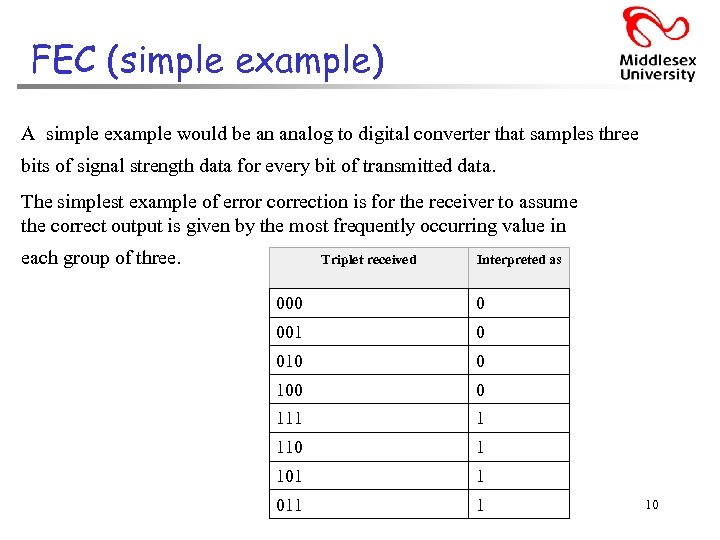 FEC (simple example) A simple example would be an analog to digital converter that samples three bits of signal strength data for every bit of transmitted data. The simplest example of error correction is for the receiver to assume the correct output is given by the most frequently occurring value in each group of three. Triplet received Interpreted as 000 0 001 0 010 0 100 0 111 1 110 1 101 1 011 1 10
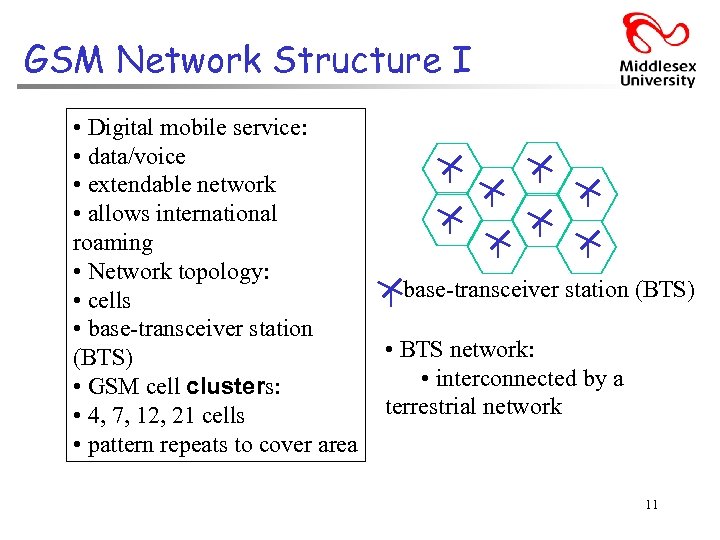 GSM Network Structure I • Digital mobile service: • data/voice • extendable network • allows international roaming • Network topology: • cells • base-transceiver station (BTS) • GSM cell clusters: • 4, 7, 12, 21 cells • pattern repeats to cover area base-transceiver station (BTS) • BTS network: • interconnected by a terrestrial network 11
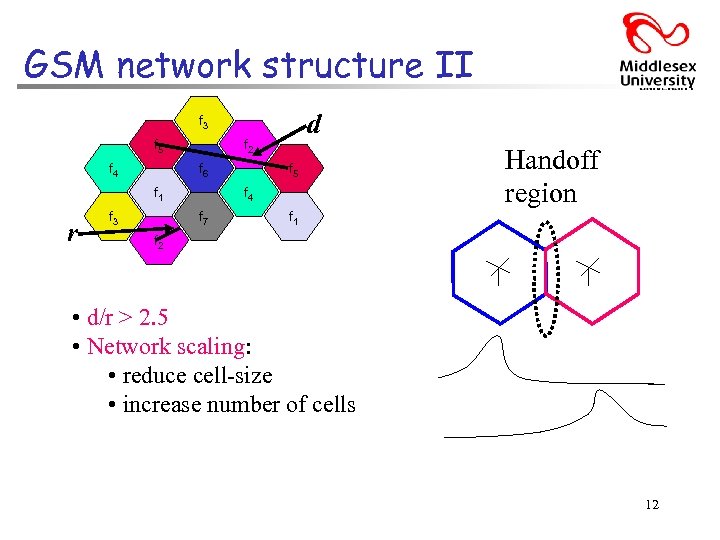 GSM network structure II d f 3 f 5 f 4 f 2 f 6 f 1 r f 3 f 5 f 4 f 7 Handoff region f 1 f 2 • d/r > 2. 5 • Network scaling: • reduce cell-size • increase number of cells 12
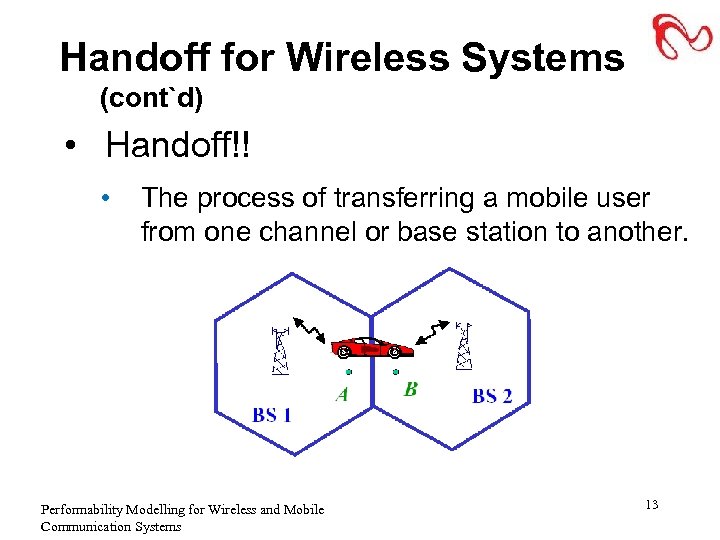 Handoff for Wireless Systems (cont`d) • Handoff!! • The process of transferring a mobile user from one channel or base station to another. Performability Modelling for Wireless and Mobile Communication Systems 13
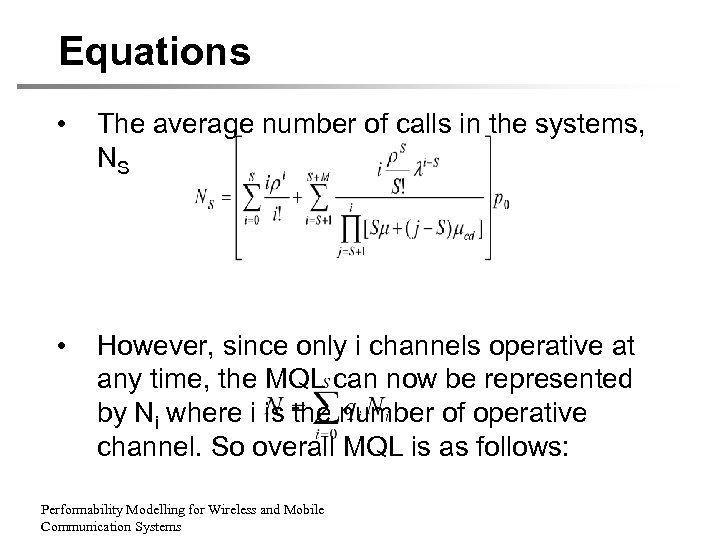 Equations • The average number of calls in the systems, NS • However, since only i channels operative at any time, the MQL can now be represented by Ni where i is the number of operative channel. So overall MQL is as follows: Performability Modelling for Wireless and Mobile Communication Systems
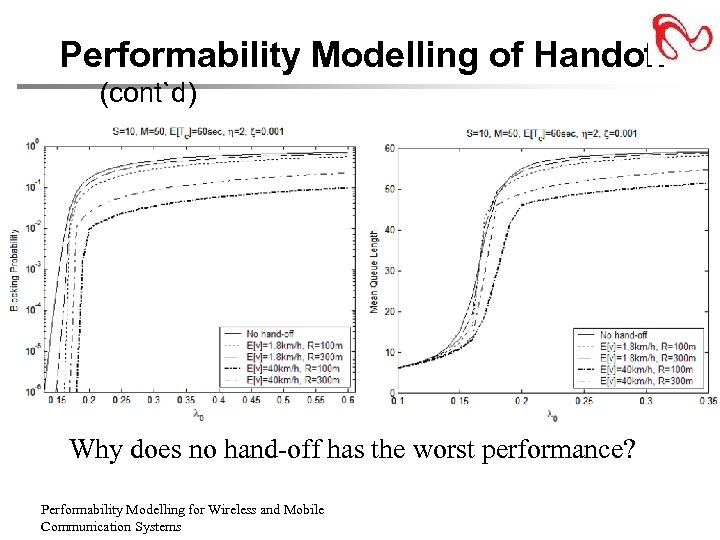 Performability Modelling of Handoff (cont`d) Why does no hand-off has the worst performance? Performability Modelling for Wireless and Mobile Communication Systems
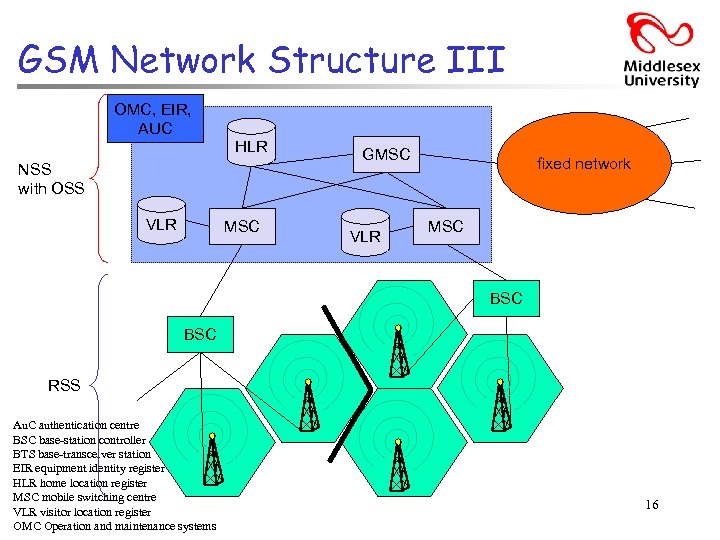 GSM Network Structure III OMC, EIR, AUC HLR NSS with OSS VLR MSC GMSC VLR fixed network MSC BSC RSS Au. C authentication centre BSC base-station controller BTS base-transceiver station EIR equipment identity register HLR home location register MSC mobile switching centre VLR visitor location register OMC Operation and maintenance systems 16
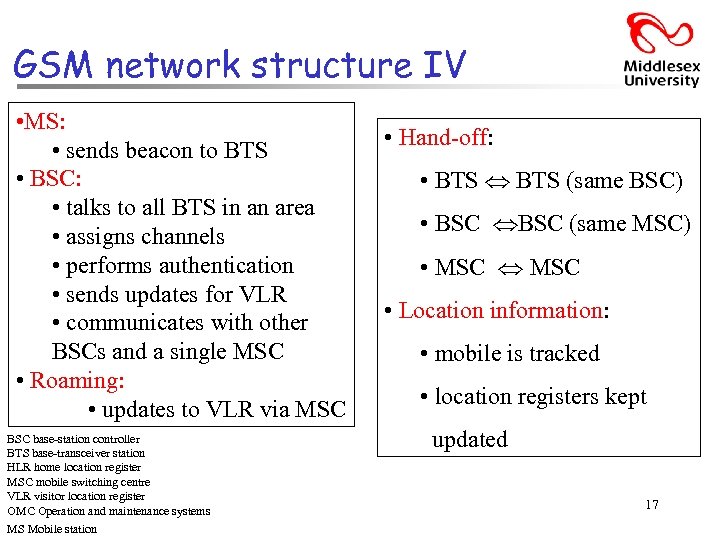 GSM network structure IV • MS: • sends beacon to BTS • BSC: • talks to all BTS in an area • assigns channels • performs authentication • sends updates for VLR • communicates with other BSCs and a single MSC • Roaming: • updates to VLR via MSC BSC base-station controller BTS base-transceiver station HLR home location register MSC mobile switching centre VLR visitor location register OMC Operation and maintenance systems MS Mobile station • Hand-off: • BTS (same BSC) • BSC (same MSC) • MSC • Location information: • mobile is tracked • location registers kept updated 17
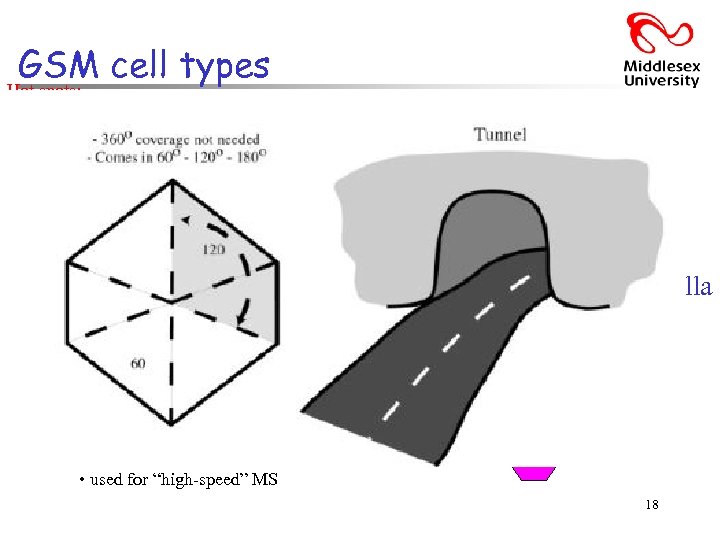 GSM cell types Hot spots: • cell-within-a-cell fast-moving MS, • Macro-cells: many-hand-offs • large, sparsely populated areas e. g. car, train, etc • Micro-cells: • densely populated areas. By splitting the existing areas into smaller cells, the number of channels available is increased as well as the capacity of the cells. The power level of the transmitters used in these cells is then decreased, reducing the possibility of interference between neighbouring cells. • Selective cells: • not-360° coverage • special antenna give “shape”. e. g. Cells that may be located at the entrances of tunnels where a selective cell with a coverage of 120 degrees is used. • Umbrella cells: • covers several micro-cells • used for “high-speed” MS Umbrella cell 18
 Power Management Hand-off • Quality vs. power • Maintain quality: • mobile increases transmit power • maintains quality • hand-off when quality is low • Conserve power: • set transmit power threshold • hand-off when threshold reached Silence suppression • DTX (Discontinuous transmission a method of momentarily powering-down) • No “speech” for ~40% of call duration: • perhaps more for data • Background noise at MS: • not easy to detect … • detect “no speech” • Switch off transmission: • when “no speech”detected • saves power • Receiver: • comfort noise 19
 Security Terminal • SIM: • subscriber identity module • IMSI: • subscriber identity (on SIM) • IMEI: • MS identity (in MS) • Stream cipher used: • key+algorithm from SIM • random number XOR’d with data/voice bits Network • EIR: • stores known IMEI numbers • Au. C: • uses IMSI and IMEI (plus interaction with EIR) • authenticates user • checks service subscription • (updates VLR and other location information) 20
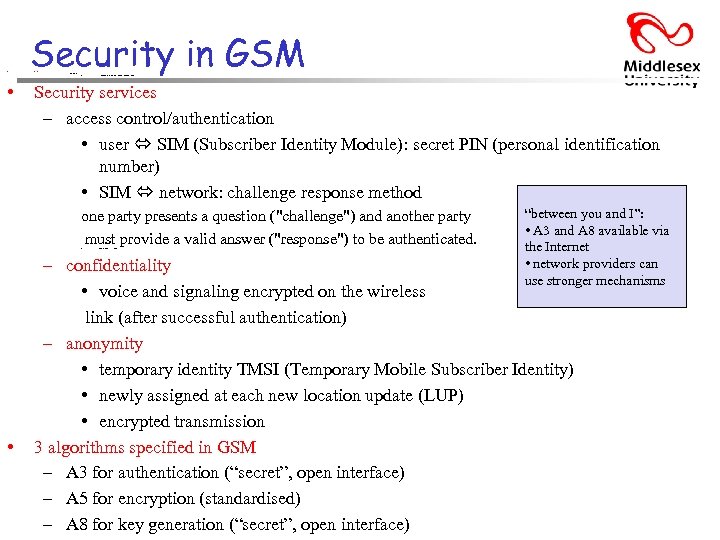 • Security in GSM Security services – access control/authentication • • user SIM (Subscriber Identity Module): secret PIN (personal identification number) Security services – access control/authentication • user SIM (Subscriber Identity Module): secret PIN (personal identification number) • SIM network: challenge response method one party presents a question ("challenge") and another party must provide a valid answer ("response") to be authenticated. • • SIM network: challenge response method “between you and I”: • A 3 and A 8 available via the Internet • network providers can use stronger mechanisms – confidentiality • voice and signaling encrypted on the wireless link (after successful authentication) – anonymity • temporary identity TMSI (Temporary Mobile Subscriber Identity) • newly assigned at each new location update (LUP) • encrypted transmission 3 algorithms specified in GSM – A 3 for authentication (“secret”, open interface) – A 5 for encryption (standardised) – A 8 for key generation (“secret”, open interface)
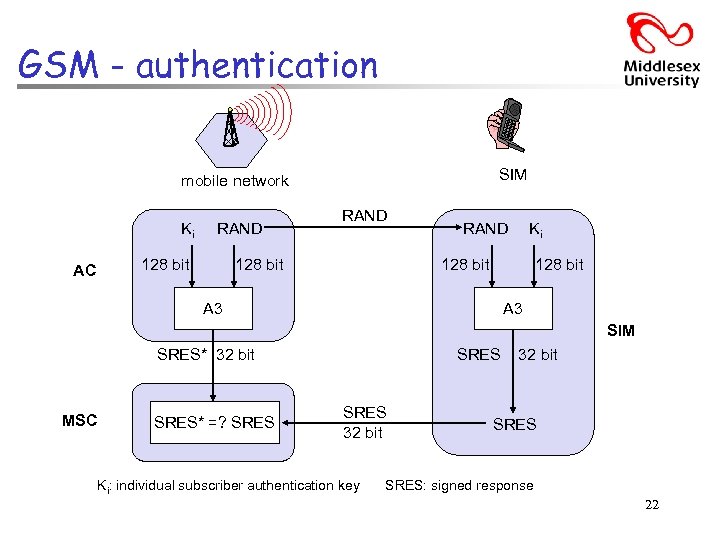 GSM - authentication SIM mobile network Ki RAND 128 bit AC RAND 128 bit RAND Ki 128 bit A 3 SIM SRES* 32 bit MSC SRES* =? SRES 32 bit Ki: individual subscriber authentication key 32 bit SRES: signed response 22
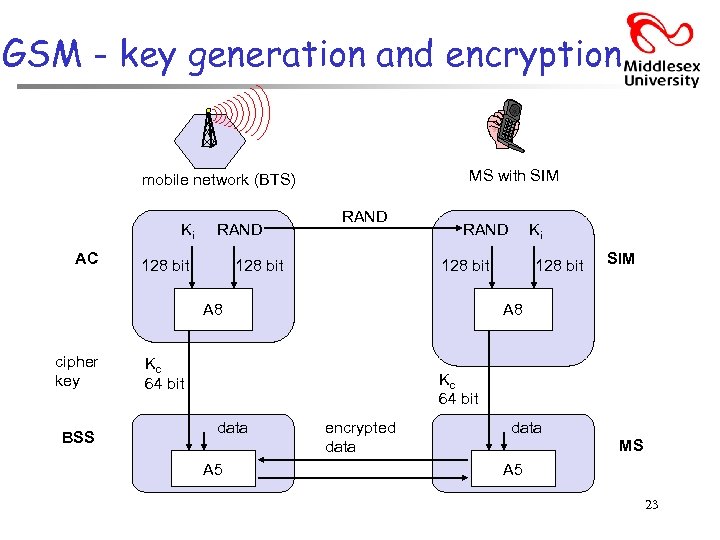 GSM - key generation and encryption MS with SIM mobile network (BTS) Ki AC RAND 128 bit A 8 cipher key BSS Ki 128 bit SIM A 8 Kc 64 bit data A 5 encrypted data SRES data MS A 5 23
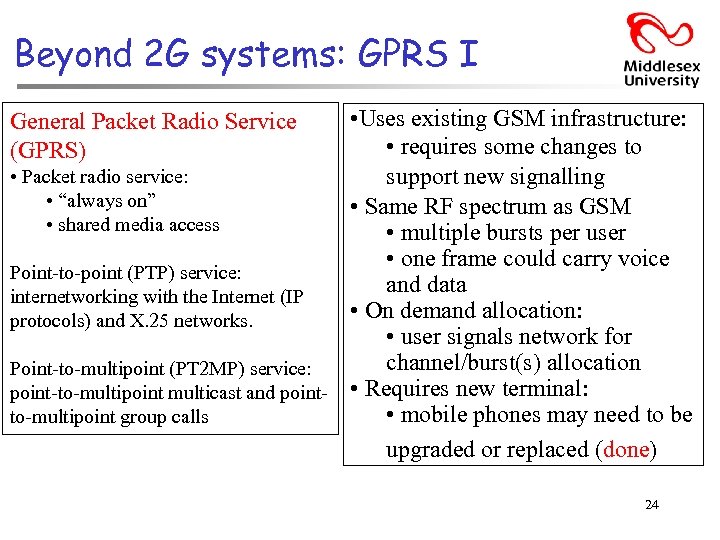 Beyond 2 G systems: GPRS I • Uses existing GSM infrastructure: • requires some changes to • Packet radio service: support new signalling • “always on” • Same RF spectrum as GSM • shared media access • multiple bursts per user • one frame could carry voice Point-to-point (PTP) service: and data internetworking with the Internet (IP • On demand allocation: protocols) and X. 25 networks. • user signals network for channel/burst(s) allocation Point-to-multipoint (PT 2 MP) service: point-to-multipoint multicast and point- • Requires new terminal: • mobile phones may need to be to-multipoint group calls upgraded or replaced (done) General Packet Radio Service (GPRS) 24
 GPRS II • Better network utilisation • Good for general data: • suits bursty applications • GPRS + IP integration: • How to charge? • volume – per packet? • flat rate? • Qo. S: • may not be suitable for real-time applications • “real-time extensions” in 3 G 25
 EDGE Enhanced Data-rates for Global Evolution: • builds on GPRS mechanism • packet interface • Available now in North America and some parts of Europe • “Peak rates” of 384 Kb/s: • “pedestrian” rate • “Normal rate” of 144 Kb/s: • “high mobility” rate Requires new RF spectrum: • 2 x 50 MHz • 1. 9 GHz and 2. 1 GHz bands being used in some parts of the world High-Speed Packet Access (HSPA). Peak bit-rates of up to 1 Mbit/s and typical bit-rates of 400 kbit/s can be expected. 26
 UMTS: universal mobile telecommunications services 3 G – • Voice: • 2 G GSM-like services • Data: • 64 Kb/s – ~2 Mb/s • ISDN-like services • WCDMA(Wideband Code Division Multiple Access) 10 Mb/s • Packet and circuit services • International roaming Needs new RF spectrum! W-CDMA a pair of 5 MHz frequency band, for the uplink, 19000 MHz range, for the downlink, 2100 MHz range. • Requires new or upgraded infrastructure • Potential for broadband wireless services Since 2006, UMTS networks in many countries have been or are in the process of being upgraded with High Speed Downlink Packet Access (HSDPA), sometimes known as 3. 5 G. 27 Up to 21 Mbit/s.
 IMT-2000 • ITU’s approach to 3 G wireless • “Umbrella” activity from ITU: • mainly European interest, though international in theory • Intended to provide: • coordination between different 2. 5/3 G systems • harmonisation of services to allow use efficient of Spectrum • http: //www. umts-forum. org/imt 2000. html IMT: international Mobile Communications 28
 Simplified Roadmap – one to another 2 G 2. 5 G GSM only (+SMS) GSM + GPRS 3 G (IMT-2000) EDGE UMTS GSM only (+SMS) 29
 CT 0/1 AMPS NMT CT 2 IS-136 TDMA D-AMPS GSM PDC TDMA FDMA Development of mobile telecommunication systems IMT-FT DECT EDGE GPRS IMT-SC IS-136 HS UWC-136 IMT-DS UTRA FDD / W-CDMA IMT-TC UTRA TDD / TD-CDMA IMT-TC TD-SCDMA IS-95 cdma. One 1 G cdma 2000 1 X 2 G 2. 5 G IMT-MC cdma 2000 1 X EV-DO 1 X EV-DV (3 X) 3 G 30
 GLOBAL EVOLUTION TO 3 G MULTIRADIO NETWORKS UMTS Multiradio Network GSM/GPRS/EDGE WCDMA(Wideband Code Division Multiple Access) Internet, multimedia, video and other capacity-demanding applications. cdma. One ? cdma 2000 1 x 2 G cdma 2000 1 x. EV-DV cdma 2000 1 x. EV-DO First Steps to 3 G 3 G Phase 1 Evolved 3 G Networks
 Performance characteristics of GSM (wrt. analog sys. ) Communication qmobile, wireless communication; support for voice and data services Total mobility qinternational providers access, chip-card enables use of access points of different Worldwide connectivity qone number, the network handles localization High capacity qbetter frequency efficiency, smaller cells, more customers per cell High transmission quality qhigh audio quality and reliability for wireless, uninterrupted phone calls at higher speeds (e. g. , from cars, trains) Security functions qaccess control, authentication via chip-card and PIN 32
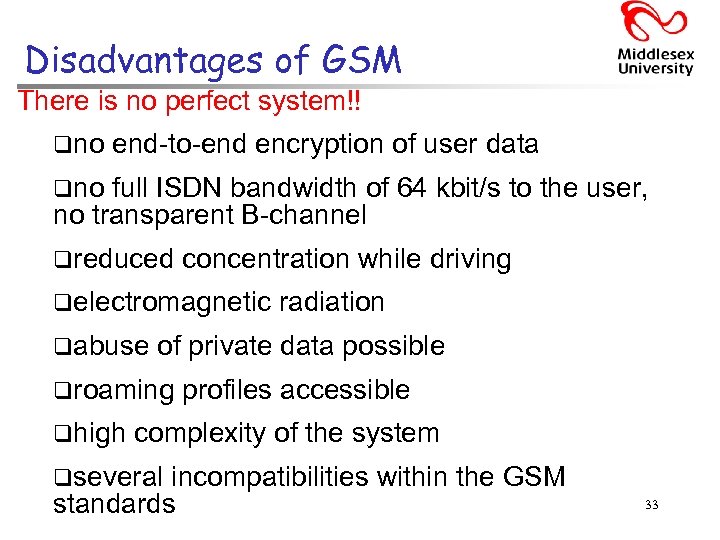 Disadvantages of GSM There is no perfect system!! qno end-to-end encryption of user data qno full ISDN bandwidth of 64 kbit/s to the user, no transparent B-channel qreduced concentration while driving qelectromagnetic qabuse of private data possible qroaming qhigh radiation profiles accessible complexity of the system qseveral incompatibilities within the GSM standards 33
 GSM and 3 G – more information can be found at. . . • http: //www. gsmworld. com/ • http: //www. umts-forum. org/ • http: //www. uwcc. org/ Universal Wireless Communications Consortium • http: //www. 3 gpp. org/ Third Generation Partnership Project • Not covered in these notes, however, … http: //www. wapforum. org/ Wireless Application Protocol Forum 34
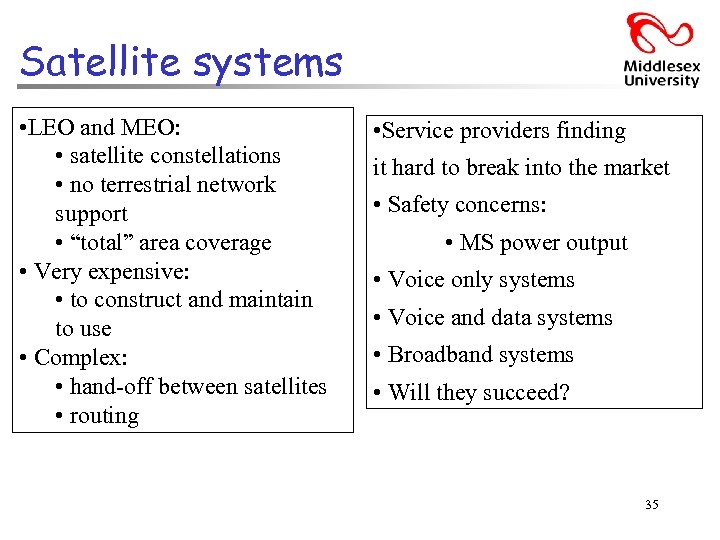 Satellite systems • LEO and MEO: • satellite constellations • no terrestrial network support • “total” area coverage • Very expensive: • to construct and maintain to use • Complex: • hand-off between satellites • routing • Service providers finding it hard to break into the market • Safety concerns: • MS power output • Voice only systems • Voice and data systems • Broadband systems • Will they succeed? 35
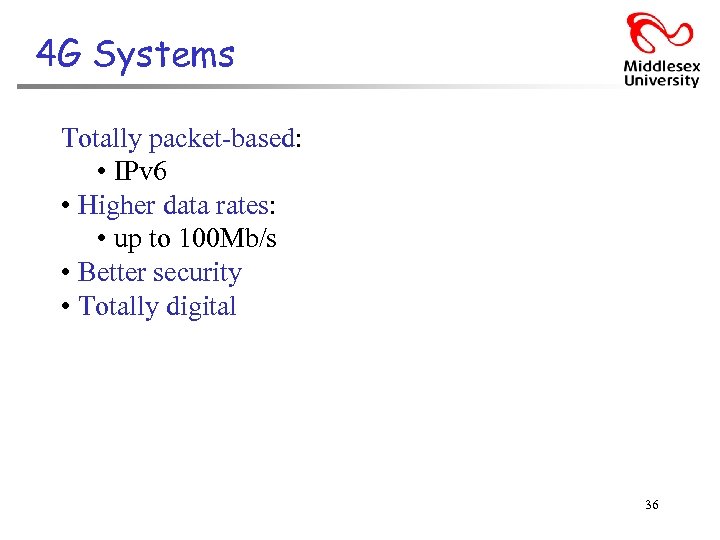 4 G Systems Totally packet-based: • IPv 6 • Higher data rates: • up to 100 Mb/s • Better security • Totally digital 36
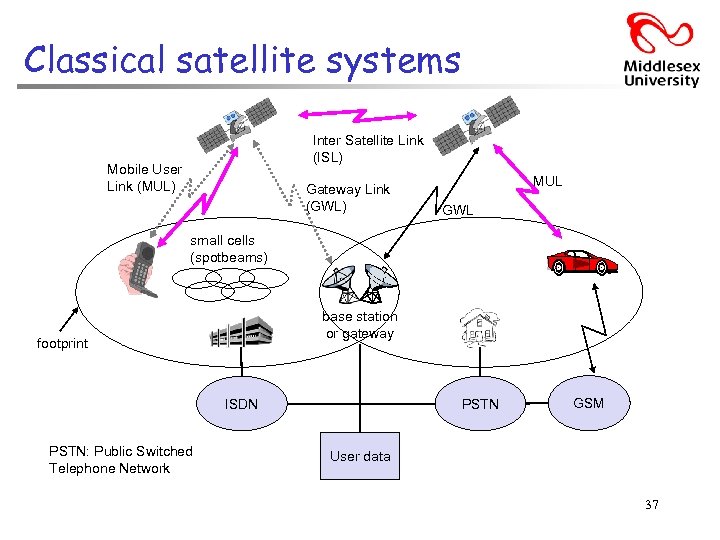 Classical satellite systems Inter Satellite Link (ISL) Mobile User Link (MUL) Gateway Link (GWL) MUL GWL small cells (spotbeams) base station or gateway footprint ISDN PSTN: Public Switched Telephone Network PSTN GSM User data 37
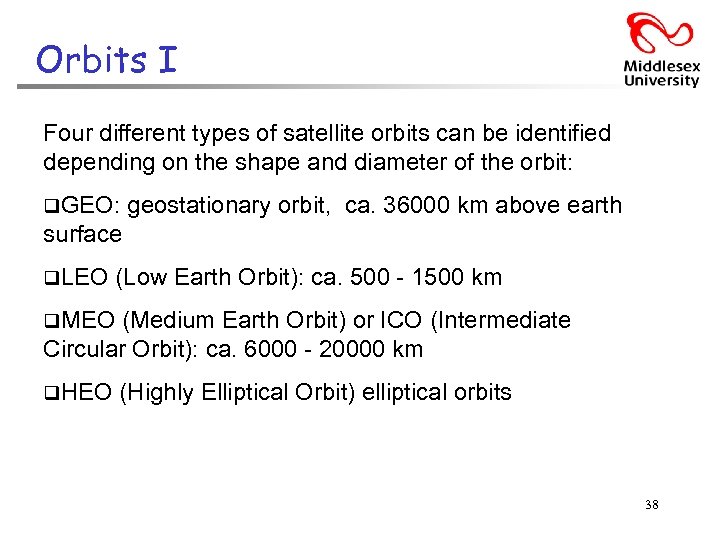 Orbits I Four different types of satellite orbits can be identified depending on the shape and diameter of the orbit: q. GEO: geostationary orbit, ca. 36000 km above earth surface q. LEO (Low Earth Orbit): ca. 500 - 1500 km q. MEO (Medium Earth Orbit) or ICO (Intermediate Circular Orbit): ca. 6000 - 20000 km q. HEO (Highly Elliptical Orbit) elliptical orbits 38
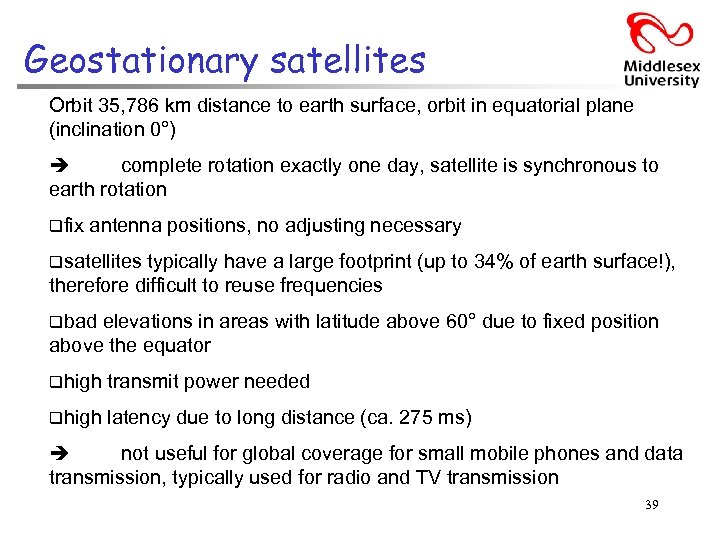 Geostationary satellites Orbit 35, 786 km distance to earth surface, orbit in equatorial plane (inclination 0°) complete rotation exactly one day, satellite is synchronous to earth rotation qfix antenna positions, no adjusting necessary qsatellites typically have a large footprint (up to 34% of earth surface!), therefore difficult to reuse frequencies qbad elevations in areas with latitude above 60° due to fixed position above the equator qhigh transmit power needed qhigh latency due to long distance (ca. 275 ms) not useful for global coverage for small mobile phones and data transmission, typically used for radio and TV transmission 39
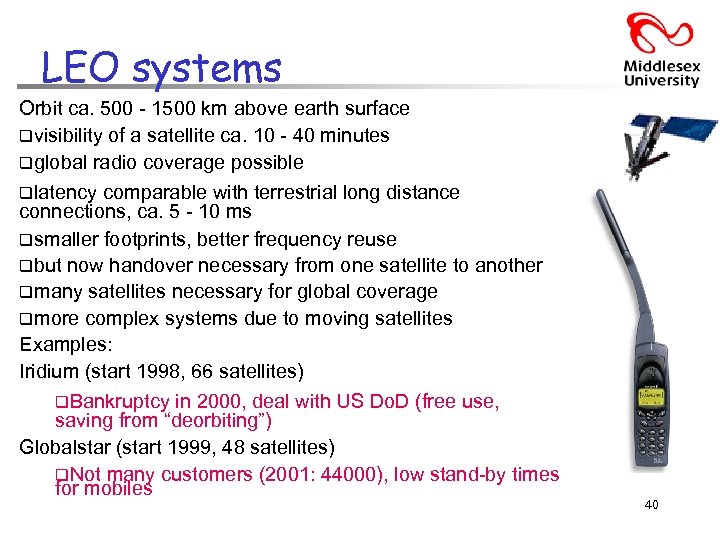 LEO systems Orbit ca. 500 - 1500 km above earth surface qvisibility of a satellite ca. 10 - 40 minutes qglobal radio coverage possible qlatency comparable with terrestrial long distance connections, ca. 5 - 10 ms qsmaller footprints, better frequency reuse qbut now handover necessary from one satellite to another qmany satellites necessary for global coverage qmore complex systems due to moving satellites Examples: Iridium (start 1998, 66 satellites) q. Bankruptcy in 2000, deal with US Do. D (free use, saving from “deorbiting”) Globalstar (start 1999, 48 satellites) q. Not many customers (2001: 44000), low stand-by times for mobiles 40
 MEO systems Orbit ca. 5000 - 12000 km above earth surface comparison with LEO systems: qslower qless moving satellites needed qsimpler qfor system design many connections no hand-over needed qhigher latency, ca. 70 - 80 ms qhigher sending power needed qspecial antennas for small footprints needed Example: ICO (Intermediate Circular Orbit, Inmarsat) start ca. 2000 q. Bankruptcy, again planned joint ventures with Teledesic, Ellipso – cancelled 41
 Routing (Passing Information Between satellites) • One solution: inter satellite links (ISL) • reduced number of gateways needed • forward connections or data packets within the satellite network as long as possible • only one uplink and one downlink per direction needed for the connection of two mobile phones • Problems: • more complex focusing of antennas between satellites • high system complexity due to moving routers • higher fuel consumption thus shorter lifetime • Iridium and Teledesic planned with ISL • Other systems use gateways and additionally terrestrial networks 42
 Localisation of Mobile Stations • Mechanisms similar to GSM • Gateways maintain registers with user data – HLR (Home Location Register): static user data – VLR (Visitor Location Register): (last known) location of the mobile station – SUMR (Satellite User Mapping Register): • satellite assigned to a mobile station • positions of all satellites • Registration of mobile stations – Localisation of the mobile station via the satellite’s position – requesting user data from HLR – updating VLR and SUMR • Calling a mobile station – localization using HLR/VLR similar to GSM – connection setup using the appropriate satellite 43
 Handover in Satellite Systems • Several additional situations for handover in satellite systems compared to cellular terrestrial mobile phone networks caused by the movement of the satellites – Intra satellite handover • handover from one spot beam to another Spot beams are used so that only earth stations in a particular intended reception area can properly receive the satellite signal. • mobile station still in the footprint of the satellite, but in another cell – Inter satellite handover • handover from one satellite to another satellite • mobile station leaves the footprint of one satellite – Gateway handover • Handover from one gateway to another • mobile station still in the footprint of a satellite, but gateway leaves the footprint – Inter system handover (VERTICAL? ) • Handover from the satellite network to a terrestrial cellular network • mobile station can reach a terrestrial network again which might be 44 cheaper, has a lower latency etc.
 Bluetooth: “Personal Area” wireless connectivity • Universal radio interface for ad-hoc wireless connectivity • Interconnecting computer and peripherals, handheld devices, PDAs, cell phones – replacement of Ir. DA • Embedded in other devices, goal: £ 5/device (2002: £ 50/USB bluetooth), (Mini Bluetooth Network adapter USB £ 6) • Short range (10 m), low power consumption, license-free 2. 45 GHz ISM • Voice and data transmission, approx. 1 Mbit/s gross data rate • Bluetooth 2. 0 Enhanced Data Rate (EDR) 2. 1 Mbit/s 45
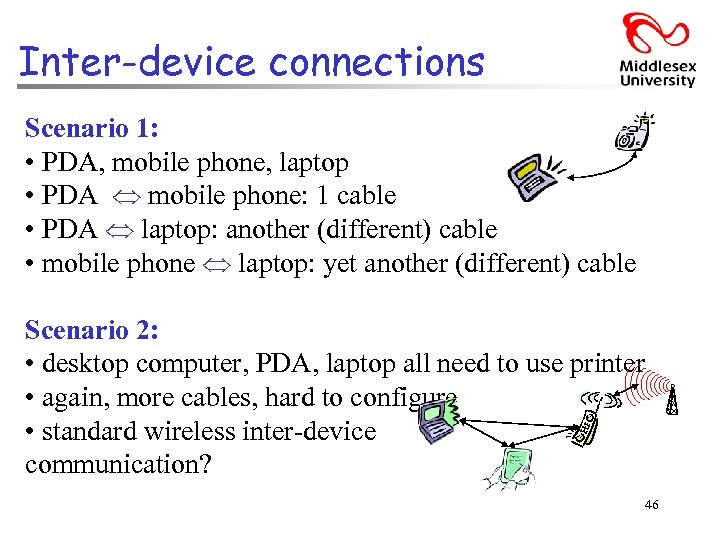 Inter-device connections Scenario 1: • PDA, mobile phone, laptop • PDA mobile phone: 1 cable • PDA laptop: another (different) cable • mobile phone laptop: yet another (different) cable Scenario 2: • desktop computer, PDA, laptop all need to use printer • again, more cables, hard to configure • standard wireless inter-device communication? 46
 Bluetooth: The Rational • Standard, convenient device inter-connectivity • Mobile phones, headsets, PDAs, laptops: • coffee machines, utility meters, hi-fi equipment, etc. • Simple, low-cost, radio-based system: • simple, “wire-replacement” system, re-use existing standards • aiming for cost of ~£ 5 to build into a device • uses ISM radio band (2. 4000 -2. 4835 GHz) • http: //www. bluetooth. com/ • Named after a Viking called Harald Bluetooth 47
 Bluetooth: Characteristics • 2. 4 GHz ISM band, 79 (23) RF channels, 1 MHz carrier spacing – Channel 0: 2402 MHz … channel 78: 2480 MHz – G-FSK modulation, 1 -100 m. W transmit power • FHSS and TDD – Frequency hopping with 1600 hops/s – Hopping sequence in a pseudo random fashion, determined by a master – Time division duplex for send/receive separation • Voice link – SCO (Synchronous Connection Oriented) – FEC (forward error correction), no retransmission, 64 kbit/s duplex, point-to-point, circuit switched • Data link – ACL (Asynchronous Connectionless) – Asynchronous, fast acknowledge, point-to-multipoint, up to 433. 9 kbit/s symmetric or 723. 2/57. 6 kbit/s asymmetric, packet switched • Topology - Overlapping piconets (stars) forming a scatternet 48
 Bluetooth Architecture: An overview • Two link types: • synchronous, connection oriented (SCO) • asynchronous, connection-less (ACL) • Bi-directional link (symmetric and asymmetric data rates) • Can use existing protocols, e. g. IP • Several profiles defined: • e. g. dial-up networking, headset, fax, LAN access • Products now becoming available in all almost all new mobile phones and some laptops 49
 Bluetooth: Basic Components Four basic components to architecture: 1. RF component: for receiving and transmitting 2. Link control: for processing information to/from RF component 3. Link management: manages transmission process (media access) 4. Supporting applications: uses other three components through a well-defined interface 50
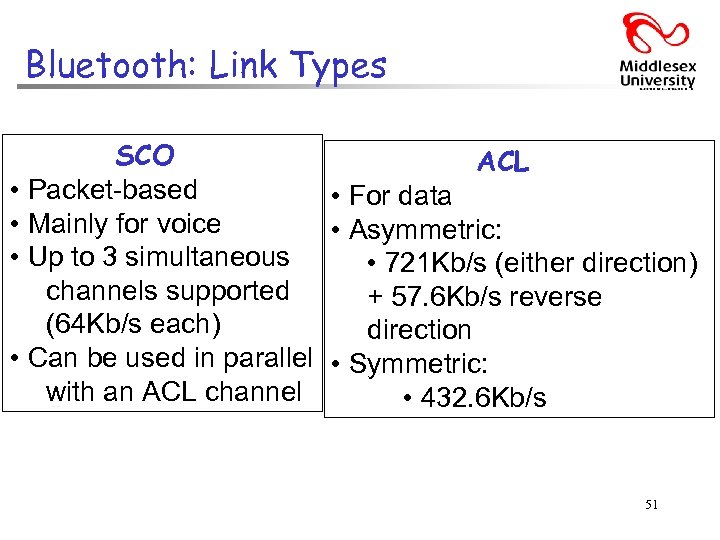 Bluetooth: Link Types SCO ACL • Packet-based • For data • Mainly for voice • Asymmetric: • Up to 3 simultaneous • 721 Kb/s (either direction) channels supported + 57. 6 Kb/s reverse (64 Kb/s each) direction • Can be used in parallel • Symmetric: with an ACL channel • 432. 6 Kb/s 51
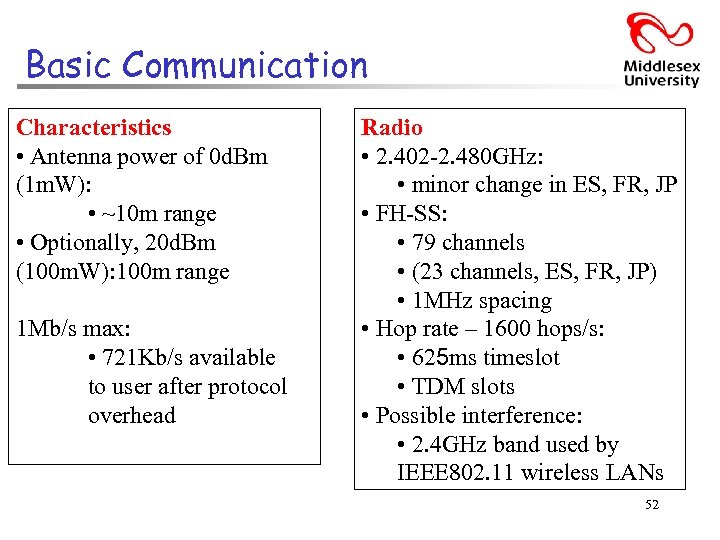 Basic Communication Characteristics • Antenna power of 0 d. Bm (1 m. W): • ~10 m range • Optionally, 20 d. Bm (100 m. W): 100 m range 1 Mb/s max: • 721 Kb/s available to user after protocol overhead Radio • 2. 402 -2. 480 GHz: • minor change in ES, FR, JP • FH-SS: • 79 channels • (23 channels, ES, FR, JP) • 1 MHz spacing • Hop rate – 1600 hops/s: • 625 ms timeslot • TDM slots • Possible interference: • 2. 4 GHz band used by IEEE 802. 11 wireless LANs 52
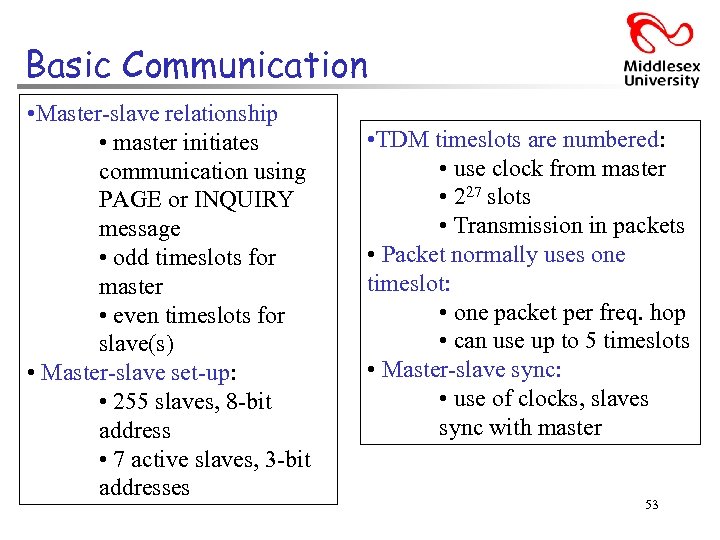 Basic Communication • Master-slave relationship • master initiates communication using PAGE or INQUIRY message • odd timeslots for master • even timeslots for slave(s) • Master-slave set-up: • 255 slaves, 8 -bit address • 7 active slaves, 3 -bit addresses • TDM timeslots are numbered: • use clock from master • 227 slots • Transmission in packets • Packet normally uses one timeslot: • one packet per freq. hop • can use up to 5 timeslots • Master-slave sync: • use of clocks, slaves sync with master 53
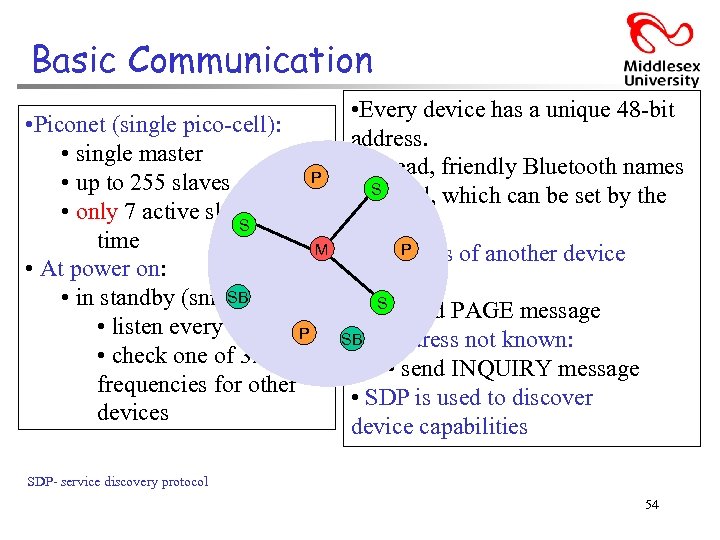 Basic Communication • Every device has a unique 48 -bit • Piconet (single pico-cell): address. • single master • Instead, friendly Bluetooth names P • up to 255 slaves S are used, which can be set by the • only 7 active slaves at any S user. time M • If address of another device P • At power on: known: SB • in standby (sniff mode) S • send PAGE message • listen every 1. 28 s P SB • If address not known: • check one of 32 hop • send INQUIRY message frequencies for other • SDP is used to discover devices device capabilities SDP- service discovery protocol 54
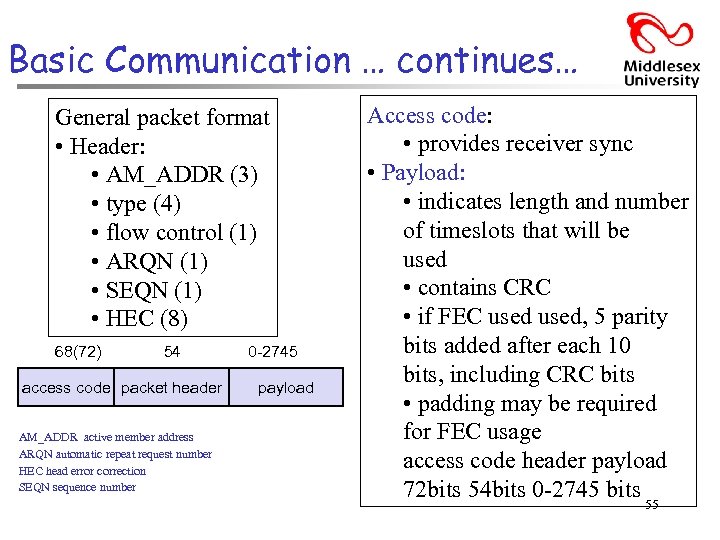 Basic Communication … continues… General packet format • Header: • AM_ADDR (3) • type (4) • flow control (1) • ARQN (1) • SEQN (1) • HEC (8) 68(72) 54 access code packet header AM_ADDR active member address ARQN automatic repeat request number HEC head error correction SEQN sequence number 0 -2745 payload Access code: • provides receiver sync • Payload: • indicates length and number of timeslots that will be used • contains CRC • if FEC used, 5 parity bits added after each 10 bits, including CRC bits • padding may be required for FEC usage access code header payload 72 bits 54 bits 0 -2745 bits 55
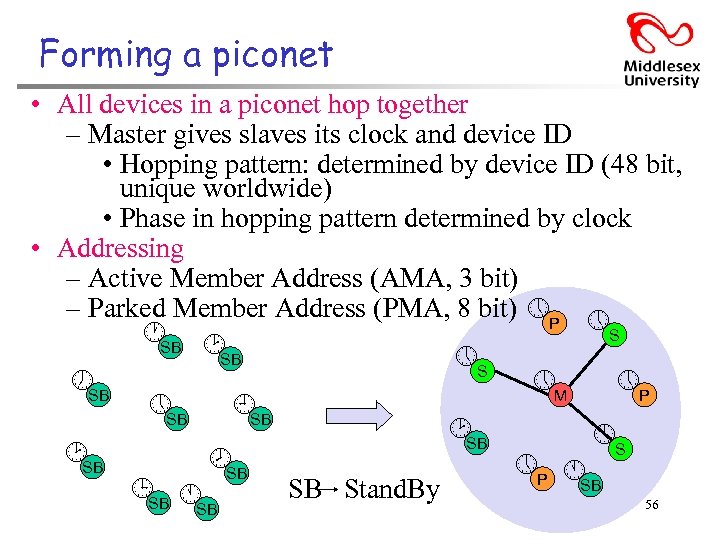 Forming a piconet • All devices in a piconet hop together – Master gives slaves its clock and device ID • Hopping pattern: determined by device ID (48 bit, unique worldwide) • Phase in hopping pattern determined by clock • Addressing – Active Member Address (AMA, 3 bit) – Parked Member Address (PMA, 8 bit) P S SB SB S M P SB SB SB S SB SB P SB SB SB Stand. By SB 56 SB
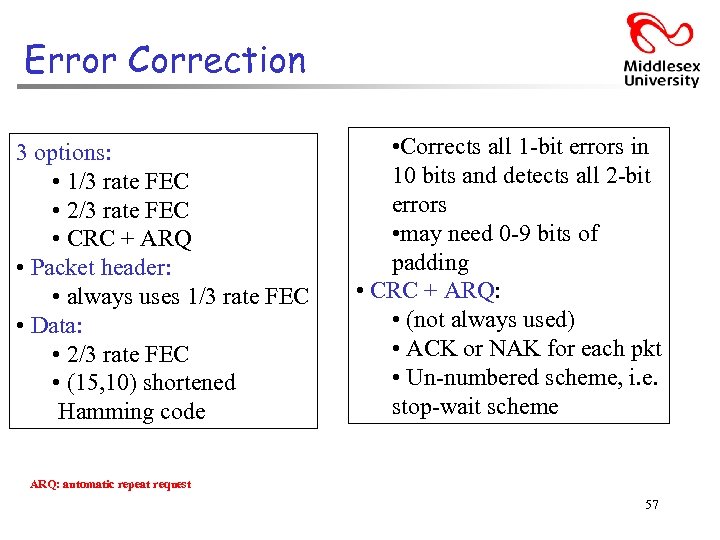 Error Correction 3 options: • 1/3 rate FEC • 2/3 rate FEC • CRC + ARQ • Packet header: • always uses 1/3 rate FEC • Data: • 2/3 rate FEC • (15, 10) shortened Hamming code • Corrects all 1 -bit errors in 10 bits and detects all 2 -bit errors • may need 0 -9 bits of padding • CRC + ARQ: • (not always used) • ACK or NAK for each pkt • Un-numbered scheme, i. e. stop-wait scheme ARQ: automatic repeat request 57
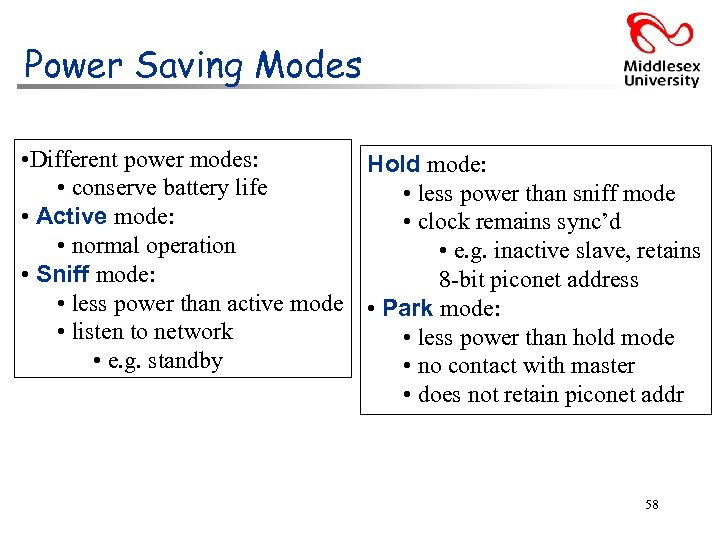 Power Saving Modes • Different power modes: Hold mode: • conserve battery life • less power than sniff mode • Active mode: • clock remains sync’d • normal operation • e. g. inactive slave, retains • Sniff mode: 8 -bit piconet address • less power than active mode • Park mode: • listen to network • less power than hold mode • e. g. standby • no contact with master • does not retain piconet addr 58
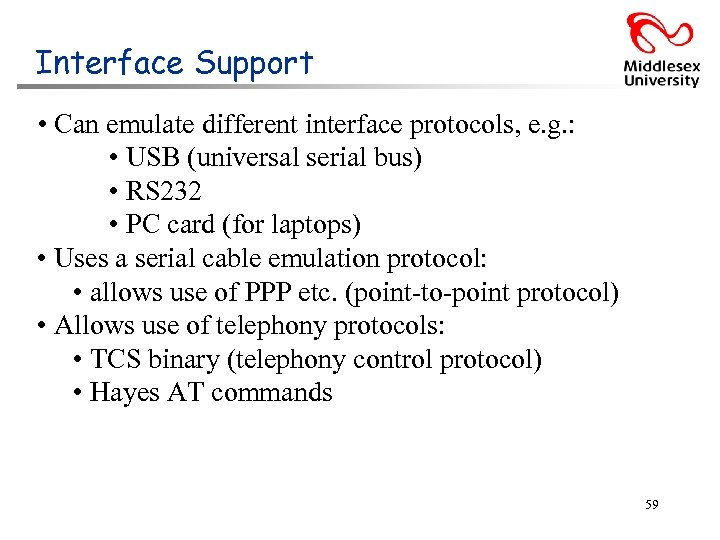 Interface Support • Can emulate different interface protocols, e. g. : • USB (universal serial bus) • RS 232 • PC card (for laptops) • Uses a serial cable emulation protocol: • allows use of PPP etc. (point-to-point protocol) • Allows use of telephony protocols: • TCS binary (telephony control protocol) • Hayes AT commands 59
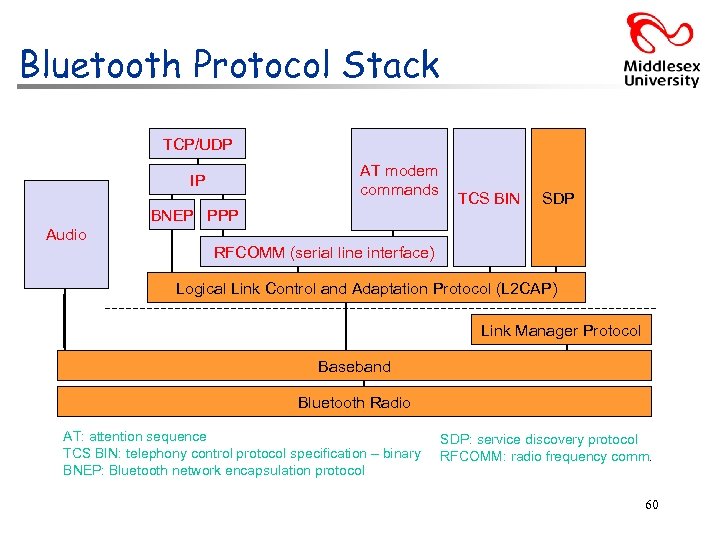 Bluetooth Protocol Stack TCP/UDP AT modem commands IP BNEP PPP TCS BIN SDP Audio RFCOMM (serial line interface) Logical Link Control and Adaptation Protocol (L 2 CAP) Link Manager Protocol Baseband Bluetooth Radio AT: attention sequence TCS BIN: telephony control protocol specification – binary BNEP: Bluetooth network encapsulation protocol SDP: service discovery protocol RFCOMM: radio frequency comm. 60
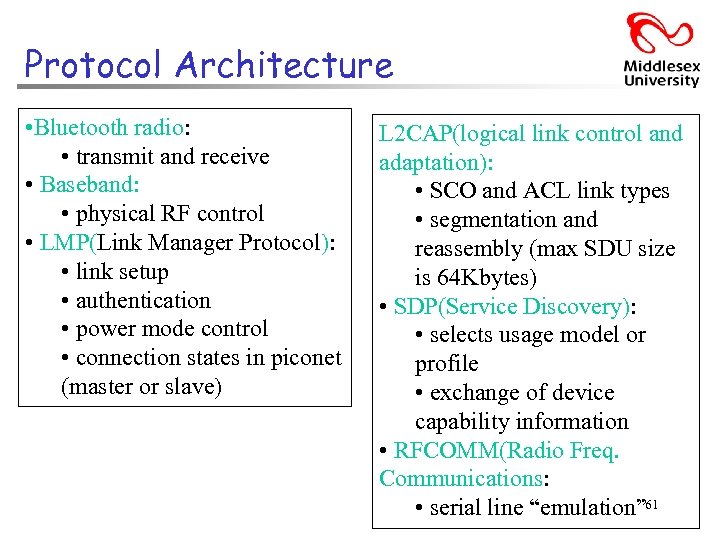 Protocol Architecture • Bluetooth radio: • transmit and receive • Baseband: • physical RF control • LMP(Link Manager Protocol): • link setup • authentication • power mode control • connection states in piconet (master or slave) L 2 CAP(logical link control and adaptation): • SCO and ACL link types • segmentation and reassembly (max SDU size is 64 Kbytes) • SDP(Service Discovery): • selects usage model or profile • exchange of device capability information • RFCOMM(Radio Freq. Communications: • serial line “emulation” 61
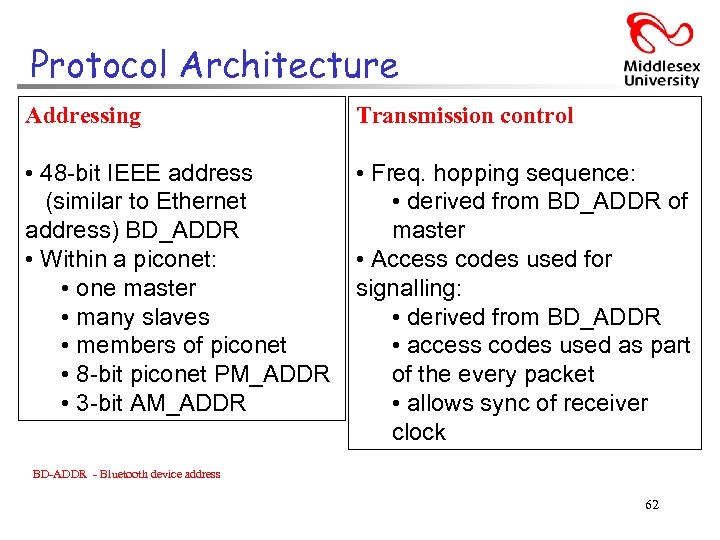 Protocol Architecture Addressing Transmission control • 48 -bit IEEE address (similar to Ethernet address) BD_ADDR • Within a piconet: • one master • many slaves • members of piconet • 8 -bit piconet PM_ADDR • 3 -bit AM_ADDR • Freq. hopping sequence: • derived from BD_ADDR of master • Access codes used for signalling: • derived from BD_ADDR • access codes used as part of the every packet • allows sync of receiver clock BD-ADDR - Bluetooth device address 62
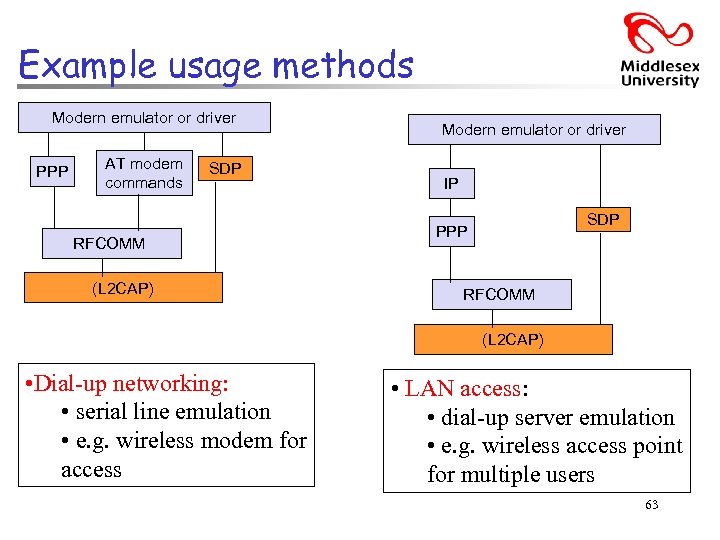 Example usage methods Modern emulator or driver PPP AT modem commands SDP RFCOMM (L 2 CAP) Modern emulator or driver IP SDP PPP RFCOMM (L 2 CAP) • Dial-up networking: • serial line emulation • e. g. wireless modem for access • LAN access: • dial-up server emulation • e. g. wireless access point for multiple users 63
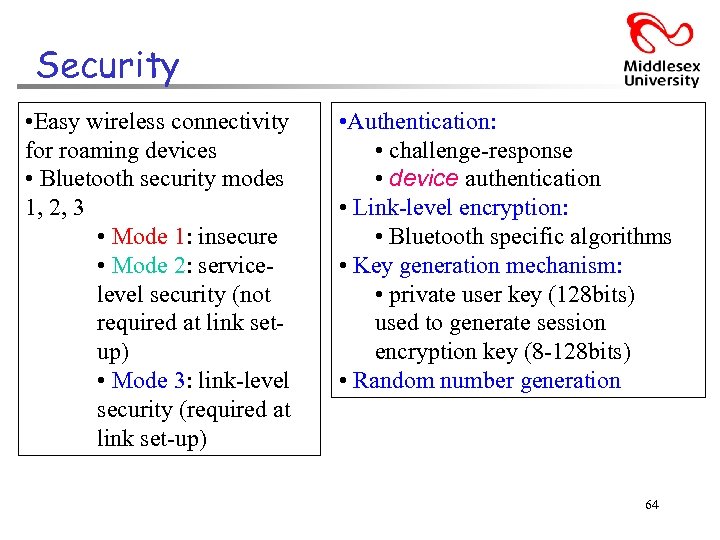 Security • Easy wireless connectivity for roaming devices • Bluetooth security modes 1, 2, 3 • Mode 1: insecure • Mode 2: servicelevel security (not required at link setup) • Mode 3: link-level security (required at link set-up) • Authentication: • challenge-response • device authentication • Link-level encryption: • Bluetooth specific algorithms • Key generation mechanism: • private user key (128 bits) used to generate session encryption key (8 -128 bits) • Random number generation 64
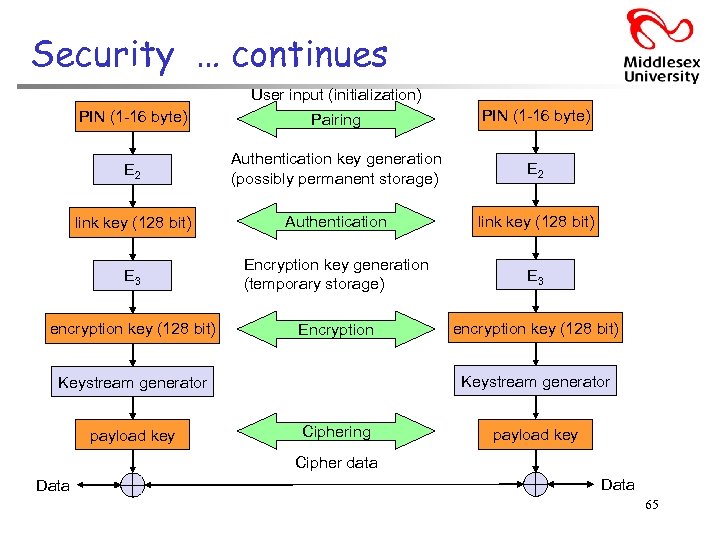 Security … continues User input (initialization) PIN (1 -16 byte) Pairing PIN (1 -16 byte) E 2 Authentication key generation (possibly permanent storage) E 2 link key (128 bit) Authentication link key (128 bit) E 3 Encryption key generation (temporary storage) E 3 encryption key (128 bit) Encryption encryption key (128 bit) Keystream generator payload key Ciphering payload key Cipher data Data 65
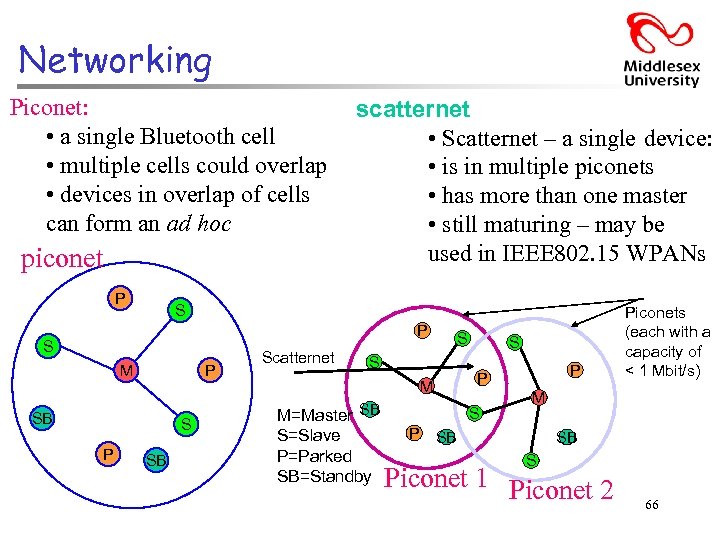 Networking Piconet: • a single Bluetooth cell • multiple cells could overlap • devices in overlap of cells can form an ad hoc piconet P scatternet • Scatternet – a single device: • is in multiple piconets • has more than one master • still maturing – may be used in IEEE 802. 15 WPANs S P S M P SB Scatternet S S M=Master SB S P P P M S=Slave P=Parked SB=Standby S Piconets (each with a capacity of < 1 Mbit/s) M SB SB S Piconet 1 Piconet 2 66
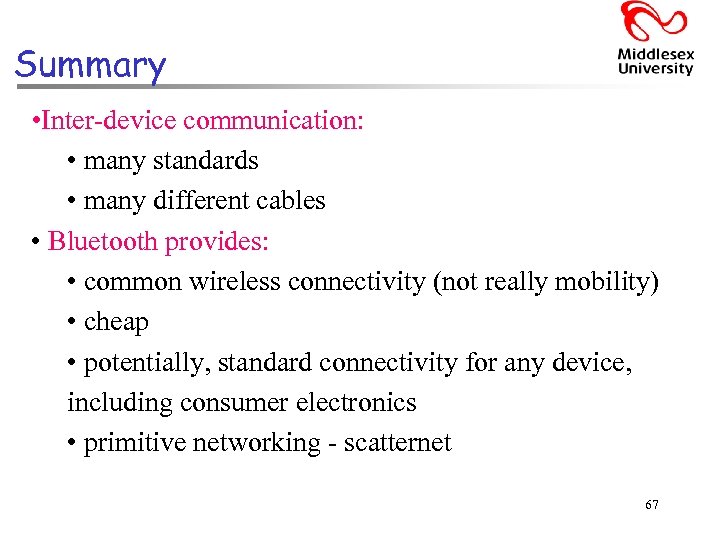 Summary • Inter-device communication: • many standards • many different cables • Bluetooth provides: • common wireless connectivity (not really mobility) • cheap • potentially, standard connectivity for any device, including consumer electronics • primitive networking - scatternet 67