 Скачать презентацию CBM UBC s One Stop Billing and Payment Web
dd1deb21a7da5c51af3bc127bcb2a538.ppt
- Количество слайдов: 22



CBM: UBC's "One Stop" Billing and Payment Web Service Gordon Uyeda, Project Manager Fred Wang, Systems Analyst Nancy Low, Manager Registration & Systems Support Copyright Gordon Uyeda, Fred Wang, Nancy Low (2004). This work is the intellectual property of the authors. Permission is granted for this material to be shared for non-commercial, educational purposes, provided that this copyright statement appears on the reproduced materials and notice is given that the copying is by permission of the authors. To disseminate otherwise or to republish requires 1 written permission from the authors.
What is CBM? • combined bill of partner merchant’s Charges • multiple payment options • Components 1. 2. 3. 4. CBM web service EFT payment module CBM administration module • CBM will not: – assess Charges – determine Payment Due Dates – update Merchant’s records 2
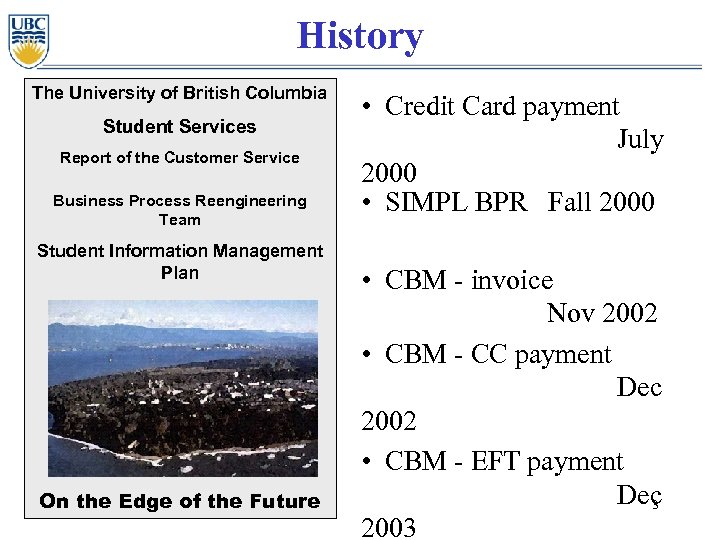
History The University of British Columbia Student Services Report of the Customer Service Business Process Reengineering Team Student Information Management Plan On the Edge of the Future • Credit Card payment July 2000 • SIMPL BPR Fall 2000 • CBM - invoice Nov 2002 • CBM - CC payment Dec 2002 • CBM - EFT payment Dec 3 2003
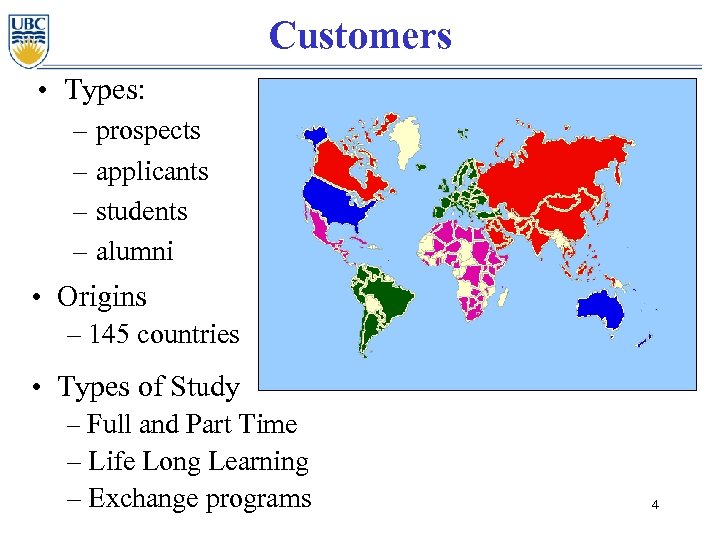
Customers • Types: – prospects – applicants – students – alumni • Origins – 145 countries • Types of Study – Full and Part Time – Life Long Learning – Exchange programs 4
Customers • Convenience – “One-Stop” Bill payment – 24 x 7 access – remote access • Flexibility – multiple payment options – multiple payment plans • Peace of Mind – Transactions are secure – Data secure 5
Merchants • • • 12 Faculties 11 Schools 1 College >100 Academic departments/units > 30 Administrative units – Registrar’s Office – Housing – Food Services – Career Services – Student societies 6
Merchants - Benefits • flexibility – Merchant specified options – phased implementation • cost savings – automatic generation of GL transactions – auto-reconciliation process and tools – “favorable” Credit Card rates • Payment reports available • Refund process 7
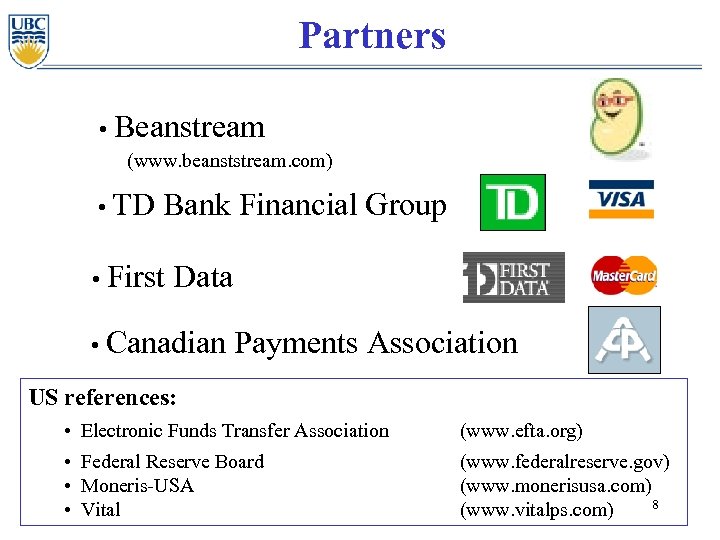
Partners • Beanstream (www. beanststream. com) • TD Bank Financial Group • First Data • Canadian Payments Association US references: • Electronic Funds Transfer Association (www. efta. org) • Federal Reserve Board • Moneris-USA • Vital (www. federalreserve. gov) (www. monerisusa. com) 8 (www. vitalps. com)
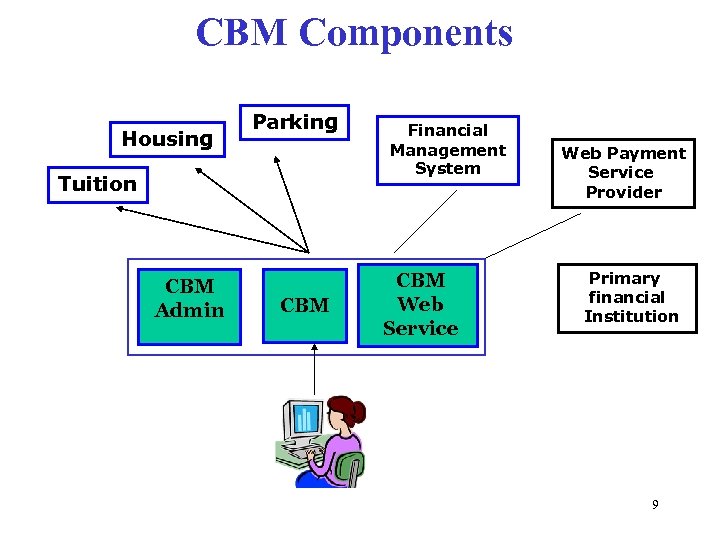
CBM Components Housing Parking Tuition CBM Admin CBM Financial Management System CBM Web Service Web Payment Service Provider Primary financial Institution 9
Design Highlights • Open system • Reliable messaging between CBM and merchants • One reference number across domain • Auto reconciliation between every system 10
Tools and Technologies used • • • J 2 EE (JBoss/Tomcat/JMS) Castor Java/XML Binding Oracle Ant/Perforce JUnit/Webload 11
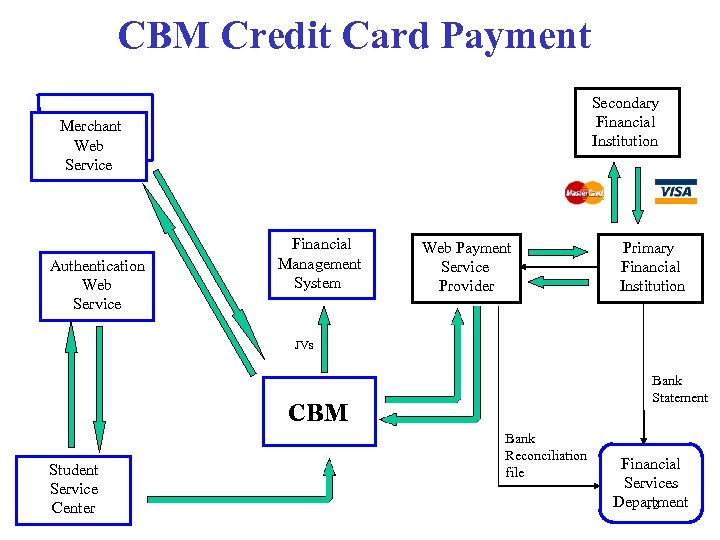
CBM Credit Card Payment Secondary Financial Institution Merchant Web Service Authentication Web Service Financial Management System Web Payment Service Provider Primary Financial Institution JVs Bank Statement CBM Student Service Center Bank Reconciliation file Financial Services Department 12
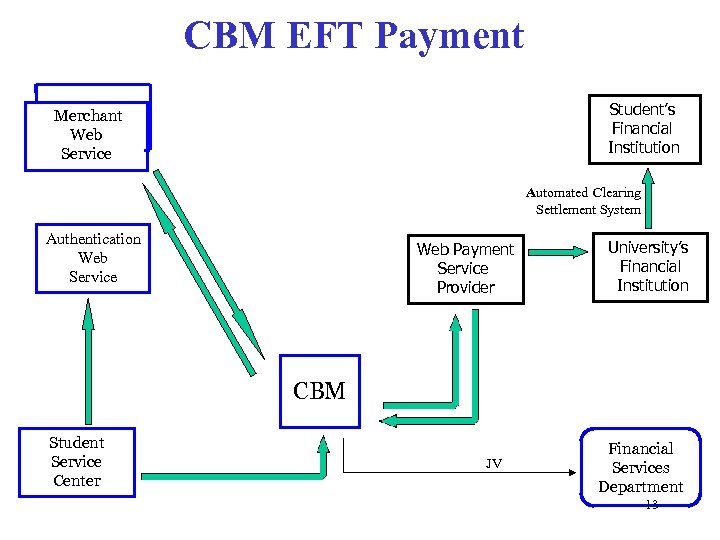
CBM EFT Payment Student’s Financial Institution Merchant Web Service Automated Clearing Settlement System Authentication Web Service Web Payment Service Provider University’s Financial Institution CBM Student Service Center JV Financial Services Department 13
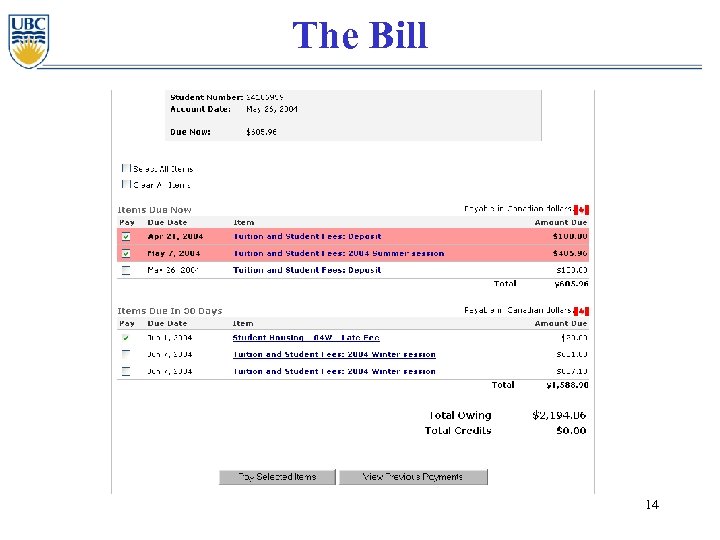
The Bill 14
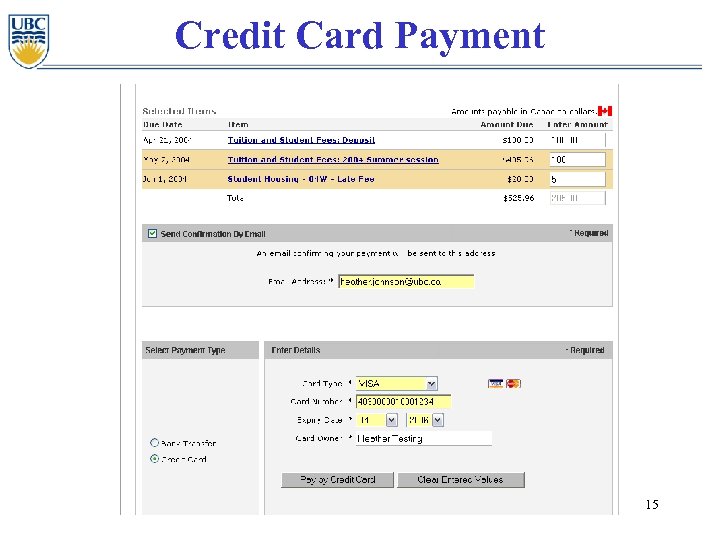
Credit Card Payment 15
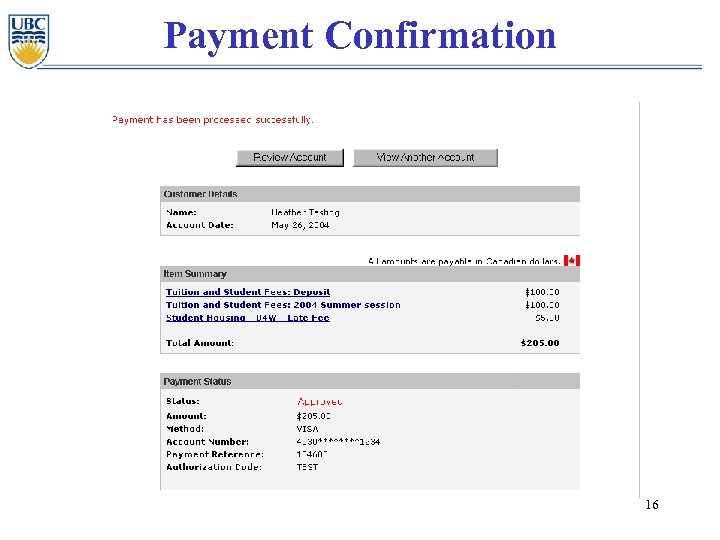
Payment Confirmation 16
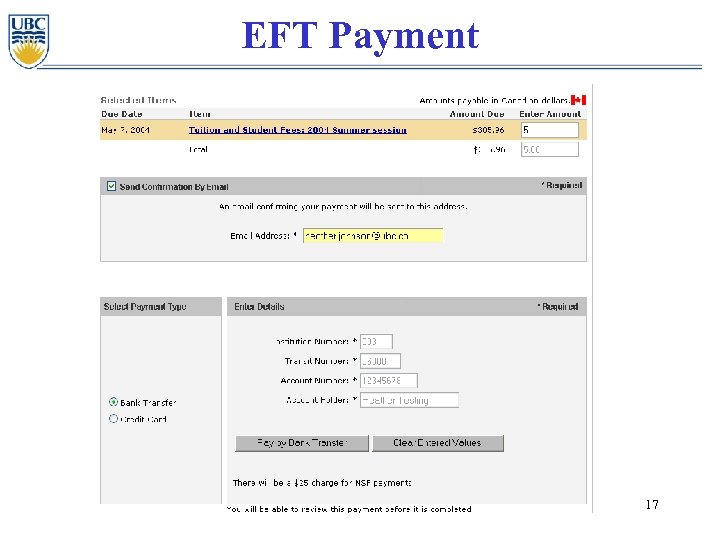
EFT Payment 17
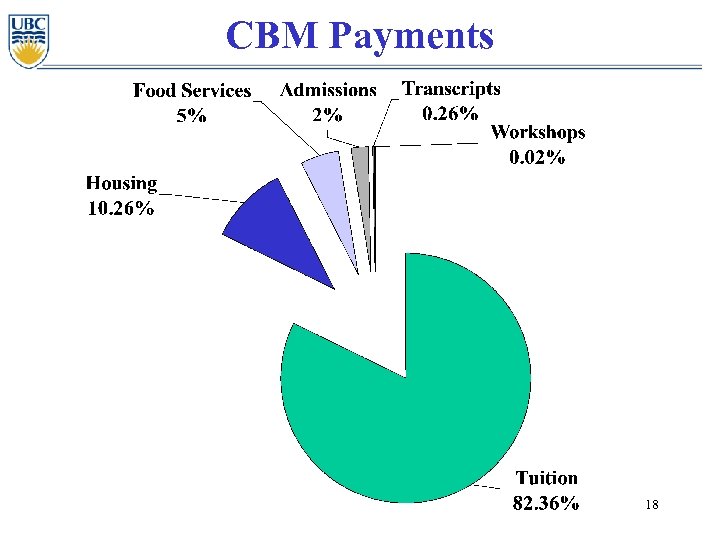
CBM Payments 18
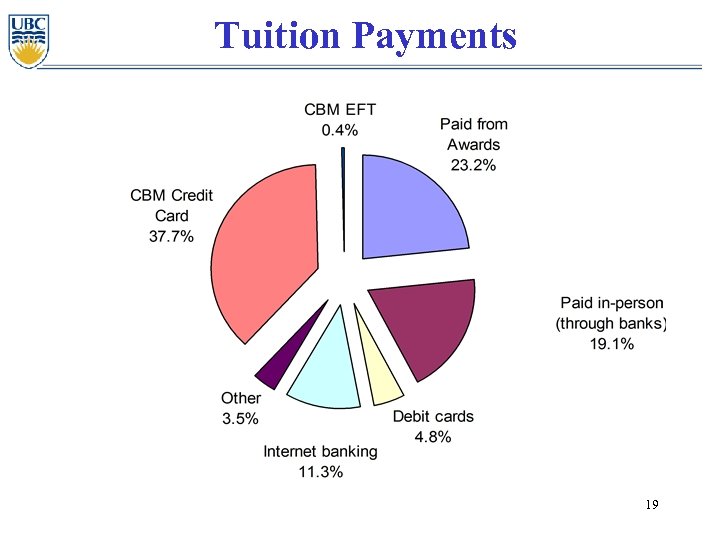
Tuition Payments 19
Lessons Learned • • First on the block enthusiastic, stable partners Costs vs Benefits be careful what you wish for 20
CBM Tomorrow • Pre-Authorized Debit agreements • direct deposit into Student’s Bank Accounts • increase EFT promotion • expand participating Merchants • SFM redevelopment • Credit Card verification • integration with Student Card 21
Questions? Gord Uyeda gord. uyeda@ubc. ca Fred Wang fred. wang@ubc. ca Nancy Low nancy. low@ubc. ca UBC SIMPL BPR Project http: //students. UBC. ca/facultystaff/simpl. cfm e. Strategy www. e-strategy. UBC. ca 22
Скачать презентацию CBM UBC s One Stop Billing and Payment Web
dd1deb21a7da5c51af3bc127bcb2a538.ppt