 Скачать презентацию Case Study 8 9 Global Financials Upgrade at
1912b80d8293d7cf111e7fc44b27f2b8.ppt
- Количество слайдов: 23



Case Study 8. 9 Global Financials Upgrade at Capmark Finance, Inc. Linda Easton, Functional Lead & Project Management, Capmark Finance Inc. Eric Shaw, Technical Lead & Project Management, Capmark Finance Inc.
Agenda • • • Company Overview Project Overview Functional Considerations Technical Considerations Q&A
Capmark Overview • Capmark Financial Group Inc. (Capmark), formerly known as GMAC Commercial Holding Corp. , is a leading real estate financial company with three core businesses: lending and mortgage banking, investments and fund management, and servicing. • Capmark has more than 3, 000 employees, 105 offices and operations in North America, Asia and Europe. • Capmark’s real estate lending and mortgage banking platform has access to multiple capital sources. The company is a direct lender, a correspondent for life insurance companies and pension funds, and one of the leading approved lenders for FHA, Fannie Mae and Freddie Mac. In 2005, Capmark’s originations totaled $29. 9 billion. • Capmark’s investment and funds management platform is a highly respected manager of equity real estate and mortgage-related investments in the public and private markets with more than $13 billion in investments under management and supervision as of year -end 2005. • With a portfolio of approximately $276 billion, Capmark is one of the industry’s leading loan servicers.
Capmark Overview • Total Number of Locations* – – 105 Worldwide Offices 95 U. S. Offices in 31 States 20 International Offices Headquartered in Horsham, PA • Total Number of Employees* – 3, 075 Worldwide Employees – 2, 500 U. S. Employees – Over 600 U. S. Managers * Approximates, as of 12/31/05
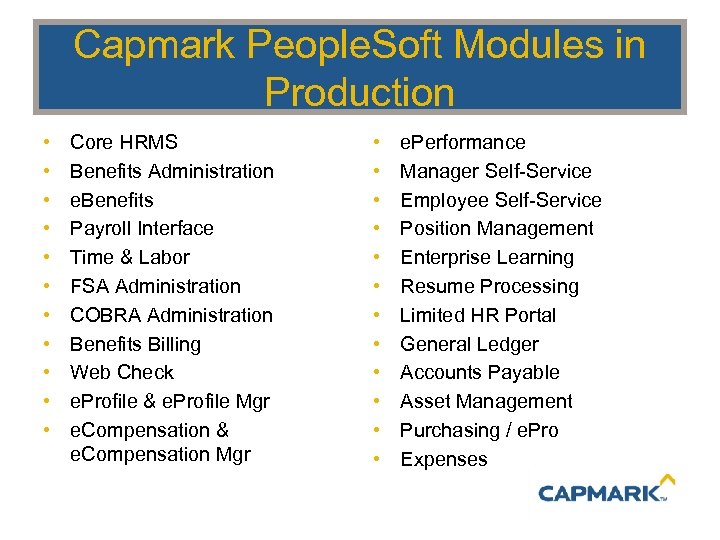
Capmark People. Soft Modules in Production • • • Core HRMS Benefits Administration e. Benefits Payroll Interface Time & Labor FSA Administration COBRA Administration Benefits Billing Web Check e. Profile & e. Profile Mgr e. Compensation & e. Compensation Mgr • • • e. Performance Manager Self-Service Employee Self-Service Position Management Enterprise Learning Resume Processing Limited HR Portal General Ledger Accounts Payable Asset Management Purchasing / e. Pro Expenses
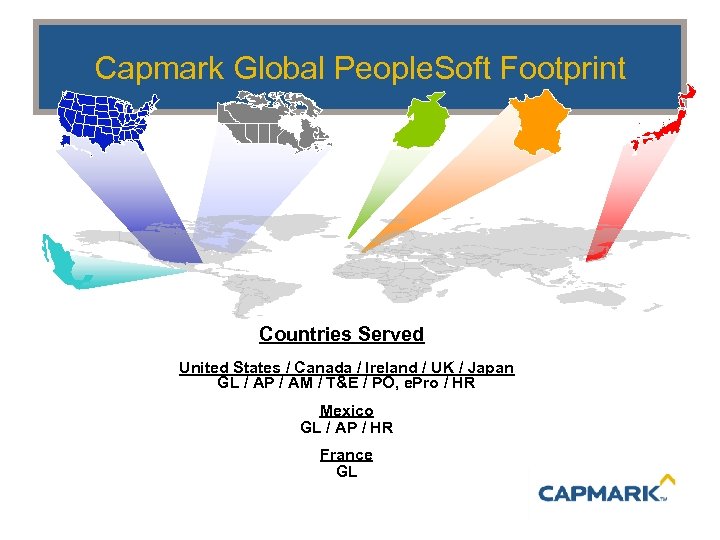
Capmark Global People. Soft Footprint Countries Served United States / Canada / Ireland / UK / Japan GL / AP / AM / T&E / PO, e. Pro / HR Mexico GL / AP / HR France GL
Project Objectives • • Upgrade People. Soft 8. 4 to version 8. 9 for existing modules Implement 8. 9 module: – e. Procurement Identify possible re-engineering of core processes: – Identify and capitalize on opportunities for efficiency gains – Examine and implement new functionalities and/or code enhancements in People. Soft 8. 9 – Replace custom code with delivered People. Soft 8. 9 where possible – Introduction of cost center consolidation (elimination) functionality Focus efforts on: – Global requirements analysis – Aligning global business processes – Change management – Training
Project Objectives, Cont. ØAccounts Payable § Use delivered functionality including escheatment reporting, enhanced 1099 processing, VAT, removal of decimal point from yen, voucher upload using excel, matching tolerances, Sales & Use Tax functionality, and summary invoice page. ØAsset Management § Explore the use of delivered new functionality for uploading assets using excel ØExpenses § Use delivered functionality including new user interface, user ability to change rates for multi currency expense report, eliminating current customized workflow customization with the new 8. 9 workflow engine, coloring of reason coded in red on denials, changeable expense line type, ability to save in error with no validations, and overlapping audit amounts. ØGeneral Ledger § Re-configure VAT based on expanded business knowledge and VAT reporting capabilities; change combo edits from builds to master selector tables. ØPurchasing/e. Procurement § Implement the People. Soft 8. 9 e. Procurement module with the ability to integrate with functionality in PO v 8. 9
Functional Design Approach – Vanilla demo – Multiple upgrade passes – Prototype potential new functionality – Design documentation and build based on findings from demos and prototypes – Keep local business users actively involved
Functional Design Approach • General Ledger/Reporting – Maintain one global Chart of Accounts – Alternate Account functionality for local requirements – Multi-Book (keep ledgers in sync) for multicurrency processing – Separate Business Units for multi-GAAP purposes • Sub-modules (AP, EX, PO/e. Pro, AM) – Local Set. IDs – Standardized EX, PO/e. Pro workflow routing globally – Batch processing segregated by region
Global Topics • VAT/consumption tax treatment • Unicode/multi-language functionality • Multi-currency functionality • Centralized versus localized
VAT/Consumption Tax Treatment • People. Soft VAT functionality enabled • Country specific VAT Authorities, Entities, Countries, Codes, and Transaction Types • Accounts flagged as VAT Applicable on a global basis • VAT default variations are stored at the Business Unit level
Multi-Currency Functionality • Multi-Book KLS functionality implemented • Monthly revaluation process • Translate within Ledger Process
Centralized versus Localized Centralized • Chartfield maintenance • Global Tree maintenance • Support Decentralized • Report development • Local management reporting • Subledger maintenance • Local Tree maintenance
Functional Tips • • • Dedicate local resources in all locations Single language for all project documentation Final production hardware testing Combined UAT/Training approach Strong Steering committee to break stalemates Centralized vs. localized balance
Functional Lessons Learned • • • Pick the project team thoughtfully Clearly define roles & responsibilities Get Local buy in Japanese culture Perceived value Train early and often Test thoroughly Custom local reports Review Security
Technical Business Case • Improve overall system performance – Batch and online processing – n. Vision, Crystal and Query reporting – External interfaces • Improve system stability – Month, quarter & year end close – Reduced table contention – Increased concurrent users
Technical Design • Switch operating system from Windows Server to Linux • Convert DB from MS SQL Server to Oracle • Analyze application compare reports • Identify and document current customizations • Apply only customizations that have a solid business case
Technical Design Technical considerations • • Multi-Language Identify and remove old 8. 4 pain points Using 8. 9 technology Slow moving Interfaces Documentation Re-designing workflow Project team knowledge transfer LDAP
Technical Design -- Infrastructure – Requirements • Financials 8. 9 Database • 2600 named users globally – 4 Servers for Production • Database • Web/App • Batch Server – 2 Servers for Development • Database • Web/Application/Batch
Technical Lessons Learned • • • Setting expectations and training Production freeze System stress testing UAT and go-live support IT communication plan (helpdesk, network and system support) • Plan for keeping private queries and security (including workflow approvers) in sync
Overall Project Lessons Learned – Is speed of upgrade always a good thing? – Can you do too much at once? – Can you overestimate cultural differences? – Can you test too much?
Questions? Linda Easton VP, Global Financial Systems Capmark Finance, Inc. 215 -328 -1821 Linda. Easton@Capmark. com Eric Shaw People. Soft Financials Application Technical Lead Capmark Finance, Inc. 215 -328 -3038 Eric. Shaw@Capmark. com
Скачать презентацию Case Study 8 9 Global Financials Upgrade at
1912b80d8293d7cf111e7fc44b27f2b8.ppt