 Скачать презентацию Carnegie Mellon Web Services 15 -213 18 -243 Introduction
d38e04de7da6a300c37c40530b81e545.ppt
- Количество слайдов: 36



Carnegie Mellon Web Services 15 -213/18 -243: Introduction to Computer Systems 23 rd Lecture, 20 April 2010 Instructors: Anthony Rowe and Gregory Kesden (c) 1998 - 2010. All Rights Reserved. All work contained herein is copyrighted and used by permission of the authors. Contact 15 -213 -staff@cs. cmu. edu for permission or for more information.
Carnegie Mellon Today HTTP ¢ Web Servers ¢ Proxies ¢
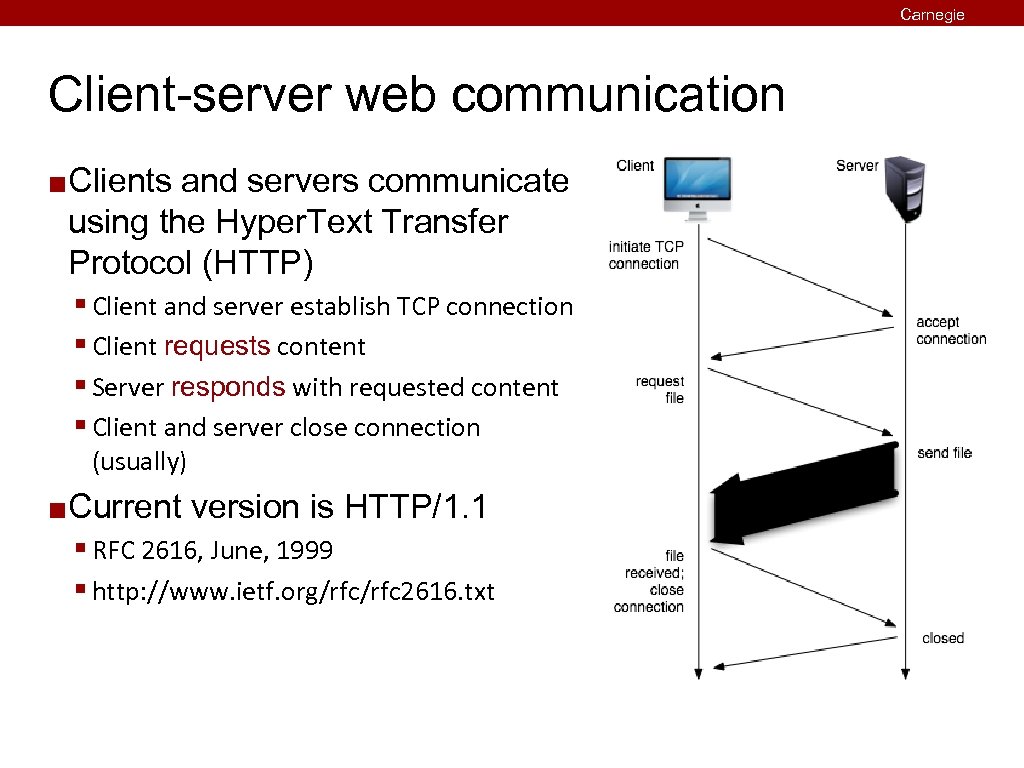
Carnegie Mellon Client-server web communication ¢ Clients and servers communicate using the Hyper. Text Transfer Protocol (HTTP) § Client and server establish TCP connection § Client requests content § Server responds with requested content § Client and server close connection (usually) ¢ Current version is HTTP/1. 1 § RFC 2616, June, 1999 § http: //www. ietf. org/rfc 2616. txt
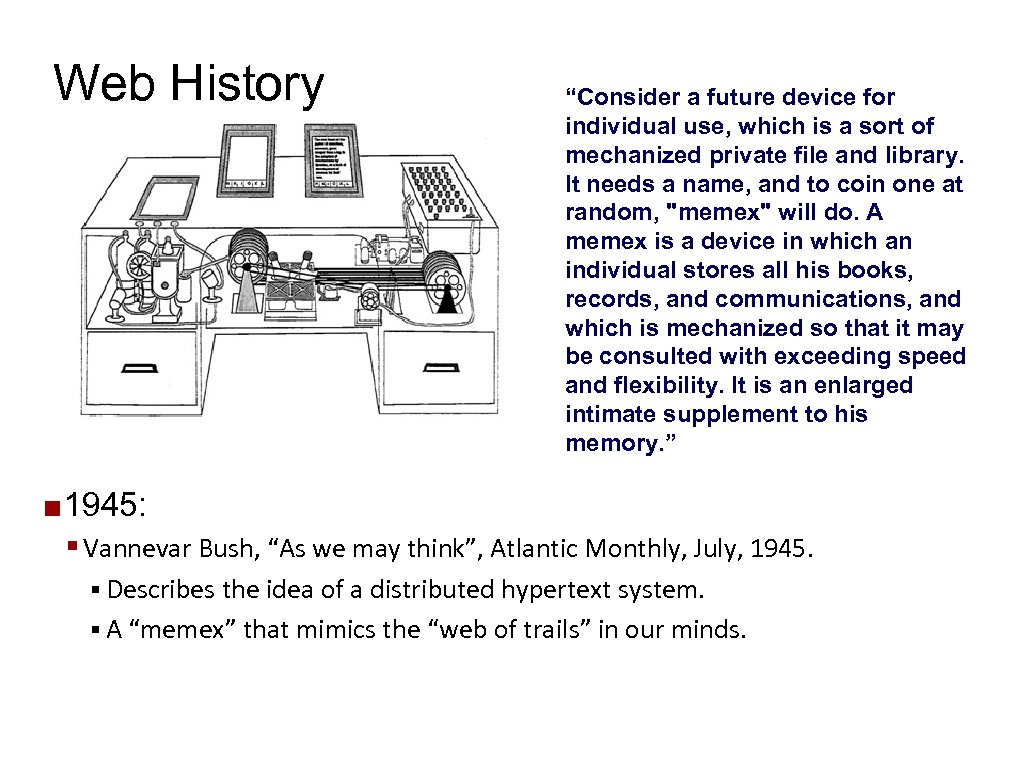
Web History ¢ “Consider a future device for individual use, which is a sort of mechanized private file and library. It needs a name, and to coin one at random, "memex" will do. A memex is a device in which an individual stores all his books, records, and communications, and which is mechanized so that it may be consulted with exceeding speed and flexibility. It is an enlarged intimate supplement to his memory. ” 1945: § Vannevar Bush, “As we may think”, Atlantic Monthly, July, 1945. § Describes the idea of a distributed hypertext system. § A “memex” that mimics the “web of trails” in our minds.
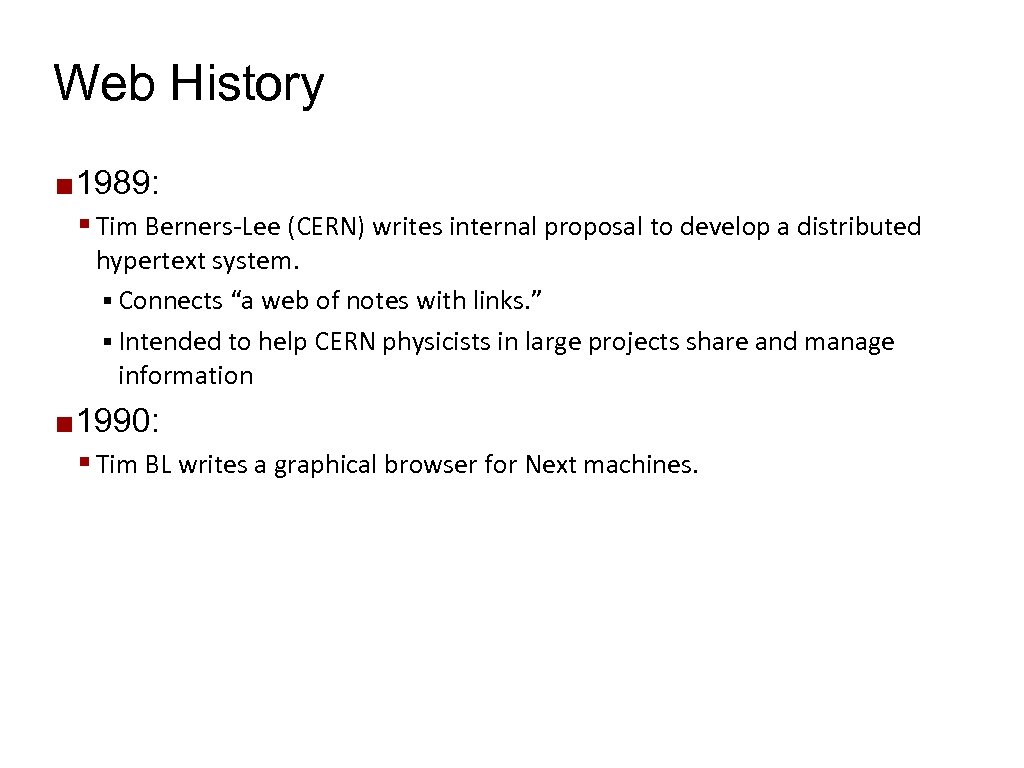
Web History ¢ 1989: § Tim Berners-Lee (CERN) writes internal proposal to develop a distributed hypertext system. § Connects “a web of notes with links. ” § Intended to help CERN physicists in large projects share and manage information ¢ 1990: § Tim BL writes a graphical browser for Next machines.
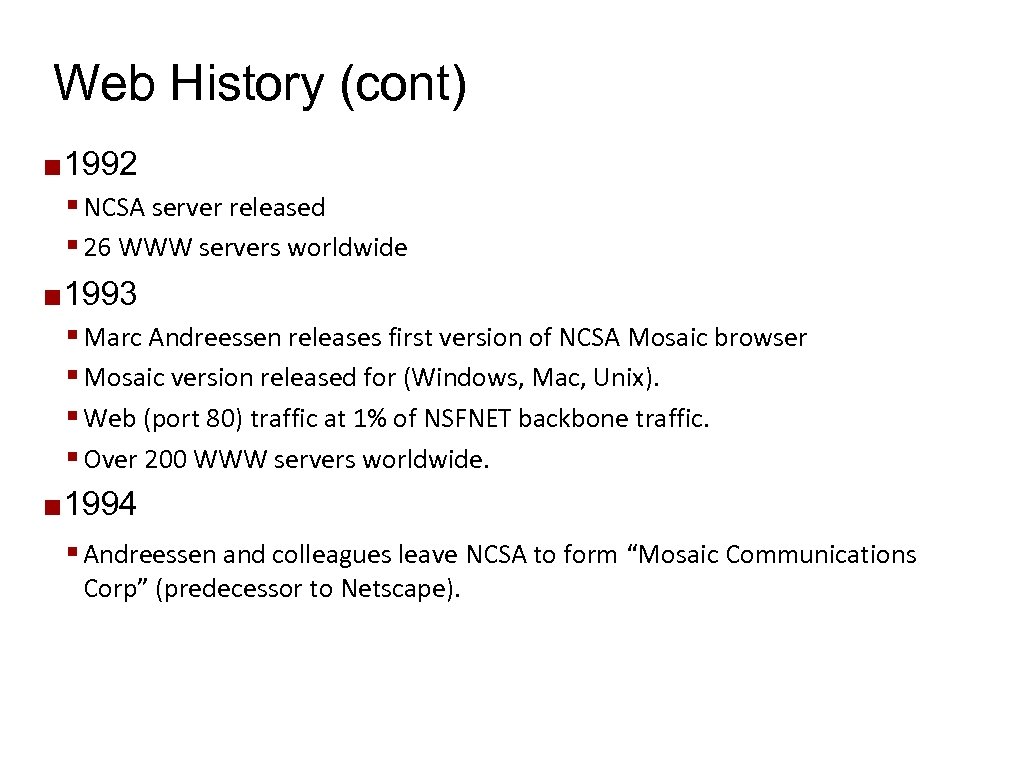
Web History (cont) ¢ 1992 § NCSA server released § 26 WWW servers worldwide ¢ 1993 § Marc Andreessen releases first version of NCSA Mosaic browser § Mosaic version released for (Windows, Mac, Unix). § Web (port 80) traffic at 1% of NSFNET backbone traffic. § Over 200 WWW servers worldwide. ¢ 1994 § Andreessen and colleagues leave NCSA to form “Mosaic Communications Corp” (predecessor to Netscape).
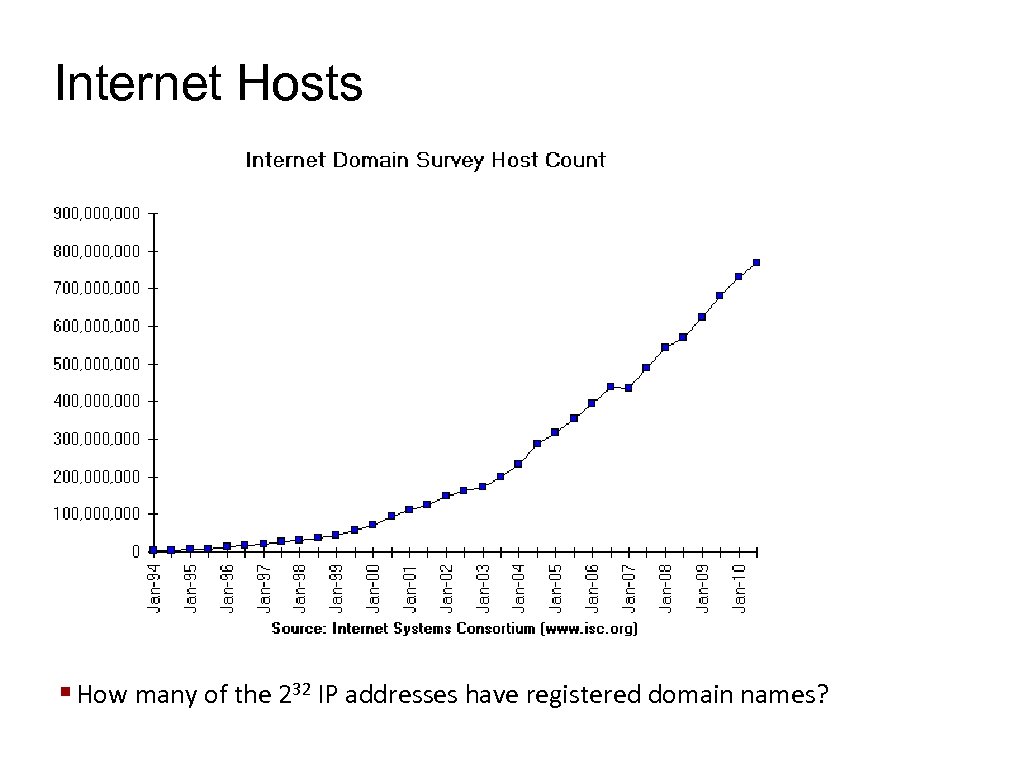
Internet Hosts § How many of the 232 IP addresses have registered domain names?
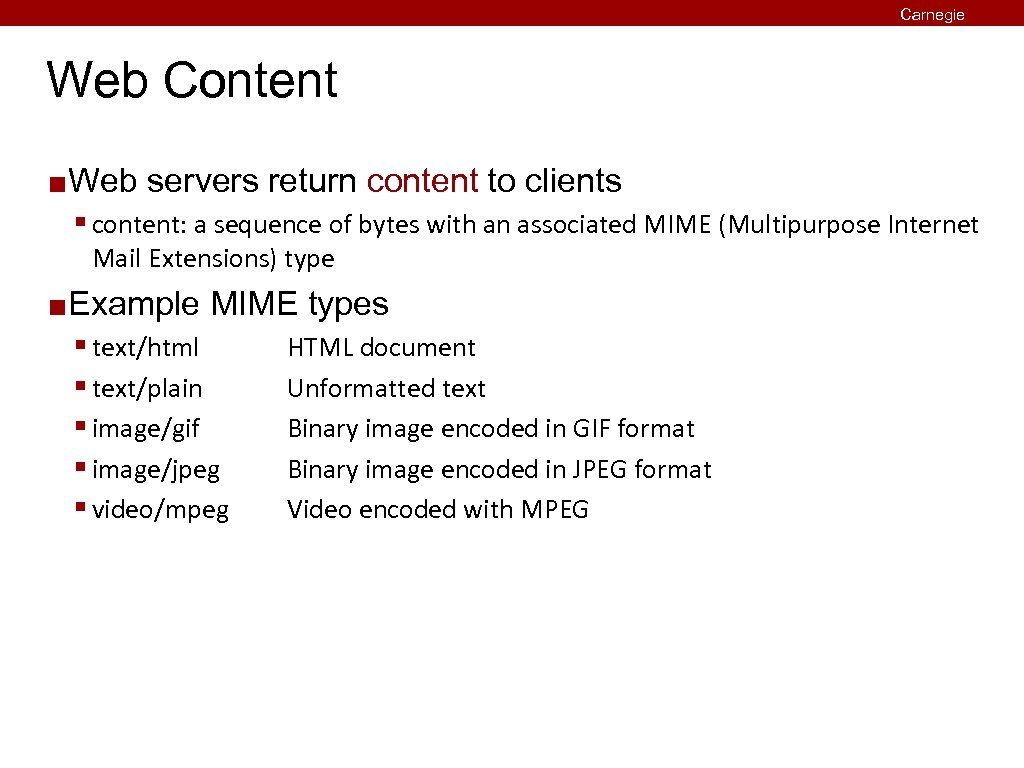
Carnegie Mellon Web Content ¢ Web servers return content to clients § content: a sequence of bytes with an associated MIME (Multipurpose Internet Mail Extensions) type ¢ Example MIME types § text/html § text/plain § image/gif § image/jpeg § video/mpeg HTML document Unformatted text Binary image encoded in GIF format Binary image encoded in JPEG format Video encoded with MPEG
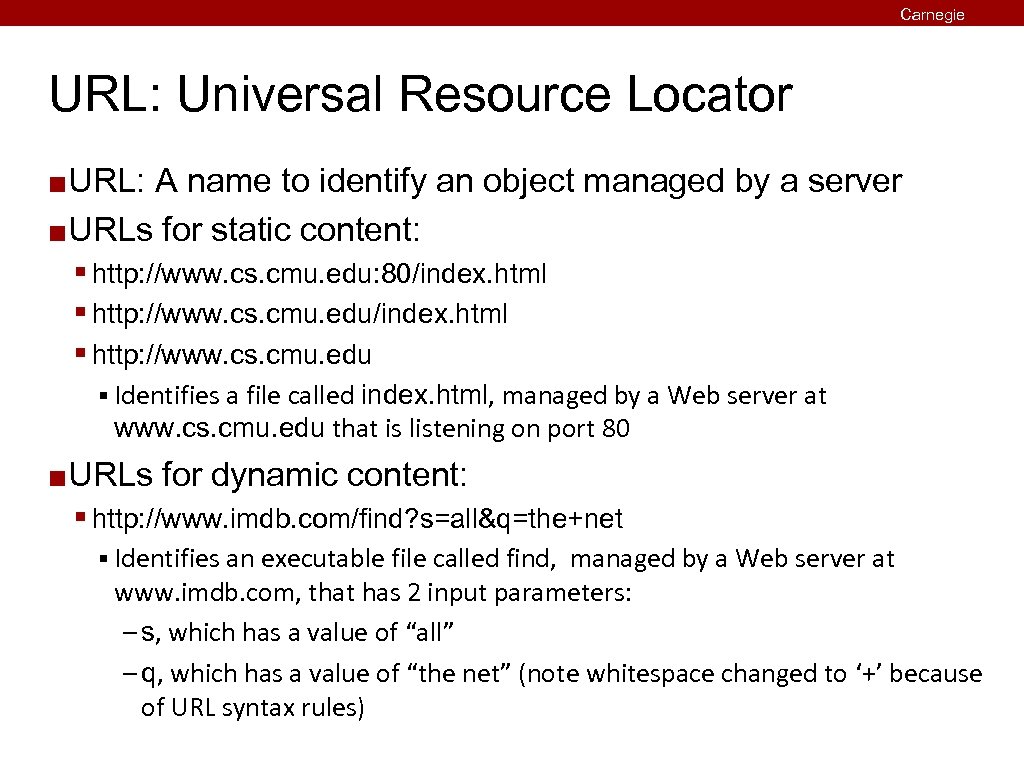
Carnegie Mellon URL: Universal Resource Locator URL: A name to identify an object managed by a server ¢ URLs for static content: ¢ § http: //www. cs. cmu. edu: 80/index. html § http: //www. cs. cmu. edu § Identifies a file called index. html, managed by a Web server at www. cs. cmu. edu that is listening on port 80 ¢ URLs for dynamic content: § http: //www. imdb. com/find? s=all&q=the+net § Identifies an executable file called find, managed by a Web server at www. imdb. com, that has 2 input parameters: – s, which has a value of “all” – q, which has a value of “the net” (note whitespace changed to ‘+’ because of URL syntax rules)
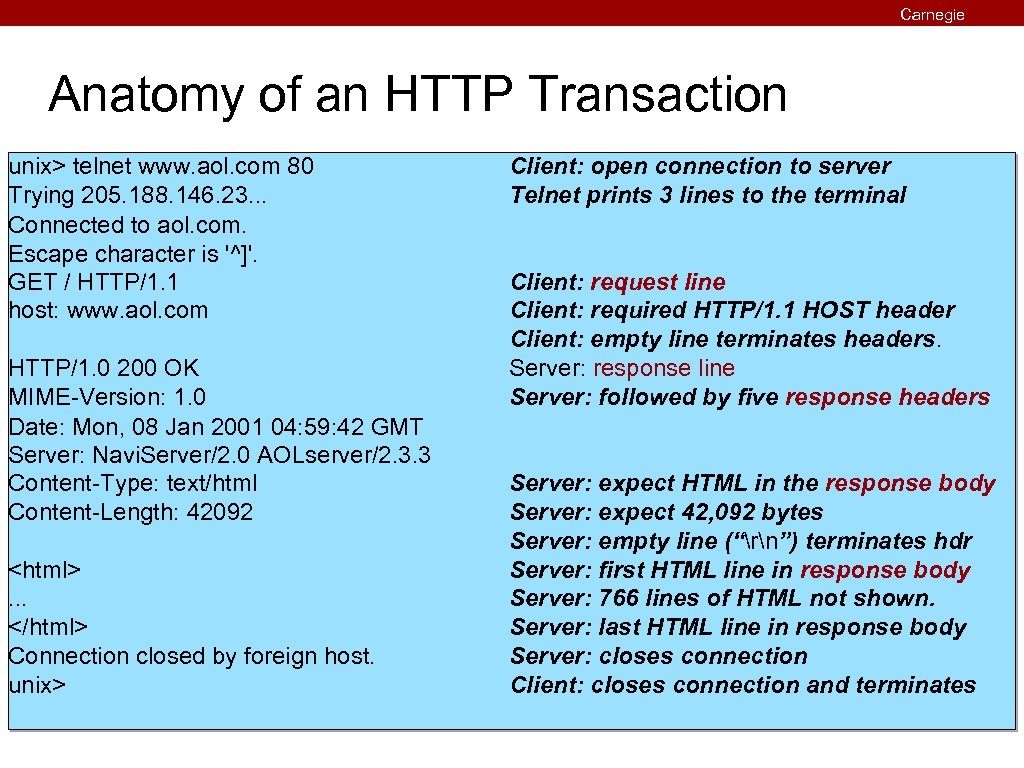
Carnegie Mellon Anatomy of an HTTP Transaction unix> telnet www. aol. com 80 Trying 205. 188. 146. 23. . . Connected to aol. com. Escape character is '^]'. GET / HTTP/1. 1 host: www. aol. com HTTP/1. 0 200 OK MIME-Version: 1. 0 Date: Mon, 08 Jan 2001 04: 59: 42 GMT Server: Navi. Server/2. 0 AOLserver/2. 3. 3 Content-Type: text/html Content-Length: 42092 <html>. . . </html> Connection closed by foreign host. unix> Client: open connection to server Telnet prints 3 lines to the terminal Client: request line Client: required HTTP/1. 1 HOST header Client: empty line terminates headers. Server: response line Server: followed by five response headers Server: expect HTML in the response body Server: expect 42, 092 bytes Server: empty line (“rn”) terminates hdr Server: first HTML line in response body Server: 766 lines of HTML not shown. Server: last HTML line in response body Server: closes connection Client: closes connection and terminates
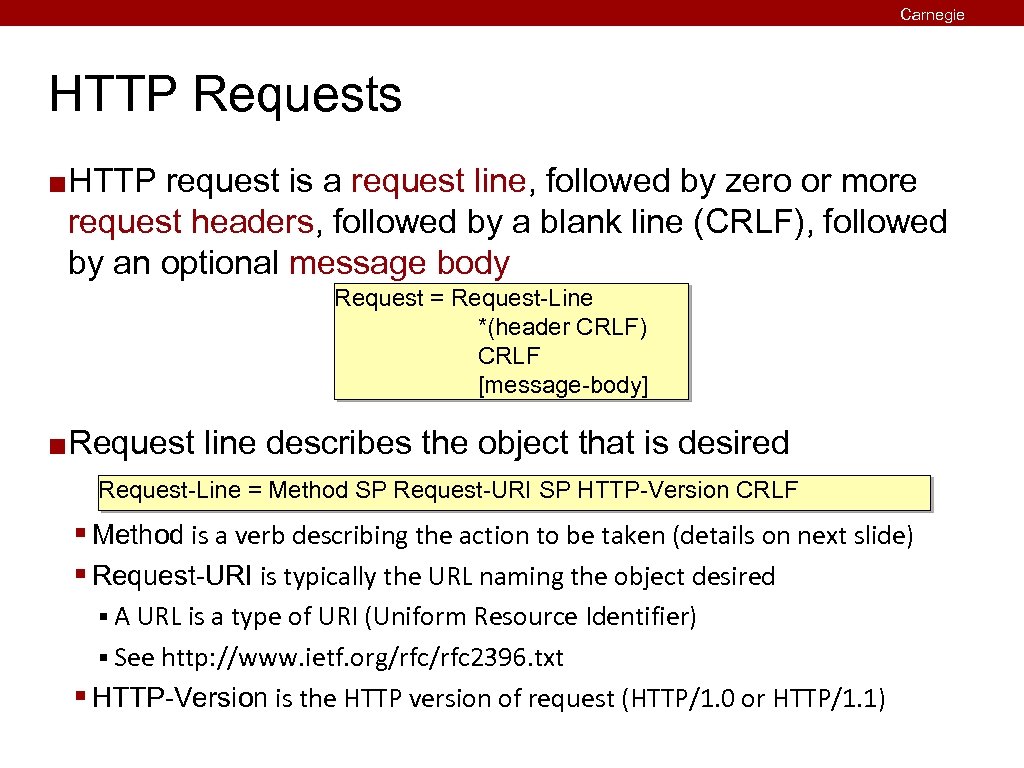
Carnegie Mellon HTTP Requests ¢ HTTP request is a request line, followed by zero or more request headers, followed by a blank line (CRLF), followed by an optional message body Request = Request-Line *(header CRLF) CRLF [message-body] ¢ Request line describes the object that is desired Request-Line = Method SP Request-URI SP HTTP-Version CRLF § Method is a verb describing the action to be taken (details on next slide) § Request-URI is typically the URL naming the object desired § A URL is a type of URI (Uniform Resource Identifier) § See http: //www. ietf. org/rfc 2396. txt § HTTP-Version is the HTTP version of request (HTTP/1. 0 or HTTP/1. 1)
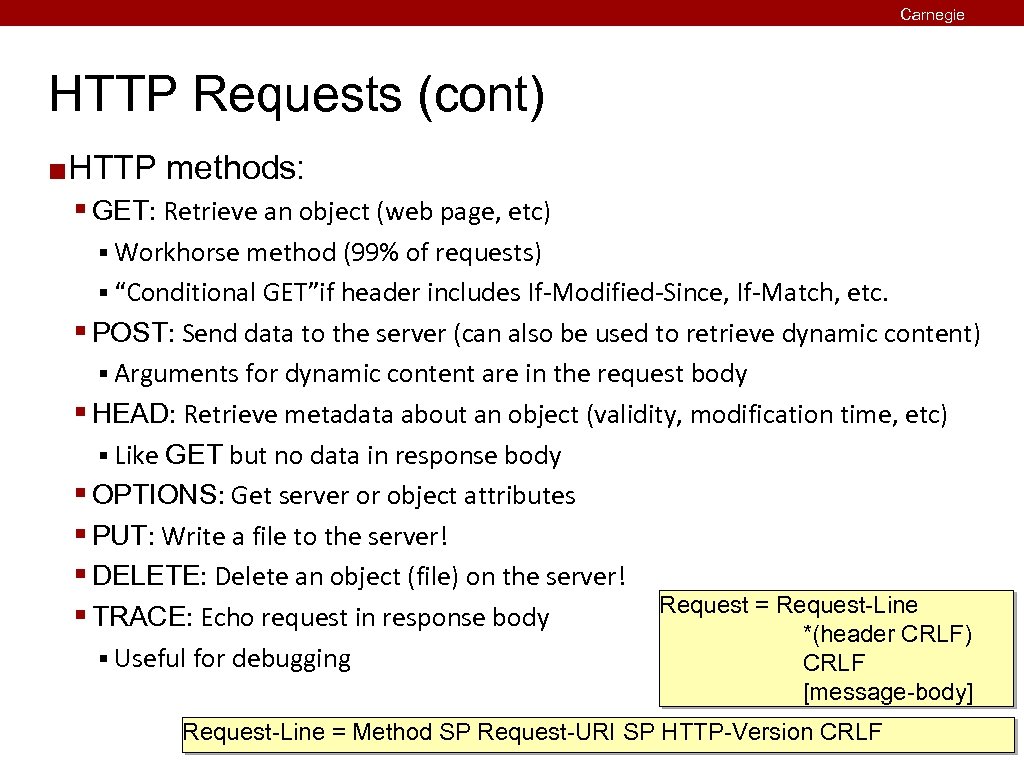
Carnegie Mellon HTTP Requests (cont) ¢ HTTP methods: § GET: Retrieve an object (web page, etc) § Workhorse method (99% of requests) § “Conditional GET”if header includes If-Modified-Since, If-Match, etc. § POST: Send data to the server (can also be used to retrieve dynamic content) § Arguments for dynamic content are in the request body § HEAD: Retrieve metadata about an object (validity, modification time, etc) § Like GET but no data in response body § OPTIONS: Get server or object attributes § PUT: Write a file to the server! § DELETE: Delete an object (file) on the server! § TRACE: Echo request in response body § Useful for debugging Request = Request-Line *(header CRLF) CRLF [message-body] Request-Line = Method SP Request-URI SP HTTP-Version CRLF
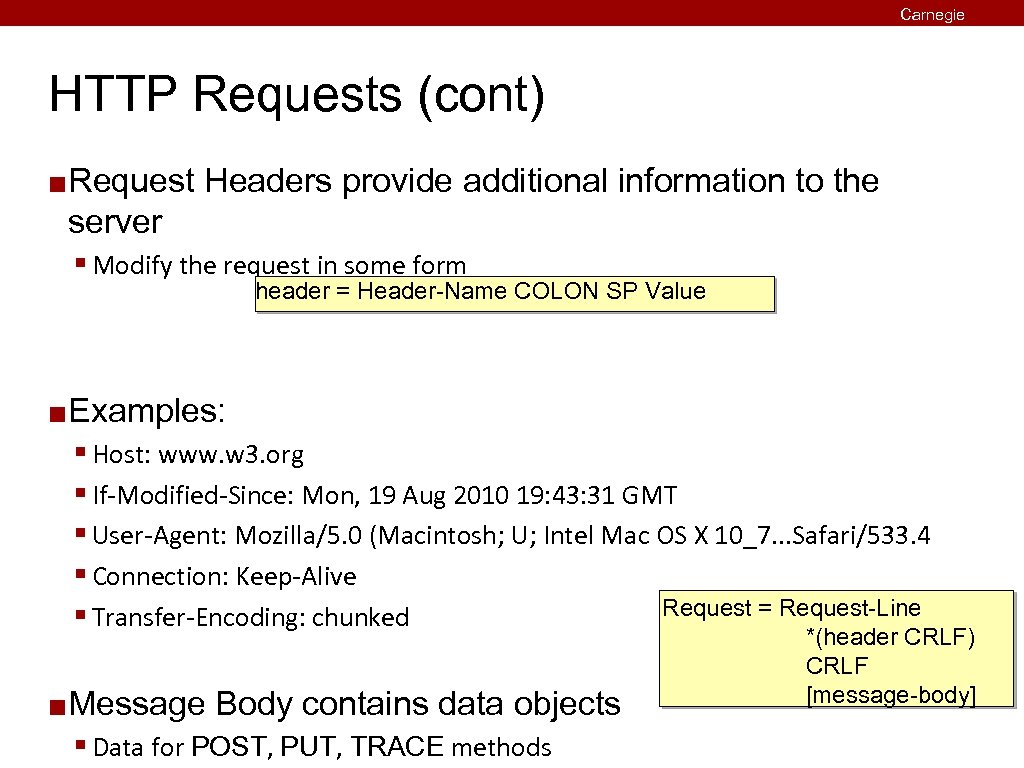
Carnegie Mellon HTTP Requests (cont) ¢ Request Headers provide additional information to the server § Modify the request in some form header = Header-Name COLON SP Value ¢ Examples: § Host: www. w 3. org § If-Modified-Since: Mon, 19 Aug 2010 19: 43: 31 GMT § User-Agent: Mozilla/5. 0 (Macintosh; U; Intel Mac OS X 10_7. . . Safari/533. 4 § Connection: Keep-Alive Request = Request-Line § Transfer-Encoding: chunked ¢ Message Body contains data objects § Data for POST, PUT, TRACE methods *(header CRLF) CRLF [message-body]
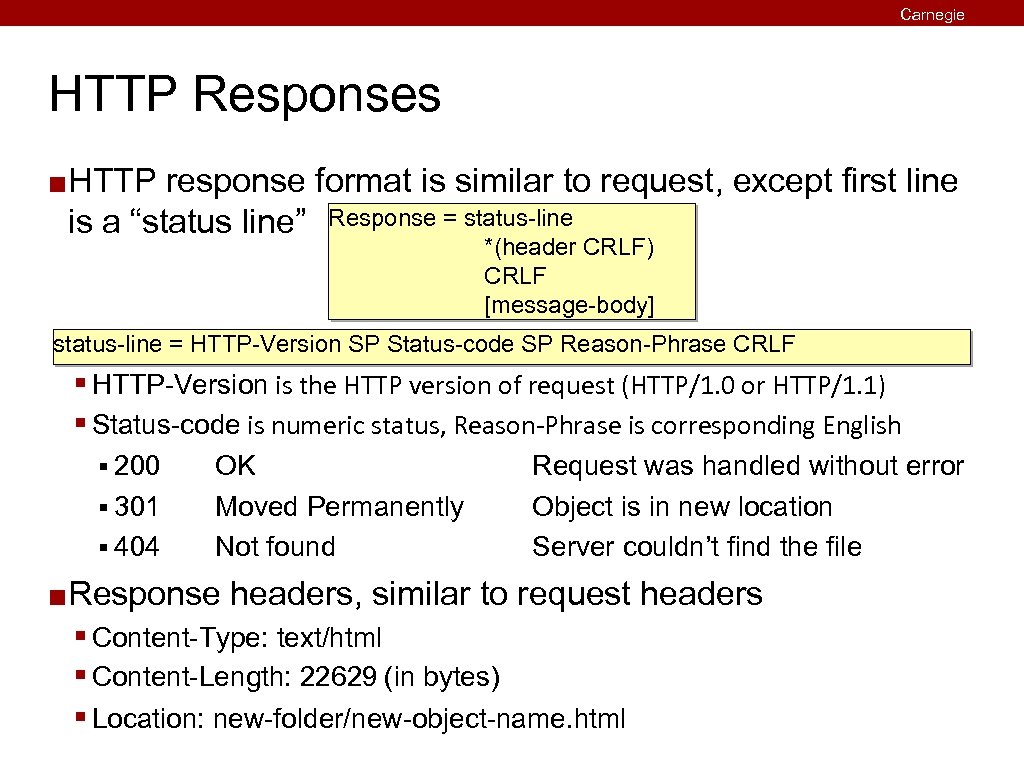
Carnegie Mellon HTTP Responses ¢ HTTP response format is similar to request, except first line is a “status line” Response = status-line *(header CRLF) CRLF [message-body] status-line = HTTP-Version SP Status-code SP Reason-Phrase CRLF § HTTP-Version is the HTTP version of request (HTTP/1. 0 or HTTP/1. 1) § Status-code is numeric status, Reason-Phrase is corresponding English § 200 § 301 § 404 ¢ OK Moved Permanently Not found Request was handled without error Object is in new location Server couldn’t find the file Response headers, similar to request headers § Content-Type: text/html § Content-Length: 22629 (in bytes) § Location: new-folder/new-object-name. html
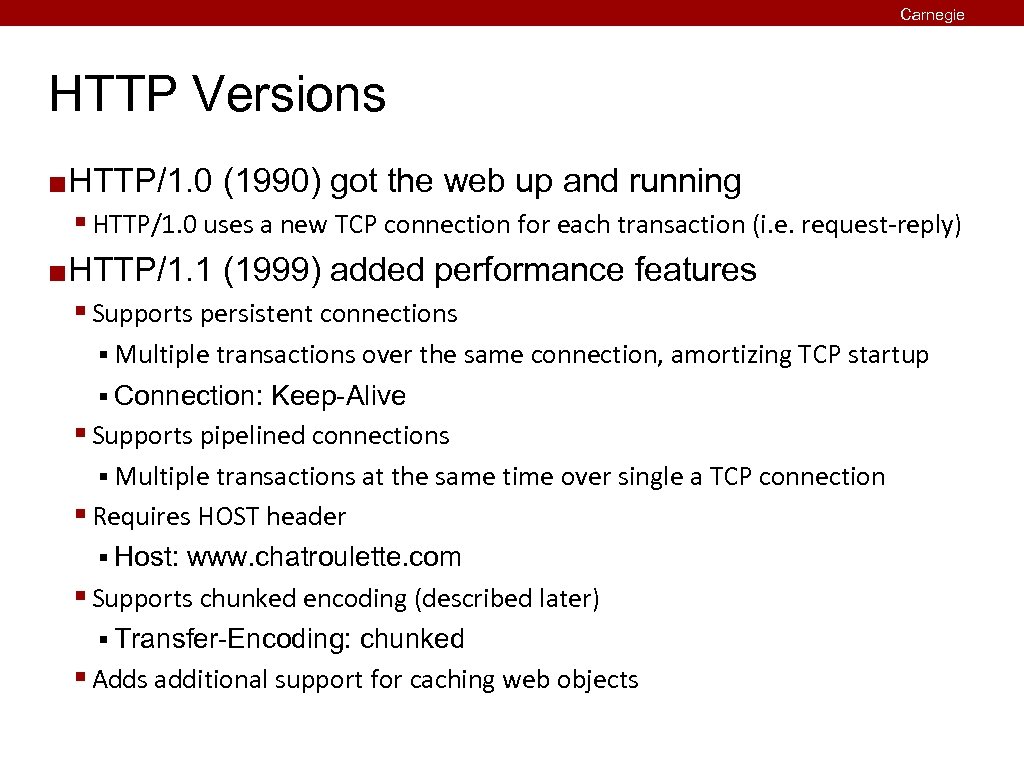
Carnegie Mellon HTTP Versions ¢ HTTP/1. 0 (1990) got the web up and running § HTTP/1. 0 uses a new TCP connection for each transaction (i. e. request-reply) ¢ HTTP/1. 1 (1999) added performance features § Supports persistent connections § Multiple transactions over the same connection, amortizing TCP startup § Connection: Keep-Alive § Supports pipelined connections § Multiple transactions at the same time over single a TCP connection § Requires HOST header § Host: www. chatroulette. com § Supports chunked encoding (described later) § Transfer-Encoding: chunked § Adds additional support for caching web objects
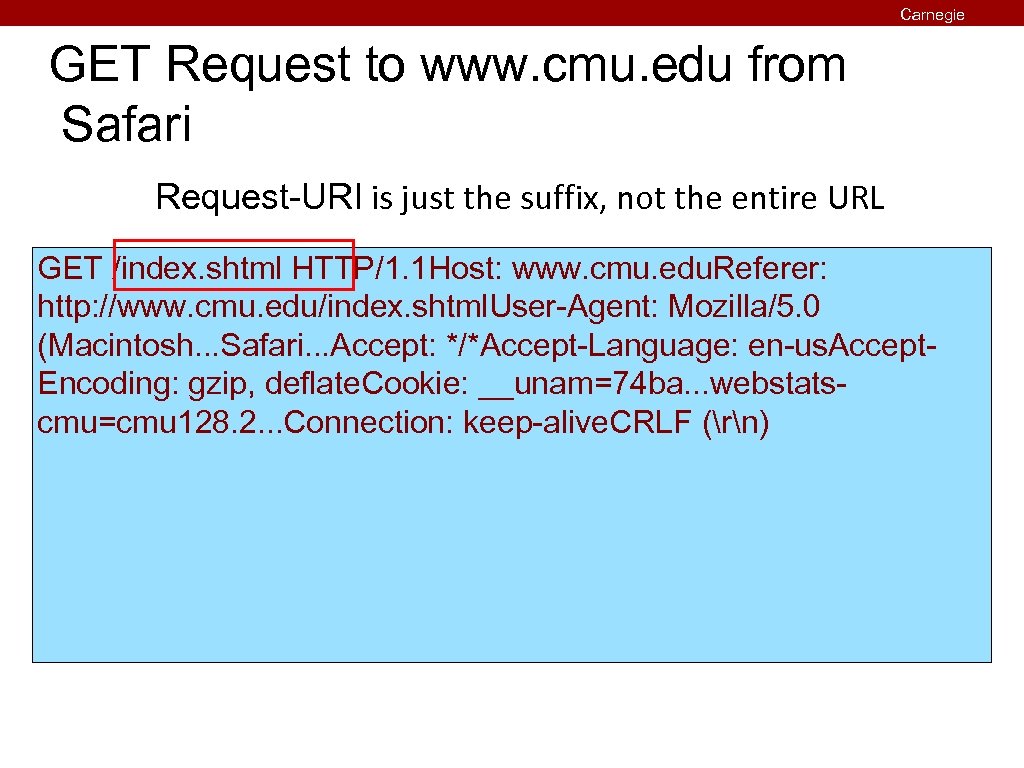
GET Request to www. cmu. edu from Safari Carnegie Mellon Request-URI is just the suffix, not the entire URL GET /index. shtml HTTP/1. 1 Host: www. cmu. edu. Referer: http: //www. cmu. edu/index. shtml. User-Agent: Mozilla/5. 0 (Macintosh. . . Safari. . . Accept: */*Accept-Language: en-us. Accept. Encoding: gzip, deflate. Cookie: __unam=74 ba. . . webstatscmu=cmu 128. 2. . . Connection: keep-alive. CRLF (rn)
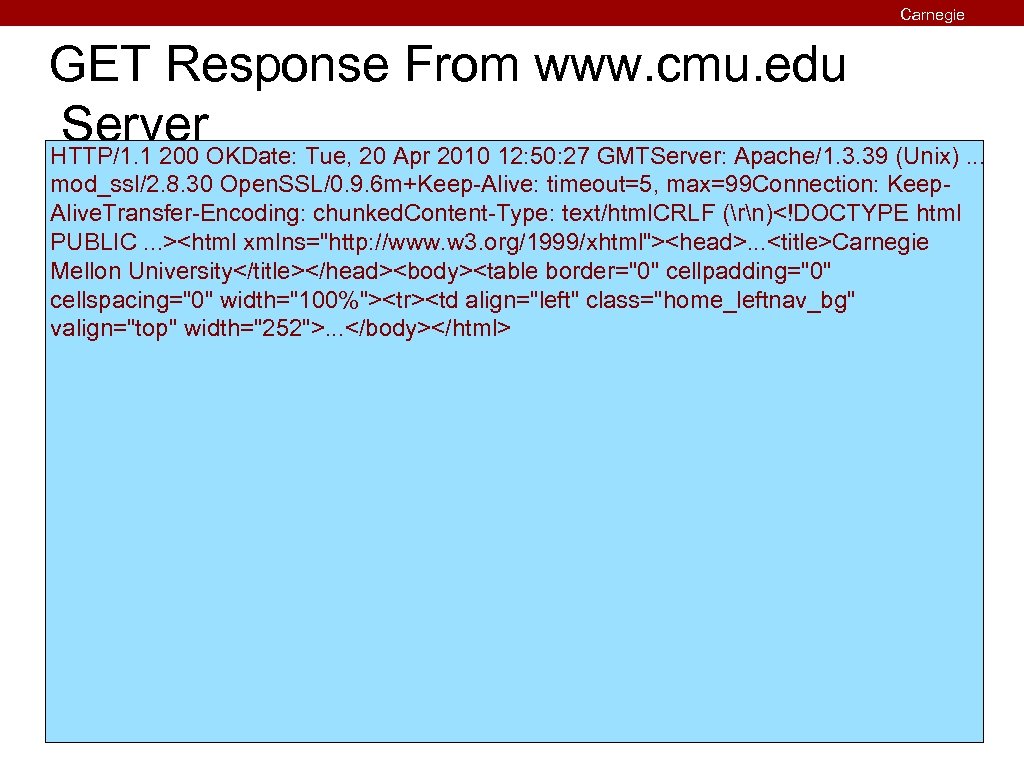
Carnegie Mellon GET Response From www. cmu. edu Server. OKDate: Tue, 20 Apr 2010 12: 50: 27 GMTServer: Apache/1. 3. 39 (Unix). . . HTTP/1. 1 200 mod_ssl/2. 8. 30 Open. SSL/0. 9. 6 m+Keep-Alive: timeout=5, max=99 Connection: Keep. Alive. Transfer-Encoding: chunked. Content-Type: text/html. CRLF (rn)<!DOCTYPE html PUBLIC. . . ><html xmlns="http: //www. w 3. org/1999/xhtml"><head>. . . <title>Carnegie Mellon University</title></head><body><table border="0" cellpadding="0" cellspacing="0" width="100%"><tr><td align="left" class="home_leftnav_bg" valign="top" width="252">. . . </body></html>
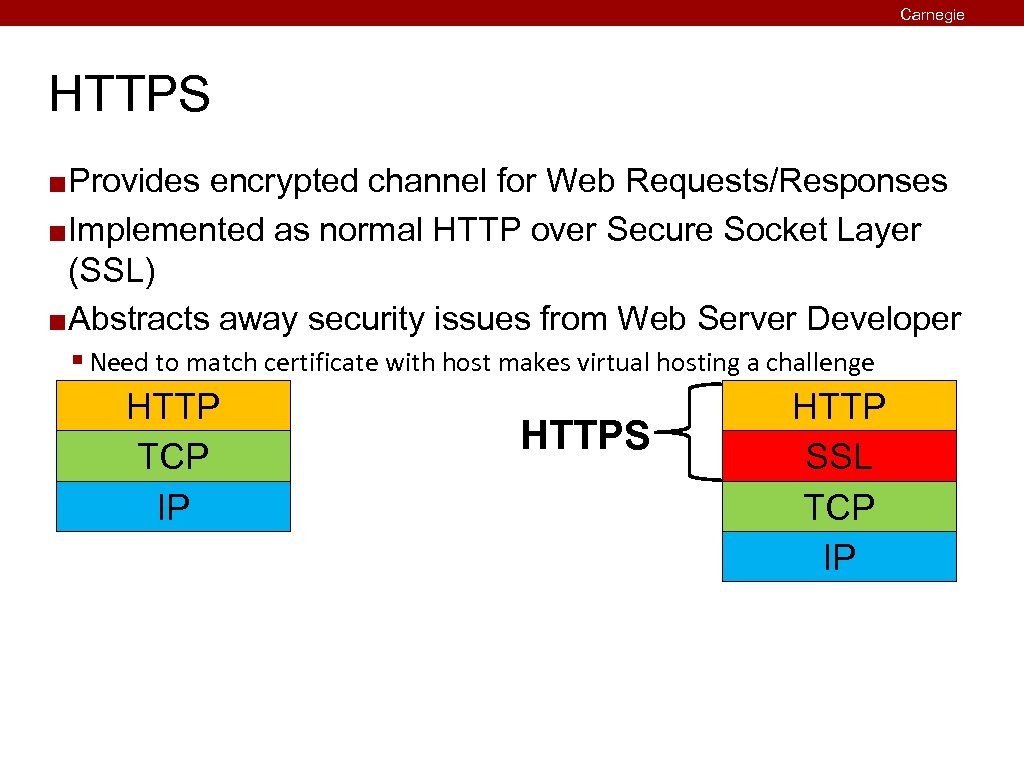
Carnegie Mellon HTTPS Provides encrypted channel for Web Requests/Responses ¢ Implemented as normal HTTP over Secure Socket Layer (SSL) ¢ Abstracts away security issues from Web Server Developer ¢ § Need to match certificate with host makes virtual hosting a challenge HTTP TCP IP HTTPS HTTP SSL TCP IP
Carnegie Mellon Today HTTP and Static Content ¢ Web Servers ¢ Proxies ¢
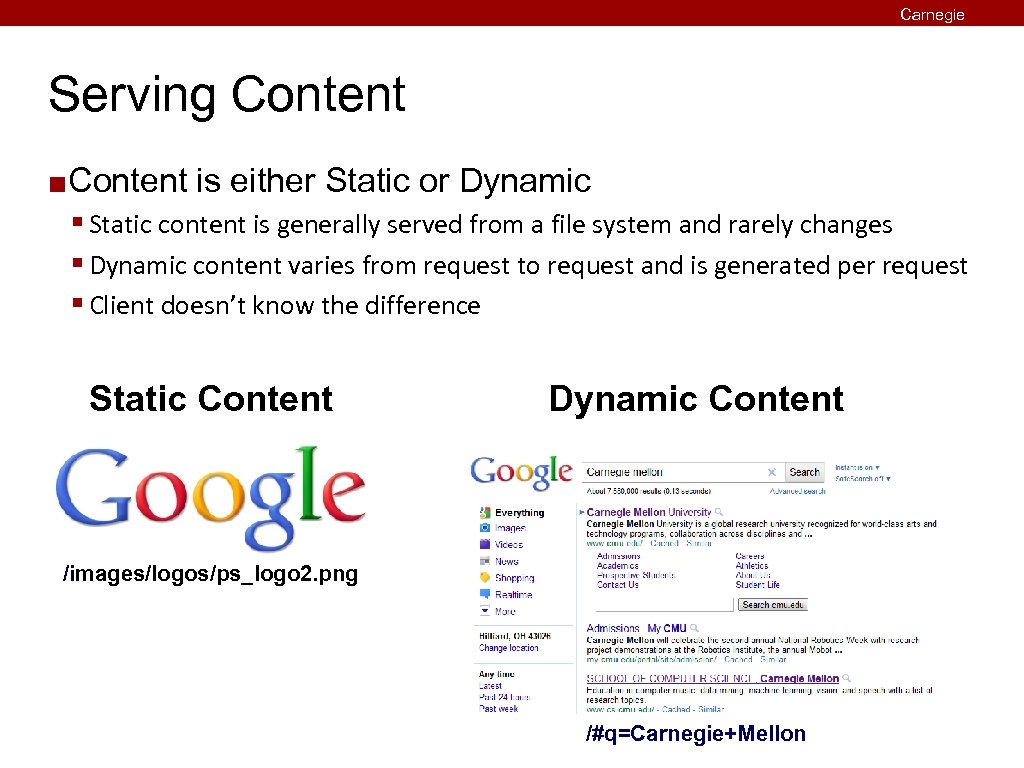
Carnegie Mellon Serving Content ¢ Content is either Static or Dynamic § Static content is generally served from a file system and rarely changes § Dynamic content varies from request to request and is generated per request § Client doesn’t know the difference Static Content Dynamic Content /images/logos/ps_logo 2. png /#q=Carnegie+Mellon
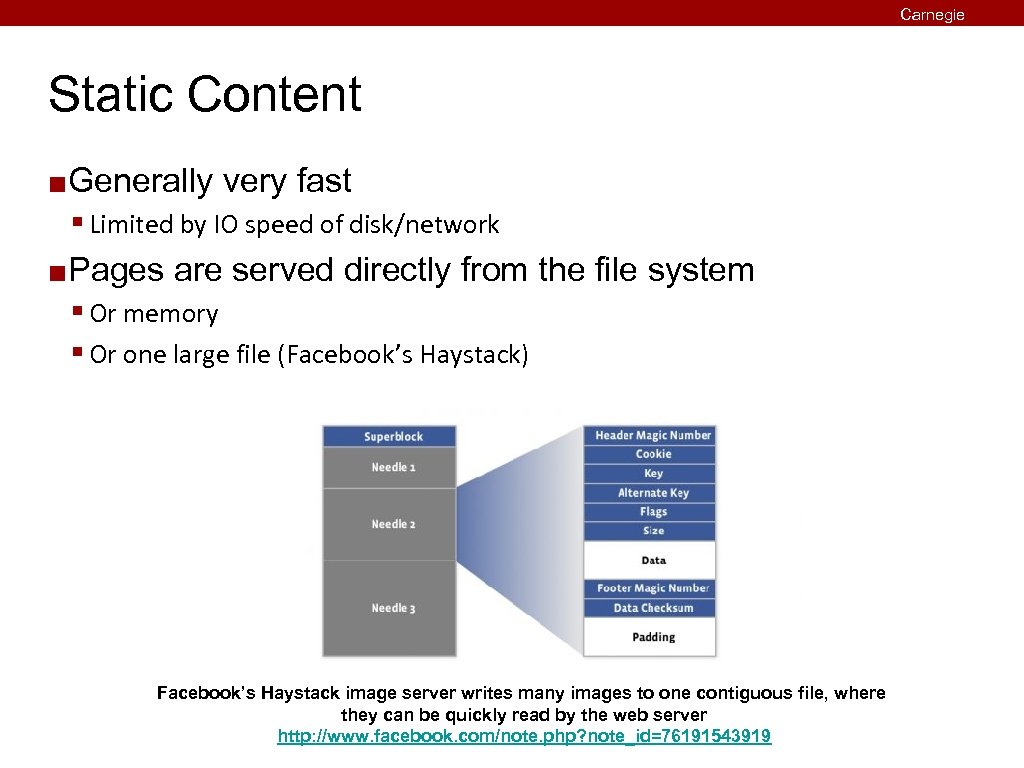
Carnegie Mellon Static Content ¢ Generally very fast § Limited by IO speed of disk/network ¢ Pages are served directly from the file system § Or memory § Or one large file (Facebook’s Haystack) Facebook’s Haystack image server writes many images to one contiguous file, where they can be quickly read by the web server http: //www. facebook. com/note. php? note_id=76191543919
Carnegie Mellon Dynamic Content – Single Process Web server generates certain pages by itself ¢ Pros ¢ § [Potentially] very fast ¢ Cons § Limited to single language § Upgrade path can be complicated § Bugs can crash the server ¢ Who actually does this? § Almost no one § Except Facebook § Hip. Hop compiles PHP to C++ with its own server built in
Dynamic Content – Common Gateway Interface First widely used approach to the problem ¢ Similar to executing a shell remotely ¢ § Server forks § Executes a program in cgi-bin/ directory with request as input § Server forwards output of program back to Client ¢ Pros § Simple interface § Language independent ¢ Cons § Slow § Resource intensive ¢ Who actually does this? § Almost no one, anymore Carnegie Mellon
Carnegie Mellon Dynamic Content – Embedded Interpreter Language interpreter is loaded into the web server ¢ Pros ¢ § Works well for Apache ecosystem § Possible to support many languages § Allows web programming in easier, safe languages ¢ Cons § Module systems complicate web server architectures § Modules must be written for each web server ¢ Who actually does this? § Apache’s mod_py, mod_php, etc. § Many others
Dynamic Content – Out-of-Process Handlers “Handler” program stays alive ¢ Communication is performed over sockets ¢ Pros ¢ § Simple interface § Language independent § Far less process maintenance cost ¢ Cons § Slightly slower than Single Process ¢ Who actually does this? § Fast. CGI: Apache, Lighttpd, Nginx, many others § Other: Mongrel 2 Carnegie Mellon
Carnegie Mellon Today HTTP ¢ Web Servers ¢ Proxies ¢
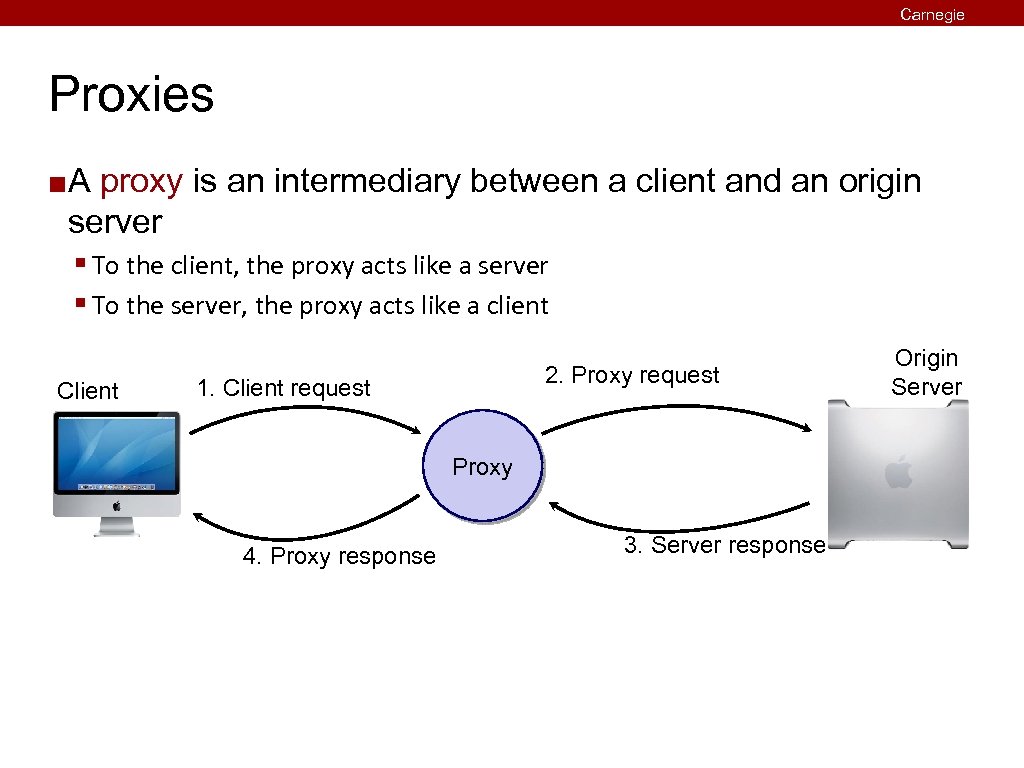
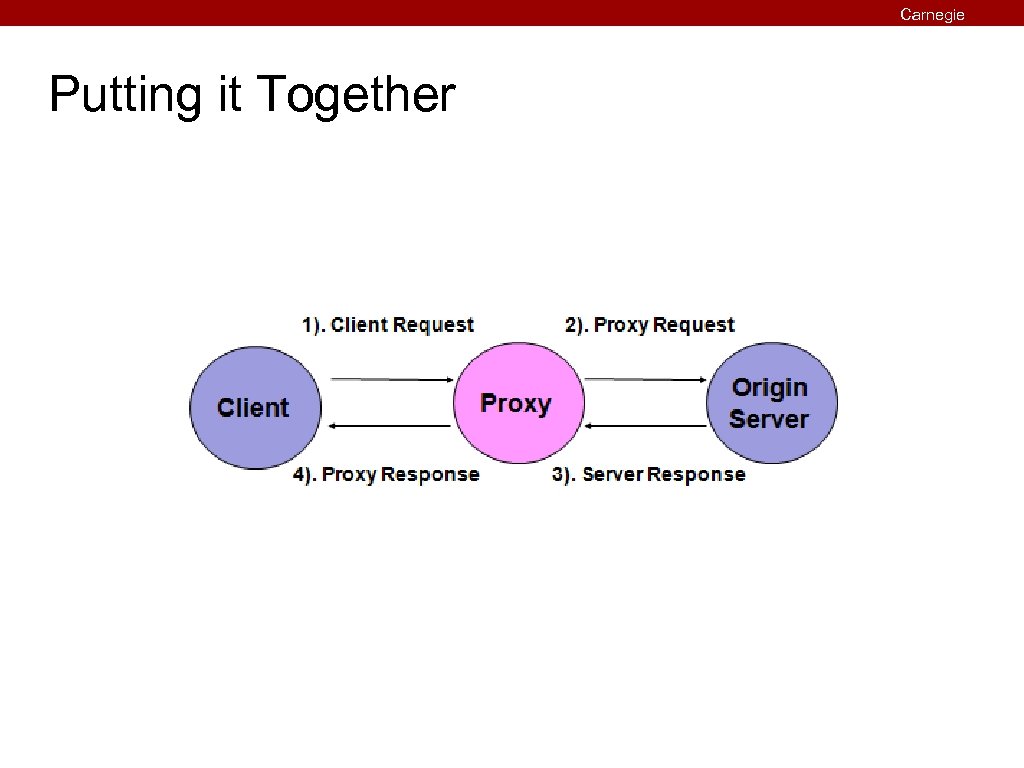
Carnegie Mellon Proxies ¢ A proxy is an intermediary between a client and an origin server § To the client, the proxy acts like a server § To the server, the proxy acts like a client Client 2. Proxy request 1. Client request Proxy 4. Proxy response 3. Server response Origin Server
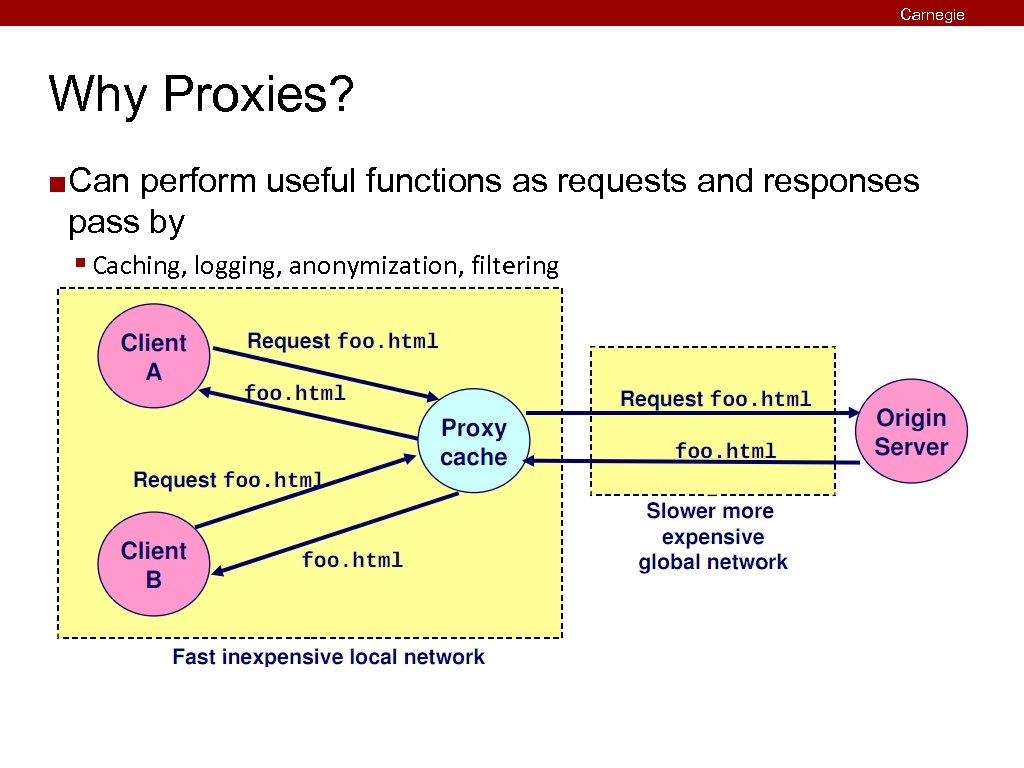
Carnegie Mellon Why Proxies? ¢ Can perform useful functions as requests and responses pass by § Caching, logging, anonymization, filtering
Carnegie Mellon Putting it Together
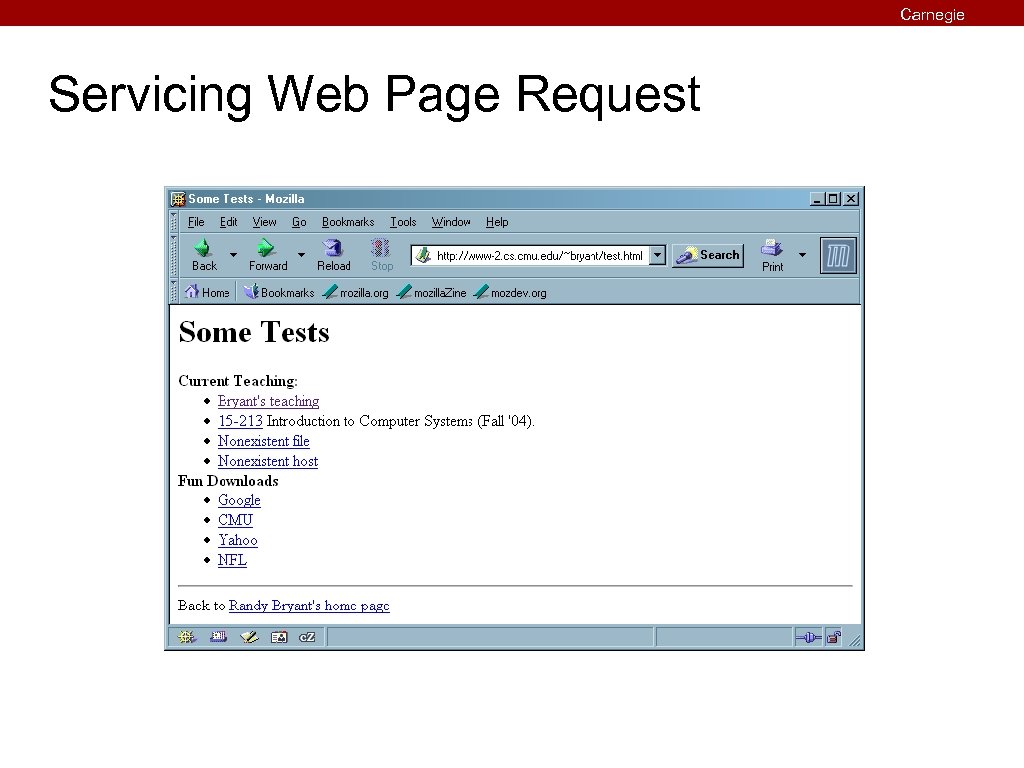
Carnegie Mellon Servicing Web Page Request
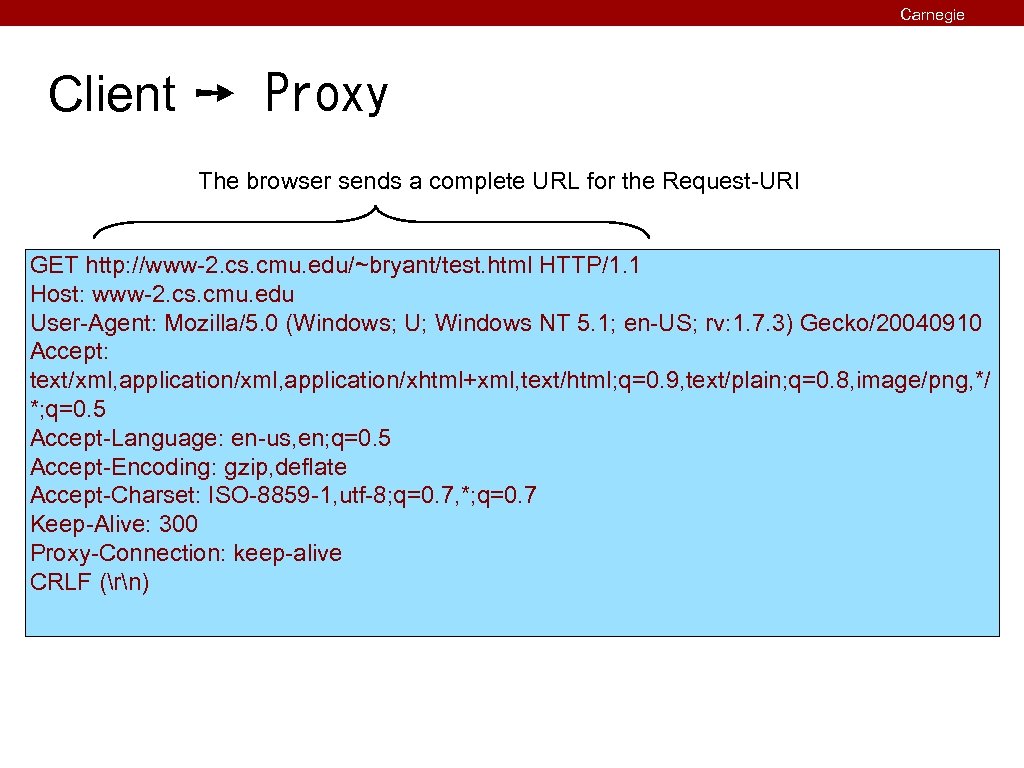
Carnegie Mellon Client ➙ Proxy The browser sends a complete URL for the Request-URI GET http: //www-2. cs. cmu. edu/~bryant/test. html HTTP/1. 1 Host: www-2. cs. cmu. edu User-Agent: Mozilla/5. 0 (Windows; U; Windows NT 5. 1; en-US; rv: 1. 7. 3) Gecko/20040910 Accept: text/xml, application/xhtml+xml, text/html; q=0. 9, text/plain; q=0. 8, image/png, */ *; q=0. 5 Accept-Language: en-us, en; q=0. 5 Accept-Encoding: gzip, deflate Accept-Charset: ISO-8859 -1, utf-8; q=0. 7, *; q=0. 7 Keep-Alive: 300 Proxy-Connection: keep-alive CRLF (rn)
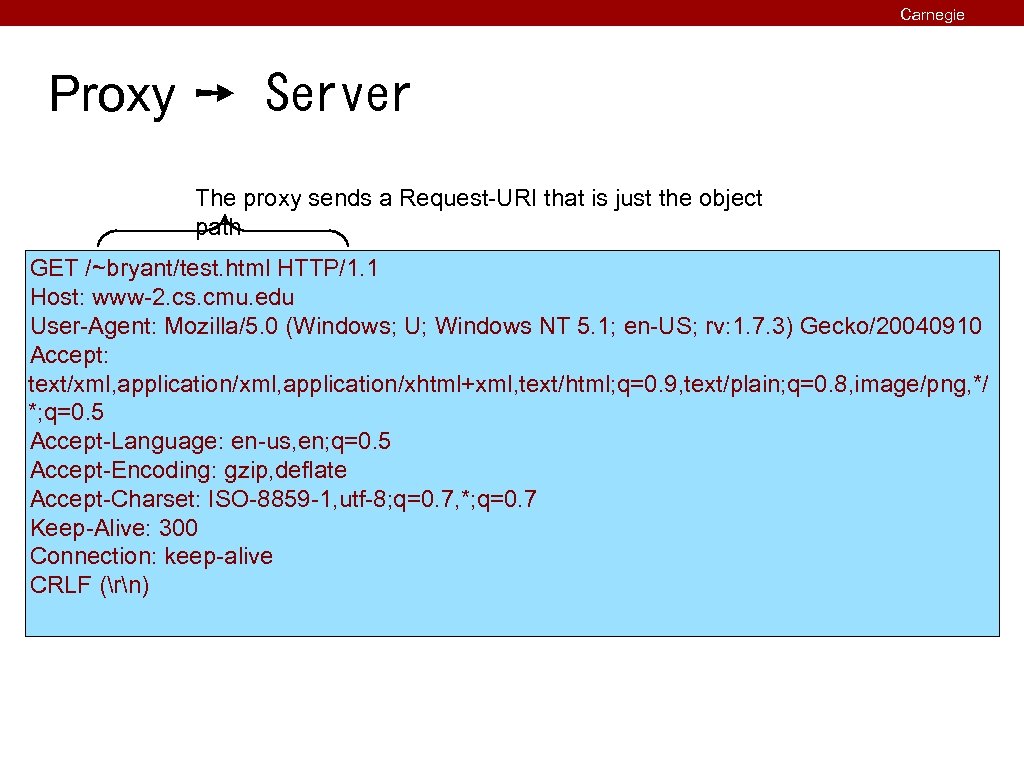
Carnegie Mellon Proxy ➙ Server The proxy sends a Request-URI that is just the object path GET /~bryant/test. html HTTP/1. 1 Host: www-2. cs. cmu. edu User-Agent: Mozilla/5. 0 (Windows; U; Windows NT 5. 1; en-US; rv: 1. 7. 3) Gecko/20040910 Accept: text/xml, application/xhtml+xml, text/html; q=0. 9, text/plain; q=0. 8, image/png, */ *; q=0. 5 Accept-Language: en-us, en; q=0. 5 Accept-Encoding: gzip, deflate Accept-Charset: ISO-8859 -1, utf-8; q=0. 7, *; q=0. 7 Keep-Alive: 300 Connection: keep-alive CRLF (rn)
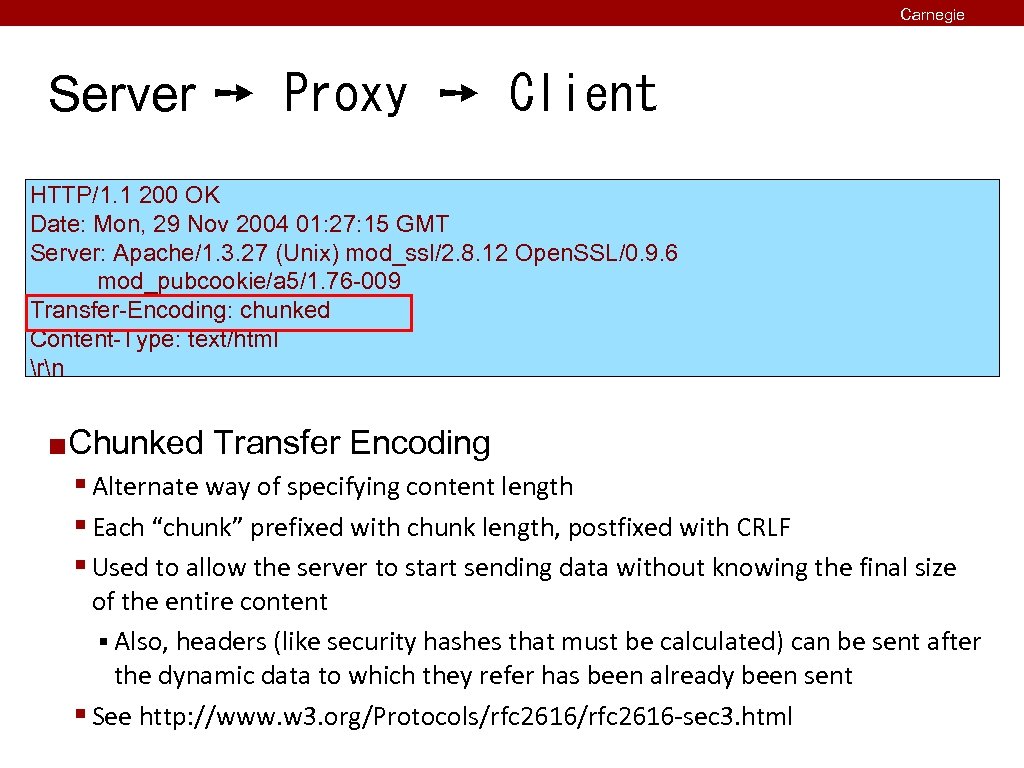
Carnegie Mellon Server ➙ Proxy ➙ Client HTTP/1. 1 200 OK Date: Mon, 29 Nov 2004 01: 27: 15 GMT Server: Apache/1. 3. 27 (Unix) mod_ssl/2. 8. 12 Open. SSL/0. 9. 6 mod_pubcookie/a 5/1. 76 -009 Transfer-Encoding: chunked Content-Type: text/html rn ¢ Chunked Transfer Encoding § Alternate way of specifying content length § Each “chunk” prefixed with chunk length, postfixed with CRLF § Used to allow the server to start sending data without knowing the final size of the entire content § Also, headers (like security hashes that must be calculated) can be sent after the dynamic data to which they refer has been already been sent § See http: //www. w 3. org/Protocols/rfc 2616 -sec 3. html
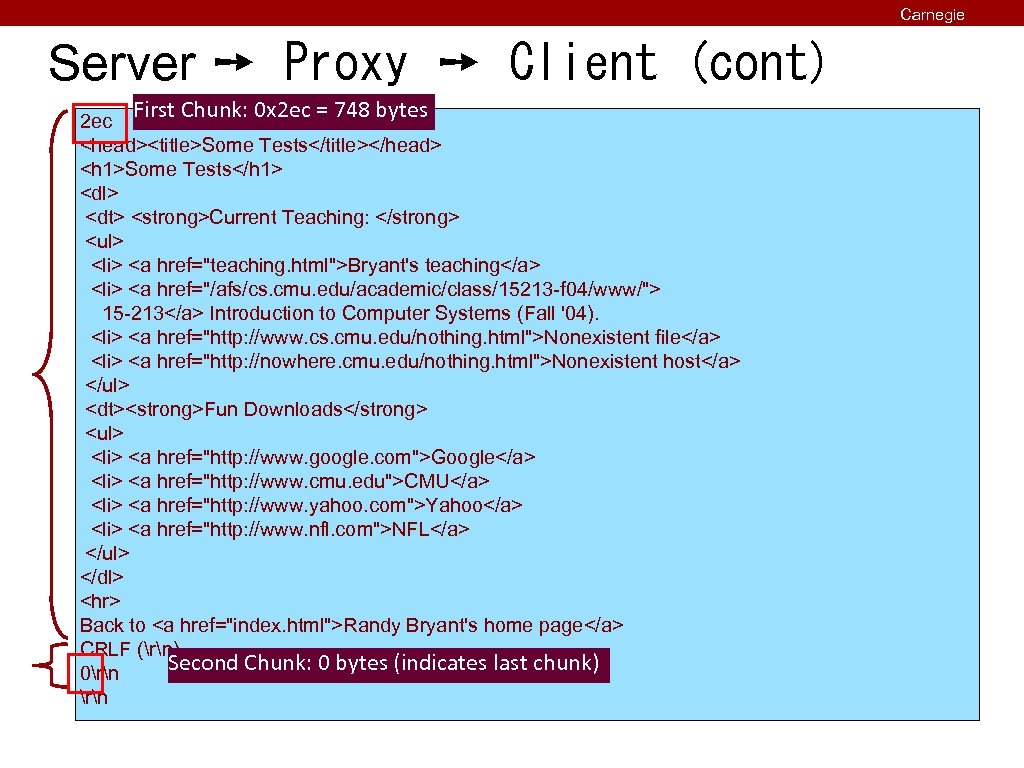
Server ➙ Proxy ➙ Client (cont) First Chunk: 0 x 2 ec = 748 bytes 2 ec <head><title>Some Tests</title></head> <h 1>Some Tests</h 1> <dl> <dt> <strong>Current Teaching: </strong> <ul> <li> <a href="teaching. html">Bryant's teaching</a> <li> <a href="/afs/cs. cmu. edu/academic/class/15213 -f 04/www/"> 15 -213</a> Introduction to Computer Systems (Fall '04). <li> <a href="http: //www. cs. cmu. edu/nothing. html">Nonexistent file</a> <li> <a href="http: //nowhere. cmu. edu/nothing. html">Nonexistent host</a> </ul> <dt><strong>Fun Downloads</strong> <ul> <li> <a href="http: //www. google. com">Google</a> <li> <a href="http: //www. cmu. edu">CMU</a> <li> <a href="http: //www. yahoo. com">Yahoo</a> <li> <a href="http: //www. nfl. com">NFL</a> </ul> </dl> <hr> Back to <a href="index. html">Randy Bryant's home page</a> CRLF (rn) Second Chunk: 0 bytes (indicates last chunk) 0rn Carnegie Mellon
Carnegie Mellon For More Information ¢ Study the Tiny Web server described in your text § Tiny is a sequential Web server (one request at a time) § Serves static and dynamic content to real browsers § text files, HTML files, GIF and JPEG images § 220 lines of commented C code § Also comes with an implementation of the CGI script for the addition portal ¢ See the HTTP/1. 1 standard: § http: //www. ietf. org/rfc 2616. txt § RFCs are standards documents, but still remarkably readable
Carnegie Mellon Summary HTTP ¢ Web Servers ¢ Proxies ¢ ¢ Next Time: § Concurrency -- doing lots of stuff at the same time
Скачать презентацию Carnegie Mellon Web Services 15 -213 18 -243 Introduction
d38e04de7da6a300c37c40530b81e545.ppt