 Скачать презентацию Can an accessible web application be secure Assessment
4bdce372b4ee3feb5230a143b00e549f.ppt
- Количество слайдов: 22



Can an accessible web application be secure? Assessment issues for security testers, developers and auditors Colin Watson Hall Ltd colin. watson(at)owasp. org OWASP EU 09 Poland Copyright © The OWASP Foundation Permission is granted to copy, distribute and/or modify this document under the terms of the OWASP License. The OWASP Foundation http: //www. owasp. org
Summary true or false ? easy to use Û easy to break OWASP App. Sec. EU 09 Poland 2
Why do they care (about usability and accessibility)? < Business case 4 Increased audience reach 4 Higher conversion rate and repeat business 4 Lower support costs 4 Higher productivity < Legal requirements 1 < Side effects 4 Improved search engine optimisation 4 Greater ability to repurpose information OWASP App. Sec. EU 09 Poland 3
Usability and accessibility < Usability and accessibility have different though not incompatible design philosophies and goals 2, 3, 4, 5 < Accessibility is not just about disability < W 3 C Web Content Accessibility Guidelines (WCAG)6 < Like security…“build accessibility in” 7 OWASP App. Sec. EU 09 Poland 4
Why do we care (about WCAG)? < Pen-testing a website with a WCAG conformance claim < Work in an organisation that requires its websites to conform to WCAG < Auditing the security of a web application with a WCAG conformance claim < Writing a security specification for a website that also has to conform to WCAG OWASP App. Sec. EU 09 Poland 5
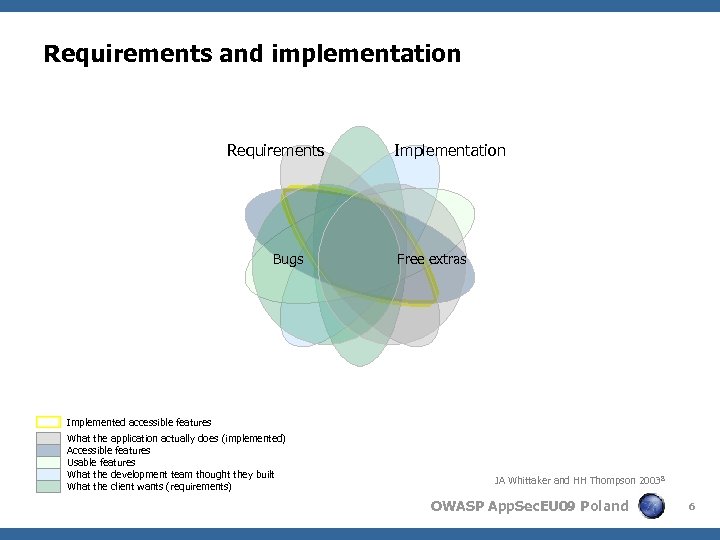
Requirements and implementation Requirements Bugs Implementation Free extras Implemented accessible features What the application actually does (implemented) Accessible features Usable features What the development team thought they built What the client wants (requirements) JA Whittaker and HH Thompson 2003 8 OWASP App. Sec. EU 09 Poland 6
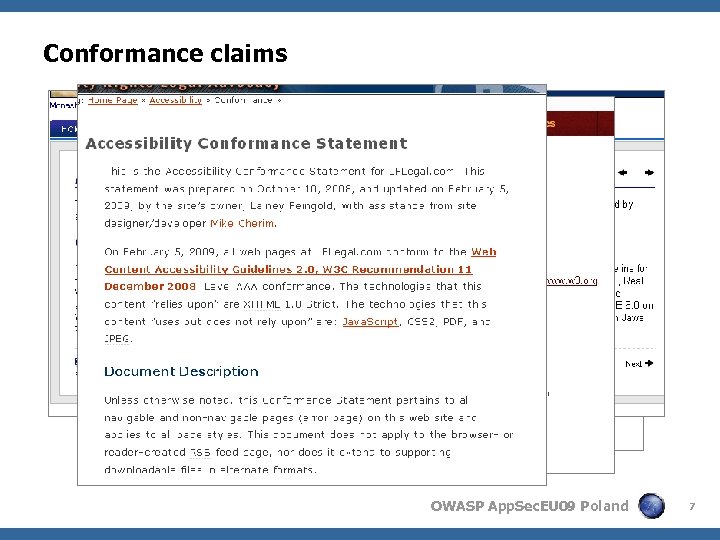
Conformance claims OWASP App. Sec. EU 09 Poland 7
WCAG 2. 0 principles, guidelines and success criteria < 4 principles 4 Perceivable, operable, understandable and robust < 12 guidelines 4 4, 4, 3 and 1 guidelines for the principles respectively < 61 success criteria 4 Mapped to 264 sufficient techniques < 3 conformance claim levels 4 Level A, AA or AAA (strictest) OWASP App. Sec. EU 09 Poland 8
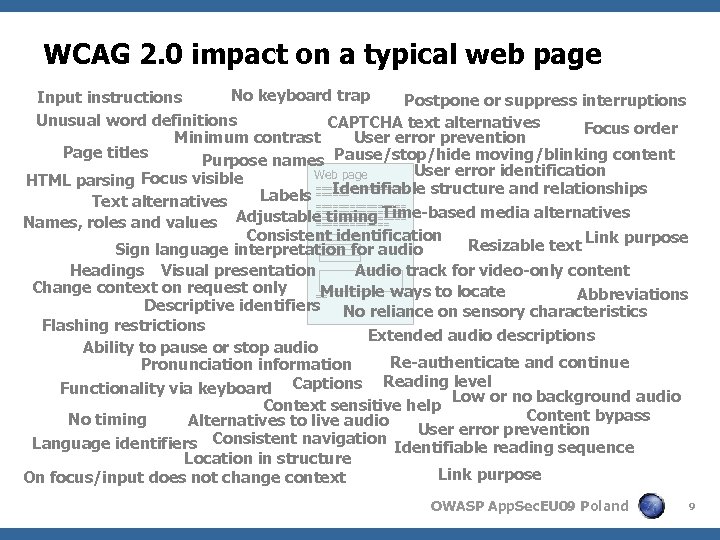
WCAG 2. 0 impact on a typical web page No keyboard trap Input instructions Postpone or suppress interruptions Unusual word definitions CAPTCHA text alternatives Focus order Minimum contrast User error prevention Page titles Purpose names Pause/stop/hide moving/blinking content User error identification Web page HTML parsing Focus visible ======== Identifiable structure and relationships Labels ====== Text alternatives ================ Adjustable timing Time-based media alternatives ======== Names, roles and values ======= Consistent identification Resizable text Link purpose Sign language interpretation for audio Headings Visual presentation Audio track for video-only content Change context on request only Multiple ways to locate Abbreviations == Descriptive identifiers No reliance on sensory characteristics Flashing restrictions Extended audio descriptions Ability to pause or stop audio Re-authenticate and continue Pronunciation information level Functionality via keyboard Captions Reading Low or no background audio Context sensitive help Content bypass No timing Alternatives to live audio User error prevention Language identifiers Consistent navigation Identifiable reading sequence Location in structure Link purpose On focus/input does not change context OWASP App. Sec. EU 09 Poland 9
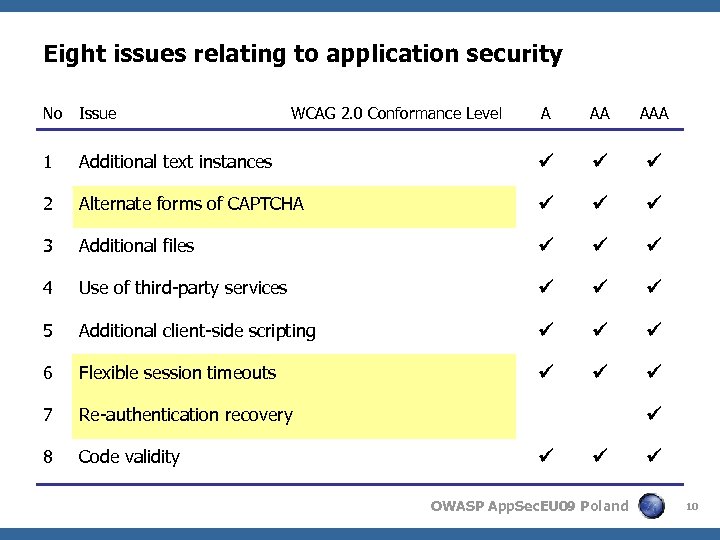
Eight issues relating to application security No Issue A AA AAA 1 Additional text instances 2 Alternate forms of CAPTCHA 3 Additional files 4 Use of third-party services 5 Additional client-side scripting 6 Flexible session timeouts 7 Re-authentication recovery 8 Code validity WCAG 2. 0 Conformance Level OWASP App. Sec. EU 09 Poland 10
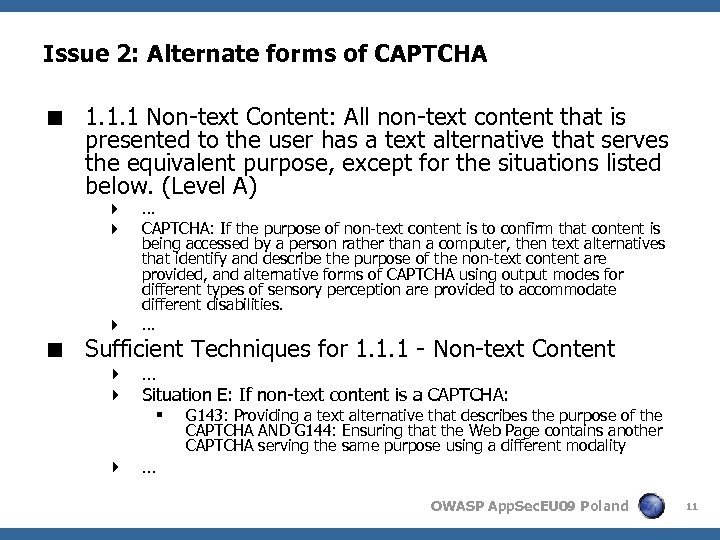
Issue 2: Alternate forms of CAPTCHA < 1. 1. 1 Non-text Content: All non-text content that is presented to the user has a text alternative that serves the equivalent purpose, except for the situations listed below. (Level A) 4 4 4 … CAPTCHA: If the purpose of non-text content is to confirm that content is being accessed by a person rather than a computer, then text alternatives that identify and describe the purpose of the non-text content are provided, and alternative forms of CAPTCHA using output modes for different types of sensory perception are provided to accommodate different disabilities. … < Sufficient Techniques for 1. 1. 1 - Non-text Content 4 … 4 Situation E: If non-text content is a CAPTCHA: § 4 … G 143: Providing a text alternative that describes the purpose of the CAPTCHA AND G 144: Ensuring that the Web Page contains another CAPTCHA serving the same purpose using a different modality OWASP App. Sec. EU 09 Poland 11
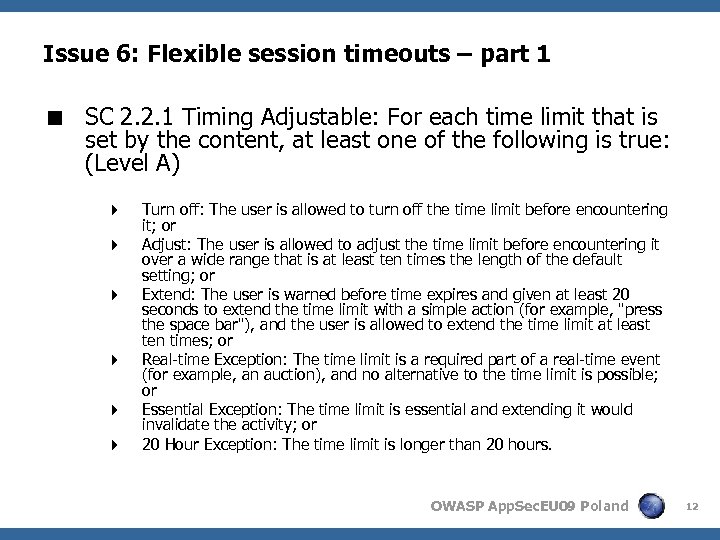
Issue 6: Flexible session timeouts – part 1 < SC 2. 2. 1 Timing Adjustable: For each time limit that is set by the content, at least one of the following is true: (Level A) 4 4 4 Turn off: The user is allowed to turn off the time limit before encountering it; or Adjust: The user is allowed to adjust the time limit before encountering it over a wide range that is at least ten times the length of the default setting; or Extend: The user is warned before time expires and given at least 20 seconds to extend the time limit with a simple action (for example, "press the space bar"), and the user is allowed to extend the time limit at least ten times; or Real-time Exception: The time limit is a required part of a real-time event (for example, an auction), and no alternative to the time limit is possible; or Essential Exception: The time limit is essential and extending it would invalidate the activity; or 20 Hour Exception: The time limit is longer than 20 hours. OWASP App. Sec. EU 09 Poland 12
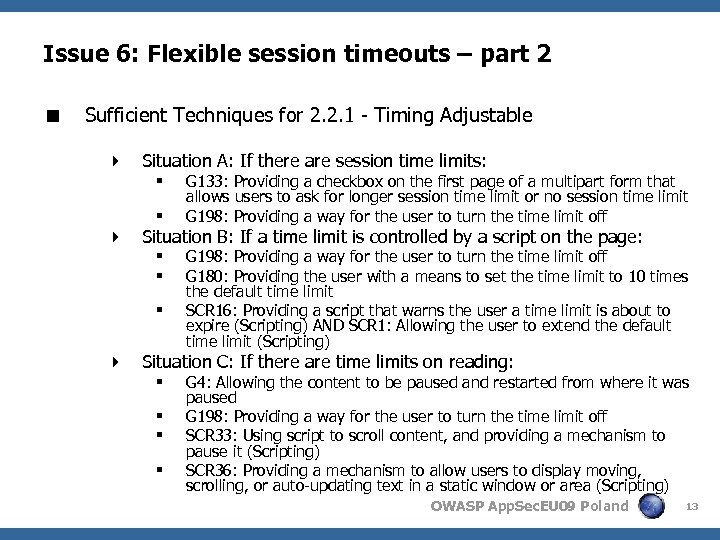
Issue 6: Flexible session timeouts – part 2 < Sufficient Techniques for 2. 2. 1 - Timing Adjustable 4 Situation A: If there are session time limits: § § G 133: Providing a checkbox on the first page of a multipart form that allows users to ask for longer session time limit or no session time limit G 198: Providing a way for the user to turn the time limit off 4 Situation B: If a time limit is controlled by a script on the page: § § § G 198: Providing a way for the user to turn the time limit off G 180: Providing the user with a means to set the time limit to 10 times the default time limit SCR 16: Providing a script that warns the user a time limit is about to expire (Scripting) AND SCR 1: Allowing the user to extend the default time limit (Scripting) 4 Situation C: If there are time limits on reading: § § G 4: Allowing the content to be paused and restarted from where it was paused G 198: Providing a way for the user to turn the time limit off SCR 33: Using script to scroll content, and providing a mechanism to pause it (Scripting) SCR 36: Providing a mechanism to allow users to display moving, scrolling, or auto-updating text in a static window or area (Scripting) OWASP App. Sec. EU 09 Poland 13
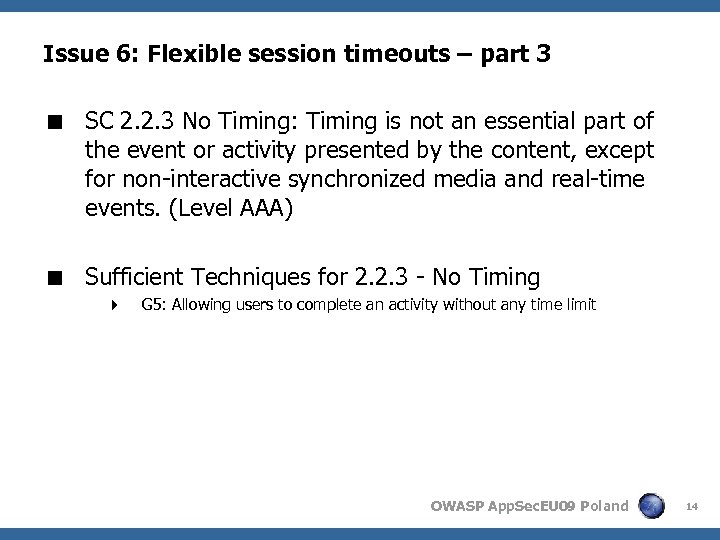
Issue 6: Flexible session timeouts – part 3 < SC 2. 2. 3 No Timing: Timing is not an essential part of the event or activity presented by the content, except for non-interactive synchronized media and real-time events. (Level AAA) < Sufficient Techniques for 2. 2. 3 - No Timing 4 G 5: Allowing users to complete an activity without any time limit OWASP App. Sec. EU 09 Poland 14
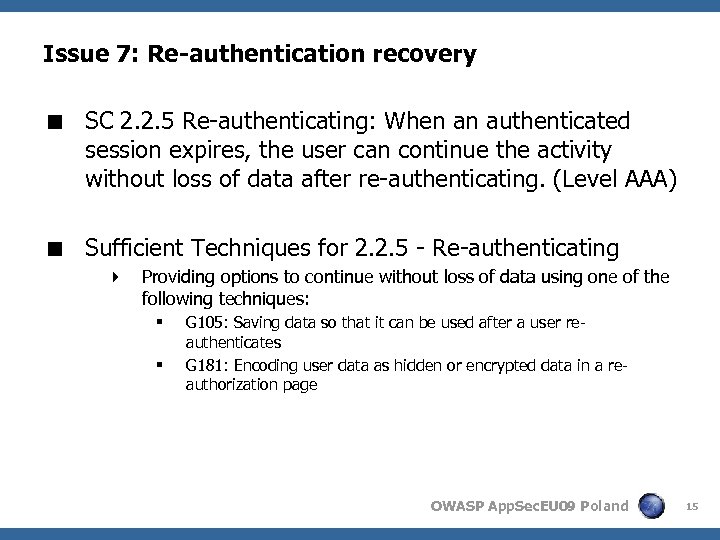
Issue 7: Re-authentication recovery < SC 2. 2. 5 Re-authenticating: When an authenticated session expires, the user can continue the activity without loss of data after re-authenticating. (Level AAA) < Sufficient Techniques for 2. 2. 5 - Re-authenticating 4 Providing options to continue without loss of data using one of the following techniques: § § G 105: Saving data so that it can be used after a user reauthenticates G 181: Encoding user data as hidden or encrypted data in a reauthorization page OWASP App. Sec. EU 09 Poland 15
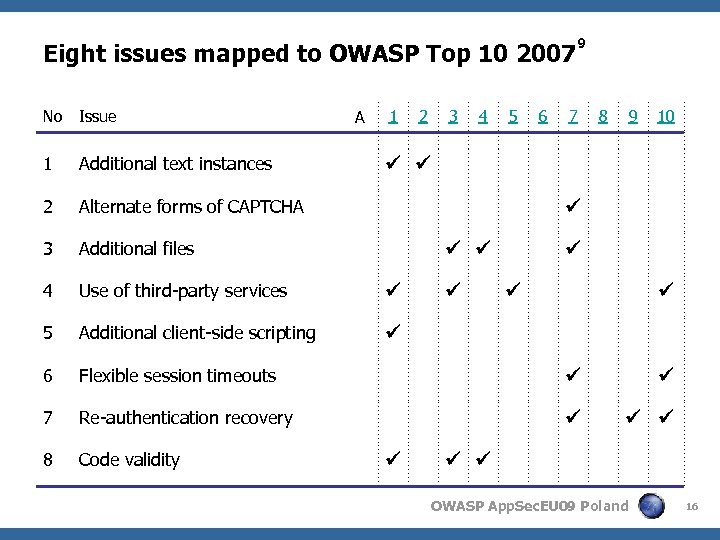
Eight issues mapped to OWASP Top 10 2007 No Issue 1 Additional text instances 2 Alternate forms of CAPTCHA 3 Additional files 4 Use of third-party services 5 Additional client-side scripting 6 Flexible session timeouts 7 Re-authentication recovery 8 Code validity A 1 2 3 4 5 6 9 7 8 9 10 OWASP App. Sec. EU 09 Poland 16
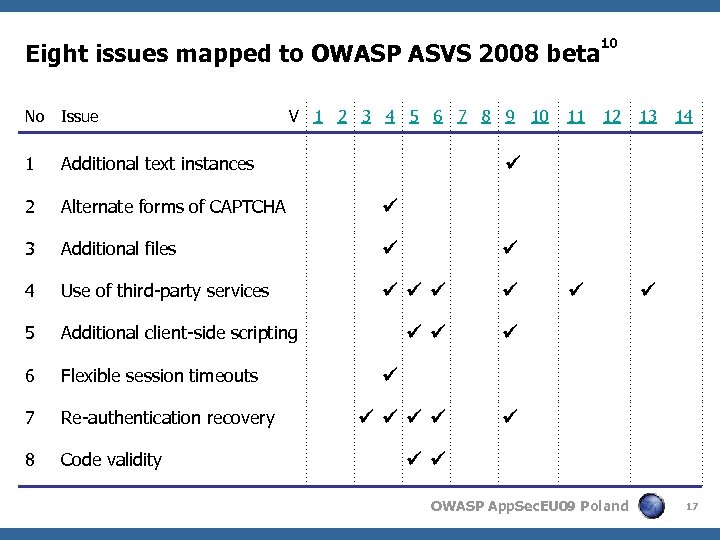
Eight issues mapped to OWASP ASVS 2008 beta 10 No Issue 12 1 Additional text instances 2 Alternate forms of CAPTCHA 3 Additional files 4 Use of third-party services 5 Additional client-side scripting 6 Flexible session timeouts 7 Re-authentication recovery 8 Code validity V 1 2 3 4 5 6 7 8 9 10 11 13 14 OWASP App. Sec. EU 09 Poland 17
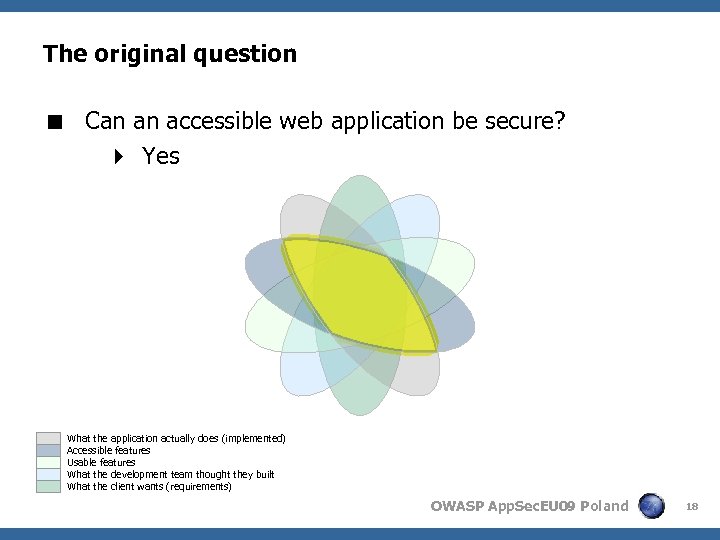
The original question < Can an accessible web application be secure? 4 Yes What the application actually does (implemented) Accessible features Usable features What the development team thought they built What the client wants (requirements) OWASP App. Sec. EU 09 Poland 18
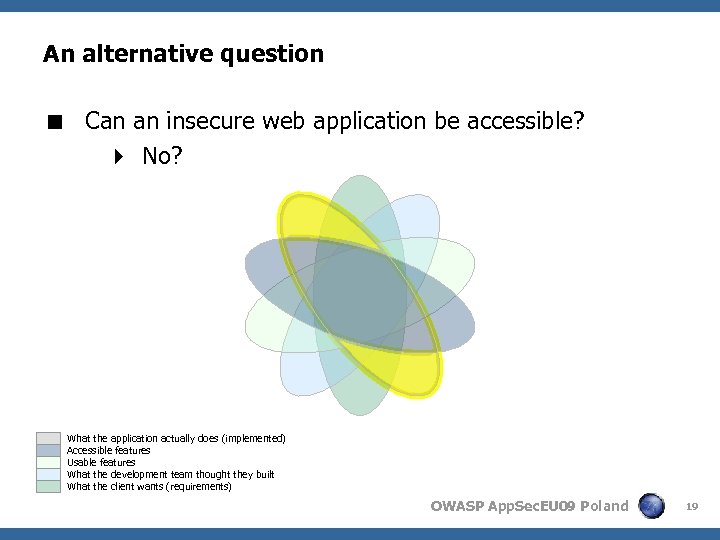
An alternative question < Can an insecure web application be accessible? 4 No? What the application actually does (implemented) Accessible features Usable features What the development team thought they built What the client wants (requirements) OWASP App. Sec. EU 09 Poland 19
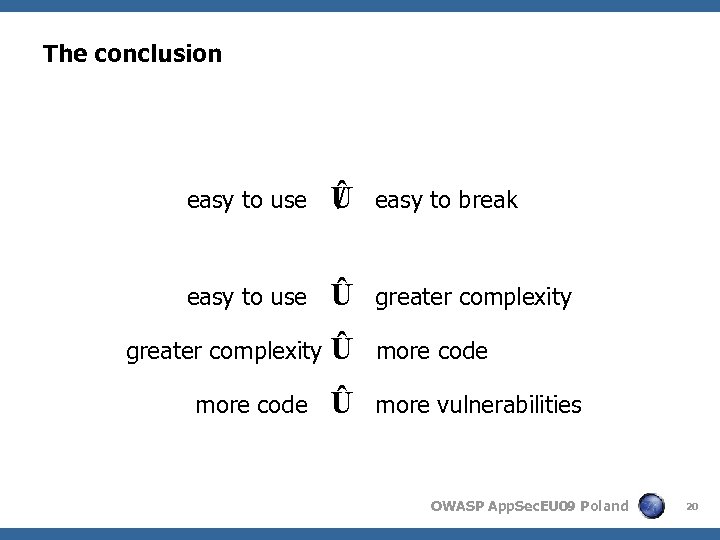
The conclusion easy to use / Û easy to break easy to use Û greater complexity Û more code Û more vulnerabilities greater complexity more code OWASP App. Sec. EU 09 Poland 20
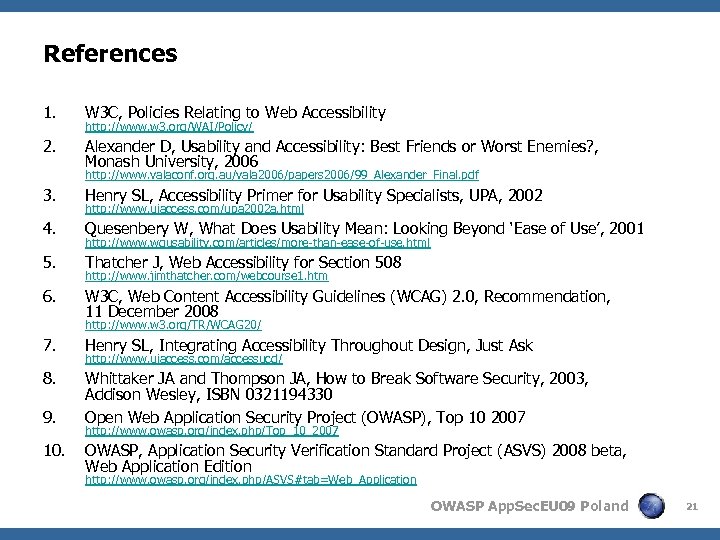
References 1. W 3 C, Policies Relating to Web Accessibility 2. Alexander D, Usability and Accessibility: Best Friends or Worst Enemies? , Monash University, 2006 http: //www. w 3. org/WAI/Policy/ http: //www. valaconf. org. au/vala 2006/papers 2006/99_Alexander_Final. pdf 3. Henry SL, Accessibility Primer for Usability Specialists, UPA, 2002 4. Quesenbery W, What Does Usability Mean: Looking Beyond ‘Ease of Use’, 2001 5. Thatcher J, Web Accessibility for Section 508 6. W 3 C, Web Content Accessibility Guidelines (WCAG) 2. 0, Recommendation, 11 December 2008 http: //www. uiaccess. com/upa 2002 a. html http: //www. wqusability. com/articles/more-than-ease-of-use. html http: //www. jimthatcher. com/webcourse 1. htm http: //www. w 3. org/TR/WCAG 20/ 7. Henry SL, Integrating Accessibility Throughout Design, Just Ask 8. Whittaker JA and Thompson JA, How to Break Software Security, 2003, Addison Wesley, ISBN 0321194330 Open Web Application Security Project (OWASP), Top 10 2007 9. 10. http: //www. uiaccess. com/accessucd/ http: //www. owasp. org/index. php/Top_10_2007 OWASP, Application Security Verification Standard Project (ASVS) 2008 beta, Web Application Edition http: //www. owasp. org/index. php/ASVS#tab=Web_Application OWASP App. Sec. EU 09 Poland 21
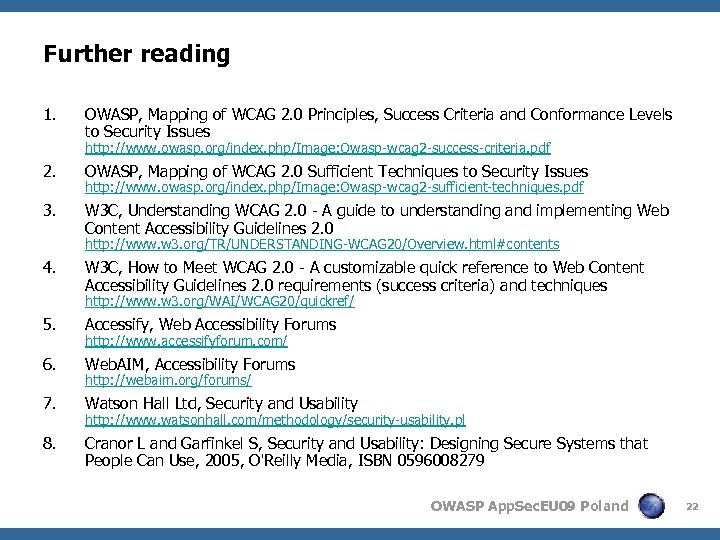
Further reading 1. OWASP, Mapping of WCAG 2. 0 Principles, Success Criteria and Conformance Levels to Security Issues http: //www. owasp. org/index. php/Image: Owasp-wcag 2 -success-criteria. pdf 2. OWASP, Mapping of WCAG 2. 0 Sufficient Techniques to Security Issues 3. W 3 C, Understanding WCAG 2. 0 - A guide to understanding and implementing Web Content Accessibility Guidelines 2. 0 http: //www. owasp. org/index. php/Image: Owasp-wcag 2 -sufficient-techniques. pdf http: //www. w 3. org/TR/UNDERSTANDING-WCAG 20/Overview. html#contents 4. W 3 C, How to Meet WCAG 2. 0 - A customizable quick reference to Web Content Accessibility Guidelines 2. 0 requirements (success criteria) and techniques http: //www. w 3. org/WAI/WCAG 20/quickref/ 5. Accessify, Web Accessibility Forums 6. Web. AIM, Accessibility Forums 7. Watson Hall Ltd, Security and Usability 8. Cranor L and Garfinkel S, Security and Usability: Designing Secure Systems that People Can Use, 2005, O'Reilly Media, ISBN 0596008279 http: //www. accessifyforum. com/ http: //webaim. org/forums/ http: //www. watsonhall. com/methodology/security-usability. pl OWASP App. Sec. EU 09 Poland 22
Скачать презентацию Can an accessible web application be secure Assessment
4bdce372b4ee3feb5230a143b00e549f.ppt