 Скачать презентацию Campus Network Best Practices Structured Cabling Dale Smith
636691d3ec653266a2df275c7a279ffa.ppt
- Количество слайдов: 18



Campus Network Best Practices: Structured Cabling Dale Smith University of Oregon/NSRC dsmith@uoregon. edu This document is a result of work by the Network Startup Resource Center (NSRC at http: //www. nsrc. org). This document may be freely copied, modified, and otherwise re-used on the condition that any re-use acknowledge the NSRC as the original source.
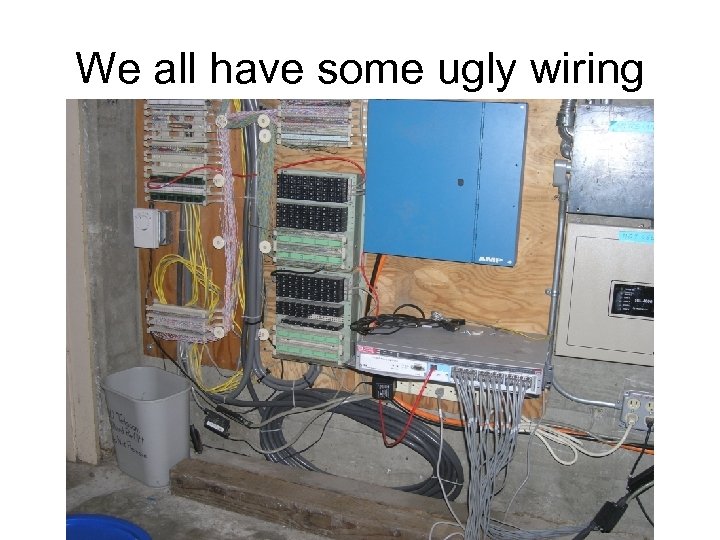
We all have some ugly wiring
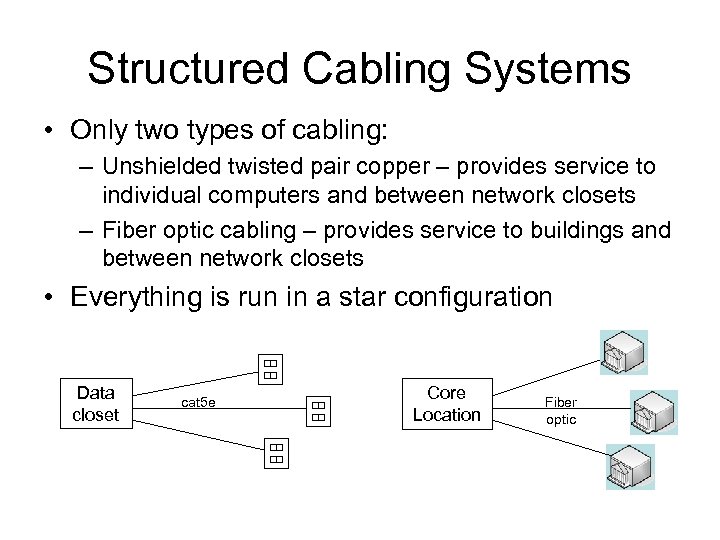
Structured Cabling Systems • Only two types of cabling: – Unshielded twisted pair copper – provides service to individual computers and between network closets – Fiber optic cabling – provides service to buildings and between network closets • Everything is run in a star configuration Data closet cat 5 e Core Location Fiber optic
Unshielded Twisted Pair Cable • Run in star configuration from Network Closet location to individual outlets in offices or labs. • Run at least two cables to every outlet – I recommend four if you can afford it. • Run at least 12 cables between network closets if the distance is less than 90 meters • Question: what type of cable to run? Cat 5, cat 5 e, Cat 6, ? ? ?
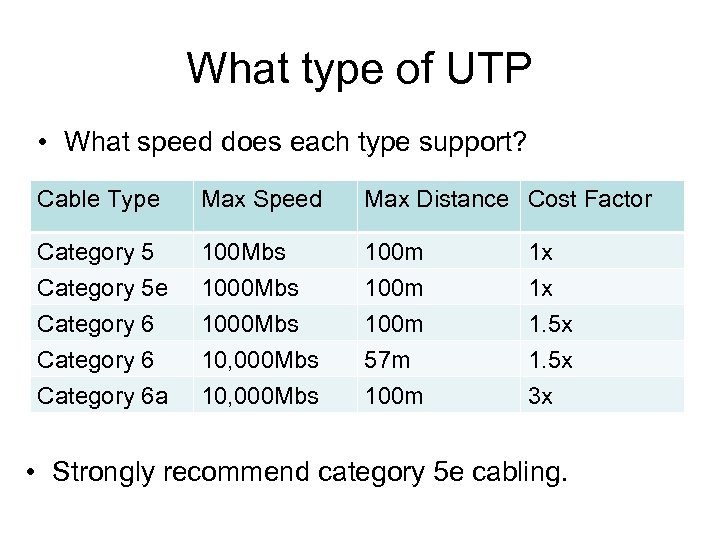
What type of UTP • What speed does each type support? Cable Type Max Speed Max Distance Cost Factor Category 5 e 100 Mbs 100 m 1 x 1 x Category 6 a 1000 Mbs 10, 000 Mbs 100 m 57 m 100 m 1. 5 x 3 x • Strongly recommend category 5 e cabling.
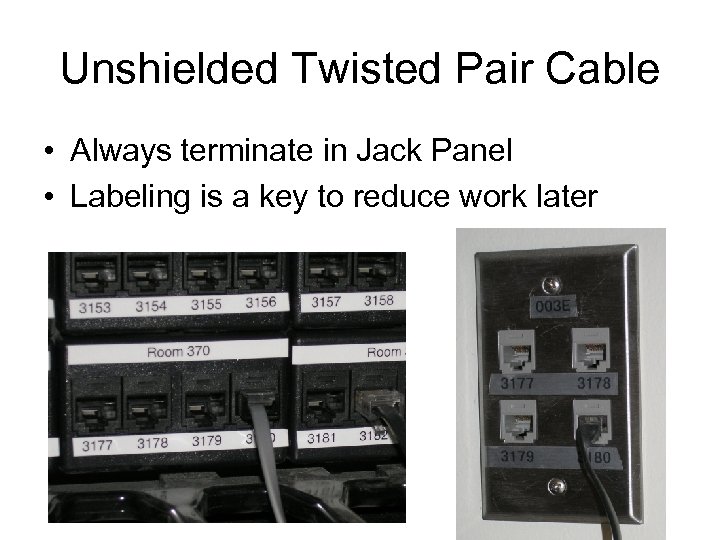
Unshielded Twisted Pair Cable • Always terminate in Jack Panel • Labeling is a key to reduce work later
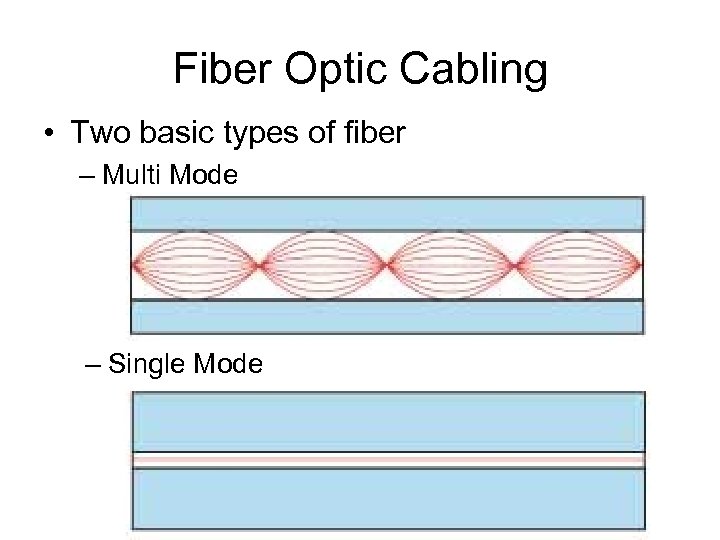
Fiber Optic Cabling • Two basic types of fiber – Multi Mode – Single Mode
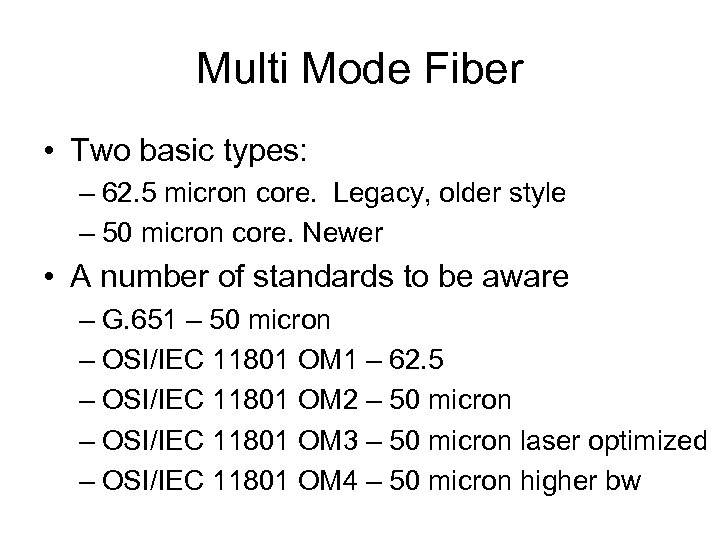
Multi Mode Fiber • Two basic types: – 62. 5 micron core. Legacy, older style – 50 micron core. Newer • A number of standards to be aware – G. 651 – 50 micron – OSI/IEC 11801 OM 1 – 62. 5 – OSI/IEC 11801 OM 2 – 50 micron – OSI/IEC 11801 OM 3 – 50 micron laser optimized – OSI/IEC 11801 OM 4 – 50 micron higher bw
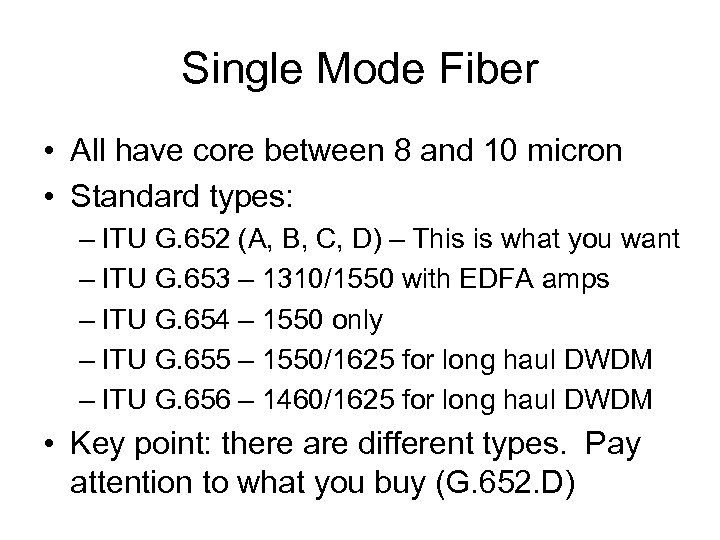
Single Mode Fiber • All have core between 8 and 10 micron • Standard types: – ITU G. 652 (A, B, C, D) – This is what you want – ITU G. 653 – 1310/1550 with EDFA amps – ITU G. 654 – 1550 only – ITU G. 655 – 1550/1625 for long haul DWDM – ITU G. 656 – 1460/1625 for long haul DWDM • Key point: there are different types. Pay attention to what you buy (G. 652. D)
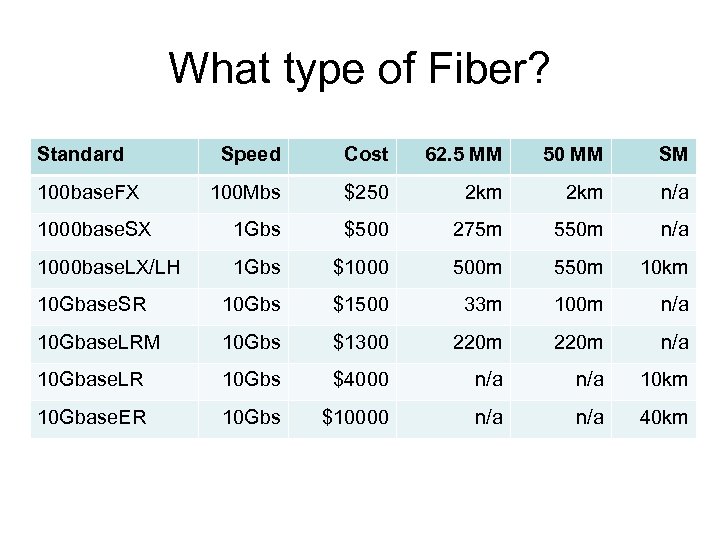
What type of Fiber? Standard Speed Cost 62. 5 MM 50 MM SM 100 Mbs $250 2 km n/a 1000 base. SX 1 Gbs $500 275 m 550 m n/a 1000 base. LX/LH 1 Gbs $1000 500 m 550 m 10 km 10 Gbase. SR 10 Gbs $1500 33 m 100 m n/a 10 Gbase. LRM 10 Gbs $1300 220 m n/a 10 Gbase. LR 10 Gbs $4000 n/a 10 km 10 Gbase. ER 10 Gbs $10000 n/a 40 km 100 base. FX
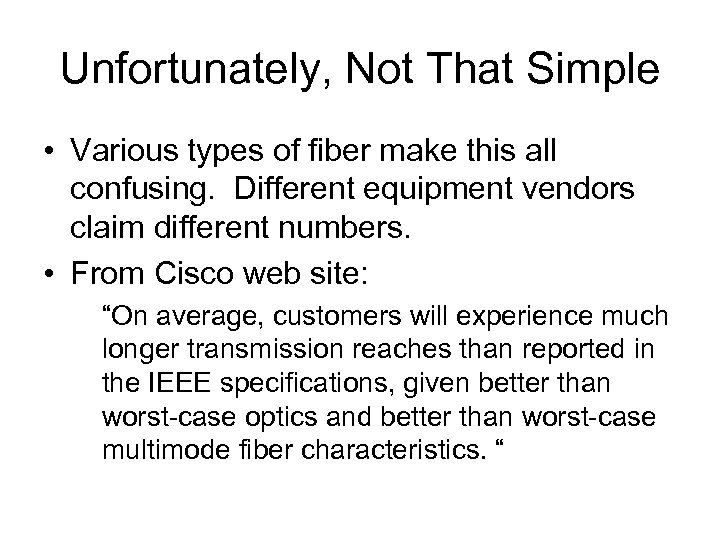
Unfortunately, Not That Simple • Various types of fiber make this all confusing. Different equipment vendors claim different numbers. • From Cisco web site: “On average, customers will experience much longer transmission reaches than reported in the IEEE specifications, given better than worst-case optics and better than worst-case multimode fiber characteristics. “
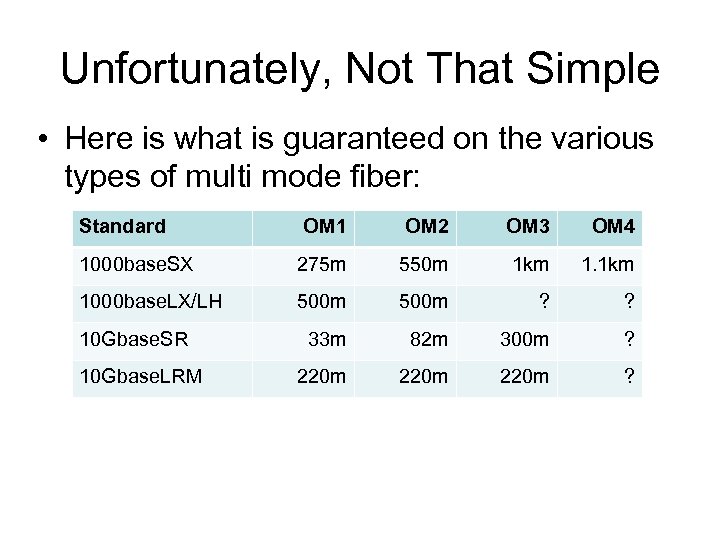
Unfortunately, Not That Simple • Here is what is guaranteed on the various types of multi mode fiber: Standard OM 1 OM 2 OM 3 OM 4 1000 base. SX 275 m 550 m 1 km 1000 base. LX/LH 500 m ? ? 33 m 82 m 300 m ? 220 m ? 10 Gbase. SR 10 Gbase. LRM
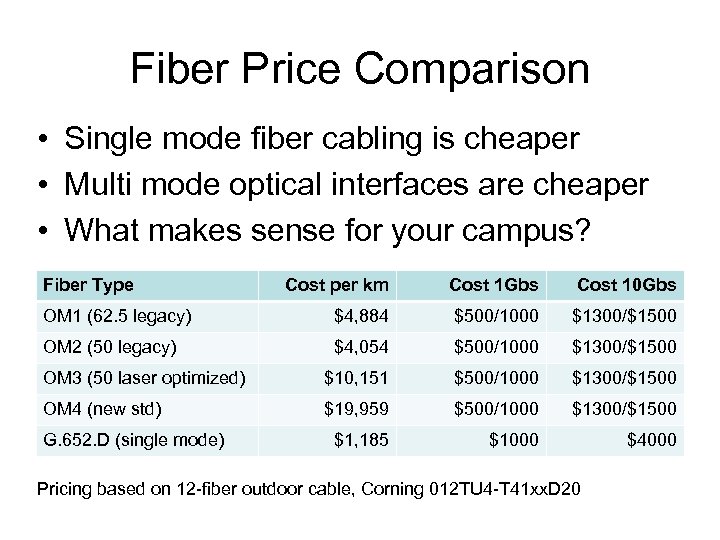
Fiber Price Comparison • Single mode fiber cabling is cheaper • Multi mode optical interfaces are cheaper • What makes sense for your campus? Fiber Type Cost per km Cost 1 Gbs Cost 10 Gbs OM 1 (62. 5 legacy) $4, 884 $500/1000 $1300/$1500 OM 2 (50 legacy) $4, 054 $500/1000 $1300/$1500 OM 3 (50 laser optimized) $10, 151 $500/1000 $1300/$1500 OM 4 (new std) $19, 959 $500/1000 $1300/$1500 $1, 185 $1000 $4000 G. 652. D (single mode) Pricing based on 12 -fiber outdoor cable, Corning 012 TU 4 -T 41 xx. D 20
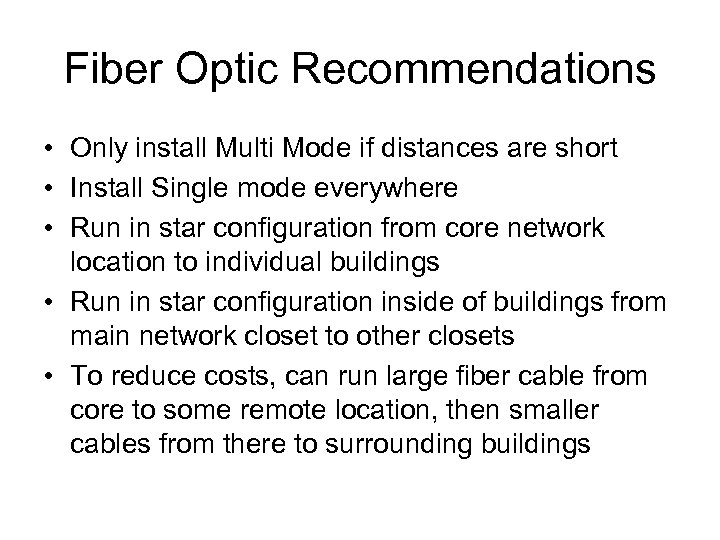
Fiber Optic Recommendations • Only install Multi Mode if distances are short • Install Single mode everywhere • Run in star configuration from core network location to individual buildings • Run in star configuration inside of buildings from main network closet to other closets • To reduce costs, can run large fiber cable from core to some remote location, then smaller cables from there to surrounding buildings
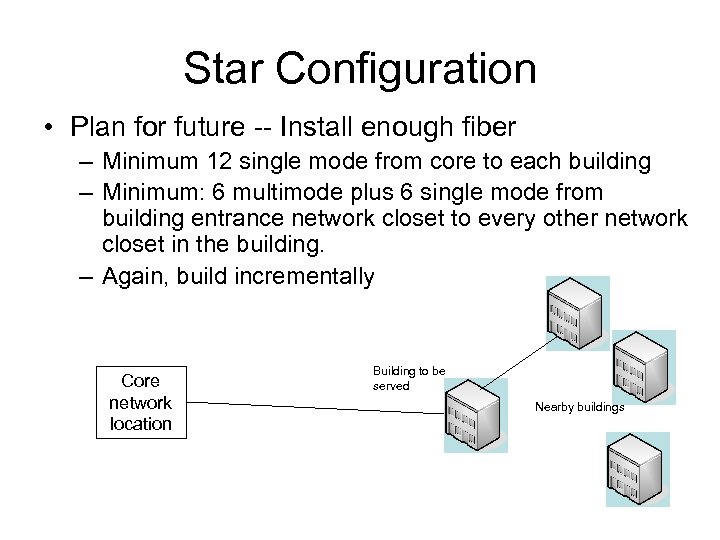
Star Configuration • Plan for future -- Install enough fiber – Minimum 12 single mode from core to each building – Minimum: 6 multimode plus 6 single mode from building entrance network closet to every other network closet in the building. – Again, build incrementally Core network location Building to be served Nearby buildings
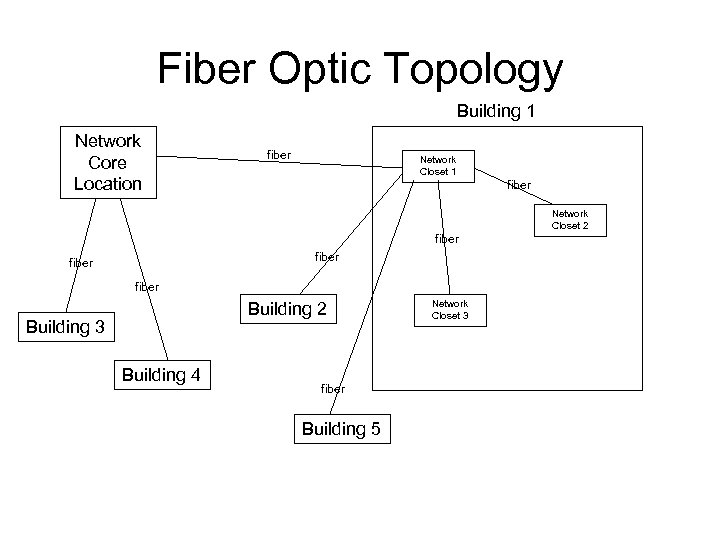
Fiber Optic Topology Building 1 Network Core Location fiber Network Closet 1 fiber Network Closet 2 fiber Building 2 Building 3 Building 4 fiber Building 5 Network Closet 3
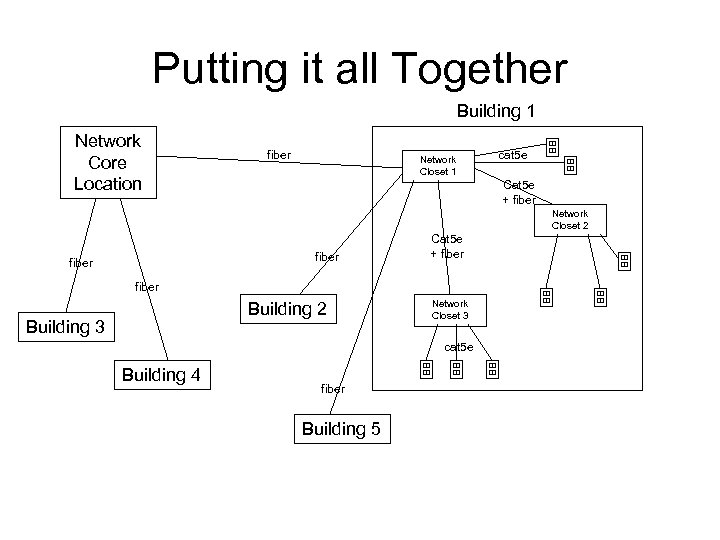
Putting it all Together Building 1 Network Core Location fiber Network Closet 1 cat 5 e Cat 5 e + fiber Network Closet 2 fiber Cat 5 e + fiber Building 2 Building 3 Network Closet 3 cat 5 e Building 4 fiber Building 5
Questions? This document is a result of work by the Network Startup Resource Center (NSRC at http: //www. nsrc. org). This document may be freely copied, modified, and otherwise re-used on the condition that any re-use acknowledge the NSRC as the original source.
Скачать презентацию Campus Network Best Practices Structured Cabling Dale Smith
636691d3ec653266a2df275c7a279ffa.ppt