


 Скачать презентацию Calculating and Interpreting Slope Implications for School Psychologists
82350fa031ed5863cec2d483c5c18f8d.ppt
- Количество слайдов: 100
 Calculating and Interpreting Slope: Implications for School Psychologists Caitlin S. Flinn, Ed. S. & Andrew E. Mc. Crea, M. S. , NCSP ASPP/PSU Conference October 8, 2009
 Translations… l ROI = Rate of Improvement, Slope l RTI = Response to Intervention l SLD = Specific Learning Disability l DD = Dually Discrepant
 Overview l l l Conceptualization Importance Definitions Functions Graphing in Excel l Individual Graphs Calculating ROI l l l Decision Making Grounding the Data Interpreting Growth l l Individual Student Groups Considerations
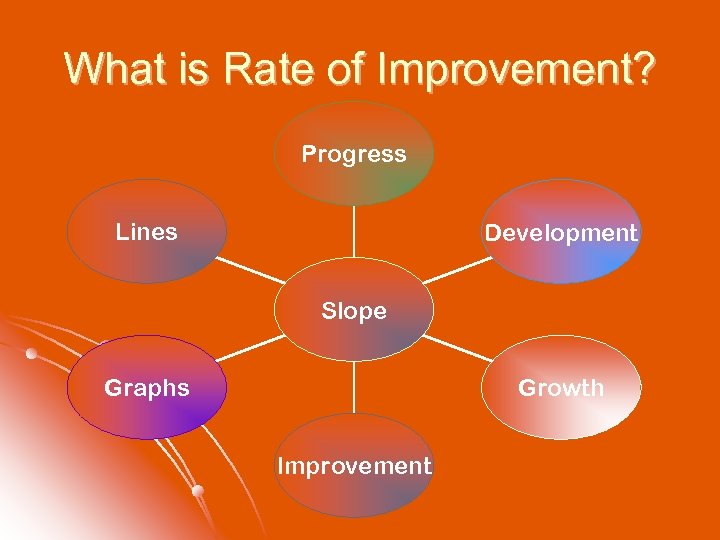 What is Rate of Improvement? Progress Lines Development Slope Graphs Growth Improvement
 Graphs in Education l Core instruction efficacy l l Data-driven instruction l l Batsche, Castillo, Dixon, & Forde, 2008 Setting goals l l Colvin, Sugai, Good, & Young-Yon, 1997 Intervention effectiveness l l NCLB, 2001; IDEA, 2004 Incremental skill growth l l Batsche, et al. , 2005 Shapiro, 2008 Progress monitoring l Wright, 2008; Fuchs & Fuchs, 1997
 Graphs in Education l Assessing level and rate l l Self monitoring l l Sulzer-Asaroff & Mayer, 1991 Treatment integrity l l Shinn, 2008 Professional accountability l l Fuchs et al. , 2006 IEP goals l l Batsche, Castillo, Dixon, & Forde, 2008 Mortenson & Witt, 1998 Teacher performance feedback l Noell et al. , 2005
 Why do we like graphs so much? l l l Seeing is believing! A picture is worth a thousand words! People remember l l l Speeches that included visuals, especially in color, improved immediate recall by 8. 5% and delayed recall (3 days) by 10. 1% (Vogel, Dickson, & Lehman, 1990) Visual aids are more effective for communicating large amounts of information quickly Transcend language barriers (Karwowski, 2006)
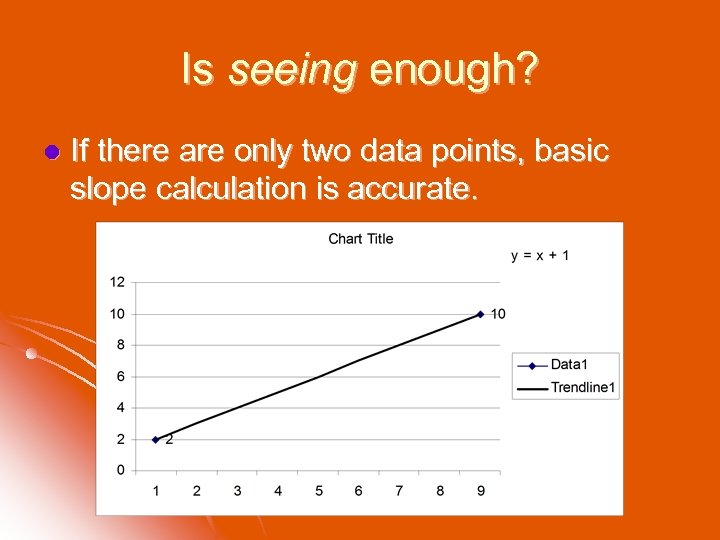 Is seeing enough? l If there are only two data points, basic slope calculation is accurate.
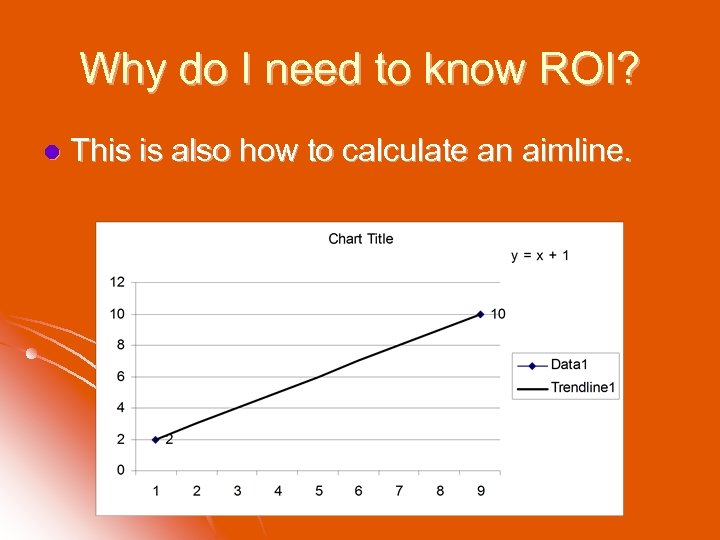 Why do I need to know ROI? l This is also how to calculate an aimline.
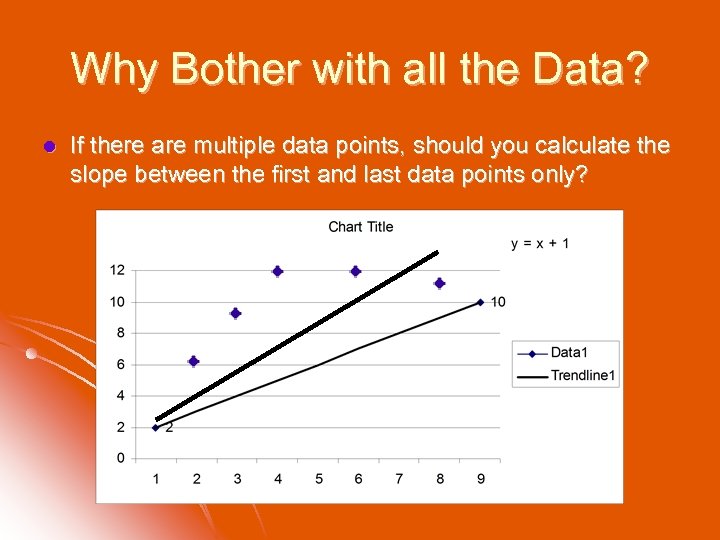 Why Bother with all the Data? l If there are multiple data points, should you calculate the slope between the first and last data points only?
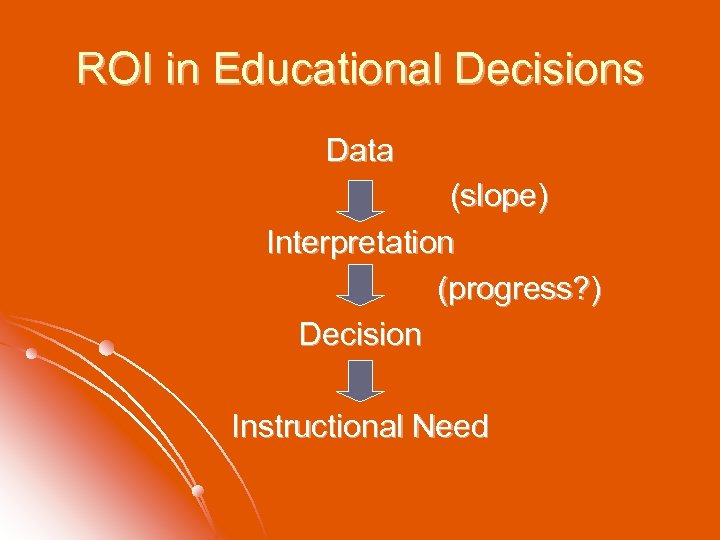 ROI in Educational Decisions Data (slope) Interpretation (progress? ) Decision Instructional Need
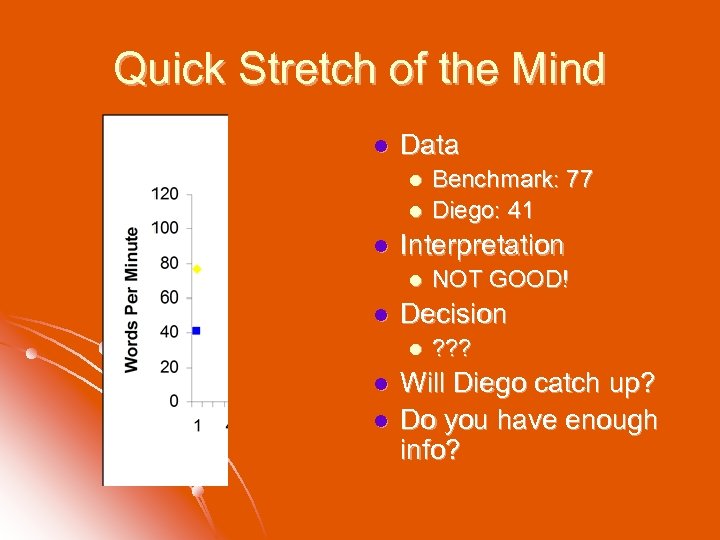 Quick Stretch of the Mind l Data l l l Interpretation l l l NOT GOOD! Decision l l Benchmark: 77 Diego: 41 ? ? ? Will Diego catch up? Do you have enough info?
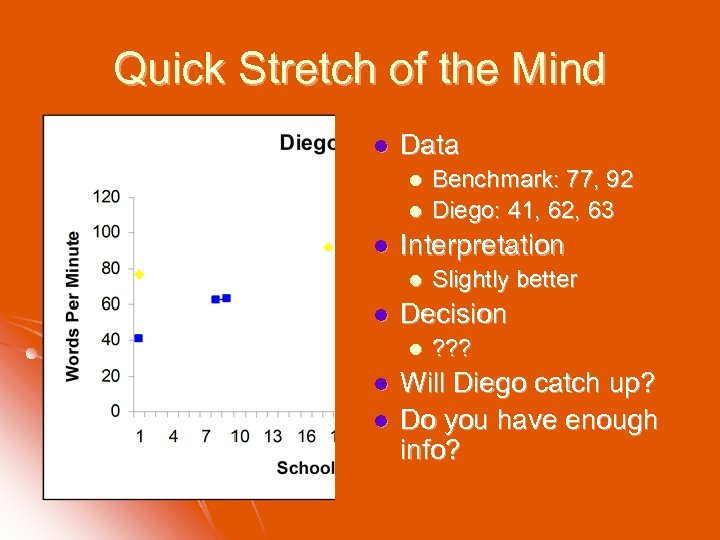 Quick Stretch of the Mind l Data l l l Interpretation l l l Slightly better Decision l l Benchmark: 77, 92 Diego: 41, 62, 63 ? ? ? Will Diego catch up? Do you have enough info?
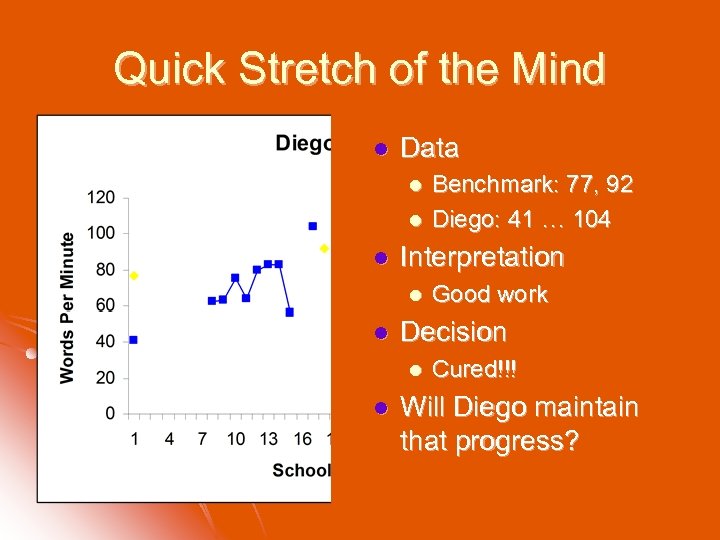 Quick Stretch of the Mind l Data l l l Interpretation l l Good work Decision l l Benchmark: 77, 92 Diego: 41 … 104 Cured!!! Will Diego maintain that progress?
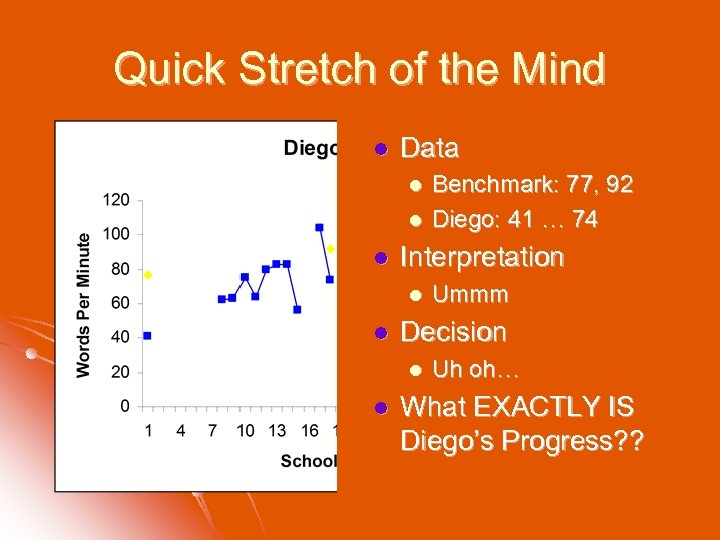 Quick Stretch of the Mind l Data l l l Interpretation l l Ummm Decision l l Benchmark: 77, 92 Diego: 41 … 74 Uh oh… What EXACTLY IS Diego’s Progress? ?
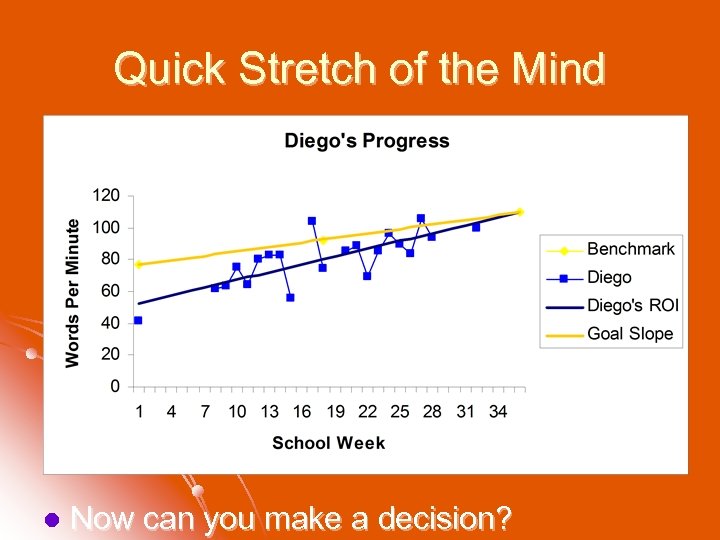 Quick Stretch of the Mind l Now can you make a decision?
 Rationale for Importance of ROI Shift from discrepancy to Rt. I for SLD eligibility determination l Use of ROI to determine lack of Rt. I l Questions to be Empirically Answered l l What parameters of ROI indicate lack of Rt. I? l How does ROI present between SLD and non. SLD? l What are reasonable goals using ROI?
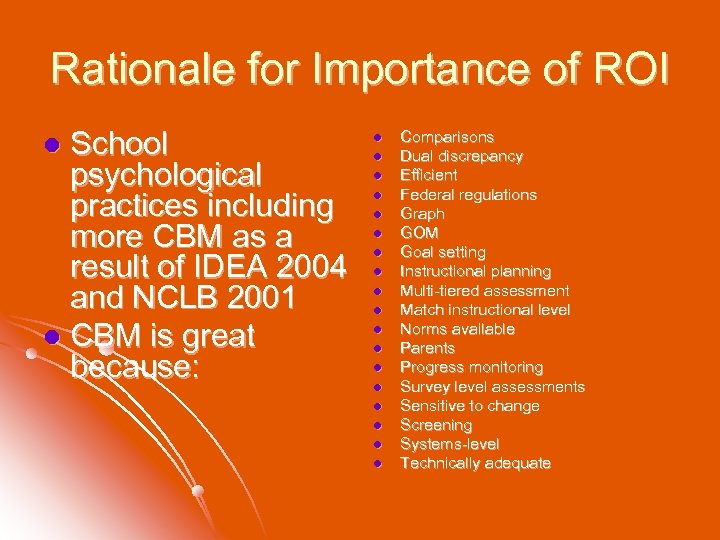 Rationale for Importance of ROI School psychological practices including more CBM as a result of IDEA 2004 and NCLB 2001 l CBM is great because: l l l l l Comparisons Dual discrepancy Efficient Federal regulations Graph GOM Goal setting Instructional planning Multi-tiered assessment Match instructional level Norms available Parents Progress monitoring Survey level assessments Sensitive to change Screening Systems-level Technically adequate
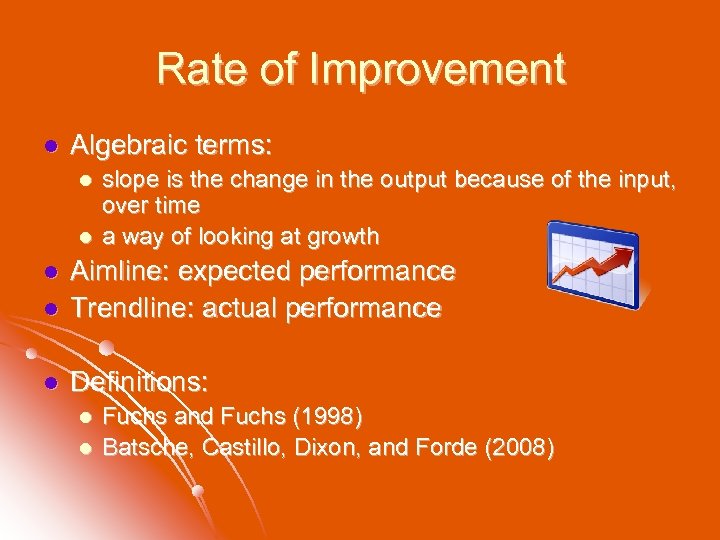 Rate of Improvement l Algebraic terms: l l slope is the change in the output because of the input, over time a way of looking at growth l Aimline: expected performance Trendline: actual performance l Definitions: l l l Fuchs and Fuchs (1998) Batsche, Castillo, Dixon, and Forde (2008)
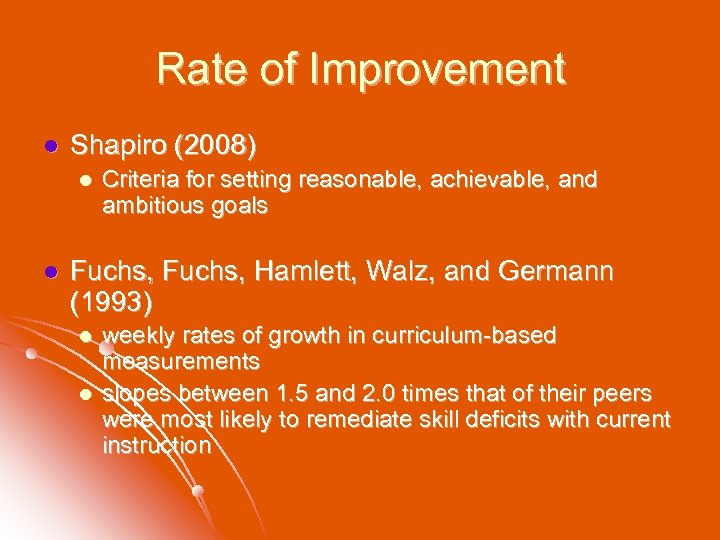 Rate of Improvement l Shapiro (2008) l l Criteria for setting reasonable, achievable, and ambitious goals Fuchs, Hamlett, Walz, and Germann (1993) l l weekly rates of growth in curriculum-based measurements slopes between 1. 5 and 2. 0 times that of their peers were most likely to remediate skill deficits with current instruction
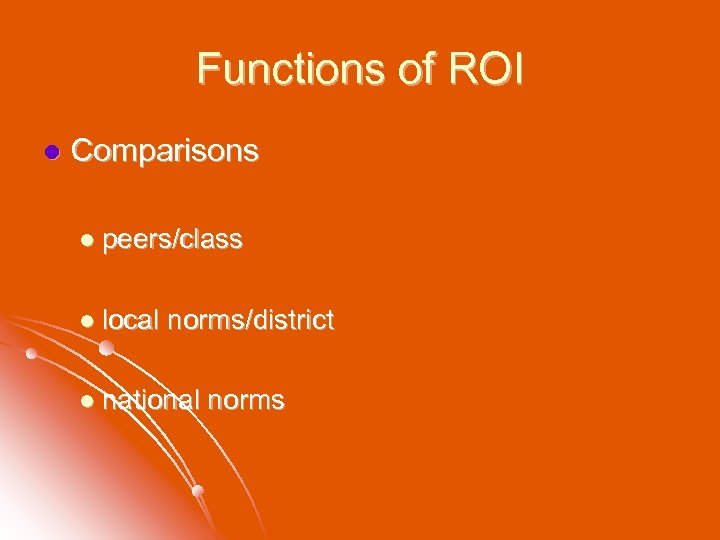 Functions of ROI l Comparisons l peers/class l local norms/district l national norms
 Functions of ROI l A decision tool l Shinn’s estimate for decision-making in RTI trainings in Pennsylvania (Kovaleski, 2008) l Slope of 2. 0 x or greater (than expected slope, to close the gap)
 Rate of Improvement and RTI l Fuchs and Fuchs (1998) l hallmark components of RTI l ongoing formative assessment l identifying non-responsive students l treatment fidelity of core / supplemental instruction l “dual discrepancy” l a student performing at or greater than one standard deviation from typically performing peers in l (a) level (i. e. , grade) and l (b) rate (slope)
 Eligibility and ROI l School psychologists l Adopt use of additional information (CBM!) l “Snapshot” data l Good l Data day, bad day data Versus continuously collected over time l Data that accounts for good days and bad days! l Eyeball the graph vs. decision guidelines
 Determining SLD in an RTI Model l Gresham, 2001 l RTI is viable alternative for identifying learning disabilities l Stuebing, Fletcher, Le. Doux, Lyon, Shaywitz, & Shaywitz, 2002 l Poor reliability and validity of discrepancy model
 Determining SLD in an RTI Model l Gresham, 2001 l 3 models of RTI l predictor-criterion l dual discrepancy l applied behavior analytic
 Determining SLD in an RTI Model l Gresham, 2001 l All three models involved: l multiple tiers of intervention l progress monitoring l effective instructional strategies l support for applying the RTI model to identifying students for learning disabilities
 Eligibility and ROI l Deno, Fuchs, Marston, and Shin, 2001 l slopes of children identified as frequently nonresponsive to robust interventions approximated the slopes of children already identified as having a specific learning disability l supportive evidence for dual-discrepancy model
 Summary of ROI Research Through an RTI model, students receive instruction based on data. Rate of improvement, or slope, has surfaced in the literature as an indicator for making instructional decisions. Although research is expanding in terms of reliability and validity for both RTI and ROI, extant studies allude to strong utility for educational planning.
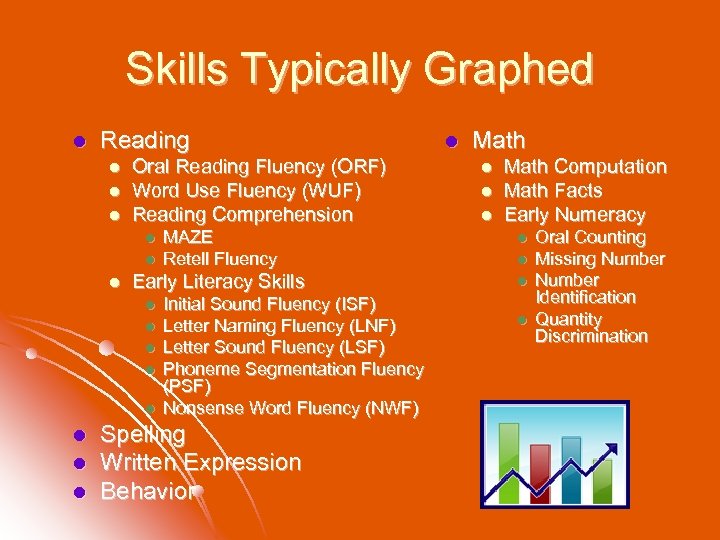 Skills Typically Graphed l Reading l l l Oral Reading Fluency (ORF) Word Use Fluency (WUF) Reading Comprehension l l l l Math Computation Math Facts Early Numeracy Early Literacy Skills l l l Math MAZE Retell Fluency l l l Initial Sound Fluency (ISF) Letter Naming Fluency (LNF) Letter Sound Fluency (LSF) Phoneme Segmentation Fluency (PSF) Nonsense Word Fluency (NWF) Spelling Written Expression Behavior l l Oral Counting Missing Number Identification Quantity Discrimination
 Get out your laptops! Open Microsoft Excel I love ROI
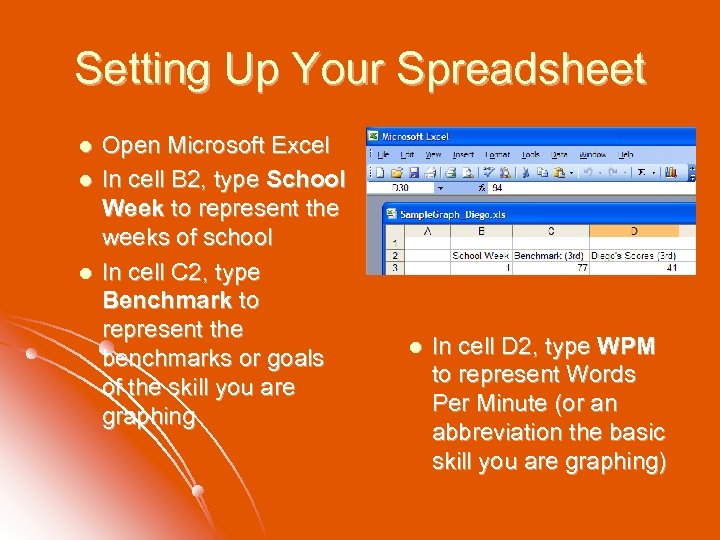 Setting Up Your Spreadsheet l l l Open Microsoft Excel In cell B 2, type School Week to represent the weeks of school In cell C 2, type Benchmark to represent the benchmarks or goals of the skill you are graphing l In cell D 2, type WPM to represent Words Per Minute (or an abbreviation the basic skill you are graphing)
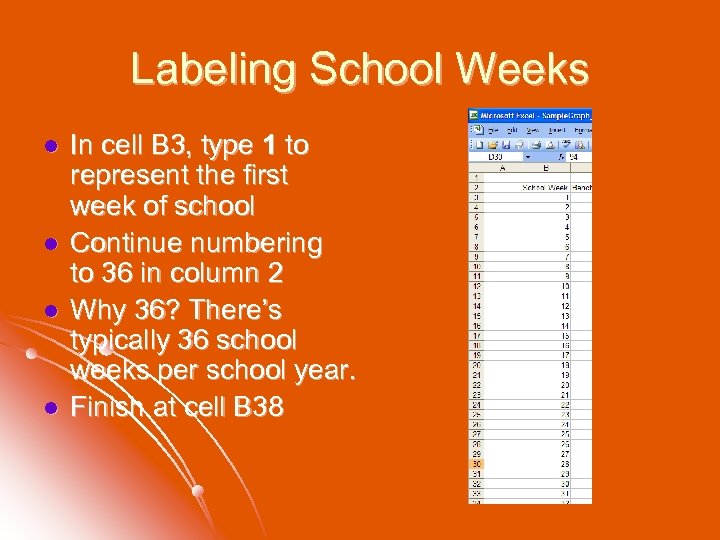 Labeling School Weeks l l In cell B 3, type 1 to represent the first week of school Continue numbering to 36 in column 2 Why 36? There’s typically 36 school weeks per school year. Finish at cell B 38
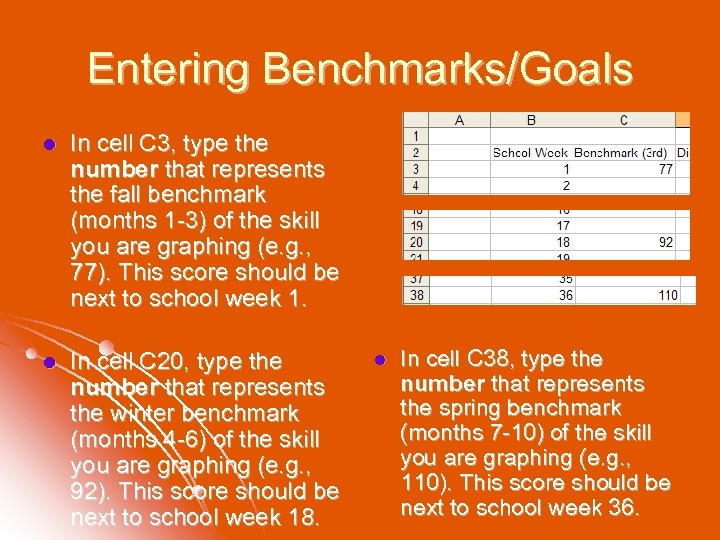 Entering Benchmarks/Goals l In cell C 3, type the number that represents the fall benchmark (months 1 -3) of the skill you are graphing (e. g. , 77). This score should be next to school week 1. l In cell C 20, type the number that represents the winter benchmark (months 4 -6) of the skill you are graphing (e. g. , 92). This score should be next to school week 18. l In cell C 38, type the number that represents the spring benchmark (months 7 -10) of the skill you are graphing (e. g. , 110). This score should be next to school week 36.
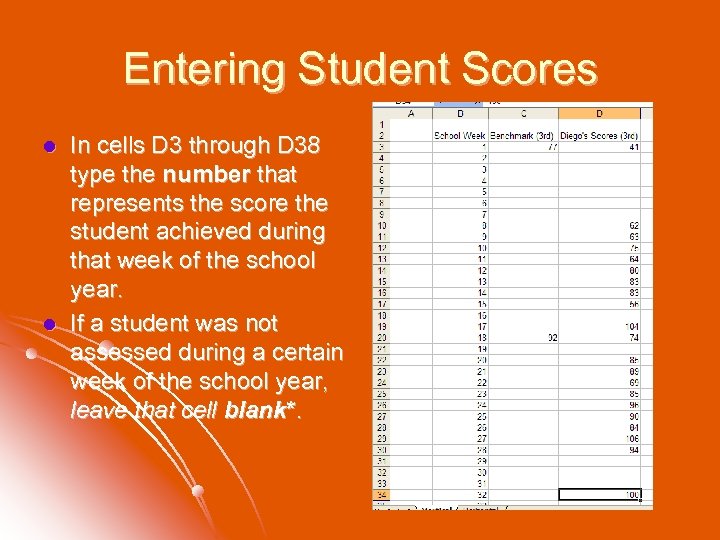 Entering Student Scores l l In cells D 3 through D 38 type the number that represents the score the student achieved during that week of the school year. If a student was not assessed during a certain week of the school year, leave that cell blank*.
 Entering Student Scores l *Do NOT enter zero (0) or a score of zero will be calculated into the trend line and interpreted as the student having read zero words correct per minute that week.
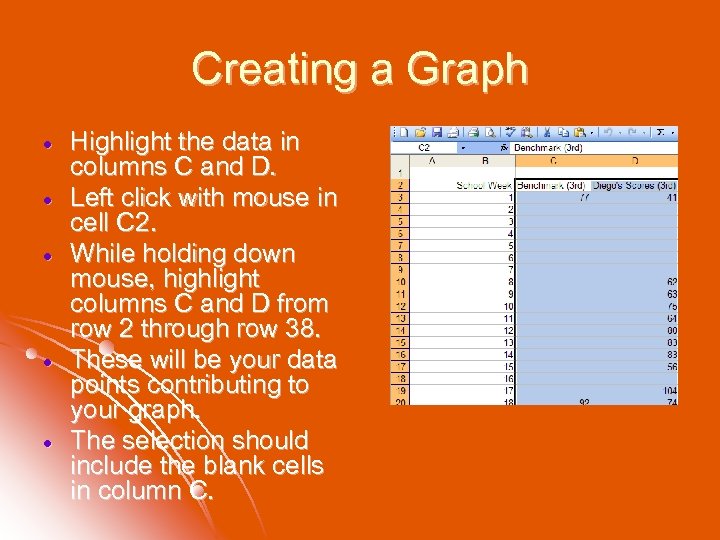 Creating a Graph Highlight the data in columns C and D. Left click with mouse in cell C 2. While holding down mouse, highlight columns C and D from row 2 through row 38. These will be your data points contributing to your graph. The selection should include the blank cells in column C.
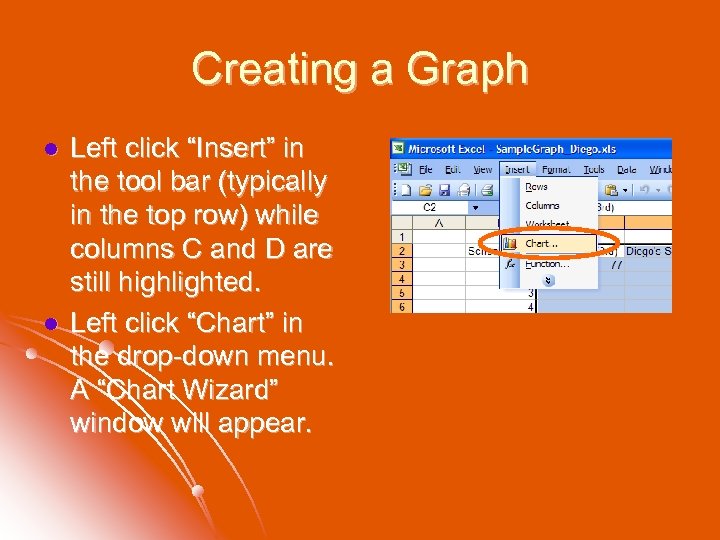 Creating a Graph l l Left click “Insert” in the tool bar (typically in the top row) while columns C and D are still highlighted. Left click “Chart” in the drop-down menu. A “Chart Wizard” window will appear.
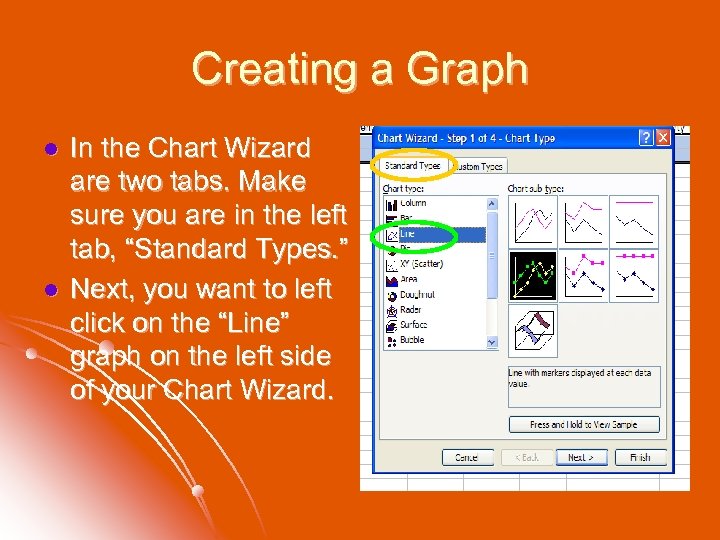 Creating a Graph l l In the Chart Wizard are two tabs. Make sure you are in the left tab, “Standard Types. ” Next, you want to left click on the “Line” graph on the left side of your Chart Wizard.
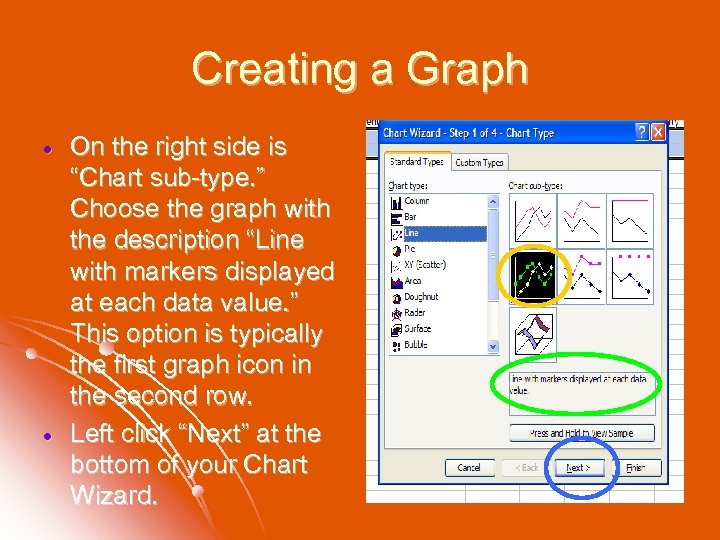 Creating a Graph On the right side is “Chart sub-type. ” Choose the graph with the description “Line with markers displayed at each data value. ” This option is typically the first graph icon in the second row. Left click “Next” at the bottom of your Chart Wizard.
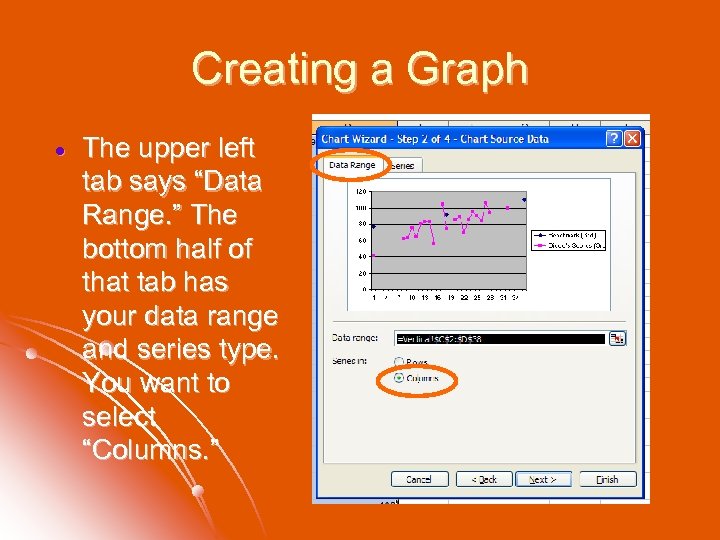 Creating a Graph The upper left tab says “Data Range. ” The bottom half of that tab has your data range and series type. You want to select “Columns. ”
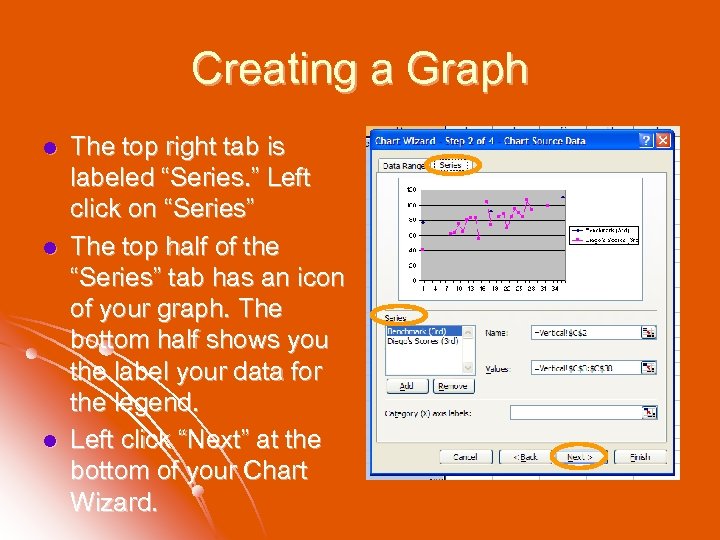 Creating a Graph l l l The top right tab is labeled “Series. ” Left click on “Series” The top half of the “Series” tab has an icon of your graph. The bottom half shows you the label your data for the legend. Left click “Next” at the bottom of your Chart Wizard.
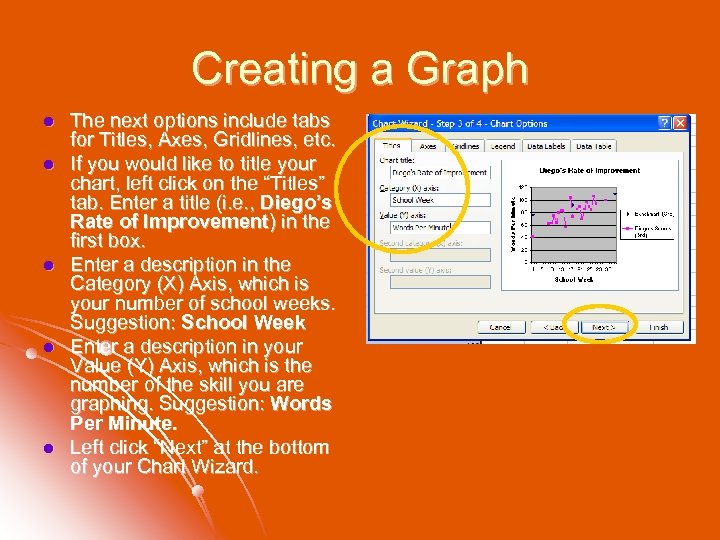 Creating a Graph l l l The next options include tabs for Titles, Axes, Gridlines, etc. If you would like to title your chart, left click on the “Titles” tab. Enter a title (i. e. , Diego’s Rate of Improvement) in the first box. Enter a description in the Category (X) Axis, which is your number of school weeks. Suggestion: School Week Enter a description in your Value (Y) Axis, which is the number of the skill you are graphing. Suggestion: Words Per Minute. Left click “Next” at the bottom of your Chart Wizard.
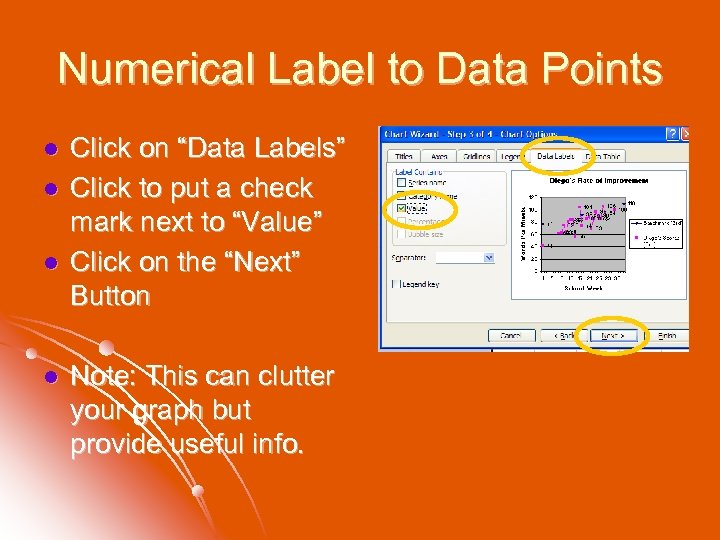 Numerical Label to Data Points l l Click on “Data Labels” Click to put a check mark next to “Value” Click on the “Next” Button Note: This can clutter your graph but provide useful info.
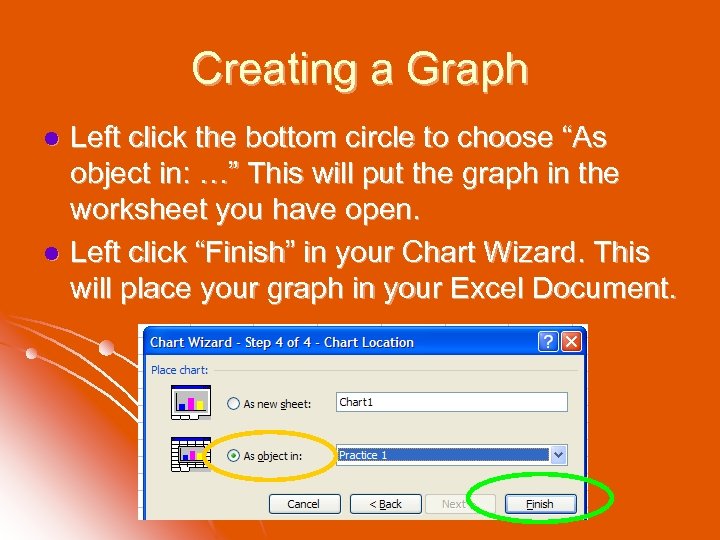 Creating a Graph Left click the bottom circle to choose “As object in: …” This will put the graph in the worksheet you have open. l Left click “Finish” in your Chart Wizard. This will place your graph in your Excel Document. l
 - OR -
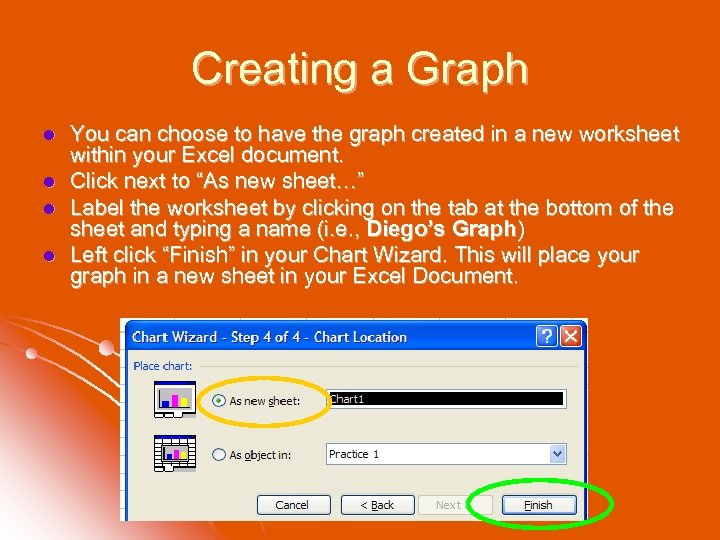 Creating a Graph l l You can choose to have the graph created in a new worksheet within your Excel document. Click next to “As new sheet…” Label the worksheet by clicking on the tab at the bottom of the sheet and typing a name (i. e. , Diego’s Graph) Left click “Finish” in your Chart Wizard. This will place your graph in a new sheet in your Excel Document.
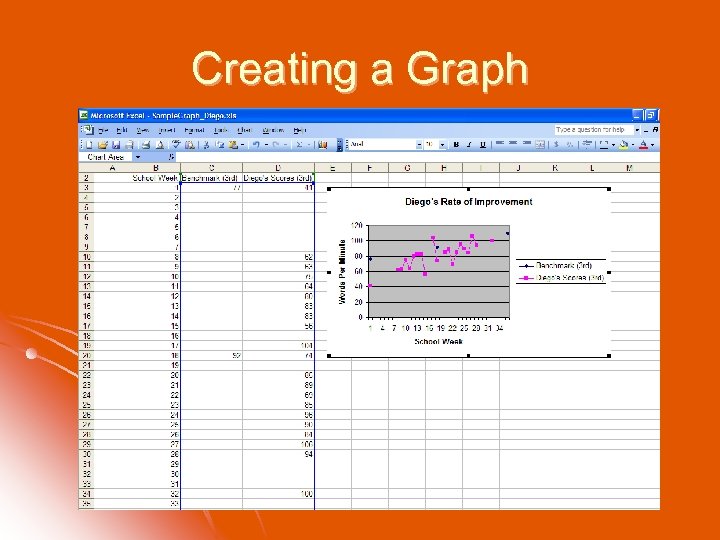 Creating a Graph
 Resizing the Graph l You may resize the graph by clicking in any white space within your graph which will bring up squares at the corners of your graph. l You can put your mouse over these squares and drag the graph to a size you prefer. l Keep in mind that a large graph may not print easily.
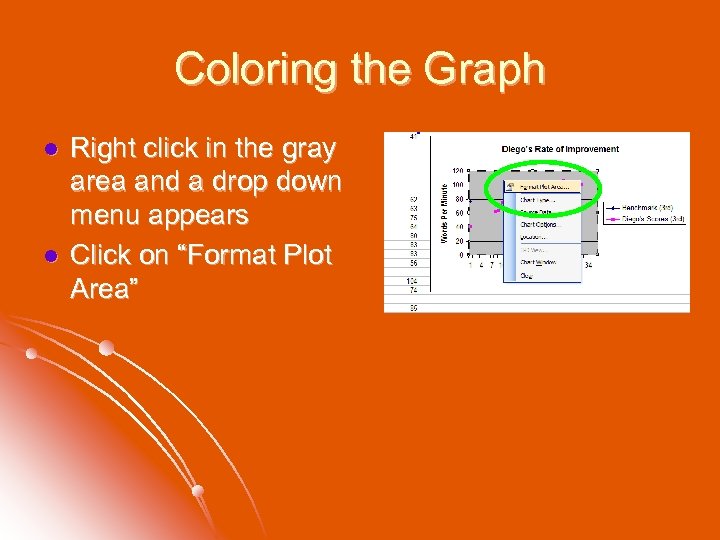 Coloring the Graph l l Right click in the gray area and a drop down menu appears Click on “Format Plot Area”
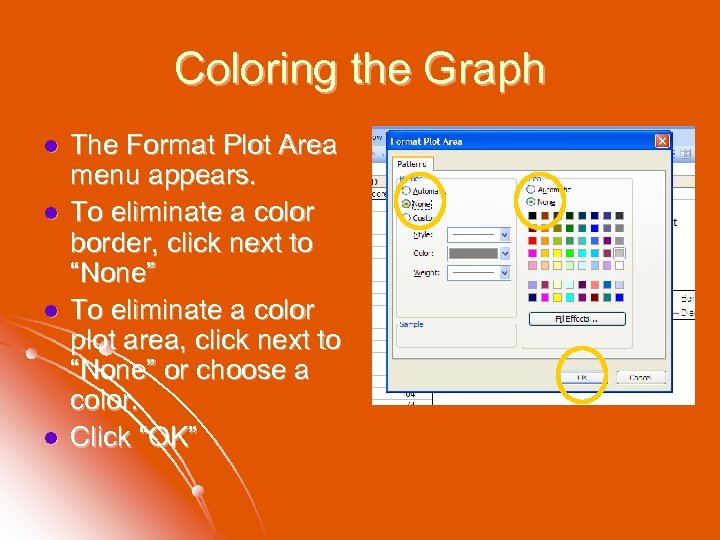 Coloring the Graph l l The Format Plot Area menu appears. To eliminate a color border, click next to “None” To eliminate a color plot area, click next to “None” or choose a color. Click “OK”
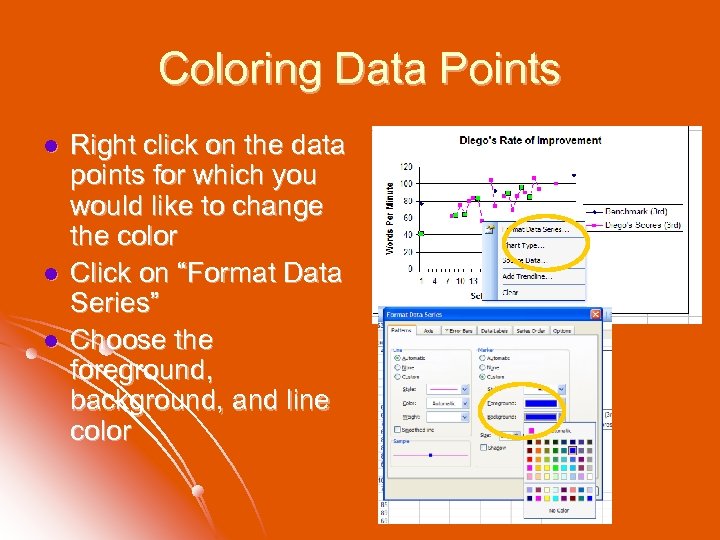 Coloring Data Points l l l Right click on the data points for which you would like to change the color Click on “Format Data Series” Choose the foreground, background, and line color
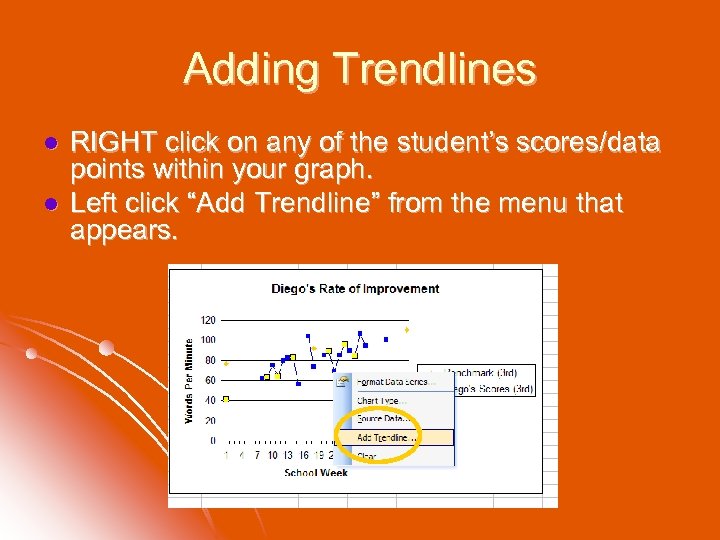 Adding Trendlines l l RIGHT click on any of the student’s scores/data points within your graph. Left click “Add Trendline” from the menu that appears.
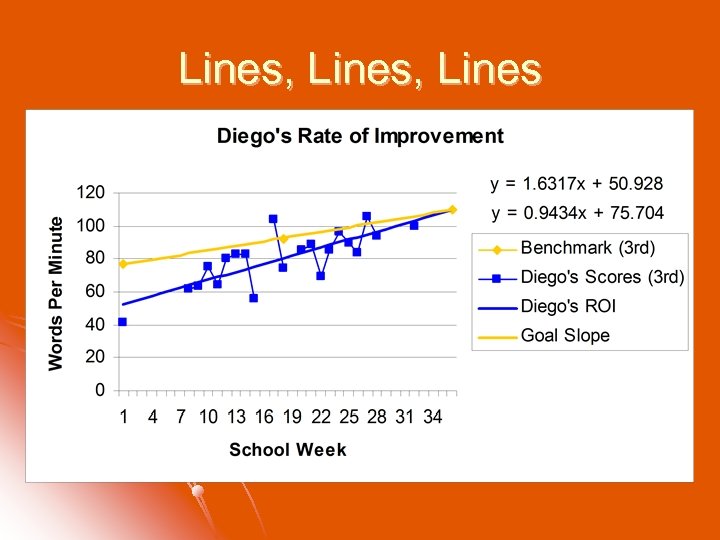
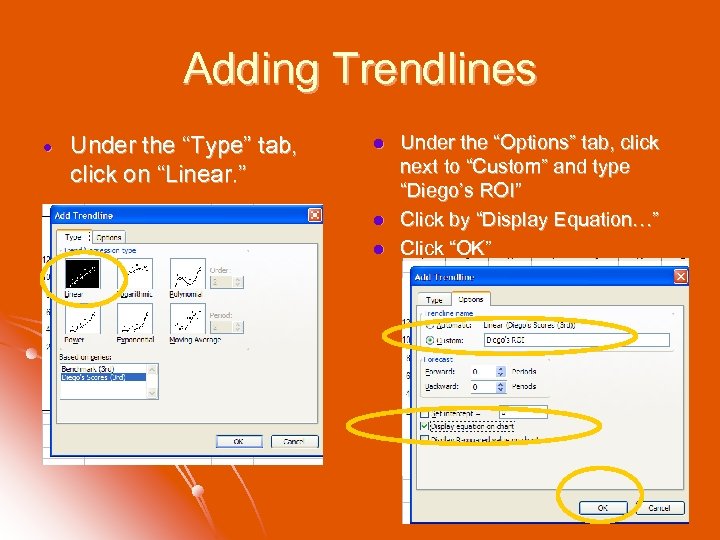 Adding Trendlines Under the “Type” tab, click on “Linear. ” l l l Under the “Options” tab, click next to “Custom” and type “Diego’s ROI” Click by “Display Equation…” Click “OK”
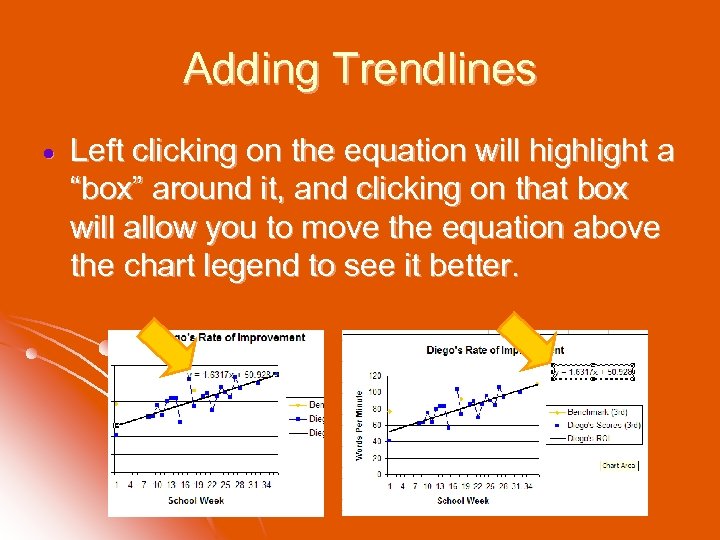 Adding Trendlines Left clicking on the equation will highlight a “box” around it, and clicking on that box will allow you to move the equation above the chart legend to see it better.
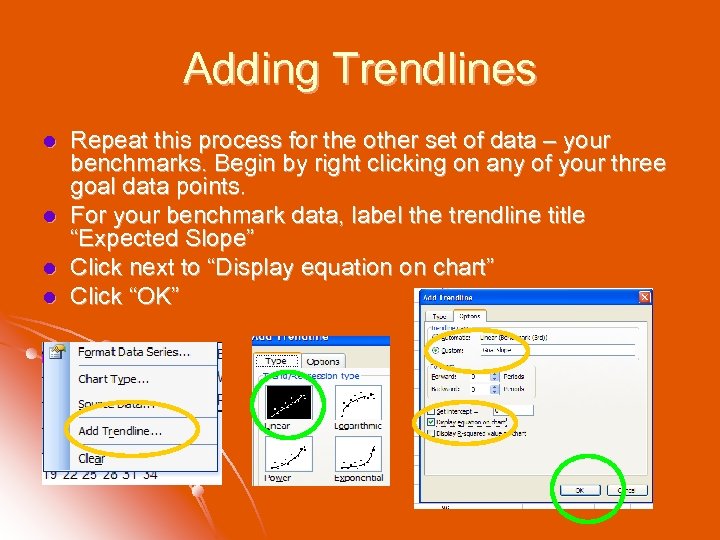 Adding Trendlines l l Repeat this process for the other set of data – your benchmarks. Begin by right clicking on any of your three goal data points. For your benchmark data, label the trendline title “Expected Slope” Click next to “Display equation on chart” Click “OK”
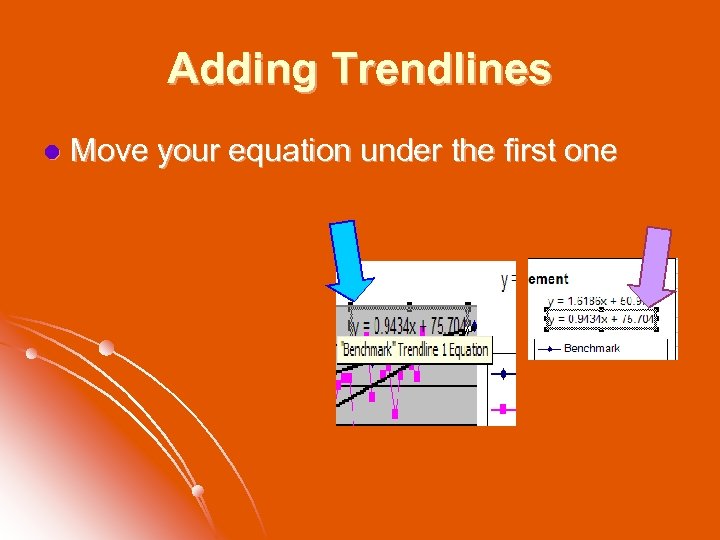 Adding Trendlines l Move your equation under the first one
 Lines, Lines
 Cautions in Interpreting Slope (my disclaimer!) l l The graph depicts the actual scores as data points on the graph. You can change the size of the font for the numeric values by right clicking on any of them and choosing a smaller font size. This may reduce some of the clutter on your graph. The rate of improvement, or trendline, is calculated using a linear regression, a simple equation of least squares. This line takes into account each score entered to portray an average rate of improvement across school weeks. The equation indicates the slope, or rate of improvement. The number, or coefficient, before "x" is the average improvement, which in this case is the average number of words per minute per week gained by the student.
 Cautions in Interpreting Slope (my disclaimer continued!) l l The slope can change depending on which week (where) you put the benchmark scores on your chart. Enter benchmark scores based on when your school administers their benchmark assessments for the most accurate depiction of expected student progress. To additional progress monitoring/benchmark scores once you’ve already created a graph, enter additional scores in Column D in the corresponding school week. Remember to leave cells blank for the weeks that no score was obtained. The graph will incorporate that score into the set of data points and into the trendline.
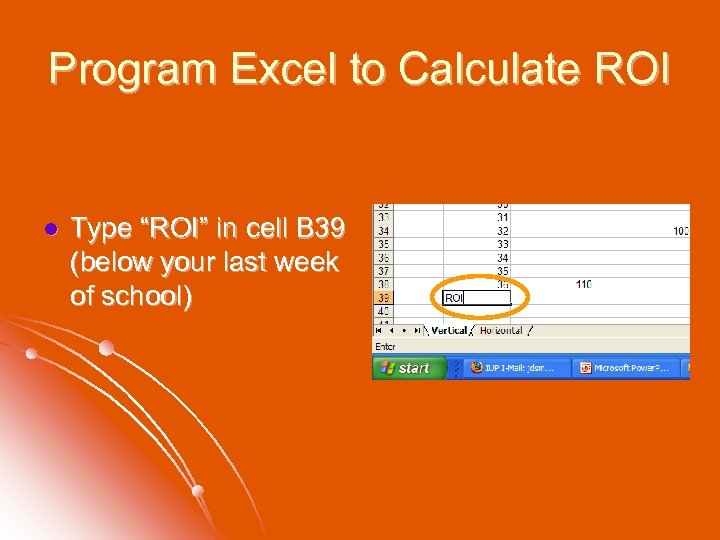 Program Excel to Calculate ROI l Type “ROI” in cell B 39 (below your last week of school)
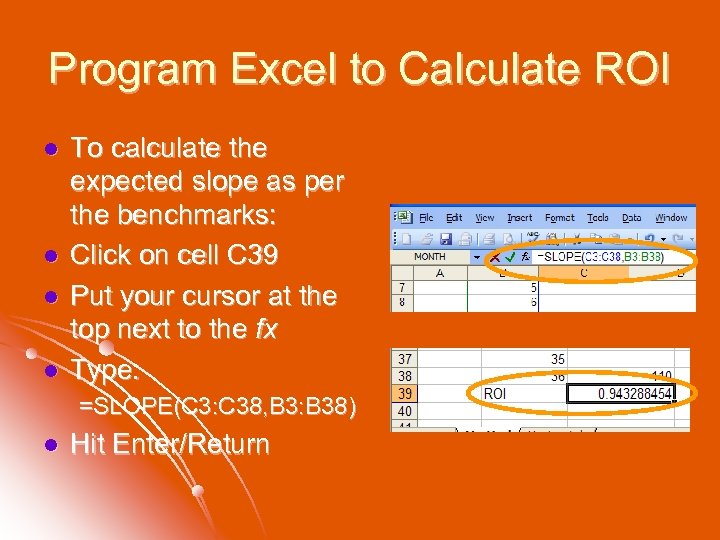 Program Excel to Calculate ROI l l To calculate the expected slope as per the benchmarks: Click on cell C 39 Put your cursor at the top next to the fx Type: =SLOPE(C 3: C 38, B 3: B 38) l Hit Enter/Return
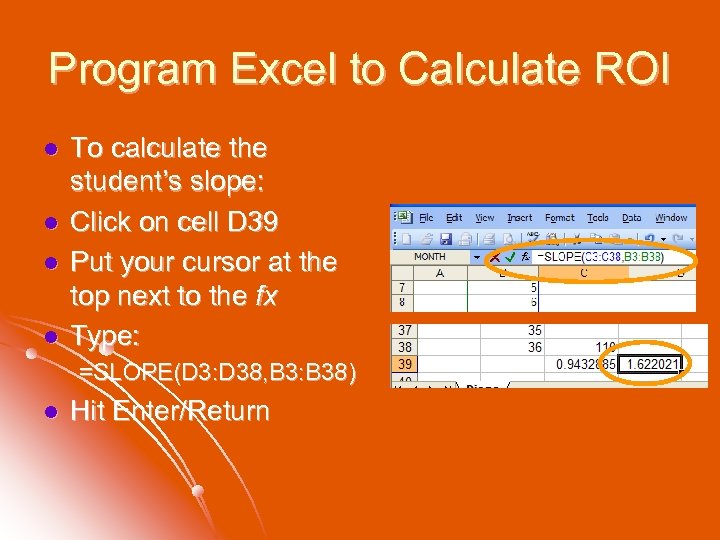 Program Excel to Calculate ROI l l To calculate the student’s slope: Click on cell D 39 Put your cursor at the top next to the fx Type: =SLOPE(D 3: D 38, B 3: B 38) l Hit Enter/Return
 ROI as a Decision Tool within a Problem-Solving Model
 Steps 1. 2. 3. 4. Gather the data Ground the data Interpret the data Figure out how to fit Best Practice into Public Education
 Step 1: Gather Data Universal Screening Progress Monitoring
 Common Screenings in PA DIBELS l AIMSweb l MBSP l 4 Sight l PSSA l
 Validated Progress Monitoring Tools DIBELS l AIMSweb l MBSP l l www. studentprogress. org
 Step 2: Ground the Data To what will we compare our student growth data?
 Multiple Ways to Look at Growth Needed Growth l Expected Growth & Percent of Expected Growth l Fuchs et. al. (1993) Table of Realistic and Ambitious Growth l Growth Toward Individual Goal* l *Best Practices in Setting Progress Monitoring Goals for Academic Skill Improvement (Shapiro, 2008)
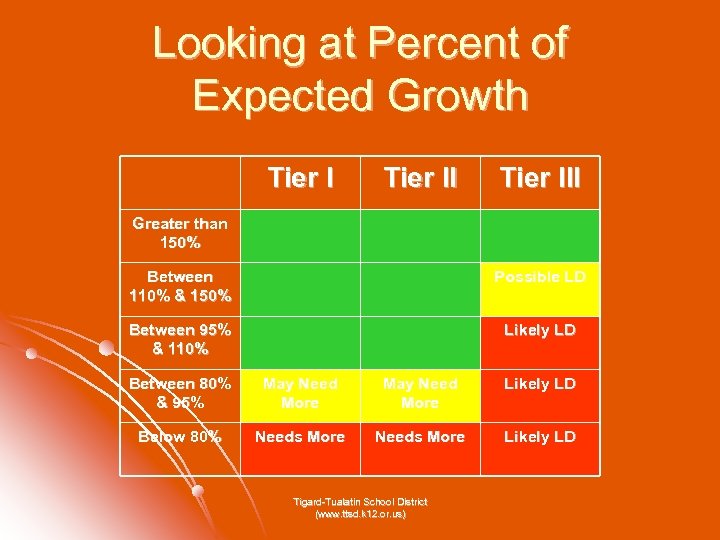 Looking at Percent of Expected Growth Tier III Greater than 150% Between 110% & 150% Possible LD Between 95% & 110% Likely LD Between 80% & 95% May Need More Likely LD Below 80% Needs More Likely LD Tigard-Tualatin School District (www. ttsd. k 12. or. us)
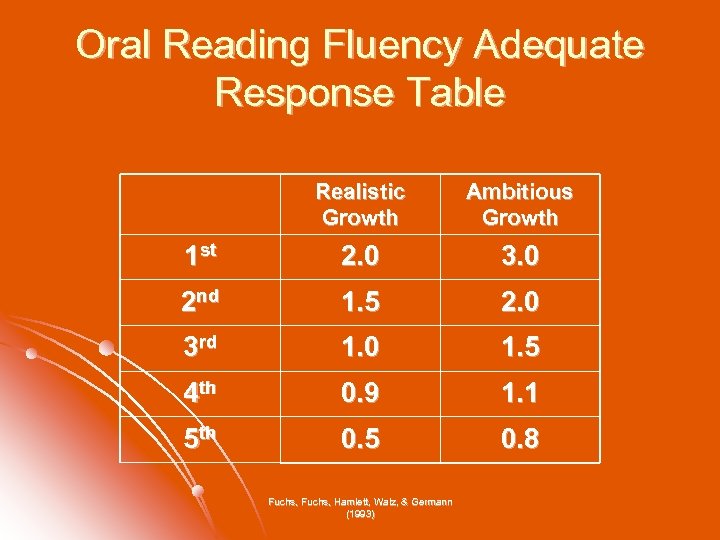 Oral Reading Fluency Adequate Response Table Realistic Growth Ambitious Growth 1 st 2. 0 3. 0 2 nd 1. 5 2. 0 3 rd 1. 0 1. 5 4 th 0. 9 1. 1 5 th 0. 5 0. 8 Fuchs, Hamlett, Walz, & Germann (1993)
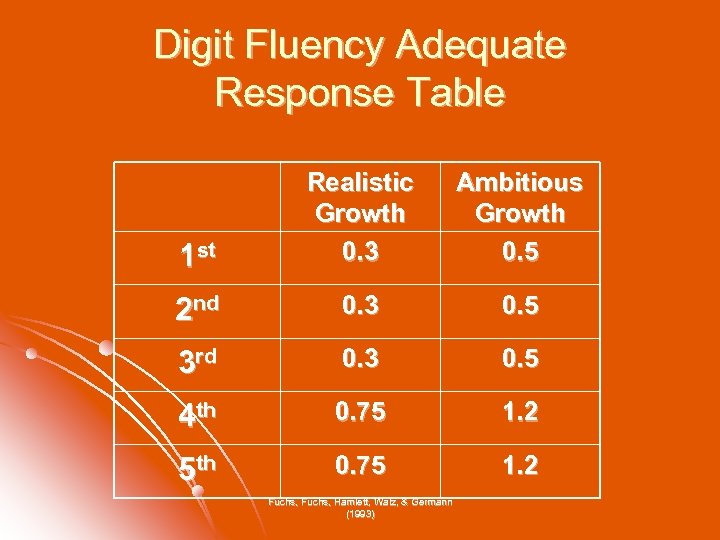 Digit Fluency Adequate Response Table 1 st Realistic Growth 0. 3 Ambitious Growth 0. 5 2 nd 0. 3 0. 5 3 rd 0. 3 0. 5 4 th 0. 75 1. 2 5 th 0. 75 1. 2 Fuchs, Hamlett, Walz, & Germann (1993)
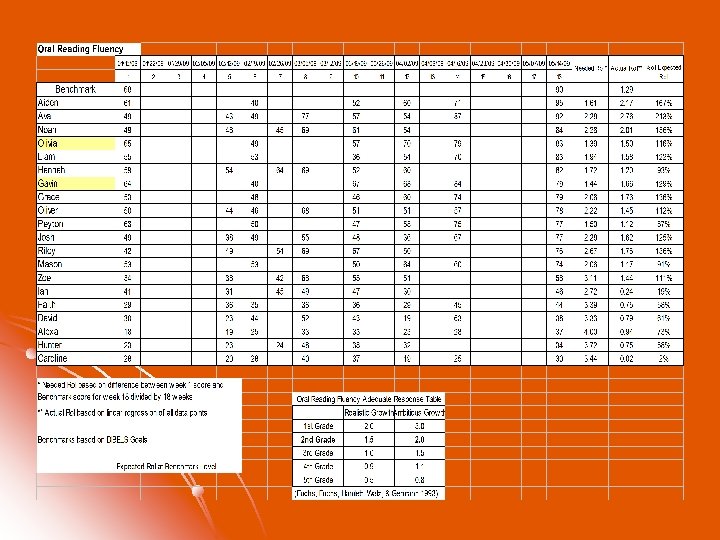
 Step 3: Interpreting Growth
 What do we do when we do not get the growth we want? When to make a change in instruction and intervention? l When to considered SLD? l
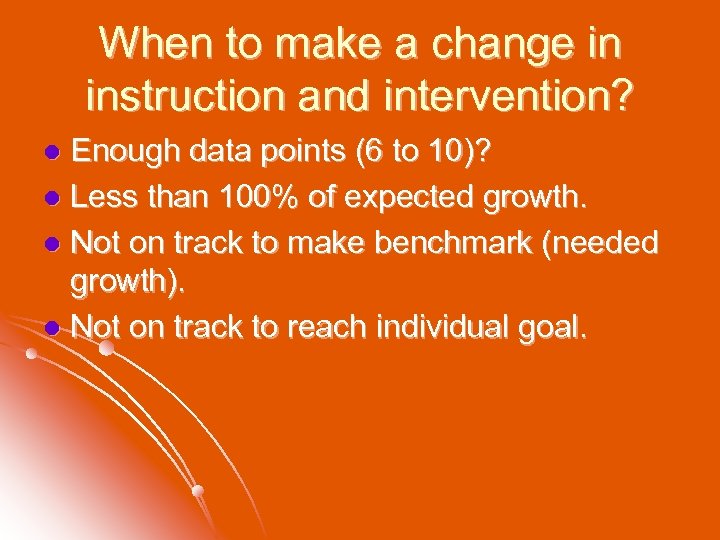 When to make a change in instruction and intervention? Enough data points (6 to 10)? l Less than 100% of expected growth. l Not on track to make benchmark (needed growth). l Not on track to reach individual goal. l
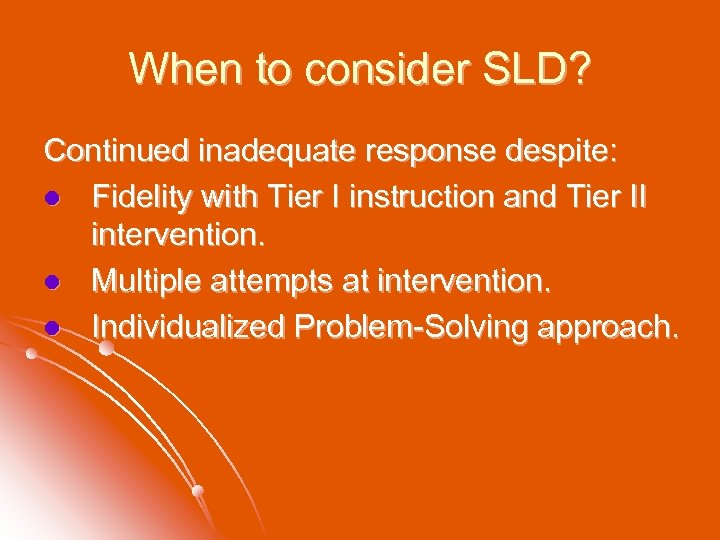 When to consider SLD? Continued inadequate response despite: l Fidelity with Tier I instruction and Tier II intervention. l Multiple attempts at intervention. l Individualized Problem-Solving approach.
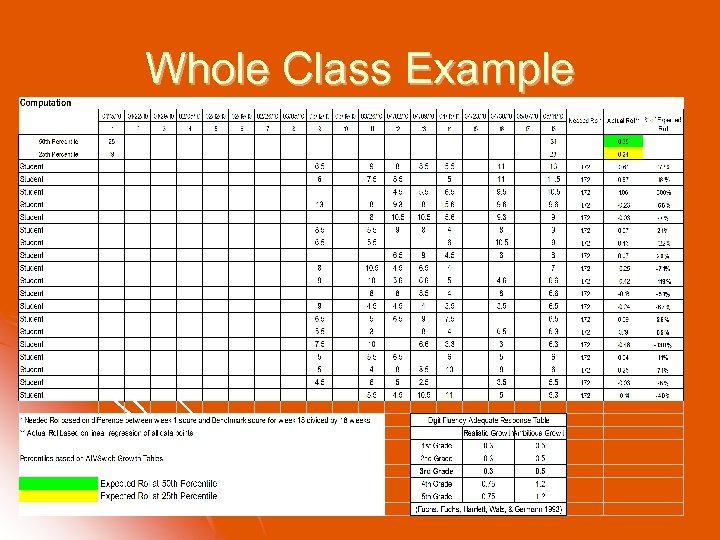 Whole Class Example
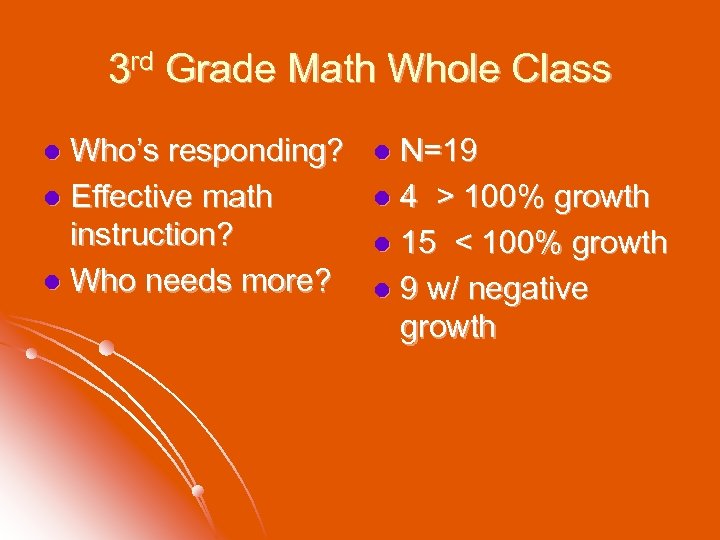 3 rd Grade Math Whole Class Who’s responding? l Effective math instruction? l Who needs more? l N=19 l 4 > 100% growth l 15 < 100% growth l 9 w/ negative growth l
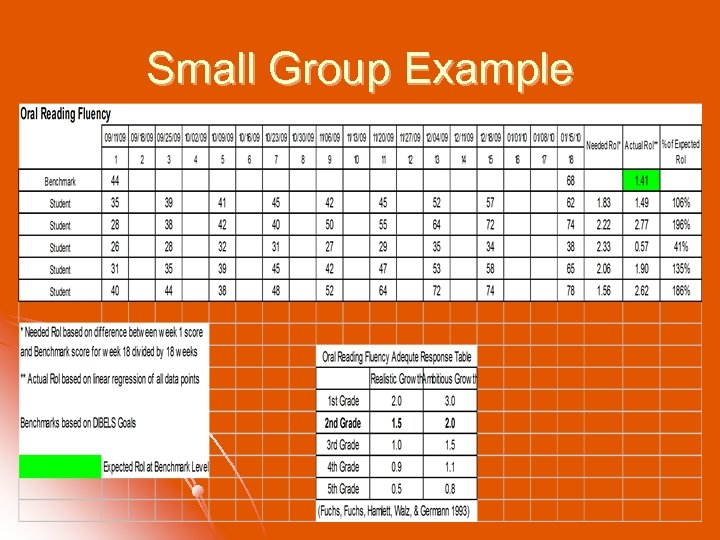 Small Group Example
 Intervention Group Intervention working for how many? l Can we assume fidelity of intervention based on results? l Who needs more? l
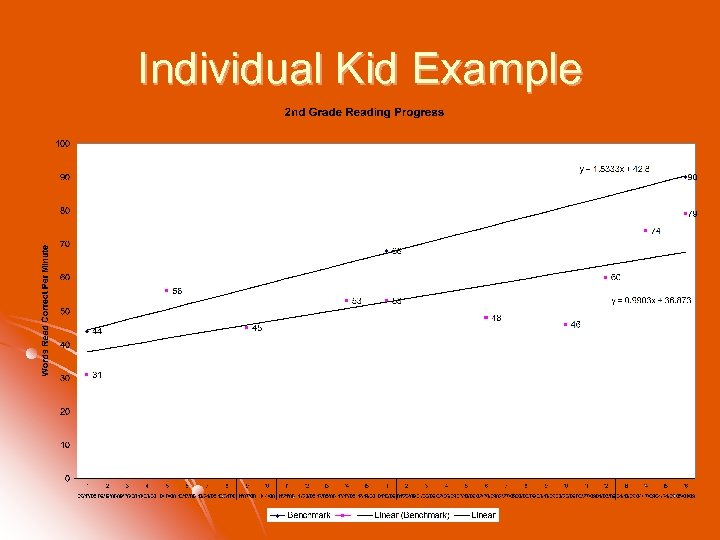 Individual Kid Example
 Individual Kid Making growth? l How much (65% of expected growth). l Atypical growth across the year (last 3 data points). l Continue? Make a change? Need more data? l
 Step 4: Figure out how to fit Best Practice into Public Education
 Things to Consider Who cares about Rate of Improvement? l Who is At-Risk and needs progress monitoring? l Who will collect, score, enter the data? l Who will monitor student growth, when, and how often? l What changes should be made to instruction & intervention? l
 Who cares about Rate of Improvement? Explaining the concept of Ro. I. l Creating buy-in with ORF, M-CBM, etc. l Defending frequent data collection (the “we spend too much time testing and not enough time teaching” argument). l
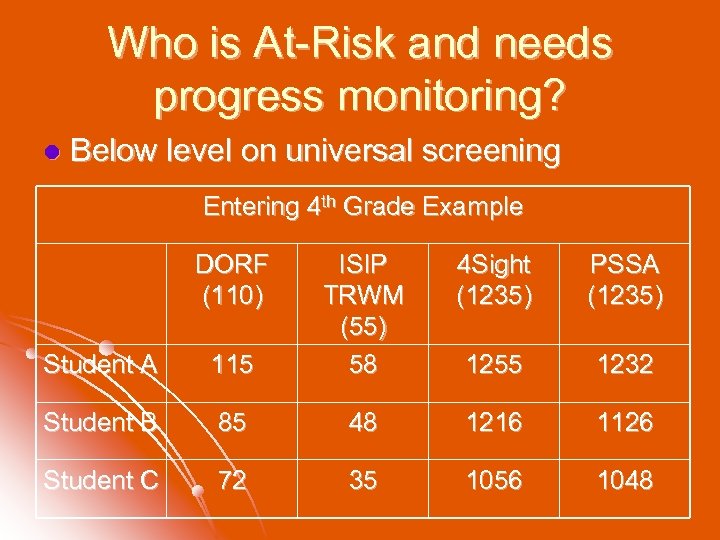 Who is At-Risk and needs progress monitoring? l Below level on universal screening Entering 4 th Grade Example DORF (110) Student A 115 ISIP TRWM (55) 58 4 Sight (1235) PSSA (1235) 1255 1232 Student B 85 48 1216 1126 Student C 72 35 1056 1048
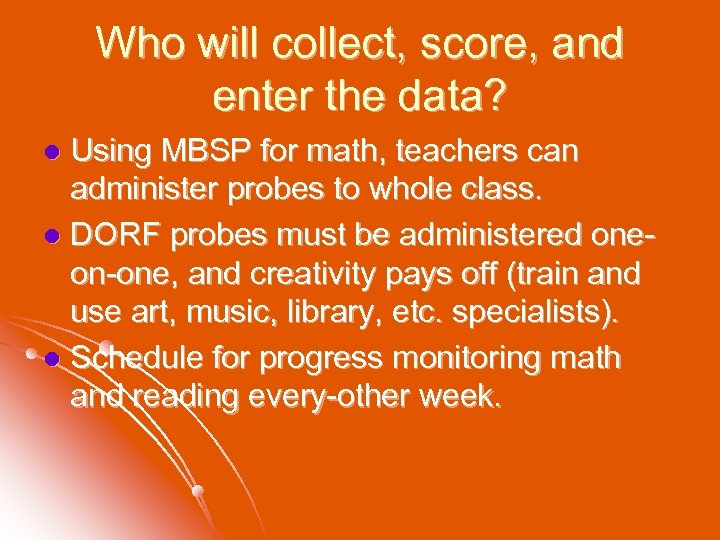 Who will collect, score, and enter the data? Using MBSP for math, teachers can administer probes to whole class. l DORF probes must be administered oneon-one, and creativity pays off (train and use art, music, library, etc. specialists). l Schedule for progress monitoring math and reading every-other week. l
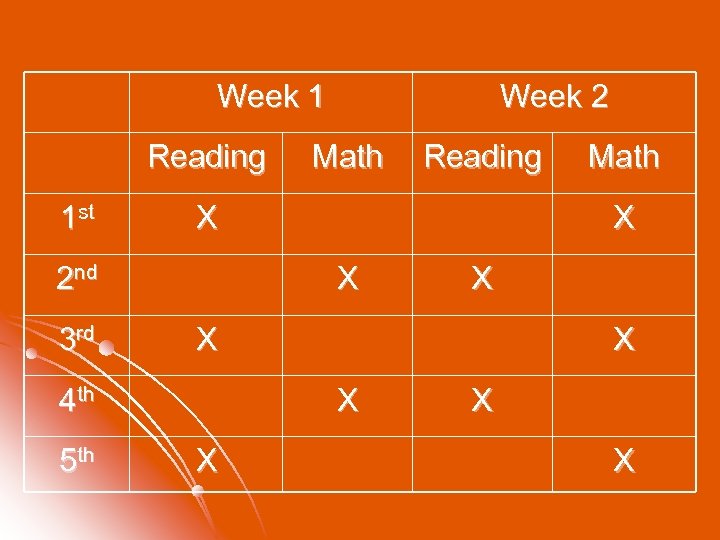 Week 1 Reading 1 st Reading X X X Math X X 4 th 5 th Math X 2 nd 3 rd Week 2 X X
 Who will monitor student growth, when, and how often? Best Practices in Data-Analysis Teaming (Kovaleski & Pedersen, 2008) l Chambersburg Area School District Elementary Response to Intervention Manual (Mc. Crea et. al. , 2008) l Derry Township School District Response to Intervention Model l (http: //www. hershey. k 12. pa. us/56039310111408/lib/56039310111408/_files/Microsoft _Word_-_Response_to_Intervention_Overview_of_Hershey_Elementary_Model. pdf)
 What changes should be made to instruction & intervention? Ensure treatment fidelity!!!! l Increase instructional time (active and engaged) l Decrease group size l Gather additional, diagnostic, information l Change the intervention l
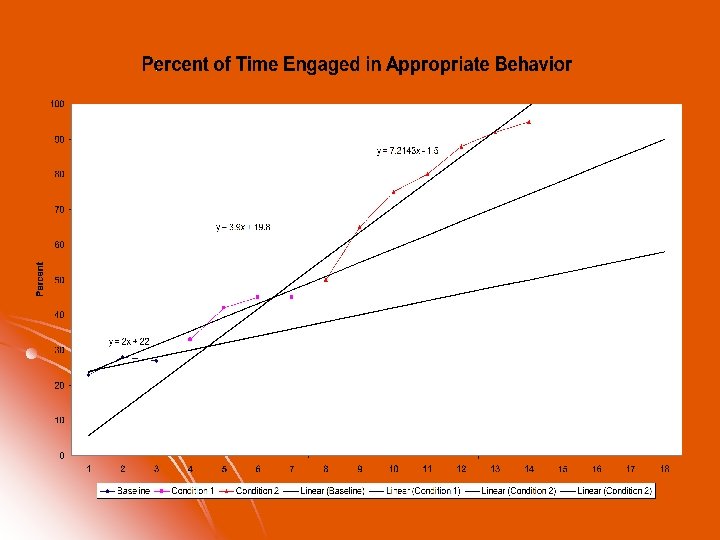
 Ro. I and Behavior?
 Check These Out l www. interventioncentral. com l www. aimsweb. com l http: //dibels. uoregon. edu l www. nasponline. org
 Check These Out l l www. fcrr. org Florida Center for Reading Research http: //ies. ed. gov/ncee/wwc// What Works Clearinghouse http: //sites. google. com/site/rateofimprovement/ Rate of Improvement http: //www. rti 4 success. org National Center on Rt. I
 References Batsche, G. M. , Castillo, J. M. , Dixon, D. N. , & Forde, S. (2008). Best practices in linking assessment to intervention. In A. Thomas and J. Grimes (Eds. ), Best practices in school psychology V. (pp. 177 -193). Bethesda, MD: National Association of School Psychologists. Batsche, G. M. , Elliot, J. , Graden, J. L. , Kovaleski, J. F. , Prasse, D. , et al. (2005). Response to intervention: Policy considerations and implementation. Alexandria, VA: National Association of School Psychologists. Colvin, G. , Sugai, G. , Good, R. H. , III, & Young-Yon, L. (1997). Using active supervision and precorrection to improve transition behaviors in an elementary school. School Psychology Quarterly, 12, 344 -363. Deno, S. L. (1985). Curriculum-based measurement: The emerging alternative. Exceptional Children, 52, 219 -232. Deno, S. L. , & Fuchs, L. S. (1987). Developing curriculum-based measurement systems for databased special education problem solving. Focus on Exceptional Children, 19(8), 1 -15. Deno, S. L. , Fuchs, L. S. , Marston, D. , & Shin, J. (2001). Using curriculumbased measurement to establish growth standards for students with learning disabilities. School Psychology Review, 30, 507 -524.
 References Flinn, C. S. (2008). Graphing rate of improvement for individual students. In. Sight, 28(3), 10 -12. Fuchs, L. S. , Fuchs, D. , Hamlett, C. L. , Walz, L. , & Germann, G. (1993). Formative evaluation of academic progress: How much growth can we expect? School Psychology Review, 22, 27 -48. Fuchs, L. S. , & Fuchs, D. (1998). Treatment validity: A unifying concept for reconceptualizing the identification of learning disabilities. Learning Disabilities Research and Practice, 13, 204 -219. Fuchs, L. S. , & Fuchs, D. (1997) Use of curriculum-based measurement in identifying students with learning disabilities. Focus on Exceptional Children, 30, 1– 16. Fuchs, L. S. , Fuchs, D. , Hamlett, C. L. , Hope, S. K. , Hollenback, K. N. Capizzi, A. M. , Craddock, C. F. , & Brothers, R. L. (2006). Extending responsivenessto-intervention to math problem-solving at third grade. Teaching Exceptional Children, 38, 59 -63. Gresham, F. (2001, August). Responsiveness to intervention: An alternative approach to the identification of learning disabilities. In R. Bradley, L. Danielson, & D. P. Hallahan (Eds. ). Identification of learning disabilities: Research in practice (pp. 467– 519). Mahwah, NJ: Erlbaum. Individuals with Disabilities Education Improvement Act (IDEIA) of 2004, Pub. L. No. 108, 446.
 References Kovaleski, J. F. (2008, September 19). Pennsylvania promotes best practices in school psychology. Paper presented at the Pennsylvania Training and Technical Assistance Network, King of Prussia, PA. Mortenson, B. P. , & Witt, J. C. (1998). The use of weekly performance feedback to increase teacher implementations of a prereferral academic intervention. School Psychology Review, 27, 613 -628. No Child Left Behind Act of 2001. Pub. L. No. 107 -110, 115 Stat. 1425 (2002). Noell, G. H. , Witt, J. C. , Slider, N. J. , Connell, J. E. , Giatti, S. L. , Williams, K. L. , et al. (2005). Treatment implementation following behavior consultation in schools: A comparison of three follow-up strategies. School Psychology Review, 34(1), 87 -106. Shapiro, E. S. (2008). Best practices in setting progress monitoring goals for academic skill improvement. In A. Thomas and J. Grimes (Eds. ), Best practices in school psychology V (Vol. 2, pp. 141 -157). Bethesda, MD: National Association of School Psychologists. Shinn, M. R. (Ed. ). (1998). Advanced applications of curriculum-based measurement. New York: Guilford Press.
 References Shinn, M. R. (2008). Best practices in using curriculum-based measurement in a problem-solving model. In A. Thomas and J. Grimes (Eds. ), Best practices in school psychology V (Vol. 2, pp. 243 -261). Bethesda, MD: National Association of School Psychologists. Sulzer-Azaroff, B. , & Mayer, G. R. (1991). Behavior analysis for lasting change. Fort Worth: Holt, Rinehart, & Winston. Stuebing, K. , Fletcher, J. , Le. Doux, J. , Lyon, G. R. , Shaywitz, S. , & Shaywitz, B. (2002). Validity of IQ-discrepancy classifications of reading disabilities: A meta-analysis. American Educational Research Journal, 39, 469– 518. Upah, K. R. F. (2008). Best practices in designing, implementing, and evaluating quality interventions. In A. Thomas and J. Grimes (Eds. ), Best practices in school psychology V. (pp. 209 -221). Bethesda, MD: National Association of School Psychologists. Wright, J. (2008). Internet resources for ‘response to intervention’. Retrieved June 24, 2008, from http: //www. jimwrightonline. com/php/rti_wire. php