


 Скачать презентацию CAA Accreditation The HOW of Reporting American Speech-Language-Hearing
bbc16c61bc433a524b8e93a56628a850.ppt
- Количество слайдов: 60
 CAA Accreditation: The HOW of Reporting American Speech-Language-Hearing Association Chicago, IL Friday, November 21, 2008 1
 Today’s CAA Presenter Judy L. Page, Ph. D University of Kentucky CAA Academic Member and Chair-Elect 2
 A few reminders before we get started … 3
 Session Agenda & Objectives Agenda ü Overview of the HES - background & benefits ü My HES Info – access, users, navigation, status ü Data entry features – by CAA Standard ü Time-saving features and functions ü Questions Primary objective v To increase knowledge of the HES and its features so you can complete and submit (re) accreditation application materials to the CAA through this system. 4
 Session Agenda & Objectives Agenda üOverview of the HES - background & benefits ü My HES Info – users, access, navigation, status ü Data entry features – by CAA Standard ü Time-saving features and functions ü Questions 5
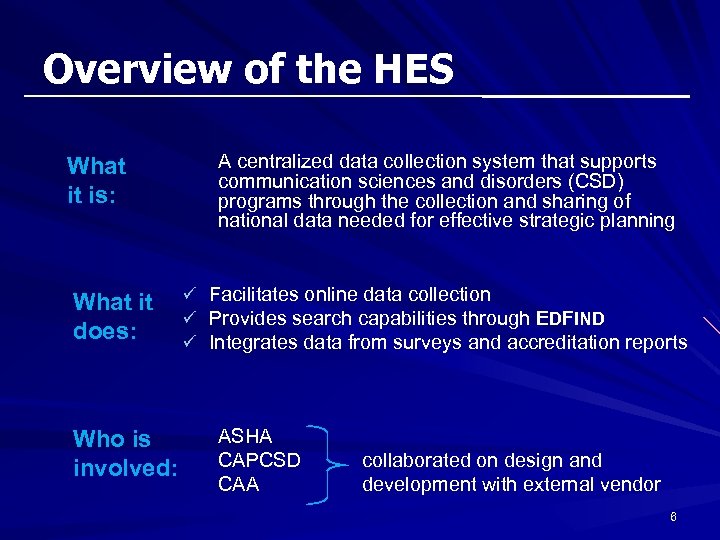 Overview of the HES What it is: What it does: Who is involved: A centralized data collection system that supports communication sciences and disorders (CSD) programs through the collection and sharing of national data needed for effective strategic planning ü Facilitates online data collection ü Provides search capabilities through EDFIND ü Integrates data from surveys and accreditation reports ASHA CAPCSD CAA collaborated on design and development with external vendor 6
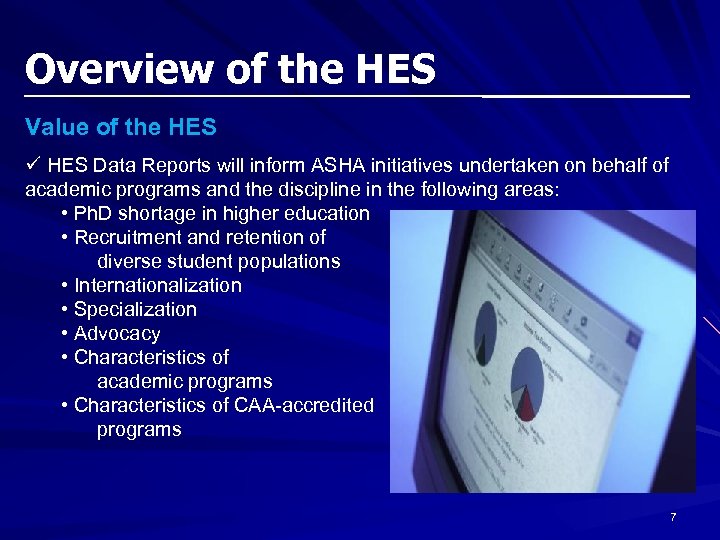 Overview of the HES Value of the HES ü HES Data Reports will inform ASHA initiatives undertaken on behalf of academic programs and the discipline in the following areas: • Ph. D shortage in higher education • Recruitment and retention of diverse student populations • Internationalization • Specialization • Advocacy • Characteristics of academic programs • Characteristics of CAA-accredited programs 7
 Overview of the HES Value of the HES to CAA ü Online submission of application and annual accreditation reports ü Pre-population across CAA reports ü Trend analysis across accredited programs Benefits of the HES for programs ü Use of standard survey format to increase familiarity in using the tool ü Consistency in time frame of data (e. g. , 2007 -08 academic year) ü Increased efficiency for programs in responding to common items across surveys 8
 Overview of the HES Additional Benefits of CAA Application within the HES Programs will provide data (input) for faculty, courses, and clinical sites individually …. or as discrete records. Discrete data is then rearranged into 11 unique PDF files that are the program’s confirmation report and represent the “output” file of the program’s application or annual report. System calculations and validations are incorporated to ensure that data entry errors are minimized e. g. , if user indicates distance education is offered and meets the 50% or more criterion, then those questions pertaining to distance education are conditionally displayed for completion 9
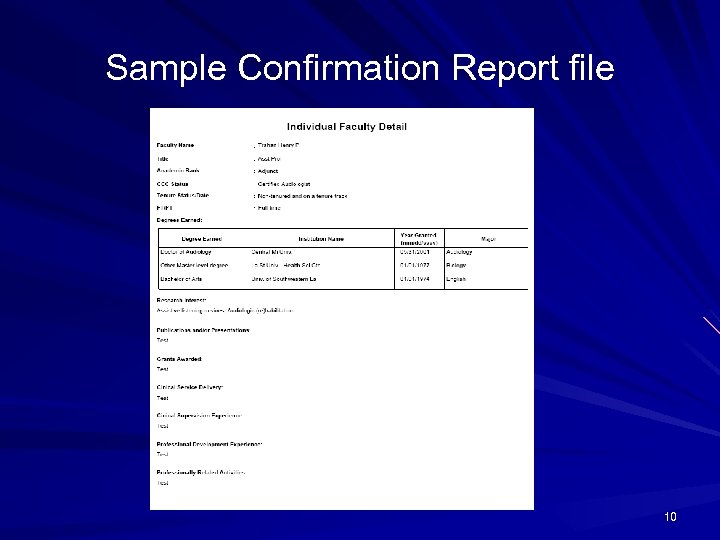 Sample Confirmation Report file 10
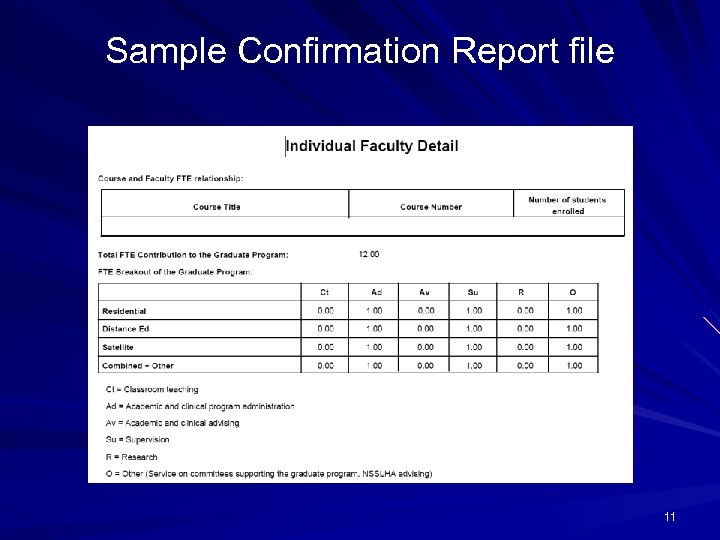 Sample Confirmation Report file 11
 Overview of the HES Are you ready? On your mark… Get set… CLICK! 12
 Session Agenda & Objectives Agenda ü Overview of the HES - background & benefits üMy HES Info – users, access, navigation, status ü Data entry features – by CAA Standard ü Time-saving features and functions ü Questions 13
 My HES Info Users and their Roles Faculty and other staff affiliated with your program ü limited access only to VIEW program profile pages Editors ü data entry access to complete any or all sections of an instrument ü faculty and/or admin staff as identified by the authorized signatory Authorized Signatories ü program director(s) of the CSD degree programs ü main contact for all HES notifications ü only individual able to SUBMIT a completed instrument Through the program dashboard an editor or signatory may gain access to a specific instrument by clicking on the hyperlink. . . 14
 My HES Info Access to system • Link in pre-launch email • “My Account” on www. asha. org 15
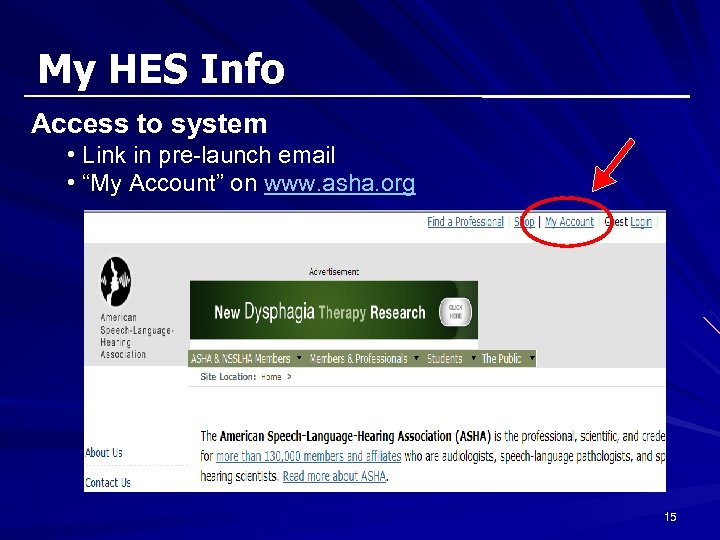
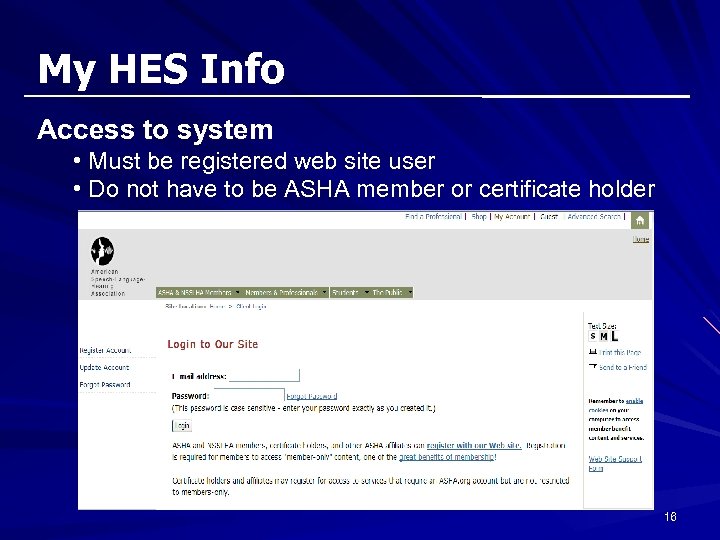 My HES Info Access to system • Must be registered web site user • Do not have to be ASHA member or certificate holder 16
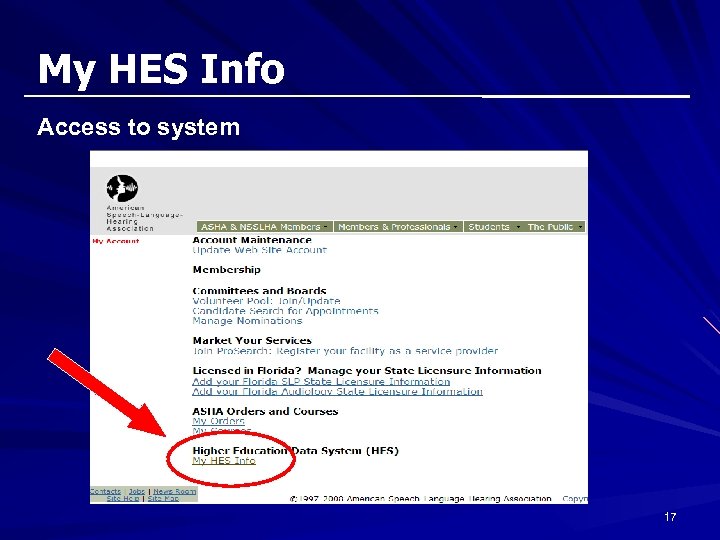 My HES Info Access to system 17
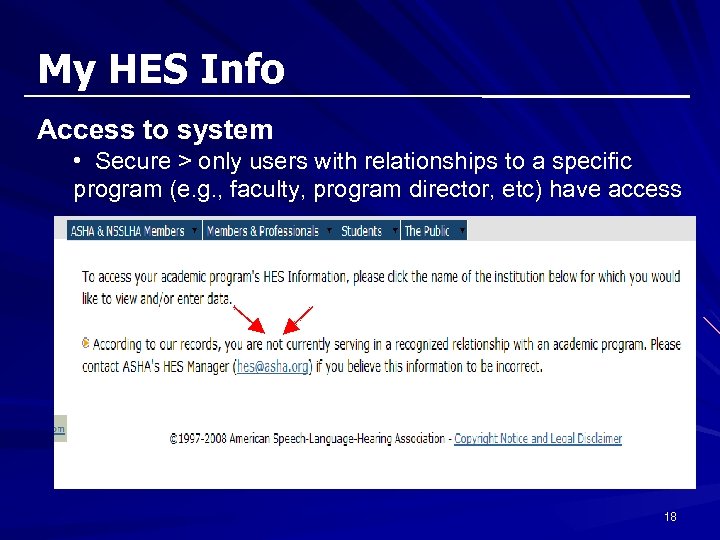 My HES Info Access to system • Secure > only users with relationships to a specific program (e. g. , faculty, program director, etc) have access 18
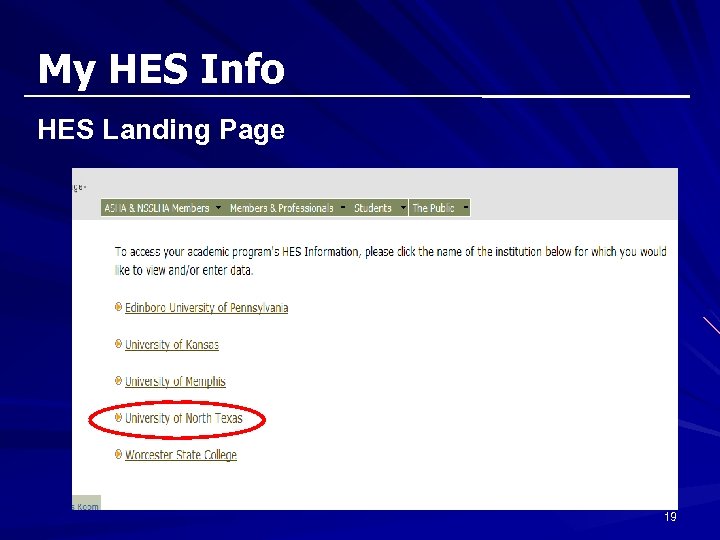 My HES Info HES Landing Page 19
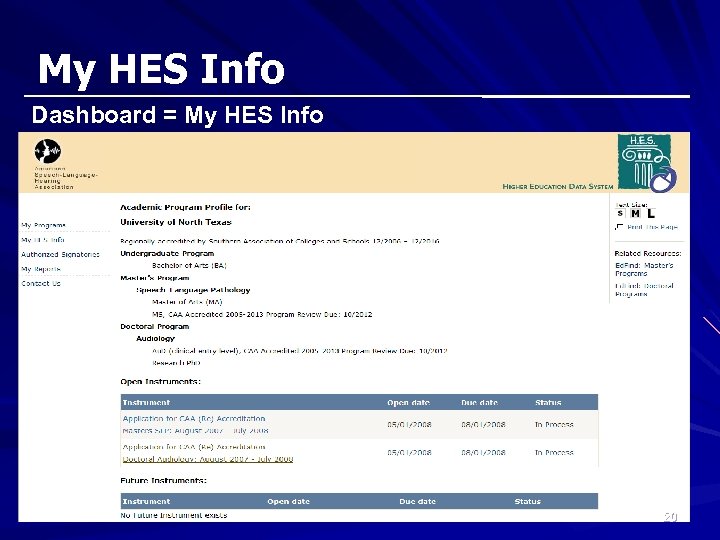 My HES Info Dashboard = My HES Info 20
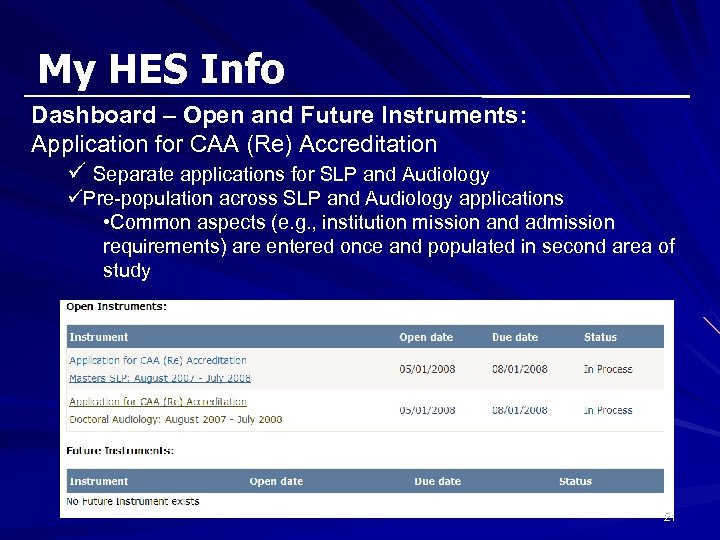 My HES Info Dashboard – Open and Future Instruments: Application for CAA (Re) Accreditation ü Separate applications for SLP and Audiology üPre-population across SLP and Audiology applications • Common aspects (e. g. , institution mission and admission requirements) are entered once and populated in second area of study 21
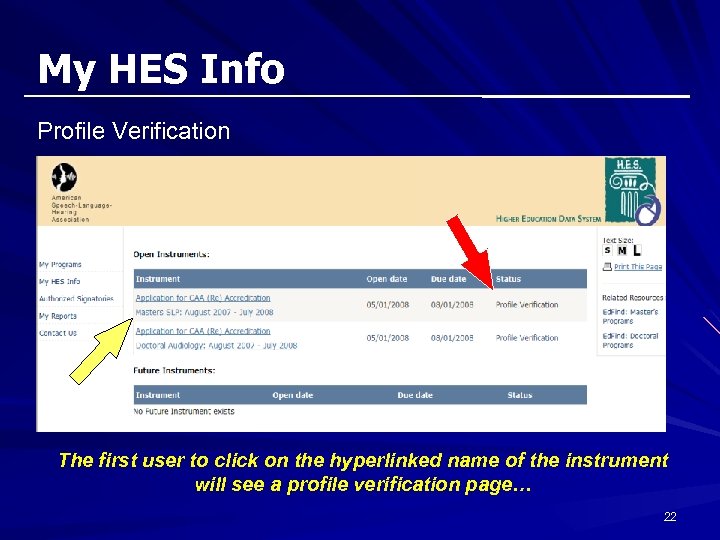 My HES Info Profile Verification The first user to click on the hyperlinked name of the instrument will see a profile verification page… 22
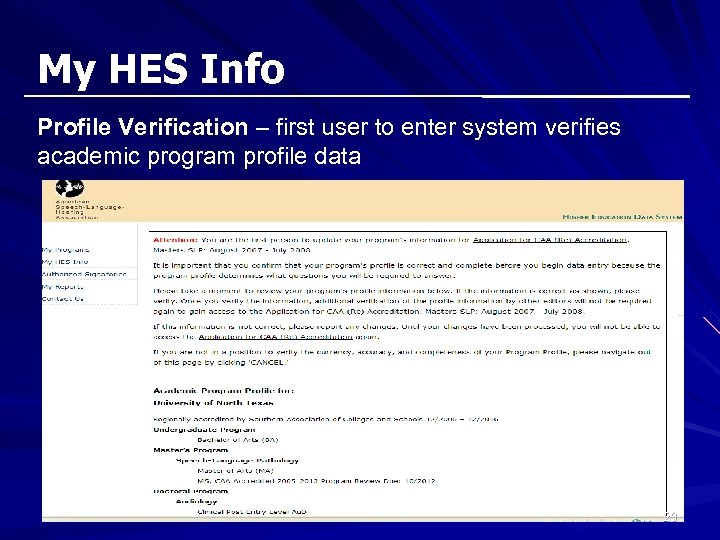 My HES Info Profile Verification – first user to enter system verifies academic program profile data 23
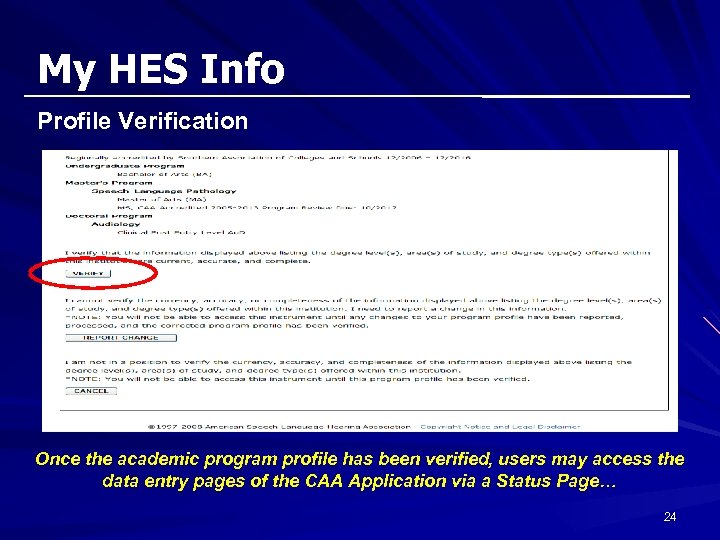 My HES Info Profile Verification Once the academic program profile has been verified, users may access the data entry pages of the CAA Application via a Status Page… 24
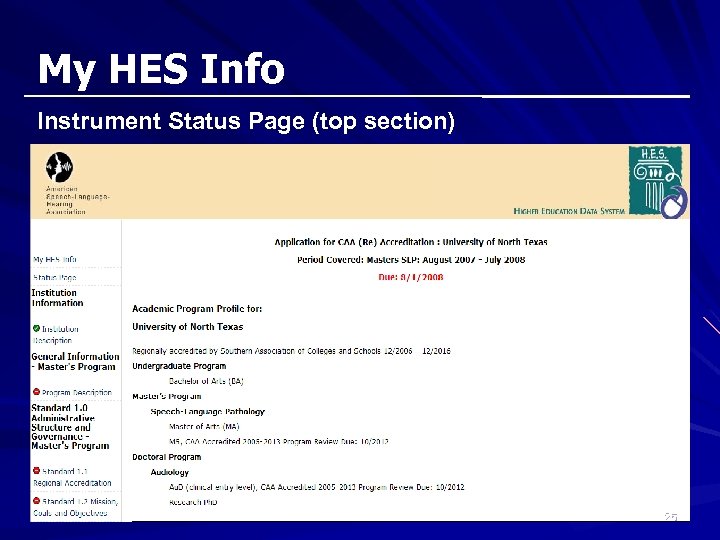 My HES Info Instrument Status Page (top section) 25
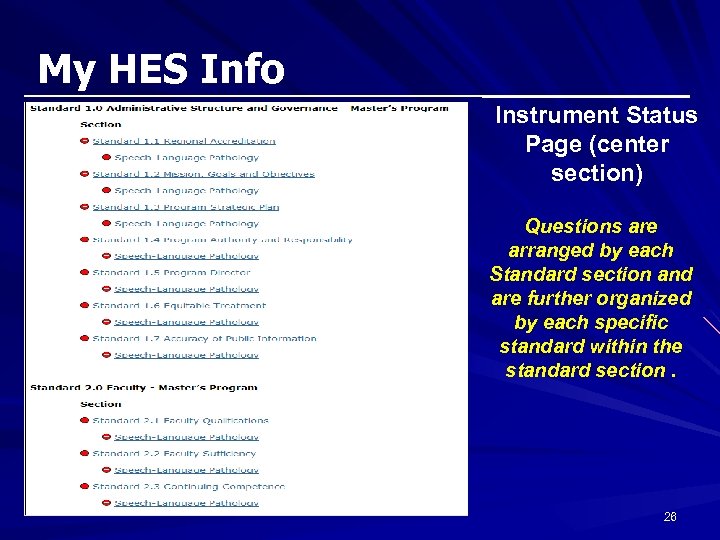 My HES Info Instrument Status Page (center section) Questions are arranged by each Standard section and are further organized by each specific standard within the standard section. 26
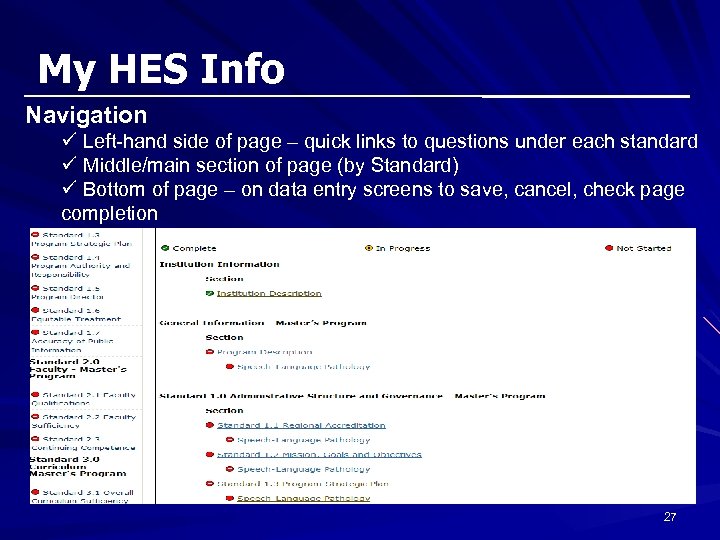 My HES Info Navigation ü Left-hand side of page – quick links to questions under each standard ü Middle/main section of page (by Standard) ü Bottom of page – on data entry screens to save, cancel, check page completion 27
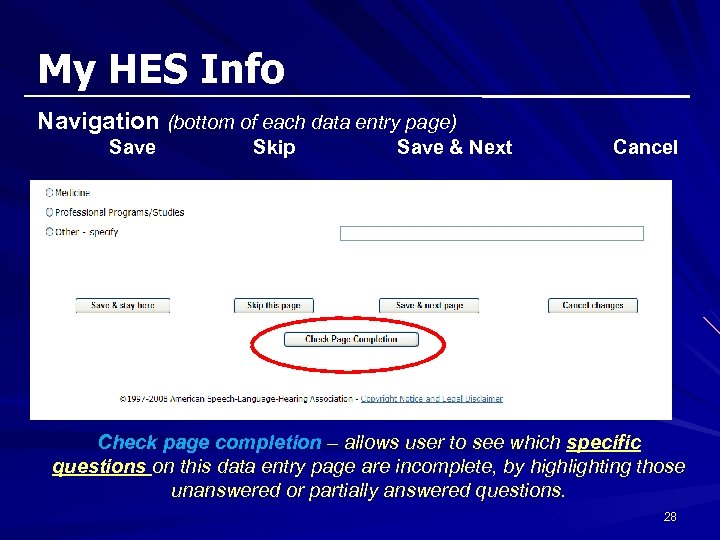 My HES Info Navigation (bottom of each data entry page) Save Skip Save & Next Cancel Check page completion – allows user to see which specific questions on this data entry page are incomplete, by highlighting those unanswered or partially answered questions. 28
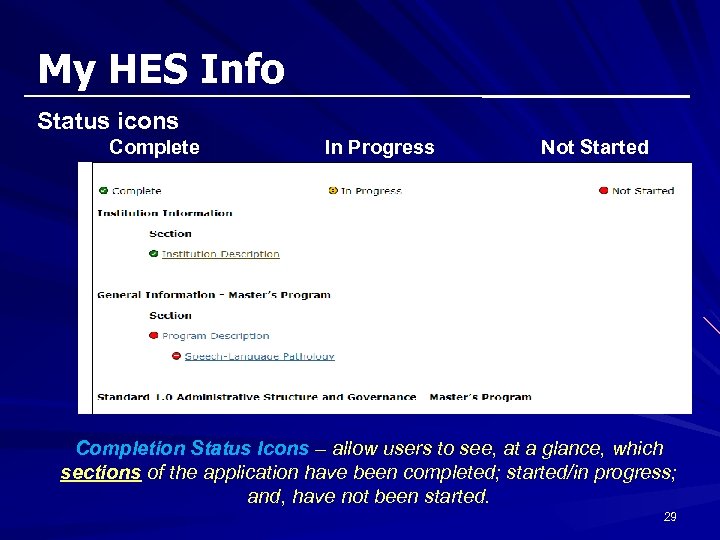 My HES Info Status icons Complete In Progress Not Started Completion Status Icons – allow users to see, at a glance, which sections of the application have been completed; started/in progress; and, have not been started. 29
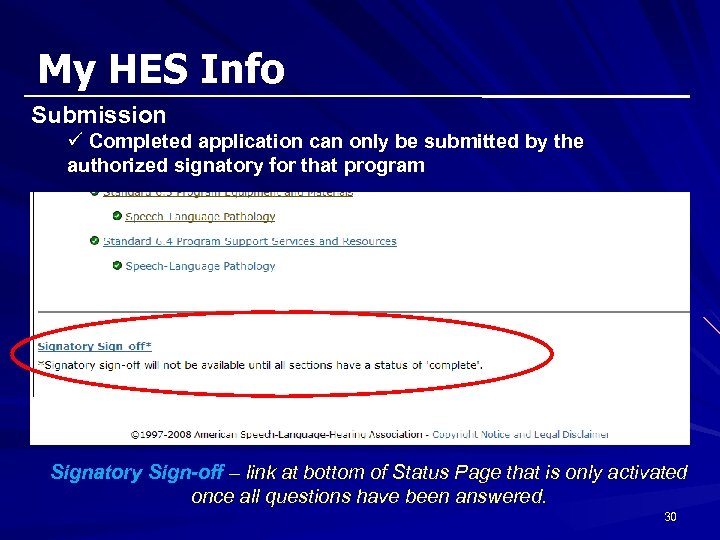 My HES Info Submission ü Completed application can only be submitted by the authorized signatory for that program Signatory Sign-off – link at bottom of Status Page that is only activated once all questions have been answered. 30
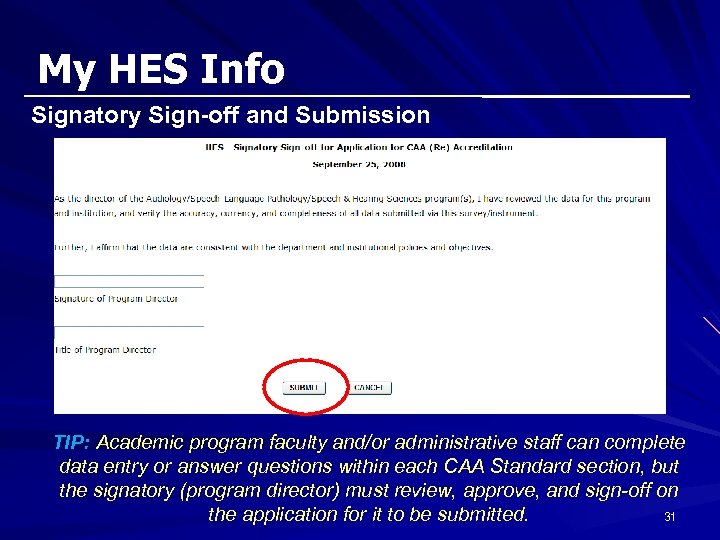 My HES Info Signatory Sign-off and Submission TIP: Academic program faculty and/or administrative staff can complete data entry or answer questions within each CAA Standard section, but the signatory (program director) must review, approve, and sign-off on the application for it to be submitted. 31
 Session Agenda & Objectives Agenda ü Overview of the HES - background & benefits ü My HES Info – users, access, navigation, status üData entry features – by CAA Standard ü Time-saving features and functions ü Questions 32
 Data Entry Features Accessing and answering application questions Ø Questions are arranged by CAA Standard number. Ø Clicking on a specific standard (e. g. , Standard 1. 2 Mission, Goals and Objectives) will take the user to a data entry page for that standard that may include narrative responses, multi-pick check-boxes, or numeric data entry. Ø Each page includes general instructions at the top of the page; some pages also include additional instructions prior to specific questions (e. g. , faculty qualifications, course information). Instructions: § Please remember to verify pre-populated data. § For questions in this section, data are requested for the most recently completed academic year (Masters SLP: August 2007 - July 2008). § 5 -line text boxes allow 2500 characters and 10 -line text boxes allow 5000 characters. 33
 Data Entry Features HELP • Standards implementation language • Definitions and clarification on intent • Links to data entry documents for gathering information 34
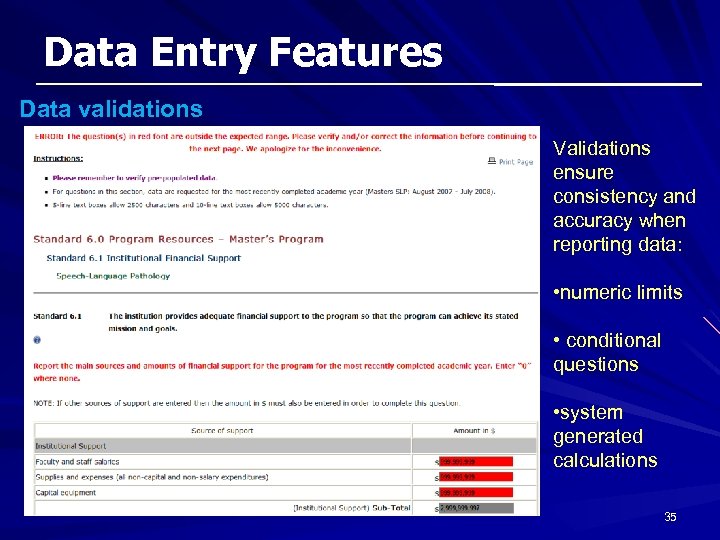 Data Entry Features Data validations Validations ensure consistency and accuracy when reporting data: • numeric limits • conditional questions • system generated calculations 35
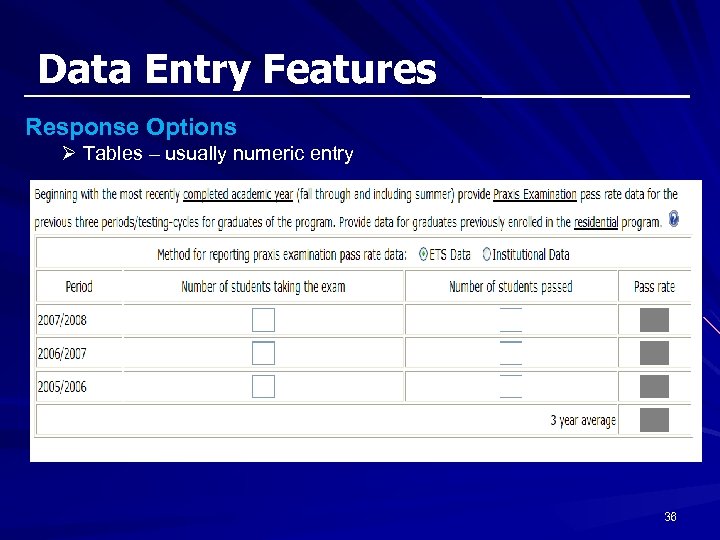 Data Entry Features Response Options Ø Tables – usually numeric entry 36
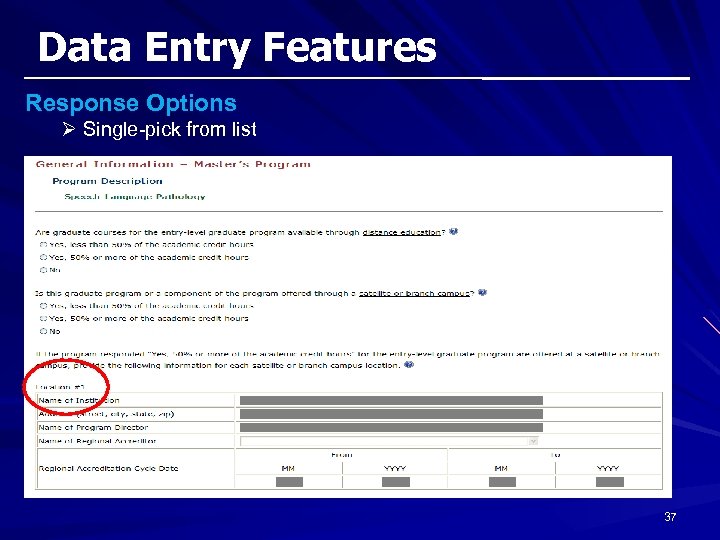 Data Entry Features Response Options Ø Single-pick from list 37
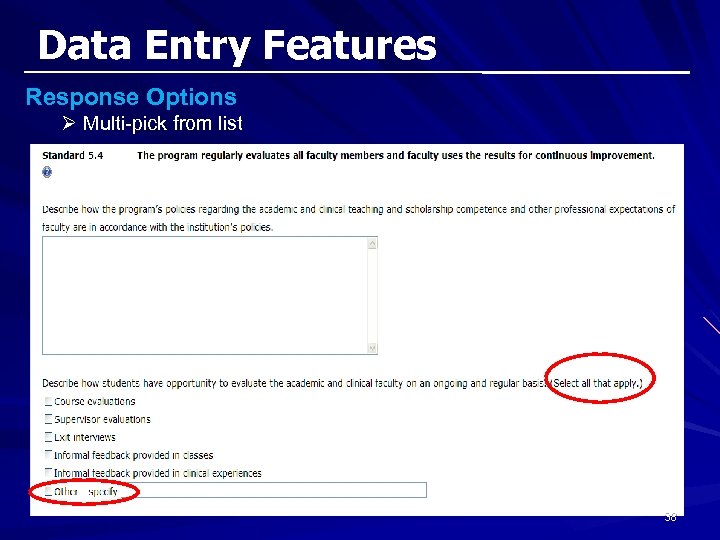 Data Entry Features Response Options Ø Multi-pick from list 38
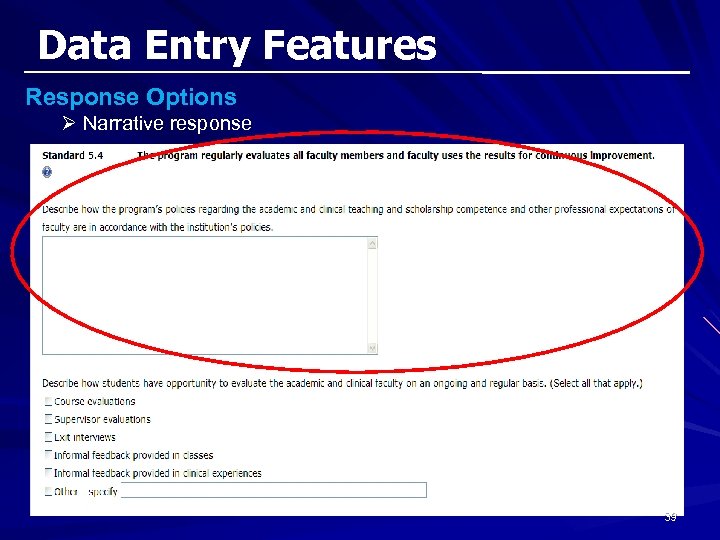 Data Entry Features Response Options Ø Narrative response 39
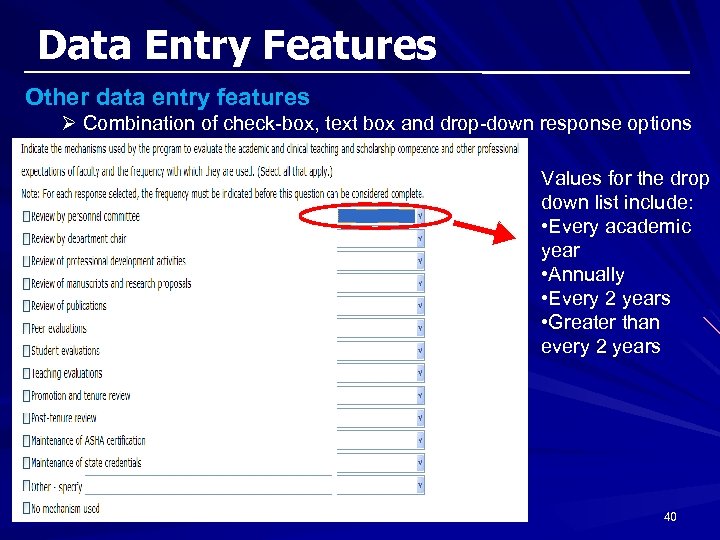 Data Entry Features Other data entry features Ø Combination of check-box, text box and drop-down response options Values for the drop down list include: • Every academic year • Annually • Every 2 years • Greater than every 2 years 40
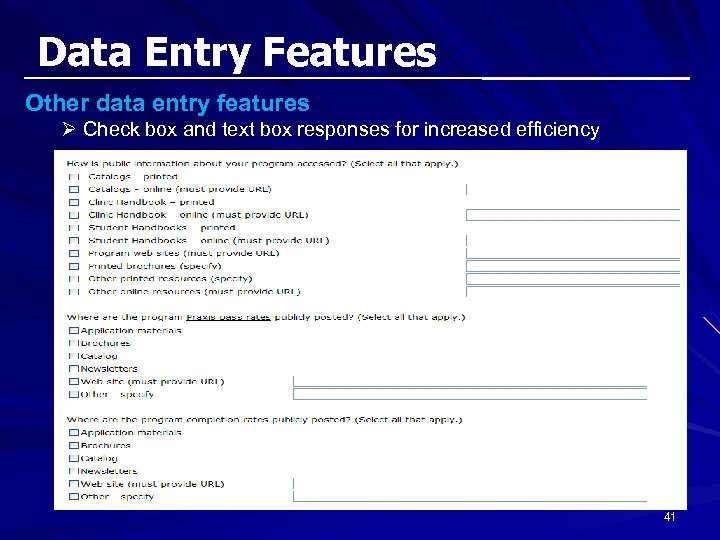 Data Entry Features Other data entry features Ø Check box and text box responses for increased efficiency 41
 Session Agenda & Objectives Agenda ü Overview of the HES - background & benefits ü My HES Info – users, access, navigation, status ü Data entry features – by CAA Standard üTime-saving features and functions ü Questions 42
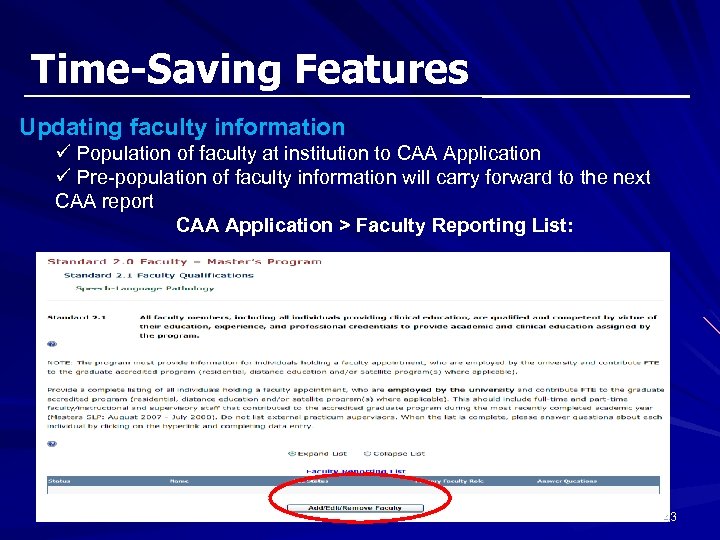 Time-Saving Features Updating faculty information ü Population of faculty at institution to CAA Application ü Pre-population of faculty information will carry forward to the next CAA report CAA Application > Faculty Reporting List: 43
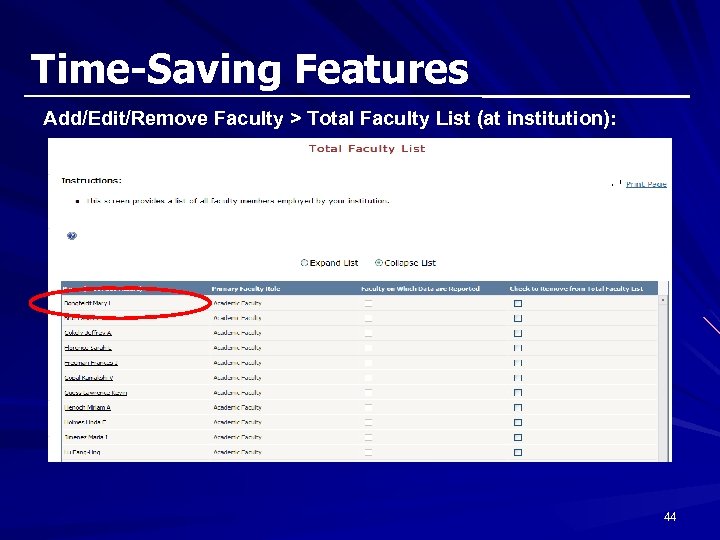 Time-Saving Features Add/Edit/Remove Faculty > Total Faculty List (at institution): 44
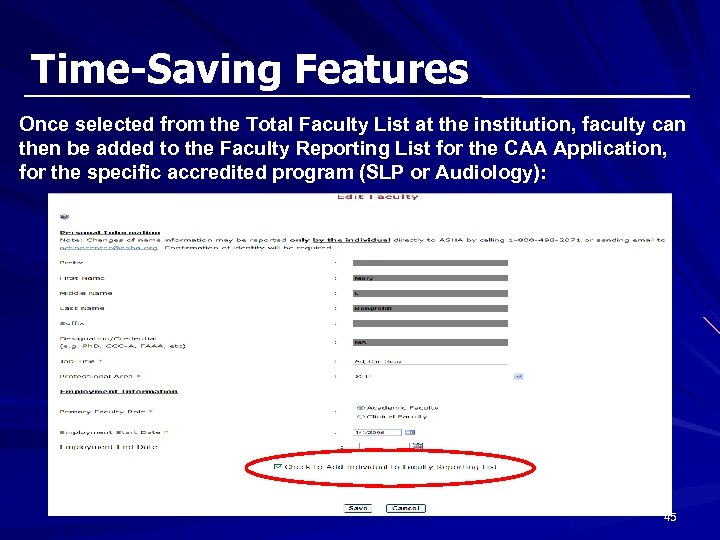 Time-Saving Features Once selected from the Total Faculty List at the institution, faculty can then be added to the Faculty Reporting List for the CAA Application, for the specific accredited program (SLP or Audiology): 45
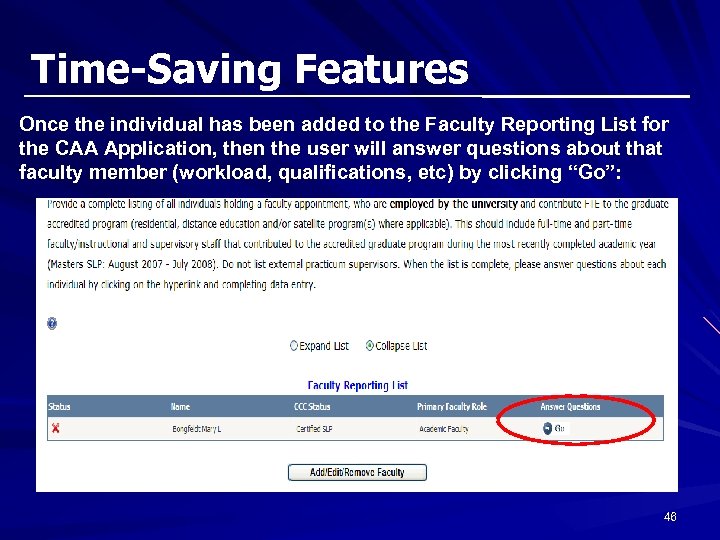 Time-Saving Features Once the individual has been added to the Faculty Reporting List for the CAA Application, then the user will answer questions about that faculty member (workload, qualifications, etc) by clicking “Go”: 46
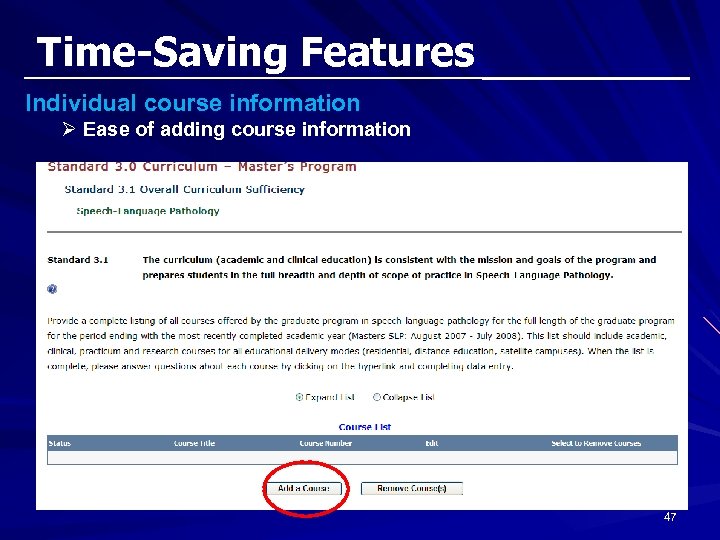 Time-Saving Features Individual course information Ø Ease of adding course information 47
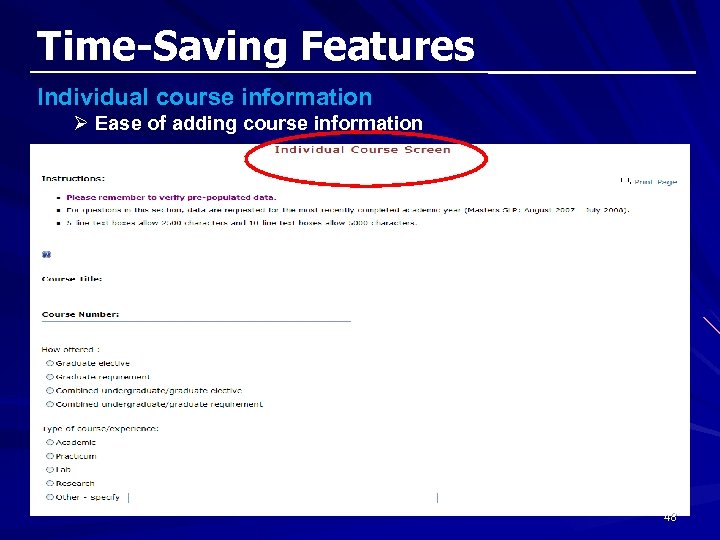 Time-Saving Features Individual course information Ø Ease of adding course information 48
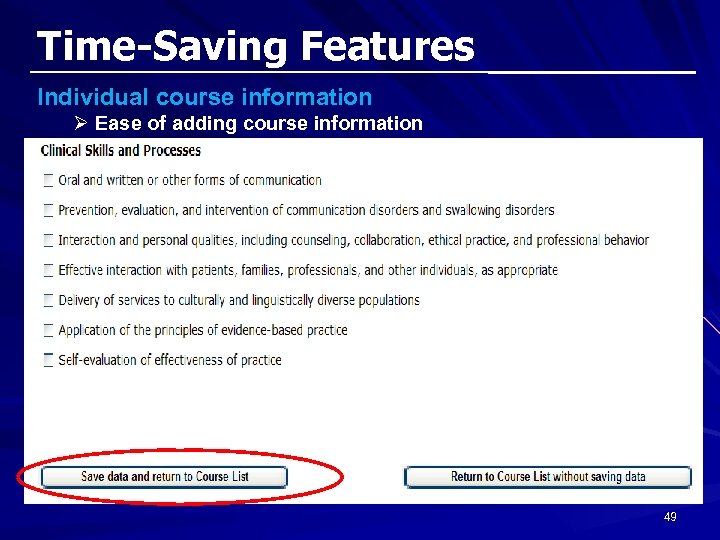 Time-Saving Features Individual course information Ø Ease of adding course information 49
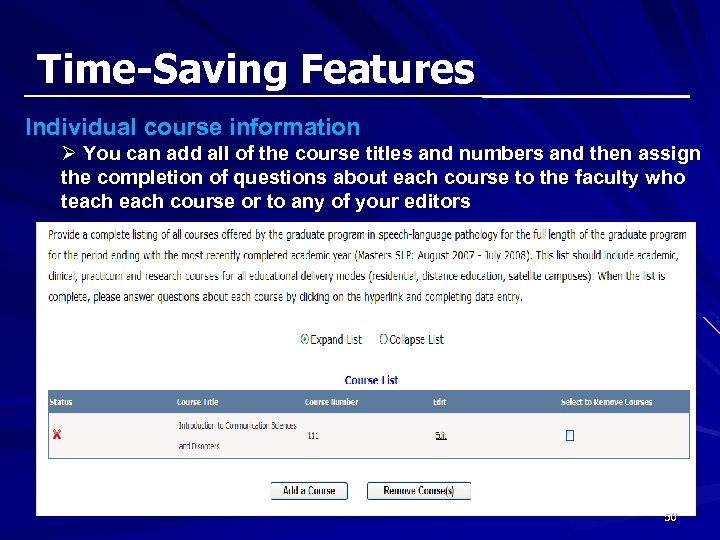 Time-Saving Features Individual course information Ø You can add all of the course titles and numbers and then assign the completion of questions about each course to the faculty who teach course or to any of your editors 50
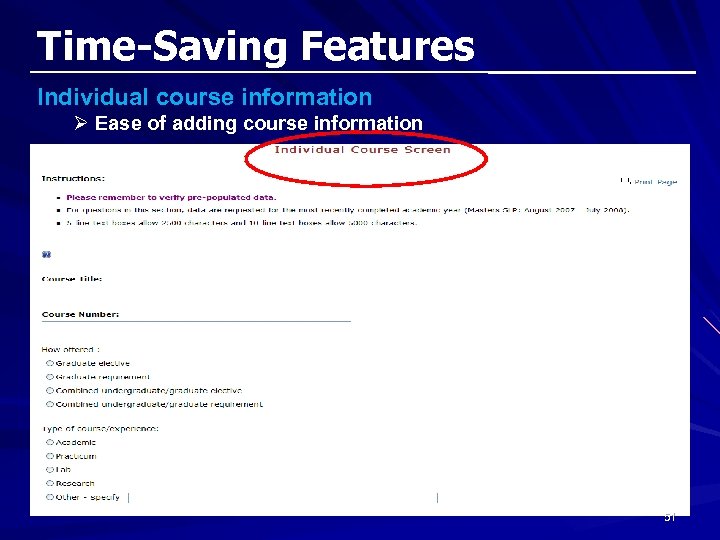 Time-Saving Features Individual course information Ø Ease of adding course information 51
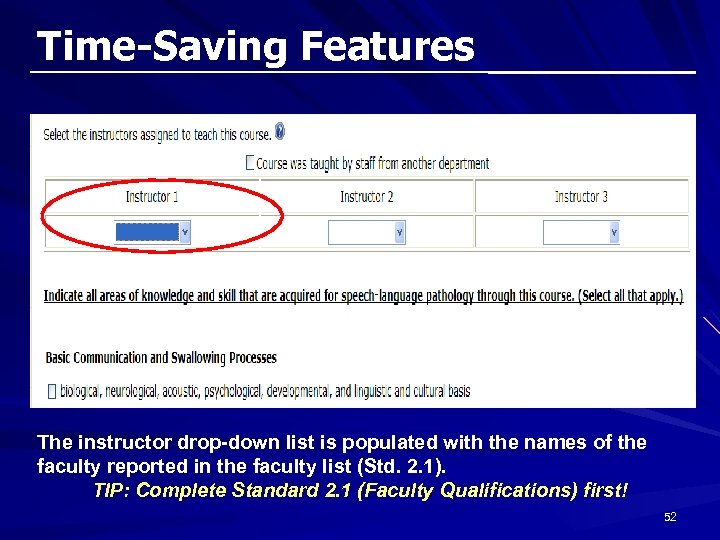 Time-Saving Features The instructor drop-down list is populated with the names of the faculty reported in the faculty list (Std. 2. 1). TIP: Complete Standard 2. 1 (Faculty Qualifications) first! 52
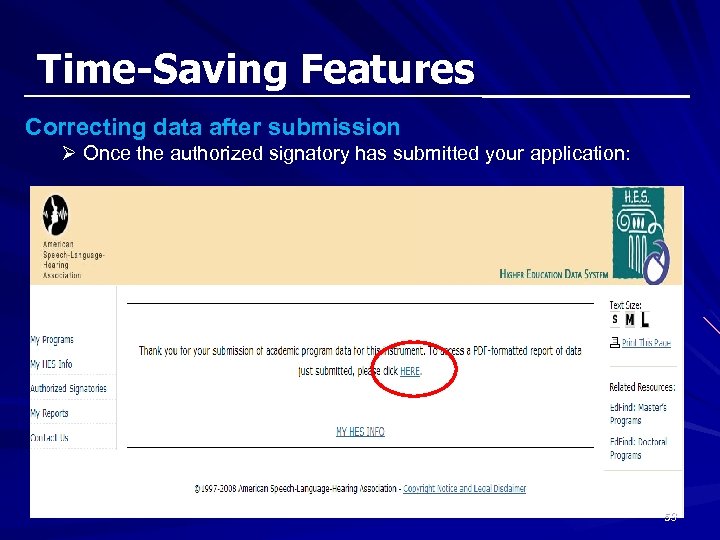 Time-Saving Features Correcting data after submission Ø Once the authorized signatory has submitted your application: 53
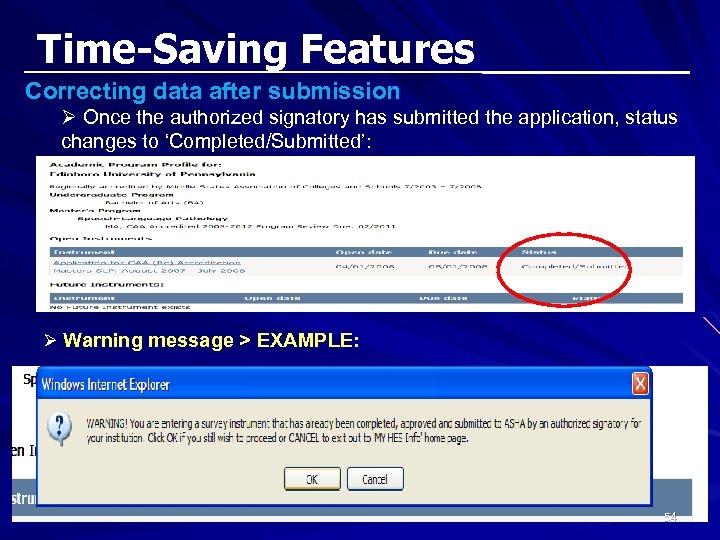 Time-Saving Features Correcting data after submission Ø Once the authorized signatory has submitted the application, status changes to ‘Completed/Submitted’: Ø Warning message > EXAMPLE: 54
 Session Agenda & Objectives Agenda ü Overview of the HES - background & benefits ü My HES Info – access, users, navigation, status ü Data entry features – by CAA Standard ü Time-saving features and functions üQuestions 55
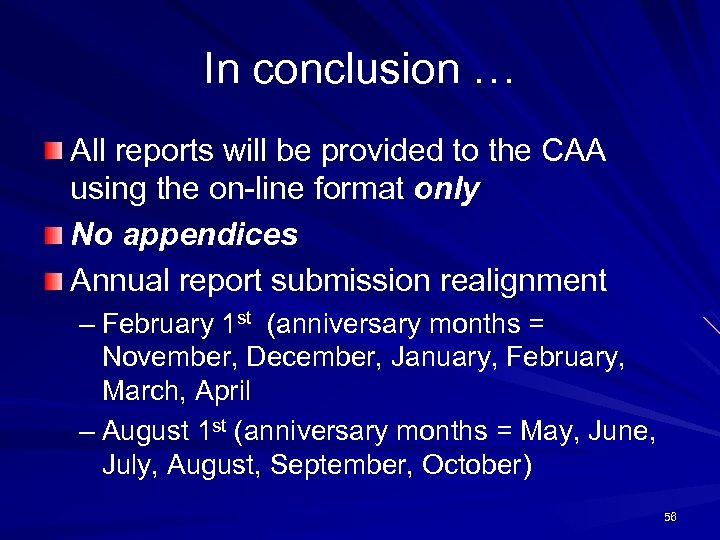 In conclusion … All reports will be provided to the CAA using the on-line format only No appendices Annual report submission realignment – February 1 st (anniversary months = November, December, January, February, March, April – August 1 st (anniversary months = May, June, July, August, September, October) 56
 Questions? 57
 Still have questions? ? ? Please visit accreditation staff at the Accreditation kiosk (ASHA center) in the exhibit hall 58
 Accreditation Staff Contacts Sue Flesher, Associate Director for Accreditation Services (sflesher@asha. org) 301 -296 -5781 Araceli Blancaflor, Accreditation Systems Coordinator (ablancaflor@asha. org) 301 -296 -5788 59
 CAA Accreditation Reporting: HES That was easy! Thank you for your participation! 60