 Скачать презентацию Building Use Cases and the Domain Model Copyright
7a841f3ee1cae61745333dee00479adf.ppt
- Количество слайдов: 73



Building Use Cases and the Domain Model Copyright 2003 Kendall Scott 1
Game Plan • • Why the UML? The Magic Triangle Use Cases: What, Why, and How Building the Domain Model Copyright 2003 Kendall Scott 2
Why the UML? Copyright 2003 Kendall Scott 3
UML in One Sentence The UML is a graphical language for • visualizing • specifying • constructing • documenting artifacts of a software-intensive system. Copyright 2003 Kendall Scott 4
Visualizing • Explicit model facilitates communication • Some structures transcend what can be represented in programming language • Each symbol has well-defined semantics behind it Copyright 2003 Kendall Scott 5
Specifying The UML addresses the specification of all important analysis, design, and implementation decisions. Copyright 2003 Kendall Scott 6
Constructing • Forward engineering: generation of code from model into programming language • Reverse engineering: reconstructing model from implementation • Round-trip engineering: going both ways Copyright 2003 Kendall Scott 7
Documenting Artifacts include: • Deliverables, such as requirements documents, functional specifications, and test plans • Materials that are critical in controlling, measuring, and communicating about a system during development and after deployment Copyright 2003 Kendall Scott 8
UML and Blueprints The UML provides a standard way to write a system’s “blueprints” to account for • Conceptual things (business processes, system functions) • Concrete things (C++/Java classes, database schemas, reusable software components) Copyright 2003 Kendall Scott 9
Some OO History • • • In the period from the late ‘ 80 s through mid-’ 90 s, there were many OO methodologies with measurable support in the marketplace When the smoke cleared, the “three amigos” were regarded as being the “best of breed. ” Rumbaugh’s OMT was the #1 methodology. Booch came to be regarded as one of the world’s most influential computer scientists. Jacobson was a profound force, especially in Europe. Copyright 2003 Kendall Scott 10
![Sources • Booch: emphasis on design and implementation (focus on C++) [structural methods] •](https://present5.com/presentation/7a841f3ee1cae61745333dee00479adf/image-11.jpg "Sources • Booch: emphasis on design and implementation (focus on C++) [structural methods] •")
Sources • Booch: emphasis on design and implementation (focus on C++) [structural methods] • Rumbaugh: emphasis on analysis and dataintensive systems [data-centered methods] • Jacobson: emphasis on use cases, analysis, high-level design [scenario-based methods] Copyright 2003 Kendall Scott 11
History • Rumbaugh joined Rational 10/94 • 0. 8 Unified Method came out, and Jacobson joined Rational, 10/95 • UML 1. 0 offered to OMG 1/97 • UML 1. 1 offered to OMG 7/97 • UML became standard 11/97 • UML 1. 3 came out 10/98 Copyright 2003 Kendall Scott 12
Reasons to Model • To communicate the desired structure and behavior of the system • To visualize and control the system’s architecture • To better understand the system and expose opportunities for simplification and reuse • To manage risk Copyright 2003 Kendall Scott 13
Principles of Modeling • Choice of models to create very influential as far as how to attack problem and shape solution • Every model may be expressed at different levels of precision • Best models connected to reality • No single model is sufficient Copyright 2003 Kendall Scott 14
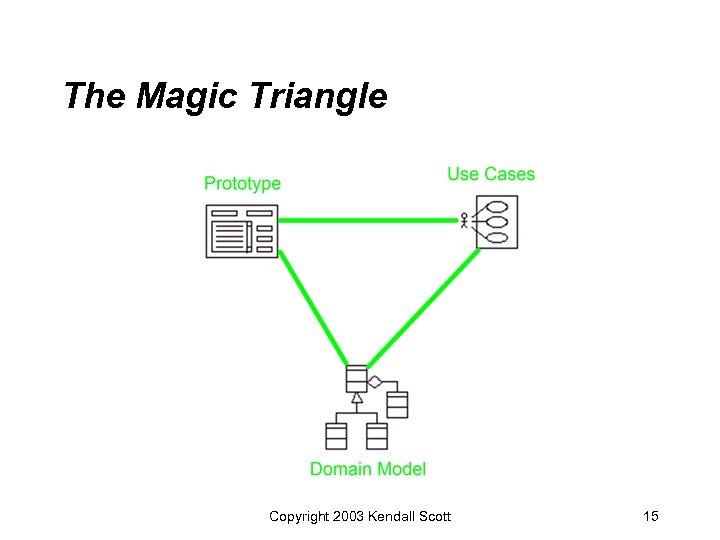
The Magic Triangle Copyright 2003 Kendall Scott 15
Use Cases: What, Why, and How Copyright 2003 Kendall Scott 16
Use Case and Actor • A use case is a sequence of actions, including variants, that a system performs to yield an observable result of value to an actor. • An actor is a coherent set of roles that human and/or non-human users of use cases play when interacting with those use cases. Copyright 2003 Kendall Scott 17
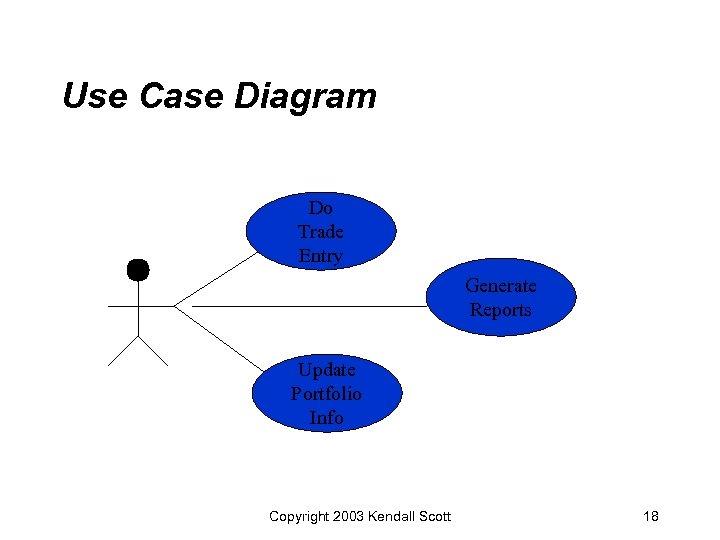
Use Case Diagram Do Trade Entry Generate Reports Update Portfolio Info Copyright 2003 Kendall Scott 18
Values of Use Cases • They enable the capture of functional requirements in a way that squeezes out ambiguity and leaves little or no room for redundancy and contradiction. • They serve as the basis for testing each element as it evolves through development. • They allow the management of customer expectations and developer behavior. Copyright 2003 Kendall Scott 19
Courses of Action • The basic course of action describes the “sunny-day” scenario. This is the best case or the most frequent path • Each alternate course of action describes a variant, such as an error condition or a less frequently occurring path. Copyright 2003 Kendall Scott 20
Basics of Use Case Construction • Create a use case template that has areas labeled Basic Course and Alternate Courses —and nothing else. • Ask “What happens? ” This will get the basic course of action started. • Ask “And then what happens? ” Keep asking that question until you have all of the details of your basic course on paper. Copyright 2003 Kendall Scott 21
Basics of Use Case Construction (cont. ) • Be relentless. “What else can happen? Are there any other things that can happen? Are you sure? ” Keep asking those questions until you have a rich set of alternate courses written down. (Most of the interesting system behavior is expressed in the alternate courses. If not for alternates, every system would be on time and under budget. ) Copyright 2003 Kendall Scott 22
Characteristics of Sound Use Cases • • • Active voice Present tense 1 -2 paragraphs Names of classes (boundaries and entities) Call and response Obvious initial context Measurable result of value Comprehensive alternate courses Good use of <<invokes>> and <<precedes>> Copyright 2003 Kendall Scott 23
<<invokes> and <<precedes>> • These are mechanisms for factoring out common usage, such as error handling, from sets of use cases. • The idea behind <<invokes>> is that one use case invokes another one in the same basic manner that a function invokes a peer function. • You use <<precedes>> to indicate that one use case needs to precede another within a logical sequence. Copyright 2003 Kendall Scott 24
Perform Trade Entry (First Cut) The Assistant Trader (AT) uses a trade entry window to enter the original data for a trade. The system validates the data before processing the trade. The AT has the option of making changes to trade data later. Copyright 2003 Kendall Scott 25
Perform Trade Entry (Second Cut) Basic: The Assistant Trader (AT) uses an order entry window to enter the data for an order. The system ensures that the trade number that the AT entered is unique. Then the system determines what type of investment is going to be traded and brings up the appropriate trade entry window in response. The AT then uses that window to enter the original data for the associated trade. . Copyright 2003 Kendall Scott 26
Example: Perform Trade Entry (cont. ). . When the AT finishes making entries, the AT indicates that the trade is ready for processing. The system validates certain entries (for example, it makes sure that the settlement date does not precede the trade date), and then processes the trade appropriately. Alternate: If the validation fails, notify the user, highlight the erroneous values, and get new values from the user. Copyright 2003 Kendall Scott 27
Digging Deeper Buy trades and sell trades have certain features in common, as well as some different characteristics. So: • Create new use cases called Enter Buy Trade and Enter Sell Trade. • Create a use called Perform Order Entry that precedes either of the other new use cases. Copyright 2003 Kendall Scott 28
Basic Course of Perform Order Entry The Assistant Trader (AT) uses an order entry window to enter the data for an order that involves a buy or sell trade. First, the AT specifies the trade type. Then the AT selects the investment involved in the order from a list of available investments. The AT also enters the ticket number that appears on the paper ticket for the order. Copyright 2003 Kendall Scott 29
Basic Course of Perform Order Entry (cont. ) Once all of the necessary data is in place, the AT presses a button to tell the system to process the order and bring up the appropriate type of trade entry window. The AT uses that window to enter the primary data for the trade connected with the new order. Copyright 2003 Kendall Scott 30
First Alternate Course of Perform Order Entry If the ticket number already exists, the system prompts the AT to enter a new ticket number. Copyright 2003 Kendall Scott 31
Second Alternate Course of Perform Order Entry (First Cut) If the investment associated with an order is not present in the system, the AT brings up an investment entry window. The AT defines the appropriate information for that investment, and the system validates that information (for example, it ensures that the identifier appears in a known format). Once the system has accepted the investment definition, it returns the AT to the order entry window. Copyright 2003 Kendall Scott 32
Analyzing That Second Alternate Course • The text introduces a new window that’s likely to have a number of different kinds of fields. • In situations like this, it’s best to break out the text into another new use case. • Let’s call this one Define Investment. Copyright 2003 Kendall Scott 33
Define Investment • We can keep text from second alternate of Perform Order Entry as basic course • We can take alternate course from nowobsolete Perform Trade Entry: “If the validation fails, notify the user, highlight the erroneous values, and get new values from the user. ” Copyright 2003 Kendall Scott 34
Second Alt. Course of Perform Order Entry (Second Cut) If the investment associated with the order has not yet been defined, the system invokes the Define Investment use case. Copyright 2003 Kendall Scott 35
Enter Buy Trade Basic: The Assistant Trader (AT) uses a Bond Trade Entry window to enter the primary values for the trade. The system validates both general trade values and bond-specific values (for instance, it makes sure that the coupon rate is “reasonable”) before processing the trade. Alternate: If the validation fails, the system notifies the AT, highlights the erroneous values, and gets new values from the AT. Copyright 2003 Kendall Scott 36
Enter Sell Trade Basic: The Assistant Trader (AT) uses a Bond Trade Entry window. . As part of this task, the system brings up a pairoff window, which the AT uses to select one or more buy trades to “pair off” with the new sell trade. The system validates. . Alternate: If the validation fails, the system notifies the AT. . Copyright 2003 Kendall Scott 37
Perform Trade Adjustment (Basic Course) The Assistant Trader (AT) enters a trade number on a trade adjustment window. The system finds the data for the trade and displays it on the window. The AT can edit certain fields, such as the commission amount, but not others, such as the trade date and the quantity. After the AT has finished making entries, the AT submits the trade for processing. The system validates certain entries and then processes the trade adjustment appropriately. Copyright 2003 Kendall Scott 38
Perform Trade Adjustment (Alternate Courses) If the system cannot find the ticket number that the AT entered, the system prompts the AT to enter a new ticket number. If the validation fails, the system notifies the AT, highlights, the erroneous values, and gets new values from the AT. Copyright 2003 Kendall Scott 39
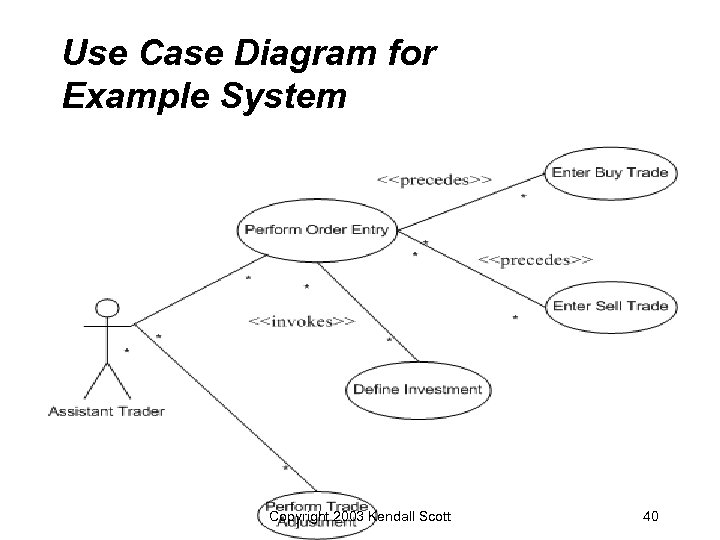
Use Case Diagram for Example System • Copyright 2003 Kendall Scott 40
Building the Domain Model Copyright 2003 Kendall Scott 41
Common Uses of Class Diagrams • To model vocabulary of the system, in terms of which abstractions are part of the system and which fall outside its boundaries • To model simple collaborations (societies of elements that work together to provide cooperative behavior) • To model logical database schema (blueprint for conceptual design of database) Copyright 2003 Kendall Scott 42
Class • A class is a description of a set of objects that share the same attributes, operations, relationships, and semantics. • An attribute is a named property of a class that describes a range of values that instances of the property may hold. • An operation is a service that can be requested from an object to affect behavior. Copyright 2003 Kendall Scott 43
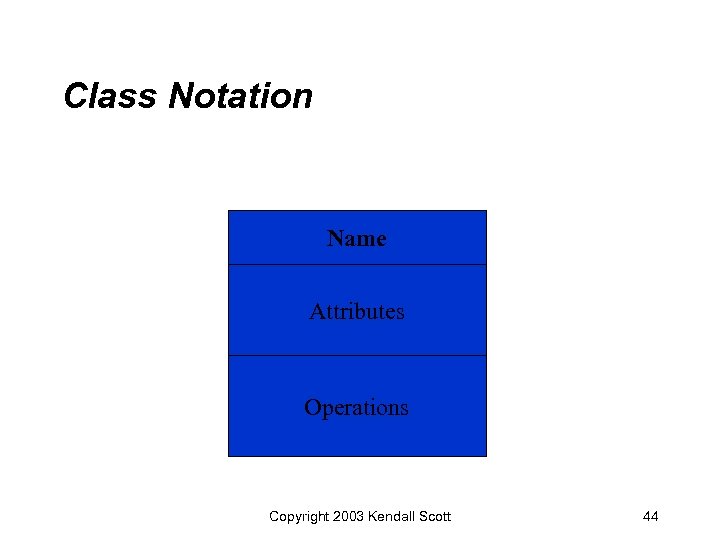
Class Notation Name Attributes Operations Copyright 2003 Kendall Scott 44
Relationships Connections between classes • Dependency • Generalization • Association Copyright 2003 Kendall Scott 45
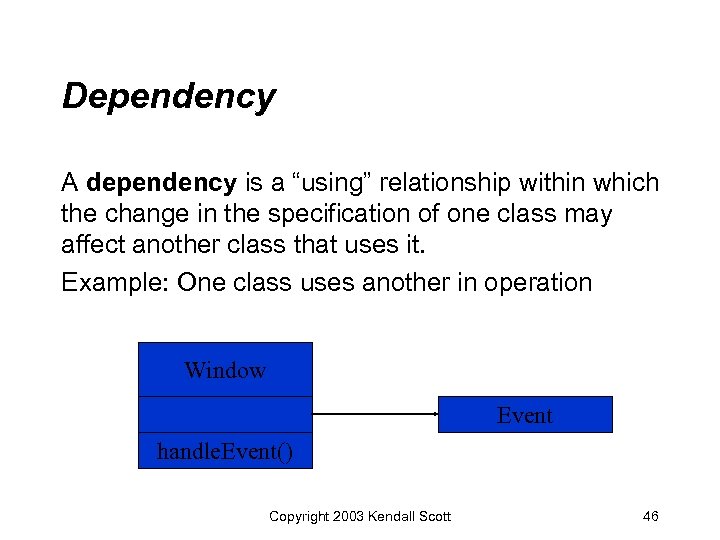
Dependency A dependency is a “using” relationship within which the change in the specification of one class may affect another class that uses it. Example: One class uses another in operation Window Event handle. Event() Copyright 2003 Kendall Scott 46
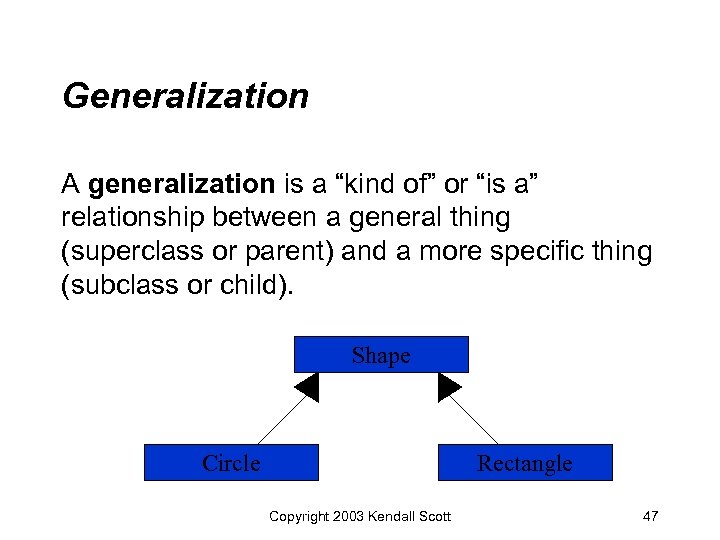
Generalization A generalization is a “kind of” or “is a” relationship between a general thing (superclass or parent) and a more specific thing (subclass or child). Shape Circle Rectangle Copyright 2003 Kendall Scott 47
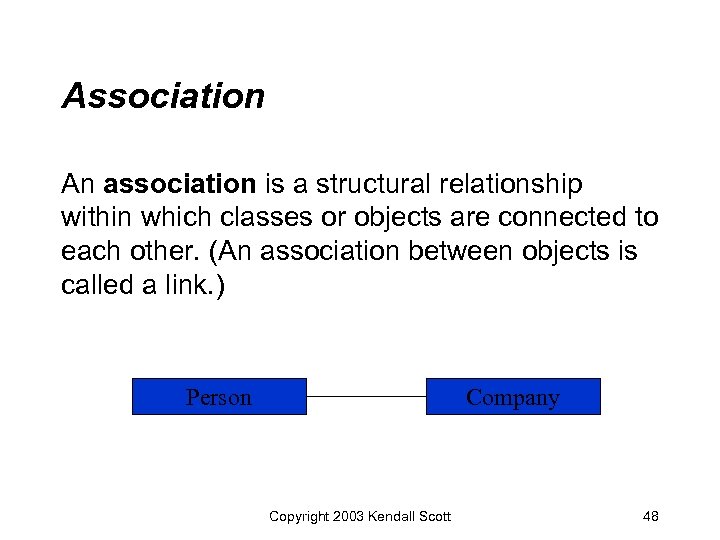
Association An association is a structural relationship within which classes or objects are connected to each other. (An association between objects is called a link. ) Person Company Copyright 2003 Kendall Scott 48
Association Adornments • • • name role multiplicity aggregation composition Copyright 2003 Kendall Scott 49
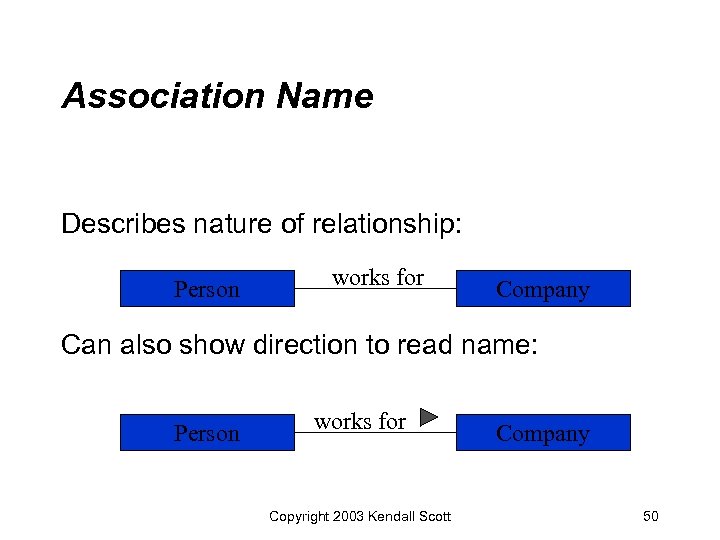
Association Name Describes nature of relationship: Person works for Company Can also show direction to read name: Person works for Copyright 2003 Kendall Scott Company 50
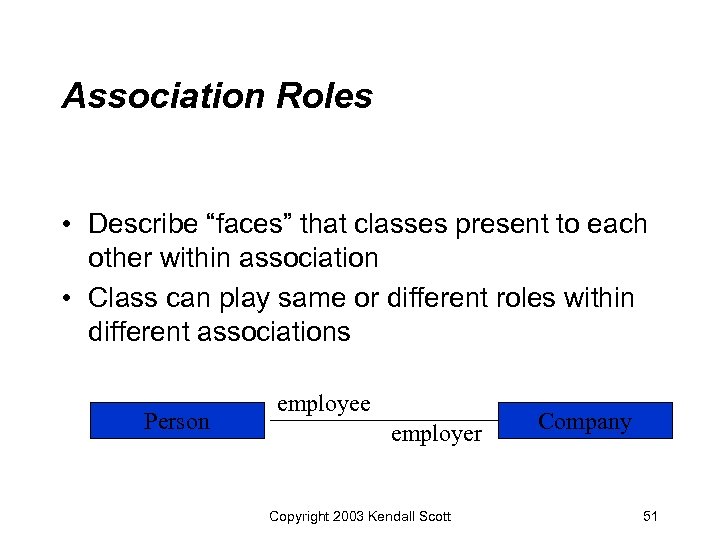
Association Roles • Describe “faces” that classes present to each other within association • Class can play same or different roles within different associations Person employee employer Copyright 2003 Kendall Scott Company 51
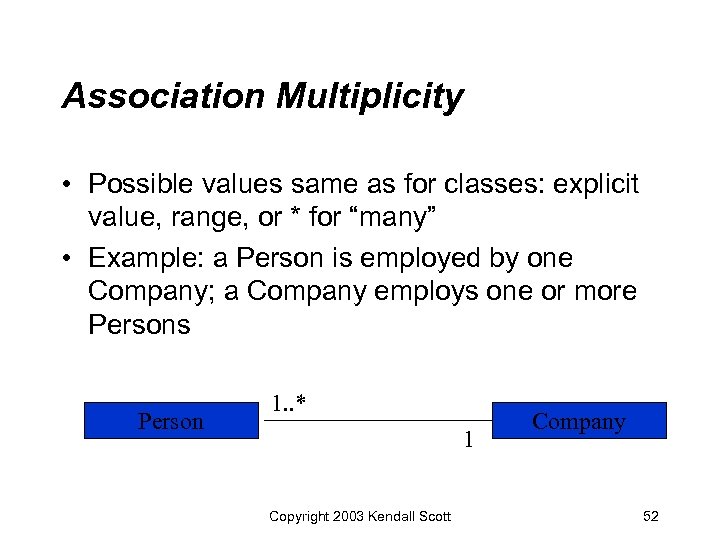
Association Multiplicity • Possible values same as for classes: explicit value, range, or * for “many” • Example: a Person is employed by one Company; a Company employs one or more Persons Person 1. . * 1 Copyright 2003 Kendall Scott Company 52
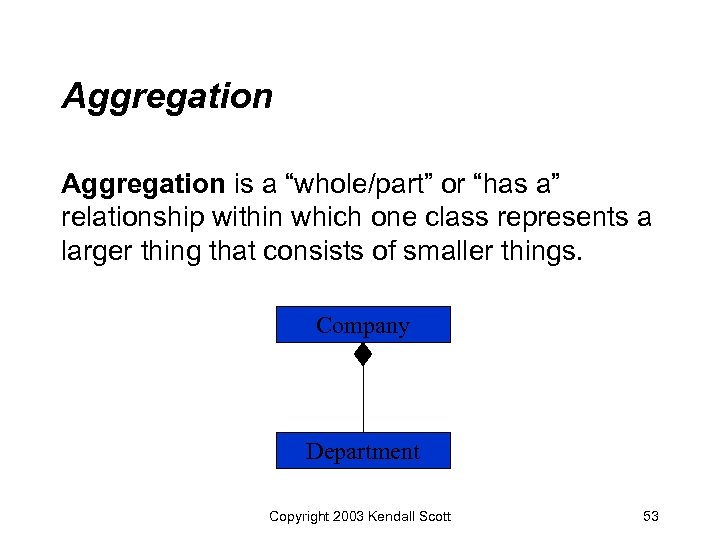
Aggregation is a “whole/part” or “has a” relationship within which one class represents a larger thing that consists of smaller things. Company Department Copyright 2003 Kendall Scott 53
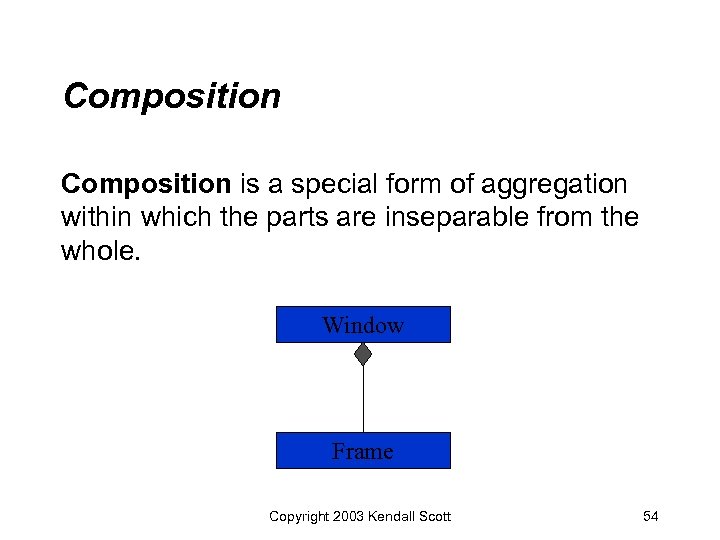
Composition is a special form of aggregation within which the parts are inseparable from the whole. Window Frame Copyright 2003 Kendall Scott 54
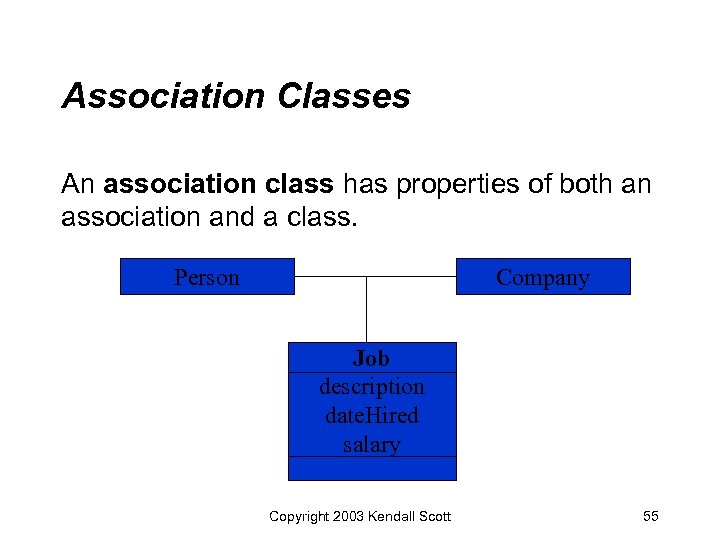
Association Classes An association class has properties of both an association and a class. Person Company Job description date. Hired salary Copyright 2003 Kendall Scott 55
Discovering Classes Best sources of classes are likely to be • High-level problem statement • Lower-level requirements • Expert knowlege of problem space To get started, lay out as many relevant statements as you can find, and then circle or highlight all of the nouns and noun phrases. Copyright 2003 Kendall Scott 56
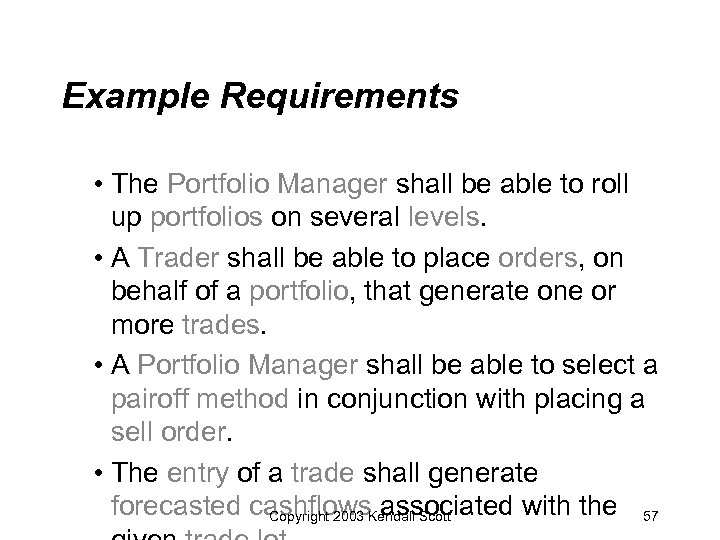
Example Requirements • The Portfolio Manager shall be able to roll up portfolios on several levels. • A Trader shall be able to place orders, on behalf of a portfolio, that generate one or more trades. • A Portfolio Manager shall be able to select a pairoff method in conjunction with placing a sell order. • The entry of a trade shall generate forecasted cashflows. Kendall Scott Copyright 2003 associated with the 57
Example Requirements (cont. ) • The system shall match up actual cashflows with forecasted cashflows. • The system shall automatically generate appropriate postings to the General Ledger. • The system shall allow an Assistant Trader to modify trade data and propagate the results appropriately. Copyright 2003 Kendall Scott 58
First Set of Candidate Classes actual cashflow (buy) order sell order Assistant Trader pairoff method system entry portfolio trade forecasted cashflow Portfolio Manager trade data General Ledger posting trade lot level results. Trader Copyright 2003 Kendall Scott 59
Uncovering More Classes • A trade involves a particular Investment. • A portfolio holds Positions in a number of investments. • The primary data entered for a trade needs to be persistent, so we need a Trade. Adjustment class that will hold modified data for trades. Copyright 2003 Kendall Scott 60
Uncovering More Classes (cont. ) • The system also needs a way to keep information about Disposed. Trade. Lots associated with sell orders. • We forgot to address the pairing of actual and forecasted cashflows, so we need a Trade. Lot. Actual. Cashflow class. • A posting involves a particular account, so we need a GLAccount class. Copyright 2003 Kendall Scott 61
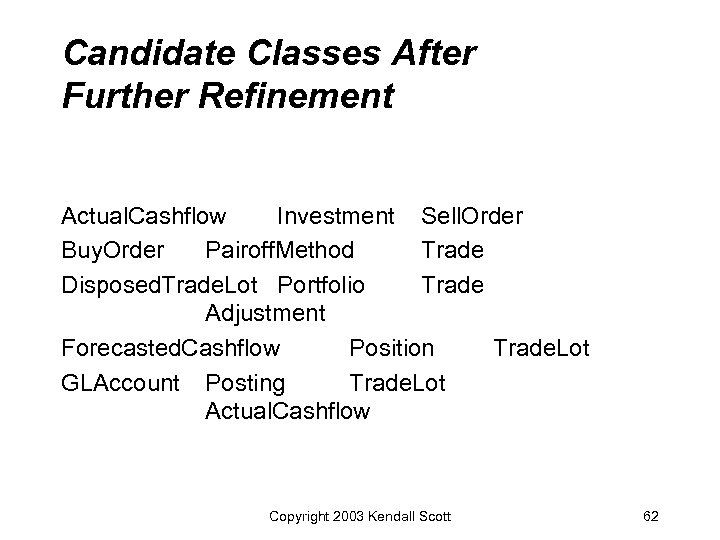
Candidate Classes After Further Refinement Actual. Cashflow Investment Sell. Order Buy. Order Pairoff. Method Trade Disposed. Trade. Lot Portfolio Trade Adjustment Forecasted. Cashflow Position Trade. Lot GLAccount Posting Trade. Lot Actual. Cashflow Copyright 2003 Kendall Scott 62
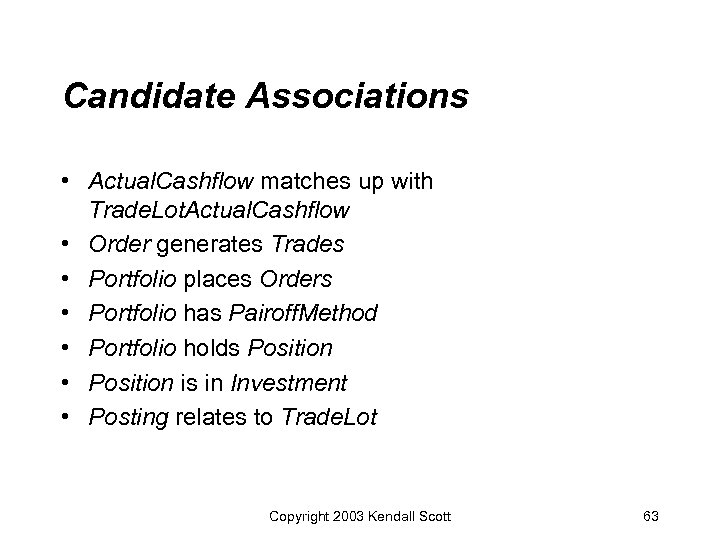
Candidate Associations • Actual. Cashflow matches up with Trade. Lot. Actual. Cashflow • Order generates Trades • Portfolio places Orders • Portfolio has Pairoff. Method • Portfolio holds Position • Position is in Investment • Posting relates to Trade. Lot Copyright 2003 Kendall Scott 63
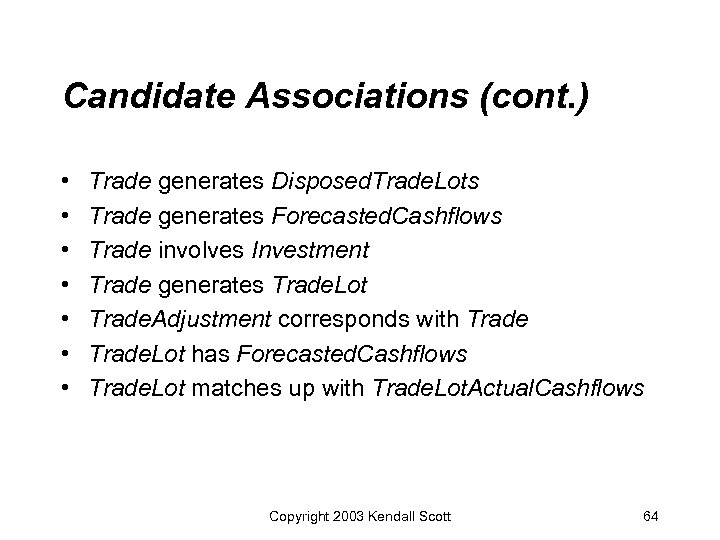
Candidate Associations (cont. ) • • Trade generates Disposed. Trade. Lots Trade generates Forecasted. Cashflows Trade involves Investment Trade generates Trade. Lot Trade. Adjustment corresponds with Trade. Lot has Forecasted. Cashflows Trade. Lot matches up with Trade. Lot. Actual. Cashflows Copyright 2003 Kendall Scott 64
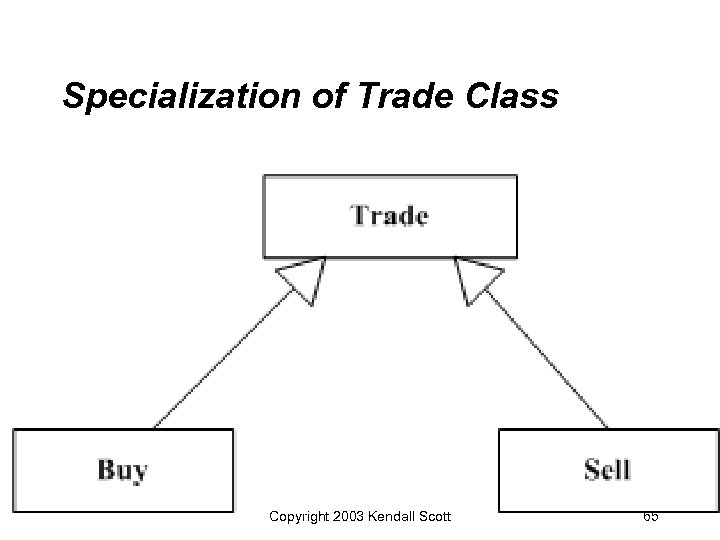
Specialization of Trade Class • Copyright 2003 Kendall Scott 65
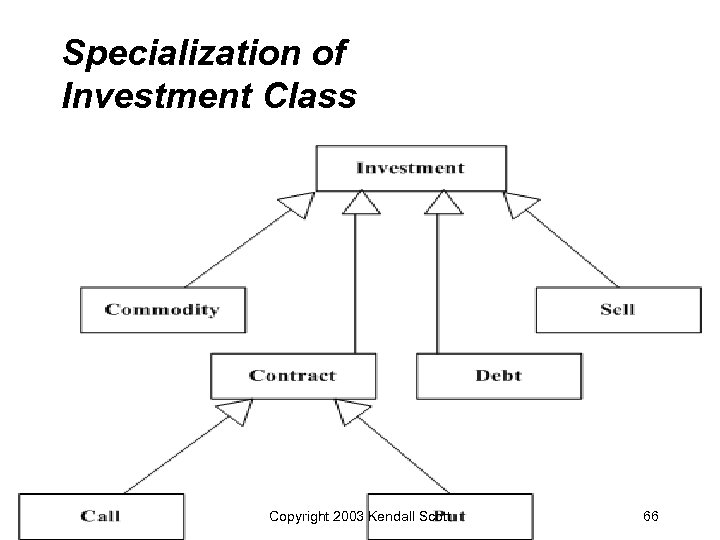
Specialization of Investment Class • Copyright 2003 Kendall Scott 66
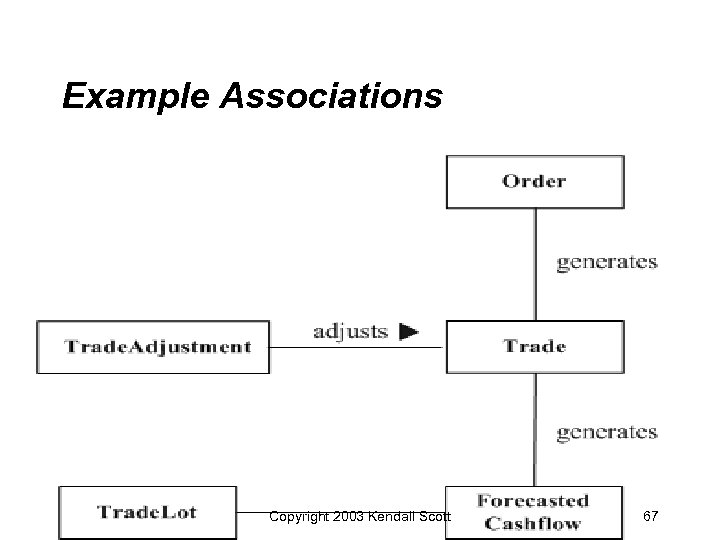
Example Associations • Copyright 2003 Kendall Scott 67
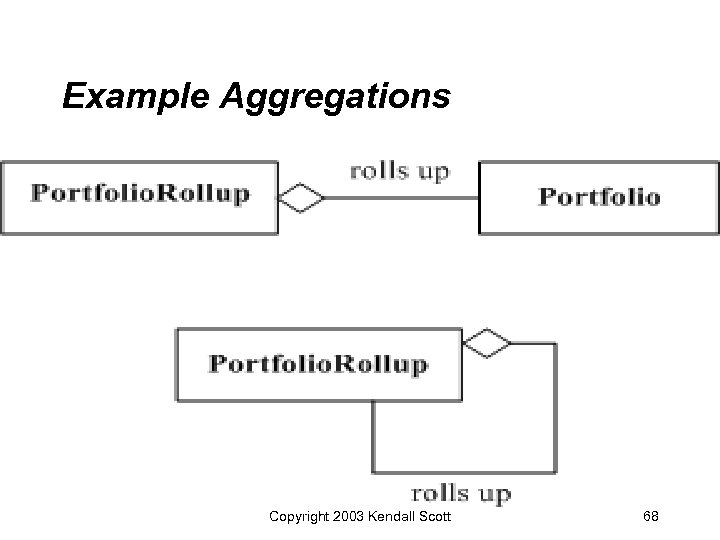
Example Aggregations Copyright 2003 Kendall Scott 68
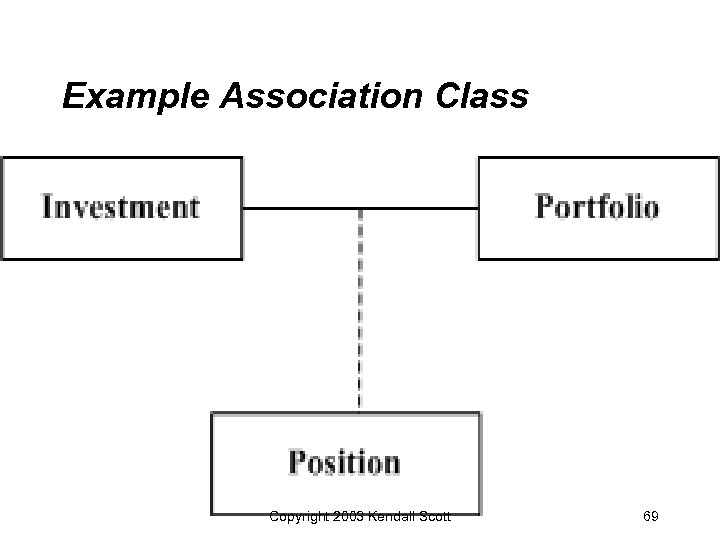
Example Association Class Copyright 2003 Kendall Scott 69
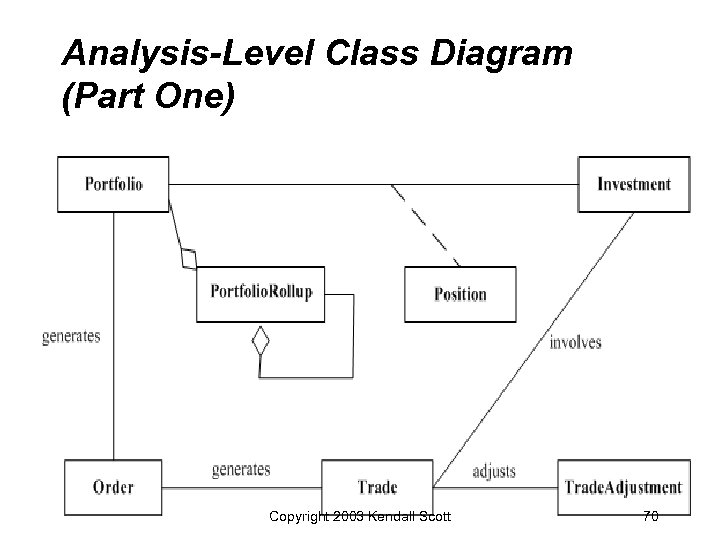
Analysis-Level Class Diagram (Part One) Copyright 2003 Kendall Scott 70
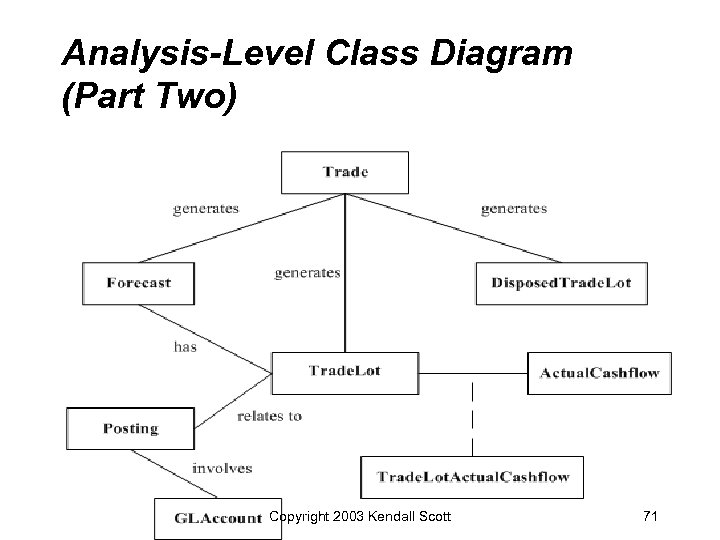
Analysis-Level Class Diagram (Part Two) Copyright 2003 Kendall Scott 71
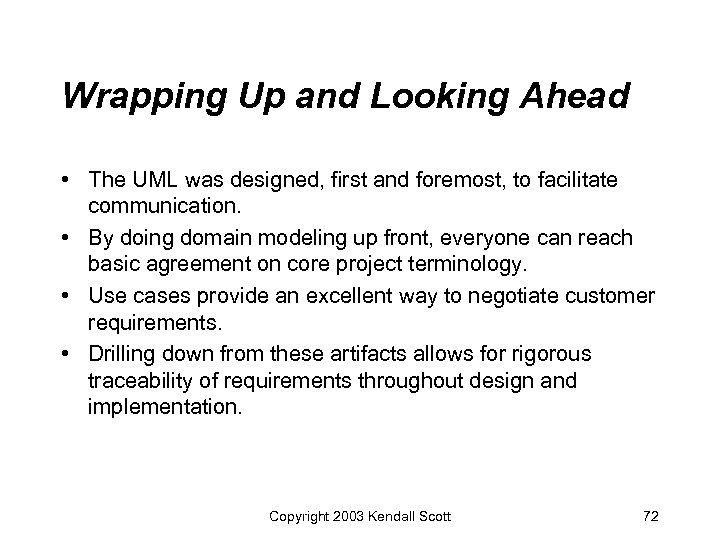
Wrapping Up and Looking Ahead • The UML was designed, first and foremost, to facilitate communication. • By doing domain modeling up front, everyone can reach basic agreement on core project terminology. • Use cases provide an excellent way to negotiate customer requirements. • Drilling down from these artifacts allows for rigorous traceability of requirements throughout design and implementation. Copyright 2003 Kendall Scott 72
Contact Information • kendall@kendallscott. com • http: //kendallscott. com • (866) 788 -0 UML Copyright 2003 Kendall Scott 73
Скачать презентацию Building Use Cases and the Domain Model Copyright
7a841f3ee1cae61745333dee00479adf.ppt