 Скачать презентацию Building quality software on target Marcel de Vries
0df65f22c951eee8d5eb19de5457843f.ppt
- Количество слайдов: 126



Building quality software on target Marcel de Vries marcelv@infosupport. com http: //blogs. infosupport. com/marcelv
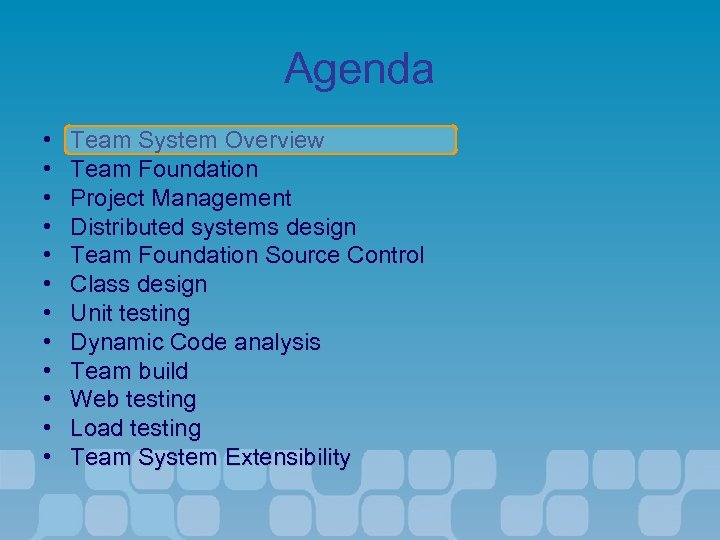
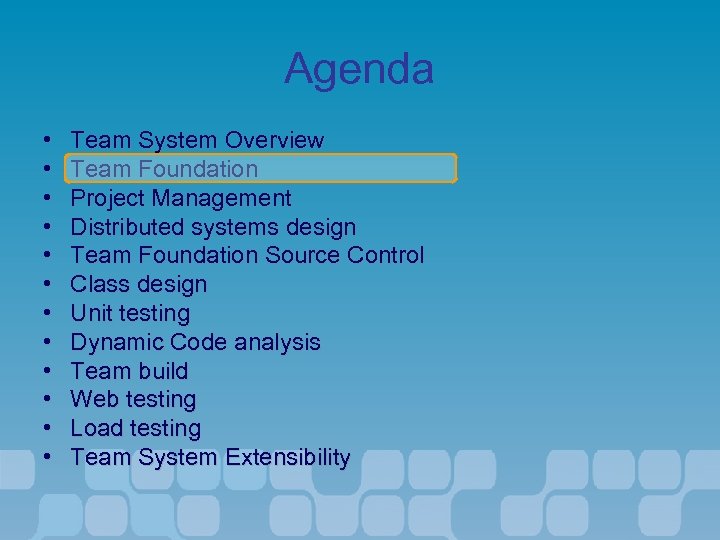
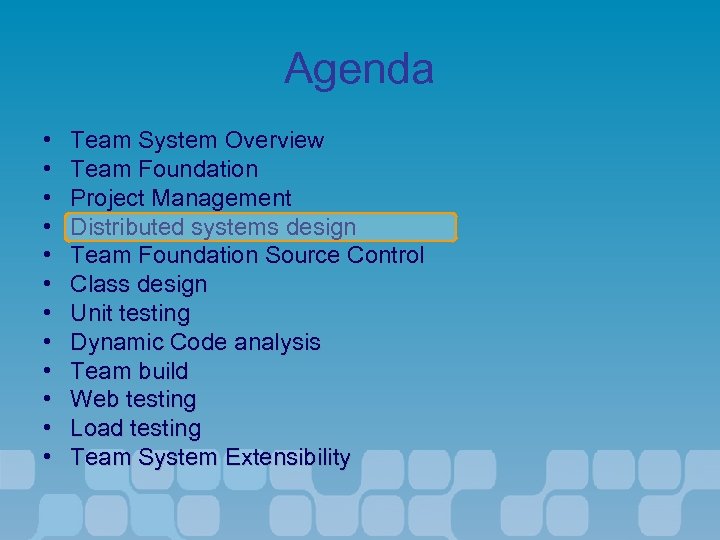
Agenda • • • Team System Overview Team Foundation Project Management Distributed systems design Team Foundation Source Control Class design Unit testing Dynamic Code analysis Team build Web testing Load testing Team System Extensibility
The Software Lifecycle What We’ve Heard • • “Building software today is very difficult” “My team is spread out and specialized” “Tools today don’t work well together” “I need to be able to predict the success of my projects” • “My organization needs customizable process guidance”
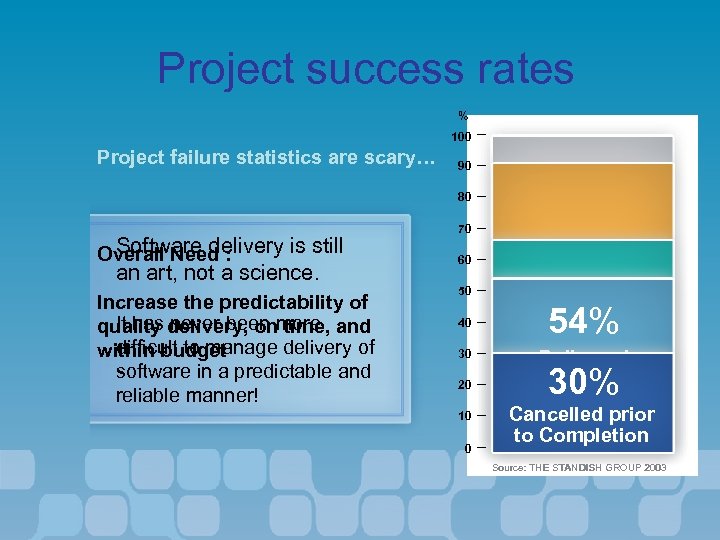
Project success rates % 100 Project failure statistics are scary… 90 80 Software delivery is still Overall Need : an art, not a science. Increase the predictability of It has never been time, quality delivery, onmore and difficult to manage delivery of within budget software in a predictable and reliable manner! 70 60 50 40 30 20 10 0 90% Delivered 66% Late 54% Were not Delivered Considered over Budget Successful 30% Cancelled prior to Completion Source: THE STANDISH GROUP 2003
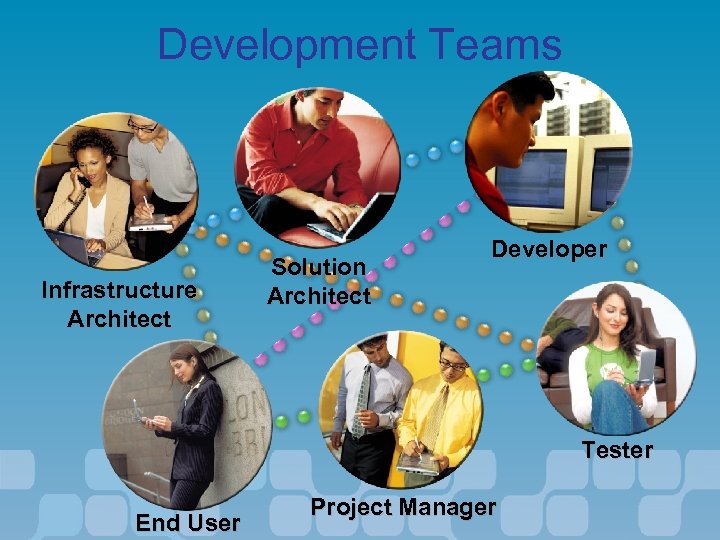
Development Teams Infrastructure Architect Solution Architect Developer Tester End User Project Manager
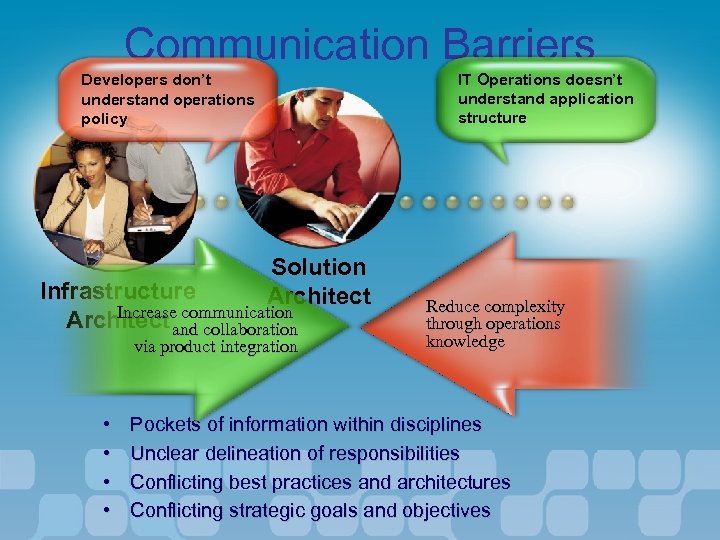
Communication Barriers IT Operations doesn’t understand application structure Developers don’t understand operations policy Solution Architect Infrastructure Increase communication Architect and collaboration via product integration • • Reduce complexity through operations knowledge Pockets of information within disciplines Unclear delineation of responsibilities Conflicting best practices and architectures Conflicting strategic goals and objectives
Core Tenets to Success • Tools need to… – …reduce the complexity of delivering modern service-oriented solutions – …be tightly integrated and facilitate better team collaboration – …enable customization and extensibility by organizations and ISVs
Challenges of Building IT Solutions • Communication across diverse teams – (Testers, Architects, Developers, etc. ) • Bundled tools, as opposed to integrated tools – Defect Tracking – Development – Test Management – Task Assignment
Challenges of Building IT Solutions • Ill-fitting process – Little automatic guidance – Heavy burden • Disappointing ROI – Lack of Visibility – Lack of Predictability
Process Questions • • What is the process? What document should be filled out next? What are the requirements? What development tasks relate to what requirements? What tests relate to what requirements? What code relates to what test, that relates to what requirement? Are we on schedule?
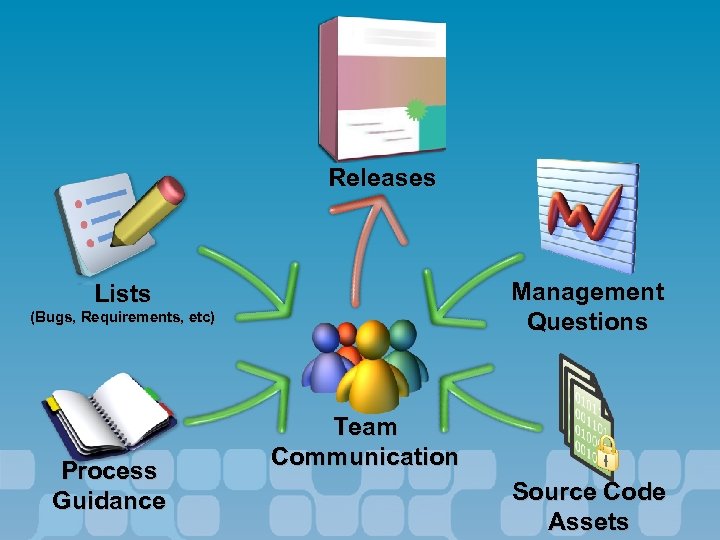
Releases Management Questions Lists (Bugs, Requirements, etc) Process Guidance Team Communication Source Code Assets
Development Questions • • • Did we do design? What all was considered in the design? Did we account for the production environment? Do we have coding standards? Are developers following standards? Are developers testing their code? – Are you sure?
Developer Needs? • Standard version control • Historical traces from code to work item – What was the requirement? – What bug was being fixed? • • • Parallel development Tools for interruptible workflow Remote version control
Tester Needs? • • • Version control for test artifacts Notification of available bug fixes Release notes for individual builds
Project Lead Needs? • • Reports on code churn Status updates derived from check-ins Rapid start-up for new team members Change Management assistance – Simple change migration between branches – Identify fixes needing migration – Easily back-out a fix
Improving the Software Lifecycle • Better communication across roles – Simplified reporting – MS Project integration for Project managers – Distributed Systems Designers for architect to developer communication
Improving the Software Lifecycle • • Reporting and automated collection of data Integrated Tools Integrated Workflow and Process Improved ROI
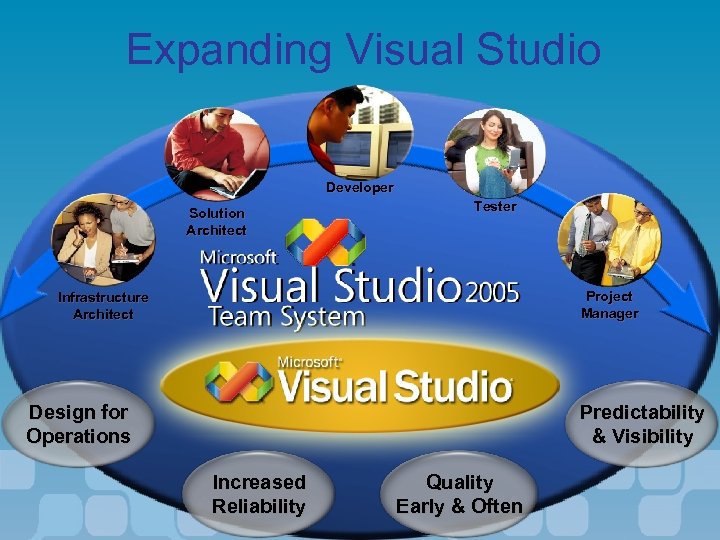
Expanding Visual Studio Developer Solution Architect Tester Project Manager Infrastructure Architect Design for Operations Predictability & Visibility Increased Reliability Quality Early & Often
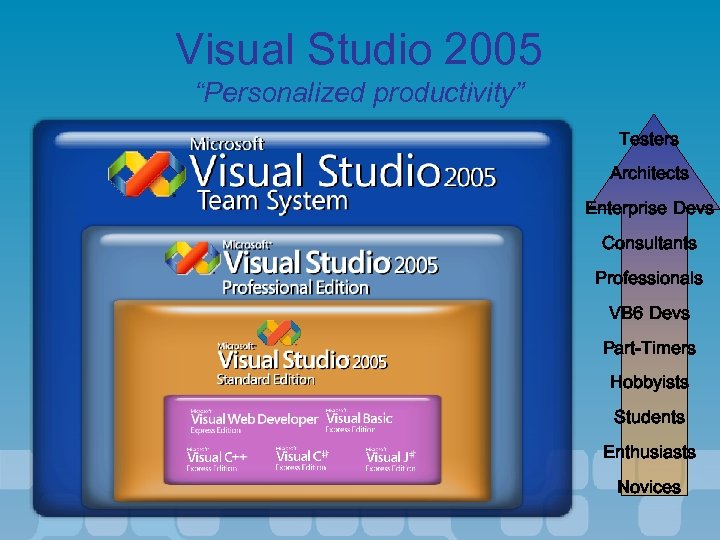
Visual Studio 2005 “Personalized productivity” Testers Architects Enterprise Devs Consultants Professionals VB 6 Devs Part-Timers Hobbyists Students Enthusiasts Novices
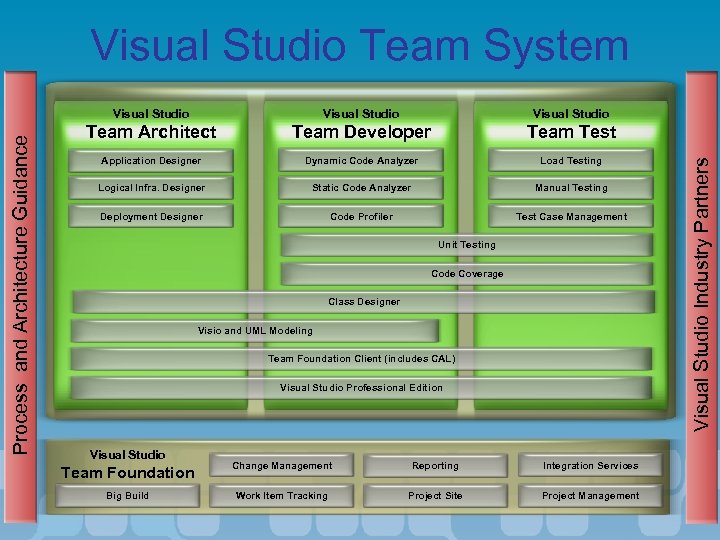
Visual Studio Team System Visual Studio Team Architect Team Developer Team Test Application Designer Dynamic Code Analyzer Load Testing Logical Infra. Designer Static Code Analyzer Manual Testing Deployment Designer Code Profiler Test Case Management Unit Testing Code Coverage Class Designer Visio and UML Modeling Team Foundation Client (includes CAL) Visual Studio Professional Edition Visual Studio Team Foundation Change Management Reporting Integration Services Big Build Work Item Tracking Project Site Project Management Visual Studio Industry Partners Process and Architecture Guidance Visual Studio
Agenda • • • Team System Overview Team Foundation Project Management Distributed systems design Team Foundation Source Control Class design Unit testing Dynamic Code analysis Team build Web testing Load testing Team System Extensibility
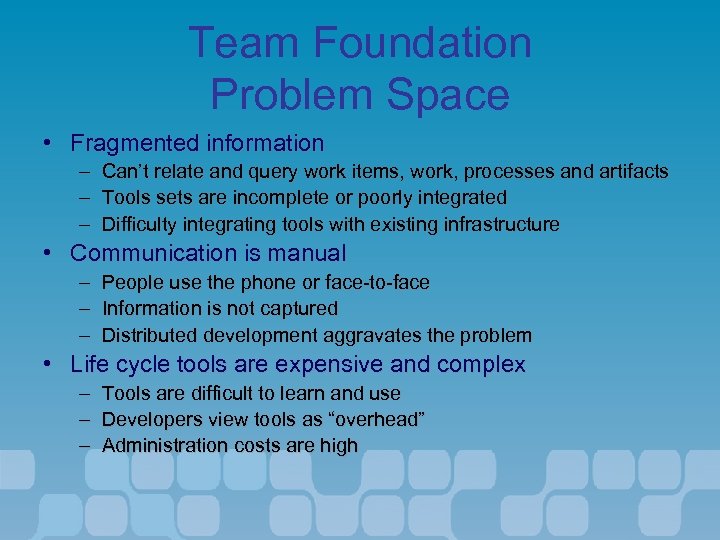
Team Foundation Problem Space • Fragmented information – Can’t relate and query work items, work, processes and artifacts – Tools sets are incomplete or poorly integrated – Difficulty integrating tools with existing infrastructure • Communication is manual – People use the phone or face-to-face – Information is not captured – Distributed development aggravates the problem • Life cycle tools are expensive and complex – – – Tools are difficult to learn and use Developers view tools as “overhead” Administration costs are high
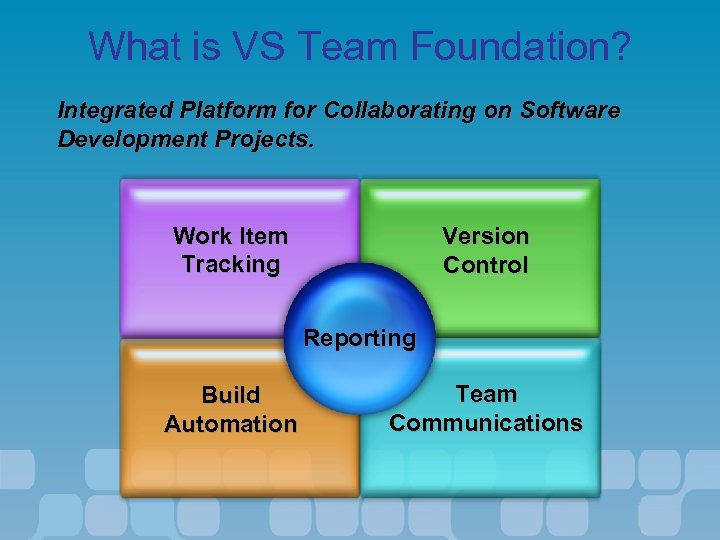
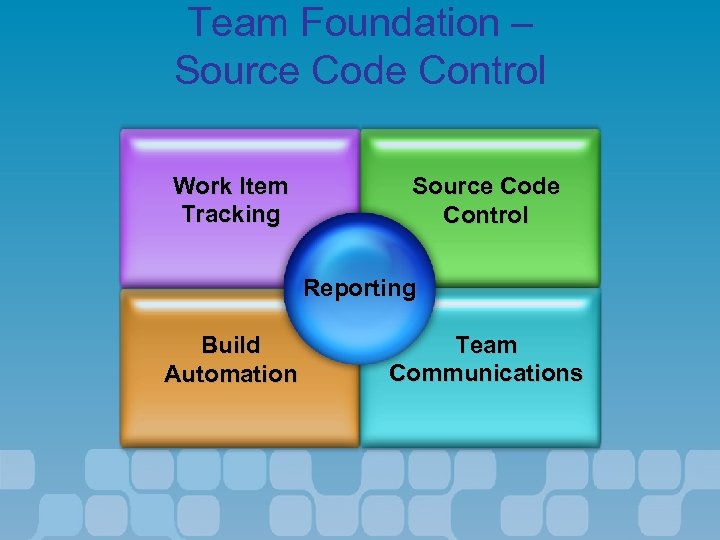
What is VS Team Foundation? Integrated Platform for Collaborating on Software Development Projects. Work Item Tracking Version Control Reporting Build Automation Team Communications
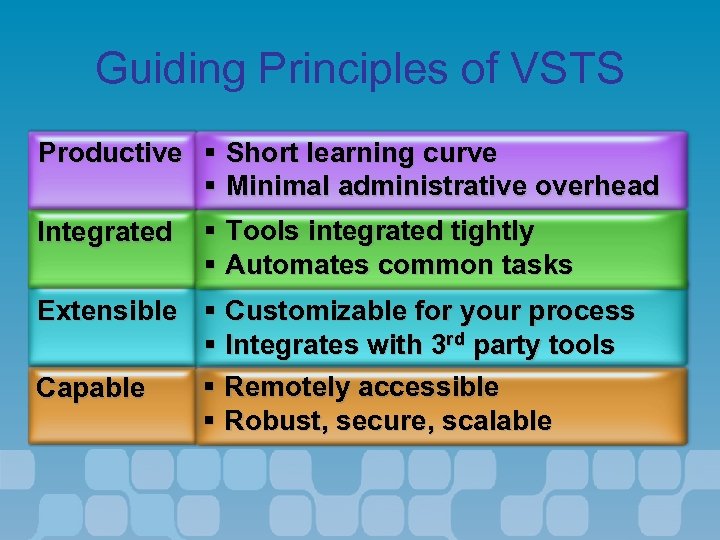
Guiding Principles of VSTS Productive § Short learning curve § Minimal administrative overhead Integrated § Tools integrated tightly § Automates common tasks Extensible § Customizable for your process § Integrates with 3 rd party tools § Remotely accessible Capable § Robust, secure, scalable
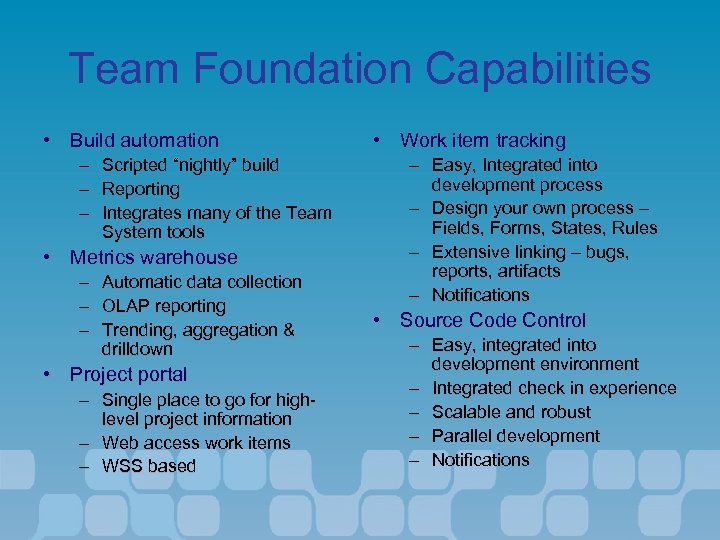
Team Foundation Capabilities • Build automation – – – Scripted “nightly” build Reporting Integrates many of the Team System tools • Metrics warehouse – – – Automatic data collection OLAP reporting Trending, aggregation & drilldown • Project portal – Single place to go for highlevel project information – Web access work items – WSS based • Work item tracking – Easy, Integrated into development process – Design your own process – Fields, Forms, States, Rules – Extensive linking – bugs, reports, artifacts – Notifications • Source Code Control – Easy, integrated into development environment – Integrated check in experience – Scalable and robust – Parallel development – Notifications
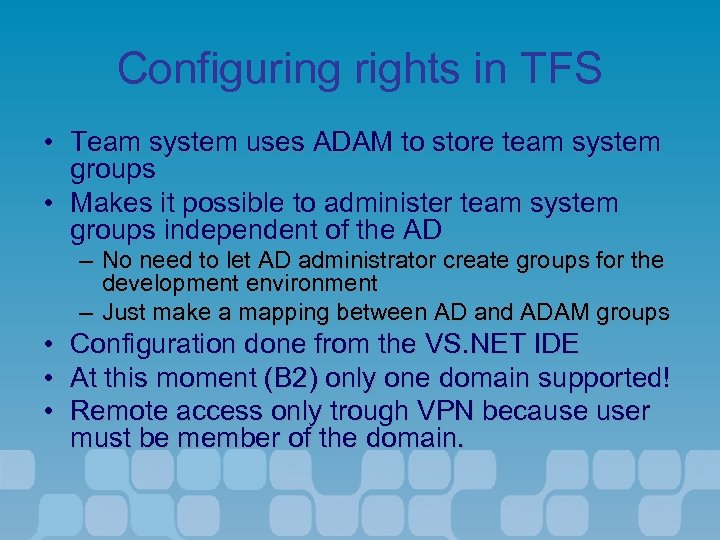
Configuring rights in TFS • Team system uses ADAM to store team system groups • Makes it possible to administer team system groups independent of the AD – No need to let AD administrator create groups for the development environment – Just make a mapping between AD and ADAM groups • Configuration done from the VS. NET IDE • At this moment (B 2) only one domain supported! • Remote access only trough VPN because user must be member of the domain.
Configuring Team Foundation Server
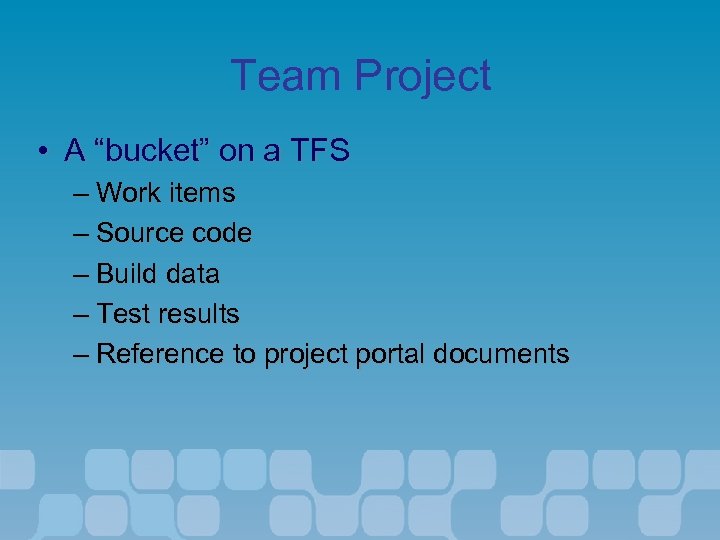
Team Project • A “bucket” on a TFS – Work items – Source code – Build data – Test results – Reference to project portal documents
Demo Create and examine a Team Project
Agenda • • • Team System Overview Team Foundation Project Management Distributed systems design Team Foundation Source Control Class design Unit testing Dynamic Code analysis Team build Web testing Load testing Team System Extensibility
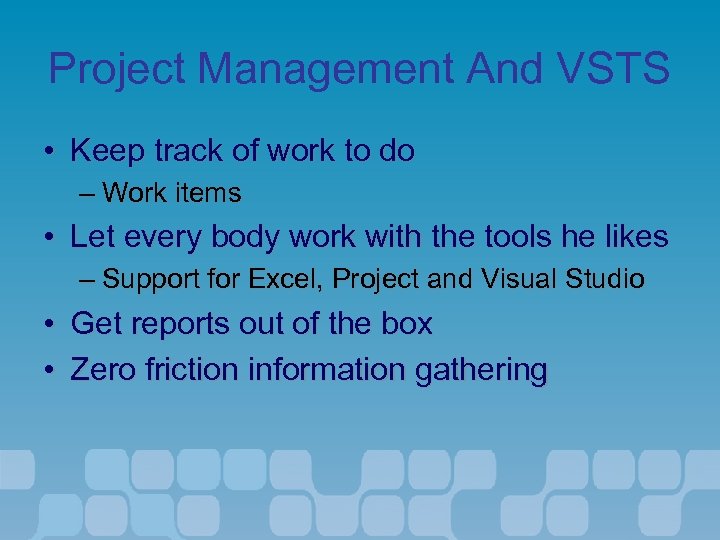
Project Management And VSTS • Keep track of work to do – Work items • Let every body work with the tools he likes – Support for Excel, Project and Visual Studio • Get reports out of the box • Zero friction information gathering
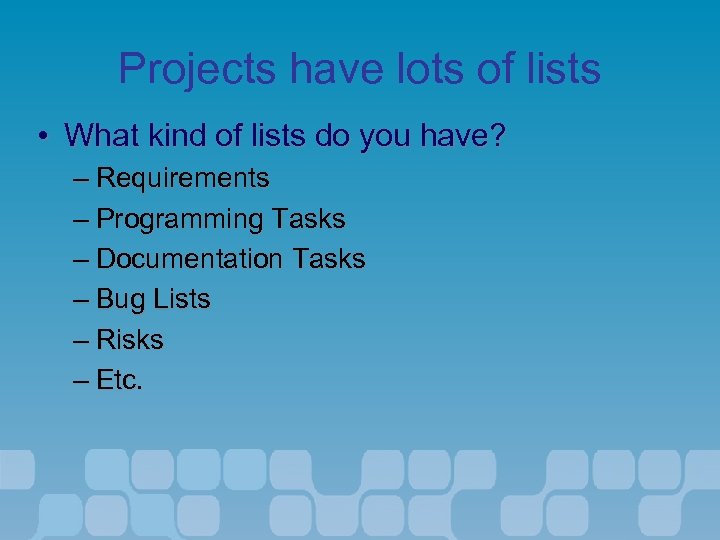
Projects have lots of lists • What kind of lists do you have? – Requirements – Programming Tasks – Documentation Tasks – Bug Lists – Risks – Etc.
Managing Lists • Using Microsoft Project – Integrated with Team Foundation Server – Data Validation
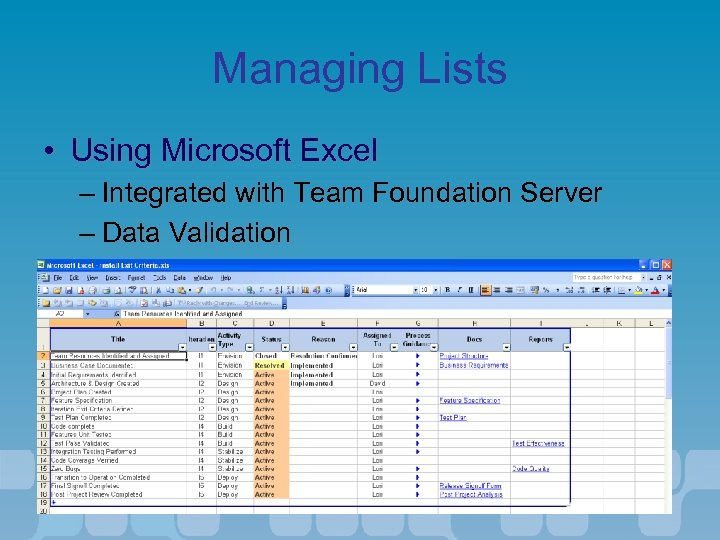
Managing Lists • Using Microsoft Excel – Integrated with Team Foundation Server – Data Validation
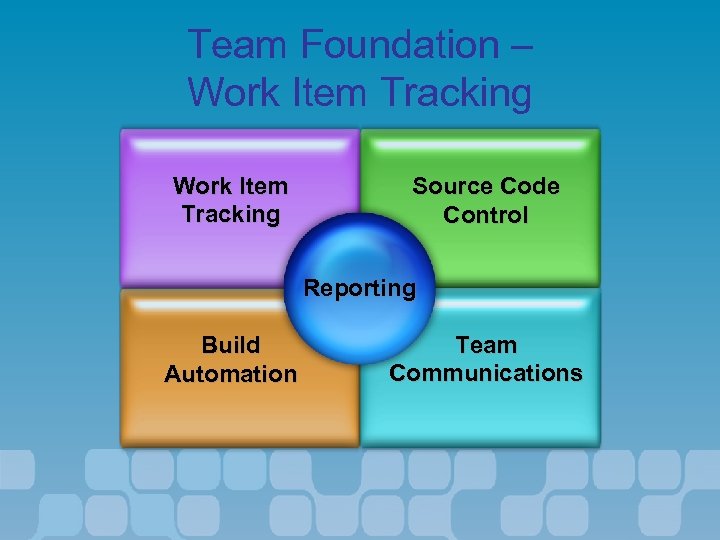
Team Foundation – Work Item Tracking Source Code Control Reporting Build Automation Team Communications
Work Items • • • Very similar to task list in MS Project Work should be done based off tasks Different types of tasks – Requirement – Bug – XX – YY
Working with Work Items • Project managers can use MS Project or Excel and synchronize with the work item database • Developers will see work items and interact with them directly in Visual Studio • Testers will interact with work items using Visual Studio Team Test • Project Managers could also use Team Foundation Client
Demo • Synchronize MS Project/Excel with Work Items
Agenda • • • Team System Overview Team Foundation Project Management Distributed systems design Team Foundation Source Control Class design Unit testing Dynamic Code analysis Team build Web testing Load testing Team System Extensibility
Team Architect Problem Space • Distributed systems and SOA increase development and deployment complexity • Communication problems exist between – Architects and Developers – Development and Infrastructure Architects
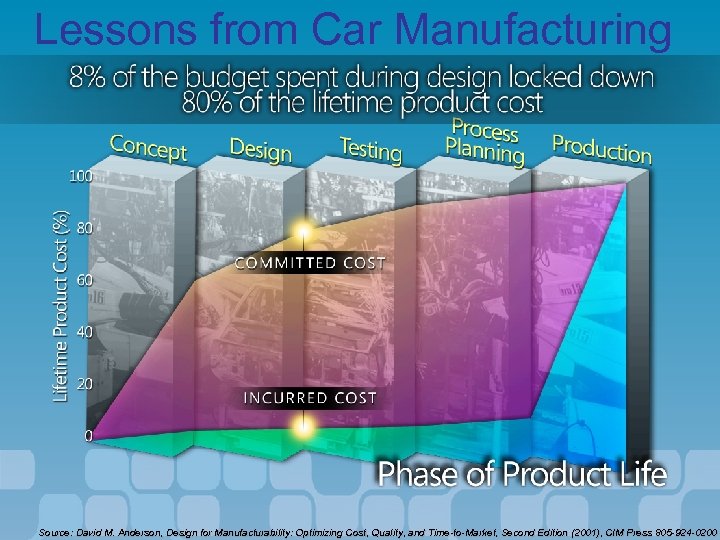
Lessons from Car Manufacturing Source: David M. Anderson, Design for Manufacturability: Optimizing Cost, Quality, and Time-to-Market, Second Edition (2001), CIM Press 805 -924 -0200
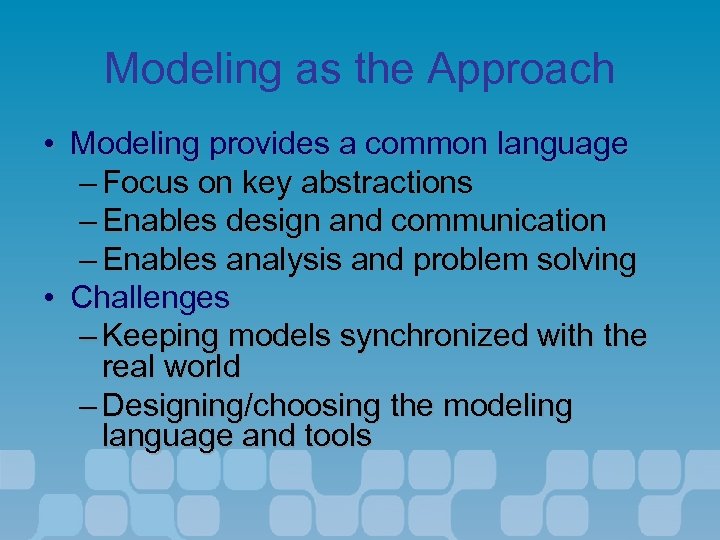
Modeling as the Approach • Modeling provides a common language – Focus on key abstractions – Enables design and communication – Enables analysis and problem solving • Challenges – Keeping models synchronized with the real world – Designing/choosing the modeling language and tools
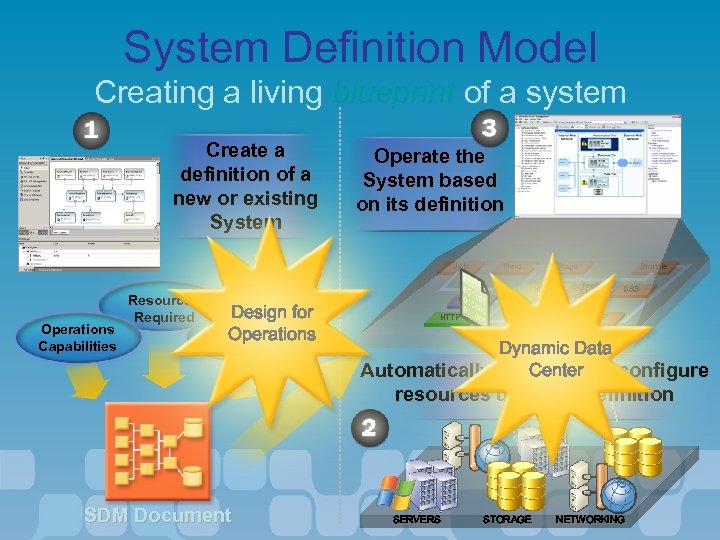
System Definition Model Creating a living blueprint of a system Create a definition of a new or existing System Operate the System based on its definition Job Operations Capabilities Resources Required Merc. Stage SQL Design for Operational Operations Policies Cache HTTP Shuttle Feed Store DSS FTP Dynamic Data Center Automatically allocate and configure resources using its definition SDM Document SERVERS STORAGE NETWORKING
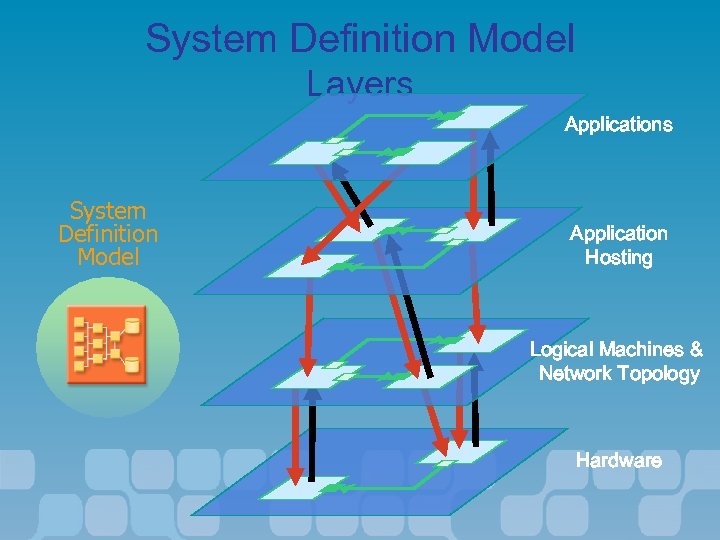
System Definition Model Layers Applications System Definition Model Application Hosting Logical Machines & Network Topology Hardware
Application Modeling Definitions • An Application is an individually deployable unit of function – Which may provide or consume services via endpoints • A System is a configured set of one or more applications – Can be composed to create more complex systems – Is the unit of deployment and management
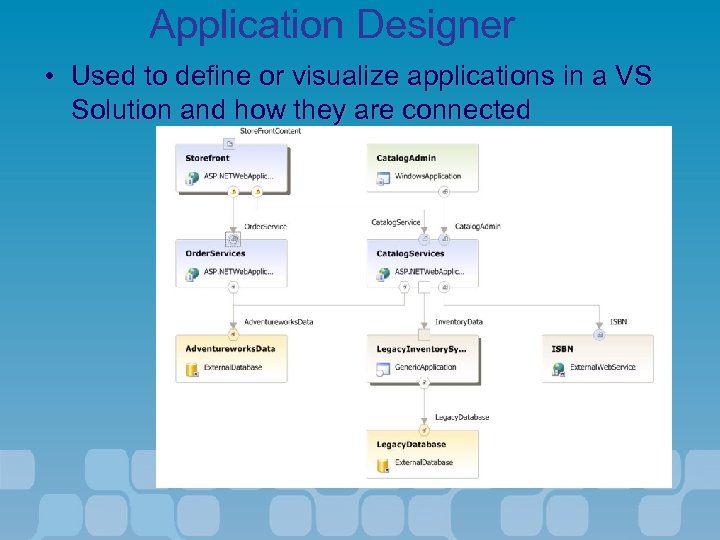
Application Designer • Used to define or visualize applications in a VS Solution and how they are connected
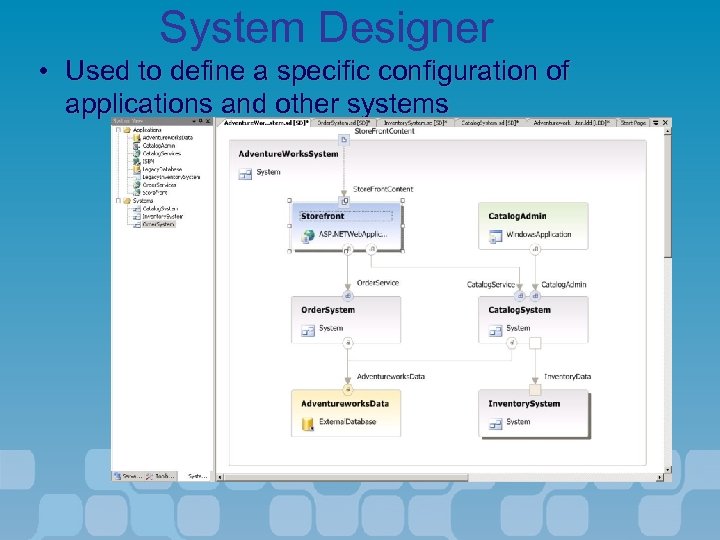
System Designer • Used to define a specific configuration of applications and other systems
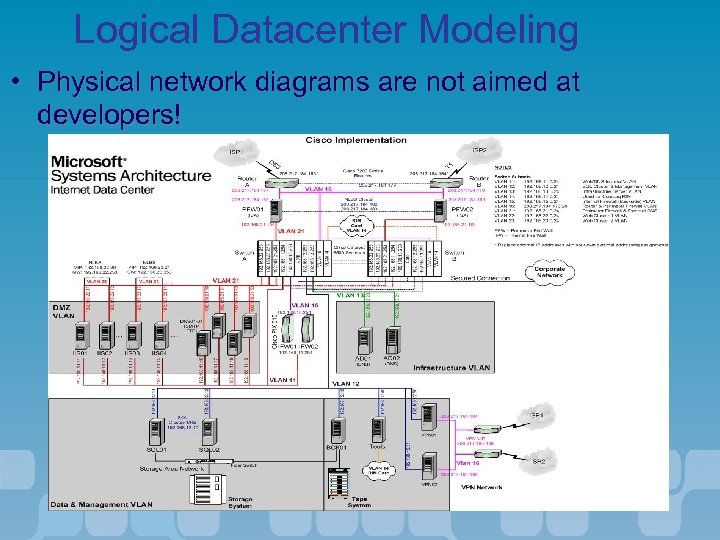
Logical Datacenter Modeling • Physical network diagrams are not aimed at developers!
Logical Datacenter Modeling Definitions • A Logical Server describes the application hosting characteristics of a type of server • A Logical Datacenter is a configured set of logical servers • A Zone is a logical datacenter boundary (physical, security, communication etc. ) or security • A Deployment Definition describes the deployment of a system to a logical datacenter
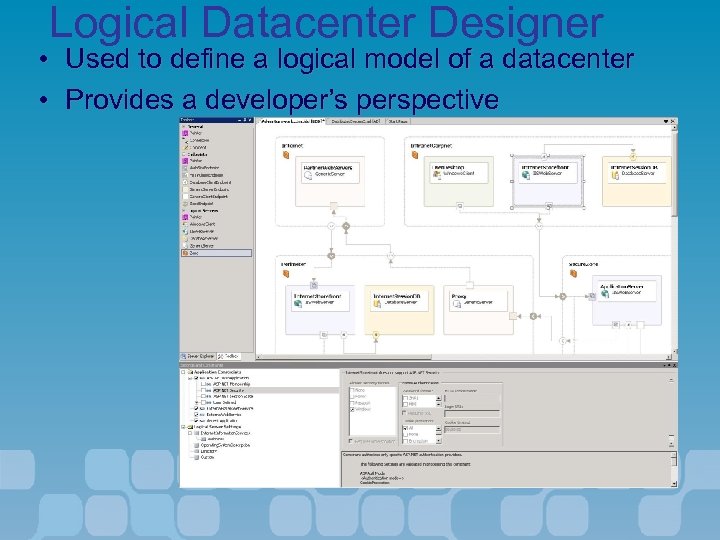
Logical Datacenter Designer • Used to define a logical model of a datacenter • Provides a developer’s perspective
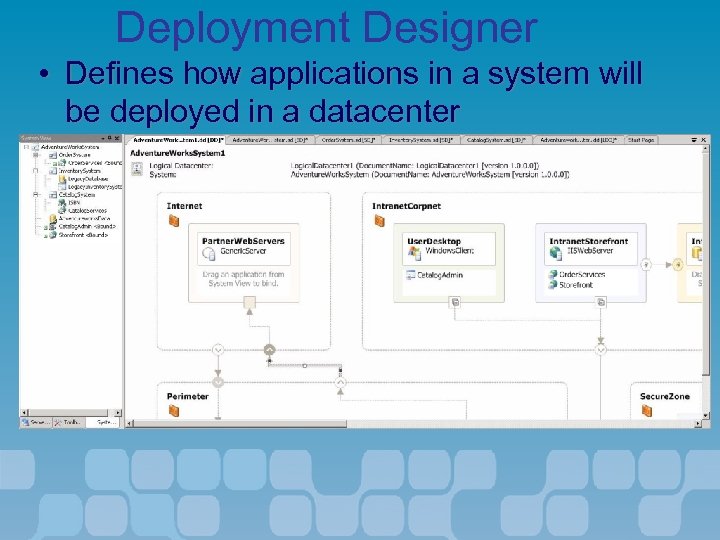
Deployment Designer • Defines how applications in a system will be deployed in a datacenter
Demo • Application Designers
Agenda • • • Team System Overview Team Foundation Project Management Distributed systems design Team Foundation Source Control Class design Unit testing Dynamic Code analysis Team build Web testing Load testing Team System Extensibility
Team Foundation – Source Code Control Work Item Tracking Source Code Control Reporting Build Automation Team Communications
Visual Source. Safe • Considered industry’s easiest to use version control tool • Often first SCM tool encountered by developers • Not considered a full featured SCM tool • Not appropriate for large scale software development
Team Foundation Source Code Control • 3 -tier, web service architecture • Built on SQL Server for robust, transaction -based version control • Integration with other VSTS tools for automated workflow management • Implementation of advanced SCM concepts • Migrate from – VSS, Clear. Case, Source Depot
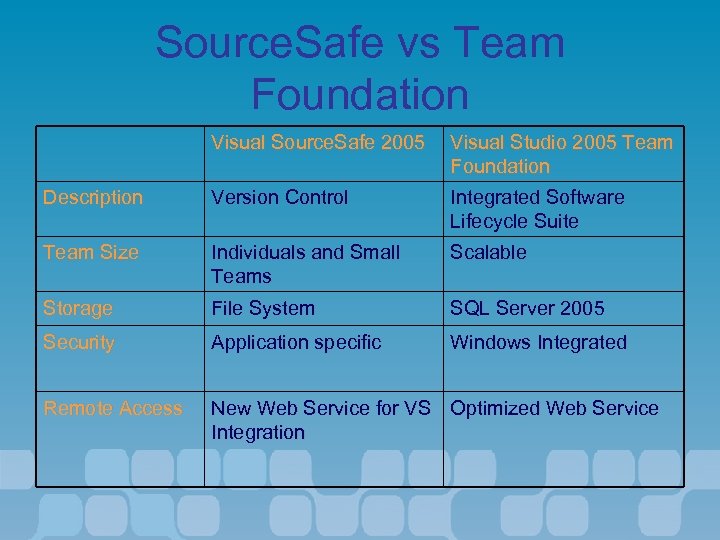
Source. Safe vs Team Foundation Visual Source. Safe 2005 Visual Studio 2005 Team Foundation Description Version Control Integrated Software Lifecycle Suite Team Size Individuals and Small Teams Scalable Storage File System SQL Server 2005 Security Application specific Windows Integrated Remote Access New Web Service for VS Optimized Web Service Integration
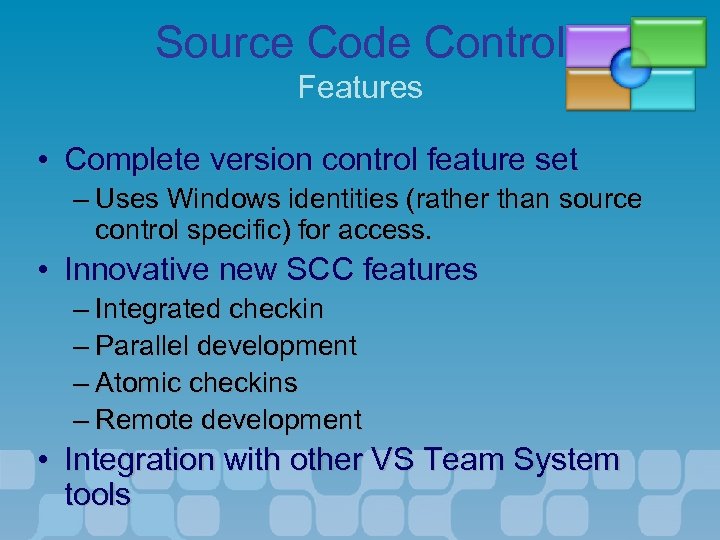
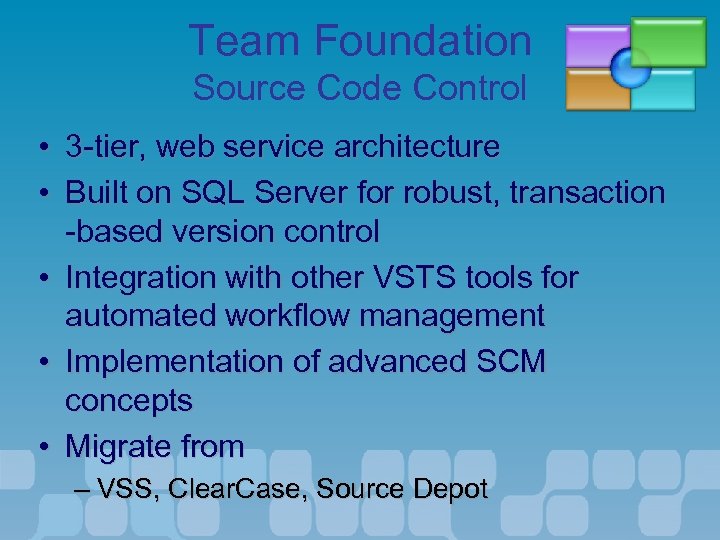
Source Code Control Features • Complete version control feature set – Uses Windows identities (rather than source control specific) for access. • Innovative new SCC features – Integrated checkin – Parallel development – Atomic checkins – Remote development • Integration with other VS Team System tools
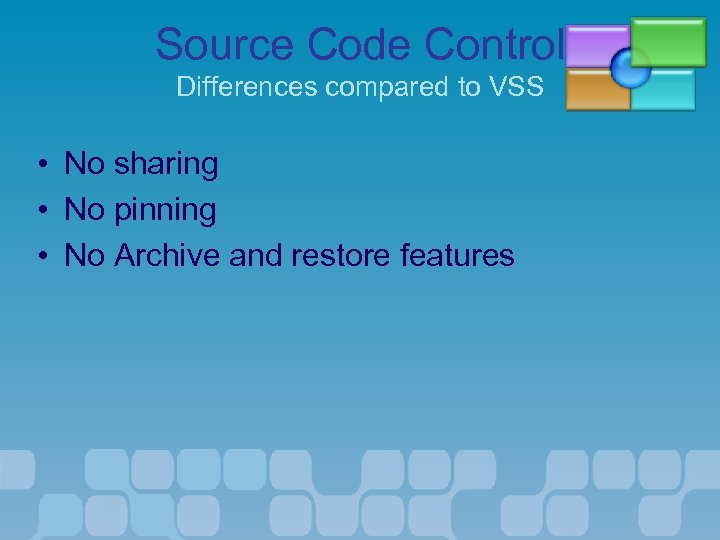
Source Code Control Differences compared to VSS • • • No sharing No pinning No Archive and restore features
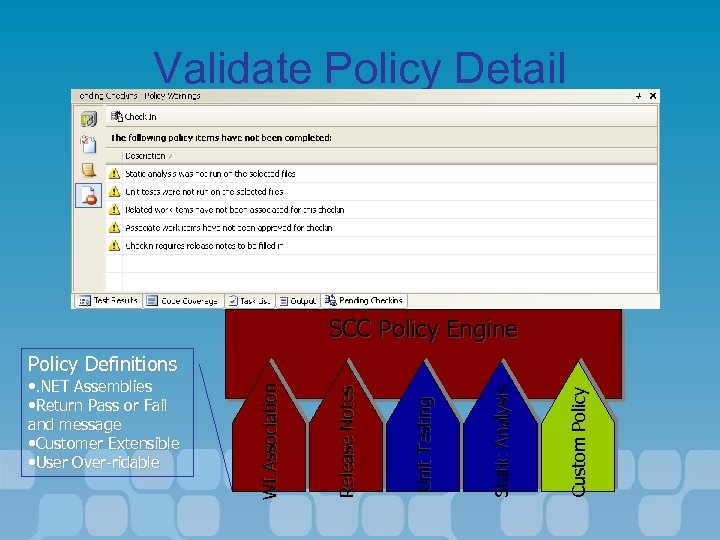
Validate Policy Detail SCC Policy Engine Custom Policy Static Analysis Unit Testing Release Notes • . NET Assemblies • Return Pass or Fail and message • Customer Extensible • User Over-ridable WI Association Policy Definitions
Source Code Control Parallel Development • Multiple Releases – Branching – Merging • Multiple Checkouts
Source Code Control Shelving • • • Interrupted workflow Transfer changes without checkin Checkpoint or share work in progress
Source Code Control Remote Development • Remote development is a reality – Distributed teams, at-home, offshore • A system built for the Internet – Web service protocols – Compatible with proxies and firewalls – Optimized for high-latency networks
Demo • Source code Control
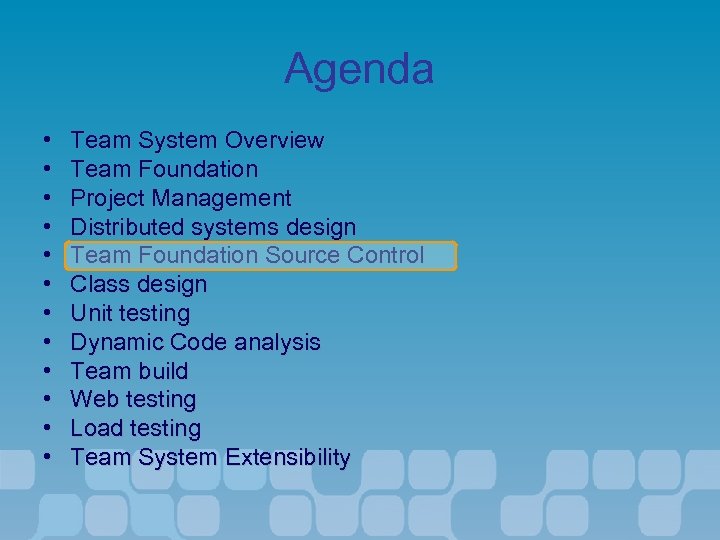
Agenda • • • Team System Overview Team Foundation Project Management Distributed systems design Team Foundation Source Control Class design Unit testing Dynamic Code analysis Team build Web testing Load testing Team System Extensibility
Class Designer • Reflects the underlying source file – Diagram is a view of the code • • Stored at a project level Supports inheritance Supports associations Supports enums and structs
Use Class Diagrams to… • • Understand existing code Initial class design Review and refactor code Diagrams for documentation
Demo • Class Designer
Agenda • • • Team System Overview Team Foundation Project Management Distributed systems design Team Foundation Source Control Class design Unit testing Dynamic Code analysis Team build Web testing Load testing Team System Extensibility
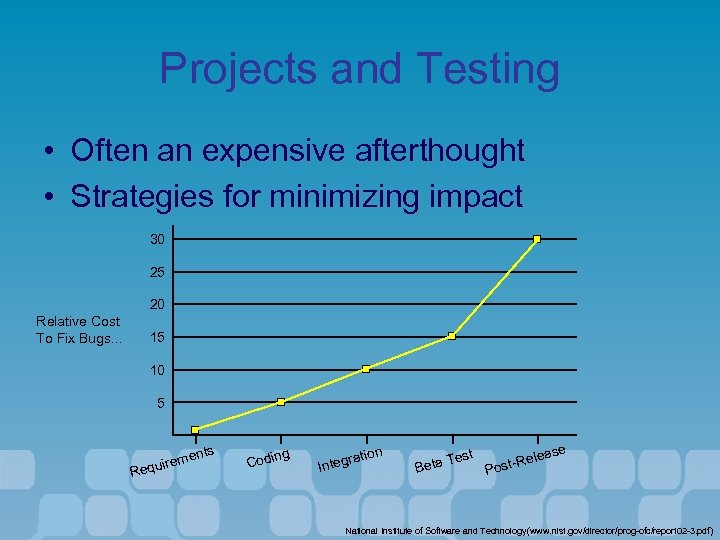
Projects and Testing • Often an expensive afterthought • Strategies for minimizing impact 30 25 20 Relative Cost To Fix Bugs. . . 15 10 5 nts R eme equir ng Codi on rati nteg I Te Beta st e leas st-Re o P National Institute of Software and Technology(www. nist. gov/director/prog-ofc/report 02 -3. pdf)
Problems. . . • It is expensive to find and fix bugs that get past daily development practices • It is hard to diagnose errors at runtime • Why does an application run slowly? • Individual Developers and Testers need to know if they are on track • Test and development are often out of synch • Final test phase for shipping is often ad-hoc • How much testing is enough?
Defence In Depth • Microsoft uses a 'defence in depth' strategy – Unit testing – Code reviews – Frequent builds • Catch bugs early – Static checks – Runtime checks
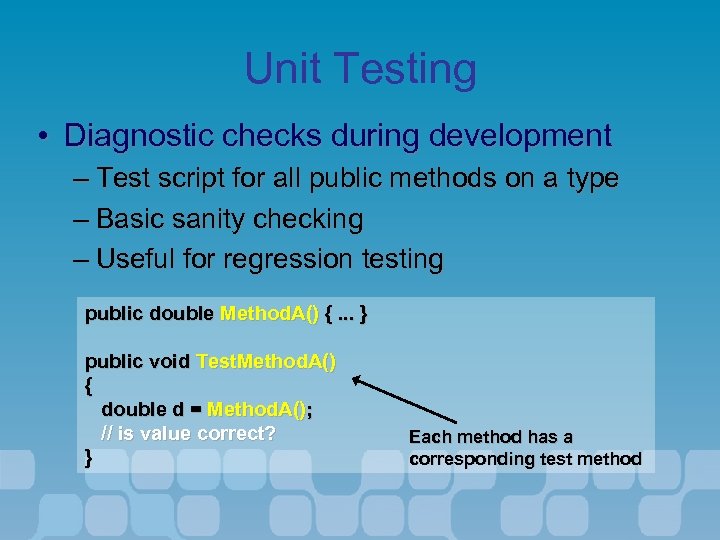
Unit Testing • Diagnostic checks during development – Test script for all public methods on a type – Basic sanity checking – Useful for regression testing public double Method. A() {. . . } public void Test. Method. A() { double d = Method. A(); // is value correct? } Each method has a corresponding test method
Code Reviews • For the Visual Studio 7. 0 product cycle – 86% of bugs occurred in reviewed code – 60% of all bugs were coding errors • Static analysis helps catch bugs – Source code analysis – PREfast for C and C++ – Fx. Cop for. NET
Static Analysis • Find errors in your code before you run or deploy it • A range of checks – From style to code correctness to security issues • Integrated into the Team System Build Environment
PREFast • Static analysis for C/C++ code – Managed and unmanaged C++ • Catches common bugs – Buffer overruns, uninitialized memory – Memory leaks, null pointer dereference • Reported as compiler warnings – Display path to problem – Use #pragma to turn off
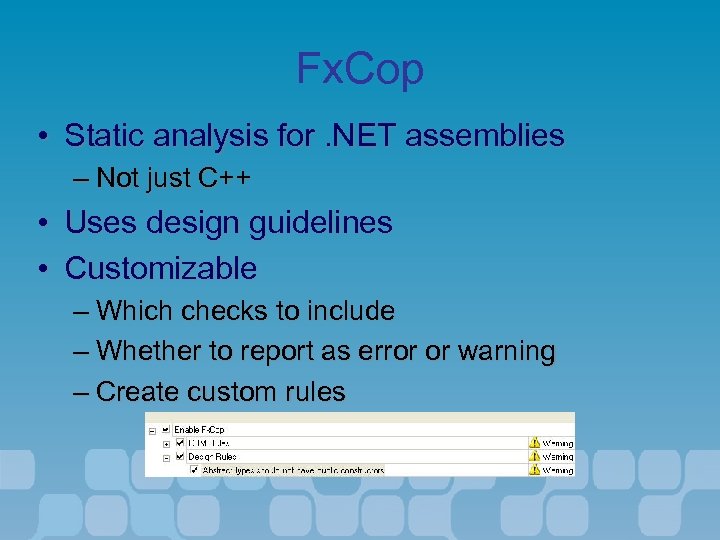
Fx. Cop • Static analysis for. NET assemblies – Not just C++ • Uses design guidelines • Customizable – Which checks to include – Whether to report as error or warning – Create custom rules
Frequent Builds • Build often to check consistency – Nightly build script – 'Buddy building' • Microsoft enforces checks – Unit testing and source code analysis at check-in – Check-in policy for team foundation!
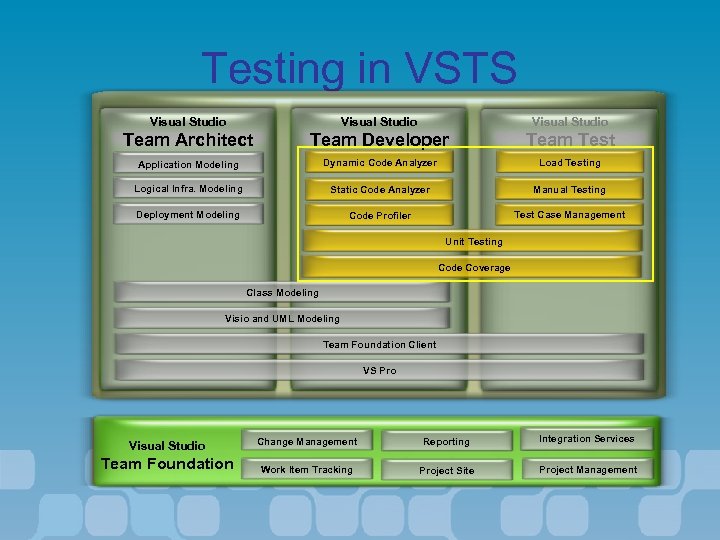
Testing in VSTS Visual Studio Team Architect Team Developer Team Test Application Modeling Dynamic Code Analyzer Load Testing Logical Infra. Modeling Static Code Analyzer Manual Testing Deployment Modeling Code Profiler Test Case Management Unit Testing Code Coverage Class Modeling Visio and UML Modeling Team Foundation Client VS Pro Visual Studio Team Foundation Change Management Reporting Integration Services Work Item Tracking Project Site Project Management
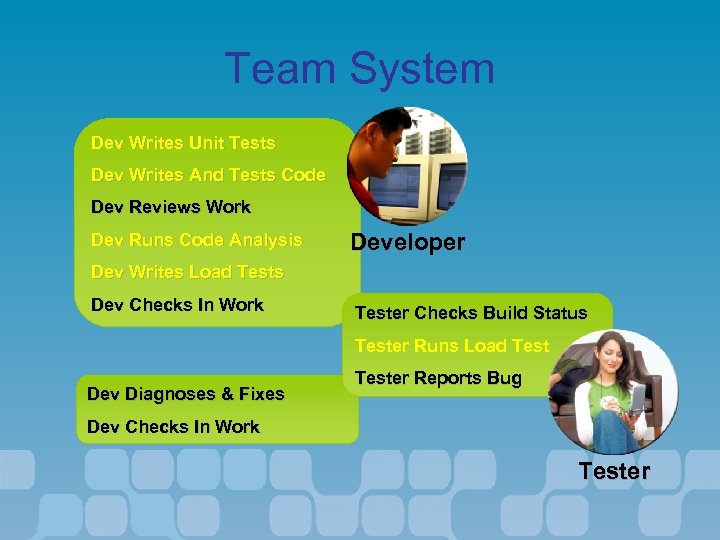
Team System Dev Writes Unit Tests Dev Writes And Tests Code Dev Reviews Work Dev Runs Code Analysis Developer Dev Writes Load Tests Dev Checks In Work Tester Checks Build Status Tester Runs Load Test Dev Diagnoses & Fixes Tester Reports Bug Dev Checks In Work Tester
Integrating Dev and Test • Tests are just another form of source code: – Stored in source code control – Versioned with the product • “Test Complete” – Test writing is scheduled along with development work – Tracked by work items • Testers are notified when bugs are fixed
VSTS Test Types • Unit Tests – Test class methods • Web Tests – Record and playback interactions • Load Tests – Simulate multiple users • Manual Tests – Provide scripts for manual tasks • Third-party Tests – Integrated into VSTS
Additional Test Types • Ordered – Execute a set of existing tests in order • Generic – A wrapper for an existing program
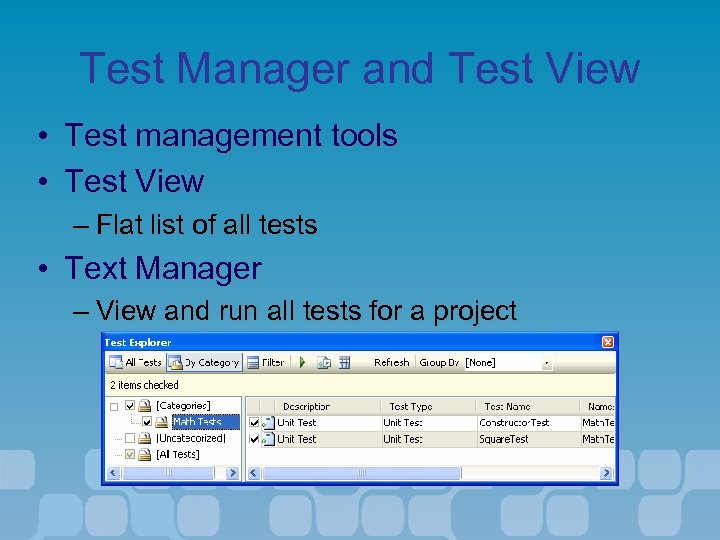
Test Manager and Test View • Test management tools • Test View – Flat list of all tests • Text Manager – View and run all tests for a project
Demo • Manual Testing
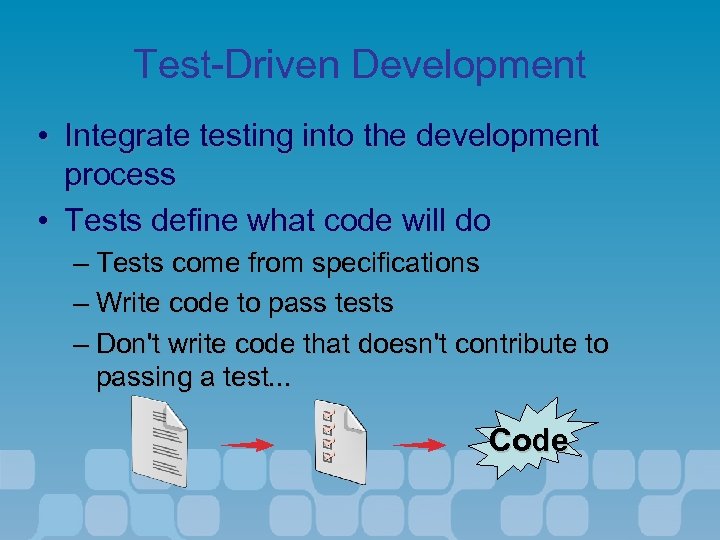
Test-Driven Development • Integrate testing into the development process • Tests define what code will do – Tests come from specifications – Write code to pass tests – Don't write code that doesn't contribute to passing a test. . . Code
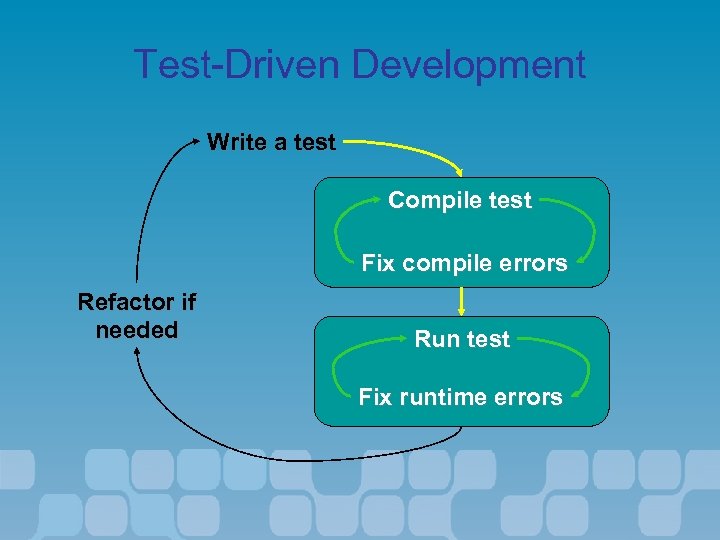
Test-Driven Development Write a test Compile test Fix compile errors Refactor if needed Run test Fix runtime errors
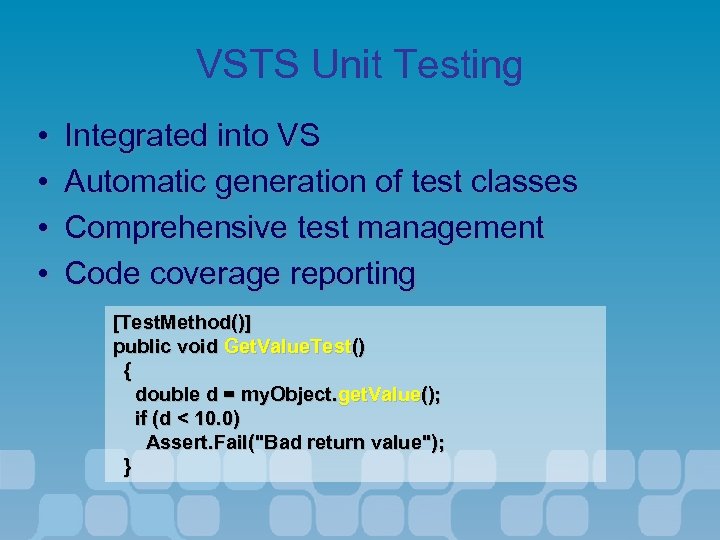
VSTS Unit Testing • • Integrated into VS Automatic generation of test classes Comprehensive test management Code coverage reporting [Test. Method()] public void Get. Value. Test() { double d = my. Object. get. Value(); if (d < 10. 0) Assert. Fail("Bad return value"); }
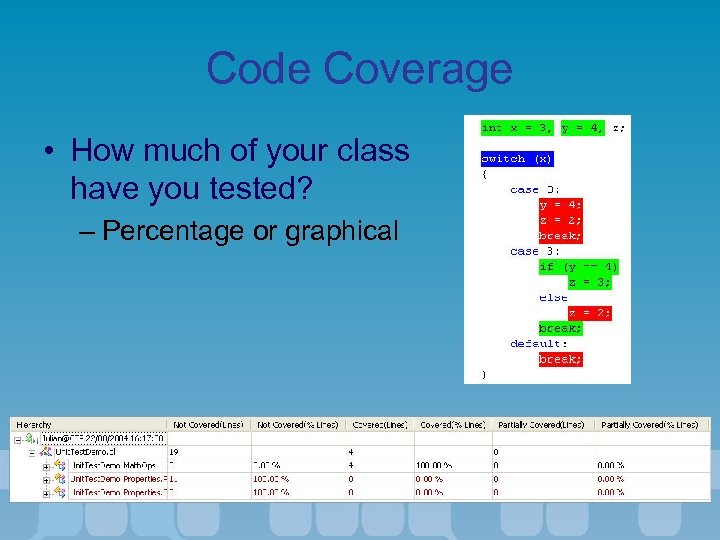
Code Coverage • How much of your class have you tested? – Percentage or graphical
Demo • Test driven development using VSTS
Agenda • • • Team System Overview Team Foundation Project Management Distributed systems design Team Foundation Source Control Class design Unit testing Dynamic Code analysis Team build Web testing Load testing Team System Extensibility
Dynamic code analysis • Gather information on application timing and performance • Integrated into VSTS • Used by many internal teams and on customer engagements • Two measurement methods – Sampling gathers information at fixed intervals on whatever is executing – Instrumentation records every call
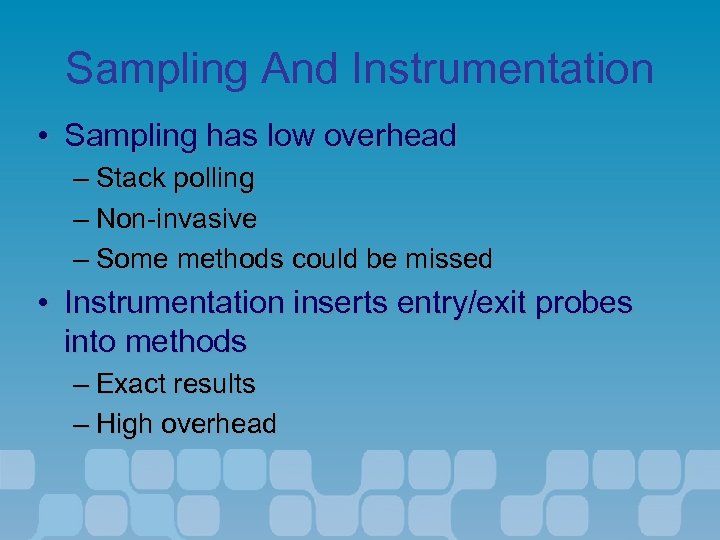
Sampling And Instrumentation • Sampling has low overhead – Stack polling – Non-invasive – Some methods could be missed • Instrumentation inserts entry/exit probes into methods – Exact results – High overhead
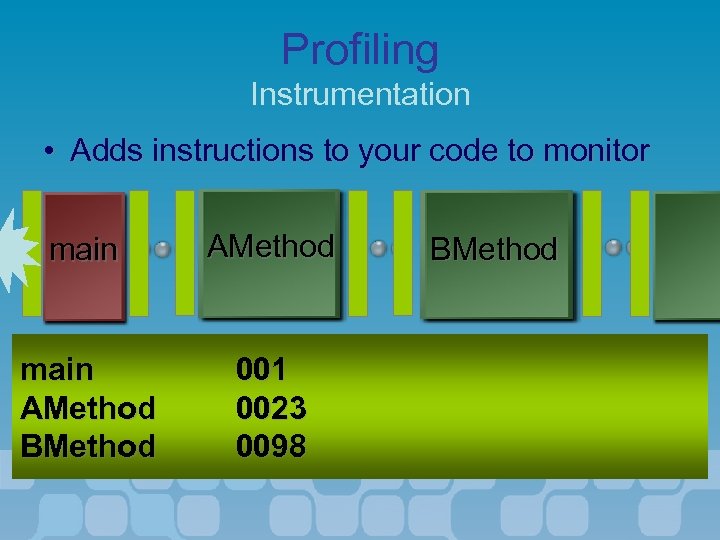
Profiling Instrumentation • Adds instructions to your code to monitor main AMethod BMethod 001 0023 0098 BMethod
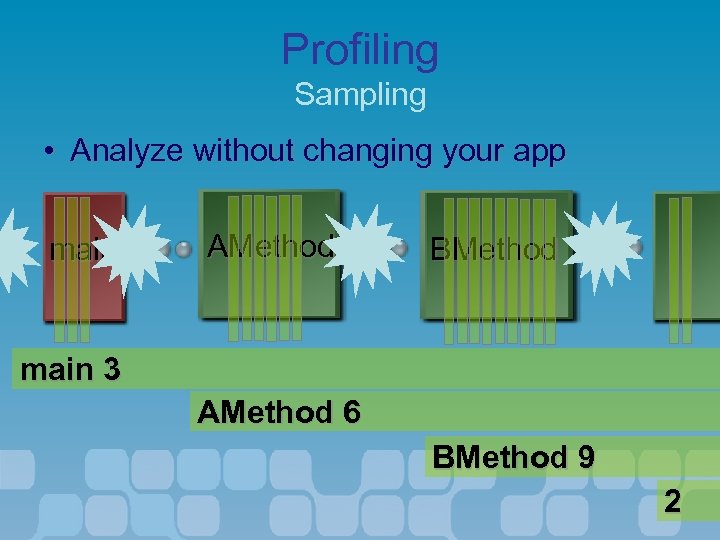
Profiling Sampling • Analyze without changing your app main AMethod BMethod main 3 AMethod 6 BMethod 9 2
Analyzing Performance Data • Visualize performance data within Visual Studio – Summary – Function and caller/callee – Call stack • Also export as XML
Demo • Instrumentation profiling
Agenda • • • Team System Overview Team Foundation Project Management Distributed systems design Team Foundation Source Control Class design Unit testing Dynamic Code analysis Team build Web testing Load testing Team System Extensibility
Team Build Goals • Make it easier to produce daily builds – Good build process is hard to achieve • Support end-to-end build scenario – Tight integration with team system tools • Provide flexibility and extensibility – Support custom steps in the Build process
Build Scenarios • • Public build lab Desktop builds Resuming builds after failures Publishing build results and build drops
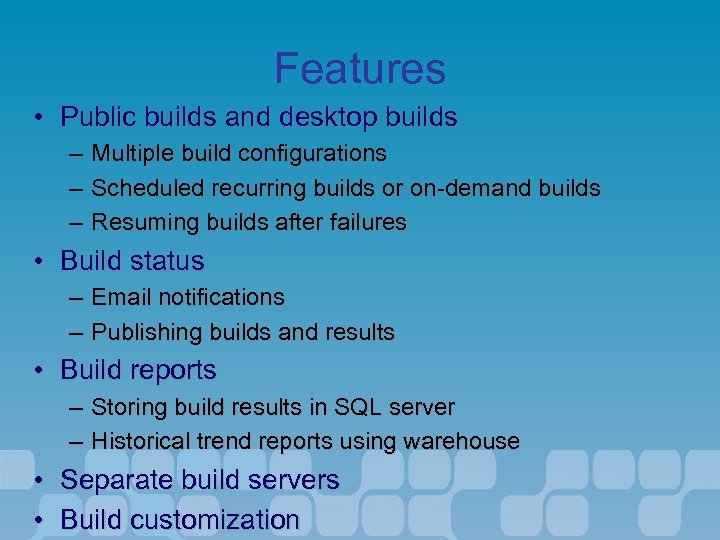
Features • Public builds and desktop builds – – – Multiple build configurations Scheduled recurring builds or on-demand builds Resuming builds after failures • Build status – Email notifications – Publishing builds and results • Build reports – Storing build results in SQL server – Historical trend reports using warehouse • Separate build servers • Build customization
Team Build Architecture • Team Build is an end-to-end build solution for Team Project • Team Build is built upon MSBuild – Not a new build engine. – Adds bunch or tasks, targets, and project files for the end-to-end scenario
Build customization • What steps comprise a build? Do you introduce additional steps in the build? • Customization – Introduce additional build steps in the build – Integrate with third party tools – Override properties – Through editing a separate XML file
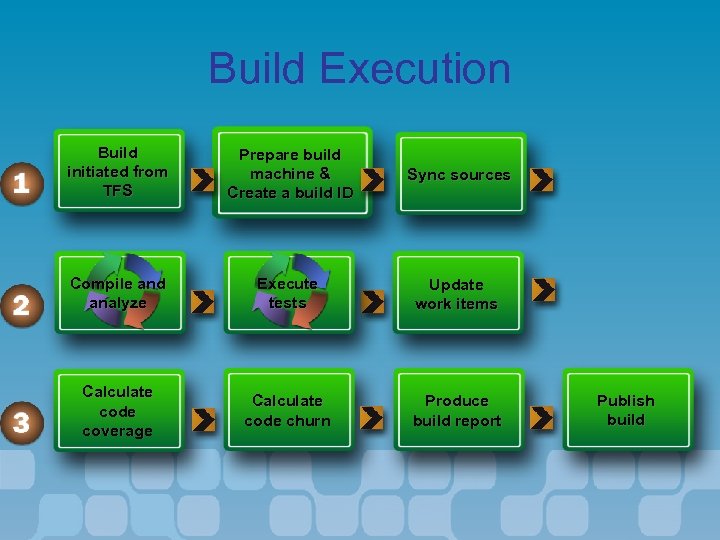
Build Execution Build initiated from TFS Prepare build machine & Create a build ID Sync sources Compile and analyze Execute tests Update work items Calculate code coverage Calculate code churn Produce build report Publish build
Demo • Team Build
Agenda • • • Team System Overview Team Foundation Project Management Distributed systems design Team Foundation Source Control Class design Unit testing Dynamic Code analysis Team build Web testing Load testing Team System Extensibility
Testing Web Applications • Web applications need testing just like applications. . . – What is response time for common tasks? – Has the upgrade broken basic functionality? – Do searches still work? • Many external, third-party solutions – Variations in capability and flexibility
Web Tests • Integrated into Visual Studio – Just Another Test • Recorded or code based testing – With validation • Not only for ASP. NET – HTTP-based – Any web page • Can be used to test Web Services
Test Types • Recorded tests – XML format – List of URLs and parameters – Validation and extraction • Coded tests – Extend via program logic – Convert from recorded tests
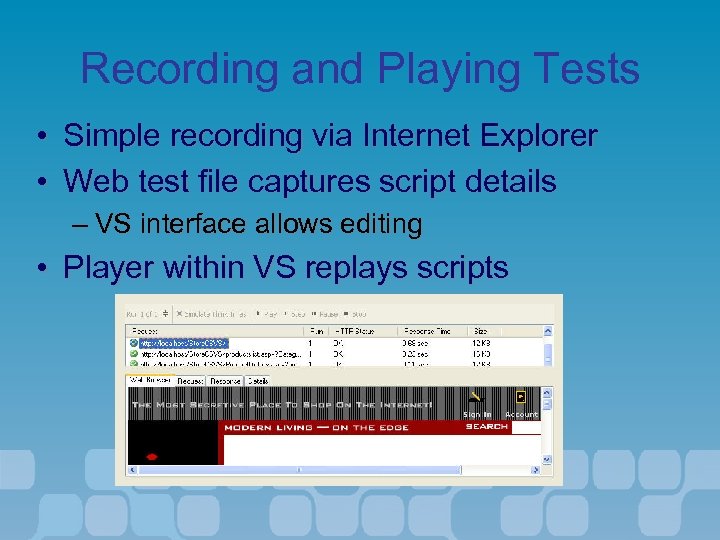
Recording and Playing Tests • Simple recording via Internet Explorer • Web test file captures script details – VS interface allows editing • Player within VS replays scripts
Handy Features • Forms Authentication aware • Viewstate Tracking • Cookie Tracking
Validation and Extraction Rules • Validate web page access – Check content or response – Create custom rules • Validation can be data-driven • Extract attributes / parameters – For use in subsequent requests
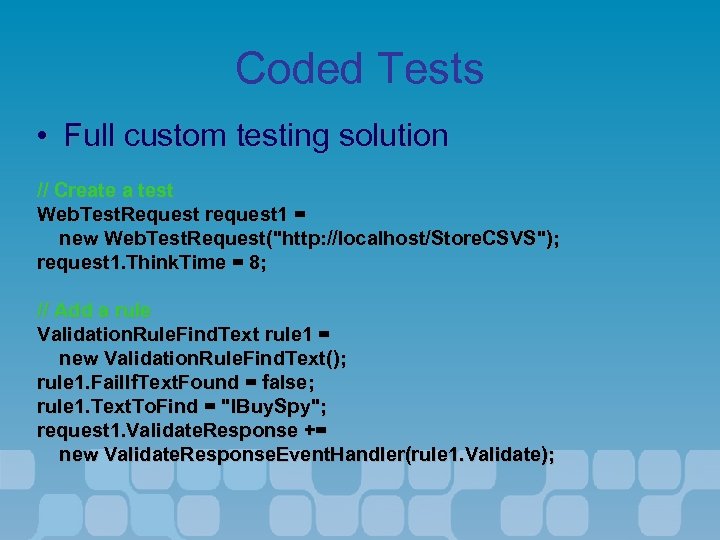
Coded Tests • Full custom testing solution // Create a test Web. Test. Request request 1 = new Web. Test. Request("http: //localhost/Store. CSVS"); request 1. Think. Time = 8; // Add a rule Validation. Rule. Find. Text rule 1 = new Validation. Rule. Find. Text(); rule 1. Fail. If. Text. Found = false; rule 1. Text. To. Find = "IBuy. Spy"; request 1. Validate. Response += new Validate. Response. Event. Handler(rule 1. Validate);
Demo • Web Application Testing
Agenda • • • Team System Overview Team Foundation Project Management Distributed systems design Team Foundation Source Control Class design Unit testing Dynamic Code analysis Team build Web testing Load testing Team System Extensibility
ASP. NET Performance Problems • How does your application work under load? • What operations have the greatest impact? • Processor / disk utilization? • Do you need to deploy to a production server to test?
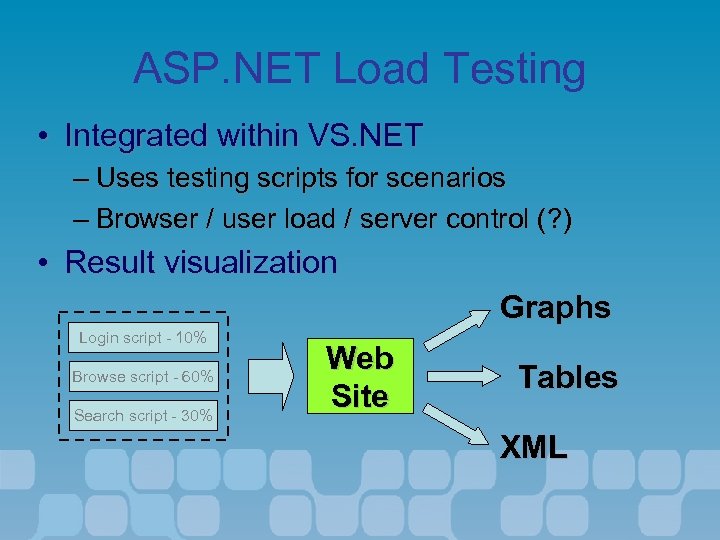
ASP. NET Load Testing • Integrated within VS. NET – Uses testing scripts for scenarios – Browser / user load / server control (? ) • Result visualization Graphs Login script - 10% Browse script - 60% Search script - 30% Web Site Tables XML
Demo • Web Load Testing
Agenda • • • Team System Overview Team Foundation Project Management Distributed systems design Team Foundation Source Control Class design Unit testing Dynamic Code analysis Team build Web testing Load testing Team System Extensibility
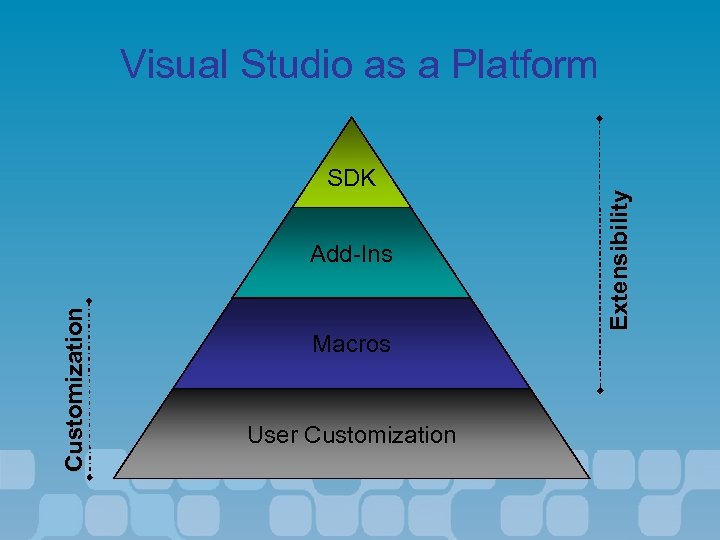
SDK Customization Add-Ins Macros User Customization Extensibility Visual Studio as a Platform
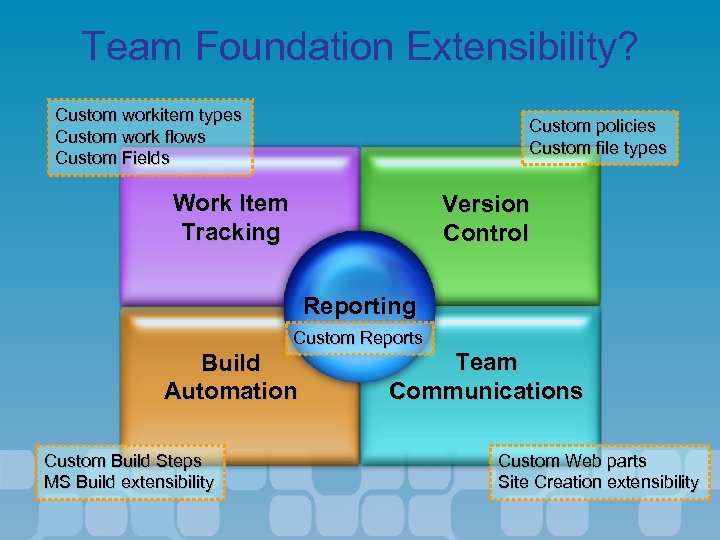
Team Foundation Extensibility? Custom workitem types Custom work flows Custom Fields Custom policies Custom file types Work Item Tracking Version Control Reporting Custom Reports Build Automation Custom Build Steps MS Build extensibility Team Communications Custom Web parts Site Creation extensibility
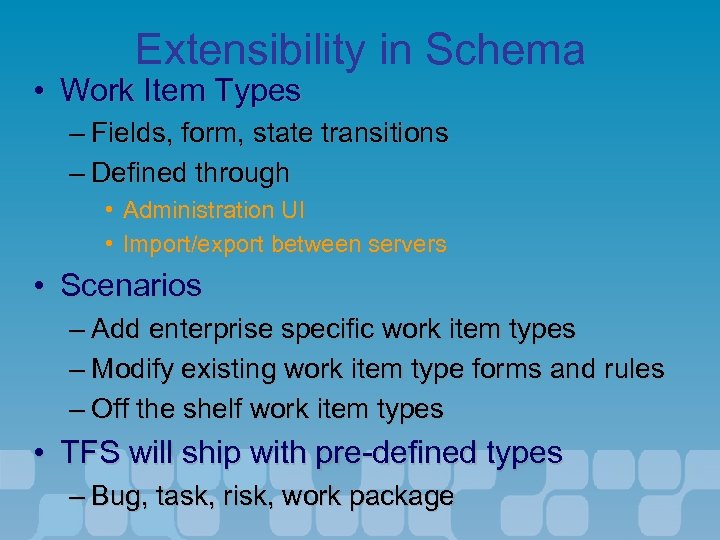
Extensibility in Schema • Work Item Types – Fields, form, state transitions – Defined through • Administration UI • Import/export between servers • Scenarios – Add enterprise specific work item types – Modify existing work item type forms and rules – Off the shelf work item types • TFS will ship with pre-defined types – Bug, task, risk, work package
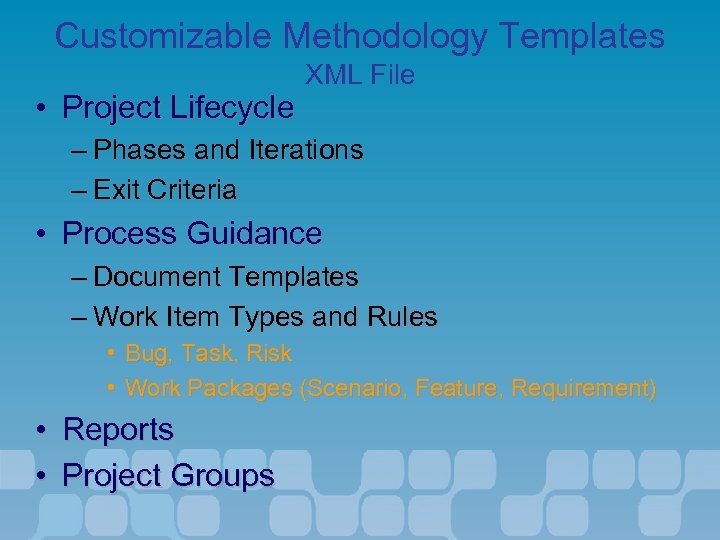
Customizable Methodology Templates • Project Lifecycle XML File – Phases and Iterations – Exit Criteria • Process Guidance – Document Templates – Work Item Types and Rules • Bug, Task, Risk • Work Packages (Scenario, Feature, Requirement) • Reports • Project Groups
Demo • Team System Extensibility & customization
Boek • Iedere bezoeker krijgt 1 boek • Alleen te krijgen door je badge in te leveren bij de uitgang
Where to find more info • Articles in. Net magazine – – – • http: //www. microsoft. com http: //msdn. microsoft. com http: //www. gotdotnet. com Training and consultancy – – – http: //www. infosupport. nl/training/Default. aspx Keywords: team system 3 day training event on team system (end of March begin of June) • Dutch Newsgroups • My Blog – http: //www. infosupport. com/nieuwsgroepen – MS Dotnet – Blogs. infosupport. com/marcelv • Contains lots of information on stuff I do with Team System and things I discover or learn about the product.
Скачать презентацию Building quality software on target Marcel de Vries
0df65f22c951eee8d5eb19de5457843f.ppt