 Скачать презентацию Building Enterprise applications with Axis 2 Deepal Jayasinghe
55387c257a3a23a88240c3bcb9e5f3ce.ppt
- Количество слайдов: 52



Building Enterprise applications with Axis 2 Deepal Jayasinghe Ruchith Fernando - WSO 2 Inc.
Aim of this Tutorial • • • 2 Motivation Understanding and working with Axiom Learning Axis 2 basics Understanding the deployment model Writing a service and deploying Writing a module and deploying Working with new client API Stub and skeleton generation Axis 2 and POJOs
Motivation for Axis 2 • History of ASF SOAP engines • Apache SOAP • Axis 1. x designed as a follow-on • Why do we need a new SOAP engine? • Changes to the Web services landscape • WS-A, WS-RM • Performance • Parsers, Optimizing based on use • Ease of use • Deployment of new capabilities, service deployment 3
AXIOM 4
New XML Infoset Representation • Known as AXIOM (AXIS Object Model) • NOT, Yet another XML object model • API is more like a simplified DOM • Fundamental difference ? • Objects are created “on demand” using a pull model • Allows direct access to the underlying pull stream with or without building the tree • Support for storing binary data 5
New XML Infoset Representation • API also provides a St. AX parser interface at any element • Allows the event based navigation of the OM tree. 6
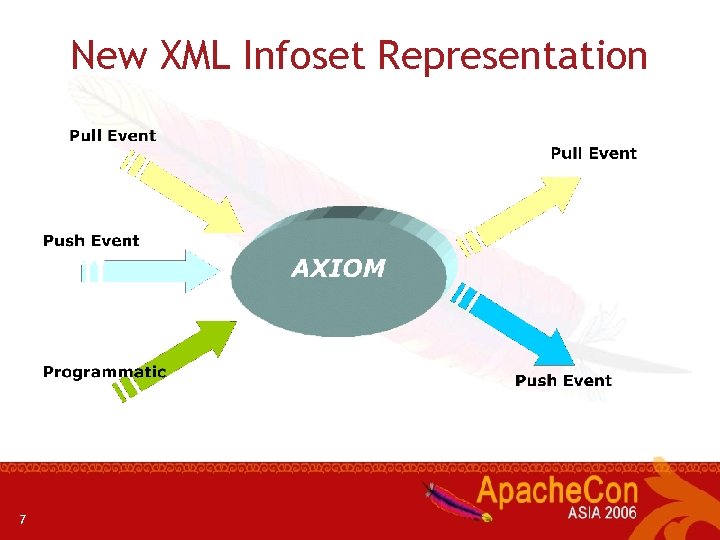
New XML Infoset Representation 7
New XML Infoset Representation • In built binary storage support • Can store binary (unchanged) • Natively supports XOP/MTOM • XOP? MTOM? ? 8
AXIOM and Axis 2 • AXIOM is the primary means of representing / manipulating the XML message inside Axis 2 9
Time to Dig Into Code. . • Code samples to explain AXIOM • Serialization • De-serialization • XPath navigation 10
Axis 2 Basis 11
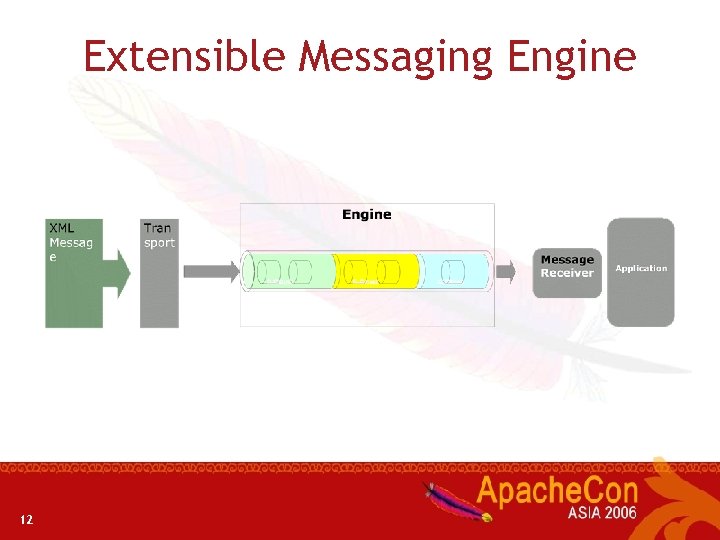
Extensible Messaging Engine 12
Message processing stages • There are three main stages • Transport Receiver • Transport related processing • Dispatching • Finding service and operation • Message Receiver • Last handler of the chain 13
Dispatching • Two types of dispatching • Finding the corresponding descriptions • Finding the corresponding contexts • Default dispatchers • Addressing. Based. Dispatcher • Request. URIBased. Dispatcher • SOAPAction. Based. Dispatcher • SOAPMessage. Body. Based. Dispatcher 14
Message Receiver • • • The last handler of the execution chain MEP dependent (MEP ? ? ) Does the actual business logic invocation Ability to write custom Message Receivers Supports Dependency injection !! Some default Message Receivers • Raw. XMLINOnly. Message. Receiver • Raw. XMLINOut. Message. Receiver • RPC*Message. Receiver 15
Message Exchange Patterns - MEP • Describes the exchange pattern of SOAP messages per given operation. • E. g. • In – Out • In Only • In – Out ! • WSDL 2. 0 defines 8 standard MEPs. • Axis 2 supports all inbound MEPs 16
Contexts and Descriptions Hierarchy • Descriptors keep static information • Information extracted from deployment descriptors • Contexts keep runtime information • This Information needs to be in various scopes • Good to keep them separate! 17
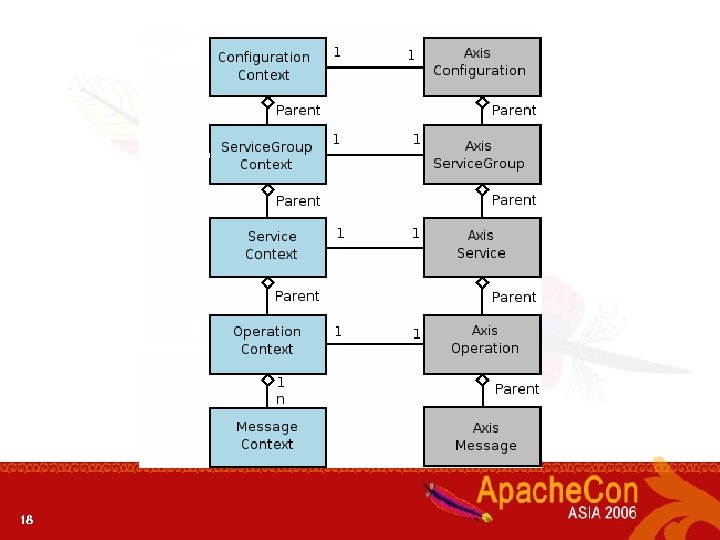
18
Parameters and Properties • Parameters • • • Defining a parameters The “locked” attribute Setting and getting Parameter can be any object getting the original OMElement from the parameter • Properties • Difference between property and parameter • Accessing and retrieving property appropriately 19
Deployment Model 20
What's the Fuss with Deployment ? • Axis 1. x deployment requires you to: • Either modify the XML files • or • Call the admin client • Add to the classpath • Restart the server • For a beginner, a bit of headache 21
New Deployment Model • Archive based deployment • Bundle all together and drop in • Directory based deployment (similar structure as archive ) • Hot Deployment • Archive file can contain; • Class files • Third party libraries • Any other resources required by the service 22
Axis 2 Service 23
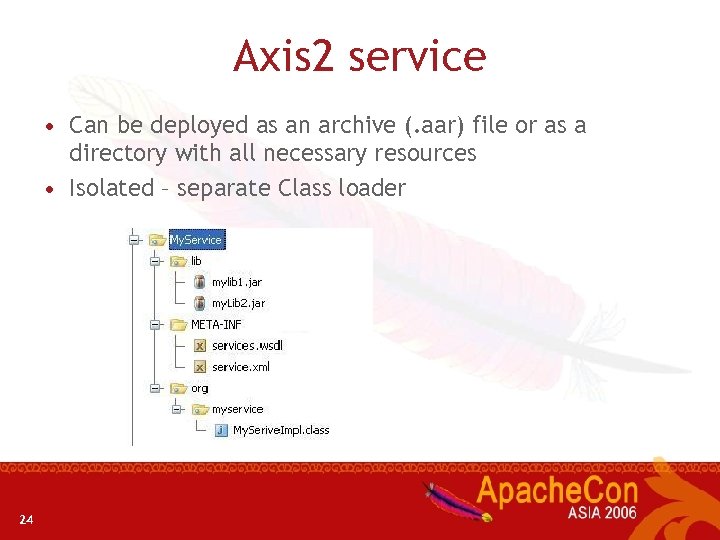
Axis 2 service • Can be deployed as an archive (. aar) file or as a directory with all necessary resources • Isolated – separate Class loader 24
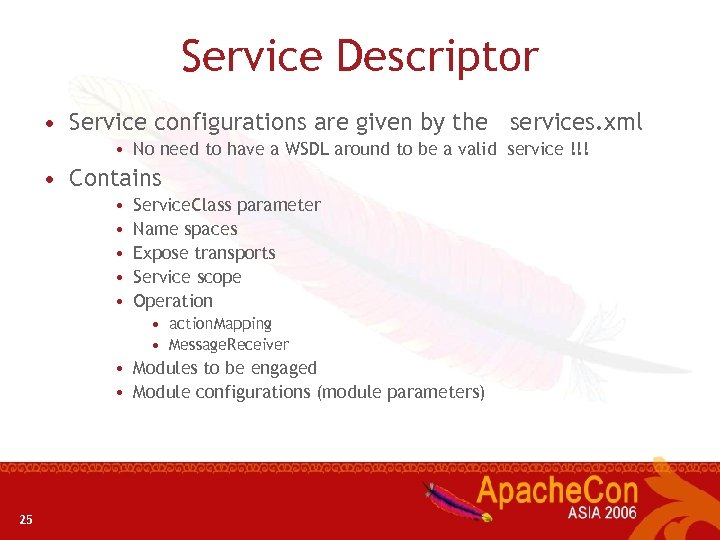
Service Descriptor • Service configurations are given by the services. xml • No need to have a WSDL around to be a valid service !!! • Contains • • • Service. Class parameter Name spaces Expose transports Service scope Operation • action. Mapping • Message. Receiver • Modules to be engaged • Module configurations (module parameters) 25
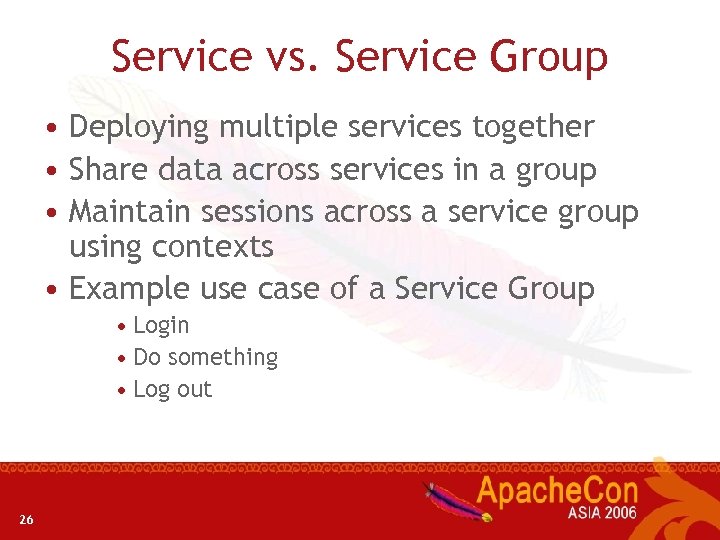
Service vs. Service Group • Deploying multiple services together • Share data across services in a group • Maintain sessions across a service group using contexts • Example use case of a Service Group • Login • Do something • Log out 26
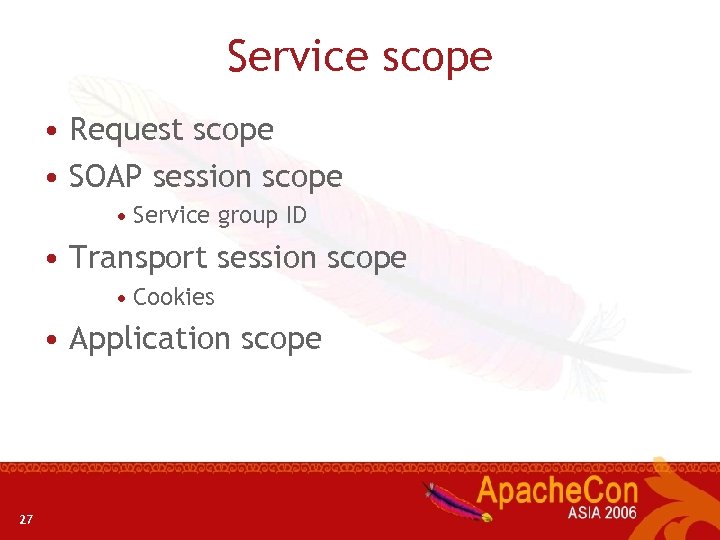
Service scope • Request scope • SOAP session scope • Service group ID • Transport session scope • Cookies • Application scope 27
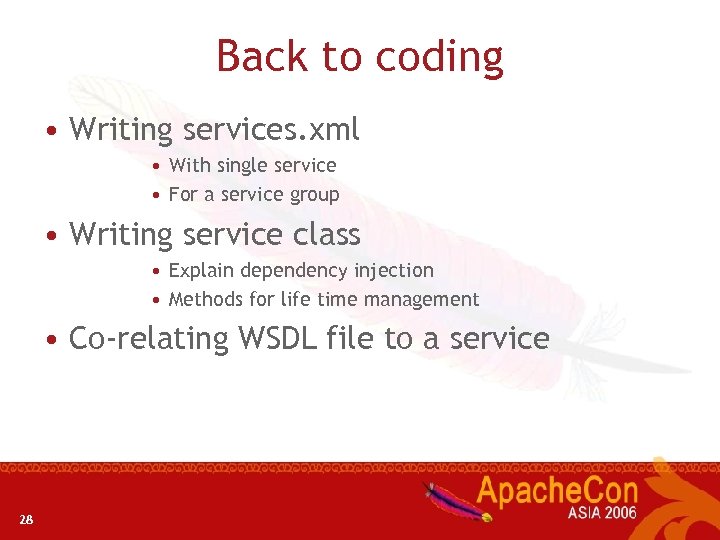
Back to coding • Writing services. xml • With single service • For a service group • Writing service class • Explain dependency injection • Methods for life time management • Co-relating WSDL file to a service 28
Axis 2 Module 29
What is a module ? • Modules define the way of extending Axis 2 • Encapsulates a specific functionality (mostly a WS-* function) • e. g. Addressing module adds WS-Addressing support • Usually consists of a set of handlers • Modules are not hot deployable • Because they change the overall behaviour of the system 30
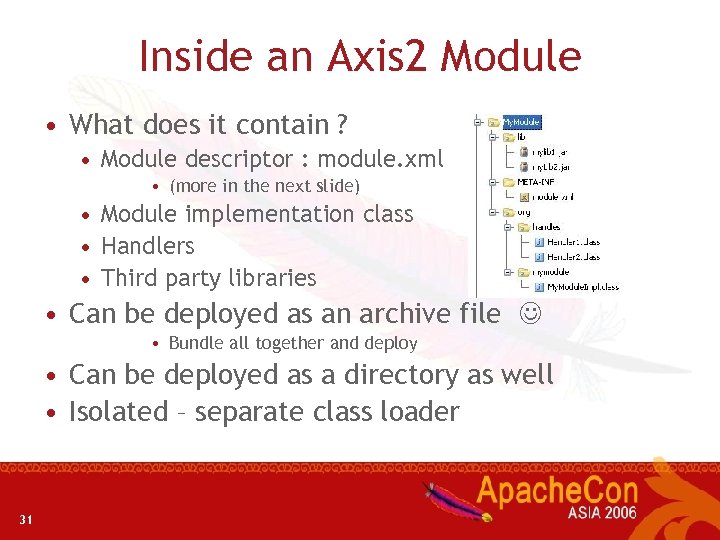
Inside an Axis 2 Module • What does it contain ? • Module descriptor : module. xml • (more in the next slide) • Module implementation class • Handlers • Third party libraries • Can be deployed as an archive file • Bundle all together and deploy • Can be deployed as a directory as well • Isolated – separate class loader 31
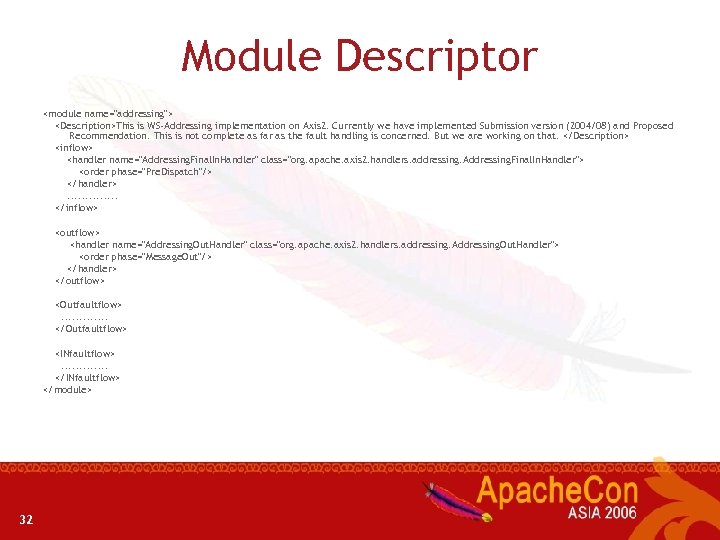
Module Descriptor <module name="addressing"> <Description>This is WS-Addressing implementation on Axis 2. Currently we have implemented Submission version (2004/08) and Proposed Recommendation. This is not complete as far as the fault handling is concerned. But we are working on that. </Description> <inflow> <handler name="Addressing. Final. In. Handler" class="org. apache. axis 2. handlers. addressing. Addressing. Final. In. Handler"> <order phase="Pre. Dispatch"/> </handler>. . . </inflow> <outflow> <handler name="Addressing. Out. Handler" class="org. apache. axis 2. handlers. addressing. Addressing. Out. Handler"> <order phase="Message. Out"/> </handler> </outflow> <Outfaultflow>. . . </Outfaultflow> <INfaultflow>. . . </INfaultflow> </module> 32
Availability and Engaging of Modules • Concept of Availability • Presence of the module in the system • Concept of Engaging • Activating the module • Can be done • Per System • Per Service group • Per Service • Per Operation 33
Back to Code. . . • Sample module with two handlers • Sample module with a module implementation class • Explains • engage. Notify • init • shutdown 34
New Client API 35
Service. Client • Supports both blocking and non-blocking invocations models • Concept of callbacks for the client for nonblocking case • Can handle both transport dependent and transport independent asynchrony. 36
Invocation patters • send. Robust • fire. And. Forget • send. Receive. Non. Blocking 37
Operation Client • Why do we need Operation client ? • Service Client has a set of operation clients • If you are smart better to use Operation. Client 38
What are options ? • Why do we need options for the client ? • What is included in options ? • Addressing information • SOAP action (wsa: action) • Transport data • Properties 39
There's Nothing Like Code to Explain it ! • Simple Client written from scratch • Invoke using all the available patterns • Working with operation client • An example dynamic client • How to use RPCService. Client 40
Code generation 41
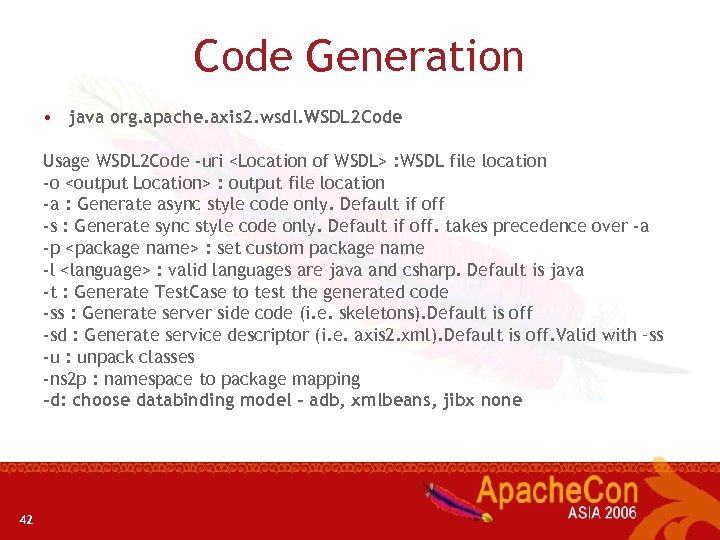
Code Generation • java org. apache. axis 2. wsdl. WSDL 2 Code Usage WSDL 2 Code -uri <Location of WSDL> : WSDL file location -o <output Location> : output file location -a : Generate async style code only. Default if off -s : Generate sync style code only. Default if off. takes precedence over -a -p <package name> : set custom package name -l <language> : valid languages are java and csharp. Default is java -t : Generate Test. Case to test the generated code -ss : Generate server side code (i. e. skeletons). Default is off -sd : Generate service descriptor (i. e. axis 2. xml). Default is off. Valid with –ss -u : unpack classes -ns 2 p : namespace to package mapping -d: choose databinding model – adb, xmlbeans, jibx none 42
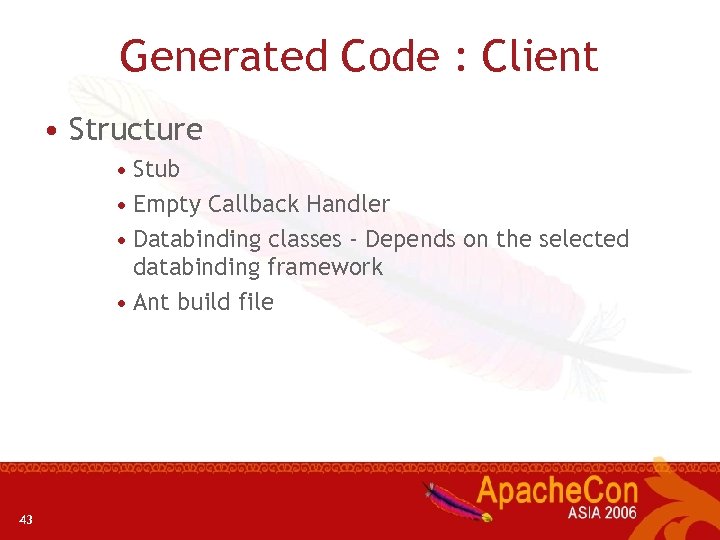
Generated Code : Client • Structure • Stub • Empty Callback Handler • Databinding classes - Depends on the selected databinding framework • Ant build file 43
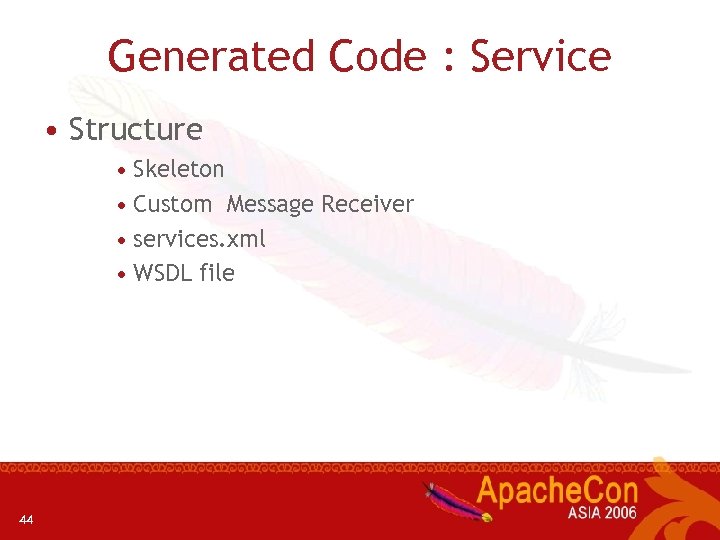
Generated Code : Service • Structure • Skeleton • Custom Message Receiver • services. xml • WSDL file 44
Code again. . . • Codegen demonstration with the command line tool • Generate skeleton , fill that and deploy • Generate stub and invoke a service 45
Advanced Topics 46
REST • Axis 2 natively supports REST / pure XML/HTTP • Switch on in axis 2. xml • <parameter name="enable. REST" locked="false">true</parameter> • Off by default in current build • Uses Content-type / SOAP-Action headers to differentiate SOAP vs REST 47
POJOs • Write POJO application • Creating service using POJO • Generate stub and invoke the service 48
Axis 2 web admin • Nice tool to work with • Can manage Axis 2 when its running inside an application server • Ability to view handler chain , parameters etc … 49
Resources and contribution • For more information and latest news • http: //ws. apache. org/axis 2 • All the samples and presentation slides are available to download • http: //apache. org/~deepal/apachecon. Asia 06 50
![Questions ? • axis-user@ws. apache. org • Don’t forget to use [Axis 2] prefix](https://present5.com/presentation/55387c257a3a23a88240c3bcb9e5f3ce/image-51.jpg "Questions ? • axis-user@ws. apache. org • Don’t forget to use [Axis 2] prefix")
Questions ? • axis-user@ws. apache. org • Don’t forget to use [Axis 2] prefix in the subject • IRC channel • #apache-axis 51
Thank you !!!!!! 52
Скачать презентацию Building Enterprise applications with Axis 2 Deepal Jayasinghe
55387c257a3a23a88240c3bcb9e5f3ce.ppt