 Скачать презентацию Building a Backup Recovery Strategy Michael Karp
d3220482eb60403fa5e4bab8c0a4ff5f.ppt
- Количество слайдов: 30



Building a Backup & Recovery Strategy Michael Karp Senior Analyst Enterprise Management Associates
What We’ll Cover l User demands… and your ability to address them l Building a strategic planning methodology • • How to plan it Identifying what’s important How to implement the strategy What to demand of your vendors l Success metrics
The context: Today you’re in Chicago, tomorrow you go back to … l Increasing deployment of packaged apps has resulted in 1000’s of objects & complex database relationships l Business-critical apps require 7 x 24 availability, typically in a heterogeneous environment l Multiple platforms cause exponential resource drag l Smaller maintenance windows = less backup time Issue
Let’s Play the Maalox Moment Game! l Unmanaged storage (asset utilization) l The (in)experience of your DBA’s l Supporting data-hungry, mission-critical apps (SAP, CRM, payroll, email, etc. ) l Redundant hardware/personnel/software l Assurance/manageability/performance
The Fundamental Issue: It All Comes Down to Business Continuity l It’s not about SAN, NAS and DAS … it’s about protecting storage where it lives, and delivering it to where it’s needed l The goal: pervasively available data in the context of affordable business continuity l The economic issue includes ROI, TCO & the opportunity cost of sub-optimized systems
The 7 Steps to Highly Successful Backup and Recovery Strategies 1. Define a methodology 2. Identify service levels 3. Build a calculation tool 4. Identify assets & expenses 5. Identify solutions 6. Deal with vendors 7. Deal with your management Checklist
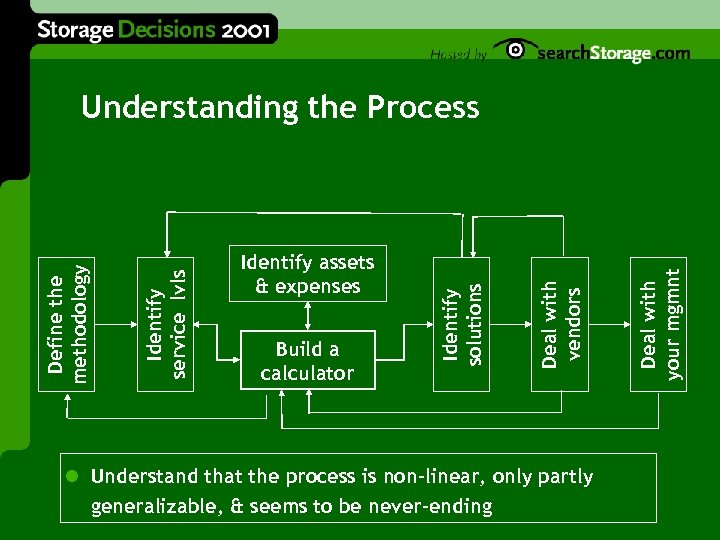
l Understand that the process is non-linear, only partly generalizable, & seems to be never-ending Deal with your mgmnt Build a calculator Deal with vendors Identify assets & expenses Identify solutions Identify service lvls Define the methodology Understanding the Process
Step 1: The Planning Methodology l Hint: It’s all Deming! l Define a strategy, build a team l The roadmap – what you need to build it • • • Identify what/who you’ll need Demand, serviceability, retirement, et al. Specify what service/solution/resource comes on-line when
Step 2: Determine Service Levels l What are they … more than more 9 s? l What is their purpose … scoping? retribution? l Are you achieving them…how do you know? l If so, at what cost? If not … l Look out 6 -8 quarters… Can you meet next quarter’s demands with next quarter’s budget?
Rules of the Road for Meeting SLAs l Service levels vary with users & applications l Key backup & recovery metrics • • • Recovery time, recovery point, data integrity Availability & performance impact Cost/benefit analysis & risk assessment l To ensure compliance, set policies & automate l How to build an agreement
Building the SLA l Make sure everyone understands why you have it l Deal with all necessary constituencies l Define quantities and quality • How much, & at what level of accuracy, & over how long? • It’s nonsense to offer better SLAs than your vendors give you l Use a generalized template (but it will likely have varying values) Gotcha
Step 3: Begin to Build an ROI Calculation Tool l The most important & least well-understood step l Why do it? • Backup & recovery require high capital investment, yet are perceived as non-revenue generating • CIO’s get numbers to show their bosses, substantiating IT expenditures (the finance dept loves this bit) • • Shows the business impact of the IT investment Illustrates –- quantifiably -- all values achieved
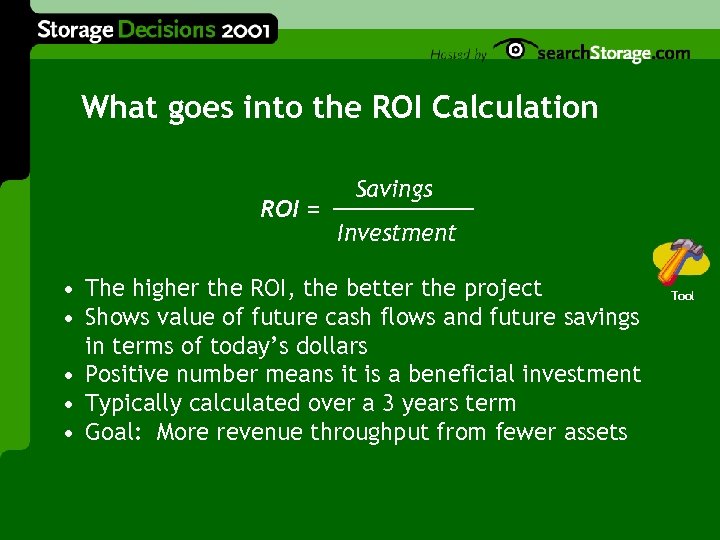
What goes into the ROI Calculation ROI = Savings Investment • The higher the ROI, the better the project • Shows value of future cash flows and future savings in terms of today’s dollars • Positive number means it is a beneficial investment • Typically calculated over a 3 years term • Goal: More revenue throughput from fewer assets Tool
The good news: It’s just a spreadsheet l The trick: identify the meaningful areas • Reliability (backups, restores, mirroring, etc. ) • System performance (asset utilization – hardware, software, biologics) • • • Availability (effects of window limitations on data use) Costs (assets, change-over, personnel, downtime) “Nimbleness” (scaling, M&A, “x-sizing”)
Quality results demand consistent input 1. Give visibility to all assumptions 2. Build a matrix applicable to all solutions l Purchase cost, roll-out, maintenance cost, depreciation, etc l Personnel requirements 3. Calculate savings through improved performance/processes/revenue impact/ etc.
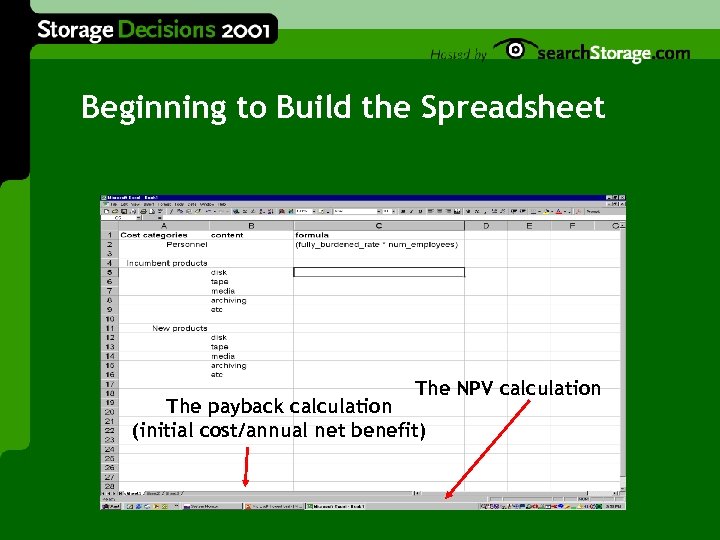
Beginning to Build the Spreadsheet The NPV calculation The payback calculation (initial cost/annual net benefit)
Step 4: Identify Assets & Expenses l Goal: Reduce the burden • Reduced down time, reduced time to recover • Optimized resources (hardware, software & personnel) l Method: Identify backup & recovery expenses: • • Local & remote assets Identify carrying costs for each (depreciation, admin, licenses, downtime, maintenance, etc. ), not sunk costs (whatever won’t be impacted by change)
Where are the Expenses? l Often in this order, but your mileage may vary: 1. 2. 3. Hardware Biologics Software l Down time (what goes into the calculation? ) l Lost data (the others are no-brainers; this one …) l Your goal -- achieve granular understanding
Step 5: Identify Solutions Decision Point l GOAL: Greatest good from the least investment l An example of the process: • IF maintenance windows are shrinking {the problem} THEN minimize the data set being backed up OR buy faster devices {solution} OR automate the process to reduce human error OR move data to a SAN … {solution} • {solution} WHICH SOLUTION (OR COMBINATION) IS BEST? {solution}
Identify Solutions: The Question of “Best-In-Class” l If everyone acknowledges that “one size doesn’t fit all” … l Forget about best-in-class products! • Remember Zeno’s paradox (even if they exist, you probably don’t want to pay for them) • You may not need them l Focus instead on implementing best-in-class internal processes Warning
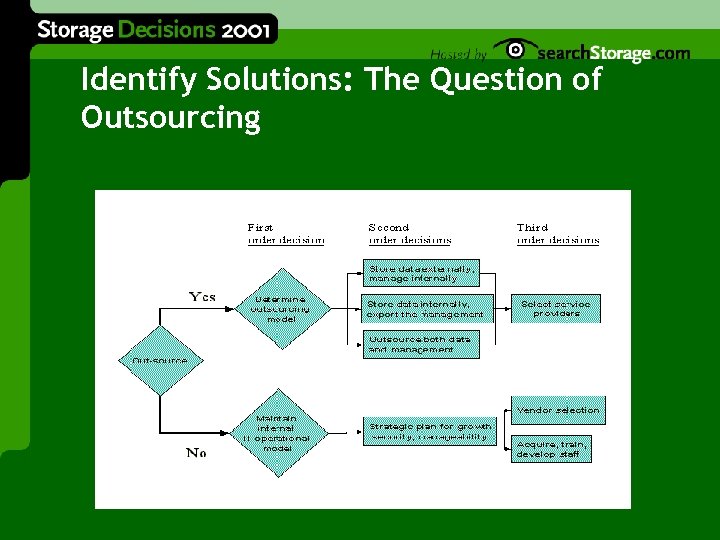
Identify Solutions: The Question of Outsourcing
Step 6: Deal with the Vendors l Get a complete environmental impact statement! l Calculating ROI and TCO • • They all do this now, but there’s a catch Make sure their calculations and yours include the same assumptions, variables, formulas, etc. l Almost all of them can help. Your job is to identify which ones help the <best> Good Idea
Dealing with vendors – How they’re coming at you l BMC, CA, Legato, Tivoli, Veritas l Compaq, EMC, HDS, HP, IBM, Sun l Other vendors l Service providers l Cooperation, competition, co-opetition, interoperability, and believability
Dealing with vendors – What they’re pitching l Invisible/serverless/etc. backups & rapid recoveries (but remember the laws of physics!) l Remote backup & restore l Disaster planning, response & recovery l Virtualization l Simplified management l They are all “Swiss agnostic”
Dealing with vendors – What to look for l Solutions that address your major expenses l Leverage across key existing investment l Simplified management l Take advantage of commoditization l Reduce the number of objects under management l Solutions that support your next gen policies
Step 7: Deal with your management l It’s always a business issue 1. Identify the hot button 2. Specify the appropriate success metric(s)* 3. Present the quantified business case l Let the vendors do some of your job for you
What are the success metrics? l Time To Recover (TTR) – how long? l Recoverability – how much (what percentage)? l Data integrity after recovery l Production availability impact l Production performance impact l Cost-benefit analysis l Risk of solution failure or breakdown
Where to turn, what to watch out for l Vendors l “ 3 rd parties” • • • Trade organizations Sis {danger} {GREAT DANGER} User groups {these guys are the best} l Internal resources Where to Find It
The 7 key points to take home l Technology decisions are really business decisions l Understand your expenses l Quantify the benefit l Know your demand curve l Iterate the analysis process l An informed decision is … an informed decision l Don’t let your vendors off the hook Checklist
Your turn! Mike Karp Enterprise Management Associates mkarp@enterprisemanagement. com 1 -508 -366 -0328
Скачать презентацию Building a Backup Recovery Strategy Michael Karp
d3220482eb60403fa5e4bab8c0a4ff5f.ppt