 Скачать презентацию Budget Execution Cost Accumulation Team Knowledge Sharing Session FY
3bbfa9e467317405da60b59cc24547c3.ppt
- Количество слайдов: 98



Budget Execution/Cost Accumulation Team Knowledge Sharing Session FY 2013 1
AM - Session Overview Ø Federal Budget Process Ø Congressional Enactment Process Ø Budget Execution Overview Ø Budgetary Structure Ø Funds Management Ø Budgetary Setup - Relationships Ø Funds Control Ø Allotments Ø Budget Structure – Recap Ø FM 060 – FM 066 Screens 2
PM - Session Overview Ø Budget Operating Plans (BOPS) Ø Surcharge Codes Ø Reimbursable Process Ø BOP Funds Checking Ø BOP Business Rules Ø CBS BOP Approval Process Ø Summary Level Transfers (SLT’s) Ø CBS BE Quick Reports Ø BE Data Warehouse Reports Ø Budget & Execution Query 3
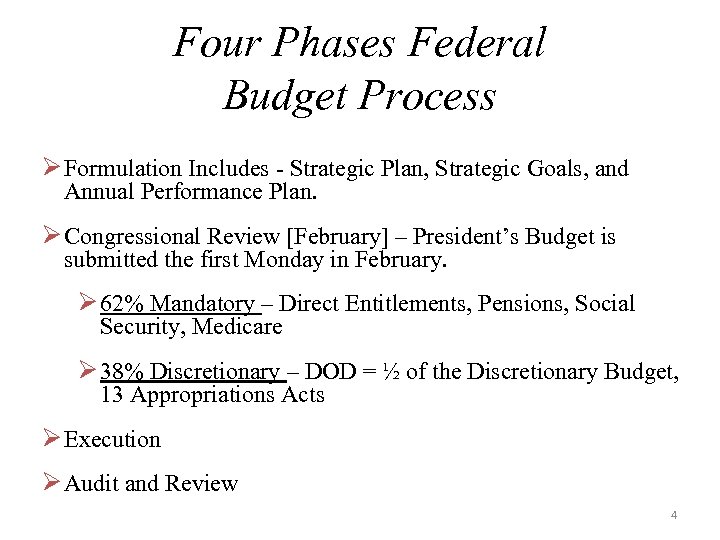
Four Phases Federal Budget Process Ø Formulation Includes - Strategic Plan, Strategic Goals, and Annual Performance Plan. Ø Congressional Review [February] – President’s Budget is submitted the first Monday in February. Ø 62% Mandatory – Direct Entitlements, Pensions, Social Security, Medicare Ø 38% Discretionary – DOD = ½ of the Discretionary Budget, 13 Appropriations Acts Ø Execution Ø Audit and Review 4
Congressional Enactment Process ØThree Step Process: Ø Concurrent Budget Resolution (March – May) Ø House and Senate Budget Committees set a budget spending cap. This is not binding by law. Ø Authorization Process (May – July) Ø Authorization Committees authorize programs. Produces law – Authorization Act. Ø Appropriations (June –September 30) – Appropriations Acts [13 Total] 5
Budget Execution Overview Ø What is Budget Execution? Ø The availability of funds appropriated by Congress that NOAA can spend in a given fiscal year; the monitoring and reporting of how the funds are used; and how the funds are disbursed or paid out. Ø A fiscal year runs from October 1 of a given year through September 30 th of the following year. Fiscal Year 2013 began on October 1, 2012 and will end on September 30, 2013. Ø Budget Execution begins when an appropriations bill is passed by Congress and singed into law by the President. Ø The Budget Execution phase lasts for at least five fiscal years. The current fiscal year and at least four prior fiscal years. 6
Budget Execution Overview Continued Ø After receiving the appropriation, agencies have ten days to prepare and submit an Apportionment Request [SF 132] to the Office of Management and Budget (OMB). Ø Allotments cannot be entered into CFS until NOAA Budget receives a signed apportionment from OMB. Ø Congress must issue an enactment of appropriations or a Continuing Resolution (CR) by October 1. Ø Normally, an Apportionment Request is not required when there is a CR. ØOMB will issue a bulletin to automatically apportion amounts made available by CRs that expire before the end of the fiscal year. 7
Budget Execution Overview Continued Ø Excluding a full-year CR, Treasury will not issue a warrant under a CR unless an agency explicitly requests one. Ø When the Treasury Warrant is issued, each fund is assigned a Treasury Account Symbol – Ex: 13 X 1450 Ø Budget Operating Plans (BOPS) can be entered by each Line Office/Financial Management Center (FMC), once the allotments are in the system. Ø BOPS reflect actual appropriations and available funds. Ø BOPs serve as the basis for financial planning and the evaluation of program resource utilization in the execution of the budget. 8
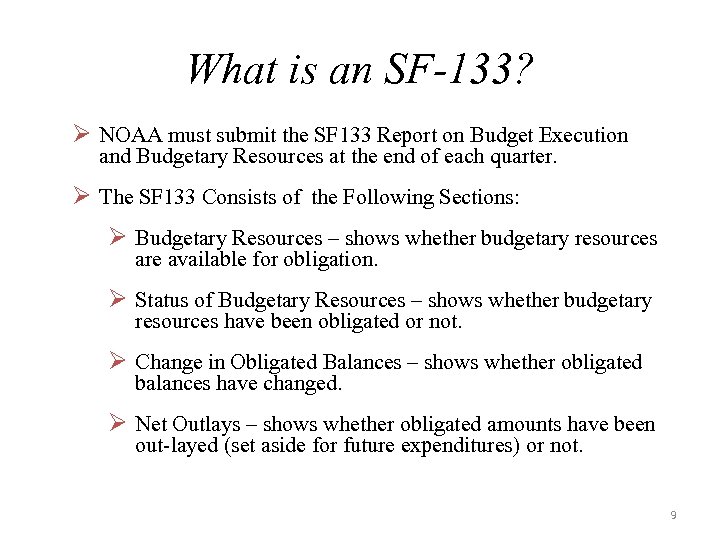
What is an SF-133? Ø NOAA must submit the SF 133 Report on Budget Execution and Budgetary Resources at the end of each quarter. Ø The SF 133 Consists of the Following Sections: Ø Budgetary Resources – shows whether budgetary resources are available for obligation. Ø Status of Budgetary Resources – shows whether budgetary resources have been obligated or not. Ø Change in Obligated Balances – shows whether obligated balances have changed. Ø Net Outlays – shows whether obligated amounts have been out-layed (set aside for future expenditures) or not. 9
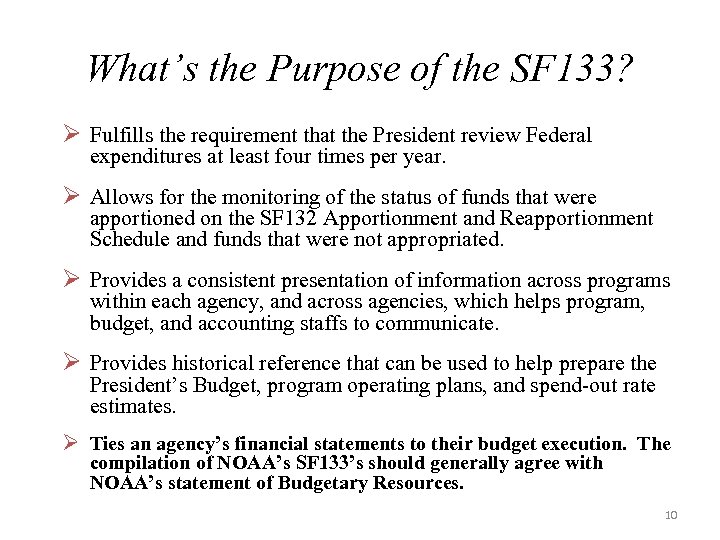
What’s the Purpose of the SF 133? Ø Fulfills the requirement that the President review Federal expenditures at least four times per year. Ø Allows for the monitoring of the status of funds that were apportioned on the SF 132 Apportionment and Reapportionment Schedule and funds that were not appropriated. Ø Provides a consistent presentation of information across programs within each agency, and across agencies, which helps program, budget, and accounting staffs to communicate. Ø Provides historical reference that can be used to help prepare the President’s Budget, program operating plans, and spend-out rate estimates. Ø Ties an agency’s financial statements to their budget execution. The compilation of NOAA’s SF 133’s should generally agree with NOAA’s statement of Budgetary Resources. 10
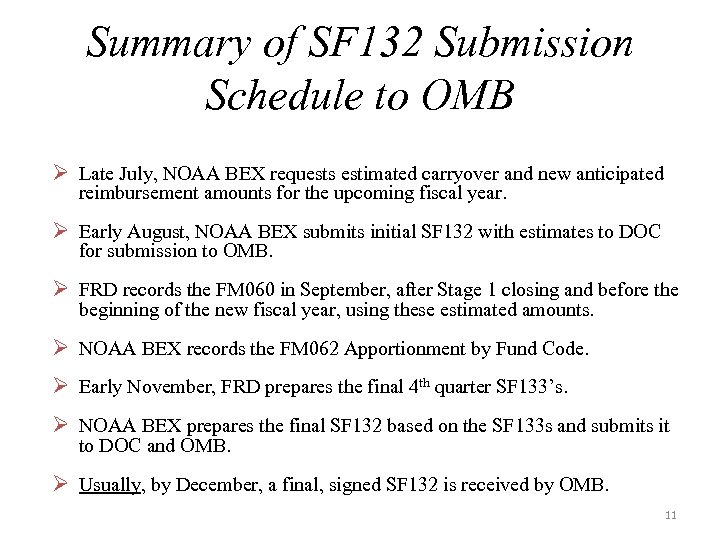
Summary of SF 132 Submission Schedule to OMB Ø Late July, NOAA BEX requests estimated carryover and new anticipated reimbursement amounts for the upcoming fiscal year. Ø Early August, NOAA BEX submits initial SF 132 with estimates to DOC for submission to OMB. Ø FRD records the FM 060 in September, after Stage 1 closing and before the beginning of the new fiscal year, using these estimated amounts. Ø NOAA BEX records the FM 062 Apportionment by Fund Code. Ø Early November, FRD prepares the final 4 th quarter SF 133’s. Ø NOAA BEX prepares the final SF 132 based on the SF 133 s and submits it to DOC and OMB. Ø Usually, by December, a final, signed SF 132 is received by OMB. 11

Budgetary Structure 12
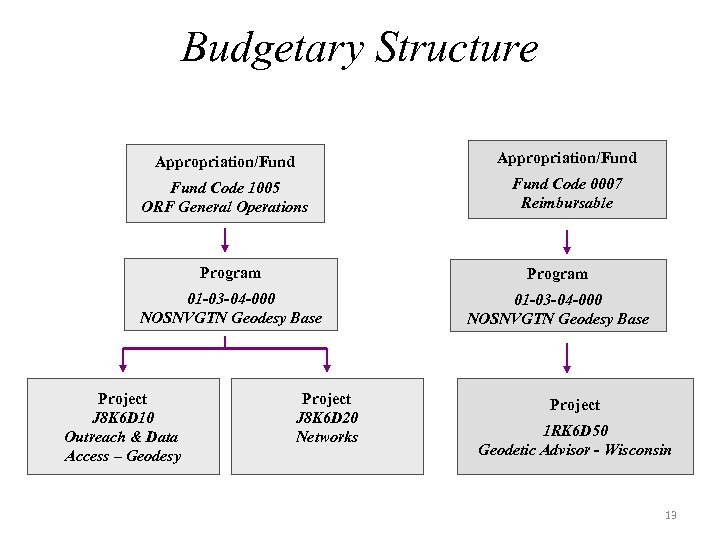
Budgetary Structure Appropriation/Fund Code 1005 ORF General Operations Fund Code 0007 Reimbursable Program 01 -03 -04 -000 NOSNVGTN Geodesy Base Project J 8 K 6 D 10 Outreach & Data Access – Geodesy Project J 8 K 6 D 20 Networks Project 1 RK 6 D 50 Geodetic Advisor - Wisconsin 13
CBS Program - Project - Task Relationship Ø Program Codes can have numerous project codes. Ø Project Codes are permanently linked to only one fund/program code. Ø Each Project Code can have multiple tasks. Ø Project & Task codes must be set up in CBS. 14
Project – Task Effective Dates Ø End Dates are set for project/tasks when no further obligations should be incurred. Ø Reasons for End-Dates: – Reimbursable project reaching completion. – Projects linked to programs no longer in the budget structure. – When the period of availability for the fund expires. Ø The Project-Task List is located on the CBS Website http: //www. corporateservices. noaa. gov/~cbs/strctr 2. htm The list shows the end dates on Projects and Tasks. 15
Project Effective Dates Ø If both the Begin and End dates are present, the End Date must be equal to or greater than the Begin Date. Ø The Begin Date must fall with the Begin Date and End Date for the Projects Fund Code. Ø For Multi Year Funds the Begin Date must fall within one of the Funding ranges. Ø The End Date, if noted, cannot be greater than the End Date for the Projects Fund Code. Ø Blank End Dates are not validated Ø Non Blank End Dates must fall in one of the Projects Fund date ranges and the End date must be greater than or equal to the Begin Date. Ø For a Multi Year Funds the Begin Date of the Project may be in a different year than the End Date. 16
Project Validation Ø The associated Fund and Program are Active along with the Project Code. Ø The Effective Date is within the Fund and FY Range already established for the Fund. Ø At least one Task for the Project must be Active, module flags are set to ‘Y’ and have a Begin and End Dates within the date range of the fund code. 17
Task Effective Dates Ø The Begin Date and End Date must fall between the Project Codes Begin and End Date (this is the only user of the Project Begin and End Date) Ø Blank Task end dates are not validated. Ø Project Begin and End Dates are used to automatically create the default Task value ‘P 00, ’ however the Task Code Begin and End Date can be overwritten. Ø When the ‘P 00’ is created, the various flags default to “Y” (BE Budget Execution), (PR Purchase Requisition), (PO Purchase Oder), (AP Accounts Payable), (AR Accounts Receivable), (GJ General Journal) and (LB Labor). Ø When adding more Task codes all module flags default to “N, ” however the flags can be overwritten to “Y’s. ” 18
Task Validation Ø The Task exists for the Active Project Code. Ø The Task is Active and the module flags are set to ‘Y. ’ ØIf the module flag is set to ‘N, ’ the Task can never be used for that module regardless of dates or other parameters. Ø The Task Begin and End Date needs to be within the fund code date range. It can not be greater than the end date of the fund code. 19
Funds Management 21
Why is Funds Management Important? Budget Execution is Governed by: Ø The Federal Principals of Appropriations Law ØTime – the obligation/expenditure must occur within the time limits applicable to the appropriation. ØPurpose – the purpose of the obligation/expenditure must be authorized – does it fall within what Congress intended the funds be used for? ØAmount – the obligation/expenditure must be within the amounts Congress has established. 22
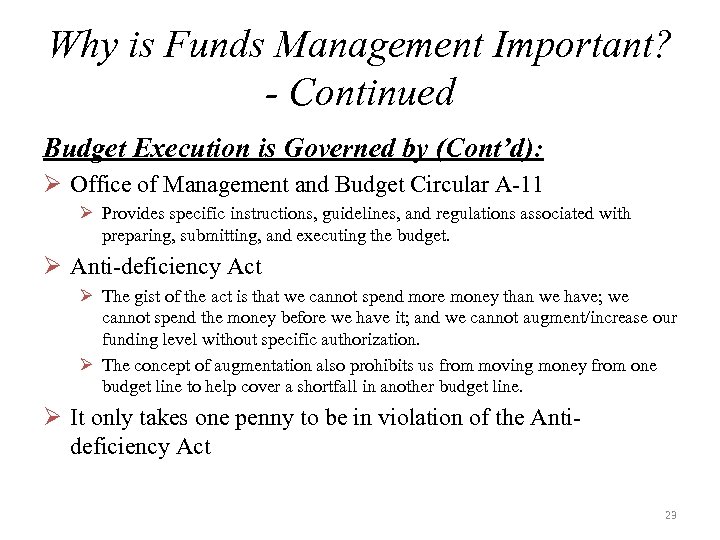
Why is Funds Management Important? - Continued Budget Execution is Governed by (Cont’d): Ø Office of Management and Budget Circular A-11 Ø Provides specific instructions, guidelines, and regulations associated with preparing, submitting, and executing the budget. Ø Anti-deficiency Act Ø The gist of the act is that we cannot spend more money than we have; we cannot spend the money before we have it; and we cannot augment/increase our funding level without specific authorization. Ø The concept of augmentation also prohibits us from moving money from one budget line to help cover a shortfall in another budget line. Ø It only takes one penny to be in violation of the Antideficiency Act 23
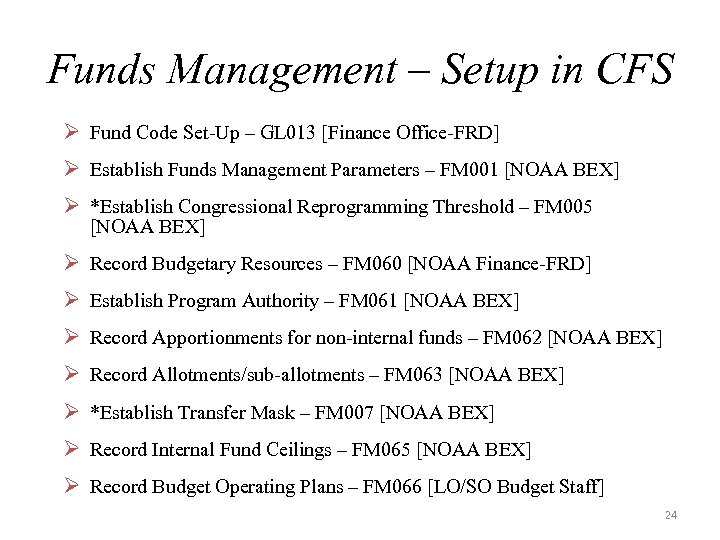
Funds Management – Setup in CFS Ø Fund Code Set-Up – GL 013 [Finance Office-FRD] Ø Establish Funds Management Parameters – FM 001 [NOAA BEX] Ø *Establish Congressional Reprogramming Threshold – FM 005 [NOAA BEX] Ø Record Budgetary Resources – FM 060 [NOAA Finance-FRD] Ø Establish Program Authority – FM 061 [NOAA BEX] Ø Record Apportionments for non-internal funds – FM 062 [NOAA BEX] Ø Record Allotments/sub-allotments – FM 063 [NOAA BEX] Ø *Establish Transfer Mask – FM 007 [NOAA BEX] Ø Record Internal Fund Ceilings – FM 065 [NOAA BEX] Ø Record Budget Operating Plans – FM 066 [LO/SO Budget Staff] 24
Budgetary Setup Relationships 25
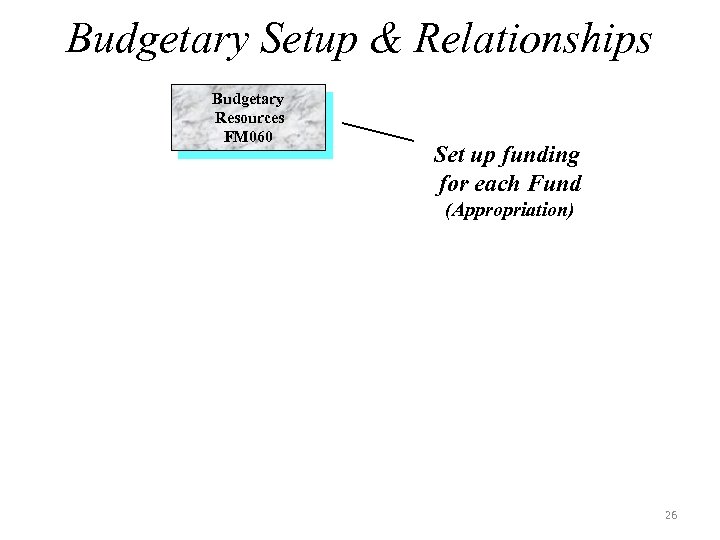
Budgetary Setup & Relationships Budgetary Resources FM 060 Set up funding for each Fund (Appropriation) 26
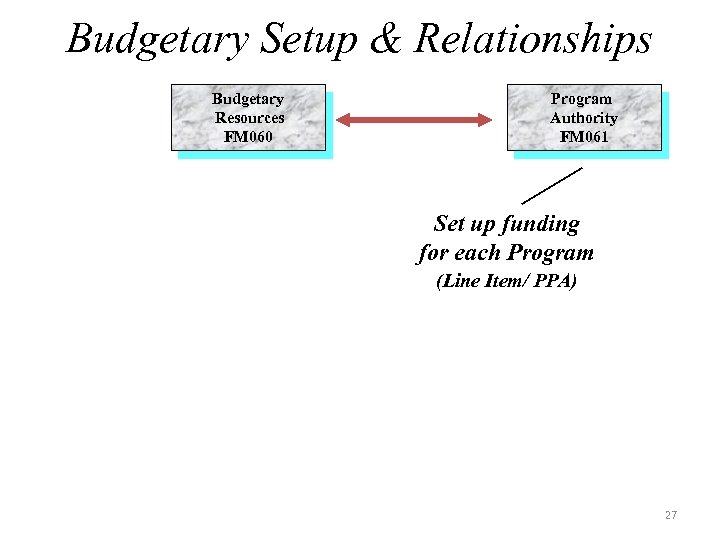
Budgetary Setup & Relationships Budgetary Resources FM 060 Program Authority FM 061 Set up funding for each Program (Line Item/ PPA) 27
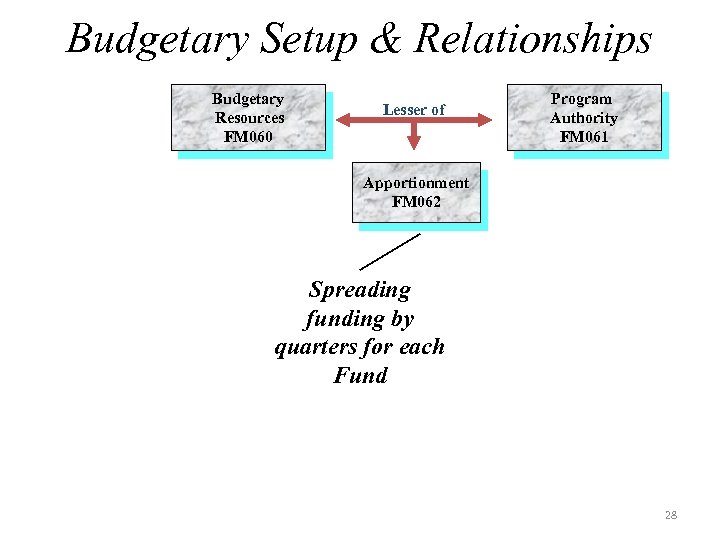
Budgetary Setup & Relationships Budgetary Resources FM 060 Lesser of Program Authority FM 061 Apportionment FM 062 Spreading funding by quarters for each Fund 28
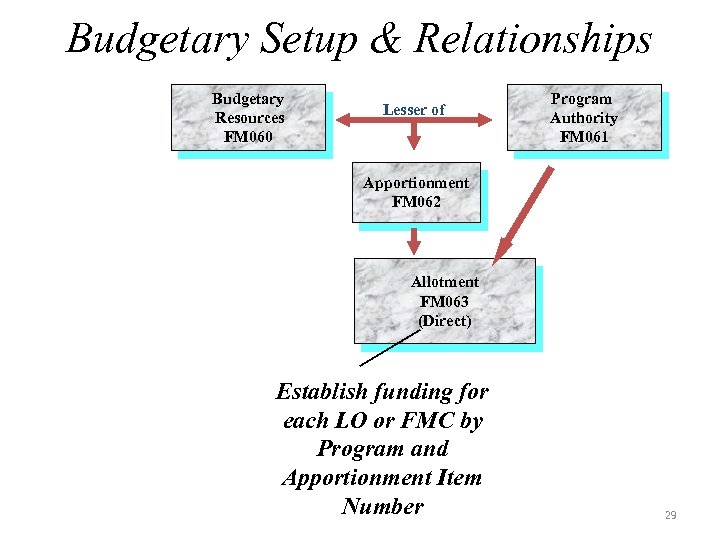
Budgetary Setup & Relationships Budgetary Resources FM 060 Lesser of Program Authority FM 061 Apportionment FM 062 Allotment FM 063 (Direct) Establish funding for each LO or FMC by Program and Apportionment Item Number 29
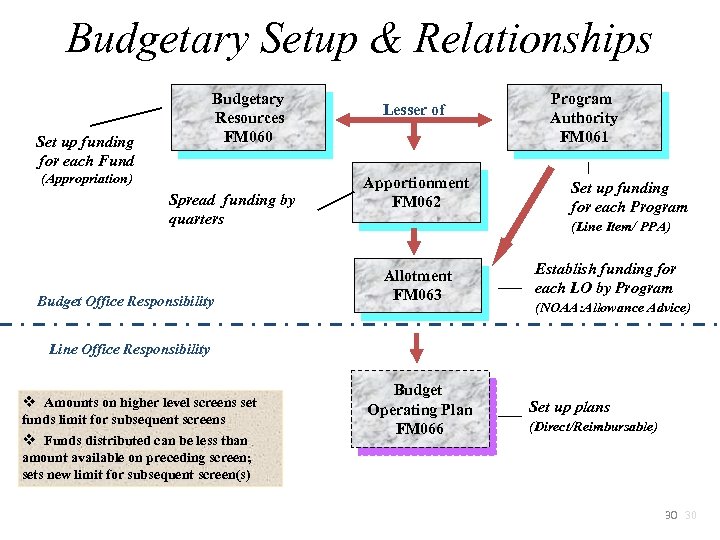
Budgetary Setup & Relationships Budgetary Resources FM 060 Set up funding for each Fund (Appropriation) Spread funding by quarters Budget Office Responsibility Lesser of Apportionment FM 062 Program Authority FM 061 Set up funding for each Program (Line Item/ PPA) Allotment FM 063 Establish funding for each LO by Program (NOAA: Allowance Advice) Line Office Responsibility v Amounts on higher level screens set funds limit for subsequent screens v Funds distributed can be less than amount available on preceding screen; sets new limit for subsequent screen(s) Budget Operating Plan FM 066 Set up plans (Direct/Reimbursable) 30 30
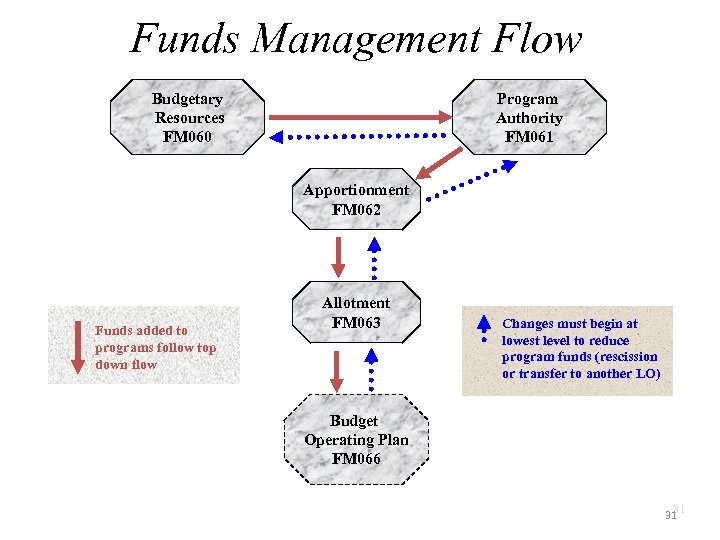
Funds Management Flow Budgetary Resources FM 060 Program Authority FM 061 Apportionment FM 062 Funds added to programs follow top down flow Allotment FM 063 Changes must begin at lowest level to reduce program funds (rescission or transfer to another LO) Budget Operating Plan FM 066 31 31
Funds Control 32
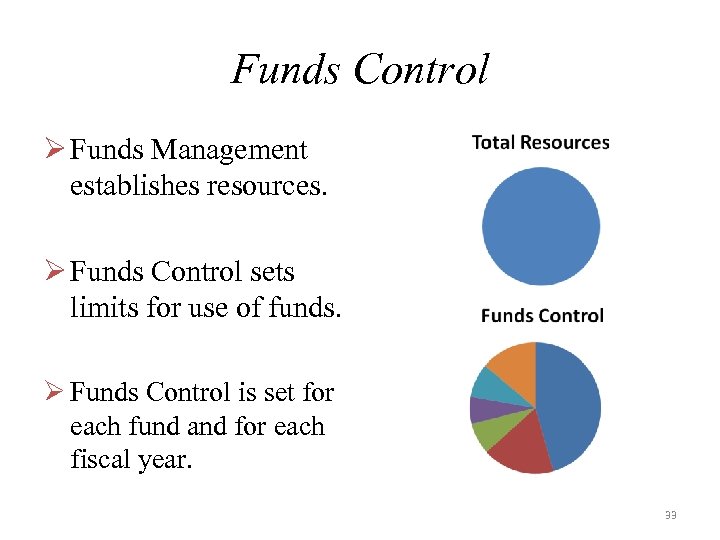
Funds Control Ø Funds Management establishes resources. Ø Funds Control sets limits for use of funds. Ø Funds Control is set for each fund and for each fiscal year. 33
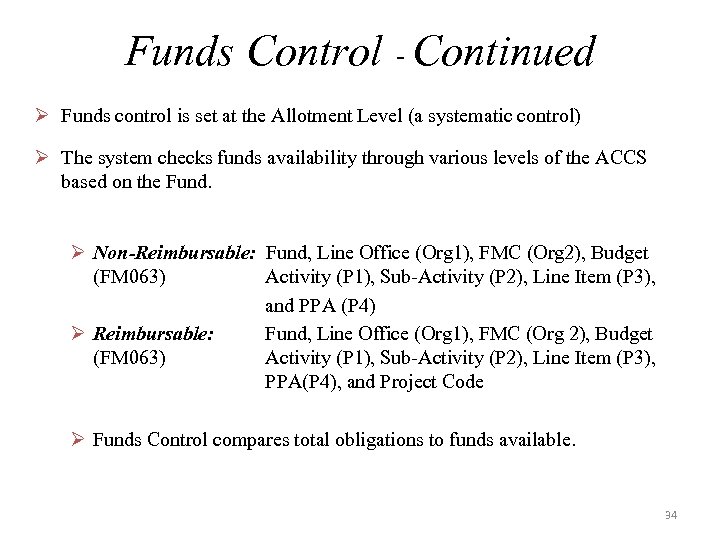
Funds Control - Continued Ø Funds control is set at the Allotment Level (a systematic control) Ø The system checks funds availability through various levels of the ACCS based on the Fund. Ø Non-Reimbursable: Fund, Line Office (Org 1), FMC (Org 2), Budget (FM 063) Activity (P 1), Sub-Activity (P 2), Line Item (P 3), and PPA (P 4) Ø Reimbursable: Fund, Line Office (Org 1), FMC (Org 2), Budget (FM 063) Activity (P 1), Sub-Activity (P 2), Line Item (P 3), PPA(P 4), and Project Code Ø Funds Control compares total obligations to funds available. 34
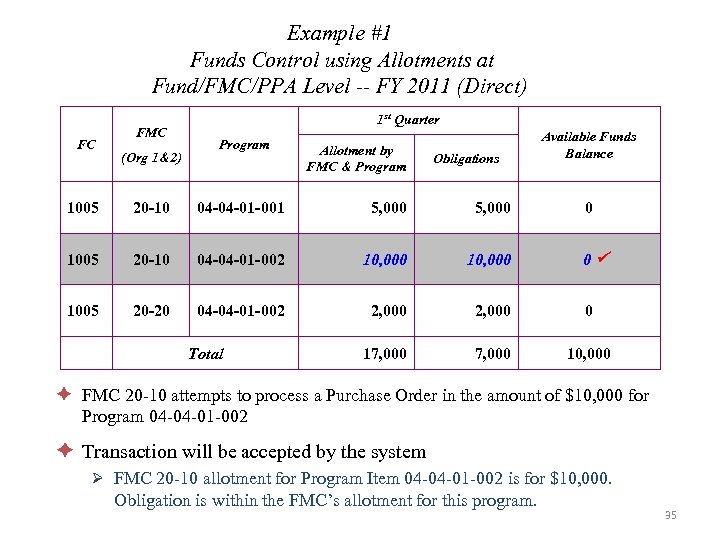
Example #1 Funds Control using Allotments at Fund/FMC/PPA Level -- FY 2011 (Direct) FC FMC (Org 1&2) 1 st Quarter Program Allotment by FMC & Program Obligations Available Funds Balance 1005 20 -10 04 -04 -01 -001 5, 000 1005 20 -10 04 -04 -01 -002 10, 000 1005 20 -20 04 -04 -01 -002 2, 000 0 17, 000 10, 000 Total 0 0 è FMC 20 -10 attempts to process a Purchase Order in the amount of $10, 000 for Program 04 -04 -01 -002 è Transaction will be accepted by the system Ø FMC 20 -10 allotment for Program Item 04 -04 -01 -002 is for $10, 000. Obligation is within the FMC’s allotment for this program. 35
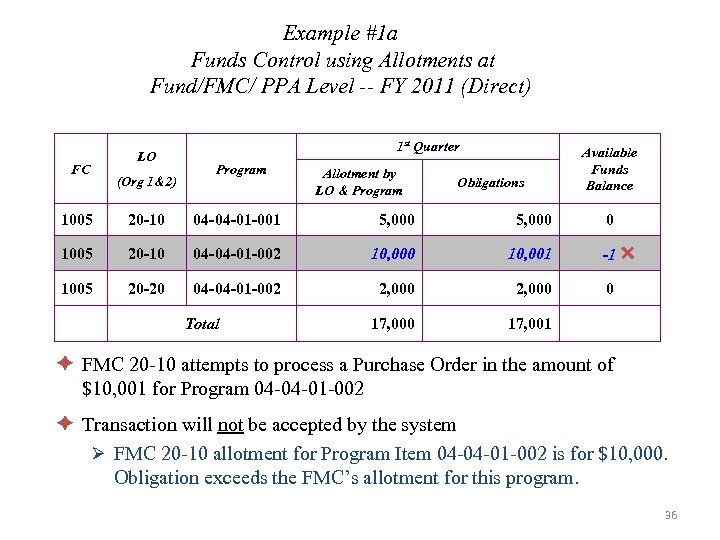
Example #1 a Funds Control using Allotments at Fund/FMC/ PPA Level -- FY 2011 (Direct) LO FC (Org 1&2) 1 st Quarter Program Allotment by LO & Program Obligations 1005 20 -10 04 -04 -01 -001 5, 000 1005 20 -10 04 -04 -01 -002 10, 000 10, 001 1005 20 -20 04 -04 -01 -002 2, 000 17, 000 Available Funds Balance 17, 001 Total 0 -1 0 è FMC 20 -10 attempts to process a Purchase Order in the amount of $10, 001 for Program 04 -04 -01 -002 è Transaction will not be accepted by the system Ø FMC 20 -10 allotment for Program Item 04 -04 -01 -002 is for $10, 000. Obligation exceeds the FMC’s allotment for this program. 36
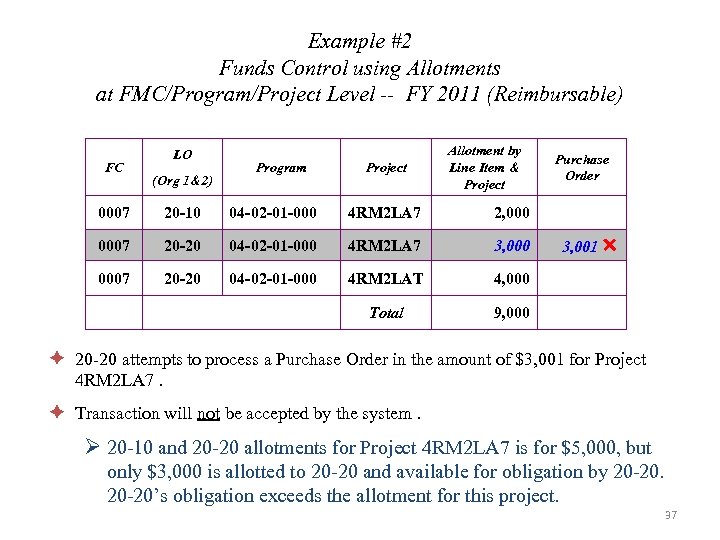
Example #2 Funds Control using Allotments at FMC/Program/Project Level -- FY 2011 (Reimbursable) FC LO (Org 1&2) Program Project Allotment by Line Item & Project 0007 20 -10 04 -02 -01 -000 4 RM 2 LA 7 2, 0007 20 -20 04 -02 -01 -000 4 RM 2 LA 7 3, 0007 20 -20 04 -02 -01 -000 4 RM 2 LAT 4, 000 Total Purchase Order 9, 000 3, 001 è 20 -20 attempts to process a Purchase Order in the amount of $3, 001 for Project 4 RM 2 LA 7. è Transaction will not be accepted by the system. Ø 20 -10 and 20 -20 allotments for Project 4 RM 2 LA 7 is for $5, 000, but only $3, 000 is allotted to 20 -20 and available for obligation by 20 -20’s obligation exceeds the allotment for this project. 37
Budgetary Structure Recap 38
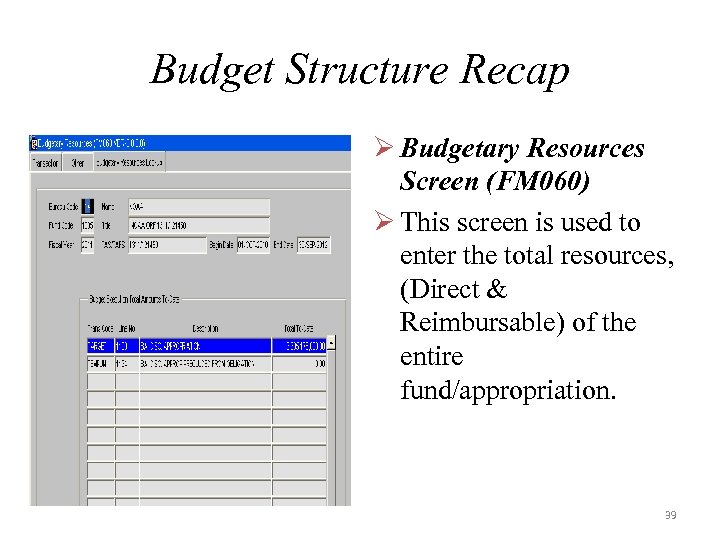
Budget Structure Recap Ø Budgetary Resources Screen (FM 060) Ø This screen is used to enter the total resources, (Direct & Reimbursable) of the entire fund/appropriation. 39
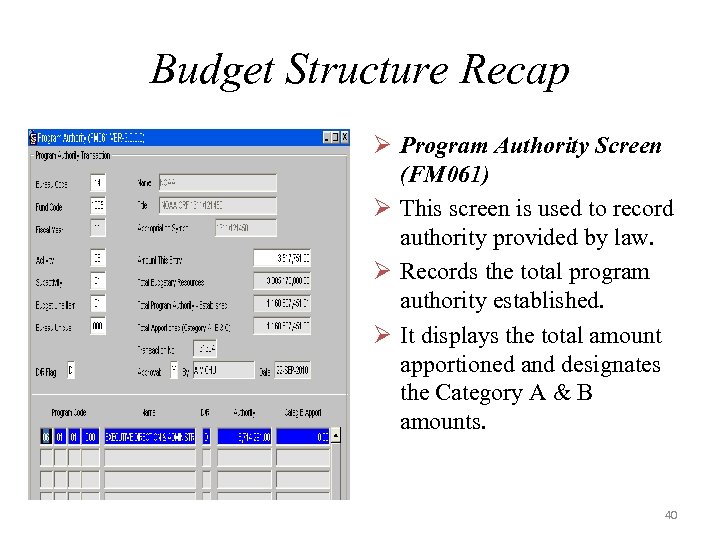
Budget Structure Recap Ø Program Authority Screen (FM 061) Ø This screen is used to record authority provided by law. Ø Records the total program authority established. Ø It displays the total amount apportioned and designates the Category A & B amounts. 40
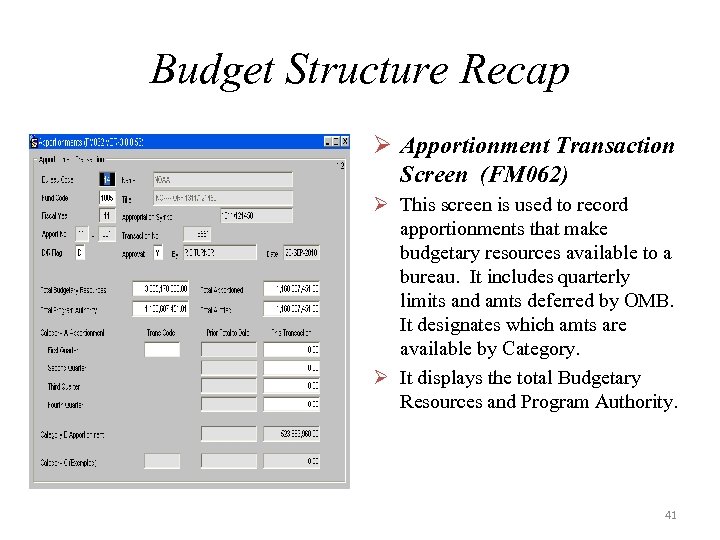
Budget Structure Recap Ø Apportionment Transaction Screen (FM 062) Ø This screen is used to record apportionments that make budgetary resources available to a bureau. It includes quarterly limits and amts deferred by OMB. It designates which amts are available by Category. Ø It displays the total Budgetary Resources and Program Authority. 41
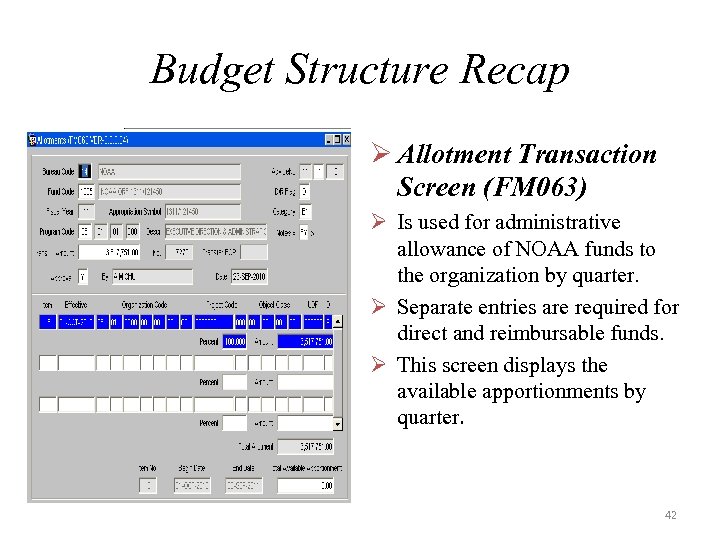
Budget Structure Recap Ø Allotment Transaction Screen (FM 063) Ø Is used for administrative allowance of NOAA funds to the organization by quarter. Ø Separate entries are required for direct and reimbursable funds. Ø This screen displays the available apportionments by quarter. 42
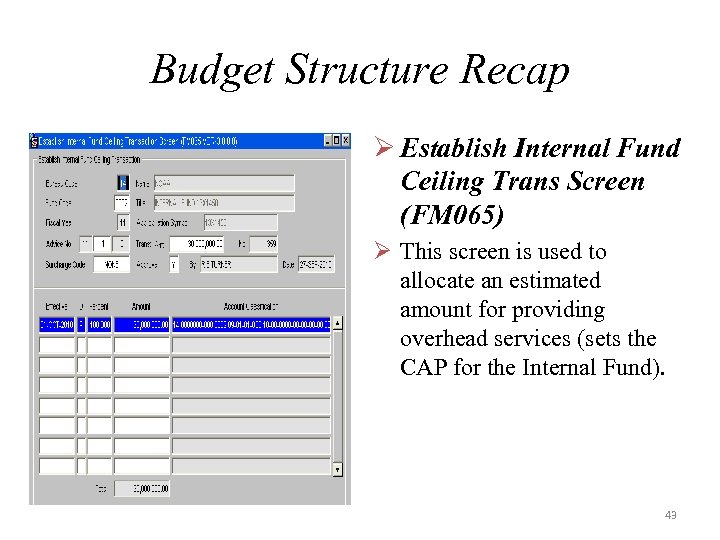
Budget Structure Recap Ø Establish Internal Fund Ceiling Trans Screen (FM 065) Ø This screen is used to allocate an estimated amount for providing overhead services (sets the CAP for the Internal Fund). 43
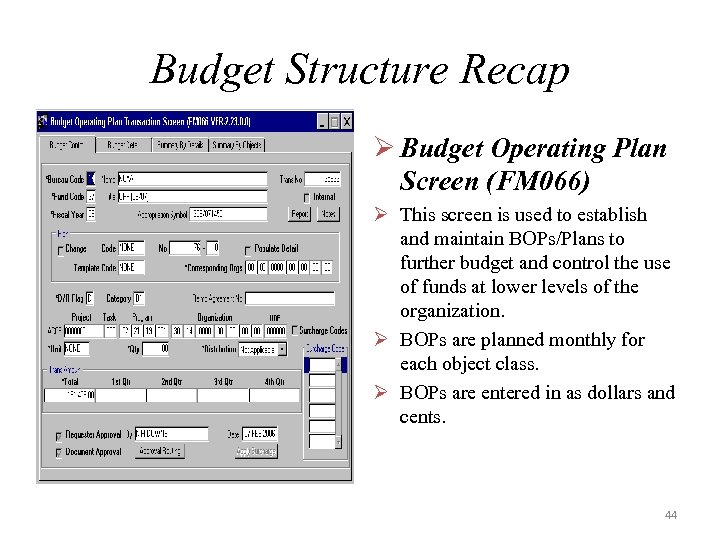
Budget Structure Recap Ø Budget Operating Plan Screen (FM 066) Ø This screen is used to establish and maintain BOPs/Plans to further budget and control the use of funds at lower levels of the organization. Ø BOPs are planned monthly for each object class. Ø BOPs are entered in as dollars and cents. 44
Budget Operating Plans (BOPS) 45
Budget Operating Plan (BOP) Introduction Ø BOPS represent the lowest level of budget planning within CFS. Ø LO’s use BOPS for their Variance Reporting. Ø BOP Screen (FM 066) is used to plan for obligation of resources. Ø BOPS are planned monthly for each Object Class. Ø Plans are entered in as dollars and cents. Ø There are No GL Impacts. 46
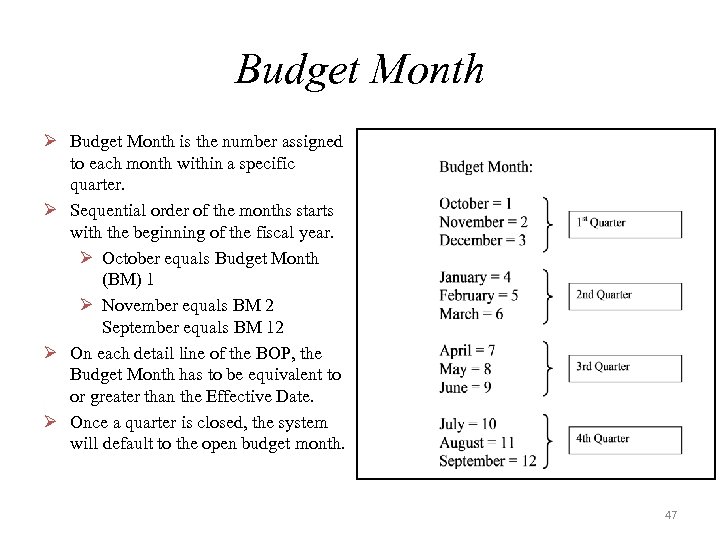
Budget Month Ø Budget Month is the number assigned to each month within a specific quarter. Ø Sequential order of the months starts with the beginning of the fiscal year. Ø October equals Budget Month (BM) 1 Ø November equals BM 2 September equals BM 12 Ø On each detail line of the BOP, the Budget Month has to be equivalent to or greater than the Effective Date. Ø Once a quarter is closed, the system will default to the open budget month. 47
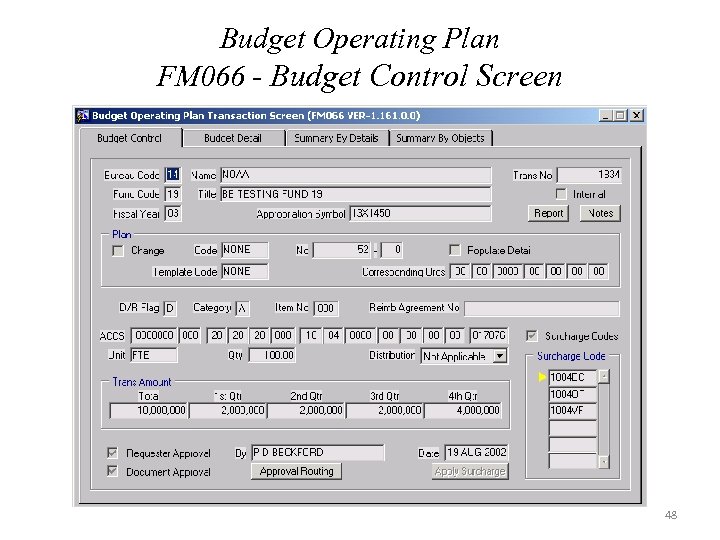
Budget Operating Plan FM 066 - Budget Control Screen 48
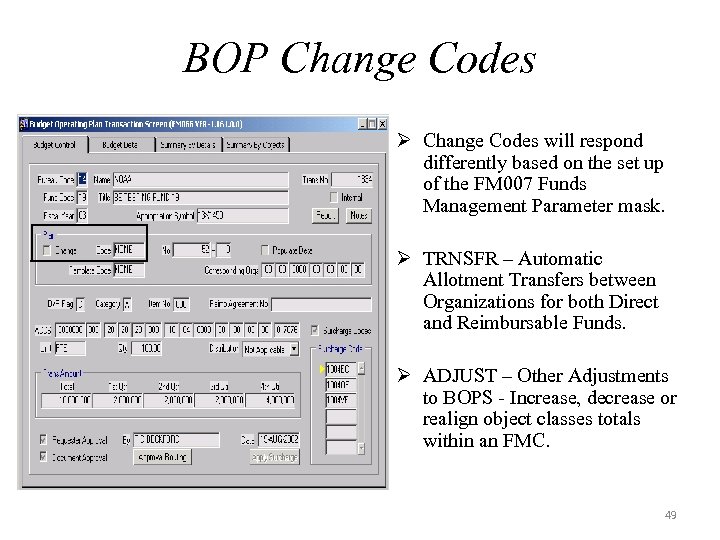
BOP Change Codes Ø Change Codes will respond differently based on the set up of the FM 007 Funds Management Parameter mask. Ø TRNSFR – Automatic Allotment Transfers between Organizations for both Direct and Reimbursable Funds. Ø ADJUST – Other Adjustments to BOPS - Increase, decrease or realign object classes totals within an FMC. 49
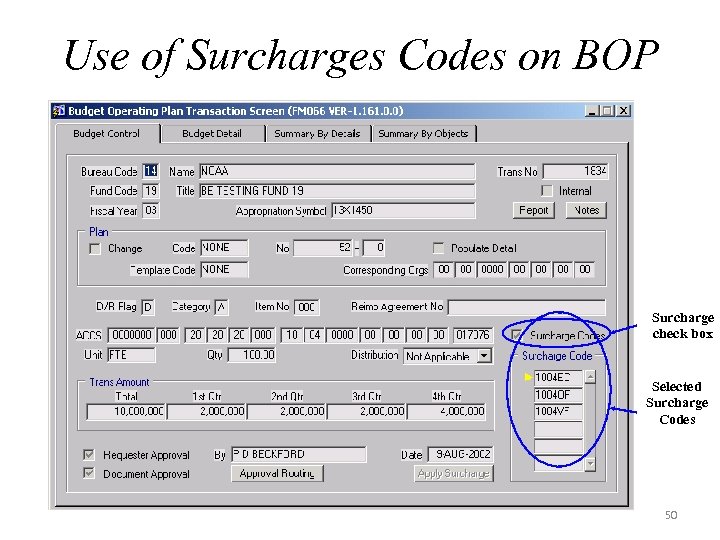
Use of Surcharges Codes on BOP Surcharge check box Selected Surcharge Codes 50
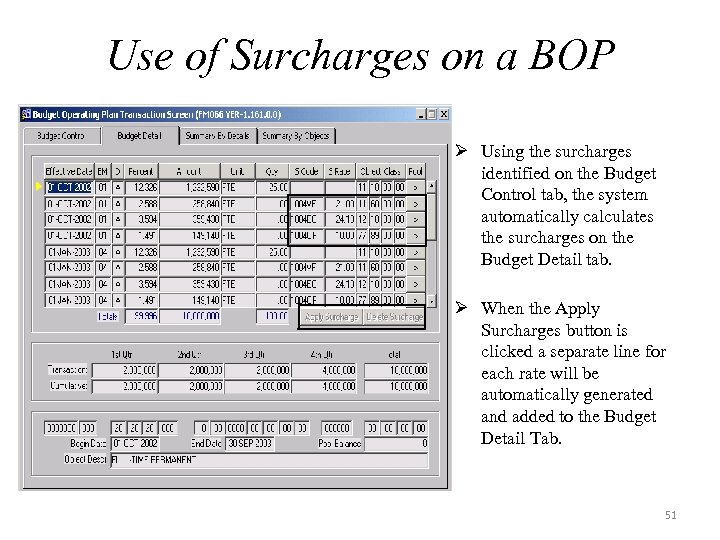
Use of Surcharges on a BOP Ø Using the surcharges identified on the Budget Control tab, the system automatically calculates the surcharges on the Budget Detail tab. Ø When the Apply Surcharges button is clicked a separate line for each rate will be automatically generated and added to the Budget Detail Tab. 51
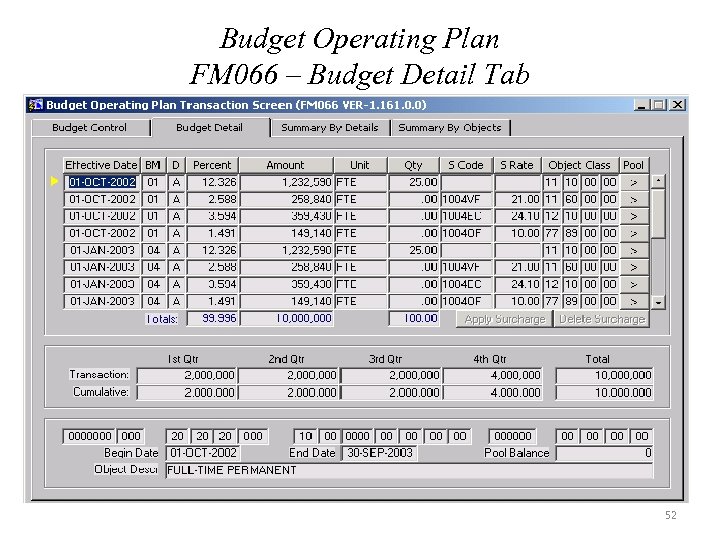
Budget Operating Plan FM 066 – Budget Detail Tab 52
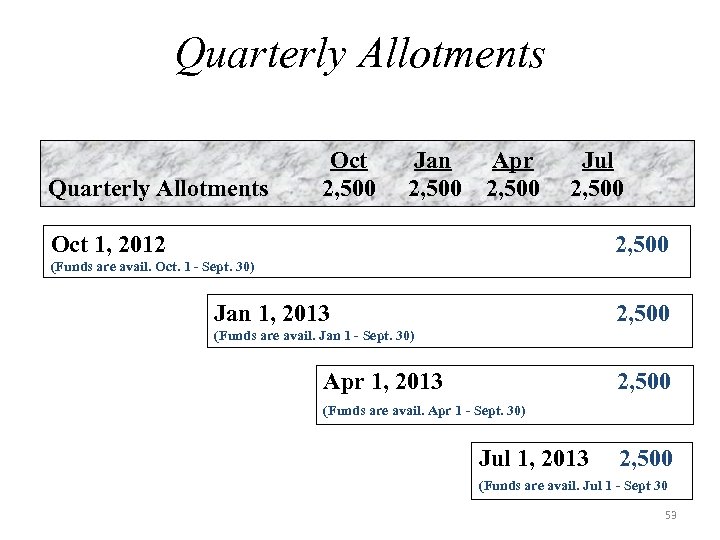
Quarterly Allotments Oct 2, 500 Jan 2, 500 Apr 2, 500 Jul 2, 500 Oct 1, 2012 2, 500 (Funds are avail. Oct. 1 - Sept. 30) Jan 1, 2013 2, 500 (Funds are avail. Jan 1 - Sept. 30) Apr 1, 2013 2, 500 (Funds are avail. Apr 1 - Sept. 30) Jul 1, 2013 2, 500 (Funds are avail. Jul 1 - Sept 30 53
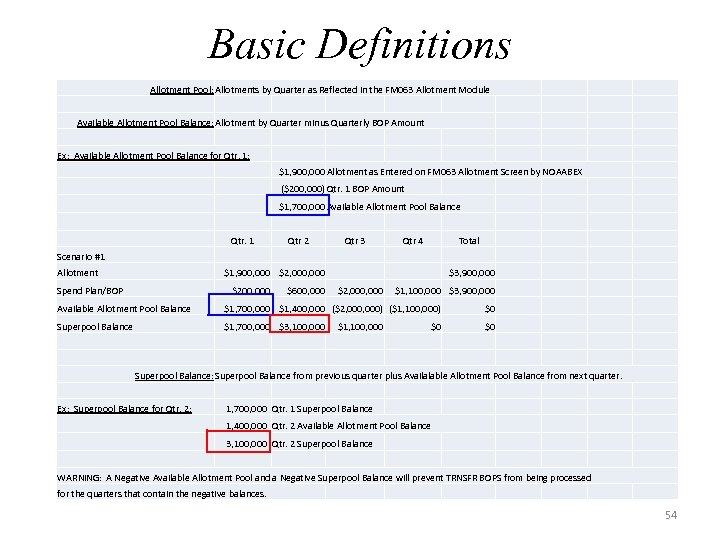
Basic Definitions Allotment Pool: Allotments by Quarter as Reflected in the FM 063 Allotment Module Available Allotment Pool Balance: Allotment by Quarter minus Quarterly BOP Amount Ex: Available Allotment Pool Balance for Qtr. 1: $1, 900, 000 Allotment as Entered on FM 063 Allotment Screen by NOAABEX ($200, 000) Qtr. 1 BOP Amount $1, 700, 000 Available Allotment Pool Balance Qtr. 1 Qtr 2 Qtr 3 Qtr 4 Total Scenario #1 Allotment $1, 900, 000 $2, 000 Spend Plan/BOP $200, 000 $600, 000 $3, 900, 000 $2, 000 $1, 100, 000 $3, 900, 000 Available Allotment Pool Balance $1, 700, 000 $1, 400, 000 ($2, 000) ($1, 100, 000) $0 Superpool Balance $1, 700, 000 $3, 100, 000 $1, 100, 000 $0 Superpool Balance: Superpool Balance from previous quarter plus Availalable Allotment Pool Balance from next quarter. Ex: Superpool Balance for Qtr. 2: 1, 700, 000 Qtr. 1 Superpool Balance 1, 400, 000 Qtr. 2 Available Allotment Pool Balance 3, 100, 000 Qtr. 2 Superpool Balance WARNING: A Negative Available Allotment Pool and a Negative Superpool Balance will prevent TRNSFR BOPS from being processed for the quarters that contain the negative balances. 54
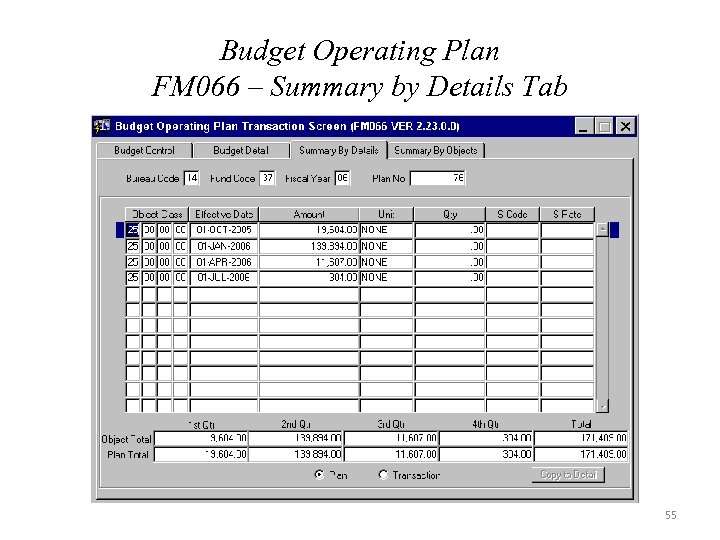
Budget Operating Plan FM 066 – Summary by Details Tab 55
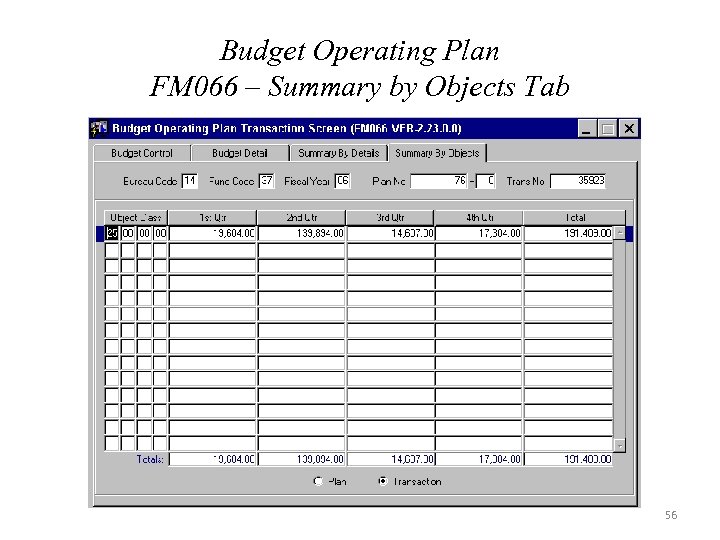
Budget Operating Plan FM 066 – Summary by Objects Tab 56
Reimbursable Process Ø May need to fill out the Reimbursable Agreement screen. Ø Required to fill out the Allotment/Unfilled Customer Order request form and send a copy to the NOAA Budget Office and Finance Office. Ø Once the Budget Office has established the allotment for the project, the BOP can be prepared. Ø For more information on the Reimbursable process, visit the CBS website and click on Reimbursables or take the Reimbursable training class. 57
Reimbursable BOPs Ø Need to enter BOP at project level. Ø Enter Temporary Work Authorization (TWA) or agreement number in reimbursable field on BOP. Ø Change BOP required to update TWA to actual agreement number and update agreement amount if necessary. Ø This information entered in Reimbursable Agreement No. field could be utilized for future reports. 58
BOP - Funds Checking Ø Several Scenarios that will restrict a BOP from being approved. ØOn Positive BOPs, the system checks for Allotment Pool Balances. Ø Allotment Pool = The total of the Allotment by Fund, quarter, ACCS, effective date, and object class. ØOn Negative BOPs, the system checks to ensure for available funds. ØThe Order in which BOPs are Approved on WF 002 can Result in message “Insufficient Funds. ” 59
![BOP Business Rules Ø Full Time Equivalent [FTE] Quantity should be entered when using](https://present5.com/presentation/3bbfa9e467317405da60b59cc24547c3/image-59.jpg "BOP Business Rules Ø Full Time Equivalent [FTE] Quantity should be entered when using")
BOP Business Rules Ø Full Time Equivalent [FTE] Quantity should be entered when using Labor Object Classes if applicable. Ø Plans should be entered at first two digits of the object class, except for Labor. Ø BOP Notes Field should retain the Allotment Notes standard language except for transfers. Ø In the BOP Notes, Transfers between LO or FMC should be recorded as From xx-xx To xx-xx for “Reason” (where xx-xx represents first two segments of the organization). Ø Users should always reference the current BM. 60
CBS BOP Approval Process Overview 61
CBS Approval Process Screens Ø FSD Staff – WF 001 – Document Approval Maintenance Ø FMC – WF 002 – Document Requiring Approval – WF 003 – Message Retrieval Screen – WF 604 – Re-assign Approvers by Document Ø LO [Limited to Specific Users] – WF 605 – Re-assign Approvers by Employee 62
CBS BOP Approval - Alternates Ø WF 604 – Re-assign Approvers by Document Ø Individual documents can be re-routed to an alternate. Ø BOP document number known. Ø Only the person whose name is displayed in the Approval field will be able to re-route only their transactions. Ø Documents can only be re-routed to a person displayed in the list of Alternate Approvers. Ø WF 605 – Re-assign Approvers by Employee Ø Employee control number used. Ø Numerous documents can be rerouted. Ø Only the BE Team or LO personnel that have this role will be able to re route transactions. Ø Documents can only be re routed to a person displayed in the list of Alternate Approvers. 63
CBS BOP Approval Process Ø Must have at least 2 levels of approval. Ø NOAA’s standard approval scheme is: ØInitial BOP request approval by preparer – anyone with BOP access can request a BOP. ØFMC approval - must have the BE Approver role. ØLO approval - must have the BE Approver role. 64
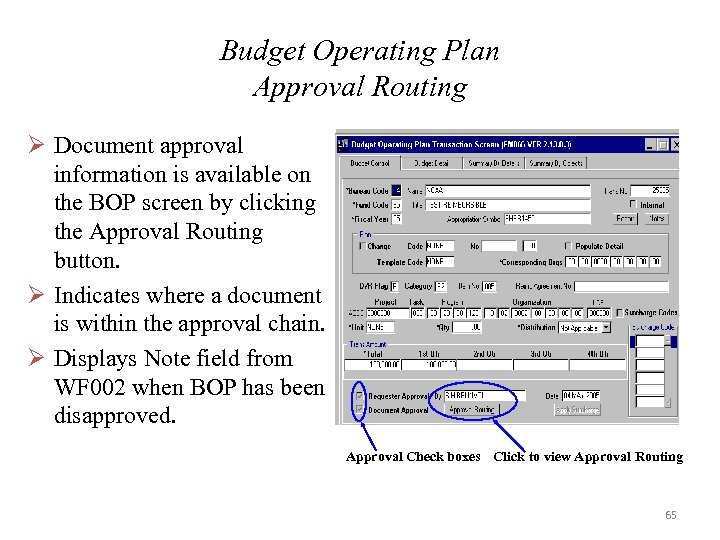
Budget Operating Plan Approval Routing Ø Document approval information is available on the BOP screen by clicking the Approval Routing button. Ø Indicates where a document is within the approval chain. Ø Displays Note field from WF 002 when BOP has been disapproved. Approval Check boxes Click to view Approval Routing 65
Summary Level Transfers SLT’s 66
Summary Level Transfers Ø To correct erroneously recorded cost and obligation data, adjustments should be made at the document or detail level to provide an adequate audit trail. Ø In limited situations, (e. g. , if the organization or project/task codes were modified during the year) the NOAA Line/Staff Office, FMC, or cross-serviced agency may request adjustments to line items of summary data using the Summary Level Transfer (SLT) process. 67
Summary Level Transfers (Cont’d) Ø SLT’s should be used as a means to correct erroneous obligations once ALL other methods have been utilized. Ø Other methods include, but are not limited to: WEB T&A Corrections, Grants On-Line Administrative Correction, Requisition for Change to Correct ACCS through CSTARS, Monthly Bankcard Reconciliation; Document Level Adjustments through the FM 040; Advice of Correction through the PM 006, etc… 68
Summary Level Transfers (Cont’d) Ø The SLT process transfers costs, not resources. Ø The process transfers dollar amounts as paid costs. Ø Only amounts which have been expended to date should be included in SLT’s. Ø Amounts in undelivered orders should not be transferred using the SLT process. 69
Summary Level Transfers (Cont’d) Ø SLT transactions are not posted into the Core Financial System (CFS) until the batch has been approved by Line Office/Staff Office (LO/SO) Official(s) and the financial posting is processed by the Financial Reporting Division (FRD)/NOAA Finance Office. 70
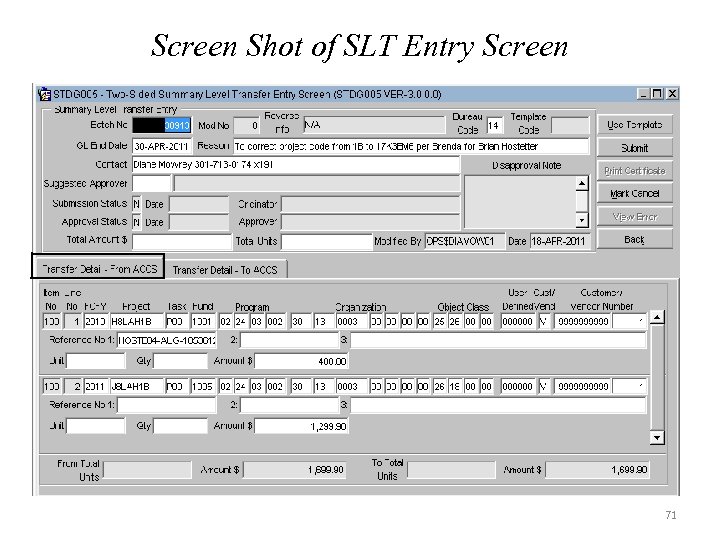
Screen Shot of SLT Entry Screen 71
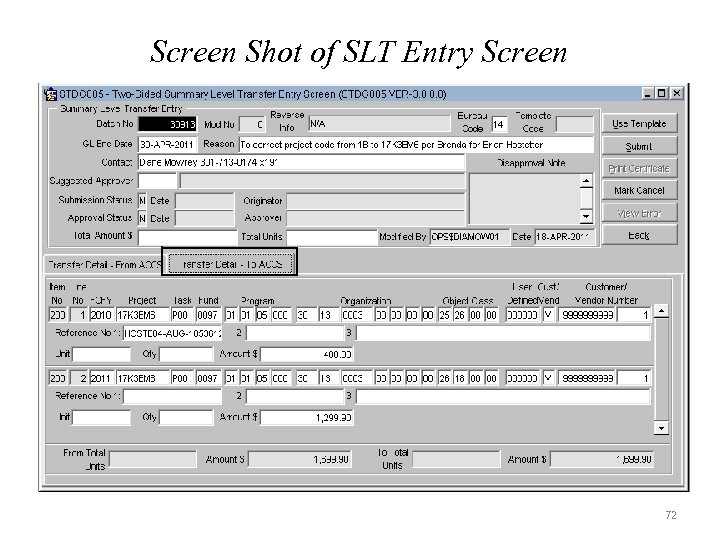
Screen Shot of SLT Entry Screen 72
Required Approvals – (SLT’s) Ø ALL SLT’s regardless of the amount must be reviewed and approved with signatures by the Line Office/Staff Office (LO/SO)/ Staff Office Lead Budget Execution Analyst or equivalent before being submitted to FRD for posting. Ø SLT’s regardless of the amount between two different program codes or any adjustment of $500 K or more MUST be reviewed and approved with signatures by the LO Chief Financial Officer (CFO) or Staff Office Director, AND the NOAA Budget Office before being submitted to FRD for posting. 73
Required Approvals (SLT’s) (Cont’d) Ø Transfers between Financial Management Centers (FMC): Any SLT that is transferring costs between FMC’s requires the signed approval of the affected FMC. The originator of the SLT must obtain the signed approval form from the affected FMC which contains a statement that they concur with the SLT action and it is appropriate for approval. 74
SLT – Business Rules Ø The SLT business rules are either Systematic or Administrative. Ø The Systematic rules are enforced by systemic controls that have been programmed into the SLT module: exceptions are NOT allowed. Ø The Administrative rules are NOAA-specific and have been agreed to by the NOAA Business Rules Working Group. Ø Administrative rules do not have systemic controls and some of the rules include exceptions. 75
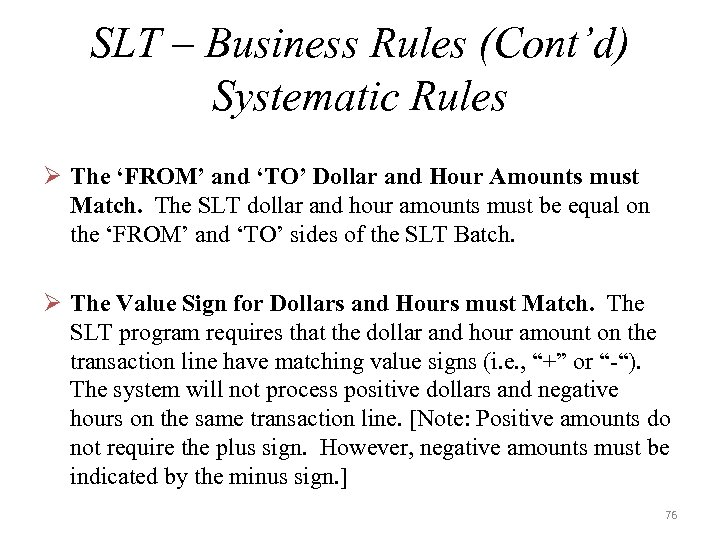
SLT – Business Rules (Cont’d) Systematic Rules Ø The ‘FROM’ and ‘TO’ Dollar and Hour Amounts must Match. The SLT dollar and hour amounts must be equal on the ‘FROM’ and ‘TO’ sides of the SLT Batch. Ø The Value Sign for Dollars and Hours must Match. The SLT program requires that the dollar and hour amount on the transaction line have matching value signs (i. e. , “+” or “-“). The system will not process positive dollars and negative hours on the same transaction line. [Note: Positive amounts do not require the plus sign. However, negative amounts must be indicated by the minus sign. ] 76
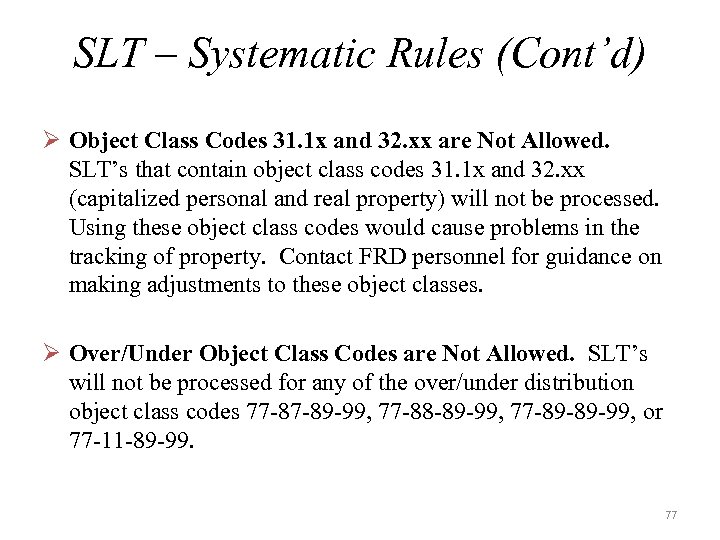
SLT – Systematic Rules (Cont’d) Ø Object Class Codes 31. 1 x and 32. xx are Not Allowed. SLT’s that contain object class codes 31. 1 x and 32. xx (capitalized personal and real property) will not be processed. Using these object class codes would cause problems in the tracking of property. Contact FRD personnel for guidance on making adjustments to these object classes. Ø Over/Under Object Class Codes are Not Allowed. SLT’s will not be processed for any of the over/under distribution object class codes 77 -87 -89 -99, 77 -88 -89 -99, 77 -89 -89 -99, or 77 -11 -89 -99. 77
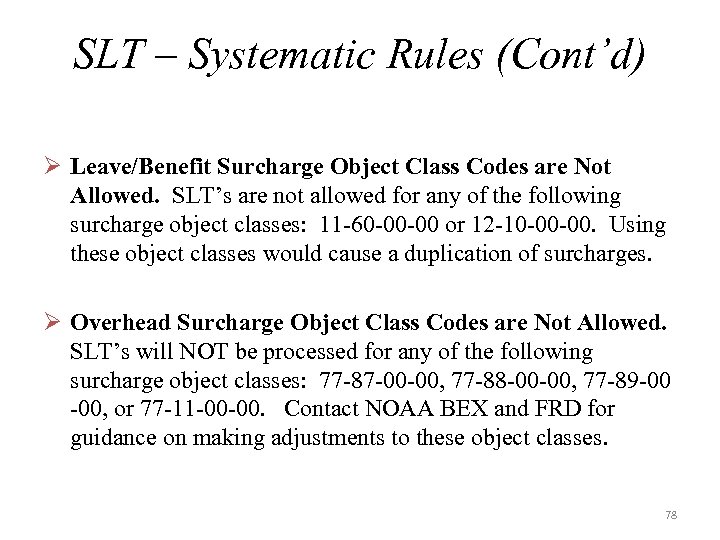
SLT – Systematic Rules (Cont’d) Ø Leave/Benefit Surcharge Object Class Codes are Not Allowed. SLT’s are not allowed for any of the following surcharge object classes: 11 -60 -00 -00 or 12 -10 -00 -00. Using these object classes would cause a duplication of surcharges. Ø Overhead Surcharge Object Class Codes are Not Allowed. SLT’s will NOT be processed for any of the following surcharge object classes: 77 -87 -00 -00, 77 -88 -00 -00, 77 -89 -00 -00, or 77 -11 -00 -00. Contact NOAA BEX and FRD for guidance on making adjustments to these object classes. 78
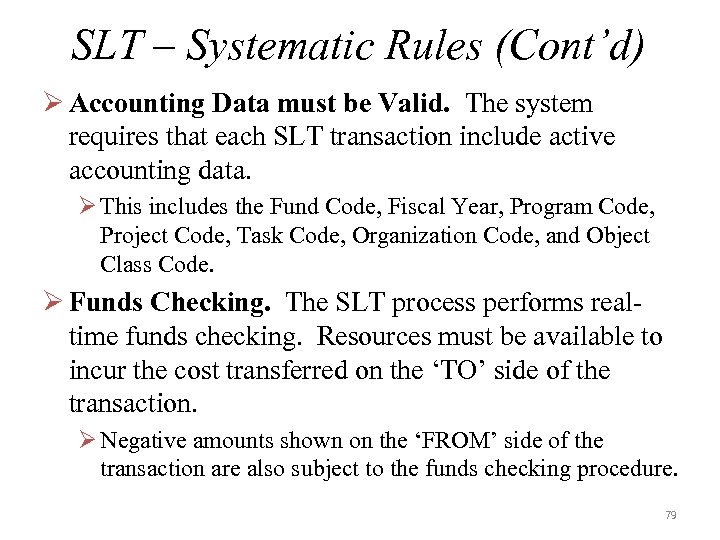
SLT – Systematic Rules (Cont’d) Ø Accounting Data must be Valid. The system requires that each SLT transaction include active accounting data. Ø This includes the Fund Code, Fiscal Year, Program Code, Project Code, Task Code, Organization Code, and Object Class Code. Ø Funds Checking. The SLT process performs realtime funds checking. Resources must be available to incur the cost transferred on the ‘TO’ side of the transaction. Ø Negative amounts shown on the ‘FROM’ side of the transaction are also subject to the funds checking procedure. 79
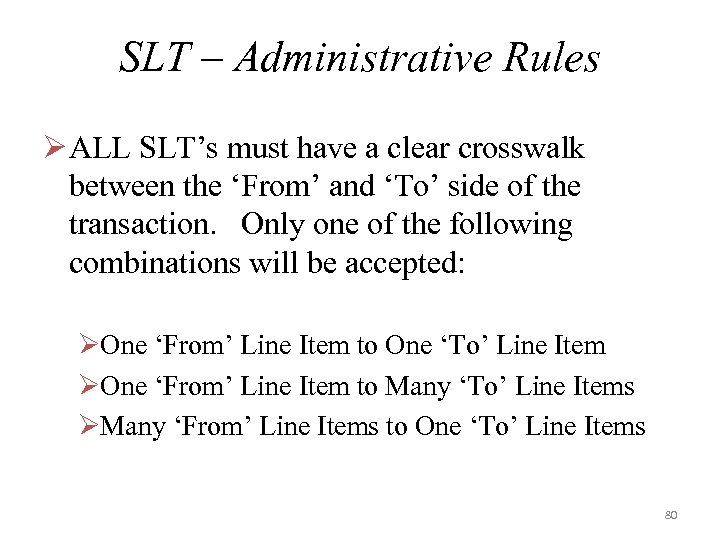
SLT – Administrative Rules Ø ALL SLT’s must have a clear crosswalk between the ‘From’ and ‘To’ side of the transaction. Only one of the following combinations will be accepted: ØOne ‘From’ Line Item to One ‘To’ Line Item ØOne ‘From’ Line Item to Many ‘To’ Line Items ØMany ‘From’ Line Items to One ‘To’ Line Items 80
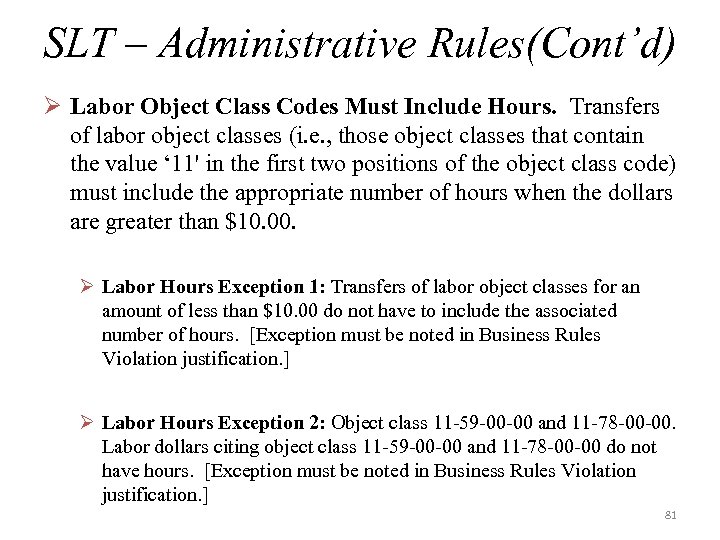
SLT – Administrative Rules(Cont’d) Ø Labor Object Class Codes Must Include Hours. Transfers of labor object classes (i. e. , those object classes that contain the value ‘ 11' in the first two positions of the object class code) must include the appropriate number of hours when the dollars are greater than $10. 00. Ø Labor Hours Exception 1: Transfers of labor object classes for an amount of less than $10. 00 do not have to include the associated number of hours. [Exception must be noted in Business Rules Violation justification. ] Ø Labor Hours Exception 2: Object class 11 -59 -00 -00 and 11 -78 -00 -00. Labor dollars citing object class 11 -59 -00 -00 and 11 -78 -00 -00 do not have hours. [Exception must be noted in Business Rules Violation justification. ] 81
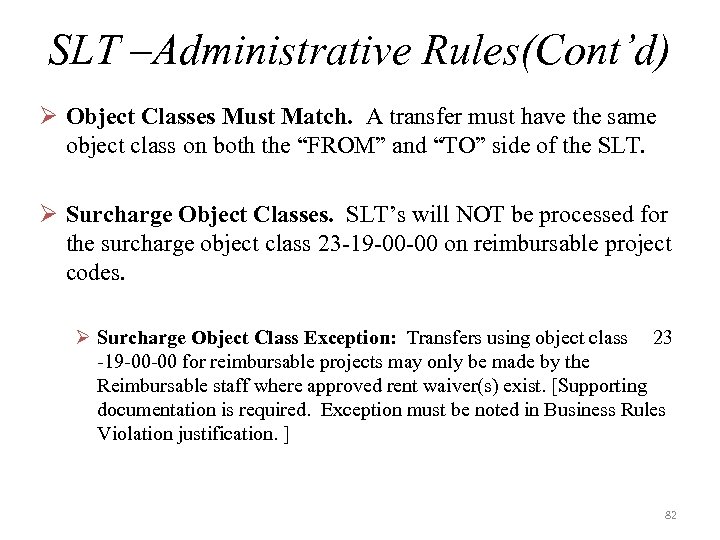
SLT –Administrative Rules(Cont’d) Ø Object Classes Must Match. A transfer must have the same object class on both the “FROM” and “TO” side of the SLT. Ø Surcharge Object Classes. SLT’s will NOT be processed for the surcharge object class 23 -19 -00 -00 on reimbursable project codes. Ø Surcharge Object Class Exception: Transfers using object class 23 -19 -00 -00 for reimbursable projects may only be made by the Reimbursable staff where approved rent waiver(s) exist. [Supporting documentation is required. Exception must be noted in Business Rules Violation justification. ] 82
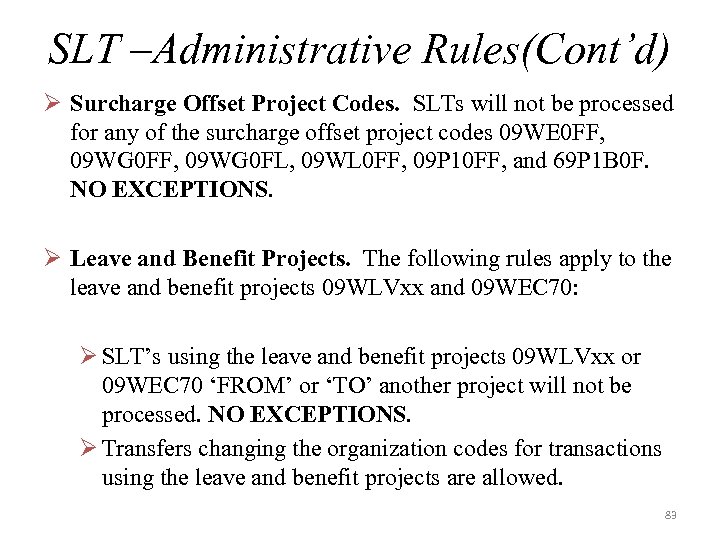
SLT –Administrative Rules(Cont’d) Ø Surcharge Offset Project Codes. SLTs will not be processed for any of the surcharge offset project codes 09 WE 0 FF, 09 WG 0 FL, 09 WL 0 FF, 09 P 10 FF, and 69 P 1 B 0 F. NO EXCEPTIONS. Ø Leave and Benefit Projects. The following rules apply to the leave and benefit projects 09 WLVxx and 09 WEC 70: Ø SLT’s using the leave and benefit projects 09 WLVxx or 09 WEC 70 ‘FROM’ or ‘TO’ another project will not be processed. NO EXCEPTIONS. Ø Transfers changing the organization codes for transactions using the leave and benefit projects are allowed. 83
SLT –Administrative Rules(Cont’d) Ø FROM and TO Fund Code Fiscal Year must Match. Both the ‘FROM’ and ‘TO’ sides of a transaction must cite the same Fund Code Fiscal Year (FCFY). Ø Ensure Resource Availability. The FMC entering and submitting the SLT is responsible for ensuring that all transfers have adequate resources available for them. 84
SLT – Additional Information Ø For more specific details related to SLT’s and how to submit them go to the following website: Ø http: //www. corporateservices. noaa. gov/finance/slt. html ØThe SLT information located on the webpage includes additional rules and a sample submission package. 85

BE Quick Reports 86
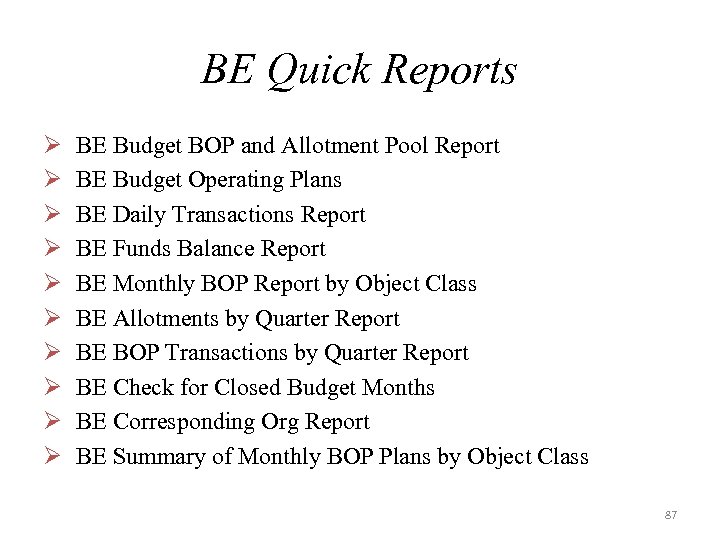
BE Quick Reports Ø Ø Ø Ø Ø BE Budget BOP and Allotment Pool Report BE Budget Operating Plans BE Daily Transactions Report BE Funds Balance Report BE Monthly BOP Report by Object Class BE Allotments by Quarter Report BE BOP Transactions by Quarter Report BE Check for Closed Budget Months BE Corresponding Org Report BE Summary of Monthly BOP Plans by Object Class 87
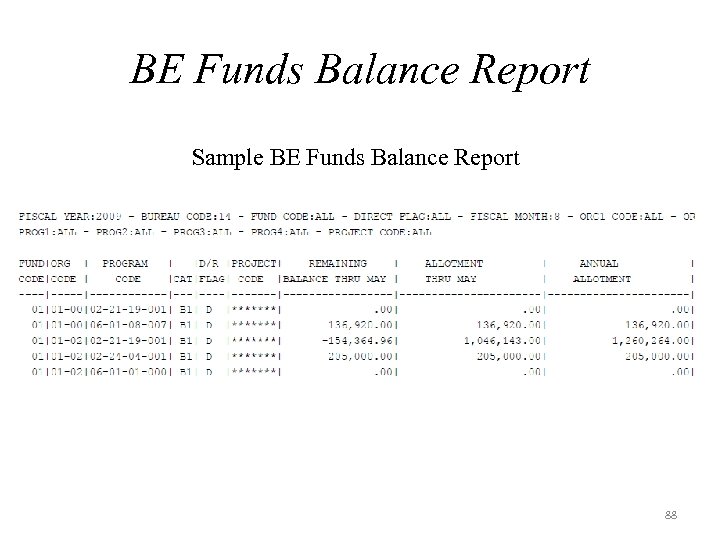
BE Funds Balance Report Sample BE Funds Balance Report 88

Data Warehouse Reports 89
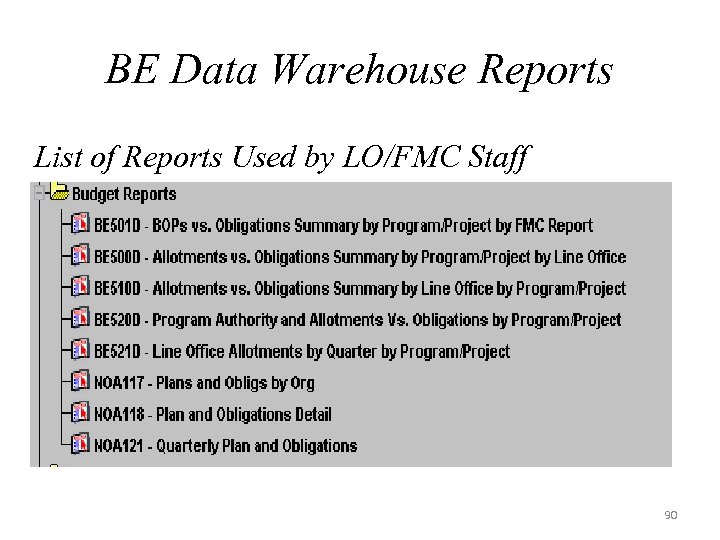
BE Data Warehouse Reports List of Reports Used by LO/FMC Staff 90
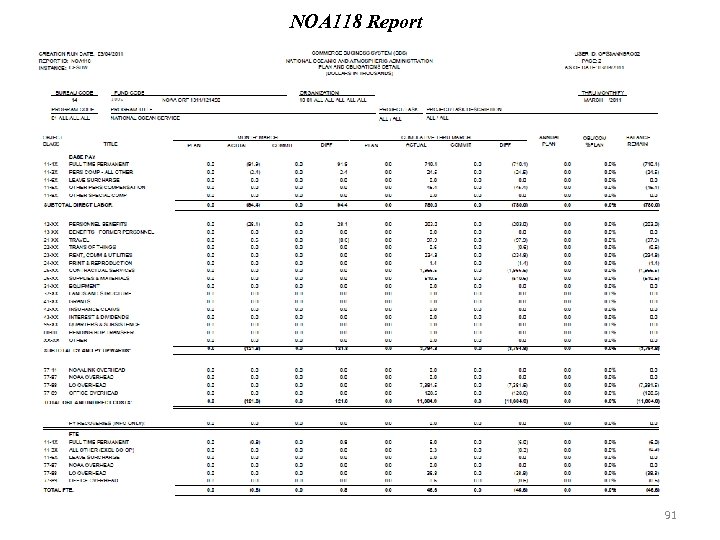
NOA 118 Report 91
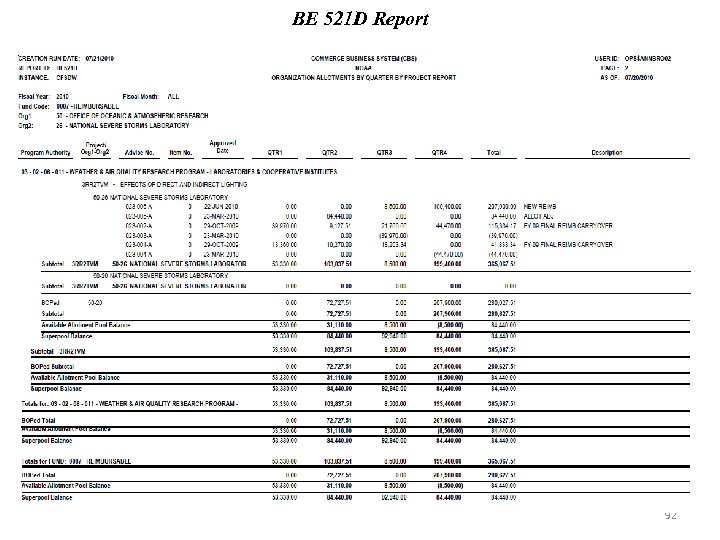
BE 521 D Report 92
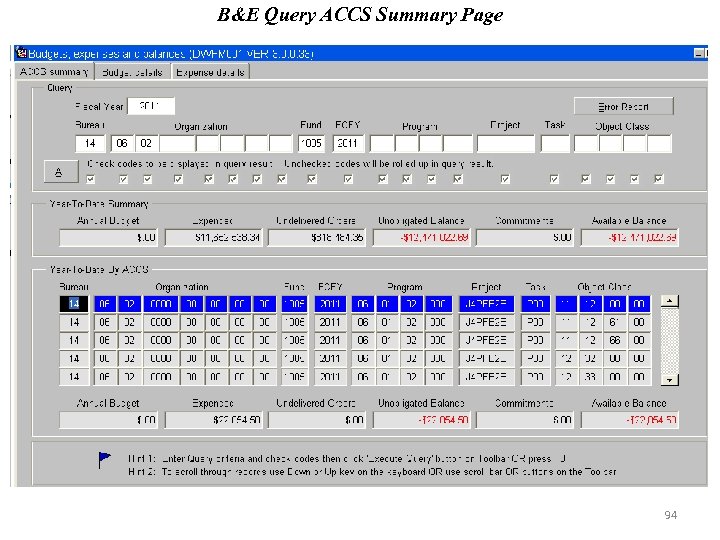
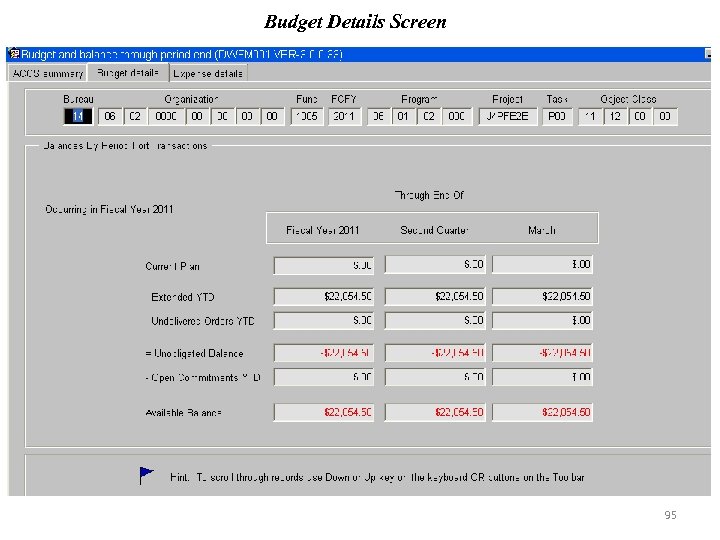
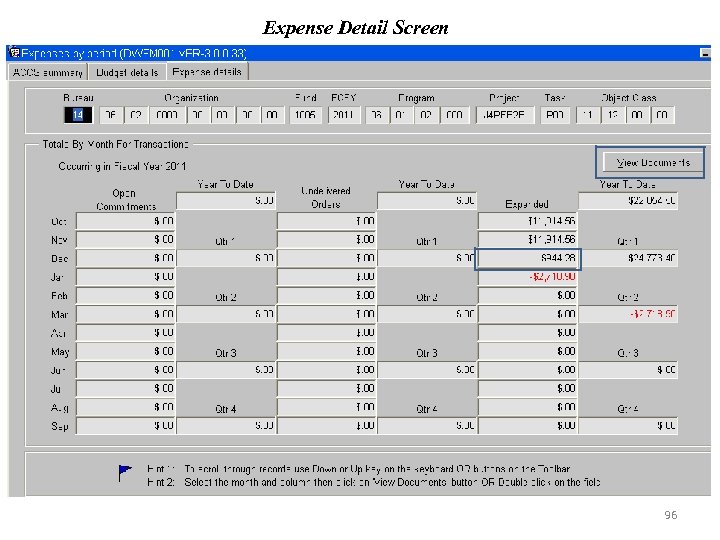
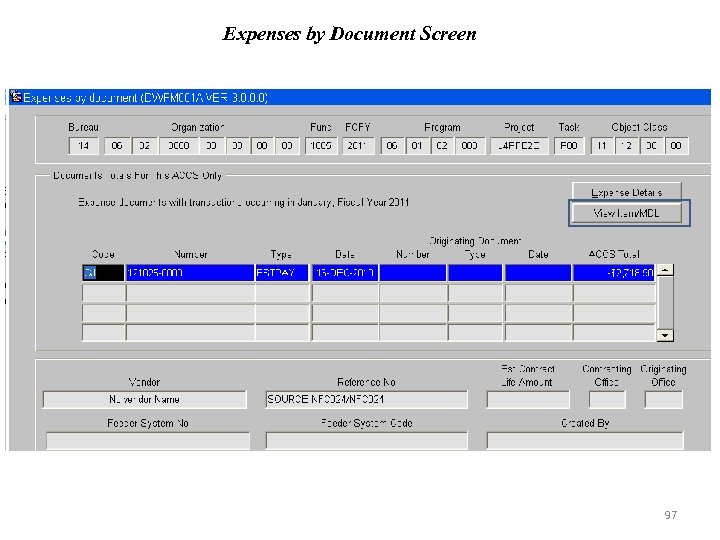
Budget & Expenditures Query (B&E Query) Ø Tool for analyzing budget and expenditure data, including total dollars planned, obligated and/or expended. Ø The ACCS Summary Screen is used for executing queries and defining summary level for displaying query results. Ø Multiple screens are available within the B&E Query. Ø Budget and Balance Information Ø Monthly Expenditures Ø Document Data by Expenditure Type Ø Multiple Distribution Line (MDL) Detail by Document 93
B&E Query ACCS Summary Page 94
Budget Details Screen 95
Expense Detail Screen 96
Expenses by Document Screen 97
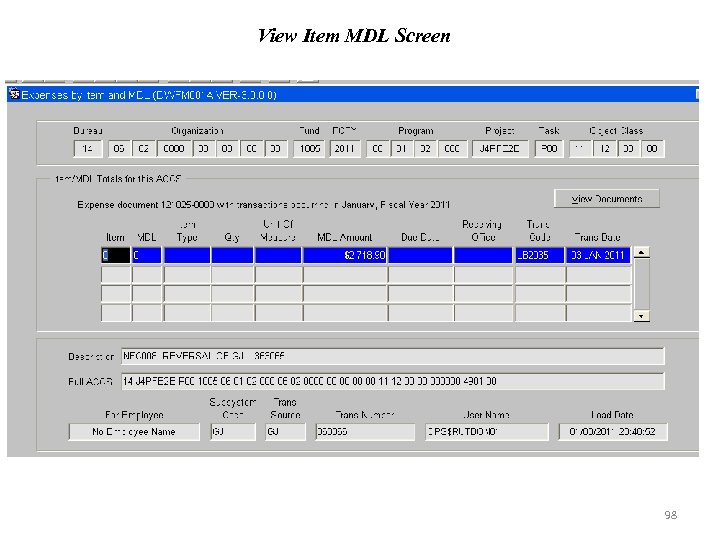
View Item MDL Screen 98

Questions ? ? 99
Скачать презентацию Budget Execution Cost Accumulation Team Knowledge Sharing Session FY
3bbfa9e467317405da60b59cc24547c3.ppt