 Скачать презентацию Bringing Historic Maps into GIS Patrick Florance Digital
91d484a77cf1a0a6ad90cbea222e2630.ppt
- Количество слайдов: 83



Bringing Historic Maps into GIS Patrick Florance Digital Cartographer Harvard Map Collection Harvard University
Purpose • Demonstrate how historical maps can be used within a GIS. • Illustrate the techniques used to bring historical maps into GIS • Show types of maps that are useful to bring into GIS • Convey research conducted at the Harvard Map Collection
GIS • A geographic information system (GIS) is a configuration of computer hardware, software, and personnel specifically designed for the acquisition, maintenance, and use of geographically referenced data. n Modification of Dana Tomlin’s definition Geographic Information Systems and Cartographic Modeling (1990)
Why bring historic maps into GIS? • Use historic maps within GIS as a tool for understanding the spatial relationships of past phenomena – Deforestation – Shoreline change – Socio-economic characteristics of a state or a neighborhood – Place-names – Railroads and transportation networks – Disease
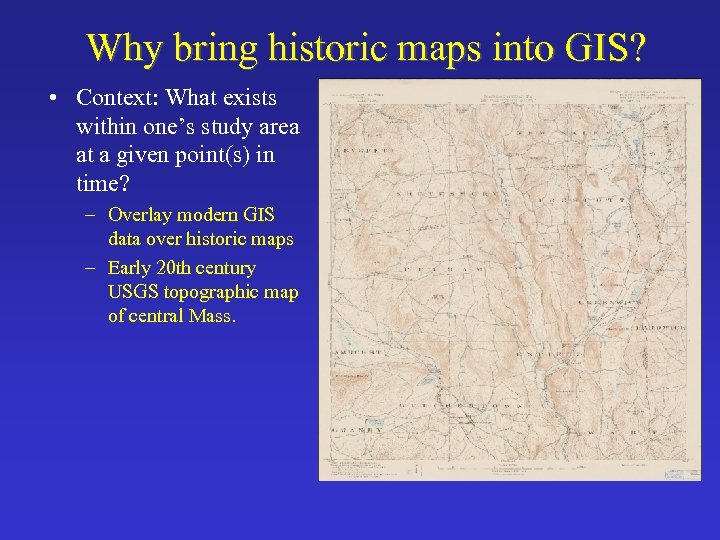
Why bring historic maps into GIS? • Context: What exists within one’s study area at a given point(s) in time? – Overlay modern GIS data over historic maps – Early 20 th century USGS topographic map of central Mass.
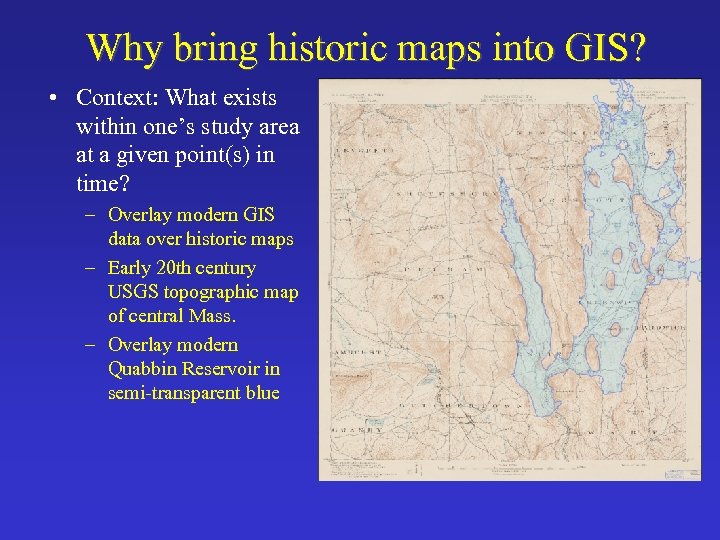
Why bring historic maps into GIS? • Context: What exists within one’s study area at a given point(s) in time? – Overlay modern GIS data over historic maps – Early 20 th century USGS topographic map of central Mass. – Overlay modern Quabbin Reservoir in semi-transparent blue
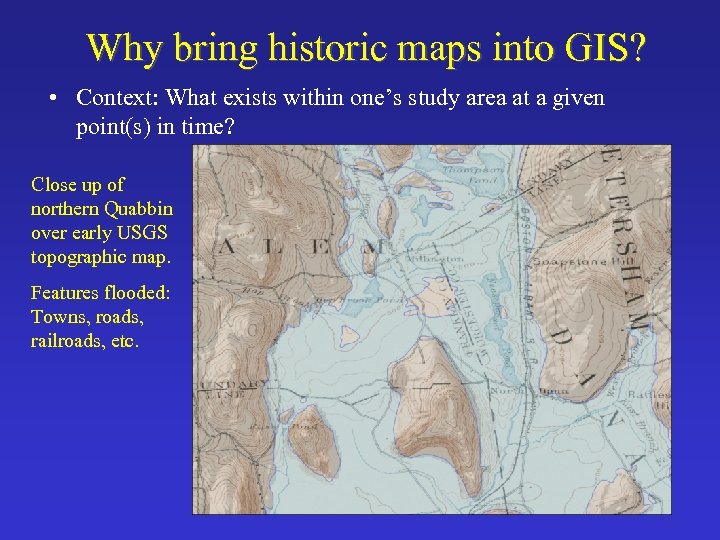
Why bring historic maps into GIS? • Context: What exists within one’s study area at a given point(s) in time? Close up of northern Quabbin over early USGS topographic map. Features flooded: Towns, roads, railroads, etc.
Why bring historic maps into GIS? • Feature Extraction (heads-up digitizing) and encoding – Vectorize: discrete data made up of ordered lists of points and represented by points, lines, and polygons – Trace features and encode those graphics with information – Surface of the earth n Anthropogenic features - Places, place-names, roads, railways, trails, buildings, bridges, etc. n Natural features - Rivers, lakes, shoreline, elevation, etc. - Abstract/Administrative geography n Country, state/province, municipal, parcel/property boundaries, census tracts, etc.
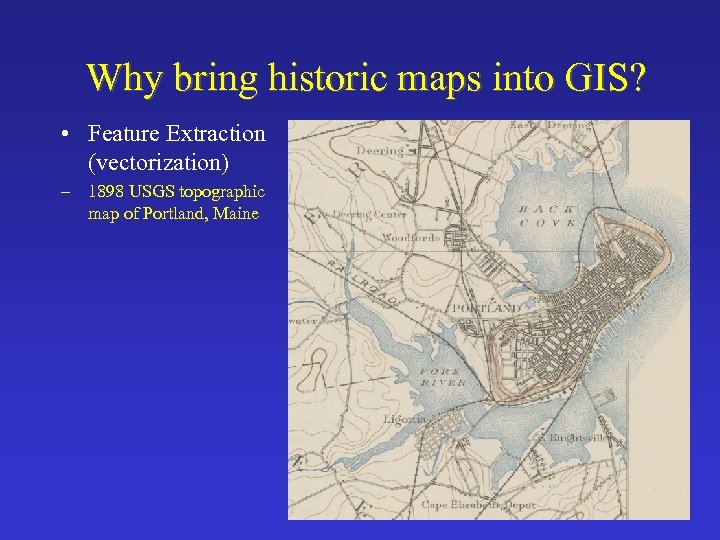
Why bring historic maps into GIS? • Feature Extraction (vectorization) – 1898 USGS topographic map of Portland, Maine
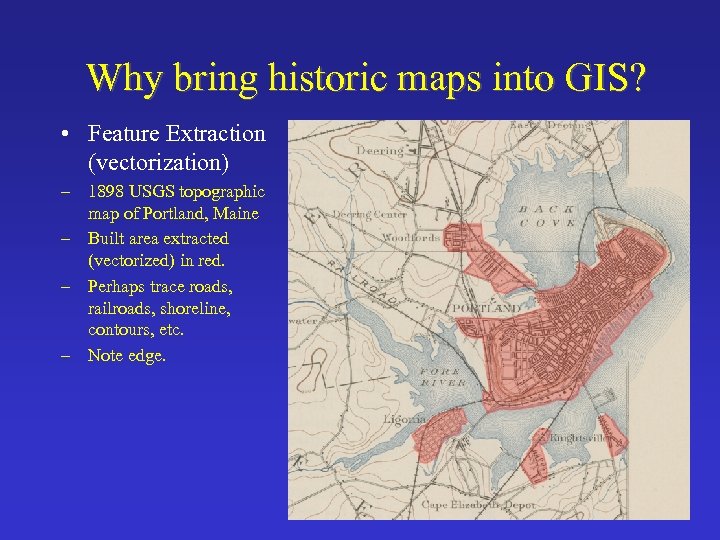
Why bring historic maps into GIS? • Feature Extraction (vectorization) – 1898 USGS topographic map of Portland, Maine – Built area extracted (vectorized) in red. – Perhaps trace roads, railroads, shoreline, contours, etc. – Note edge.
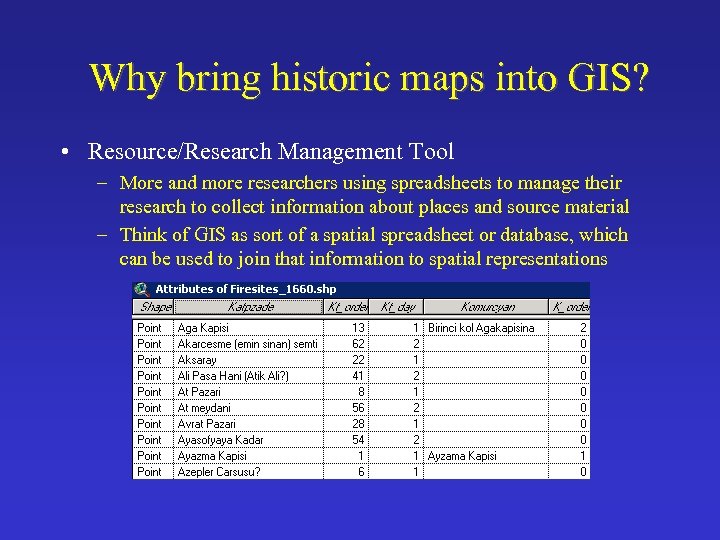
Why bring historic maps into GIS? • Resource/Research Management Tool – More and more researchers using spreadsheets to manage their research to collect information about places and source material – Think of GIS as sort of a spatial spreadsheet or database, which can be used to join that information to spatial representations
Why bring historic maps into GIS? • Analysis – Simple • Finding inns that are located within 5 miles of towns with a population over 10, 000 in southern France around 1910. – More complex • Archaeological predictive modeling • Spatial analysis techniques to model fire density or disease patterns
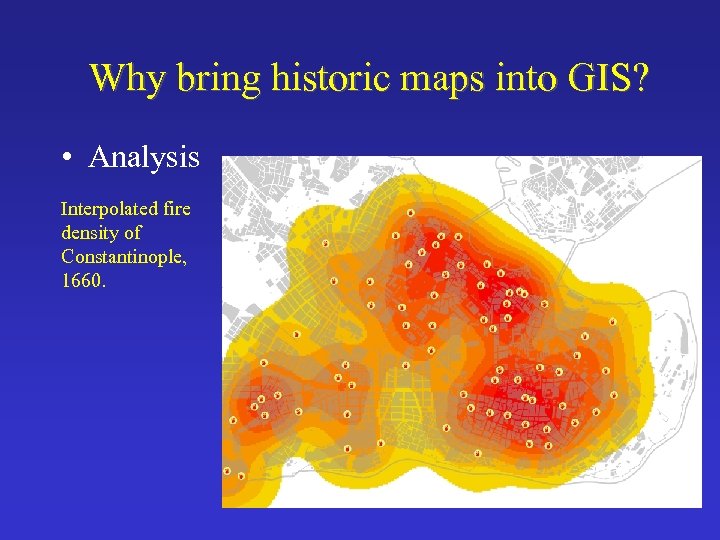
Why bring historic maps into GIS? • Analysis Interpolated fire density of Constantinople, 1660.
Why bring historic maps into GIS? • Graphic presentations or visualization – Make maps, charts, graphs, etc. – Very powerful and useful – See David Rumsey Example
Historic Map as a GIS Data Source • Historic maps are made for communicating, not for serving as a basemap/source data for a modern GIS. • Positional accuracy: features often moved slightly for clarity (i. e. , clustered places, roads along rivers, etc. ) • Scale distortion • Edge-matching • Insets • Paper streets • 1890 map vs. 1990 map
Data Conversion/Development Process • Convert maps to digital form • Georeference the digital maps: assign them meaningful spatial coordinates • Feature extraction and data modeling ($$) – Generally around 80% of project cost – Heavy overhead before one gets results, which is one of reasons why so many GIS fail.
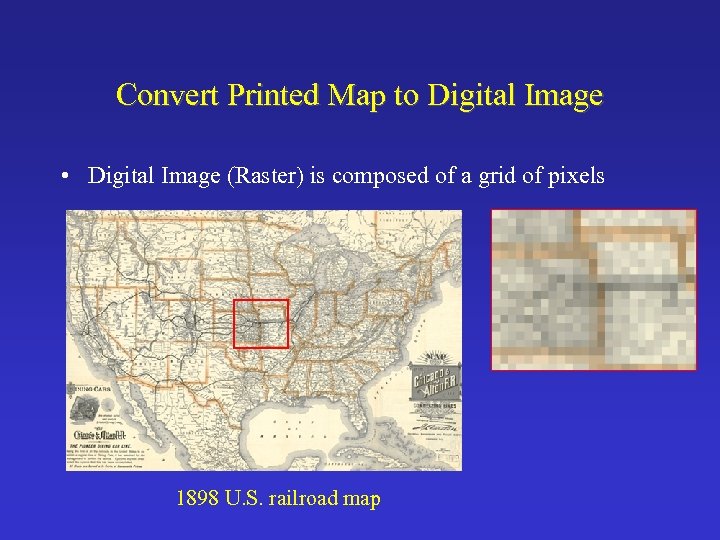
Convert Printed Map to Digital Image • Digital Image (Raster) is composed of a grid of pixels 1898 U. S. railroad map
Convert Printed Map to Digital Image Equipment • Large-format scanner – Expensive – Scarce • Overhead digital photography • Be careful using photocopies – Distortion along edges
Convert Printed Map to Digital Image Resolution • Resolution can be expressed as the number of pixels per inch (PPI) • Different from spatial resolution of remotely sensed imagery, which is a measure of the smallest object that can be resolved by the sensor or the dimension on the ground represented by each pixel (i. e. , 30 meters)
Convert Printed Map to Digital Image Resolution (Cont. ) • Generally between 150 - 600 ppi, average 200 - 300 ppi • Determine resolution that captures the smallest significant feature • Use consistent resolution if working with a map series • Capture uncompressed as TIFF (Tagged Image File Format) • Consider using image compression for working file • If map is in grayscale, capture it in grayscale color model – reduce file size • If map repository, consider capturing very high quality for archiving & resampling to lower resolution for GIS work
Georeference the Digital Image/Map • Georeferencing converts a digital image (raster dataset) from a nonreal-world coordinate system (image space) to a realworld coordinate system such as latitude and longitude. • Makes it “line up” with other GIS data. • Allows the digital map image to be viewed with other GIS data.
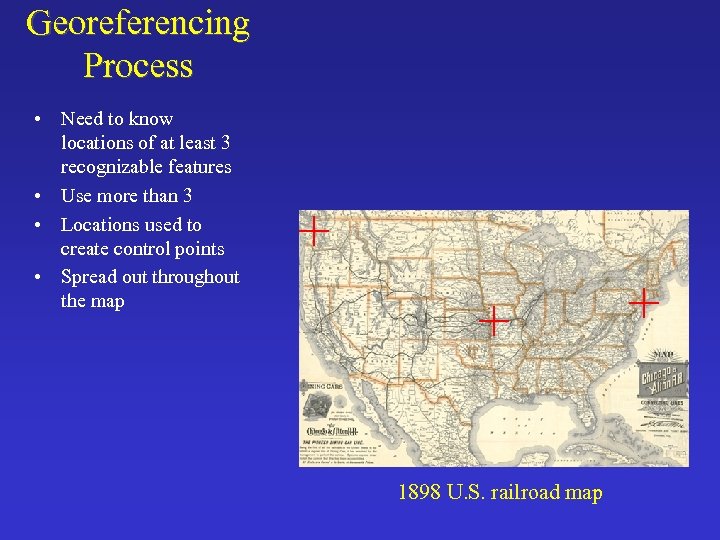
Georeferencing Process • Need to know locations of at least 3 recognizable features • Use more than 3 • Locations used to create control points • Spread out throughout the map 1898 U. S. railroad map
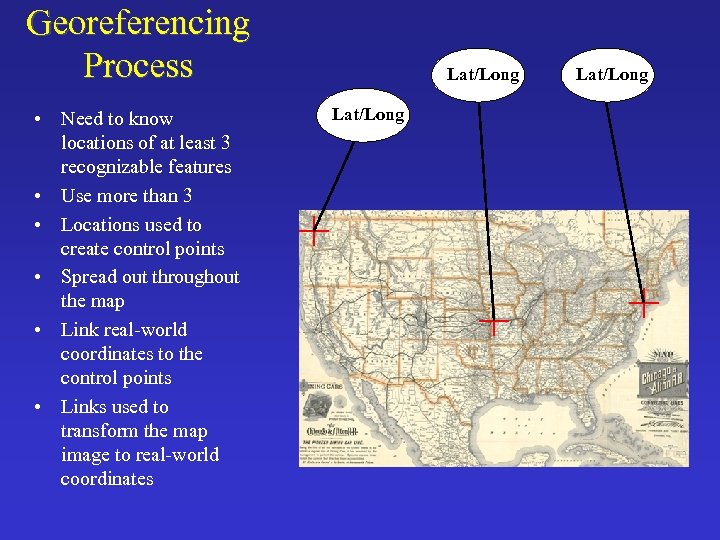
Georeferencing Process • Need to know locations of at least 3 recognizable features • Use more than 3 • Locations used to create control points • Spread out throughout the map • Link real-world coordinates to the control points • Links used to transform the map image to real-world coordinates Lat/Long
Georeferencing: Transformation • Transformation adjusts the digital map to make it fit in this real-world coordinate system • Affine Transformation - most common – Scale – Skew – Rotation – Shift (Translation)
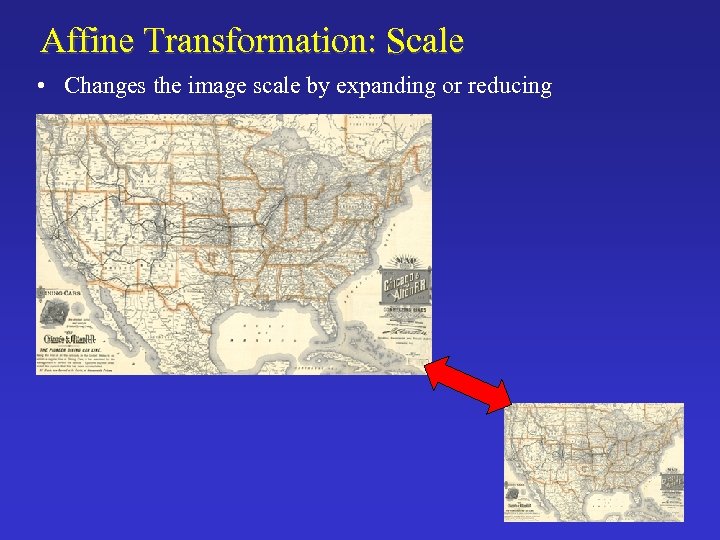
Affine Transformation: Scale • Changes the image scale by expanding or reducing
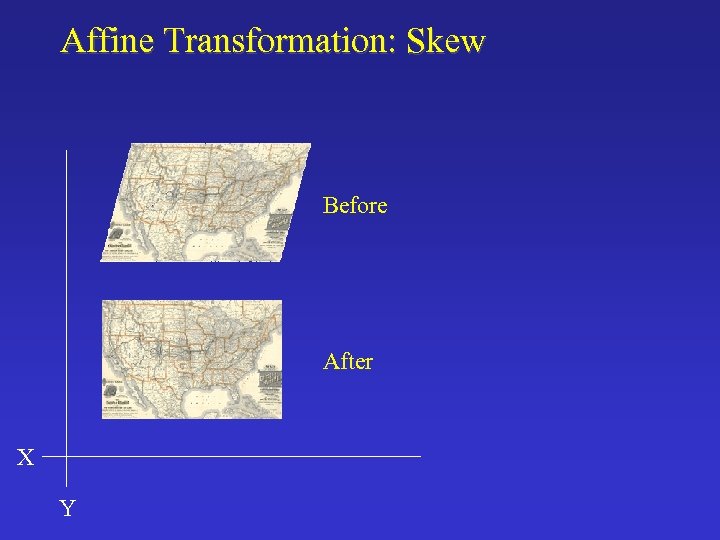
Affine Transformation: Skew Before After X Y
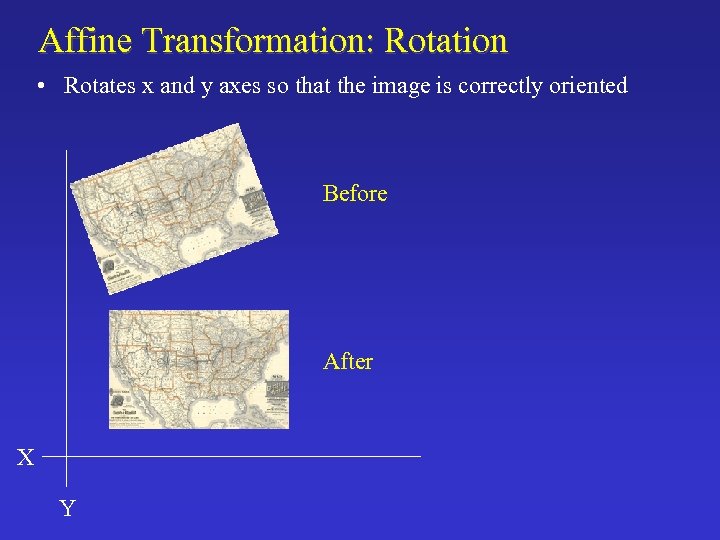
Affine Transformation: Rotation • Rotates x and y axes so that the image is correctly oriented Before After X Y
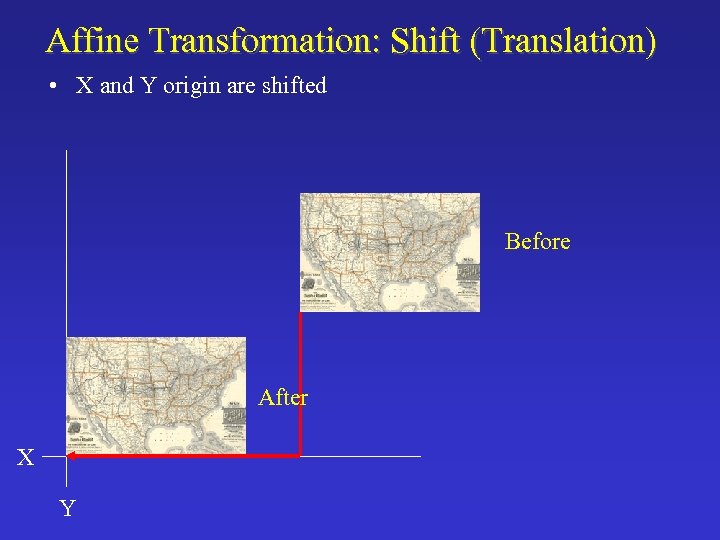
Affine Transformation: Shift (Translation) • X and Y origin are shifted Before After X Y
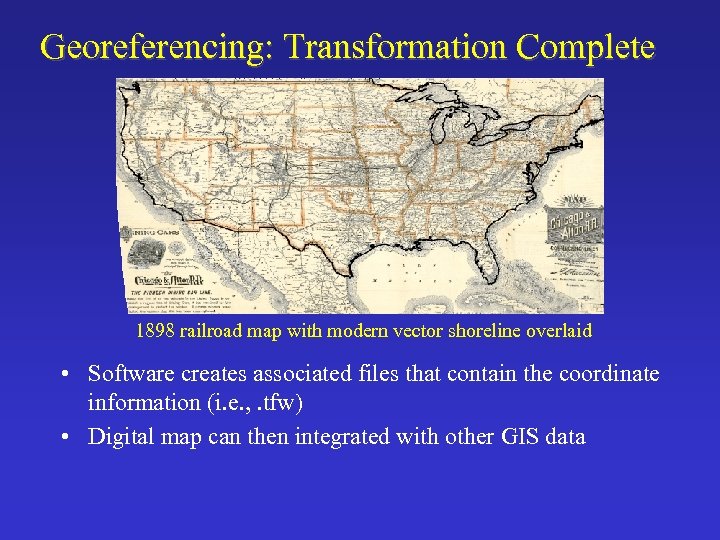
Georeferencing: Transformation Complete 1898 railroad map with modern vector shoreline overlaid • Software creates associated files that contain the coordinate information (i. e. , . tfw) • Digital map can then integrated with other GIS data
Root Mean Square (RMS) error • Root Mean Square (RMS) error – Describes the deviation between the control points in the output image and the values calculated by the transformation – A measure of the accuracy of the control points – In general, lower number the better, with 0 being perfect – Record RMS error – Save control points
Georeferencing Techniques for Historic Maps • Use existing coordinates or tics • Link features on map to features within GIS datasets that have known real-world coordinates. • Global Positioning System (GPS)
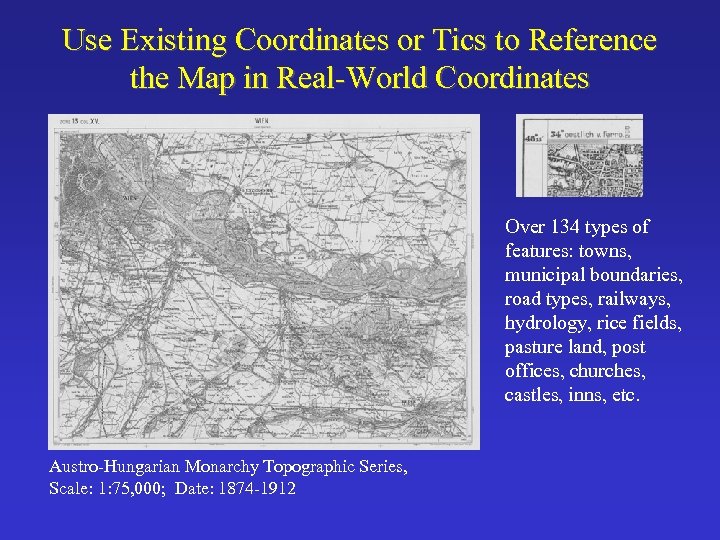
Use Existing Coordinates or Tics to Reference the Map in Real-World Coordinates Over 134 types of features: towns, municipal boundaries, road types, railways, hydrology, rice fields, pasture land, post offices, churches, castles, inns, etc. Austro-Hungarian Monarchy Topographic Series, Scale: 1: 75, 000; Date: 1874 -1912
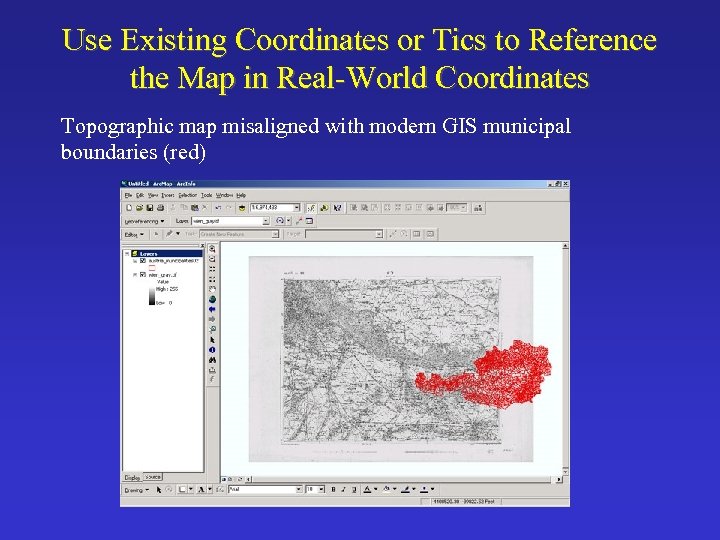
Use Existing Coordinates or Tics to Reference the Map in Real-World Coordinates Topographic map misaligned with modern GIS municipal boundaries (red)
Use Existing Coordinates or Tics to Reference the Map in Real-World Coordinates • Step 1: map research – Map projection: polyhedric projection (antiquated) – Coordinate system: Bessel 1841 spheroid • Spheroid: estimated shape of the earth as a sphere – Prime meridian: Ferro – Metadata is often located on the topographic map itself • However, not in this case – Significant role for the historian
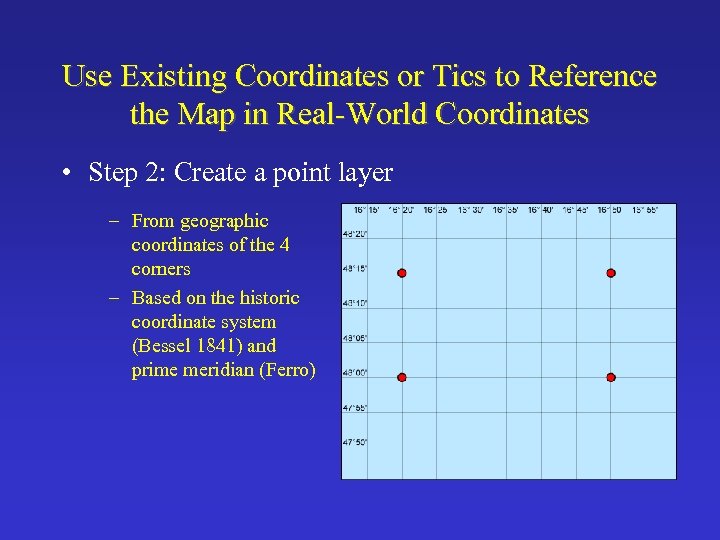
Use Existing Coordinates or Tics to Reference the Map in Real-World Coordinates • Step 2: Create a point layer – From geographic coordinates of the 4 corners – Based on the historic coordinate system (Bessel 1841) and prime meridian (Ferro)
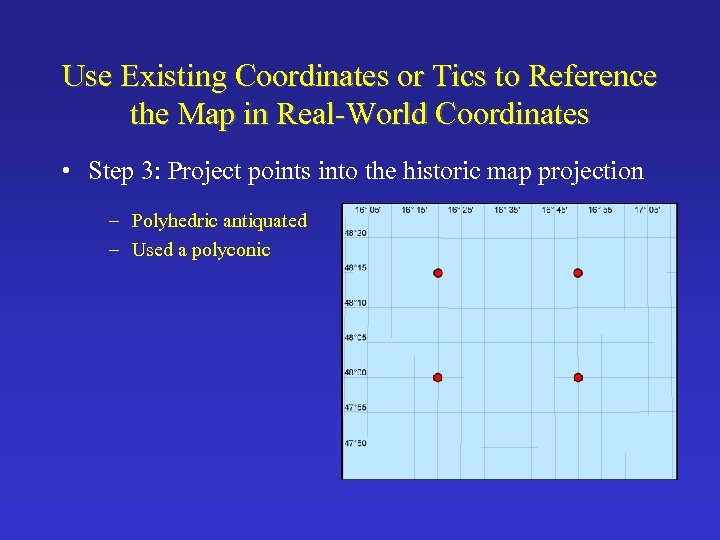
Use Existing Coordinates or Tics to Reference the Map in Real-World Coordinates • Step 3: Project points into the historic map projection – Polyhedric antiquated – Used a polyconic
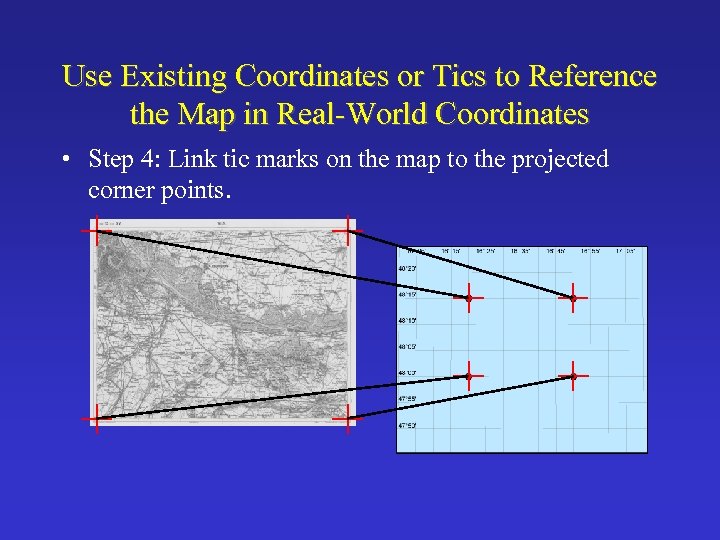
Use Existing Coordinates or Tics to Reference the Map in Real-World Coordinates • Step 4: Link tic marks on the map to the projected corner points.
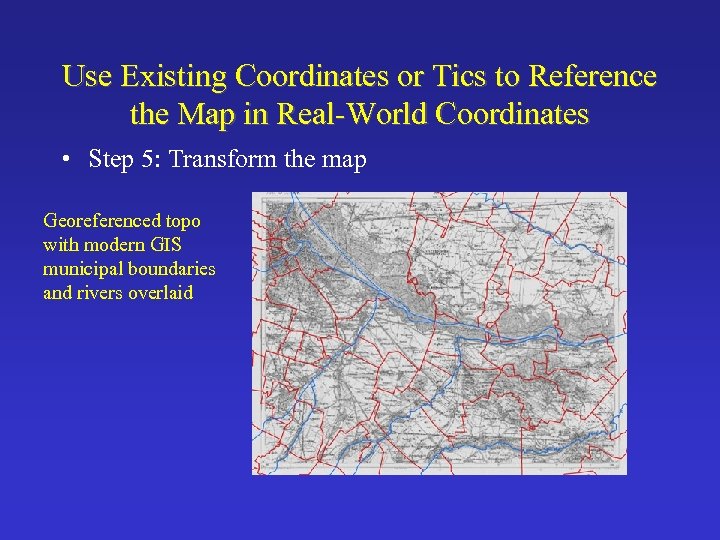
Use Existing Coordinates or Tics to Reference the Map in Real-World Coordinates • Step 5: Transform the map Georeferenced topo with modern GIS municipal boundaries and rivers overlaid
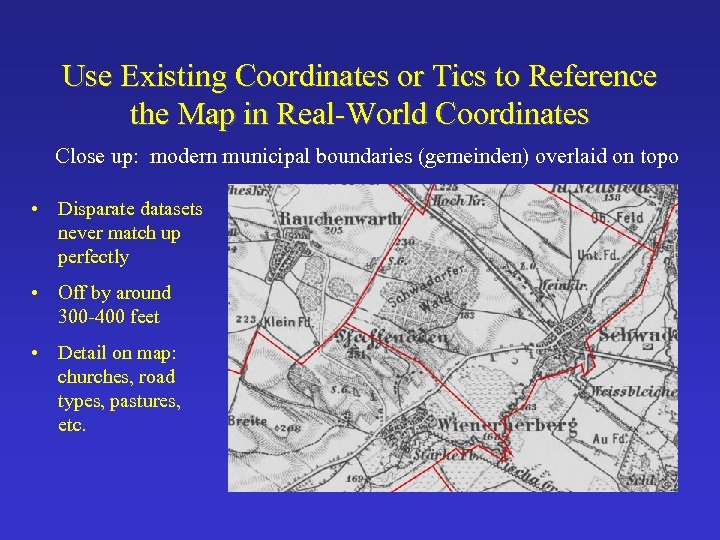
Use Existing Coordinates or Tics to Reference the Map in Real-World Coordinates Close up: modern municipal boundaries (gemeinden) overlaid on topo • Disparate datasets never match up perfectly • Off by around 300 -400 feet • Detail on map: churches, road types, pastures, etc.
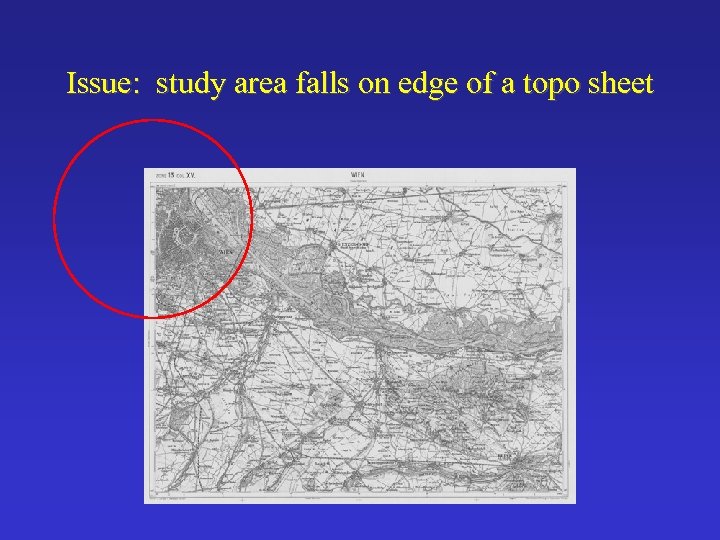
Issue: study area falls on edge of a topo sheet
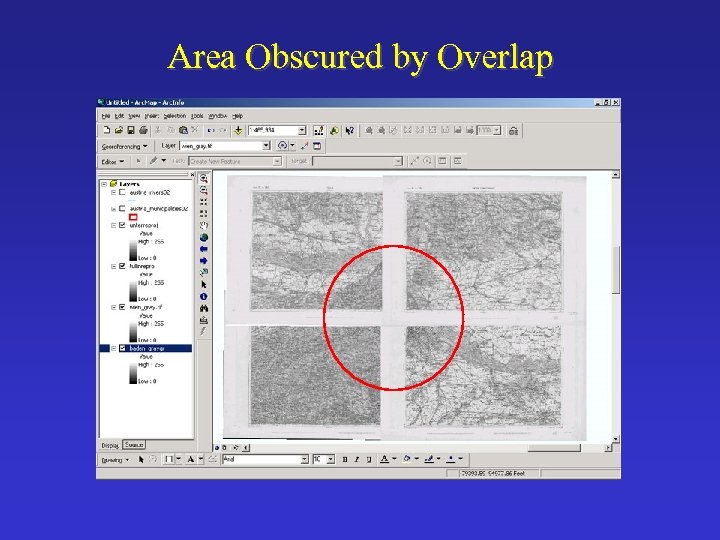
Area Obscured by Overlap
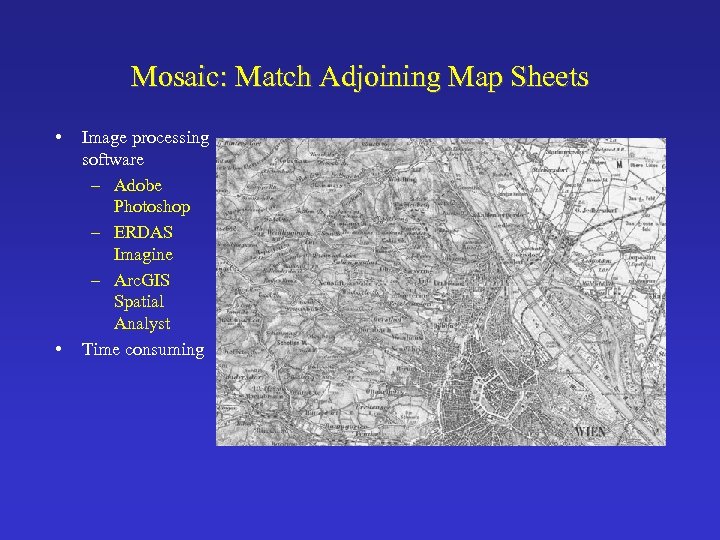
Mosaic: Match Adjoining Map Sheets • • Image processing software – Adobe Photoshop – ERDAS Imagine – Arc. GIS Spatial Analyst Time consuming
Other Useful Maps with Coordinate Systems • Topographic series – – USGS 1890 s – 1950 s: 1: 62500 England & Wales: 1805 -1874, 1: 63, 360 German Karte des Deutschen Reiches: 1862 -1907; 1: 100, 000 China Ministry of National Defense Land Survey: 1901 -1947; 1: 100, 000 – Survey of India: 1866 -1910; 1: 253, 440. • Nautical charts – Shorelines, soundings, etc. • World and regional maps – Historic places, national and provincial boundaries, transportation networks, etc. • Globes
Georeferencing Techniques for Historic Maps • Use existing coordinates or tics • Link features on map to features within GIS datasets that have known real-world coordinates • Global Positioning System (GPS)
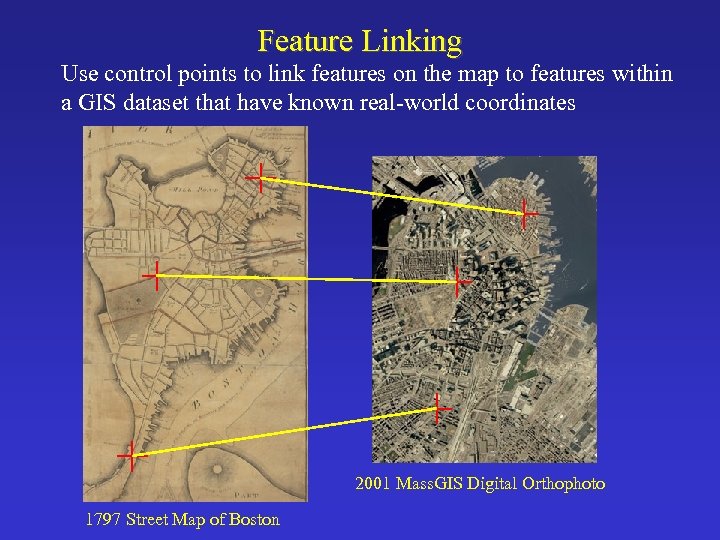
Feature Linking Use control points to link features on the map to features within a GIS dataset that have known real-world coordinates 2001 Mass. GIS Digital Orthophoto 1797 Street Map of Boston
Feature Linking Steps • Acquire GIS reference dataset to link the map to – Should be of equal or slightly better scale • Map research – Map projection, coordinate system/datum – Identify additional map sources for reference • Establish reference points to use as links – Cultural features such as street intersections, bridges, buildings, landmarks, monuments, etc. – Try to avoid using natural features such as shoreline, rivers, lakes, etc. because they fluctuate greatly – Check dates of features on the map used as links • Project GIS data to match the projection of the map
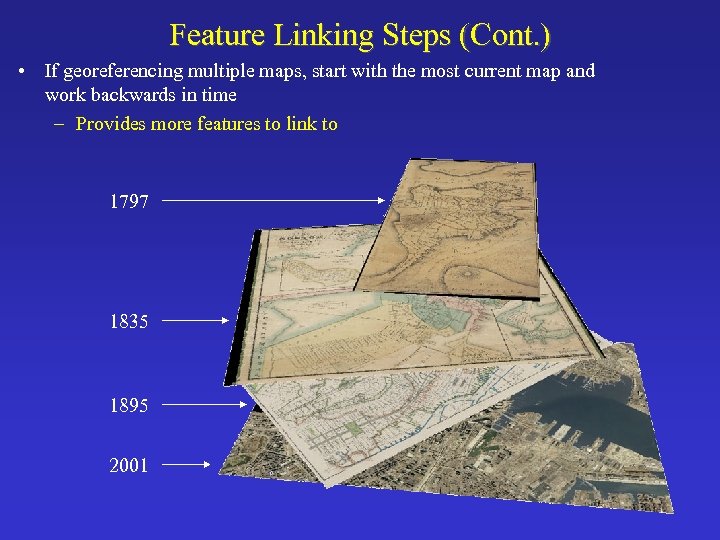
Feature Linking Steps (Cont. ) • If georeferencing multiple maps, start with the most current map and work backwards in time – Provides more features to link to 1797 1835 1895 2001
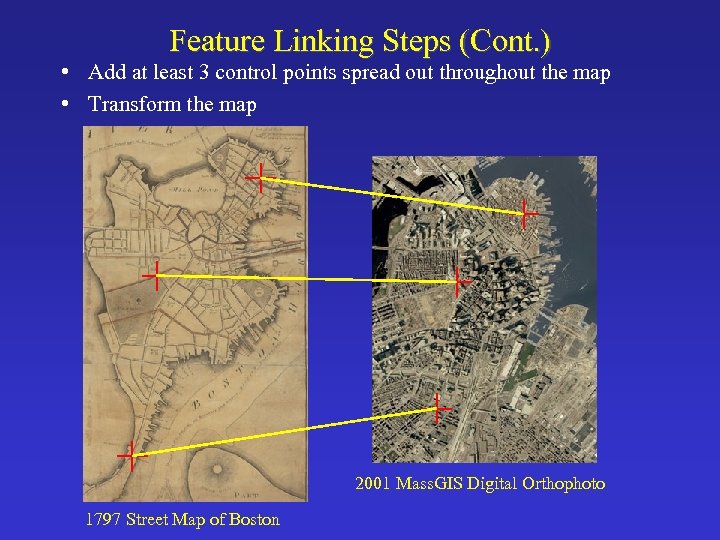
Feature Linking Steps (Cont. ) • Add at least 3 control points spread out throughout the map • Transform the map 2001 Mass. GIS Digital Orthophoto 1797 Street Map of Boston
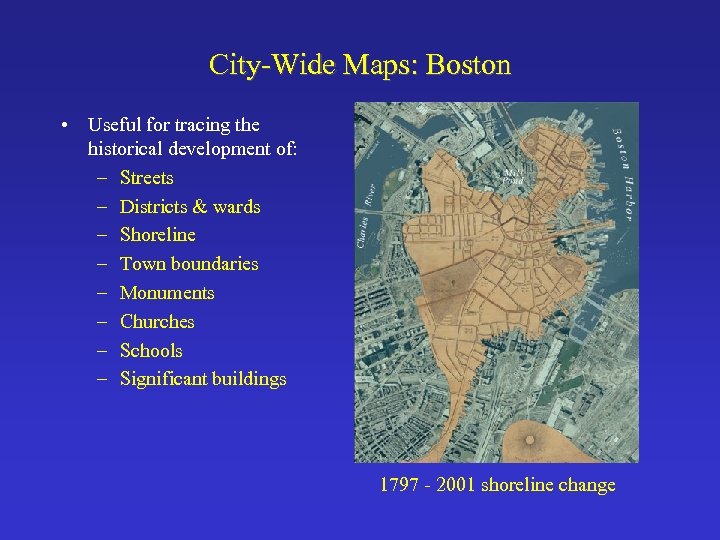
City-Wide Maps: Boston • Useful for tracing the historical development of: – Streets – Districts & wards – Shoreline – Town boundaries – Monuments – Churches – Schools – Significant buildings 1797 - 2001 shoreline change
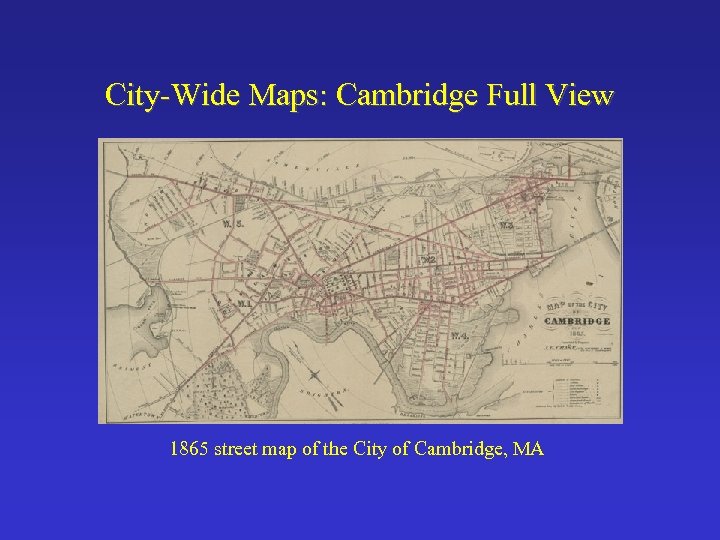
City-Wide Maps: Cambridge Full View 1865 street map of the City of Cambridge, MA
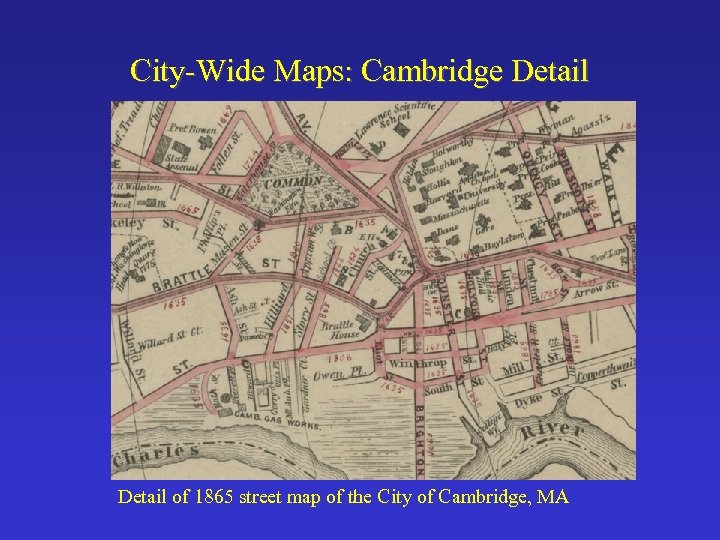
City-Wide Maps: Cambridge Detail of 1865 street map of the City of Cambridge, MA
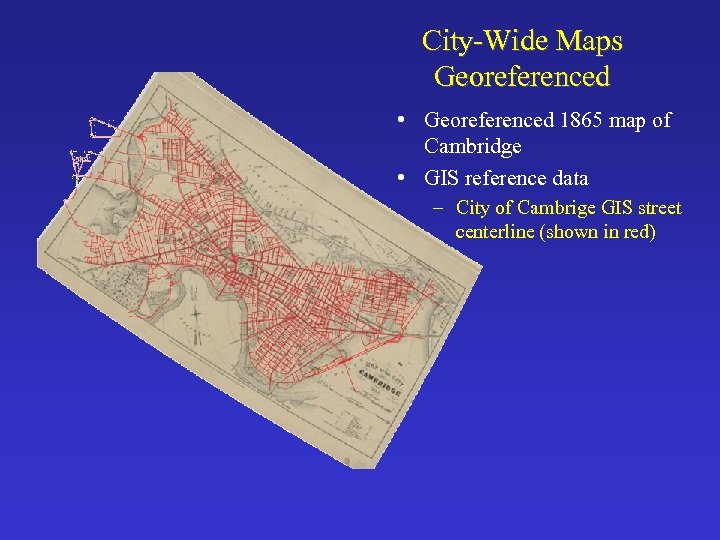
City-Wide Maps Georeferenced • Georeferenced 1865 map of Cambridge • GIS reference data – City of Cambrige GIS street centerline (shown in red)
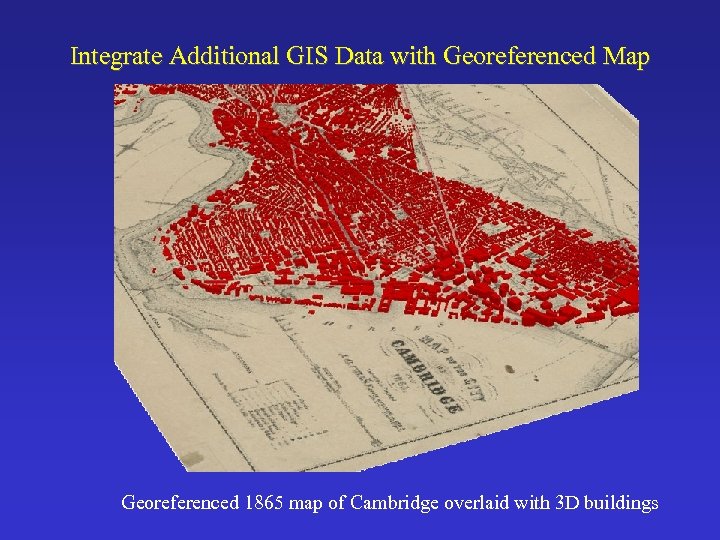
Integrate Additional GIS Data with Georeferenced Map Georeferenced 1865 map of Cambridge overlaid with 3 D buildings
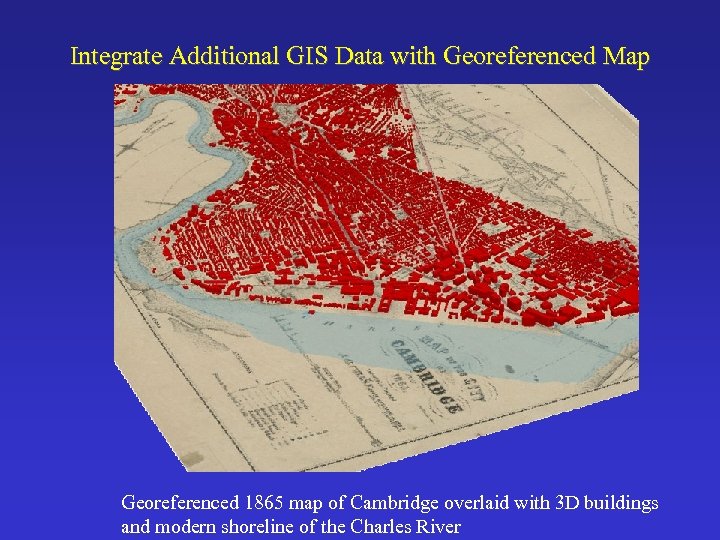
Integrate Additional GIS Data with Georeferenced Map Georeferenced 1865 map of Cambridge overlaid with 3 D buildings and modern shoreline of the Charles River
Urban/Fire Insurance Atlases • Publishers: Bromley, Beers, Hopkins, Sanborn, Ordnance Survey (OS) • Begin around mid 19 th century, early 1800 s for OS. • Scale of 1: 5000 or better • Wealth of information – Property: boundaries, owners, addresses – Building: footprints, composition, heights, stories, use, roof types – Other info: streets, fire hydrants, etc.
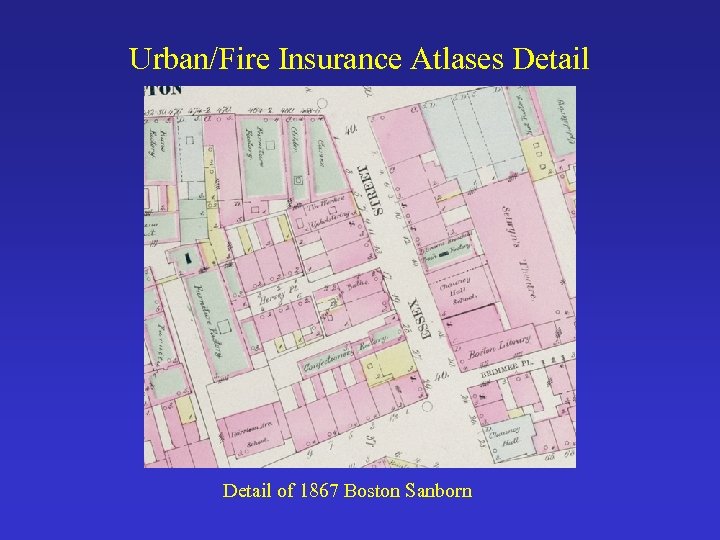
Urban/Fire Insurance Atlases Detail of 1867 Boston Sanborn
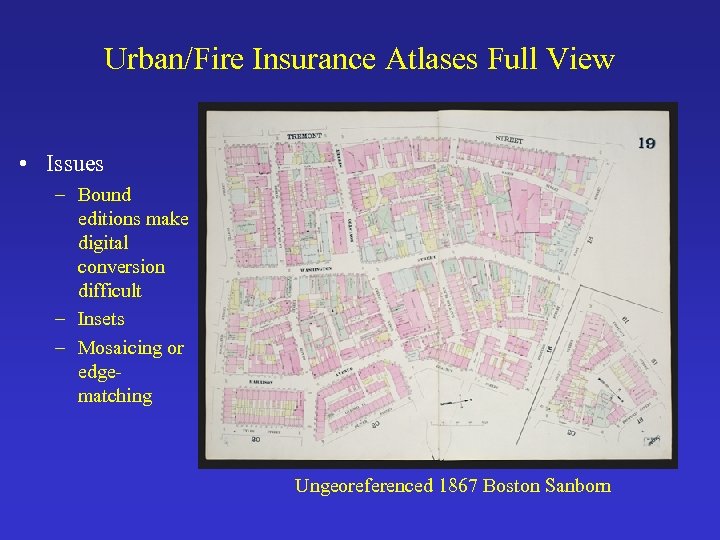
Urban/Fire Insurance Atlases Full View • Issues – Bound editions make digital conversion difficult – Insets – Mosaicing or edgematching Ungeoreferenced 1867 Boston Sanborn
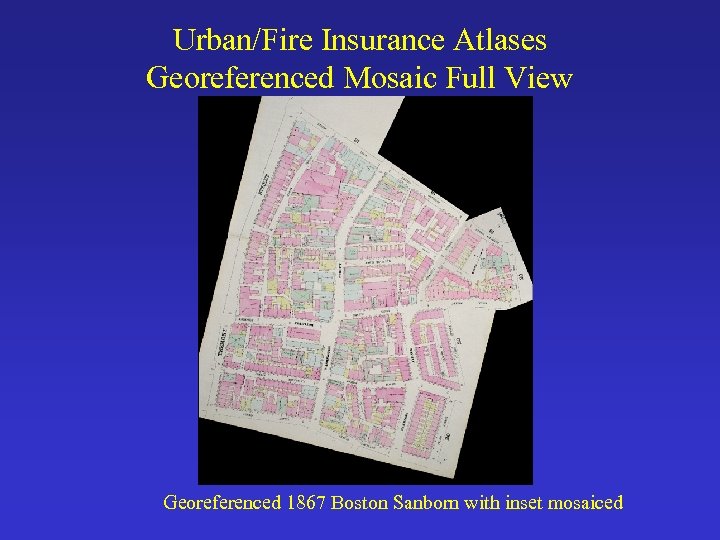
Urban/Fire Insurance Atlases Georeferenced Mosaic Full View Georeferenced 1867 Boston Sanborn with inset mosaiced
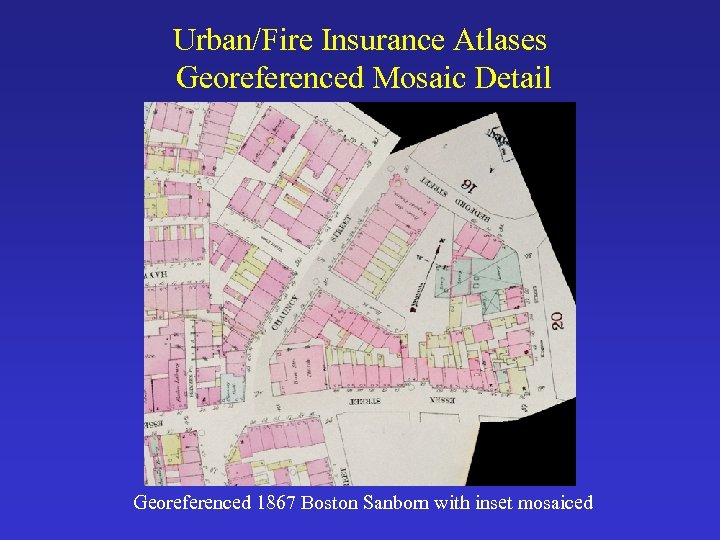
Urban/Fire Insurance Atlases Georeferenced Mosaic Detail Georeferenced 1867 Boston Sanborn with inset mosaiced
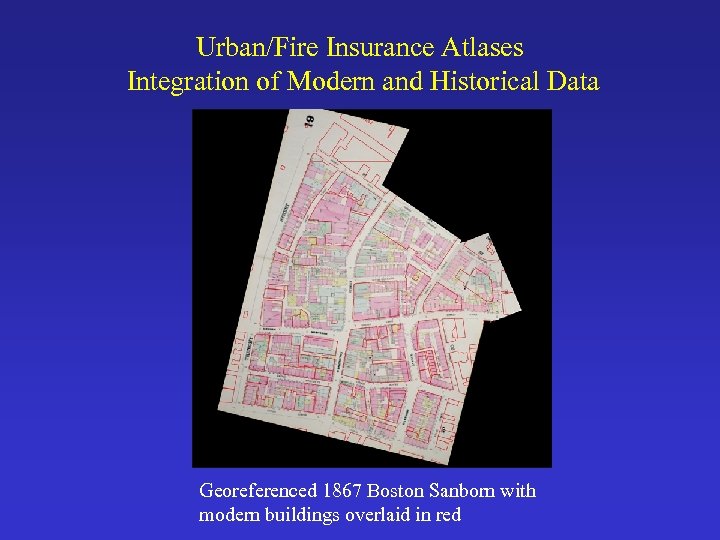
Urban/Fire Insurance Atlases Integration of Modern and Historical Data Georeferenced 1867 Boston Sanborn with modern buildings overlaid in red
Reconstructing the New Orleans Yellow Fever Epidemic of 1878 Andrew Curtis & John Anderson, LSU • Example of using historic urban atlases and city-wide maps • Textual descriptions • Automated data conversion • Historical geocoding of death residences • Spatial Analysis
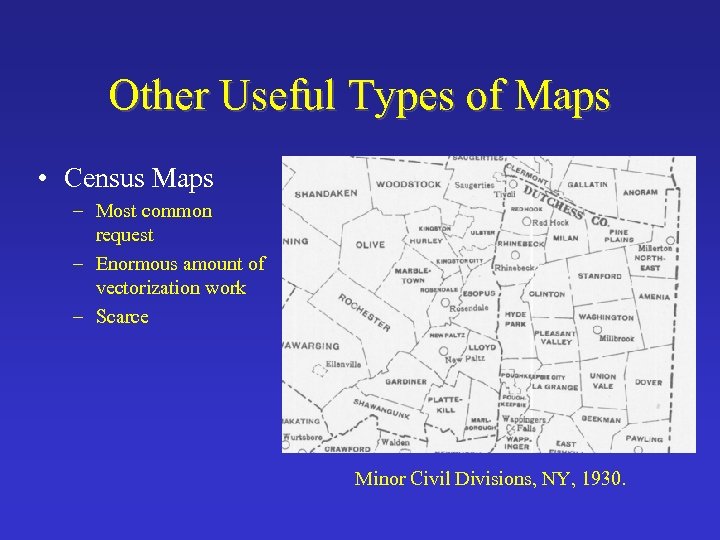
Other Useful Types of Maps • Census Maps – Most common request – Enormous amount of vectorization work – Scarce Minor Civil Divisions, NY, 1930.
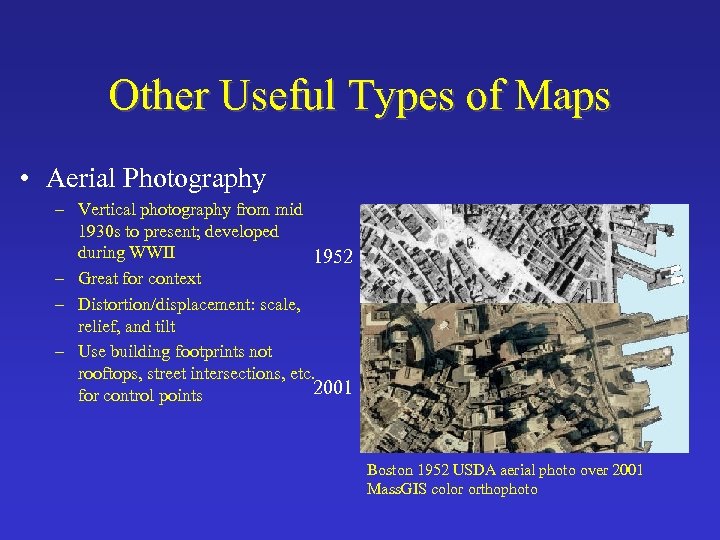
Other Useful Types of Maps • Aerial Photography – Vertical photography from mid 1930 s to present; developed during WWII 1952 – Great for context – Distortion/displacement: scale, relief, and tilt – Use building footprints not rooftops, street intersections, etc. 2001 for control points Boston 1952 USDA aerial photo over 2001 Mass. GIS color orthophoto
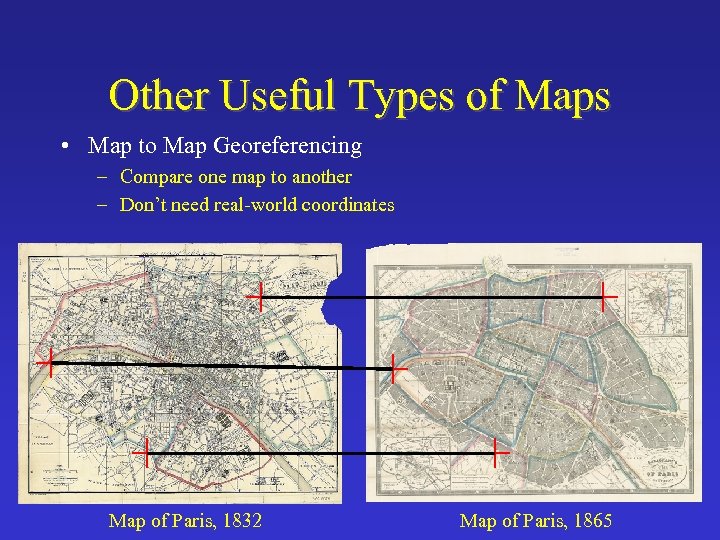
Other Useful Types of Maps • Map to Map Georeferencing – Compare one map to another – Don’t need real-world coordinates Map of Paris, 1832 Map of Paris, 1865
Georeferencing Techniques for Historic Maps • Use existing coordinates or tics • Link features on map to features within GIS datasets that have known real-world • Global Positioning System (GPS)
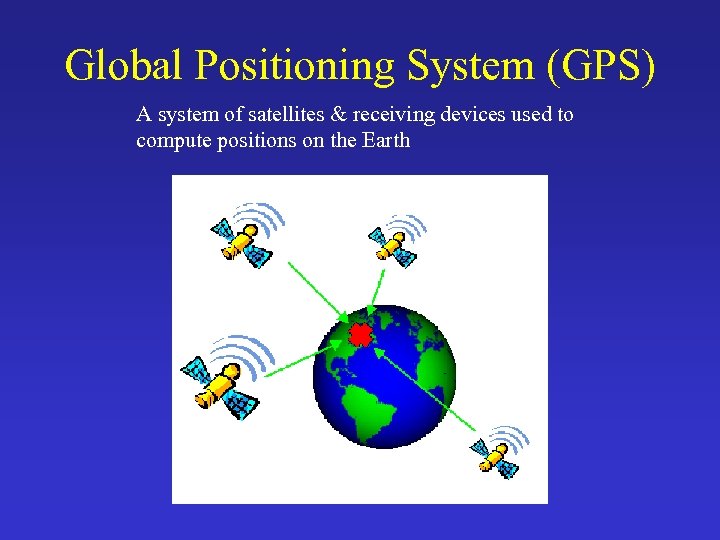
Global Positioning System (GPS) A system of satellites & receiving devices used to compute positions on the Earth
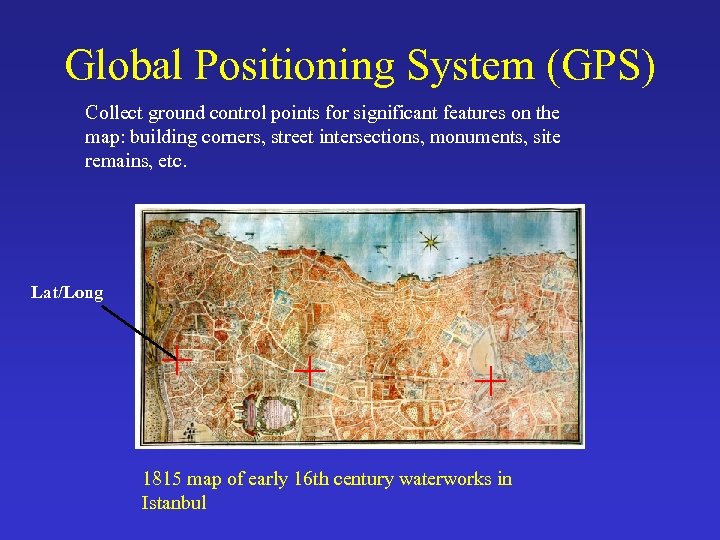
Global Positioning System (GPS) Collect ground control points for significant features on the map: building corners, street intersections, monuments, site remains, etc. Lat/Long 1815 map of early 16 th century waterworks in Istanbul
Global Positioning System (GPS) • Useful for georeferencing when one does not have any reference data or coordinates on the map • Primarily used for city-scale or larger scale maps, not for maps of very large regions
Georeferencing Techniques and Historic Maps for GIS • Use existing coordinates or tics • Link features on map to features within GIS datasets that have known real-world coordinates • Global Positioning System (GPS)

Rubber Sheeting • Expression is used many different ways

Rubber Sheeting • “The process of transforming an image from one x, y coordinate system to another” – Arc. Info manual – Includes linear (Affine) transformations
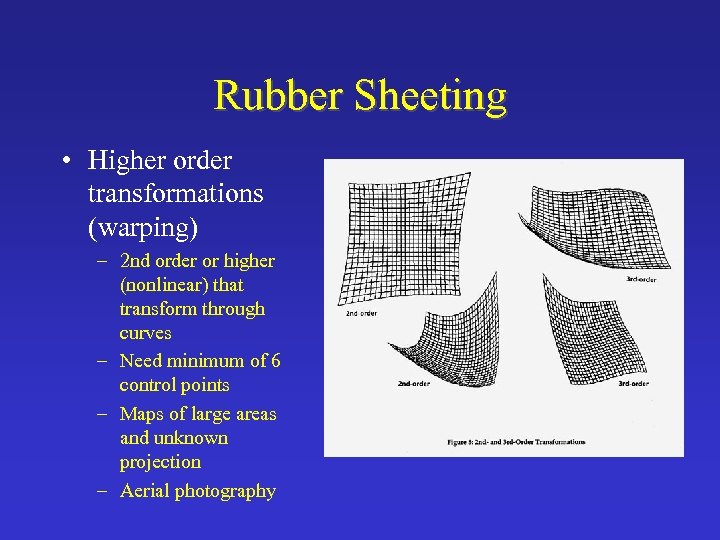
Rubber Sheeting • Higher order transformations (warping) – 2 nd order or higher (nonlinear) that transform through curves – Need minimum of 6 control points – Maps of large areas and unknown projection – Aerial photography
Rubber Sheeting • Piecewise Transformation – Uses different transformations in different parts of the map – Used when map is badly warped and data matching is essential – Used for edge-matching – Generally use a full transformation first – How does one record this in the metadata? – Sometimes easier with vector data
Rubber Sheeting - What to Do? • • Start with a first-order (Affine) transformation Research projection of your map Find good control points Understand there is a fuzziness of inaccuracy in all maps and GIS data. • Then move on to higher order transformations and then piecewise transformations
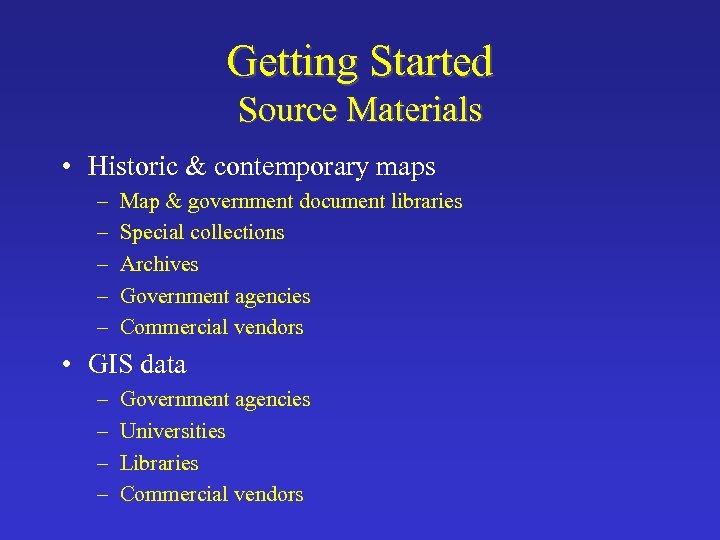
Getting Started Source Materials • Historic & contemporary maps – – – Map & government document libraries Special collections Archives Government agencies Commercial vendors • GIS data – – Government agencies Universities Libraries Commercial vendors
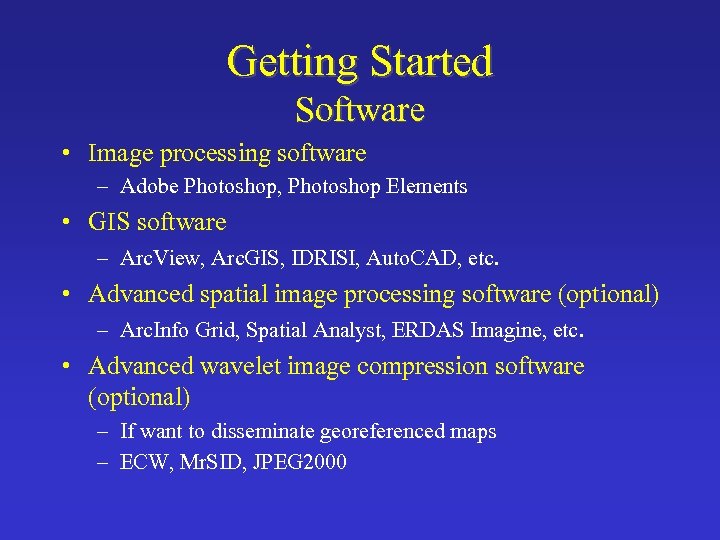
Getting Started Software • Image processing software – Adobe Photoshop, Photoshop Elements • GIS software – Arc. View, Arc. GIS, IDRISI, Auto. CAD, etc. • Advanced spatial image processing software (optional) – Arc. Info Grid, Spatial Analyst, ERDAS Imagine, etc. • Advanced wavelet image compression software (optional) – If want to disseminate georeferenced maps – ECW, Mr. SID, JPEG 2000
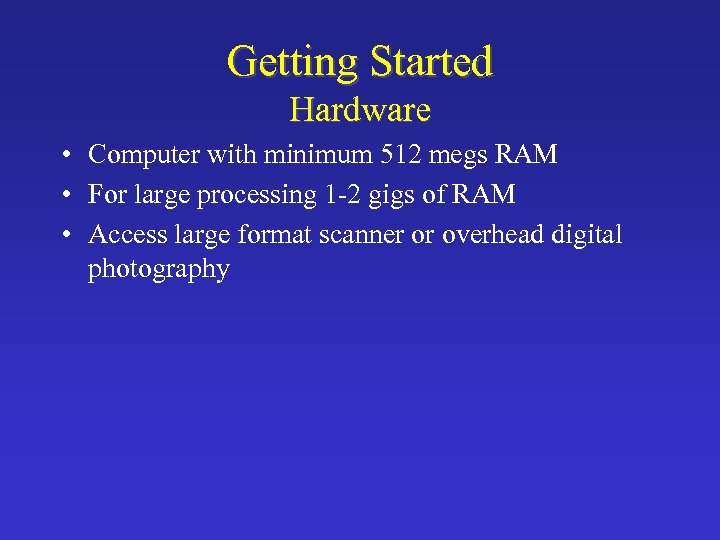
Getting Started Hardware • Computer with minimum 512 megs RAM • For large processing 1 -2 gigs of RAM • Access large format scanner or overhead digital photography
Getting Started People • GIS skills – Usually takes about 1 to 2 weeks to get up to speed
Do you need to bring your historic map into a GIS? • Maybe NOT – Making a map of an historical period. – Using the map as reference to encode preexisting GIS data. – Digitizing tablet • to extract/trace features.
General Future of Bringing Historic Maps into GIS • History of cartography community needs more research concerning technical aspects (i. e. , map projections and coordinate systems), mentioned by David Woodward at ICHC 2003 • GIS community needs to develop more historic projections, coordinate systems, and transformations. • Development of geo-historical datasets that can be widely used – must include metadata • Accuracy assessment • Outreach concerning the use and significance of historical materials for GIS
Future of Bringing Historic Maps into GIS at the Harvard Map Collection • Harvard Library Digital Initiative – Georeferencing and disseminating maps online through the Harvard Geospatial Library (HGL) as JPEG 2000 – Civil War collection – Early Africa – Chinese topos – Historic USGS topos • Experimenting with automated raster to vector data conversion • Conducting workshops and developing instructional materials concerning GIS and the humanities/social sciences
Useful Internet Sites • The Harvard Map Collection – http: //www. hcl. harvard. edu/maps/ • Harvard Geospatial Library – http: //hgl. harvard. edu • David Rumsey Map Collection – http: //www. davidrumsey. com/index. html • The Boston Atlas – http: //www. mapjunction. com/places/Boston_BRA

Comments and Questions?
Скачать презентацию Bringing Historic Maps into GIS Patrick Florance Digital
91d484a77cf1a0a6ad90cbea222e2630.ppt