 Скачать презентацию Bridging the CRM User Adoption Gap with Riva
062b5577e03299fe1b978f0a161627ec.ppt
- Количество слайдов: 49



Bridging the CRM User Adoption Gap with Riva Server-side Integration Beyond the Outlook Plug-in Aldo Zanoni CEO and Managing Director Omni Technology Solutions 780. 423. 4200 Ext. 232 aldo@omni-ts. com www. omni-ts. com
Agenda 1. Accelerate Dynamics Adoption by Solving the Last Mile User Adoption Gap Challenges 2. How Riva Helps Solve the Last Mile Challenges 3. Riva Overview 4. Riva Live Demo 5. Summary / Questions
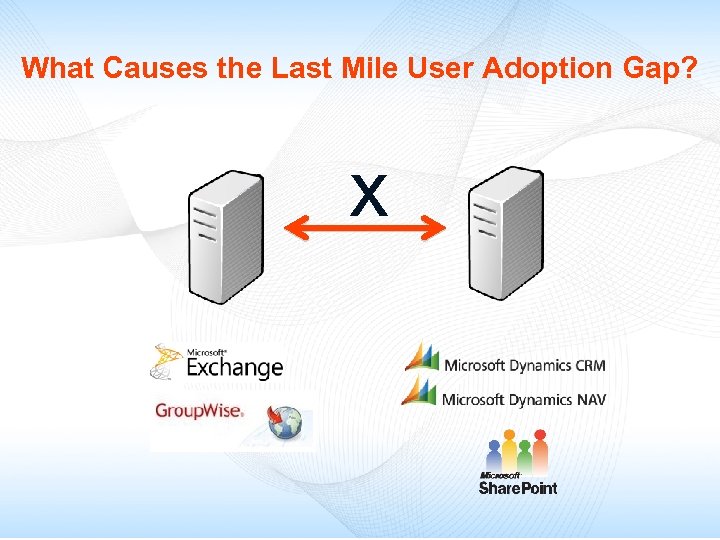
What Causes the Last Mile User Adoption Gap? x
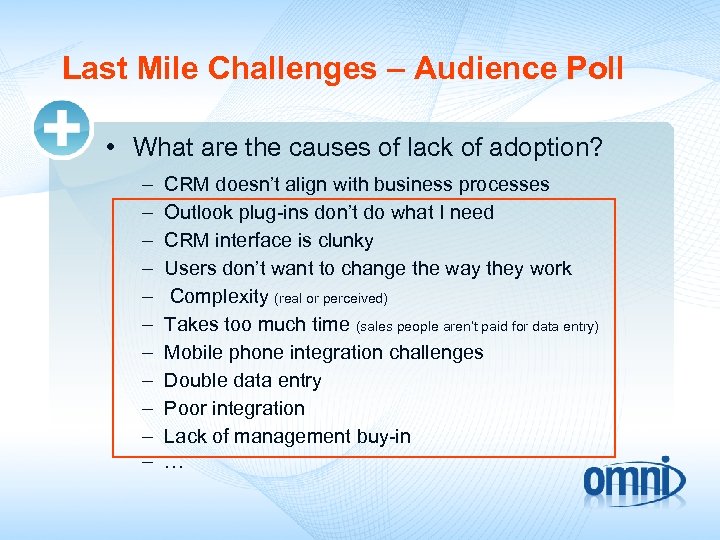
Last Mile Challenges – Audience Poll • What are the causes of lack of adoption? – – – CRM doesn’t align with business processes Outlook plug-ins don’t do what I need CRM interface is clunky Users don’t want to change the way they work Complexity (real or perceived) Takes too much time (sales people aren’t paid for data entry) Mobile phone integration challenges Double data entry Poor integration Lack of management buy-in …
Identifying Gap Users 1. Outlook Web Access users who need to synchronize 2. Mobile users who are so disconnected they can’t benefit from the Outlook plug-in 3. Users who need to synchronise recurring appointments 4. i. Phone, Black. Berry, Android, or Active. Sync users who would like to see their opportunities, cases, quotes on their devices 5. Accounts with Macs or Group. Wise that need to sync
Identifying Gap Users 6. Users who need to synchronize with more than one instance of Dynamics CRM or with two different CRMs 7. Accounts with custom requirements (display Service Activity notes on mobile devices) or need to sync custom fields 8. BPOS (Exchange On-line) users whose needs aren't being satisfied with the Outlook plug-in 9. Accounts where administrators want to control what gets synched to user accounts
What are some of the Plug-in Challenges? • Need to be installed and maintained on your laptop, desktop and/or home machine • A separate and different application needs to be installed on your Black. Berry, i. Phone or Active. Sync mobile device • Support issues caused by upgrading the desktop OS, version of Office, Exchange or version of Outlook • Perceived complexity • User frustration causes lack of adoption or poor adoption • Limited to one instance of CRM
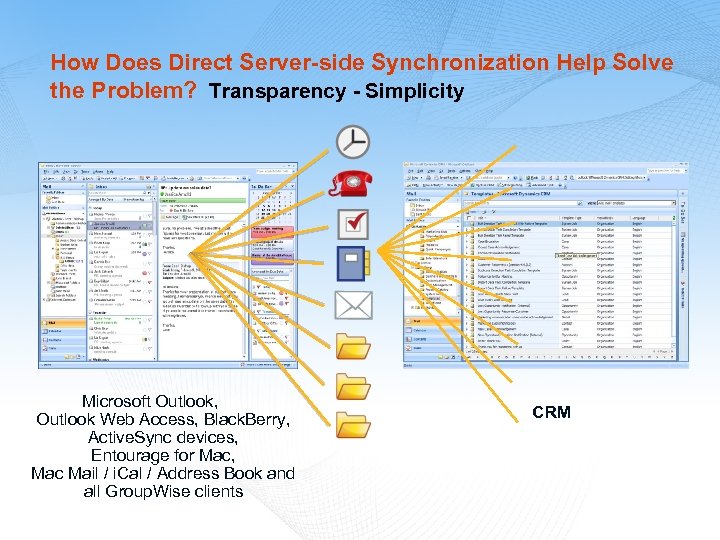
How Does Direct Server-side Synchronization Help Solve the Problem? Transparency - Simplicity Microsoft Outlook, Outlook Web Access, Black. Berry, Active. Sync devices, Entourage for Mac, Mac Mail / i. Cal / Address Book and all Group. Wise clients CRM
MANDATE TO THE RIVA DEVELOPER TEAM: “Allow me to live in my email client and access and manage my CRM content. ”
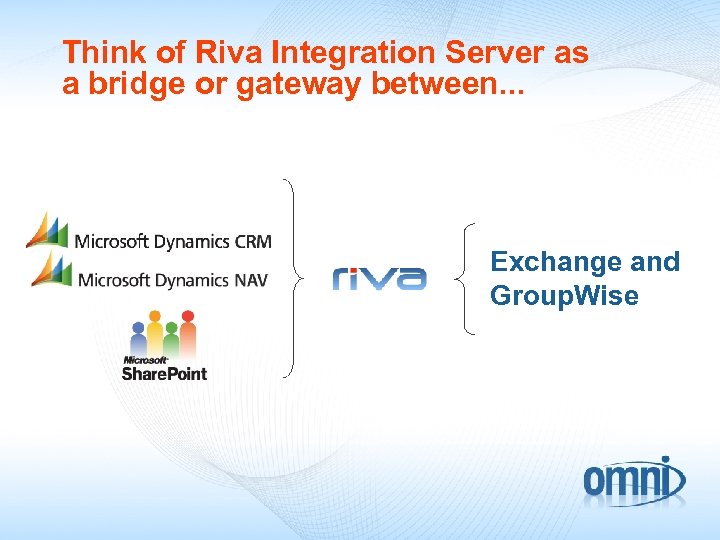
Think of Riva Integration Server as a bridge or gateway between. . . Exchange and Group. Wise
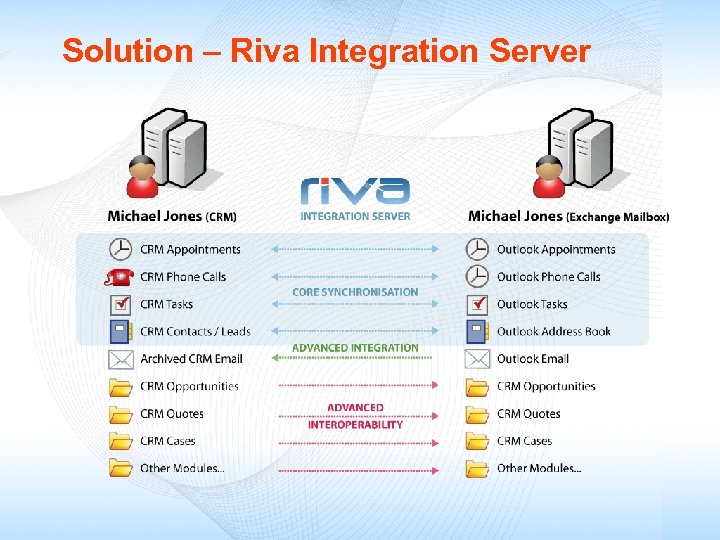
Solution – Riva Integration Server
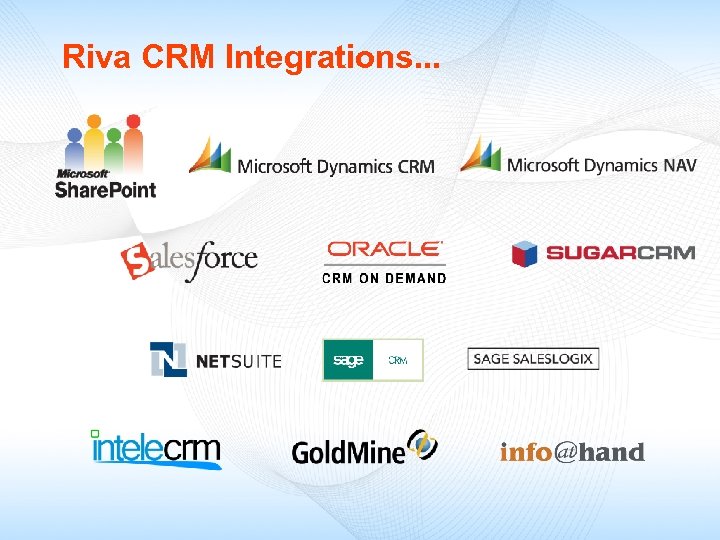
Riva CRM Integrations. . .
Three versions of Riva On Premise: Install Riva on a Windows XP workstation or Windows server in your environment to synchronize multiple accounts. (Central Administration) Riva Live: Riva offered in the cloud as Saa. S. Nothing to install in your environment. Individual users set up their own sync policies. (Went live May 17. ) Riva Hosted: Available for hosted email or CRM providers who want to offer Riva as a hosted solution to their customers.
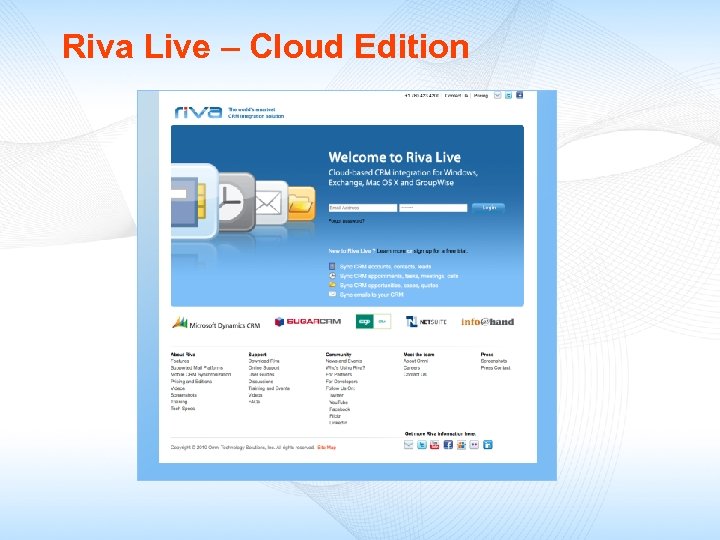
Riva Live – Cloud Edition
CRM Deployment is a Business Decision CRMs, ERPs and LOB applications play a strategic role for management, sales and service staff. Businesses depend on and users LIVE in their CRM applications. But users also live in their Exchange clients! Riva is strategic with customers because it transparently integrates their CRM and Exchange.
#1 Objective for Corporate Buy-in? Increased Profitability (better customer service, more sales) Sales and customer service are highly collaborative experiences. Riva fosters and enhanced productivity and collaboration without changing how people use their email client. Riva enhances profitability, sales and customer service by giving your employees access to accurate CRM information anytime and anywhere they have access to Outlook or Group. Wise ! ® ®
#1 Criterion for User Buy-in? Ease of Use If the CRM application is not easy to use, it will not be used! If the application does not work the way users expect it to work, it will not be used! Time is the most precious commodity users have. Riva gives time back to your users. Riva gives users access to accurate and updated information inside the CRM or inside their email client — any time and anywhere.
Riva’s Server-side Advantages • No-touch integration (no software to install on clients) TM • Transparent to Exchange, Group. Wise and CRMs • Compatible with hosted or on-premise CRMs and Exchange and Group. Wise running on all server platforms • No new infrastructure or firewall changes required • Turns all email clients into transparent integrated CRM clients with support for caching and remote modes
Riva’s Strongest Asset: Transparency Transparent integration for all Exchange and Group. Wise email clients becomes an integral part of your CRM business processes Transparent, bi-directional synchronization of appointments, phone calls, tasks, notes, address book contacts, accounts and organizations Transparent synchronization of opportunities, quotes, sale orders, invoices, cases and others from CRM* to Exchange/Outlook and Group. Wise. *Synchronised modules are CRM specific
Riva Connect. Bar , Assign. To and Smart. Convert TM TM TM Riva Connect. Bar allows you to review and edit opportunities, quotes, projects and cases directly from your Exchange client. TM Riva Assign. To allows users to drag-and-drop/copy emails and automatically archive them against an existing CRM opportunity, case or quote. TM (The email is archived into the opportunity history. ) Riva Smart. Convert Drop Folders allows users to dragand-drop/copy emails into a Smart. Conver folder from all Exchange clients. Riva converts the email into a new opportunity, case, quote, etc. in your CRM. TM See: www. omni-ts. com/crm-integration
Riva Smart. Notes and Recurring Appointments TM M Riva Smart. Notes allow users to view and update Service Activies Notes from all Exchange clients – highly desirable for mobile technicians. TM Riva Recurring Appointments translates Outlook recurring appointments series into linked CRM appointments. Modifying an individual recurring appointment or the entire series in Exchange or CRM automatically updates the target appointment(s).
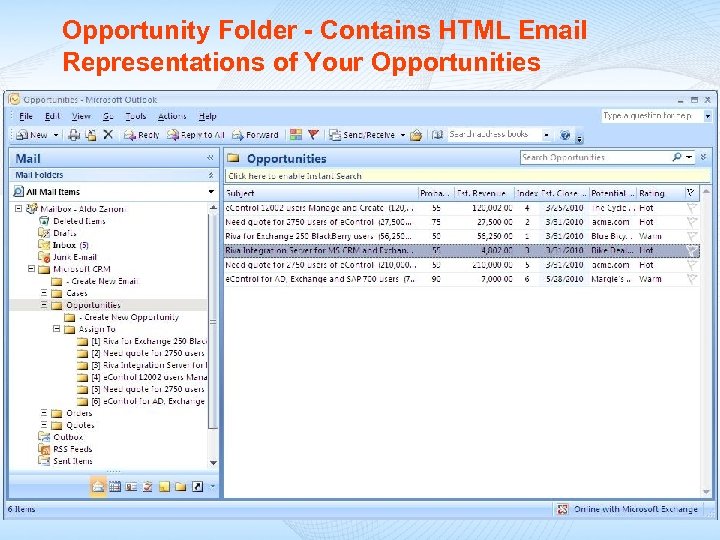
Opportunity Folder - Contains HTML Email Representations of Your Opportunities
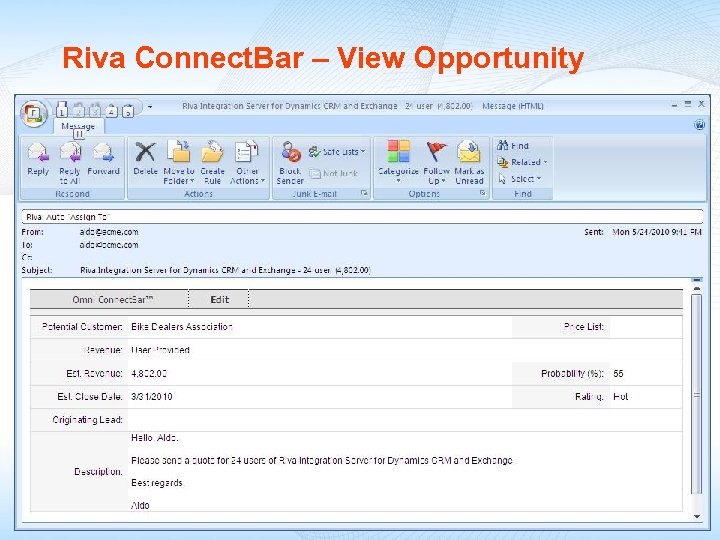
Riva Connect. Bar – View Opportunity
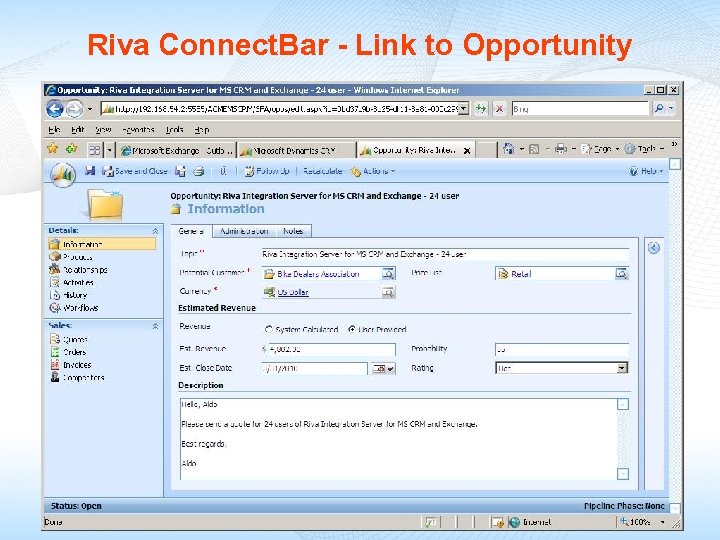
Riva Connect. Bar - Link to Opportunity
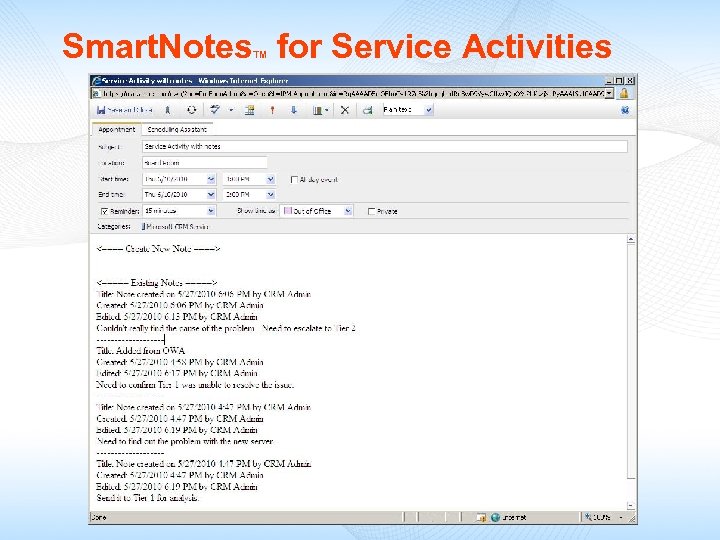
Smart. Notes for Service Activities TM
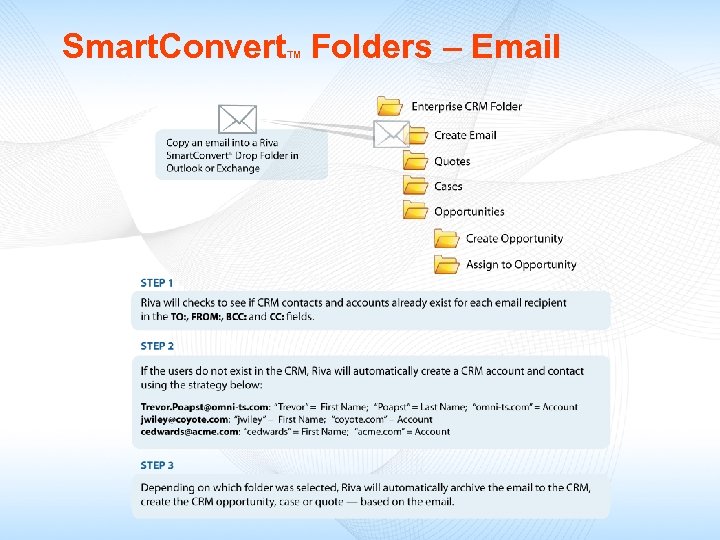
Smart. Convert Folders – Email TM
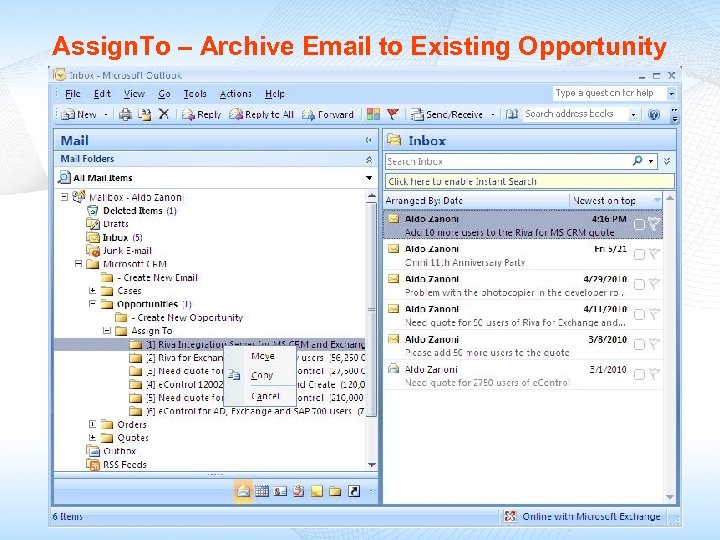
Assign. To – Archive Email to Existing Opportunity
Live Presentation: Riva Client Experience: OWA and Outlook Client Riva Management Interface
Riva Helps Close the User Adoption Gap: • Highly scalable, server-to-server solution • Transparent to end-users - no plug-ins or mobile applications to install and manage • Resolves many of the causes of lack of adoption or decreased satisfaction by users who aren’t able to fully leverage the Outlook Client Plug-in
In Summary • Server-side installation - quick to deploy – no plug-ins to install or update on any client machines or mobile devices • Supports Dynamics CRM hosted or on premise • Supports hosted or on-premise Exchange 2010, 2007, 2003 and Group. Wise 7. 0. 3 and 8 • Supports ALL Exchange and Group. Wise desktop, web and mobile clients including Macs, Black. Berry, i. Phone, … • Provides Advanced Integration and Interoperability with Connect. Bar, Assign. To, Smart. Convert, Smart. Notes and recurring appointments • Riva Live: Cloud-based CRM integration – try it on-line at: https: //www. rivasync. com

Use our Contact Us link to get more information about Riva. Thank you! Aldo Zanoni CEO and Managing Director Omni Technology Solutions 780. 423. 4200 Ext. 232 www. omni-ts. com
Outlook, Entourage, Snow Leopard and Group. Wise Client Screenshots
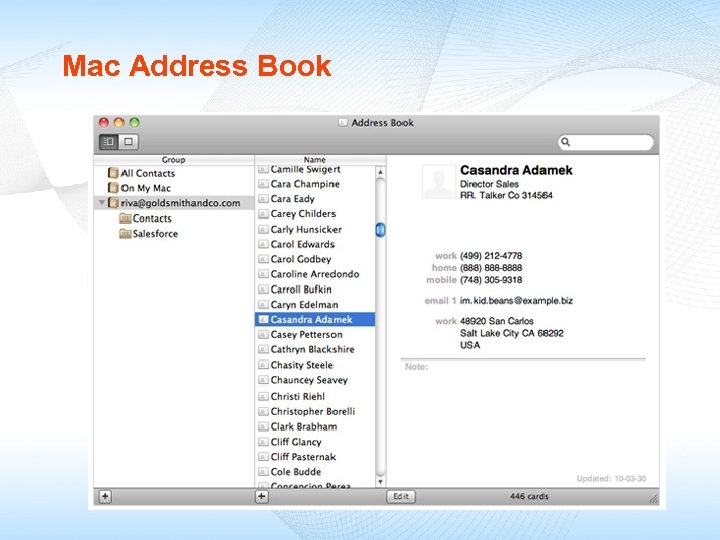
Mac Address Book
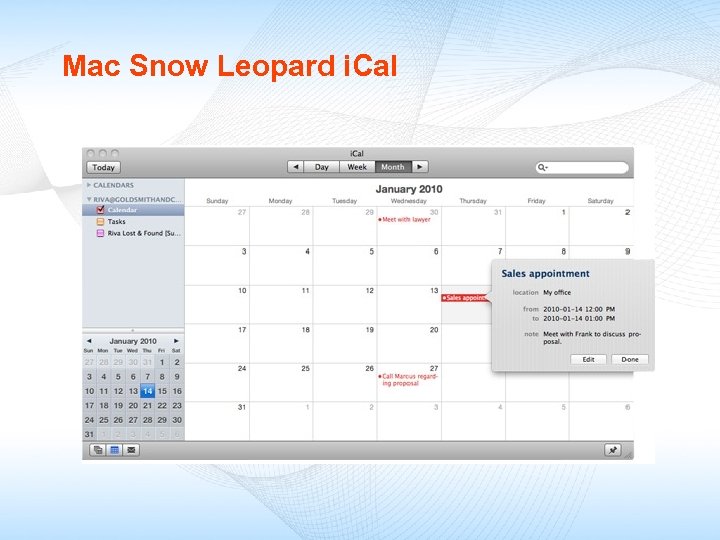
Mac Snow Leopard i. Cal
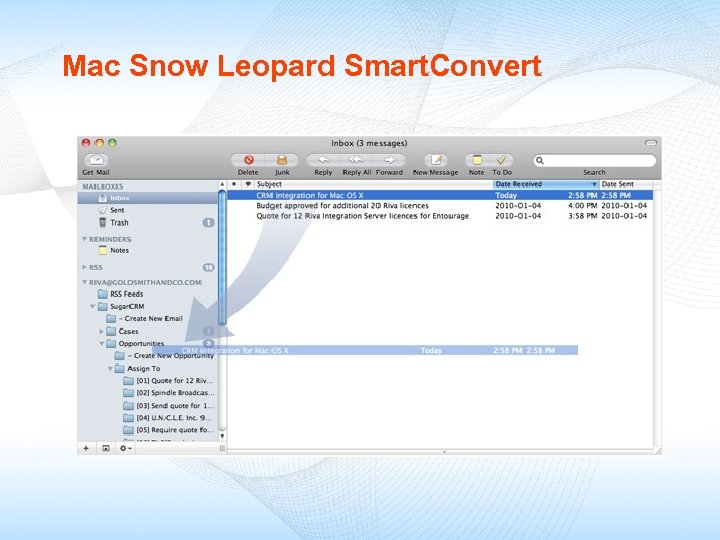
Mac Snow Leopard Smart. Convert
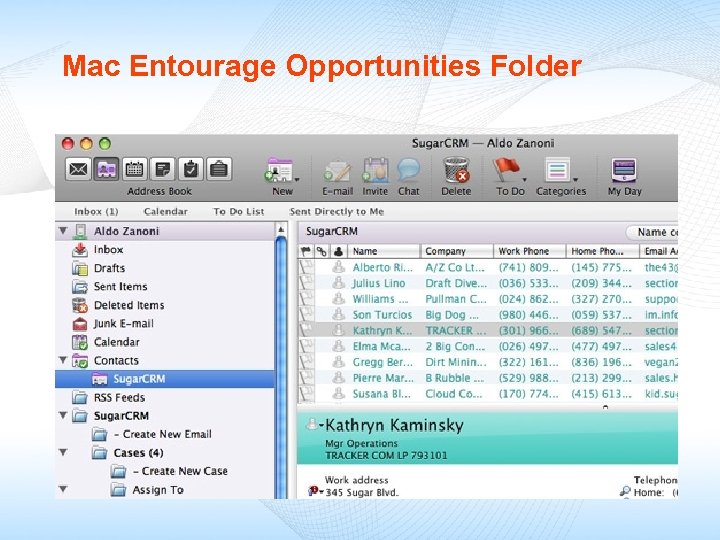
Mac Entourage Opportunities Folder
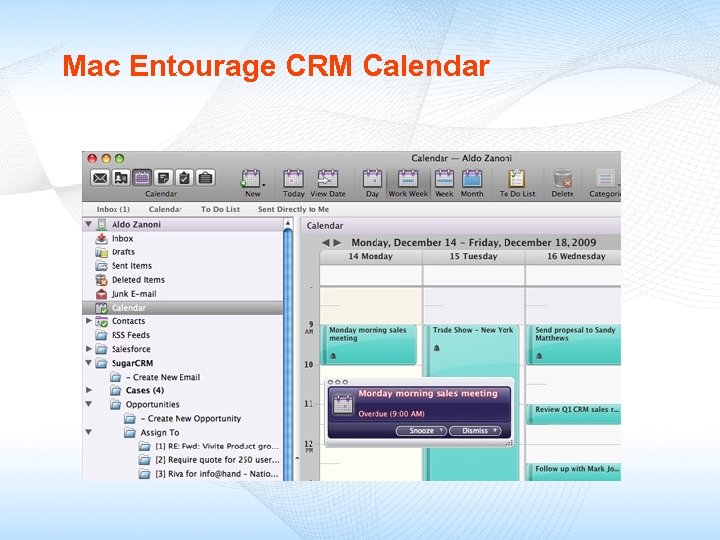
Mac Entourage CRM Calendar
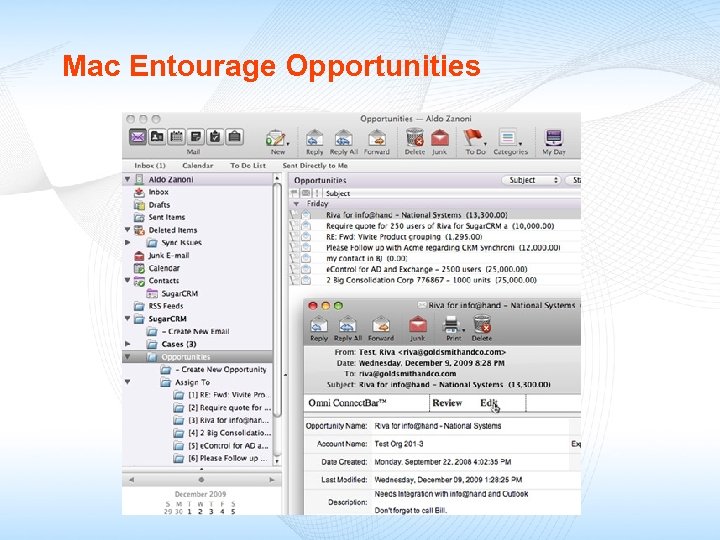
Mac Entourage Opportunities
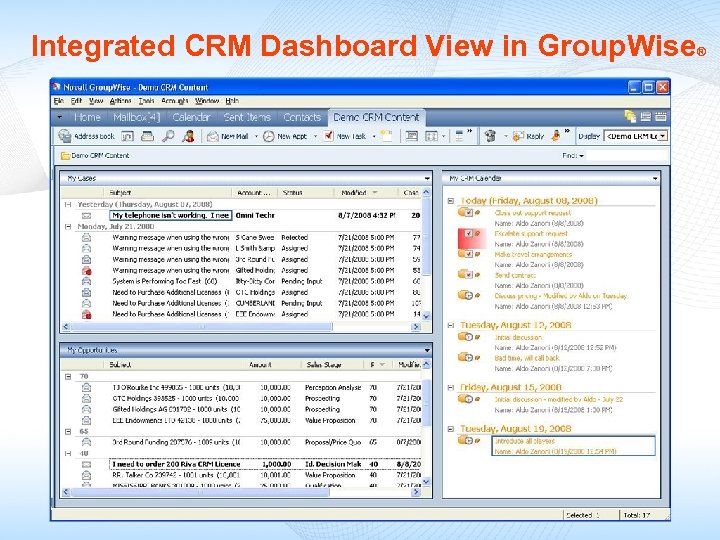
Integrated CRM Dashboard View in Group. Wise ®
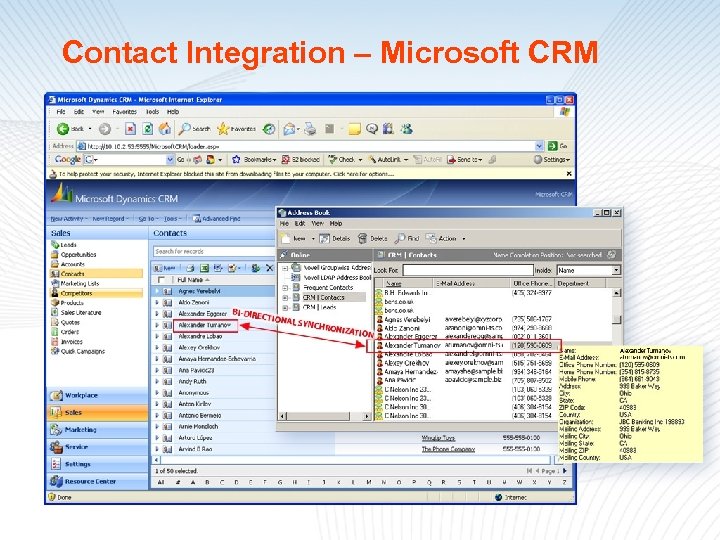
Contact Integration – Microsoft CRM
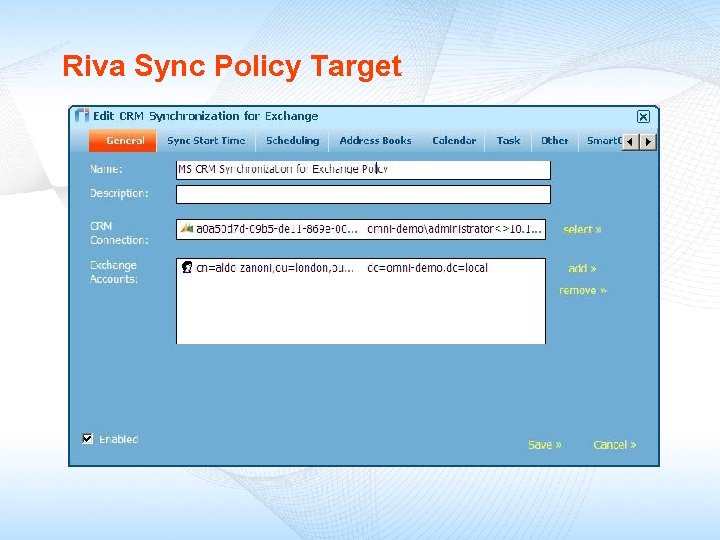
Riva Sync Policy Target
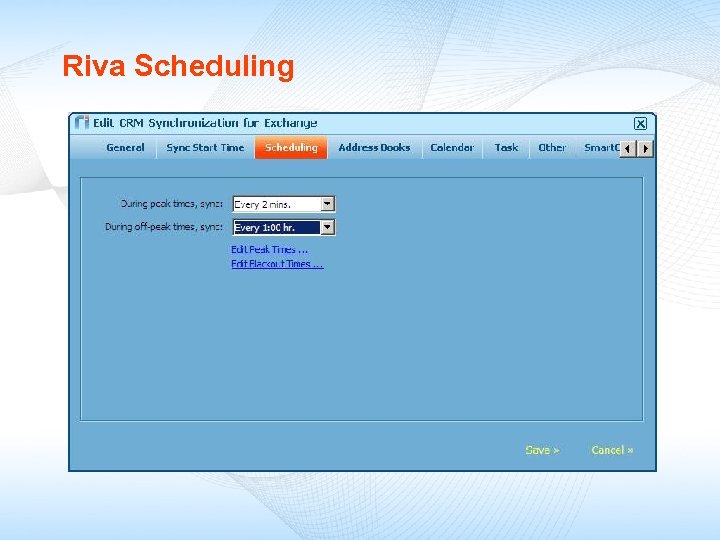
Riva Scheduling
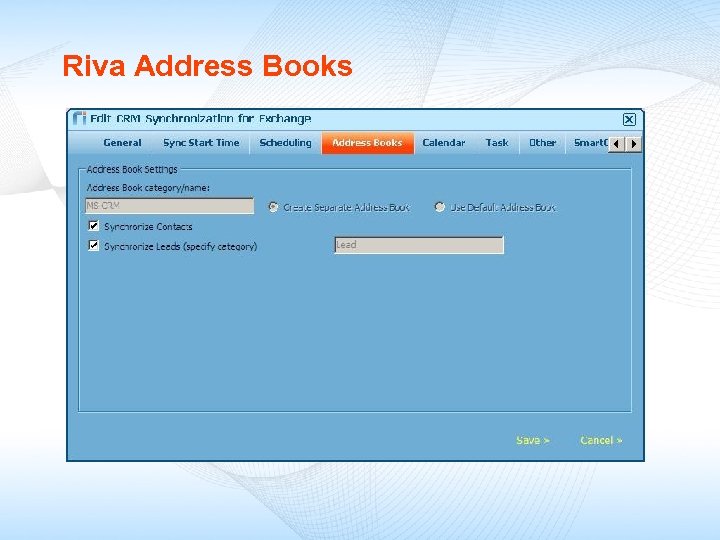
Riva Address Books
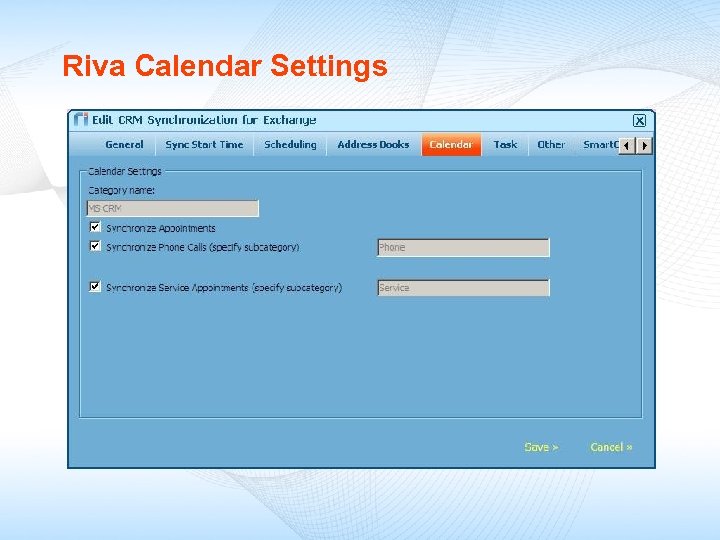
Riva Calendar Settings
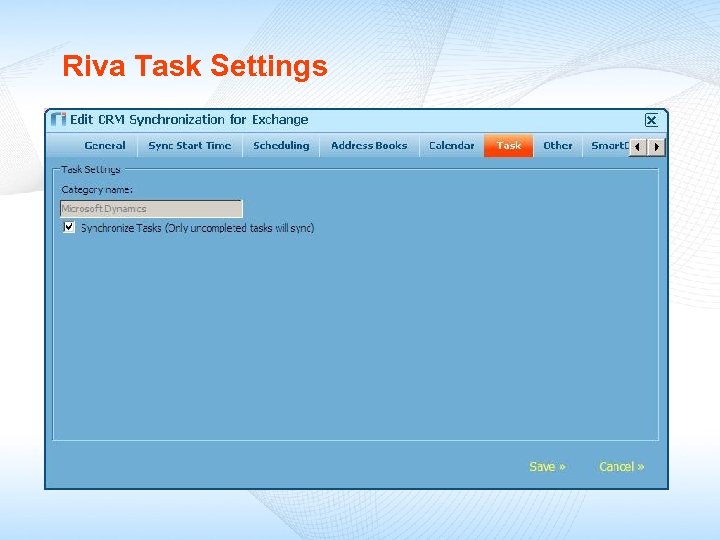
Riva Task Settings
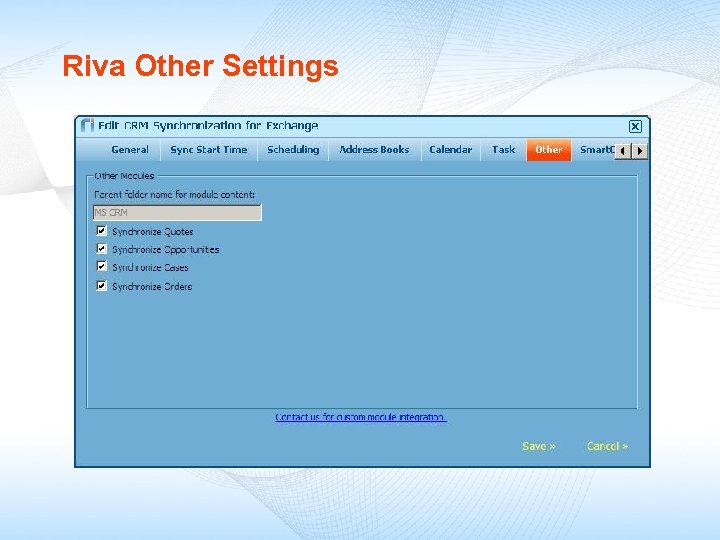
Riva Other Settings
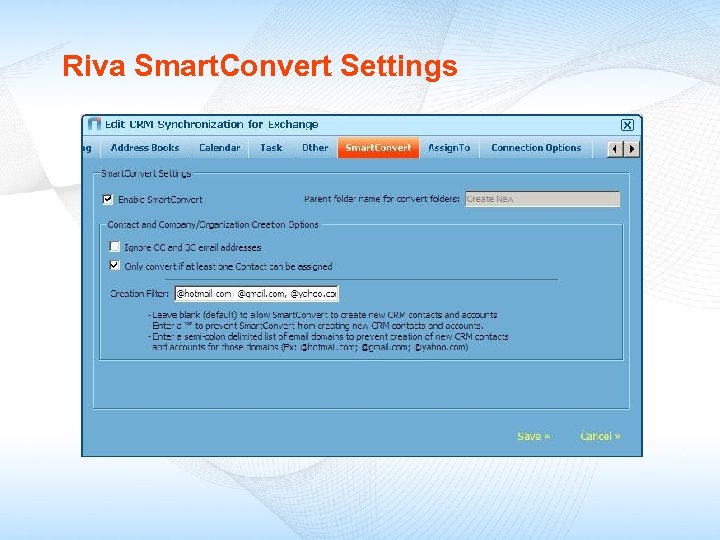
Riva Smart. Convert Settings
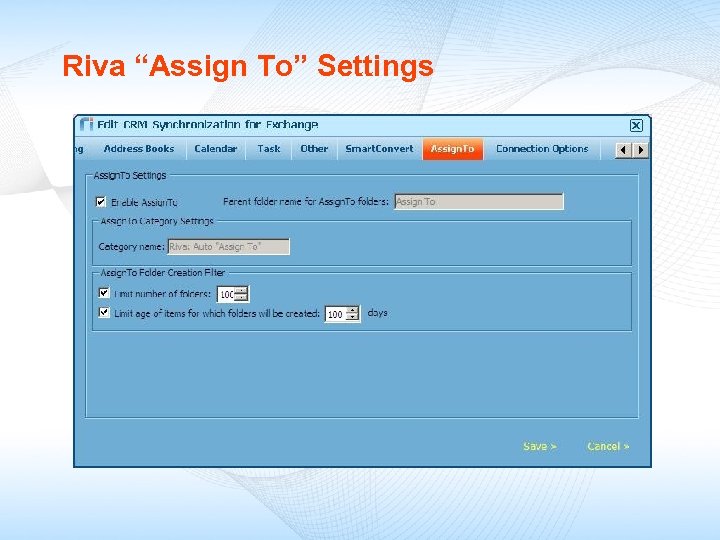
Riva “Assign To” Settings
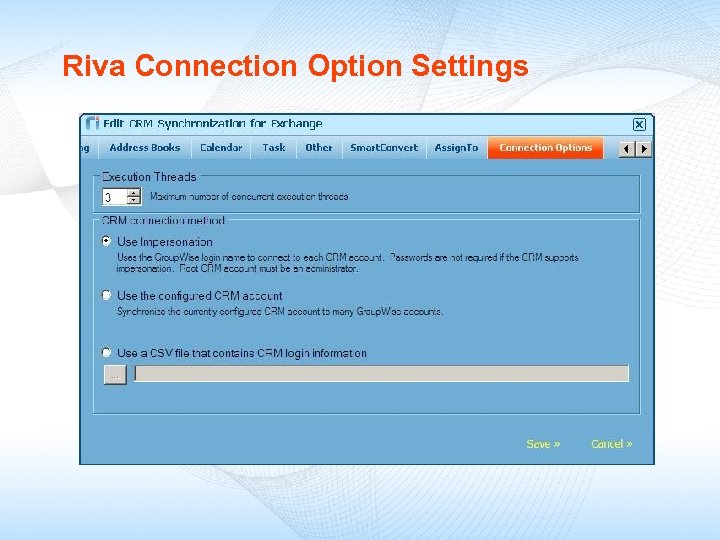
Riva Connection Option Settings
Скачать презентацию Bridging the CRM User Adoption Gap with Riva
062b5577e03299fe1b978f0a161627ec.ppt