 Скачать презентацию BORN TO BE VIRTUALIZED DATA PROTECTION Jeffrey
c18ab8e67683759c264831eb52e7441e.ppt
- Количество слайдов: 36



BORN TO BE VIRTUALIZED & DATA PROTECTION Jeffrey Chen Dec 2009
DON’T FORGET… NEW TECHNOLOGY SOLVES OLD PROBLEMS, BUT BRING NEW CHALLENGES
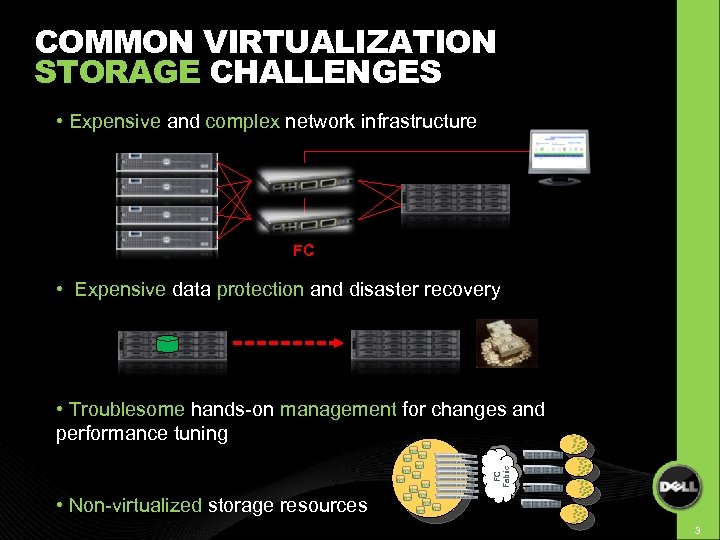
COMMON VIRTUALIZATION STORAGE CHALLENGES • Expensive and complex network infrastructure FC • Expensive data protection and disaster recovery FC Fabric • Troublesome hands-on management for changes and performance tuning • Non-virtualized storage resources Physical Infrastructure Virtualized Assets 3
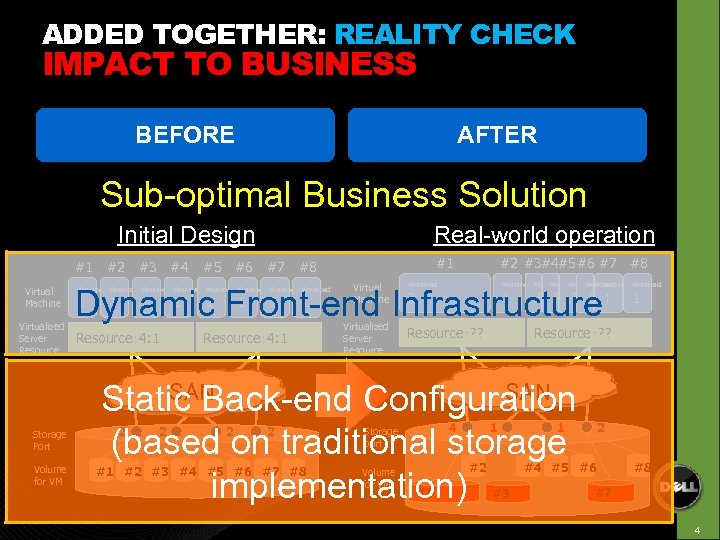
ADDED TOGETHER: REALITY CHECK IMPACT TO BUSINESS BEFORE AFTER Sub-optimal Business Solution Initial Design #1 #2 Virtual Machine Virtualized Server Resource Storage Port Volume for VM #3 #4 #5 #6 Real-world operation #7 #2 #3#4#5#6 #7 #8 #1 #8 Virtual Machine Workload Workload Dynamic Front-end Infrastructure Workload Workload 1 1 1 1 Resource: 4: 1 Virtualized Server Resource 3 1 Resource:? ? . 5. 5 1 Resource:? ? SAN Static Back-end Configuration (based on traditional storage implementation) 2 2 #1 #2 #3 #4 #5 #6 #7 #8 4 Storage port Volume for VM 1 #2 #1 1 1 2 #4 #5 #6 #3 #8 #7 4
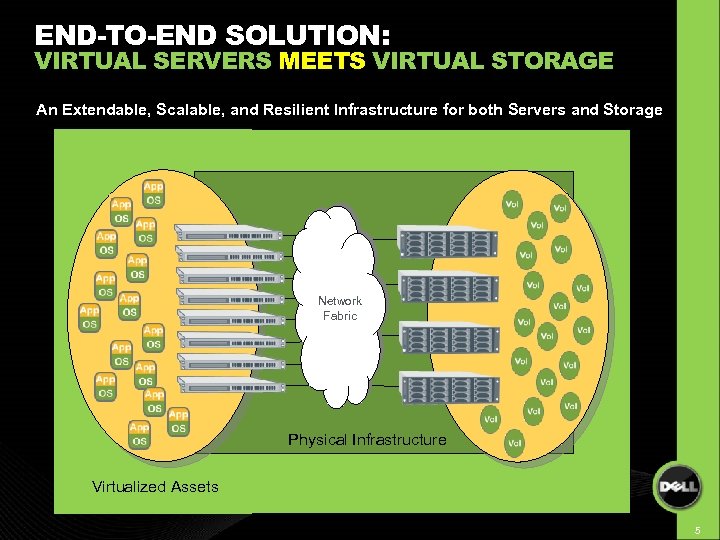
END-TO-END SOLUTION: VIRTUAL SERVERS MEETS VIRTUAL STORAGE An Extendable, Scalable, and Resilient Infrastructure for both Servers and Storage Network Fabric Physical Infrastructure Virtualized Assets 5
BENEFITS OF A VIRTUALIZED SAN (SAN BORN TO BE VIRTUALIZED) Avoid disruptions and hassles – Outgrowing the RAID set – Outgrowing the storage controllers – Disruptive hardware refreshes Gross underutilization of physical assets – One processor or RAID set “slammed”, others idle Backup challenges – Snapshot-enabled backup Recovery challenges – INSTANT restore (and keep all copies and options) – Remote recovery Save labor – Planning requirements, re-configuration Flexibility 6
“VIRTUALIZED SAN” THE IDEAL STORAGE VIRTUALIZATION PLATFORM 7
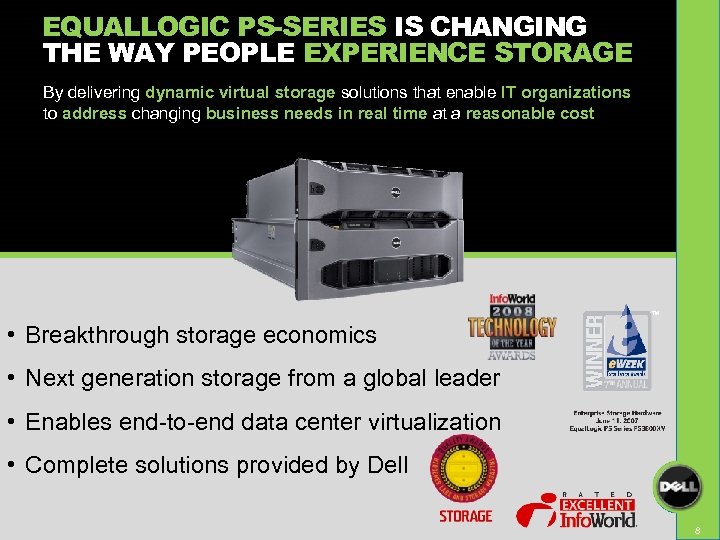
EQUALLOGIC PS-SERIES IS CHANGING THE WAY PEOPLE EXPERIENCE STORAGE By delivering dynamic virtual storage solutions that enable IT organizations to address changing business needs in real time at a reasonable cost TM • Breakthrough storage economics • Next generation storage from a global leader • Enables end-to-end data center virtualization • Complete solutions provided by Dell 8 8
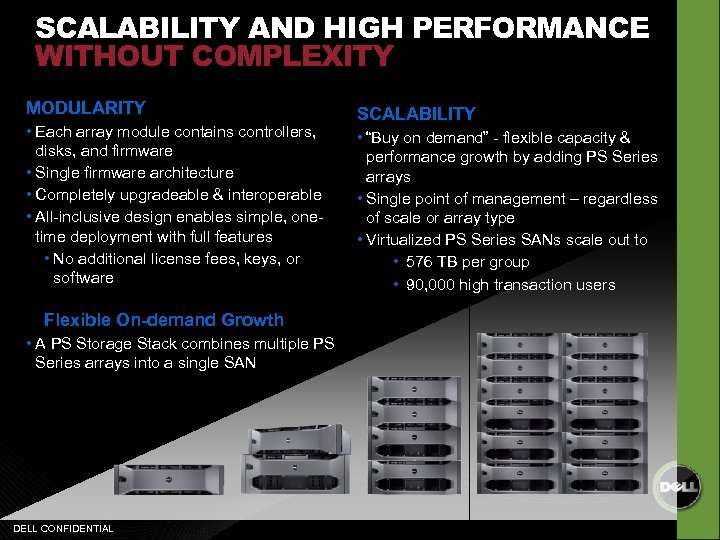
SCALABILITY AND HIGH PERFORMANCE WITHOUT COMPLEXITY MODULARITY • Each array module contains controllers, disks, and firmware • Single firmware architecture • Completely upgradeable & interoperable • All-inclusive design enables simple, onetime deployment with full features • No additional license fees, keys, or software Flexible On-demand Growth • A PS Storage Stack combines multiple PS Series arrays into a single SAN DELL CONFIDENTIAL SCALABILITY • “Buy on demand” - flexible capacity & performance growth by adding PS Series arrays • Single point of management – regardless of scale or array type • Virtualized PS Series SANs scale out to • 576 TB per group • 90, 000 high transaction users
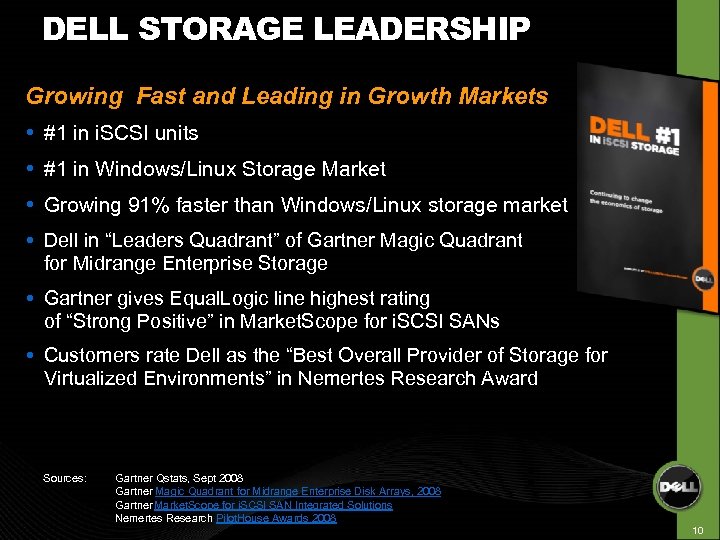
DELL STORAGE LEADERSHIP Growing Fast and Leading in Growth Markets #1 in i. SCSI units #1 in Windows/Linux Storage Market Growing 91% faster than Windows/Linux storage market Dell in “Leaders Quadrant” of Gartner Magic Quadrant for Midrange Enterprise Storage Gartner gives Equal. Logic line highest rating of “Strong Positive” in Market. Scope for i. SCSI SANs Customers rate Dell as the “Best Overall Provider of Storage for Virtualized Environments” in Nemertes Research Award Sources: Gartner Qstats, Sept 2008 Gartner Magic Quadrant for Midrange Enterprise Disk Arrays, 2008 Gartner Market. Scope for i. SCSI SAN Integrated Solutions Nemertes Research Pilot. House Awards 2008 10
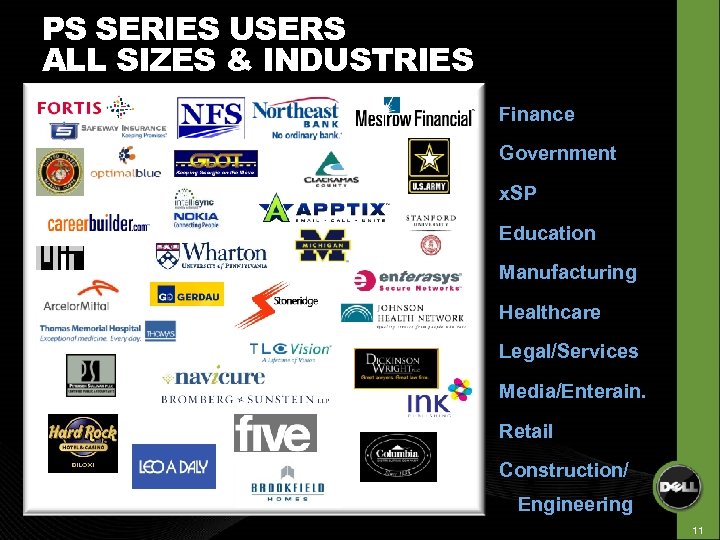
PS SERIES USERS ALL SIZES & INDUSTRIES Finance Government x. SP Education Manufacturing Healthcare Legal/Services Media/Enterain. Retail Construction/ Engineering 11
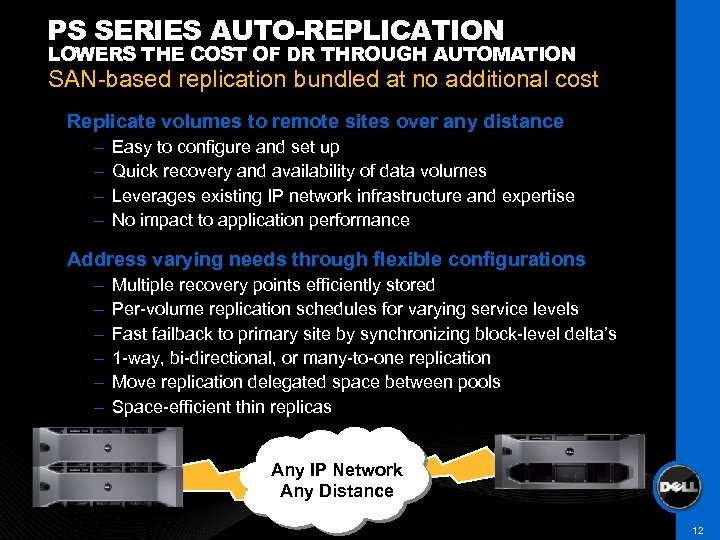
PS SERIES AUTO-REPLICATION LOWERS THE COST OF DR THROUGH AUTOMATION SAN-based replication bundled at no additional cost Replicate volumes to remote sites over any distance – – Easy to configure and set up Quick recovery and availability of data volumes Leverages existing IP network infrastructure and expertise No impact to application performance Address varying needs through flexible configurations – – – Multiple recovery points efficiently stored Per-volume replication schedules for varying service levels Fast failback to primary site by synchronizing block-level delta’s 1 -way, bi-directional, or many-to-one replication Move replication delegated space between pools Space-efficient thin replicas Any IP Network Any Distance 12
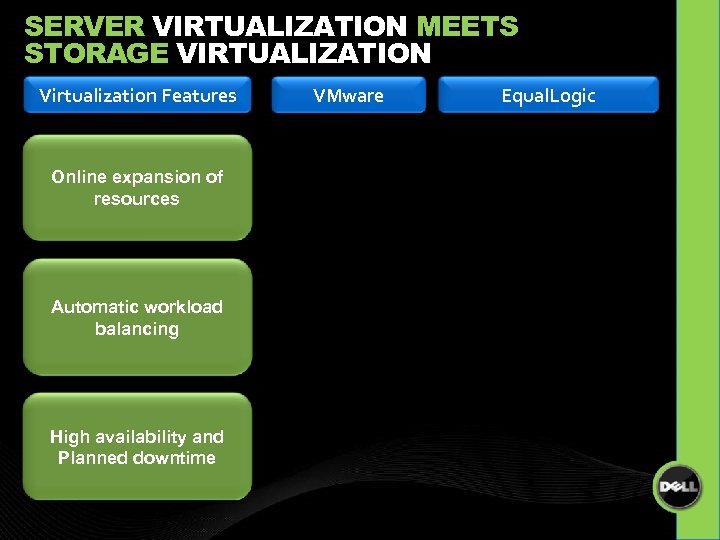
SERVER VIRTUALIZATION MEETS STORAGE VIRTUALIZATION Virtualization Features VMware Equal. Logic Online expansion of resources Automatic workload balancing High availability and Planned downtime 13
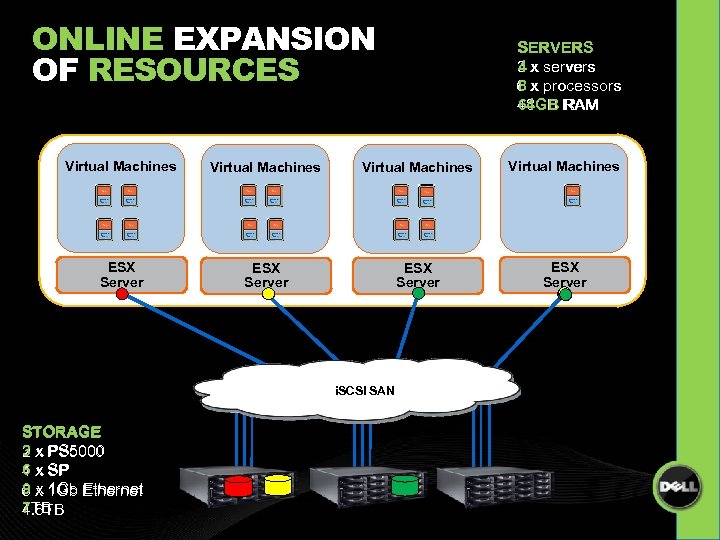
ONLINE EXPANSION OF RESOURCES SERVERS 3 x servers 4 x servers 6 x processors 8 x processors 48 GB RAM 64 GB RAM Virtual Machines ESX Server i. SCSI SAN STORAGE 3 x PS 5000 2 x PS 5000 6 x SP 4 x SP 9 x 1 Gb Ethernet 6 x 1 Gb Ethernet 7 TB 4. 6 TB
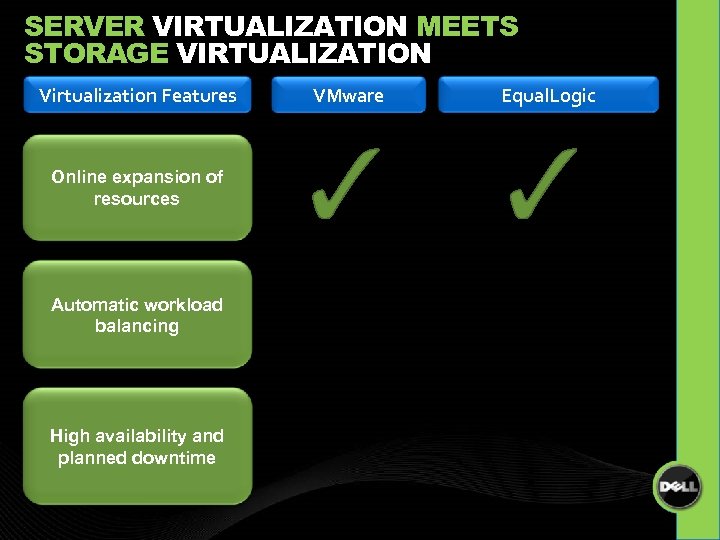
SERVER VIRTUALIZATION MEETS STORAGE VIRTUALIZATION Virtualization Features VMware Equal. Logic Online expansion of resources Automatic workload balancing High availability and planned downtime 15
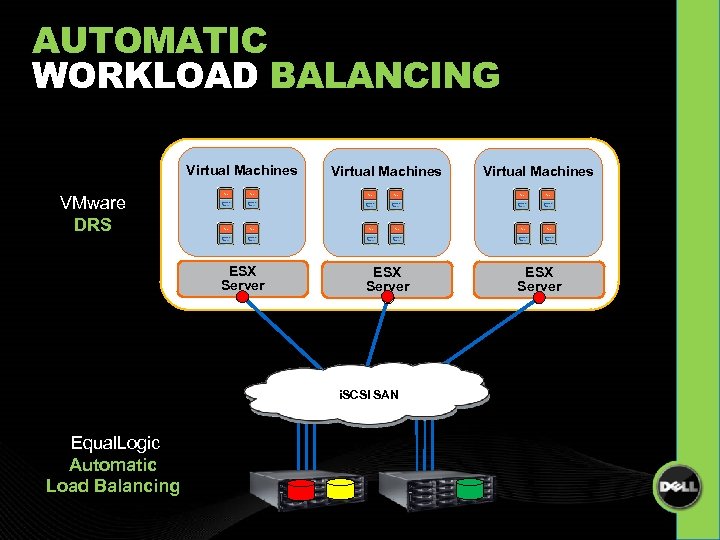
AUTOMATIC WORKLOAD BALANCING Virtual Machines ESX Server VMware DRS i. SCSI SAN Equal. Logic Automatic Load Balancing
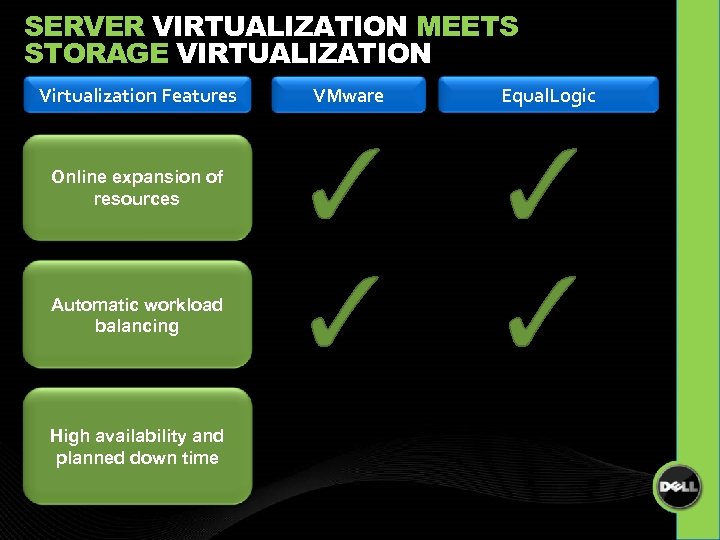
SERVER VIRTUALIZATION MEETS STORAGE VIRTUALIZATION Virtualization Features VMware Equal. Logic Online expansion of resources Automatic workload balancing High availability and planned down time 17
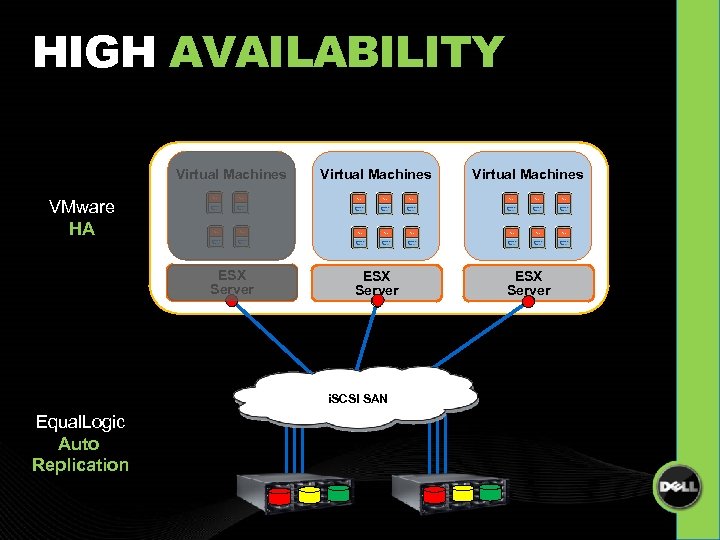
HIGH AVAILABILITY Virtual Machines ESX Server VMware HA i. SCSI SAN Equal. Logic Auto Replication
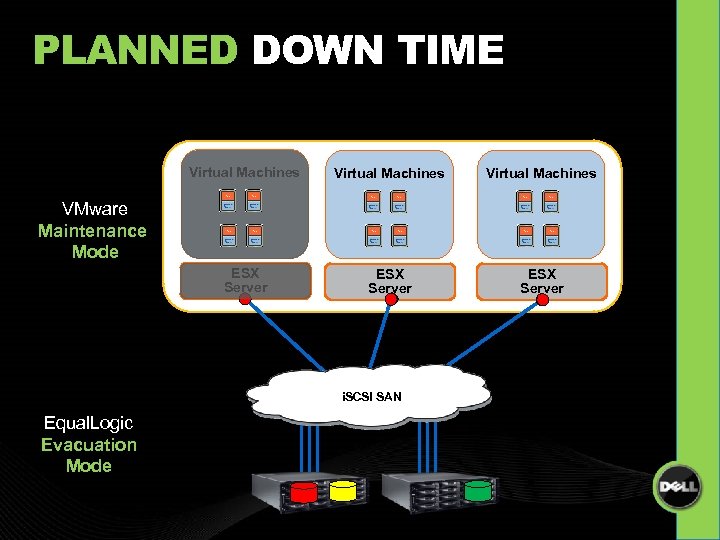
PLANNED DOWN TIME Virtual Machines ESX Server VMware Maintenance Mode i. SCSI SAN Equal. Logic Evacuation Mode
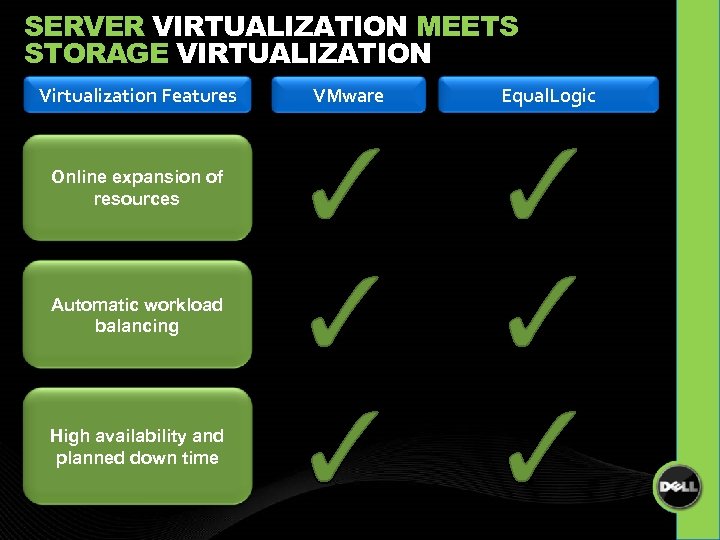
SERVER VIRTUALIZATION MEETS STORAGE VIRTUALIZATION Virtualization Features VMware Equal. Logic Online expansion of resources Automatic workload balancing High availability and planned down time 20
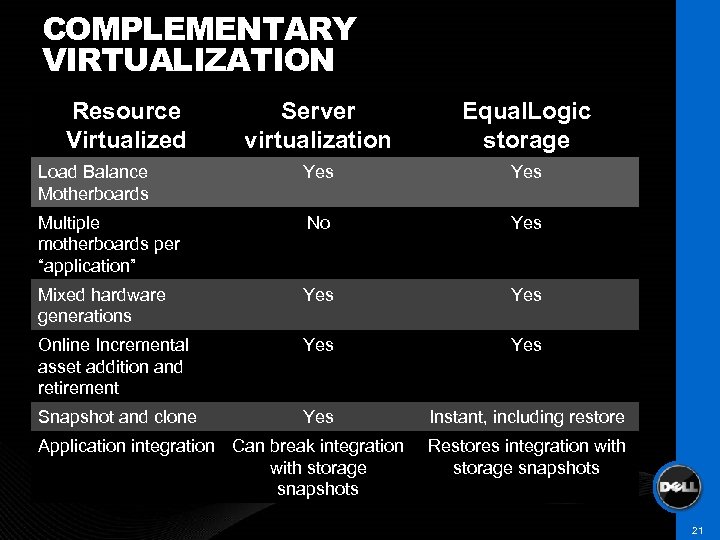
COMPLEMENTARY VIRTUALIZATION Resource Virtualized Server virtualization Equal. Logic storage Load Balance Motherboards Yes Multiple motherboards per “application” No Yes Mixed hardware generations Yes Online Incremental asset addition and retirement Yes Snapshot and clone Yes Instant, including restore Application integration Can break integration with storage snapshots Restores integration with storage snapshots 21
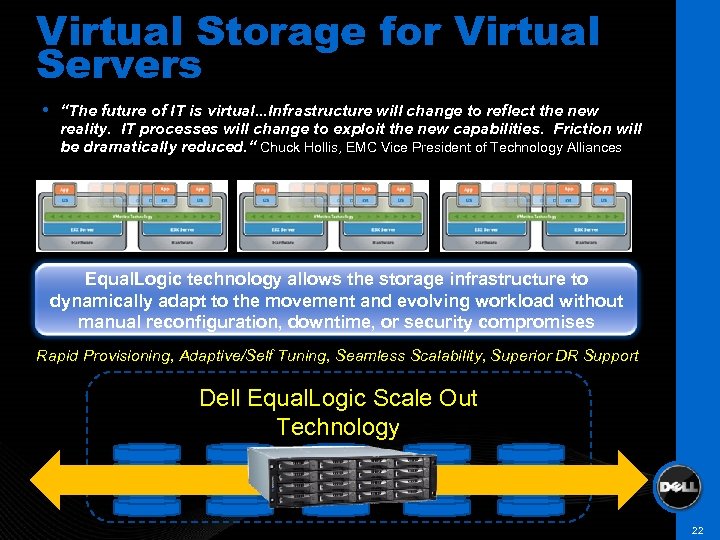
Virtual Storage for Virtual Servers “The future of IT is virtual. . . Infrastructure will change to reflect the new reality. IT processes will change to exploit the new capabilities. Friction will be dramatically reduced. “ Chuck Hollis, EMC Vice President of Technology Alliances Equal. Logic technology allows the storage infrastructure to dynamically adapt to the movement and evolving workload without manual reconfiguration, downtime, or security compromises Rapid Provisioning, Adaptive/Self Tuning, Seamless Scalability, Superior DR Support Dell Equal. Logic Scale Out Technology 22
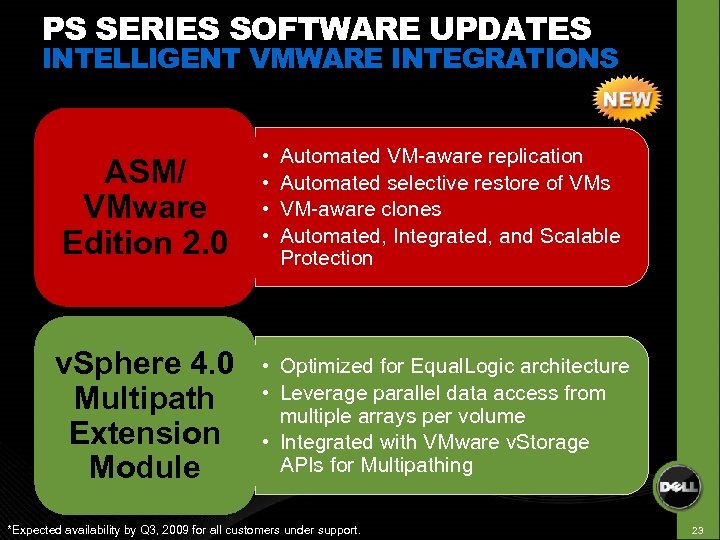
PS SERIES SOFTWARE UPDATES INTELLIGENT VMWARE INTEGRATIONS ASM/ VMware Edition 2. 0 • • v. Sphere 4. 0 Multipath Extension Module • Optimized for Equal. Logic architecture • Leverage parallel data access from multiple arrays per volume • Integrated with VMware v. Storage APIs for Multipathing Automated VM-aware replication Automated selective restore of VMs VM-aware clones Automated, Integrated, and Scalable Protection *Expected availability by Q 3, 2009 for all customers under support. 23
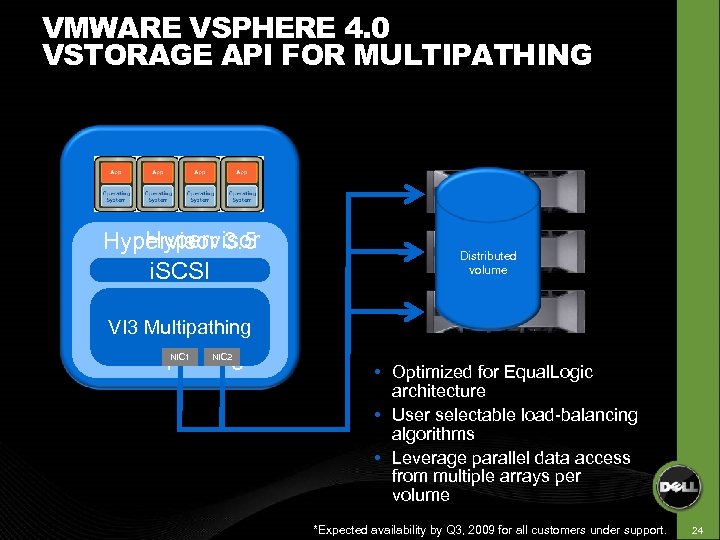
VMWARE VSPHERE 4. 0 VSTORAGE API FOR MULTIPATHING Hypervisor 3. 5 4. 0 i. SCSI v. Storage API VI 3 Multipathing for Multipathing NIC 1 NIC 2 Distributed volume Optimized for Equal. Logic architecture User selectable load-balancing algorithms Leverage parallel data access from multiple arrays per volume *Expected availability by Q 3, 2009 for all customers under support. 24
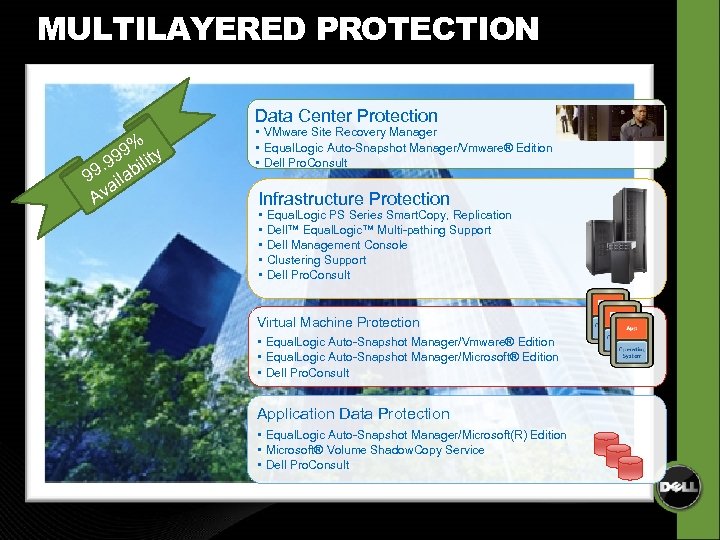
MULTILAYERED PROTECTION % 9 y. 99 bilit 99 ila a Av Data Center Protection • VMware Site Recovery Manager • Equal. Logic Auto-Snapshot Manager/Vmware® Edition • Dell Pro. Consult Infrastructure Protection • • • Equal. Logic PS Series Smart. Copy, Replication Dell™ Equal. Logic™ Multi-pathing Support Dell Management Console Clustering Support Dell Pro. Consult Virtual Machine Protection • Equal. Logic Auto-Snapshot Manager/Vmware® Edition • Equal. Logic Auto-Snapshot Manager/Microsoft® Edition • Dell Pro. Consult Application Data Protection • Equal. Logic Auto-Snapshot Manager/Microsoft(R) Edition • Microsoft® Volume Shadow. Copy Service • Dell Pro. Consult
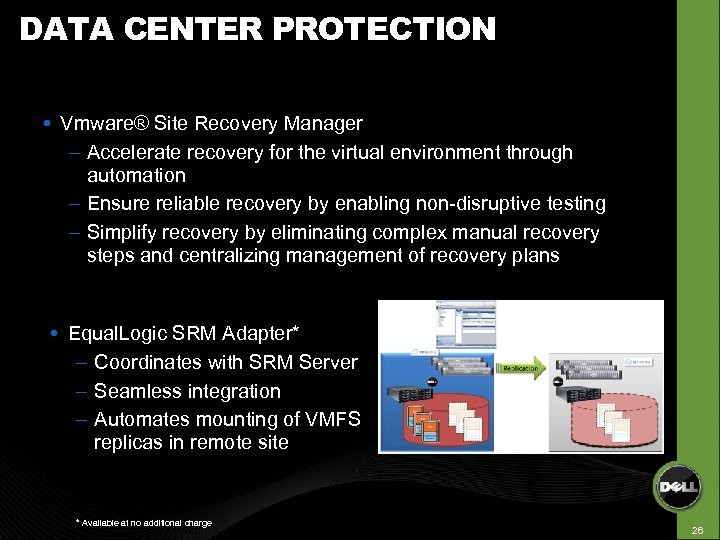
DATA CENTER PROTECTION Vmware® Site Recovery Manager – Accelerate recovery for the virtual environment through automation – Ensure reliable recovery by enabling non-disruptive testing – Simplify recovery by eliminating complex manual recovery steps and centralizing management of recovery plans Equal. Logic SRM Adapter* – Coordinates with SRM Server – Seamless integration – Automates mounting of VMFS replicas in remote site * Available at no additional charge 26
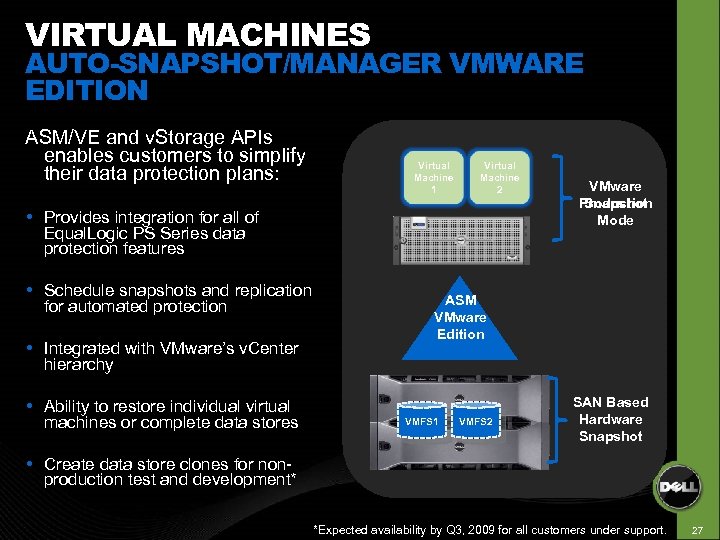
VIRTUAL MACHINES AUTO-SNAPSHOT/MANAGER VMWARE EDITION ASM/VE and v. Storage APIs enables customers to simplify their data protection plans: Virtual Machine 1 Virtual Machine 2 Provides integration for all of Equal. Logic PS Series data protection features Schedule snapshots and replication for automated protection Integrated with VMware’s v. Center hierarchy Ability to restore individual virtual machines or complete data stores VMware Production Snapshot Mode ASM VMware Edition VMFS 1 VMFS 2 SAN Based Hardware Snapshot Create data store clones for nonproduction test and development* *Expected availability by Q 3, 2009 for all customers under support. 27
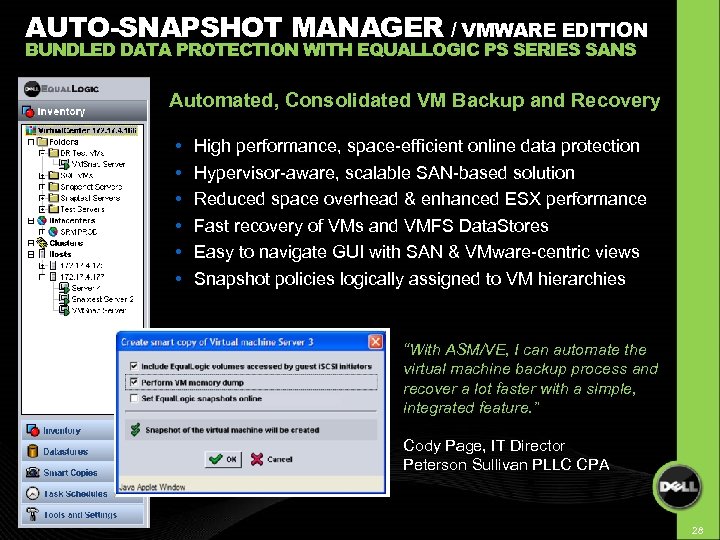
AUTO-SNAPSHOT MANAGER / VMWARE EDITION BUNDLED DATA PROTECTION WITH EQUALLOGIC PS SERIES SANS Automated, Consolidated VM Backup and Recovery • • • High performance, space-efficient online data protection Hypervisor-aware, scalable SAN-based solution Reduced space overhead & enhanced ESX performance Fast recovery of VMs and VMFS Data. Stores Easy to navigate GUI with SAN & VMware-centric views Snapshot policies logically assigned to VM hierarchies “With ASM/VE, I can automate the virtual machine backup process and recover a lot faster with a simple, integrated feature. ” Cody Page, IT Director Peterson Sullivan PLLC CPA 28
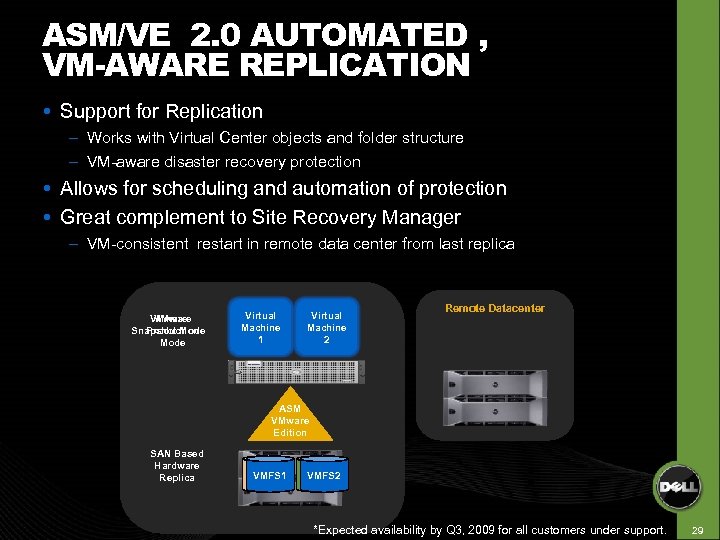
ASM/VE 2. 0 AUTOMATED , VM-AWARE REPLICATION Support for Replication – Works with Virtual Center objects and folder structure – VM-aware disaster recovery protection Allows for scheduling and automation of protection Great complement to Site Recovery Manager – VM-consistent restart in remote data center from last replica VMware Snapshot Mode Production Mode Virtual Machine 1 Virtual Machine 2 Remote Datacenter ASM VMware Edition SAN Based Hardware Replica VMFS 1 VMFS 2 *Expected availability by Q 3, 2009 for all customers under support. 29
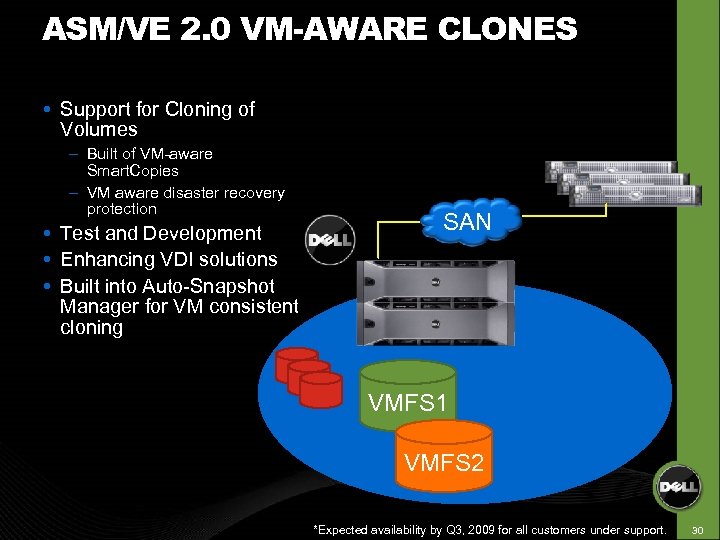
ASM/VE 2. 0 VM-AWARE CLONES Support for Cloning of Volumes – Built of VM-aware Smart. Copies – VM aware disaster recovery protection Test and Development Enhancing VDI solutions Built into Auto-Snapshot Manager for VM consistent cloning SAN VMFS 1 VMFS 2 Snapsh *Expected availability by Q 3, 2009 for all customers under support. 30
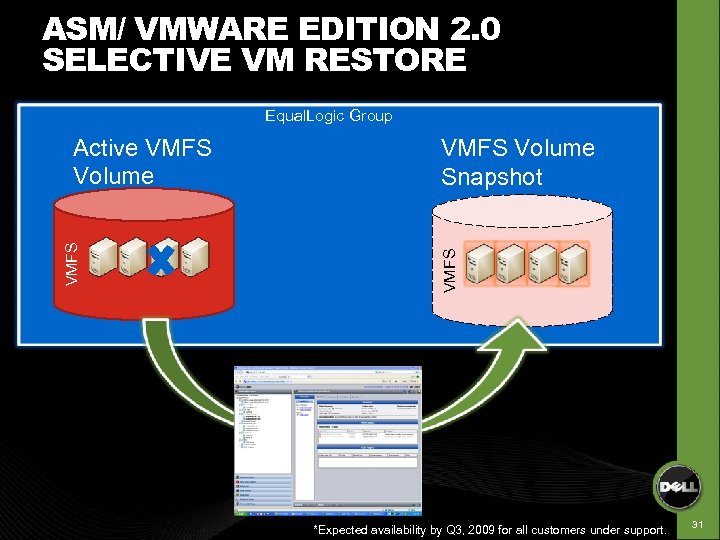
ASM/ VMWARE EDITION 2. 0 SELECTIVE VM RESTORE Equal. Logic Group VMFS Volume Snapshot VMFS Active VMFS Volume *Expected availability by Q 3, 2009 for all customers under support. 31
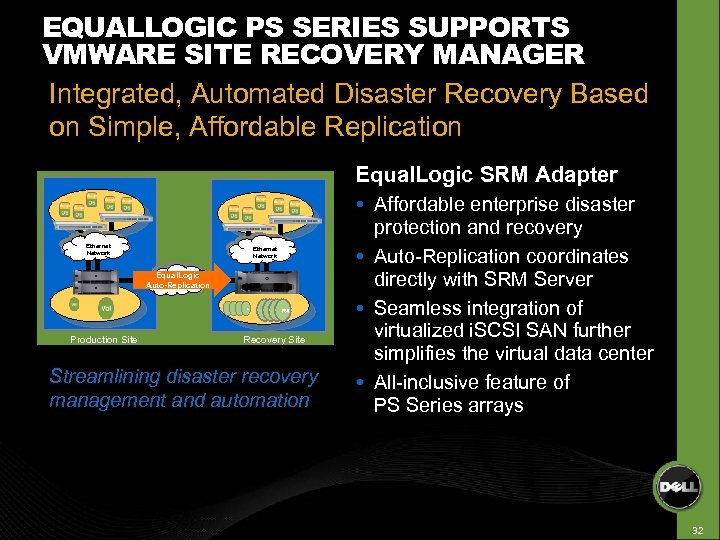
EQUALLOGIC PS SERIES SUPPORTS VMWARE SITE RECOVERY MANAGER Integrated, Automated Disaster Recovery Based on Simple, Affordable Replication Equal. Logic SRM Adapter Ethernet Network Equal. Logic Wide Area Network Auto-Replication R 1 Production Site R 2 R 3 R 4 R 1 R 3 R 2 R 4 Recovery Site Streamlining disaster recovery management and automation Affordable enterprise disaster protection and recovery Auto-Replication coordinates directly with SRM Server Seamless integration of virtualized i. SCSI SAN further simplifies the virtual data center All-inclusive feature of PS Series arrays 32
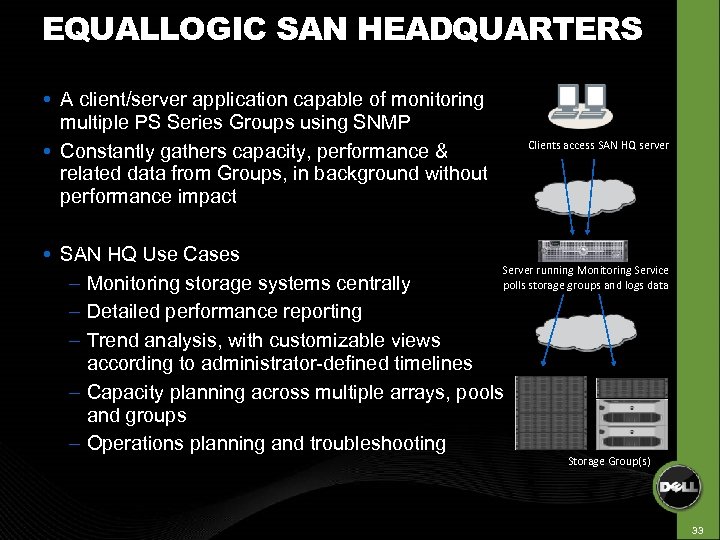
EQUALLOGIC SAN HEADQUARTERS A client/server application capable of monitoring multiple PS Series Groups using SNMP Constantly gathers capacity, performance & related data from Groups, in background without performance impact Clients access SAN HQ server SAN HQ Use Cases Server running Monitoring Service polls storage groups and logs data – Monitoring storage systems centrally – Detailed performance reporting – Trend analysis, with customizable views according to administrator-defined timelines – Capacity planning across multiple arrays, pools and groups – Operations planning and troubleshooting Storage Group(s) 33
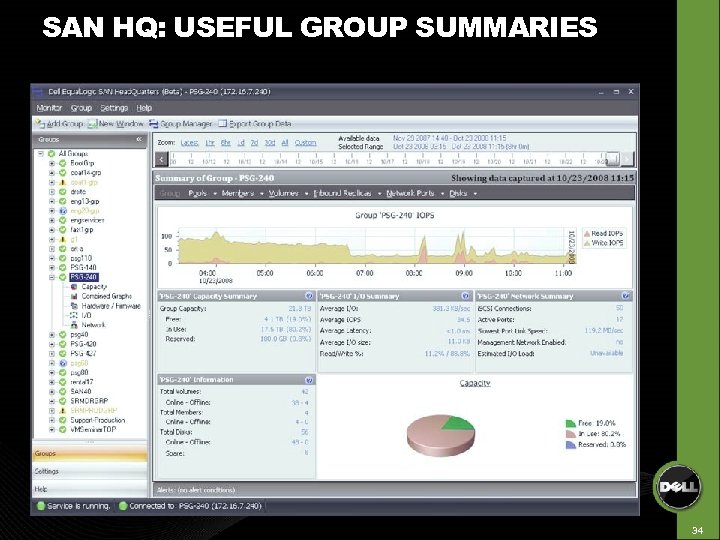
SAN HQ: USEFUL GROUP SUMMARIES 34
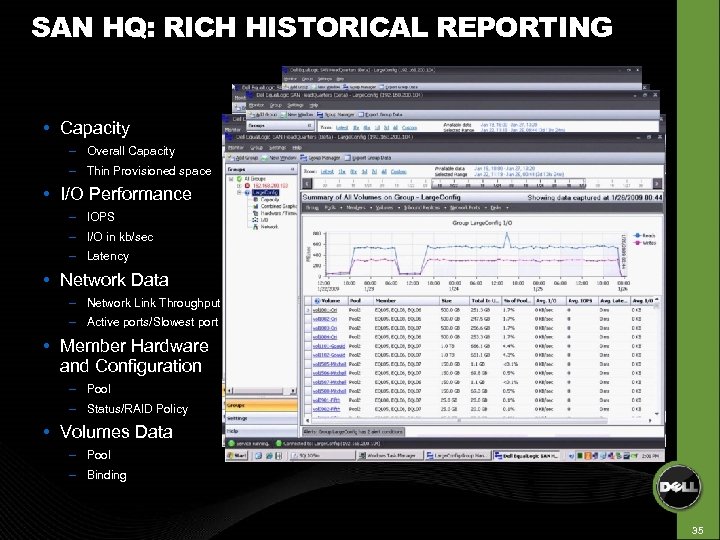
SAN HQ: RICH HISTORICAL REPORTING Capacity – Overall Capacity – Thin Provisioned space I/O Performance – IOPS – I/O in kb/sec – Latency Network Data – Network Link Throughput – Active ports/Slowest port Member Hardware and Configuration – Pool – Status/RAID Policy Volumes Data – Pool – Binding 35
URL: http: //www. dell. com/equallogic Thank You!!
Скачать презентацию BORN TO BE VIRTUALIZED DATA PROTECTION Jeffrey
c18ab8e67683759c264831eb52e7441e.ppt