 Скачать презентацию bibliotek dk — library dk Short introduction to
d5d53d4df27ac24021dfc62a83f46ed7.ppt
- Количество слайдов: 18



bibliotek. dk - library. dk Short introduction to the public Danish Union Catalog Kirsten Larsen kl@dbc. dk Market Department Danish Bibliographic Centre 2010
bibliotek. dk General overview and statistics Search modes FRBR Requesting – show availability – automated ILL Google – to and from VIP and BOB databases
A few facts…. http: //bibliotek. dk/ English version: http: //www. library. dk/ Opened Oct. 2000 12 million ”clusters” of records Aprx 195 libraries are supplyers 2, 8 million loan request in 2008 Visits 2009: 3, 7 mill. - visitors: 1, 6 mill 5000 users on mailing-list Statistics (in Danish) http: //www. danbib. dk/index. php? doc=bibdkstatistik
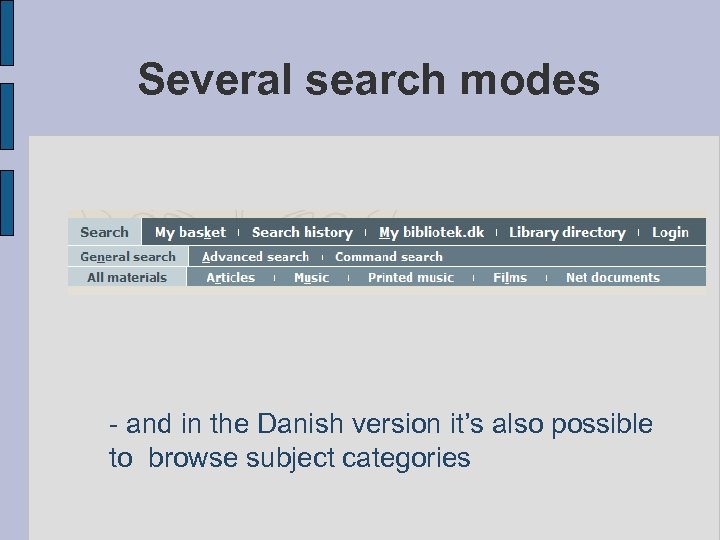
Several search modes - and in the Danish version it’s also possible to browse subject categories
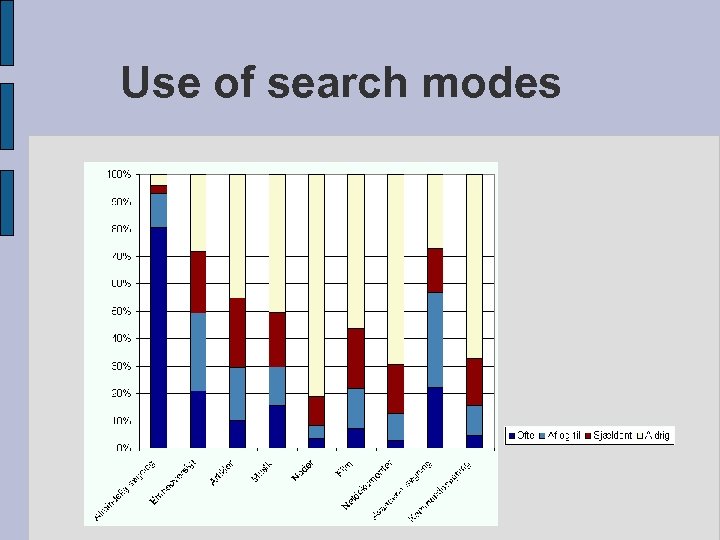
Use of search modes
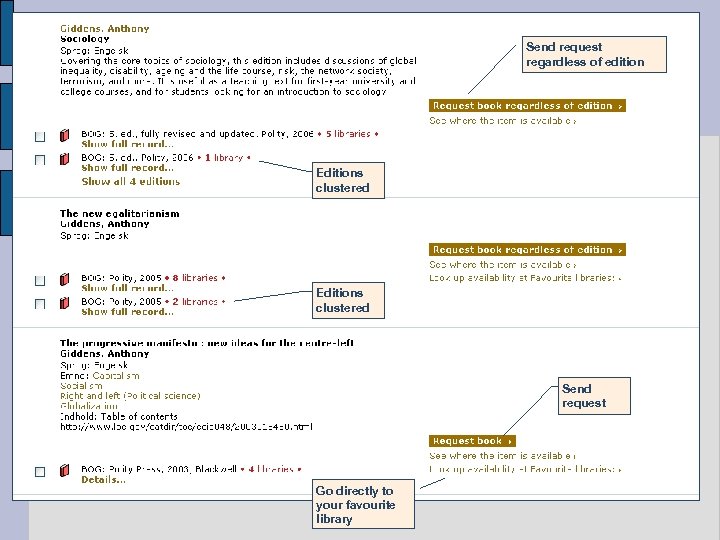
Send request regardless of edition Editions clustered Send request Go directly to your favourite library
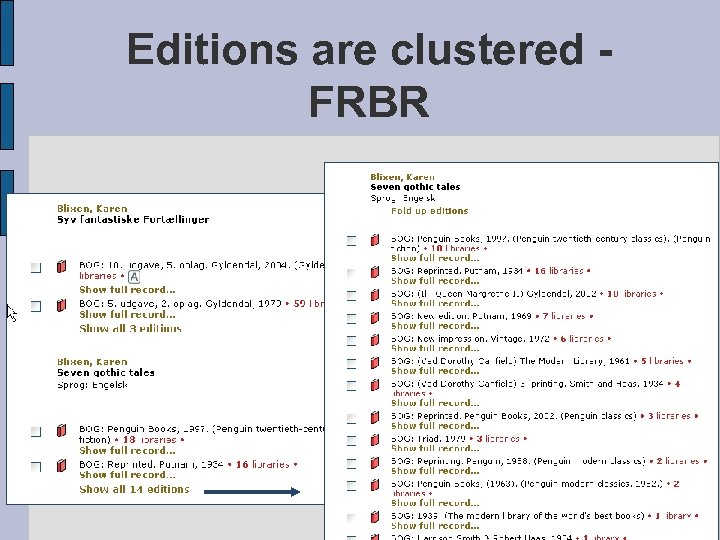
Editions are clustered FRBR
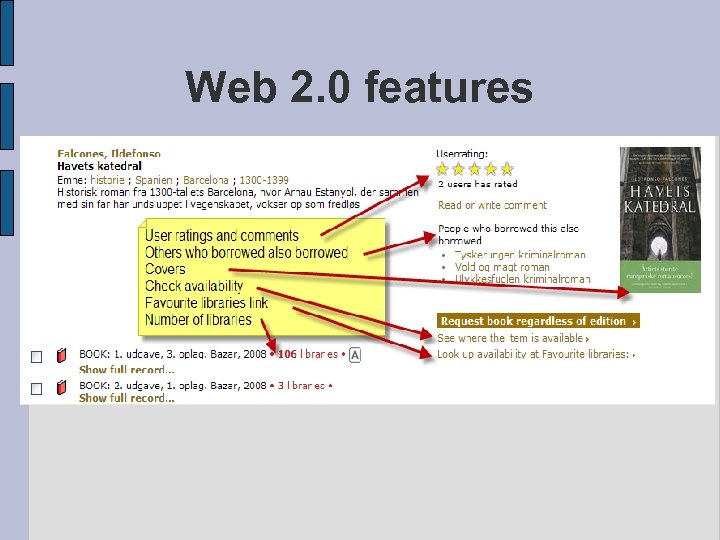
Web 2. 0 features
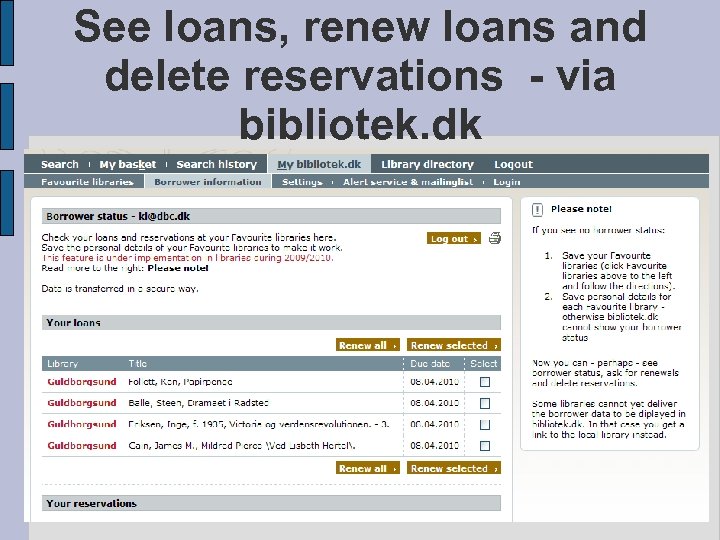
See loans, renew loans and delete reservations - via bibliotek. dk
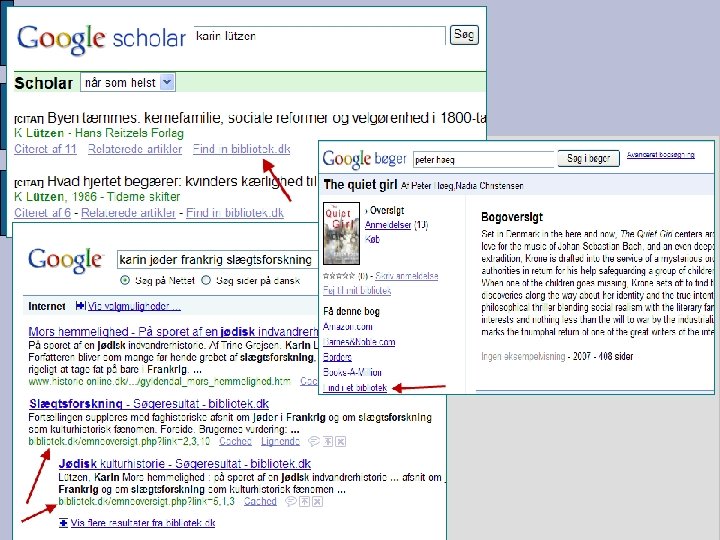
To and from Google Try your search in Google (from bibliotek. dk) Google Toolbar with bibliotek. dk buttons All records exported to Google Scholar and Google Books. 0. 22% visitors from G Scholar, 0. 29% from G Books Subject Guide indexed by Google. 21% of visitors come from Google (diff. versions) (statistics 2009)
Settings The user can save these settings (saved on user’s login or the local computer) Login Name, adress, e-mail, phone (used for requests) Preferred library, favourite libraries, pincode to these libraries Search and display mode Request and import features Format
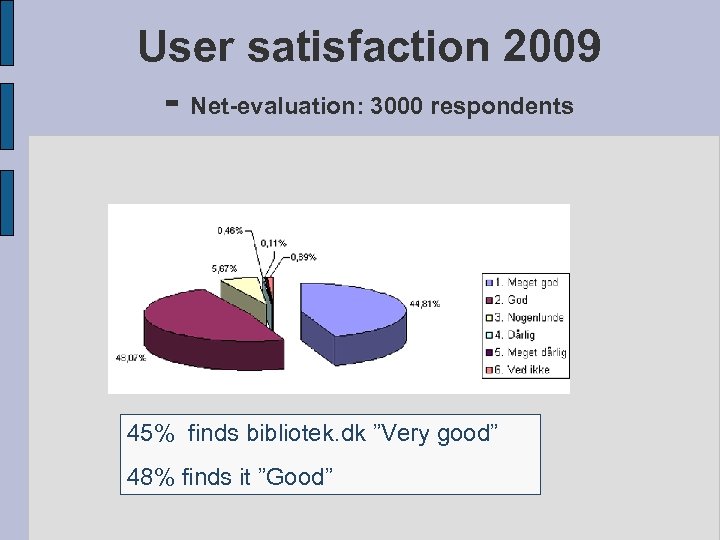
User satisfaction 2009 - Net-evaluation: 3000 respondents 45% finds bibliotek. dk ”Very good” 48% finds it ”Good”
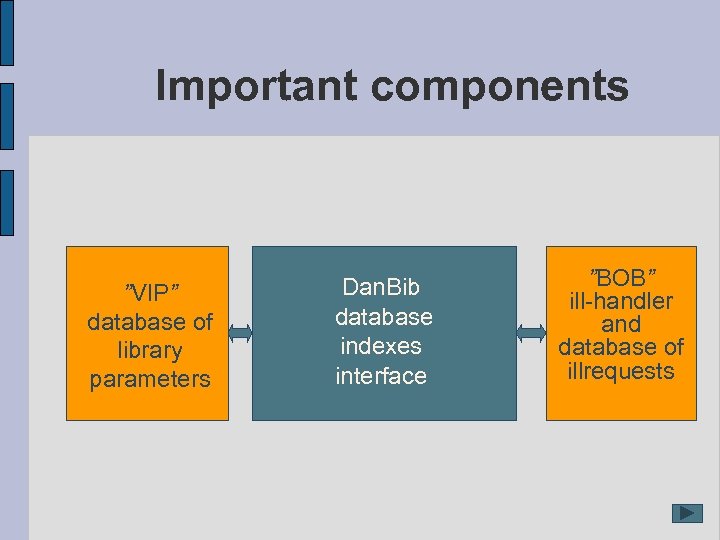
Important components ”VIP” database of library parameters Dan. Bib database indexes interface ”BOB” ill-handler and database of illrequests
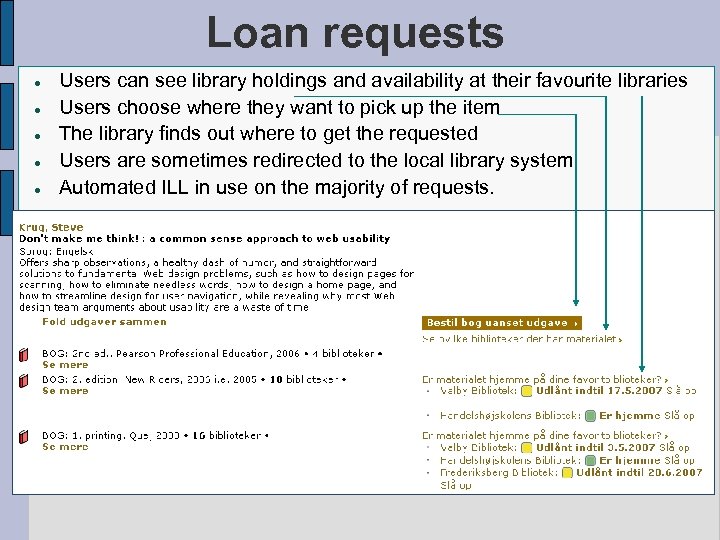
Loan requests Users can see library holdings and availability at their favourite libraries Users choose where they want to pick up the item The library finds out where to get the requested Users are sometimes redirected to the local library system Automated ILL in use on the majority of requests.
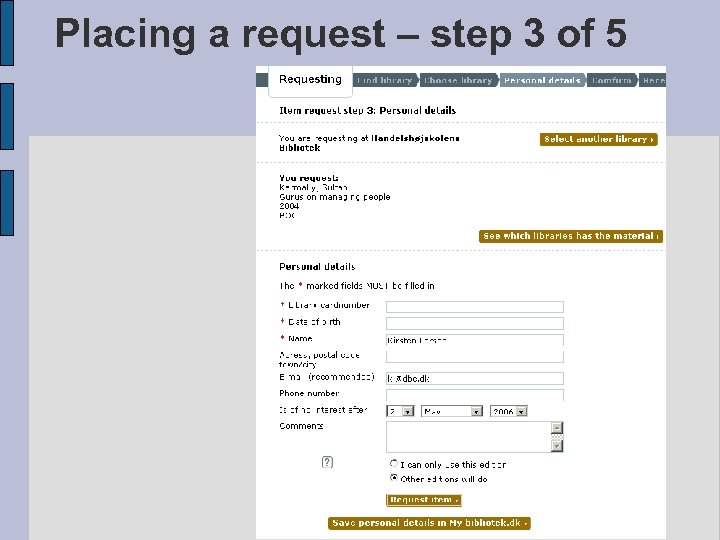
Placing a request – step 3 of 5
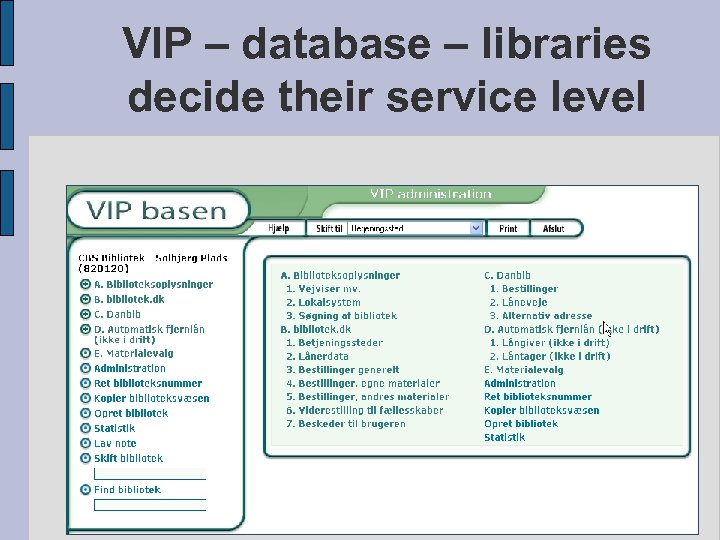
VIP – database – libraries decide their service level
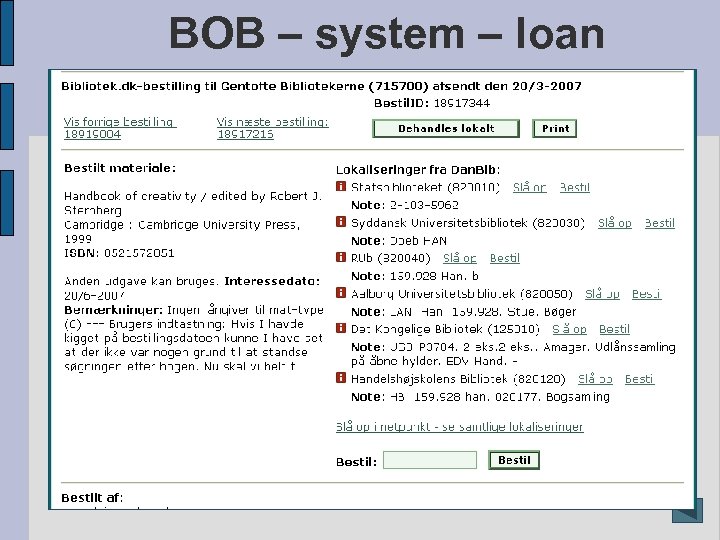
BOB – system – loan requests
Скачать презентацию bibliotek dk — library dk Short introduction to
d5d53d4df27ac24021dfc62a83f46ed7.ppt