 Скачать презентацию Better Data Better Testing James Lyndsay Workroom Productions
be01f8d1414fd5bdc08ffd6cf2d7b7fd.ppt
- Количество слайдов: 149



Better Data: Better Testing James Lyndsay Workroom Productions © Workroom Productions 2002 Slide www. workroom-productions. com
Overview Introduction Classification Data-driven functional test techniques Poor data; characteristic problems Starting out with good data Improve testing by using good data Data Load Data and UAT Data and non-functional testing Conclusion © Workroom Productions 2002 Slide www. workroom-productions. com
Data Classification by Data Type • Environmental • Setup • Input • Fixed • Consumable © Workroom Productions 2002 Slide www. workroom-productions. com
Data Classification Environmental data • Tells system about its technical environment • Examples • Environmental variables • File names • Communication addresses • Permissions • Time and date © Workroom Productions 2002 Slide www. workroom-productions. com
Data Classification Setup data • Tells the system about its business environment • Cause different functionality to apply to similar data • Business input to cross-reference tables • Examples Slide • • Tax structure Postcode to location Location to cost Customer type to customer treatment © Workroom Productions 2002 www. workroom-productions. com
Data Classification Input data • Input by day-to-day system functions • Standard ‘produced and consumed’ data • Largest set, most frequently changed • New lines in tables • Customers • Orders • Events • Changes and additions produce history and cross-references © Workroom Productions 2002 Slide www. workroom-productions. com
Data Classification Input data • Fixed Input data • Available at the start of the test • Consumable • Input during testing © Workroom Productions 2002 Slide www. workroom-productions. com
Data Classification by Data Use • Uses • • Logic Flow Computational Linkage Display • Basic judgement - is this data item used or not? • An item of data can have more than one use • Classification based on fixed view of © Workroom Productions 2002 Slide www. workroom-productions. com
Data Classification Logic-flow data • Data used for decisions • aka ‘Predicate’ data use • Data item used in logic statement • if • while • case • Clear-box technique; data-flow testing, puse coverage - see ISEB exam / BSI 7925 © Workroom Productions 2002 Slide www. workroom-productions. com
Data Classification Computational data • Data used in calculations • Includes step calculations and loop counters • Clear-box technique; data-flow testing, cuse coverage - see ISEB exam / BSI 79252 © Workroom Productions 2002 Slide www. workroom-productions. com
Data Classification Linkage data • Data used to link tables • • • Keys Generated internally Never input - rarely output Generated ID is exception - often output Causes test problems © Workroom Productions 2002 Slide www. workroom-productions. com
Data Classification Linkage data • Data used to represent member of limited set • Flags; M/F, W/M/Q/Y etc • Business knows meaning • Used in business logic • Often used in summaries /filtering • Often linked to setup data • Generally not shown directly to user, but translated to meaningful output • Input from pick list Slide • Default © Workroom Productions 2002 • Set of valid values - everything else is invalid www. workroom-productions. com
Data Classification Display data • Data used as output to user • Output is a result of discreet piece of work • Contents affect functionality • May be used for calculation / logic • Contents reflect functionality • May be a result • May be chosen © Workroom Productions 2002 Slide www. workroom-productions. com
Data Classification Further Data classifications • Transitional data • Created and destroyed as part of internal operation • Never shown to users • Hard to test - may only be stored in memory • Output data • Result of data use • End point of unit of work: • Input data functionality output data © Workroom Productions 2002 Slide www. workroom-productions. com
Test Techniques Equivalence Class Partitioning Boundary Value Analysis C-R-U-D Data Use / Data Flow Input fields - context and checklists Empirical Testing © Workroom Productions 2002 Slide www. workroom-productions. com
Data-Driven Functional Test Techniques Equivalence Class Partitioning • Full range of data - what parts are equivalent? • Setup Data + Consumable Input Data • Computational Data • Logic Flow - each choice is a class © Workroom Productions 2002 Slide www. workroom-productions. com
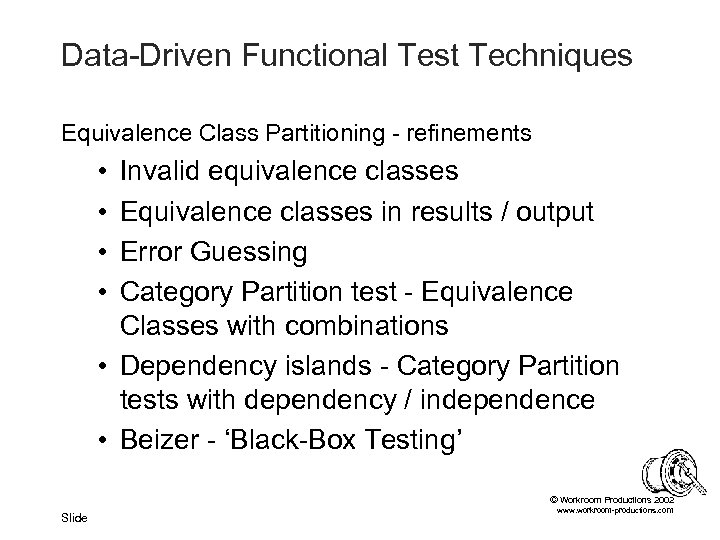
Data-Driven Functional Test Techniques Equivalence Class Partitioning - refinements • • Invalid equivalence classes Equivalence classes in results / output Error Guessing Category Partition test - Equivalence Classes with combinations • Dependency islands - Category Partition tests with dependency / independence • Beizer - ‘Black-Box Testing’ © Workroom Productions 2002 Slide www. workroom-productions. com
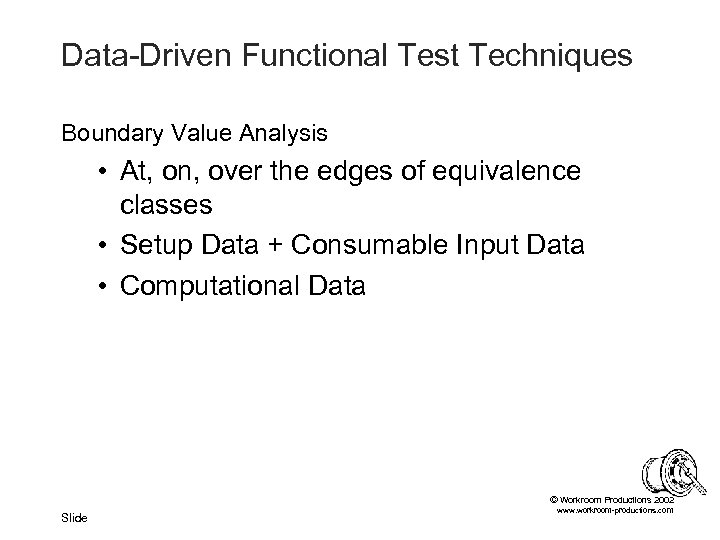
Data-Driven Functional Test Techniques Boundary Value Analysis • At, on, over the edges of equivalence classes • Setup Data + Consumable Input Data • Computational Data © Workroom Productions 2002 Slide www. workroom-productions. com
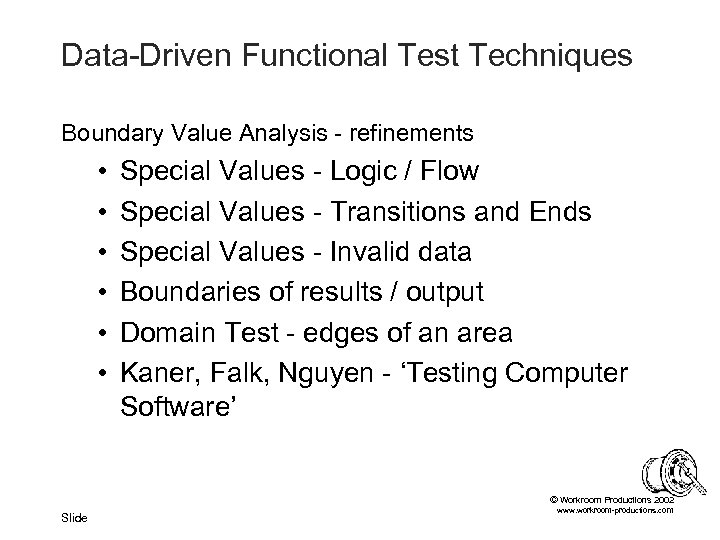
Data-Driven Functional Test Techniques Boundary Value Analysis - refinements • • • Special Values - Logic / Flow Special Values - Transitions and Ends Special Values - Invalid data Boundaries of results / output Domain Test - edges of an area Kaner, Falk, Nguyen - ‘Testing Computer Software’ © Workroom Productions 2002 Slide www. workroom-productions. com
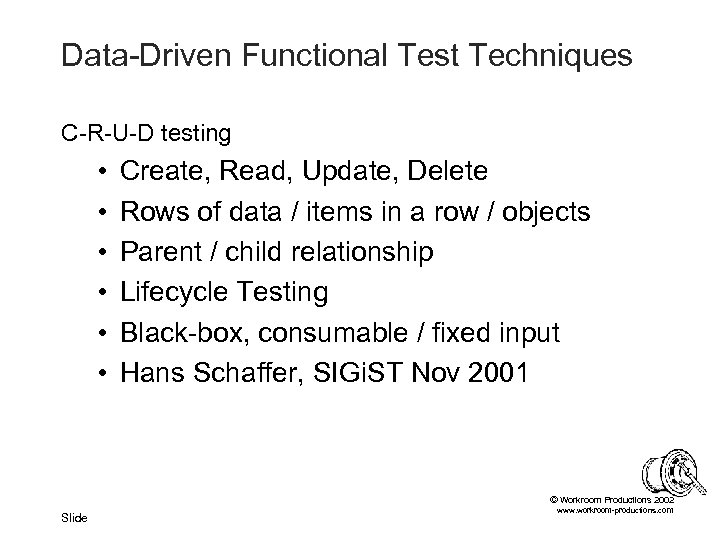
Data-Driven Functional Test Techniques C-R-U-D testing • • • Create, Read, Update, Delete Rows of data / items in a row / objects Parent / child relationship Lifecycle Testing Black-box, consumable / fixed input Hans Schaffer, SIGi. ST Nov 2001 © Workroom Productions 2002 Slide www. workroom-productions. com
Data-Driven Functional Test Techniques Data Use / Data Flow • • Data relationships, rather than logic Internal, clear-box testing Creation - Use - (Destruction) Predicate Use - decisions! Computational Use Output Use (sometimes forgotten!) Beizer + BCS Standard for Software Component Testing / BS 7925 -2 (? ) © Workroom Productions 2002 Slide www. workroom-productions. com
Data-Driven Functional Test Techniques Input fields - context • • Green-screen GUI Browser CGI • Context - specific books: • Beizer and Kaner et al. for green-screen + GUI • Splaine for Browser • Dustin, Rashka, Mc. Diarmid for CGI © Workroom Productions 2002 Slide www. workroom-productions. com
Data-Driven Functional Test Techniques Input fields - checklists • Context-driven - application, input method • Context-driven - equivalent data type • Pick List • Default • What if invalid? • Input / output text to internal representation © Workroom Productions 2002 Slide www. workroom-productions. com
Data-Driven Functional Test Techniques Input fields - checklists • Context-driven - application, input method • Context-driven - equivalent data type • Free format • Empty / zero length • Maximum Length • Odd characters © Workroom Productions 2002 Slide www. workroom-productions. com
Data-Driven Functional Test Techniques Input fields - checklists • Context-driven - application, input method • Context-driven - equivalent data type • Fixed format • • Dates Postcodes Credit card details Numeric © Workroom Productions 2002 Slide www. workroom-productions. com
Data-Driven Functional Test Techniques Input fields - checklists • Context-driven - application, input method • Context-driven - equivalent data type • Applies to all fields © Workroom Productions 2002 Slide www. workroom-productions. com
Data-Driven Functional Test Techniques Input fields - checklists • Valid • Equivalence classes • Special cases and boundaries • Invalid • • • Special cases and boundaries Garbage vs. partly invalid Inconsistent with other data (existing / new) Wrong format Control /escape / dodgy characters © Workroom Productions 2002 Slide www. workroom-productions. com
Data-Driven Functional Test Techniques Empirical Testing • • • Slide Exploratory technique Examines functionality and setup data Needs business knowledge to set input Needs business knowledge to verify output Yields dividends pre-live Formalises and controls testing on live system • Satisfice. com, Kaner. com, Workroom-productions. com © Workroom Productions 2002 www. workroom-productions. com
Specific Data Considerations Dates Keys Corruption One to Many, Many to One, Many to Many Synchronisation © Workroom Productions 2002 Slide www. workroom-productions. com
Specific Data Considerations Dates: Ever-changing environmental data • • Date-dependent functionality Working with other systems Setting the date Regular date and time changes © Workroom Productions 2002 Slide www. workroom-productions. com
Specific Data Considerations Dates in Data • • • Using old data Day of week vs day of month Month length and ‘Last day’ Clashes - event swaps, child before parent Expiration © Workroom Productions 2002 Slide www. workroom-productions. com
Specific Data Considerations Keys • • Database key - unique per database row Duplication in table / data Linkage to other tables Key generation © Workroom Productions 2002 Slide www. workroom-productions. com
Specific Data Considerations Corruption • Introduced by bugs • Write / update bugs • Bad setup data • Introduced by testing • Data load problems • Test clashes • On purpose • Introduced in normal use • Inappropriate data entry: ‘Dirty Data’ • Hardware failure Slide © Workroom Productions 2002 www. workroom-productions. com
Specific Data Considerations Corruption • Environment specific - ‘Not seen here’ • Intermittent problems • Introduces new ‘state’ • Failure may be a long way from fault • Intermittent - but root cause may be systematic • Hard to spot without data examination tools • Sanity check • TOAD / My. Admin etc • Commercial migration tools Slide • Develop ‘Catalogue of Errors’ © Workroom Productions 2002 www. workroom-productions. com
Specific Data Considerations One to Many, Many to One, Many to Many • Entity relationships - not just parent-child • Think 0, 1 or many - on both sides! • Special cases • Maximum? • Functional change? © Workroom Productions 2002 Slide www. workroom-productions. com
Specific Data Considerations Synchronisation • Isolated testing / use of stubs and harnesses • Process of synchronisation may hurt other tests • Synchronisation and large volumes • Data load tools and shared source • Use of ‘Translators’ Slide • Custom tools • Parse and change data • Particularly useful for dates © Workroom Productions 2002 www. workroom-productions. com
Problems Caused by Poor Data Discussion • • • Problem Root cause Worst aspect of problem How was it resolved? Was it resolved? Time spent on resolution Duration of problem © Workroom Productions 2002 Slide www. workroom-productions. com
Problems Caused by Poor Data Unreliable test results • Running the same test twice produces inconsistent results. • May be due to: • Uncontrolled environment • Unrecognised database corruption • Failure to recognise all the data that is influential on the system. © Workroom Productions 2002 Slide www. workroom-productions. com
Problems Caused by Poor Data Degradation of test data over time • Intermittent problems, increasing frequency • Test-only problems • Restoring to a clean dataset eliminates the symptoms • Temporary fix • Cause may go undetected • Evidence of failure is lost © Workroom Productions 2002 Slide www. workroom-productions. com
Problems Caused by Poor Data Increased test maintenance budget • Maintenance cost increases with: • • Number of independent test sets Size of test data Hard to understand Hard to manipulate • Need for fewer, smaller, simpler datasets © Workroom Productions 2002 Slide www. workroom-productions. com
Problems Caused by Poor Data Reduced flexibility in test execution • • Tests ‘locked into’ dataset High cost of data load/reload Typical in ‘one test, one dataset’ models Can result in: • Infrequent tests of some aspects • No budget for investigatory / diagnostic tests © Workroom Productions 2002 Slide www. workroom-productions. com
Problems Caused by Poor Data Obscure results and bug reports • Testers may understand data only in context of specific test • May miss data corruption issues • May not understand why they are using the data • May not be using the right data • Bug reports reference data • If data is not clear, bug reports are compromised • Harder for designers / coders to understand © • Harder for testers to understand on re-test Workroom Productions 2002 Slide www. workroom-productions. com
Problems Caused by Poor Data Larger proportion of problems can be traced to poor data • Some issues are traced to the test process • A proportion can be traced to data faults • Particularly: • Environmental data • Setup data • Corruption in Fixed Input data • Measure to locate systematic causes © Workroom Productions 2002 Slide www. workroom-productions. com
Problems Caused by Poor Data Less time spent hunting bugs • Finding bugs is a core activity • Loading / manipulating data is a secondary activity - but is a necessary infrastructure step • Maintaining tests and data is also secondary • Spend more time hunting for bugs; • Spend less time fiddling with data • Spend less time maintaining tests and setting up new diagnostics © Workroom Productions 2002 Slide www. workroom-productions. com
Problems Caused by Poor Data Confusion between developers, testers and business • • • Each has different aims Each has different skills Each has different documents These do not always mesh well together Illustrate scenarios with input + output Understand other teams’ data requirements © Workroom Productions 2002 Slide www. workroom-productions. com
Problems Caused by Poor Data Requirements problems can be hidden in inadequate data • Requirements can be visualised with models • Process models need inputs and outputs • Inadequate data can lead to ambiguous or incomplete requirements • Complete data can help improve requirements © Workroom Productions 2002 Slide www. workroom-productions. com
Problems Caused by Poor Data Simpler to make test mistakes • Everybody makes mistakes • Confusing or over-large datasets can make data selection mistakes more common. • Poorly controlled data can make clashes more common • Number and frequency of mistakes reduced: • Control and label data • Use small data sets © Workroom Productions 2002 Slide www. workroom-productions. com
Problems Caused by Poor Data Unwieldy volumes of data • • • Long / complicated / intrusive loads Hard to summarise effectively Hard to maintain Take up too much space Small datasets can be manipulated more easily than large datasets. • A few datasets are easier to manage than many datasets. © Workroom Productions 2002 Slide www. workroom-productions. com
Problems Caused by Poor Data Business data not representatively tested • Test data doesn't reflect the way the system will be used in practice. • End users feel distanced from testing and lose confidence • Improve communication, rather than compromise data • Use illustrative subset • Test the business’ setup data © Workroom Productions 2002 Slide www. workroom-productions. com
Problems Caused by Poor Data Inability to spot data corruption caused by bugs • Bugs break data - particularly fixed input data • The larger the dataset, the harder to check • Complex datasets hinder diagnosis • Can be helped by: • Use a few, well-known datasets • Use automated checking, summaries and sanity checks • An understandable dataset can allow straightforward diagnosis © Workroom Productions 2002 Slide www. workroom-productions. com
Problems Caused by Poor Data Poor database integrity • Intermittent, wide-ranging symptoms • Caused by: • • Slide Bugs Simultaneous use and test clashes Bad keys in data Bad dates Wrong data in ‘list content’ fields Empty fields Bad data load / merge / append Database + data versioning problems© Workroom Productions 2002 www. workroom-productions. com
Poor Data: Conclusion Poor data causes plenty of problems in: • Performing the tests • Effectively • Efficiently • Accurately • Trusting the results • Test maintenance • Communication - within and outside test team © Workroom Productions 2002 Slide www. workroom-productions. com
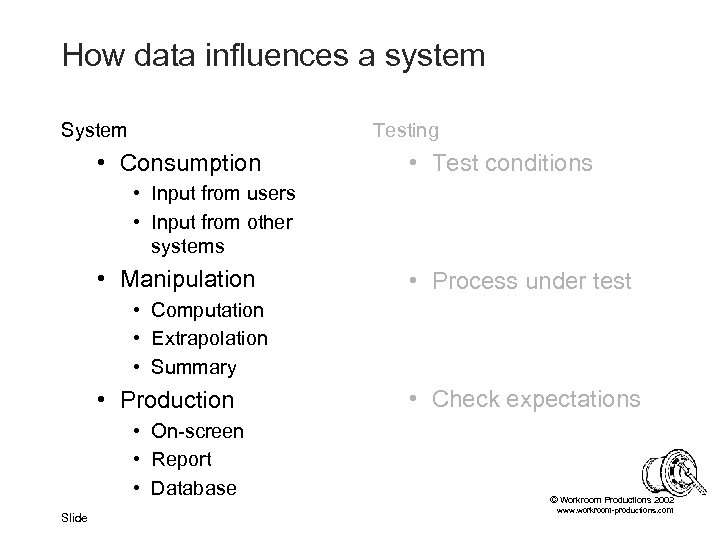
How data influences a system System Testing • Consumption • Test conditions • Input from users • Input from other systems • Manipulation • Process under test • Computation • Extrapolation • Summary • Production • On-screen • Report • Database Slide • Check expectations © Workroom Productions 2002 www. workroom-productions. com
How data influences a system Systems greatly influenced by data • Generally handle databases • Customer care / billing • Dynamic content for net Systems not so influenced by data • No significant data structures • • Embedded systems Utilities and tools Compilers and interpreters Interpretation / display © Workroom Productions 2002 Slide www. workroom-productions. com
Data: Positive influences A system is programmed by its data • Functionality can be configured many ways • • Control flow Data manipulation Data presentation User interface. • This allows: • User can deal with change without new software • Same package can fit several business models • Package can work with varied co-operative © systems Workroom Productions 2002 Slide www. workroom-productions. com
Data: Positive influences Good data is vital to reliable test results • Characteristic of good functional testing • Test can be repeated with the same result • Test can be varied to allow diagnosis. • If not. . . • Hard to communicate problems to coders • Difficult to have confidence in the QA results • Good data allows • repeated with confidence • diagnosis • effective reporting Slide © Workroom Productions 2002 www. workroom-productions. com
Data: Positive influences Good data can help testing stay on schedule • • Communicate more effectively Improve accuracy and avoid mistakes Speedy diagnosis New tests may not ned new data Rapid re-testing Regression testing Faster test maintenance - particularly for automated tests © Workroom Productions 2002 Slide www. workroom-productions. com
Data: Positive influences Bad data hinders testing Good data assists testing © Workroom Productions 2002 Slide www. workroom-productions. com
Data: Positive influences If your data. . . • increases data reliability • reduces data maintenance time • helps improve the test process. . . it is good data © Workroom Productions 2002 Slide www. workroom-productions. com
Good Data How to make good data? • Permutations • Partitioning • Clarity © Workroom Productions 2002 Slide www. workroom-productions. com
Good Data: Permutations All possible combinations: • • • Used to develop test scenarios ‘Complete’ testing Increases exponentially Rapidly becomes unwieldy Techniques can be applied to data © Workroom Productions 2002 Slide www. workroom-productions. com
Good Data: Permutations All possible combinations: • Isolate functionality to be tested • Identify elements that affect functionality • For each element, identify valid range • Equivalence classes • Boundary analysis • Special values • Combine items in ranges • Multiply sizes of ranges to get number of tests © Workroom Productions 2002 Slide www. workroom-productions. com
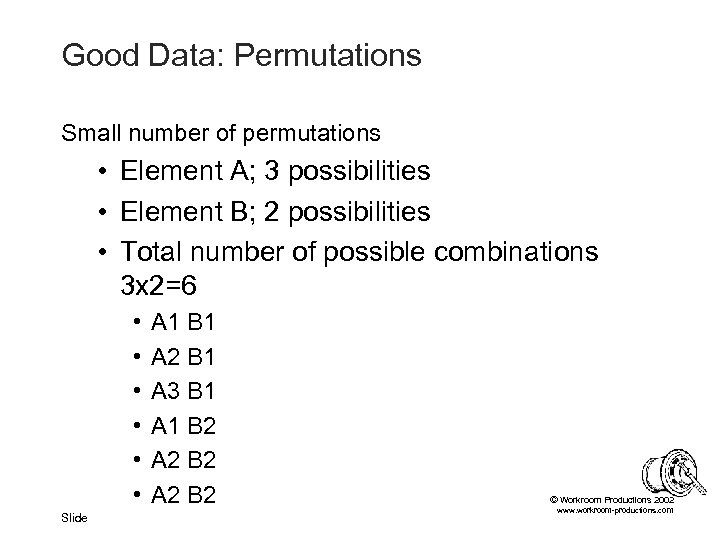
Good Data: Permutations Small number of permutations • Element A; 3 possibilities • Element B; 2 possibilities • Total number of possible combinations 3 x 2=6 • • • Slide A 1 B 1 A 2 B 1 A 3 B 1 A 1 B 2 A 2 B 2 © Workroom Productions 2002 www. workroom-productions. com
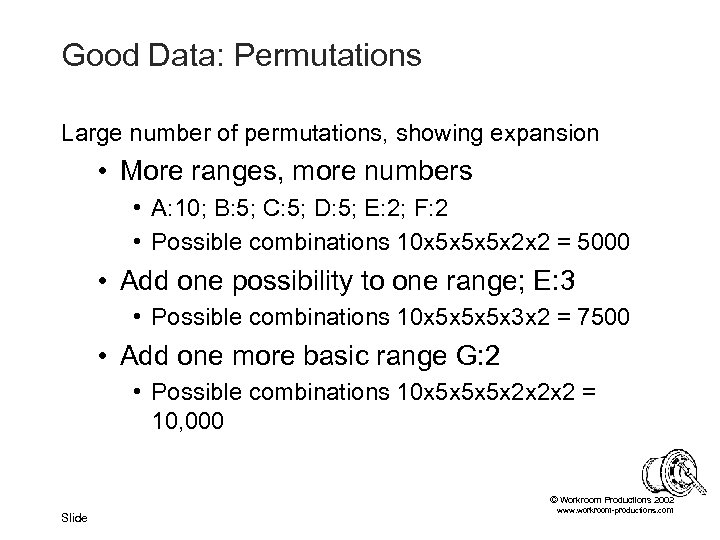
Good Data: Permutations Large number of permutations, showing expansion • More ranges, more numbers • A: 10; B: 5; C: 5; D: 5; E: 2; F: 2 • Possible combinations 10 x 5 x 5 x 5 x 2 x 2 = 5000 • Add one possibility to one range; E: 3 • Possible combinations 10 x 5 x 5 x 5 x 3 x 2 = 7500 • Add one more basic range G: 2 • Possible combinations 10 x 5 x 5 x 5 x 2 x 2 x 2 = 10, 000 © Workroom Productions 2002 Slide www. workroom-productions. com
Good Data: Permutations Reducing the impossible bloat • Are we really interested in all possible combinations? • Many problems involve one element/value • Max combinations = largest range • Vast majority of other problems involve interaction of just two elements/values • Show up in pair combinations © Workroom Productions 2002 Slide www. workroom-productions. com
Good Data: Permutations Pair Combinations • Check all pairs • One combination can contain many pairs • Significantly reduces number of combinations • Similar numbers for small no. combinations • Much smaller for large no. combinations • Size ~ product of two largest ranges • Needs a tool or formalised approach © Workroom Productions 2002 Slide www. workroom-productions. com
Good Data: Permutations Pair Combination Tools • Hand-cranked • Tai, Lei. ‘A Test Generation Strategy for Pairwise Testing’ • Website: http: //www 4. ncsu. edu/~kct/paper/c 14. pdf • Perl • James Bach’s tool. Free to download • Website: http: //www. satisfice. com/tools/pairs. zip • Web © Workroom Productions 2002 Slide • Telecordia’s AETGweb. $2000 -$6000 per seat www. workroom-productions. com
Good Data: Permutations Pair Combination: Example • A customer can have • • one of three tariffs 1, 2, 3. Monthly or Quarterly bills High or Low value Last bill Paid or Unpaid. • Combination; 3 x 2 x 2 x 2 = 24 © Workroom Productions 2002 Slide www. workroom-productions. com
Good Data: Permutations Pair Combination: Example • Pairs involving tariff; • M 1, M 2, M 3. Q 1, Q 2, Q 3. H 1, H 2, H 3. L 1, L 2, L 3. P 1, P 2, P 3. U 1, U 2, U 3. • Pairs not covered involving customer value; • MH, ML, QH, QL, • Pairs not covered involving bill payment; • HP, LP, HU, LU • MP, MU, QP, QU. • 30 pairs © Workroom Productions 2002 Slide www. workroom-productions. com
Good Data: Permutations Pair Combination: Example • 30 pairs can be fitted into these 6 combinations: © Workroom Productions 2002 Slide www. workroom-productions. com
Good Data: Permutations Pair Combination: Example • You could consider these as tests. . . © Workroom Productions 2002 Slide www. workroom-productions. com
Good Data: Permutations Pair Combination: Example • . . . or as data © Workroom Productions 2002 Slide www. workroom-productions. com
Good Data: Permutations Pair Combination: Example • Small, easy to handle, load, read and maintain • Supports many tests • Allows effective diagnostics © Workroom Productions 2002 Slide www. workroom-productions. com
Good Data: Permutations Pair combination - uses • Best used on • Data has many rows • Independent fields • Ideal for systems which use databases • Setup data • Fixed input data • Play one off against the other • Test new setup data by using known fixed input • Test new fixed input by using known setup data © Workroom Productions 2002 Slide www. workroom-productions. com
Good Data: Permutations Pair Combination helps because: · Familiar from test planning (? !) · Good test coverage without massive datasets · Allows investigative testing without new data · Reduces the impact of change · Can be used to test other data © Workroom Productions 2002 Slide www. workroom-productions. com
Good Data: Partitions • • • Control data access Help make datasets independent Allow simultaneous tests Allow independent testers Fulfil ‘Exclusive Use’ requirements © Workroom Productions 2002 Slide www. workroom-productions. com
Good Data: Partitions; a well- known technique • Most teams use partitions • Partition by machine / database / instance • Excellent for partitioning environmental data • Problems • Shared resources aren’t partitioned • Databases and data • Servers • Links to outside Slide • Configuration management • Expense © Workroom Productions 2002 www. workroom-productions. com
Good Data: Partitions Soft Partitions; a data-based technique • Partitions are accessible - but labelled • Labels use free-text fields • No effect on functionality • Available on output - can apply filter, sort etc • Self-enforced discipline • Three basic partitions • Safe • Change • Scratch © Workroom Productions 2002 Slide www. workroom-productions. com
Good Data: Partitions Soft Partitions; Safe area · No test changes the data, so the area can be trusted • Many testers can use simultaneously · Used for enquiry tests, usability tests etc © Workroom Productions 2002 Slide www. workroom-productions. com
Good Data: Partitions Soft Partitions; Change area · Used for tests which update/change data · Used by one test/tester at a time · May need many change areas to support team · Data must be reset or reloaded after testing © Workroom Productions 2002 Slide www. workroom-productions. com
Good Data: Partitions Soft Partitions; Scratch area · Used for investigative update tests and those which have unusual requirements · Existing data cannot be trusted · Data may be reloaded without warning · Needs direct communication channels • Used at tester's own risk! © Workroom Productions 2002 Slide www. workroom-productions. com
Good Data: Partitions Soft Partitions: Example • Determine that first line of address has no effect on functionality • Apply easy-to-remember differences • • Safe Area - ‘Safe Street’ Change Area 1 - ‘ 1 Change Crescent’ Change Area 2 - ‘ 2 Change Crescent’ Scratch Area - ‘Dangerous Drive’ • Set up three data sets - investigate tools • TELL THE TEAM!! © Workroom Productions 2002 Slide www. workroom-productions. com
Good Data: Partitions Soft Partitions: Problems • • No good for environmental data Not always good for setup data Needs knowledge within team Needs self-discipline © Workroom Productions 2002 Slide www. workroom-productions. com
Good Data: Partitions Soft Partitions: Advantages • • • Partitions without overheads Allows partitioning of single resources Simpler configuration management Helps new groups avoid test clashes Allows exploration and rigour in same environment © Workroom Productions 2002 Slide www. workroom-productions. com
Good Data: Clarity • More uses for free-text fields • Label your data - row by row • Use meaningful labels • Correspond to internals of data • Same format from record to record © Workroom Productions 2002 Slide www. workroom-productions. com
Good Data: Clarity: Examples • Data from pair combinations. . . © Workroom Productions 2002 Slide www. workroom-productions. com
Good Data: Clarity: Advantages • Very good for setup data • Allows sorts, filters etc • Helps diagnosis • Simpler to select data for exploratory tests • Internal characteristics made external - spot connections • Helps avoid mistakes • Helps communicate results • Avoids poor/legacy choice of names. . . © Workroom Productions 2002 Slide www. workroom-productions. com
Good Data: Conclusion Data reliability increased • Fewer clashes • Simpler checks • Reliable choice of data © Workroom Productions 2002 Slide www. workroom-productions. com
Good Data: Conclusion Data maintenance time reduced • Less frequent need for maintenance • Smaller datasets • Well-understood data © Workroom Productions 2002 Slide www. workroom-productions. com
Good Data: Conclusion Test process improved • • Wider range of possible tests More flexible approach Better communication Reduced potential for errors © Workroom Productions 2002 Slide www. workroom-productions. com
Data Load and Maintenance Issues Data Sources Data Load Techniques and Frequencies Data Maintenance Strategies © Workroom Productions 2002 Slide www. workroom-productions. com
Data Load and Maintenance Issues • • Problems cause fake bugs! Often omitted from Test Strategy Setup, Fixed and Consumable must match Needs tools • Custom - takes designers / coders time • Commercial - expensive • Fixed Input data load needs to be separate from Setup data load • Hard to load Environmental data © Workroom Productions 2002 Slide www. workroom-productions. com
Data Load and Maintenance Data Sources • Minimal set • Expectation of empty fixed input dataset • Also applies to situations where Fixed Input data is unreliable • • Data created for test, by test Scripted data needs maintenance Test execution overhead Test dependency groups © Workroom Productions 2002 Slide www. workroom-productions. com
Data Load and Maintenance Data Sources • Maximum set • Loaded from ‘production data’ • Rarely loaded - often changed - becomes unreliable • Have to find appropriate data • Needs translation and filtering • • Production to Test database schema Setup data Clean up production data Data Protection act • Can be good for performance tests, comparison © tests Workroom Productions 2002 Slide www. workroom-productions. com
Data Load and Maintenance Data Sources • Custom set • Generated for test purposes • Functional testing • Load / Stress / Volume • May not match business requirements • UAT • Training • Comparison • May need specialised tools • May need large storage area © Workroom Productions 2002 Slide www. workroom-productions. com
Data Load and Maintenance By Classification: Environmental data • Loaded manually at installation • Loaded / maintained by architects / technicians • Rarely uses user-facing application functionality • May be contained in installation scripts © Workroom Productions 2002 Slide www. workroom-productions. com
Data Load and Maintenance By Classification: Setup data • Business dependent • May be loaded manually for testing • Training issues • Often uses application functionality • Maintenance tool may be supplied • Can be useful for test data • Don’t rely on supplied tool • Source may be very large Slide • Co-operative system • Too large for test environment © Workroom Productions 2002 www. workroom-productions. com
Data Load and Maintenance By Classification: Input data • Fixed input data • Generated from existing data / analysis • Loaded by testers as part of test • Loaded by test team as part of test infrastructure • Consumable input data • Not really loaded - used by testers as part of test • May exist in automated script input • Must match each other, and match Setup data © Workroom Productions 2002 Slide www. workroom-productions. com
Data Load and Maintenance Data Load Techniques • Using the system you're trying to test • • Slow Good for data integrity Good for setting up keys and references Tests input functionality (as consumable input data) • Can pinpoint bugs in input functionality • Can pinpoint bugs in database handling • Data can be broken by bugs in input functionality © Workroom Productions 2002 Slide www. workroom-productions. com
Data Load and Maintenance Data Load Techniques • Using the system you're trying to test • Can be entered manually or by using a tool • Manually entered • Often used when loading from minimal data set • Test scripts need data maintenance • Ad hoc entry is unlikely to result in ‘Good Data’ • Automated tool, making keystrokes into application • From automated script or from flat file • Flat file allows simpler maintenance and reuse • Can be used effectively for loading a customised data set © Workroom Productions 2002 Slide www. workroom-productions. com
Data Load and Maintenance Data Load Techniques • Using a data load tool • • Quick to load Does not test input functionality Only practical way of loading volume data May be the only way to test effects of broken data • Maintenance simpler - flat files, or using the tool © Workroom Productions 2002 Slide www. workroom-productions. com
Data Load and Maintenance Data Load Techniques • Data Load Tools • Customised tools from coders • Needs extra development effort • Coders may already be using similar tool • Coders may find many unit test uses for tool • Commercial tools • • Often not made directly for testing Useful data analysis, cleaning, migration functionality May be expensive List - http: //www. dwinfocenter. org/clean. html © Workroom Productions 2002 Slide www. workroom-productions. com
Data Load and Maintenance Data Load Techniques • Not loaded • Already set up for testing / Left in the system • Known and consistent set - i. e. ‘safe area’ • Partway through execution of test dependency group • No tools, no data strategy, tradition of failure • Data load causes problems • ‘Read’ observation of ongoing tests • Key / permission problems • You are working on the live system © Workroom Productions 2002 Slide www. workroom-productions. com
Data Load and Maintenance Data Load Techniques • Append • Leaves existing data untouched • Clean new data • Problems with summaries and dirty data • Overwrite • Keeps keys and integrity • Replaces consumed data in fields • Delete then write • Removes keys, history, children • All-new data Slide © Workroom Productions 2002 www. workroom-productions. com
Data Load and Maintenance Data Load Frequencies • By classification: • Fixed input data is loaded often • Environmental and setup data less frequently • Frequently loaded data • Higher cost and downtime • Greater urgency for maintenance • More productive to need fewer, faster loads • Different datasets may be loaded by people outside team, outside team’s control © Workroom Productions 2002 Slide www. workroom-productions. com
Data Load and Maintenance Data Load Frequencies • In order of increasing frequency • • • At the start of testing With each release First thing Monday On demand Before every test © Workroom Productions 2002 Slide www. workroom-productions. com
Data Load and Maintenance Data Load Frequencies • Our survey said. . . • • • “Before I ever got involved” “The developers left it there” “The last testers / tests left it” “Whenever we get enough time” “After we've found out what shape the database is” • “When we know what it means” © Workroom Productions 2002 Slide www. workroom-productions. com
Data Load and Maintenance Data Maintenance • Why do we need to maintain data? • Replacing consumed data • Repairing broken data • Responding to change • Database schema • Code • Requirements • New test requirements © Workroom Productions 2002 Slide www. workroom-productions. com
Data Load and Maintenance Data Maintenance Issues • Big job - comparable to test maintenance • Prone to human error • Performed by more than one group • Architects / technicians for Environmental • Designers / business for Setup • Testers / migration team /users for Fixed input • Can be hindered by references, dates and keys • Synchronisation with other systems © Workroom Productions 2002 Slide www. workroom-productions. com
Data Load and Maintenance Data Maintenance Strategies • Use good data • Reduce need for maintenance with flexible data • Reduce volume with small datasets • Reduce mistakes with comprehensible data • Recognise and prepare for problems • Build time to refresh data into daily activities • Plan data maintenance time Slide • With test maintenance • Around release © Workroom Productions 2002 www. workroom-productions. com
Data Load and Maintenance Data Maintenance Strategies • Measure data change • Periodic extract • Data under change control - particularly Setup data • Synchronise planned changes • Identify and react to unplanned changes © Workroom Productions 2002 Slide www. workroom-productions. com
Data Load and Maintenance Data Maintenance Strategies • Use tools • • Fast - and needs less attention than manual Repeatable Less prone to error Easier to maintain data input to tool © Workroom Productions 2002 Slide www. workroom-productions. com
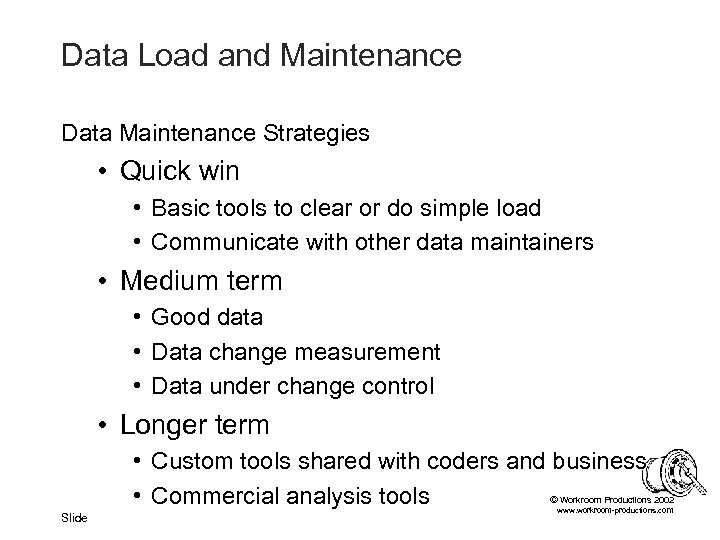
Data Load and Maintenance Data Maintenance Strategies • Quick win • Basic tools to clear or do simple load • Communicate with other data maintainers • Medium term • Good data • Data change measurement • Data under change control • Longer term • Custom tools shared with coders and business © • Commercial analysis tools Workroom Productions 2002 Slide www. workroom-productions. com
Data and the Business Who is ‘the Business’? Communication Testing Setup Data User Acceptance Testing Going Live © Workroom Productions 2002 Slide www. workroom-productions. com
Data and the Business Who is ‘the Business’? • Generally used - but not a standard term • Project initiators • Product users • Non-IT stakeholders © Workroom Productions 2002 Slide www. workroom-productions. com
Data and the Business Characteristics of the Business • Good at data • Already using it • Tangible • Requirements often cover turning input into output • Not so good at systems • Busy • Ahead of the curve in expectations, requirements and business knowledge • Behind the curve in application knowledge © Workroom Productions 2002 Slide www. workroom-productions. com
Data and the Business Communication • Data can be compared with existing systems • Data is simpler to understand than tests • Tangible • Input Output • Illustration and modelling • Use data to communicate effectively • With ‘the Business’ • With other IT technical staff • Within the team Slide © Workroom Productions 2002 www. workroom-productions. com
Data and the Business Use of data in communication: Advantages · Increases trust and understanding by improving ease of communication · Helps focus when requirements are vague · Helps early user identification of problems · Improves familiarity and effectiveness of User Acceptance Testing © Workroom Productions 2002 Slide www. workroom-productions. com
Data and the Business Use of data in communication: Disadvantages • Data creep • Pressure to include changes that aren't directly required by the Test Team • Training • Demo • Leads quickly to large and uncontrolled datasets · Vague requirements · Data changes frequently and fundamentally © · Extra work, and can lead to out-of-date data Workroom Productions 2002 Slide www. workroom-productions. com
Data and the Business Use of data in communication: Disadvantages • Incomplete data can lead to incomplete testing • Communication around data is a key tool • Poor data, non-systematic approach • Reduced scope of testing • Missed tests • Feels good, looks rosy - but still broken. © Workroom Productions 2002 Slide www. workroom-productions. com
Data and the Business Testing Setup Data • A system is programmed by its data. . . • . . . is yours!? • Part of your job; TEST THE DATA! © Workroom Productions 2002 Slide www. workroom-productions. com
Data and the Business Testing Setup Data • Test Questions: • Does the current setup data affect the application appropriately? • Will changes made to the setup data have the desired effect? • Aims: • • Improve overall testing Help get the data right before live operation Increased confidence in re-configuration Help pinpoint bugs in live operation © Workroom Productions 2002 Slide www. workroom-productions. com
Data and the Business Testing Setup Data • General tools needed • Business involvement - they ‘own’ the data • Set up the Setup data • Help with the results • Organised data, • Right set of Setup data, ‘tester’s’ sets of Fixed Input data • Data load tools • Setup data • Fixed Input data • Business information Slide • What model is it based on? © Workroom Productions 2002 www. workroom-productions. com
Data and the Business Testing Setup Data : Current data • ‘Tester’s’ sets of Fixed Input data • Allows many scenarios to be played through • Complete / pair-complete • Proven in testing • Define tests to cover: • Setup data values • Key model requirements • Special cases Slide • Apply business-owned Setup data • Check it with the Business © Workroom Productions 2002 www. workroom-productions. com
Data and the Business Testing Setup Data : Data Changes • From testing • ‘Tester’s’ sets of Fixed Input data • Agreed output - summary report, screen etc. • Define tests to cover: • Changes to key setup data • Boundaries, special cases etc • Apply Setup data, change, apply again • Study changes, look for unexpected changes © Workroom Productions 2002 Slide www. workroom-productions. com
Data and the Business User Acceptance Testing • Environmental data should not match live operation • Interaction with Live systems needs synchronised test data at both ends • Effective stubs or test systems to replace Live systems is possible • Hard to do well • Still have to synchronise data with stub /test system • Date and time should be real © Workroom Productions 2002 Slide www. workroom-productions. com
Data and the Business User Acceptance Testing • Setup data should match expected Setup data for live operation as far as possible • User functionality must be ‘as live’ as far as is possible • UAT should not be used to check functionality • However, practical considerations may mean that the setup data is enhanced with test setup data • Software delivery and fixes • Problem reproduction and diagnosis © Workroom Productions 2002 Slide www. workroom-productions. com
Data and the Business User Acceptance Testing • Input data should be: • Comprehensible to users • Useful to testers • Communication and organisation issue • • Explain Partitioning and Clarity to users Set up safe / change / scratch areas Set up naming convention for new data Encourage users /testers to work freely, but within bounds to help diagnosis and communication © • Resolve bugs caused by data / user procedures Workroom Productions 2002 Slide www. workroom-productions. com
Data and the Business Going Live • • Catalogue of errors Taking the Setup data live Live environmental data Keeping test data on a live system? © Workroom Productions 2002 Slide www. workroom-productions. com
Data and the Business Going Live • Data-related errors will appear in live operation, just as in testing. • Don’t throw away bugs that were due to test data! • Symptoms exhibited are important • Excellent source of diagnostic information - live and test • Summarise into ‘Catalogue of Errors’ • Give ‘Catalogue of Errors’ to Operations • Keep it up to date through further testing © Workroom Productions 2002 Slide www. workroom-productions. com
Data and the Business Going Live • Taking the Setup data live • Test it FIRST! • Take copy / automated summary before live • Compare after it is input to live • Alert business to discrepancies © Workroom Productions 2002 Slide www. workroom-productions. com
Data and the Business Going Live • Live environmental data • Identify who is responsible for individual elements • Regular snapshots in test. . . • . . . Regular snapshots in Live • Can you use the same script? • Compare at / just before go-live date • Alert on similarities with test © Workroom Productions 2002 Slide www. workroom-productions. com
Data and the Business Going Live • Keeping test data on a live system? • Can be very useful • ‘Not reproducible in test’ - is it reproducible in Live? • First through conversion / migration • Can cause problems • Exclude / discount from summaries and reports • Sanity checks for corruption • Real-world interface; real money, real credit rating © Workroom Productions 2002 Slide www. workroom-productions. com
Data and the Business Conclusion • Useful tool • Needs to be planned • Important quality enhancement to UAT / Live • TEST THE SETUP DATA! © Workroom Productions 2002 Slide www. workroom-productions. com
Data and Non-functional Testing Types of Test Volume: User Profiles Volume: Avoiding thrashing Data in Usability testing Data in Beta Testing © Workroom Productions 2002 Slide www. workroom-productions. com
Data and Non-functional Testing Non-functional testing • Volume - performance, stress • Usability • Beta Not influenced by data (perhaps) • • Security Availability Reliability Scalability © Workroom Productions 2002 Slide www. workroom-productions. com
Data and Non-functional Testing Volume: Data Profiles • Gathering profiles • Poor profiles mean useless results • Non-linear response to volume • Analysis to see which aspects of data cause significant use • Analysis of existing patterns of use • Modelling of target patterns of use • User profiles • User actions • Co-operative systems © Workroom Productions 2002 Slide www. workroom-productions. com
Data and Non-functional Testing Volume: Data Profiles • Synchronising data • Poorly synchronised data • • Some consumable volume data generated randomly Many inputs rejected on checking against fixed Error processing and reports make lots of extra load Inaccurate results • Well-synchronised data • Needs to be generated from same source • May be generated from formula to ensure synchronisation • Will have to be stored somewhere © Workroom Productions 2002 Slide www. workroom-productions. com
Data and Non-functional Testing Volume: Data Profiles • Fixed Input data • Profile to match real / target • What’s important for high-use functionality? • History records • Complex linkage • Alerts • Avoid thrashing © Workroom Productions 2002 Slide www. workroom-productions. com
Data and Non-functional Testing Volume: Data Profiles • Consumable Input data • Profile based on actions over time over typical period • User actions • Co-operative system actions • • • Generation may take longer than consumption Generated to match Fixed Input May use same source, extract, formula Include appropriate levels of errors Date dependent data should match system date © Workroom Productions 2002 Slide www. workroom-productions. com
Data and Non-functional Testing Volume: Data Profiles • Batch input and co-operative systems • Tools for user action may be based on capture / replay. Not adequate for many volume tests. • Load may come from batch files • Data must match • Tool to generate data - Perl etc • Tool to synchronise delivery • Load may come from co-operative system Slide • • Data must match Load may come from wait delays Stub to generate input / reply as required © Workroom Productions 2002 Tool to drive input timing www. workroom-productions. com
Data and Non-functional Testing Volume: Data Profiles • Importance appreciated in wider test community due to web testing • Splaine’s ‘Web Testing Handbook’ for further User Profile information © Workroom Productions 2002 Slide www. workroom-productions. com
Data and Non-functional Testing Volume: Avoiding thrashing • ‘Thrashing’ is not a standard term • Testing looks for real bottlenecks. If the system thrashed, it will find test-only bottlenecks • Thrashing occurs when a resource is overused • Over-use makes a bottle-neck get worse • Bad data can make a database or disk thrash • Results in race conditions • Typical in volume testing with generated data © Workroom Productions 2002 Slide www. workroom-productions. com
Data and Non-functional Testing Volume: Avoiding thrashing • ‘Thrashing’ due to Setup data • Setup data inappropriately uses same record for many entries • Setup data runs same functionality for many entries • ‘Thrashing’ due to Input data Slide • • • Capture/replay tools with poor input Generated batch Same customer used for many tests Same setup data used for many test rows © Same cross-reference used for many rows Workroom Productions 2002 www. workroom-productions. com
Data and Non-functional Testing Data in Usability testing • Test should reflect user experience • Construct data to allow wide exploration • Avoid free-text labels • Clarity labels may put off new users • Helpful labels may skew test © Workroom Productions 2002 Slide www. workroom-productions. com
Data and Non-functional Testing Data in Beta Testing • Not strictly non-functional. . • Setup data must be close to live - but users may need to experiment • User data is real - and has value: Treat as live • Use sanity checks to ensure data integrity aftre corruption • Outside test team, ‘Beta Test’ may mean training, demo, or pre-sales - be on your guard! © Workroom Productions 2002 Slide www. workroom-productions. com
Overview Better Data: Better Testing • • Classification Data-driven functional test techniques Poor data; characteristic problems Starting out with good data Improve testing by using good data Data Load Data and UAT Data and non-functional testing © Workroom Productions 2002 Slide www. workroom-productions. com
Better Data : Better Testing Conclusion • Plan the data for maintenance and flexibility • Know your data, and make its structure and content transparent • Use the data to improve understanding throughout testing and the business • Test setup data as you would test functionality © Workroom Productions 2002 Slide www. workroom-productions. com
Better Data : Better Testing Contact details See web site for: • Information and profile • Papers • Brochure James Lyndsay Workroom Productions Ltd. www. workroom-productions. com jdl@workroom-productions. com © Workroom Productions 2002 Slide www. workroom-productions. com
Скачать презентацию Better Data Better Testing James Lyndsay Workroom Productions
be01f8d1414fd5bdc08ffd6cf2d7b7fd.ppt