 Скачать презентацию Best Practices for Implementing Unicenter NSM r 11
96004b646941ed1805f492acf6b55e8e.ppt
- Количество слайдов: 91



Best Practices for Implementing Unicenter NSM r 11 in an HA MSCS Environment Part II - Last Revision April 24, 2006
Agenda - This presentation will cover the following topics: - Agent Technology - Management Command Centre (MCC) - Job Management Option (JMO) - Event Management - Interoperability - Failback - Uninstallation - Unicenter Desktop & Server Management (DSM) - FAQs 2 © 2005 Computer Associates International, Inc. (CA). All trademarks, trade names, services marks and logos referenced herein belong to their respective companies.
Disclaimer - Although Unicenter NSM r 11 supports other vendor clusters for High Availability, this presentation only focuses on Microsoft Cluster (MSCS). - MSCS supports more than 2 server nodes, however, the concepts that apply to 2 node clusters in this presentation also apply to multiple server node clusters. - The topics and procedures provided in this presentation pertain to Unicenter NSM r 11 which uses an Ingres based MDB - MS-SQL based MDBs are supported in Unicenter NSM r 11. 1 only. Best practices for r 11. 1 are provided in a separate presentation. 3 © 2005 Computer Associates International, Inc. (CA). All trademarks, trade names, services marks and logos referenced herein belong to their respective companies.
References - For additional information, review “Appendix A: Making Components Cluster Aware and Highly Available” in the Unicenter NSM r 11 Administrator Guide 4 © 2005 Computer Associates International, Inc. (CA). All trademarks, trade names, services marks and logos referenced herein belong to their respective companies.

Agent Technology
DSM IP Address Scoping - For Cluster Nodes, update DSM IP Address Scope from LOCALHOST or real cluster nodename to Cluster Name. For example: - If real node names = I 14 YClust 1, I 14 YClust 2 - And cluster name = I 14 YCluster - Update DSM Server to I 14 YCLUSTER - If real nodes are specified, DSM will not manage those hosts. 6 © 2005 Computer Associates International, Inc. (CA). All trademarks, trade names, services marks and logos referenced herein belong to their respective companies.
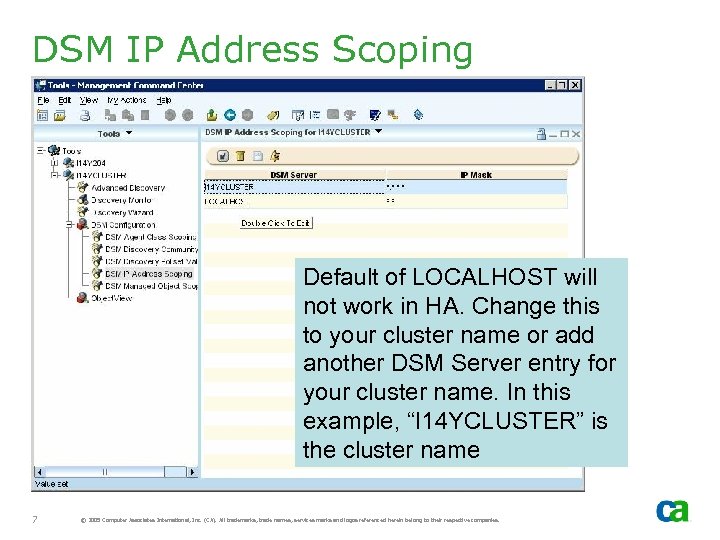
DSM IP Address Scoping Default of LOCALHOST will not work in HA. Change this to your cluster name or add another DSM Server entry for your cluster name. In this example, “I 14 YCLUSTER” is the cluster name 7 © 2005 Computer Associates International, Inc. (CA). All trademarks, trade names, services marks and logos referenced herein belong to their respective companies.
World View objects - DSM runs under Virtual Node. - Agents will run on both nodes - dsm. Monitor World View object will be displayed as “critical” on the inactive nodes as the dsm. Monitor only runs on the active node. 8 © 2005 Computer Associates International, Inc. (CA). All trademarks, trade names, services marks and logos referenced herein belong to their respective companies.
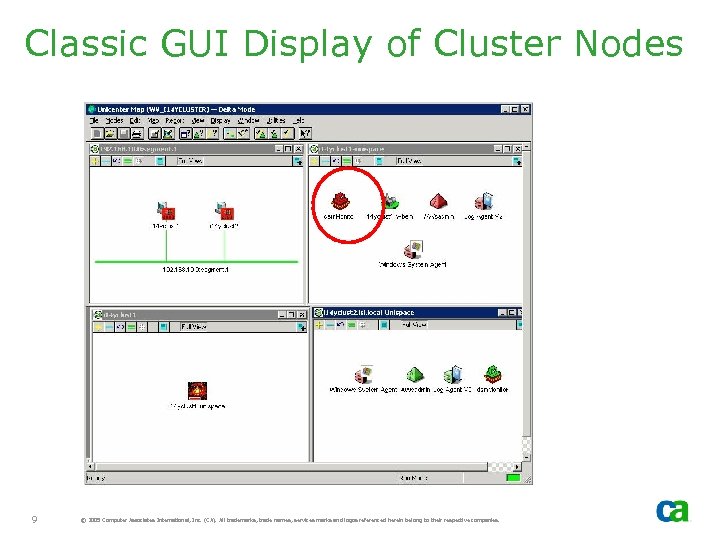
Classic GUI Display of Cluster Nodes 9 © 2005 Computer Associates International, Inc. (CA). All trademarks, trade names, services marks and logos referenced herein belong to their respective companies.
Remote DSM - Remote DSM may connect to the available HA MDB. This DSM may not be HA - aws_dsm will retry the connection until MDB is available on the new active node - When MDB is available after failover, the DSM will reconnect 10 © 2005 Computer Associates International, Inc. (CA). All trademarks, trade names, services marks and logos referenced herein belong to their respective companies.
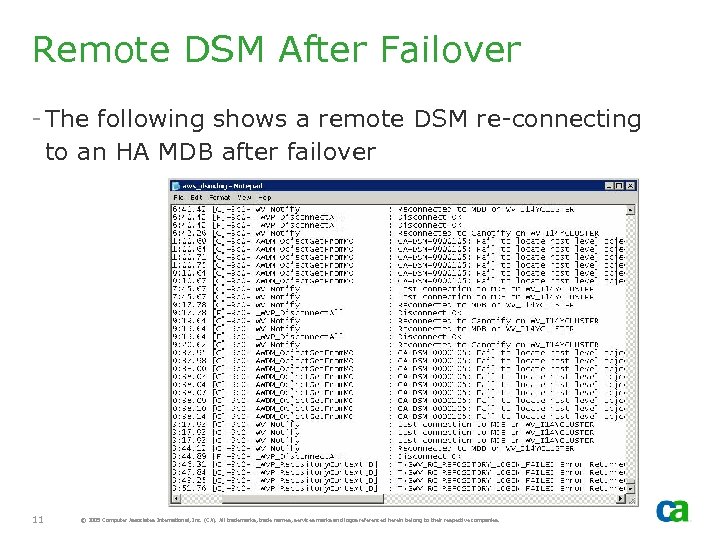
Remote DSM After Failover - The following shows a remote DSM re-connecting to an HA MDB after failover 11 © 2005 Computer Associates International, Inc. (CA). All trademarks, trade names, services marks and logos referenced herein belong to their respective companies.
Management Command Center (MCC)
MCC - MCC is not installed on HA server - MCC can be installed on the remote servers and can connect to the cluster’s virtual node. 13 © 2005 Computer Associates International, Inc. (CA). All trademarks, trade names, services marks and logos referenced herein belong to their respective companies.
Global Catalog - In an HA setup, AIS Catalog is created on the shared disk - Catalog is shared by all cluster nodes - Address spaces in the catalog for cluster name and not real nodes - MCC Client uses virtual node 14 © 2005 Computer Associates International, Inc. (CA). All trademarks, trade names, services marks and logos referenced herein belong to their respective companies.
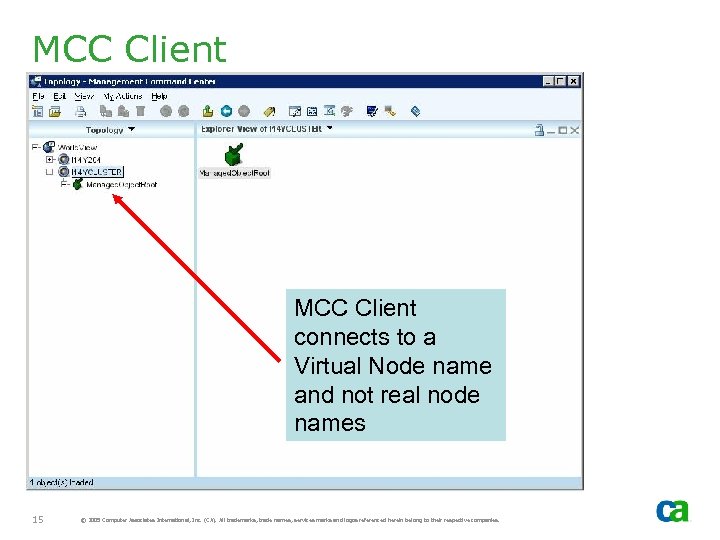
MCC Client connects to a Virtual Node name and not real node names 15 © 2005 Computer Associates International, Inc. (CA). All trademarks, trade names, services marks and logos referenced herein belong to their respective companies.
Failover Considerations - During failover, active remote MCC clients may be connected to virtual cluster node - As part of HA concept, cluster will failover to another cluster node - The MCC client will detect the failover and reconnect as the active node has changed. It may issue rollback message and then reconnect 16 © 2005 Computer Associates International, Inc. (CA). All trademarks, trade names, services marks and logos referenced herein belong to their respective companies.
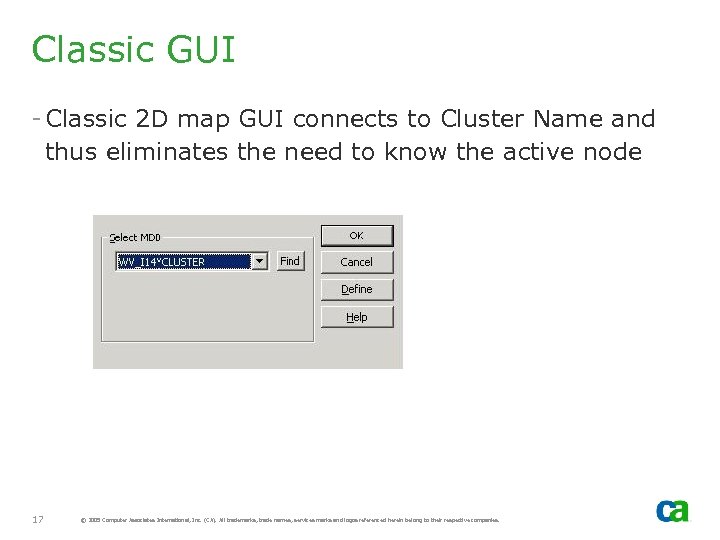
Classic GUI - Classic 2 D map GUI connects to Cluster Name and thus eliminates the need to know the active node 17 © 2005 Computer Associates International, Inc. (CA). All trademarks, trade names, services marks and logos referenced herein belong to their respective companies.
Job Management Option (JMO)
JMO - If JMO Agent is installed and active, update JMO option to move checkpoint to the shared disk - Identify shared disk where the following directory is created by the install process: - Program filescaShared. ComponentCCSWVEM Note: This must be on the shared disk and not local disk 19 © 2005 Computer Associates International, Inc. (CA). All trademarks, trade names, services marks and logos referenced herein belong to their respective companies.
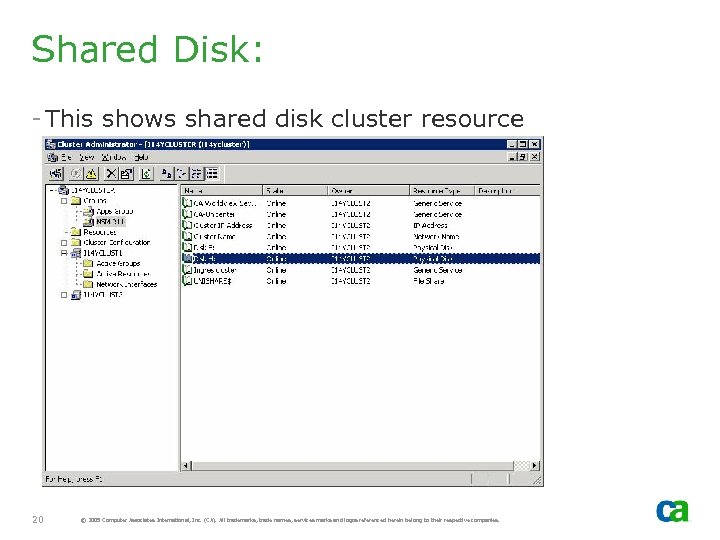
Shared Disk: - This shows shared disk cluster resource 20 © 2005 Computer Associates International, Inc. (CA). All trademarks, trade names, services marks and logos referenced herein belong to their respective companies.
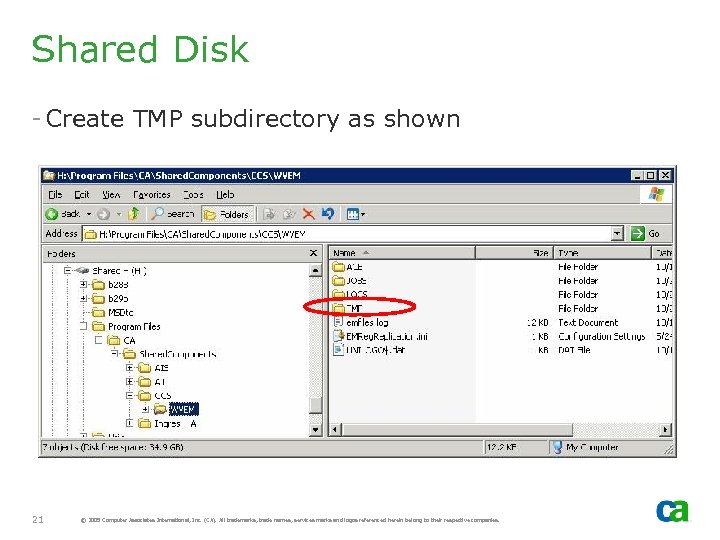
Shared Disk - Create TMP subdirectory as shown 21 © 2005 Computer Associates International, Inc. (CA). All trademarks, trade names, services marks and logos referenced herein belong to their respective companies.
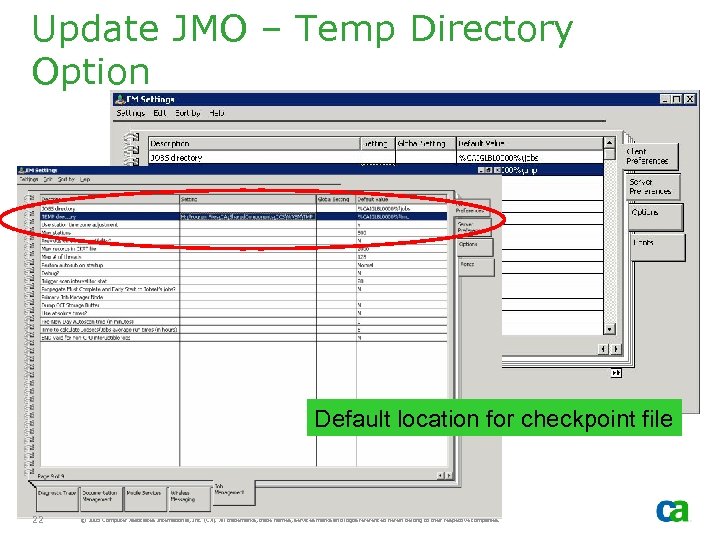
Update JMO – Temp Directory Option Default location for checkpoint file 22 © 2005 Computer Associates International, Inc. (CA). All trademarks, trade names, services marks and logos referenced herein belong to their respective companies.
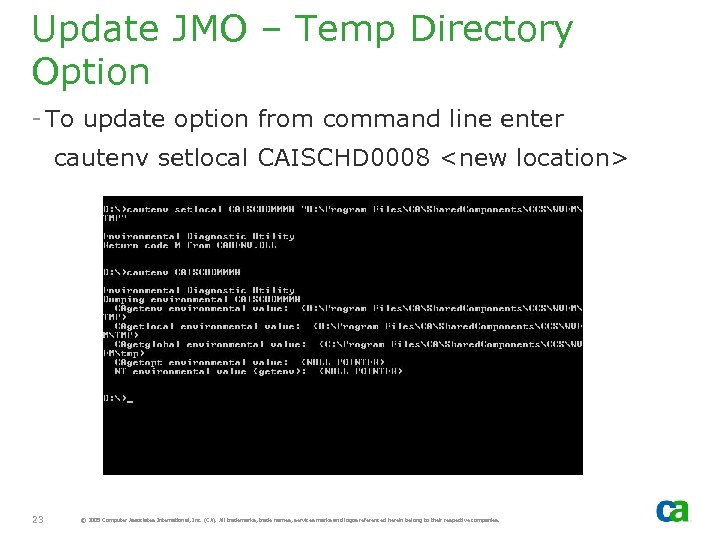
Update JMO – Temp Directory Option - To update option from command line enter cautenv setlocal CAISCHD 0008 <new location> 23 © 2005 Computer Associates International, Inc. (CA). All trademarks, trade names, services marks and logos referenced herein belong to their respective companies.
Update JMO – Temp Directory Option - Repeat CAISCHD 0008 change on all cluster nodes - Stop and start Unicenter service to select the changes. This should create a checkpoint file on shared disk, which can then be shared by all cluster nodes 24 © 2005 Computer Associates International, Inc. (CA). All trademarks, trade names, services marks and logos referenced herein belong to their respective companies.
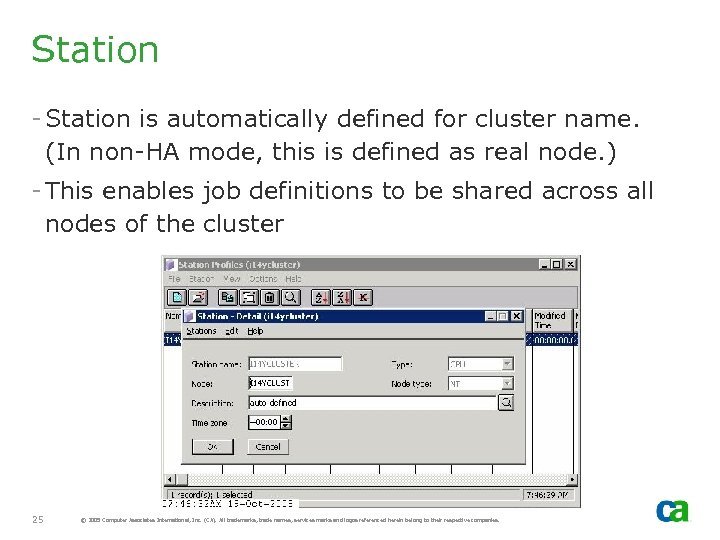
Station - Station is automatically defined for cluster name. (In non-HA mode, this is defined as real node. ) - This enables job definitions to be shared across all nodes of the cluster 25 © 2005 Computer Associates International, Inc. (CA). All trademarks, trade names, services marks and logos referenced herein belong to their respective companies.
Test 1 - JMO - HA Manager
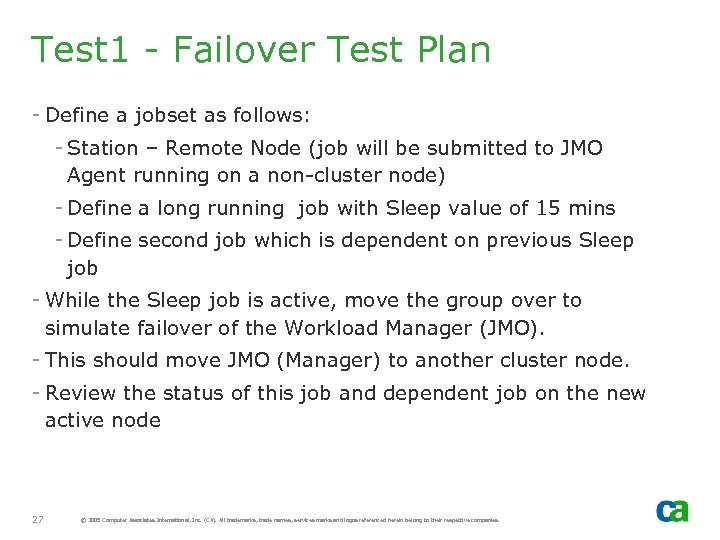
Test 1 - Failover Test Plan - Define a jobset as follows: - Station – Remote Node (job will be submitted to JMO Agent running on a non-cluster node) - Define a long running job with Sleep value of 15 mins - Define second job which is dependent on previous Sleep job - While the Sleep job is active, move the group over to simulate failover of the Workload Manager (JMO). - This should move JMO (Manager) to another cluster node. - Review the status of this job and dependent job on the new active node 27 © 2005 Computer Associates International, Inc. (CA). All trademarks, trade names, services marks and logos referenced herein belong to their respective companies.
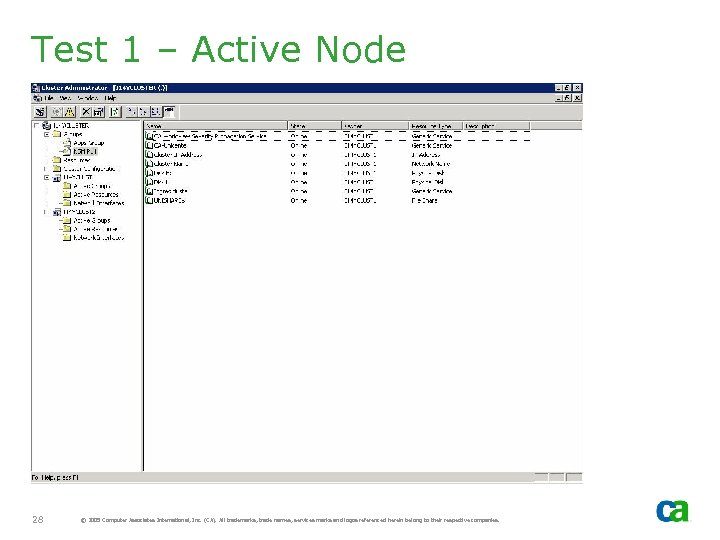
Test 1 – Active Node 28 © 2005 Computer Associates International, Inc. (CA). All trademarks, trade names, services marks and logos referenced herein belong to their respective companies.
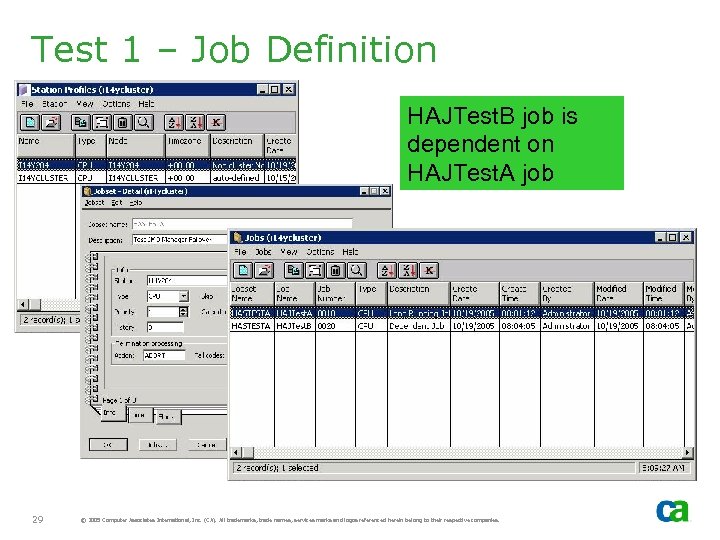
Test 1 – Job Definition HAJTest. B job is dependent on HAJTest. A job 29 © 2005 Computer Associates International, Inc. (CA). All trademarks, trade names, services marks and logos referenced herein belong to their respective companies.
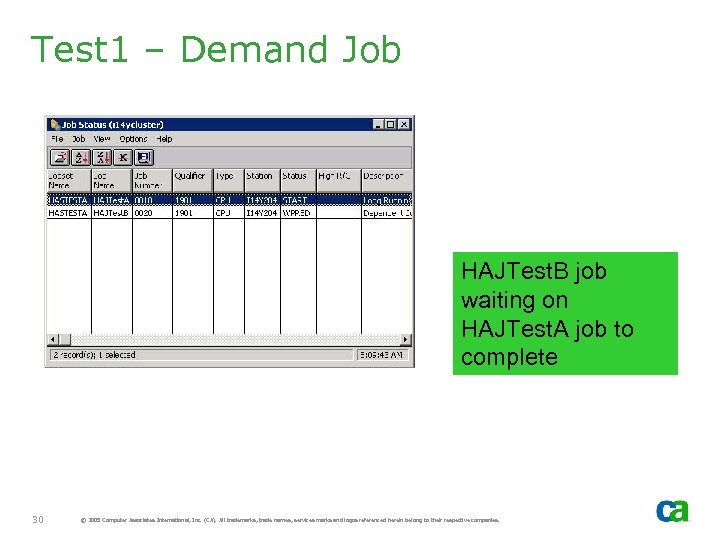
Test 1 – Demand Job HAJTest. B job waiting on HAJTest. A job to complete 30 © 2005 Computer Associates International, Inc. (CA). All trademarks, trade names, services marks and logos referenced herein belong to their respective companies.
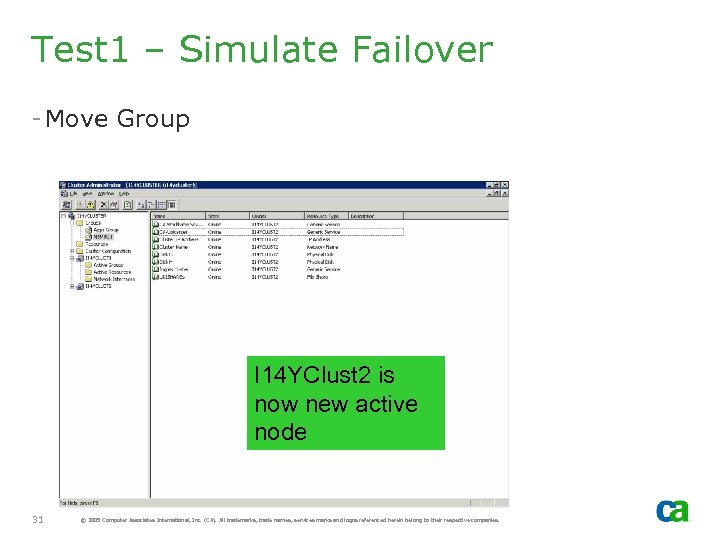
Test 1 – Simulate Failover - Move Group I 14 YClust 2 is now new active node 31 © 2005 Computer Associates International, Inc. (CA). All trademarks, trade names, services marks and logos referenced herein belong to their respective companies.
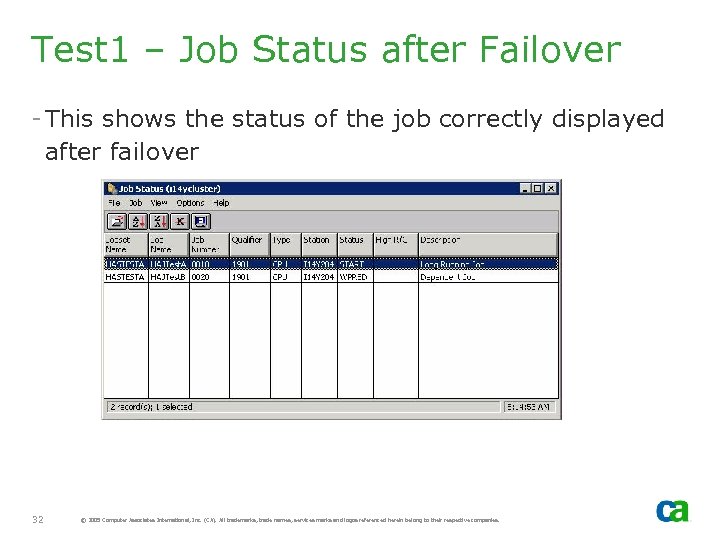
Test 1 – Job Status after Failover - This shows the status of the job correctly displayed after failover 32 © 2005 Computer Associates International, Inc. (CA). All trademarks, trade names, services marks and logos referenced herein belong to their respective companies.
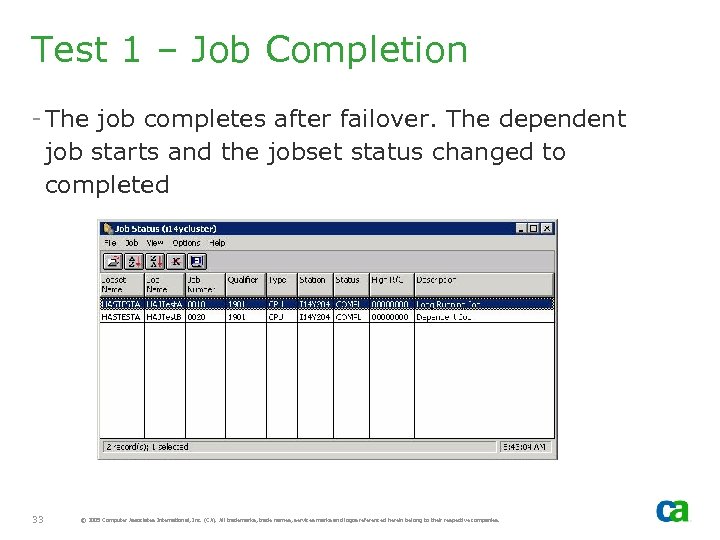
Test 1 – Job Completion - The job completes after failover. The dependent job starts and the jobset status changed to completed 33 © 2005 Computer Associates International, Inc. (CA). All trademarks, trade names, services marks and logos referenced herein belong to their respective companies.
Test 2 - HA JMO Agent

Test 1 – Agent Failover Test Plan - JMO Manager running on non-cluster node - Submits a job to JMO Agent running as HA - HA Agent node fails over - Review Job status after failover of HA JMO Agent 35 © 2005 Computer Associates International, Inc. (CA). All trademarks, trade names, services marks and logos referenced herein belong to their respective companies.
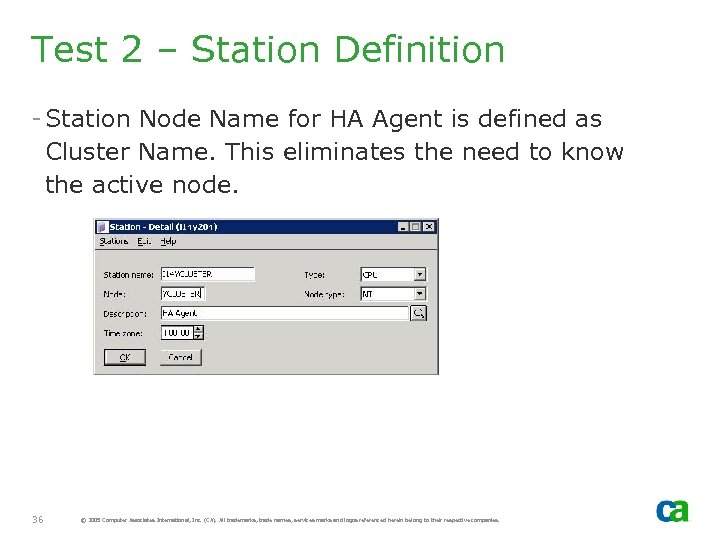
Test 2 – Station Definition - Station Node Name for HA Agent is defined as Cluster Name. This eliminates the need to know the active node. 36 © 2005 Computer Associates International, Inc. (CA). All trademarks, trade names, services marks and logos referenced herein belong to their respective companies.
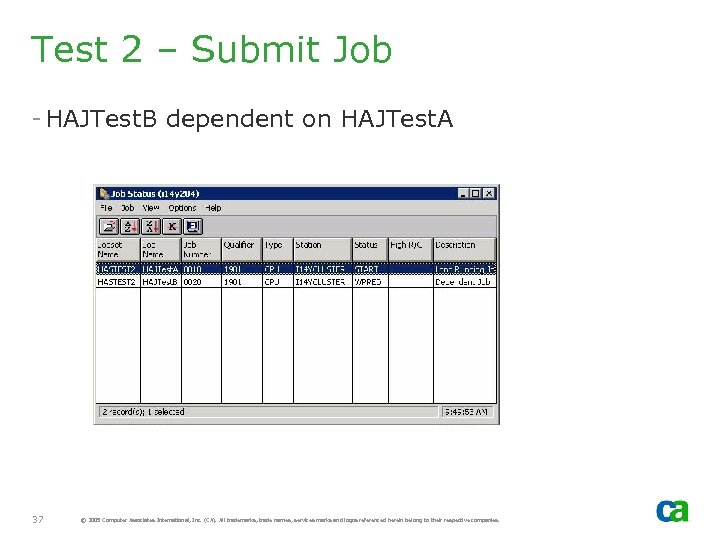
Test 2 – Submit Job - HAJTest. B dependent on HAJTest. A 37 © 2005 Computer Associates International, Inc. (CA). All trademarks, trade names, services marks and logos referenced herein belong to their respective companies.
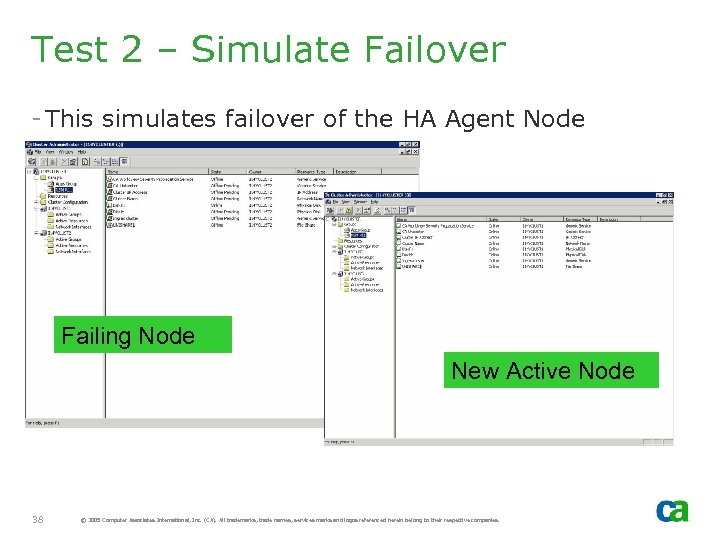
Test 2 – Simulate Failover - This simulates failover of the HA Agent Node Failing Node New Active Node 38 © 2005 Computer Associates International, Inc. (CA). All trademarks, trade names, services marks and logos referenced herein belong to their respective companies.
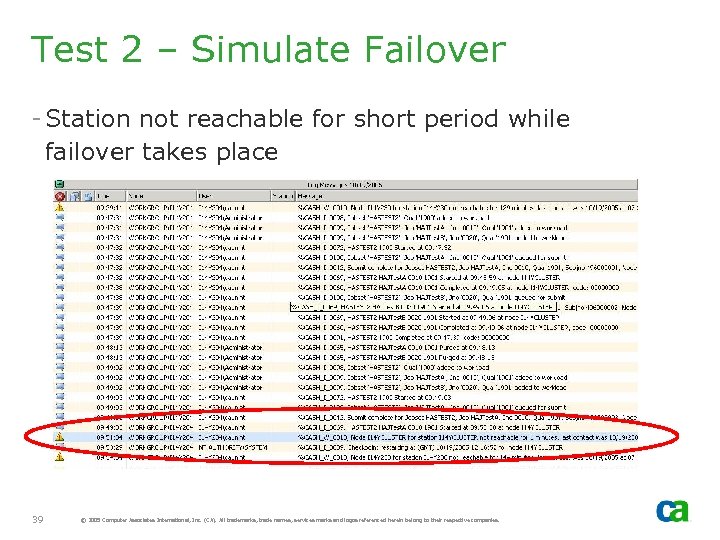
Test 2 – Simulate Failover - Station not reachable for short period while failover takes place 39 © 2005 Computer Associates International, Inc. (CA). All trademarks, trade names, services marks and logos referenced herein belong to their respective companies.
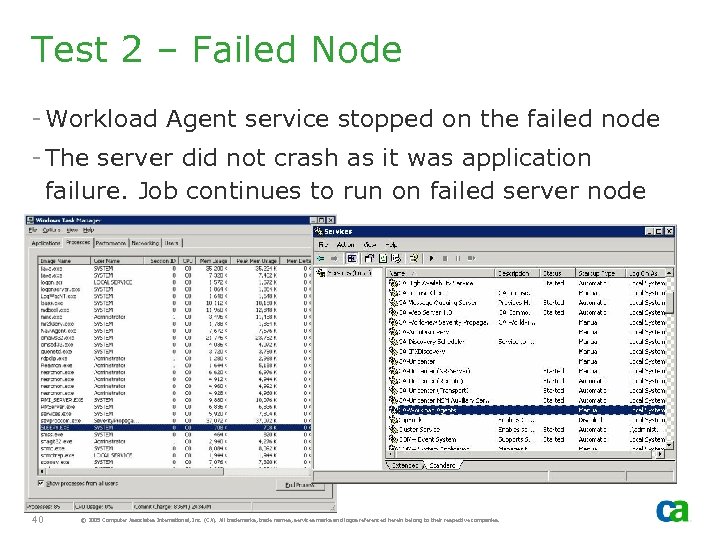
Test 2 – Failed Node - Workload Agent service stopped on the failed node - The server did not crash as it was application failure. Job continues to run on failed server node 40 © 2005 Computer Associates International, Inc. (CA). All trademarks, trade names, services marks and logos referenced herein belong to their respective companies.
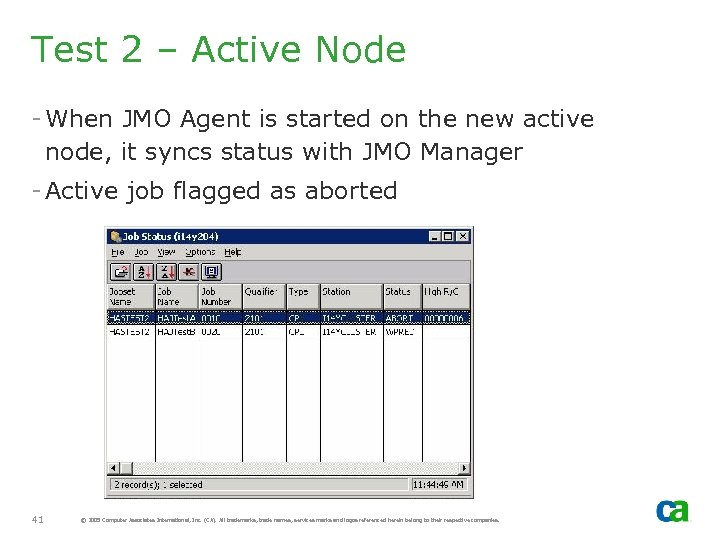
Test 2 – Active Node - When JMO Agent is started on the new active node, it syncs status with JMO Manager - Active job flagged as aborted 41 © 2005 Computer Associates International, Inc. (CA). All trademarks, trade names, services marks and logos referenced herein belong to their respective companies.
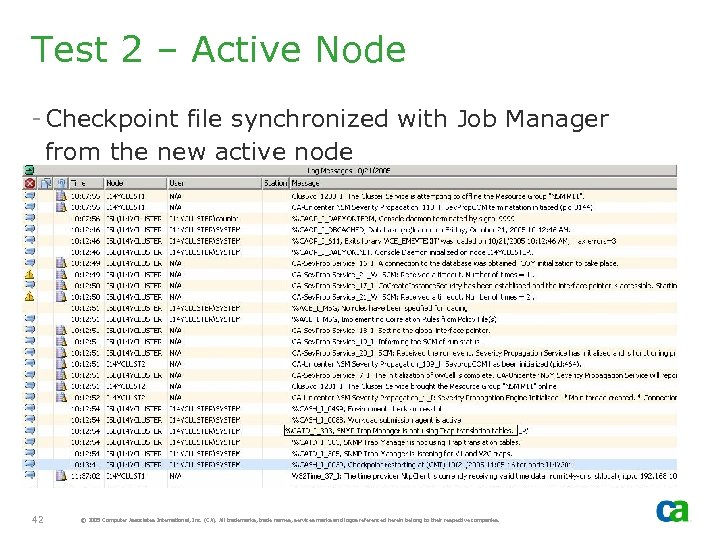
Test 2 – Active Node - Checkpoint file synchronized with Job Manager from the new active node 42 © 2005 Computer Associates International, Inc. (CA). All trademarks, trade names, services marks and logos referenced herein belong to their respective companies.
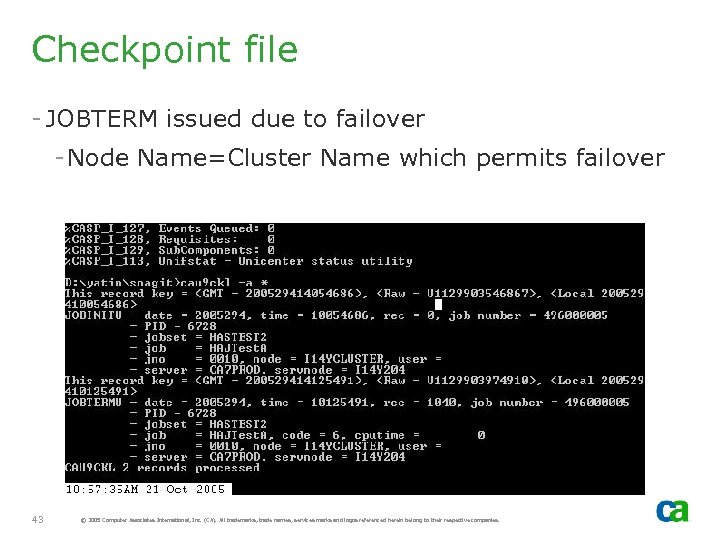
Checkpoint file - JOBTERM issued due to failover - Node Name=Cluster Name which permits failover 43 © 2005 Computer Associates International, Inc. (CA). All trademarks, trade names, services marks and logos referenced herein belong to their respective companies.
Event Management
HA Environment Variables - CA_OPR_MONITOR_STATE - Specifies whether the Event Management Daemon track actions that it is in the middle of processing. The default is Yes. - CA_OPR_MONITOR_INTERVAL - Specifies the interval, in seconds, for saving the Event Management state table into a flat file. The default is 30 seconds. 45 © 2005 Computer Associates International, Inc. (CA). All trademarks, trade names, services marks and logos referenced herein belong to their respective companies.
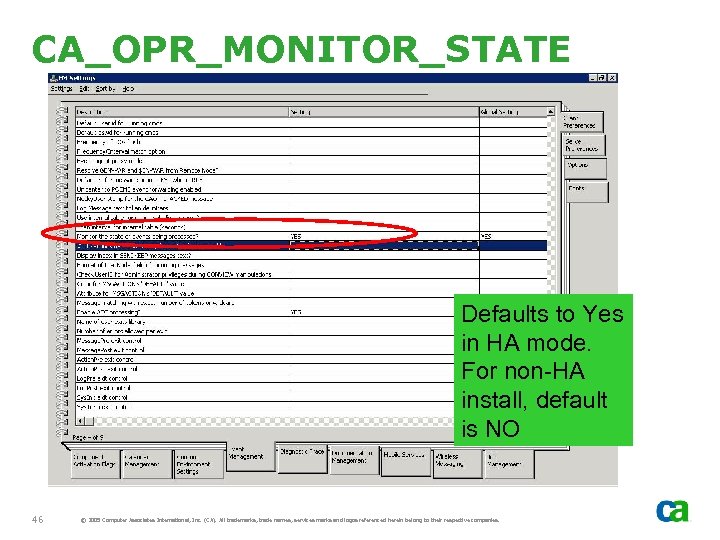
CA_OPR_MONITOR_STATE Defaults to Yes in HA mode. For non-HA install, default is NO 46 © 2005 Computer Associates International, Inc. (CA). All trademarks, trade names, services marks and logos referenced herein belong to their respective companies.
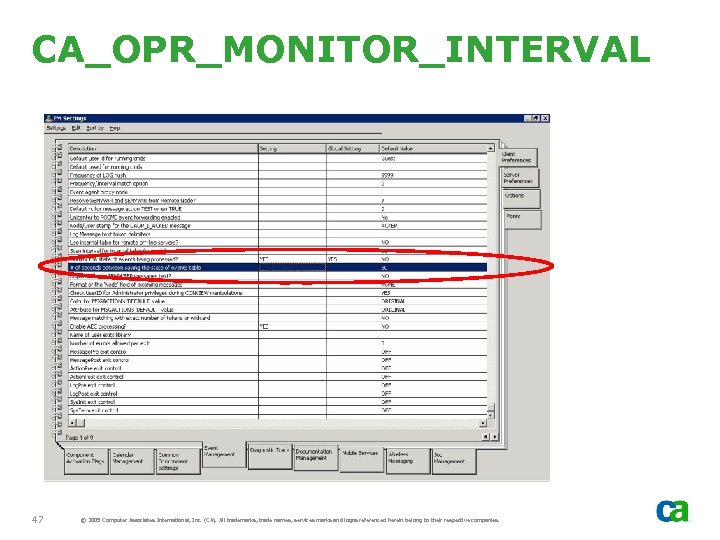
CA_OPR_MONITOR_INTERVAL 47 © 2005 Computer Associates International, Inc. (CA). All trademarks, trade names, services marks and logos referenced herein belong to their respective companies.
Log Files - Unicenter Event Management log files reside on shared disk - Shared by all cluster nodes. For example: - Node. A is active and Event Management Daemon running on Node. A will be writing to the log file - Node. A fails and Node. B now is active - Node. B will continue to write to the same log file used by Node. A and will also contain events from Node. A 48 © 2005 Computer Associates International, Inc. (CA). All trademarks, trade names, services marks and logos referenced herein belong to their respective companies.
Windows Events - Unicenter will be running on the active node only. Thus, Event Management will be running on the active node only - In a cluster environment, Microsoft forwards all Windows Events from all cluster nodes to the active node - Unicenter Event Management MRA can process Events from other nodes as they are forwarded by Microsoft to the active node. However, as Event Management is not running on other nodes, MRA node cannot be specified for non-active node 49 © 2005 Computer Associates International, Inc. (CA). All trademarks, trade names, services marks and logos referenced herein belong to their respective companies.
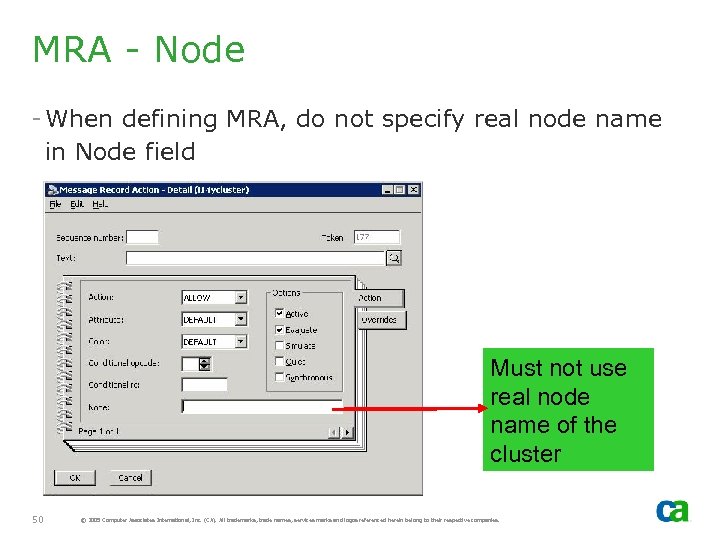
MRA - Node - When defining MRA, do not specify real node name in Node field Must not use real node name of the cluster 50 © 2005 Computer Associates International, Inc. (CA). All trademarks, trade names, services marks and logos referenced herein belong to their respective companies.
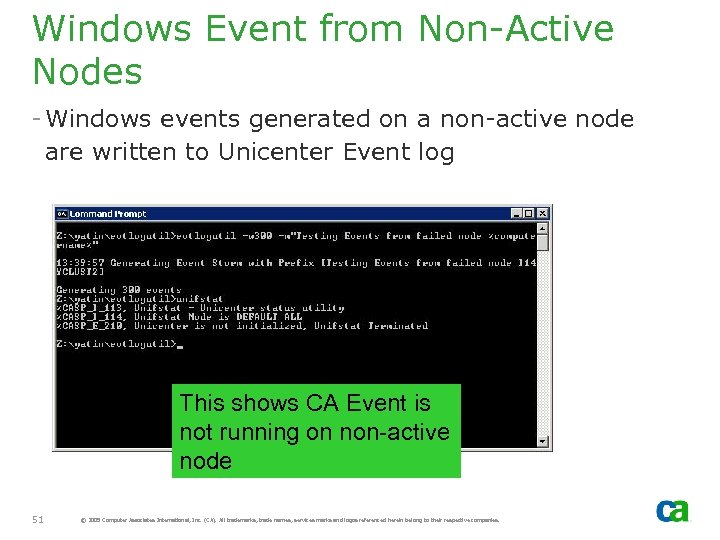
Windows Event from Non-Active Nodes - Windows events generated on a non-active node are written to Unicenter Event log This shows CA Event is not running on non-active node 51 © 2005 Computer Associates International, Inc. (CA). All trademarks, trade names, services marks and logos referenced herein belong to their respective companies.
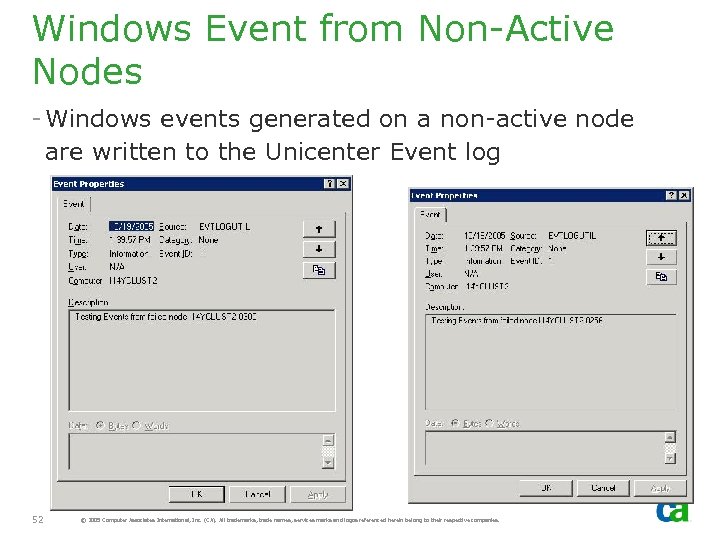
Windows Event from Non-Active Nodes - Windows events generated on a non-active node are written to the Unicenter Event log 52 © 2005 Computer Associates International, Inc. (CA). All trademarks, trade names, services marks and logos referenced herein belong to their respective companies.
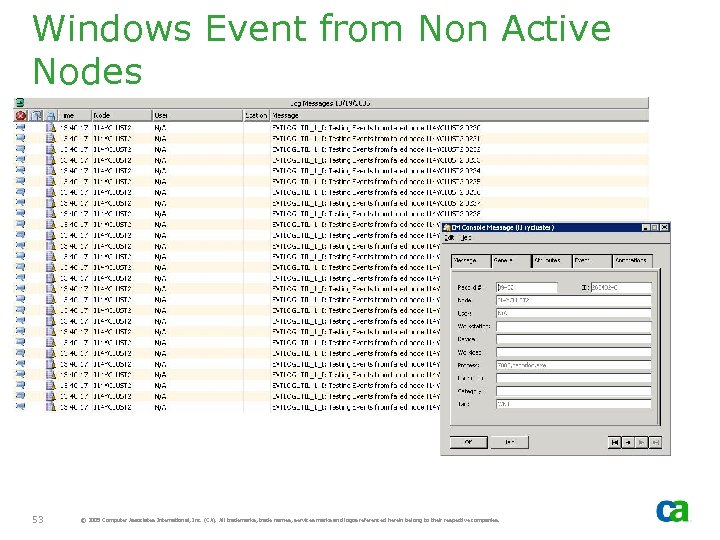
Windows Event from Non Active Nodes 53 © 2005 Computer Associates International, Inc. (CA). All trademarks, trade names, services marks and logos referenced herein belong to their respective companies.
Test 1 – HA MRA - Main objective: to demonstrate the MRA failover - By default, MRA that were active at the time of failover will continue after failover - After failover, the actions following the active MRA will continue on the new node. - If this feature is not required, Event State monitor option should be set to NO 54 © 2005 Computer Associates International, Inc. (CA). All trademarks, trade names, services marks and logos referenced herein belong to their respective companies.
Test 1 – MRA Failover Tasks - Define 2 Message Record Actions. - One with “Delay” of 5 mins - One with “HIGHLITE”. - Generate an event to trigger above MRA - Wait for 30 seconds to get STATE_SAV updated - While waiting on “Delay” action to complete, simulate failover - Verify if the HIGHLITE message is displayed on the new active node 55 © 2005 Computer Associates International, Inc. (CA). All trademarks, trade names, services marks and logos referenced herein belong to their respective companies.
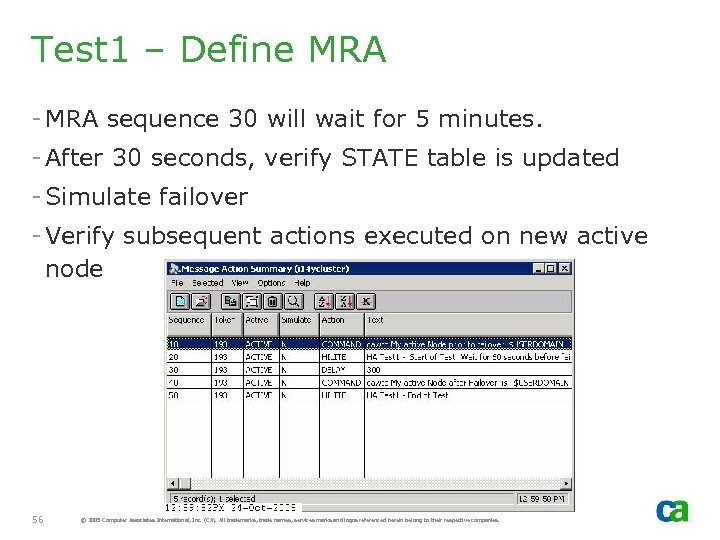
Test 1 – Define MRA - MRA sequence 30 will wait for 5 minutes. - After 30 seconds, verify STATE table is updated - Simulate failover - Verify subsequent actions executed on new active node 56 © 2005 Computer Associates International, Inc. (CA). All trademarks, trade names, services marks and logos referenced herein belong to their respective companies.
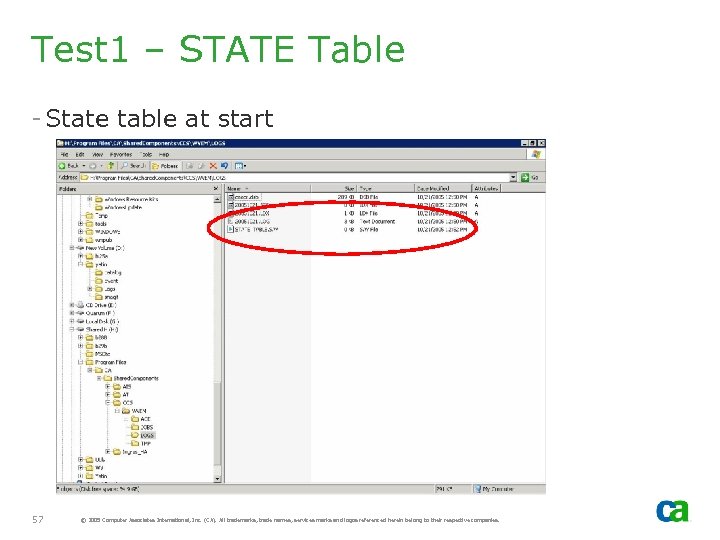
Test 1 – STATE Table - State table at start 57 © 2005 Computer Associates International, Inc. (CA). All trademarks, trade names, services marks and logos referenced herein belong to their respective companies.
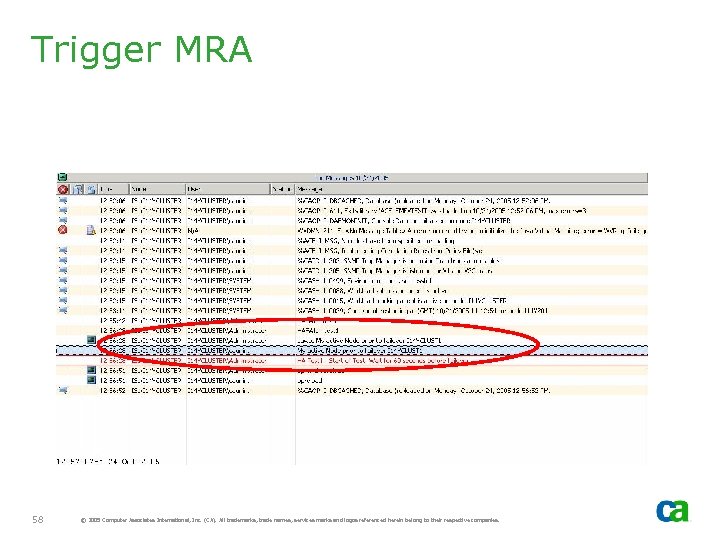
Trigger MRA 58 © 2005 Computer Associates International, Inc. (CA). All trademarks, trade names, services marks and logos referenced herein belong to their respective companies.
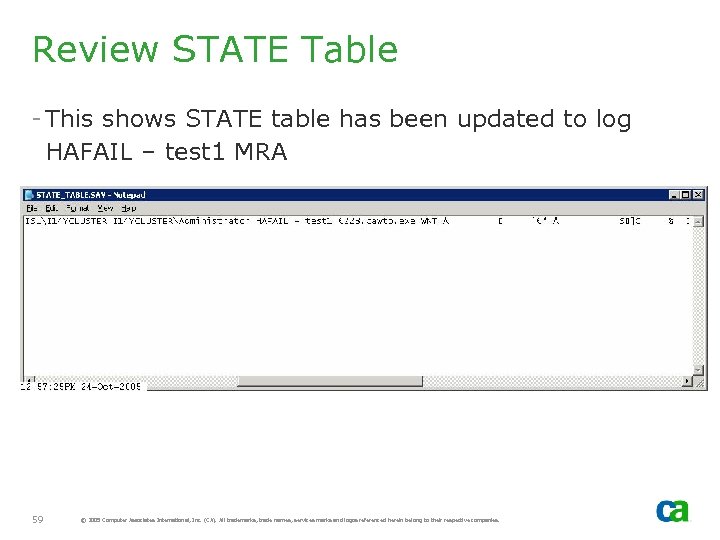
Review STATE Table - This shows STATE table has been updated to log HAFAIL – test 1 MRA 59 © 2005 Computer Associates International, Inc. (CA). All trademarks, trade names, services marks and logos referenced herein belong to their respective companies.
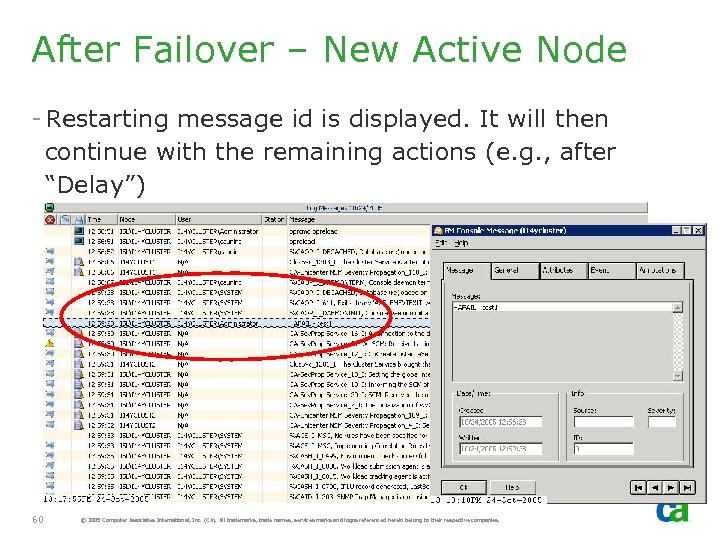
After Failover – New Active Node - Restarting message id is displayed. It will then continue with the remaining actions (e. g. , after “Delay”) 60 © 2005 Computer Associates International, Inc. (CA). All trademarks, trade names, services marks and logos referenced herein belong to their respective companies.
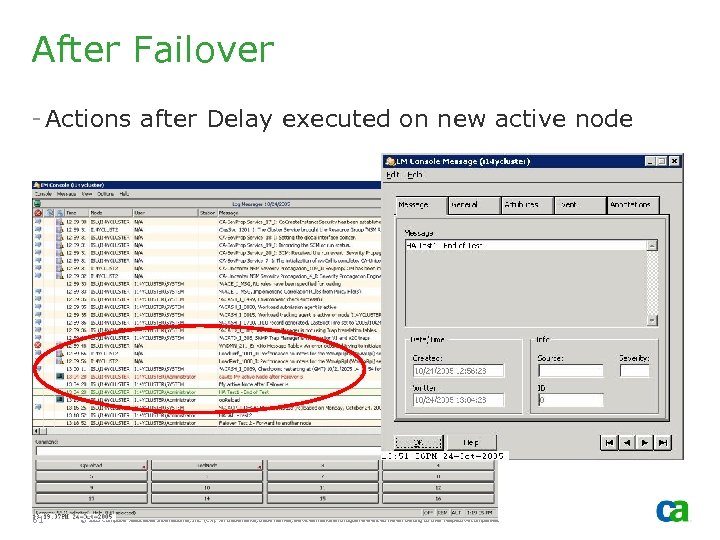
After Failover - Actions after Delay executed on new active node 61 © 2005 Computer Associates International, Inc. (CA). All trademarks, trade names, services marks and logos referenced herein belong to their respective companies.
Test 2 - Event Variables in the HA setup - This shows some of Event Variables that are set to cluster name in HA setup - Node. Domain[&NODEDOMAIN] - Cluster. Name - Node. Id[&NODEID] - Cluster. Name - Nodename[&Node. Name] - Cluster. Name - Computer. Name[ $COMPUTERNAME ] Cluster. Name 62 © 2005 Computer Associates International, Inc. (CA). All trademarks, trade names, services marks and logos referenced herein belong to their respective companies.
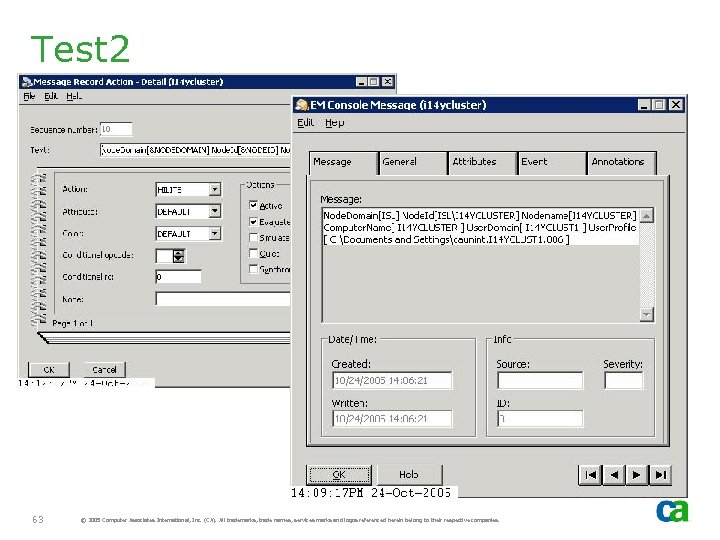
Test 2 63 © 2005 Computer Associates International, Inc. (CA). All trademarks, trade names, services marks and logos referenced herein belong to their respective companies.
Interoperability
Ingres HA - Ingres can be installed in HA mode and can be shared by other distributed NSM r 11 installs. These distributed NSM installs do not have to be installed in HA mode - Non-HA solutions (e. g. , Unicenter Management Portal) can be installed on non-cluster environment with HA MDB. - NSM r 11 requires MDB to be “locked down. ” This means - If MDB is installed by other non-NSM r 11 components then it must be configured by NSM install. - If it is NOT configured by NSM install, it cannot be used. 65 © 2005 Computer Associates International, Inc. (CA). All trademarks, trade names, services marks and logos referenced herein belong to their respective companies.
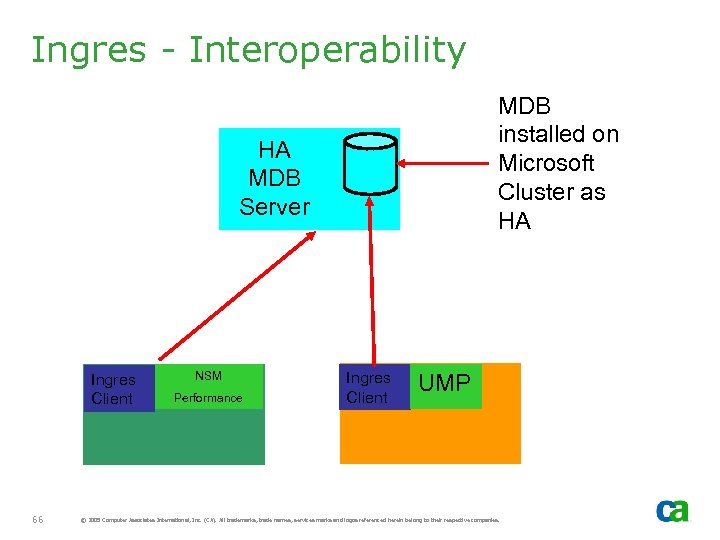
Ingres - Interoperability MDB installed on Microsoft Cluster as HA HA MDB Server Ingres Client 66 NSM Performance Ingres Client UMP © 2005 Computer Associates International, Inc. (CA). All trademarks, trade names, services marks and logos referenced herein belong to their respective companies.
Brightstor High Availability (BHA)
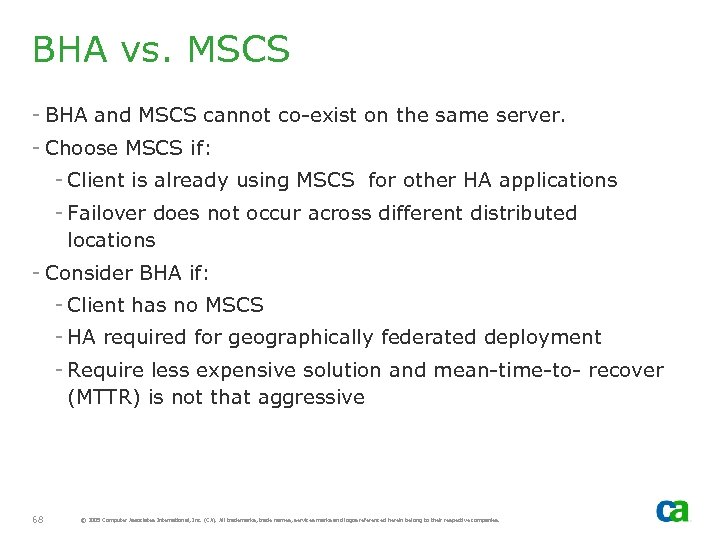
BHA vs. MSCS - BHA and MSCS cannot co-exist on the same server. - Choose MSCS if: - Client is already using MSCS for other HA applications - Failover does not occur across different distributed locations - Consider BHA if: - Client has no MSCS - HA required for geographically federated deployment - Require less expensive solution and mean-time-to- recover (MTTR) is not that aggressive 68 © 2005 Computer Associates International, Inc. (CA). All trademarks, trade names, services marks and logos referenced herein belong to their respective companies.

Failback - Application Failures
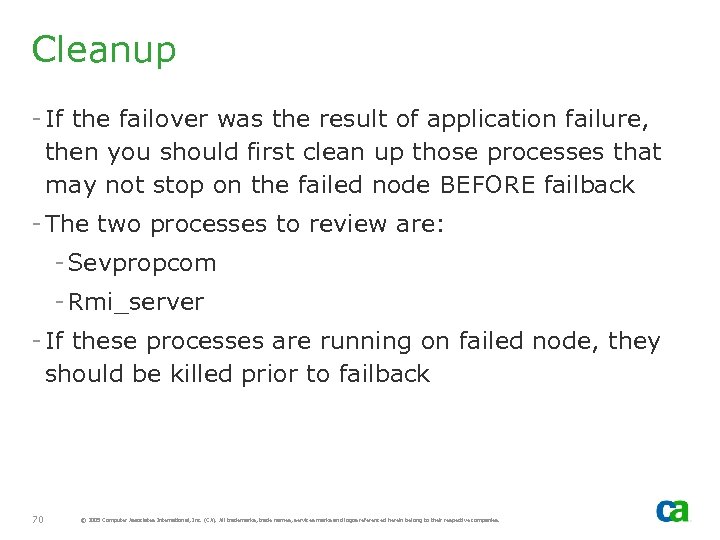
Cleanup - If the failover was the result of application failure, then you should first clean up those processes that may not stop on the failed node BEFORE failback - The two processes to review are: - Sevpropcom - Rmi_server - If these processes are running on failed node, they should be killed prior to failback 70 © 2005 Computer Associates International, Inc. (CA). All trademarks, trade names, services marks and logos referenced herein belong to their respective companies.
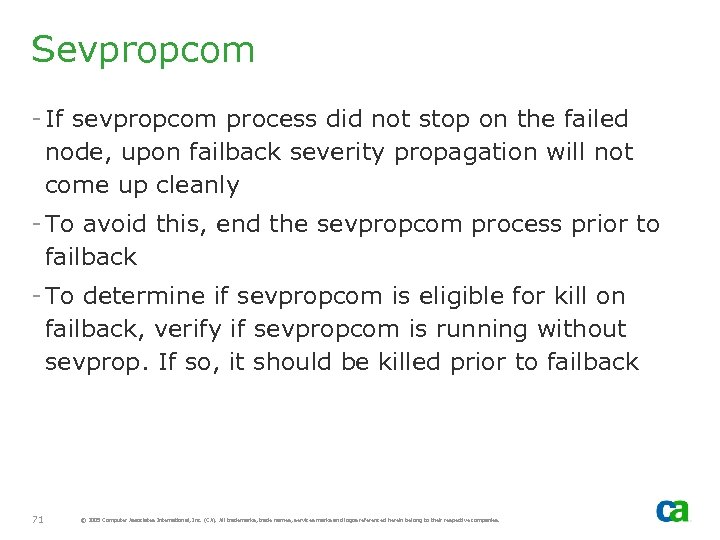
Sevpropcom - If sevpropcom process did not stop on the failed node, upon failback severity propagation will not come up cleanly - To avoid this, end the sevpropcom process prior to failback - To determine if sevpropcom is eligible for kill on failback, verify if sevpropcom is running without sevprop. If so, it should be killed prior to failback 71 © 2005 Computer Associates International, Inc. (CA). All trademarks, trade names, services marks and logos referenced herein belong to their respective companies.

Rmi_sever - If the rmi_server process did not stop on the failed node, then stop rmi_server prior to failback - To determine if rmi_server is running, execute rmi_monitor 72 © 2005 Computer Associates International, Inc. (CA). All trademarks, trade names, services marks and logos referenced herein belong to their respective companies.
Stop Enterprise Management Subcomponents - unicntrl
Unicntrl stop - In HA setup, Unicntrl stop <component> is not a valid command. Its displays information to issue a stop for all subcomponents or offline the CAUnicenter Cluster resource - If aws_dsm is running, it will be stopped as the cluster resource is off line 74 © 2005 Computer Associates International, Inc. (CA). All trademarks, trade names, services marks and logos referenced herein belong to their respective companies.
Uninstall
Uninstall - Uninstall needs to be performed on all cluster nodes - Data on the shared disk should be removed with the uninstall of NSM from the last cluster node - Uninstall Ingres after NSM has been uninstalled from ALL cluster nodes 76 © 2005 Computer Associates International, Inc. (CA). All trademarks, trade names, services marks and logos referenced herein belong to their respective companies.

Uninstall – Node 1 - Do not remove the shared disk. Select No option and click Finish 77 © 2005 Computer Associates International, Inc. (CA). All trademarks, trade names, services marks and logos referenced herein belong to their respective companies.
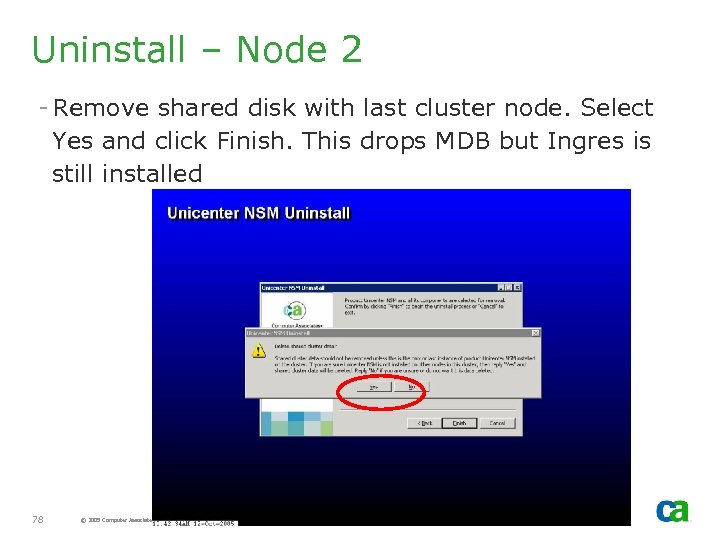
Uninstall – Node 2 - Remove shared disk with last cluster node. Select Yes and click Finish. This drops MDB but Ingres is still installed 78 © 2005 Computer Associates International, Inc. (CA). All trademarks, trade names, services marks and logos referenced herein belong to their respective companies.
Ingres - Uninstall Ingres from all cluster nodes - Start with the active node, Move Group and then uninstall from the other cluster nodes 79 © 2005 Computer Associates International, Inc. (CA). All trademarks, trade names, services marks and logos referenced herein belong to their respective companies.
Cluster Resources - Uninstall of NSM r 11 from all cluster nodes should remove cluster resources - If uninstall fails or some components are not removed, then you will have to manually remove them - Take extra care to ensure you do not delete other cluster resources. Microsoft Cluster will remove dependent resources when you delete a resource on which other resources are dependent 80 © 2005 Computer Associates International, Inc. (CA). All trademarks, trade names, services marks and logos referenced herein belong to their respective companies.
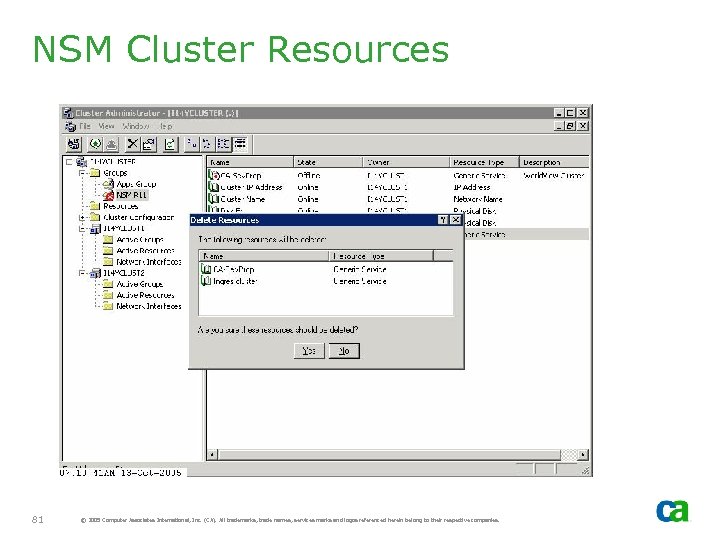
NSM Cluster Resources 81 © 2005 Computer Associates International, Inc. (CA). All trademarks, trade names, services marks and logos referenced herein belong to their respective companies.
Unicenter Desktop Server Management - (Unicenter DSM)
Installing Unicenter DSM in a Cluster Environment - Unicenter DSM is not cluster aware. - If MDB is installed on a different server, then it can be Highly available. - In this case MDB should be installed from NSM media - If MDB is installed from NSM media, it will not create CA_Itrm operating system userid. This will have to be manually created - If failover occurs and MDB is then moved to another cluster node, CAF (Common Application Framework) service running on Remote Server will require a restart or a test fix to correct the problem. - If the fix is not applied or if CAF is not restarted, Unicenter DSM Explorer will not work correctly 83 © 2005 Computer Associates International, Inc. (CA). All trademarks, trade names, services marks and logos referenced herein belong to their respective companies.
Unicenter DSM MDB - If MDB is installed with Unicenter DSM, then the MDB will not be highly available - It can use the existing HA MDB, but other services will not be highly available. 84 © 2005 Computer Associates International, Inc. (CA). All trademarks, trade names, services marks and logos referenced herein belong to their respective companies.
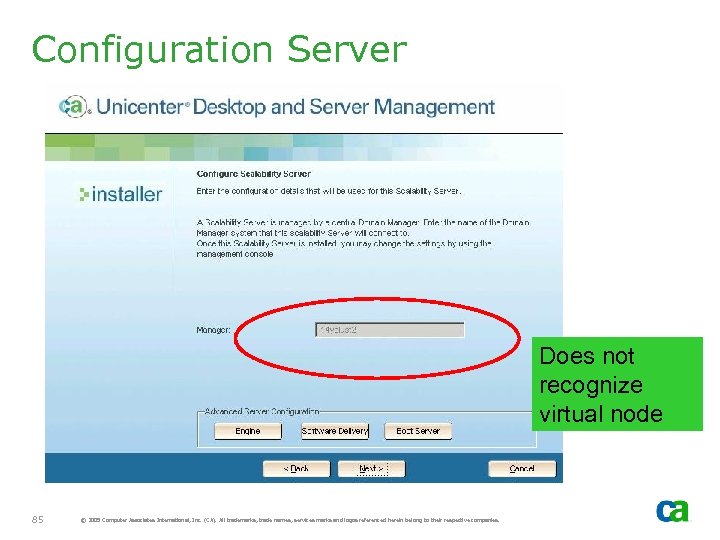
Configuration Server Does not recognize virtual node 85 © 2005 Computer Associates International, Inc. (CA). All trademarks, trade names, services marks and logos referenced herein belong to their respective companies.
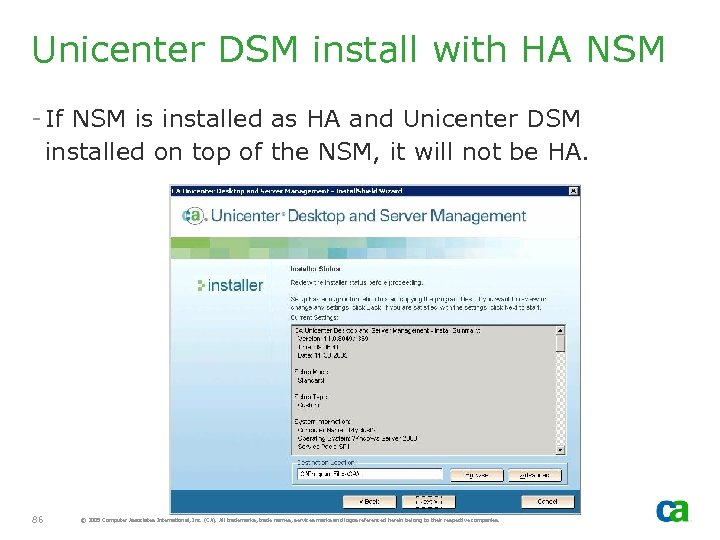
Unicenter DSM install with HA NSM - If NSM is installed as HA and Unicenter DSM installed on top of the NSM, it will not be HA. 86 © 2005 Computer Associates International, Inc. (CA). All trademarks, trade names, services marks and logos referenced herein belong to their respective companies.

FAQ
UMP - Can Unicenter Management Portal be installed with NSM HA setup? - UMP is not classified as HA. If it is installed prior to NSM, it will be installed in NON-HA mode. - If NSM r 11 is installed first in HA mode, it will still be installed as non-HA mode. - UMP can continue to use MDB which is HA 88 © 2005 Computer Associates International, Inc. (CA). All trademarks, trade names, services marks and logos referenced herein belong to their respective companies.

Exchange Agent - We are using 3. x Exchange agent which is cluster aware. How do we integrate this with the r 11 NSM HA install? - Exchange is not part of r 11. Review Migration Guide for more details - Or wait for UME 11. 1 which is currently in Beta status 89 © 2005 Computer Associates International, Inc. (CA). All trademarks, trade names, services marks and logos referenced herein belong to their respective companies.
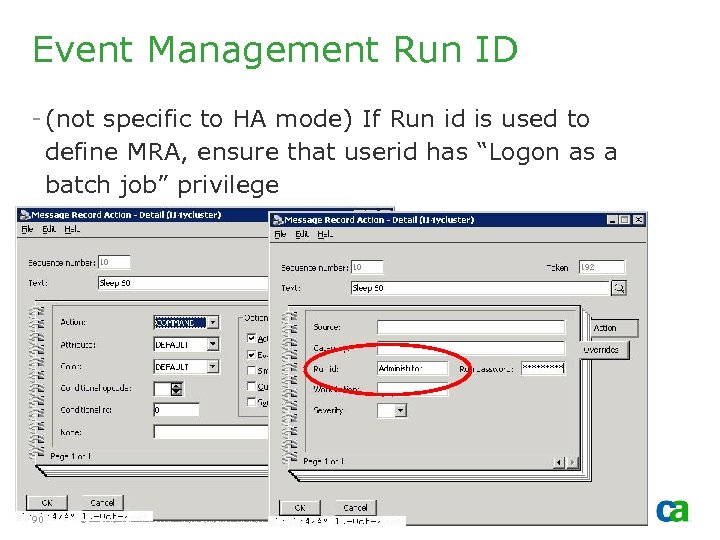
Event Management Run ID - (not specific to HA mode) If Run id is used to define MRA, ensure that userid has “Logon as a batch job” privilege 90 © 2005 Computer Associates International, Inc. (CA). All trademarks, trade names, services marks and logos referenced herein belong to their respective companies.

Event Management - Runid - To grant “Logon as a batch job” privilege, simply add the user to the TNDUsers security group - If “logon as a batch job” privilege is not granted, Logon Type: 4 failure will be encountered 91 © 2005 Computer Associates International, Inc. (CA). All trademarks, trade names, services marks and logos referenced herein belong to their respective companies.
Скачать презентацию Best Practices for Implementing Unicenter NSM r 11
96004b646941ed1805f492acf6b55e8e.ppt