 Скачать презентацию Best Practices for Implementing Unicenter NSM r 11
398964e014b68f459a4d0384385c0da7.ppt
- Количество слайдов: 83



Best Practices for Implementing Unicenter NSM r 11. 1 in an HA MSCS Environment Part I - Last Revision April 24, 2006
Agenda - This presentation will cover the following topics: - Introduction to High Availability (HA) and Microsoft Cluster Server (MSCS) - Preparing Unicenter NSM release 11. 1 for MSCS - Failover Considerations - Installing Unicenter NSM r 11. 1 - Remote MDB Install - Unicenter NSM r 11. 1 install sharing HA DSM MDB 2 © 2005 Computer Associates International, Inc. (CA). All trademarks, trade names, services marks and logos referenced herein belong to their respective companies.
Disclaimer - Although the focus of this presentation is on 2 node clusters, Microsoft Cluster supports more than 2 server nodes. The concepts that apply to 2 node clusters also apply to multiple server node clusters - The topics and procedures provided in this presentation pertain to Unicenter NSM r 11. 1 which uses an MS-SQL based MDB - Ingres based MDBs are supported in Unicenter NSM r 11 only. Best practices for r 11 are provided in a separate presentation 3 © 2005 Computer Associates International, Inc. (CA). All trademarks, trade names, services marks and logos referenced herein belong to their respective companies.
References - For additional information, review “Appendix C: “Making Components Cluster Aware and Highly Available” in the Unicenter NSM r 11. 1 Administrator Guide 4 © 2005 Computer Associates International, Inc. (CA). All trademarks, trade names, services marks and logos referenced herein belong to their respective companies.
Introduction
Why Highly Available? - This presentation assumes you are already familiar with Microsoft Cluster and the benefits of HA solution. - The main objective of an HA solution is to aim for zero downtime 6 © 2005 Computer Associates International, Inc. (CA). All trademarks, trade names, services marks and logos referenced herein belong to their respective companies.
What is HAS? - High Availability Service - HAS is part of CA Common Services (CCS) and is installed automatically when NSM r 11. x is installed in MSCS environment - Specifically designed to exploit full functionality of MSCS clustering and other vendor clusters on different platforms - Automates the process of detecting the active cluster node and manages the components such as Agent Technology aws_dsm and aws_wvgate 7 © 2005 Computer Associates International, Inc. (CA). All trademarks, trade names, services marks and logos referenced herein belong to their respective companies.
How does HAS work? - HAS service runs on all server nodes of the cluster - Highly available CA Applications register components with HAS - HAS monitors registered cluster resources and notifies them of failed and newly active nodes - When notification is received from HAS, the HA CA Application stops the component on the failed node and starts it on the newly active node - Agent Technology exploits this feature by registering aws_dsm component with HAS 8 © 2005 Computer Associates International, Inc. (CA). All trademarks, trade names, services marks and logos referenced herein belong to their respective companies.
HAS Library - Some CA applications call HAS library to check if the application is running in a cluster environment and to gather other cluster details (e. g. , cluster name) - Several CA applications exploit this library support, including CAM, CCI, Install Process, Agent Technology, World View, etc. 9 © 2005 Computer Associates International, Inc. (CA). All trademarks, trade names, services marks and logos referenced herein belong to their respective companies.
Multiple Server Nodes Cluster - Windows Server 2003, Enterprise Edition and Datacenter Edition, support 8 node clusters - HAS also supports more than 2 node clusters 10 © 2005 Computer Associates International, Inc. (CA). All trademarks, trade names, services marks and logos referenced herein belong to their respective companies.
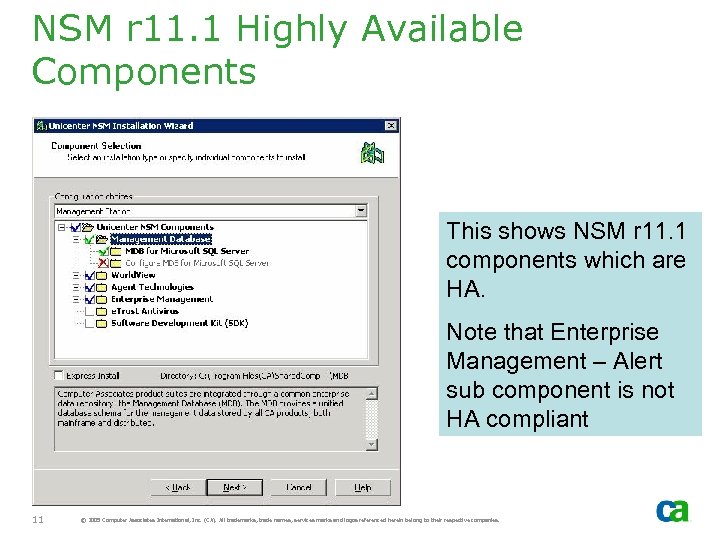
NSM r 11. 1 Highly Available Components This shows NSM r 11. 1 components which are HA. Note that Enterprise Management – Alert sub component is not HA compliant 11 © 2005 Computer Associates International, Inc. (CA). All trademarks, trade names, services marks and logos referenced herein belong to their respective companies.
HA Agents - The Agents that can be installed in a cluster setup include: - Windows System Agent - Windows Log Agent - WMI Agent - The install process will not display other agents for selection - Active Directory Agent - AS 400 Agent 12 © 2005 Computer Associates International, Inc. (CA). All trademarks, trade names, services marks and logos referenced herein belong to their respective companies.
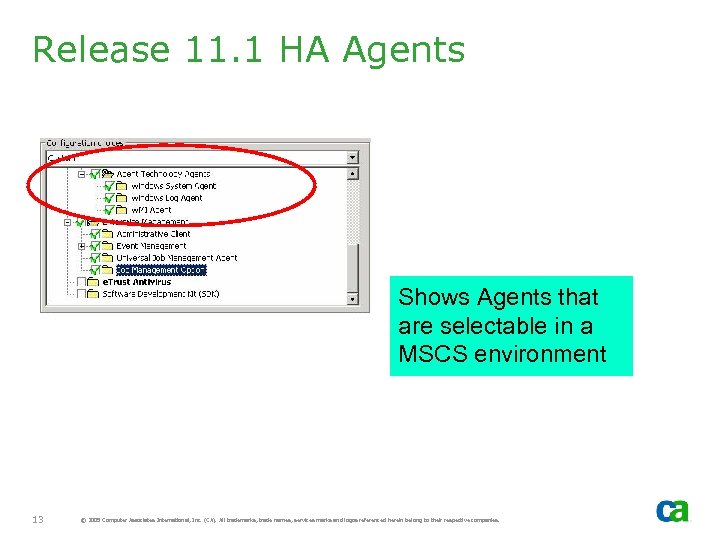
Release 11. 1 HA Agents Shows Agents that are selectable in a MSCS environment 13 © 2005 Computer Associates International, Inc. (CA). All trademarks, trade names, services marks and logos referenced herein belong to their respective companies.
Preparing Unicenter NSM r 11. 1 for MSCS - Note: If you are installing r 11. 0, skip this section
Identify Resource Group The install process requires a resource group. - For the Local MDB: - MS-SQL Server must already be installed - Install process will automatically list all eligible SQL groups - For Remote MDB, - If the SQL Server is installed, then the install process will automatically list all eligible SQL groups. Non-SQL groups will not be included - This is despite the fact you want to connect to a remote MDB. This behavior is designed to support future installation of manager components, such as WV Manager, where a local MDB is required. - If SQL server is not installed, then select any other resource group which has Network Name, IP Address and Physical Disk resource types 15 © 2005 Computer Associates International, Inc. (CA). All trademarks, trade names, services marks and logos referenced herein belong to their respective companies.
SQL Instance Resource Group - Unicenter NSM r 11. 1 supports SQL instances. - If multiple SQL instances are installed, you will need to: - First, identify the SQL instance where MDB is to be installed - Then, select the SQL resource group where this SQL instance is defined 16 © 2005 Computer Associates International, Inc. (CA). All trademarks, trade names, services marks and logos referenced herein belong to their respective companies.
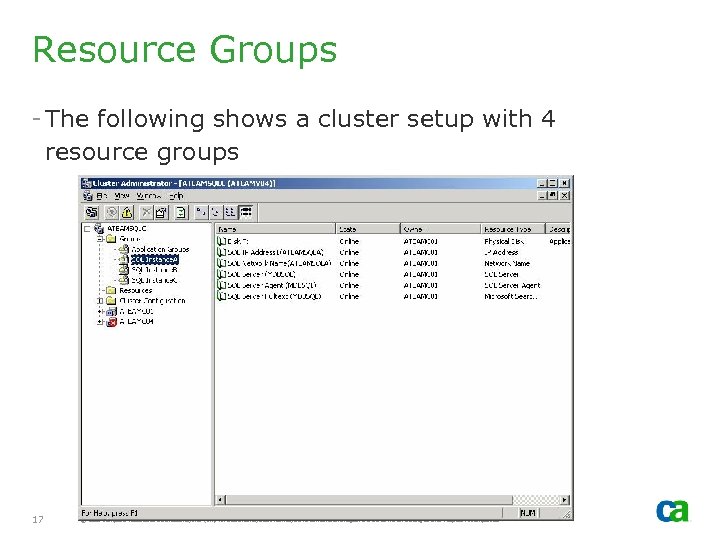
Resource Groups - The following shows a cluster setup with 4 resource groups 17 © 2005 Computer Associates International, Inc. (CA). All trademarks, trade names, services marks and logos referenced herein belong to their respective companies.
Resource - In the previous example, there were 4 cluster groups – each with an IP address, network name and disk resources. However, only two of those groups are eligible for selection. - SQL Instance. A has SQL Server installed with SQL Instance Name MDBSQL - SQL Instance. B has SQL Server install with SQL Instance Name SQLINSTB - SQL Instance. C has no SQL Server instance associated with the group 18 © 2005 Computer Associates International, Inc. (CA). All trademarks, trade names, services marks and logos referenced herein belong to their respective companies.
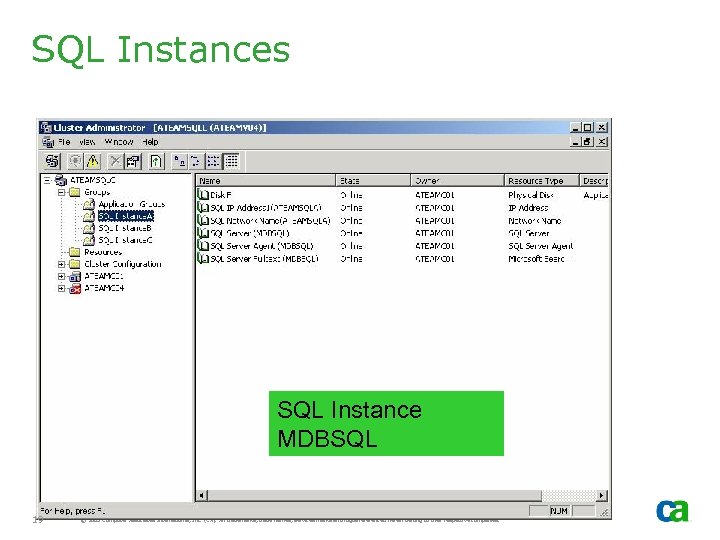
SQL Instances SQL Instance MDBSQL 19 © 2005 Computer Associates International, Inc. (CA). All trademarks, trade names, services marks and logos referenced herein belong to their respective companies.
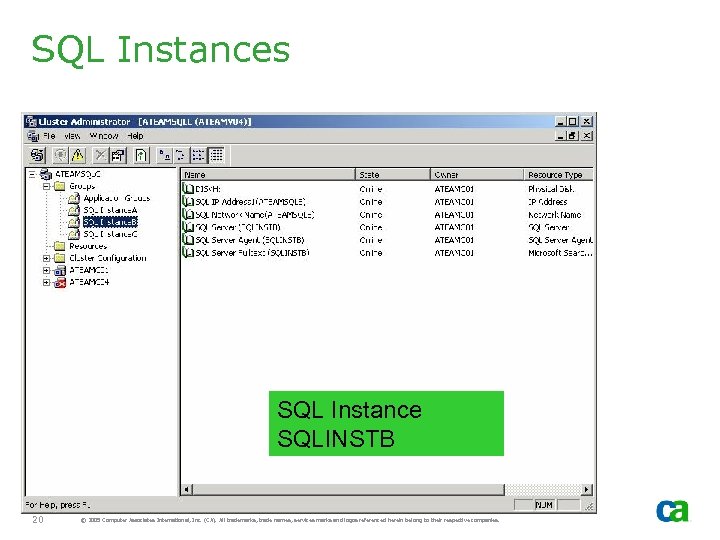
SQL Instances SQL Instance SQLINSTB 20 © 2005 Computer Associates International, Inc. (CA). All trademarks, trade names, services marks and logos referenced herein belong to their respective companies.
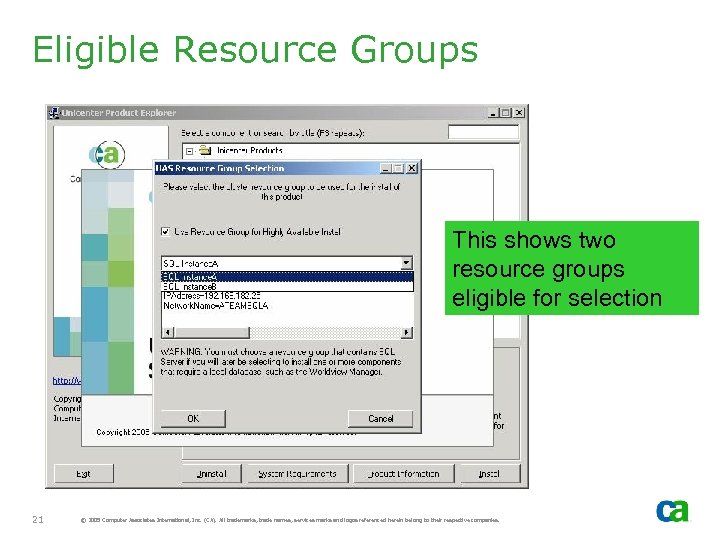
Eligible Resource Groups This shows two resource groups eligible for selection 21 © 2005 Computer Associates International, Inc. (CA). All trademarks, trade names, services marks and logos referenced herein belong to their respective companies.
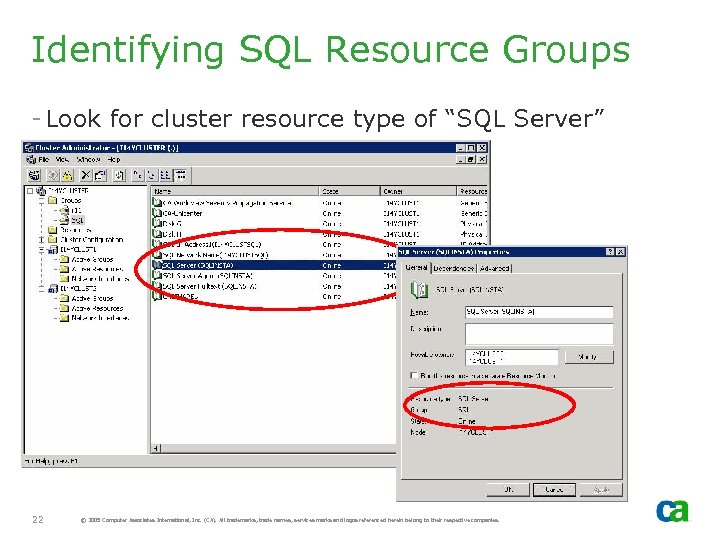
Identifying SQL Resource Groups - Look for cluster resource type of “SQL Server” 22 © 2005 Computer Associates International, Inc. (CA). All trademarks, trade names, services marks and logos referenced herein belong to their respective companies.
Shared Disk - During the install process, if NSM is selected as HA and local MDB is created, that MDB will be created on the SQL Server shared disk (i. e, where MS-SQL Server instance data files are kept) - In addition, Unicenter Console Logs, Agent Technology NSM Store, AIS catalog, and other files are also created on the shared disk. This shared disk can be selected during the installation and the recommendation is that it be different from SQL shared disk. 23 © 2005 Computer Associates International, Inc. (CA). All trademarks, trade names, services marks and logos referenced herein belong to their respective companies.
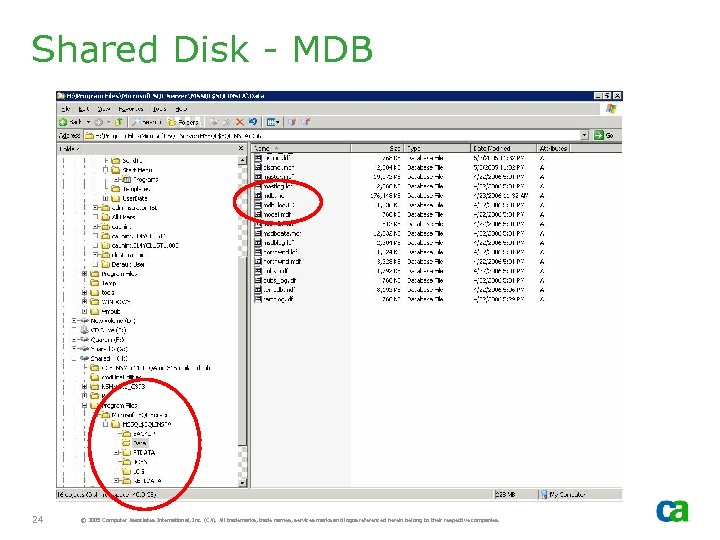
Shared Disk - MDB 24 © 2005 Computer Associates International, Inc. (CA). All trademarks, trade names, services marks and logos referenced herein belong to their respective companies.
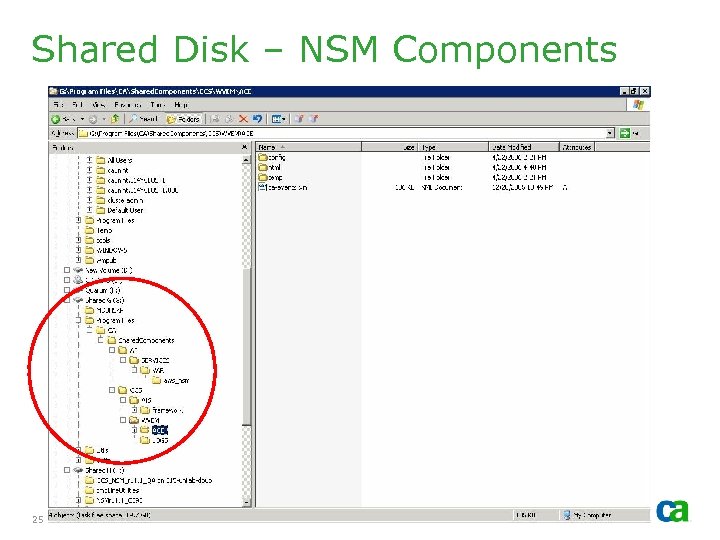
Shared Disk – NSM Components 25 © 2005 Computer Associates International, Inc. (CA). All trademarks, trade names, services marks and logos referenced herein belong to their respective companies.
Verify Cluster Setup - Identify the cluster resource group for NSM r 11. 1 - MOVE GROUP to verify cluster setup is correctly defined - If any problems with move group, resolve them PRIOR to the install of NSM r 11. 1. CA Support cannot address system setup issues 26 © 2005 Computer Associates International, Inc. (CA). All trademarks, trade names, services marks and logos referenced herein belong to their respective companies.
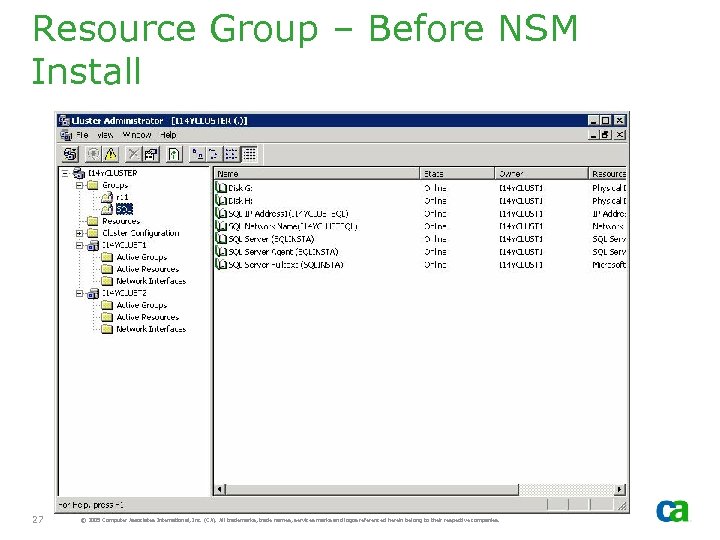
Resource Group – Before NSM Install 27 © 2005 Computer Associates International, Inc. (CA). All trademarks, trade names, services marks and logos referenced herein belong to their respective companies.
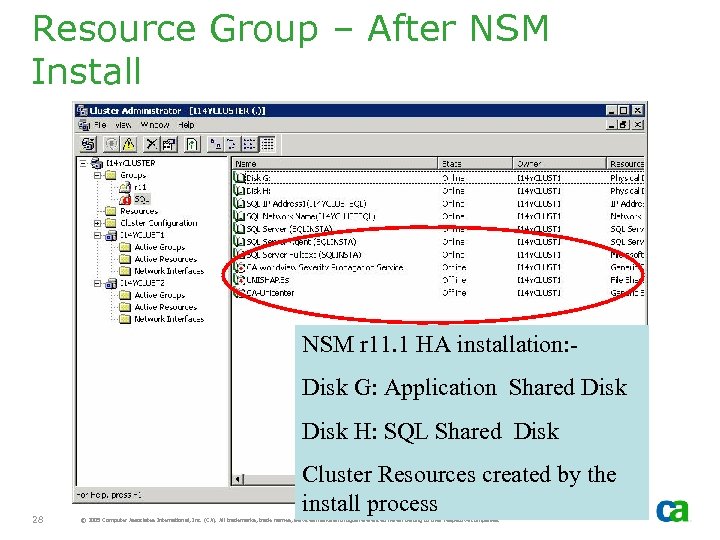
Resource Group – After NSM Install NSM r 11. 1 HA installation: Disk G: Application Shared Disk H: SQL Shared Disk 28 Cluster Resources created by the install process © 2005 Computer Associates International, Inc. (CA). All trademarks, trade names, services marks and logos referenced herein belong to their respective companies.
Resource Group - After NSM r 11. 1 is installed, NSM resources will be set to “offline” - This will enable the group to be moved to other cluster nodes where NSM is to be installed 29 © 2005 Computer Associates International, Inc. (CA). All trademarks, trade names, services marks and logos referenced herein belong to their respective companies.
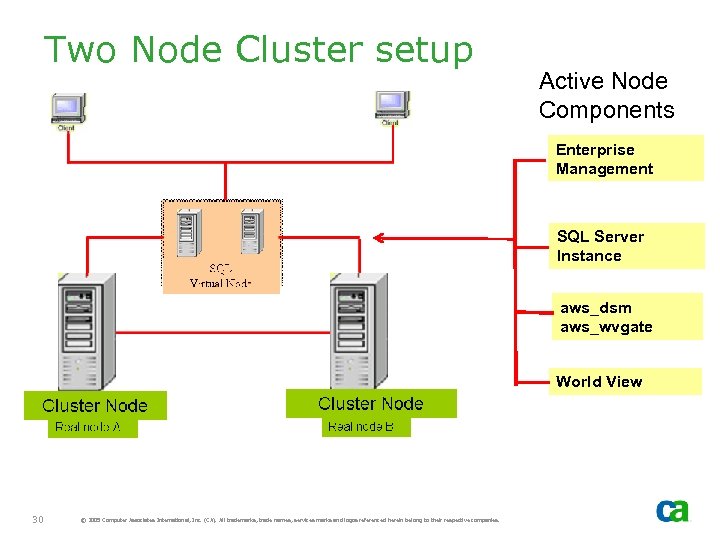
Two Node Cluster setup Active Node Components Enterprise Management SQL Server Instance aws_dsm aws_wvgate World View 30 © 2005 Computer Associates International, Inc. (CA). All trademarks, trade names, services marks and logos referenced herein belong to their respective companies.
Failover Considerations
Failover Considerations - Active Server crashes - Cluster Service detects the failure and starts cluster application services on passive node - Cluster Application failure - Cluster Service detects the application failure. Offline services on active node and Online services on passive node. Failed application server remains online - Explicit Move Groups for housekeeping - Same as Cluster Application failure 32 © 2005 Computer Associates International, Inc. (CA). All trademarks, trade names, services marks and logos referenced herein belong to their respective companies.
Agent Technology - DSM - awservices will be active on all cluster nodes - Agent Technology aws_dsm and aws_wvgate will only start on the active node 33 © 2005 Computer Associates International, Inc. (CA). All trademarks, trade names, services marks and logos referenced herein belong to their respective companies.
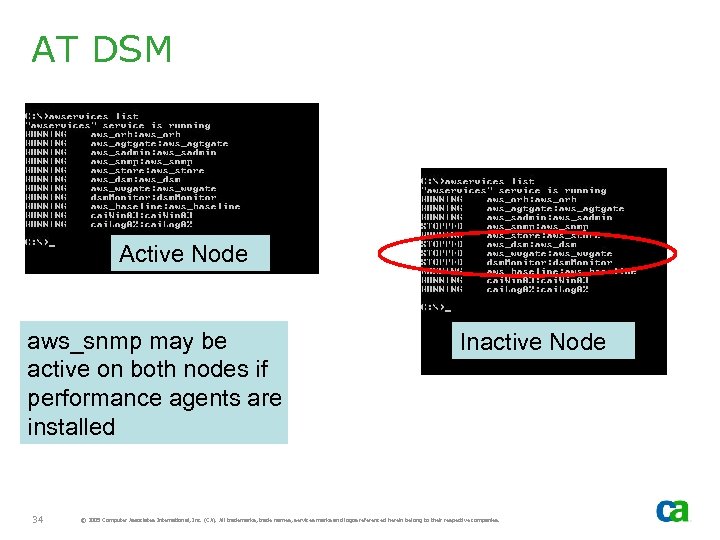
AT DSM Active Node aws_snmp may be active on both nodes if performance agents are installed 34 Inactive Node © 2005 Computer Associates International, Inc. (CA). All trademarks, trade names, services marks and logos referenced herein belong to their respective companies.
Installing Unicenter NSM r 11. 1 Local MDB - Note: If you are installing r 11, skip this section
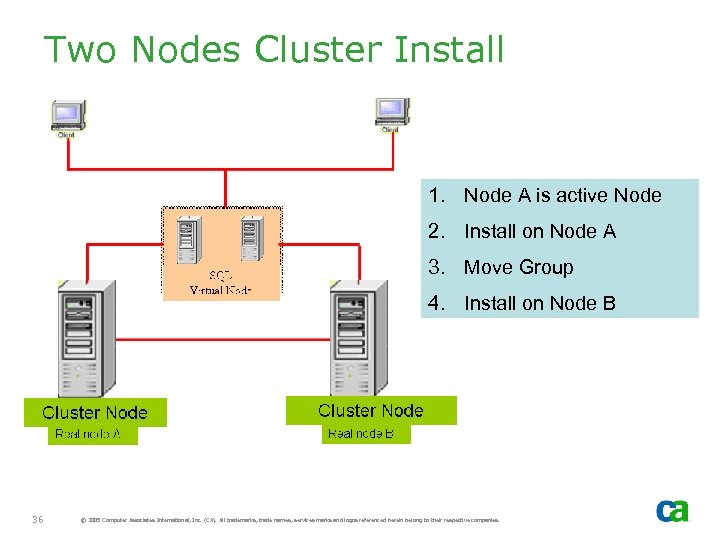
Two Nodes Cluster Install 1. Node A is active Node 2. Install on Node A 3. Move Group 4. Install on Node B 36 © 2005 Computer Associates International, Inc. (CA). All trademarks, trade names, services marks and logos referenced herein belong to their respective companies.
Install Tasks – Node A - Move Groups to verify cluster is correctly set up - Identify SQL Cluster resource group for NSM r 11. 1 - Verify NSM was not previously installed as non-HA - Move Group to Cluster Node A if Cluster Node A is not active node - Install NSM components on Node A - Do not perform any customization! 37 © 2005 Computer Associates International, Inc. (CA). All trademarks, trade names, services marks and logos referenced herein belong to their respective companies.
Install Tasks – Node B - From Cluster Administrator, offline NSM Resources (NSM install on Node A should have set it offline) - Move Group to Cluster Node B. Since resources are offline, they will not start on Node B - Cluster Resource Group Selection window is NOT be displayed when installing on second or subsequent nodes – it is only displayed for first - Install NSM components on Node B. Select the same options as Install on Node A. - Once the install on Node B is completed, the system is ready for customization 38 © 2005 Computer Associates International, Inc. (CA). All trademarks, trade names, services marks and logos referenced herein belong to their respective companies.
MDB - MDB is created during install on first Cluster Node. - On subsequent cluster nodes, install verifies the MDB exists and is at the correct MDB level (1. 0. 4) - If it is at the correct level, which it should be, MDB is NOT upgraded or recreated 39 © 2005 Computer Associates International, Inc. (CA). All trademarks, trade names, services marks and logos referenced herein belong to their respective companies.
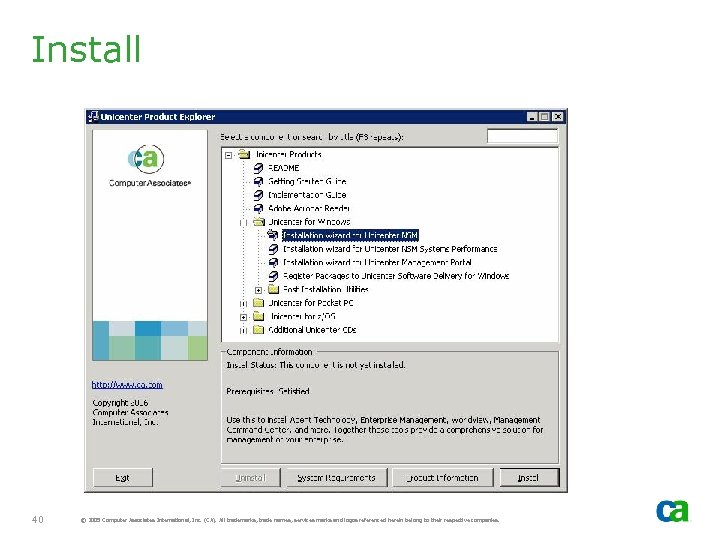
Install 40 © 2005 Computer Associates International, Inc. (CA). All trademarks, trade names, services marks and logos referenced herein belong to their respective companies.
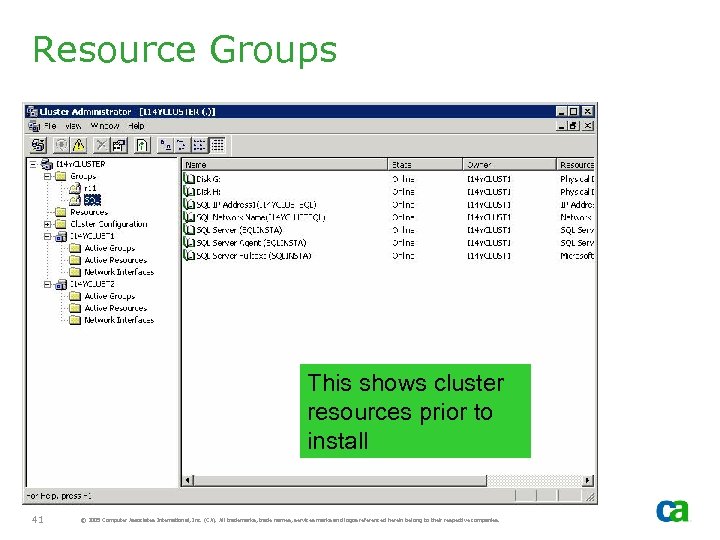
Resource Groups This shows cluster resources prior to install 41 © 2005 Computer Associates International, Inc. (CA). All trademarks, trade names, services marks and logos referenced herein belong to their respective companies.
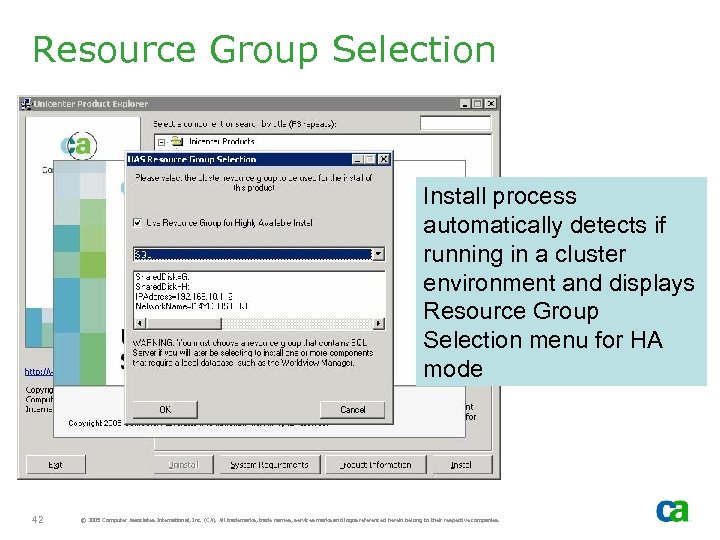
Resource Group Selection Install process automatically detects if running in a cluster environment and displays Resource Group Selection menu for HA mode 42 © 2005 Computer Associates International, Inc. (CA). All trademarks, trade names, services marks and logos referenced herein belong to their respective companies.
HA vs. Non-HA - Install process performs several checks prior to displaying HAS Resource Group Selection window - Install process will not permit mix of non-HA components with HA components if there is any interdependency between them. For example: - If Agent Technology manager was installed as non-HA and, later, you decide to add an EM component, EM will be forced to be non-HA and the Resource Group Selection window will not be displayed 43 © 2005 Computer Associates International, Inc. (CA). All trademarks, trade names, services marks and logos referenced herein belong to their respective companies.
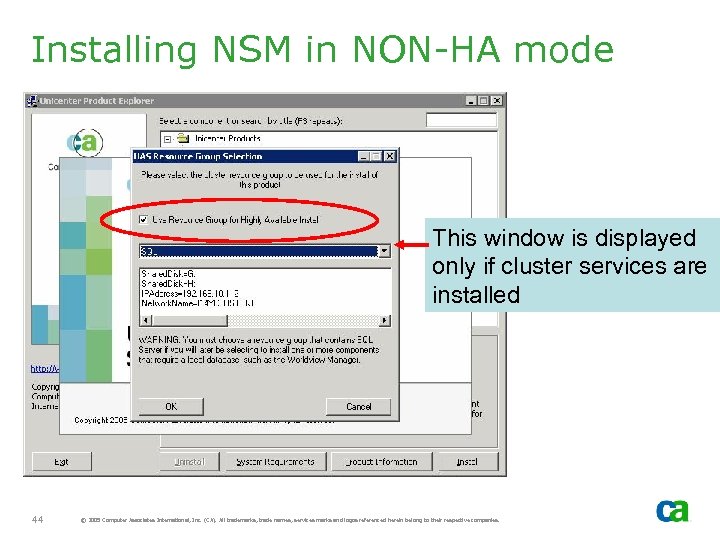
Installing NSM in NON-HA mode This window is displayed only if cluster services are installed 44 © 2005 Computer Associates International, Inc. (CA). All trademarks, trade names, services marks and logos referenced herein belong to their respective companies.
Installing NSM in NON-HA Mode - If NSM r 11. 1 is installed in MSCS environment and the install process is not forced into non-HA mode due to interdependency mix, the HAS Resource Group selection window will be displayed - If you wish to install in non-HA mode, then deselect “Use Resource Group for HA Install” option 45 © 2005 Computer Associates International, Inc. (CA). All trademarks, trade names, services marks and logos referenced herein belong to their respective companies.
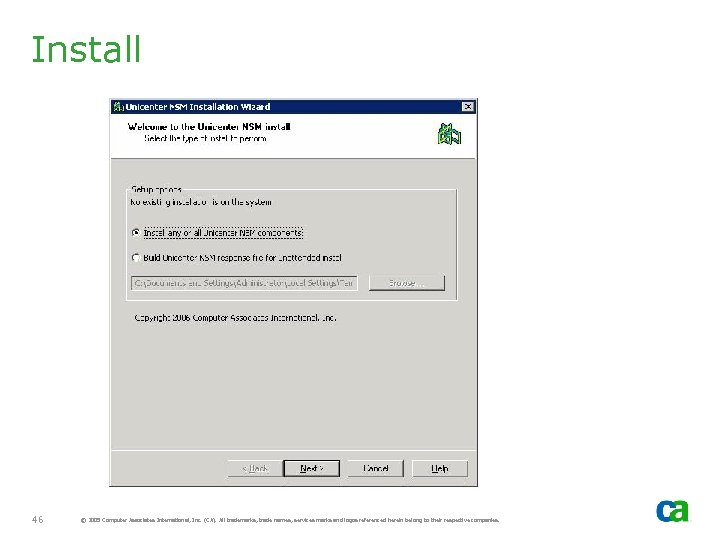
Install 46 © 2005 Computer Associates International, Inc. (CA). All trademarks, trade names, services marks and logos referenced herein belong to their respective companies.
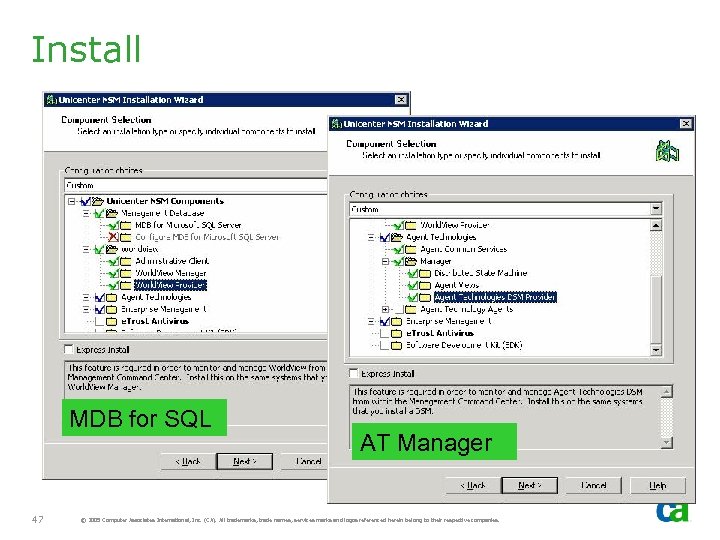
Install MDB for SQL 47 AT Manager © 2005 Computer Associates International, Inc. (CA). All trademarks, trade names, services marks and logos referenced herein belong to their respective companies.
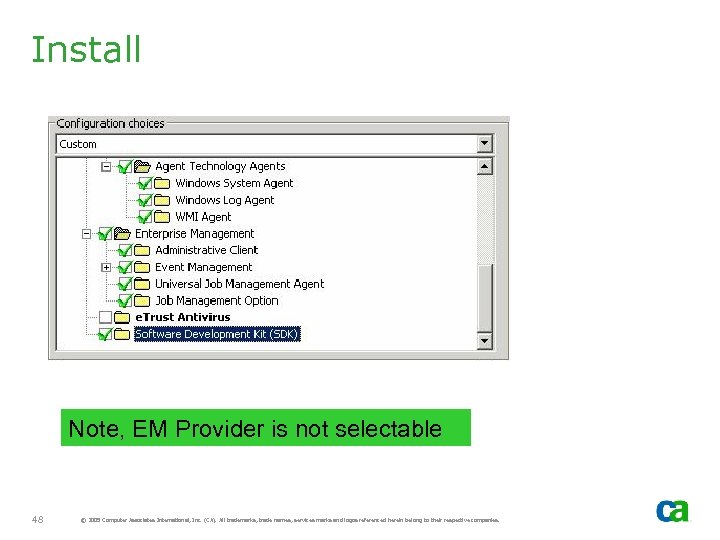
Install Note, EM Provider is not selectable 48 © 2005 Computer Associates International, Inc. (CA). All trademarks, trade names, services marks and logos referenced herein belong to their respective companies.
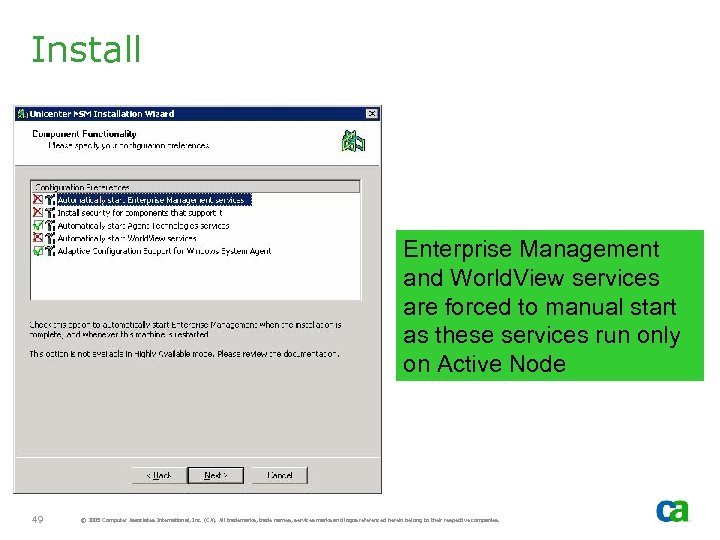
Install Enterprise Management and World. View services are forced to manual start as these services run only on Active Node 49 © 2005 Computer Associates International, Inc. (CA). All trademarks, trade names, services marks and logos referenced herein belong to their respective companies.
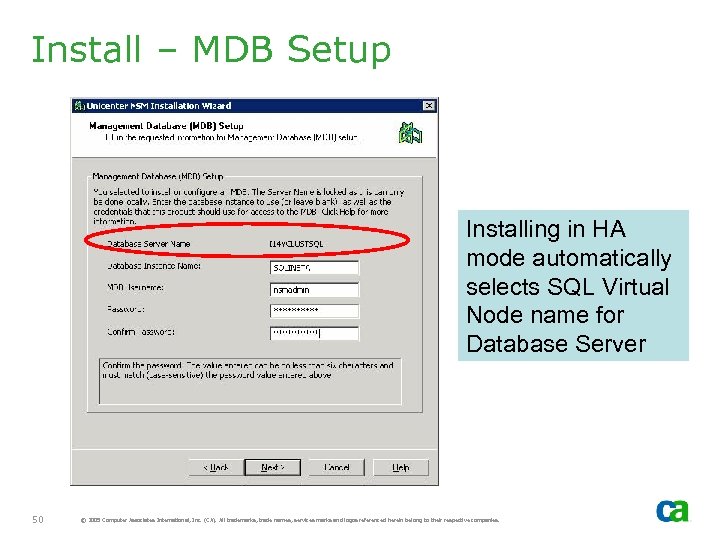
Install – MDB Setup Installing in HA mode automatically selects SQL Virtual Node name for Database Server 50 © 2005 Computer Associates International, Inc. (CA). All trademarks, trade names, services marks and logos referenced herein belong to their respective companies.
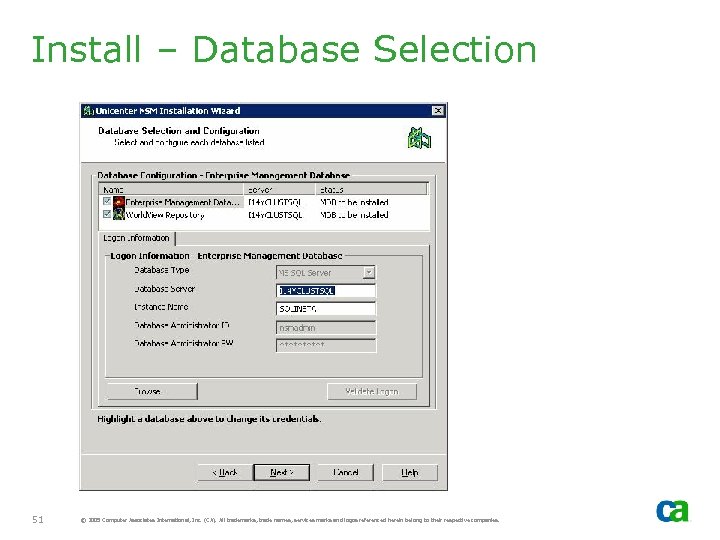
Install – Database Selection 51 © 2005 Computer Associates International, Inc. (CA). All trademarks, trade names, services marks and logos referenced herein belong to their respective companies.
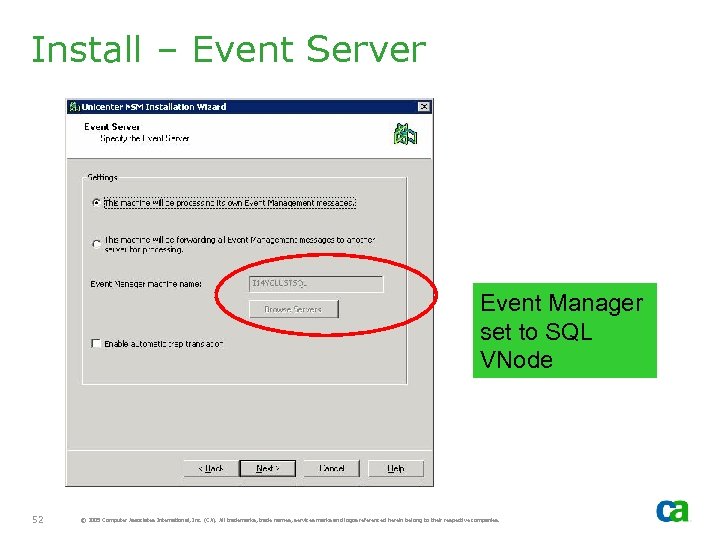
Install – Event Server Event Manager set to SQL VNode 52 © 2005 Computer Associates International, Inc. (CA). All trademarks, trade names, services marks and logos referenced herein belong to their respective companies.
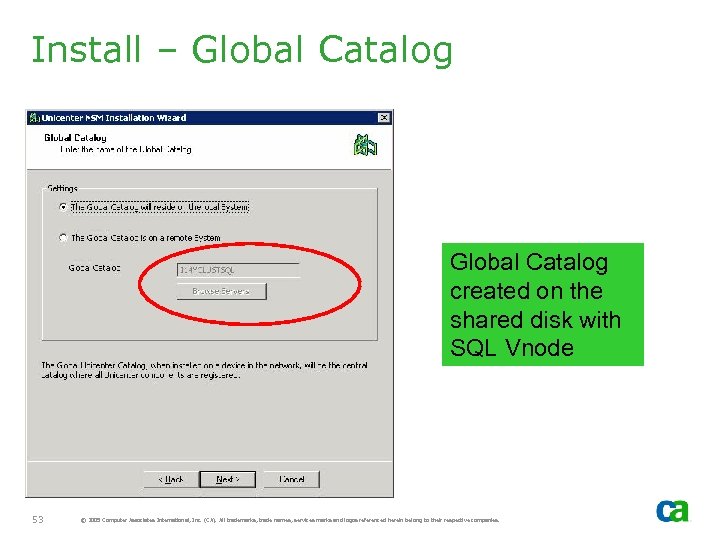
Install – Global Catalog created on the shared disk with SQL Vnode 53 © 2005 Computer Associates International, Inc. (CA). All trademarks, trade names, services marks and logos referenced herein belong to their respective companies.
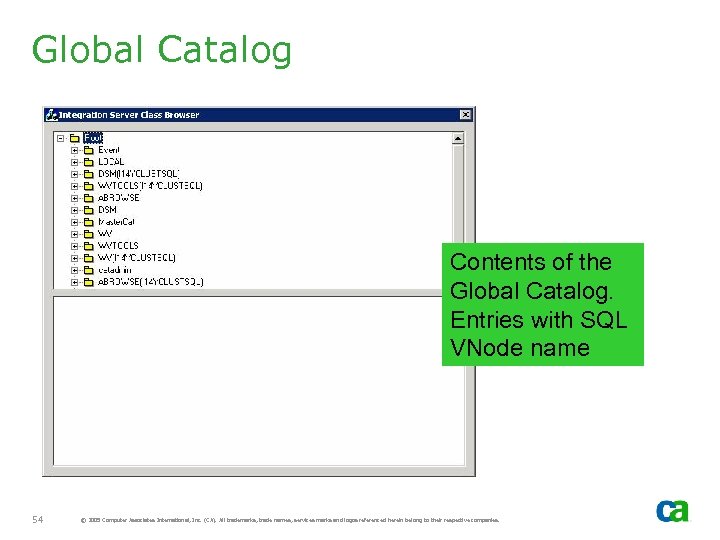
Global Catalog Contents of the Global Catalog. Entries with SQL VNode name 54 © 2005 Computer Associates International, Inc. (CA). All trademarks, trade names, services marks and logos referenced herein belong to their respective companies.
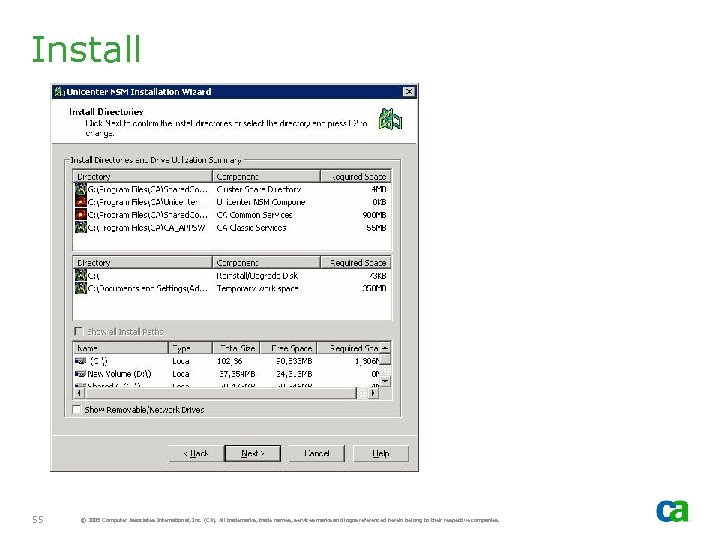
Install 55 © 2005 Computer Associates International, Inc. (CA). All trademarks, trade names, services marks and logos referenced herein belong to their respective companies.
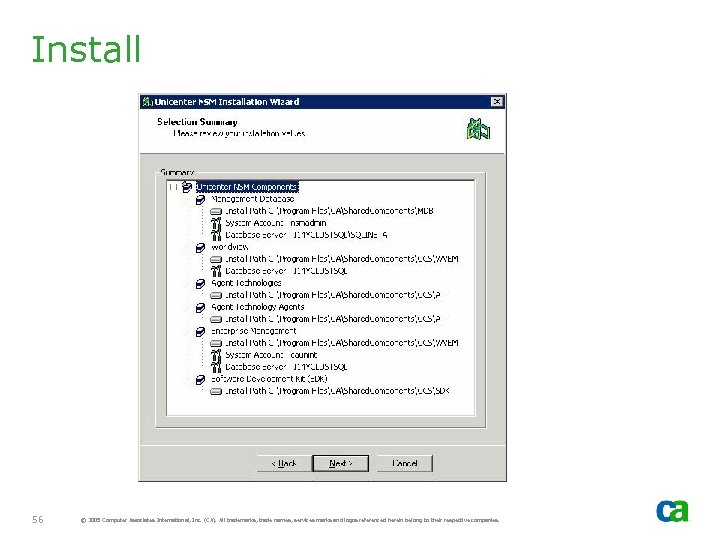
Install 56 © 2005 Computer Associates International, Inc. (CA). All trademarks, trade names, services marks and logos referenced herein belong to their respective companies.
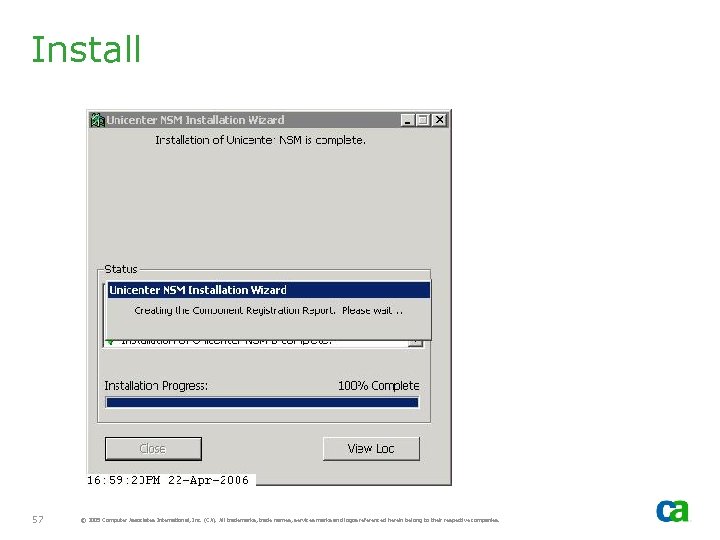
Install 57 © 2005 Computer Associates International, Inc. (CA). All trademarks, trade names, services marks and logos referenced herein belong to their respective companies.
Offline Resources - NSM Resources should be set to offline by the install process. If they are not offline, offline them prior to moving groups - If NSM Resources are not offline, install process will attempt to start NSM components with move group and this will fail because the components are not yet installed on the new active node 58 © 2005 Computer Associates International, Inc. (CA). All trademarks, trade names, services marks and logos referenced herein belong to their respective companies.
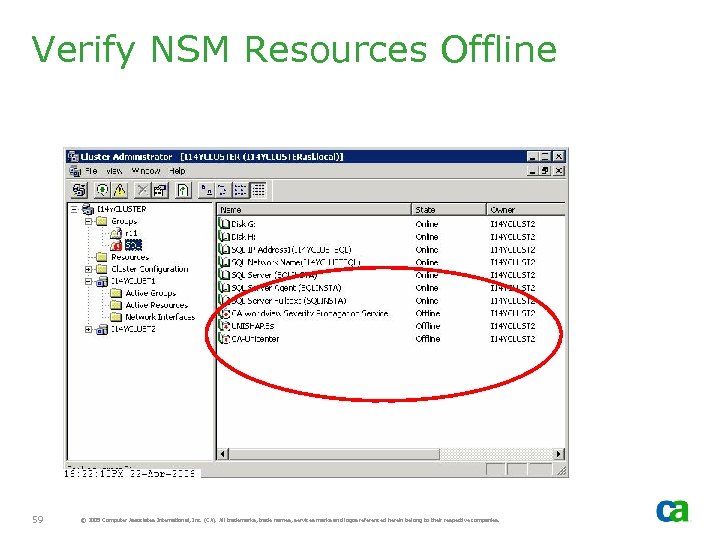
Verify NSM Resources Offline 59 © 2005 Computer Associates International, Inc. (CA). All trademarks, trade names, services marks and logos referenced herein belong to their respective companies.
Active SQL Connections - If Agent Technology manager is installed, it will automatically start aws_dsm and aws_wvgate. - If, after moving group to Node B, aws_dsm and aws_wvgate services are not stopped on Node A, manually stop them using “awservices stop” - awservices is dependent on HAS service. However, if for some reason it is not stopped, the install process on the second cluster node will detect an active SQL client connection and will not let you continue - This will also be case if any other remote aws_dsms connect to the Node A MDB prior to install on Node B - Similarly if any other remote WV applications connect to Node A MDB prior to install on Node B, this will also leave active SQL connection 60 © 2005 Computer Associates International, Inc. (CA). All trademarks, trade names, services marks and logos referenced herein belong to their respective companies.
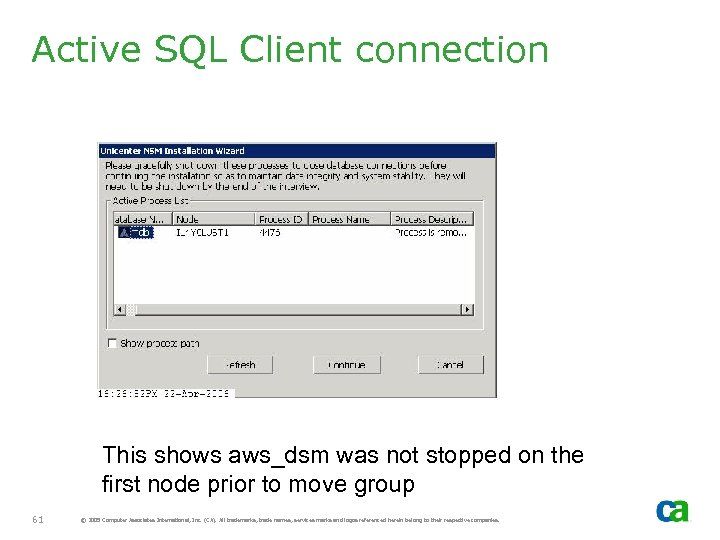
Active SQL Client connection This shows aws_dsm was not stopped on the first node prior to move group 61 © 2005 Computer Associates International, Inc. (CA). All trademarks, trade names, services marks and logos referenced herein belong to their respective companies.
Install on Cluster Node B - Install NSM components on cluster Node B will be active after Move Group - Select same options (e. g. , directory names, shared disk, etc. ) as the install for Node A - Subcomponent selections, however, can be different if necessary. If so, this requirement should be reviewed carefully as you may comprise HA. For example: - Enterprise Management subcomponent Job Management Option (JMO) was selected on Node A but not on Node B. If Node A fails, then the Workload Manager will not run on Node B – potentially compromising failover of JMO. 62 © 2005 Computer Associates International, Inc. (CA). All trademarks, trade names, services marks and logos referenced herein belong to their respective companies.
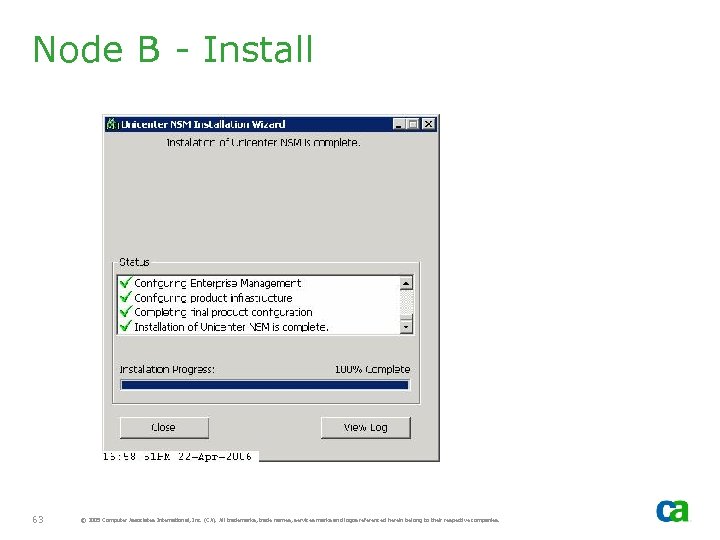
Node B - Install 63 © 2005 Computer Associates International, Inc. (CA). All trademarks, trade names, services marks and logos referenced herein belong to their respective companies.
Reboot - After the install completes on all cluster nodes, start the customization - If the install process requires reboot, do the following: - Move Group to Cluster Node A. If reboot was required on Node A, this should have been carried out while Node B was active - Put NSM cluster resources online if they are offline - Reboot Cluster Node B 64 © 2005 Computer Associates International, Inc. (CA). All trademarks, trade names, services marks and logos referenced herein belong to their respective companies.
Installing NSM r 11. 1 Remote MDB - Note: If you are installing r 11, skip this section
Remote MDB - This section shows how to install HA NSM components connecting to a remote SQL MDB. - Installation of SQL Client is required to enable connection to a remote SQL MDB. - Certain Manager components, such as WV Manager, can only be installed if local MDB is used 66 © 2005 Computer Associates International, Inc. (CA). All trademarks, trade names, services marks and logos referenced herein belong to their respective companies.
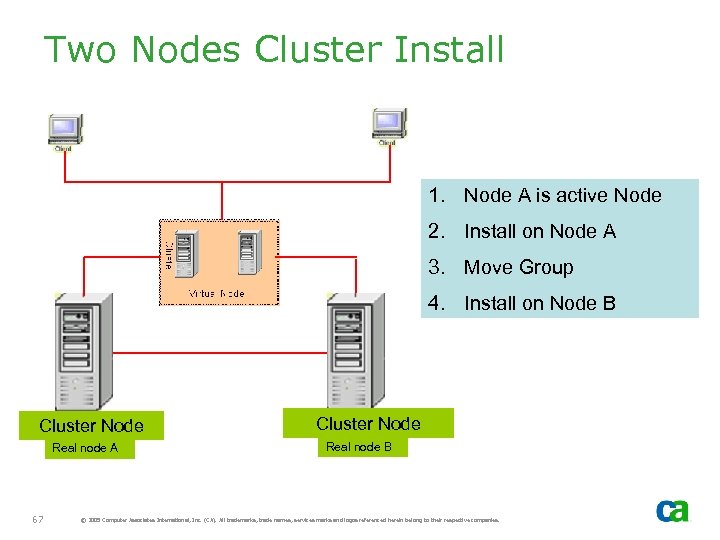
Two Nodes Cluster Install 1. Node A is active Node 2. Install on Node A 3. Move Group 4. Install on Node B Cluster Node Real node A 67 Cluster Node Real node B © 2005 Computer Associates International, Inc. (CA). All trademarks, trade names, services marks and logos referenced herein belong to their respective companies.
Install Tasks – Node A - Move Groups to verify cluster is correctly set up - Identify the Cluster resource group for NSM r 11. 1. - Since SQL server is not installed, this will be the resource group that has IP address, network name and disk resources defined - Verify NSM was not previously installed as non-HA - Move Group to Cluster Node A if Cluster Node A is not active node - Install NSM components on Node A 68 © 2005 Computer Associates International, Inc. (CA). All trademarks, trade names, services marks and logos referenced herein belong to their respective companies.
Install Tasks – Node B - From Cluster Administrator, offline NSM Resources (NSM install on Node A should have set it offline) - Move Group to Cluster Node B. As the resources are offline, they will not start on Node B. - Cluster Resource Group Selection window will not display when installing on second or subsequent nodes – it is only displayed for the first node - Install NSM components on Node B, selecting the same options as for Node A - Once the install on Node B is complete, the system is ready for customization 69 © 2005 Computer Associates International, Inc. (CA). All trademarks, trade names, services marks and logos referenced herein belong to their respective companies.
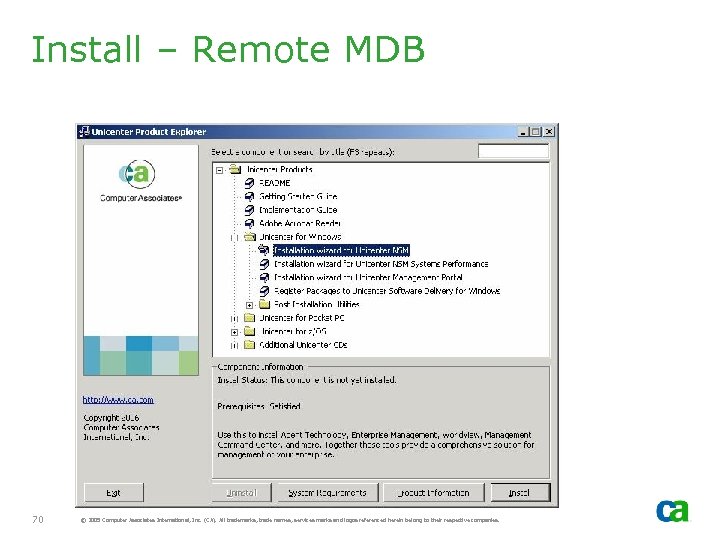
Install – Remote MDB 70 © 2005 Computer Associates International, Inc. (CA). All trademarks, trade names, services marks and logos referenced herein belong to their respective companies.
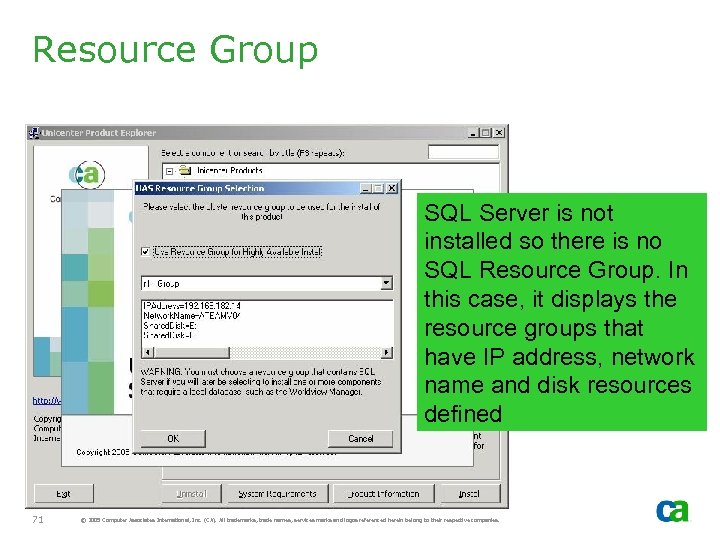
Resource Group SQL Server is not installed so there is no SQL Resource Group. In this case, it displays the resource groups that have IP address, network name and disk resources defined 71 © 2005 Computer Associates International, Inc. (CA). All trademarks, trade names, services marks and logos referenced herein belong to their respective companies.
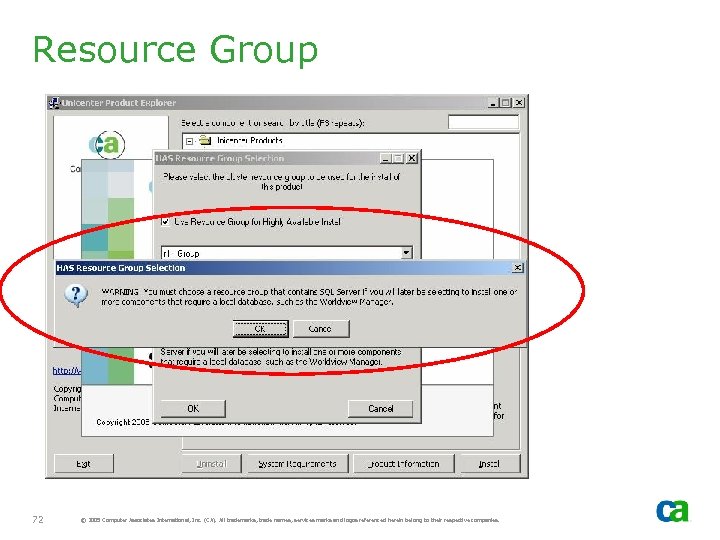
Resource Group 72 © 2005 Computer Associates International, Inc. (CA). All trademarks, trade names, services marks and logos referenced herein belong to their respective companies.
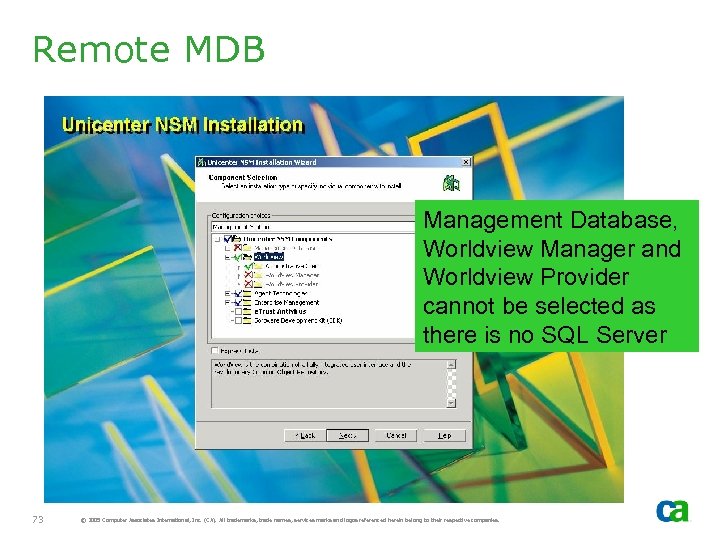
Remote MDB Management Database, Worldview Manager and Worldview Provider cannot be selected as there is no SQL Server 73 © 2005 Computer Associates International, Inc. (CA). All trademarks, trade names, services marks and logos referenced herein belong to their respective companies.
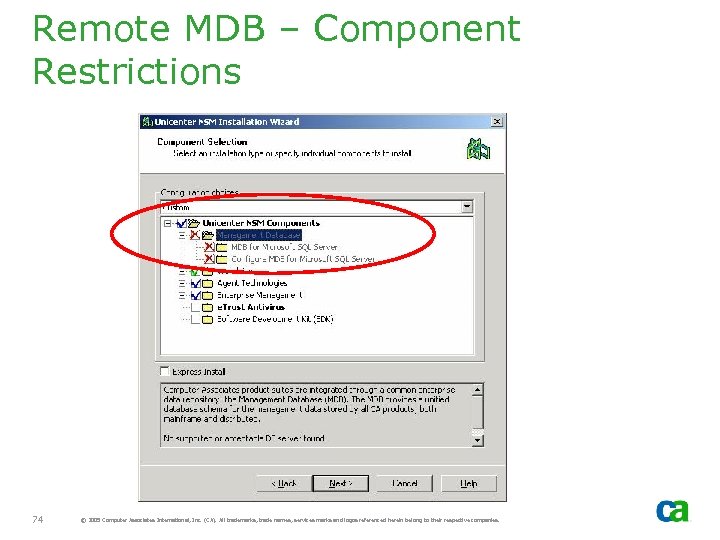
Remote MDB – Component Restrictions 74 © 2005 Computer Associates International, Inc. (CA). All trademarks, trade names, services marks and logos referenced herein belong to their respective companies.
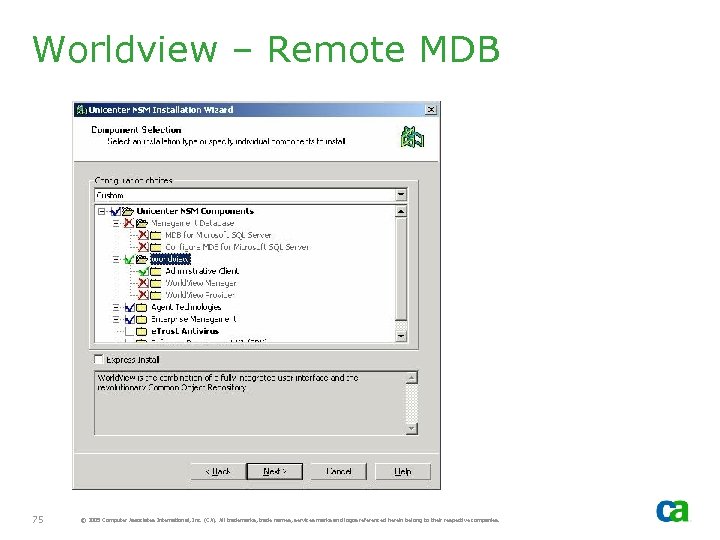
Worldview – Remote MDB 75 © 2005 Computer Associates International, Inc. (CA). All trademarks, trade names, services marks and logos referenced herein belong to their respective companies.
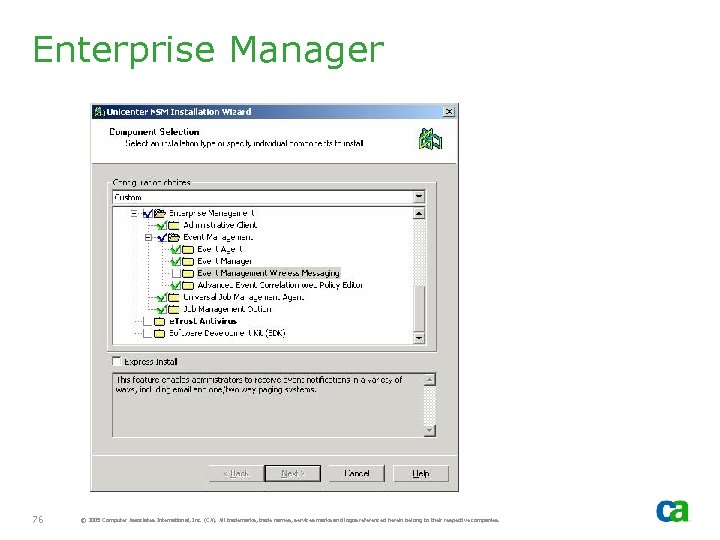
Enterprise Manager 76 © 2005 Computer Associates International, Inc. (CA). All trademarks, trade names, services marks and logos referenced herein belong to their respective companies.
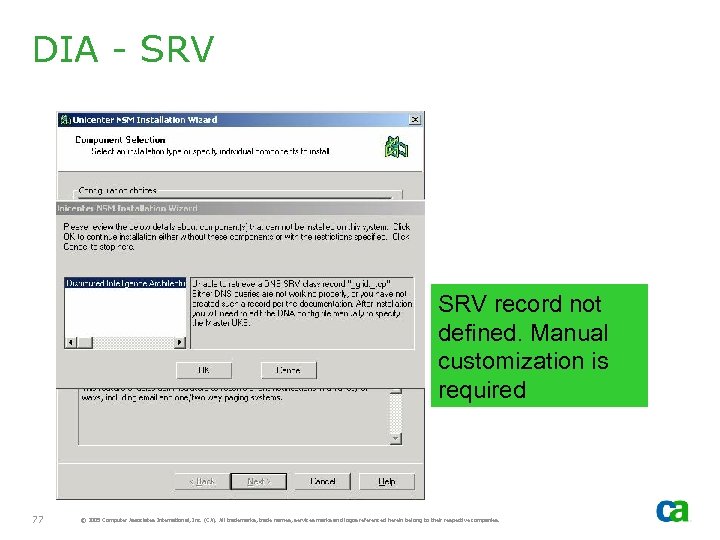
DIA - SRV record not defined. Manual customization is required 77 © 2005 Computer Associates International, Inc. (CA). All trademarks, trade names, services marks and logos referenced herein belong to their respective companies.
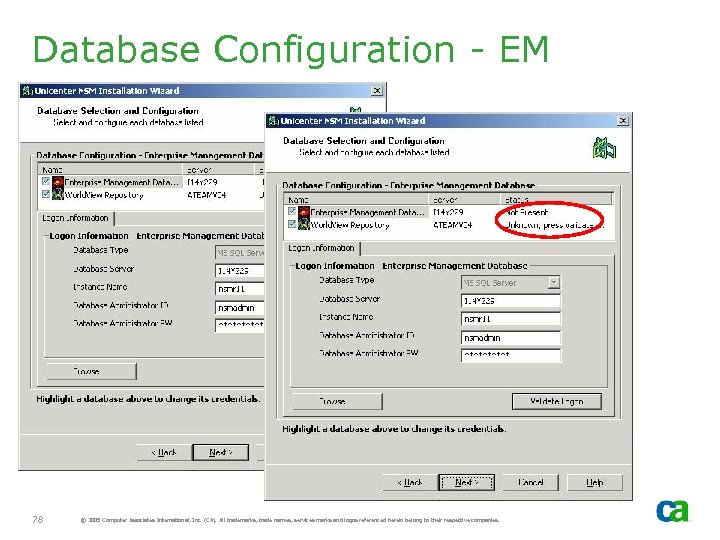
Database Configuration - EM 78 © 2005 Computer Associates International, Inc. (CA). All trademarks, trade names, services marks and logos referenced herein belong to their respective companies.
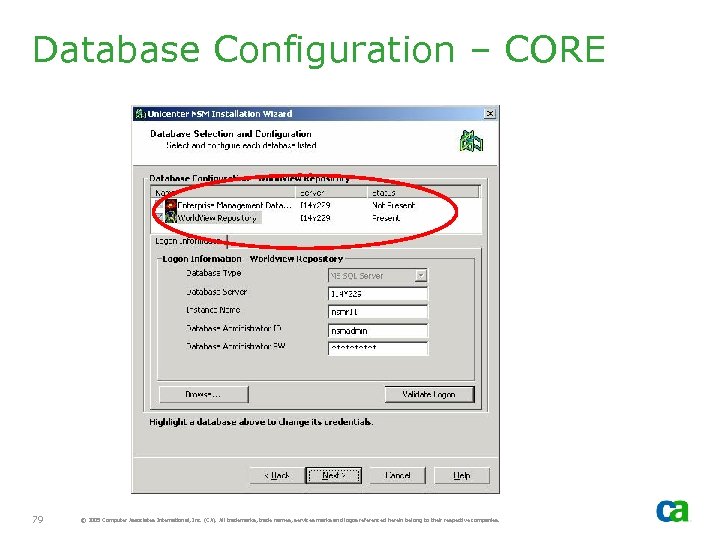
Database Configuration – CORE 79 © 2005 Computer Associates International, Inc. (CA). All trademarks, trade names, services marks and logos referenced herein belong to their respective companies.
Install Process - When the install process on Node A completes successfully, move group and repeat the same process on subsequent nodes 80 © 2005 Computer Associates International, Inc. (CA). All trademarks, trade names, services marks and logos referenced herein belong to their respective companies.
Installing Unicenter NSM r 11. 1 Sharing HA MDB Created by Unicenter DSM - Note: If you are installing r 11, skip this section
HA MDB - This section demonstrates how to install Unicenter NSM that will use a shared HA MDB created by Unicenter Desktop and Server Management (DSM) r 11. 1 82 © 2005 Computer Associates International, Inc. (CA). All trademarks, trade names, services marks and logos referenced herein belong to their respective companies.
Unicenter NSM Install Sharing HA MDB - If you are installing Unicenter NSM and intend it to share an HA MDB that was created by Unicenter DSM, you must still select the “Install MDB” option, even though the MDB already exists - This is because the NSM install requires the MDB to be locked down - If the SQL MDB already exists, it will not be recreated by NSM install process. Instead, the install will verify if the MDB is at the correct level or if an upgrade of MDB is required. If no upgrade is required, the install will simply exit and lock down the MDB - The rest of install is same as described in Section 2 83 © 2005 Computer Associates International, Inc. (CA). All trademarks, trade names, services marks and logos referenced herein belong to their respective companies.
Скачать презентацию Best Practices for Implementing Unicenter NSM r 11
398964e014b68f459a4d0384385c0da7.ppt