 Скачать презентацию Basic Copy Cataloging Books Prepared by Lynnette Fields
a9148c2383d0fbedd404995dbb342a76.ppt
- Количество слайдов: 106



Basic Copy Cataloging (Books) Prepared by Lynnette Fields, Lori Murphy, Kathy Nystrom, Shelley Stone as an LSTA grant “Funding for this grant was awarded by the Illinois State Library (ISL), a Division of the Office of the Secretary of State, using funds provided by the Institute of Museum and Library Service (IMLS), under the Federal Library Services and Technology Act (LSTA). ” 1
Goals • Participants will: – Understand the cataloging climate in Illinois – Understand the organizing principles of catalogs – Understand descriptive cataloging rules and how to assign access points – Understand basic MARC coding and OCLC searching – Be able to identify “appropriate” copy and needed edits – Be introduced to subject analysis and classification 2
Introductions • • • Who are you? Where do you work? What do you do there? How long have you been cataloging? What do you do for fun? 3
• What are your expectations for this workshop? • What do you hope to learn? • We will put these on the flipchart, and we’ll check off as we go and review before we finish the workshop 4
• Let’s look at the handouts – – – Agenda Binder Sample book Title page examples MARC record examples 5
Session 1: Introduction • What is the cataloging climate in Illinois? • What types of libraries are there and how do they differ? • What is the difference between catalogs and cataloging? • Brief history of catalogs • Brief history of cataloging • Organizing principles of catalogs 6
Cataloging Climate in Illinois • Illinois Regional Library Systems – Formed in 1965 to provide services to participating libraries – Multi-type (includes academic, public, school and special libraries) – Currently nine Regional Library Systems 7
Cataloging Climate in Illinois • LLSAP (Local Library System Automation Program) – Consortial catalogs operated by the Illinois Regional Library Systems • (Not all System members are LLSAP members) – Contain bibliographic and holdings records from member libraries • All bibliographic records come from OCLC – Each LLSAP is independently run • Variety of automation vendors – Innovative Interfaces, Inc. , Sirsi/Dynix, Voyager, etc. 8
Cataloging Climate in Illinois • SILC (Statewide Illinois Library Catalog) – Illinois’ first all inclusive statewide union catalog that integrates World. Cat and the Illinois Regional Library Systems’ LLSAP catalogs – Provides both shelf status and interlibrary loan capabilities in a single searchable interface – LLSAP catalogs are available thru SILC 9
Cataloging Climate in Illinois • Illinois Statewide Cataloging Standards – http: //www. cyberdriveillinois. com/departments/lib rary/whats_new/pdfs/catalog_standards. pdf – A document that provides Illinois libraries with a concise, yet inclusive cataloging reference tool – Designed to enforce uniform control over the bibliographic records that comprise the Regional Library Systems’ LLSAPs – Provides the groundwork to ensure that SILC will work 10
Cataloging Climate in Illinois • OCLC (Online Computer Library Center) – Founded in 1967, OCLC is a nonprofit, membership, computer library service and research organization • 53, 548 member libraries in 96 countries • 60+ million bibliographic records • Provide a variety of services: – Cataloging and metadata, Collection management, Digital collection & preservation, e. Content, Reference, and Resource sharing • OCLC is the backbone behind SILC 11
Cataloging Climate in Illinois • Why are all these organizations necessary? – To ensure that Illinois library patrons find the materials they are looking for in the most efficient manner and to enhance resource sharing 12
Cataloging Climate in Illinois • How do these organizations affect the daily operations in your library? – Items must be cataloged correctly and consistently and holdings set in OCLC in order for SILC to work correctly – With SILC, your patrons can request materials from across the state and receive those materials in a timely manner • This gives the patrons at the smallest Illinois library access to materials they would never have without the resource sharing network in Illinois 13
Cataloging Climate in Illinois • How do these organizations affect the daily operations in your library? – Bibliographic records appearing in LLSAPs are visible not only in the LLSAP, but in SILC, so that Illinois patrons anywhere have access to those materials – And because OCLC is worldwide, these bibliographic records are visible worldwide and the materials available worldwide. 14
Why do we need libraries? 15
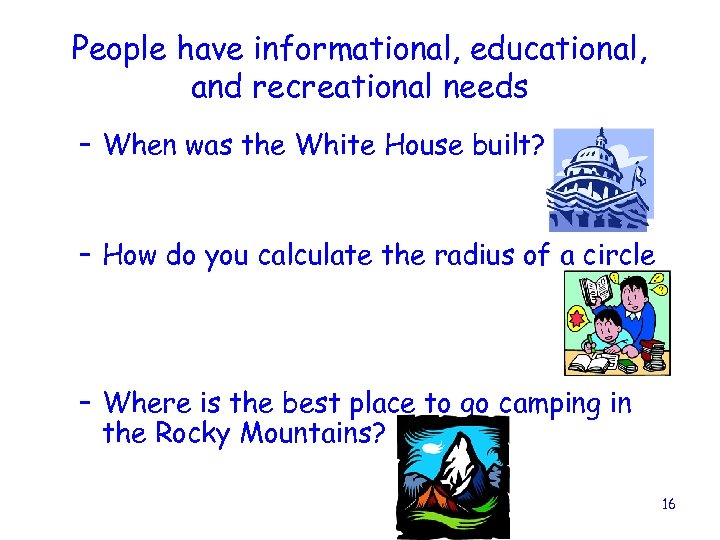
People have informational, educational, and recreational needs – When was the White House built? – How do you calculate the radius of a circle – Where is the best place to go camping in the Rocky Mountains? 16
• Libraries collect materials to satisfy these needs • What is a library? – A collection of books for reading or borrowing – A room or building where these collections are kept – A collection of sound recordings, films, etc. 17
Types of libraries • • Academic School Public Special 18
Academic Libraries • State institutions • Private • Community colleges School Libraries • Public • Private 19
Public Libraries • • • Large Medium Small County District Municipal (City) 20
Special Libraries • • • Corporate (Business libraries) Government Hospital Law Museums Etc. 21
Library Organizational Functions • No matter what their size or their type, the organizational structure of all libraries incorporate these functions in some way, shape, or form: – Administration • Overall operations of the library – Public services • Reference, collection development, library instruction, circulation – Technical services • Acquisitions, cataloging, processing – Information technology • Running the library automation system and maintaining all 22 the library computers
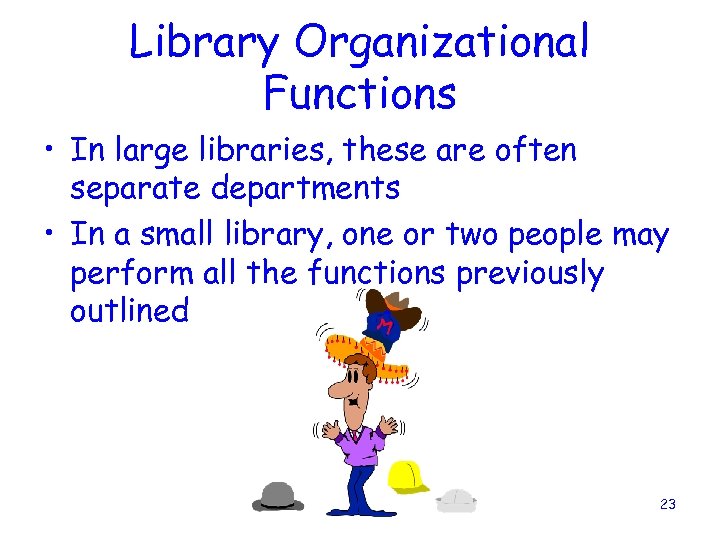
Library Organizational Functions • In large libraries, these are often separate departments • In a small library, one or two people may perform all the functions previously outlined 23
Different types of libraries collect different types of items • Academic libraries collect materials that support the curriculum of the institution – Scholarly journals, online resources, books and electronic books 24
Different types of libraries collect different types of items • School libraries collect materials to support the needs of the classroom – Books, curriculum materials, periodicals, accelerated reader materials, videos and DVDs, electronic resources, etc. 25
Different types of libraries collect different types of items • Public libraries tend to primarily collect materials that support the recreational and informational needs of their patrons – Fiction, how-to-do-it materials, videos and DVDs, sound recordings, audiobooks, kits, puppets, toys, etc. 26
Different types of libraries collect different types of items • Special and corporate libraries collect materials to support their organizational needs – Often very specialized depending on the type of library 27
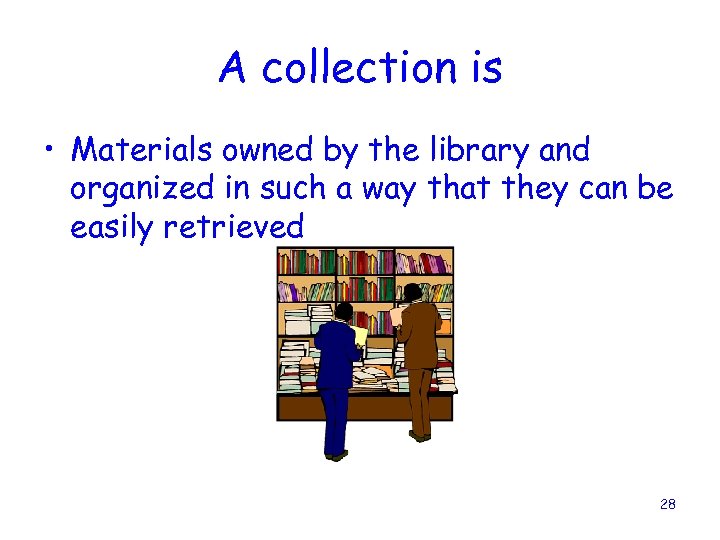
A collection is • Materials owned by the library and organized in such a way that they can be easily retrieved 28
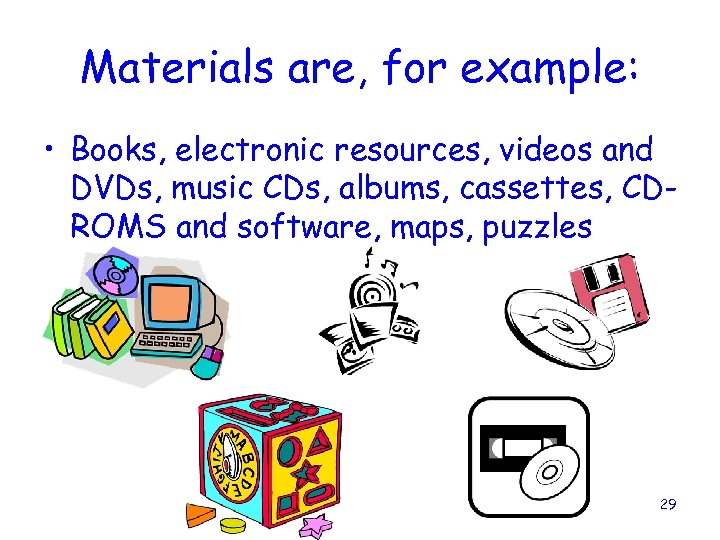
Materials are, for example: • Books, electronic resources, videos and DVDs, music CDs, albums, cassettes, CDROMS and software, maps, puzzles 29
These materials have to be organized so that people can find them • Cataloging is the process that turns accumulations of materials into a library collection 30
Overview of providing and organizing materials in a library • • We choose materials We order materials We process materials We catalog materials and provide a catalog • We shelve materials • We circulate materials • We provide reference services, etc. 31
• These materials are accessed through the catalog 32
A catalog is • A list of library materials contained in a collection, a library, or a group of libraries, arranged according to some definite plan – The catalog forms the basis for access to the library’s collection 33
Why do we need catalogs? • For retrieval – Most collections are too large for someone to remember every item in the collection, and where all those items are • For inventory – Catalogs serve as a record of what is owned and as a reminder of what has been acquired, lost, replaced, etc. 34
Why do we need catalogs? • Charles A. Cutter defined the objects of the catalog in his Rules for a Printed Dictionary Catalogue published in 1876 – To enable a person to find a book of which either the author, the title, or the subject is known – To show what the library has by a given author, on a given subject, and in a given type of literature – To assist in the choice of a book as to its character (literary or topical) 35
• We are concentrating on the catalog as a primary way of providing and organizing materials • We provide bibliographic information about the materials in our collections in catalogs 36
Bibliographic information is the bibliographic description and access points for an item • Bibliographic description is: – Descriptive information provided in a bibliographic record to identify that item as to title, edition, publication information, physical description and any necessary notes – This bibliographic description is used by the patron to decide whether or not that item meets the patron’s needs 37
Bibliographic information is the bibliographic description and access points for an item • An access point is a name (person or corporate body), subject term, title, call number, standard number, etc. , under which a bibliographic record may be searched and identified • Access points are used by the patron to find the items that meet the patron’s needs 38
• A bibliographic record is a record (catalog card or electronic) that contains the bibliographic information about an item • Bibliographic records are collected in a catalog 39
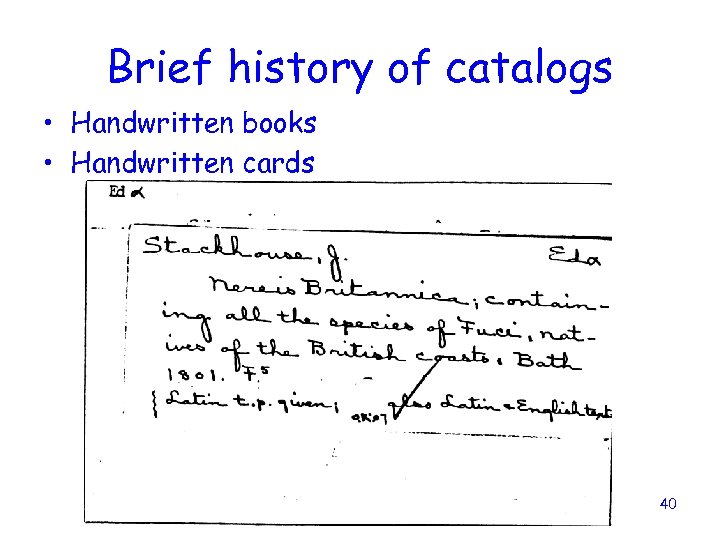
Brief history of catalogs • Handwritten books • Handwritten cards 40
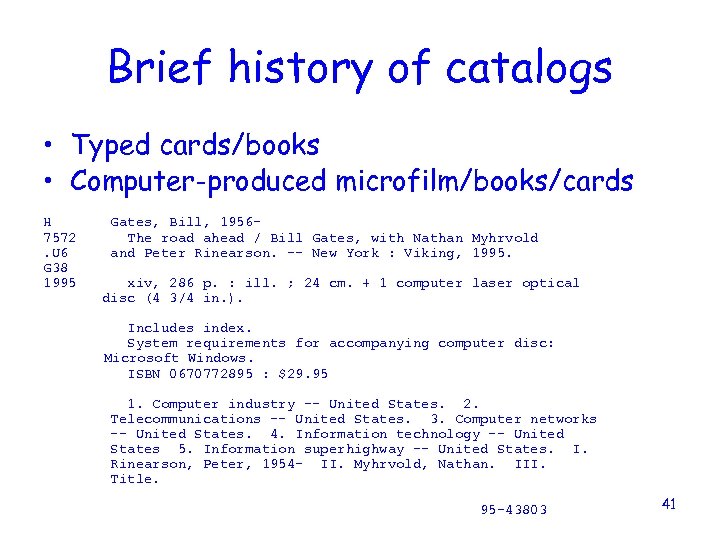
Brief history of catalogs • Typed cards/books • Computer-produced microfilm/books/cards H 7572. U 6 G 38 1995 Gates, Bill, 1956 The road ahead / Bill Gates, with Nathan Myhrvold and Peter Rinearson. -- New York : Viking, 1995. xiv, 286 p. : ill. ; 24 cm. + 1 computer laser optical disc (4 3/4 in. ). Includes index. System requirements for accompanying computer disc: Microsoft Windows. ISBN 0670772895 : $29. 95 1. Computer industry -- United States. 2. Telecommunications -- United States. 3. Computer networks -- United States. 4. Information technology -- United States 5. Information superhighway -- United States. I. Rinearson, Peter, 1954 - II. Myhrvold, Nathan. III. Title. 95 -43803 41
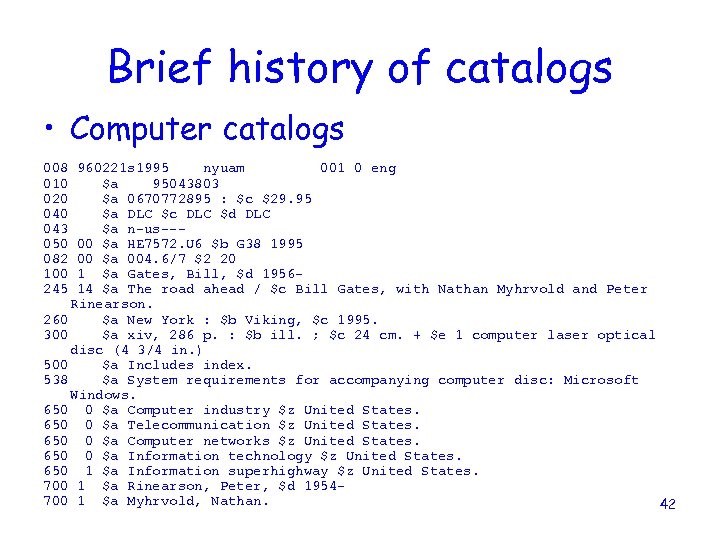
Brief history of catalogs • Computer catalogs 008 010 020 043 050 082 100 245 960221 s 1995 nyuam 001 0 eng $a 95043803 $a 0670772895 : $c $29. 95 $a DLC $c DLC $d DLC $a n-us--00 $a HE 7572. U 6 $b G 38 1995 00 $a 004. 6/7 $2 20 1 $a Gates, Bill, $d 195614 $a The road ahead / $c Bill Gates, with Nathan Myhrvold and Peter Rinearson. 260 $a New York : $b Viking, $c 1995. 300 $a xiv, 286 p. : $b ill. ; $c 24 cm. + $e 1 computer laser optical disc (4 3/4 in. ) 500 $a Includes index. 538 $a System requirements for accompanying computer disc: Microsoft Windows. 650 0 $a Computer industry $z United States. 650 0 $a Telecommunication $z United States. 650 0 $a Computer networks $z United States. 650 0 $a Information technology $z United States. 650 1 $a Information superhighway $z United States. 700 1 $a Rinearson, Peter, $d 1954700 1 $a Myhrvold, Nathan. 42
• Catalogs have changed over the years, but they still provide the same basic information, just in different ways 43
TODAY’S CATALOGS ARE NEARLY ALL ON COMPUTERS • Now called OPACs (Online public access catalog) • Advantages – Easier to update – Very flexible – More searchable data (more access points, keywords) – Powerful searching tools • Disadvantages – Large learning curve for staff and patrons because searching methods and retrieval displays are not uniform from library to library 44
Different types of OPACS • Stand alone – The catalog is only for the items held by that library • Arlington Heights Public Library • A school’s Follett system 45
Different types of OPACS • Shared – Two or more libraries share a single OPAC • There is one bibliographic record with item records for each library • Single type – All the libraries sharing the OPAC are the same type » I-SHARE – primarily academic • Multi-type – Different types of libraries sharing the OPAC » Illinois LLSAPs – public, school, academic, special 46
• OPACS display MARC records • Depending on what automation vendor powers your OPAC, and how you have configured your OPAC, the same MARC record can look very different in different OPACs 47
• In Illinois, many libraries get their MARC records from OCLC • The OCLC record is imported into the local database 48
• In the old days, every card catalog was basically the same – Patrons could go from library to library and know how to read a card • Now, each library or LLSAP can make decisions on displays, indexing, etc. , so even libraries using the same automation vendor may not have the same OPAC display 49
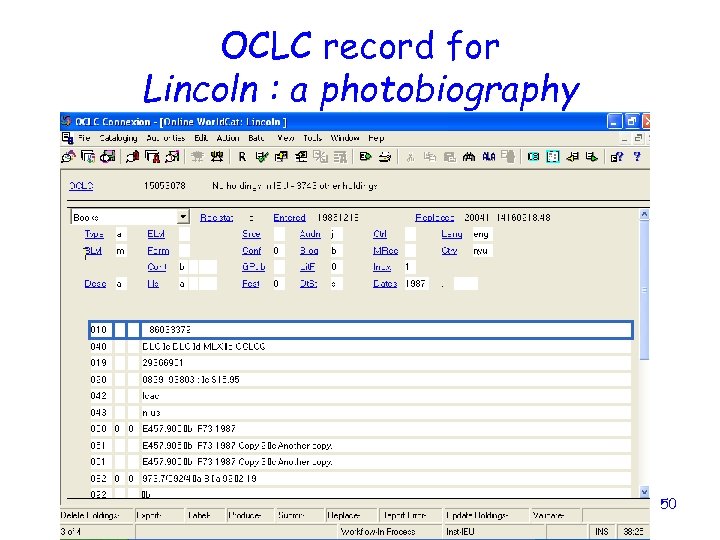
OCLC record for Lincoln : a photobiography 50
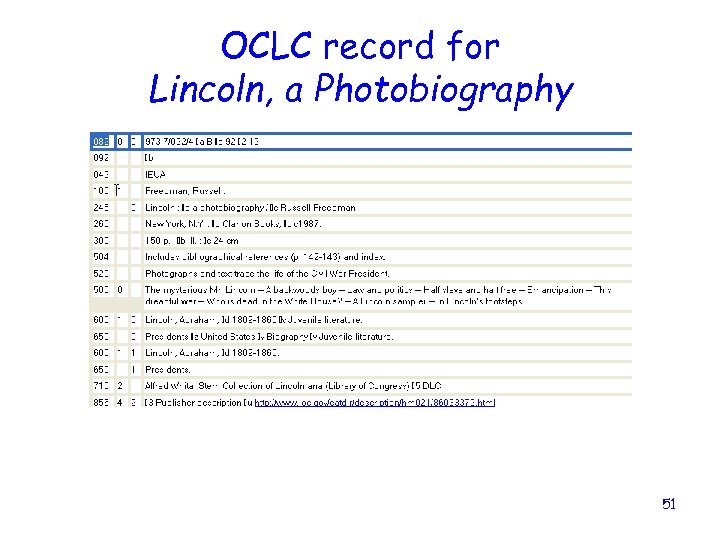
OCLC record for Lincoln, a Photobiography 51
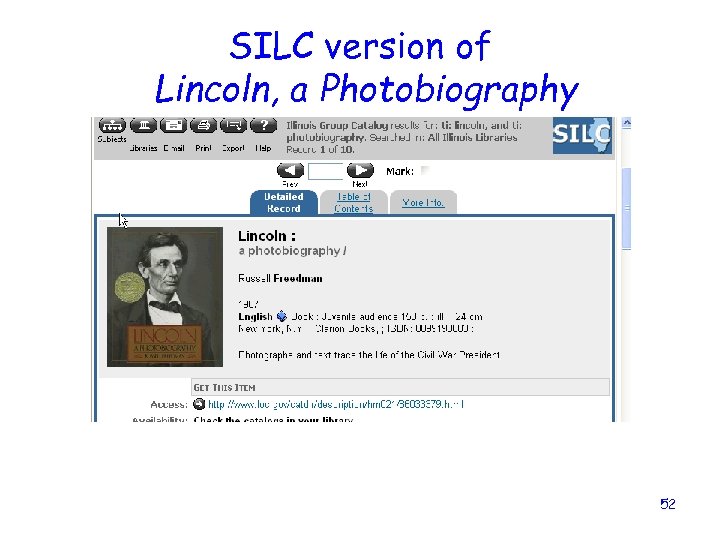
SILC version of Lincoln, a Photobiography 52
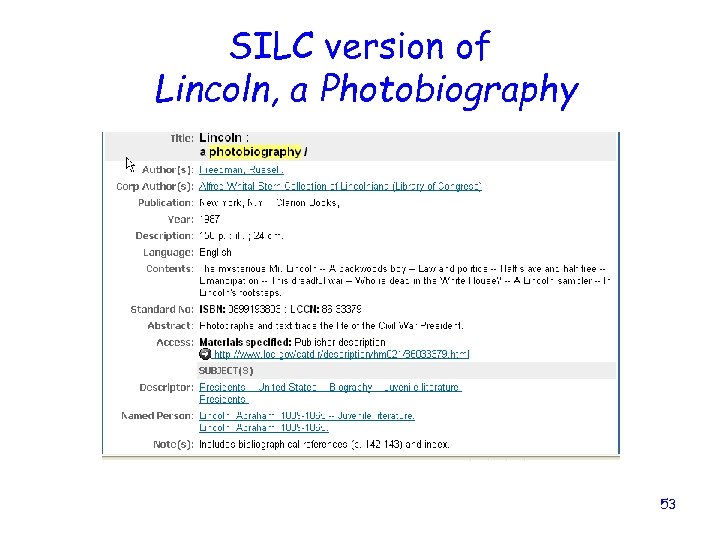
SILC version of Lincoln, a Photobiography 53
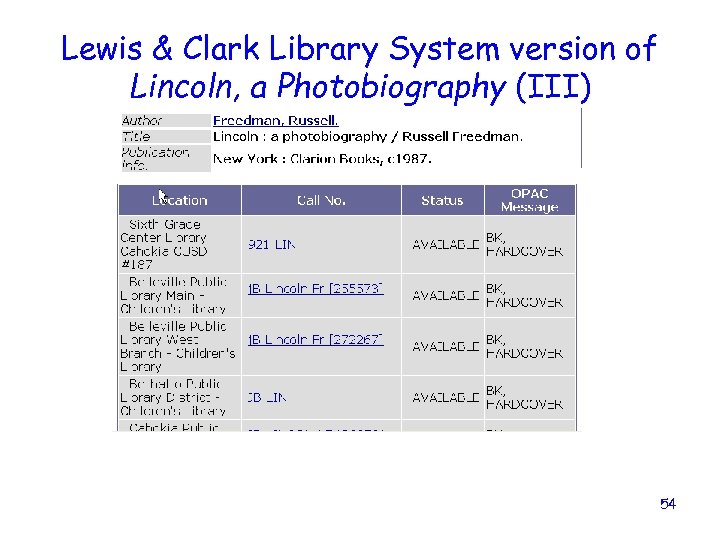
Lewis & Clark Library System version of Lincoln, a Photobiography (III) 54
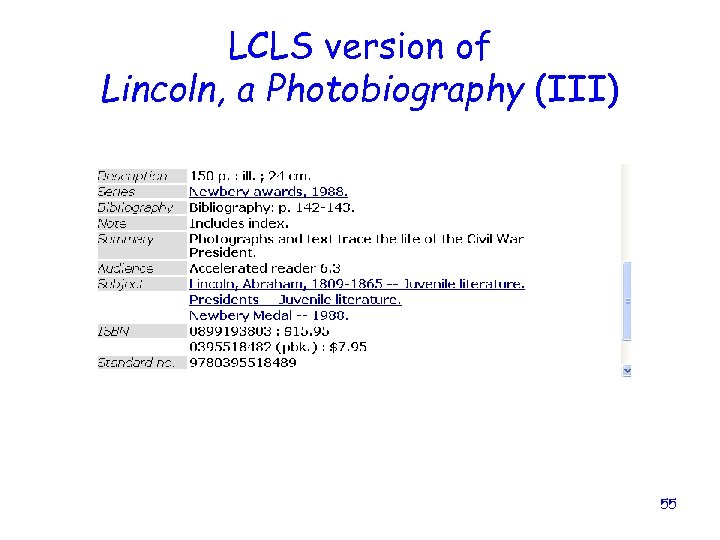
LCLS version of Lincoln, a Photobiography (III) 55
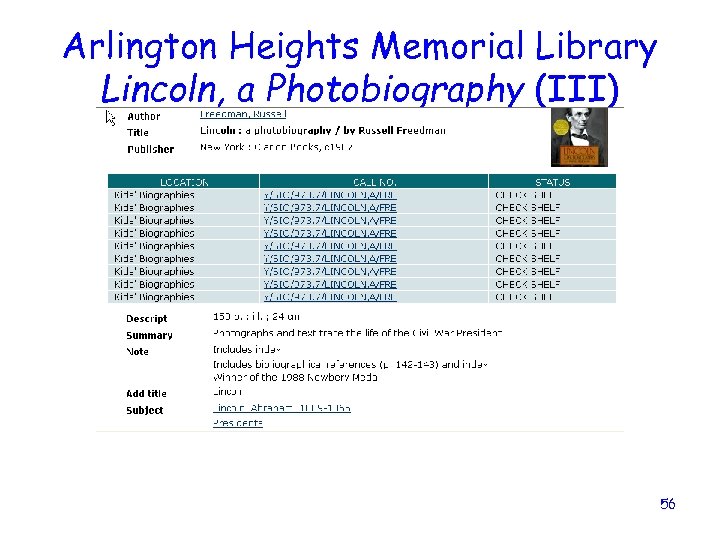
Arlington Heights Memorial Library Lincoln, a Photobiography (III) 56
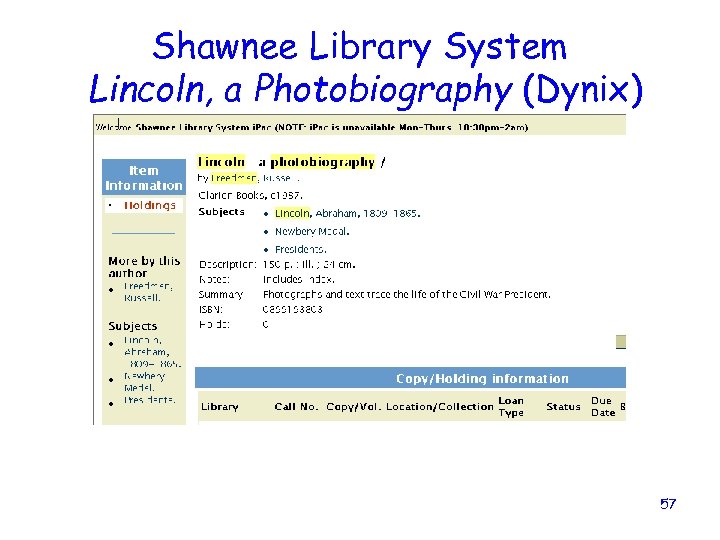
Shawnee Library System Lincoln, a Photobiography (Dynix) 57
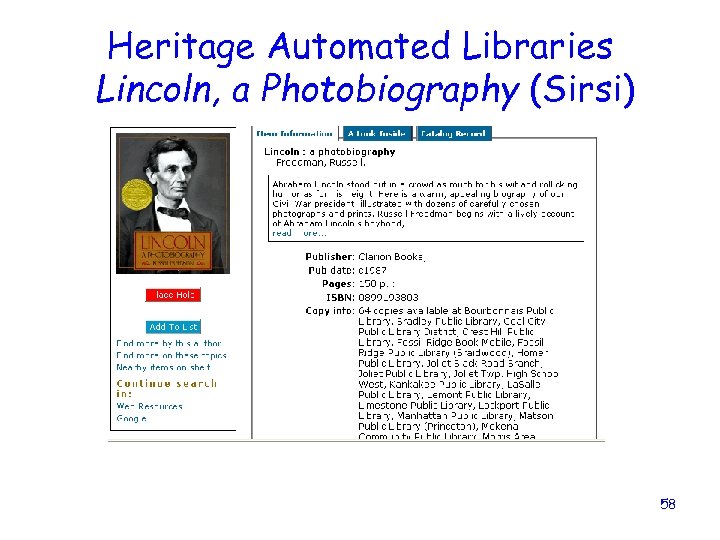
Heritage Automated Libraries Lincoln, a Photobiography (Sirsi) 58
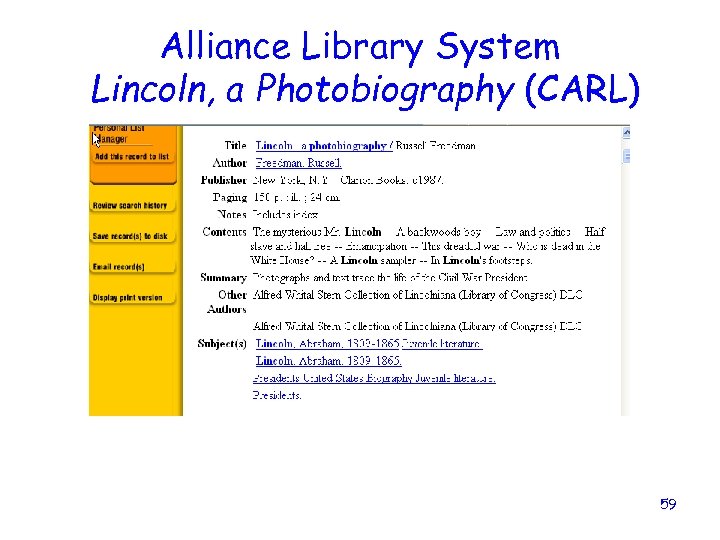
Alliance Library System Lincoln, a Photobiography (CARL) 59
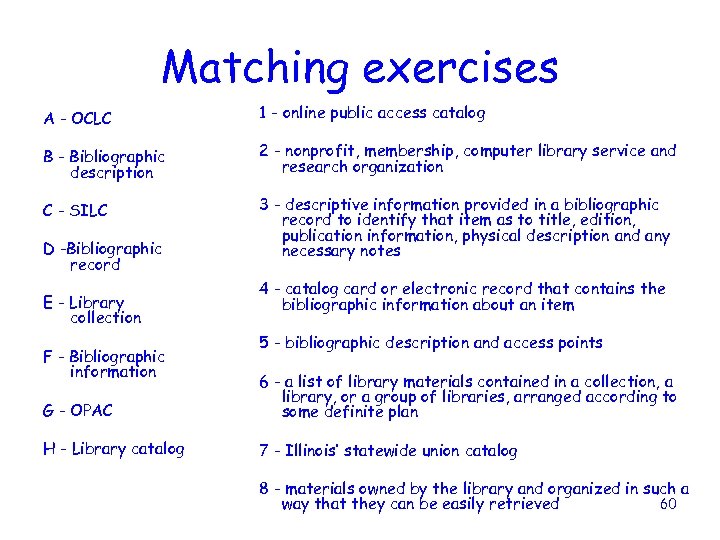
Matching exercises A - OCLC 1 - online public access catalog B - Bibliographic description 2 - nonprofit, membership, computer library service and research organization C - SILC 3 - descriptive information provided in a bibliographic record to identify that item as to title, edition, publication information, physical description and any necessary notes D -Bibliographic record E - Library collection F - Bibliographic information 4 - catalog card or electronic record that contains the bibliographic information about an item 5 - bibliographic description and access points G - OPAC 6 - a list of library materials contained in a collection, a library, or a group of libraries, arranged according to some definite plan H - Library catalog 7 - Illinois’ statewide union catalog 8 - materials owned by the library and organized in such a 60 way that they can be easily retrieved
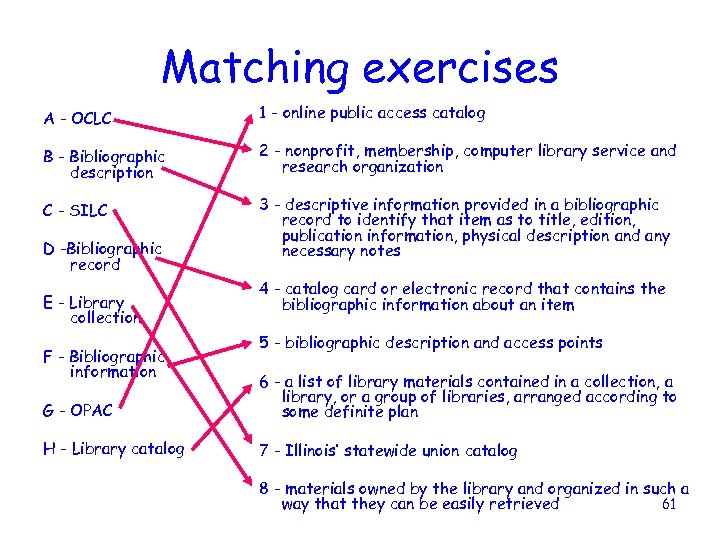
Matching exercises A - OCLC 1 - online public access catalog B - Bibliographic description 2 - nonprofit, membership, computer library service and research organization C - SILC 3 - descriptive information provided in a bibliographic record to identify that item as to title, edition, publication information, physical description and any necessary notes D -Bibliographic record E - Library collection F - Bibliographic information 4 - catalog card or electronic record that contains the bibliographic information about an item 5 - bibliographic description and access points G - OPAC 6 - a list of library materials contained in a collection, a library, or a group of libraries, arranged according to some definite plan H - Library catalog 7 - Illinois’ statewide union catalog 8 - materials owned by the library and organized in such a 61 way that they can be easily retrieved
LET’S TAKE A BREAK 62
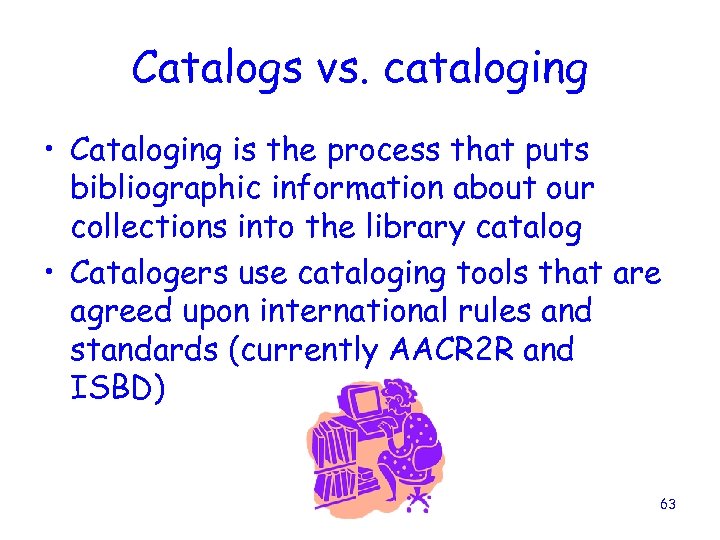
Catalogs vs. cataloging • Cataloging is the process that puts bibliographic information about our collections into the library catalog • Catalogers use cataloging tools that are agreed upon international rules and standards (currently AACR 2 R and ISBD) 63
Brief history of cataloging • The first cataloging was a list of titles or incipit (first few words, no titles) • Greeks – first began with titles, personal authorship and alpha order • Romans – first bibliography by categories, e. g. , grammar, rhetoric, music, etc. • 1545 – first bibliography with subject index 64
Brief history of cataloging • 1791 – first international cataloging code, card catalog with title page information, listed by author • 1839 – Panizzi at the British Museum came up with 91 rules • 1850 – Smithsonian developed stringent rules • 1876 – Cutter – rules with some leeway for dictionary catalog, cutter tables 65
Brief history of cataloging • 1967 – Anglo-American Cataloguing Rules (AACR) published • 1978 – AACR 2 published – not effective until 1981 • 1988 – AACR 2 R • 1998 – AACR 2 R, 1998 revision • 2002 – new set of amendments • 2008? – RDA (Resource description and access) 66
Types of cataloging • Your library may use different terms for these types – Adding items or holdings/linking/barcoding – Copy cataloging – Original cataloging 67
Adding items or holdings/linking/barcoding • Search in the local catalog for a matching bibliographic record • If a matching record is found, create an item (a holdings record) • If a matching record is not found, pass to a copy cataloger 68
Copy cataloging • A matching record is not found in the local catalog • Go to an outside source to find a matching record (in Illinois, that outside source is usually OCLC) • Bring the matching record into your catalog • Do any appropriate editing (corrections, or adding additional access points) 69
Original cataloging • A matching record does not exist for your item • You must create a matching record for your item (in Illinois this is usually done in OCLC) • Very expensive and time consuming • Requires extensive and continuing training 70
Sources for bibliographic records • Bibliographic utilities – You pay to be a member and you can purchase MARC records • OCLC/RLIN • Vendors – Sell bibliographic records to libraries • Library Corporation, Autographics, Marcive, etc. – Some book vendors now provide free (or very cheap) MARC records when you purchase books from them (many are now OCLC Prompt. Cat providers) • Follett, Quality Books, Baker & Taylor, and many more 71
Sources for bibliographic records • Z 39. 50 software access – Can be provided by vendors • Bookwhere, EZCat, and others – Many web catalogs allow downloading of records • Library of Congress – Allows free access to their records • Disadvantages – Have only a limited number of available ports – Only have access to records for items they catalog. They do not catalog many non-print items 72
• No matter where you get your records, or if you must create them yourself, there are some organizing principles of catalogs that must be considered • We are going to look at these organizing principles very briefly now as an overview 73
Organizing Principles of Catalogs • Standardized descriptive cataloging 74
Standardized descriptive cataloging • Use AACR 2 R rules to describe item as to: – Title – Statement of responsibility (who wrote it, edited it, illustrated it, etc. ) – Edition statement – Imprint (where it was published, who published it, and when it was published) – Physical description (for a book, the number of pages, what type of illustrations, and the size) – Notes – does it have an index, bibliography, ISBN, etc. – Is it in a series? – Main and added entries 75
Standardized descriptive cataloging • Descriptive cataloging helps you to distinguish among different: – Editions – Publishers – Physical manifestations of an item (large print, board book, large display book, etc. ) • The use of standardized rules insures that all catalogers describe an item the same way 76
Standardized descriptive cataloging • Descriptive cataloging also provides access points • Access points are what you search by to retrieve a particular record • Access points provided by descriptive cataloging: – Names (main and added entries) – Numbers (ISBN, EAN, ISSN) – Titles (uniform titles, series, variant titles, added titles, etc. ) 77
Organizing Principles of Catalogs • Standardized descriptive cataloging • Classification by call number 78
Classification by call number • Classification is grouping similar library materials together in an organized fashion to provide access to those materials 79
Classification by call number • Call numbers are made up of a classification number and a shelf designation • The most common classification systems are Library of Congress Classification (LCC) and Dewey Decimal Classification (DDC) • The shelf designation is often called a Cutter and is usually assigned based on the main entry 80
Classification by call number • The Cutter is used to alphabetize the book within the classification number on the shelf • Classification by call number serves two purposes: – To help users locate an item through a call number – To group like subjects together 81
Organizing Principles of Catalogs • Standardized descriptive cataloging • Classification by call number • Classification by subject analysis 82
Classification by subject analysis • Subject analysis uses controlled vocabulary • Controlled vocabulary is a list of established headings that can be used to describe the subject of a work • These lists are also called thesauri • Each controlled vocabulary is aimed at a specific audience and can be general or specific 83
Classification by subject analysis • The controlled vocabularies used by most Illinois libraries are: – LCSH (Library of Congress subject headings) – Annotated Children’s headings (Library of Congress subject headings for juvenile materials) – Sears – Me. Sh (Medical subject headings) 84
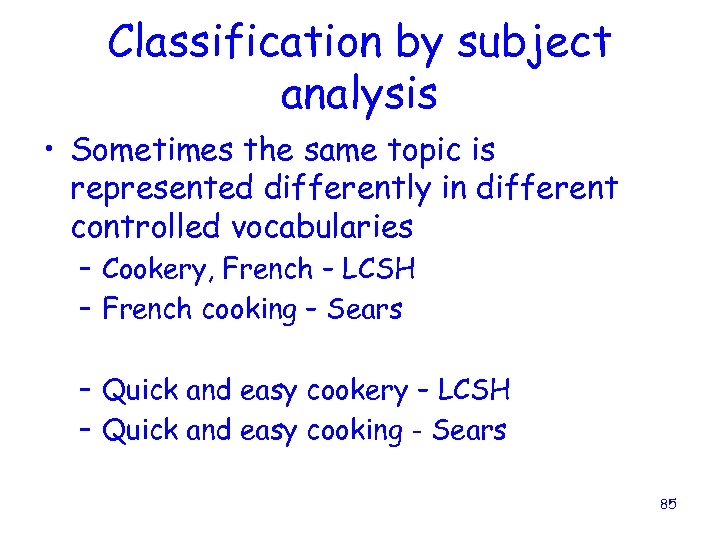
Classification by subject analysis • Sometimes the same topic is represented differently in different controlled vocabularies – Cookery, French – LCSH – French cooking – Sears – Quick and easy cookery – LCSH – Quick and easy cooking - Sears 85
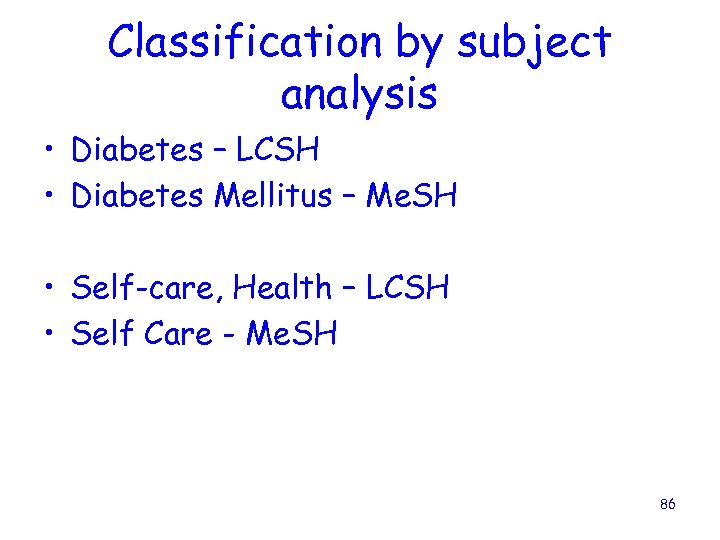
Classification by subject analysis • Diabetes – LCSH • Diabetes Mellitus – Me. SH • Self-care, Health – LCSH • Self Care - Me. SH 86
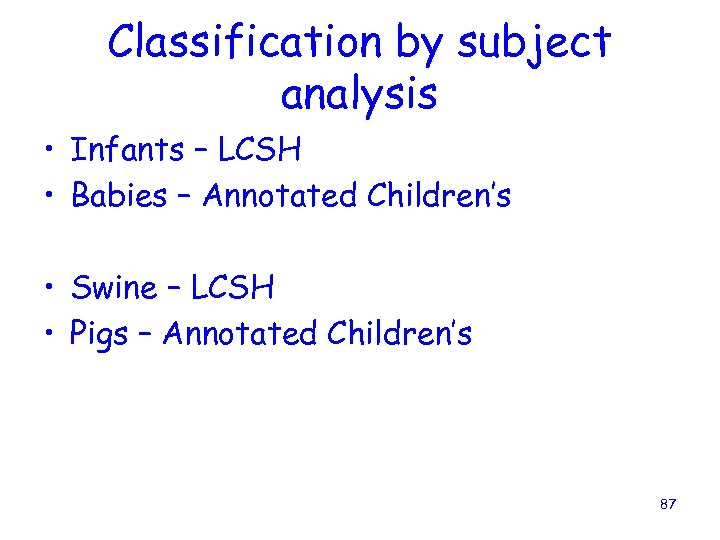
Classification by subject analysis • Infants – LCSH • Babies – Annotated Children’s • Swine – LCSH • Pigs – Annotated Children’s 87
Classification by subject analysis • Subject analysis also provides additional access points for the users to find the materials they are looking for 88
Organizing Principles of Catalogs • • Standardized descriptive cataloging Classification by call number Classification by subject analysis MARC structure of bibliographic records 89
MARC structure of bibliographic records • A MARC record is a machine-readable cataloging record – Machine-readable means that a computer can read and interpret the data in the cataloging record 90
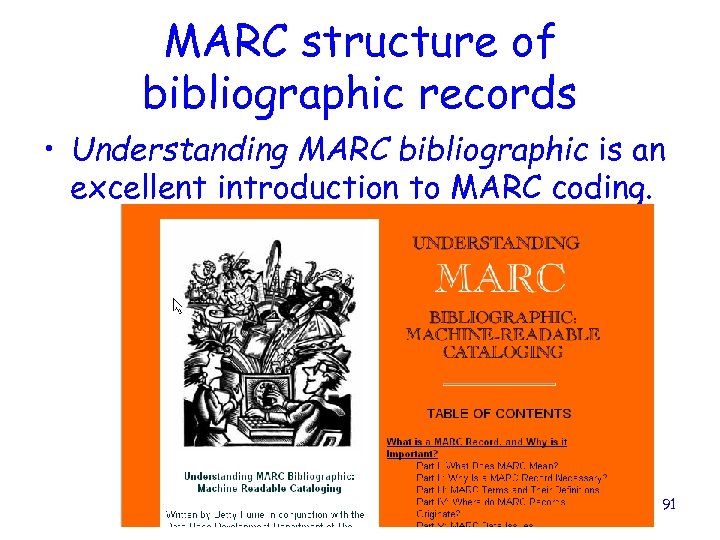
MARC structure of bibliographic records • Understanding MARC bibliographic is an excellent introduction to MARC coding. 91
MARC structure of bibliographic records • Understanding MARC is written by Betty Furrie in conjunction with the Data Base Development Dept. of Follett Software Company • Available on the web at www. loc. gov/marc/umb • Single copies available free at ALA, SLA, and from the Library of Congress – 1 -800 -255 -3666 92
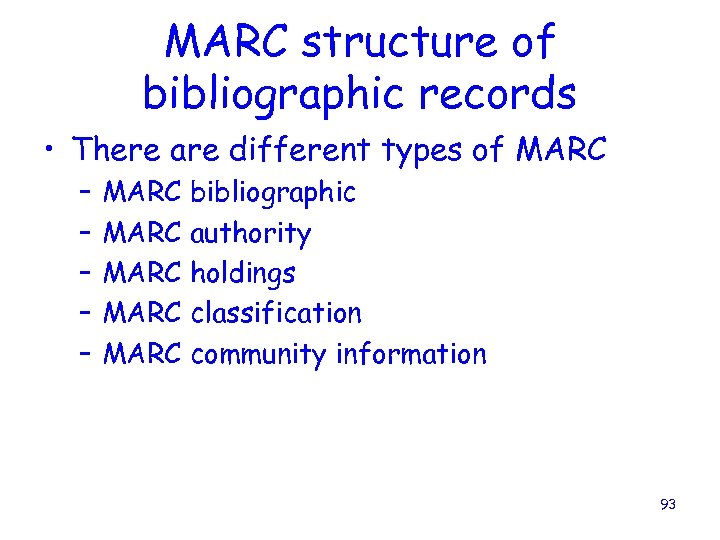
MARC structure of bibliographic records • There are different types of MARC – – – MARC bibliographic MARC authority MARC holdings MARC classification MARC community information 93
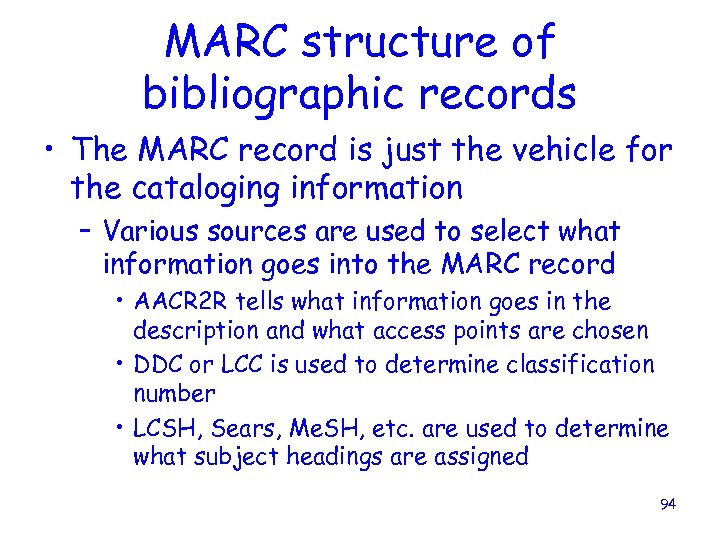
MARC structure of bibliographic records • The MARC record is just the vehicle for the cataloging information – Various sources are used to select what information goes into the MARC record • AACR 2 R tells what information goes in the description and what access points are chosen • DDC or LCC is used to determine classification number • LCSH, Sears, Me. SH, etc. are used to determine what subject headings are assigned 94
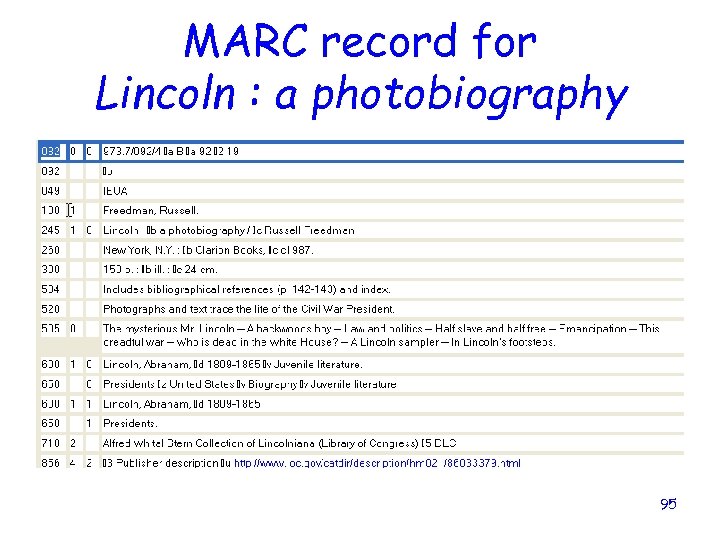
MARC record for Lincoln : a photobiography 95
• OPACS take the MARC record and display it based on how the OPAC has been set up as to: – Labels for MARC fields – Display order – What MARC fields are displayed • We saw earlier how the same MARC record looks very different in different OPACS 96
Organizing Principles of Catalogs • • Standardized descriptive cataloging Classification by call number Classification by subject analysis MARC structure of bibliographic records • Authority control applied to headings 97
Authority control applied to headings • Authority control is the function of providing established headings as access points in bibliographic records and linking those headings to authority records that display with appropriate cross references, in an OPAC 98
Authority control applied to headings • Why do we need authority control? – People change their names – People write under more than one name – Users don’t always know the correct term when searching by subjects – Etc. 99
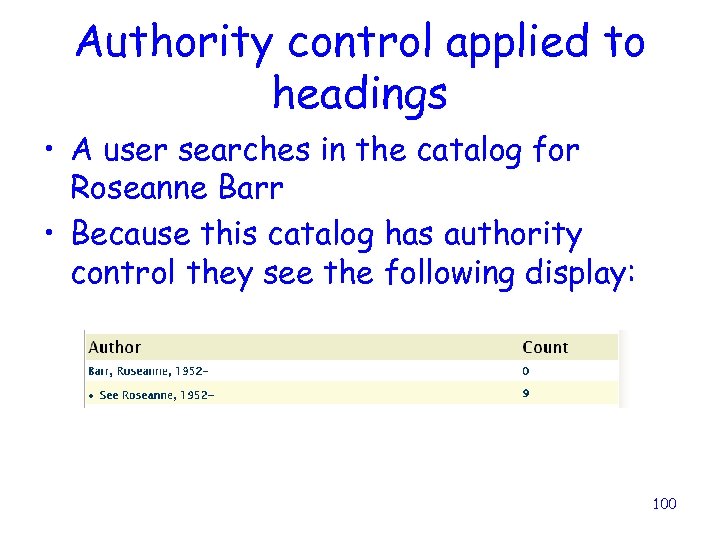
Authority control applied to headings • A user searches in the catalog for Roseanne Barr • Because this catalog has authority control they see the following display: 100
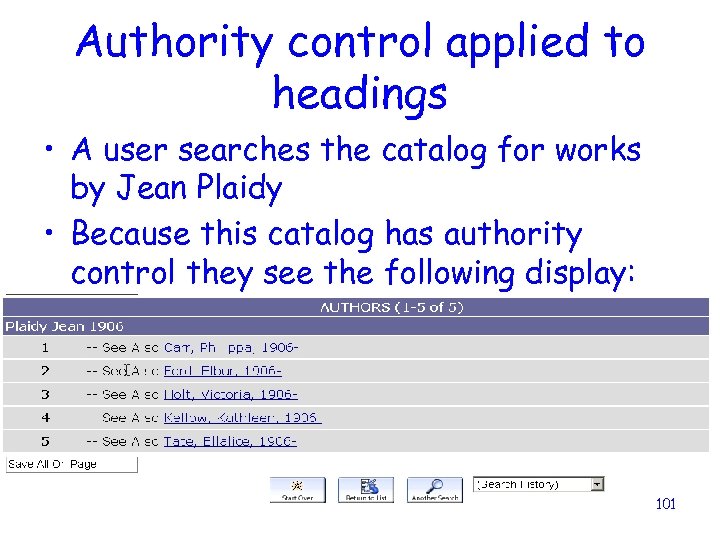
Authority control applied to headings • A user searches the catalog for works by Jean Plaidy • Because this catalog has authority control they see the following display: 101
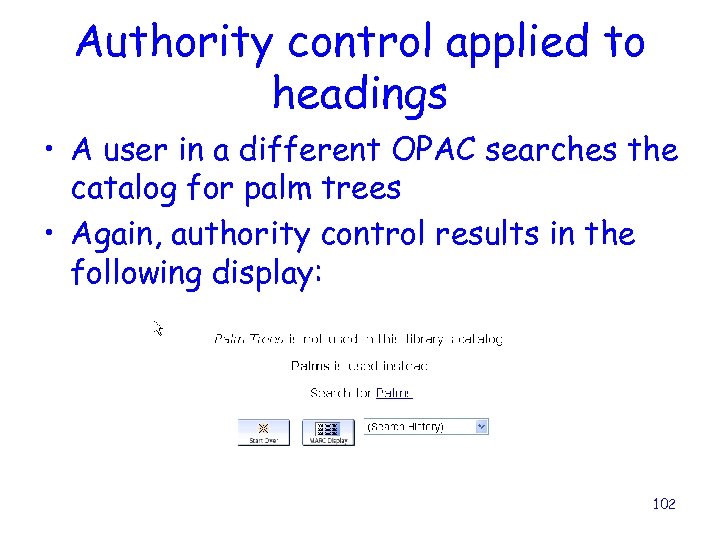
Authority control applied to headings • A user in a different OPAC searches the catalog for palm trees • Again, authority control results in the following display: 102
Organizing Principles of Catalogs • • Standardized descriptive cataloging Classification by call number Classification by subject analysis MARC structure of bibliographic records • Authority control applied to headings 103
Organizing Principles of Catalogs This course will be concentrating on exploring these organizing principles, and discovering how they work together to build a catalog. 104
Questions? ? 105
LUNCH 106
Скачать презентацию Basic Copy Cataloging Books Prepared by Lynnette Fields
a9148c2383d0fbedd404995dbb342a76.ppt