 Скачать презентацию Backbone Networks MAN WAN PSTN T-carriers ATM Frame
484074e57d03f5bc491464997b704d72.ppt
- Количество слайдов: 48



Backbone Networks, MAN, WAN PSTN, T-carriers, ATM, Frame Relay, VPN
Key Concepts Understand various types of backbones and the devices they use Understand VLANs and the devices they use Understand various MAN and WAN services, including T-carriers, frame relay, ATM, and High-speed Ethernet Be familiar with virtual private network services
Backbone Networks Backbone networks are high speed networks that link an organization’s LANs and also provide connections to other backbones, MANs, WANs and the Internet. Network designers view networks as made of three technology layers: n The access layer which is the technology n n used in LANs The distribution layer which is the part of the backbone that connects the LANs together The core layer connects different backbone networks together, often between buildings
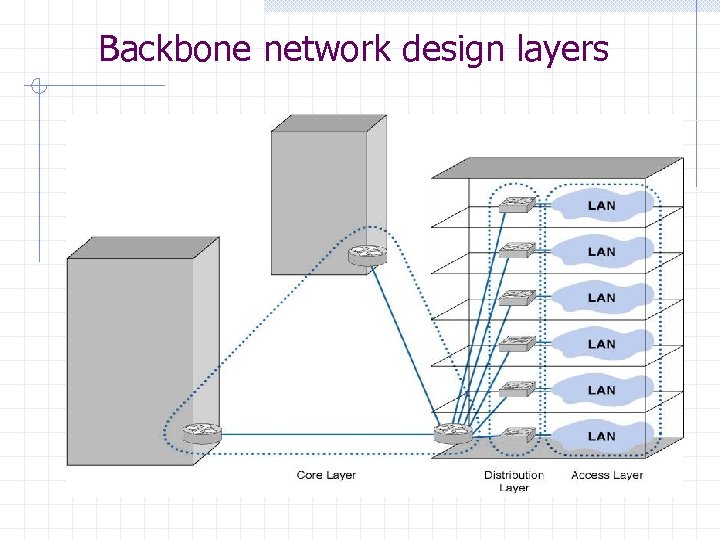
Backbone network design layers
Collapsed Backbones Collapsed backbones use a star topology, usually with a high speed switch at the center Collapsed backbones can use either layer-2 switches or layer-3 routing switches The two main advantages are: n n each connection to the switch becomes a separate point-to-point circuit also giving much higher performance the network has far fewer devices and so is much simpler to manage Two minor disadvantages are: 1) use more cable and the cable runs for longer distances, 2) if the central switch fails, the network goes down
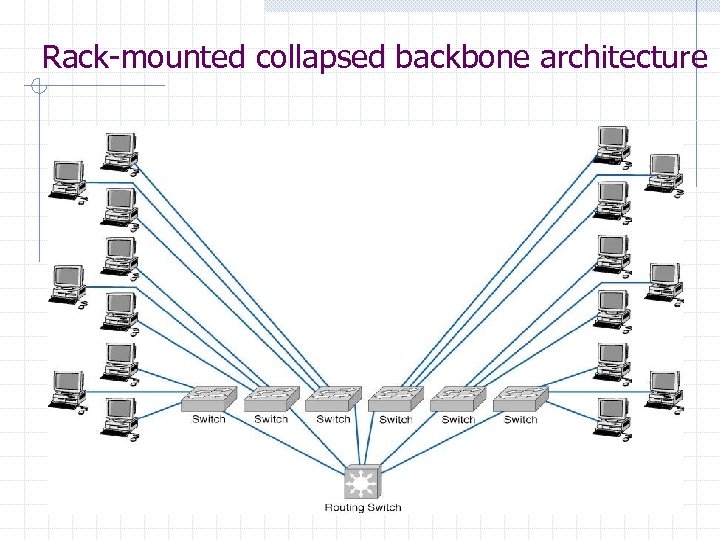
Rack-mounted collapsed backbone architecture
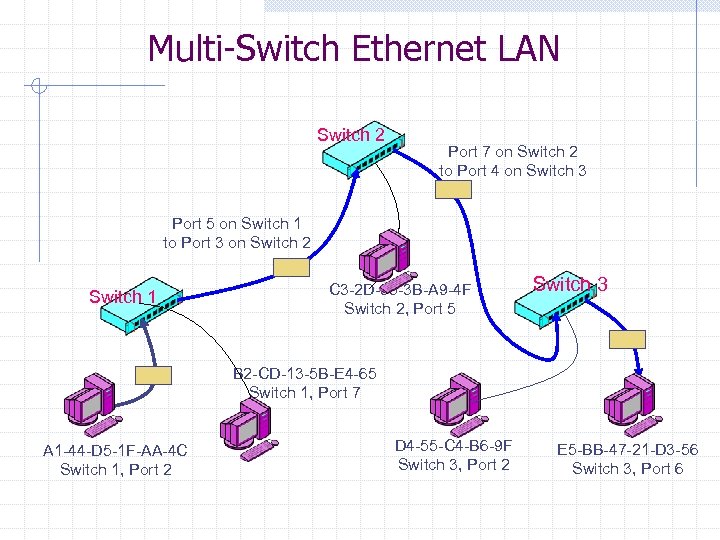
Multi-Switch Ethernet LAN Switch 2 Port 7 on Switch 2 to Port 4 on Switch 3 Port 5 on Switch 1 to Port 3 on Switch 2 Switch 1 C 3 -2 D-55 -3 B-A 9 -4 F Switch 2, Port 5 Switch 3 B 2 -CD-13 -5 B-E 4 -65 Switch 1, Port 7 A 1 -44 -D 5 -1 F-AA-4 C Switch 1, Port 2 D 4 -55 -C 4 -B 6 -9 F Switch 3, Port 2 E 5 -BB-47 -21 -D 3 -56 Switch 3, Port 6
Virtual LANs VLANs are a new type of LAN architecture using intelligent, high-speed switches Unlike other LAN types, which physically connect computers to LAN segments, VLANs assign computers to LAN segments by software VLANs have been standardized as IEEE 802. 1 q and IEEE 802. 1 p The two basic designs are: Single-switch VLANs n Multiswitch VLANs n
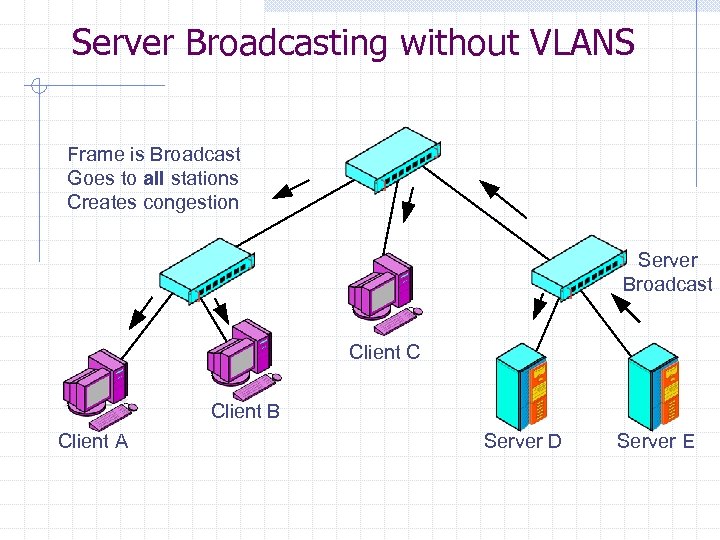
Server Broadcasting without VLANS Frame is Broadcast Goes to all stations Creates congestion Server Broadcast Client C Client B Client A Server D Server E
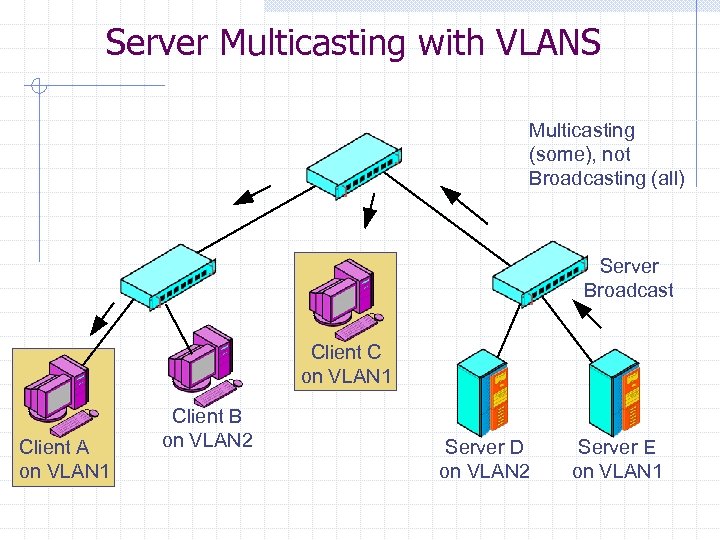
Server Multicasting with VLANS Multicasting (some), not Broadcasting (all) Server Broadcast Client C on VLAN 1 Client A on VLAN 1 Client B on VLAN 2 Server D on VLAN 2 Server E on VLAN 1
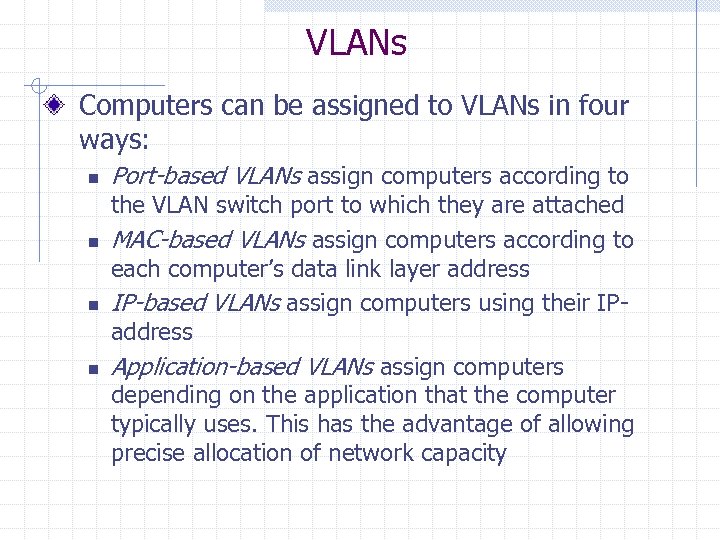
VLANs Computers can be assigned to VLANs in four ways: n n Port-based VLANs assign computers according to the VLAN switch port to which they are attached MAC-based VLANs assign computers according to each computer’s data link layer address IP-based VLANs assign computers using their IPaddress Application-based VLANs assign computers depending on the application that the computer typically uses. This has the advantage of allowing precise allocation of network capacity
VLANs Single-Switch or Multiswitch Main advantages n n Simpler to manage the broadcast traffic Precisely allocate resources to different types of traffic Drawbacks n Cost and management complexity
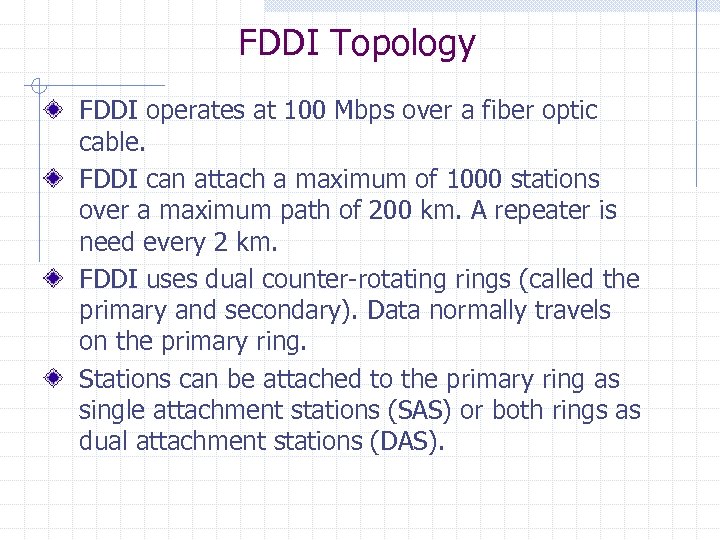
FDDI Topology FDDI operates at 100 Mbps over a fiber optic cable. FDDI can attach a maximum of 1000 stations over a maximum path of 200 km. A repeater is need every 2 km. FDDI uses dual counter-rotating rings (called the primary and secondary). Data normally travels on the primary ring. Stations can be attached to the primary ring as single attachment stations (SAS) or both rings as dual attachment stations (DAS).
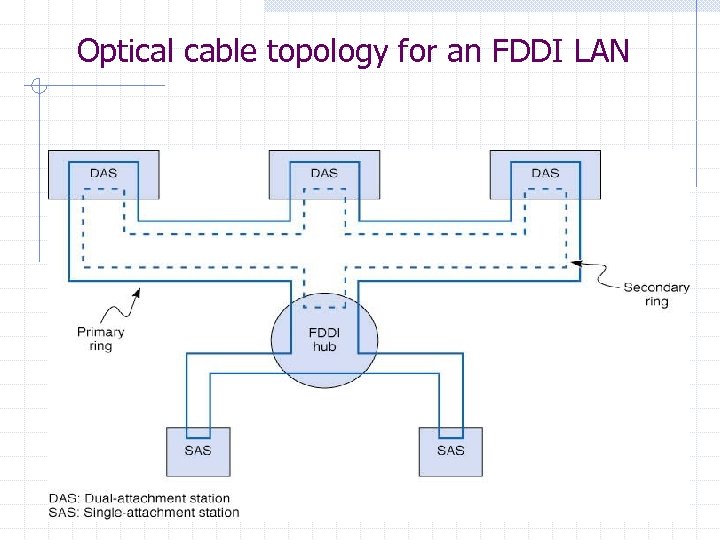
Optical cable topology for an FDDI LAN
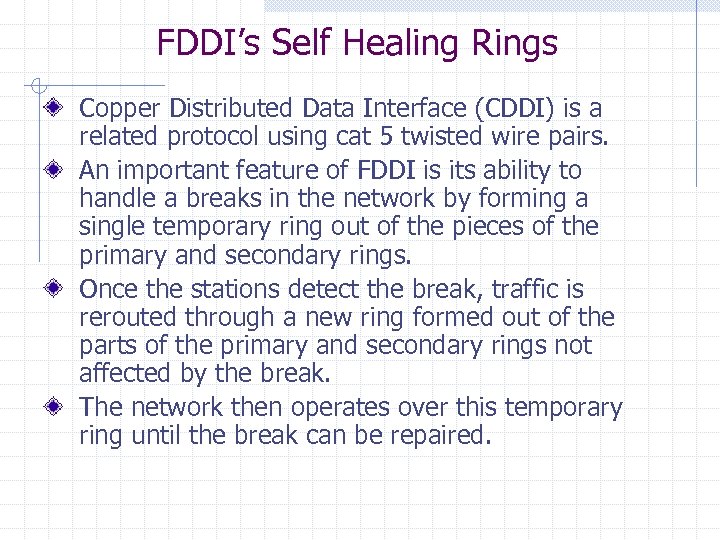
FDDI’s Self Healing Rings Copper Distributed Data Interface (CDDI) is a related protocol using cat 5 twisted wire pairs. An important feature of FDDI is its ability to handle a breaks in the network by forming a single temporary ring out of the pieces of the primary and secondary rings. Once the stations detect the break, traffic is rerouted through a new ring formed out of the parts of the primary and secondary rings not affected by the break. The network then operates over this temporary ring until the break can be repaired.
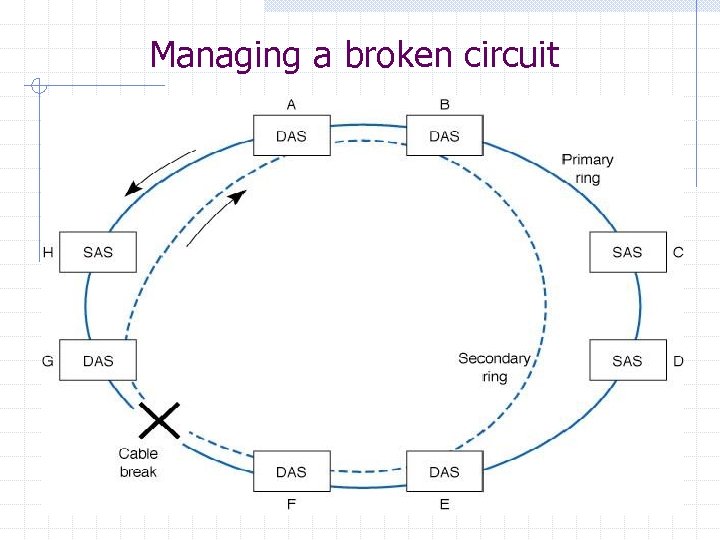
Managing a broken circuit
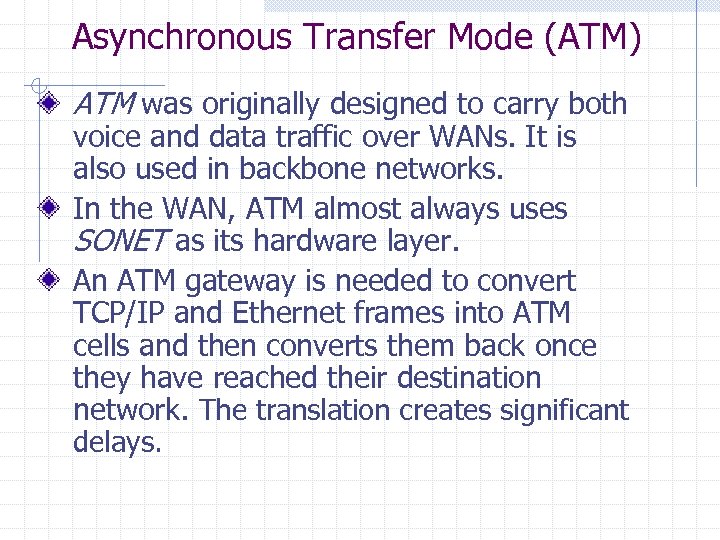
Asynchronous Transfer Mode (ATM) ATM was originally designed to carry both voice and data traffic over WANs. It is also used in backbone networks. In the WAN, ATM almost always uses SONET as its hardware layer. An ATM gateway is needed to convert TCP/IP and Ethernet frames into ATM cells and then converts them back once they have reached their destination network. The translation creates significant delays.
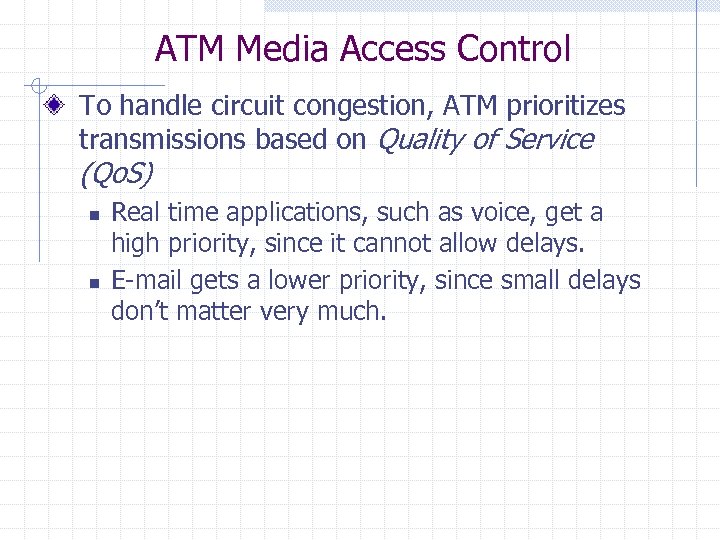
ATM Media Access Control To handle circuit congestion, ATM prioritizes transmissions based on Quality of Service (Qo. S) n n Real time applications, such as voice, get a high priority, since it cannot allow delays. E-mail gets a lower priority, since small delays don’t matter very much.
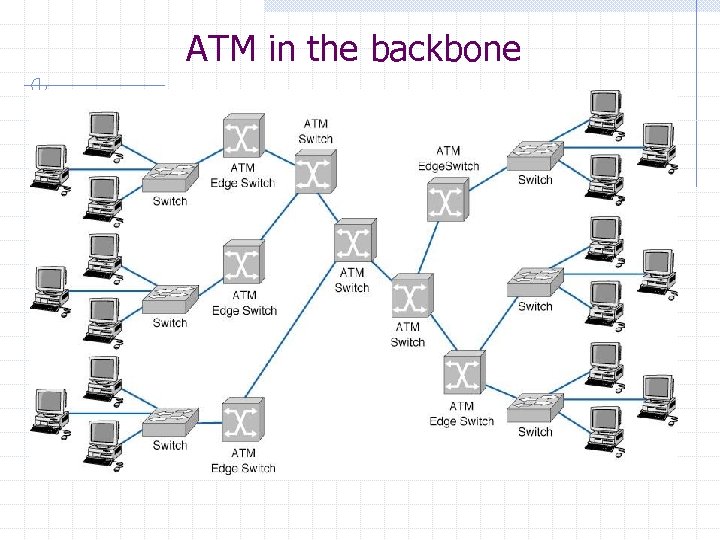
ATM in the backbone
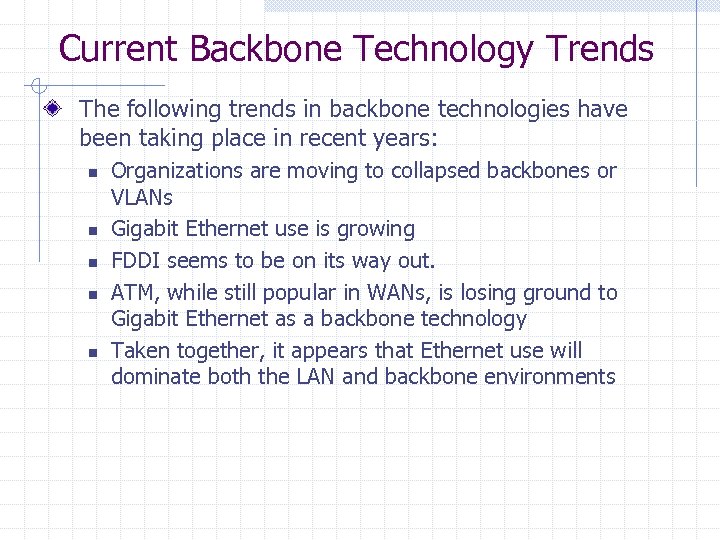
Current Backbone Technology Trends The following trends in backbone technologies have been taking place in recent years: n n n Organizations are moving to collapsed backbones or VLANs Gigabit Ethernet use is growing FDDI seems to be on its way out. ATM, while still popular in WANs, is losing ground to Gigabit Ethernet as a backbone technology Taken together, it appears that Ethernet use will dominate both the LAN and backbone environments
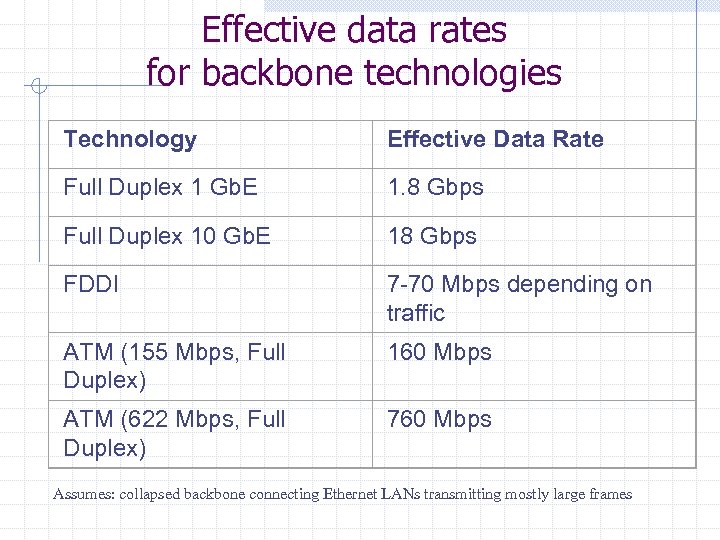
Effective data rates for backbone technologies Technology Effective Data Rate Full Duplex 1 Gb. E 1. 8 Gbps Full Duplex 10 Gb. E 18 Gbps FDDI 7 -70 Mbps depending on traffic ATM (155 Mbps, Full Duplex) 160 Mbps ATM (622 Mbps, Full Duplex) 760 Mbps Assumes: collapsed backbone connecting Ethernet LANs transmitting mostly large frames
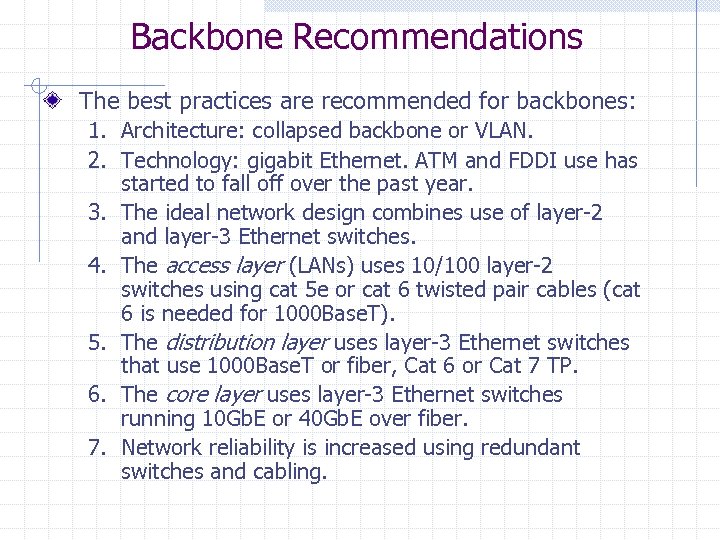
Backbone Recommendations The best practices are recommended for backbones: 1. Architecture: collapsed backbone or VLAN. 2. Technology: gigabit Ethernet. ATM and FDDI use has started to fall off over the past year. 3. The ideal network design combines use of layer-2 and layer-3 Ethernet switches. 4. The access layer (LANs) uses 10/100 layer-2 switches using cat 5 e or cat 6 twisted pair cables (cat 6 is needed for 1000 Base. T). 5. The distribution layer uses layer-3 Ethernet switches that use 1000 Base. T or fiber, Cat 6 or Cat 7 TP. 6. The core layer uses layer-3 Ethernet switches running 10 Gb. E or 40 Gb. E over fiber. 7. Network reliability is increased using redundant switches and cabling.
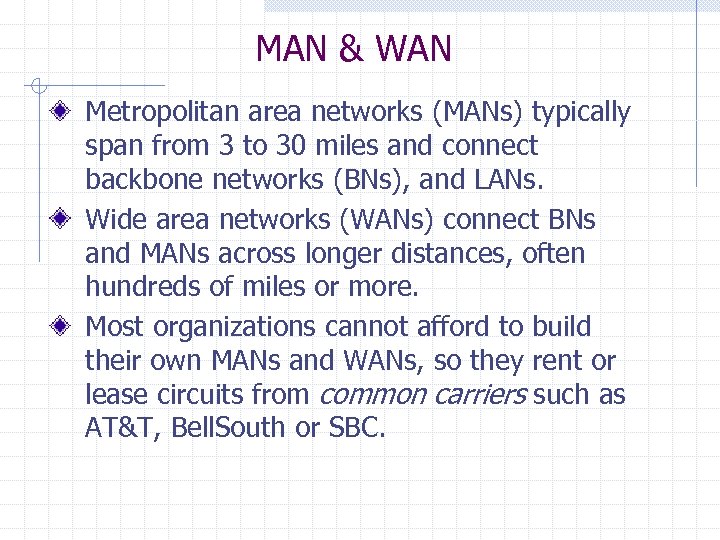
MAN & WAN Metropolitan area networks (MANs) typically span from 3 to 30 miles and connect backbone networks (BNs), and LANs. Wide area networks (WANs) connect BNs and MANs across longer distances, often hundreds of miles or more. Most organizations cannot afford to build their own MANs and WANs, so they rent or lease circuits from common carriers such as AT&T, Bell. South or SBC.
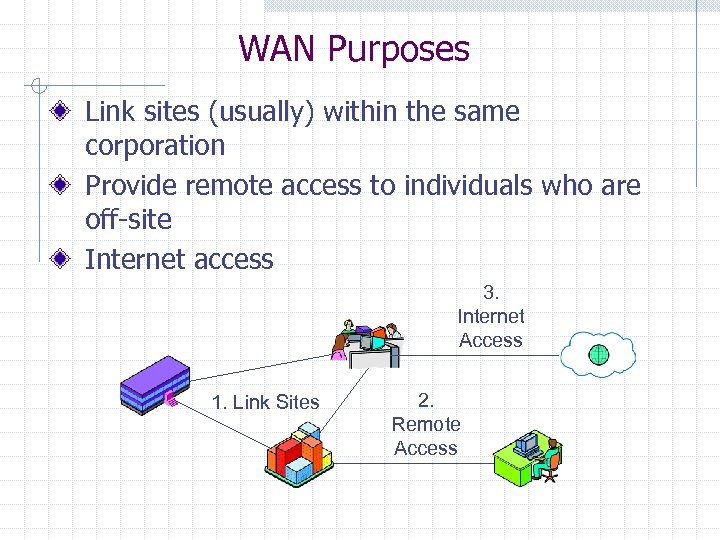
WAN Purposes Link sites (usually) within the same corporation Provide remote access to individuals who are off-site Internet access 3. Internet Access 1. Link Sites 2. Remote Access
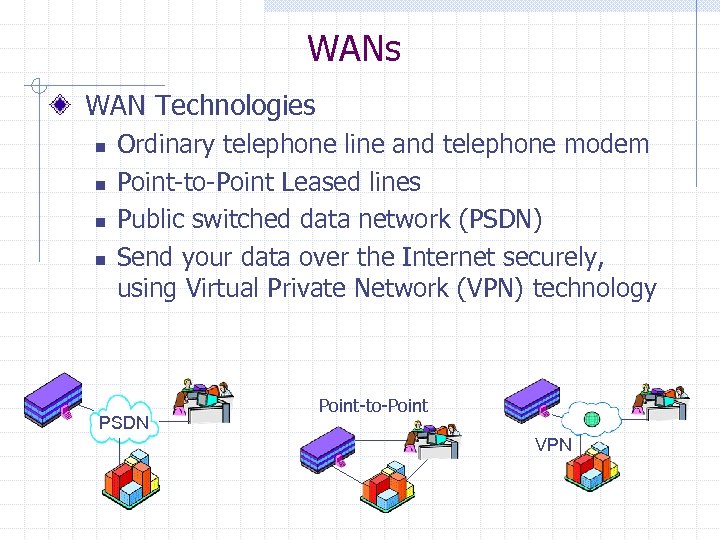
WANs WAN Technologies n n Ordinary telephone line and telephone modem Point-to-Point Leased lines Public switched data network (PSDN) Send your data over the Internet securely, using Virtual Private Network (VPN) technology PSDN Point-to-Point VPN
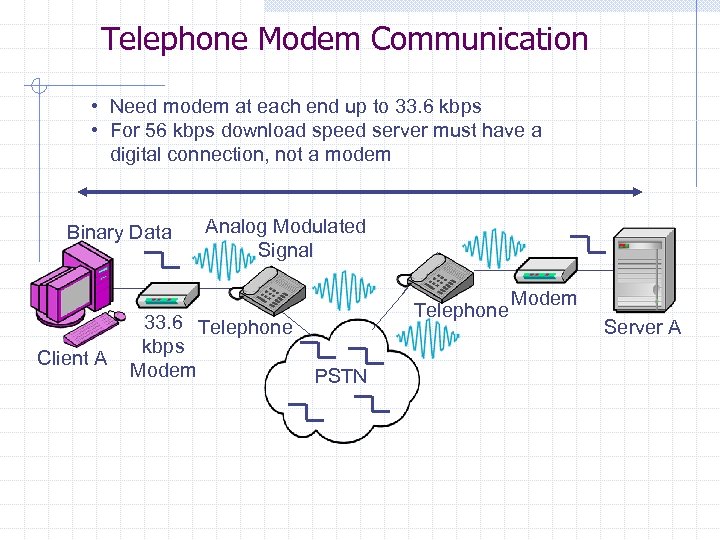
Telephone Modem Communication • Need modem at each end up to 33. 6 kbps • For 56 kbps download speed server must have a digital connection, not a modem Binary Data Client A Analog Modulated Signal 33. 6 Telephone kbps Modem Telephone PSTN Modem Server A
Leased Line Networks Leased Line n n n Point-to-point connection Always on Usually faster (56 kbps or more) Usually digital instead of analog Lower cost per bit transmitted than dial-up service w But speeds are higher, so higher total cost n Must be provisioned (set up)
Leased Line Networks Trunk Line-Based Leased Lines n n 56 kbps Leased Lines Fractional T 1 lines offer low-speed choices between 56 kbps and T 1, typically: w 128 bps, 256 kbps, 384 kbps, 512 kbps, 768 kbps n n n T 1 Leased Lines (1. 544 Mbps) T 3 Leased Lines (44. 7 Mbps) SONET Leased Lines operate at multiples of 51. 84 Mbps Use either optical fiber or data-grade copper
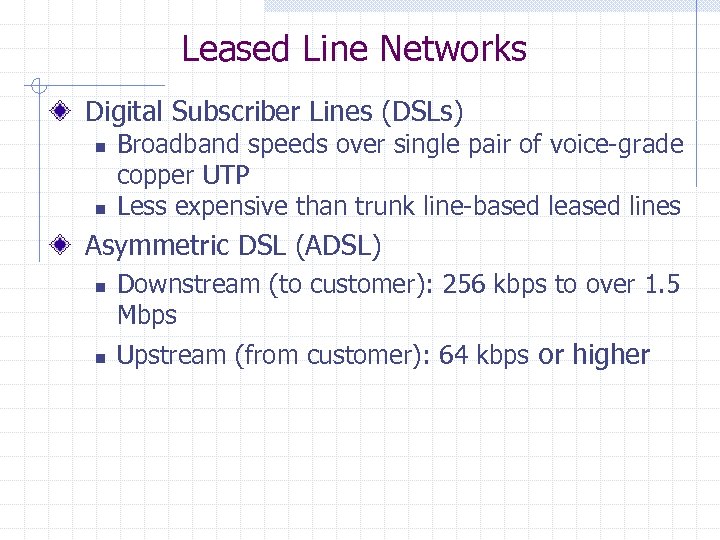
Leased Line Networks Digital Subscriber Lines (DSLs) n n Broadband speeds over single pair of voice-grade copper UTP Less expensive than trunk line-based leased lines Asymmetric DSL (ADSL) n n Downstream (to customer): 256 kbps to over 1. 5 Mbps Upstream (from customer): 64 kbps or higher
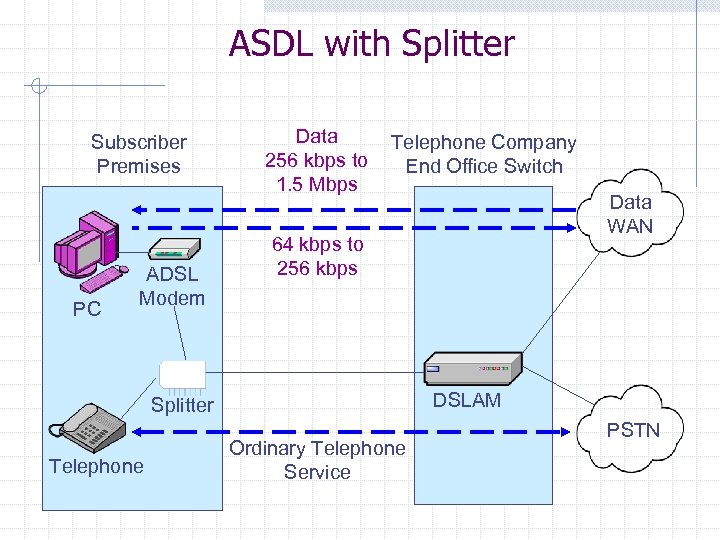
ASDL with Splitter Subscriber Premises PC ADSL Modem Data 256 kbps to 1. 5 Mbps Telephone Company End Office Switch 64 kbps to 256 kbps DSLAM Splitter Telephone Data WAN Ordinary Telephone Service PSTN
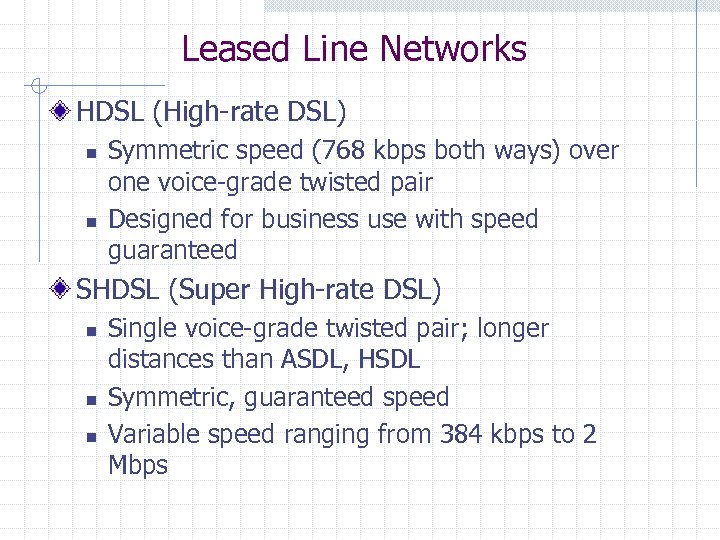
Leased Line Networks HDSL (High-rate DSL) n n Symmetric speed (768 kbps both ways) over one voice-grade twisted pair Designed for business use with speed guaranteed SHDSL (Super High-rate DSL) n n n Single voice-grade twisted pair; longer distances than ASDL, HSDL Symmetric, guaranteed speed Variable speed ranging from 384 kbps to 2 Mbps
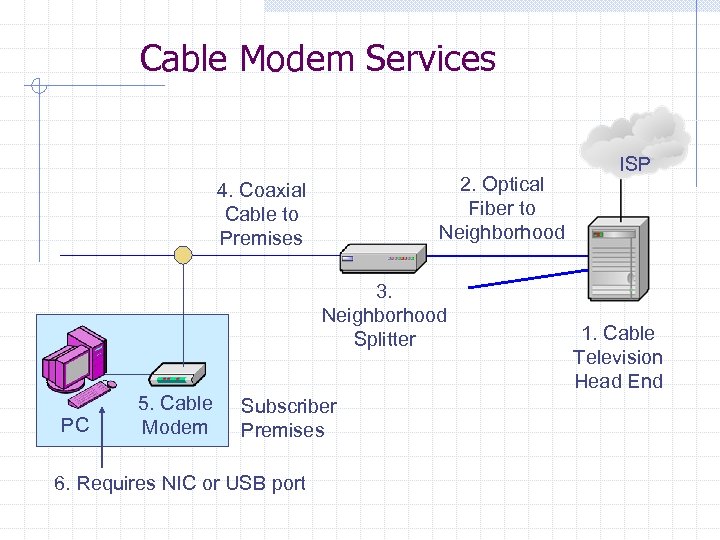
Cable Modem Services 2. Optical Fiber to Neighborhood 4. Coaxial Cable to Premises 3. Neighborhood Splitter PC 5. Cable Modem Subscriber Premises 6. Requires NIC or USB port ISP 1. Cable Television Head End
Leased Line Networks Cable Modem n n Delivered by cable television operator High asymmetric speed w Up to 10 Mbps downstream w 64 kbps to 256 kbps upstream n Speed is shared by people currently downloading in a neighborhood w In practice, medium ADSL speed or higher
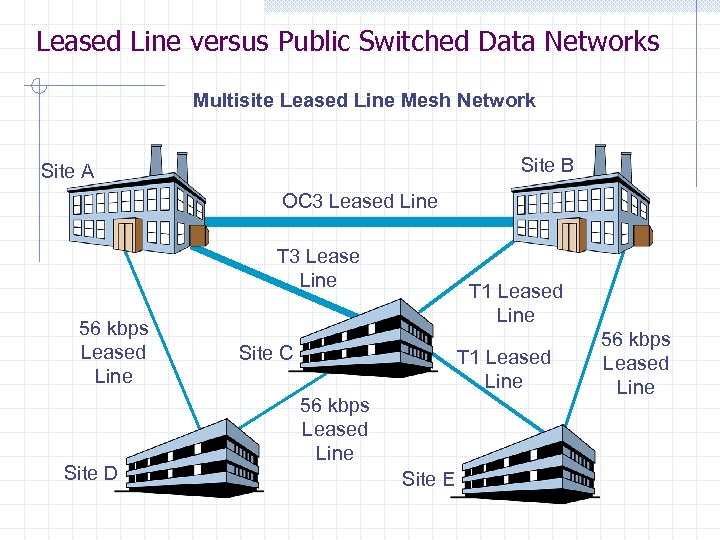
Leased Line versus Public Switched Data Networks Multisite Leased Line Mesh Network Site B Site A OC 3 Leased Line T 3 Lease Line 56 kbps Leased Line Site D T 1 Leased Line Site C T 1 Leased Line 56 kbps Leased Line Site E 56 kbps Leased Line
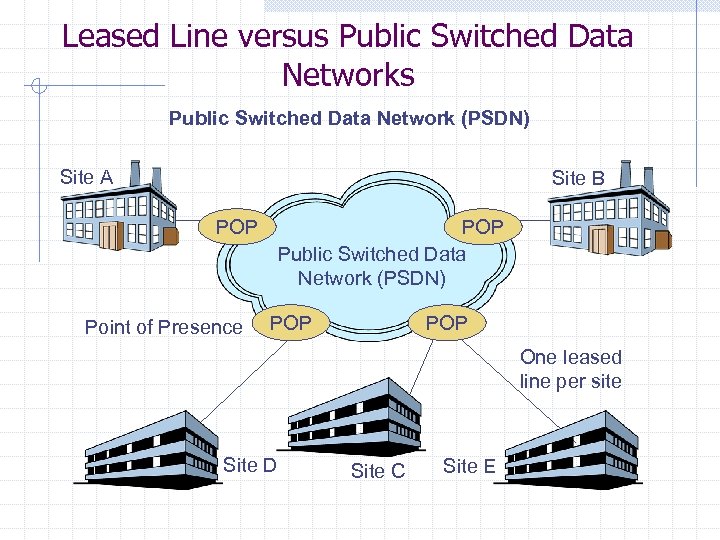
Leased Line versus Public Switched Data Network (PSDN) Site A Site B POP Point of Presence POP Public Switched Data Network (PSDN) POP One leased line per site Site D Site C Site E
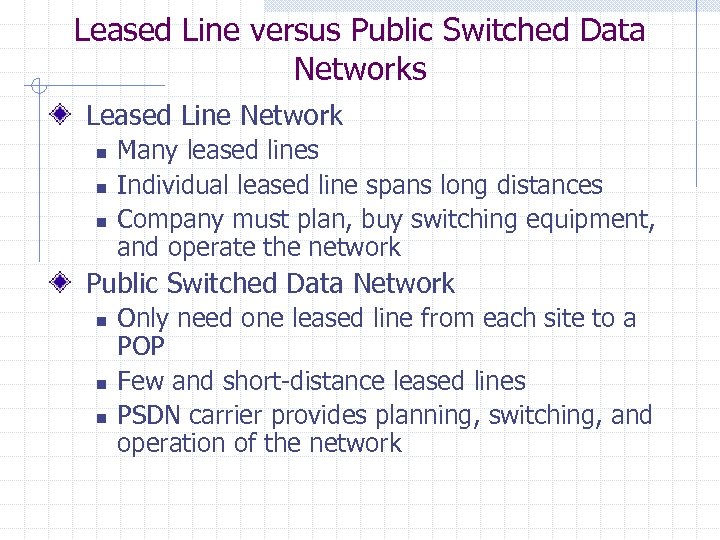
Leased Line versus Public Switched Data Networks Leased Line Network n n n Many leased lines Individual leased line spans long distances Company must plan, buy switching equipment, and operate the network Public Switched Data Network n n n Only need one leased line from each site to a POP Few and short-distance leased lines PSDN carrier provides planning, switching, and operation of the network
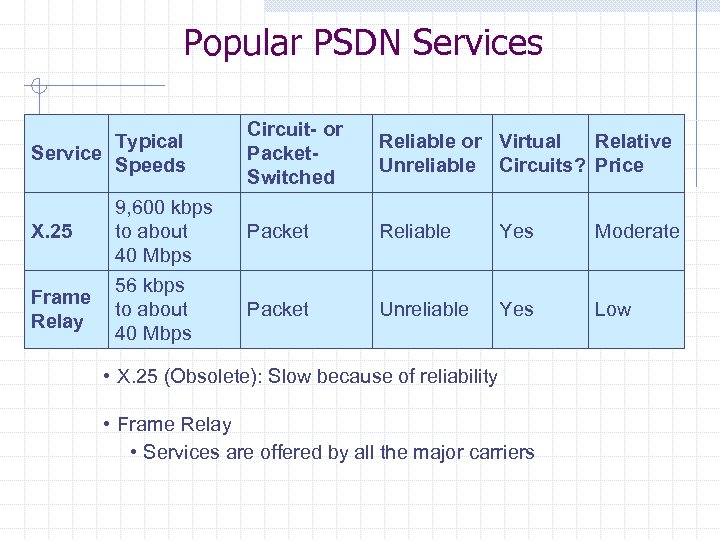
Popular PSDN Services Typical Service Speeds X. 25 Frame Relay 9, 600 kbps to about 40 Mbps 56 kbps to about 40 Mbps Circuit- or Packet. Switched Reliable or Virtual Relative Unreliable Circuits? Price Packet Reliable Yes Moderate Packet Unreliable Yes Low • X. 25 (Obsolete): Slow because of reliability • Frame Relay • Services are offered by all the major carriers
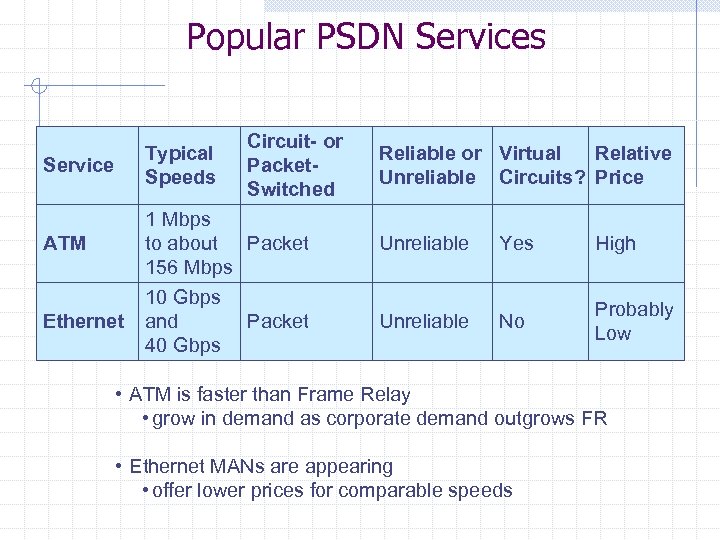
Popular PSDN Services Typical Speeds Service ATM Ethernet Circuit- or Packet. Switched 1 Mbps to about Packet 156 Mbps 10 Gbps and Packet 40 Gbps Reliable or Virtual Relative Unreliable Circuits? Price Unreliable Yes High Unreliable No Probably Low • ATM is faster than Frame Relay • grow in demand as corporate demand outgrows FR • Ethernet MANs are appearing • offer lower prices for comparable speeds
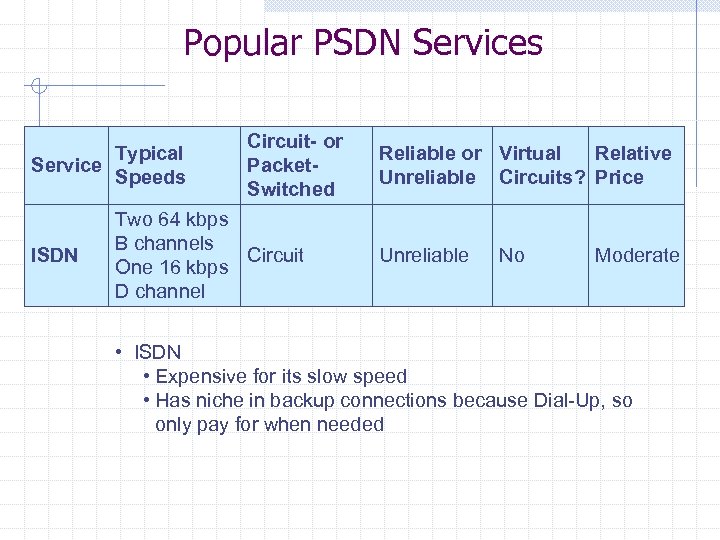
Popular PSDN Services Typical Service Speeds ISDN Circuit- or Packet. Switched Two 64 kbps B channels Circuit One 16 kbps D channel Reliable or Virtual Relative Unreliable Circuits? Price Unreliable No Moderate • ISDN • Expensive for its slow speed • Has niche in backup connections because Dial-Up, so only pay for when needed
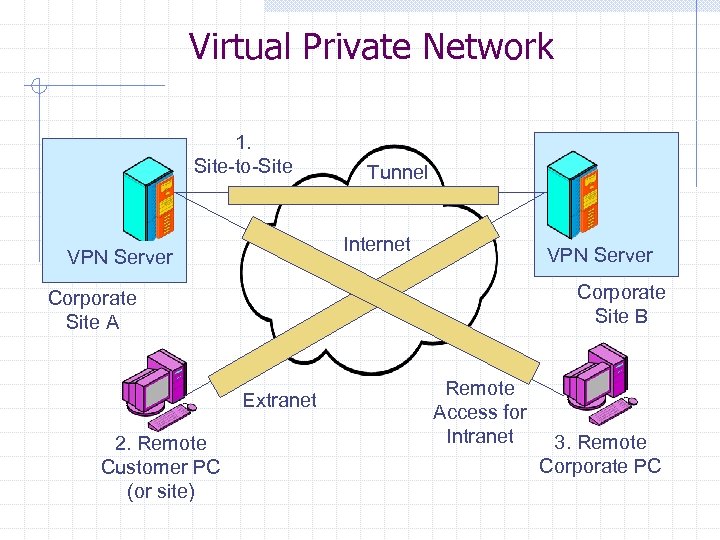
Virtual Private Network 1. Site-to-Site Tunnel Internet VPN Server Corporate Site B Corporate Site A Extranet 2. Remote Customer PC (or site) Remote Access for Intranet 3. Remote Corporate PC
Virtual Private Network (VPN) n Transmission over the Internet with added security Why VPNs? n PSDNs are not interconnected w Only good for internal corporate communication n n But Internet reaches almost all sites in all firms Low transmission cost per bit transmitted
Virtual Private Network VPN Problems n Latency and Sound Quality w Internet can be congested w Creates latency, reduces sound quality w Use a single ISP to reduce problems n Security w PPTP for remote access is popular w IPsec for site-to-site transmission is popular
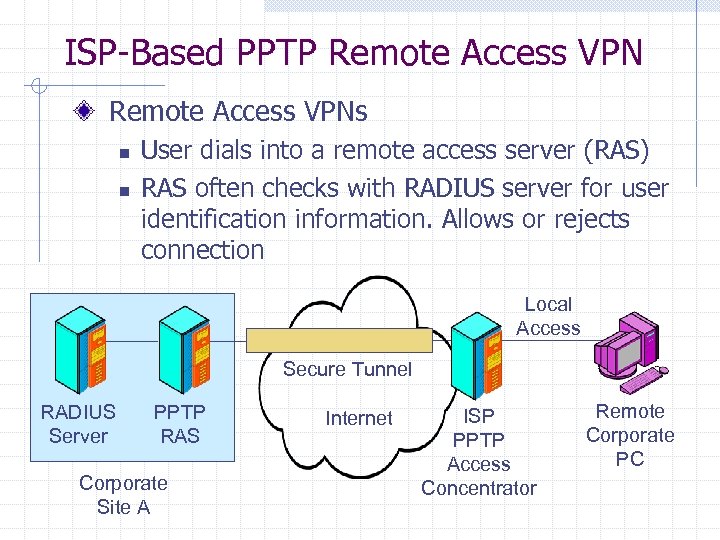
ISP-Based PPTP Remote Access VPNs n n User dials into a remote access server (RAS) RAS often checks with RADIUS server for user identification information. Allows or rejects connection Local Access Secure Tunnel RADIUS Server PPTP RAS Corporate Site A Internet ISP PPTP Access Concentrator Remote Corporate PC
Virtual Private Network Point-to-Point Tunneling Protocol n Available in Windows since Windows 95 w No need for added software on clients n Provided by many ISPs w PPTP access concentrator at ISP access point n Some security limitations w No security between user site and ISP w No message-by-message authentication of user w Uses unprotected TCP control channel
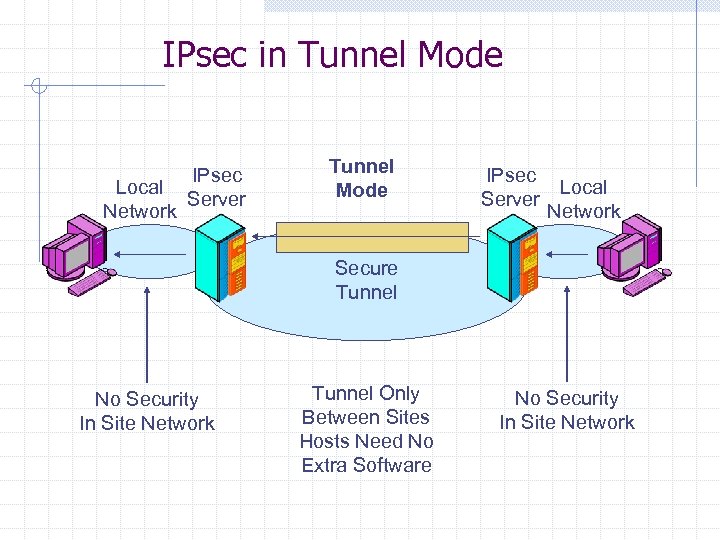
IPsec in Tunnel Mode Local Network IPsec Server Tunnel Mode IPsec Local Server Network Secure Tunnel No Security In Site Network Tunnel Only Between Sites Hosts Need No Extra Software No Security In Site Network
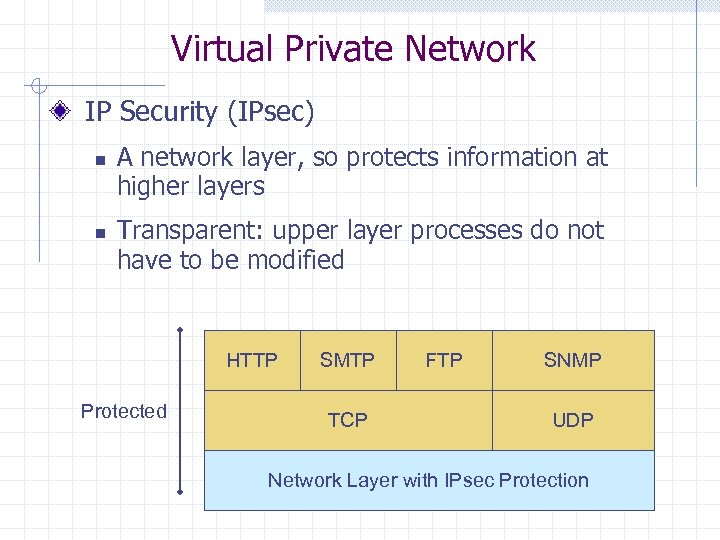
Virtual Private Network IP Security (IPsec) n n A network layer, so protects information at higher layers Transparent: upper layer processes do not have to be modified HTTP Protected SMTP TCP FTP SNMP UDP Network Layer with IPsec Protection
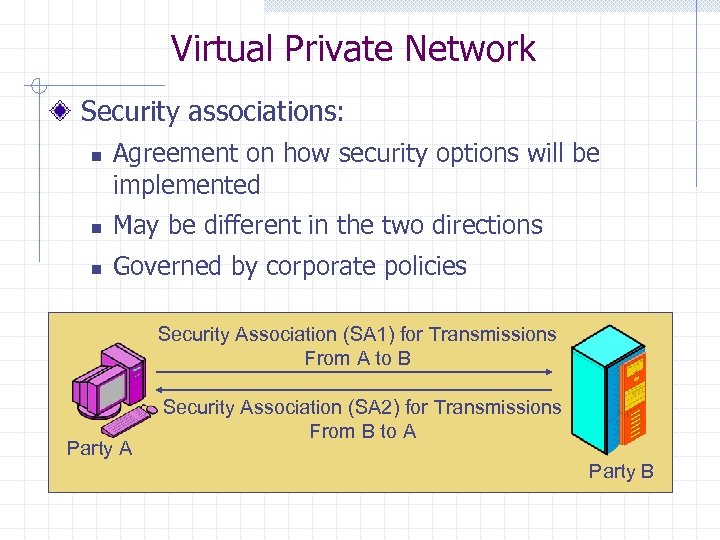
Virtual Private Network Security associations: n Agreement on how security options will be implemented n May be different in the two directions n Governed by corporate policies Security Association (SA 1) for Transmissions From A to B Party A Security Association (SA 2) for Transmissions From B to A Party B
MAN/WAN Recommendations For small networks, POTS may still be reasonable alternative For moderate volume networks, several choices are popular: n n n VPNs are a good choice when cost is important and reliability is less of an issue Frame relay is used when demand is unpredictable T-Carriers are used if network demand is predictable For high volume networks Ethernet/IP packet networks are becoming the dominant choice. Some organizations also may prefer ATM for their high volume networks.
Скачать презентацию Backbone Networks MAN WAN PSTN T-carriers ATM Frame
484074e57d03f5bc491464997b704d72.ppt