 Скачать презентацию Back To School Business In-Service 2014 Purchasing
af485bbd0f2c139cae6e5c93bf483b55.ppt
- Количество слайдов: 25




Back To School Business In-Service 2014 Purchasing & Supply Department
Introductions • Terri Canal, CPPB, CTSBS – Purchasing Manager • La. Tasha Cardwell – Buyer • Tina Canter – Secretary • Maria Salazar – Purchasing Clerk • Annie Constancio – Mail Services Additional Team Members: • Matt Rivera, C. P. M. – Director • Hilda Hilpert – Copy/Print Services • Central Receiving/Warehouse v v Sharhonda Harris – Foreman John Huston Francisco Ascensao Roy Bair 2
Pony Mail Services Start Date: August 11 • Check Central Office Mail Box prior to Start Date Reminders: Pony Envelopes Return Address on all Mail Correspondence Mail Deadline 3: 00 p. m. Tips: Provide Advance Notification, if: Mass Mailing Change in Normal Operations (i. e. – Testing) Additional Information available on the Internet Go To: Departments, Purchasing, For Campuses/Departments, Mail Services Contact: Annie (ext. 6280) 3
Print Shop • Services – B&W and Color Copies – Award Certificates – Advertisement Posters up to 11 x 17 – Binding, Booklets – Staple and Hole Punch • Service Request – Complete the Print/Copy Request Form – Available from the Internet and Intranet – Send Completed Form & Original Print Copy to Tina • Contacts v Tina – Pricing v Hilda – Services v Sharhonda – Supervisor 4
Fixed Assets • Fixed Asset Tags & Tracking – Items Valued Over $5, 000 – Exception: Technology Items • Request Removal of Surplus Items: – Complete the Property Transfer Form – Located in the Public File Folder and on the Intranet – Forward completed form to Purchasing – Reminder: Items not utilized could be reallocated. • Published Surplus List • Contact: Terri (ext. 6028) 5
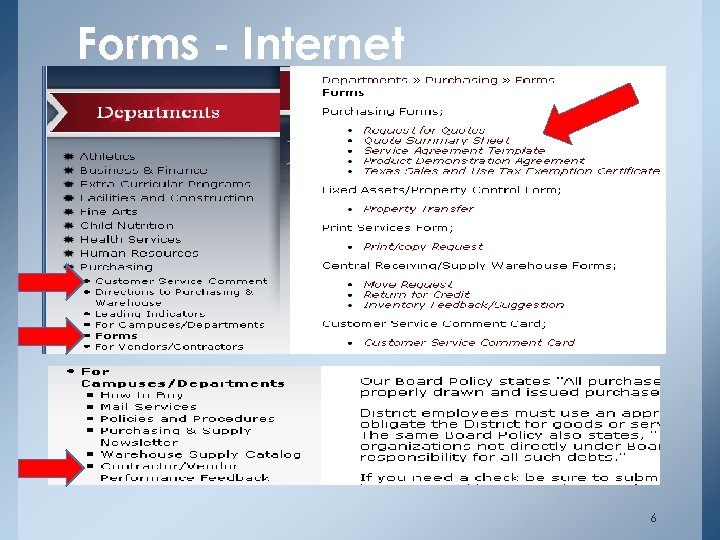
Forms - Internet 6
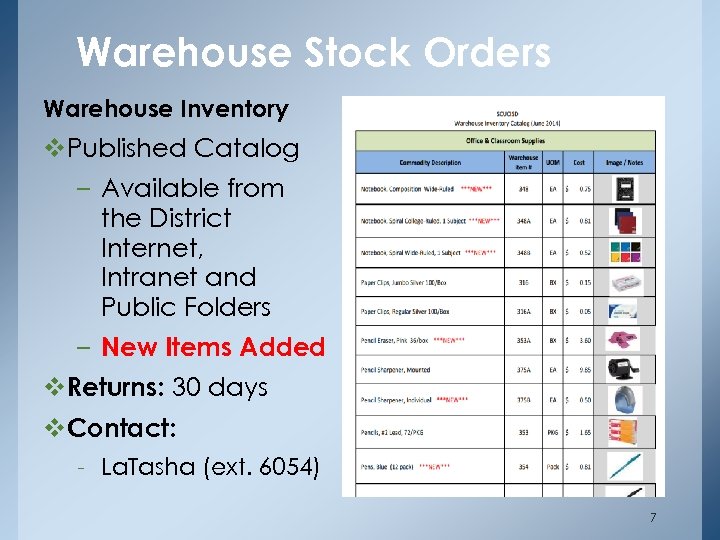
Warehouse Stock Orders Warehouse Inventory v. Published Catalog – Available from the District Internet, Intranet and Public Folders – New Items Added v. Returns: 30 days v. Contact: - La. Tasha (ext. 6054) 7
Preferred Vendor List – District Contracts – Cooperative Agreements • Buy board • Region 2013 • Central Texas Purchasing Alliance (CTPA) • The Cooperative Purchasing Network (TCPN) • State Contracts (TPASS) • DIR Why? Above contracts have met all statutory requirements for competitive bidding. 8
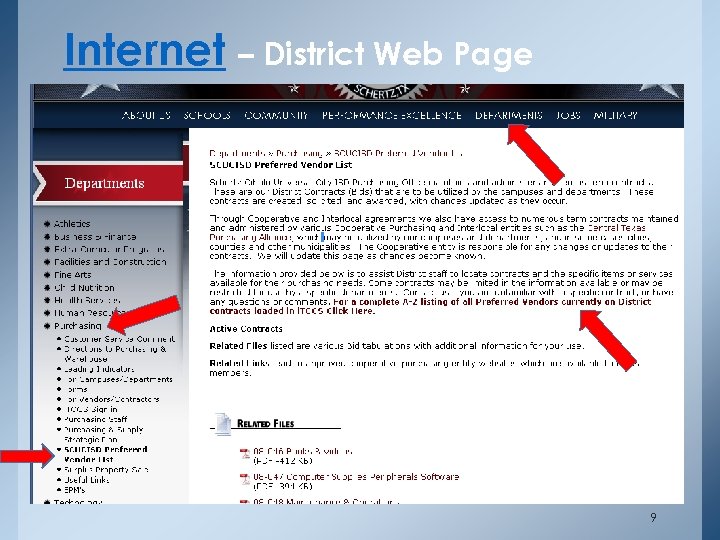
Internet – District Web Page 9
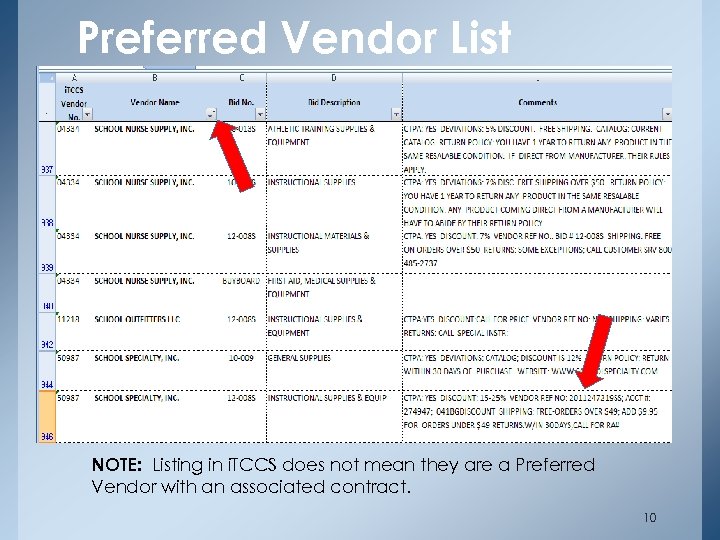
Preferred Vendor List NOTE: Listing in i. TCCS does not mean they are a Preferred Vendor with an associated contract. 10
Purchasing & Contracting Authority for School Districts • Texas Education Code (TEC) – Chapter 44 – Fiscal Management – 44. 031, Purchasing Contracts – 44. 032, Enforcement, Criminal Penalties – 44. 033 Purchases between $10 K & $25 K – Chapter 45 – School District Funds • Texas Government Code (TGC) • Texas Local Government Code (LGC) • Texas Attorney General (OAG) Opinions • Uniform Commercial Code (UCC), Article 2 • Local Board Policy 11
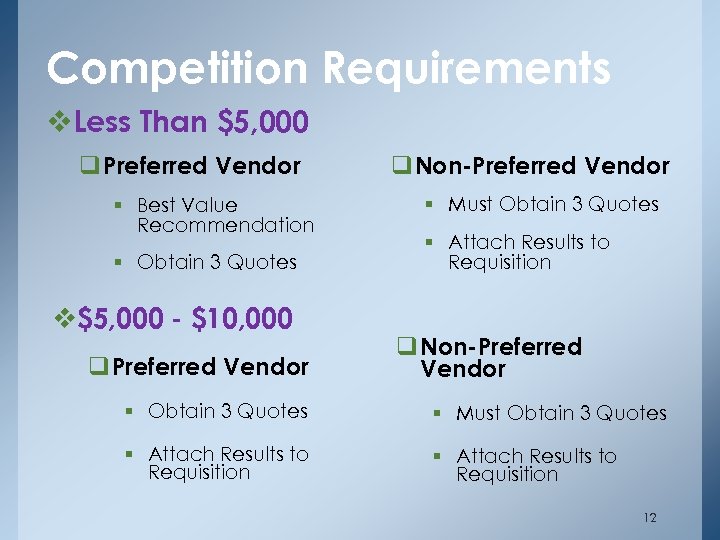
Competition Requirements v. Less Than $5, 000 q Preferred Vendor § Best Value Recommendation § Obtain 3 Quotes v$5, 000 - $10, 000 q Preferred Vendor q Non-Preferred Vendor § Must Obtain 3 Quotes § Attach Results to Requisition q Non-Preferred Vendor § Obtain 3 Quotes § Must Obtain 3 Quotes § Attach Results to Requisition 12
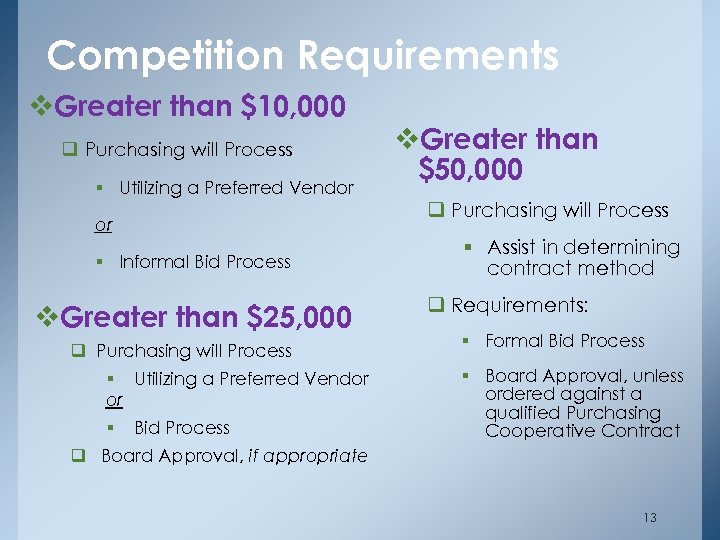
Competition Requirements v. Greater than $10, 000 q Purchasing will Process § Utilizing a Preferred Vendor or § Informal Bid Process v. Greater than $25, 000 q Purchasing will Process § Utilizing a Preferred Vendor or § Bid Process q Board Approval, if appropriate v. Greater than $50, 000 q Purchasing will Process § Assist in determining contract method q Requirements: § Formal Bid Process § Board Approval, unless ordered against a qualified Purchasing Cooperative Contract 13
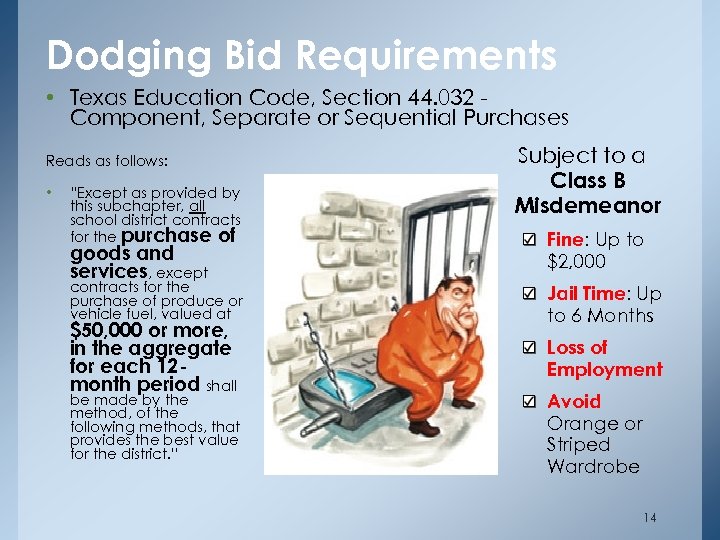
Dodging Bid Requirements • Texas Education Code, Section 44. 032 Component, Separate or Sequential Purchases Reads as follows: • “Except as provided by this subchapter, all school district contracts for the purchase of goods and services, except contracts for the purchase of produce or vehicle fuel, valued at $50, 000 or more, in the aggregate for each 12 month period shall be made by the method, of the following methods, that provides the best value for the district. ” Subject to a Class B Misdemeanor Fine: Up to $2, 000 Jail Time: Up to 6 Months Loss of Employment Avoid Orange or Striped Wardrobe 14
Requisition Reminders • Technology Related Items – Must be initiated through & approved by Technology • Delivery Date: Enter Realistic Date or Date of Event • Bid Number • Quote Number • Supporting Documents • Item Description: Accurate, Brief, Concise – i. e. – 93210 Laminating Film, 3. 5 ml • Req Comments: – Provide brief reason/purpose (i. e. – For Teacher Workroom) – Special Instructions (i. e. – Deliver To Clemens Athletics) • Vendor Fax / Email – Fax – If different from i. TCCS, enter fax or email address in the Vendor Comments Section 15
Hotel/Motel Requisitions Description Section, Include: – City Tax Breakdown – Name(s) or Group(s) – Confirmation Number – Arrival Date – Rate Per Night – Departure Date – Number of Rooms – Purpose of Reservation Req Comments Field, Include: • Person’s Name to Whom the Check Will be Sent • Other Special Information/Instructions Example: Hotel Reservation for J. Smith attending TASBO Conference on Oct 15 -18, 2014 in Dallas, TX Reservation # XYZ 1525 1 room x 3 nights Room Rate: $105; City Tax = 8% ($8. 04) 16
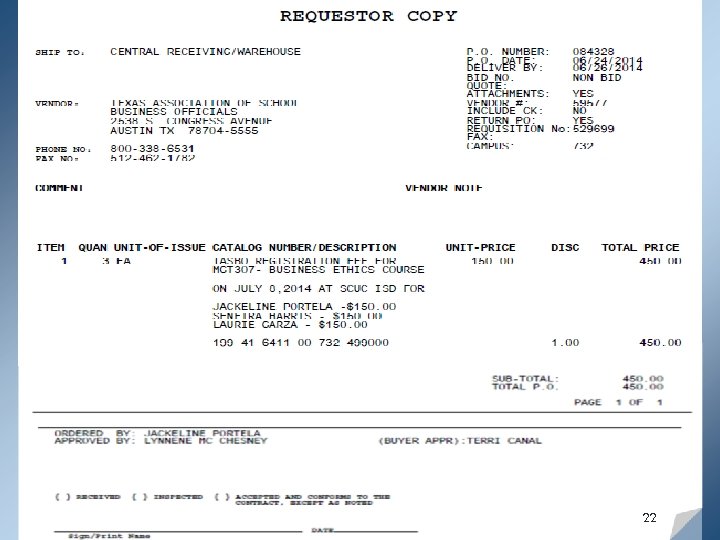
What’s New: i. TCCS Enhancements Electronic Purchase Order (e. PO) Process – Changes to PO Distribution • Electronic PO Distribution – Email Notification – Requestor (Campus/Dept) Copy Automatically Deposits into Assigned Shared PO File Folder – Request for Vendor Copy, Purchasing will forward via Email • Electronic PO Distribution – Processed Daily – Scheduled at Approximately: 10: 00 a. m. & 2: 00 p. m. – Rush Order, Contact Purchasing 17
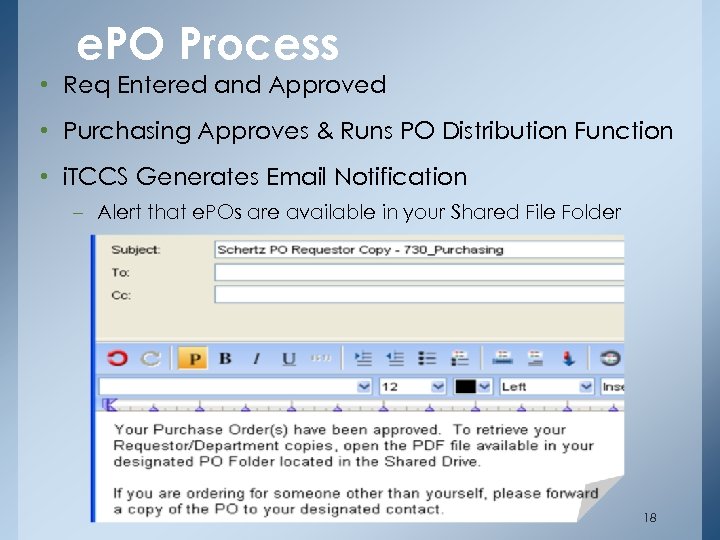
e. PO Process • Req Entered and Approved • Purchasing Approves & Runs PO Distribution Function • i. TCCS Generates Email Notification – Alert that e. POs are available in your Shared File Folder 18
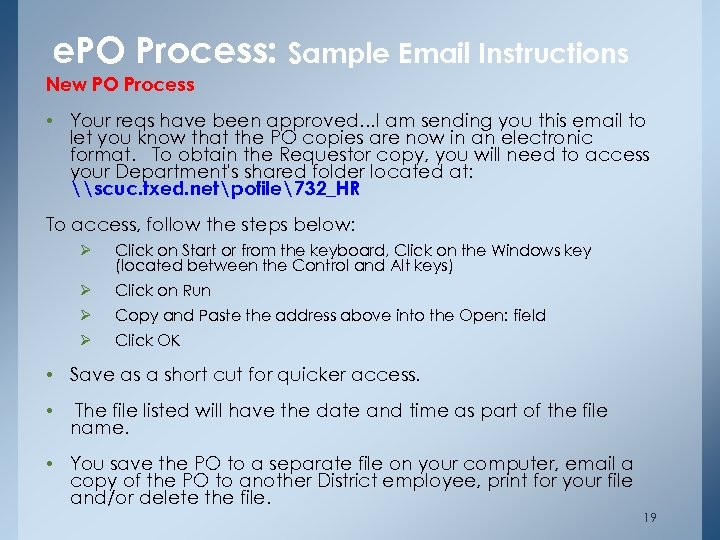
e. PO Process: Sample Email Instructions New PO Process • Your reqs have been approved. . . I am sending you this email to let you know that the PO copies are now in an electronic format. To obtain the Requestor copy, you will need to access your Department's shared folder located at: \scuc. txed. netpofile732_HR To access, follow the steps below: Ø Click on Start or from the keyboard, Click on the Windows key (located between the Control and Alt keys) Ø Click on Run Ø Copy and Paste the address above into the Open: field Ø Click OK • Save as a short cut for quicker access. • The file listed will have the date and time as part of the file name. • You save the PO to a separate file on your computer, email a copy of the PO to another District employee, print for your file and/or delete the file. 19
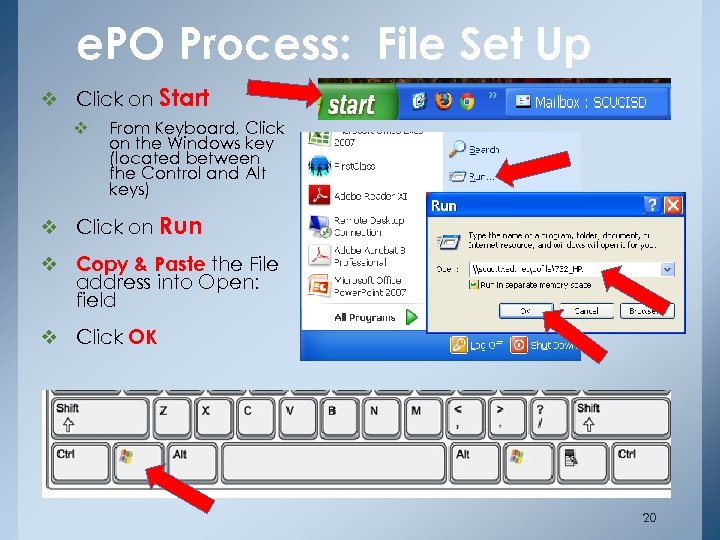
e. PO Process: File Set Up v Click on Start v From Keyboard, Click on the Windows key (located between the Control and Alt keys) v Click on Run v Copy & Paste the File address into Open: field v Click OK 20
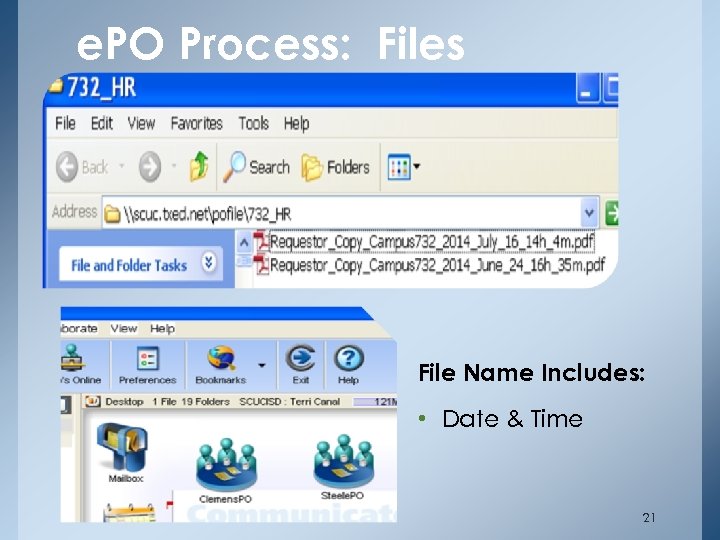
e. PO Process: Files File Name Includes: • Date & Time 21
22
e. PO Process Document Management • Create Folder for e. PO & Supporting Documents • Save by File or by Individual PO • Delete File(s) from Shared e. PO Folder • Email PO Copy to Designated Staff, if appropriate Warehouse Deliveries: Receiving Copy Only • Campus / Department Signs Receiving Copy – Acknowledging Receipt of Items – Warehouse Staff Returns Copy to Purchasing Clerk • No Additional PO Copy will be Provided 23
Coming Soon • Employee Discounts Listing – Intranet Only 24

Questions When in Doubt…Call 25
Скачать презентацию Back To School Business In-Service 2014 Purchasing
af485bbd0f2c139cae6e5c93bf483b55.ppt