 Скачать презентацию B INFORMATION TECHNOLOGY IS CISB 434 DECISION SUPPORT
70937f3295c5436e974253434a96237d.ppt
- Количество слайдов: 70



B. INFORMATION TECHNOLOGY (IS) CISB 434: DECISION SUPPORT SYSTEMS Chapter 9: System Development & Acquisition
LEARNING OBJECTIVES Describe the basic concepts of systems development Discuss the major steps in developing decision support system (DSS) management support system (MSS) 2
LEARNING OBJECTIVES List the major MSS application develop-ment options along with the benefits and limitations describe the four phases of the system development life cycle: planning analysis development implementation 3
LEARNING OBJECTIVES Discuss various MSS application out-sourcing options including the use of an application service provider (ASP) utility computing 4
LEARNING OBJECTIVES Describe prototyping methodology explain why MSSs are typically developed using these methods describe the factors that lead to success or failure discuss the learning process that occurs during development discuss the concept of end-user computing 5
LEARNING OBJECTIVES Give some major MSS software pack-ages and MSS application suites examine the criteria for selection Describe various methods for connect-ing an MSS application to back-end systems and databases discuss the value and technical foundation of Web Services in integrated applications 6
LEARNING OBJECTIVES Describe the criteria used in selecting an outsourcing vendor and package 7
SYSTEM DEVELOPMENT & ACQUISITION Basic Concepts of Systems Development
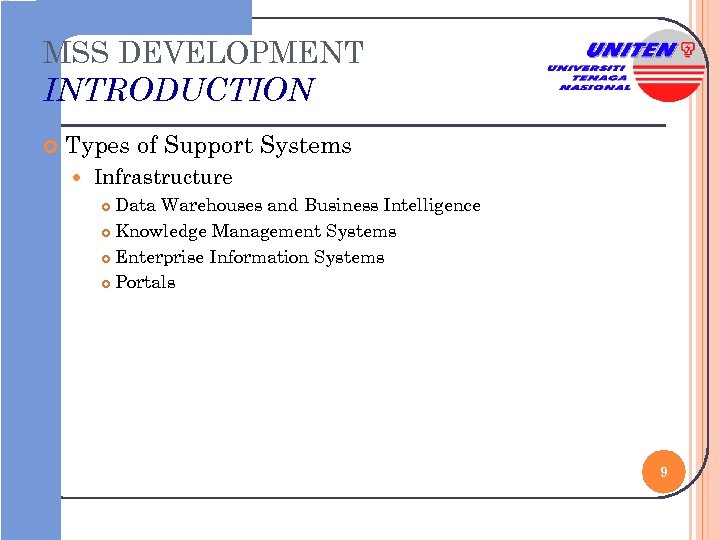
MSS DEVELOPMENT INTRODUCTION Types of Support Systems Infrastructure Data Warehouses and Business Intelligence Knowledge Management Systems Enterprise Information Systems Portals 9
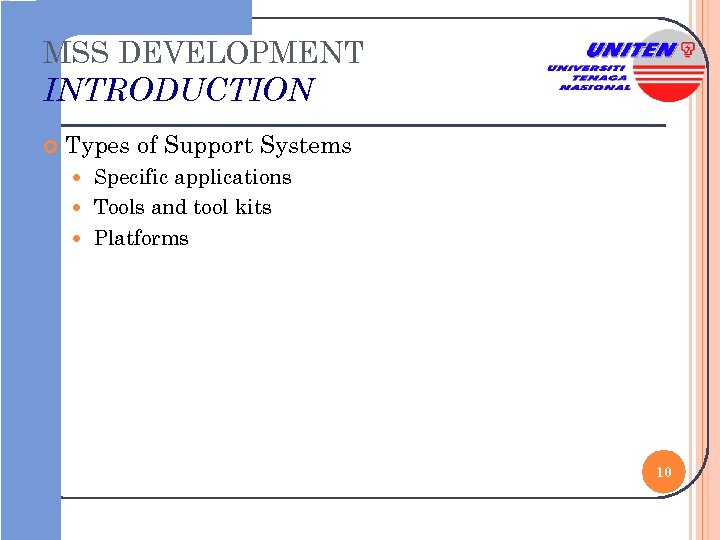
MSS DEVELOPMENT INTRODUCTION Types of Support Systems Specific applications Tools and tool kits Platforms 10
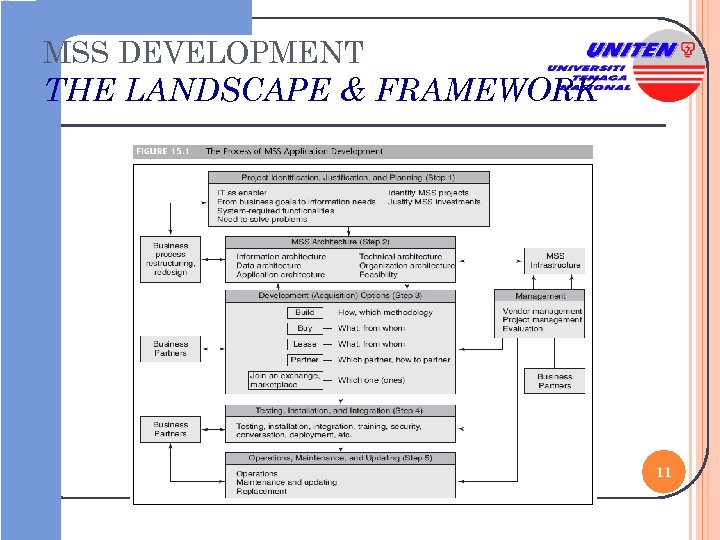
MSS DEVELOPMENT THE LANDSCAPE & FRAMEWORK 11
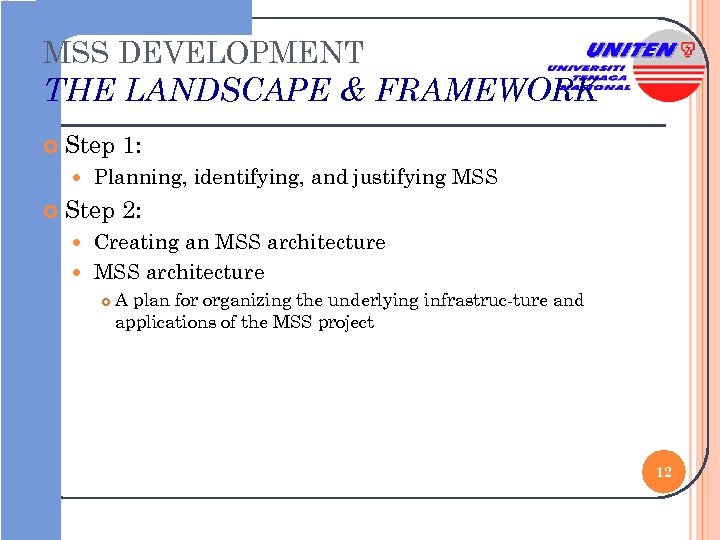
MSS DEVELOPMENT THE LANDSCAPE & FRAMEWORK Step 1: Planning, identifying, and justifying MSS Step 2: Creating an MSS architecture A plan for organizing the underlying infrastruc-ture and applications of the MSS project 12
MSS DEVELOPMENT THE LANDSCAPE & FRAMEWORK Step 3: Selecting a development option Build the system in house Have a vendor build a custom-made system Buy an existing application and install it, with or without modifications, by yourself or through a vendor 13
MSS DEVELOPMENT THE LANDSCAPE & FRAMEWORK Step 3: Selecting a development option Lease standard software from an ASP, utility computing, or set up a software-as-a-service arrangement Enter into a partnership or an alliance that will enable the company to use someone else's application Use a combination of these approaches 14
MSS DEVELOPMENT THE LANDSCAPE & FRAMEWORK Step 4: Installing, testing, connecting, and deploy-ing MSS applications Step 5: Operations, maintenance, and updating 15
MSS DEVELOPMENT THE LANDSCAPE & FRAMEWORK Managing the development process The development process can be fairly complex and must be managed properly For medium to large applications, a project team is usually created to manage the process and the vendors Project management software 16

SYSTEM DEVELOPMENT & ACQUISITION Development Options
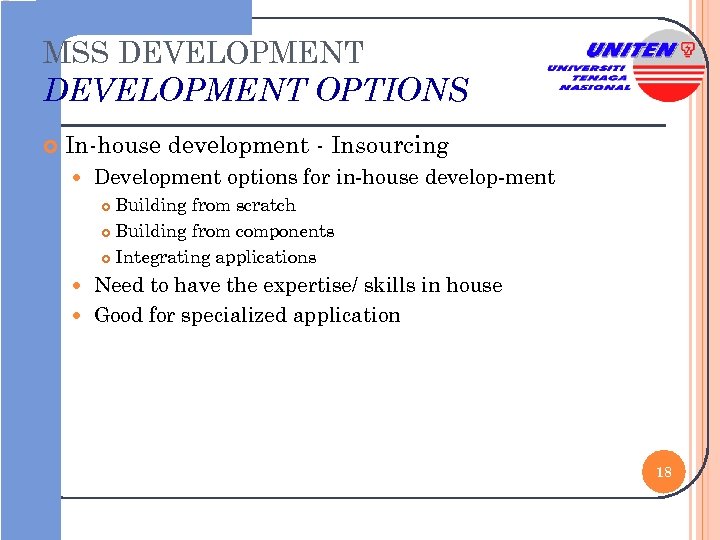
MSS DEVELOPMENT OPTIONS In-house development - Insourcing Development options for in-house develop-ment Building from scratch Building from components Integrating applications Need to have the expertise/ skills in house Good for specialized application 18
MSS DEVELOPMENT OPTIONS Methods used in in-house development System Development Life Cycle (SDLC) A systematic process for the effective construc-tion of large information systems 19
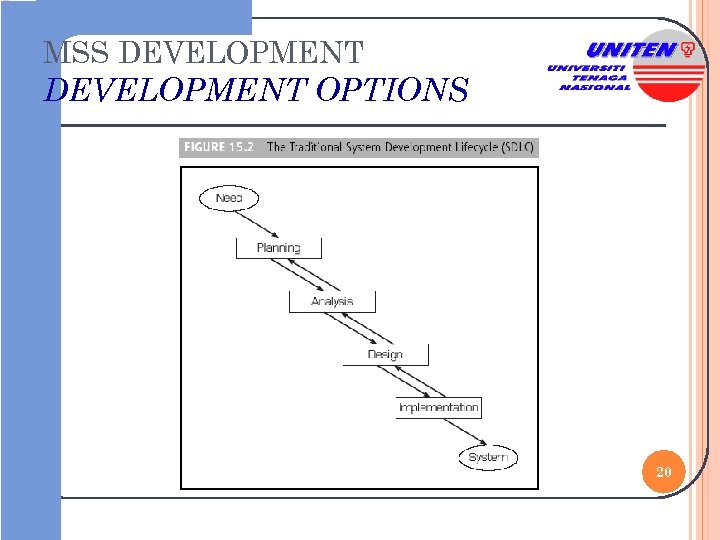
MSS DEVELOPMENT OPTIONS 20
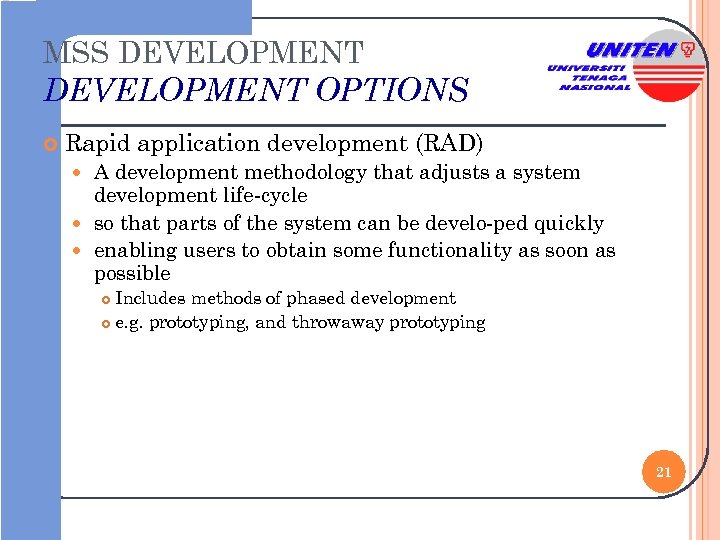
MSS DEVELOPMENT OPTIONS Rapid application development (RAD) A development methodology that adjusts a system development life-cycle so that parts of the system can be develo-ped quickly enabling users to obtain some functionality as soon as possible Includes methods of phased development e. g. prototyping, and throwaway prototyping 21
MSS DEVELOPMENT OPTIONS Prototyping A strategy in which a scaled-down system or portion of a system is constructed in a short time, tested, and improved in several iterations 22
MSS DEVELOPMENT OPTIONS Buying applications - cost, maintenance/support provided… Leasing applications Lease from an outsourcer and then install it on the company’s premises Lease from an ASP that hosts the applica-tion at its data center 23
MSS DEVELOPMENT OPTIONS Methods used in in-house development Software-as-a-service (Saa. S) Software that is rented instead of sold 24
MSS DEVELOPMENT OPTIONS Factors driving the switch to software-as-a-service: Reducing the risks involved in acquiring new software Influencing product and service quality via an ongoing relationship with vendors 25
MSS DEVELOPMENT OPTIONS Factors driving the switch to software-as-aservice: Changing usage commitments as business circumstances change Preparing financially justifiable business cases More accurately predicting ongoing expen-ses 26
DEVELOPMENT OPTIONS If custom software is required, the alternatives of insourcing and outsourcing should be compared. A key consideration is the availability of in-house resources. 27
DEVELOPMENT OPTIONS If do not have the resources to build inhouse, need to consider buy off the shelf (package) or lease from vendor: if the application is sufficiently popular that packages and/or ASPs exist for it their total cost of ownership (TOC) should be compared for the firm’s planning horizon. The cost of using a package should include any component integration costs. The cost of using an ASP should include estimated price increases. 28
SYSTEM DEVELOPMENT & ACQUISITION MSS Application Outsourcing Options
MSS DEVELOPMENT OUTSOURCING OPTIONS Application Service Providers (ASP) A software vendor that offers leased soft-ware applications to organizations 30
MSS DEVELOPMENT OUTSOURCING OPTIONS Utility (on-demand) computing Unlimited computing power and storage capacity that, like electricity, water, telephone services, can be obtained on demand, used, and reallocated for any application, and billed on a pay-per-use basis 31
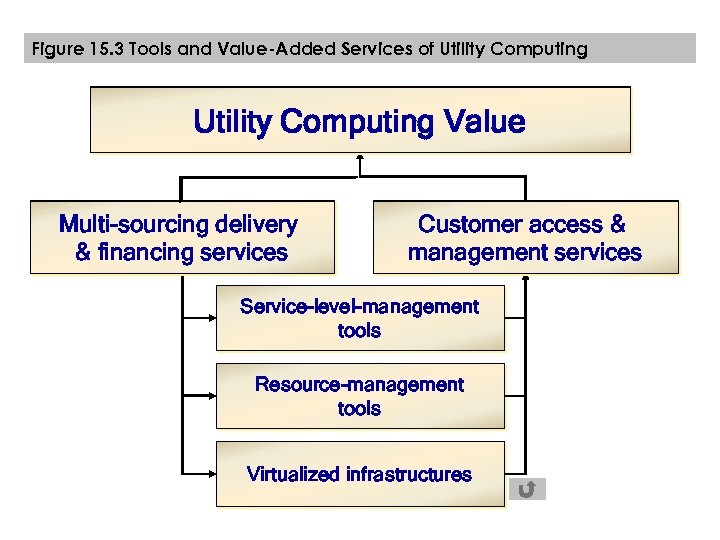
Figure 15. 3 Tools and Value-Added Services of Utility Computing Value Multi-sourcing delivery & financing services Customer access & management services Service-level-management tools Resource-management tools Virtualized infrastructures
MSS DEVELOPMENT OUTSOURCING OPTIONS Utility computing value proposition con-sists of Three layers of Tools Policy-based service-level-management tools 30 Policy-based resource-management tools Virtualization tools Two types of Value-added Services Multisourcing delivery and framework services Customer access and management services 33
MSS DEVELOPMENT OUTSOURCING OPTIONS A hybrid approach to MSS development Hybrid models work best when the out-sourced partner offers: A high level of security Fast time to market Service-level agreements 34
SYSTEM DEVELOPMENT & ACQUISITION Prototyping
PROTOTYPING ADVANTAGES Short development time Short user reaction time Improved user understanding of the system i. e. feedback from user its information needs, and its capabilities Low cost 36
PROTOTYPING LIMITATIONS Gains obtained from cautiously stepping through each of the system’s lifecycle stages might be lost including: A thorough understanding of the informa-tion system’s benefits and costs A detailed description of the business’s information needs 37
PROTOTYPING LIMITATIONS Gains obtained from cautiously stepping through each of the system’s lifecycle stages might be lost including: An easy-to-maintain information system design A well-tested information system Well-prepared users 38
PROTOTYPING DEVELOPMENT PROCESS Users and managers, as well as an exe-cutive sponsor, must be involved The analysis, design, and prototype implementation phases are iteratively per-formed until a small prototype is sufficiently deve-loped 39
PROTOTYPING DEVELOPMENT PROCESS The final implementation takes place Simultaneously, further iterations occur as other subsystems or capabilities are added to the deployed system until a fairly stable, comprehensive system evolves 40
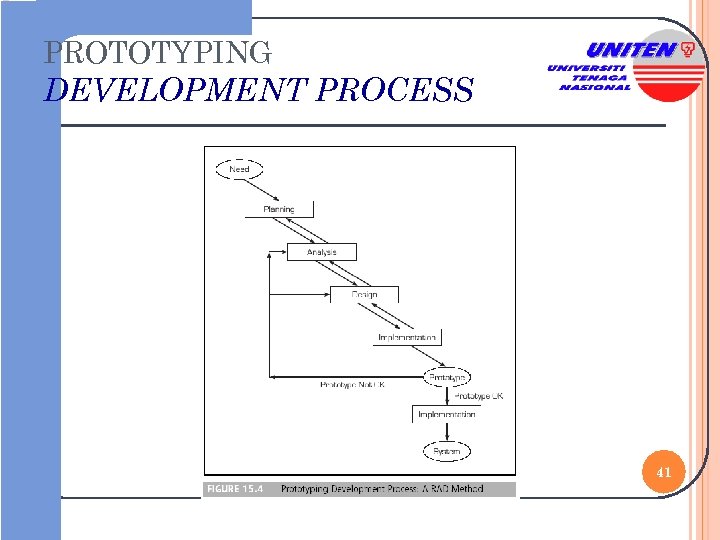
PROTOTYPING DEVELOPMENT PROCESS 41
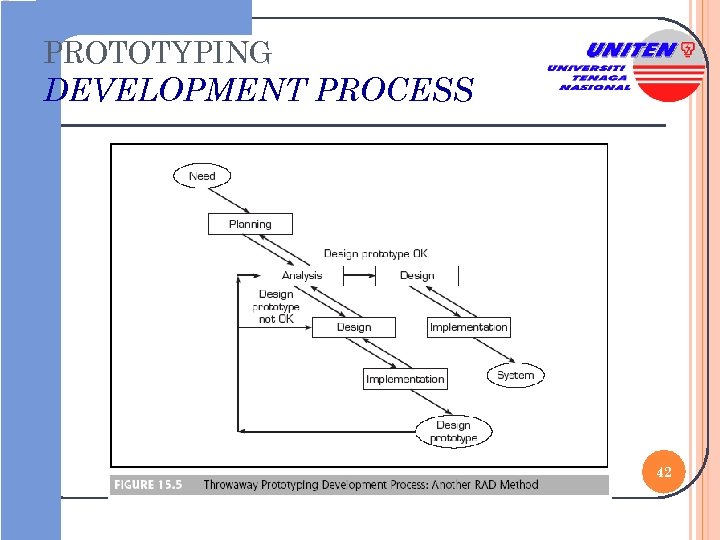
PROTOTYPING DEVELOPMENT PROCESS 42
PROTOTYPING COLLABORATION IN PROTOTYPING The interaction of user, developer, and technology is extremely important in the prototyping process 43
PROTOTYPING EVALUATION IN PROTOTYPING Iterative design A systematic process for system develop-ment that is used in MSS produce a first version of MSS then revise it and produce the second design version and so on is an iterative design 44
PROTOTYPING IMPLEMENTING PROTOTYPING Target small, tactical applications that show quick results Use software components Make application deployment iterative and open to customization Use commodity hardware Use object technology including tools such as Java 45
PROTOTYPING IMPLEMENTING PROTOTYPING Break major projects into manageable, deliverable chunks Use packaged applications whenever justifiable Consider IT service providers as well as utility and grid computing Use Web services, if possible 46
PROTOTYPING SUCCESSES FACTORS Users and managers should be invol-ved in every phase and iteration Learning should be explicitly integrated into the design process Prototyping should essentially bypass the formal information requirement defi-nition in the SDLC 47
PROTOTYPING SUCCESSES FACTORS A key criterion associated with proto-typing is the short interval between iterations The initial prototype must be low cost 48
PROTOTYPING FAILURES No prelaunch objectives or metrics Too many major projects were conduc-ted simultaneously The CEO set budgets and deadlines before the project team was involved The budget and deadlines were not rea-listic 49
PROTOTYPING FAILURES There was no insider presence on the data warehouse project team An overburdened project manager was involved The availability of source data was un-confirmed at the outset 50
PROTOTYPING FAILURES No user demand for sophisticated data analysis was considered No routine meetings of executive spon-sors and the project manager Business managers were not initially involved 51
PROTOTYPING LESSONS LEARNED FROM FAILURE Most critical success factors for develo-ping a data warehouse executive sponsorship partnership of the IT staff and end users Unclear understanding of the business objectives and how they are measured 52
PROTOTYPING LESSONS LEARNED FROM FAILURE An incremental pilot project should occur to determine whether it is possi-ble to obtain the projected benefits An organization should expect to make a major investment in ongoing manage-ment of the data warehouse When all else fails, an organization should cut its losses and run 53
USER-DEVELOPED MSS End-user computing Developing one’s own information system 54
USER-DEVELOPED MSS An MSS developed by one user or by a few users in one department including decision makers and professionals e. g. knowledge workers, like financial or tax analysts and engineers who build or use computers to solve problems or enhance their productivity 55
USER-DEVELOPED MSS ADVANTAGES Short delivery time Eliminates prerequisites of extensive and formal user requirements specifica-tions Reduces some MSS implementation problems Usually very low cost 56
USER-DEVELOPED MSS RISKS User-developed MSS can be of poor quality Three categories of potential quality risks Substandard or inappropriate tools and facilities used in MSS development Risks associated with the development process Data management risks 57
USER-DEVELOPED MSS RISKS Security risks Lack of documentation Lack of maintenance procedures 58
USER-DEVELOPED MSS GETTING USERS INVOLVMENT Get management buy-in Understand the users’ business Consider the users’ priorities Assign good communicators Talk with users along the business pro-cess 59
USER-DEVELOPED MSS GETTING USERS INVOLVMENT Don’t meet at users' offices Turn off mobile phones Focus on users’ problems not on technology Listen well Use prototypes 60
USER-DEVELOPED MSS REDUCING RISKS Factors that contribute to spreadsheet errors include Developer inexperience Poor design approaches Application types Problem complexity Time pressure Presence or absence of review procedures Team-developed MSS 61
SYSTEM DEVELOPMENT & ACQUISITION MSS Software Packages & Suites
MSS DEVELOPMENT CRITERIA FOR SELECTION Selection criteria to buy or lease deci-sion Flexibility Information requirements User friendliness Hardware and software resources Installation 63
MSS DEVELOPMENT CRITERIA FOR SELECTION Selection criteria for buy or lease deci-sion Maintenance services Vendor quality and track record Estimating costs Personnel Technological evolution 64
MSS DEVELOPMENT CRITERIA FOR SELECTION Selection criteria for buy or lease deci-sion Scalability Sizing Performance Reliability Security 65
MSS SOFTWARE PACKAGES & SUITES THIRD-PARTY PROVIDERS Specialized and functional software packages MSS suite An integrated collection of a large number of MSS tools that work together for applica-tions development 66
MSS SOFTWARE PACKAGES & SUITES THIRD-PARTY PROVIDERS Representative MSS suites Micro. Strategy 8 Hyperion System 9 BI+ Business. Objects XI Microsoft Biz. Talk Server 2004 Oracle’s MSS Products IBM’s Web. Sphere Commerce Suite 67
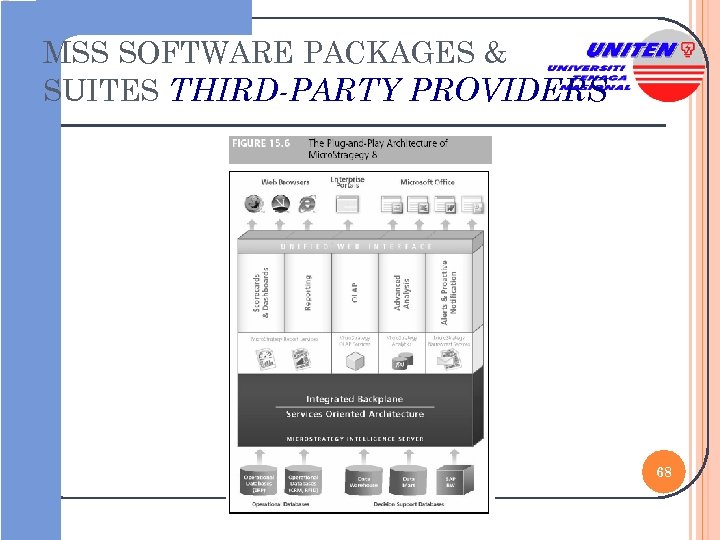
MSS SOFTWARE PACKAGES & SUITES THIRD-PARTY PROVIDERS 68

THE END THANK YOU FOR LISTENING

70
Скачать презентацию B INFORMATION TECHNOLOGY IS CISB 434 DECISION SUPPORT
70937f3295c5436e974253434a96237d.ppt