 Скачать презентацию Автоматическая обработка текста Представление текстового массива Способы
ed475d9736f0bd58fafc8084e6671625.ppt
- Количество слайдов: 30



Автоматическая обработка текста Представление текстового массива

Способы и форматы представления n Индекс n Базы данных n
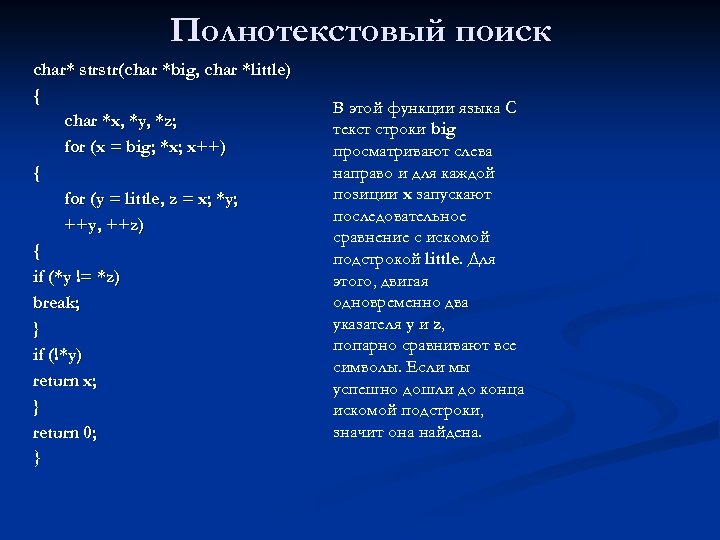
Полнотекстовый поиск char* strstr(char *big, char *little) { char *x, *y, *z; for (x = big; *x; x++) { for (y = little, z = x; *y; ++y, ++z) { if (*y != *z) break; } if (!*y) return x; } return 0; } В этой функции языка C текст строки big просматривают слева направо и для каждой позиции x запускают последовательное сравнение с искомой подстрокой little. Для этого, двигая одновременно два указателя y и z, попарно сравнивают все символы. Если мы успешно дошли до конца искомой подстроки, значит она найдена.
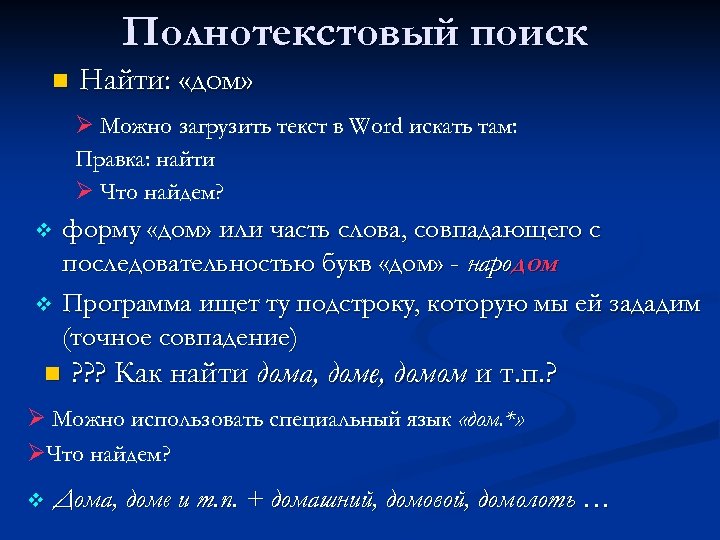
Полнотекстовый поиск n Найти: «дом» Ø Можно загрузить текст в Word искать там: Правка: найти Ø Что найдем? форму «дом» или часть слова, совпадающего с последовательностью букв «дом» - народом v Программа ищет ту подстроку, которую мы ей зададим (точное совпадение) v n ? ? ? Как найти дома, доме, домом и т. п. ? Ø Можно использовать специальный язык «дом. *» ØЧто найдем? v Дома, доме и т. п. + домашний, домовой, домолоть …
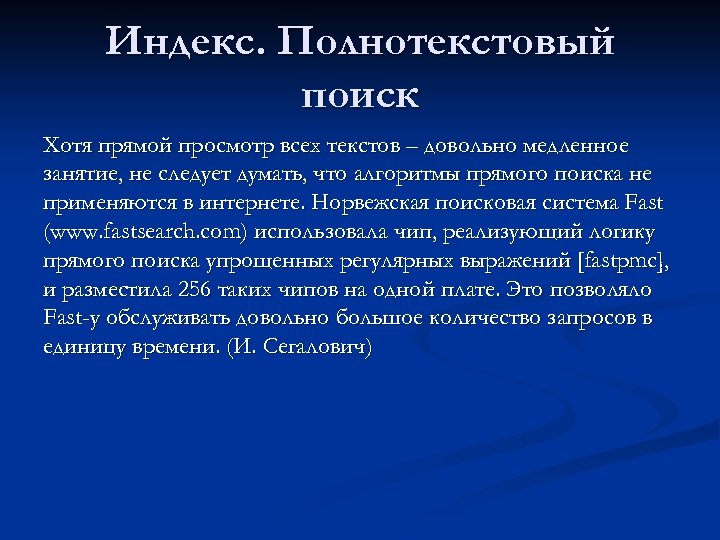
Индекс. Полнотекстовый поиск Хотя прямой просмотр всех текстов – довольно медленное занятие, не следует думать, что алгоритмы прямого поиска не применяются в интернете. Норвежская поисковая система Fast (www. fastsearch. com) использовала чип, реализующий логику прямого поиска упрощенных регулярных выражений [fastpmc], и разместила 256 таких чипов на одной плате. Это позволяло Fast-у обслуживать довольно большое количество запросов в единицу времени. (И. Сегалович)
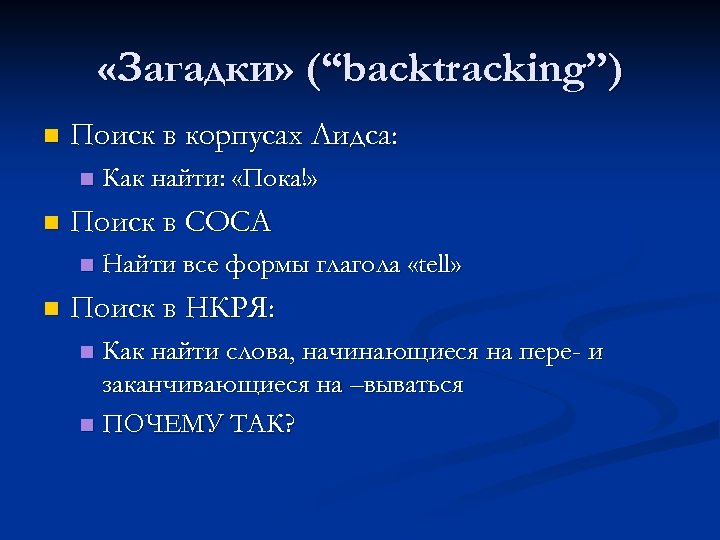
«Загадки» (“backtracking”) n Поиск в корпусах Лидса: n n Поиск в COCA n n Как найти: «Пока!» Найти все формы глагола «tell» Поиск в НКРЯ: Как найти слова, начинающиеся на пере- и заканчивающиеся на –вываться n ПОЧЕМУ ТАК? n
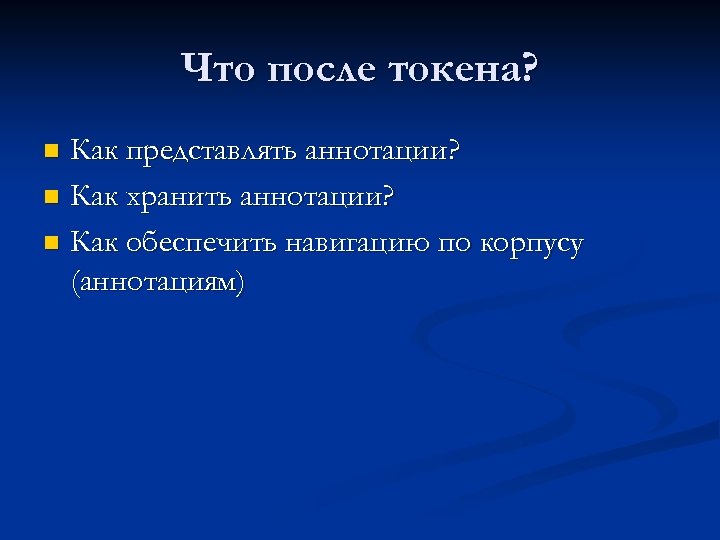
Что после токена? Как представлять аннотации? n Как хранить аннотации? n Как обеспечить навигацию по корпусу (аннотациям) n
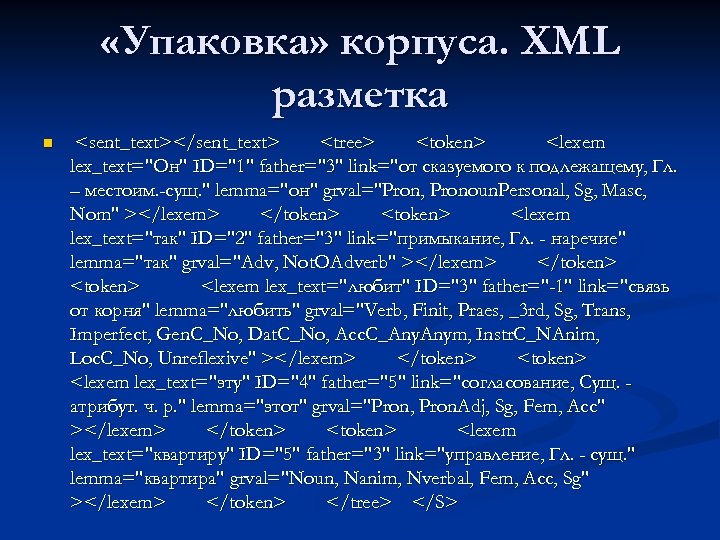
«Упаковка» корпуса. XML разметка n <sent_text></sent_text> <tree> <token> <lexem lex_text="Он" ID="1" father="3" link="от сказуемого к подлежащему, Гл. – местоим. -сущ. " lemma="он" grval="Pron, Pronoun. Personal, Sg, Masc, Nom" ></lexem> </token> <lexem lex_text="так" ID="2" father="3" link="примыкание, Гл. - наречие" lemma="так" grval="Adv, Not. OAdverb" ></lexem> </token> <lexem lex_text="любит" ID="3" father="-1" link="связь от корня" lemma="любить" grval="Verb, Finit, Praes, _3 rd, Sg, Trans, Imperfect, Gen. C_No, Dat. C_No, Acc. C_Any. Anym, Instr. C_NAnim, Loc. C_No, Unreflexive" ></lexem> </token> <lexem lex_text="эту" ID="4" father="5" link="согласование, Сущ. атрибут. ч. р. " lemma="этот" grval="Pron, Pron. Adj, Sg, Fem, Acc" ></lexem> </token> <lexem lex_text="квартиру" ID="5" father="3" link="управление, Гл. - сущ. " lemma="квартира" grval="Noun, Nanim, Nverbal, Fem, Acc, Sg" ></lexem> </token> </tree> </S>
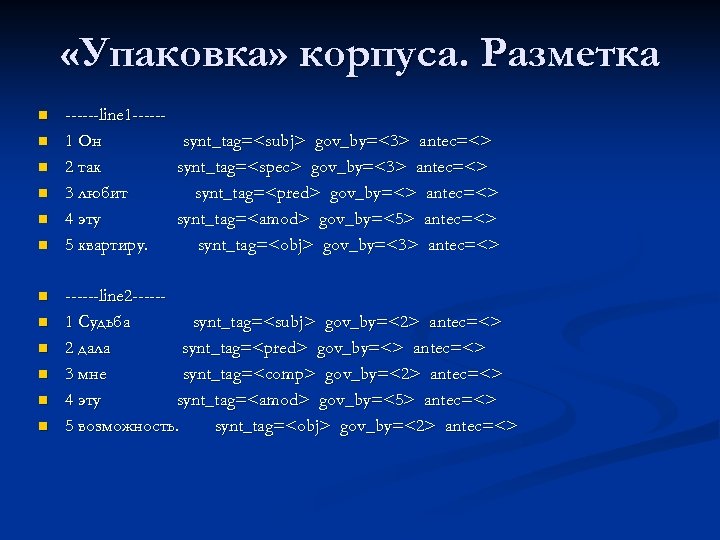
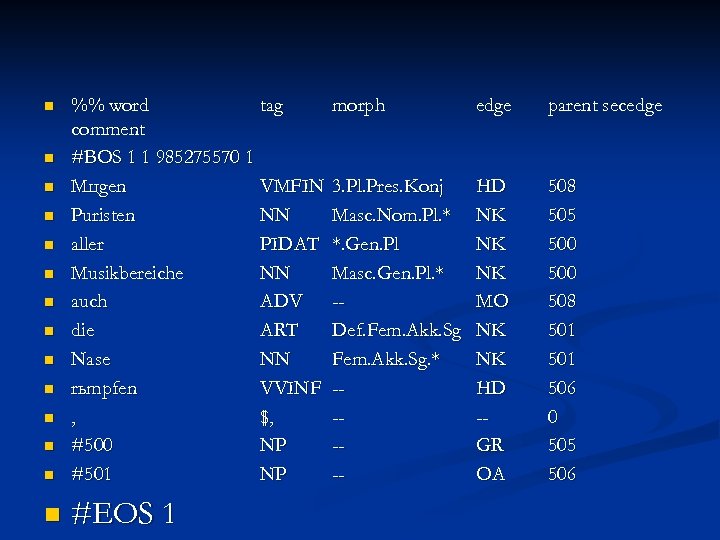
«Упаковка» корпуса. Разметка n n n ------line 1 -----1 Он 2 так 3 любит 4 эту 5 квартиру. synt_tag=<subj> gov_by=<3> antec=<> synt_tag=<spec> gov_by=<3> antec=<> synt_tag=<pred> gov_by=<> antec=<> synt_tag=<amod> gov_by=<5> antec=<> synt_tag=<obj> gov_by=<3> antec=<> ------line 2 -----1 Судьба synt_tag=<subj> gov_by=<2> antec=<> 2 дала synt_tag=<pred> gov_by=<> antec=<> 3 мне synt_tag=<comp> gov_by=<2> antec=<> 4 эту synt_tag=<amod> gov_by=<5> antec=<> 5 возможность. synt_tag=<obj> gov_by=<2> antec=<>
Индекс. Инвертированный файл Эта простейшая структура данных. Знакома любому грамотному человеку, так и любому программисту баз данных, даже не имевшему дело с полнотекстовым поиском. Первая категория людей знает, что это такое, по «конкордансам» алфавитно упорядоченным исчерпывающим спискам слов из одного текста или принадлежащих одному автору (например «Конкорданс к стихам А. С. Пушкина» , «Словарь-конкорданс публицистики Ф. М. Достоевского» ). Вторые имеют дело с той или иной формой инвертированного списка всякий раз, когда строят или используют «индекс БД по ключевому полю» .
n %% word tag comment #BOS 1 1 985275570 1 Mцgen VMFIN Puristen NN aller PIDAT Musikbereiche NN auch ADV die ART Nase NN rьmpfen VVINF , $, #500 NP #501 NP n #EOS 1 n n n morph edge parent secedge 3. Pl. Pres. Konj Masc. Nom. Pl. * *. Gen. Pl Masc. Gen. Pl. * -Def. Fem. Akk. Sg. * ----- HD NK NK NK MO NK NK HD -GR OA 508 505 500 508 501 506 0 505 506
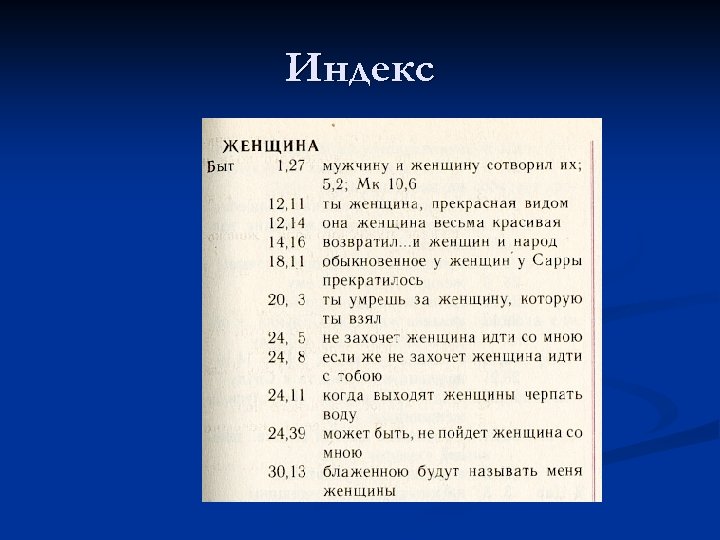
Полнотекстовый поиск vs. ? ? ? n Как устроена навигация по книгам? è индекс
Индекс
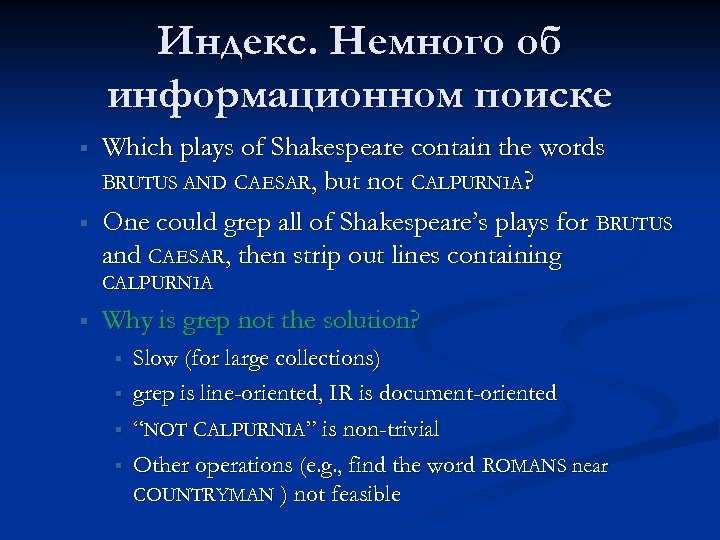
Индекс. Немного об информационном поиске § § Which plays of Shakespeare contain the words BRUTUS AND CAESAR, but not CALPURNIA? One could grep all of Shakespeare’s plays for BRUTUS and CAESAR, then strip out lines containing CALPURNIA § Why is grep not the solution? § § Slow (for large collections) grep is line-oriented, IR is document-oriented “NOT CALPURNIA” is non-trivial Other operations (e. g. , find the word ROMANS near COUNTRYMAN ) not feasible
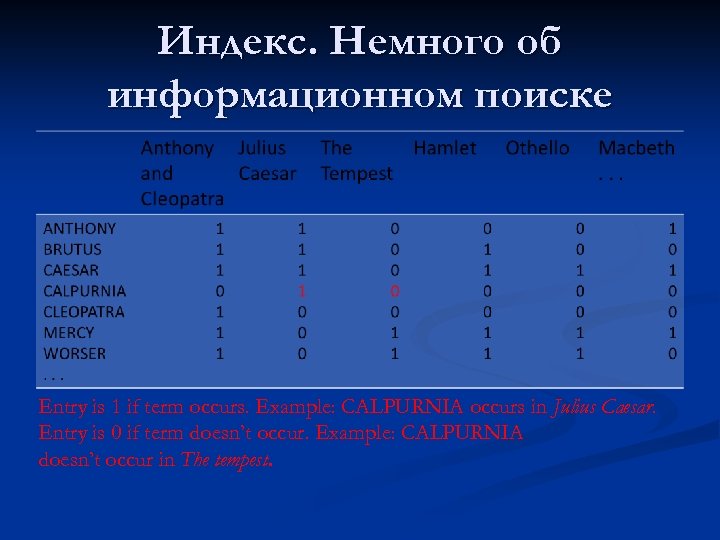
Индекс. Немного об информационном поиске Entry is 1 if term occurs. Example: CALPURNIA occurs in Julius Caesar. Entry is 0 if term doesn’t occur. Example: CALPURNIA doesn’t occur in The tempest.
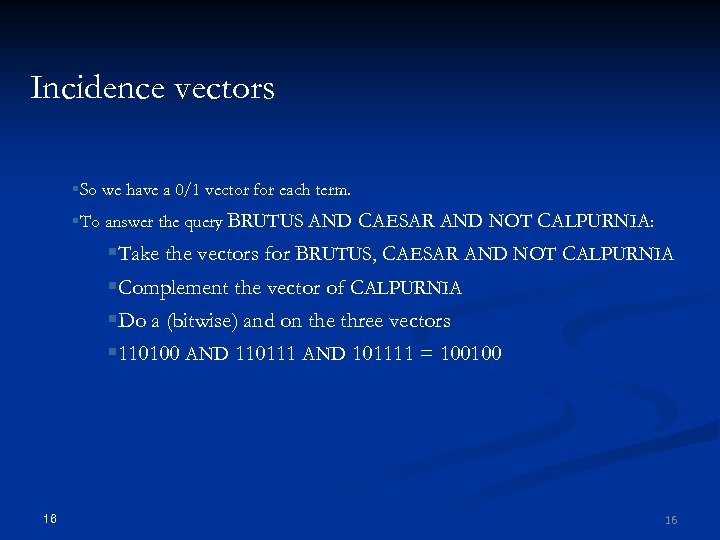
Incidence vectors §So we have a 0/1 vector for each term. §To answer the query BRUTUS AND CAESAR AND NOT CALPURNIA: §Take the vectors for BRUTUS, CAESAR AND NOT CALPURNIA §Complement the vector of CALPURNIA §Do a (bitwise) and on the three vectors § 110100 AND 110111 AND 101111 = 100100 16 16
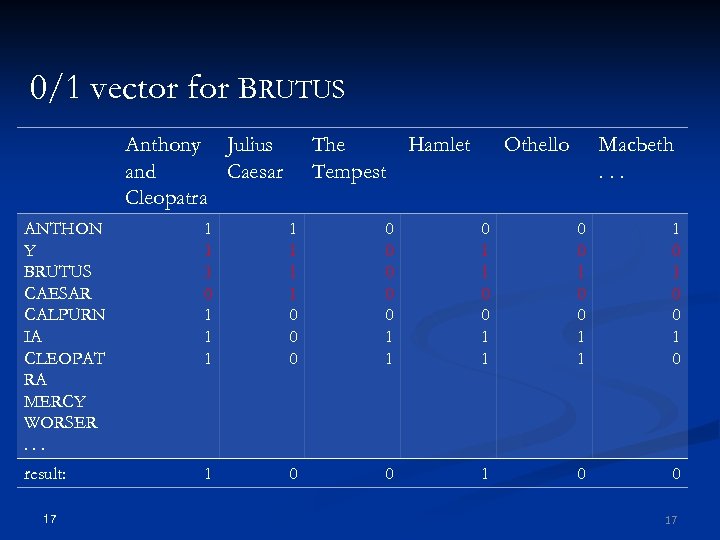
0/1 vector for BRUTUS Anthony Julius and Caesar Cleopatra The Hamlet Tempest Othello Macbeth. . . ANTHON Y BRUTUS CAESAR CALPURN IA CLEOPAT RA MERCY WORSER. . . 1 1 1 0 1 1 1 1 0 0 0 0 1 1 0 0 1 1 1 0 0 1 0 result: 1 0 0 17 17
Can’t build the incidence matrix §M = 500, 000 × 106 = half a trillion 0 s and 1 s. §But the matrix has no more than one billion 1 s. §Matrix is extremely sparse. §What is a better representations? §We only record the 1 s. 18 18
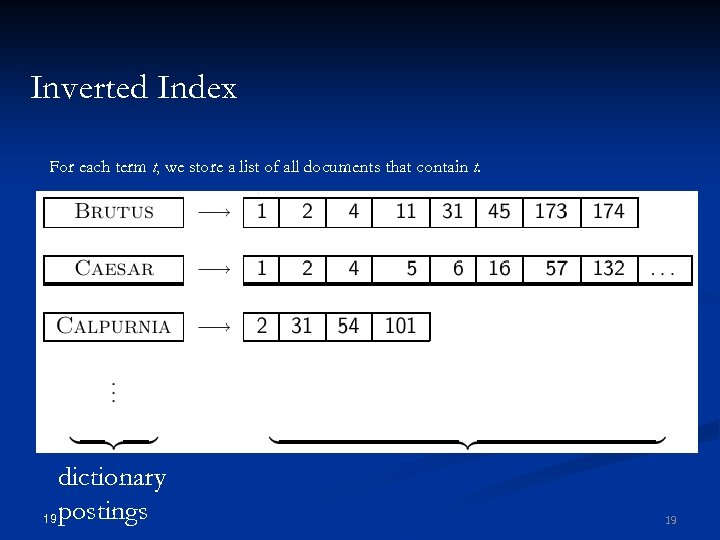
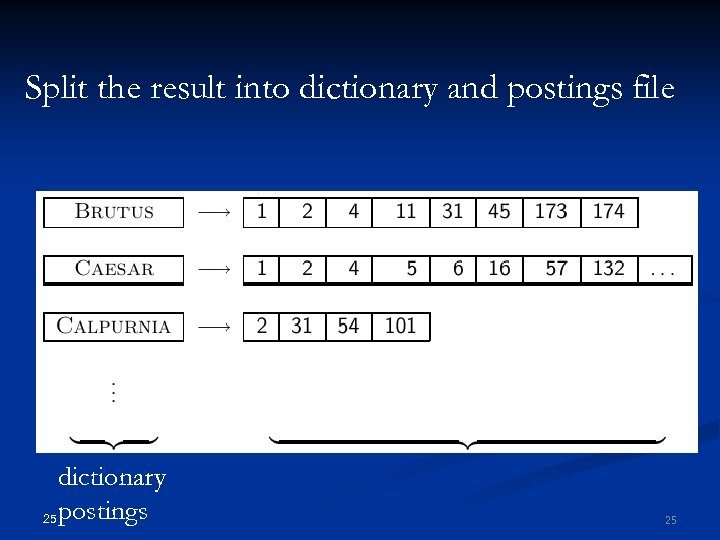
Inverted Index For each term t, we store a list of all documents that contain t. dictionary 19 postings 19
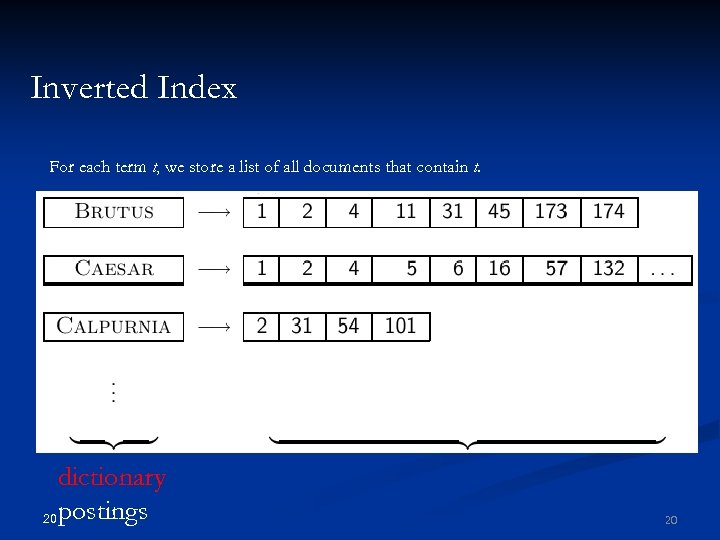
Inverted Index For each term t, we store a list of all documents that contain t. dictionary 20 postings 20
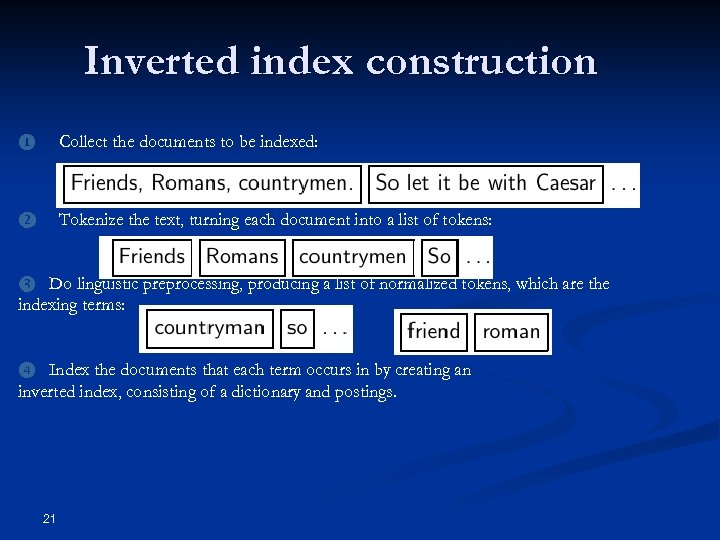
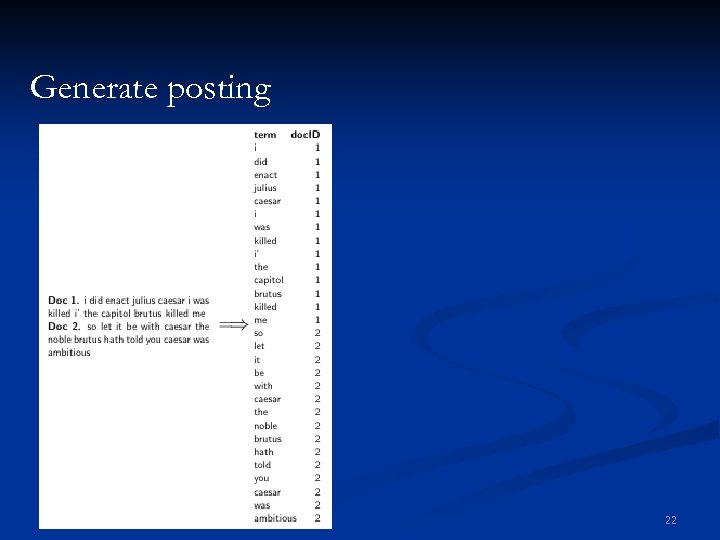
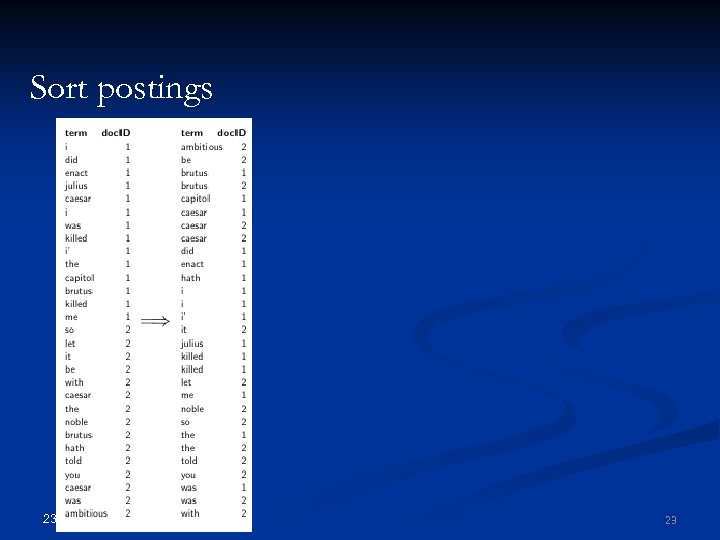
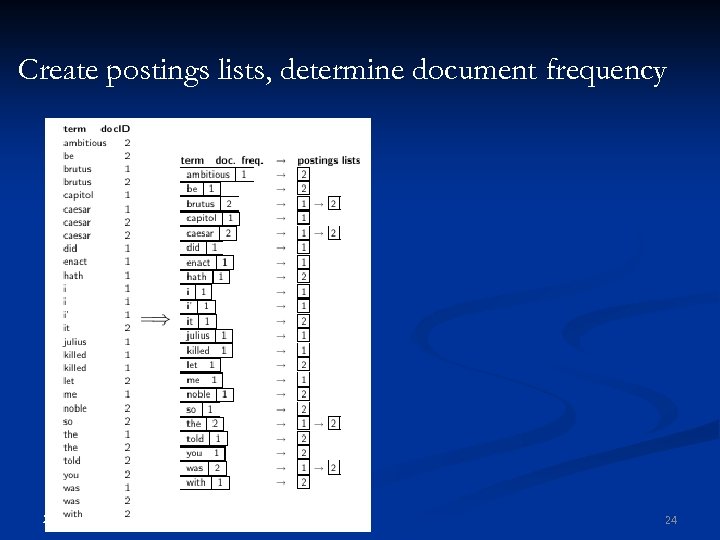
Inverted index construction ❶ Collect the documents to be indexed: ❷ Tokenize the text, turning each document into a list of tokens: Do linguistic preprocessing, producing a list of normalized tokens, which are the indexing terms: ❸ Index the documents that each term occurs in by creating an inverted index, consisting of a dictionary and postings. ❹ 21
Generate posting 22 22
Sort postings 23 23
Create postings lists, determine document frequency 24 24
Split the result into dictionary and postings file dictionary 25 postings 25
Later in this course §Index construction: how can we create inverted indexes for large collections? §How much space do we need for dictionary and index? §Index compression: how can we efficiently store and process indexes for large collections? §Ranked retrieval: what does the inverted index look like when we want the “best” answer? 26 26
Outline ❶ Introduction ❷ Inverted index ❸ Processing Boolean queries ❹ Query optimization 27
Simple conjunctive query (two terms) §Consider the query: BRUTUS AND CALPURNIA §To find all matching documents using inverted index: ❶ Locate BRUTUS in the dictionary ❷ ❸ Locate CALPURNIA in the dictionary ❹ Retrieve its postings list from the postings file ❺ Intersect the two postings lists ❻ 28 Retrieve its postings list from the postings file Return intersection to user 28
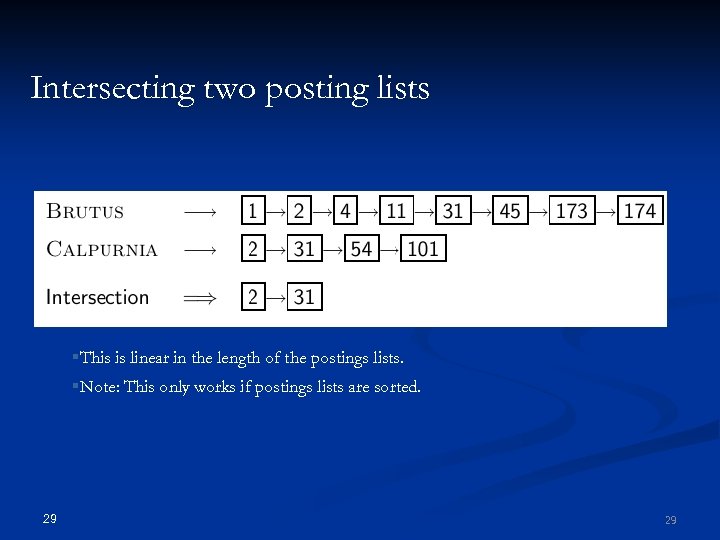
Intersecting two posting lists §This is linear in the length of the postings lists. §Note: This only works if postings lists are sorted. 29 29
 Скачать презентацию Автоматическая обработка текста Представление текстового массива Способы
ed475d9736f0bd58fafc8084e6671625.ppt