 Скачать презентацию Automatic Sync Update Fall 2012 September 28 2012
ed82924be4b65fdb856f2bfbb6a2e77d.ppt
- Количество слайдов: 32



Automatic Sync Update Fall, 2012 September, 28, 2012
Agenda • • • Welcome Systemwide Contract Overview (ATI) Caption. Sync Update (Automatic Sync) Q&A Wrap-up 2
CSU Systemwide Contract • Previous systemwide contract (2009 -2012) was very successful • $100, 000 savings over 3 years • High satisfaction reported in user survey • New Contract Process • Workgroup formed in Spring • RFP Process (requirements, RFP drafting, proposal review, vendor selection) completed in Summer • Very few logistical or technical changes from earlier contract 3
Caption. Sync Update Kara Stark kara@automaticsync. com www. automaticsync. com September 28, 2012 © 2012 Automatic Sync Technologies
Introduction • Caption. Sync is a web-based service provided by Automatic Sync Technologies (AST) for Transcription and/or Closed Captioning of media files. • Caption. Sync was initially funded by the US Dept of Education. • Caption. Sync has over 2000 users across the country • In addition to captioning, AST has expertise in workflow automation, video search and navigation, and the use of synchronized interactive media. © 2012 Automatic Sync Technologies
Agreement Overview • AST has provided services to the CSU System since 2005. • In 2008 AST was awarded CSU system-wide agreement. • AST was recently awarded agreement again to be the sole chosen provider • The system-wide agreement with the CSU provides for: • Special pricing (very favorable to CSU customers) • Centralized billing of core transcript & caption services • System-wide training sessions © 2012 Automatic Sync Technologies
Agreement Mechanics • Each CSU campus has an “AST Administrator” responsible for overseeing usage of the agreement at their campus. • Any CSU member can get their own Caption. Sync by applying at: http: //www. automaticsync. com/caption/csu_sign_up. php • After AST receives an application, an approval from your campus Administrator is automatically requested. As soon as we receive this, the account is created and you will receive an automated notification. • Every month, the Administrator receives a summary of all usage of the Agreement for your campus. • AST does not directly bill your campus – the CO handles all invoicing from AST and “bills back” all usage to the campuses every 4 months (previously 6 months). © 2012 Automatic Sync Technologies
What’s new for Caption. Sync? § Video Encoding Services § URL submission capability § Spanish transcript and captioning § Spanish translation services (in Beta) § Production Transcripts § Several new lecture capture integration options. Currently integrate with Echo 360, Mediasite, Panopto, Tegrity. § Online Video Platform integrations options include Brightcove, Ensemble Video and Kaltura § Elluminate Workflow © 2012 Automatic Sync Technologies
Video Encoding Services § Submit your. MOV, . M 4 V or. MP 4 video and get back a fully encoded. M 4 V file. The text track is embedded in the container. § Encoded M 4 V file is ready to go for use with any player or device that supports i. OS devices, including JW Player, Flowplayer, Quick. Time, i. Pad, i. Phone, i. Pod and i. Tunes. § i. OS Devices require encoded caption data. Our encoding services will save you a production step by embedding the files for you. 2 § Option available for open-captioning § This service is not part of the CSU agreement, is billed separately. © 2012 Automatic Sync Technologies
URL Submission • You are now able to submit a URL or list of URLs for captioning • We download videos for you, send them for transcription and captioning and email results back to you. • Enable this feature automatically by submitting a support ticket requesting this service © 2012 Automatic Sync Technologies
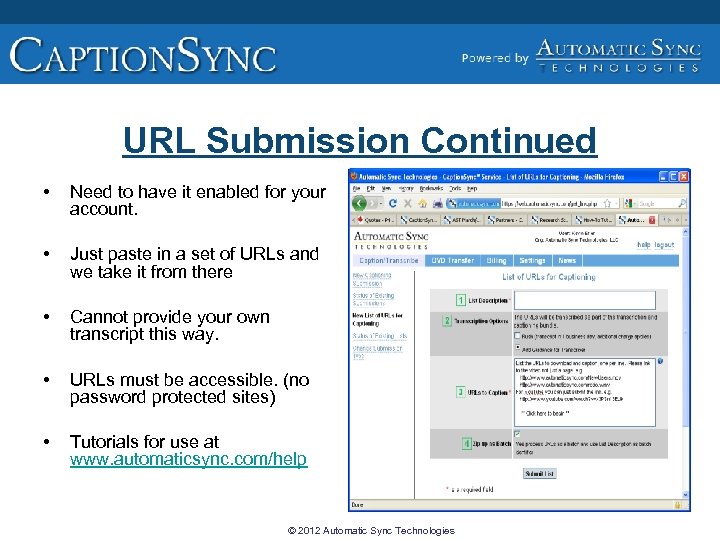
URL Submission Continued • Need to have it enabled for your account. • Just paste in a set of URLs and we take it from there • Cannot provide your own transcript this way. • URLs must be accessible. (no password protected sites) • Tutorials for use at www. automaticsync. com/help © 2012 Automatic Sync Technologies
Spanish transcription & captioning • Submit your Spanish audio and get back Spanish transcript and caption files • Service is same price as English, billed as a regular transcript/caption submission • Select the language of the audio you submit under the Advanced Settings “language” tab. © 2012 Automatic Sync Technologies
Spanish Translation Service (in Beta) • Needed when you want captions/subtitles in a language other than the language of the media. • AST has a beta program offering English -> Spanish, and Spanish -> English translation. • Uses human translators (not machine translation); as with our captioning, we have found a way to do this much cheaper than typical market rates. • Will be available through the web UI shortly– need to enable through support ticket. © 2012 Automatic Sync Technologies
Production Transcripts • Time coded transcripts are full transcripts with periodic timestamp • Users can decide resolution of time stamps under Advanced Settings • Helpful for Video editors to quickly locate segments of interest, used primarily for: § Video editing § Interviews and panel discussion recordings § Focus group recordings § Depositions © 2012 Automatic Sync Technologies
Upload Options Several ways to get content into Caption. Sync: 1. 2. 3. 4. 5. 6. Web Submission AST-Link URL List (previously discussed) DVD Transfer Integration API Partner Applications – Lecture Capture (Media. Site, Echo, Panopto) – Video Platforms (Bright. Cove, Kaltura, Ensemble, Reel. Surfer) © 2012 Automatic Sync Technologies
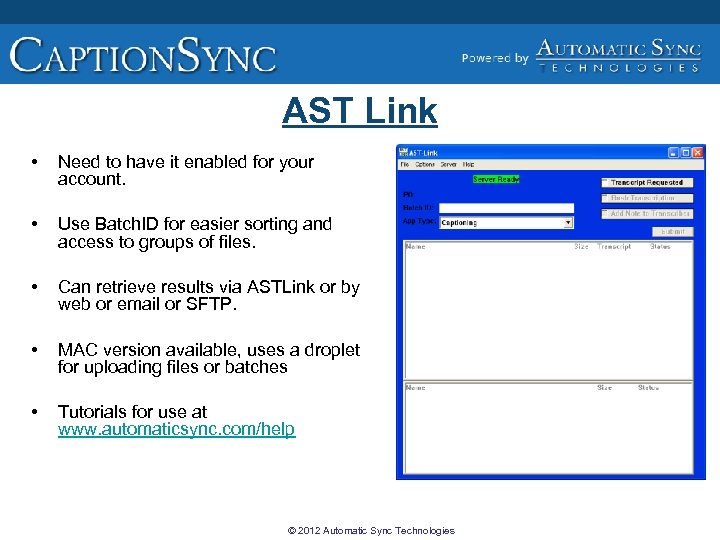
AST Link • Need to have it enabled for your account. • Use Batch. ID for easier sorting and access to groups of files. • Can retrieve results via ASTLink or by web or email or SFTP. • MAC version available, uses a droplet for uploading files or batches • Tutorials for use at www. automaticsync. com/help © 2012 Automatic Sync Technologies
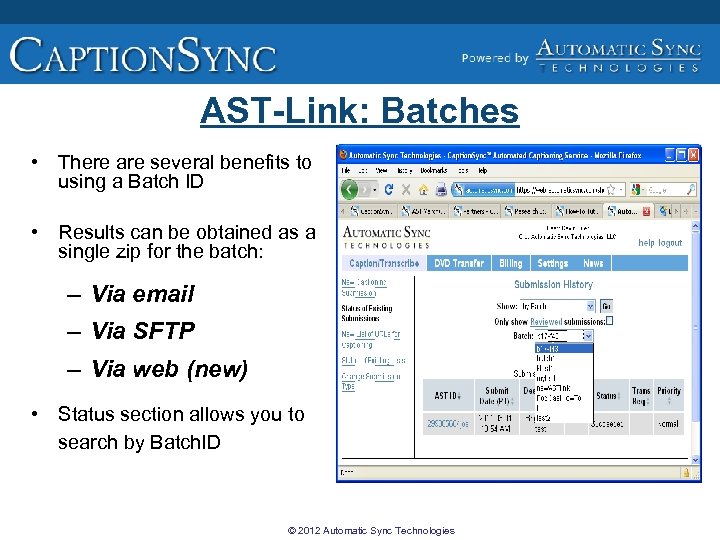
AST-Link: Batches • There are several benefits to using a Batch ID • Results can be obtained as a single zip for the batch: – Via email – Via SFTP – Via web (new) • Status section allows you to search by Batch. ID © 2012 Automatic Sync Technologies
Direct Integration § Caption. Sync allows direct integration to any application or system. § Simple and secure interface. § Allows content to be aggregated on your side and then automatically submitted to Caption. Sync. § Complete documentation and integration assistance available. © 2012 Automatic Sync Technologies
Lecture Capture Automation • An increasing amount of content is coming from lecture capture systems. • Many (but not all) support captioning • Some support automated workflows for captioning (Mediasite, Echo 360, Panopto, Tegrity). We are adding new partners all the time. • With workflow automation, you can select to have an individual lecture, or a whole course captioned with just a checkbox. © 2012 Automatic Sync Technologies
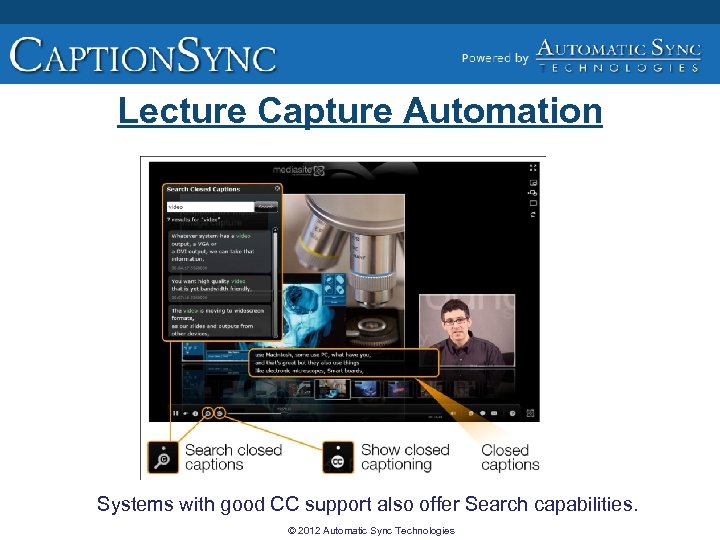
Lecture Capture Automation Systems with good CC support also offer Search capabilities. © 2012 Automatic Sync Technologies
Elluminate Workflow • Caption. Sync can now accept Blackboard Collaborate presentations (Elluminate archives) for captioning. • You submit a list of Collaborate archives and receive back captioned videos in the M 4 V video format. • The resulting accessible videos can be viewed with captions on any computer or device with i. Tunes or Quicktime, including mobile devices such as i. Pods, i. Phones, and i. Pads. • Instructors who want to re-use content from Blackboard Collaborate sessions in future classes now have an easy way to create videos that are compliant with accessibility requirements and also usable on a variety of mobile devices. • The captioned videos can be used as downloadable content in Blackboard Learn courses, and they are also compatible with i. Tunes U sites • Tutorial on process can be found at: http: //www. automaticsync. com/captionsync/resources/how-to-video/40 © 2012 Automatic Sync Technologies
A Quick Tour of Caption. Sync • Settings: update your account; change password; enroll keys. • Help: documentation, downloads, wiki, Support Request. • News: review news items. • Caption/Transcribe: submit new jobs, check status, redo jobs. You can change your submission type on left-hand navigation bar. Options include Captioning, Transcription-only and Production Transcript (if your account is enabled). You need to request Transcription-only using support ticket. © 2012 Automatic Sync Technologies
What happens after you submit? • Caption. Sync ingests your media file and extracts the audio portion. Schedules your job for transcription. • We produce a transcript of the audio portion of the program. Stenographers are trained to use proper captioning conventions. • Divide text into captions, observing guidelines about where to break sentences. System also pays attention to the output formats you requested to conform to constraints on those formats. • Synchronize captions to the video timeline. • Create output files in the format required by your media. Note that format is dictated by the type of player that the content will be played on, not by the media itself. © 2012 Automatic Sync Technologies
But What Caption Files Do I Need? • Caption files are usually “side car” files – they are separate from the movie file. • In some cases, the caption file needs to be encoded (or injected) into the movie data (i. OS devices, Broadcast) • There are many different media types; some are associated with a specific player, some are not. • Subtle but important distinction: Captioning format is dependent on the Player, not the Media. • Players have varying support for captioning, and use different format caption files. Use Open Captioning where support is lacking. • All formats AST offers are listed at: http: //www. automaticsync. com/captionsync/support/result-formats/ © 2012 Automatic Sync Technologies
Improving the End Result • Transcriber Notes (Guidance to Transcriber) o o Communicate proper names, special terms, etc Global Account notes are possible (AST must enable) Batch notes are also possible No Attachments (yet), but a URL is ok • Transcript Review Workflow Option • Audio quality o Good audio is critical to success. Result Review option recommended for poor quality audio. © 2012 Automatic Sync Technologies
Dealing with Specialized Content • Specialized transcriber pools o o We can restrict the transcriber pool for any account We have a special pool for medical content Other pools can be created AST needs to enable this for your account (no cost) • Math content o o Special “Math mode” available for accounts AST needs to enable this for your account (no cost) © 2012 Automatic Sync Technologies
Redos • Can be used to: o o Change transcript (fix typos) Add markers (fix timing errors) Select other/additional output formats Change formatting characteristics • Available for 6 months from original submission, no charge • Must use the raw transcript (. txt) © 2012 Automatic Sync Technologies
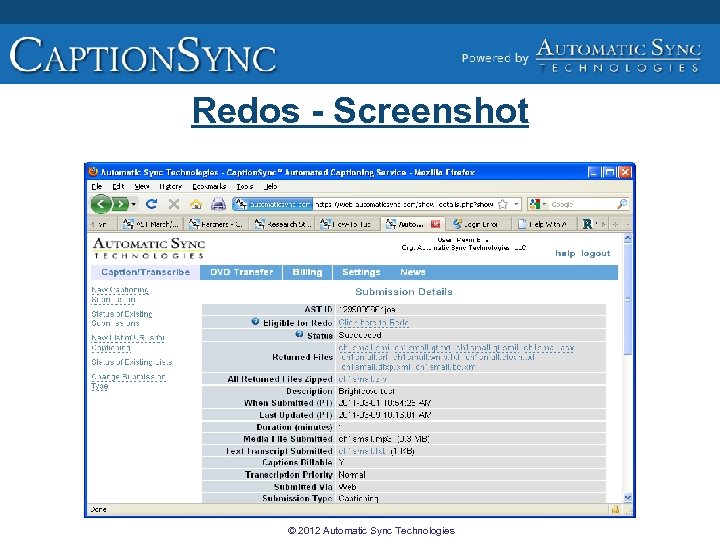
Redos - Screenshot © 2012 Automatic Sync Technologies
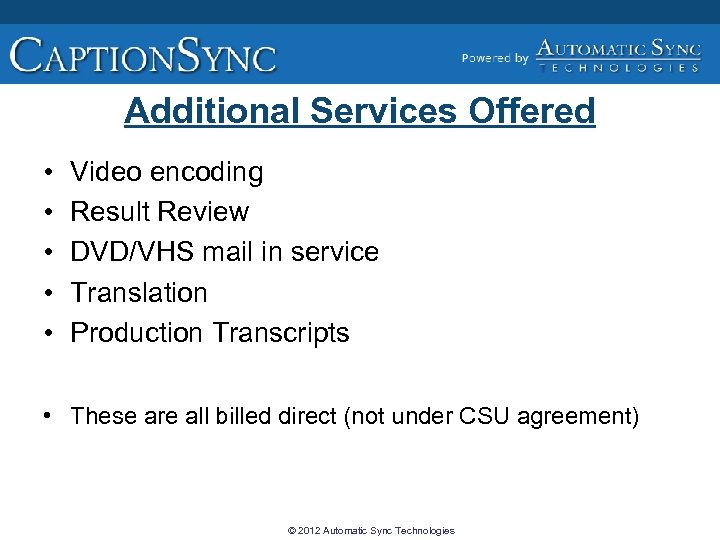
Additional Services Offered • • • Video encoding Result Review DVD/VHS mail in service Translation Production Transcripts • These are all billed direct (not under CSU agreement) © 2012 Automatic Sync Technologies
Contact Information Kara Stark (kara@automaticsync. com) 1 -877 -AST-SYNC x 715 Kevin Erler (kevin@automaticsync. com) 1 -877 -AST-SYNC x 701 www. automaticsync. com © 2012 Automatic Sync Technologies
Other Resources • Take a look at the Caption. Sync “how-to” videos (captioned): http: //www. automaticsync. com/help • The Video Programming Accessibility Advisory Committee Wiki page gives updates regarding the committee's activities and meetings. • AST’s Newsletter with ongoing updates on captioning: http: //www. automaticsync. com/captionsync/newsletter/ • AST’s Blog on captioning-related topics: http: //blog. captionsync. com/ © 2012 Automatic Sync Technologies
Closing • Thank you for attending • Please provide feedback to the ATI (ati@calstate. edu) regarding this webinar or the Automatic Sync contract. 32
Скачать презентацию Automatic Sync Update Fall 2012 September 28 2012
ed82924be4b65fdb856f2bfbb6a2e77d.ppt