


 Скачать презентацию Automated Capture and Access of Virtual Meetings in
e5ea9e787473d8911b7f6baa90239b31.ppt
- Количество слайдов: 27
 Automated Capture and Access of Virtual Meetings in Team. Space November 14, 2001 CNRC, Columbia University Werner Geyer, Shahrokh Daijavad, Tom Frauenhofer IBM T. J. Watson Research Heather Richter, Gregory Abowd Georgia Institute of Technology Ludwin Fuchs, Steven Poltrock The Boeing Company
 Agenda n Team. Space project n Tasks and work modes n Automated capture and access n Team. Space system n Initial experiences
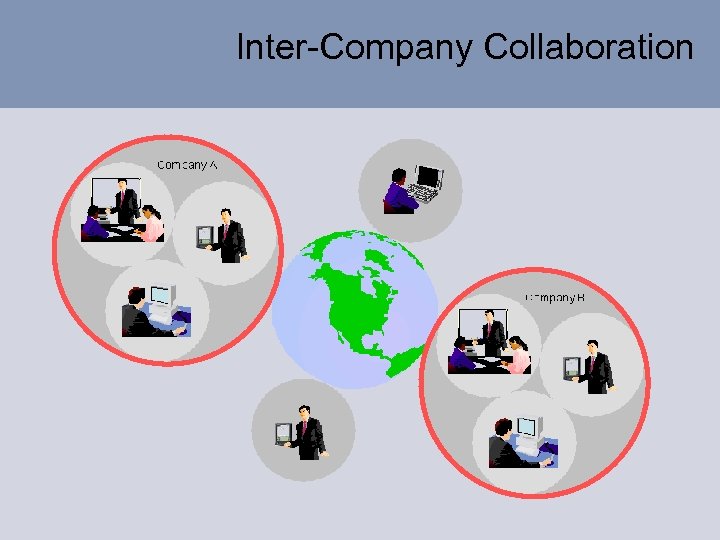 Inter-Company Collaboration
 Team. Space Project n Investigate how technology can enable teams to work together effectively across time and space n Collaborative, task-oriented workspace system to support inter-company distributed teams (“Team Portal”) n Management of shared work processes and artifacts in a project n Synchronous and asynchronous team interaction n Support virtual meetings as a crucial team activity
 Problems and Opportunities n Security infrastructures prevent collaboration: - No collaboration without communication n Different places, different companies, different cultures, different work processes: - Design implications n Work filled with rich discussions whose details are difficult to document: - Ubiquitous capture is an opportunity!
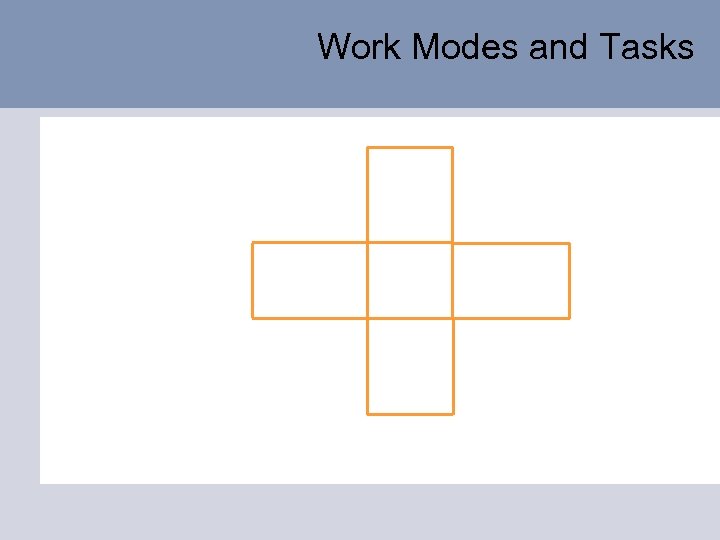
 Boeing Studies n Team members spend the majority of their time with articulation work n Team members frequently shift between different work modes and perform different tasks
 Work Modes
 Work Modes and Tasks
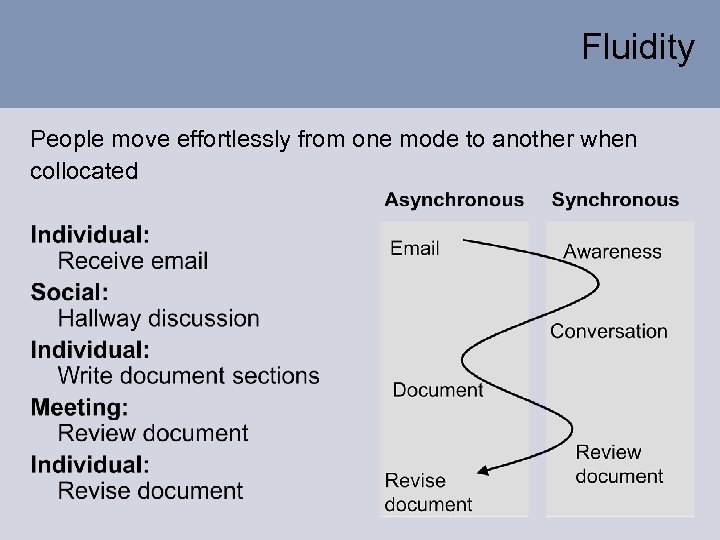 Fluidity People move effortlessly from one mode to another when collocated
 Motivation for Capture and Access n Work filled with rich discussions whose details are difficult to document and later access n Virtual meetings are a crucial communication and coordination activity of teams n Ubiquitous capture and access technologies could provide inexpensive capture of these discussions (archiving) n After a decade of research in capture and access systems, we still do not understand the impact on everyday work practices
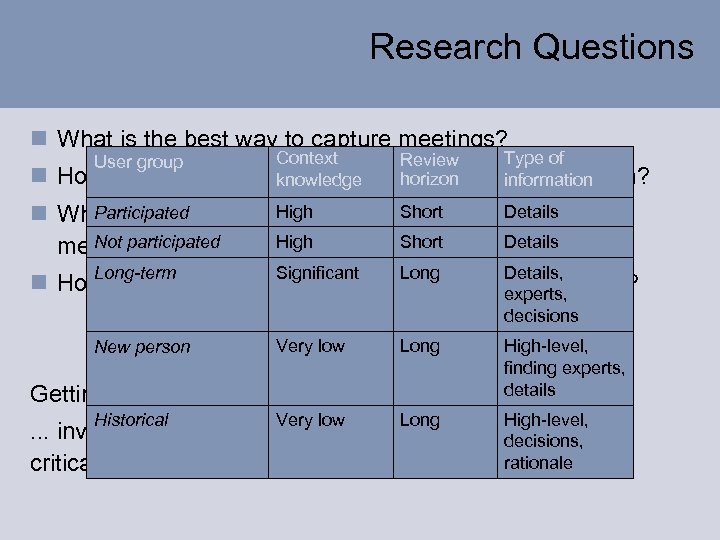 Research Questions n What is the best way to capture meetings? User group n How are the users Context Type of Review going to utilize captured information? horizon knowledge information High Short Details Participated n What are the appropriate browsing and visualization High Short Not participated mechanisms for the captured material? Details Significant Long Details, Long-term n How do these differ depending on the taskexperts, user? of the decisions New person Getting answers. . . Historical Very low Long High-level, finding experts, details Very low Long High-level, . . . involves putting a system into real use anddecisions, a capture rationale critical mass of meetings.
 Approach n Integration of Capture and Access into a collaborative team environment n Using articulation objects across synchronous and asynchronous types of collaboration n Creating indices based on user interaction with these articulation objects Benefits: n Automated documentation (archiving) n Help build relevant knowledge of past team activities n Efficient browsing of meeting records
 Work Modes and Tasks
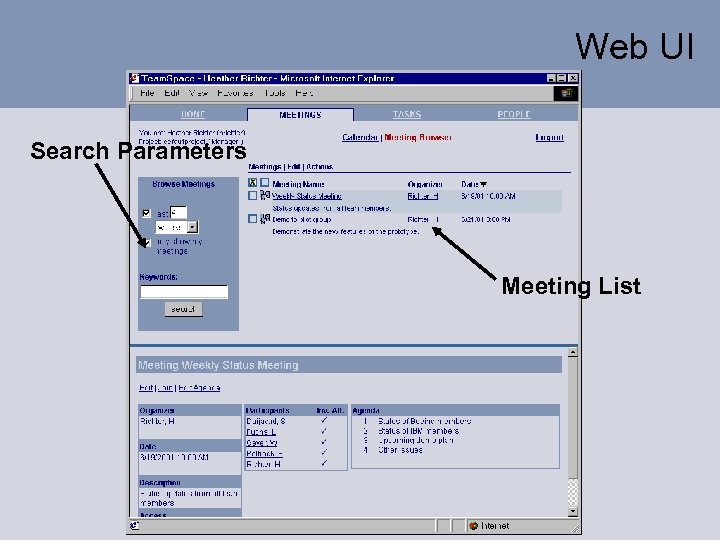
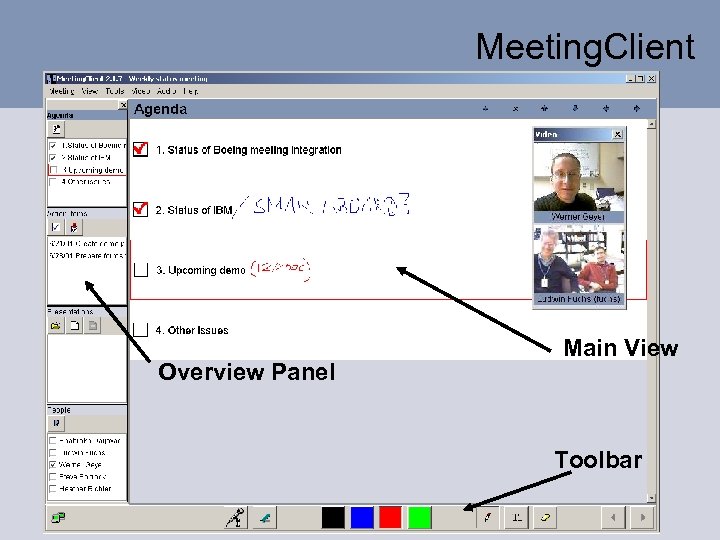
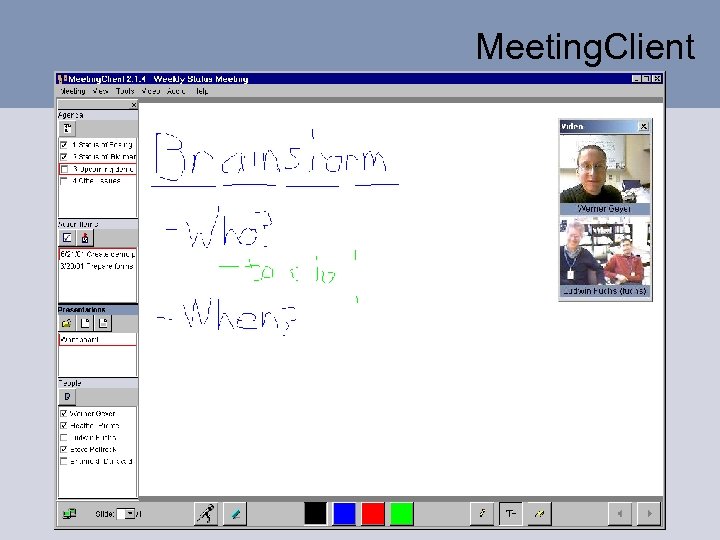
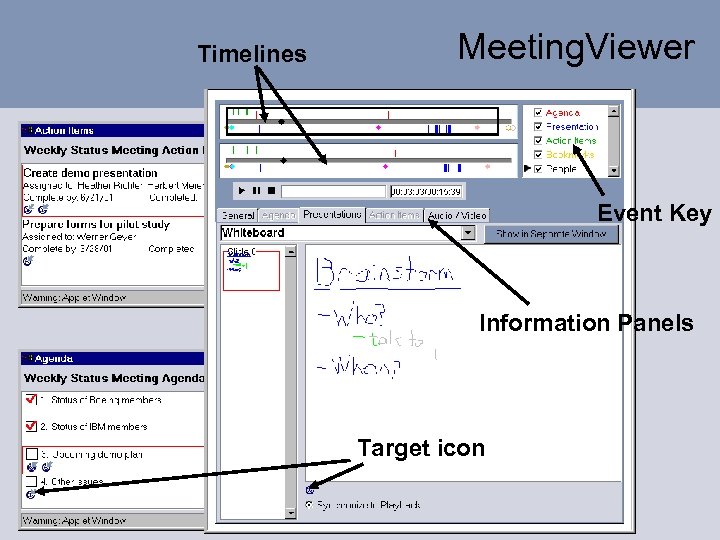
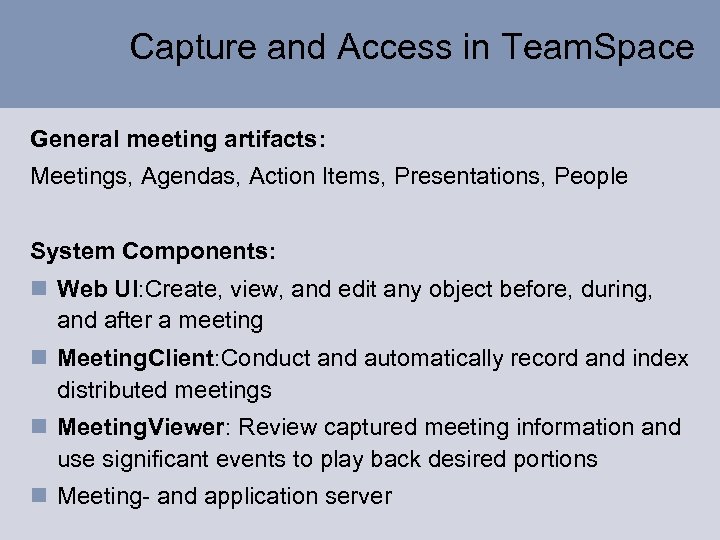 Capture and Access in Team. Space General meeting artifacts: Meetings, Agendas, Action Items, Presentations, People System Components: n Web UI: Create, view, and edit any object before, during, and after a meeting n Meeting. Client: Conduct and automatically record and index distributed meetings n Meeting. Viewer: Review captured meeting information and use significant events to play back desired portions n Meeting- and application server
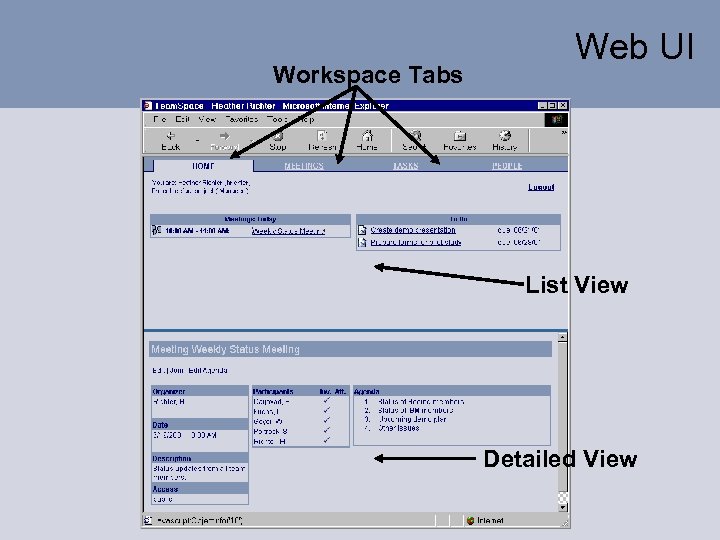 Workspace Tabs Web UI List View Detailed View
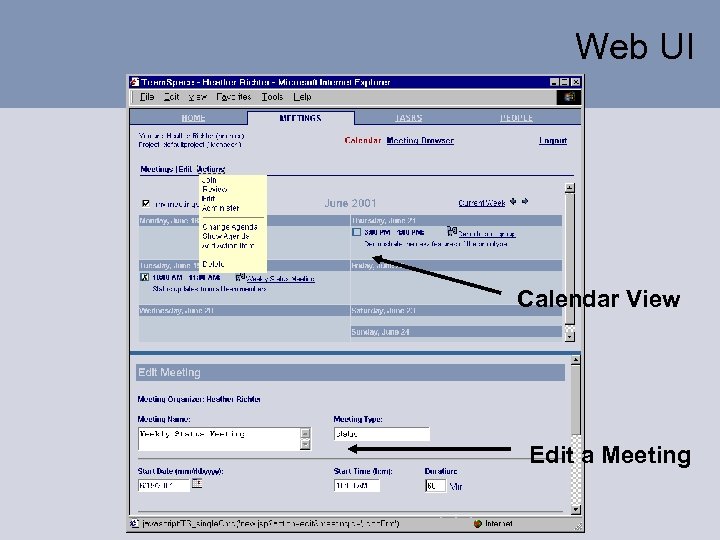 Web UI Calendar View Edit a Meeting
 Web UI Search Parameters Meeting List
 Meeting. Client Overview Panel Main View Toolbar
 Meeting. Client
 Timelines Meeting. Viewer Event Key Information Panels Target icon
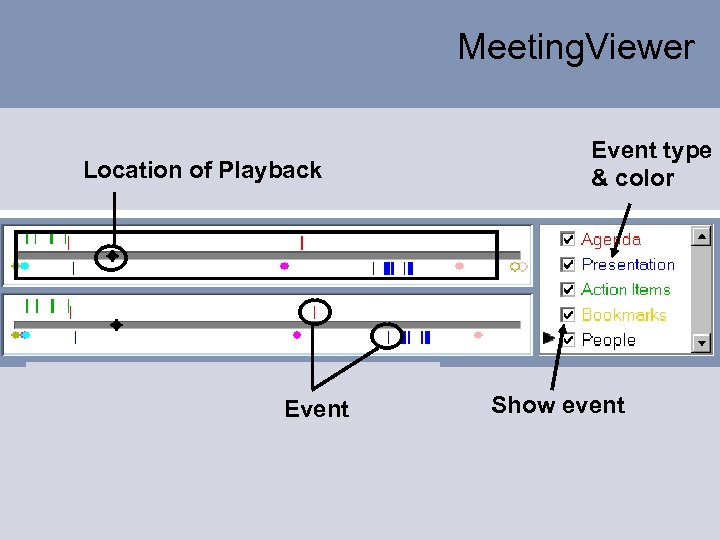 Meeting. Viewer Location of Playback Event type & color Show event
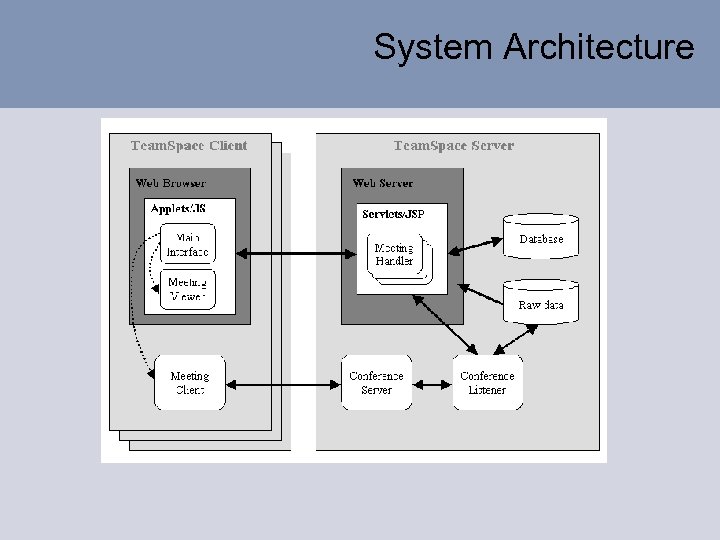 System Architecture
 Initial Usage Used for weekly meetings by Team. Space development team since November 2000 n Cross firewall communication is difficult! n We shared information using Power. Point n We reviewed brainstorming, presentations, and action items to some extent n Still problems in awareness of what distributed members are looking at or doing n Led to redesign of Meeting. Client and Web Interface – the 2 nd prototype was completed early July
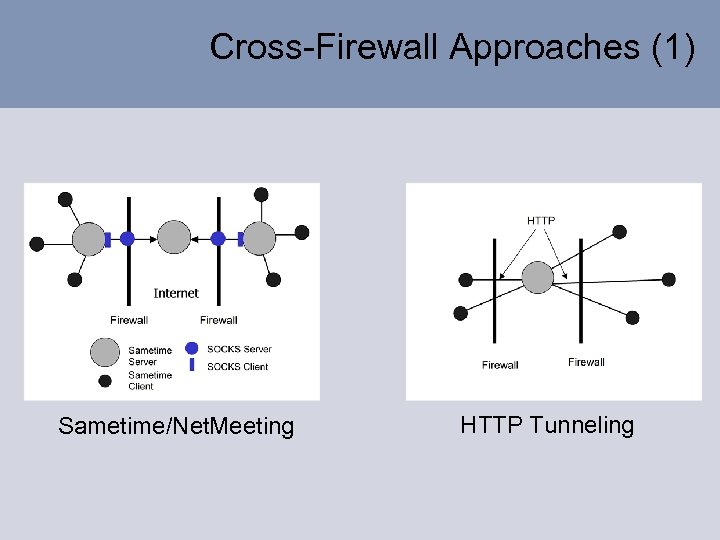 Cross-Firewall Approaches (1) Sametime/Net. Meeting HTTP Tunneling
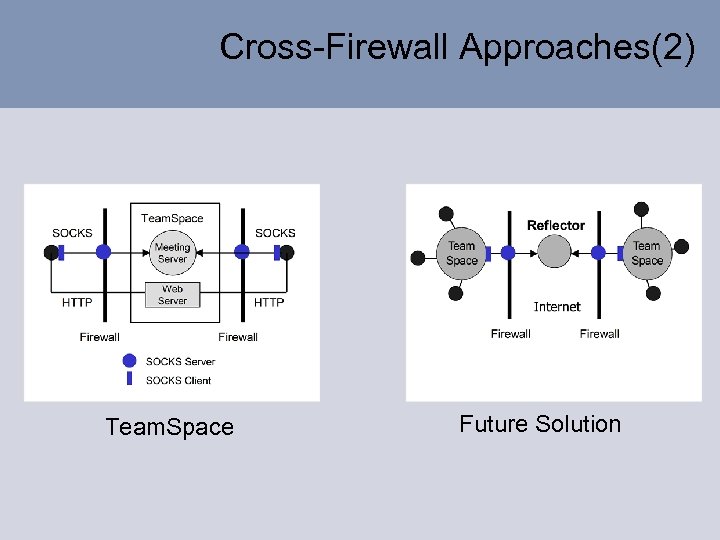 Cross-Firewall Approaches(2) Team. Space Future Solution
 Conclusion n Meeting capture and access needs to be integrated within the larger context of work n Team. Space is our first attempt at such an integration n Using articulation objects across synchronous and asynchronous types of collaboration n Create indices based on user interaction with these articulation objects n Team. Space can now serve as a platform for evaluations to understand the impact of meeting capture and access
 Info n http: //www. research. ibm. com/teamspace/ n Publications: ACM Ubicomp, IEEE Wet. Ice, IBM RC, …